


HOW TO CREATE AN ORGANISATION PROFILE
HOW TO MANAGE MY ORGANISATION PROFILE
HOW TO ADD OPPORTUNITIES ONTO CAREERSCONNECT
HOW TO ADD PLACEMENTS ONTO CAREERSCONNECT
HOW TO BOOK ONTO EVENTS
PAGE 1
PAGE 5
PAGE 7
PAGE 12
PAGE 16

HOW TO CREATE AN ORGANISATION PROFILE
HOW TO MANAGE MY ORGANISATION PROFILE
HOW TO ADD OPPORTUNITIES ONTO CAREERSCONNECT
HOW TO ADD PLACEMENTS ONTO CAREERSCONNECT
HOW TO BOOK ONTO EVENTS
PAGE 1
PAGE 5
PAGE 7
PAGE 12
PAGE 16
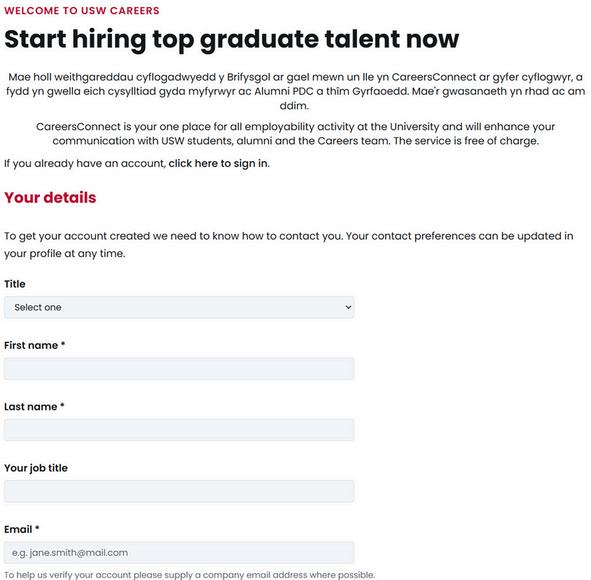
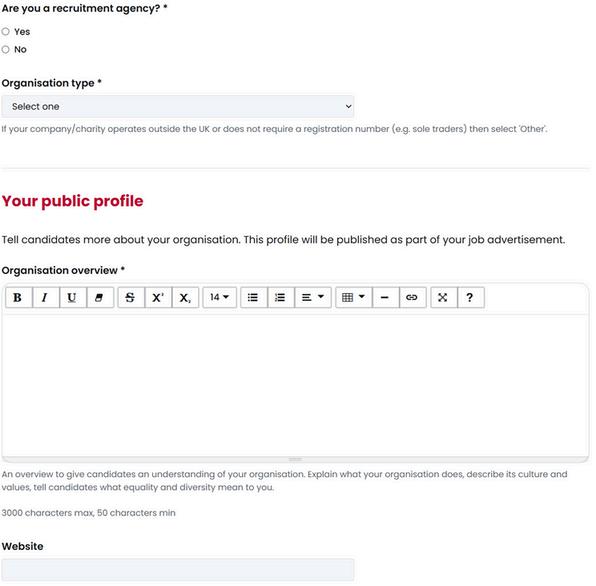
You will be taken to the organisation registration form.
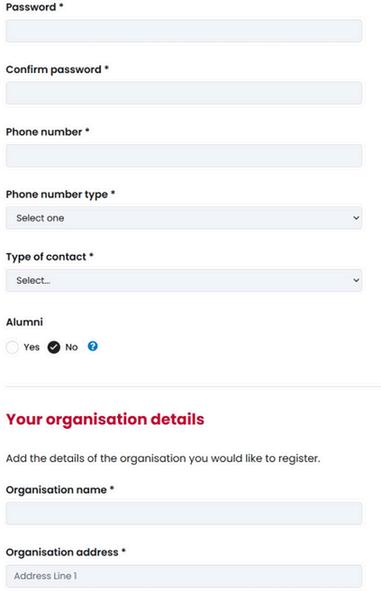
Please fill in this registration form carefully using your details.
Be sure to use a company email address where possible. If you use a noncompany email address domain, such as gmail or outlook, we may contact you to verify information.
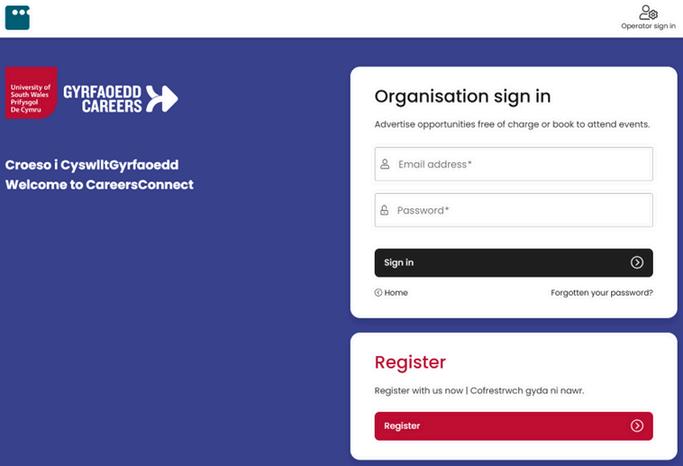
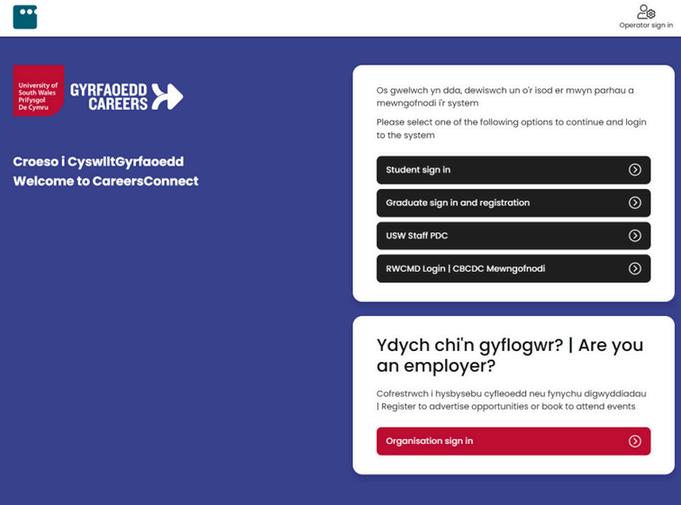
To create an organisation profile on CareersConnect, firstly click on the button.
Click on“Organisation sign in”at the bottom of the page and then select“Register”.
Please confirm whether you are a recruitment agency. Select your organisation type and provide an overview so that our students and graduates can learn about you.
It is also helpful to provide a link to your website, allowing our students and graduates to explore your organisation in more detail.
Continue completing the organisation registration form.
Please inform us if you are an alumni of USW, University of Glamorgan or University of Wales, Newport.
When filing in the “Your organisation details” section, please make sure that these details are accurate. Our system will match these details to Companies House or the Charity Commission. This allows us to verify the identity of your organisation, enabling us to process your organisation application quickly.
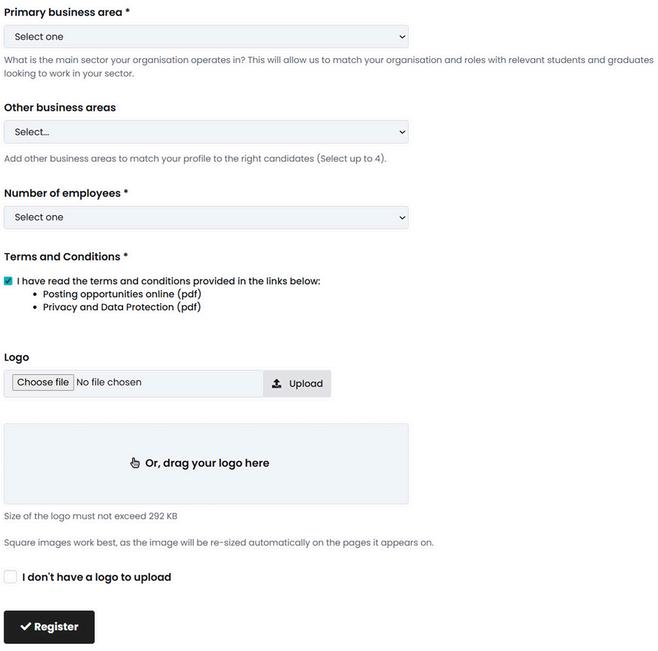
Please select your primary business area. You can select up to 4 additional business areas.
Make sure that you read our terms and conditions, confirm that you have read these documents.
Please upload your company logo.
Once you have completed the registration form, make sure to click “Register” at the bottom to submit. Your profile will then be submitted for approval by a member of our team.

By registering your organisation on CareersConnect, you can share job vacancies, placements, part-time roles and volunteering opportunities directly with USW students and recent graduates. These opportunities are promoted to a talent pool actively seeking work.
Free Advertising
There’s no charge to list your roles on CareersConnect you can advertise full-time jobs, part-time positions, placements or volunteering experiences at no cost.
Increased Visibility to Relevant Candidates
Opportunities posted on CareersConnect are approved and shared with the USW student and graduate community, increasing your chances of attracting quality applicants who are motivated and ready to work.
The platform supports different kinds of opportunities from placements and internships to graduate jobs and volunteering allowing you to engage at multiple stages of the talent pipeline.
Through CareersConnect you can book or sign up to attend official USW Careers events, including faculty fairs, employer pop-ups and workshops, to meet students face-to-face and raise your organisation’s profile.
Streamlined Communication
The platform centralises your careers engagement jobs, placements, events and employer interactions are all managed in one place, helping you communicate consistently with students and graduates.
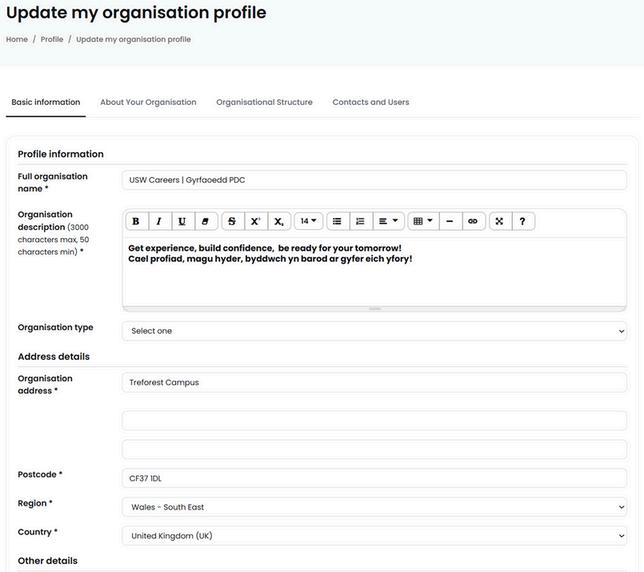
You can update all of your organisation information from this screen using the tabs across the top.
This information is the same details that were provided through your organisation registration form, however from here you can edit information including your organisation description, address details and organisation structure.
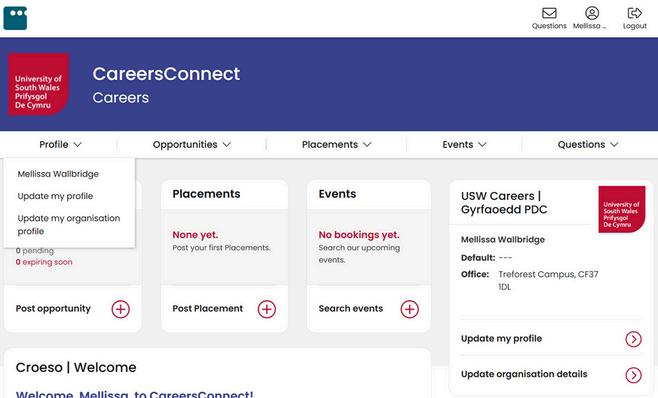
To manage your organisation profile, you must firstly log into your organisation profile.
Go to the“profile” dropdown and select “Update my organisation profile”.
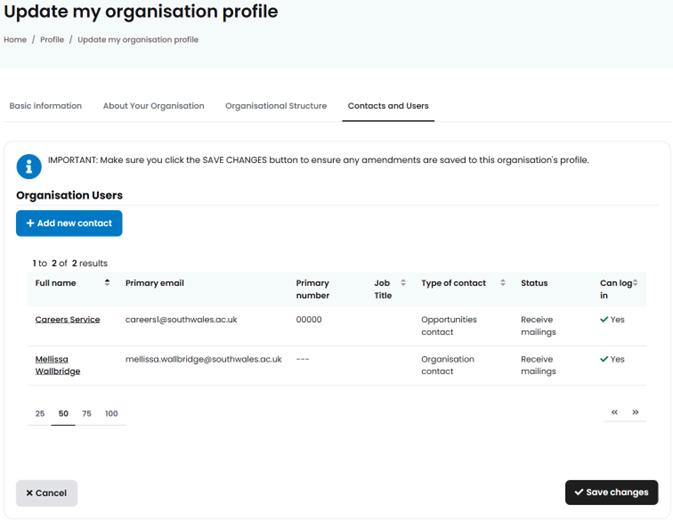
You can add additional users to your organisation or update your organisation’s contacts by selecting the “Contacts and Users” tab and clicking on “Add new contact”.
Make sure when you edit information to click “Save changes” at the bottom of the page.
This is particularly helpful if new colleagues want to be able to access CareersConnect, or if colleagues have left or changed roles.
If you have any issues changing organisation users, please get in touch with us via email (careers@southwales.ac.uk) where a member of staff can assist.

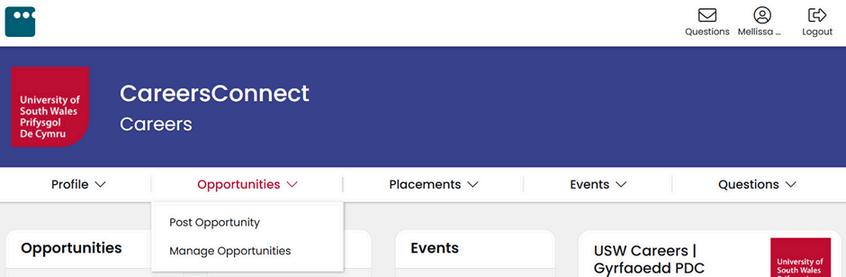
You will be taken to complete the opportunity form.
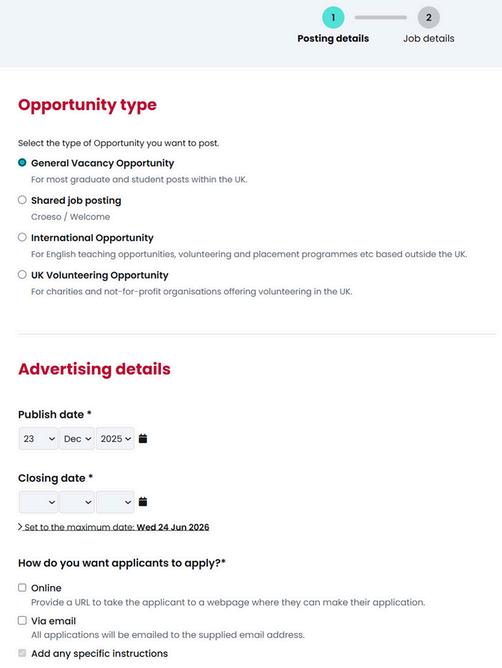
Firstly select the type of opportunity, ensuring that you read the short description under each type.
Select the publish date (when the opportunity will become visible to our students and graduates) and the closing date.
Select how you would like applicants to apply for this role. If you select “Online”, make sure to include a link to the website. If you choose “Via email”, include the email address that applications should be sent to. You can also include any specific instructions here.
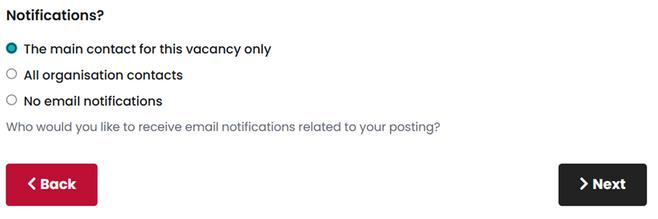
Choose how you would like to receive notifications, and then select “Next”.
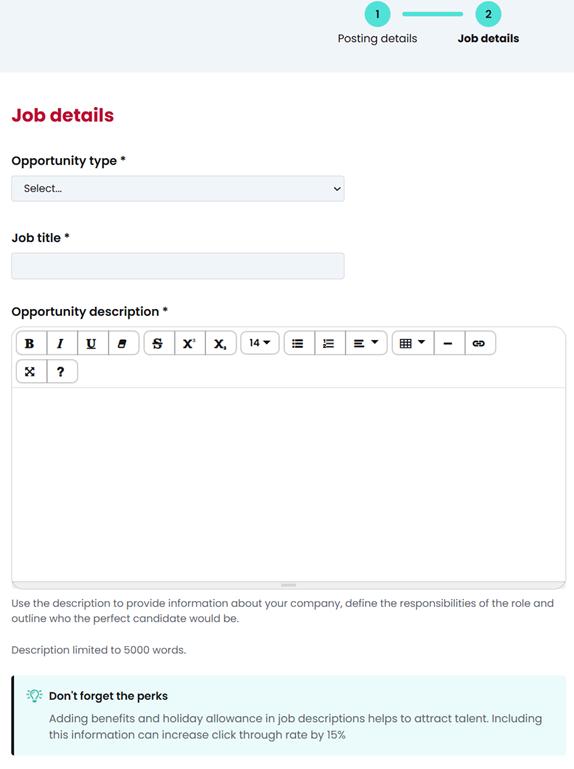
You will then be taken to the “Job Details” section.
Please select the opportunity type - you can select more than one.
You can then enter the job title and provide a detailed description of the role.
This is the perfect time to share details about the role such as the responsibilities and expectations, as well as the person specification.
You can also include the perks of the role such as benefits and holiday allowance. This information can increase engagement from our students and graduates.
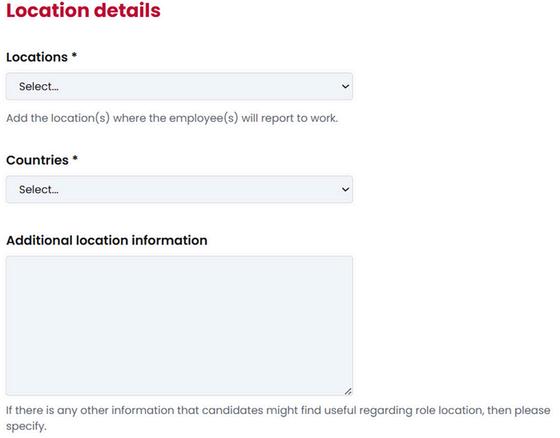
Add the location of the role including the area and country.
You can also use the “Additional location information” box to specify the location.
This is important as students and graduates may only be looking for roles in specific locations.
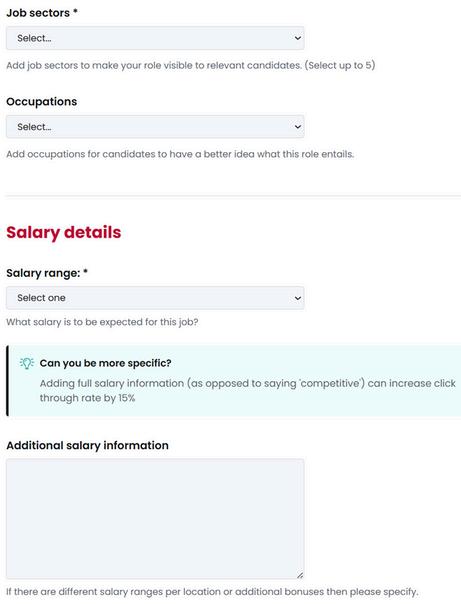
Please select the job sectors that this role is relevant to. You can choose up to 5 sectors. This is really useful as our students select industries that they would like to work in so that they receive job alert emails with roles that they will be interested in.
Please specify a salary range and/or a specific salary for this role.
Please note that if you list the salary as “competative” we may reach out to you for more information as we like to be as transparent with our students and graduates as possible.
Use the attachment section to upload any documents such as a job description or candidate pack.
Please specify if you accept applications from international students and if you can provide visa sponsorship.
Make sure to review our terms and conditions.
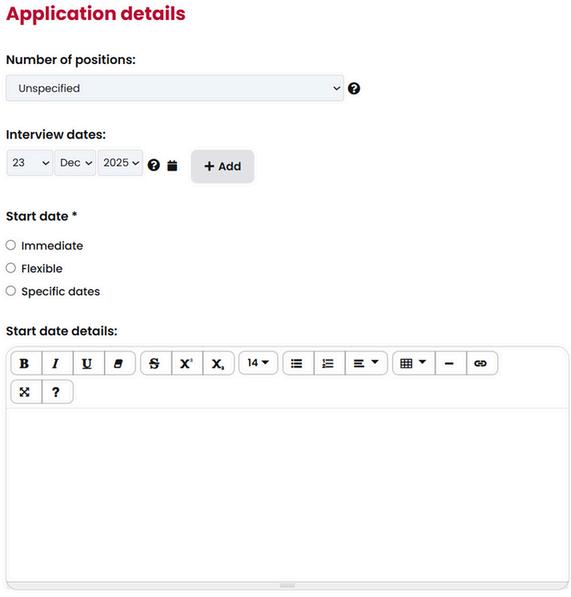
Please use the “Application details” section to specify how many people you are looking to hire.
You can also include the interview dates, using the “Add” button to add additional dates.
Please specify the start date where possible. If there is no specific start date, then please select “Flexible”. This is helpful to our students who are looking for employment for after finishing their studies.
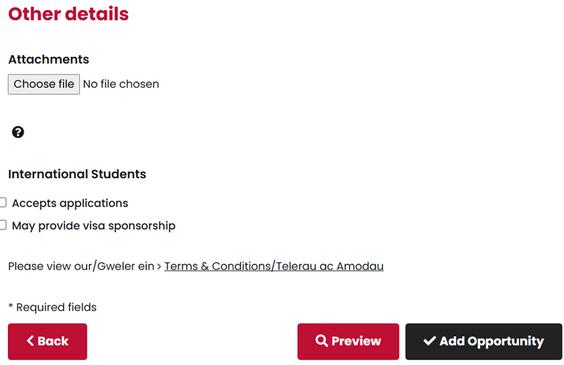
Once you have completed the form, you can preview your opportunity and then click“Add Opportunity”to submit the role.
A member of staff at USW Careers will then review your opportunity before approving. They may email you if there are any queries before publishing your opportunity to our students and graduates.

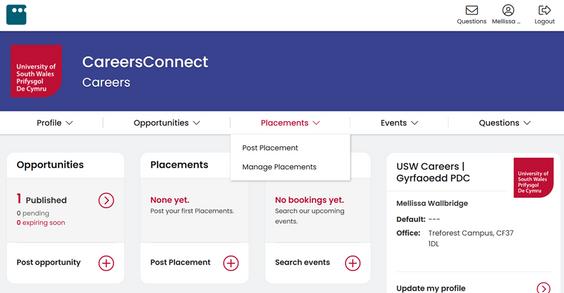
To add a placement opportunity to CareersConnect, you must firstly log in as an organisation. Use the “Placements” drop down and select “Post Placement”.
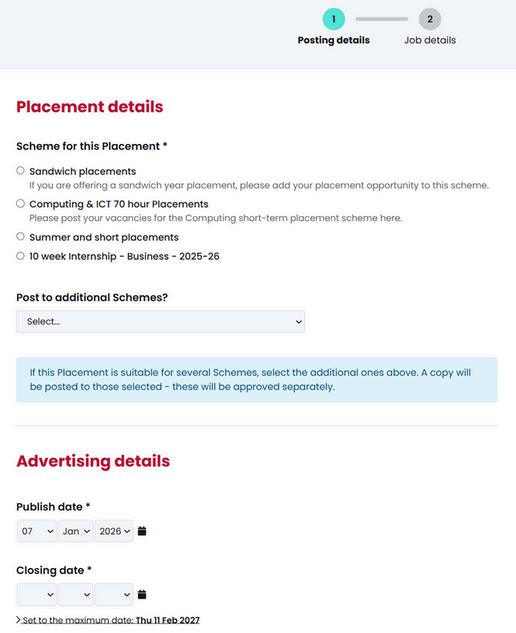
You will be taken to the placement form. This is where you add the information about the placement opportunity for our staff and students to read.
Please select the scheme that this placement belongs to. You can use the “Post to additional schemes” drop down to select multiple placement schemes.
You can then select the publish date. This determines when the placement opportunity will be visible to our students.
You need to also choose a closing date.
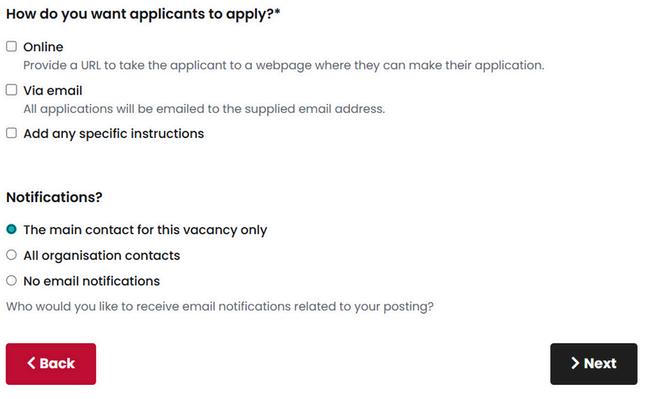
You will need to select how you would like our students to apply for this placement opportunity.
Then select “Next” at the bottom to be taken to the second page of the placement form.
You will then be taken to page 2 where you can provide detail about the placement opportunity.
Please select the opportunity type from the drop down list.
You can also add the job title and provide a description of the opportunity. We recommend that you include as much detail as possible as this is the information that our students will read about your opportunity.
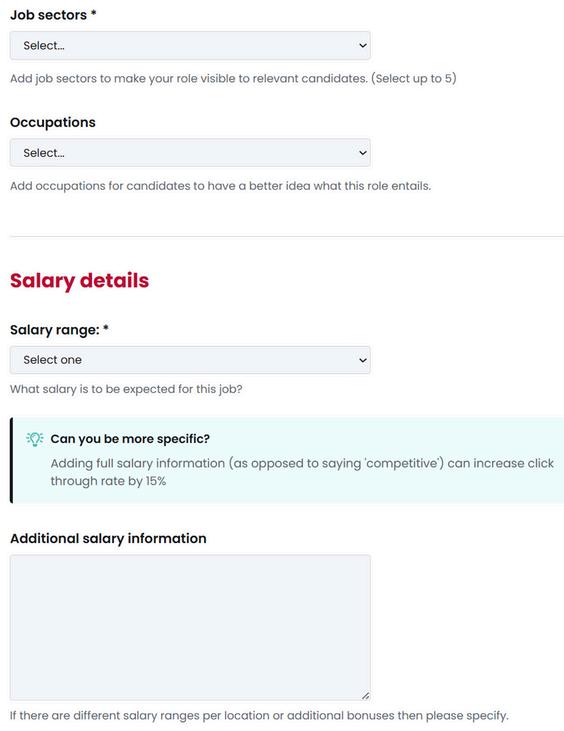
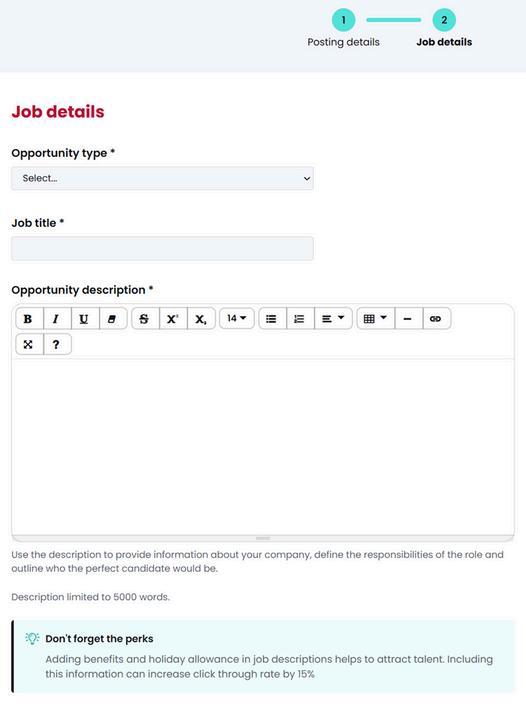
Please select up to 5 relevant job sectors and choose what occupations.
This is really useful as our students select industries that they would like to work in so that they receive job alert emails with roles that are relevant or of interest to them.
Please specify a salary range and/or a specific salary for the role.
If the placement is unpaid, please select “unpaid placement” from the drop down.
You will also be asked to specify the location of the placement opportunity.
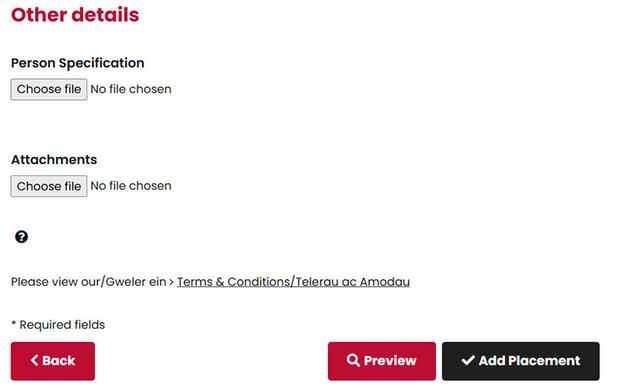
Please use this part of the form to upload any relevant documents such as a person specification.
Make sure to review our terms and conditions.
Once you have completed the form, you can preview your opportunity and then click “Add Placement” to submit the opportunity.
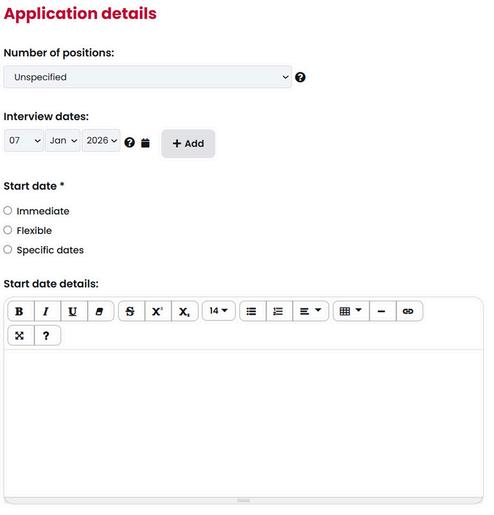
The “Application details” section will ask you to specify how many students you are looking for.
Please specify inteview dates. You can use the “Add” button to add additional interview dates.
You can then choose the start date. There is a box below that allows you to add more detail.
A member staff at USW Careers will then review your placement opportunity before approving. They may email you if there are any queries before publishing your opportunity to our students.

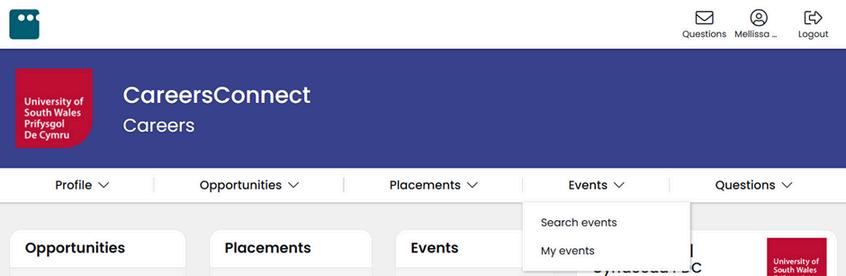
To book onto our events, you firstly need to log in as an organisation on CareersConnect. Use the“Events”drop down and select“Search events”.
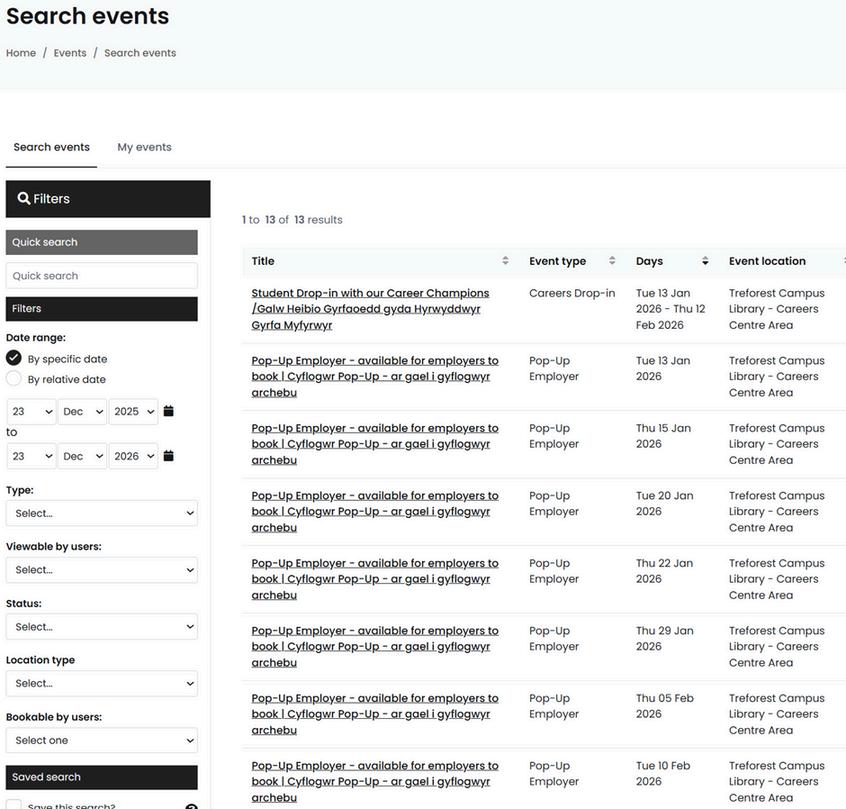
From this screen, you will be able to search for our events that you can book onto.
We offer Pop-Up Employer, the opportunity for you to come onto our campus and set up a stand to talk to our students. We also have other events, such as faculty or course specific fairs.
To book onto an event, select the event title.
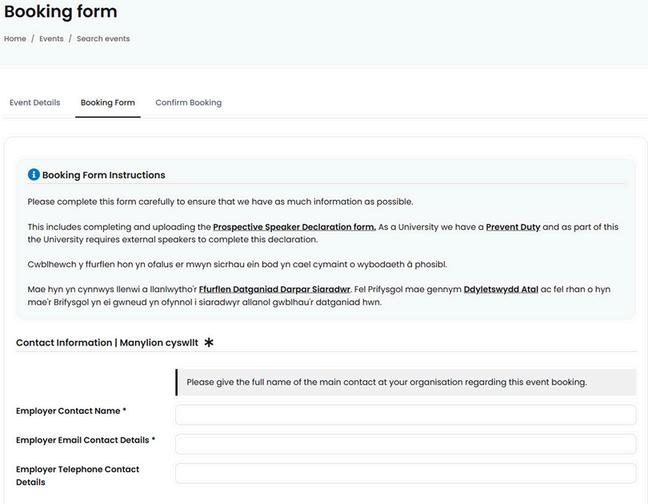
You will then be taken to the booking form for this event.
The content of the booking form may vary depending on the type of event.
Please complete all of the information on the booking form. If you have any questions, please get in touch.
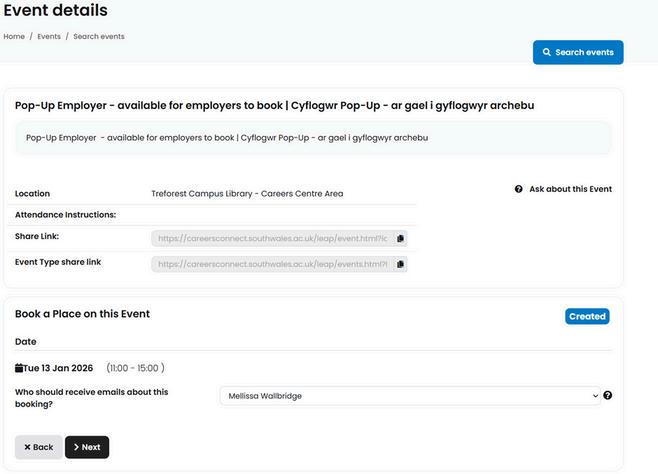
When you click on an event title, you will be taken to the “Event details”page. This is where you can read information about the event.
Under“Book a Place on this Event”you can nominate a person to receive emails about the booking. Then click “Next”.
If you have upcoming events that you would like to share with our students and graduates, please get in touch via email. A member of staff will assist with adding the event to CareersConnect and promoting through course teams and/or social media.