
We are so glad that you are embarking on a path towards the arts at Rider University. Congratulations on all you have accomplished to get you here. Break a leg!
— Rider University Office of Admissions
» Complete your audition form and upload your Virtual Audition Supplementary Video via your Be A Bronc Applicant Dashboard checklist.
» Make sure you have the latest version of Zoom downloaded by visiting zoom.us/download
EQUIPMENT:
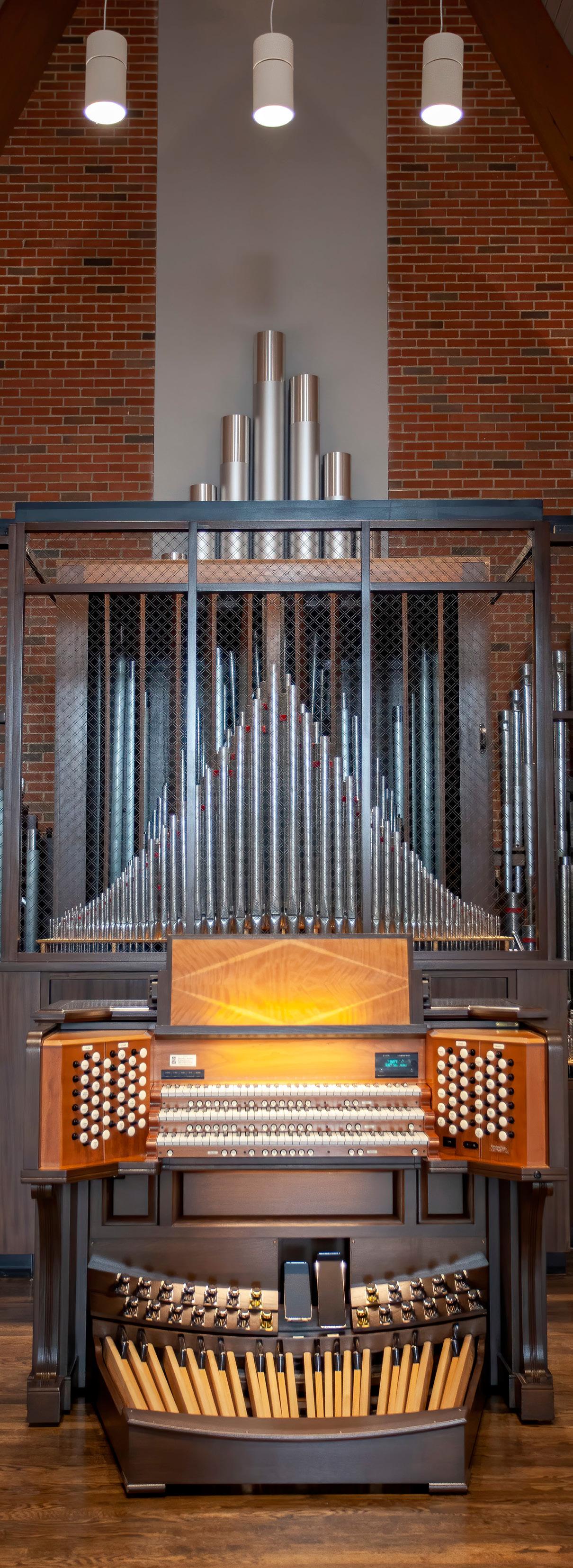
The university prefers that all students use a live accompanist for their audition. If accompanying yourself, using a live accompanist, or auditioning for piano or organ:
» Your camera must show both keys and pedals.
» Make sure your device is close enough to capture good sound.
If using a recorded backing track:
» Must have 2 electronic devices: one for music playback and one with camera.
» For music playback device, use an iPhone/Android.
» For camera device, use a laptop or tablet.
» Small speaker to be connected to your phone playback device. Wired connection is more reliable than Bluetooth.
» Your camera device is where you are logged on to Zoom (for example: laptop or iPad).
» If possible, remove all other devices in your home from the Wi-Fi network during your auditions.
TECHNICAL SET-UP:
» Wi-Fi. Recommended: if you can use hard wired ethernet, you will need a cable that is 50–100 feet depending how far your audition is from your router. The cable is plugged into your router on one end, and plugged into your laptop or tablet on the other end.
» All devices must be fully charged, including your phone, playback device/speaker, tablet, laptop.
LIGHTING:
» Ring light or equivalent.
» Well-lit room with lots of natural light, but avoid window or bright light directly behind you.
» Plain, uncluttered background.
SOUND:
» Quiet area with no background noise.
» Recommended: Use an area rug to absorb sound if carpet is not available to avoid echo and reverberation.
» Use the built-in mic on your recording device.
» Set your phone/playback device and speaker on a stool or end table easily within reach.
» Point speaker at you, and not at the camera/microphone.
» Please ensure that your name on Zoom matches the name on your application.

» Please log in to Zoom at least 15 minutes prior to your scheduled audition time.
» Parents are NOT allowed in your audition under any circumstances.
» Be sure to hide the self-view in your Zoom window once you enter the virtual audition room. Located in the upper right corner in the tiny blue box in your thumbnail with three white dots.
» Do not wear Airpods or headphones.
» Be sure to be close to the camera when you first meet auditors and say hello.
ENABLING HIGH-FIDELITY MUSIC MODE IN ZOOM:
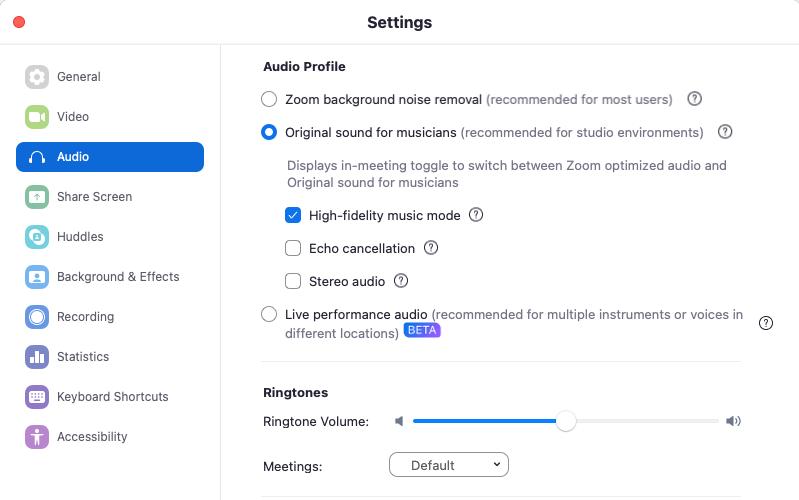
» Launch Zoom. Open Settings by clicking the green check mark in the top left corner of the screen, then clicking the gear icon. Select the Audio tab.
» Under “Audio Profile”, select Original sound for musicians
» Select High-fidelity music mode
» Deselect Echo cancellation
Meeting information
Meeting passcode: 646086 https://rider.zoom.us/j/97362225780?pwd=osHo 1udLES7BjbNl2RokLDWNUbkBR0.1
WELCOME & OVERVIEW — ALL GROUPS
10 to 10:30 a.m. EST
» Meet your potential future professors
Group Interview Times
GROUP 1 AND GROUP 2
GROUP 3 AND GROUP 4
GROUP 5 AND GROUP 6
Call time: 10:30 a.m.
Auditions: 10:45 a.m. to 12:15 p.m.
Call time: 11:45 a.m.
Auditions: 12 to 1:30 p.m.
Call time: 1:15 p.m.
Auditions: 1:30 to 3:00 p.m.
INDIVIDUAL AUDITIONS
» You will wait for your individual audition in the main Zoom meeting.
» One by one, you will be sent to a breakout room to perform your individual audition for faculty.
» Following your individual audition, you must rejoin the main Zoom waiting room.
» One by one, you will be sent to another breakout room to do aural memory exercises, commencing with simple intervals and progressing to short melodic phrases.
» Following your audition and aural skills, if you are not auditioning for Music Education, you may log out of Zoom.
INDIVIDUAL INTERVIEWS — MUSIC EDUCATION ONLY
» You will wait for your individual interview in the main Zoom meeting.
» One by one, you will be sent to a breakout room to meet one on one with a faculty member.
» Open discussion about goals, interests, musical experience, etc.
» Get to know faculty and ask questions about the program.
» Following your individual interview, you must return to the main Zoom meeting room.