Features
Flipbooks
Transform any piece of content into a page-turning experience.
Fullscreen Sharing
Deliver a distraction-free reading experience with a simple link.
Embed
Host your publication on your website or blog with just a few clicks.
Articles
Get discovered by sharing your best content as bite-sized articles.
Statistics
Make data-driven decisions to drive reader engagement, subscriptions, and campaigns.
Teams
Enable groups of users to work together to streamline your digital publishing.
Social Posts
Create on-brand social posts and Articles in minutes.
GIFs
Highlight your latest work via email or social media with custom GIFs.
Add Links
Send readers directly to specific items or pages with shopping and web links.
Video
Say more by seamlessly including video within your publication.
Digital Sales
Sell your publications.
QR Codes
Generate QR Codes for your digital content.
More Features
Integrations
Canva
Create professional content with Canva, including presentations, catalogs, and more.
HubSpot
Embed, gate, and track Issuu content in HubSpot marketing campaigns.
Adobe Express
Go from Adobe Express creation to Issuu publication.
Adobe InDesign
Design pixel-perfect content like flyers, magazines and more with Adobe InDesign.
Use Cases
Industry
Art, Architecture, and Design
Education
Internal Communications
Marketing and PR
Nonprofits
Publishing
Real Estate
Retail and Wholesale
Travel and Tourism
More Industries
Role
Content Marketers
Designers
Publishers
Salespeople
Social Media Managers
Content Type
Flipbook
Portfolio
Digital Magazine
Digital Flipbook
PDF to Flipbook
Newspaper
Digital Book
Digital Lookbook
More Content Types
More
Issuu Store
Purchase your next favourite publication
Browse short-form content that's perfect for a quick read
Help Center
Here you'll find an answer to your question.
Resources
Dive into our extensive resources on the topic that interests you. It's like a masterclass to be explored at your own pace.
Chile
Conecta con EV@ - Guía 12 - Cómo organizar contenido por secciones del curso en EV@
SYLLABUS-UCSC-Lineamientos-para-su-elaboración-y-planificación-2005
Conecta con EV@ - Guía 11 - Cómo usar la herramienta de lectura a voz -docReader- en EV@
Catálogo servicios LabCIDD
Conecta con EV@ - Guía 10 - Cómo descargar todas las entregas de una tarea en EV@ (2)
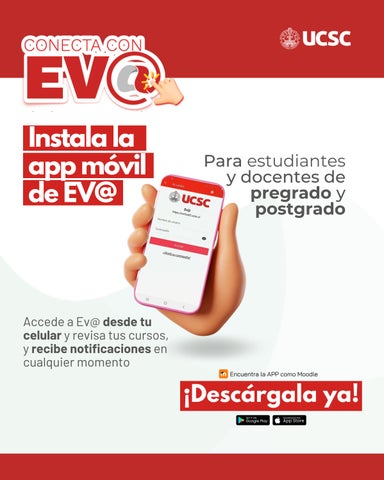
1- Instala la app móvil de EV@
Cómo resolver problemas de acceso a EV@
Cómo matricular un estudiante ayudante en EV@
Modelo Educativo UCSC
POSTER SEMINARIO INNOVACIDD 2026
Conecta con EV@ - Guía 8 - Cómo utilizar agrupamientos para organizar tu curso y actividades
Conecta con EV@ - Guía 7 - Cómo apoyar la accesibilidad con el editor de texto de ev@
Conecta con EV@ - Guía 6 - Cómo usar restricciones de acceso en EV@
Conecta con EV@ - Guía 5 - Cómo ver la actividad de un estudiante
Conecta con EV@ - Guía 4 - Cómo crear grupos y restringir actividades
Conecta con EV@ - Guía 3 - Tres acciones para mejorar la accesibilidad digital
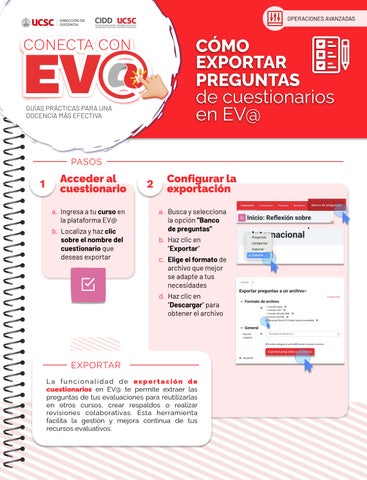
Conecta con EV@ - Guía 2 - Cómo exportar preguntas de cuestionarios EV@
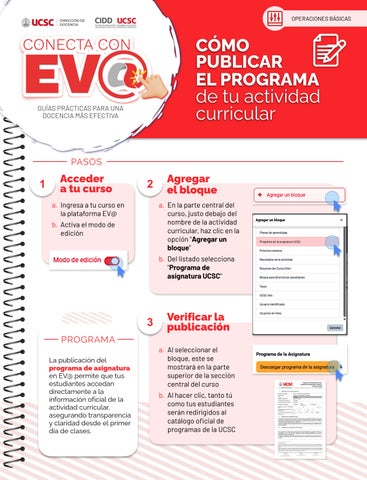
Conecta con EV@ - Guía 1 - Cómo publicar el programa de tu actividad curricular
Soy Docente -Claudia Rodríguez Navarrete
¿Cómo usar Notas en Línea?
Soy Docente - Miguel Lagos Barrientos
Resultados generales de la Encuesta de Experiencia de Aprendizaje
Guía Plataforma Centinela
Soy Docente - Fredy Díaz
Soy Docente -Víctor Neira
Soy Docente - Javier Martínez Ortiz
Soy Docente- Denise Chamorro
Soy docente- Verónica Gómez