AutomationDirect is continually expanding our offering of
Fibox Miniature Cases, Subpanels, and Accessories
Fibox miniature cases start at $24.50 (ULTPCM090706)
• Fibox MNX series miniature cases combine a premium thick-wall construction with reinforced corners for superior impact resistance and long-term performance
• Fibox TEMPO series miniature cases deliver a cost-effective solution optimized for installation speed and convenience with pre-formed knockouts on all four sides and a tool-free soft strap hinge
• Subpanels and other accessories from Fibox, including mounting feet, inspection windows, DIN rails, and more, are available to support seamless installation
Stephanie Neil
Stephanie Neil VP, Editorial Director sneil@wtwhmedia.com
Will 2026 be the year AI delivers ROI?
With every new year comes the obligatory “top technology predictions” from industry pundits who look into their crystal ball to figure out the future. Well, we’re doing it too.
In this issue of NOTEBOOK, we ring in the new year by enlisting the help of Bill Makley, principal at BMC Consulting, who, for over 30 years, has been advising on industrial automation and cybersecurity projects. For the last 10 years, artificial intelligence (AI) has been a big part of his practice. So, we asked him: Where will AI make the most difference for manufacturers this year?
His answer may surprise you. But 2026 could be the year that AI delivers that important return on investment (ROI) we’ve all been waiting for. You can read Bill’s article on page 8 to learn the five ways AI will grow ROI on the plant floor.
From AI to HMI
In our second feature article we aren’t making predictions, but we are giving some advice. Specifically, when to choose a headless human machine interface (HMI) for your application.
Tim Shippy, AutomationDirect’s HMI product manager, walks us through the pros and cons of using a headless HMI vs. a panel-mounted HMI. For the right application, a headless HMI can deliver a flexible, cost-effective, highly accessible alternative to traditional panel-mount devices. But you need to know a few things before making that decision. Turn to page 14 to get Tim’s take.
Want to dig a little deeper into the headless HMI? Then turn the pages to the tech brief “No Screen, No Problem,” where AutomationDirect product manager
Bobby Thronton provides a detailed description of the award-winning C-more CM5-RHMI headless HMI.
But wait, there’s more. We also explore how IT-based technologies, like objectoriented programming (OOP), are being adopted by HMIs and programmable logic controllers (PLCs) to speed development of industrial applications. The latest example is the introduction of user defined instructions (UDIs) into the AutomationDirect Productivity PLC integrated development environment (IDE). More on that story on page 20.
And if that’s not enough entertainment for you, let’s go to a show at the Timber Lake Playhouse in Mt. Carroll, Ill. The theater’s stage rotates under electromechanical control and was recently upgraded to the latest version of the AutomationDirect VFD family, the GS23. You can find out how that “turned” out in our latest success story.
All this and more in our first issue of NOTEBOOK 2026.
Happy New Year!
Stephanie Neil
AutomationDirect
Can you find a path through the factory work cells shown below, such that you alternately cross blue and red safety-light curtains as you complete the journey? You may pass through the same safety-light curtain more than once, but only as you continue to alternate the red/blue pattern.
LIGHT CURTAINS
Did you know that AutomationDirect offers safety light curtains from trusted brands like Contrinex, Datalogic, Datasensing, and ReeR? See the complete offering of body-, hand-, and finger-protection curtains, along with muting arms, mirrors, and other accessories here: go2adc.com/lightcurtains
Prism Schism
Determine the area of the square at the top of this figure. Note that all the other bounded areas are rhombuses, save the five isosceles triangles at the base.
Segment Torment
Find the length of the red line segment (x), given the other line lengths.
Find these answers and more @ library.automationdirect.com/brain-teasers-answers
VP, Creative Director Matt Claney mclaney@wtwhmedia.com
Cover Artist Erika Kinney ekinney@automationdirect.com
CONTENT STUDIO
Director, Content Studio Courtney New cnew@wtwhmedia.com
AUTOMATION NOTEBOOK does not pass judgement on subjects of controversy nor enter into dispute with or between any individuals or organizations. AUTOMATION NOTEBOOK is also an independent forum for the expression of opinions relevant to industry issues. Letters to the editor and by-lined articles express the views of the author and not necessarily of the publisher or the publication. Every effort is made to provide accurate information; however, publisher assumes no responsibility for accuracy of submitted advertising and editorial information. Non-commissioned articles and news releases cannot be acknowledged. Unsolicited materials cannot be returned nor will this organization assume responsbility for their care.
AutomationDirect 3505 Hutchinson Road Cumming, GA 30040
Ph: 800.633.0405 | 770.889.2858 FAX: 770.889.7896
Maze Craze
4 Small Theatre’s Rotating Stage Gets VFD Controls Upgrade
After running for decades on its original electro-hydraulic drive, Timber Lake Playhouse’s revolving stage system received significant behind-the-scenes AutomationDirect upgrades in 2007 and 2025.
20
Getting with the Object-Oriented Program
The recent introduction of user defined instructions in AutomationDirect PLCs provides another tool for accelerating PLC and HMI development.
24 No Screen, No Problem: Maximizing Visualization Flexibility with Minimum Hassle
Headless HMIs slash costs, simplify installation, and unlock creative display options ranging from handheld tablets to wallmounted scoreboards.
Specialty equipment and mechanical contractors, in this case a cryogenic systems solutions provider, can extend their project delivery capability by partnering with experienced automation systems integrators.
Small Theatre’s Rotating Stage Gets VFD Controls Upgrade
BY RYAN POETHKE, SHOWFAB
After running for decades on its original electrohydraulic drive, Timber Lake Playhouse’s revolving stage system received significant behind-the-scenes AutomationDirect upgrades in 2007 and 2025.
Timber Lake Playhouse (TLP), adjacent to its namesake body of water and surrounded by woods and acres of farmland beyond, has been operating as a professional, non-profit summer theatre company in Mt. Carroll, Illinois since 1961. This 371-seat theatre sits on a 10-acre campus, which includes housing for its staff, plus the associated shops and administration facilities needed to put on multiple performances every summer. A nearby resort features tent, cabin, and RV camping, along with additional recreation facilities, providing a readily accessible audience in addition to locals or those who might make the trip for the day.
From an engineering perspective, what makes TLP especially interesting is its semi-thrust stage — extending into the audience — featuring a 36-foot diameter
section of the floor that rotates under electromechanical control. This moving floor, known simply as a “revolve” in theatre terms, allows scenery to be set up backstage, then rotated into place for quick scene changes.
While the basic idea of a revolving stage seems fundamental, there has been significant progress in power transmission technology since TLP’s founding over 60 years ago. Accordingly, the theatre’s revolve has been the recipient of electrical and automation upgrades over the years to keep up with the times.
Changing motor technology into the 21st century
Originally, the revolve system was powered by an electro-hydraulic drive, consisting of a 5HP electric motor as the input power
Figure 1: These images show audience view of the “revolve” stage, as well as the electric motor, gearbox, and associated pulleys, cables, and tensioning weights, all hidden underneath the theatre’s stage revolve. All figures courtesy of Ryan Poethke
source, driving a hydraulic pump. In turn, the hydraulic fluid was used to operate a hydraulic motor which turned the stage through a gearbox.
This worked for decades, but by 2007 this multi-part system was becoming unreliable and difficult to maintain. As such a critical part of the stage’s operation, this state of affairs was unacceptable. Complicating matters further, while TLP has adequate stagehands and technical staff for most day-to-day needs, it was much more difficult to access specialty technicians on a moment’s notice to support a balky stage drive system.
To improve this situation, I volunteered in 2007 to upgrade the system to full electrical control (Figure 1). Having spent a summer working at the Playhouse, and now being employed as a controls engineer for ShowFab, which specializes in set building and entertainment fabrication, I possessed the right combination of experience and expertise needed to make this upgrade.
The original hydraulic drive was removed. In its place, an electrical-motordriven gearbox was installed. Pulleys and sheaves, interconnected in part with a continuous loop of aircraft cable and
tensioned by weights to establish the necessary friction, would transfer the rotational motion to the stage. This robust, and perhaps even medieval-looking, mechanical setup is entirely unseen by the audience, and quietly handles the system’s massive torque and moderate speed requirements without taking away from the experience of the play itself.
Key to the design would be implementing a way to control the 240V three-phase electrical motor in both directions at varying speeds, in an easy-to use manner. Based on practical experience, an AutomationDirect GS2 AC variable frequency drive (VFD) was chosen for the task. Because the site happened to have electrical power available in a somewhat uncommon 240VAC open delta 3-phase format, the VFD was readily configured to operate the motor, with a small userfriendly control panel, to spin the massive stage turntable in both a clockwise and counterclockwise direction without issue.
Motor control upgrades for 2025
This GS2 drive setup worked well for nearly two decades, but time takes its toll on any automation equipment. The VFD began experiencing some intermittent faults, which were easily cleared but created a nuisance for users. By 2025, the team
realized it was time for a refit. Once again, I was able to volunteer my time to do this work. In addition, we would take this opportunity to provide a few safety and performance upgrades.
For this upgrade, I selected the latest version of the AutomationDirect VFD family, the GS23, which includes the same functionality as the older unit but also offers many enhanced features.
This modern VFD family uses threephase power like the now-retired GS2s. But, of special importance for this project, the newer VFD can also accept a single-phase input to produce a three-phase output needed for velocity control, forward/ reverse operation, and compatibility with the existing motor. The form factor of the new drive closely matches that of the older unit, allowing a new enclosure subpanel to be fabricated in advance to support a quick change-out (Figure 2).
While heavy industry commonly uses three-phase power to enable superior load carrying capacity for a given electrical load, the rotating stage was the last remaining piece of equipment at TLP that required three-phase power at the time of this installation. With this new drive in operation, the three-phase requirement could be dropped, simplifying the facility’s electrical distribution system. >>
2: AutomationDirect VFDs (a GS2 in 2007, and a GS23 in 2025) have provided easyto-use stage control for the TLP team, and a practical upgrade path away from a problematic hydraulic system. The 2025 upgrade eliminates the ongoing need for three-phase power.
Figure
Figure 3: The operator console shown here uses several buttons, lights, and an e-stop button sourced from AutomationDirect to provide a simple way for stagehands to operate the stage revolve forward and backward at varying, yet reasonable, speeds.
Enhanced operator interface and safety
In addition to the VFD panel, the system includes an operator console with a direction switch, run/stop buttons, a rotation speed potentiometer, indicator lights, and a fault reset button; many of these pilot devices, the enclosures, and other electrical and wiring components have been sourced from AutomationDirect (Figure 3).
Within the VFD panel, the latest upgrade now includes an AutomationDirect ReeR MOSAIC safety controller to monitor emergency stop (e-stop) buttons located at both the operator console and the stage manager’s position. If either e-stop button is pressed, the safety controller activates the VFD’s industry-standard safe torque off (STO) function, which causes the drive motor to coast to a stop. The safety controller will also support the addition of other e-stop buttons in the future, which is a capability requested by TLP.
Another unique feature of the design regards how the cooling fan for the VFD enclosure is controlled. The goal was to turn the fan on whenever the VFD is started, and then to continue to run the fan for a period of time after the VFD is stopped to provide the desired cooling. This could be achieved with a hardwired relay, or with a small programmable logic controller (PLC), or by using the PLC function built into the G23 VFD. However, in this case it was determined that a practical way to achieve this control would be to use a safety controller auxiliary output. Designers appreciate it when they have multiple options for creating a solution.
The show must go on
While one might say that the heart of any theatre company is the performers and staff, TLP’s unique rotating semithrust stage setup could be considered
the facility’s marquee feature. Being able to rotate between multiple scenes with the push of a button and the turn of a knob gives stage handlers a massive advantage over having to quickly shuffle props during pauses in the action. However, this function must be reliable and maintainable. In this case, two upgrades performed years apart have progressively enhanced these characteristics, along with usability.
With these new improvements, the Timber Lake Playhouse is set up to reliably entertain audiences for decades to come, rotating the stage smoothly in either direction for scene transitions. What is going on behind — or more literally, below — the scenes may be interesting to stagehands and engineers, but when everything runs smoothly, the audience can get lost in the story itself, rather than thinking about how the “magical” rotating stage works.
Ryan Poethke works for ShowFab in Fairfield, NJ as the company’s controls engineer. ShowFab supplies custom fabrication to Broadway, Film, TV, Museum, Fine Arts, Retail, Experiential Marketing and Cruise Ships industries. Ryan donated his time to help support Timber Lake Playhouse’s stage revolve project. He holds a BFA in Theater Design and Technology from UW-Stevens Point, and an MFA in Technical Production from Northern Illinois University.
The Pro’s Choice for Comprehensive Wire Management
Your project demands more than just wire routing—it demands resilience, efficiency, and organization. IBOCO products are reliable, professional-grade wire management solutions, designed to perform from the cabinet interior to the machine floor.
• Wire Duct: Features clean, quick break-off fingers and non-slip mounting to cut installation time and ensure flawless cabinet aesthetics
• Electrical Tubing: Flexible corrugated tubing and fittings provide superior mechanical protection against abrasion, chemicals, and vibration
• Spiral Wrap: Neatly bundle and protect cable runs quickly while staying flexible and tightly contained
Explore the full range of IBOCO professional wire management solutions at AutomationDirect.com.
BY BILL MAKLEY, BMC CONSULTING
For more than 30 years, Bill Makley has advised industrial enterprises worldwide on automation modernization and cybersecurity. He has been involved in AI deployments going back 10 years to monitor conditions of remote equipment operating in such diverse environments as Chilean mines in the Andes and oil and gas wells on the ocean floors of the North Sea.
AIisn’t new to manufacturing. Vision systems can already spot defects; predictive maintenance models can keep bearings from failing unexpectedly; and scheduling software can adjust production on the fly. What’s changing in 2026 is the reach and capabilities of these tools as well as their potential to expand returns on a plant’s investment in the cost, time and effort of their engineering, deployment and operator training.
For example, ever-more powerful edge processors can now bring deep-learning AI models directly to machines, data pipelines are cleaner and standards for safe deployments are clearer. Together, they make AI more accessible, easier to govern and ready to deliver results plant-wide rather than in isolated, disconnected deployments.
For years, most industrial AI projects often operated in limited ways, such as a camera tied to a single work cell, a vibration model running in the cloud or an optimization routine tuned by a datascience consultant. AI models required heavy compute power that didn’t belong on the plant floor. Data came from sensors that communicated via different protocols or carried inconsistent labels. And no one could point to a standard playbook for deploying AI safely in a regulated environment.
Those obstacles are finally giving way and in 2026 and beyond will brighten AI’s ROI prospects even more. Let’s take a closer look at how that’s happening in greater detail.
Deep-learning models at the edge
The biggest shift is physical. Manufacturers no longer have to stream gigabytes of sensor or video data to the cloud for inference. Advanced edge processors — industrial PCs, gateways and controllers equipped with onboard GPUs or neural chips — can run advanced deep-learning models alongside the equipment they monitor. In effect, they bring the intelligence to the data instead of the other way around.
This local processing means decisions can happen in milliseconds, not seconds, and sensitive production data never leaves the OT network. For example, a line camera can flag a defect, or a compressor can predict its own failure without touching an external server. Ruggedized devices such as NVIDIA Jetson modules, Intel Movidius units or purposebuilt industrial gateways from automation vendors have made that capability affordable and reliable for the first time.
(continued on page 11)
Versatility
Software Efficiencies
Hardware Versatility
PLCs starting at ONLY $123.00
The Productivity family of PLCs offers three distinct series with rack-based and stackable hardware style choices. Each series offers different I/O capacities but all use the same programming software, allowing you to easily scale your control up or down depending on the application or machine build.
• The Productivity1000 series PLC is the super compact yet highly capable member of the Productivity controller family. This series is packed with numerous features including multiple communication ports, built-in data logging, and easy expansion, but is housed in a smaller, slimmer design.
• NEW! Productivity1000 Mini series PLCs are the first-ever standalone models for the Productivity family. These models combine a powerful CPU with analog or discrete I/O in a single unit, and with a $123.00 starting at price, they provide significant cost saving for any smaller project.
Productivity Suite is the FREE user-friendly programming software for the Productivity family of controllers. It is packed with tools designed to reduce development time and headaches. The NEW! User-Defined Instructions (UDIs) simplify programming, boost efficiency, and standardize logic. This powerful feature lets you package complex logic into a reusable block, making your code:
• Easier to Read: Your main program becomes cleaner and easier to follow.
• Faster to Develop: Drag and drop your custom instructions instead of copying and pasting code.
• Simpler to Maintain: Update your logic in one place, and the changes apply everywhere.
(continued from page 9)
Cleaner, connected data pipelines
The second change is structural. In many plants, data once moved through a tangle of legacy connections, proprietary tag names and mismatched sampling rates. AI struggled to make sense of it. The industry’s move toward standardized communication protocols — OPC UA, MQTT, IO-Link and the emerging Unified Namespace (UNS) model — is fixing that.
When tags share consistent naming, units and context, engineers can route data directly into training pipelines without weeks of manual rework. Many modern historians and HMI/SCADA systems now include built-in connectors for machine-learning frameworks, so the barrier between control and analytics continues to shrink. The result is faster model development and easier validation — both essential for moving AI from pilot to production.
Clearer standards, safer deployments
A third AI enabler assisting industrial AI deployments is clarity. Until recently, manufacturers had to invent their own risk and governance processes for AI, if they had them at all. That vacuum created an understandable hesitation to consider using AI applications on plant floors, especially in safety-critical scenarios. Now, a combination of global and national frameworks is filling that gap.
The EU AI Act, taking effect in stages between 2026 and 2027, defines which systems are considered “high risk” and what documentation, human oversight and performance monitoring they require. Even companies outside the European market are watching closely because the same principles — traceability, accountability and proof of control — will shape customer and regulatory expectations everywhere.
In the U.S., the NIST AI Risk Management Framework provides a practical, voluntary standard for identifying and mitigating AI risks in operations. It encourages teams to treat AI much like they already treat functional safety under IEC 61508 or ISO 13849: validate before release, monitor in service and maintain rollback paths.
These guidelines may sound bureaucratic, but they’re actually liberating. With defined benchmarks for safety and transparency, engineers can focus on results instead of worrying about compliance guesswork.
Reimagining legacy workflows
Taken together, these developments make AI far more usable than it was even a few years ago. Intelligence can now live where the work happens, data flows with context intact and rulebooks for AI’s responsible use are standardized and available. That combination marks a turning point.
AI’s real opportunity lies beyond incremental efficiency gains. The plants that will benefit most won’t simply use AI to “pave the cowpath” of legacy workflows, but to reimagine them entirely — to build an autobahn instead of another dirt road.
For example, consider a packaging line that once relied on static inspection stations and fixed-speed conveyors. Instead of using AI just to improve defect detection by a few percentage points, manufacturers are beginning to redesign the workflow itself — using AI to balance workloads across parallel stations, reroute material flow dynamically and predict the most efficient changeover sequence. The result isn’t just better inspection; it’s a smarter, self-adjusting production rhythm.
Use cases to consider for 2026
This brings us to the real question for 2026: where will AI make the most practical difference the soonest, to maximize a plant’s return on its investment in expense, time and staff efforts? Here are five possibilities worth evaluating:
1. Quality inspection that sees what cameras miss
While many plants may already use machine vision, product defects can still slip through when lighting conditions shift or materials vary. Over the next year, vision systems are expected to evolve through multimodal sensing, combining depth cameras, acoustic signals and vibration data with standard imagery.
These richer inputs can help detect surface and subsurface flaws that a 2D lens can't capture, and do so at higher line speeds. At the same time, self-supervised machine learning will reduce the need for massively labeled image sets whenever a product undergoes a change. Retraining models will take hours, not days, ensuring reliable inspections despite constant changeovers. Operators will notice fewer false rejects and higher, more consistent first-pass yields.
2. Maintenance that drafts its own work orders
Condition-monitoring systems already flag unusual vibration or electrical current patterns in motors, drives and associated equipment. The next step is prescriptive maintenance models with agent-based AI tools. These will analyze sensor data trends, compare them to past failures and create a maintenance ticket with a probable cause, spare-part list and downtime window. Technicians will still provide oversight. This approach shortens diagnosis time and helps maintenance teams plan around production, not react to it. >>
AutomationDirect Customer Forums
3. Process optimization with a digital copilot
Fine-tuning loops and recipes have always relied on operator skill. New process copilots will suggest set-point or feed-rate adjustments aimed at improving yield or energy efficiency. Each proposal includes its reasoning and can be reversed instantly. The technology supports operators rather than replacing them, making minor, explainable corrections that add up over long runs. Plants testing these systems report measurable improvements in cycle time and cost without compromising process stability.
4. Energy management that never sleeps
Energy dashboards have long provided plants with backward visibility into a facility’s power consumption and efficiency. In 2026, AI will improve energy dashboards by moving them from static data displays to dynamic, intelligent tools that offer predictive analytics, real-time power optimization and anomaly detection. This includes predicting equipment failures to enable preventative maintenance, optimizing production schedules for better energy efficiency, identifying hidden inefficiencies in energy use and using natural language processing (NLP) for easier data access. AI-enabled edge controllers will monitor compressors, ovens and chillers in real time, adjusting parameters by fractions to avoid peak tariffs and reduce emissions. Every change will be logged, providing a clear link between actions and savings. The result is steadier consumption, reduced energy costs and progress toward sustainability goals achieved quietly in the background.
5. Intralogistics that orchestrates itself
Autonomous mobile robots and cobots are already in common use, but AI can change how they coordinate their movements. For example, instead of fixed routes and static schedules, AI-enabled systems will assign and reroute tasks based on congestion, safety zones and work-in-progress priorities. The result is smoother material flow and fewer idle machines. Workers will still oversee operations, but AI will handle the constant traffic management automatically.
What makes this possible
These advances come from steady progress, not sudden breakthroughs. Data standards such as OPC UA and MQTT are now interoperable across vendors, making sensor data usable without the need for weeks of cleanup. Ruggedized gateways with built-in GPUs or neural processors can now run sophisticated models locally, keeping latency low and sensitive process data behind the plant firewall.
The human element matters just as much. Each model becomes another asset to maintain, with its own versioning and validation steps. Plants that fold these routines into their standard work will find AI adoption far smoother. As one operations lead explained, “We treat each model like a component. It has a number, a record and a schedule.”
Governance as part of engineering
For any manufacturer selling into the European Union, the EU AI Act will soon make AI governance a necessity. The law classifies AI that affects product quality or safety as “high
risk,” requiring documentation, oversight and performance monitoring starting in August 2026, with stricter rules for safety-critical systems the following year. Plants outside the EU would be wise to follow the same discipline. The NIST AI Risk Management Framework offers a straightforward approach: identify the use case, confirm human oversight, document data sources and track performance drift.
Forward-thinking facilities are already folding these steps into existing quality systems. Model cards sit beside calibration sheets, update logs record who approved each change and dashboards flag when confidence scores slip. These habits keep the technology accountable and make audits routine rather than stressful.
Piloting for success
Effective AI deployment pilots start small and are specific in their intent and scope. So, for example, instead of declaring a digital
transformation, teams should focus on one measurable goal such as reducing scrap, cutting downtime or saving energy.
To start, they should use AI to analyze data already collected and feed the AI model’s results back to the PLC or HMI as familiar tags. Operators stay in charge, approving or rejecting recommendations and explaining their decisions. If needed, they can add sensors to equipment to enhance their data collection. Once results hold steady through several production runs, the system becomes part of normal operations.
One process engineer who led an early AI rollout summed it up neatly: “Our objective wasn’t to prove that AI works, it was to prove it fits the way we work.” That mindset keeps efforts practical and repeatable, turning a single pilot into a plant-wide program.
Looking ahead
By the end of 2026, most manufacturing facilities will still resemble one another.
Operators will be walking the line, technicians keeping watch on equipment performance and engineers checking yields. The difference between plants will be how quickly their information flows and, in turn, how it accelerates responsiveness to changing conditions, flexibility in that responsiveness and process visibility with much more granularity in real time.
Anomalies will surface before failures, energy peaks will smooth out autonomously and vision systems will adapt to new products without long delays. Governance frameworks will run quietly in the background, giving plant managers and enterprise executives confidence that AI is helping, not risking, the process.
Plants that start preparing now by cleaning data, modernizing gateways and documenting procedures will be ready to exploit AI’s potential to provide greater OEE with substantial ROI and, as a result, greater competitive advantage.
For decades, the HMI took the form of a panel-mount device at the machine or on the front of the cabinet. It was a natural fit for the era in which most factories, plants, and facilities were populated by discrete equipment, controlled locally. As facility design and usage models have changed, however, users seek the ability to support alternative approaches to automation. Enter the headless HMI. For the right application, a headless HMI can deliver a flexible, costeffective, highly accessible alternative to traditional panel-mount devices.
Panel-mount HMIs
A panel-mount HMI is a single unit that consists of a logic module fronted by a display or touchscreen (see Figure 1). Panelmount HMIs can be Installed directly on the machine or on the front of the cabinet.
Pros
Panel-mount HMIs are familiar and widely used. The all-in-one design is simple to install – they just need to be wired up and connected to a power source. They’re available with resistive or capacitive touchscreens. Some HMIs can
flexibility
be accessed remotely, giving a certain amount of flexibility for monitoring, data acquisition, and even limited control or maintenance.
Cons
The panel-mount approach requires a dedicated HMI for each enclosure/ machine. This adds to the expense of installing new equipment. Screens are also limited to the dimensions and form factors available within a given product line.
The integration of logic and output device also has its drawbacks. Physical touchscreens and displays can wear out or sustain damage. This is a particular risk in the punishing industrial environment, where equipment is routinely exposed to dust and contamination, temperature extremes, and shock and vibration. And I think we’ve all heard the tales of the operator who uses a screwdriver tip to press a button on a touchscreen. Even for relatively superficial damage to the display or touchscreen, the entire panel-mount HMI needs to be replaced. This can quickly become expensive, especially if it leads to unscheduled downtime while a new unit is ordered and installed. >>
Able to connect to any compatible display, touchscreen, or digital device, a headless HMI lets machine builders and integrators better target the needs of their machines and applications.
BY TIM SHIPPY, AUTOMATIONDIRECT
MEET THE AWARD-WINNING C-MORE CM5 HEADLESS HMI
The C-more CM5 headless HMI uses HDMI communications or remote connection to send signals to any compatible device mounted anywhere – across the factory floor or on the other side of the globe (see figure). It supports most HID compatible, resistive, and PCAP touchscreens.
Where the unit really shines is in the large number of ports and port types that enable it to support a variety of communications architectures. In addition to the standard RS-232, RS-485,RS-422 connections, it has two Ethernet ports. It also boasts four USB ports, enabling it to connect to almost any plug-and-play input device. The USB ports add flexibility beyond just connecting keyboard and mouse. The USB-A ports can be used for USB HID devices such as pen drives, touch screen displays, bar-code scanners, speakers, USB hubs, and more. The USB-B port supports programming, monitoring, and configuration. All of these connectivity options are far less expensive than getting a base logic unit and DIN-rail mounted USB hub or a switch.
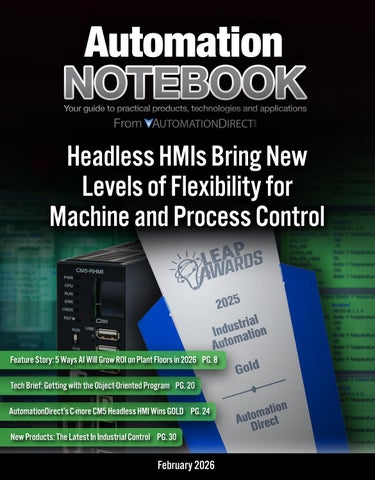
AutomationDirect’s C-more CM5 Headless HMI recently won a coveted Gold Leap award from Design World. The judges commented: “A great device that has the potential to make life easier. The feature of supporting any TVs, monitors, and projectors without any size limitations is a winner. In addition to the wide range of supported resolutions. Nice work!”
When to choose a panel-mount HMI Panel-mount HMIs definitely have a place on the factory floor. The units work well for operations mostly restricted to the local area, although some can be equipped for remote access. They are ideal for independent or isolated systems.
But what about applications that require atypical displays/outputs/interfaces? What about tightly internetworked production lines? For these, and many other, headless HMIs provide an alternative.
Headless HMIs
A headless HMI is a DIN-rail-mounted processing and communications unit that connects to an external display or remote digital device (see sidebar). It decouples the logic device from the output device. As a result of this modular approach, headless HMIs lend themselves to a variety of implementations:
AutomationDirect’s award-winning C-more CM5RHMI headless HMI supports a variety of communications and display/output options.
“A great device that has the potential to make life easier. The feature of supporting any TVs, monitors, and projectors without any size limitations is a winner. In addition to the wide range of supported resolutions. Nice work!”
Figure 1: A panel-mount HMI, like the C-more CM5-T12W from AutomationDirect, combine logic and display in a single easy-to-install unit.
• External large-screen displays (Andon boards)
• Stand-alone touchscreens
• Off-machine device: headless HMIs can display data on a computer, a smart phone, or a tablet.
Pros
The headless HMI approach offers a number of significant benefits.
Display flexibility: Decoupling the logic module from the output device offers unparalleled flexibility to tailor the HMI to the application. Engineers are no longer limited to specific sizes and form factors of displays and touchscreens. A headless HMI can connect to any size HDMI monitor or TV supporting standard resolutions up to 1080p (see Figure 2).
Output-type flexibility: For control applications, a headless HMI can be connected to a touchscreen display or even a flat-panel display paired with a keyboard or pointing device. These logic devices are compatible with capacitive touchscreens, as well as conventional resistive touchscreens. In contrast with pressure-based touchscreens, capacitive touchscreens are low or non-contact. As a result, even high-use buttons don’t experience excessive mechanical wear that might otherwise lead to premature failure.
Headless HMIs are compatible with remote digital devices like tablets, smartphones, or desktop computers via direct connection or wireless. They may be used primarily to extract and share information. The HMI software can also be run full-time on a computer plugged into a USB port.
(continued on page 18)
Starting at $86.00 (PK-103-131-MTMT-C7)
Sifam Tinsley MCS series analog switchboard meters combine quality construction with easy readability at a distance, and are ideal for applications where accuracy, durability, and visibility are critical. Their large form factor, wide-angle dial, and glare-resistant window provide clear visibility, even across a room.
NEW! MCS Series Analog Switchboard Meters
Starting at $295.00 (DPM4-AT-H)
NEW! Smartlook Series Analog Panel Meters
NEW! DMP4 Series Advanced Panel Meters
ProSense DPM4 series advanced digital panel meters combine precision, flexible inputs, multi-function displays, and customizable outputs in a compact package. High-speed options (HS models only) are available for applications requiring rapid sampling and an ultra-fast response.
Starting at $31.50 (PK-250-240-LALA)
Sifam Tinsley Smartlook series analog panel meters feature high-torque pivot-and-jewel movements, matte white dials with near-linear, flattened scales, and rugged glass-filled polycarbonate cases. They deliver consistently repeatable, precise readings in challenging industrial environments.
Starting at $28.50 (PK-260-240-LALA)
Sifam Tinsley Contender series panel meters are housed in durable, glass-filled polycarbonate cases and feature high-torque, self-shielded movements, near-linear dials, and precision tube knife-edge pointers for reliable accuracy.
NEW! Contender Series Analog Panel Meters
Need help finding the right part?
As an online supplier, we want to be sure you have the tools you need to find the right part for your application. We have several interactive configurators and selector tools available so you can easily build your system online and send all the parts to your cart with one click. Need to build an I/O rack for a PLC? Need to find the right pneumatic gripper? Looking for a servo system to match your specs? No problem, our selectors/ configurators can help!
(continued on page 16)
Perhaps most interesting, a headless HMI can act as a PLC-to-PLC bridge to aggregate data. For a simple system that just requires the main production machine to know its operational status, this can replace the need for a SCADA system.
Communications flexibility: Headless HMIs lend themselves to alternative HDMI architectures. They can be used with range extenders and splitters to, for example, send the data to an 18-inch touchscreen on the machine for the operators and mirror the image to a large overhead display showing production status and key information about the system.
The benefits of modularity: Separating logic and intelligence from display/interface options brings a number of benefits. Machine builders and integrators can take advantage of a single control architecture in the form of the headless HMI, connecting to a display/ output type, size, location, and orientation best suited to each machine application.
Decoupling logic from output also reduces hardware costs. Displays or other output devices can be updated or replaced without any changes to the headless HMI. This saves not just installation time but also time spent programming and configuring the logic.
The logic and intelligence of the HMI is sealed in the cabinet, not mounted on the front of the machine. This is great for harsh environments, protecting the unit from dust and contamination, temperature extremes, and mechanical shock and
2: A headless HMI can be connected to any compatible monitor or touchscreen, like AutomationDirect’s line of 1080p PCAP touchscreens. Shown here is the 27-inch CTM-27W-M-PM.
damage. There’s less risk to the logic unit –and to production – from a cracked display screen or broken interface. A machine with a headless HMI is a hardened machine.
In addition, the headless HMI approach can be used to restrict access to machine controls. If a machine just has a headless HMI in the cabinet with no external display, then it can only be accessed by PC, tablet, or smart phone. Individuals on the production floor have no way to gain access through a panelmount screen.
Cons
There are a few trade-offs. Because headless HMIs require both the logic unit and the output unit, two items need to be purchased and installed. That said, depending on the choice of headless HMI and display, the combination may not be more expensive than a panel mount – there’s a crossover point. Even if the headless HMI system requires a slightly higher capital expenditure, because of the benefits above, it can still lead to reduced operating expenditures. This is an important advantage for industrial automation equipment for which the electronics alone may have operating lifetimes of a decade or more.
Due to the HDMI connection and mounting, having the display separate from the enclosure can impact project troubleshooting. If the screen goes black, is it the HMI or the display? Discovering the answer just requires plugging the HMI into a different display.
Figure
When to choose a headless HMI
Headless HMIs are not better or worse than panel-mount HMIs, they are just different. Getting the most out of the headless HMI requires the right application. Headless HMIs are the optimal choice for:
• Locations with a high possibility of damage to a panel-mount HMI
• Applications requiring custom configurations
• Distributed environments involving separate machines and/or multi-site operations
• Applications that primarily require remote access
• Real-time monitoring and control from a central location
• Secure-access environments where physical access to the HMI should be prevented
Conclusion
Emerging architectures in the modern industrial automation environment increasingly require alternative solutions for HMIs. By decoupling the logic module from display/output interface, headless HMIs deliver unparalleled flexibility. Machine builders, integrators, and end-users can support custom configurations, distributed architectures, and remote monitoring and control. The logic module remains inside the cabinet, protected from harsh environments and unauthorized access.
It is an engineering truism that there is no one perfect solution, just the best solution for the job at hand. For many applications, panel-mount HMIs are very effective solutions. For applications that require more, however, the headless HMI may be just the solution.
Industrial controls training In-person or online
Get In-Person Training
Want to benefit from InterConnectingAutomation’s (ICA’s) decades of experience and get hands-on, no-nonsense instruction? ICA offers unparalleled small group, in-person training courses.
Get Online Training
Need something flexible to fit a busy schedule? Live Virtual Training – the experience of ICA’s in-person “hands on” courses without the travel. Online classes offer comprehensive coverage of general PLC principles and specifics of particular control devices.
Tim Shippy is Product Manager, HMIs at AutomationDirect.
Getting with the Object-Oriented Program
The
recent introduction of user defined instructions
in AutomationDirect PLCs provides another tool for accelerating PLC and HMI development.
Figure 1: AutomationDirect Productivity Series PLCs now support user-defined instructions (UDIs), so users can benefit from accelerated development, reusability of proven code, and reduced potential for errors.
Many industrial automation products and practices have been developed as more robust versions of commercial-grade technologies. As microprocessors, memory, and communications hardware and software have evolved throughout the information technology (IT) world, they were commonly adapted to meet the demands of always-on applications in harsh operational technology (OT) environments, delivering economical yet high-performing solutions. This approach is not only about making tougher hardware. It is equally important to consider the software programming and data handling capabilities of a platform. Both programmable logic controllers (PLCs) and human-machine interfaces (HMIs) employed for OT industrial automation applications have benefited from adopting IT-based object-oriented programming (OOP) concepts to speed development and improve consistency and performance. The latest example is the introduction of user defined instructions (UDIs) into the AutomationDirect Productivity PLC integrated development environment (IDE).
Object-oriented essentials
By encapsulating functionality and data, OOP empowers developers to create a typical software structure and then replicate or instantiate it as needed. A developer can protect information and logic within an instance of the structure, and pass necessary information into and out of the structure as needed. OOP enables developers to organize their programming and configuration work in useful ways when deploying it, using it, and updating it.
BY TIM ENSMINGER, AUTOMATIONDIRECT
A standard PLC comes with several basic data types, such as bits, integers, floating point numbers, and more. An advanced PLC platform empowers developers to create a user-defined structure (UDS) of data, which combines several data types in a useful way. For example, a temperature scaling data structure might include the raw input signal, the engineering minimum/ maximum, the scaled output, and high/ low alarm thresholds and bits. If it becomes necessary to revise the UDS — perhaps to add a scaled output average — this can be done once and automatically propagated throughout the instances. In order to show this data structure to an operator in a concise manner, an HMI like the AutomationDirect C-more CM5 series has provisions for developers to create graphical objects from basic static and dynamic elements, and link them to a UDS in the PLC. For the temperature example, the developer may create a data box which displays the scaled temperature, and changes color upon high or low alarm.
Logic instructions as an object
OT technologies of all types typically develop later and more slowly than their IT precursors. The most fundamental PLC programming language of all, ladder logic, was specifically developed to look more like electrical wiring diagrams and less like programming, so it would be more accessible for factory-floor technicians. Of course, PLC languages have developed over time to include advanced logical, mathematical, process control, motion control, and other functionality.
While some PLC platforms have had provisions for user-defined logic for many years, this capability is a bit of a step change from basic ladder programming. AutomationDirect evaluated the subject extensively before deploying user-defined instructions (UDIs) across their entire Productivity PLC platform (Figure 1). One key aspect included with this implementation is the ability for users to make runtime transfers after editing a UDI, which is not always possible with platforms from other vendors.
With UDI capability, developers can encapsulate the PLC logic in an organized manner. Continuing with our temperature example, the PLC logic could include provisions for mathematically scaling the value, monitoring module errors, and comparing the temperature with high/ low alarm thresholds to generate alarm bits (Figure 2).
Instead of copying/pasting/editing rows of ladder instructions repeatedly, the developer can instantiate the temperature scaling logic UDI as needed and associate it with the proper UDS instance and analog input (Figure 3). If a change in the logic is necessary, it can be performed once and automatically propagated throughout the program.
Besides the development benefits of UDIs, this capability enables developers, especially original equipment manufacturers, to password-protect proprietary code and data within a UDI to avoid unintended access and operation. This UDI implementation is compatible with all Productivity PLCs with a firmware upgrade, including: >>
Figure 2: A PLC logic UDI is a convenient and efficient way to perform repetitive but necessary tasks.
• The Productivity1000 standard stackable micro PLC
• The new Productivity1000 Mini PLC with on-board I/O
• The Productivity2000 micro-modular PLC
• And the top-shelf Productivity3000 modular PLC
There are a few caveats. Some complex instructions, such as motion control and some communications, can’t be within a UDI, and runtime project transfers may be a bit slower. However, the benefits certainly outweigh these minor considerations.
Modern programming is accessible on the factory floor
Using an OOP approach, industrial automation developers can create a library of proven PLC code UDIs and data UDSs, along with corresponding HMI objects. This IT-originated capability is ready to use in the OT environment, accelerating development, promoting reusability of proven code, and minimizing errors.
Tim Ensminger is a product manager at AutomationDirect. During his two decade career, he worked primarily in the petroleum transportation industry designing and commissioning control and power systems for pipeline pump stations, tank farms, and truck loading facilities. Tim has worked at AutomationDirect since 2021 supporting the Productivity Series PLC products. He holds a bachelor’s degree in Electrical Engineering from Bob Jones University and a master’s degree in Electrical Engineering from Clemson University.
Figure 3: The AutomationDirect UDI implementation enables developers to make online edits within the UDI and then perform a runtime transfer to the PLC, all without interrupting operation.
Safeguard unsafe areas with affordable
Dangerous Machinery?
Common Sense is Great, but Sure-Fire Protection is Better
AutomationDirect has a comprehensive portfolio of certified machine safety components to guarantee your equipment is protected and your personnel are safe. A wide assortment of safety components from trusted brands in the industry is available including cable pull safety switches, hazardous area safety devices, safety relays and much more. All are in stock at low everyday prices, so you can keep your system safe without breaking the bank.
NEW! Networked Gate Boxes Starting at $2,970.00
IDEM UGB-NET networked universal gate boxes provide a CIP safety network connection to a safety PLC or other CIP-networked devices. This provides greater functionality and easier integration. Networked gate boxes combine solenoid locking, RFID-coded sensor, and integrated machine control functions in a robust die-cast aluminum housing.
• Provides position interlock detection for moving guards, keeping the guard locked until the unlock signal is received from the safety PLC
• Holds guards closed with up to a 3000N holding force
• Includes E-stop button and three built-in illuminated buttons that are user-configurable, plus five colored lenses for additional flexibility
• Rear release versions available in right- or left-hand mount
Figure 1: The awardwinning AutomationDirect CM5-RHMI provides the powerful functionality of the C-more series of HMIs in a compact, costeffective package.
No Screen, No Problem: Maximizing Visualization Flexibility with Minimum Hassle
Headless HMIs slash costs, simplify installation, and unlock creative display options ranging from handheld tablets to wall-mounted scoreboards.
BY BOBBY THORNTON, AUTOMATIONDIRECT
On a traditional factory floor, operators usually monitor and control equipment using classic panel-mounted touchscreen human-machine interfaces (HMIs). But to meet the demands of a modern facility, designers need technologies to more effectively support workers with mobile tablets, large format displays highlighting key status information, and other innovative remote visualization options.
A headless HMI — that is, an HMI stripped of its built-in screen and instead paired with whatever display best meets the specific application demands — is the best way to deliver flexible visualization anywhere. Users can access the information they need using the appropriate interface, whether they are on the factory floor, in a supervisor’s office, at the break room, or even completely off-site.
AutomationDirect’s C-more CM5RHMI (Figure 1) is at the forefront of headless HMIs, winning the 2025 Silver award in Control Engineering’s Product of the Year program, and capturing the Gold Medal in Design World’s 2025 LEAP Awards. These accolades underscore a trend towards headless HMIs for flexible and effective automation. The benefits of these devices include lower costs, easier installation, and greatly increased display options.
The case for going headless Traditional all-in-one HMIs integrate a processor and a touchscreen display with the necessary connectivity, and they are typically installed using a protective enclosure with a cutout making the display portion accessible. By foregoing the display entirely, headless HMIs achieve a significantly reduced cost and extremely compact footprint, and they can be installed inside control panels without making any cutouts. This reduces installation efforts and avoids concerns about compromising the enclosure’s NEMA rating. The lack of a display also reduces power requirements and heat generation in the enclosure, making headless HMIs easier to incorporate in a wide range of applications.
With a headless HMI, designers can select the best display option independently of the HMI. The display may be an industrial-rated unit located within HDMI cable distance, or perhaps a consumer-grade display of any size. If it ever becomes necessary to upgrade to a larger display, or replace a display (since the display is typically considered the most fragile part), this is possible without taking the HMI offline, minimizing downtime. In addition to basic displays, the CM5RHMI is compatible with many external touchscreen technologies, and common
input devices like keyboards and mice can be easily connected via USB.
Since HDMI carries both video and audio, alarm tones and other notification sounds can be broadcast directly to the display’s speakers, helping ensure that operators are immediately alerted to any issues. HDMI splitters can be used to feed a headless HMI view to multiple screens, and HDMI boosters can send the signal to a display located far from the HMI.
The CM5-RHMI retains all the core features of the standard touch-panel CM5, including:
• A variety of ports (Ethernet, USB, SD, etc.)
• Secure communication protocols
• User access control
• Compatibility with many PLC brands
• Convenient recipe and alarm management
• Historical data logging and trend graphs
In addition, AutomationDirect supplies powerful and intuitive configuration software completely free of cost.
A wealth of applications
Some common use cases demonstrate the flexibility of a headless HMI approach.
For example, basic operator workstations in a control room environment could use a standard desktop monitor for routine control. Large TV monitors can be installed throughout a factory or warehouse area, providing an easily-viewed scoreboard with essential information (Figure 2).
If the HMI is in a harsh field environment or outdoor location, it can be connected to a consumer-grade monitor in a nearby climate-protected control room, eliminating the need to pay extra for an industrialized display. Displays placed in front-office areas can deliver real-time factory floor information to the business staff, extending operational awareness throughout the facility.
In some cases, there might be no need for a dedicated display at all. Instead, operators and maintenance personnel can connect remotely to the HMI using a smartphone or tablet through a web browser or dedicated app. A headless HMI is the ideal bridge for these “displayless” deployments. Operators can even use a single mobile device to access multiple headless HMIs.
The bottom line Headless HMIs enable the best of both worlds: the rugged core functionality expected from an industrial HMI, plus the freedom to choose any visual frontend. The result is lower cost, simpler installation, and future-proof display flexibility. With the award-winning CM5RHMI, there’s never been a better time to go headless.
Bobby Thornton is the product engineer for HMI and CLICK PLCs at AutomationDirect, and a graduate of University of South Alabama. His 30+ years’ experience in the industrial automation field include design, installation, and support of process instrumentation, AC Drives and control systems for the pulp and paper, non-woven, and fiber optics industries. He joined AutomationDirect in 2004.
To get started, visit www.automationdirect.com/headless-hmi
Figure 2: Powered by a headless HMI, large format displays can provide key process information, keeping plant staff informed even at a distance.
1: A large healthcare provider operates numerous LN2 tanks supplying cryogenic sample storage equipment, and required hardware, instrumentation, and automation upgrades to obtain better performance.
Keeping the Cold On Tap
BY KYLE LAMB, QUANTUM AUTOMATION
Specialty equipment and mechanical contractors, in this case a cryogenic systems solutions provider, can extend their project delivery capability by partnering with experienced automation systems integrators.
Extreme cold temperatures and freezing techniques are essential for many industries, but some of the most demanding applications are found in the scientific, research, pharmaceutical, and medical sectors. These entities often require the use of liquid nitrogen (LN2) freezers for exceptionally low-temperature and long-term storage of biological samples. All freezing technologies require some degree of maintenance, and while LN2 systems generally do not demand immense user interaction, their processes do require careful storage, distribution, and replenishment of bulk liquid nitrogen.
Traditional LN2 installations are often largely manual affairs or use very simplistic controls. While this type of basic functionality is workable, more advanced designs provide many end-
user benefits. For example, automated supply tank switching, effective alarm delivery (facilitating prompt problem mitigation), and the ability to achieve better control performance all serve to streamline operations and provide value.
Planning for a cryogenic upgrade
As a specialty supplier of cryogenic systems solutions, CryoPacific is wellversed in the design, manufacturing, and installation of LN2 storage, distribution, and associated equipment, for completely new projects as well as upgrades/updates. When a client requested an upgrade to their existing LN2-based storage freezer system, it was determined that the work also required adding more sophisticated monitoring and control capabilities (Figure 1).
The four existing supply tanks already included basic instrumentation used during LN2 deliveries, but this client was due for operational visibility and automation upgrades. For instance, the current system did not intuitively inform staff as supply tanks emptied, requiring diligent user attention, and the client wanted to improve overall performance by adding automated tank switching. Considering the degree of functionality specified, CryoPacific chose to partner with an industrial automation systems integrator (SI) with full-time experience creating control panels and applying industrial-grade digital technologies. Because CryoPacific was already familiar with AutomationDirect products and their positive performance on previous projects, the team used the
Figure
All figures courtesy of Quantum Automation
supplier’s “SIDirect” website to investigate member SIs with demonstrated product and application expertise. With a convenient map interface and filters for various product technologies and service skills, it was easy to identify well-qualified and conveniently located SI candidates, and to select the best fit for this engagement.
Quantum Automation, based in Anaheim CA for over 30 years, began as an industrial product distributor and expanded over the years to provide UL508a control panel fabrication, contract manufacturing, and control systems integration services. With experience in renewable energy, petrochemical, food, pharmaceutical, and other related industries, the Quantum team had the skillset needed to support the CryoPacific project.
Creating a cool design CryoPacific engineering began by developing a mechanical and piping design, along with flow diagrams, to support the client’s needs. The work quickly transitioned into defining how to automate the system and provide a comprehensive user interface. Monitoring tank status and levels required specifying and installing new pressure transmitters and differential pressure/level instruments, which were specified as ProSense devices sourced from AutomationDirect. In addition, new automated valves needed to be controlled by the system as well.
Handling nitrogen, especially in relatively enclosed spaces, introduces additional safety concerns. Nitrogen is an odorless gas that can displace oxygen in the air, which in turn can cause unconsciousness or even death by asphyxiation, without any prior warning signs. For this reason, installing and integrating oxygen monitoring and alarming systems in these types of environments are paramount for protecting personnel. In the event that a low oxygen level is detected — potentially due to a nitrogen leak — or if any personnel initiate an emergency stop (E-stop), the LN2 control system must take action to halt nitrogen distribution, alert operators, and perhaps perform other mitigative tasks. At this site, there was already an existing building management system (BMS) with oxygen detection sensors to integrate with the new automation.
To accomplish this project, the Quantum team specified a compact programmable logic controller (PLC) with a graphical touchscreen human-machine interface (HMI). The PLC needed to handle about 50 discrete input, discrete output, and analog input points in total, but the selected controller was capable of operating many more if needed for future expansion (Figure 2).
The implementation team also needed to consider that the end user required BACnet digital communication protocol connectivity so that the new LN2 automation system could transmit alarms to the existing BMS system, which would provide additional visibility for users. Therefore, a gateway was required to convert the BACnet MS/
TP (master-slave, token-passing) serial connectivity to an Ethernet Modbus TCP format suitable for the PLC to interact with.
With these requirements established, the team proceeded to design and then fabricate a compact control panel to house the PLC, HMI, and gateway. The control panel was installed just outside of the freezer area, so operators could safely interact with it even in the event of a nitrogen leak within.
Improved usability and oversight
Once the automation platform was established, the team focused on creating PLC logic and HMI configurations. Before this project, LN2 distribution largely relied on operators manually monitoring physical gauges and manipulating hand-operated valves. It was essential for the new HMI display to be easily usable by all types of personnel (with appropriate access credentials).
Some basic functional requirements included (Figure 3):
• Clear display of LN2 tank status (pressure, level in inches of H2O, volume in gallons, tank active or out-of-service)
• Indication of valve and refrigeration/ freezing bank status
• Ability to select valves (which tank is primary for supplying LN2, and which tank is secondary if the primary goes empty) >>
Figure 2: The AutomationDirect
Productivity1000
stackable micro PLC, and a 10” C-more touch screen HMI are compact and industrial-rated, making it easy to design and fabricate an operator-friendly control panel.
Figure 3: Although the AutomationDirect HMI monitoring and PLC control system was far more sophisticated and capable than the manual approach formerly in place, the visualization and user-accessed features were easily usable by all types of personnel.
• Configuration display for entering setpoints
• Readouts for O2 sensors
• Display of alarms, with audible/visual indicators located around the area
Both SIs and end users appreciate that the software for this PLC and HMI platform is freely available. The software emphasizes ease-of-use in conjunction with superb functionality, and the manufacturer website provides extensive technical materials, training videos, and support options. In addition, the PLC software also has an integrated simulation mode, so the control logic and associated HMI graphics could largely be pre-tested on the benchtop prior to field deployment and commissioning. The ability to preview operation with the end user provided a high level of confidence in the configuration, along with reduced risk and field costs.
The
cold
facts of success
Whether you’re looking for help programming a PLC, help deciding which pneumatic component you need, help selecting a sensor, or you’re just looking for some newfound knowledge, look no further than AutomationDirect’s video library. This video library is easily accessed from AutomationDirect’s home page and has thousands of videos at your fingertips. All 100% free to watch, so watch when you want as many times as you want.
This cryogenic project is representative of a multitude of similar undertakings worldwide, where designers apply incremental upgrades and new technologies to update existing systems and improve performance. The contractors and original equipment manufacturers (OEMs) who perform this type of work need access to proven automation products, and oftentimes rely on SIs specializing in the implementation of these technologies. As a result of this project’s success, CryoPacific and Quantum anticipate future work together. Quantum wrapped up this project by producing a helpful user manual, and performing on-site training for the end user. Even though this automated system was a step change up from the legacy LN2 management approach, the client easily adjusted to the new capabilities and immediately took advantage of improved alarm notifications, visibility, and automatic valve control to improve operational performance.
Kyle Lamb is the engineering manager at Quantum Automation, having joined the team over seven years prior as an intern while attending college. From designing control panels and schematics, to performing PLC programming, HMI configuration, and full system integrations, Kyle focuses on delivering reliable and efficient solutions for clients. Kyle holds a bachelor’s degree in mechanical engineering at California State University, Fullerton.
Cutting EDGE control you can actually afford
Starting at only $213.00
The BRX PLC has advanced features that allow it to easily take on the role of an edge computing device—gathering, re ning, and delivering control data to upstream IT collection and analysis.
Embedded Web Server
Rest API
Must-have IIoT Protocols
Intelligent Code Execution
With BRX’s embedded Web server, you can instantly access system status, diagnostic information, and monitor memory usage from any Internet-ready device.
The integrated Rest API and secure HTTPS protocol allow BRX to work with ow control tools like Node-RED® in order to supply high-level IT systems with the plant- oor data they need.
BRX controllers connect to IIoT platforms and cloud services via a selection of industry-standard protocols, including OPC UA, MQTT(S) (with Sparkplug B for structured data), and FTP for le transfer. These capabilities enable integration with asset management and IIoT platforms, such as Microsoft Azure® and IBM Warson®.
Robust task management and a variety of interrupt styles make task prioritization simple.
Extensive Instruction Set
Discrete, process, and multi-axis motion control instructions help support even the most complex applications, executed with familiar ladder logic programming.
Powerful Math Functions
Enabling scripted math and algebra support rich data pre-processing right at the edge.
48 VDC Expansion I/O
BX-P-OPCUA
BX-P-SPARK
Pluggable Option Modules (POMs)
Dold Compact Soft Starters
AutomationDirect now offers Dold 9019 soft starters which offer simple dial setup for standard and light-duty three-phase applications under 9 amps and support a voltage range of 200-480VAC. These soft starters are in an ultra-compact, spacesaving package with many great options, including a soft stop feature. Like most other solid-state soft starters, they provide thyristor control of two motor phases until the motor is up to speed, then bypass the starting circuit with contacts. Galvanic protection between the control and power circuit is standard.
The new Dold 9256 smart motor starters are a 6-in-1 functionality starter in a slim package for 3-phase motor control applications up to 9 amps. Every model supports reversing with several additional functions available. Supported functions are dependent on the model chosen and include start/stop ramp, start ramp only, and simple on/off. Galvanic protection is optional, and there are also options for overcurrent or thermal overload protection.
Learn more by visiting: https://www. automationdirect.com/soft-starters
Fibox Miniature Cases, Subpanels, and Accessories
AutomationDirect now offers Fibox MNX and TEMPO series polycarbonate miniature cases which are engineered to deliver durable, adaptable protection for every installation need.
The MNX series combines a premium thick-wall construction with reinforced corners for superior impact resistance and long-term performance. A corrosionfree polyamide screw cover ensures a secure seal, while metric knockouts sized from M12 to M50 are molded in place for immediate cable entry.
The TEMPO series miniature cases deliver a cost-effective solution optimized for installation speed and convenience. Its economical thick-wall design includes tamper-resistant screws, a tool-free soft strap hinge, and easy wall mounting via polyamide feet and through-base pods positioned outside the gasket seal. With pre-formed knockouts on all four sides and optional galvanized steel mounting plates or molded DIN-rail mounting pods, the TEMPO series simplifies rapid, flexible installation. Subpanels and other accessories from Fibox, including mounting feet, inspection windows, DIN rails, and more, are available to support seamless installation.
Learn more by visiting: https://www. automationdirect.com/enclosures
Endress + Hauser Micropilot FMR
AutomationDirect has added Endress+Hauser Micropilot FMR series FMCW (Frequency Modulated Continuous Wave) radar level transmitters that utilize 80 GHz radar technology, which is unaffected by most media, processes, or environmental factors. Using the change in frequency between the transmitted and reflected signals and time-of-flight calculations, the FMR series sensors continuously measure liquid or bulk solid levels up to 98.4 ft (30 m) and provide a 4–20 mA output signal with HART communication options available. They feature a narrow 4° beam for precise, focused measurement that avoids tank internals, pipes, and baffles, ensuring reliable readings. They are offered with 1-1/2 in. male NPT or UNI slip-on flange process connections for flexible installation options. Micropilot level sensors can be configured via Bluetooth using the SmartBlue mobile app. The app includes a linearization function to convert measured values into length, weight, flow, or volume, and can display and record process envelope curves for diagnostics, including signal strength, range resolution, and interference. Select models also feature a color touch display for local configuration and diagnostics.
Learn more by visiting: https://www. automationdirect.com/radar-level-sensors
Ever Motion Solutions EtherCAT Stepper Drives
AutomationDirect has added EtherCATcapable stepper drives from Ever Motion Solutions that offer peak performance and a rich feature set. Five new drives are available with two open-loop (no encoder feedback) models and three open/closed-loop versions. Unlike typical stepper drives, Titanio steppers can detect stalls in open-loop control mode by monitoring the motor’s back EMF. This allows system designers to take advantage of stall detection without the hassle and expense of a closed-loop system. Among other advanced features, these Titanio series drives use sinusoidal current control to provide extremely smooth motor movement, with reduced audible noise, significant dampening of vibration and resonances, and higher system efficiency (less heat) along with increased and more consistent torque output at all speeds.
EtherCAT control modes include homing modes, interpolated position mode, velocity mode, along with several cyclic and profile modes. In Cyclic modes, the drives receive position, velocity, or torque updates every EtherCAT cycle (minimum cycle time: 500µs). In Profile modes, the drives receive a setpoint for each motion, with accel, decel, and speed settings to determine the complete motion profile. Two high-bus-voltage models accept line level AC input power and are compatible with STP-MTRAC series high-bus-voltage stepper motors.
The optional Ever Studio configuration software (a free download) allows advanced configuration of these drives without an EtherCAT master connected, including setup of microstepping
C-more CTM Series Industrial Monitors
AutomationDirect has added C-more CTM series industrial LCD flat panel monitors that feature a 10-point projected capacitive (PCAP) glass surface touchscreen that provides a crisp widescreen view and a smooth touch, similar to screens offered with the newest cell phones and tablets. PCAP screens are highly responsive even when wearing gloves and are less sensitive to debris and moisture.
These monitors are available in 18”, 22”, 24”, and 27” versions with various mounting options including panel and VESA arm mounts. They offer an IP65 rated front bezel for water and dust protection and meet UL’s drop test for shatter resistance. C-more industrial monitors are ideal for SCADA systems, Andon boards, and for use with C-more CM5-RHMI headless HMIs.
Learn more by visiting: https://www. automationdirect.com/monitors
Over the years, we have seen the demand for PLC training grow exponentially not just with our customers but with the public at large. In order to meet this demand, we have removed the purchase restriction from our online PLC training program, allowing access to anyone interested in learning about industrial controllers.
This completely free online PLC training course is available 24/7 so you can learn at your pace and at your convenience. To access the training or learn more about what is provided, follow the link below. No time or viewing limitations. http://go2adc.com/training
resolutions, and even allows jogging/ indexing and has a built-in oscilloscope for tuning and debugging. Complete configuration and commissioning of EtherCAT drives can also be accomplished thru the EtherCAT master, once the network is established.
Learn more by visiting: https:// www.automationdirect.com/ethercatstepper-drives
Productivity1000 P1-412 CPU, P1-622 CPU, and Mini PLC Units
AutomationDirect now offers the new P1-412 and P1-622 CPUs which are next generation versions of the existing Productivity1000 P1-540 and P1-550 CPUs. These new CPUs have all the functionality and hardware features of the original models, including multiple built-in communication ports/ protocols, USB programming, and a microSD card slot, plus they utilize the latest system architecture allowing them to take advantage of current and future software enhancements. On top of that, the P1-412 and P1-622 support the secure MQTTS protocol and are less expensive than their older counterparts.
Also just released are the Productivity1000 Mini PLC units which are the first-ever standalone models for the Productivity family with builtin I/O, combining the CPU and I/O into a single unit. Other Productivity series require you to buy the I/O and CPU separately, but with the Mini series, you get a choice of models with embedded discrete or analog/ temperature I/O. This design provides significant cost savings, especially with smaller systems. The Mini PLCs include all the great features of the Productivity family including multiple communication ports/protocols, USB programming, and integrated GS drive, Protos X field I/O, and PS-AMC support (P1-M622 only). 17 different models are available to choose from, and each model can be expanded for systems with greater I/O needs.
Along with these new hardware additions, a very practical new software feature has been added. User defined instructions (UDIs) allow the user to package complex logic into
ProSense XTD2 and more XTH2 Series Fixed-Range Temperature Transmitters
AutomationDirect has added ProSense XTD2/XTH2 series fixed-range temperature transmitters that convert a variety of temperature sensor input types into precise signals for PLCs, meters, or controllers. The XTD2 series features compact, DIN-rail–mounted signal conditioners that deliver accurate, isolated temperature signals, support multiple sensor types, and provide flexible monitoring solutions. New fixed-range models offer temperature ranges up to 2,000°F (thermocouple) and 500°F (RTD).
Complementing the XTD2 series, XTH2 series transmitters are engineered for direct installation in DIN Form B sensor heads. Additional fixed-range models provide even more temperature range options up to 2,000°F.
Learn more by visiting: https://www. automationdirect.com/temp-transmitters
RHINO SELECT PSRS Series Power Supplies
AutomationDirect has added RHINO SELECT PSRS series switching power supplies which feature a cost-effective, slim, and compact design while maintaining stable performance across a wide temperature range. They provide protection against overcurrent, overvoltage, and overheating, and deliver efficiencies of up to 93%.
The PSRS series is available with 5, 12, 24, or 48 VDC outputs and power ratings ranging from 15W to 480W. Select models feature integrated power factor correction circuits, while all models offer a power boost of up to 120% of the rated current for short-term load spikes. They are built for challenging industrial conditions, withstand shock and vibration, and offer an IP20 fingersafe protection rating. Their LED indicators provide quick, at-a-glance status monitoring.
Learn more by visiting: https://www. automationdirect.com/power-suppliesdin-rail
reusable blocks, making their PLC code easier to read, faster to develop, and simpler to maintain. This feature and many other time savers are included in the FREE user-friendly Productivity Suite software that can be downloaded anytime from our store.
Learn more by visiting: https://www. automationdirect.com/P1000
Slotted Aluminum Rails
SureFrame T-slotted aluminum rails are available in the most popular profiles and dimensions. Order your T-slotted rails in custom cut-to-length sections for maximum flexibility and no waste. We also offer a full selection of assembly hardware for T-slotted rail systems, including T-nuts, fasteners, connecting components, joining plates and brackets, as well as floor, door, panel elements, and workstation components. SureFrame T-slotted rails, along with the assembly hardware components offered, are compatible with many other brands.
Also Available
• Complete selection of Fath installation hardware and tool holders
• Wiring and electrical connection solutions
• Just about everything you need to complete your automation projects!
CONTROL YOUR UNIVERSE
with quality automation products at out-of-this-world prices from