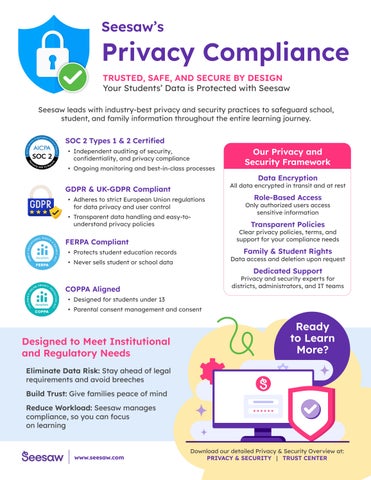
Your Students’ Data is Protected with Seesaw
Seesaw leads with industry-best privacy and security practices to safeguard school, student, and family information throughout the entire learning journey.
• Independent auditing of security, confidentiality, and privacy compliance
• Ongoing monitoring and best-in-class processes

GDPR & UK-GDPR Compliant
• Adheres to strict European Union regulations for data privacy and user control
• Transparent data handling and easy-tounderstand privacy policies
FERPA Compliant
Protects student education records
Never sells student or school data
COPPA Aligned
• Designed for students under 13
• Parental consent management and consent
Designed to Meet Institutional and Regulatory Needs
Eliminate Data Risk: Stay ahead of legal requirements and avoid breeches
Build Trust: Give families peace of mind
Reduce Workload: Seesaw manages compliance, so you can focus on learning
www.seesaw.com
All data encrypted in transit and at rest
Role-Based Access
Only authorized users access sensitive information
Transparent Policies
Clear privacy policies, terms, and support for your compliance needs
Family & Student Rights
Data access and deletion upon request
Dedicated Support
Privacy and security experts for districts, administrators, and IT teams
Powered by Seesaw
Built on extensive educational research, Seesaw is the only elementary learning experience platform, offering a suite of award-winning tools, resources, and curriculum for teachers to deliver joyful, inclusive instruction. Use your ESSA or other federal funds to support your Seesaw implementation!

Teachers enhance their instruction with premium instructional tools and content designed to make high-quality instruction more engaging, remove barriers to learning and foster creative expression.

Digital portfolios serve as both formative and summative assessments, allowing students to show what they know and reflect on their learning. Educator views into student learning drive insights far beyond data from standardized assessments.
Students who had more family visits to their work had statiscally significantly higher reading and math scores compared to students who had fewer family visits.
Actively inviting families into their childs learning through real time updates from the classroom and two-way communication helps foster relational trust among teachers, parents, and school leaders and improves academic outcomes for students.
Students who had more posts with video or voice had statiscally significantly higher reading and math scores compared to students who had fewer posts.
Association between number of posts with video or voice in Seesaw and end-of-year student reading and math outcomes on NWEA MAP® in terms of correlation coefficients.
Findings from an independent study evaluating the impact of Seesaw usage on students in a suburban district in the midwestern US that used Seseaw during the 22-23 school year.
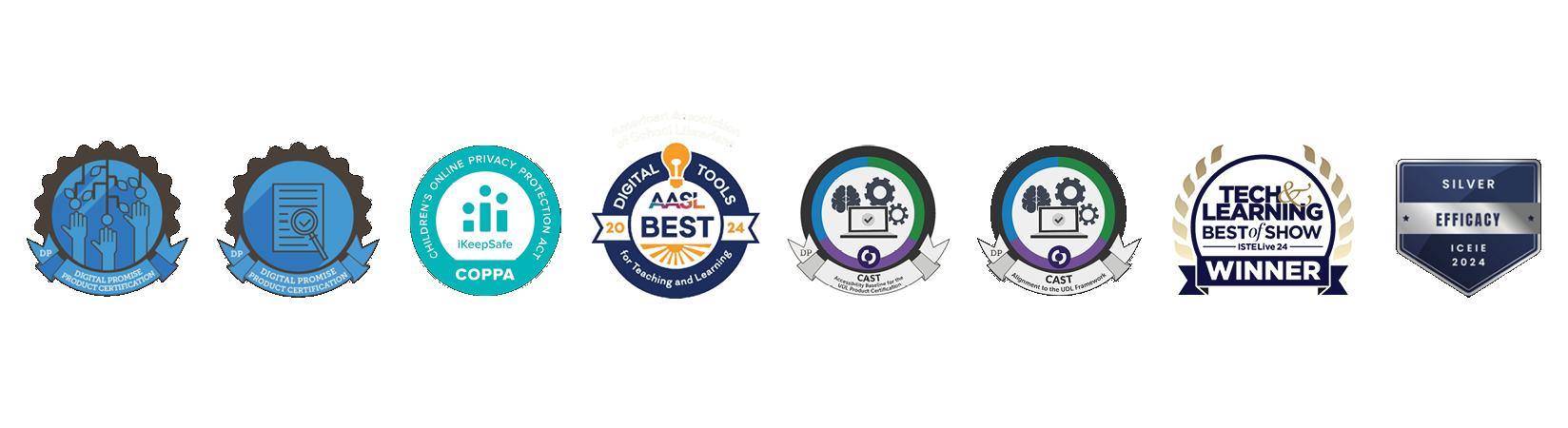
• Industry-leading third-party LearnPlatform has validated Seesaw as an ESSA Tier III evidence-based intervention, demonstrating evidence of Seesaw usage and improved student outcomes.
• Seesaw has earned two highly regarded product certifications for Research-Based Design for Instructional Learning Products and Learner Variability from Digital Promise, demonstrating Seesaw’s commitment to providing equitable, research-backed learning experiences for every learner to reach their full potential.
• Awarded the ISTE Seal of Alignment. Grounded in learning science research and based on practitioner experience, the ISTE Standards ensure that using technology for learning can create high-impact, sustainable, scalable and equitable learning experiences for all learners.
96.5% agree that Seesaw is easy to integrate into their instructional lesson plans
96.35% find Seesaw helpful for assessing students’ learning proficiency towards academic standards
92.15% feel that their students are empowered to take ownership of their work while using Seesaw
96.26% find Seesaw helpful for providing family members with visibility into their child’s learning in the classroom
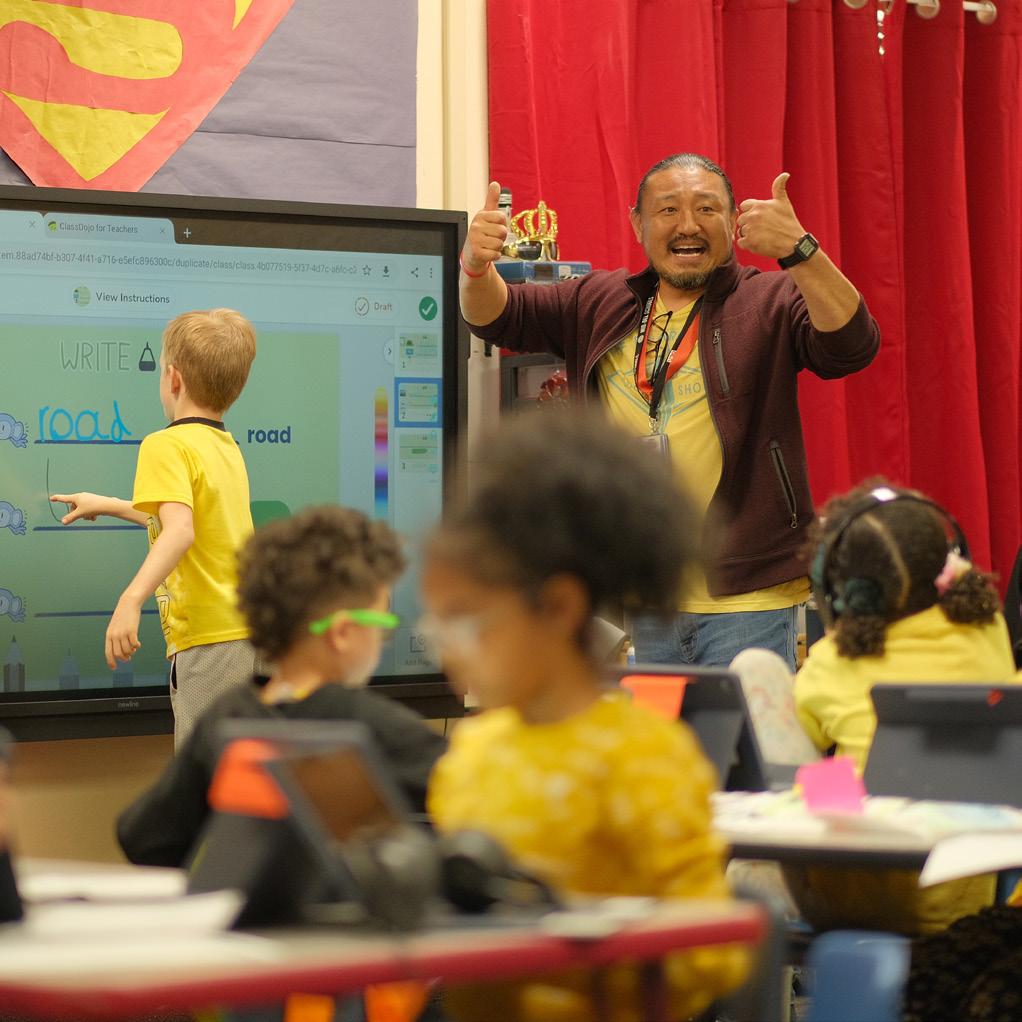
Wichita Public Schools Uses Seesaw to Deepen Family Engagement and Creatively Assess Student Growth
The district uses Seesaw as an all-in-one tool for their elementary classrooms - enabling teachers to find creative ways to instruct and assess, engage students, and connect with families.
Iowa AEA rolls out Seesaw Computer Science Curriculum to help K-5 teachers across Iowa teach CS foundations
Through thoughtful professional learning, an easy-to-use curriculum and scope and sequence, and engaging interactive content, teachers across the state developed skills and confidence to teach this new and required subject.

Many districts are consolidating digital tools to streamline operations, often aiming for a single platform that can serve all grade levels. While consolidation can support efficiency, it’s important to ensure that selected tools truly reflect the needs of each level.
The elementary experience—how young students learn, how teachers teach, and how families stay connected—is fundamentally different from what’s required in middle and high school. Just as you wouldn’t hand a kindergartener a high school textbook, the technology you place in an elementary classroom shouldn’t be built for older learners or their workflows. This guide is designed to help you evaluate Seesaw (or any LMS) through the lens of what truly matters for K–5 learners.
Each section includes guiding questions rooted in educational research and best practices, empowering your team to assess alignment across instruction, engagement, data, and implementation. Use this as a framework for reflection, collaboration, and confident decision-making as you identify the best fit for the needs of your elementary classrooms.
Does the LMS interface provide touch-friendly navigation, visual icons, minimal text, and ageappropriate workflows for K–2 and K–5 students?
Are student response options developmentally appropriate (drawing, voice, video) rather than relying solely on text input?
Does the system support developmentally appropriate tasks (collaboration, reflection, creation) instead of only drill and independent assignments?
Do teacher workflows mirror elementary classroom routines (whole-group, small-group, partner) rather than course-based models?
How quickly can elementary teachers onboard and begin using the LMS with minimal training or friction?
Are the teacher tools designed for teacher workload reduction (e.g., streamlined post/feedback, fewer tabs, one hub) rather than adding complexity?
Does the platform integrate into existing classroom systems (gradebooks, curriculum maps, devices) rather than requiring a full stand-alone workflow change?
Are onboarding, professional development, and support resources tailored to elementary grade levels and contexts?
Does the LMS clearly communicate its privacy and data-security protocols to families and teachers (COPPA, FERPA compliance, multilingual notifications)?
Are student data practices transparent (who has access, how long data is stored, how it is used for analytics) in ways appropriate for elementary learners?
Does the platform include safeguards for younger students (e.g., simplified login, moderated work sharing, family overview)?
Are the features inclusive and equitable (supporting diverse learning needs, devices, languages, and home contexts)?
Is the incorporation of AI age-appropriate for elementary students who do not have unmoderated access to generative AI tools?
NO
Does the LMS provide families with easy access to student work, updates, and communications (mobile friendly, low-barrier login)?
Are family engagement features built in (messaging, portfolios, viewing student responses) rather than requiring additional tools?
Does the platform support home-school learning continuity (e.g., parent review, student reflection, sharing) beyond dismissal?
Are there features to support multilingual families, device-diverse homes, and equity of access?
Can families celebrate learning within the platform (leave comments, like work)?
Data Collection & Feedback
Do dashboards and reports focus on growth and progress (especially for younger learners) rather than just grades or completion counts?
Can teachers capture learning beyond text (e.g. voice recordings, video, student writing samples)?
Are performance metrics meaningful for K–5 contexts (e.g., literacy fluency, multimodal expression, foundational skills)?
Can teachers and administrators easily act on the data (interventions, grouping, parent outreach) rather than generating reports that sit unused?
Does the LMS support longitudinal tracking across K–5 (so you can follow growth year-over-year) and align with district priorities?
Does the platform allow teachers to easily capture and store evidence of offline learning alongside online learning to monitor progress over time?
Does the platform support standards and assignment based grading?
Do Administrators have access to the right data to assess success of the LMS implementation (engagement and growth)?
Does the platform include teacher-facing AI tools built in to streamline core workflows (content creation, grading & assessment)?
Can the system scale across all elementary grades (K–5) without requiring significant redesign or separate systems for each grade band?
Are the cost, training time, and change management effort reasonable for the elementary context, and is there a clear value proposition (teacher time saved, improved engagement, outcome gains)?
Does the vendor offer ongoing support, updates with elementary focus, and an implementation plan tailored for primary grades?
Does the LMS include the ability to create, assign, and collect work?
Do students complete work and receive feedback within the same platform?
Do teachers have time-saving AI tools built into the LMS (lesson & assessment creation, auto-grading, etc)?


This guide is designed to help K-5 leaders make informed decisions about AI technology investments.
Successfully integrating AI into classrooms requires thoughtful planning, strong public infrastructure, and clear guidelines to ensure ethical use, safe implementation, and informed decision-making. This guide is built to support K–5 leaders in asking the right questions and to consider key factors before investing in AI solutions for K-5education. Specifically, young learners need extra safeguards. AI must be reliable, protected, and teacher-controlled to ensure appropriate use.
Investing in AI isn’t just about adopting new technology—it’s about creating more effective, accessible, and student-centered learning environments. When designed to enhance educator impact, AI can personalize learning, reduce administrative burden, and deliver actionable insights that improve instruction. With the right approach, AI can help unlock adaptive learning experiences and targeted support, helping every student thrive.
Is the tool COPPA, FERPA, GDPR, and Digital Promise compliant, with clear policies on data collection, storage, usage, and sharing—and guardrails to prevent bias or inappropriate outputs?
Accountability
Has the AI vendor established transparent, standards-based policies that align with existing regulations and support responsible use?
Is it clear to families how AI is being used with their children?
Efficacy
Does the solution provide clear insights and measurable outcomes?
Does the AI tool support age-appropriate assessments that provide useful data insights?
NO Instructional Value
Does the tool support learning with developmentally appropriate content aligned to best practices like SoR and UDL, without distracting from instruction?
Does the platform provide students with meaningful opportunities to develop skills and understanding around the responsible and ethical use of AI?
Can teachers review, edit, and guide AI outputs, with safeguards to ensure student experiences are safe, equitable, and teacher-directed—without generative AI like chatbots?
Is the tool intuitive and age-appropriate for the intended audience and educators?
Does the tool ensure that direct interaction with AI remains under the control of educators, rather than students, to safeguard instructional integrity, student privacy, and responsible use?
Does the tool integrate with existing edtech systems, support interoperability, and simplify teacher workflows?
Is this a plug-in or add-on—or a fully independent, ready-to-use platform?
Trust & Longevity
Is the vendor financially stable, experienced in education, and prepared to support your school or district over the long term?
Professional Development
Is training and ongoing support provided to help teachers use AI confidently and responsibly?
Equity & Accessibility
Does the tool support diverse learners—including students with disabilities and language learners—with bias-aware, accessible, and culturally responsive features?
Stakeholder Communication
Does the tool help schools communicate effectively with families, including multilingual support and ready-to-share guides?
Customization & Efficiency
Can teachers customize AI-generated content and feedback, including lessons and assessments, to align with standards, differentiate learning, and reduce planning time?
NO
NO
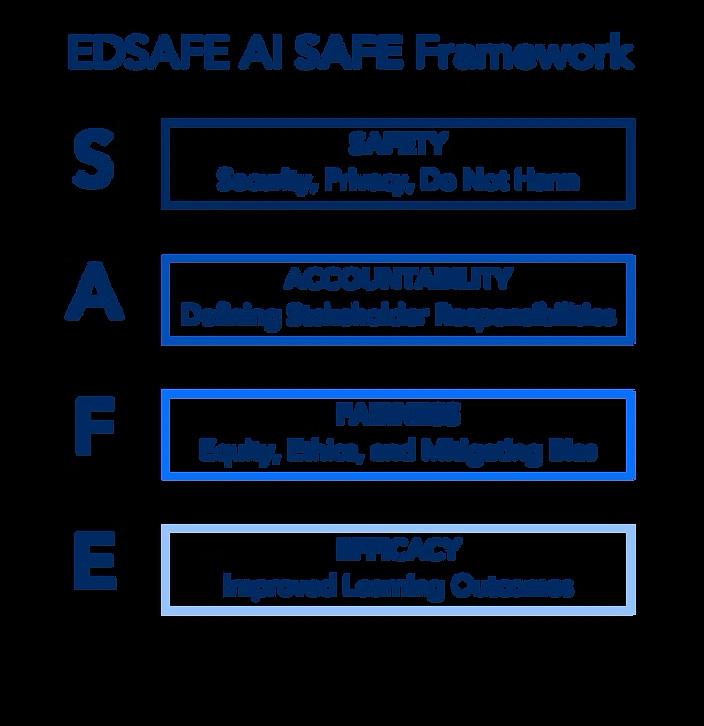
The EDSAFE AI Alliance is a global coalition dedicated to promoting the Safe, Accountable, Fair, and Effective (SAFE) integration of AI in education through policy, research, and practice. They are led by a steering committee of organizations working at the intersection of AI and education, and aims to bring diverse voices to help educate policymakers and shape an equitable and safe AI education ecosystem. Organizations like AACTE, NEA, AASA, ISTE/ ASCD, CAST, Digital Promise, and more guide high-level policy and strategy.
Seesaw is helping elementary schools support teachers and save them time with safe, effective AI—fully integrated into our all-in-one LMS . Designed specifically for elementary, it eliminates extra logins, reduces costs, and integrates seamlessly with existing systems.
I feel like it’s happy hour all over again with all of the AI tools, but for K5 we are using Seesaw and that’s our official LMS.
- Joshua Ehret, Instructional Technology Specialist, Wichita Public Schools, KS
Resource Opportunity at Scale: The Case for Public Infrastructure for AI in Education. EDSAFE AI Alliance, Apr. 2025, https://www.edsafeai.org/_ files/ugd/f384a6_14ca393d3f7440a781bb00a75a0ae120.pdf.
Privacy & Security
Seesaw is committed to the responsible use of AI in our products and services. Seesaw adheres to security industry best practices and laws to protect the integrity of your data. We never sell your data, advertise third-party products or own the content you add to Seesaw.