2026 Inspire Luncheon TICKET MANAGEMENT
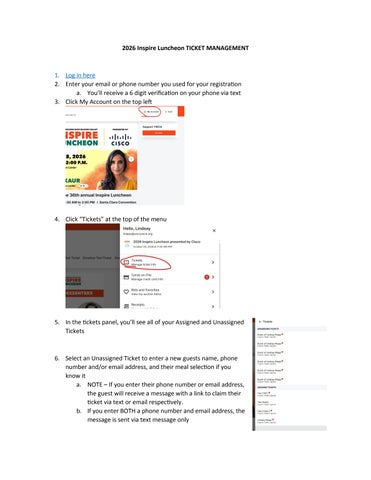
1. Log in here 2. Enter your email or phone number you used for your registration a. You’ll receive a 6 digit verification on your phone via text 3. Click My Account on the top left
4. Click “Tickets” at the top of the menu
5. In the tickets panel, you’ll see all of your Assigned and Unassigned Tickets
6. Select an Unassigned Ticket to enter a new guests name, phone number and/or email address, and their meal selection if you know it a. NOTE – If you enter their phone number or email address, the guest will receive a message with a link to claim their ticket via text or email respectively. b. If you enter BOTH a phone number and email address, the message is sent via text message only