Patient Assistance: Fertility Preservation A Guide for Patients on Creating a Livestrong Account Patient Account Creation The following is a guide on creating an account with the Livestrong Foundation. Important Notes: •
•
The Livestrong Fertility Patient Assistance Program provides discounts on fertility services and medications to qualifying patients. Livestrong does not provide any funds directly to patients or to Smilow. •
If your application is accepted, your prescribed fertility medications will be shipped directly to the address listed on your application at no cost.
•
In addition to your medications, a 25% discount on certain fertility services will be applied to your Smilow Account. You will still be responsible for any costs associated with services after the discount has been applied.
If the patient is under age 18, please contact Livestrong directly for guidance on creating an account.
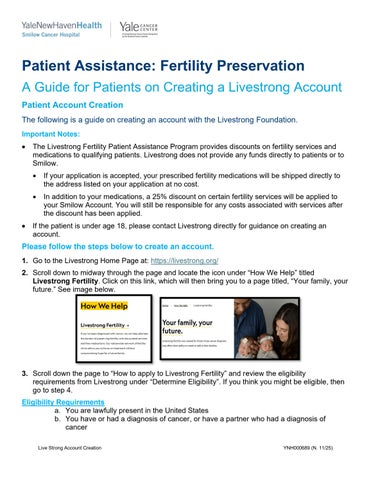
Please follow the steps below to create an account. 1. Go to the Livestrong Home Page at: https://livestrong.org/ 2. Scroll down to midway through the page and locate the icon under “How We Help” titled Livestrong Fertility. Click on this link, which will then bring you to a page titled, “Your family, your future.” See image below.
3. Scroll down the page to “How to apply to Livestrong Fertility” and review the eligibility requirements from Livestrong under “Determine Eligibility”. If you think you might be eligible, then go to step 4. Eligibility Requirements a. You are lawfully present in the United States b. You have or had a diagnosis of cancer, or have a partner who had a diagnosis of cancer Live Strong Account Creation
YNH000689 (N. 11/25)
c. An oncologist has determined that the recommended cancer treatments present the risk of infertility or have caused risk to the patient’s fertility d. An Oncologist and reproductive endocrinologist have both determined that the treatments and associated medications are medically appropriate e. The fertility center has agreed to provide the requested service through the Livestrong Fertility Discount Program Additional Criteria Birthing Parents a. Annual adjusted gross household income is less than or equal to $130,000 (if single) or $170,000 (if married) b. Uninsured or limited insurance coverage for the treatments and procedures required for embryo freezing or egg freezing
Non-Birthing Parents c. Annual adjusted gross household income is less than or equal to $101,000 (if single) or $130,000 (if married) d. Uninsured or limited insurance coverage for the treatments and procedures required for sperm cryopreservation
4. Scroll down and click “Apply Now.” 5. Create an account with the required elements of name and email address. Once an account is created, you will receive an email asking you to create a password. After you create a password, you will have access to the patient portal. 6. The next step is to complete the Pre-Qualify Form, which is what you will see when you first log in to the patient portal. See image below.
7. In the last step of the Pre-Qualify Form, enter the zip code for the Yale Fertility Center, which is 06477. Click the “Save” button once completed. 8. If you pre-qualify, you will see the “Create Application” form to complete. Complete this form and click “Save.” See image below. Live Strong Account Creation
YNH000689 (N. 11/25)
9. Next, there are four (4) required documents that need to be completed and submitted within 48 hours. Within each section, click the “Edit” button (pencil icon) to complete the forms. See below for detailed instructions for each form required.
1) Patient Authorization Form a. This form is completed and digitally signed by the patient, all within the Livestrong portal. 2) Income Documents a. The patient must upload either a W-2 or 3 months of pay stubs into the portal. If you need help uploading documents, contact your Early Onset Cancer Specialist. 3) Oncologist Referral Certification Form Live Strong Account Creation
YNH000689 (N. 11/25)
a. Click the “Edit” button to complete the patient portion of the form within the portal. Click “save details” once complete. b. Click the “X” button at the top of the form to return to the application overview screen shown above. c. Select the “Print” icon for this form and save the completed form to a PDF file on your device. d. Upload the PDF file to an EPIC MyChart Message, asking the oncologist to complete their portion and return it to you within 48 hours. e. Once completed, the patient must upload the completed form back to the patient portal. 4) Reproductive Endocrinologist Form a. The Fertility team will complete your Reproductive Endocrinologist Form within your portal. i. To be added to our patient list, you must “Invite” Robert.sacco@yale.edu to your form, using the “Invite” button. ii. This allows the fertility team to monitor the portal, find new applications requiring their attention, and determine when applications have been submitted. 10. Once all steps are completed, you MUST submit the application within the portal. a. Livestrong will notify you and the Fertility team of your acceptance or denial within 48 hours of submission.
Live Strong Account Creation
YNH000689 (N. 11/25)