

MCKENZIE COUNTY HERITAGE PARK
RTC NETWORKS COMMUNICATOR
24 Main Street North, PO Box 68, Parshall, ND 58770
www.myRTCNetworks.com, info@myRTCNetworks.com
Customer Service: 0811 (within RTC exchanges) or 701.862.3115
Repair Service: 0611 (within RTC exchanges) or 800.822.3311
24/7 Help Desk: 0211 (within RTC exchanges) or 800.497.2151
Headquarters: 24 Main St N Parshall, ND 58770
New Town Office: 202 College Drive New Town, ND 58763
Stanley Office: 215 Main St S, Stanley, ND 58784
Watford City Office: 701 14th St SW Watford City, ND 58854
Business Office:
0811 (Toll-free within RTC Exchanges)
701.862.3115
Fax: 701.862.3008
Email: info@myRTCNetworks.com
Publication Contact: Shannon Stafslien, Marketing Manager
CEO/General Manager: Shane D. Hart
Directors & Officers:
Jeanette Hoff, President
Wayne Skarda, Vice President
Jennifer Sorenson, Secretary/Treasurer
Jared Eagle, Director
Terry Wilber, Director
Amy Ones, Director
Barbara Steinmetz, Director
John McElwain, Director
Alicia Brenna, Attorney
RTC Networks is an equal opportunity employer and provider.
Copyright© 2022 by RTC Networks (Reservation Telephone Cooperative Networks) and Tellwell.
A MESSAGE FROM OUR
GENERAL MANAGER

As of January 1, we have officially welcomed the communities of Stanley, Portal, Medora, Beach, and Golva into our ever-growing network!
To all of our new customers, thank you for your trust and patience throughout the transition from Midstate to RTC Networks. We promise to continue providing the highest quality of technology and service, and look forward to making a positive impact on your communities.
I am especially excited to welcome several former Midstate employees to the RTC Networks team. You can get to know them on page 10 of The Communicator.
It’s hard to believe that the 2021-2022 school year is already coming to a close. Some of this year’s high school seniors will have an extra reason to celebrate as RTC Networks is awarding more scholarships than ever before! This year, we are awarding $39,500 in college scholarships to students entering their freshman year of college
in the fall of 2022. Individual awards range from $1,000 to $2,500. To meet this year’s scholarship recipients, see page 11.
Also in this issue, you can learn about the FCC’s Affordable Connectivity Program, which helps connect families and households struggling to afford internet service (page 12) along with upgrades that will allow the McKenzie County Heritage Park to bring our region’s history into the digital age (page 3).
RTC Networks is awarding $39,500 in college scholarships.
Finally, have you downloaded the myRTCnet app yet? The app puts you in charge of your internet experience, allowing you to view all the connected devices on your network, set up parental controls, change your password, and more! Please visit our website to learn about all of these features, or use the QR code below to instantly download the app.
From all of us at RTC Networks, have a healthy and happy spring!
Shane Hart
Shane Hart, CEO/GM
RTC NETWORKS SPOTLIGHT
MCKENZIE COUNTY HERITAGE PARK
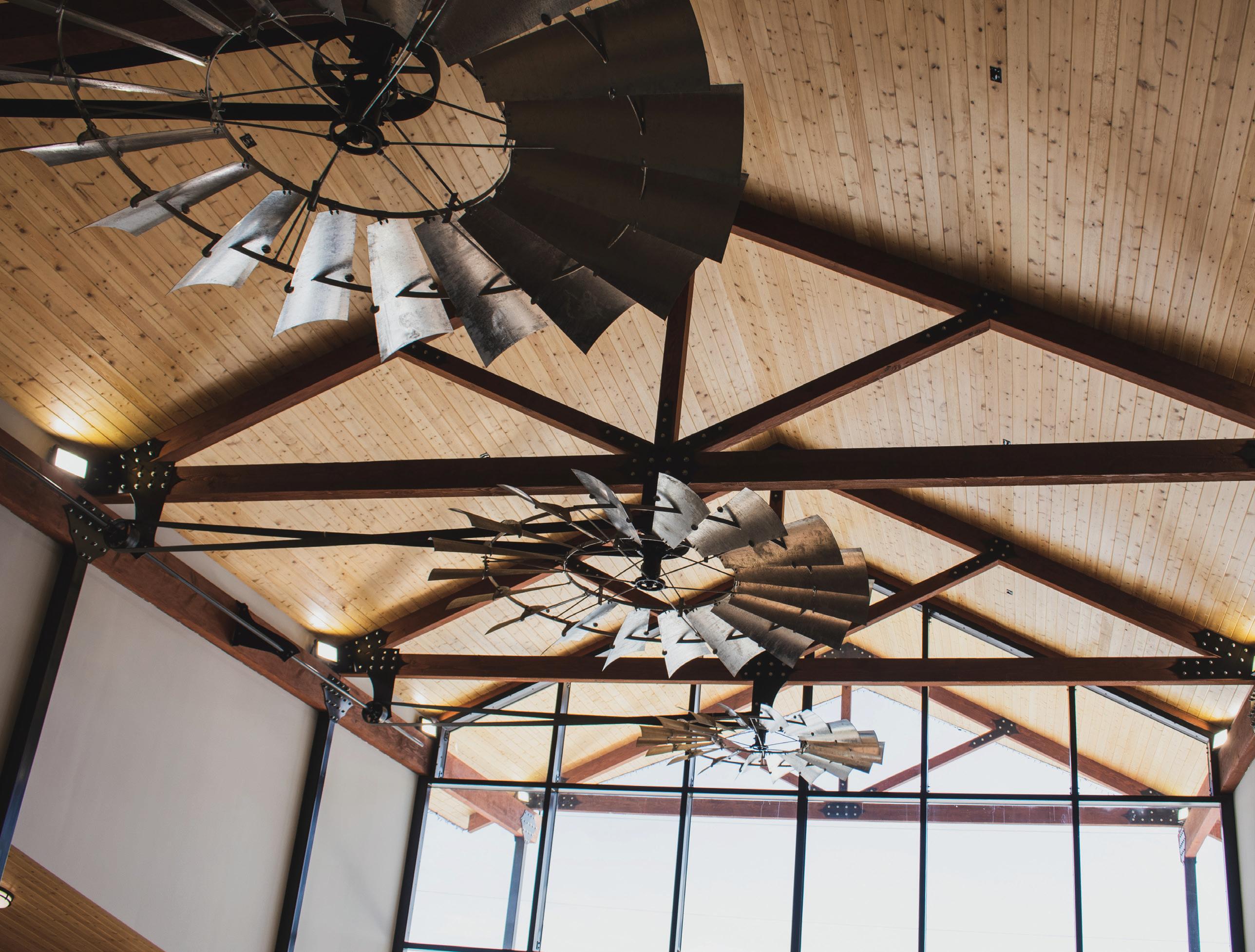
McKenzie County Heritage Park is sharing the history of McKenzie County with another generation.
Like many, Sandy Rieker came to McKenzie County on the heels of the oil boom. Her family took up residence in a fifth wheel trailer on the outskirts of Watford City, and when Rieker began to feel caged in by the confines of her temporary home, she would bring her young granddaughter across town to the McKenzie County Heritage Park.
Together, they’d roam the drafty halls of the park’s historic buildings, imagining the way those early settlers must
have felt as they put down roots in the prairie that would one day become North Dakota.
“As I’d pull my frozen pillow off the wall in my fifth wheel, I felt a kind of understanding of what that pioneer woman may have felt like. I thought about how, for her, there was nothing but a piece of wood separating her pillow from the cold,” Rieker said. “It spoke to me. So I wanted to tell that story.”
Now, as Director of Operations at the McKenzie County Heritage Park, Rieker is part of a passionate group working to keep the pioneer story alive.
A Step Back in Time
The McKenzie County Heritage Park is a collection of buildings from the late 1800s and early 1900s which have been recovered from around McKenzie County and restored to their original state. Since 1992, generations of park visitors have ventured back in time to explore a one-room schoolhouse, blacksmith shop, fire station, and many other relics of North Dakota’s heritage.
With the construction of a new museum equipped with high-speed internet from RTC Networks, McKenzie County Heritage Park is ready to share the history of McKenzie County with another generation.

“Our mission is to tell the story of how the pioneering men and women came here and left behind the legacy that they did,” Rieker said. “We may be teaching about the past, but we are always ready to embrace the future as well.”
While Rieker and her team have always taken great care to preserve the integrity of McKenzie County’s history, they’ve faced limitations. Artifacts had previously been
displayed and stored in the antique buildings, where they risked exposure to the elements. Now they will be kept in the museum, safe from wind, snow, and rain.
The construction project has been spearheaded by LeRoy Lillibridge, President of the McKenzie County Heritage Park Board of Directors.
“We’ve been working on the building for three years, but really, we’ve been saving towards this for 16 years,” Lillibridge said. “It’s been a lot of hours and I’ve had some good hands to help.”
We may be teaching about the past, but we are always ready to embrace the future.
During his tenure on the Board, Vice President Tex Stevenson has played integral roles in both restoring the old buildings and building this new one. Like many of his colleagues, Stevenson has deep roots in McKenzie County.
“My great-great-grandfather came to this state in 1863,” Stevenson said. “I like the history of North Dakota. I’d like to keep it going so people know who we are.”
Teaching the Next Generation
This museum has been nearly two decades in the making, and the work won’t end once construction is complete. Rieker, Lillibridge, Stevenson, and their team have big dreams for the future of the McKenzie County Heritage Park–and internet from RTC Networks will help make their dreams a reality.
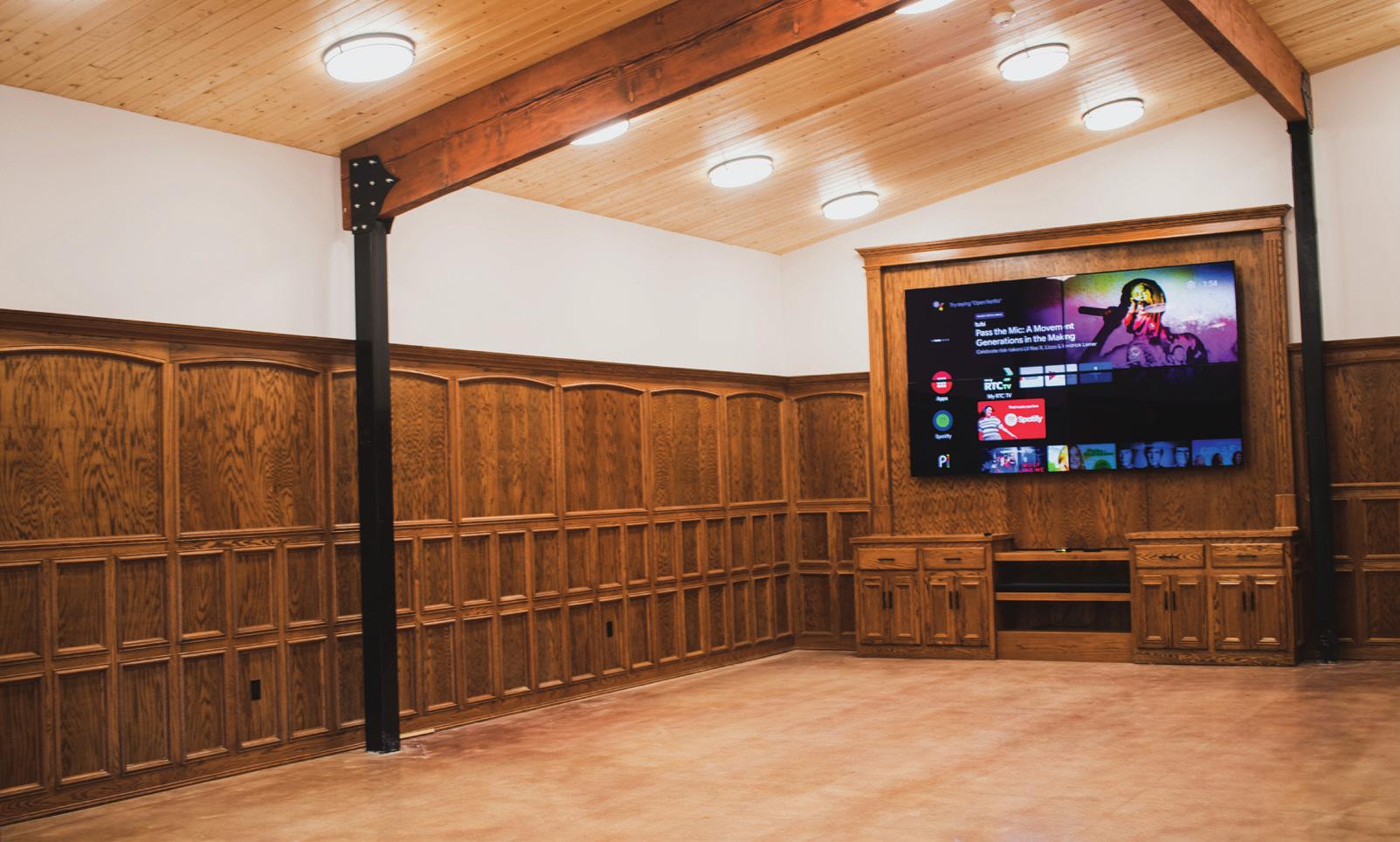
The museum also houses a media room, which is currently used primarily for meetings. In the future, the Park plans

streaming the movies that we want to have out here.”
Rieker also hopes to make wireless internet available to all guests, to make their experience more immersive.
“My goal is to have a lot of educational information available for everyone from little kids to college students,” she said. “I want to create a place where people can gather, have a cup of coffee, and use our Wifi to learn more about McKenzie County.”
And if they run into issues or have any questions about their technology, Rieker and her team will know just who to call.
“Technology is something that is new to all of us. We’re trying to grow with
When Rieker came to McKenzie County in 2011, she felt a kinship to those early settlers who’d given up everything they’d known to build a life on the Great Plains. Now, she’s preserving their legacy in the hopes that it will continue to inspire North
said. “I love North Dakota, I love the people of McKenzie County, and I love telling their story.”
Pictured left to right: LeRoy Defoe, Sandy Rieker, LeRoy Lillidge, Tex Stevenson, Ron Weber. Not Pictured: JJack Construction, Praire Homes, Velasquez Construction.
TECH TIPS TEACHING INTERNET SAFETY
Kids these days are spending more time than ever on the Internet. It can be a wonderful resource, opening them up to an entire world of knowledge and allowing them to communicate with teachers and other kids. But it also comes with risks.
Today, we are going to share a few tips for teaching kids about online safety. If you are more of a visual learner, watch our latest Tech Tip video to follow along with tech expert Katie.
1.) Educate Yourself
Being familiar with the Internet will not only help you understand the risks for yourself, but it will also help you talk to your kids about safety. Learn everything you can about the Internet. If you’re reading this blog, congratulations—you’re off to a great start!!
2.) Emphasize Online Privacy
Teach your kids the importance of keeping personal information private. It is never, ever okay to give out personal information such as phone numbers, addresses, and credit card numbers online—no matter how trustworthy a person or website may seem.
3.) Practice Smart Posting
While we all wish we could keep kids off of social media entirely, that’s just not realistic in this day and age—so it’s important to teach kids to use sites like Facebook, Instagram, and Tik Tok safely. Help your kids understand that the Internet is permanent. Even if they delete a post or message, that data continues to exist on the Internet. They never know who may have taken a screenshot! As a general rule, they should only post something online if they’re comfortable with everyone in the world seeing it.
4.) Say “No” to Cyberbullying
Unfortunately, we can’t talk about kids’ online safety without mentioning cyberbullying. Sit down with your child and work together to come up with a plan of how to deal with cyberbullies. This can include blocking their bully on social media apps, turning off their device, or coming straight to you or another adult they trust. No matter how tempting it may be, retaliating or responding to the bully usually just makes the situation worse.
5.)Talk It Out
Finally, when it comes to online safety, communication is key. Talk to your kids regularly about how they use the Internet. If they get in the habit of talking to you, chances are they’ll be more comfortable coming to you if there’s a problem.
That’s it for this edition of Tech Tips! Check back soon for another tip to make your technology work for you.

Up Guide:
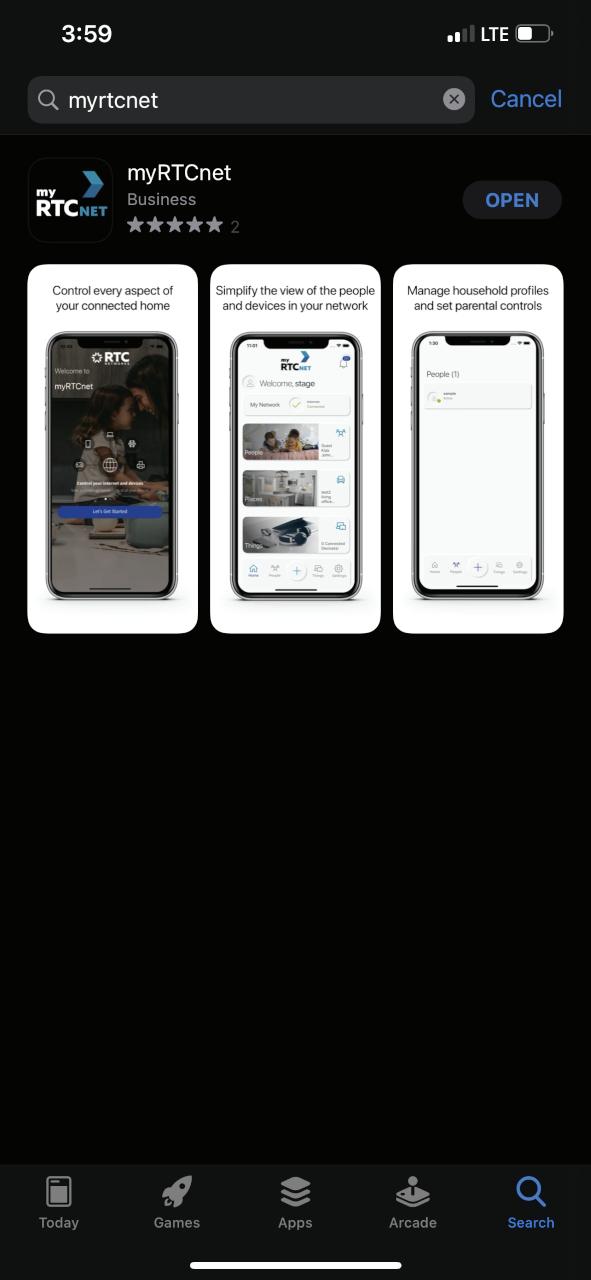
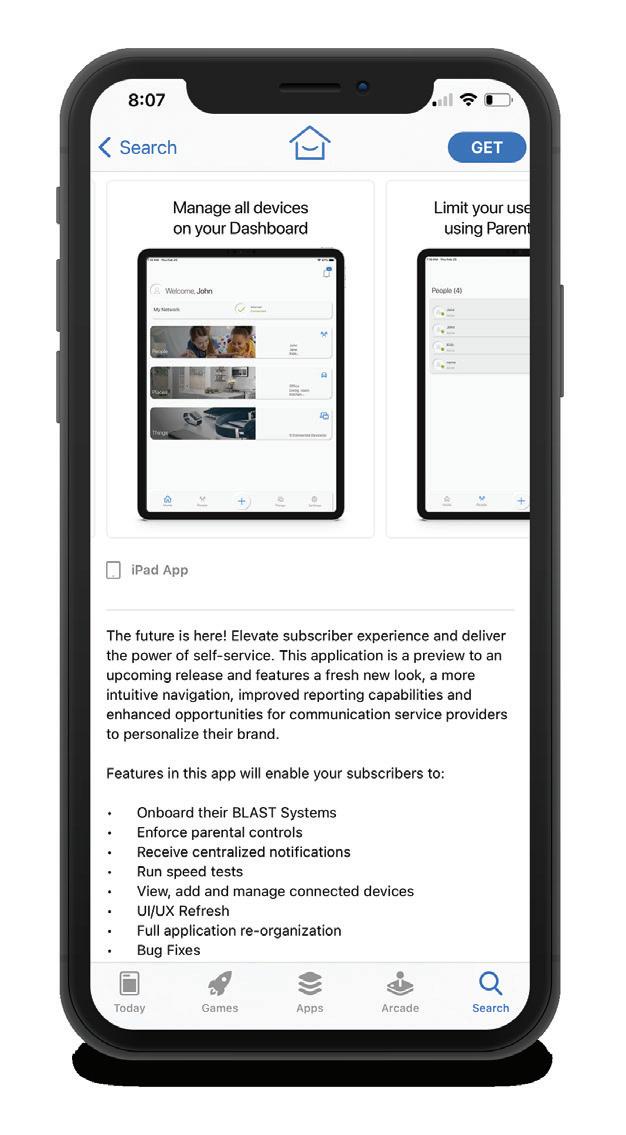
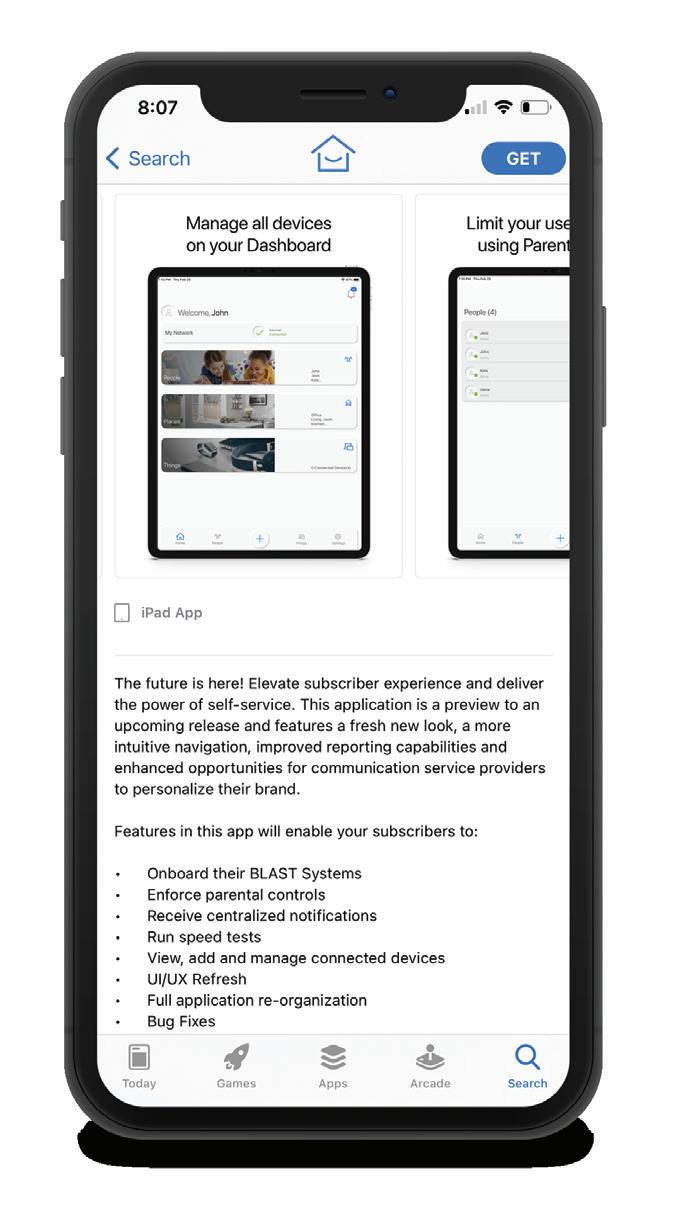
Download the App
search either the Apple Google Play Store myRTCnet, then install it on device.
STEP 1
Download the App
STEP 1
You can search either the Apple App store or Google Play Store for: myRTCnet, then install it on your mobile device.
Scan the QR code below or search either the Apple App store or Google Play Store for: myRTCnet, then install it on your mobile device.
STEP 2
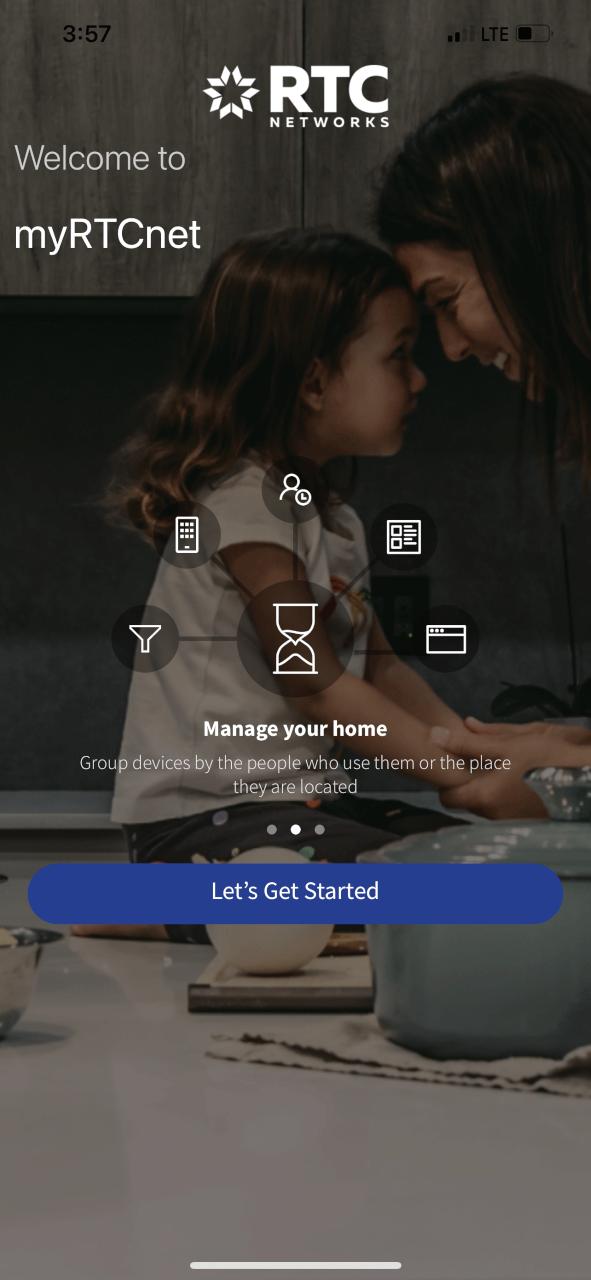
Let’s Get Started
Click on the “Let’s Get Started” button to get started on your way to managing your network and devices.
STEP 4
STEP 3
have an account, ail and password for this app. otten your ect word?”
Login , password, s “Forgot Pass
QR Code will have a metal ide or bottom. e icon and scan
STEP 2
Let’s Get Started
Click on the “Let’s Get Started” button to get started on your way to managing your network and devices.
Click on the “Let’s Get Started” button to get started on your way to managing your network and devices.
New to myRTCnet? Tap “Sign Up”
STEP 4
NEW TO MYRTCNET? TAP “SIGN UP”
STEP 5
STEP 4
New t
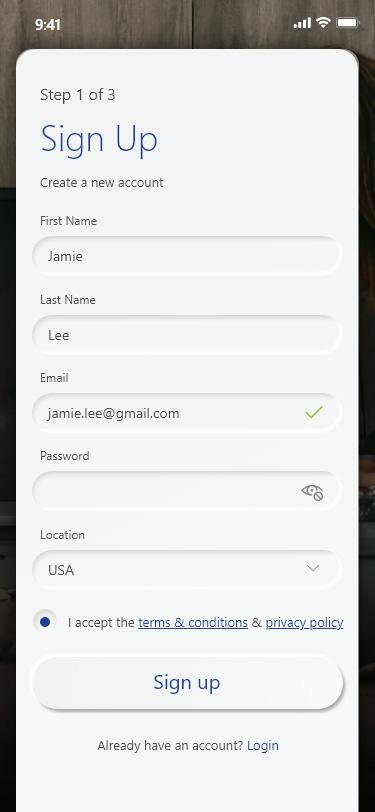
If you are new to myRTCnet you will need to create an account and set up your system to get star ted.
Tap “S
If you are new to myRTCnet you will need to create an account and set up your system to get started.
Tap “Sign Up” at the bottom of the screen on Step 3 and then complete the Sign Up process on this next screen.
STEP 6
Tap “Sign Up” at the bottom of the screen on Step 3 and then complete the Sign Up process on this next screen.
If you are you will n account to get sta
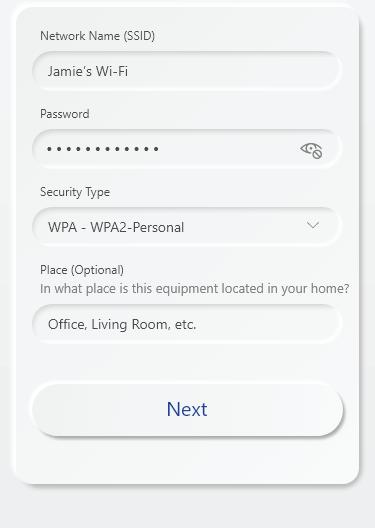
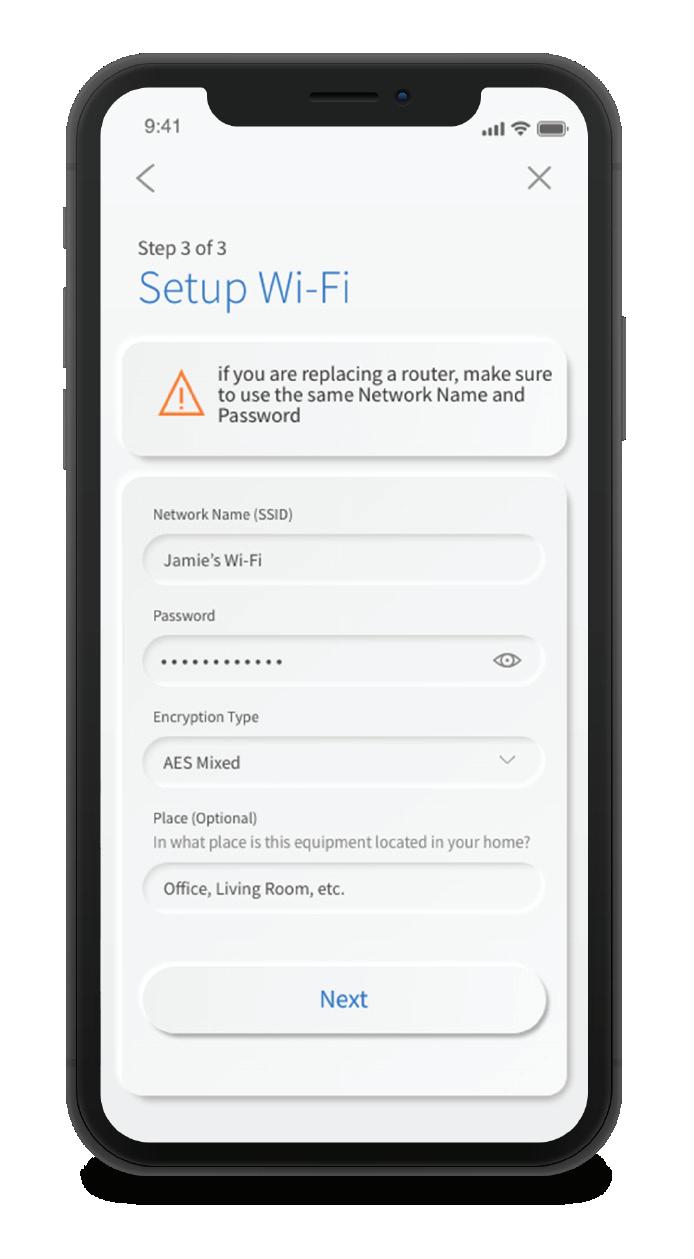
Name the Network and Create Password
Tap “Sign the scree complete the Sign Up process on this next
TAKING HOME PROTECTION, NETWORK PERFORMANCE AND CONTROL TO ANOTHER LEVEL
ou can enter the s and Serial d on the same y clicking on the
STEP 6
myRTCnet provides virus protection to all the devices on your network and gives you easy access to a snapshot view of your home or small business network. Through the app you can view all the connected devices on your network, set up parental controls or a guest network, change your SSID and password, and more.
Scan the Your system plate on the Simply tap th the QR code
Once the network has been detected, enter the existing Wi-Fi password for your network.
For additional resources and information, please visit myrtcnetworks.com/wifi.
If you are setting up your home network for the first time, call RTC Networks for assistance filling out the required items for
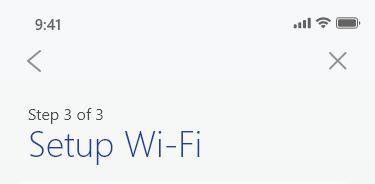
Name the Network and Create Password
Once the network has been detected, enter the existing Wi-Fi password for your network.
ve an account, nd password p for this app. otten your
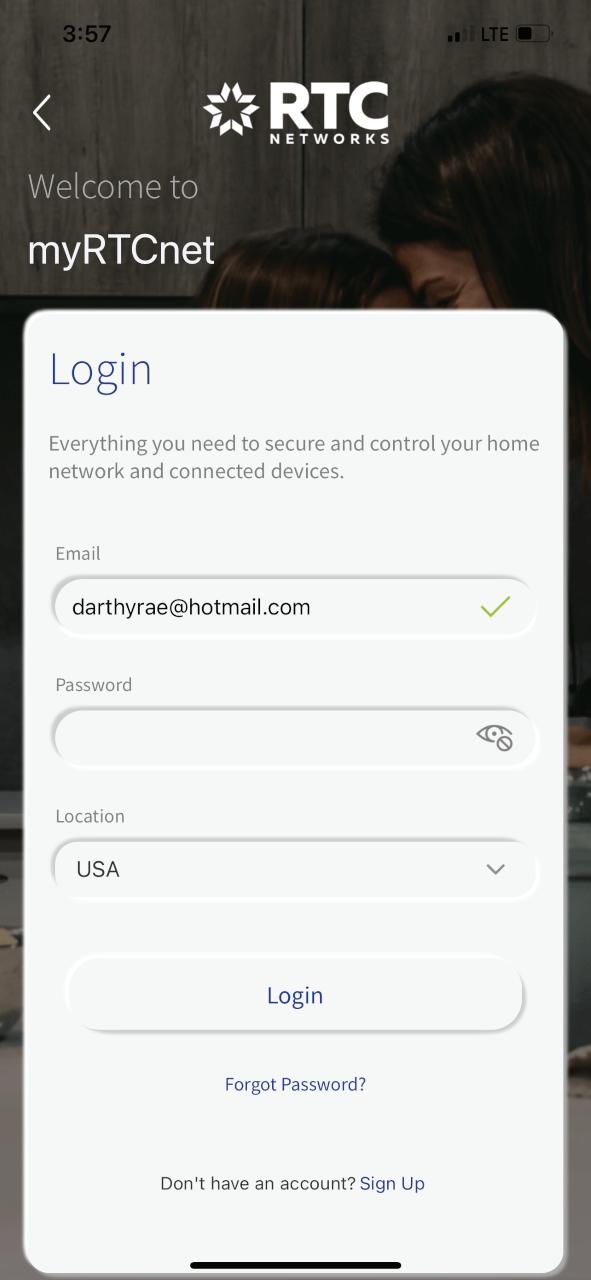
STEP 3 Login
STEP 5
SCAN THE QR CODE
STEP 4
STEP 3 LOGIN
New to myRTCnet?
Tap “Sign Up”
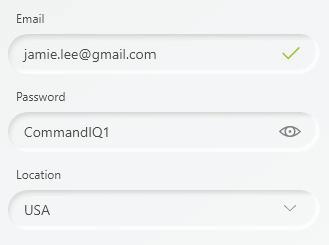
If you already have an account, enter the email and password you’ve set up for this app.
If you’ve forgotten your password, select “Forgot Password?”
If you’ve forgotten your password, select “Forgot Password?”
If you already have an account, enter the email and password you’ve set up for this app.
If you are new to myRTCnet you will need to create an account and set up your system to get star ted.
STEP 5
Tap “Sign Up” at the bottom of the screen on Step 3 and then complete the Sign Up process on this next screen.
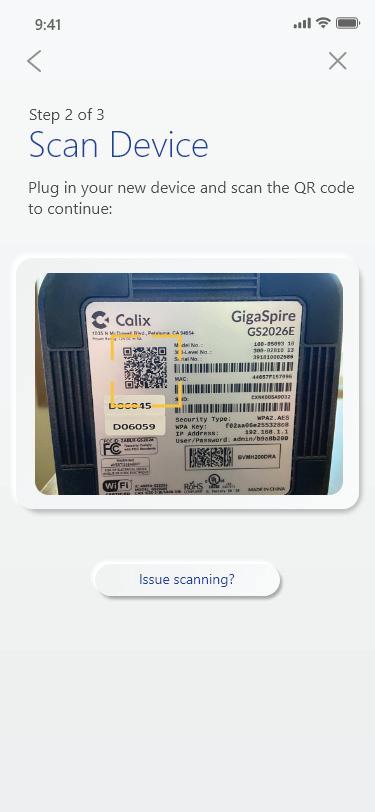
Scan the QR Code
Your system will have a metal plate on the side or bottom. Simply tap the icon and scan the QR code. Alternately, you can enter the MAC Address and Serial Number found on the same metal plate by clicking on the “Issues scanning?” button.
ou can enter the nd Serial n the same icking on the ?” button. locate the QR code ontact RTC Networks
STEP 6
Your system will have a metal plate on the side or bottom. Simply tap the icon and scan the QR code
STEP
Note: If you are unable to locate the QR code on your device, please contact RTC Networks for assistance.
ame the Network and Create Password
If you are setting up your home network for the first time, call for assistance filling out the required items for R Code have a metal e or bottom on and scan
Name the Network and Create Password
Alternately, you can enter the MAC Address and Serial Number found on the same metal plate by clicking on the “Issues scanning?” button.
Once the network has been detected, enter the existing Wi-Fi password for your network.
If you are setting up your home network for the first time, call RTC Networks for assistance filling out the required items for your Wi-Fi network.
Note: If you are unable to locate the QR code on your device. Please contact RTC Networks for assistance.
Once the network has been detected, enter the existing Wifi password for your network.
If you are setting up your home network for the first time, call RTC Networks for assistance filling out the required items for your WiFi network.
Once the network has been detected, enter the existing Wi-Fi password for your network.
your
NEW RTC NETWORKS PHONE LISTINGS
Alexander - 828
Bednank, Andy.......................................(701) 828-3185
Lassey, David & Sonja...........................(701) 828-3749
Lassey, Steve.........................................(701) 828-3396
Walker, George.....................................(701) 828-3946
Douglas - 529
Wilcox, Adam H......................................(701) 529-4371
Emmet - 337
Garrison Manufacture..........................(701) 337-2527
Moen, James Jr......................................(701) 337-5105
Garrison - 463
Chifu, Christina M.................................(701) 463-2097
Freborg, Myrna......................................(701) 463-2663
Lakeview Chiropractic.........................(701) 463-7808
Narum, Neil E.........................................(701) 463-2495
Otter Tail Power Co..............................(701) 463-2823
Mandaree - 759
Jump House............................................(701) 759-3140
New Town - 627
Driver, Stacey & Gerald........................(701) 627-4144
Lindley, J.................................................(701) 627-4893
Little Wind, Luana M............................(701) 627-3998
MHA-Tribal Health InsuranceCustomer Service.....................................(701) 627-3121
Parshall - 862
Catches, Diandra..................................(701) 862-4808
Heritage Place Parshall
Lucky Mound.........................................(701) 862-2779
Jericho Excavation & Hauling LLC - Shurtliff Jason.............................(701) 862-2757
Lucky Mounder Restaurant................(701) 862-3823
Roseglen - 743
Azure, Joseph L....................................(701) 743-4032
Ralph Wells Community Center.........(701) 743-4798 White Shield Public Safety.................(701) 743-4000
Ross - 755
Carstensen Contracting......................(701) 755-3626
Ryder - 758
TriGen Ag Partners LLC.......................(701) 758-2935
TriGen Ag Partners LLC - Fax............(701) 758-2556
Squaw Gap - 565
Shae, Jerry.............................................(701) 565-2358
Shae, Jerry - Cabin..............................(701) 565-2626
Simons, Abe & Sierra..........................(701) 565-2093
Watford City - 444
Bakken Oil Rush Ministry
Thirft Store..............................................(701) 444-2288
Fogle Invest LLC....................................(701) 444-3130
Luce, Daniel...........................................(701) 444-2045
Slezak Bakken
BBQ & Bakery........................................(701) 580-7342
WBI...........................................................(701) 444-4644
Weichert RealtorsProvidence Properties.........................(701) 444-3070
Watford City - 842 Glacier Oilfield Services Inc...............(701) 842-2478
Kostad, E.................................................(701) 842-2566
RTC NETWORKS HAPPENINGS
NEW EMPLOYEES
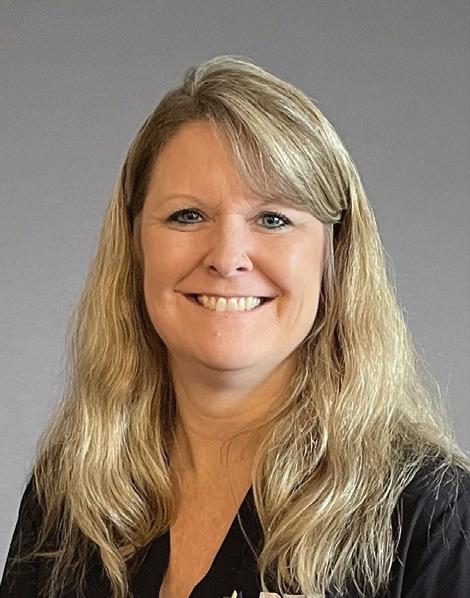
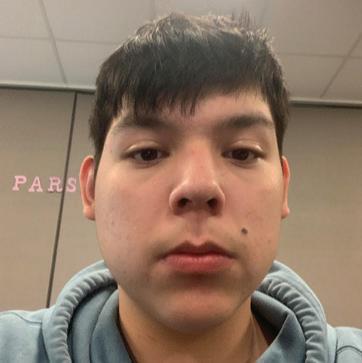
We are excited to announce five new hires: Derek, Melissa, Holly, Jared, & Ryan! To see our current opportunities, visit myrtcnetworks.com/category/job-opportunities
CALENDAR


2023 PHOTO CONTEST
Deadline to submit photos: September 1, 2022
Submit your name, RTC Networks account number, and up to 10 high-def pictures to rtcteam@rtc.email.
Winners receive a feature in our 2023 Calendar and a $20 bill credit.
Must be a current RTC Networks customer.



Melissa Bristol Customer Service Rep II
Holly Kaiser Customer Service Rep II
Jared Kohanes Combination Tech
Derek Binstock Combination Tech
Ryan Thompson Combination Tech Lead




























24 Main Street North, PO Box 68, Parshall, ND 58770
myRTCNetworks.com
info@myRTCNetworks.com facebook.com/RTC.coop
Customer Service: 0811 (within RTC exchanges) or 701.862.3115
Repair Service: 0611 (within RTC exchanges) or 800.822.3311
24/7 Help Desk: 0211 (within RTC exchanges) or 800.497.2151
Headquarters: 24 Main St N • Parshall, ND 58770
New Town Office: 202 College Drive • New Town, ND 58763
Stanley Office: 215 S Main St • Stanley, ND 58784
Watford City Office: 701 14th St SW • Watford City, ND 58854



READERS Contest
Congratulations to these Winter 2021 Communicator Readers’ Contest winners. They will receive a $20 credit on their RTC Networks bill.
Leah Ann Charnetzki Kenmare Exchange
Janet Johnston Watford City Exchange
Sheryl Krueger Garrison Exchange
For your chance to be entered in the drawing to win a $20 credit on your bill, correctly answer the questions at the right and include with your RTC Networks bill. You can also submit your answers on our website at myRTCNetworks.com/ readerscontest or email your answers to RTCteam@restel.com.
1. What year was the McKenzie County Heritage Park founded? 2. What are two pieces of information kids should never share online?
3. What is one benefit or feature of the myRTCnet app?
Stephen Narum Douglas Exchange
Jerry Overton Norma Exchange