

Onceyouarehere,loginwith yourVCCSsuppliedusername andpassword. Ifyoudonothavethese, youmaychoosethe ForgotPasswordor ForgotUsernamelinks.

Nowthatyouareloggedin
clickontheSIS–Student InformationSystemtab

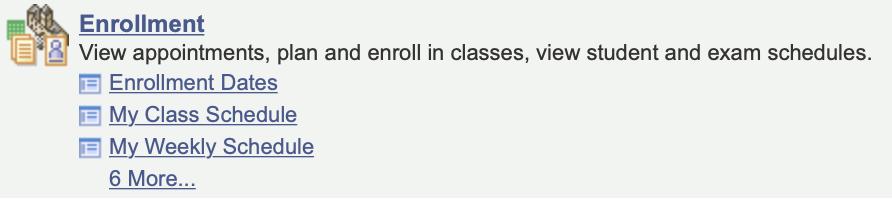
Choose
Enrollment:AddClasses
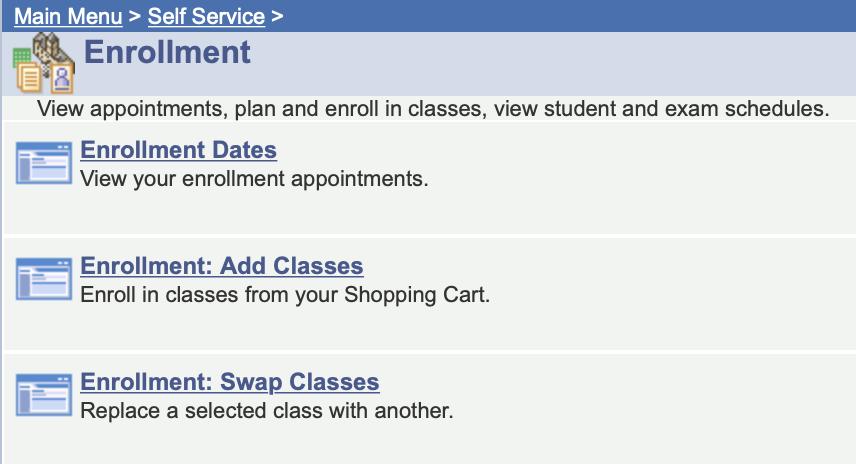
YoumaybepromptedtoSelectTerm–ifso,choose 2021Spring–Credit–VirginiaHighlandsCommunityCollege

Youarenowreadytostartadding classestoyourshoppingcart.
Ifyouhavefoundyour5-digit classnumber,youmayENTER
Ifyouneedtosearchfor classesandsections,youmay clickontheSEARCHbutton andproceedtothenextstep
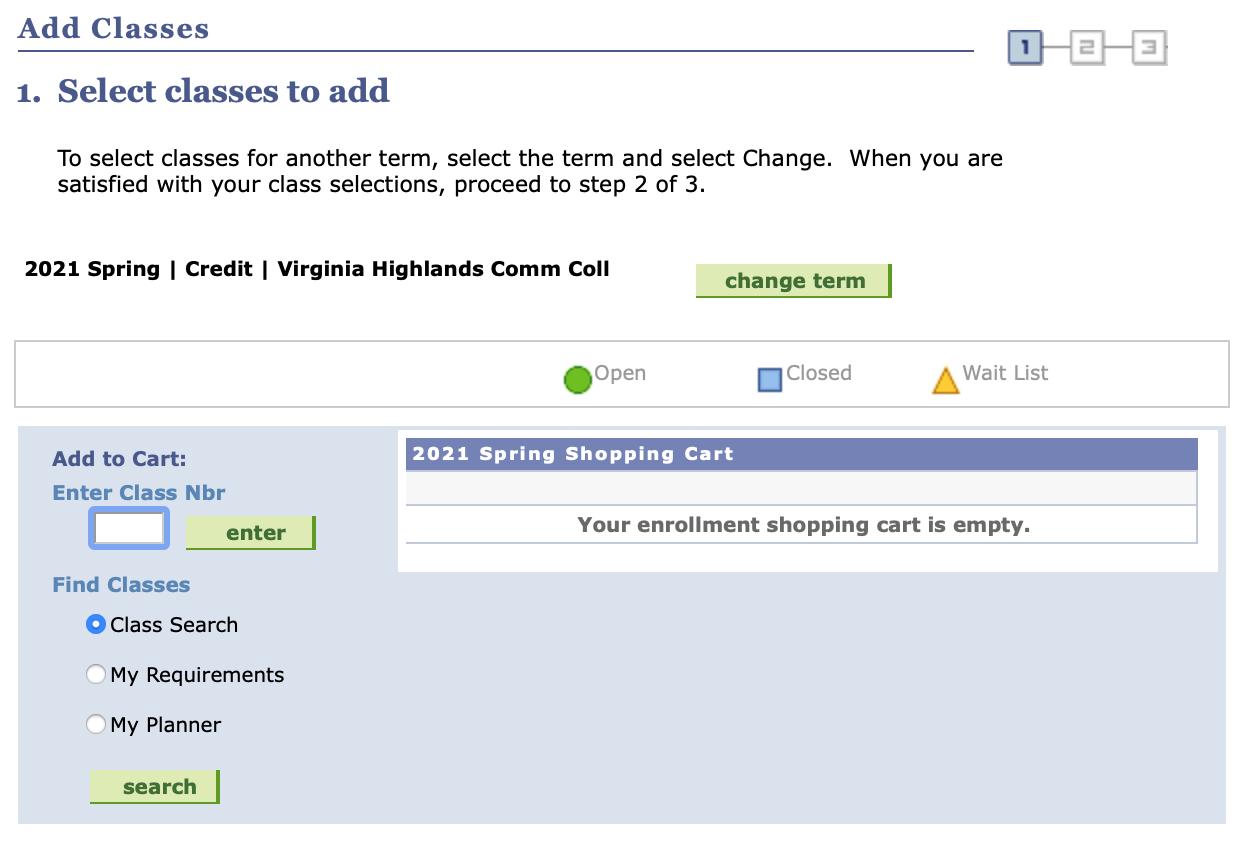
Ifyouaresearchingforclasses pleasefollowthe stepsbelow:
IntheSUBJECTsectionenterthe3-letterSubject code(i.e.ENG,MTH,PSY)inthefirstbox.
Ifyoudonotknowthiscode,youmayclickthe SELECTSUBJECT buttonandsearchfortheclass.
IntheCOURSENUMBERsection,enterthecourse number(i.e.112,212,200). Thismustcorrespond withthe3-lettersubjectcodeinthefirstbox.
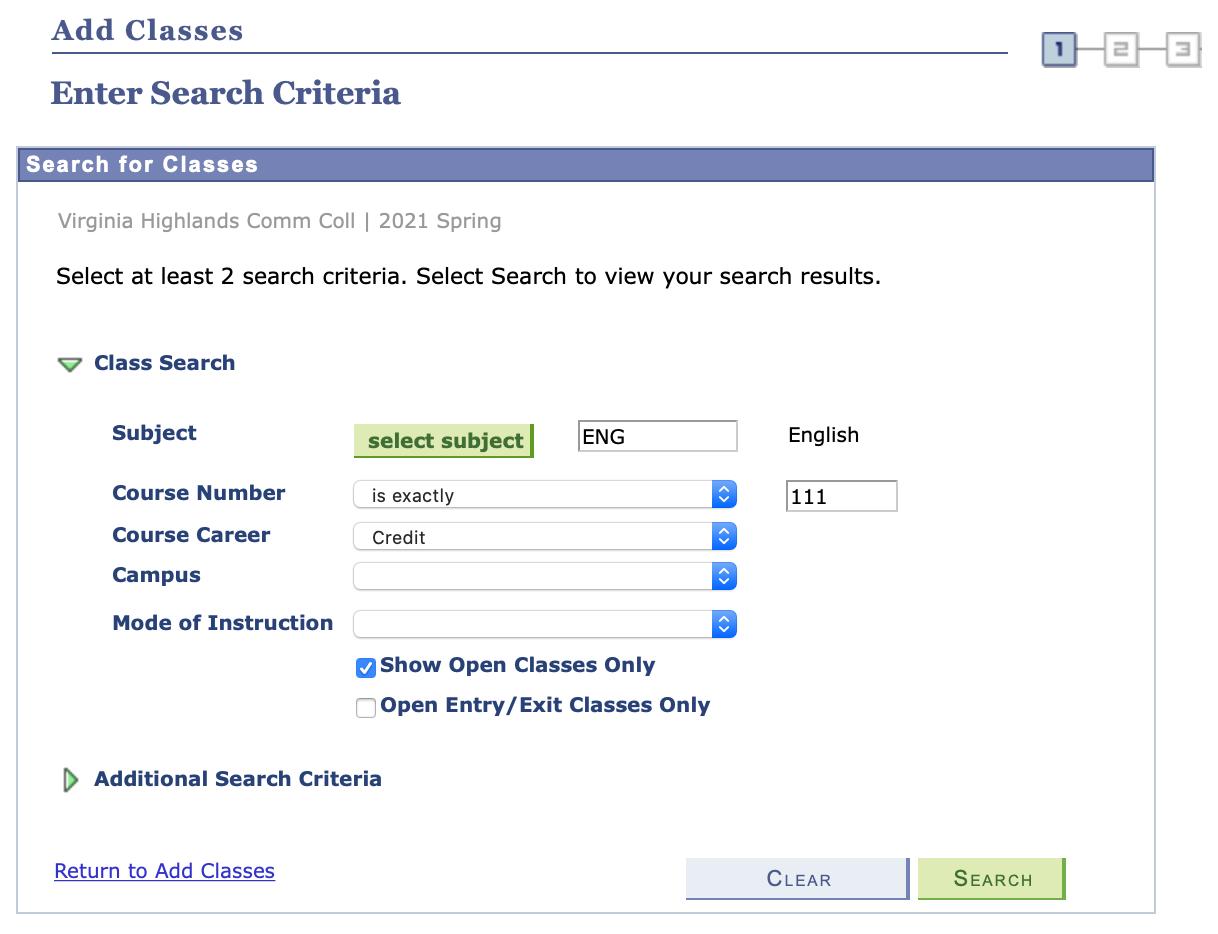
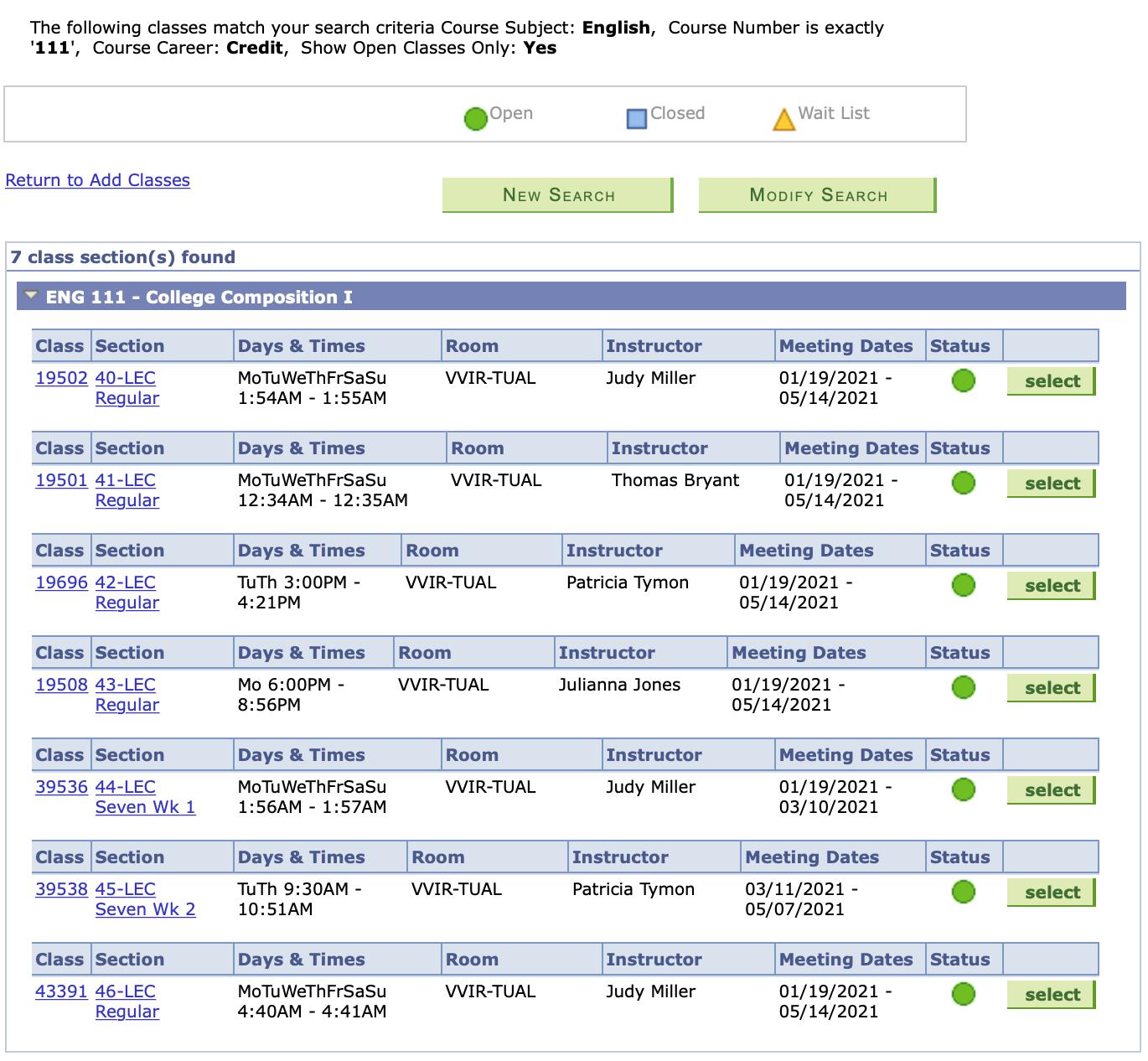
AfterClickingSearch, youarenowabletoreviewand choosetheclassthe bestfitsyourschedule. Afteryoureviewtheofferingsand chooseyourbestoption,clickselect.
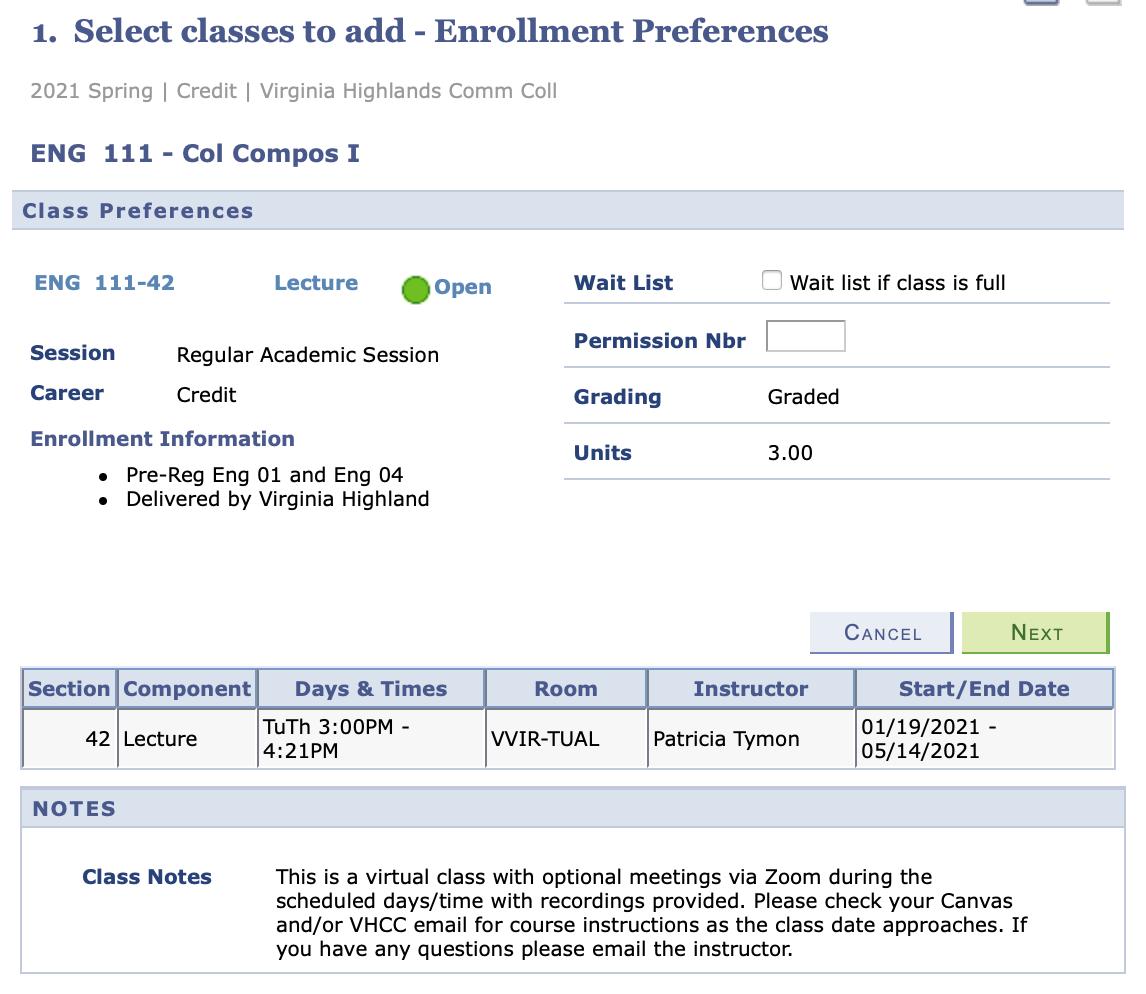
Afterclickingselect,thisscreen shouldappear Youwillbepromptedtoclicknext.
Once you click next, you will receive notice that your course has been added toyourshoppingcart–YOUARENOTYETDONE–thereareafewmoresteps.
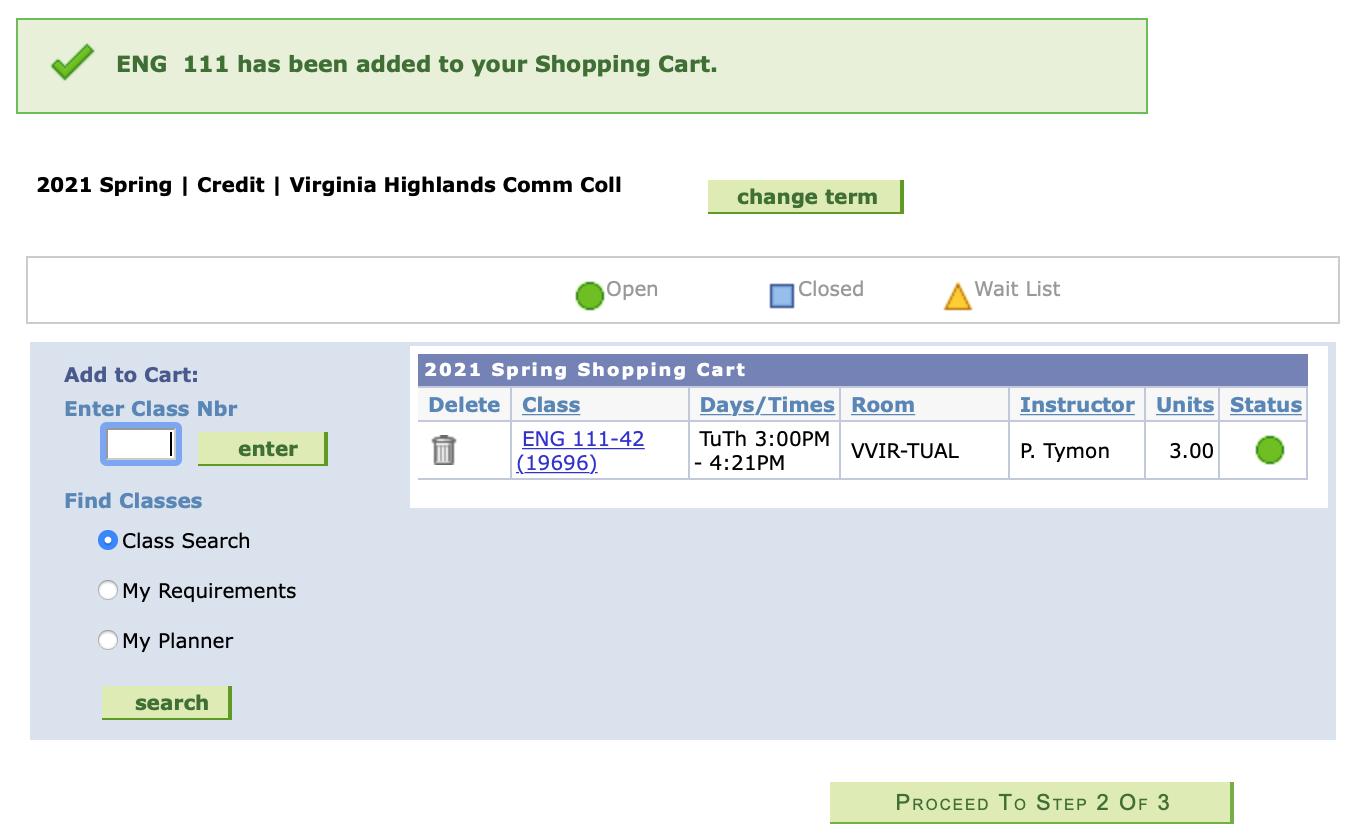
Continue to add classes to your cart, using the steps above, until ALL of your desired classes are in your 2021 SpringShoppingCart. Onceallofyourdesiredclassesarein your shopping cart, you are ready to ProceedtoStep2of3 1. 2.
Step2willshowyoualistingoftheclassesyouhavechosenandprompt youtoFinishEnrolling.
OnceyouclickFinishEnrolling–youwillneedtoensurethatyouhave receivedgreencheckmarks(seenbelow)forallofyourcourses.Ifyou receivearedX,itwillalertyoutothereasoning.
PleasecontacttheCampusConnectionCenter(ccc@vhcc.edu)toget enrolledinaclassthatisgivingyouaredX.

Onceyouhavereceivedthegreencheckmarks,then...