H O W T O D E S I G N
W O R K S P A C E S ?
NAME-Uruvi Prakash
LEVEL- L5
PROJECT-Reductive Design in workspaces
H O W T O D E S I G N
W O R K S P A C E S ?
NAME-Uruvi Prakash
LEVEL- L5
PROJECT-Reductive Design in workspaces
1. Introduction
1.1 Importance of Workspace Design
1 2 Key Design Considerations
1.3 Relevance to Indian Work Culture & Climate
2. Space Planning & Standards
2.1 Types of Workspace Layouts
2 2 NBC India Space & Safety Standards
2.3 Ergonomic Guidelines & Anthropometry
3. Site Context & Environmental Considerations
3.1 Climatic Response Strategies
3 2 Natural Light & Ventilation Assessment
4. Layout Optimization & Circulation
4.1 Zoning Strategies
4.2 Flexible & Modular Design Solutions
4 3 Efficient Circulation & Fire Safety (NBC Compliance)
5. Material Selection & Indoor Environment Quality (IEQ)
5.1 Eco-Friendly Material Choices
5.2 Thermal Comfort & Acoustic Control
5 3 Dos & Don’ts for Healthy Workspaces
6. Energy Efficiency Strategies
6.1 Passive Design Techniques
6.2 Smart Energy Systems & HVAC Optimization
7. Conclusion & Key Takeaways
71 Workspace Design Checklist
7.2 Major Learnings & Future Trends
7.3 Recommended Standards vs. Real-World Applications
8. Appendices & References
A well-designed workspace is more than just an arrangement of desks and chairs—it is a catalyst for performance, creativity, and emotional balance As work culture evolves, the physical environment plays a critical role in supporting employees' mental, physical, and social needs.
Efficient Layouts reduce time wasted in navigating the office and help streamline work processes.
Ergonomic Furniture minimizes physical discomfort, enabling longer focus periods without fatigue
Task-Specific Zones (e.g., collaboration pods, focus rooms) allow for more tailored, efficient work
Integrated Technology enhances communication, access, and automation, saving time and energy.
FOR WELL-BEING:
Natural Light & Ventilation positively impact circadian rhythms, mood, and energy levels.
Acoustics & Privacy control distractions and provide psychological comfort
Biophilic Design (plants, textures, daylight) reduces stress and anxiety, fostering a sense of calm
Flexibility & Choice give users control over how and where they work, improving satisfaction and autonomy.
"Designing for human experience in the workplace is no longer optional it's essential." When the workspace is intentionally designed, employees not only perform better they feel better. This alignment of spatial design with human needs leads to a healthier, more motivated, and resilient workforce
Designing an effective workspace goes beyond visual appeal it demands thoughtful planning that enhances performance, supports well-being, and reduces environmental impact The following key considerations form the backbone of a resilient and intelligent workspace:
A well-functioning workspace is intuitive, purposeful, and responsive to how people work
Aligns spatial planning with task types, departmental needs, and workflow dynamics.
Promotes seamless movement and accessibility, supporting both focused and collaborative activities
Incorporates adaptable features that respond to diverse workstyles and evolving needs.
Maximizing utility within limited square footage is a hallmark of smart design
Achieved through modular layouts, multi-functional furniture, and zoning strategies.
Enhances circulation, minimizes dead zones, and ensures every area serves a clear purpose.
Encourages flexibility to scale or reconfigure as the organization evolves.
ENERGY EFFICIENCY
Energy-efficient environments reduce operational costs while supporting environmental responsibility.
Integrates daylight harvesting, task-based lighting, and intelligent climate control systems. Uses passive design principles orientation, insulation, and material selection to minimize energy loads
Supports long-term performance with smart automation and energy monitoring tools.
SUSTAINABILITY
A sustainable workspace is built for the present and the future socially, economically, and environmentally.
Prioritizes eco-conscious materials, low-emission finishes, and circular design strategies. Promotes well-being through biophilic elements, indoor air quality, and responsible material use.
Considers the full lifecycle of materials and systems, aiming for low-carbon, low-waste solutions.
NOTE:
These percentages are not fixed rules, but rather a conceptual guideline to help balance priorities in a rational way during your design process or evaluation.
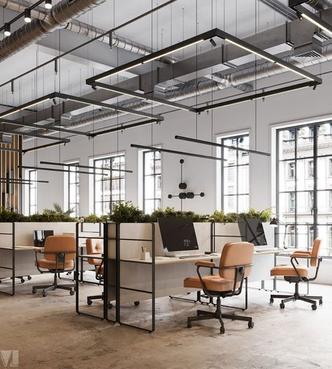
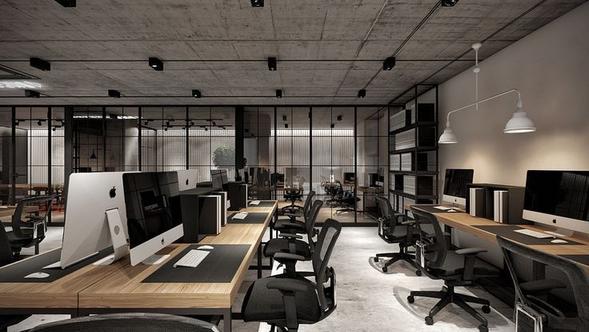
Workspace layouts significantly influence productivity, collaboration, privacy, and flexibility. The choice of layout depends on the nature of work, team size, company culture, and spatial constraints. Below are the key types of workspace layouts commonly used today:
Description: Large, shared space with minimal partitions.
Best For: Creative industries, collaborative teams, startups.
Pros: Encourages communication, adaptable, cost-efficient.
Cons: Noise, distractions, lack of privacy
Cons: Less interaction, rigid layout 2. CELLULAR (PRIVATE CABIN) LAYOUT
Description: Enclosed individual rooms or cubicles for employees.
Best For: Hierarchical or task-focused organizations (e.g., law firms, banks).
Pros: Privacy, focused work, acoustic control.
Cons: Requires strong organizational culture and space management 3. ACTIVITY-BASED WORKING (ABW)
Description: Multiple zones for different activities—quiet booths, collaboration hubs, standing desks, lounges
Best For: Hybrid and agile work environments.
Pros: High flexibility, employee autonomy, fosters productivity by task.
/ FLEXIBLE SEATING
Description: No assigned seating employees choose where to work each day.
Best For: Companies with mobile staff, remote/hybrid models.
Pros: Saves space, cost-effective, promotes interaction
Cons: Lack of personalization, potential for conflict over desks.
Description: A combination of open, cellular, and ABW elements tailored to company needs.
Best For: Medium to large companies aiming for balance and adaptability.
Pros: Customizable, encourages choice and comfort
Cons: Requires thoughtful zoning and management.
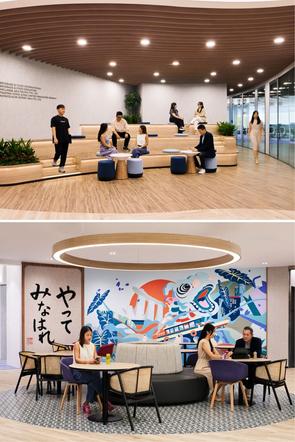
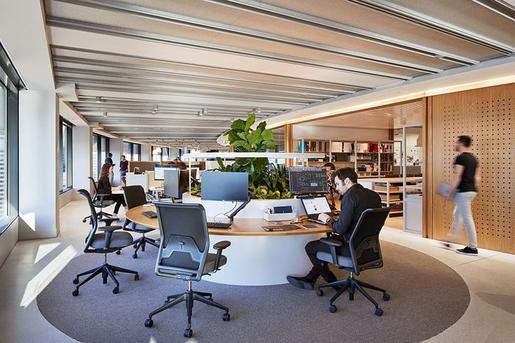
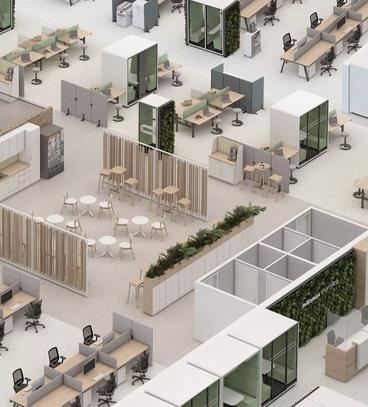
“Design is not just what it looks like and feels like. Design is how it works.”
— Steve Jobs
COMPARISON: TRADITIONAL VS. NBC-COMPLIANT
ELEMENT
TRADITIONAL LAYOUTS (PRENBC/NON-STANDARD)
NBC-COMPLIANT LAYOUTS (NBC 2016 / BIS STANDARDS)
Toilet Ratio 1 per 40–50 users (generic) 1 per 25 users (NBC standard)
Exit Travel Distance Not always defined Max 30 m (non-sprinklered) / 45 m (sprinklered)
Fire Exit Provision 1 exit per floor (commonly) Minimum 2 exits per floor
Ventilation
Accessibility Features
Ad-hoc/mechanical only
Often missing or improvised
Natural/mechanical with minimum air changes
Mandatory ramps, lifts, accessible toilets
This Comparison Table: Traditional vs NBC-Compliant Layout Sizes is designed to clearly demonstrate the differences in space planning, safety, and comfort standards between older or informal office layouts and those that meet current National Building Code (NBC) of India 2016 requirements.
COMPARISON: TRADITIONAL VS. NBC-COMPLIANT
The NBC-compliant column is based on the National Building Code of India 2016, specifically:
Part 3: Development Control Rules and General Building Requirements
Part 4: Fire and Life Safety
Part 8: Building Services (Ventilation, Lighting, Electrical Systems)
The "Traditional Layouts" column reflects pre-code or informal practices often seen in older office buildings or cost-driven workspaces, where ergonomic, circulation, and fire safety principles are either outdated or overlooked.
Designing efficient and health-conscious workspaces requires careful attention to ergonomics and anthropometry the science of human body measurements and their application in design
These principles ensure physical comfort, posture support, and reduce the risk of injury and fatigue, especially during long working hours
1. ANTHROPOMETRY IN OFFICE DESIGN
Anthropometric data helps determine the ideal dimensions of furniture and space layouts based on human body proportions
Seated Work Surface Height
Chair Seat Height
Chair Width
Desk Depth
Eye Level from Floor (Seated)
Clear Knee Space
Reach Envelope (Seated)
mm
mm
mm
mm
mm
600 mm width × 450 mm depth × 700 mm height
400 mm radius (without strain)
REFERENCE: INDIAN ANTHROPOMETRIC DIMENSIONS (NID / BIS GUIDELINES)
2. ERGONOMIC DESIGN GUIDELINES
Proper ergonomic design helps prevent musculoskeletal stress and promotes long-term health.
Monitor Position
Chair Design
Posture
Desk Design
Lighting
Top of screen at or just below eye level, 18–30" from eyes
Adjustable height, lumbar support, armrests, 5-point base
Feet flat on the floor, thighs parallel, 90°–100° knee angle
Rounded edges, cable management, matte surface (glarefree)
Indirect lighting with 300–500 lux at workstation level
REFERENCE: INDIAN ANTHROPOMETRIC DIMENSIONS (NID / BIS GUIDELINES)
Site: M3M Cornerwalk, Gurgaon
Climate: Composite (hot-dry summers, humid monsoons, mild winters)
In India’s composite climate zones such as Gurgaon workspace environments must efficiently adapt to fluctuating thermal conditions. This project responds through adaptive envelope design, sustainable material use, and energy-efficient systems, ensuring optimal indoor performance and reduced operational loads.
The design tackles intense solar exposure on the south, east, and west facades through a multilayered building envelope:
Hybrid Double-Skin Facade
Outer Layer: Low-E glass reduces solar heat gain while maintaining visual clarity.
Inner Layer: Triple Low-E glass provides high-performance insulation, limiting internal temperature fluctuation.
Cavity System: Includes adjustable seasonal vents that respond to external conditions, reducing mechanical load
Clay Brise Soleil Louvers
East & West Facades: Vertical clay louvers prevent solar ingress during mornings and afternoons.
South Facade: Horizontal louvers balance shading and heat control.
GFRC Devices: Durable shading elements enhance the building’s envelope performance with added depth and texture.
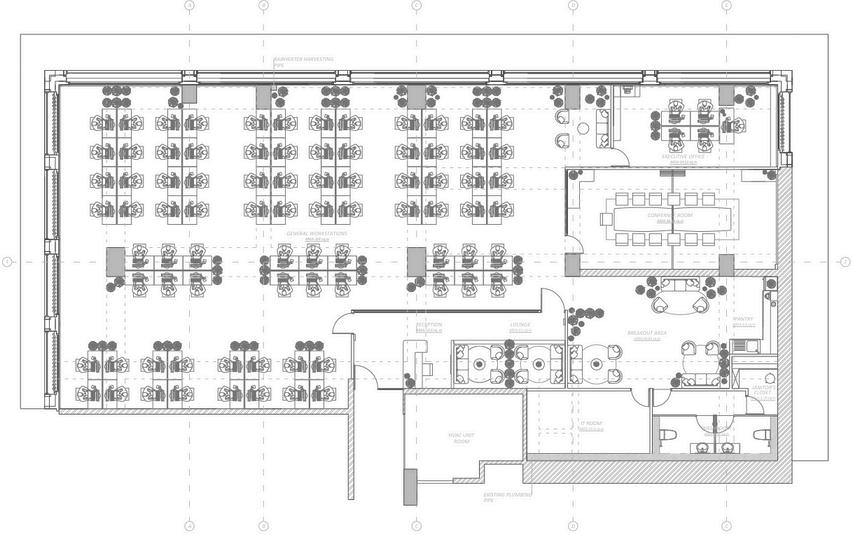
Thermal Mass Flooring: Honed Kota stone flooring acts as a thermal sink, stabilizing interior temperatures.
Low-VOC & Recycled Materials:
Reclaimed wood, recycled PET acoustic panels, terracotta, jute, and GFRC reduce embodied energy.
Low-VOC paints, adhesives, and laminates support a low-emission interior environment
Simulated Sunroof Lighting: In enclosed rooms, dynamic lighting mimics natural patterns to support human circadian rhythms without increasing heat loads.
Occupancy-Sensor Controlled LEDs: Efficient lighting control tailored to use patterns, minimizing wastage
Zoned HVAC Integration: Aligned with g efficient cooling delivery with reduced system
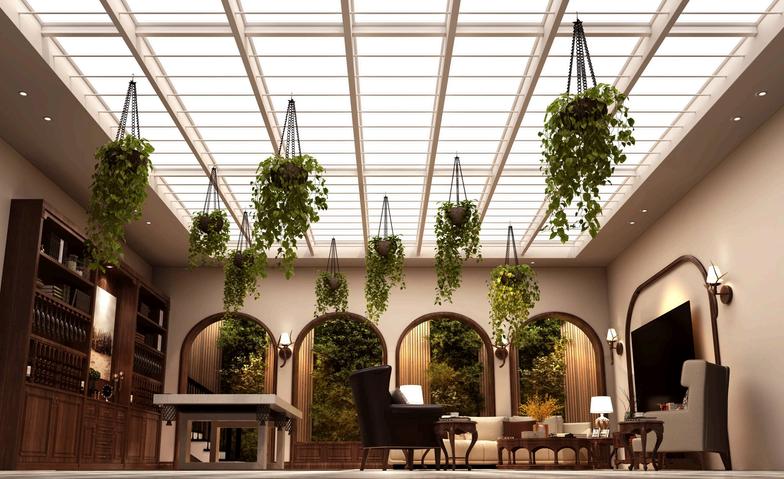
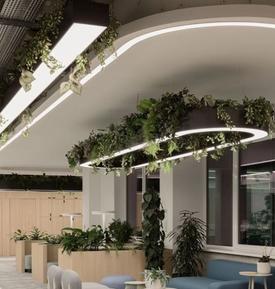
SENSOR CONTROLLED LEDS
ENERGY-EFFICIENT FURNITURE & INTERIOR ELEMENTS
Workstations:
Reclaimed wood surfaces reduce embodied carbon.
Adjustable-height desks (700–1200mm) accommodate diverse user needs without mechanical overuse
Cork dividers and PLA-printed accessories are lightweight and low-energy to produce. Chairs & Soft Furnishing:
Steel-frame chairs with organic cotton and recycled foam upholstery.
Anti-fatigue mats and recycled fabric beanbags reduce maintenance and enhance user comfort


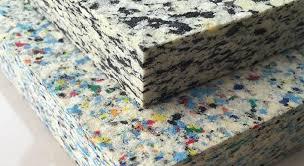
Clay, terracotta, and jute-based elements embedded throughout interiors help absorb excess heat without requiring active cooling
Breakout & Lounge Zones:
Flooring choices (jute rugs) and suspended LED light fixtures help maintain thermal neutrality Café furniture made of cane and recycled foam acts as thermally inert elements, resisting heat absorption.



The workspace offers a layered response to composite climatic challenges through façade innovation, strategic materiality, and precision in thermal planning Instead of over-relying on natural light and ventilation, it establishes controlled, high-performance environments that are both energy-responsible and user-sensitive
OPENWORKSTATIONS
EXECUTIVEOFFICE
CIRCULATIONAREA
RECEPTION&LOUNGE
CONFERENCEROOM
BREAKOUTROOM
PANTRY
WASHROOM&JANITOR’S CLOSET
ITROOM
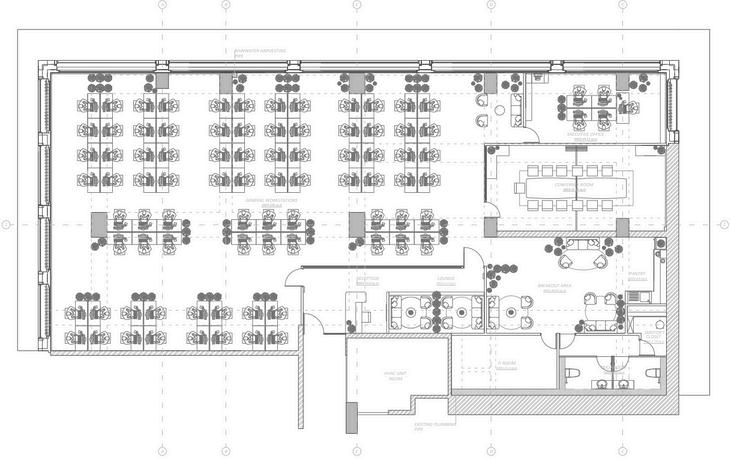
Site Context: M3M Cornerwalk, Gurgaon
Climate Type: Composite (Hot-Dry Summers, Humid Monsoons, Mild Winters)
Orientation: Glazed Facades on South, East & West
NATURAL LIGHT STRATEGY
To ensure balanced daylight penetration without compromising thermal comfort, the design leverages orientation-specific treatments:
1.South Façade
Horizontal Clay Brise Soleil allows diffused winter light while reducing high-angle summer glare. Triple Low-E Glazing moderates direct solar gain, minimizing internal heat buildup
2.East & West Façades
Vertical Clay Louvers diffuse sharp morning and afternoon sun, reducing glare at workstations. These facades receive low-angle light, so louver angles are optimized to permit light while blocking direct solar heat.
3 Daylight Optimization
Double-skin cavity acts as a light buffer, reducing harsh contrasts and enhancing visual comfort
Workstations are aligned to make the most of ambient light, reducing dependency on artificial lighting during peak hours.
Daylight-responsive LEDs dim automatically, balancing internal lighting levels throughout the day.
Although Gurgaon’s climate does not always allow year-round natural ventilation, the building offers adaptable passive ventilation features:
1.Facade Cavity Vents (Manual Adjustable)
Enable seasonal cross-ventilation, particularly useful in early summer mornings and postmonsoon days.
Vent Mode Switch: Open during transitional months (March/October), closed in peak summer/winter for insulation.
2.Zoned Layouts for Air Movement
Low-partition workstation zones allow horizontal air movement when vents are open Breakout zones placed near operable cavities to allow intermittent flushing of air.
3.Biophilic Aids
Self-watering terracotta planters with plants like ZZ and money plants contribute to localized air cooling and quality improvement.
Jute and cane-based furnishings naturally moderate humidity levels.
PARAMETER
Daylight Access
Glare Control
Ventilation
Thermal Regulation
STRATEGY USED
Low-E glass, brise soleil, daylight LEDs
Orientation-specific louvers
Cavity vents, biophilic cooling aids
Glazing, shading devices
IMPACT
Reduced artificial lighting dependency
Visual comfort at workstations
Improved indoor air quality (seasonal use)
Prevents overheating in glazed zones
The design ensures that natural light and ventilation are not just passive amenities, but active contributors to energy savings, user well-being, and spatial comfort. The balance of glazing, shading, and seasonal airflow control aligns with India’s composite climate, enabling a healthier and more responsive workplace.
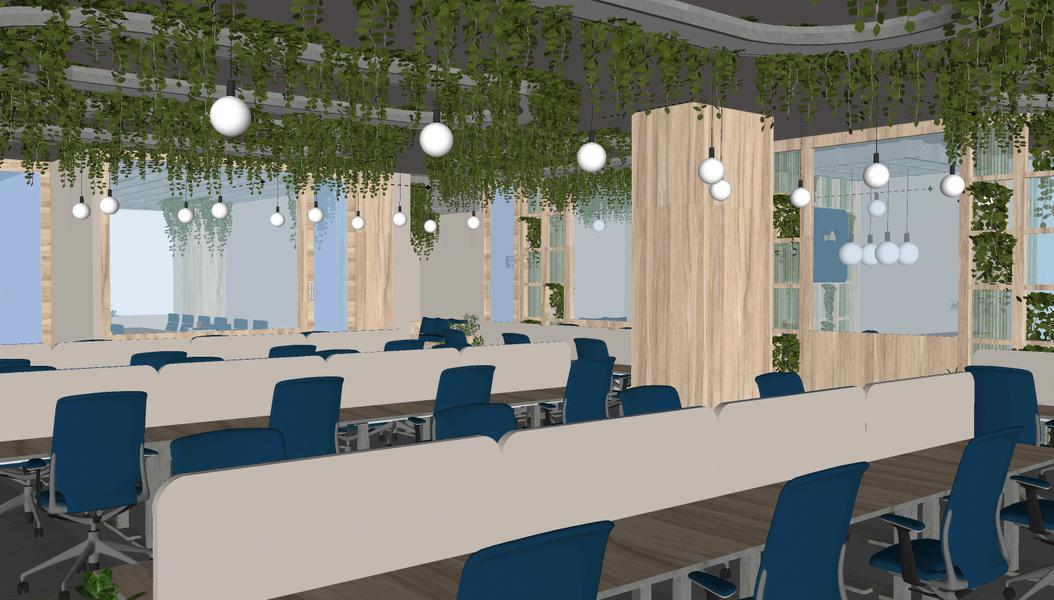
Zoning in workplace design involves organizing space according to function, activity levels, and required user comfort. A good zoning plan ensures workflow efficiency, acoustic comfort, visual connectivity, and spatial fluidity
TYPES OF ZONES IN A WORKSPACE
ZONE TYPE
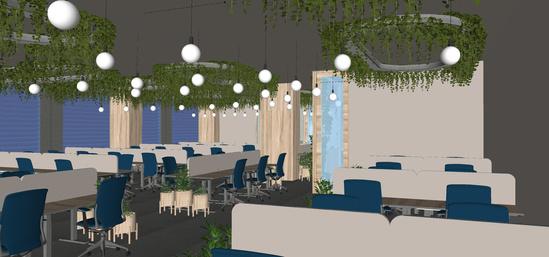
Work Zones
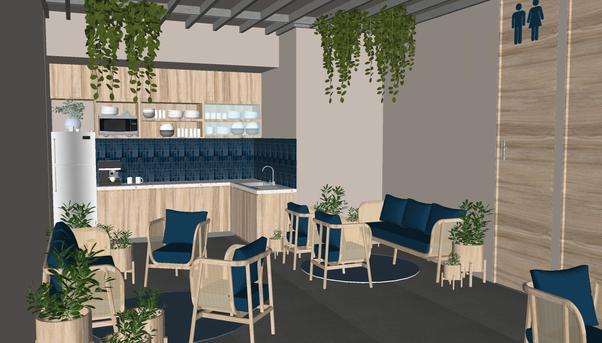
Breakout Areas
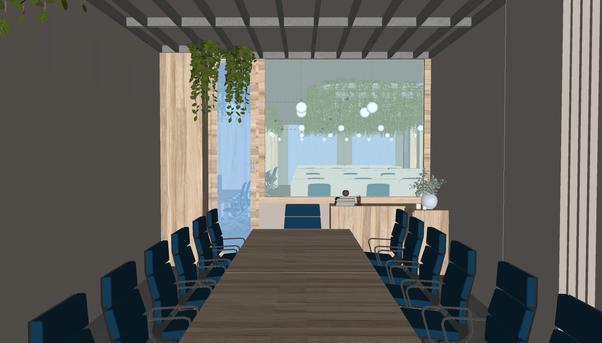
Quiet Spaces
FUNCTION
Focused, task-oriented work
Casual collaboration, relaxation
Client Conferences & meetings
KEY NEEDS
Ergonomics, daylight, low noise
Informality, comfort, biophilia
Sound insulation, privacy, Adjustable lighting
DO’S & DON’TS BY ZONE
Well-zoned workspaces balance productivity, comfort, and well-being Below are refined design principles tailored to each zone type:
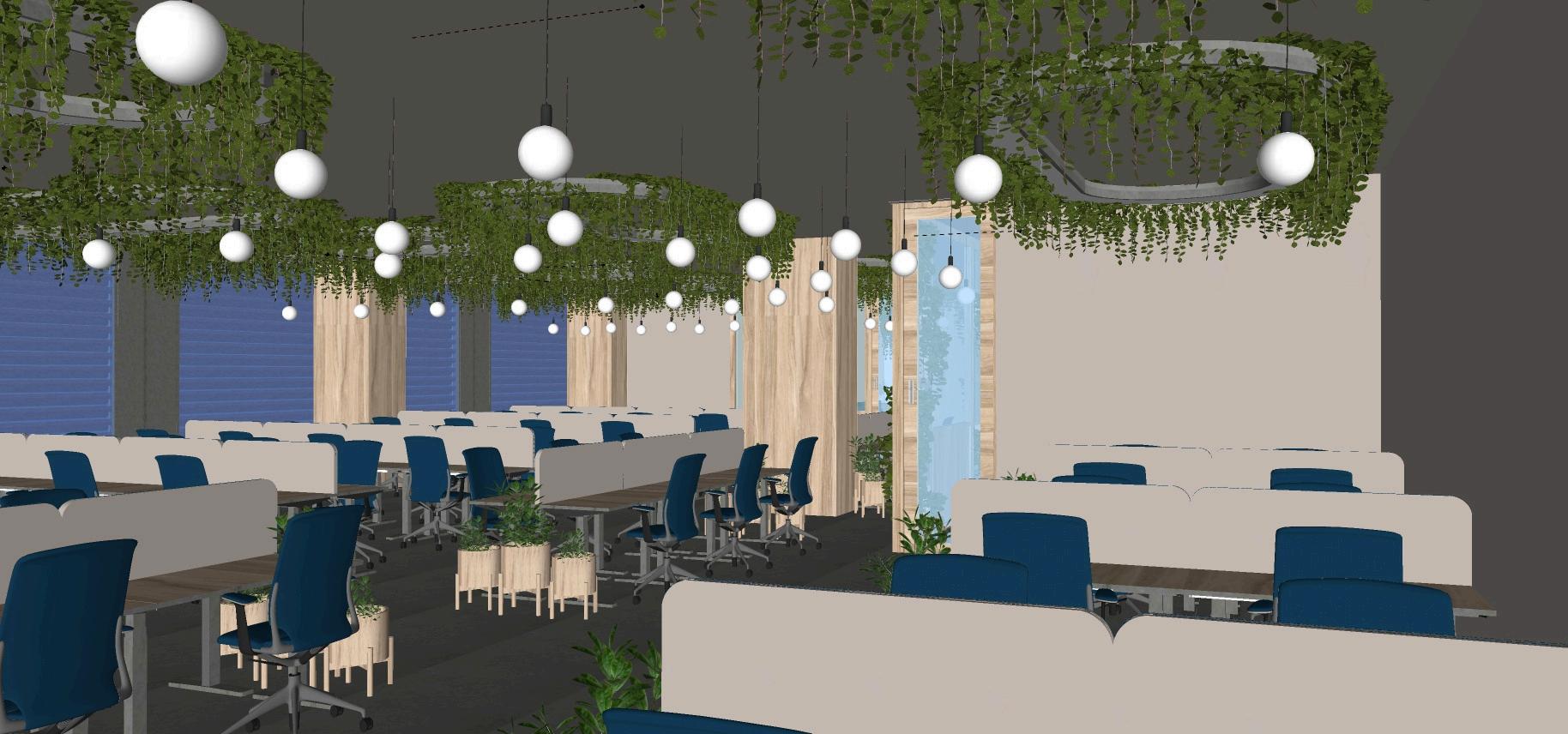
WORK ZONES
Do’s:
Maximize exposure to natural daylight, ideally positioning desks perpendicular to glazing to reduce glare.
Use ergonomic, height-adjustable desks and chairs to support long hours of desk-based tasks. Maintain a minimum clearance of 900mm around workstations to ensure smooth movement and prevent congestion.
Integrate low partitions or soft dividers (e g , cork or PET) to preserve visual connectivity while reducing distractions.
Do’s:
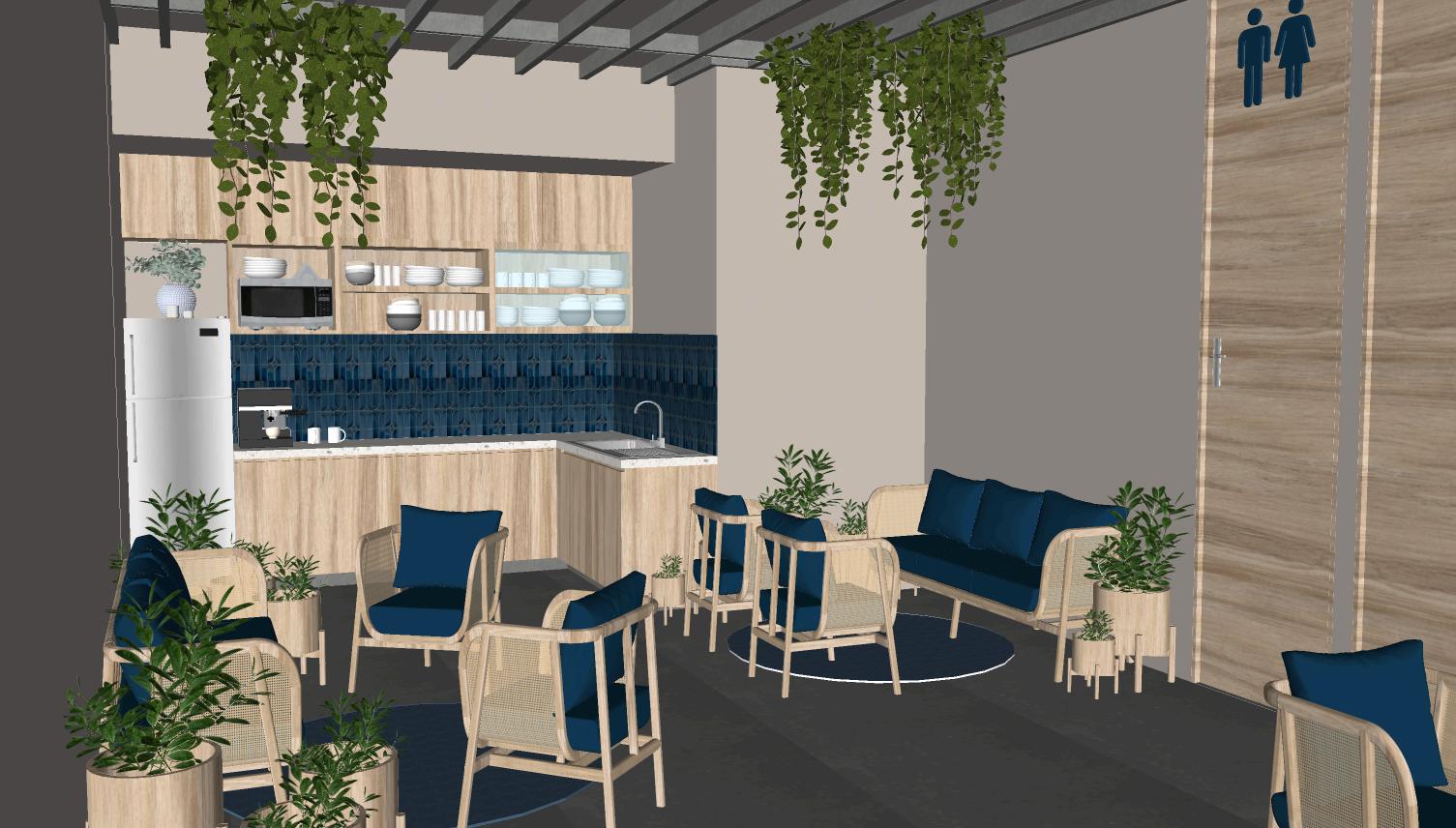
Position breakout zones adjacent to work areas to allow for informal breaks and spontaneous collaboration
Use soft, modular furniture (beanbags, cane sofas, poufs) and soothing material palettes (jute, organic fabric, warm tones)
Encourage biophilic integration e.g., indoor plants, daylight access, textured natural materials. Consider zoning with rugs or suspended lights instead of walls to keep the space visually open
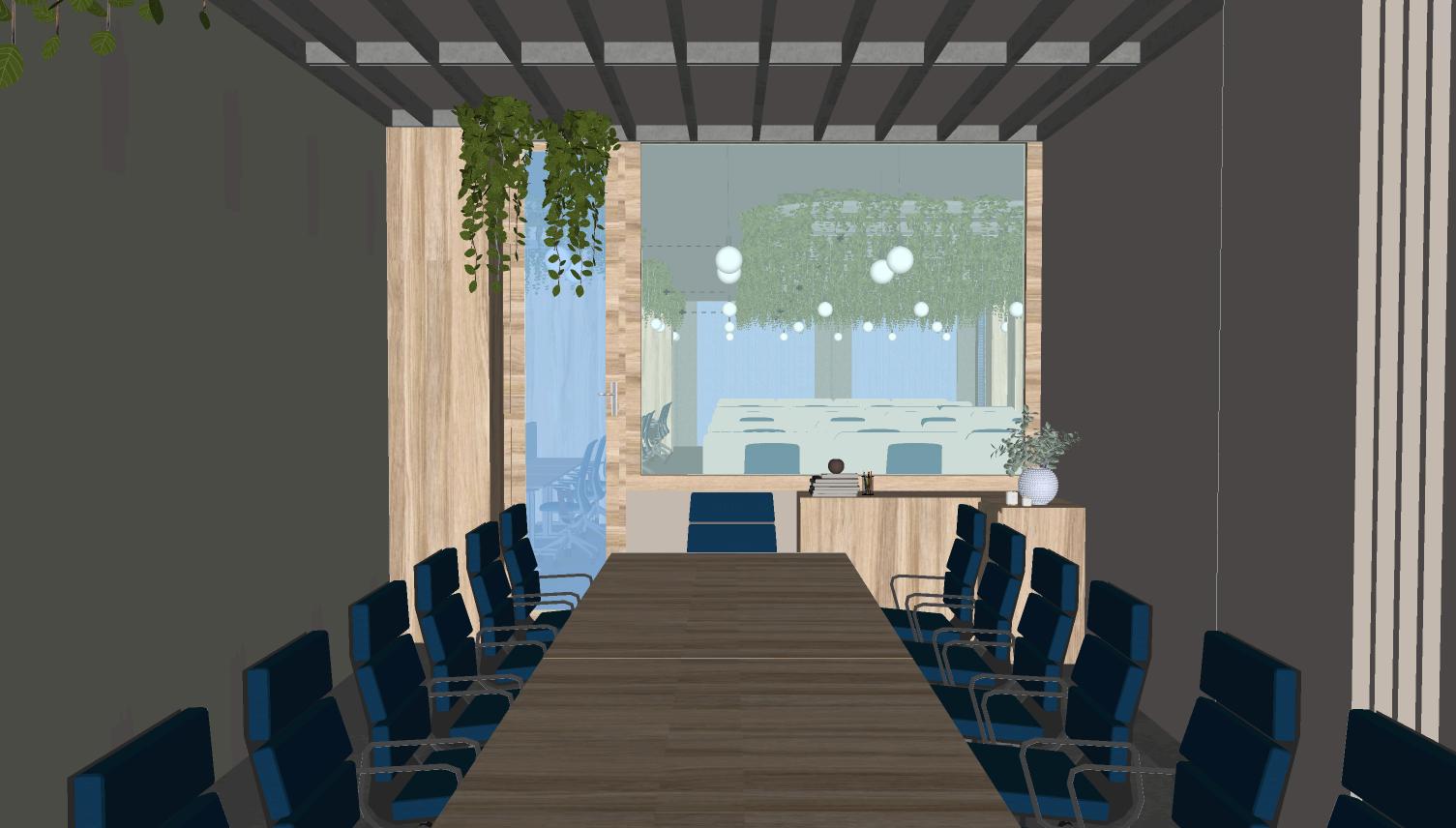
Do’s:
Ensure acoustic insulation using materials like recycled PET panels, carpets, and double-glazed partitions.
Incorporate task-oriented lighting with dimming controls to support circadian rhythm and personal comfort.
Use neutral, low-stimulation color palettes to create a calming atmosphere ideal for focused tasks.
Provide visual and spatial privacy through frosted glass, angled desks, or curtain screens.
Don’ts:
Avoid locating quiet spaces near pantry zones, printers, or open circulation where sound and movement are frequent
Don’t overuse branding or vivid wall graphics in these zones; high visual stimulation can interfere with concentration.
Work Zone (Open Workstations)
Breakout Areas
Quiet Spaces
Reception/Lounge
Circulation Path
Centralized with maximum daylight, highly accessible; arranged around circulation spine
Strategically placed between work and meeting zones; visual separation via zoning
Executive office & conference rooms offer acoustic privacy; lacks dedicated nap/pod zones
Right at entry; separates public and private zones
Clearly defined spine across center; avoids interrupting workstations
Often linear or clustered in large rows with minimal zonal buffers
Sometimes placed in corner zones with poor access or visibility
Often missing or merged with meeting spaces, reducing actual utility
Frequently shares space with circulation, leading to noise bleed
Often fragmented or overlaps with workstations
Smart zoning boosts productivity and well-being. The proposed layout balances focus, collaboration, and rest, making the workspace more efficient and user-friendly
Flexible design supports future reconfiguration with minimal effort ideal for evolving teams and hybrid work modes.
Modular design enables standardized, repeatable elements (like furniture or partitions) to be reorganized, replaced, or expanded as needed.
Together, they promote agile spatial planning, sustainability, and cost efficiency.
“A good workspace is not rigid. It evolves with its people.”
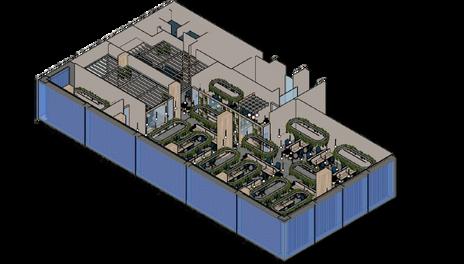
DESIGN STRATEGY APPLICATION IN MY PROJECT (M3M CORNERWALK, GURGAON)
Movable Partition Wall
Modular Workstations
Flexible Breakout Areas
Installed in the conference room, allowing it to split into two smaller meeting rooms or open up for larger gatherings.
Height-adjustable workstations paired with flexible chairs create adaptable standing setups, while collapsible dividers support both individual focus and collaborative work
Lounge-style soft seating and biophilic planters on wheels, allowing casual areas to expand or contract.
Adaptive Space Usage: Movable partition walls allow quick reconfiguration for smaller meetings or larger gatherings
Versatile Work Modes: Modular workstations with height-adjustable desks and flexible chairs support seated and standing work.
Focus & Collaboration Balance: Collapsible dividers create individual or collaborative spaces as needed.
Dynamic Breakout Zones: Lounge seating and mobile planters adapt to team size or activity
User-Centric Flexibility: Empowers users to shape their environment, boosting satisfaction and productivity.
ELEMENT DOS
Movable Partitions
Modular Furniture
Use sound-absorbing, lightweight material; ceiling-supported movement
Opt for mobile, ergonomic, and durable components
Shared Zones
Storage & Utilities
Provide clear pathways, power access, and visual cues for zoning
Integrate lockers and charging ports into flexible zones
DON’TS
Don’t use fully opaque or heavy fixed systems
Avoid bulky or fixed desks that limit change
Don’t overcluster –avoid “floating furniture” with no function clarity
Avoid leaving essential storage only in fixed corners
ELEMENTS
Partitions
Workspace Layout
Adaptability
Spatial Experience
User Control
GENERIC OFFICE LAYOUT
Fixed walls or glass cubicles
Uniform desks, often fixed in rows
Low – major change needs renovation
Repetitive, function-specific zones
Minimal personalization
MY DESIGN FEATURES
Folding acoustic-glass partition in the conference room for dynamic spatial control
Workstations use modular desks with concealed cable routing & adjustable height units
Informal meeting and hot-desk areas positioned near daylight with marked zoning mats
Mobile storage pods and lockers near entry bays for hybrid workers
My Proposed Layout (M3M Cornerwalk)
Movable partitions in meeting rooms, soft dividers in open spaces
Modular, clustered stations, rotatable desks, and varied seating zones
High – zones reconfigurable via movable furniture or partitions
Multi-sensory, fluid zones supporting different work modes and activities
High – users can adjust work settings and group arrangements
The materials selected for the office space at M3M Cornerwalk reflect a strong commitment to sustainability and indoor environmental quality (IEQ), promoting both ecological responsibility and occupant well-being. By focusing on locally sourced, eco-friendly materials, the design aims to reduce environmental impact while improving the indoor experience
1. Structural & Architectural Elements
Low-E Glass (Double-skin facade outer layer): Provides 40% energy savings by reducing heat gain/loss.
Triple Low-E Glass (Inner facade layer): Achieves a U-value of <1 0 W/m²K, minimizing energy loss.
Clay Brise Soleil (East/west sun shading): Made from natural, locally sourced clay, this sustainable element provides efficient sun control
GFRC (Glass Fiber Reinforced Concrete): Used for shading devices, 30% lighter than traditional concrete, improving efficiency
Recycled PET Panels: Used in movable partitions, made from 100% post-consumer waste.
PDLC Smart Glass: Conference room partitions reduce HVAC load by 25% through energyefficient, responsive glazing
2. Flooring Systems
Honed Kota Stone (All floor areas): Offers thermal mass properties, helping to stabilize indoor temperatures and reduce HVAC energy needs.
Jute Rugs (Breakout areas): Made from biodegradable materials and natural dyes, providing comfort while being eco-friendly.
Anti-fatigue Mats (Workstation footrests): Made from recycled polyurethane foam, supporting ergonomics and sustainability.
3. Furniture & Workstations
Reclaimed Wood (Desk tops, reception counter): Reduces waste and saves 15 trees per 100 desks.
Recycled Steel (Chair frames): Composed of 85% post-industrial scrap, reducing resource demand.
Organic Cotton (Chair upholstery): GOTS-certified, offering a sustainable and comfortable option.
Recycled Foam (Seat cushions): CertiPUR-US certified, ensuring non-toxic and environmentally responsible foam
Cork (Desk dividers): A renewable material harvested from cork oak trees, providing an ecofriendly partition solution
3D-Printed PLA (Desk accessories): Made from biodegradable material, supporting circular design principles.
This material selection contributes to several certifications:
LEED Platinum material credits, emphasizing energy efficiency and sustainability.
WELL Building Standard for air quality, ensuring a healthy indoor environment.
GRIHA 5-star rating for resource efficiency and sustainable building practices.
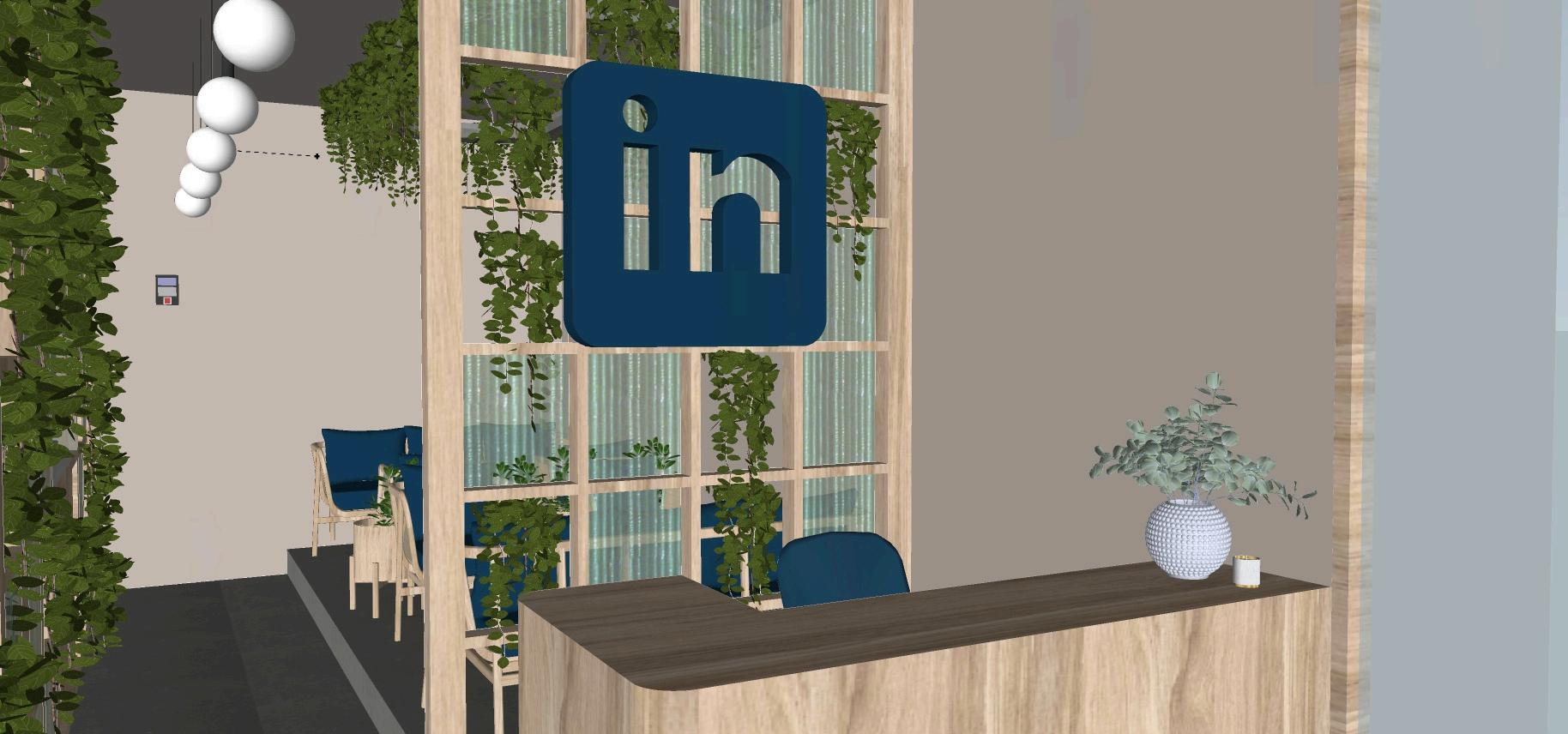
The careful selection of sustainable materials in the LinkedIn office design plays a crucial role in achieving superior Indoor Environmental Quality (IEQ) These materials not only minimize the environmental impact but also contribute to creating a healthy, comfortable workspace that promotes productivity and well-being By aligning with industry standards like NBC 2016 and ISHRAE, the design ensures that the space is both eco-friendly and compliant with health and safety regulations.
Thermal Comfort: Aligned with ASHRAE 55 and ISHRAE standards for indoor thermal comfort
Zoning strategies and passive cooling reduce HVAC loads and enhance energy efficiency.
Acoustic Comfort: Design meets NBC-recommended indoor ambient sound levels for offices (35–45 dB in work areas), supporting concentration and communication
By integrating thoughtful passive and active systems, the M3M Cornerwalk office delivers an environment that is not only visually appealing but also thermally balanced and acoustically controlled. These strategies contribute to a healthier, more productive workspace vital for user satisfaction and energy-conscious design

THERMAL COMFORT
Do:
Use double/triple Low-E glazing for optimal insulation and daylight control
Integrate thermal mass materials like Kota stone to naturally stabilize indoor temperatures. Apply brise soleil and shading devices on heat-prone facades (especially east/west).
Zone spaces to allow individual thermal control where possible
Enable cross-ventilation through operable windows or vents in transitional seasons.
Don’t:
Avoid large, unshaded glazed areas on sun-exposed facades.
Don’t rely solely on mechanical HVAC combine passive and active strategies.
Don’t use heat-absorbing synthetic flooring (e g , black vinyl) in high-exposure areas.
Avoid layouts that block natural air movement or ventilation paths.
ACOUSTIC CONTROL
Do:
Use acoustic-friendly materials (recycled PET, cork, jute, foam) in partitions and furniture
Design flexible sound zones using collapsible dividers for both quiet and collaborative areas.
Incorporate soft flooring and mats in circulation and lounge zones to reduce impact noise.
Provide ceiling or wall acoustic panels in meeting rooms and open office areas.
Don’t:
Don’t place noisy equipment (printers, HVAC units) in or near focus zones.
Avoid all-hard surface rooms with high echo potential.
Don’t overlook sound bleed between meeting rooms—ensure partition STC ratings are adequate
Don’t cluster breakout areas next to confidential or private spaces without proper acoustic buffers.
Do:
Prioritize locally sourced, renewable materials (e.g., clay, bamboo, reclaimed wood).
Use low- or zero-VOC finishes, adhesives, and paints to enhance IEQ
Choose certified sustainable products (e.g., GOTS cotton, CertiPUR-US foam).
Integrate biophilic elements like air-purifying plants and natural textures.
Opt for modular, recyclable furniture to enable future reuse or reconfiguration.
Don’t:
Don’t use virgin plastics or non-recyclable composites.
Avoid materials with high embodied energy that lack durability or recyclability.
Don’t mix incompatible materials that make future separation or recycling difficult.
Avoid decorative features that serve no purpose and consume unsustainable resources.
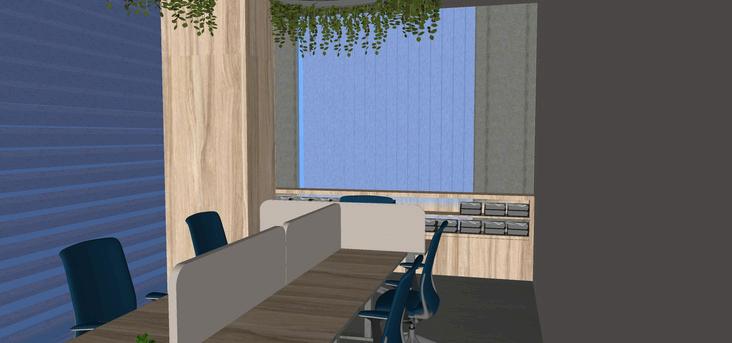
Passive Principle: Harnessing natural light to reduce artificial lighting dependency while enhancing well-being.
Dos
Use light shelves and reflective ceilings to bounce daylight deeper into the space
Install translucent partitions or PDLC smart glass in interior zones to allow light diffusion.
Combine north-facing skylights or clerestories where possible.
Don’ts
Avoid deep-plan layouts without light wells or internal glazing.
Don’t rely on south-facing openings without proper glare control
Never mix artificial cool lighting and warm natural light without zoning.
RECOMMENDATION
Design lighting layouts to supplement daylight, using smart daylight sensors to dim artificial lights automatically in high-lux zones
THERMAL MASSING
Passive Principle: Use massive materials to absorb heat during the day and release it during cooler hours—stabilizing indoor temperatures.
Dos
Use materials like Kota stone, GFRC, and terracotta with high thermal mass in high-use areas.
Expose internal thermal mass floors/walls to direct or indirect solar gain.
Combine with natural ventilation to dissipate stored heat during evenings.
Don’ts
Don’t use lightweight, hollow flooring in areas that could benefit from thermal inertia.
Avoid sealing thermal mass elements with synthetic finishes or carpets.
Don’t forget to balance thermal mass with insulation especially on external envelope.
RECOMMENDATION
Apply thermal zoning—use mass-heavy materials in work zones and light finishes in breakout or circulation areas, creating a passive heat sink effect.
Technology-Driven Efficiency for Low-Energy, High-Performance Workspaces
A smart workspace adapts to users and environmental conditions in real-time. In the M3M Cornerwalk office, integrated systems LED lighting, occupancy sensors, and energyefficient HVAC work in synergy to reduce energy demand, improve comfort, and support sustainability certifications like LEED and WELL.
Role: Long-lasting, low-heat, and highly efficient light sources that reduce operational costs and support visual well-being.
Dos
Use high-efficiency LED fixtures with >100 lumens/watt and aluminum bodies for better heat dissipation
Integrate daylight sensors and dimmers to adjust artificial lighting in response to natural daylight levels.
Select 4000K color temperature for work zones to maintain alertness and visual clarity
Employ indirect or diffused lighting in high-screen-use areas to avoid glare.
Don’ts
Avoid single-point lighting in open-plan areas—leads to uneven brightness and discomfort. Don’t use overhead LEDs alone complement with task lights for better ergonomics. Skip harsh blue-white tones (>5000K) in collaborative and rest zones.
RECOMMENDATION:
Adopt zoned lighting circuits with motion-sensor-linked control to automate energy savings across departments.
OCCUPANCY & DAYLIGHT SENSORS
Role: Detect presence and ambient light levels to control lighting and HVAC systems, avoiding unnecessary energy use.
Dos
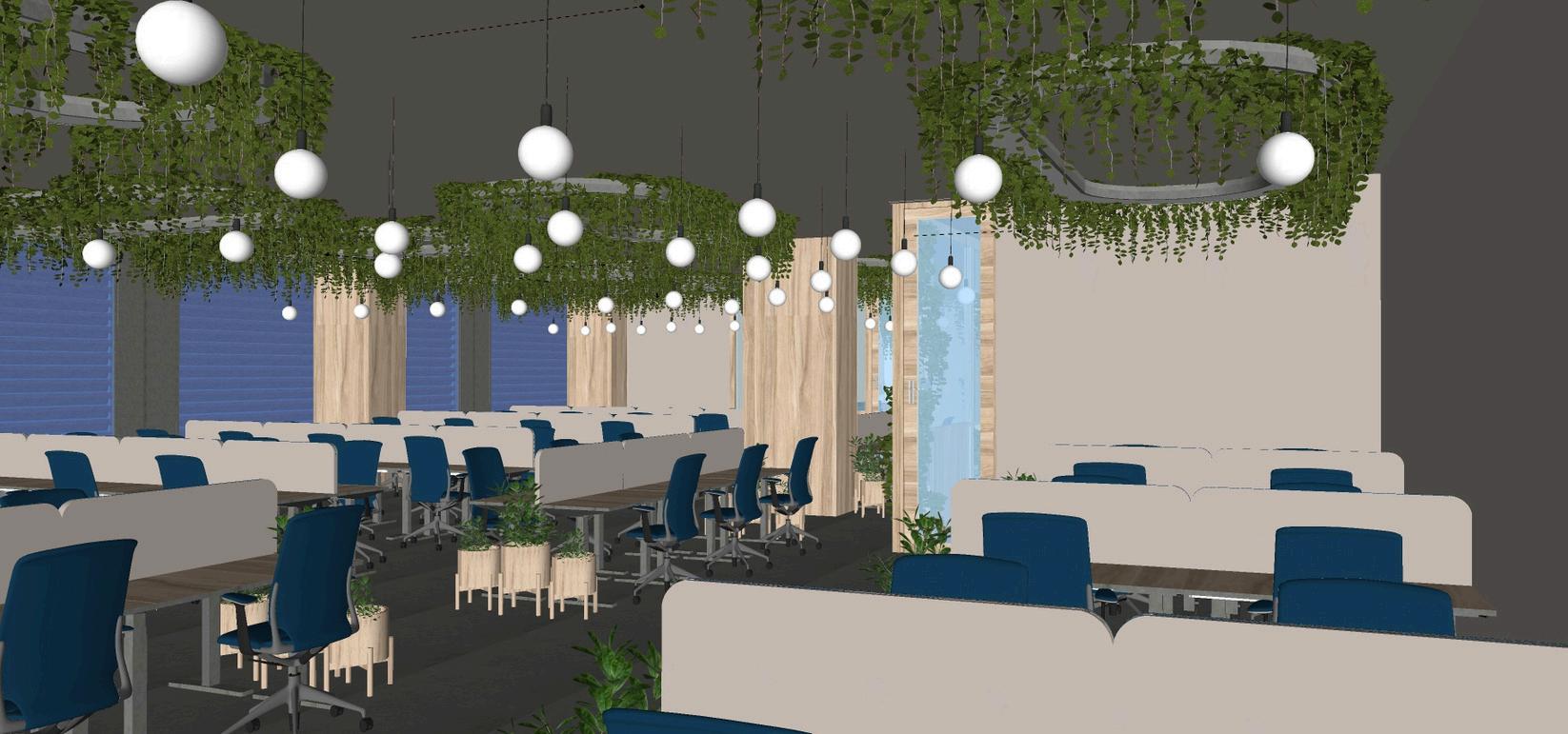
Install motion sensors in low-use zones—meeting rooms, WCs, store rooms. Use dual-technology sensors (infrared + ultrasonic) in high-traffic or open-plan areas for accurate detection.
Calibrate sensors for timing, sensitivity, and override where manual control is necessary. Combine with lux sensors near windows to dim or switch off artificial lights in daylight zones.
Don’ts
Don’t position sensors where drafts or movement from outside zones might cause false triggers
Avoid uniform sensor types across different spatial volumes (e.g., tall vs. low ceiling zones). Don’t neglect periodic testing faulty sensors can waste more energy than they save.
RECOMMENDATION:
Connect sensors to a centralized building management system (BMS) for monitoring energy savings and real-time adjustment.
ENERGY-EFFICIENT HVAC SYSTEMS
Role: Deliver consistent thermal comfort while minimizing energy and water consumption. Dos
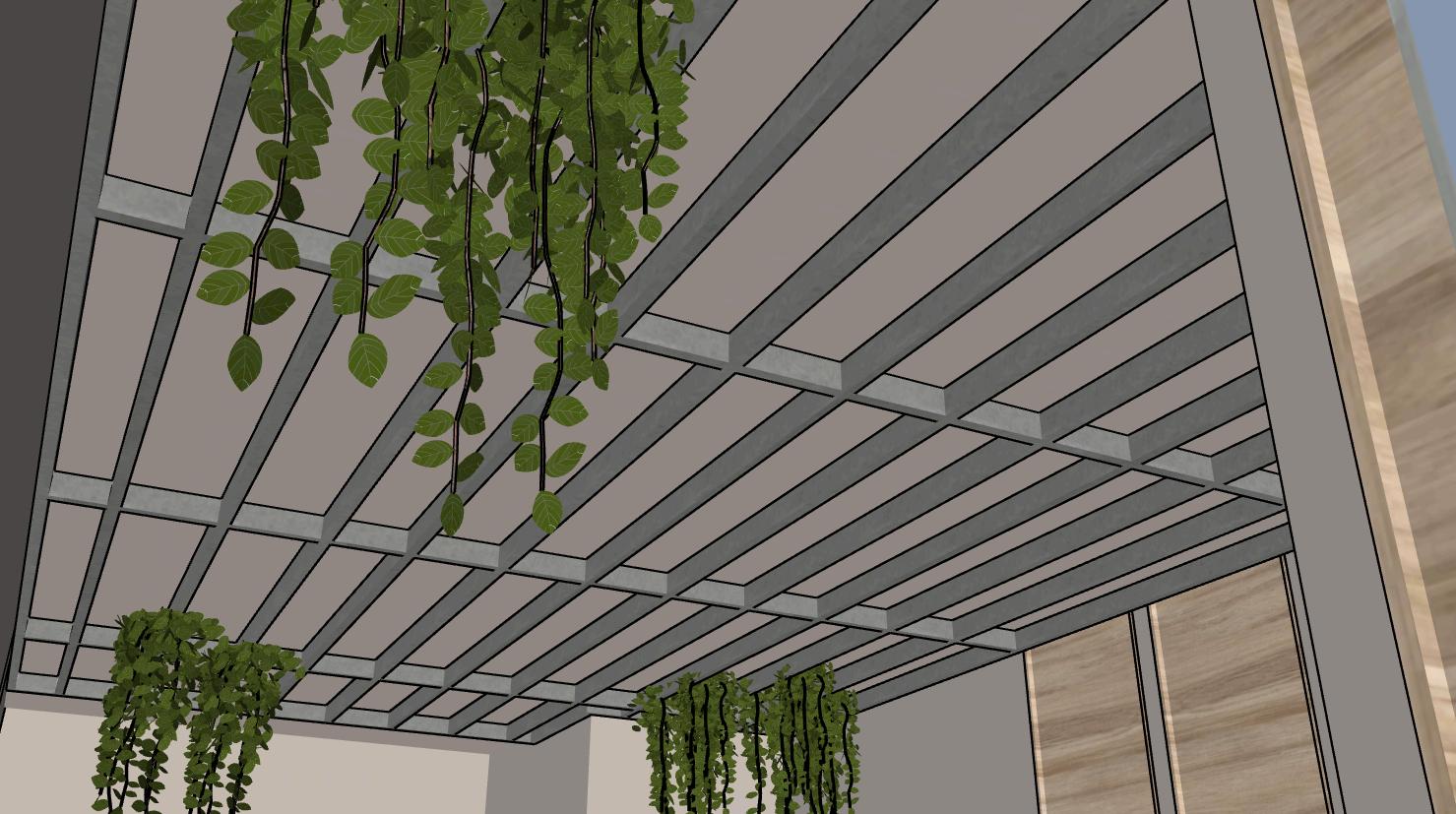
Use zoned HVAC systems with programmable thermostats per department or floor.
Integrate smart glazing (PDLC) and automated brise soleil to reduce solar gain and load on HVAC
Opt for Variable Refrigerant Flow (VRF) systems in large, open areas for scalable cooling. Ensure well-insulated ducts and regular filter maintenance to maintain system efficiency and IAQ (Indoor Air Quality)
Don’ts
Don’t overcool keep temperatures at 24–26°C to balance comfort and energy efficiency. Avoid HVAC designs with no natural ventilation provision—limits adaptive comfort and raises costs.
Don’t skip energy recovery systems especially for mechanical ventilation zones.
RECOMMENDATION:
Incorporate real-time HVAC monitoring dashboards to track usage trends, detect inefficiencies, and run night purge cycles to flush heat after hours
DRAWING NAME-COORDINATED RCP SCALE - NTS
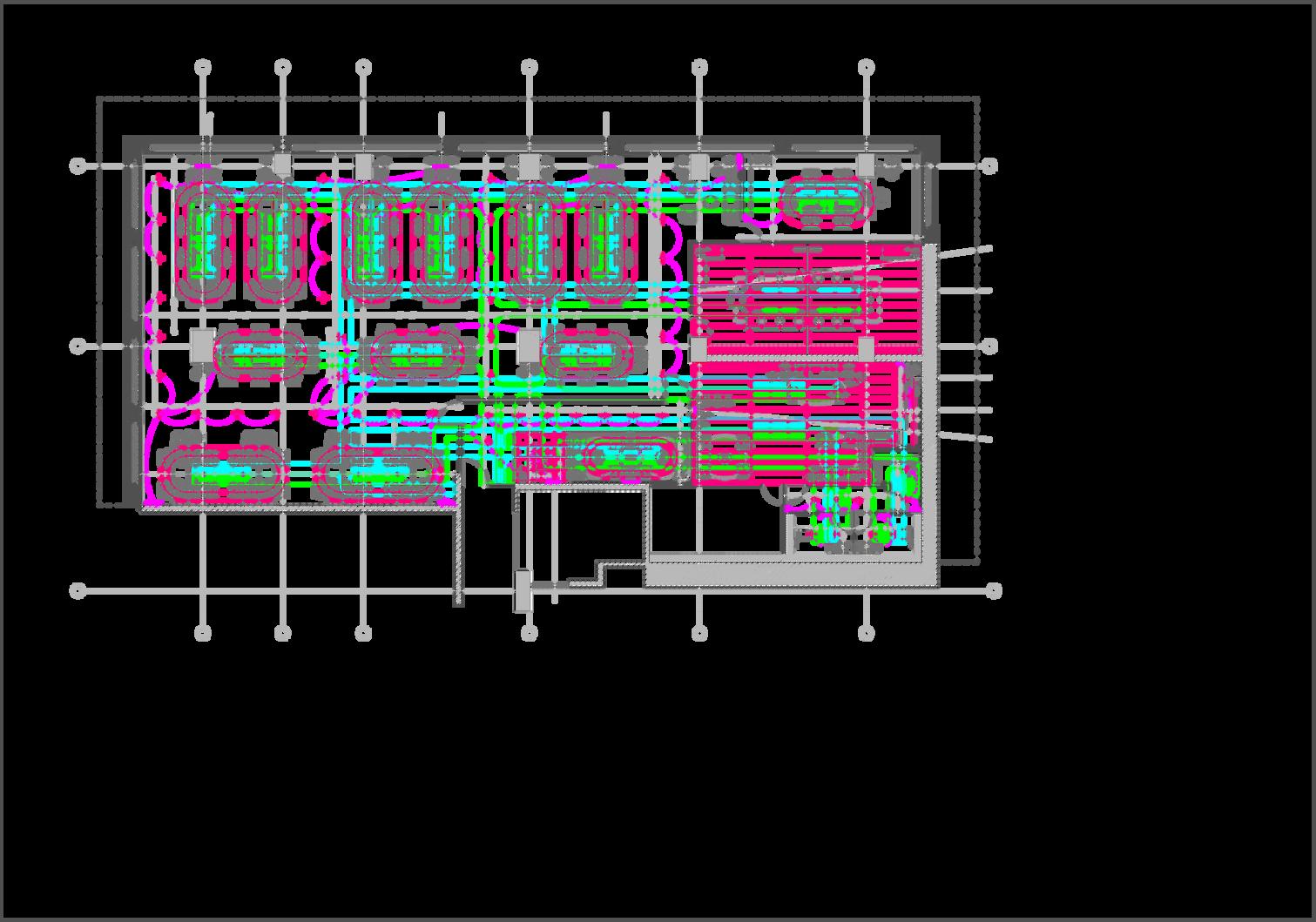
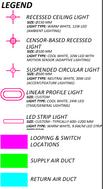
“Design for adaptability, automate for efficiency.” Combine responsive sensors, zoned lighting, and demand-based HVAC to ensure optimized energy use, comfort, and sustainability compliance in every season
Checklist for Functional, Efficient & Energy-Conscious Workspaces
A. SPACE FUNCTIONALITY & PLANNING
Zoning supports diverse work modes (focus, collaborative, social)
Circulation paths are efficient and meet NBC 2016 egress standards.
Modular furniture and movable partitions enhance flexibility.
Noise-sensitive and high-activity zones are acoustically separated
Breakout areas are easily accessible and multipurpose.
B. DAYLIGHTING & GLARE CONTROL
75% of regularly occupied spaces receive natural daylight.
North-lighting preferred; south/west openings shaded via brise soleil or louvers.
Triple Low-E glass used on glazing for solar heat gain control
Task zones designed perpendicular to windows to reduce glare.
Daylight sensors adjust artificial lighting based on lux levels.
C. ENERGY-EFFICIENT LIGHTING
High-lumen LED fixtures used across zones.
Occupancy + daylight sensors installed for automation
Layered lighting strategy includes task, ambient, and accent lighting.
Color temperatures are zoned (e g , 4000K for work, 3000K for lounges)
Lighting controls are manual-override enabled for user comfort.
D. HVAC & THERMAL COMFORT
Zoned HVAC system with programmable thermostats.
Natural ventilation enabled via operable windows or night purging.
Smart PDLC glass & external shading reduce cooling load.
Setpoint temperature range: 24–26°C as per ISHRAE comfort standards.
CO₂ and humidity levels monitored for indoor air quality.
E. ACOUSTIC DESIGN
Sound-absorbing materials used in partitions and ceilings (PET, cork).
Layout separates quiet zones (cabins, pods) from noisy zones (collab areas)
Floor finishes include sound-muting mats or rugs.
Acoustic ratings (NRC > 07) for dividers and partitions.
F. MATERIAL & INDOOR ENVIRONMENT QUALITY (IEQ)
All finishes are low-VOC (<50g/L), adhesives 0% formaldehyde
90% furniture materials are recycled or rapidly renewable.
Use of breathable, natural finishes like lime plaster or jute.
Biophilic integration: minimum 1 plant per 10 sqm (NASA air-purifying species).
Anti-glare and antimicrobial finishes used in common touchpoints.
G. SMART SYSTEMS & CONTROLS
BMS integration for lighting, HVAC, and occupancy monitoring.
Sensor data analytics used to optimize energy patterns.
Manual override enabled for personalized comfort.
Night setback schedules for HVAC and lighting systems.
Designing Beyond Aesthetics: Towards Smarter, Healthier & Sustainable Workspaces
In a time of environmental crisis, rising energy costs, and health-conscious working cultures, designing workspaces that are energy-efficient, user-centric, and adaptable is no longer optional it’s essential. The shift from conventional design to performance-driven environments acknowledges that the built environment deeply affects human well-being, productivity, and the planet.
Key Takeaways:
Energy-efficient systems reduce operational costs and environmental footprint. Smart integrations (sensors, BMS, daylight control) optimize usage without compromising comfort.
Passive design principles (orientation, daylighting, natural ventilation) are timeless and lowcost.
Indoor environmental quality (IEQ) has a direct impact on focus, stress levels, and long-term health
Biophilic design and sustainable materials improve mental well-being and workplace identity.
Flexibility in layout, furniture, and infrastructure fosters inclusivity and future adaptability
PRINCIPLE
Functionality First Design circulation, zoning, and work modes before aesthetics
Design for Humans Prioritize thermal, visual, and acoustic comfort.
Let the Sun In Wisely Use daylight without glare Blend passive shading and smart glass
Control Through Smart Systems Sensors, zoning, and BMS save energy and improve user autonomy.
Choose Materials with Meaning Locally sourced, low-VOC, recycled materials improve IEQ and reduce carbon footprint
Nature is NonNegotiable Plants aren’t just decorative they clean air, reduce stress, and increase productivity
Build to Adapt
Movable partitions, modular layouts, and scalable HVAC/light systems allow future evolution
“The future of workspace design is not just about how a space looks, but how it behaves, adapts, and supports the people inside it—sustainably and smartly.”
Net-Zero Energy Workspaces
→ Integration of renewables, passive cooling, and smart envelopes to achieve net-zero targets.
Sensor-Based Personal Comfort Systems
→ Desk-level HVAC vents and light sensors for user-controlled micro-environments.
AI-Powered Space Utilization Analytics
→ Real-time optimization of layout and resource use through AI-driven BMS.
Neurodiverse & Inclusive Design
→ Spaces that account for diverse cognitive and sensory needs through adjustable acoustics, lighting, and zoning
Wellbeing-Driven Materials
→ Increased use of anti-microbial, breathable, carbon-sequestering finishes (e.g., hempcrete, cork, lime plasters).
Circular Design Thinking
→ Design for disassembly, material reuse, and modularity to eliminate waste during renovations.
Hybrid + Remote Integration
→ Offices that support both in-person collaboration and remote work infrastructure seamlessly.
“We shape our buildings; thereafter they shape us.”
— Winston Churchill
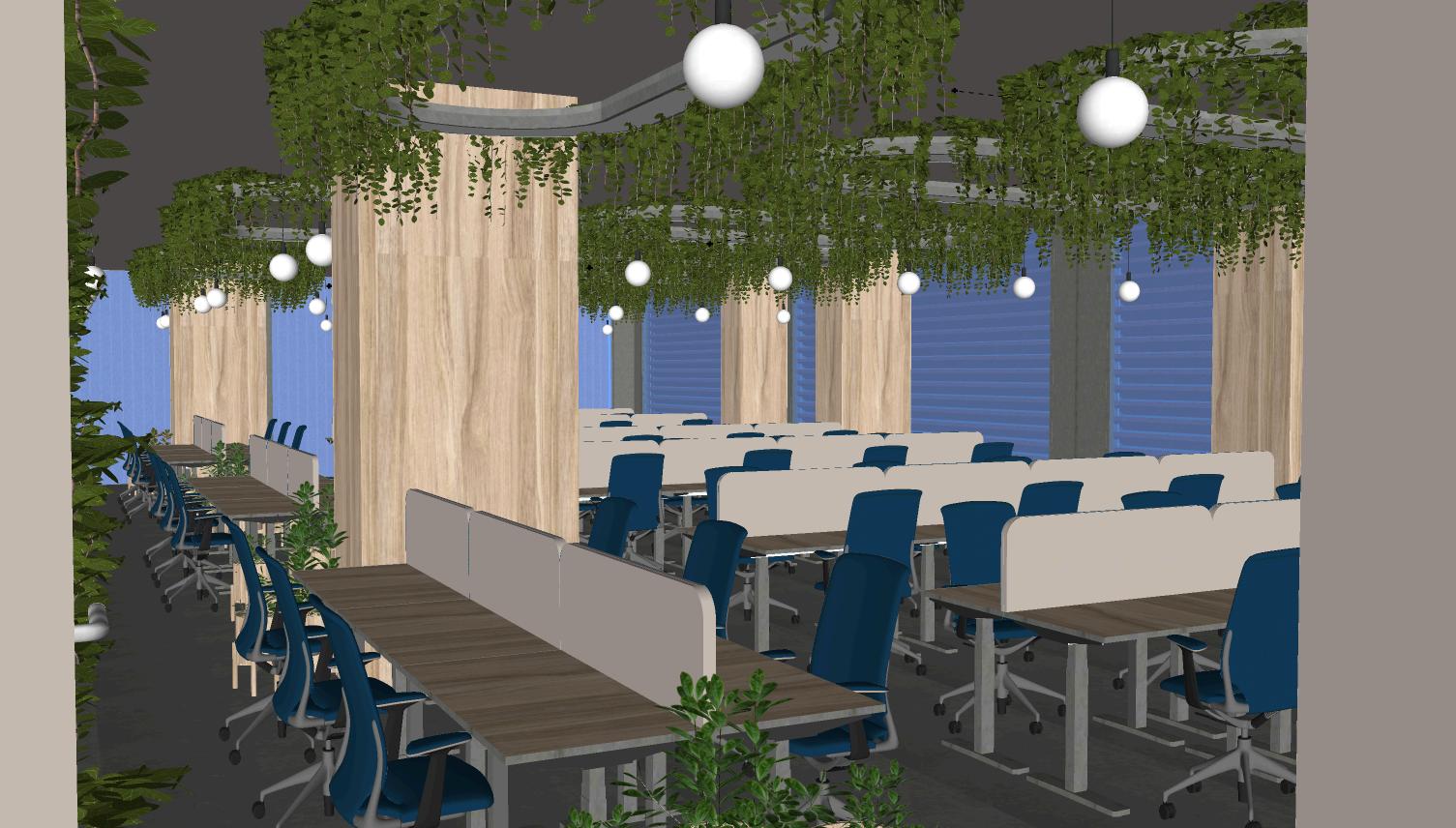
Understanding the Gap Between Design Ideals and On-Site RealityDesigning modern office spaces is a balancing act between ideal standards and practical limitations. While frameworks like NBC 2016, ISHRAE, LEED, and WELL Building Standard provide a robust foundation, real-world application often diverges due to site constraints, budget, user behavior, and developer priorities.
KEY SPATIAL PARAMETERS: RECOMMENDATIONS VS. REALITY
PARAMETER RECOMMENDED STANDARD
Corridor Widths Min 1 5–2 0m (NBC)
Workspace Density 10–12 sqm/user (WELL, BIFMA)
Natural Light Access
75% of occupied spaces (LEED)
Ventilation Rate 8–10 L/s/person (ISHRAE)
Noise Levels 40–45 dB (open office)
Thermal Comfort
23–26°C, 40–60% RH
Circulation to Built Ratio 30–40% ideal
M3M SITE ADAPTATION (REAL-WORLD)
Maintained in public zones; slightly reduced in service areas
Averaged 9 5–10 5 sqm/user
Achieved using double-skin facade, light shelves
Met using hybrid HVAC + operable windows in breakouts
Controlled using recycled PET partitions + acoustic zoning
Maintained via zoned HVAC + low-E glass
Achieved 35%
Emergency Exits & Fire Compliance 45m max travel distance, 2 exits per 500m² (NBC) Fully compliant
REASON FOR DEVIATION
Optimized for higher carpet efficiency
Urban commercial space value constraints
Careful orientation & fenestration design
Active-passive ventilation strategy
Limited due to high street ambient noise
Adaptive comfort achieved with material tuning
Optimized using modular layout and movable walls
Integrated early in planning phase
Modularity and flexibility help bridge standard-reality gaps (e g , movable partitions allow dynamic space use within NBC limits).
Material choices like recycled acoustic panels can meet IEQ goals even when budget limits conventional solutions
Climatic response through passive design often exceeds standards when executed well (e.g., clay brise soleil reduced solar gain without mechanical dependency)
User-centric customizations (height-adjustable desks, mobile planters) go beyond baseline ergonomics, even if not prescribed.
A good designer knows how to interpret codes not as rigid checklists, but as principles to adapt intelligently—ensuring safety, comfort, and performance within real-world constraints.
"Standards set the direction, but site-sensitive design defines the outcome."
1 NBC India (National Building Code, 2016)
Part 4: Fire and Life Safety
Part 8: Building Services (HVAC, lighting, ventilation)
Part 9: Accessibility
Part 11: Approach to Sustainability
2 ISHRAE Standards (Indian Society of Heating, Refrigerating and Air Conditioning Engineers)
IAQ Standards for Offices
Thermal Comfort Guidelines for Tropical Climates
ECBC (Energy Conservation Building Code) integrations
3 ASHRAE (American Society of Heating, Refrigerating and Air-Conditioning Engineers)
ASHRAE 55: Thermal Environmental Conditions for Human Occupancy
ASHRAE 62 1: Ventilation for Acceptable Indoor Air Quality
4.LEED (Leadership in Energy and Environmental Design) – v4.1
Interior Design & Construction: Commercial Interiors
Key credits considered:
EQc1: Enhanced Indoor Air Quality Strategies
EQc6: Low-Emitting Materials
EQc7: Daylight
EAc1: Optimize Energy Performance
5.GRIHA (Green Rating for Integrated Habitat Assessment)
Criterion 7: Design for Energy Efficiency
Criterion 11: Indoor Visual Comfort
Criterion 17: Sustainable Building Materials
Criterion 19: Innovation in Design