


Your interview will be conducted using SAMMI®, the online Multiple Mini Interview (MMI). This is an on-demand video interview which you can take whenever and wherever is convenient within the seven day time slot allocated by the University of Brighton. You will receive your interview link and all required information directly from the University of Brighton. There are two stages, the Practice and Setup Stage and the Actual interview.
The Practice and Setup Stage
This stage is designed to help you familiarise yourself with the SAMMI® software and test your camera and audio settings. The process begins with a short introductory video from the university followed by an instructional video with similar content to this guide and a practice question.
Once the video of the practice question has finished playing, the question will appear in text bubbles on your screen. You should begin your response once the question text is displayed. Please complete the practice question in full. Your practice question answer will then upload onto the SAMMI® platform. This upload tests your internet speed to ensure there are no issues during the actual interview. The recording of your practice question is automatically deleted after the upload is complete.
If you have requested accommodations, a ‘Personalise My Settings’ toolbar will be available. By clicking it, you can access settings to tailor to your set up.
You may repeat the practice stage as many times as needed before starting the actual interview.
Your Actual Interview
You can begin your actual interview once all the practice stage steps are completed. If you are not ready, you may close the software and return when you are prepared. Your actual interview must be completed in one sitting within the specified time frame.
The interview will consist of 6 questions, with up to 5 minutes allocated for each.
After each pre-recorded question has played, the question text will appear in bubbles similarly to the practice question. A timer appears at the bottom of the screen to help you manage your response time. After each question, you will be given a 60-second break
Please allow up to 1 hour to complete your interview. This includes time for sound and Wi-Fi checks, as well as uploading your responses which may take up to 15 minutes
Good Luck!

Upload your ID as instructed by the university
Set aside one hour to complete your interview
Choose your location: Quiet and well lit
Ensure you have a computer/laptop with a power cable (do NOT use a tablet, phone, or 2-in-1 laptop)
Ensure you use Google Chrome, Firefox, Opera or Edge, do NOT use Internet Explorer or Safari
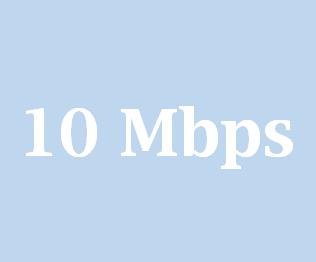
Check your Wi-Fi speed is a minimum of 10Mbps (instructions on how to check this are on next page)
Make yourself comfortable with some water ready
If you have the option to connect to the internet using an Ethernet cable, we recommend that you do this. If the internet connection is poor, you may be unable to submit your interview.
Please ensure that you are using a device supported by this software:


(including 2-in-1 laptops)
Please make sure you are using the correct browser for this software:






Please check your Wi-Fi speed using one of the following sites: speedtest.net fast.com https://speed.measurementlab.net
The upload speed should be a minimum of 10Mbps.
You will be emailed the information you require to log into the SAMMI® software from the university. You will need to complete a microphone and camera test, and a practice question before beginning your actual interview.
Once logged in, you will receive a pop-up like the one below. Please allow SAMMI® access to your microphone and camera. This will enable assessors to see and hear you during your interview.
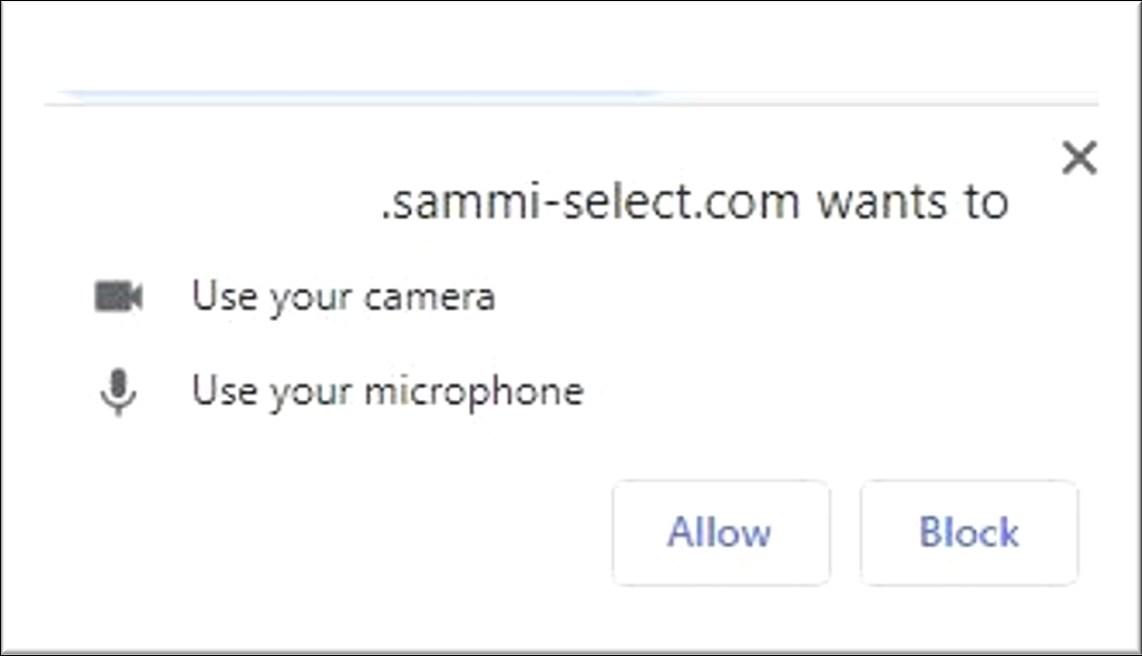

If your browser has blocked pop-ups, please see the second point in the ‘Frequently Asked Questions’ section pg. 17 of this document.
Once you have allowed access to your camera and microphone, you are ready to test them.
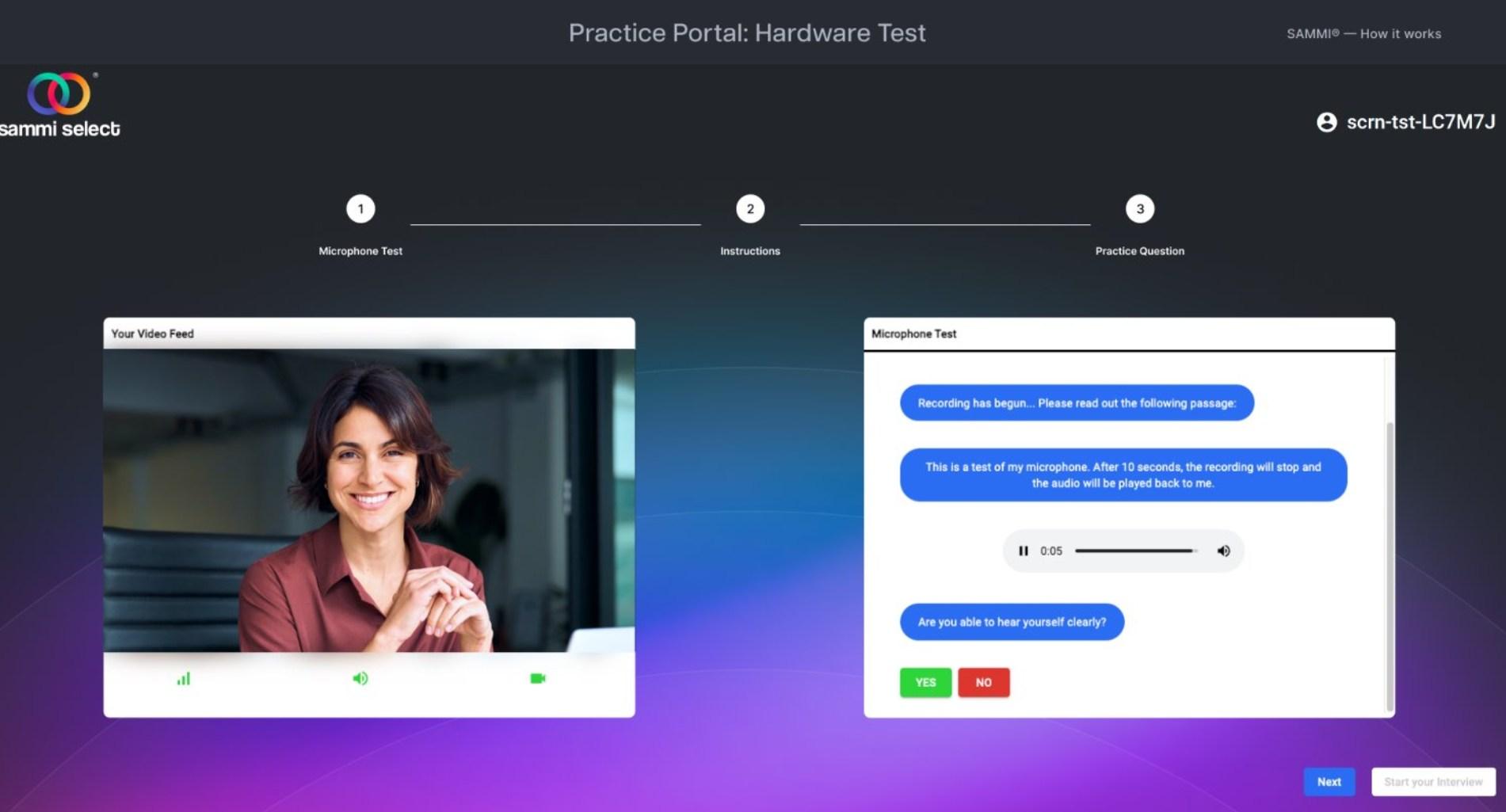
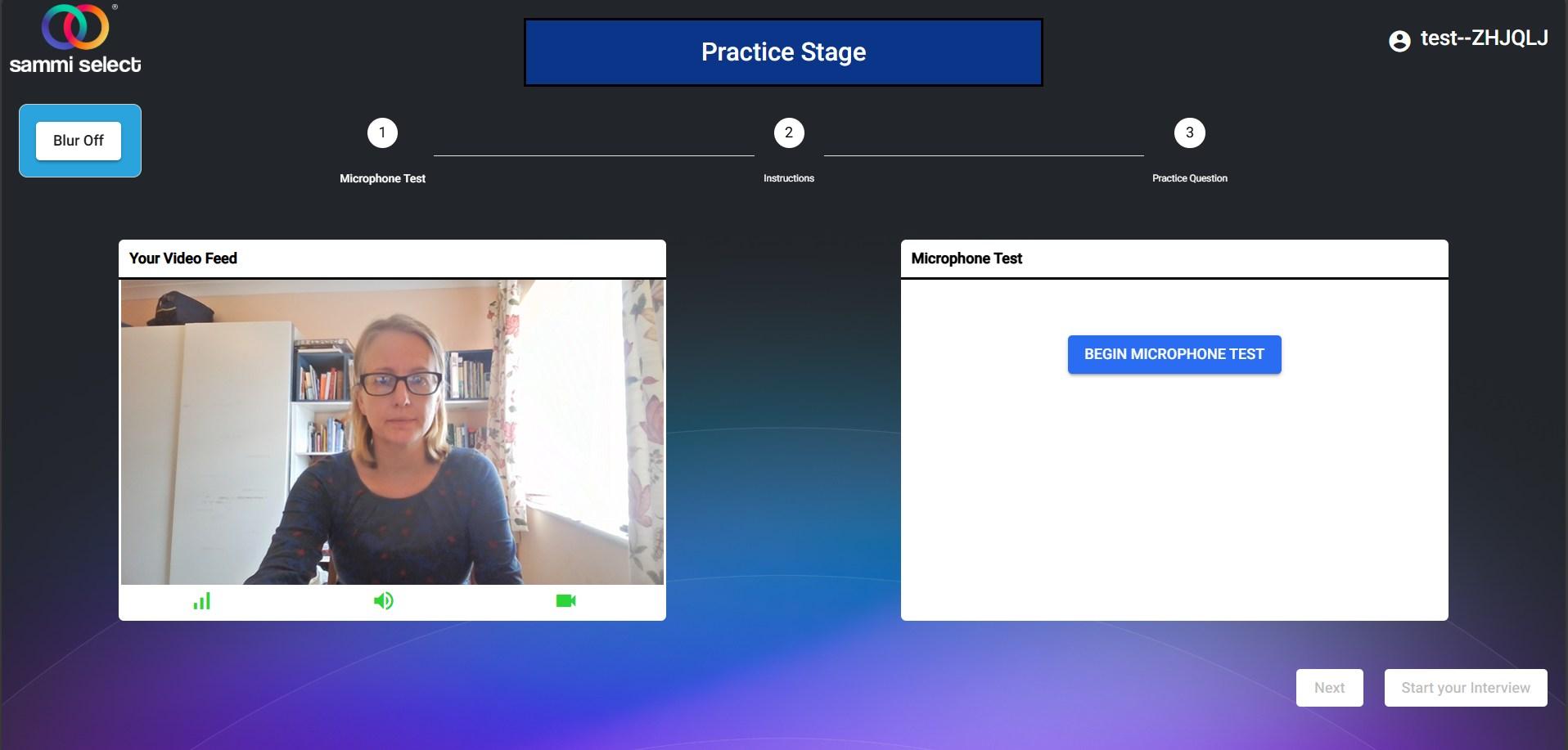
Once you have allowed access to your camera and microphone, you will need to complete a microphone test.
To begin, please click ’Begin Microphone Test’ and follow the instructions presented. You will be asked to read a small passage out loud to ensure that
Once the audio of this has been played back to you, you will be asked to
Your video feed’
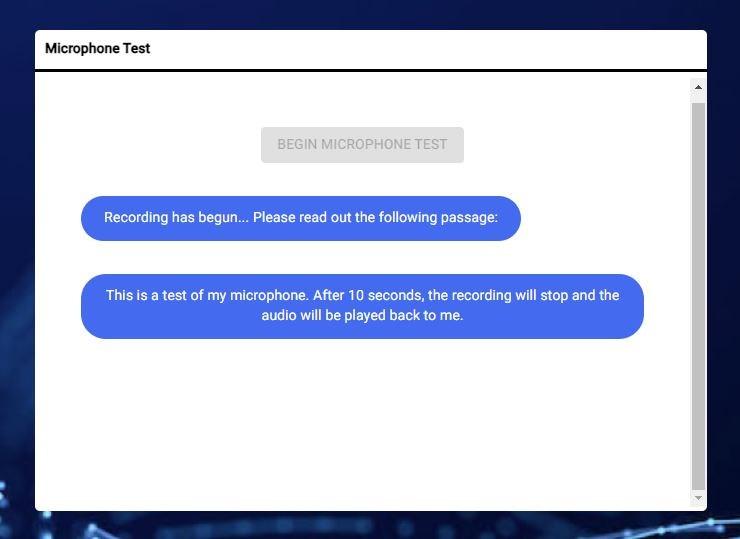
If any of the icons for internet, volume, or camera under your video feed turn red during the microphone or camera test, please stop and check the settings of your camera, microphone, and internet. If you are unable to find the cause of this issue, please contact the university for further assistance.

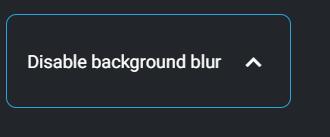
In the Practice Stage you have the opportunity to blur your background. The default is Blur Off. If you want the blur on, click the Activate video background blur circled below which will turn the blur function on. You can choose the desired blur level using the slid-

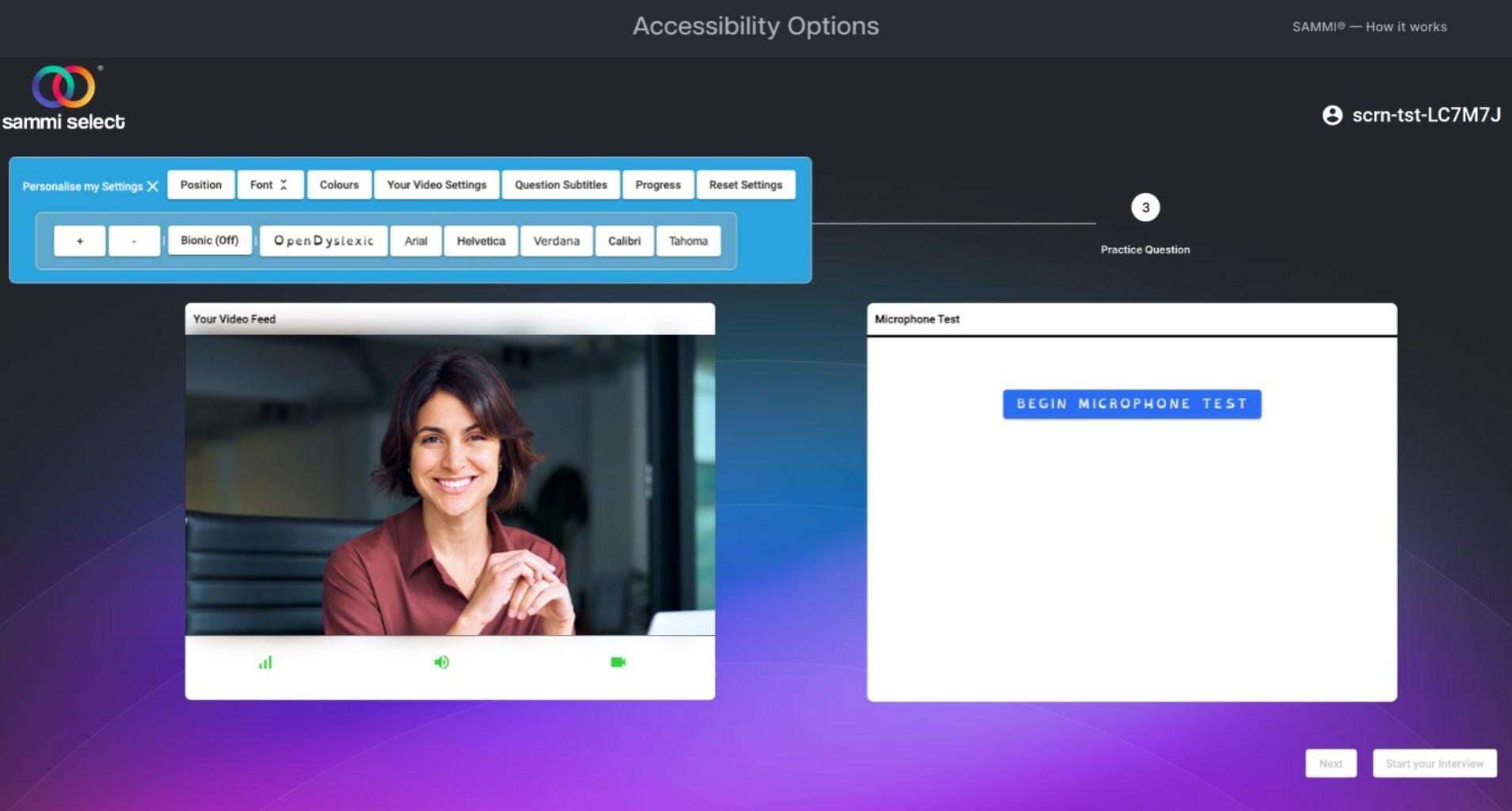

If you require accommodations, you will have the opportunity to personalise your setup using the 'Personalise My Settings' toolbar. By clicking on it, you can access a range of adjustment options.
We encourage you to take the time to explore these settings and ensure your setup meets your individual requirements.
It is essential to select your preferred setup and layout at this stage, as you will not be able to make any further adjustments once you have clicked the Start my Interview button to begin your actual interview.
To reset any modifications made to your settings, please click the 'Reset Settings' button located on the right side of the toolbar.
After a brief introductory and instructional video, you will be presented with a practice question. This is designed to help you familiarise yourself both with the process and example interview content.
Please note that your response to the practice question will be recorded, but it is automatically deleted shortly after being uploaded to the SAMMI® system.
Further information about this process is provided on the next page.
Please watch the video recording of the practice question. Once the video has finished, the question will appear on screen in text bubbles. You should begin your response once the question text is displayed. Please ensure that you complete your practice question in full.
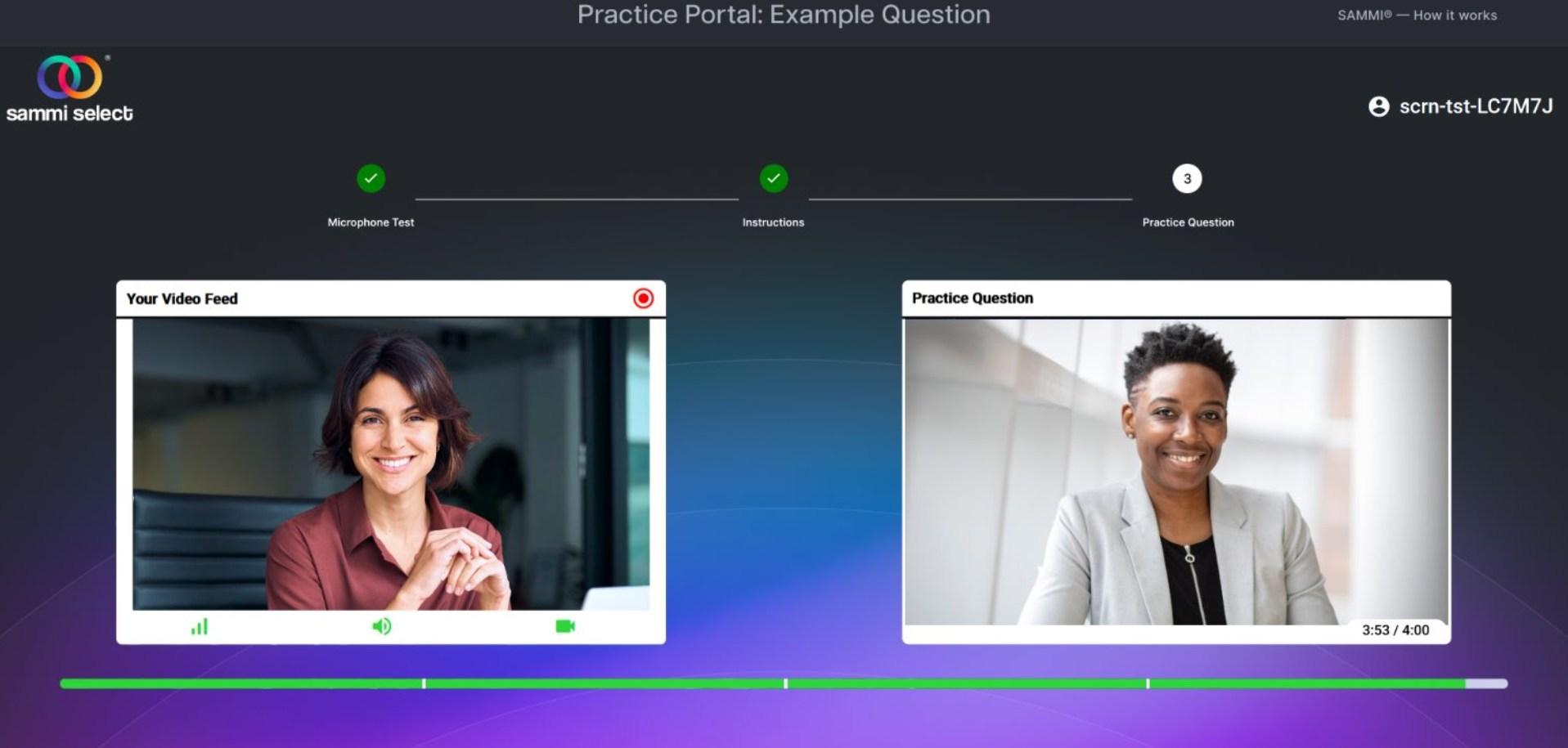
You can track how much time you have left to answer the question using the green progress bar.
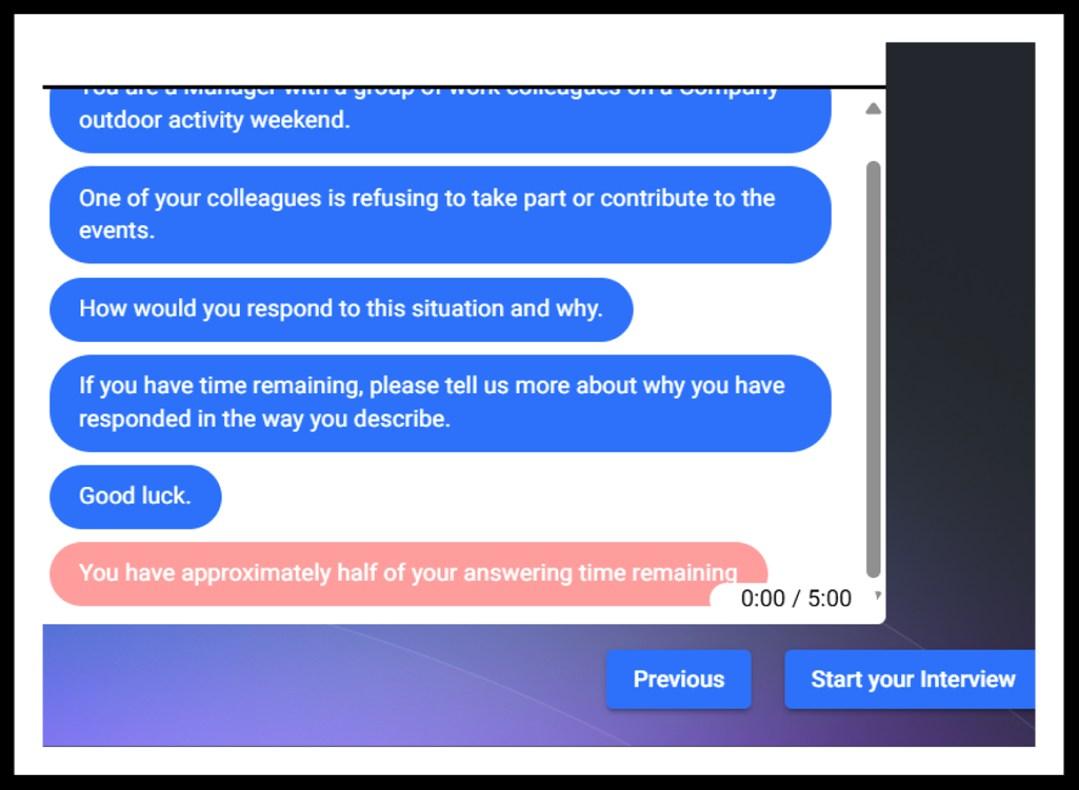
When you have less than half of your time remaining, you will see this text box on screen.

Once you have completed your practice question, the SAMMI® software will upload your response. This step is used to test your internet upload speed and help prevent any issues during the upload of your actual interview responses.
The recording of your practice question is automatically deleted after the upload is complete.
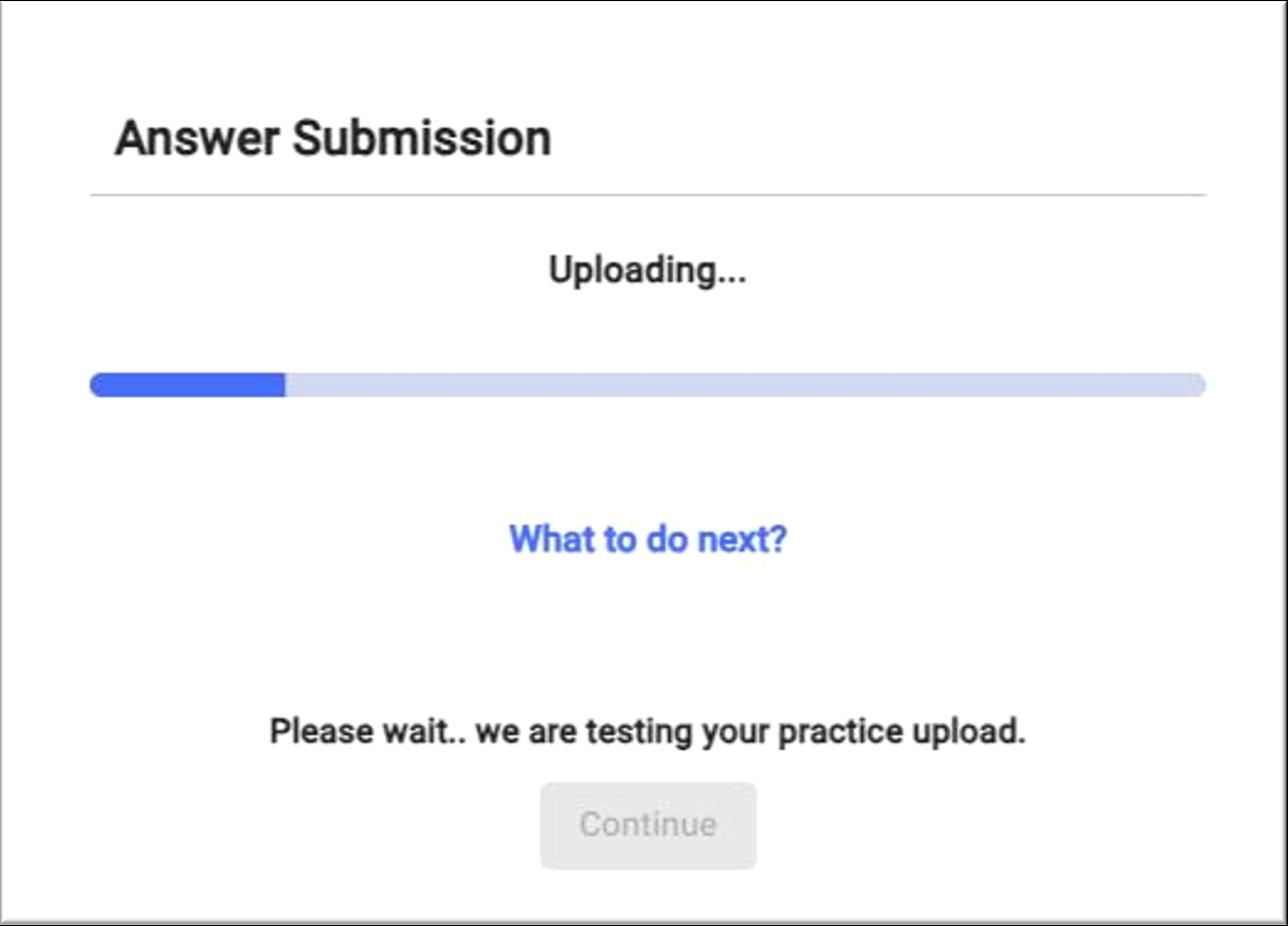

Once your practice question is uploaded, you will be presented with this text box.
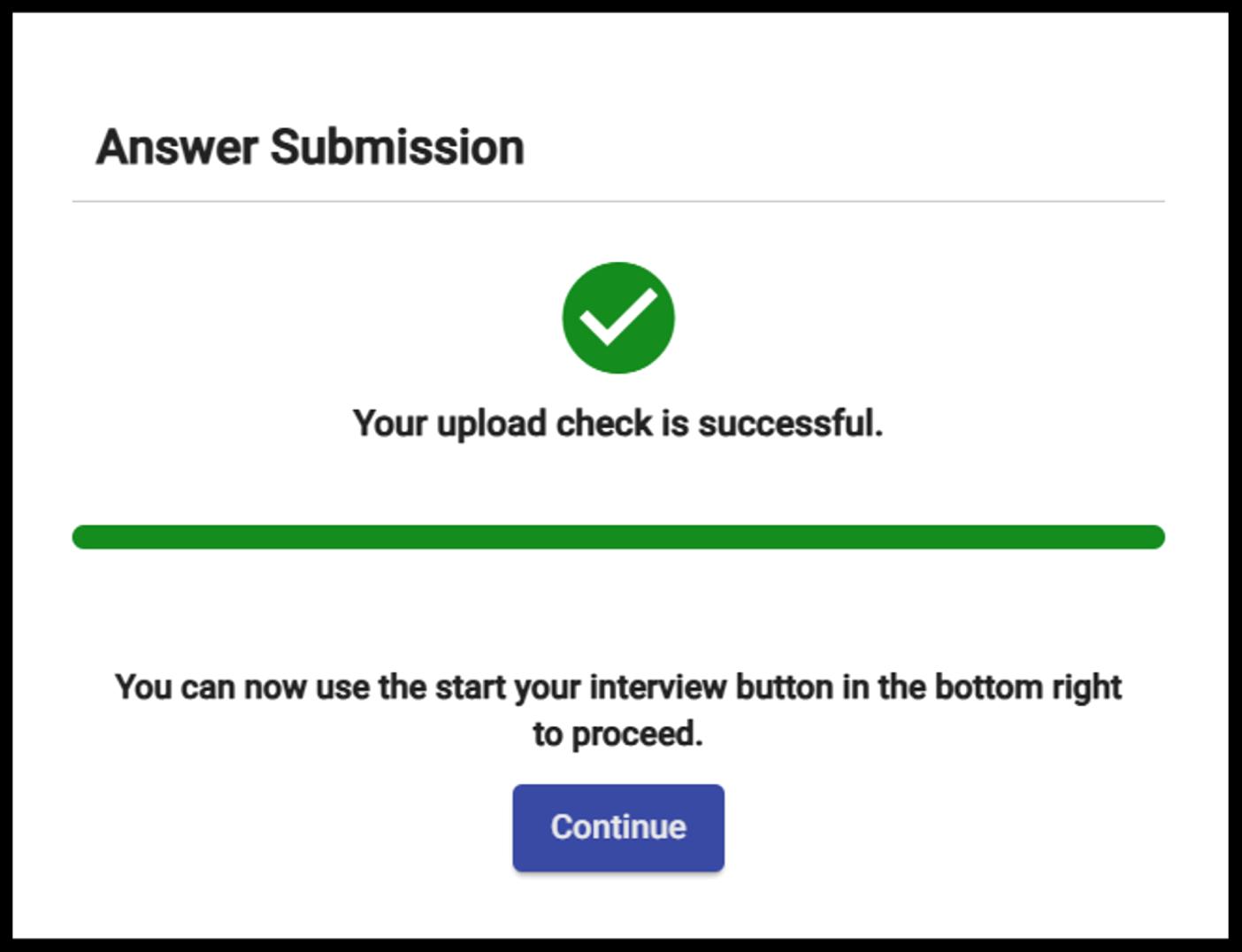

Once your practice question has finished uploading, you will have the option to begin your actual interview. If you are not ready to proceed, you may close the software and return when you are prepared to complete your interview.
Please note that you can repeat the set up steps and practice question as many times as you wish before starting the actual interview.
Please press the ‘Start your Interview’ button below when you are ready to begin

Please read through and complete all sections of the disclaimer; an example of this can be found below:
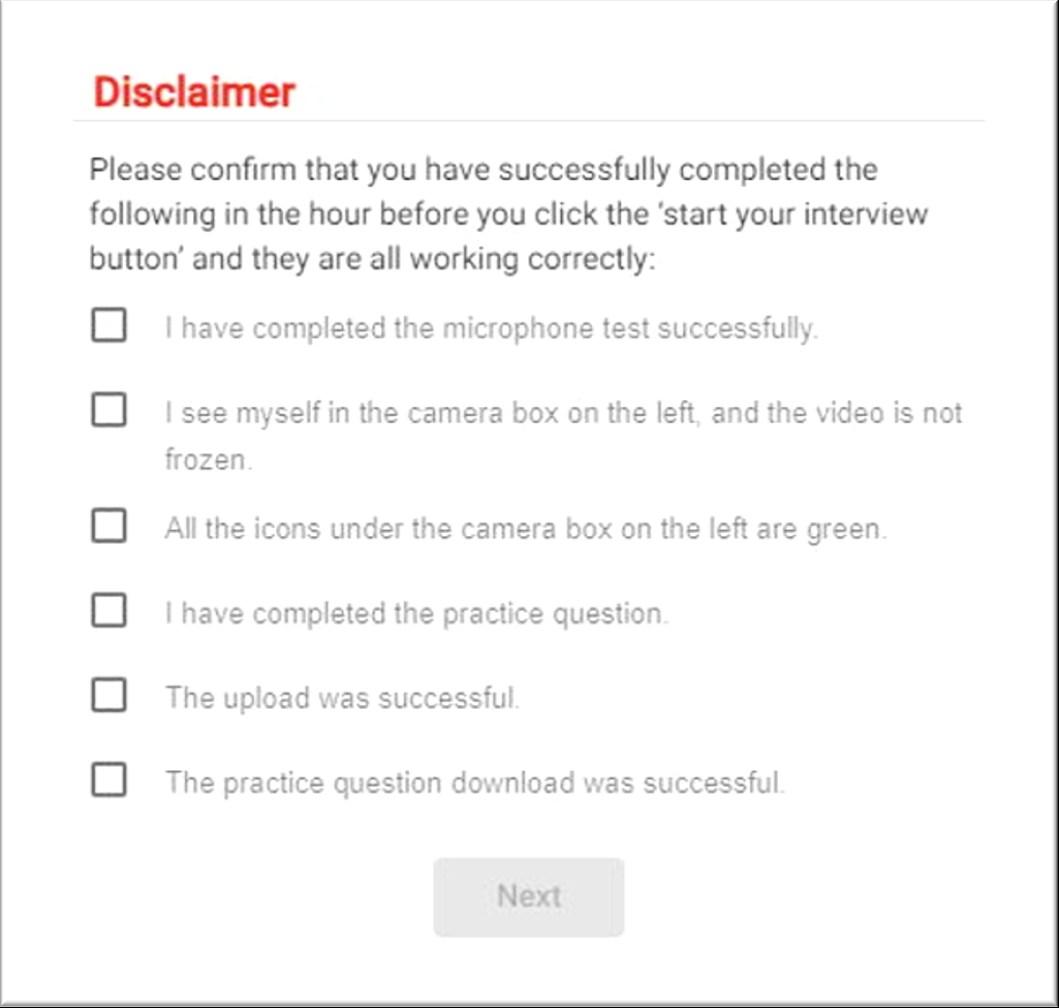

If you are unable to confirm any section of the disclaimer, please contact the university team immediately with your student number/UCAS ID number and SAMMI® log in information for further guidance or advice. They can be contacted at ProfessionalCourseAdmissions@brighton.ac.uk
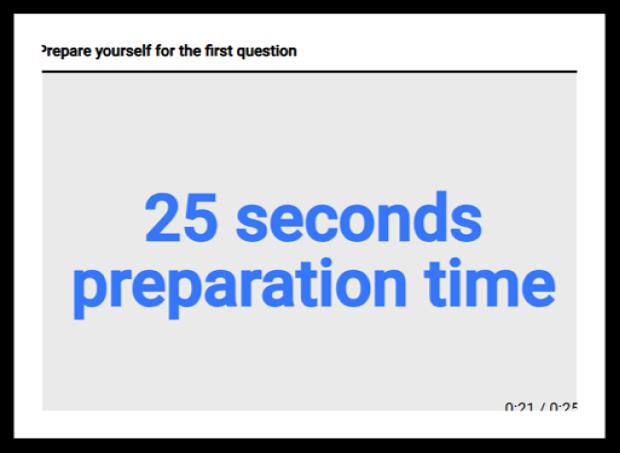
When you click the Start your Interview button your actual interview begins. You will be given a 25 second break to prepare for your first question. Once this has ended, your first question will begin and last 4 minutes. In between each question you will have a 60 second break.

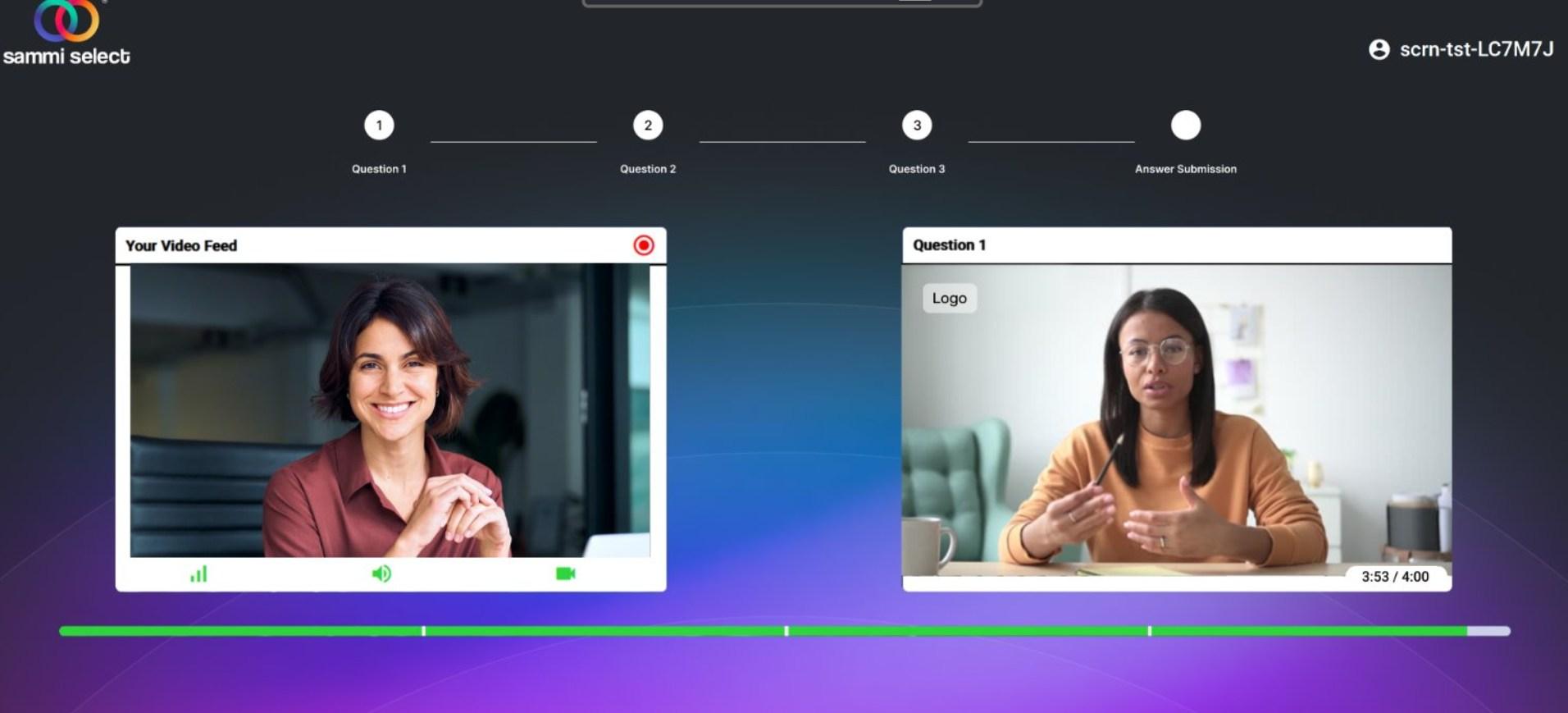

The recording symbol will appear in the top right hand corner of your video feed. This is confirmation that you are being recorded.
On the right hand side of your screen, you will see video of the question being read out loud by a member of the university community.
Underneath the question, there is a green progress bar that indicates how much time you have remaining.
You can track your progress at the top of the screen (see above). Questions in green indicate those that have been completed. DO NOT click refresh at any point as this will terminate the interview and log you out.
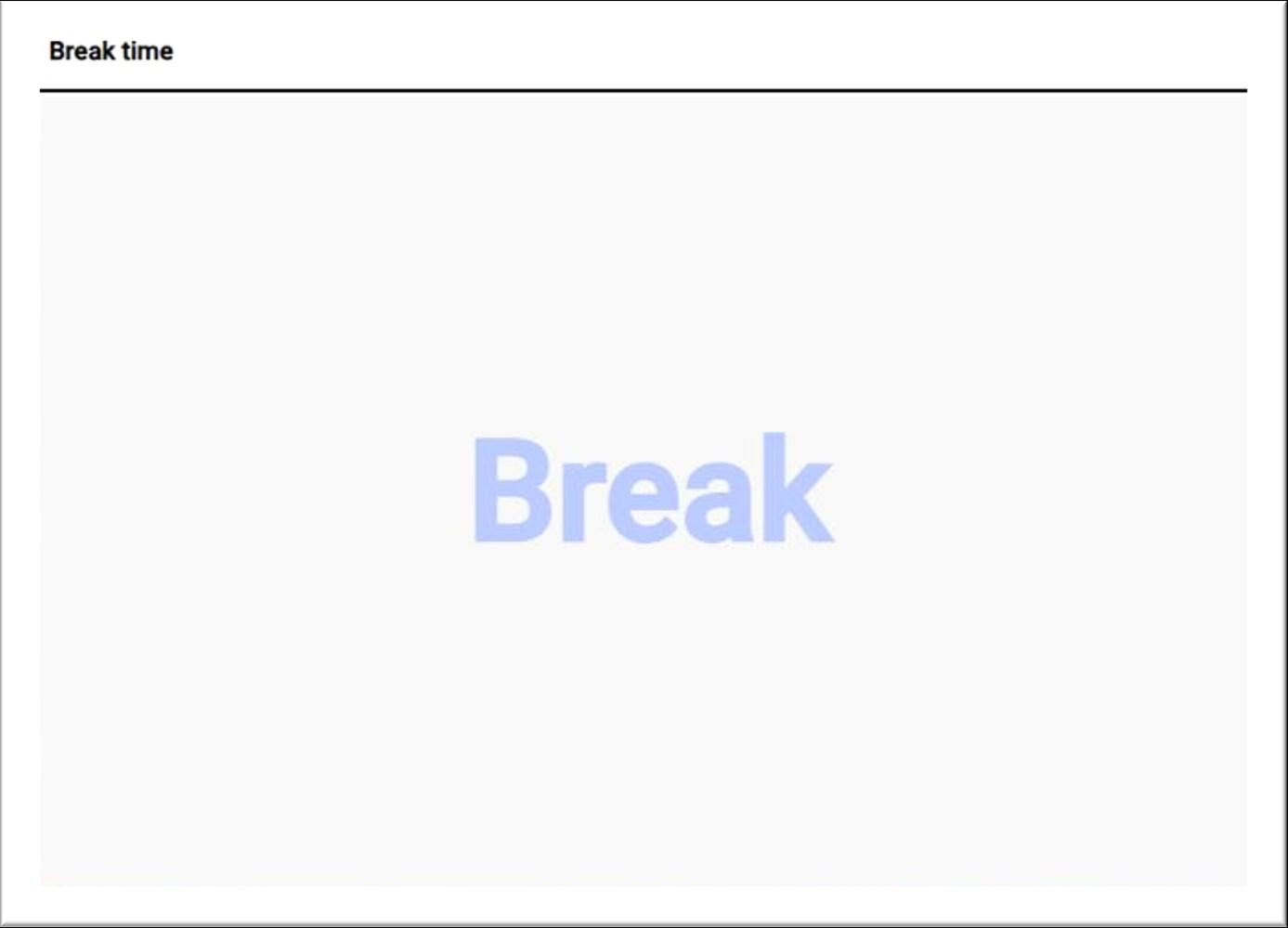
There is a 60-second break between questions to allow time for you to rest before the next question. During this time, the question box will show the word ‘Break’ (as shown below).

Once your break ends, you will be shown the next question. There are 6 assessed questions in total.
Please complete all 6 questions.
Once you have completed the last question you will automatically be taken to the "Answer Submission" screen.
Please remember that after each question you will be recorded for an additional 3-5 seconds. We recommend that you remain calm and relaxed during this time.
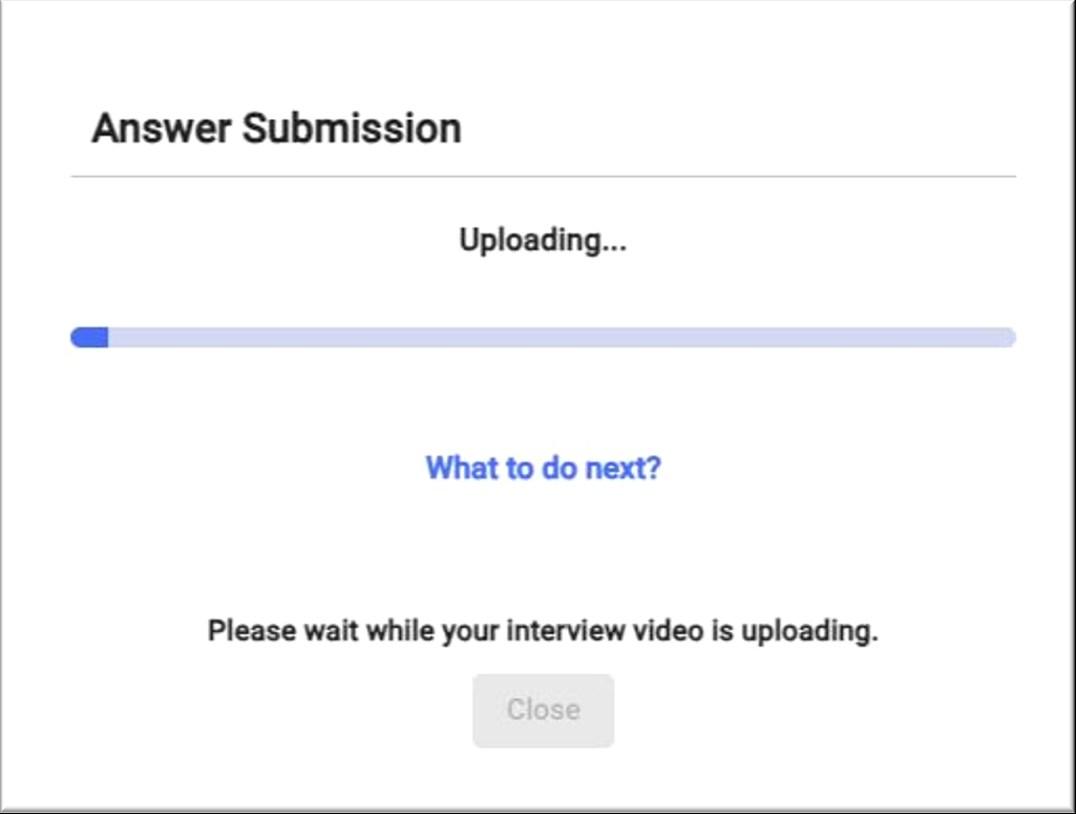
When you have completed your interview, you will see an ‘Answer Submission’ box. The answers you have recorded for each question will now upload for assessment. You will see a blue progress bar in the middle of your screen.
Please DO NOT refresh or close the page while your interview is uploading.
The upload process can take up to 15 minutes.

Once your interview has uploaded, you will receive a pop-up confirming this.
Please click Download interview videos to your PC. These files can be used as a backup should they be needed.
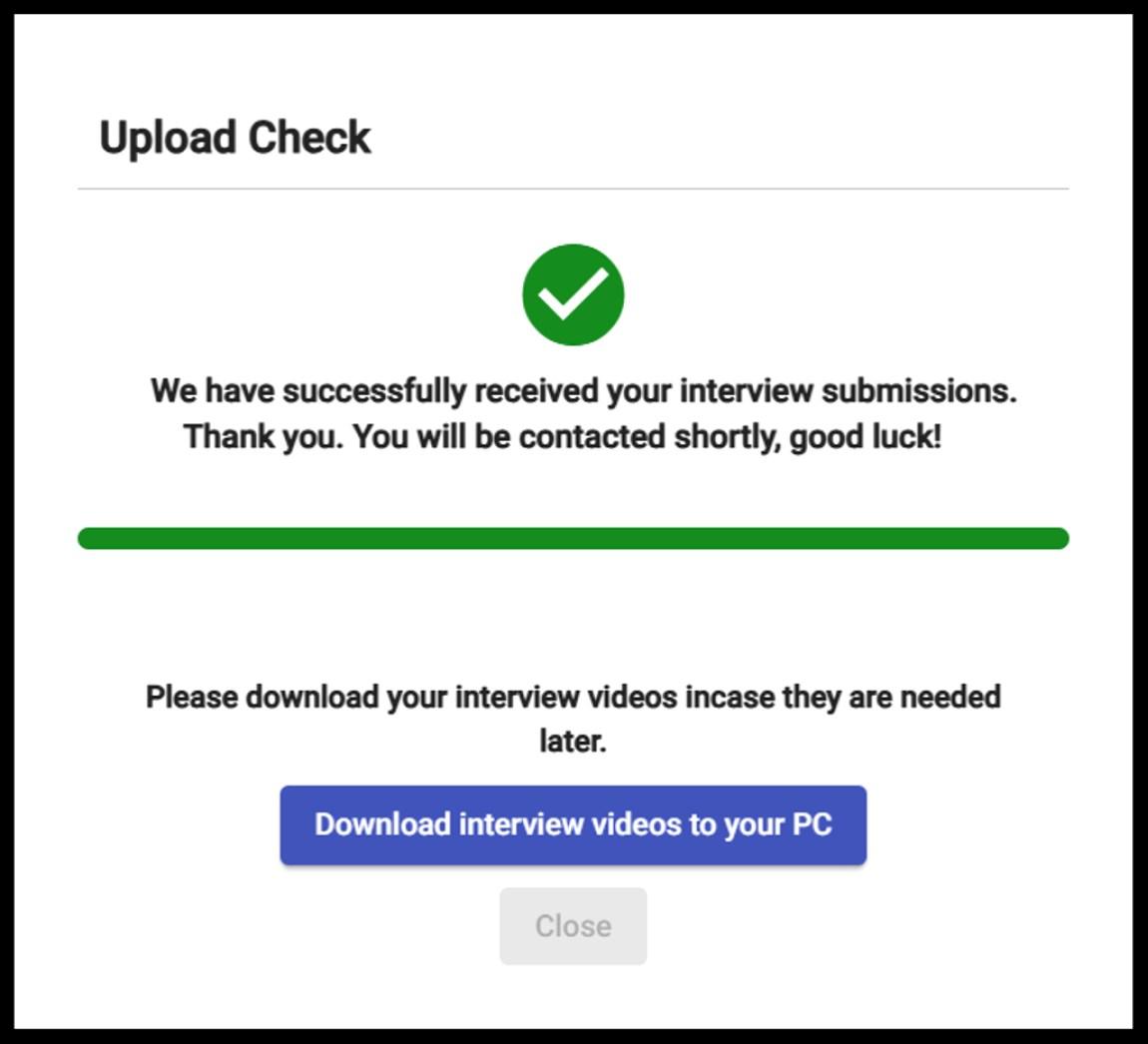

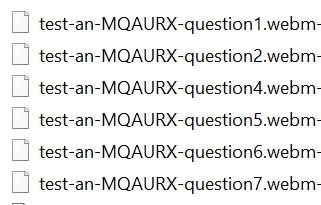
In addition to uploading to SAMMI®, your interview files will download to your device. This will be named ‘**** All Submission’ (where **** is the username used to log into SAMMI®). This will be a WEBM File and each interview question will be saved as a separate file.
Please be aware that a pop-up may appear prompting you to confirm whether you wish to allow the download of multiple files. If this occurs, please select 'Allow.'
Please do not delete these files until we have made a decision on your application, as we may need them if your interview fails to upload correctly.
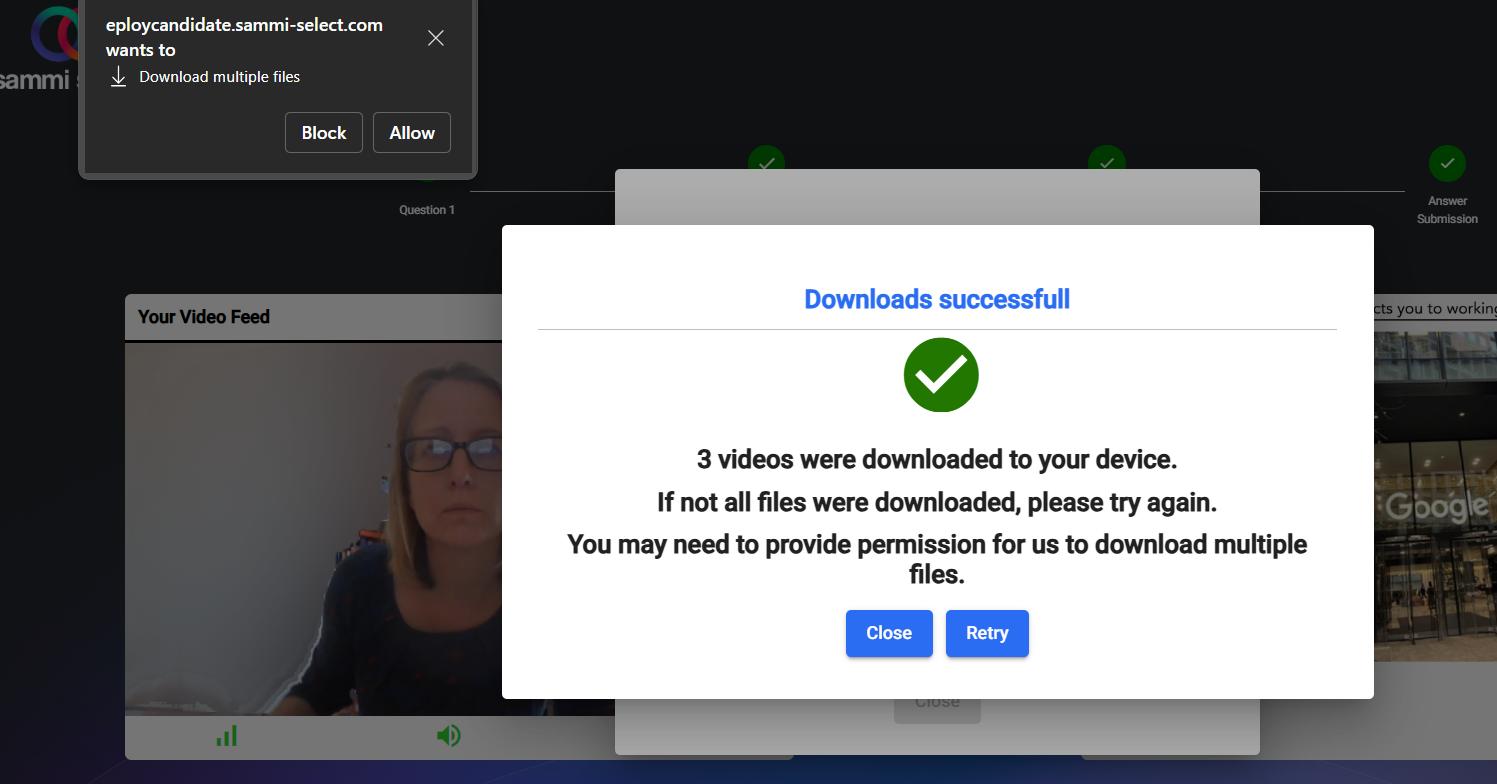
The files will then show up in your downloads folder, alongside your practice submission, see example.
If you experience any technical issues with the upload of your interview file, please contact the university team immediately with your student number/UCAS ID number and SAMMI® log in information for further guidance or advice. They can be contacted at ProfessionalCourseAdmissions@brighton.ac.uk

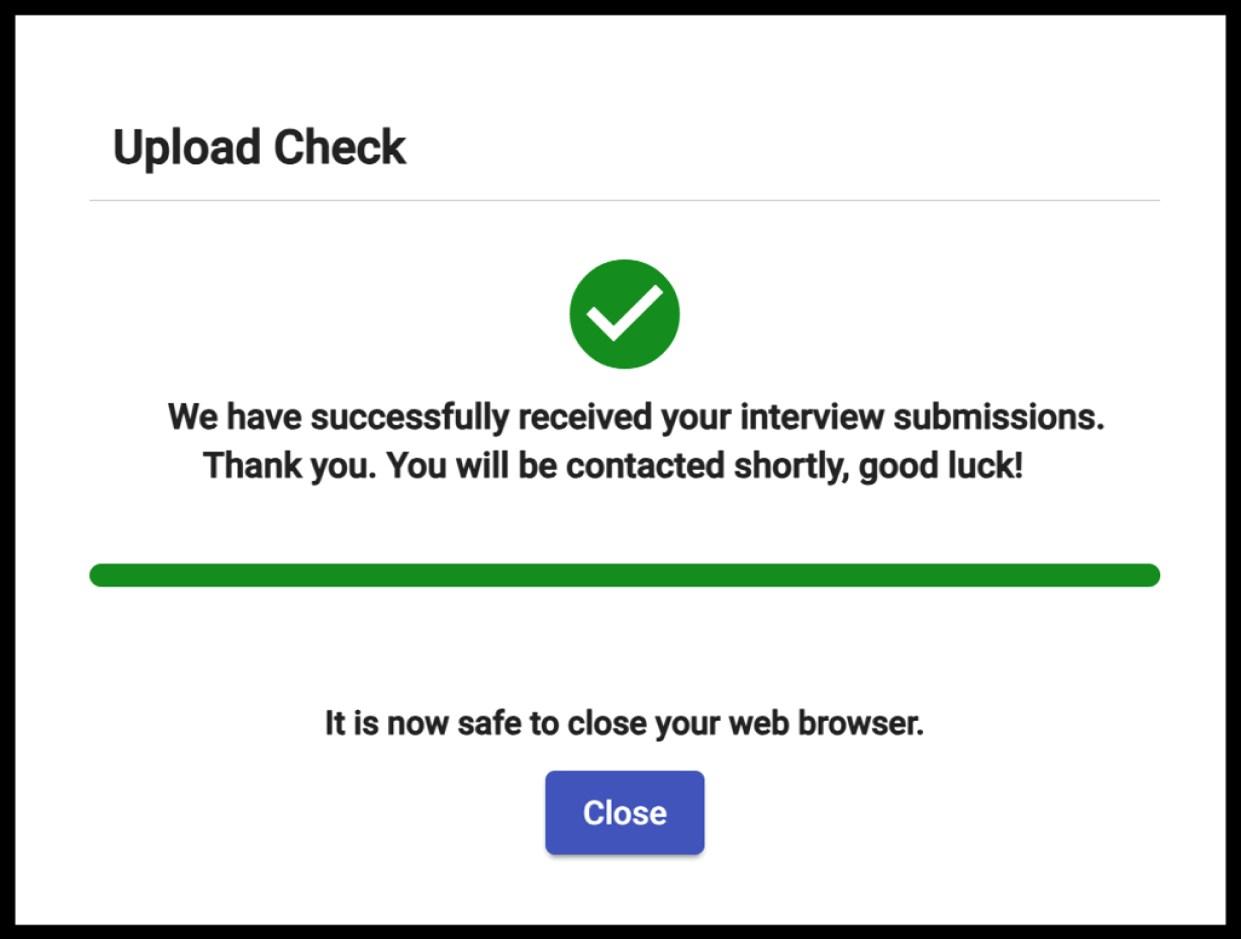
At the very end of your interview submission the confirmation box below will appear and it is safe to log off.

1. Will I be given a specific time and date to complete my interview?
You will have 7 days to complete your interview. The interview link will be live from the day that your interview invite is sent, through to exactly 1 week after this point. This means you have the freedom to complete and submit your interview at any time during this period.
However, you must complete your interview in one-sitting. You will not be able to pause your interview and go back to it later.
2. My camera or microphone isn’t working, what should I do?
Make sure you are using a computer or laptop. The SAMMI® software is not supported by iPads, mobile phones, or tablets.
You must use Google Chrome, Firefox, Opera or Edge as your browser. The software is not supported by Internet Explorer or Safari.
You should also ensure you have allowed SAMMI® access to your microphone and camera when the below box appears.
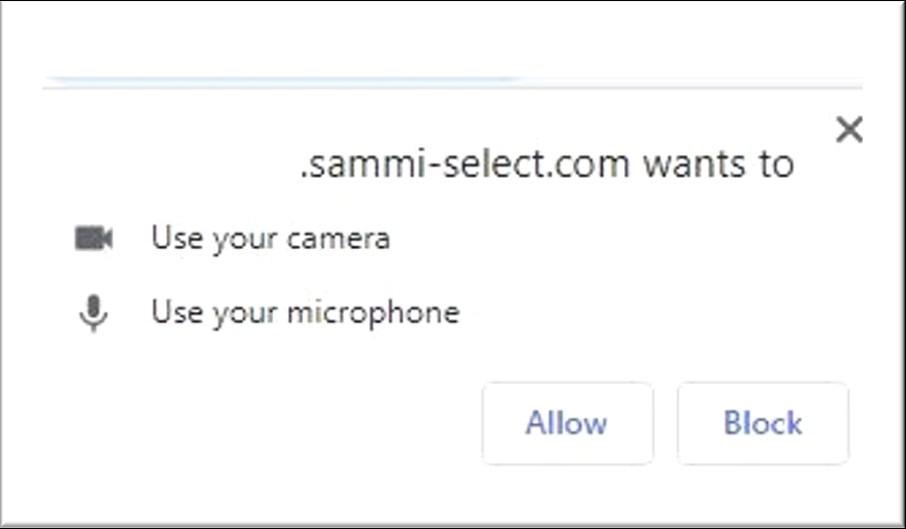

If you do not see the above message then you will need to ‘Allow Pop Ups’ in your browser:
On your computer, open Chrome
At the top right, click ‘More’ or the 3 vertical dots
Click on ‘Settings’
Click on ‘Security and privacy’
Site Settings
Pop-ups and redirects
Under ‘Allowed to send pop-ups and use redirects’ select ‘Add’
Add the SAMMI® link provided to you by the university
Click Add
3. I refreshed my browser and my interview hasn’t submitted. What can I do?
Please go to your Downloads folder and find the filename: ‘**** All Submissions’ (where **** is your SAMMI-select username)
Please use a file sharing website such as WeTransfer, Dropbox, or Google Drive, and send this to Admissions as soon as possible.
If you do not have a file in your downloads folder, please contact Admissions.

4. What do I do if I begin experiencing any IT issues during my interview?
Please ensure you test your internet connection, camera, and microphone before starting your interview. If you experience any technical issues beforehand, you may choose to try again later or use a different internet connection.
If you encounter unexpected issues during your interview, please email ProfessionalCourseAdmissions@brighton.ac.uk as soon as possible. Be sure to include your student number/UCAS ID and SAMMI® login details in your message. The Admissions Team will contact you to assist with troubleshooting.
5. My video feed is slow, and the camera appears to be lagging and/or out of sync when I am speaking. Will this affect my answers?
This will not affect your final video. Our interview assessors will be able to view and hear your answers just as you have responded. The computer's hardware is usually the cause for this, please ignore any obvious lag or sync issues and continue to answer each question. Your video will correct itself once submitted.
6. Can I use my headphones/Air Pods/headset during the interview?
Yes, but please check that they are fully connected before your interview. You can do this by completing the practice question in full. Please do not change headphones during the interview and make sure you have checked your audio settings before starting.
7. I cannot complete my interview within the time-frame given, who should I contact?
If you are unable to complete your interview in the slot given, you will need to contact ProfessionalCourseAdmissions@brighton.ac.uk