
How to Optimise Your Google
Business Profile to Rank #1
Locally
Introduction
To rank #1 locally, optimising your Google Business Profile (GBP) is crucial. With Google Search and Google Maps serving as the primary platforms for finding local services, a well-optimised GBP ensures your business is front and centre when potential customers search for the services you offer.
In this guide, we’ll walk you through the essential steps to optimise your GBP and dominate your local market in 2026.
Table of Contents
• Why Google Business Profile is Key for Local Rankings
• Essential Elements for Optimising Your GBP
• Step-by-Step Guide to Optimising Your GBP
• Best Practices for Local SEO and GBP Optimisation
• How to Use Reviews and Photos to Boost Your GBP
• Common Mistakes to Avoid When Optimising Your GBP
• How to Track and Measure Your GBP Performance
• Final Thoughts
• FAQs
Why Google Business Profile is Key for Local Rankings
Google Business Profile (GBP) is a free tool from Google that helps businesses manage their presence on Google Search and Google Maps. Optimising your GBP helps your business be easily found by local customers searching for products or services in your area. This is especially critical for local SEO.
When users search for a service like “best café near me” or “plumber in Sydney”, Google shows businesses that are optimised for local searches, prioritising those that appear in Google Maps and nearby search results. A well-optimised GBP ensures your business appears in these results, giving you a competitive edge and the best chance of ranking #1 locally.
Optimising your Google Business Profile is one of the most effective strategies to increase visibility and boost your local search rankings, as Google uses it to verify your business’s legitimacy and relevance for local queries. It also impacts how your business appears in local pack results and voice search.
Essential Elements for Optimising Your GBP
To rank #1 locally, your GBP must be complete, accurate, and fully optimised. These key elements must be addressed:
1. Accurate Business Information
Google uses the information provided in your GBP to determine your relevance for local searches. Make sure you provide:
• Business name (use your official name, no keywords or spammy additions).
• Address (accurate physical address if applicable).
• Phone number (ensure it’s a local number).
• Business hours (accurate and up-to-date).
• Website URL (if you have one, ensure it’s correct).
2. Business Category and Services
Choosing the right business category is critical for local search rankings. Select the category that best matches your business type (e.g., Restaurant, Hair Salon, Electrician). Additionally, list your services to ensure your business appears for specific service-related queries.
3. Photos and Videos
Businesses with photos and videos in their GBP tend to receive more engagement. Post high-quality images of:
• Your storefront (for physical businesses).
• Products or services.
• Inside the store or business environment. For even more impact, add videos showcasing your products, customer experiences, or behind-the-scenes operations. Google favours businesses with visual content, as it encourages higher engagement.
4. Google Reviews
Customer reviews play a significant role in local rankings. Positive reviews:
• Increase your credibility and trustworthiness.
• Help boost rankings in local search results.
• Provide valuable social proof, influencing potential customers. Encourage satisfied customers to leave positive reviews, and always respond promptly to both positive and negative feedback. Engagement with reviews shows Google that your business is active and engaged with customers.
Step-by-Step Guide to Optimising Your GBP
Optimising your Google Business Profile involves several key steps that help ensure your profile is complete, accurate, and visible:
Step 1: Create or Claim Your Profile
• Go to Google My Business and sign in with your Google account.
• Search for your business name. If it’s already listed, claim it by following the prompts.
• If your business is not listed, click on “Add your business” and follow the setup process.
Step 2: Enter Business Details
Fill in essential business information, including your name, address, phone number, category, and website.
Ensure that the information is consistent with what appears on your website and other online directories.
Step 3: Add Photos and Videos
Upload high-quality images that showcase your business. Include photos of your storefront, products, team, or services. You can also add 360-degree photos to offer a virtual tour of your business.
Step 4: Manage Customer Reviews
Encourage customers to leave reviews and respond to them promptly. Aim to maintain a high rating to build trust with potential customers.
Google values businesses that engage with reviews.
Step 5: Create Posts and Updates
Regularly update your GBP with Google Posts to keep your customers informed about events, promotions, new products, or services. Google Posts are a great way to engage customers directly from Google Search.
Step 6: Verify Your Business
Complete the verification process to prove that you own the business. Google will typically send you a verification code by post, phone, or email (this may take 1–2 weeks). Follow the instructions to complete the verification.
Best Practices for Local SEO and GBP Optimisation
1. Be Consistent Across Platforms
Ensure your business name, address, and phone number (NAP) are consistent across all online platforms. Discrepancies in this information can hurt your local SEO rankings.
2. Regularly Update Your GBP
Always keep your business hours, special offers, products, and services up to date. This ensures your customers can find accurate information when they need it.
3. Use Local Keywords
Incorporate location-based keywords (e.g., plumber in Sydney, cafe Melbourne) in your business description and posts. This helps you appear in location-based searches and voice search queries.
4. Encourage Customer Engagement
Respond to reviews, answer questions in the Q&A section, and post relevant content like promotions, new products, or events. Active engagement signals to Google that your business is reliable and relevant.
How to Use Reviews and Photos to Boost Your GBP
1. Use Reviews to Build Trust
Customers trust businesses with positive reviews. Encourage happy customers to leave feedback, and always respond thoughtfully to both positive and negative reviews. High-quality reviews will increase your credibility and influence rankings.
2. Upload High-Quality Photos
Businesses with photos receive 42% more requests for directions and 35% more clickthroughs to their website. Make sure your images reflect your brand and customer experience. Include:
• Product photos
• Interior shots of your business
• Team photos or happy customers
Common Mistakes to Avoid When Optimising Your GBP
1. Inaccurate Business Information
Double-check your business address, contact number, and business hours. Incorrect or inconsistent information can affect your local SEO and prevent customers from reaching you.
2. Missing Categories
Choosing the right business category is essential for local rankings. Avoid generic categories like “restaurant” and select a more specific one, such as “Italian restaurant” or “vegetarian café”.
3. Ignoring Reviews
Failing to engage with reviews can harm your business’s reputation. Make it a priority to respond to reviews regularly and thank customers for their feedback.
How to Track and Measure Your GBP Performance
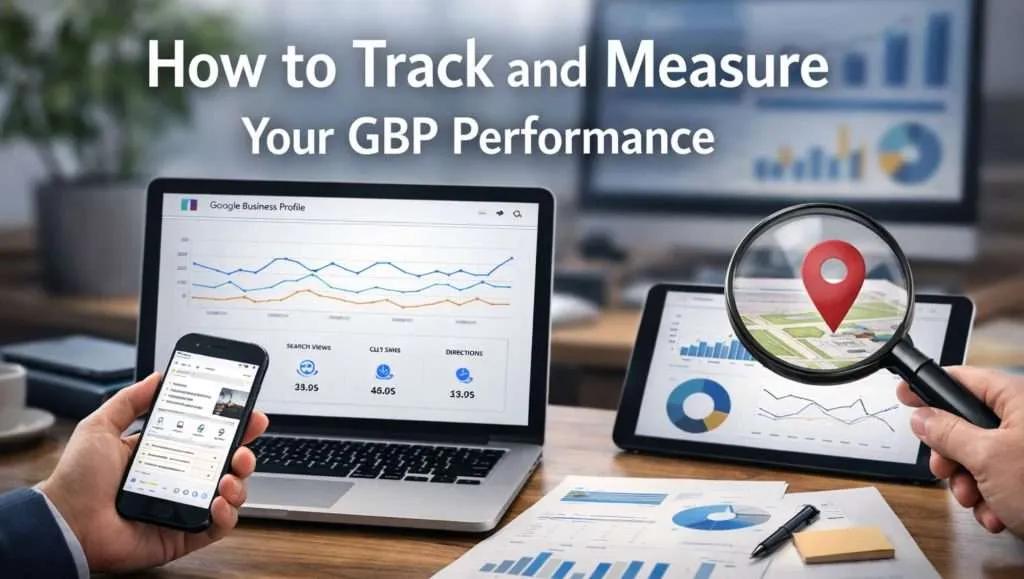
Google provides valuable insights to help you track how your GBP is performing. Here are key metrics to monitor:
• Customer Actions: How many people called your business, requested directions, or visited your website?
• Search Queries: What terms and queries triggered your business to appear in local search results?
• Performance Insights: Monitor how your posts, photos, and reviews impact your visibility and engagement.
Industry Trends in Local Search for 2026
As local search continues to evolve, here are key trends for businesses to watch:
• Voice search: More Australians are using voice assistants to find businesses, making voice search optimisation a priority.
• AI-powered search: Tools like Google AI will continue to dominate local search, requiring businesses to optimise for AI-driven answers.
• Mobile-first indexing: Google is prioritising mobile-optimised websites for local rankings, so make sure your website is responsive and fast-loading.
Final Thoughts
Optimising your Google Business Profile is one of the most impactful strategies for businesses looking to dominate local search results in 2026. By following best practices, staying up to date with Google’s features, and regularly engaging with your customers, your business can secure #1 local rankings and increase visibility on Google Maps and Search.
At Traffic Radius, we specialise in GBP optimisation and local SEO. Our Google Business Profile optimisation services Package is designed to help you maximise your local visibility, drive more qualified traffic, and dominate local search results.
FAQS
What is the difference between Google My Business and Google Business Profile? Google Business Profile (GBP) is the updated name for Google My Business (GMB). The tool serves the same purpose, helping businesses manage their local listings and appear in Google Search and Google Maps. Google rebranded the tool in 2021 to streamline managing business profiles directly through Google Search.
Can I optimise my GBP for mobile searches?
Yes! Optimising your Google Business Profile for mobile searches is essential, as most local searches are now performed on mobile devices. Ensure that your business information is accurate, your website is mobile-friendly, and you regularly update your posts, reviews, and photos for maximum engagement on mobile. How often should I update my Google Business Profile?
You should update your GBP regularly, especially when there are changes to your business hours, special offers, events, or services. Regular updates demonstrate your business’s activity, improving your chances of appearing in local search results and on Google Maps.
How do I manage multiple locations in GBP?
• To manage multiple locations in Google Business Profile, you can either:
• Bulk upload business listings via a CSV file.
• Use Location Groups to organise businesses by area or type. Managing multiple locations ensures that each branch or service area is optimised and visible in local search results.
How can customer reviews impact my Google Business Profile rankings?
Customer reviews play a significant role in local search rankings. Businesses with positive reviews tend to appear higher in Google Search and Google Maps results. Reviews act as social proof, indicating to both Google and potential customers that your business is trusted and reliable. Responding to both positive and negative reviews shows that you are engaged with your customers, which also helps improve your local SEO rankings.
Can I use Google Posts to improve my local search visibility?
Yes, Google Posts are a great way to boost local visibility on your Google Business Profile. By regularly posting updates, promotions, events, or news about your business, you keep your profile active and engage with potential customers directly through Google Search and Google Maps. Posts are a valuable tool for increasing engagement and driving click-throughs. Frequent updates not only improve your business’s visibility but also enhance the freshness of your GBP, which is an important factor in local SEO.