


Guide 1 - SSC Team Member – 01 TO 03
Name:







Guide 1 - SSC Team Member – 01 TO 03
Name:


Welcome to Signet
Signet core values
What to bring on your first day
Right to work eligibility
Lunch options
What to expect on your first day
IT setup
Finding us
Dress code
The Hub
Pre-arrival checklist
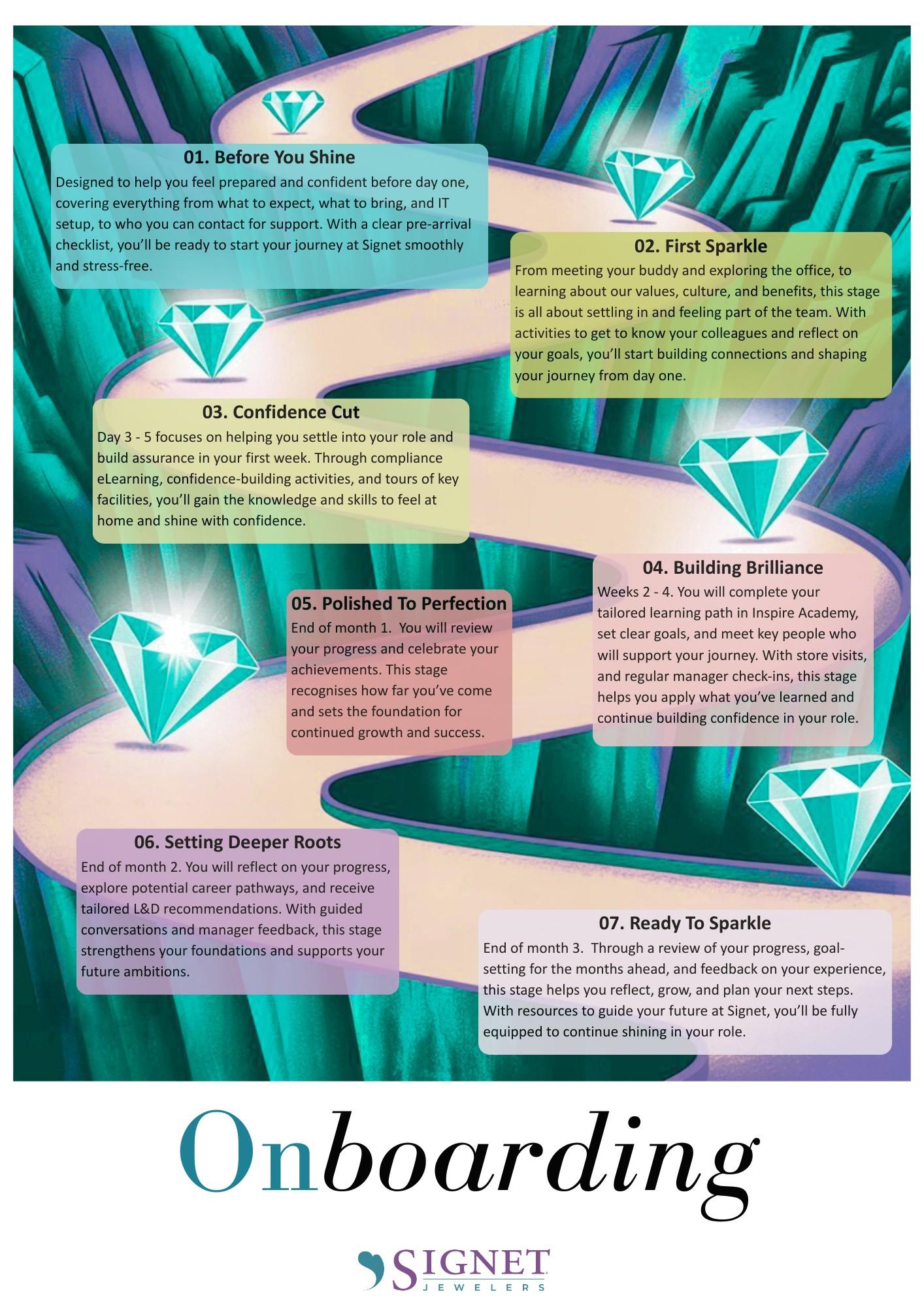
Signposting guide
Welcome To Signet – Grow Brand Love from Day One
We’re excited to welcome you to Signet Jewelers and to our Store Support Centre team in either Birmingham or Croxley Park. As the home of our brands H.Samuel and Ernest Jones, we’re passionate about helping our customers Celebrate Life and Express Love, and now you’re part of that mission.
At Signet, we believe in building connections that last, whether with our customers, our teams, or our communities. That’s why everything we do is about Growing Brand Love. From your very first day, you’ll be supported, empowered, and encouraged to live our values and help us deliver exceptional service and memorable experiences. This onboarding booklet marks the start of your induction journey at Signet, guiding you through the first three steps of our onboarding framework. Together, let’s Grow Brand Love, starting now.

Our core values are a set of principles that guide us and define us. They ensure that we stay true to our Mission and live up to our Purpose. How do your values align?

| Inclusion | Joy
Our people come first. We support and appreciate each other, embrace differences, celebrate uniqueness, encourage development, and reward performance. We have fun together and feel the joy of delivering our mission every day.
We transform our future with courage and vision by working as a team. We are curious, challenge the status quo, and innovate. We are agile and fearless, committed to win by focusing on priorities that make a difference.
Accountable | Integrity | Continuous Improvement
We deliver on commitments because we are personally accountable. We learn from mistakes and strive for continuous improvement. We are trustworthy, always operating with the highest integrity.
Exceed Expectations | Earn Trust | Build Relationships
We provide truly memorable experiences, striving to always exceed expectations. We delight in gaining customer trust, developing lasting relationships, and providing the best products, service, quality, and value.
We listen, seek the truth together, and tell it like it is, even when it’s difficult. We are honest and respectful. We communicate openly and clearly, strive to simplify, and drive collaboration.
To help your first day go smoothly, please bring:
Proof of ID (passport or birth certificate – see below)
Any documents requested by our People Team (e.g., signed contract, forms)
Comfortable workspace-appropriate clothing (our dress code is generally smart casual; you’ll be informed in advance if you need anything specific)
Notebook and pen (optional, but useful for your onboarding activities).
Right to work checks must be carried out for all employees before they start employment, to ensure that Signet only employs people who have permission to do the work they are being employed to do. Please bring your Right to Work document/s on your first day.
This can be:
A British or Irish passport (current or expired)
A birth or adoption certificate issued in the UK, Channel Islands, the Isle of Man or Ireland - together with an official document giving your permanent National Insurance number and name (issued by a government agency or a previous employer)
A certificate of registration or naturalisation as a British citizentogether with an official document giving your permanent National Insurance number and name (issued by a government agency or a previous employer).

If you’re not a British or Irish citizen, please send your share code for the online verification of Right to Work to recruitmentuk@signetjewelers.com. You can apply for a share code online at: https://www.gov.uk/prove-right-to-work/get-a-share-code-online.
For the full list of accepted documents please refer to the www.gov.uk website.
In Birmingham, there is a communal kitchen with fridge and microwave facilities and there are some vending machines for snacks. On your first day, you’ll be given a FREE Hot Drinks Pass, which lets you enjoy up to four hot drinks a day from the hot drinks machine.
In Croxley, there is also a communal kitchen with fridge and microwave facilities and there are some vending machines for snacks. There is a café on the business park and a supermarket within walking distance.

Your first day is all about making you feel welcome and comfortable.
You will:
Be greeted by your manager or team lead
Meet your team and key colleagues, including your buddy
Receive a welcome tour of your workspace and facilities
Complete your health & safety induction
Have an introduction to Signet’s values and culture
Receive guidance on your first-week activities, including initial role-specific training
(Note: You may not have access to all systems yet; see IT setup. Don’t worry, there is still plenty to do!)
We aim to have all your IT equipment and systems access ready on day one. However, occasionally there may be delays in setting up:
Email, network logins, and internal platforms
Access to our learning platform, Inspire Academy, for mandatory training
If any delays occur, your first two days will focus on:
Getting to know your team and workspace
Introduction to our values, services, and culture

Paper-based activities to help you start learning without needing tech
Support from IT and L&D to get you fully set up as soon as possible
All IT-related queries and issues are handled by our dedicated support function, Retail Assist. If you experience any issues with your computer, systems access, email, or other IT services, Retail Assist is your first point of contact. You can reach them directly by calling: 0115 964 4390
Once your IT account is fully set up, you’ll also have access to the Retail Assist Portal, which will appear as a shortcut on your desktop. You can use the portal to log tickets, track progress, and request support at any time.
A VPN (Virtual Private Network) lets you securely connect to Signet’s systems when you’re not in the office. It keeps company data safe while giving SSC team members access to key systems and services from home or on the move. You’ll connect using your mobile phone to generate a secure code when logging in to the VPN. Full guidance will be given when you collect your equipment on site.
Contact For Key Support On Day 1.
Birmingham Office
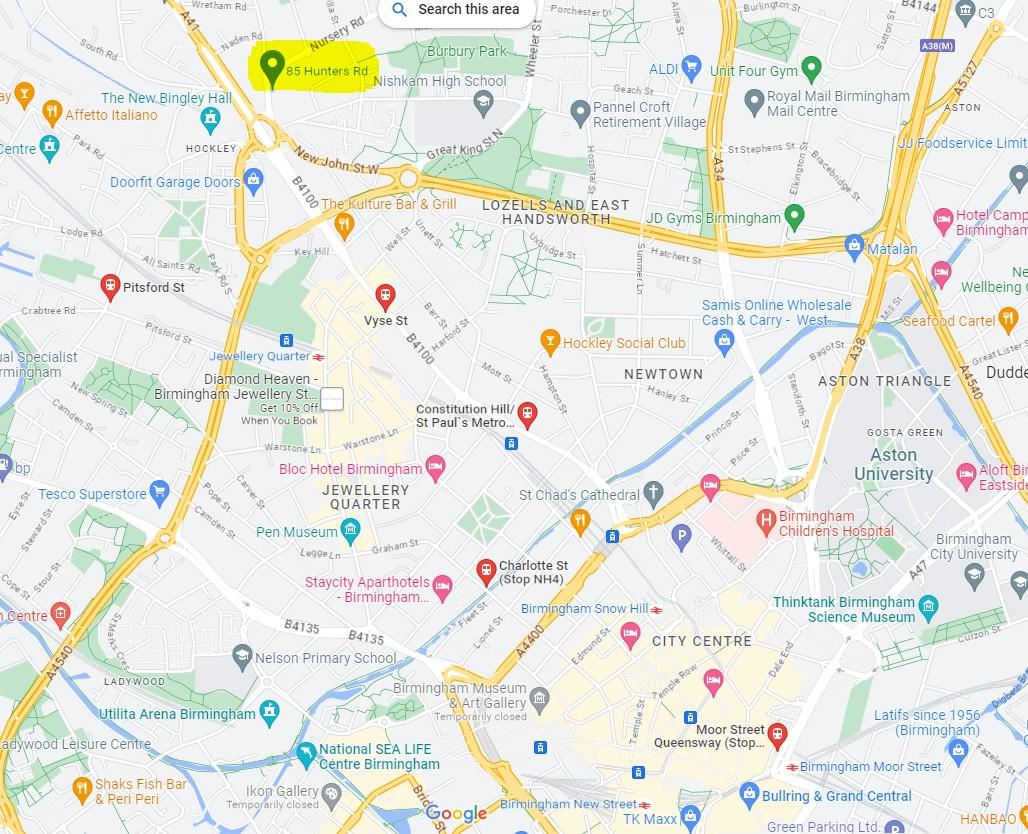
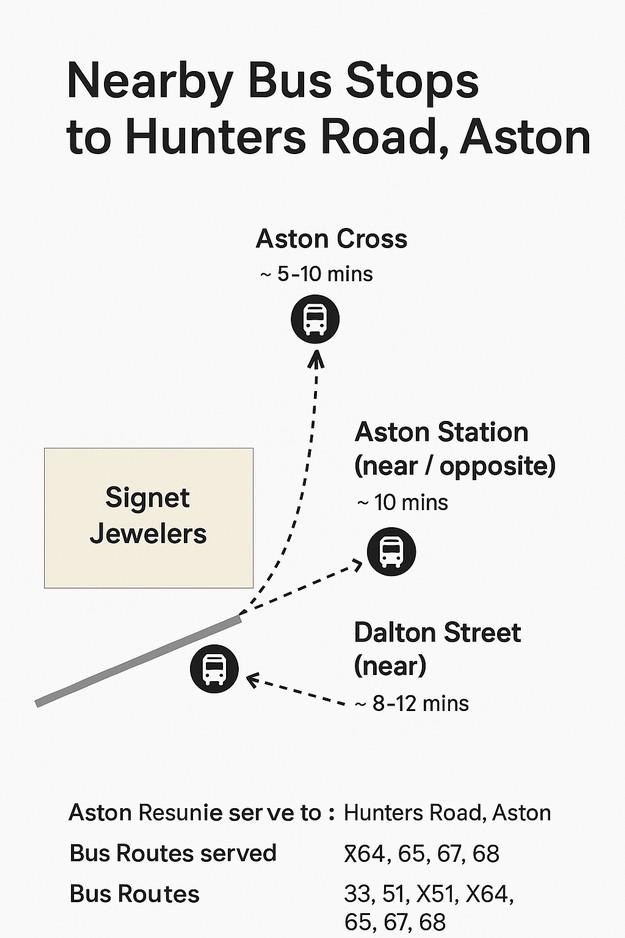
Hunters Road
Hockley
Birmingham
B19 1DS


Contact on arrival: Please check in with Reception on the Ground Floor. The entrance is the door with the white handle (indicated by the arrow in the image on the next page).
Other information: Please bring in lunch, snacks, tea/coffee (as required) as there is no on-site catering.
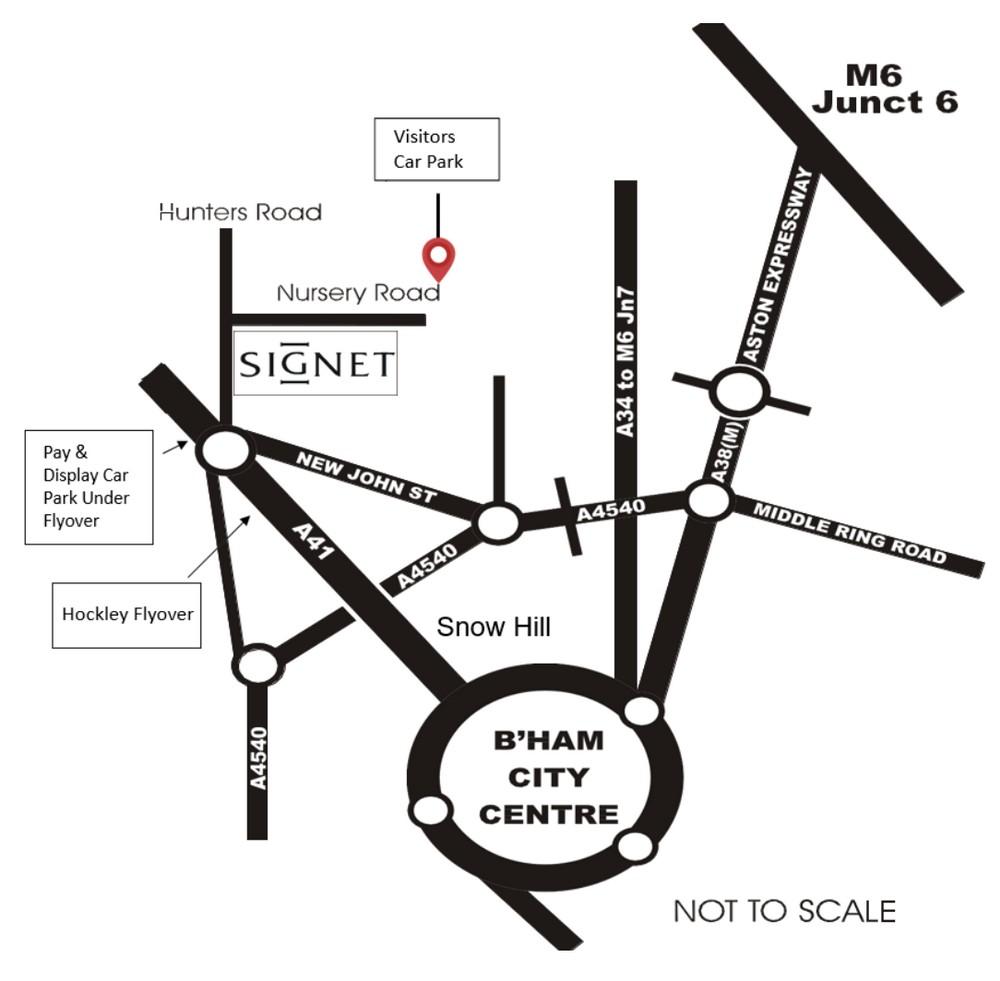
Travel by car: We have 2 car parks: on Farm Street and Nursery Road. On your first day, please park in our Farm Street car park - as indicated on the picture below. The postcode is B19 2TX The entrance is via the main gate, located at the furthest end of the road. When you get to the main gate, if you buzz to enter the car park (indicated by the arrow below), Security will open the gate and let you in.
Once parked, head back out the main gate and walk to the main reception on Hunters Road, B19 1DS.
If driving, please provide your car make/model and reg to recruitmentuk@signetjewelers.com.





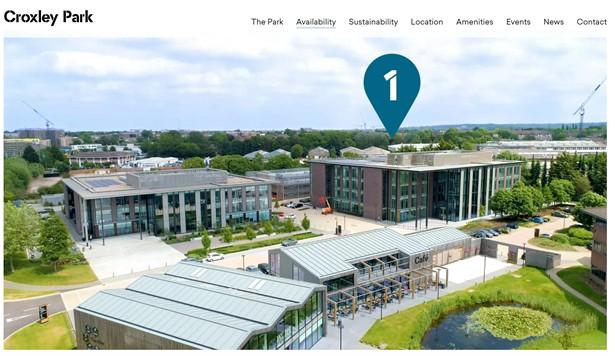
Croxley Park Office
Building 1
Croxley Park, Hatters Lane
Watford, WD18 8YA
https://croxleypark.com/


Contact on arrival: Please check in with Reception on the Ground Floor and then report to the Signet Reception desk on the 3rd floor.
Other information: We advise bringing lunch for your first few days in the office.
Travel by car: Parking is in the multi-storey car park which is just to the left of Building 1. Please Park in the Signet spaces located on the top level of the car park. The best way to access this car park is to take the first left after you pass the security lodge.
If driving, please provide us with your car make/model and reg, there is a strict parking policy, so your car needs to be booked in prior to your first day.
You are free to park in any unmarked space within the business park (many businesses have plaques with their logo on in the spaces, so these are the ones to avoid). We’re on the third floor within Building 1.
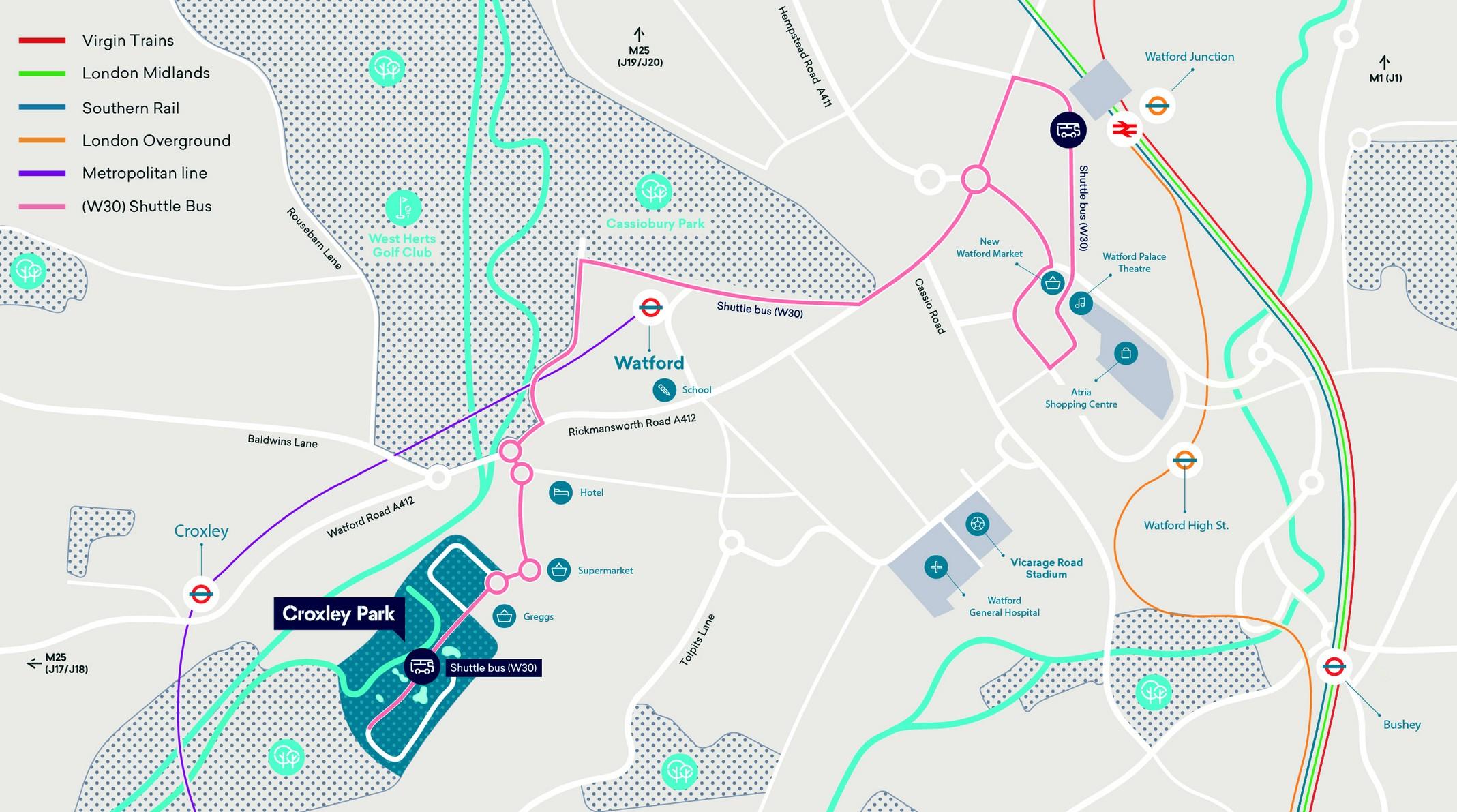
Travel by train/shuttle: There is a shuttle bus (W30) connecting the park to Watford Junction which departs every 12 minutes, local charges will apply. Signet Jewelers employees will have the opportunity to apply for free travel with this bus service, once they receive their ID pass.
Lunch: There are lunch options on-site (the Café) and a Morrisons and Greggs nearby, however if you would like to bring your own lunch then that is also fine.


Parking at Croxley is shared with other businesses, so please follow Signet’s parking rules. Display a Croxley Parking Pass and ensure Front of House has your car registration. Park only in Signet or unlabelled bays, and use EV bays only if you are charging. EV drivers should use the Signet charging bay (AmirOrla) and move their car once fully charged so others can use the charger.

The Stores Support Centre dress code for all team members not required to wear Corporate wear is smart casual. The details below are designed to illustrate what does / does not fall within our dress code but the final decision will always rest with your line manager. While we have a relaxed dress code, there is still a requirement to dress in an office-appropriate manner.
Any of the following meets the standards we expect:
Business casual/smart casual
Casual footwear (deck shoes, sandals, smart trainers,)
Jeans/denim
Smart T-shirts
Tailoring (no obligation to adopt casual)
Traditional dress
Tailored knee length shorts

The dress code strictly excludes…
Caps/hats
Football/ rugby shirts
Halter neck, strapless tops/dresses, tops/ dresses with spaghetti straps
Ripped/frayed denim
Sportswear (track suits, sweatpants)
Beach or sports shorts, cut offs
T-shirts with slogans
Beach flip flops
We always expect:
A well-groomed, clean, neat and professional appearance and good
standards of hygiene
Business dress i.e. suits/ ties/ dresses/ jackets when visiting stores. The
store dress code also requires shoes to be fully enclosed. See the separate
Dress Code for stores available on the Hub.
An appropriate dress code when attending on site supplier meetings,
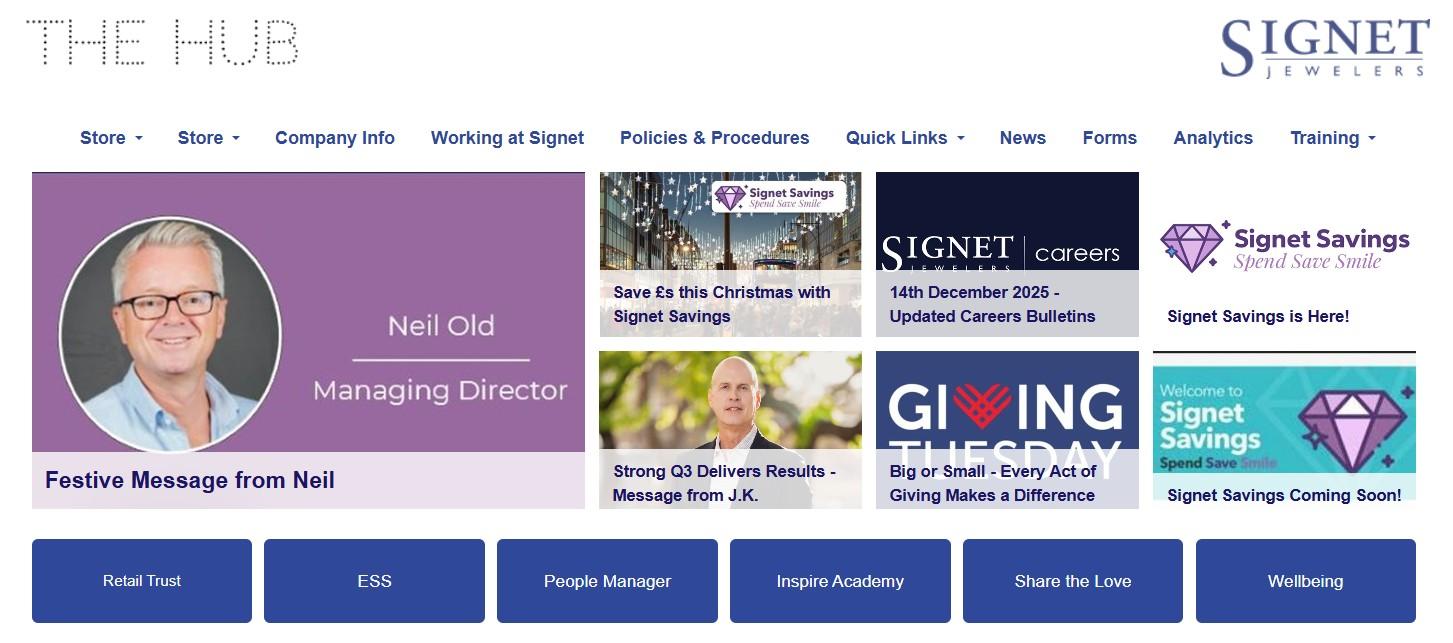
The Hub is Signet’s central intranet system and should be your first stop once your IT access is set up. From the Hub, you can quickly access all key systems via Quick Links, including ESS (Employee Self-Service), People Manager, Inspire Academy, Share the Love, and more. It also holds useful information about Signet that’s used across both SSC and Retail.
If you’re new, start by checking out the organisation charts, the Refer a Friend scheme, and Share the Love. They’re a great way to understand how things work and how you can get involved. In short: if you’re looking for information, head to the Hub first https://intranet.signet.co.uk/
Pre-arrival Checklist

Before you arrive, please complete the following:
Review and sign your contract & return forms
Read your Welcome Pack thoroughly
Confirm your start time and arrival details
Bring your ID and requested documents
Familiarise yourself with workspace location
Reach out to Recruitment with any questions
As a new team member, it can be difficult to know who to contact about what. This document aims to help you quickly identify the relevant department and / or contact for a wide range of matters.
Department Query / Issue
Facilities Building maintenance & utilities supply e.g., cleaning, windows, plumbing, electricity.
Facilities e.g., water dispensers, toilets, air conditioning, print/ copiers, recycling, archive storage, confidential waste, car parking, kitchens, meeting rooms, Coopers Kitchen (B’ham only)
Key Contact(s) & Additional Information
All facilities related requests/issues should be emailed to sscfacilities@signetjewelers.com in the first instance.
Facilities Contact Onsite: Jon Gillard, Technical Services Manager – 07989 991804
All facilities related requests / issues should be emailed to: croxleyfrontofhouse@signetjewelers.com in the first instance
Facilities Contact Onsite: Front of Housecroxleyfrontofhouse@signetjewelers.com
Health & Safety DSE assessment, eye test vouchers, insurance
Security Security issues, Out-of-hours working, Escorts (Birmingham)
For location specific issues, it may be more appropriate to contact Facilities on site (see above) For all other issues contact: Kerryanne Scully, Health & Safety Assistant - 0121 697 7503
USEFUL WEB LINKS
The Hub - Health & Safety Homepage
The Security Officer on duty or Security Supervisor – 079899 91680
IT Computer hardware & software Retail Assist
Log an issue via the portal –www.retail-assist.com/signetservicedesk Tel: 0115 964 4390 24hr Tel: 0333 999 9955 Email: signetservicedesk@retail-assist.co.uk
USEFUL WEB LINKS
The Hub - Information Security Policy
HR Policies, Procedures and Advice
Staff Discount
Learning & Development
Staff Discount
Finance Company Cars
Purchase Orders and Invoices (SAP)
Email: Payroll.servicesUK@signetjewelers.com
Your line manager should be your first point of contact, however, please contact the ER team if you have a query or issue of a sensitive nature or you would like confidential advice.
ER Team (Birmingham): Tel: 0121 697 7878 or hradviceuk@signetjewelers.com
Queries & issues requiring escalation / face to face contact will be directed to the relevant member of the HR Operations team.
USEFUL WEB LINKS
The Hub - Signet Policies, Procedures & Forms The Hub - Pay & Benefits Information
For queries relating to Retail Induction, Training and Inspire Academy access contact our L&D Team on:
learninganddevelopmentuk@signetjewelers.com
Follow this link to complete our Staff Discount Request Form: The Hub - Signet Staff Discount Code Request For m
Or for queries relating to staff discount e-mail the relevant brand e-mail below: H Samuel - Staffdiscount@hsamuel.co.uk Ernest Jones - Staffdiscount@ernestjones.co.uk
USEFUL WEB LINKS
The Hub - Staff Discount Policy
Contact Jane Groucutt, Accounts Payable Assistant jane.groucutt@signetjewelers.com
USEFUL WEB LINKS
The Hub - Company Car Policy MohammedAli.Mustafa@signetjewelers.com
Other Other useful links which might help you as you find your feet:
Company Mobile Phone List - The Hub - Company Mobile Phone List
Stores Support Centre Organisational Structure Chart - The Hub - SSC Org Charts

Days 1 & 2
Welcome meeting agenda
Buddy assigned
Security considerations
Health and safety
Your benefits
Reflection – what I hope to achieve (optional)
Job role deep dive
Manager Meeting & role expectations
Complete “Welcome to Signet” eLearn in your On Boarding Learning Path (once IT is in place)
Check-in with manager or buddy
Your first couple of days are all about settling in.
This section gives you a simple overview of what to expect on Day 1 and Day 2, from key welcome conversations and practical essentials to time with your manager and buddy. Use it as a guide rather than a checklist. The aim is to help you feel comfortable, supported, and confident as you start getting to know your role, the team, and how things work at Signet.
Below is an example of a Day 1 agenda, outlining activities that may take place.
Activities and timings may vary depending on your role and department.
Activity
Welcome by Manager/Buddy
Introduction to Signet Brands & Services
Department Overview: How we work together
Meet Key Team Members
Introduction to Your Role - Expectations
Q&A Session: “What I Need to Know”
Getting to Know You Activity
Workspace Tour
Lunch
Signet Values & Culture Activity
Benefits at Signet
Health and Safety Checklist
Exploring ESS
Reflection Activity: “What I Hope to Achieve”
Your buddy will:
Help you settle into your role and the workspace environment
Answer day-to-day questions
Support you through your first few weeks
Introduce you to colleagues
You’ll have regular check-ins with your buddy throughout your onboarding journey.
Workspace Tour
Key Locations:
Toilets, kitchen areas, and lunch spaces
Meeting rooms (booking system overview if relevant)
Breakout and wellbeing areas
Fire exits and evacuation points
Printing and stationery areas
Where to store personal belongings
Other Key Info:
Opening hours and access times at both Birmingham and Croxley are 7am till 6pm.
There are car parking facilities, and bike storage at both locations. You will require a fob to enter the secure car parks at Birmingham and will need a pass to display in your car at Croxley.
You will be given your ID pass on day 1 by a member of our facilities team. You will need to use this pass to log in and out of the building and in certain parts of the building.
When entering the warehouse you will be required to remove all jewellery.
For more details about Signet and our history, visit
Welcome to Signet on the Hub.
As part of the onboarding process, all new team members have a scheduled meeting with someone from the facilities and security team.
This session is a crucial part of induction and ensures everyone is briefed on the importance of security within the workplace and the specific considerations that come with working for a jeweller. During the meeting, team members are introduced to building access protocols, safety procedures, and the overall security framework that protects both staff and valuable assets.
The discussion covers key topics such as random searches, restricted area access, and car parking protocols, emphasising the importance of compliance at all times.
By clearly explaining these measures, our security team ensures that all team members understand their role in maintaining a safe and secure environment.
This stage of onboarding reinforces the responsibility each team member has in upholding Signet’s security standards and highlights that strict adherence to procedures is essential due to the nature of our business.

You’ll be given a briefing that includes:
Fire evacuation procedures and meeting points
How to report incidents or hazards
First aid contacts and procedures
Display Screen Equipment (DSE) setup advice
Facilities Contact:
A Health & Safety checklist will be provided for you to complete during your first few days. You will find the checklist on the Hub or from this link:
H&S Induction Checklist

Your Benefits
Being happy at work boils down to a few key things for most of us: knowing how we contribute to the bigger picture, having a great manager, being treated fairly and feeling recognised when we do a great job.
At Signet you are INVITED to be your best self, INTRODUCED to ideas that grow your passion – not just your job - and INSPIRED to inspire more love in the world.
We aim to create an environment in which you are encouraged to be yourself, perform at your best and feel connected, supported, respected and valued. These things plus fair pay and a competitive benefits package all help make Signet a great place to work. As things change in our lives, so does what’s important, relevant or of interest to us, when it comes to benefits. We don’t want you to miss out on anything so here’s some info on what’s available to you.
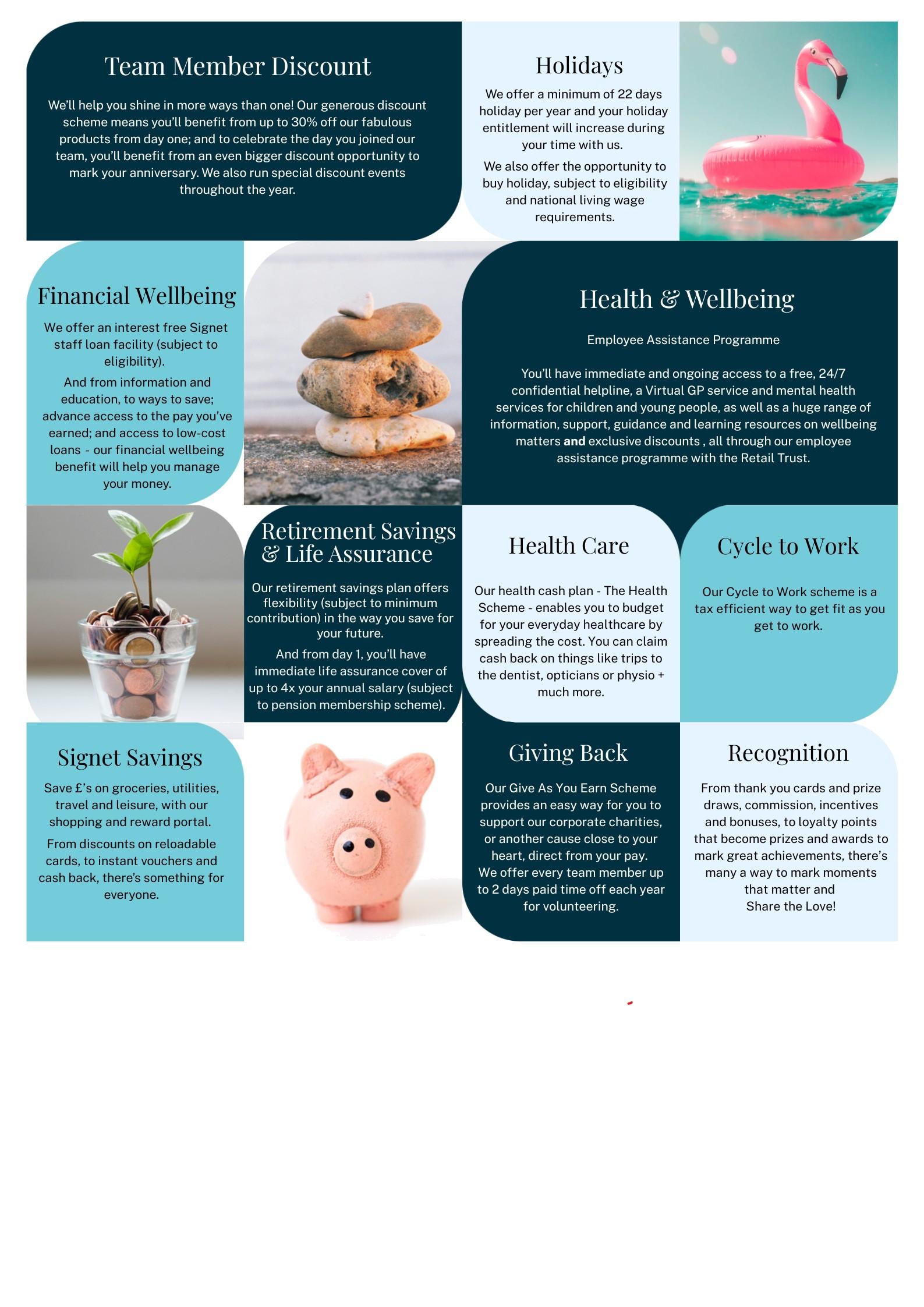
Wellbeing comes first.
Register with Retail Trust for access to wellbeing resources and support including:
24/7 confidential helpline
Virtual GP service
Children and Young Person’s mental health support
Retail and leisure discount app
We have ‘How to’ guides available to help you get set up.
Register for the Stream app for financial wellbeing support. Whether you’d like early access to pay you’ve already earned, you need to borrow, want to save or get some financial advice, the app is a one stop shop for it all.
Register for Signet Savings – if you do your grocery shop in a supermarket, you’ll save £s even if you don’t use the portal for anything else (and we’re sure you will when you see what’s on offer).
Consider joining our health cash plan – The Health Scheme – to help you spread the cost of and claim cash back on everyday healthcare.
We all need regular breaks - check your holiday entitlement, keep an eye on your balance in ESS and make sure you plan time off in advance. For eligible team members, additional holiday can be ‘bought’ at the beginning of each year. You’ll find more info on the Hub.
Whatever your age, joining a pension scheme is important - it’s a tax efficient way of saving for your future. Contact our Reward and Admin team if you have queries or want to change your contribution %

Write your thoughts below.
In my first week, I want to… (e.g., Learn who’s who in my team, understand my daily tasks)
In my first month, I want to… (e.g., Feel confident using key systems, contribute to my team’s goals)
Questions I have about my role:
Skills I’m excited to use or develop:
Take time with your manager to explore your job role, including your key responsibilities and what day-to-day success looks like. This is an opportunity to build a shared understanding of expectations and priorities.
You may wish to reflect on:
Your top three priorities for the next 30 days
What success looks like in your role
Any key systems, tools, or processes you’ll need to become familiar with
Use this time to ask questions and gain clarity. You may find it helpful to capture reflections or notes in your daily reflection journal in Section 9.
Develop an understanding of how your role fits within the wider Signet business by reviewing the organisation chart and team structures.
As part of this, consider:
How your department contributes to Signet’s overall objectives
Key teams and contacts you’ll work with regularly
How your role adds value to the customer experience
You may wish to note three key teams or roles you’re likely to interact with and how your work connects with theirs.
You will have a scheduled Check-In meeting with your line manager to:
Clarify what’s expected in your first month
Understand key deliverables or projects
Review working styles, team culture, and communication preferences
Confirm when regular Check-Ins will take place
Use this conversation to align on expectations and raise any early questions you have.
There’s space at the end of this workbook if you’d like to capture any takeaways from today. This is entirely optional and just for you.
A few quick notes or bullets is plenty.
Complete “Welcome to Signet” eLearning.
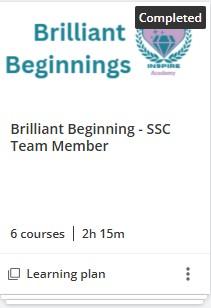
Now that your IT and system access is live, complete the “Welcome to Signet” module on Inspire Academy. You will find this and other key learning modules in your “Brilliant Beginnings” Learning Plan.
This module gives you a great overview of our company values, history, and people.
It’s designed to help you feel connected to our purpose and culture from the start of your journey.

Start Date Check In Date
Manager Buddy
Key Responsibilities:
Immediate priorities/deliverables:
Projects to be aware of:
Deadlines or milestones:
Preferred communication methods (e.g., email, Teams, in-person):
Team culture notes (ways of working, values, norms):
Manager’s working style:
Employee’s preferred working style:
Frequency of 1:1 meetings:
Preferred format(in-person/virtual):
Feedback approach (realtime, scheduled reviews, etc.):
Do you have any questions or concerns at this stage?
Is there anything that would help improve your experience?


Day 3 – 5
Compliance eLearning on Inspire Academy (IA)
Getting to know your role and tools (optional)
Warehouse tour (if applicable)
One to one meetings with key team members
L&D check in and IA guidance
First Week Check in with Manager/Buddy
As the week continues, the focus shifts to building confidence in how we work.
This section brings together essential learning, introductions, and check-ins to help you understand your role, the tools you’ll be using, and the people you’ll be working with. Some elements are optional or role-specific, so use this as a flexible guide to support your first week rather than something to rush through.
Platform: Inspire Academy is our learning portal where you’ll complete essential eLearning modules during your first week.
Modules for ALL to complete:
Code of Conduct
An introduction to Equality, Diversity & Inclusion
Sexual Harassment
Health and Safety
Employee Responsibilities
Fire Safety
GDPR
Cybersecurity
Estimated time: 45 minutes in total.
To be completed by the end of your first week.
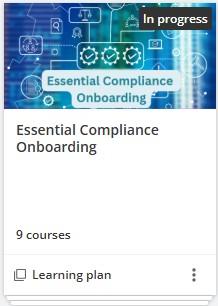


Your L&D contact or buddy can support you with navigating the Inspire Academy platform.
The Compliance Window system at Signet is designed to deliver structured, in-depth training on key compliance topics at strategic points throughout the year. Rather than concentrating all learning at onboarding, the approach ensures that employees receive ongoing, focused training when it is most relevant.
When individuals first join the business, they are provided with an introductory overview of core compliance principles. This initial training establishes a baseline understanding of expectations, policies, and regulatory requirements.
However, more detailed and topic-specific training is delivered through scheduled “compliance windows” during the year. Each window focuses on particular areas of compliance, allowing employees to build deeper knowledge over time. This phased approach helps reinforce learning, keeps compliance front of mind, and ensures that training remains timely and effective.
Overall, the system supports continuous development, promotes better retention of information, and helps ensure that all employees remain up to

You may find it helpful to use the onboarding resources you’ve received so far to explore a few practical basics, such as:
Where to log IT system issues
Who approves annual leave
The main systems or tools you’ll be using in your role
This is a good opportunity to ask questions, connect with team members, and gradually become familiar with everyday tools and processes — there’s no expectation to have everything covered straight away.
If it feels useful, you might want to pause at the end of the day and consider:
One thing you learned
Something you feel a little more confident about
Any questions you’d like to follow up on
These reflections are entirely for you and can be as brief as you like, even a single thought is enough.
Your warehouse visit is a chance to understand our wider operations and how our logistics connect to our customer promise.
Guided tour with a warehouse team member
Overview of product flow: inbound stock, storage, picking, dispatch
Introduction to warehouse technology and safety processes
You are required to remove all of your personal jewellery before entering the warehouse as part of strict security protocols
This tour will help you understand the full journey from product to customer— and how your role contributes to it.
Your tour(s) has been organised with: Contact Date & Time
Over Days 3–5, you’ll meet with key people across your team and function.
Meeting goals:
Understand each person’s role and how you’ll work together
Ask about priorities, expectations, and how success is measured
Build rapport and communication lines early
Information about Our Teams can be found here.
Use this space to note meeting takeaways:
Check-In and Inspire Academy (IA) Guidance
At the end of your first week, the Learning & Development (L&D) team will:
Check your access to Inspire Academy
Ensure you’ve completed your compliance modules
Offer help with using the platform for future learning
Introduce optional development pathways available
Need help with IA?
Contact learningandevelopmentuk@signetjewelrs.com or reach out to Retail
Assist if the issue is technical.
Employee Name Role
Start Date
Manager
Buddy
How has your first week been overall?
What has gone well so far?
What, if anything, has surprised you?
Have you had access to everything you need (IT systems, desk/equipment, logins, etc.)?
Have you been introduced to key team members and stakeholders?
How far have you got with the mandatory compliance learning on Inspire Academy?
Do you have a clear understanding of your role and expectations?
What else can I help clarify, or would you like more information about?
How much contact have you had with your buddy?
What else could your buddy to help and support you?
What questions or concerns do you have at this stage?
Is there anything that would help improve your experience?