A strong online presence is essential for businesses like [COMPANY] to thrive in today’s competitive digital landscape. A well-optimised website not only improves visibility in search engines but also ensures a seamless user experience, enabling visitors to access valuable information and engage with your services effortlessly.
This audit provides an in-depth analysis of [COMPANY’s] website, pinpointing strengths, identifying areas for improvement and offering actionable recommendations for optimisation. The focus is on aligning the site with best practices in search engine optimisation (SEO), technical performance, user experience and accessibility, all aimed at making COMPANY’s website a more powerful tool for business growth.
Objectives
The audit focuses on the following areas:
1. On-Page SEO & Search Engine Visibility to improve COMPANY’s visibility and ranking in search engine results pages by optimising meta tags, header tags, alt text and internal links.
2. Technical SEO & Core Web Vitals to maintain fast loading times and ensure overall site efficiency through improved page speed, mobile responsiveness and resolution of technical issues.
3. Content SEO to analyse current organic keyword performance and prioritise keyword research to identify high-value terms that align with user intent and COMPANY’s core offerings, ensuring optimal keyword targeting throughout the site.
4. Backlink Profile Analysis to analyse COMPANY’s existing backlink profile to assess quality, identify potential issues and strengthen off-site SEO authority.
5. Customer Journey Optimisation analysis focuses on the homepage to evaluate user flow, navigation ease and engagement opportunities. It incorporates insights from the other four areas to deliver actionable recommendations for journey optimisation and conversion improvements.
On-Page SEO & Search Engine Visibility
High Level Summary
On-Page SEO and Search Engine Visibility are foundational to website optimisation. On-Page SEO focuses on refining elements like title tags, meta descriptions, header tags and internal links to make the site both search engine-friendly and user-focused. Search Engine Visibility reflects how effectively these optimisations help COMPANY appear prominently in search engine results, increasing organic traffic and user engagement.
A well-optimised on-page structure ensures COMPANY ranks highly for relevant keywords, attracts the right audience and delivers content that resonates with both users and search engines, enhancing overall online presence.
Eddie Rayner. Email. eddie@tpg.media
On-Page SEO & Search Engine Visibility
Glossary of Terms
Title Tags
The short title of a webpage that appears in search results and at the top of the browser tab. It helps search engines understand the content of the page and influences whether users click on the link in search results.
Meta Descriptions
A summary of the page’s content that appears below the title in search results. A good meta description encourages people to click on your link by giving them a quick idea of what they can expect on the page
Header Tags (H1, H2, H3)
These are the headings used on the page, like a table of contents in a book. Header tags help organise the content and make it easier for both users and search engines to understand the main points of the page.
URL Structure
The URL is the web address of the page. A clean URL should be simple, easy to read and describe the content of the page. Short and clear URLs help both search engines and users quickly understand what the page is about.
Alt Text for Images
Alt text is a description of an image that is added behind the scenes in the code of the website. It’s shown when an image doesn’t load and helps people with visual impairments understand the content of the image. It helps search engines “see” and index the image, improving visibility. It also makes the website more accessible to people with disabilities.
Image Naming Conventions
The names of your image files should describe the image and include relevant keywords. For example, instead of IMG1234.jpg, use leadership-coaching-workshop. jpg. This helps search engines understand your content and can improve image search rankings.
Internal Linking
Internal links are links that connect one page of your website to another. Internal links help users find related content, improve navigation and help search engines crawl your site more effectively.
SERP Appearance
This is how your website looks in search engine results. This includes the title, description and whether any extras (like rich snippets) are shown.
On-Page SEO & Search Engine Visibility
Observations
Title Tags and Meta Descriptions
• Title tags and meta descriptions lack strategic keyword usage to target core business terms (e.g., “leadership coaching,” “team development”).
• Several title tags and meta descriptions exceed the recommended length, impacting their effectiveness in SERPs.
• Many pages are missing meta descriptions entirely, resulting in search engines auto-generating snippets that may not align with user intent or the page’s primary focus.
Header Tags (H1, H2)
• Inconsistent use of H1 tags across key pages, with some missing primary keywords or failing to reflect the page’s main topic.
• Supporting header tags (H2, H3) are underutilised, limiting content structure and readability.
Keyword Optimisation
• Limited focus on high-value keywords across critical on-page elements, reducing relevance for target search queries.
Images
• Significant number of images lack optimised file names or descriptive alt text, impacting SEO and accessibility.
• Several broken images identified, creating a poor user experience.
Internal Links
• Missed opportunities for internal linking between related content (e.g., blogs and service pages), which could enhance navigation and distribute page authority.
On-Page SEO & Search Engine Visibility Recommendations
Revise Title Tags and Meta Descriptions
• Ensure title tags are 50-60 characters long and include primary keywords to improve search visibility and user appeal.
• Write meta descriptions up to 160 characters, summarising the page content and using actionable language to increase click-through rates.
• Use a clear and keyword-focused H1 for the main topic and supportive H2/H3 tags for subheadings to improve readability and SEO.
Add Alt Text to Images
• Ensure all images have descriptive alt text to enhance SEO and improve accessibility for visually impaired users. Alt text helps search engines index images effectively.
Improve Image File Names
• Rename image files with descriptive, keyword-rich names (e.g., team-buildingworkshop.jpg instead of image1.jpg).
• Use hyphens to separate words and avoid generic or random file names. Consistency is crucial.
Check and Optimise URLs
• Ensure URLs are short, descriptive and keyword-friendly. Avoid long or complex URLs and use clear language that is easy for both users and search engines to understand.
Enhance Internal Linking
• Strengthen the internal linking structure by connecting related pages, such as blog posts and service pages.
• Internal links improve SEO, help search engines crawl the site more effectively and guide users to relevant content.
On-Page SEO & Search Engine Visibility
Next Steps
Since COMPANY’s website is built on WordPress and already has the Yoast SEO plugin installed, we recommend leveraging its features to streamline the optimisation process.
1. Review and Optimise Key Pages
Focus on high-value pages, including the Homepage, Services/Training pages, blog posts on high-traffic topics and Case Studies.
2. Update Title Tags and Meta Descriptions
Use Yoast’s Metadata Editor to apply optimised titles and descriptions.
3. Refine Content
Use Yoast’s “Focus Keyphrase” feature to align content with high-value keywords. Conduct keyword research to identify additional optimisation opportunities.
4. Leverage Yoast’s Analysis Tools
Refine content readability and SEO by addressing flagged issues like long sentences, passive voice and missing keywords.
5. Monitor SEO Performance
Track progress through Google Analytics and Google Search Console. Use insights to optimise underperforming pages further.
On-Page SEO & Search Engine Visibility
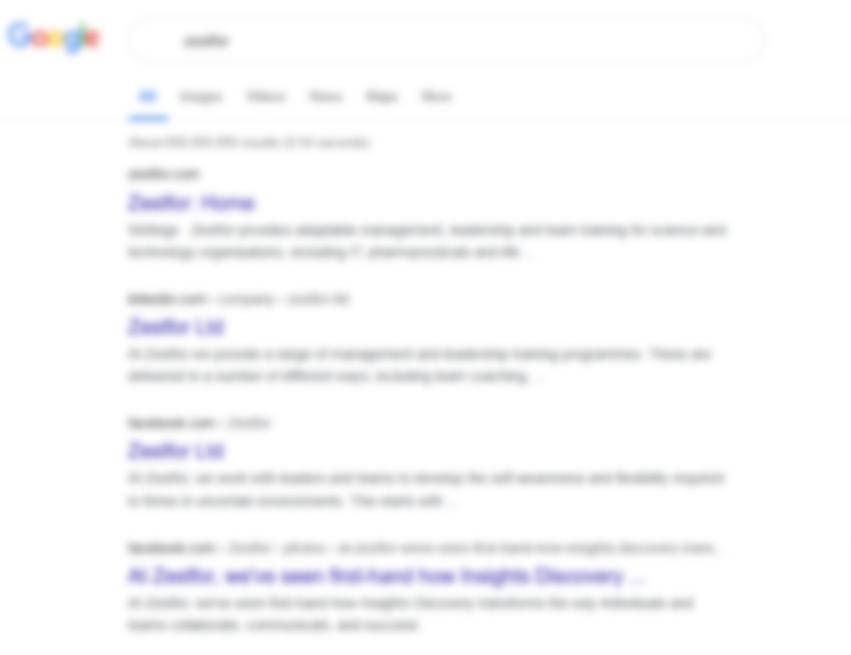
Visual Comparison of SERP Results
• Title Tag - "Home - COMPANY“
Homepage Before
• Meta Description - (None found)
• Title Tag -"Home - COMPANY“
Google auto - generated meta description
• Meta Description - (None found)
Google auto-generated meta description
Keyword Optimised: “leadership coaching”
# of searches: 5,400
Expected visits: 1, 755 for #1
Competition: Low
Homepage After
• Title Tag -"Leadership Coaching and Team Development | COMPANY “
• Meta Description – “Discover expert leadership coaching solutions at COMPANY. Empower teams and foster growth with our tailored coaching services.”
Technical
SEO & Core Web Vitals
Technical SEO & Core Web Vitals
High Level Summary
Technical SEO and Core Web Vitals are critical to ensuring COMPANY’s website delivers a seamless user experience and achieves strong search engine rankings. Core Web Vitals, which measure metrics such as page load times, interactivity and visual stability, play a central role in this optimisation.
In addition, technical factors like indexing, crawlability, redirects and encoding directly impact the site’s performance. By enabling efficient crawling and indexing, resolving technical issues such as redirects and mixed content and enhancing site speed and usability, COMPANY can significantly improve both user satisfaction and search visibility.
Eddie Rayner. Email. eddie@tpg.media
Technical SEO & Core Web Vitals
Glossary of Terms
Core Web Vitals (CWV)
A set of performance metrics introduced by Google to measure user experience on a website, including:
• Largest Contentful Paint (LCP): Measures loading performance, specifically the time it takes for the largest element visible in the viewport to load.
• First Input Delay (FID): Measures interactivity, specifically how long it takes for the site to respond to a user’s first interaction.
• Cumulative Layout Shift (CLS): Measures visual stability, specifically how much the page layout shifts during loading.
Page Speed
The time it takes for a page to load completely. Faster pages improve user satisfaction, lower bounce rates and improve SEO rankings. Performance ScoreA measure of the overall speed and responsiveness of a site, typically calculated by tools like Google PageSpeed Insights. Indexing and CrawlabilityRefers to how well search engines can access and index the pages of a website. Pages should be easily crawled and indexed by search engine bots to improve their visibility in search results.
Redirects
• 301 Redirects (Permanent): Redirects that tell search engines the page has permanently moved to a new location.
• 302 Redirects (Temporary): Redirects that tell search engines the page has temporarily moved.
• Meta Refresh: A type of redirect that is often used for automatic redirects from one page to another.
Encoding and Technical Factors
• Encoding Issues: Refers to problems where the website’s characters are not displayed correctly due to improper encoding, such as mixed content issues (e.g., a page loaded over HTTPS with insecure HTTP resources).
• W3C Errors: Errors in the code, such as HTML or CSS issues, that affect how a site is rendered and could impact user experience or search engine ranking.
• Mobile Friendliness: Ensures that the website is responsive and optimised for mobile devices, which is a crucial factor for both user experience and search engine ranking.
Technical SEO & Core Web Vitals
Key Technical Issues
Technical SEO & Core Web Vitals
Key Technical Issues (continued)
Technical SEO & Core Web Vitals
Observations
Technical Core Web Vitals
• Performance Concerns: A significant number of pages are flagged with poor performance scores, indicating slow page loading. This is particularly problematic on mobile devices, where users expect near-instant interactions.
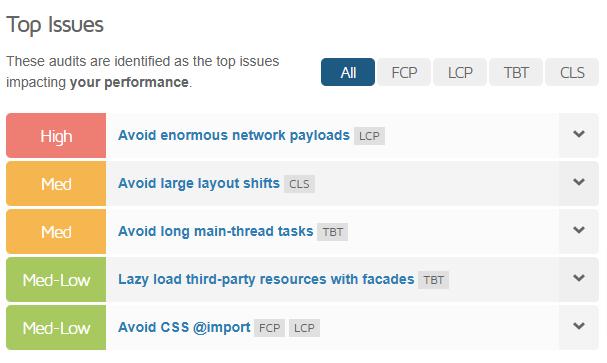
• Render-Blocking Resources*: Over 4,500 instances of render-blocking resources, such as scripts and stylesheets, were flagged. These prevent pages from displaying content quickly, increasing time-to-interactive.
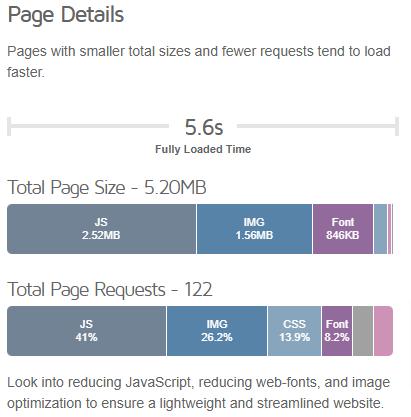
• Image Optimisation*: Many images across the site are either improperly sized or not served in next-gen formats like WebP, specifically 5,800+ flagged instances of nonoptimised images and 2,000 flagged instances of inefficiently encoded images. These issues significantly increase page load times, especially for users on slower networks.
• Heavy Network Payloads*: Nearly 10,000 flagged instances of excessive network payloads indicate a high volume of data being loaded across the site.
• Unused JavaScript and CSS*: Instances of unused JavaScript and CSS add unnecessary overhead, delaying page load times.
Indexing and Crawlability
• Blocked Resources: Over 970 resources are restricted from indexing, potentially preventing important content from being discoverable by search engines. This could negatively affect the site’s visibility for key pages.
• 404 Errors: Nearly 800 resources return 404 errors, which could frustrate users and reduce the site’s authority in search engines. Broken links also make it harder for crawlers to navigate the site effectively.
• Crawl Setup: The robots.txt file and XML sitemap are correctly implemented, which aids crawlers in accessing structured data and prioritised content.
* The figures provided reflect repeated instances of the same resource or issue across multiple pages rather than unique resources. Addressing key bottlenecks, such as optimising frequently used images or reducing redundant scripts, could resolve a significant portion of these flagged issues.
Technical SEO & Core Web Vitals
Observations (continued)
Redirects
• 301 Redirects: With 369 pages using 301 redirects, search engines are being informed of permanent moves. However, excessive redirects can introduce latency, especially if chains are involved.
• Redirect Chains: Two long redirect chains were identified, which add unnecessary steps for users and search engines to reach the intended page.
Encoding and Technical Factors
• Mobile Friendliness: The site is not mobile-friendly, which can severely impact user experience and search rankings, given Google’s mobile-first indexing policy.
• Mixed Content: A single page with mixed content still triggers browser security warnings. While this is a minor issue in scale, its presence can deter user trust.
• W3C Errors*: Nearly 800 HTML and CSS validation errors were flagged, indicating inconsistencies in coding standards that may affect rendering and cross-browser compatibility.
* The figures provided reflect repeated instances of the same resource or issue across multiple pages rather than unique resources. Addressing key bottlenecks, such as optimising frequently used images or reducing redundant scripts, could resolve a significant portion of these flagged issues.
Technical SEO & Core Web Vitals Recommendations
Core Web Vitals (CWV)
Optimise Images:
• Resize and compress large images.
• Serve images in next-gen formats like WebP.
Reduce Render-Blocking Resources:
• Defer non-critical JavaScript and CSS.
• Use asynchronous loading for essential scripts.
Minimise Network Payloads:
• Compress assets using gzip.
• Eliminate unnecessary resources and optimise existing ones.
Optimise JavaScript and CSS:
• Remove unused CSS and JavaScript.
• Consolidate and minify code for faster execution.
Indexing and Crawlability
Resolve 404 Errors:
• Identify and fix broken links.
• Redirect important pages to relevant content.
Review Blocked Resources:
• Check restricted resources to ensure critical files are accessible for indexing.
Redirects
Eliminate Long Redirect Chains:
• Simplify chains to a single redirect step to reduce load times.
Review 301 Redirects:
• Ensure permanent redirects are still relevant and necessary.
Encoding and Technical Factors
Improve Mobile Friendliness:
• Ensure responsive design across all devices.
• Use Google’s Mobile-Friendly Test for detailed insights.
Resolve Mixed Content Issues:
• Replace HTTP resources with HTTPS versions to avoid security warnings.
Fix W3C Errors:
• Validate HTML and CSS code using tools like the W3C Validator.
Technical SEO & Core Web Vitals
Next Steps
To address the identified issues and enhance the technical performance of the COMPANY website, the following free WordPress plugins are recommended:
Converter for Media (WebP)
Converts images to next-gen WebP format, significantly reducing file size.
Robin Image Optimiser
Compresses and optimises images for faster page loads without quality loss.
Hummingbird
Comprehensive performance tool offering caching, minification and performance analysis.
Redirection
Simplifies the management of redirects and 404 errors, addressing broken links and preventing redirect chains.
Yoast SEO
Manages metadata, XML sitemaps and robots.txt to ensure proper indexing and crawlability.
WP Accessibility
Improves website accessibility by addressing contrast, focus order and ARIA attributes.
Content SEO
Content SEO
High Level Summary
Content SEO involves refining COMPANY’s website content to attract, engage and retain users while improving search engine visibility. By aligning content with user intent and implementing data-driven keyword strategies, COMPANY can enhance relevance, increase engagement and improve rankings.
This process includes:
• Ranking Keywords: Analysing existing keyword rankings to identify strengths and areas for improvement.
• Keyword Analysis: Targeting high-value keywords that reflect user search intent.
• Competitor Keyword Analysis: Identifying gaps and opportunities by analysing competitors’ content and rankings.
A well-executed Content SEO approach ensures that COMPANY’s website remains competitive, visible and valuable to its audience.
Content SEO
Glossary of Terms
Keyword Research
The process of identifying and analysing terms users search for in order to optimise content for higher search engine visibility and relevance.
Long-Tail Keywords
Keyword phrases that are longer and more specific, often with lower search volume but higher conversion potential due to their focus on niche user intent.
Short-Tail Keywords
General, high-volume keywords that are often highly competitive, such as “leadership.”
Competitor Keyword Research
Examining the keywords that competitors rank for in search engines to identify gaps and opportunities for improvement.
Search Volume
The number of times a specific keyword is searched for in a given time period, typically measured monthly.
Keyword Difficulty (KD)
A metric indicating how challenging it would be to rank for a specific keyword based on competition levels and search engine rankings.
Internal Linking
Links between pages within the same website, which help guide users and improve search engine crawlability.
Content Gaps
Topics or keywords that competitors cover but COMPANY does not, representing opportunities for new or improved content.
Keyword Density
The frequency of a keyword’s appearance on a page compared to the total word count. Excessive density can lead to penalties for keyword stuffing, while low density may result in missed ranking opportunities.
Content SEO
Ranking Keywords - Top Organic Keywords (Desktop)
Content SEO
Ranking Keywords - Top Organic Keywords (Mobile)
Content SEO
Keyword Analysis
Filtered Keywords (100 – 1,000 searches)
Data gathered from mid-volume keywords with moderate competition, providing actionable opportunities for optimisation
Seed Keywords Used:
“leadership coaching”
“team development”
“leadership development for science and technology”
“team training solutions”
Content SEO
Keyword Analysis
Filtered Keywords (1,000 – 10,000 searches)
Data gathered from high-volume keywords with moderate competition, providing actionable opportunities for optimisation
Seed Keywords Used:
“leadership coaching”
“team development”
“leadership development for science and technology”
“team training solutions”
Content SEO
Competitor Keyword Analysis
Content SEO
Observations
Current Keyword Performance
• Desktop: The site ranks for 66 keywords, generating an estimated 11 monthly visits.
• Mobile: The site ranks for only 12 keywords, with 0 monthly visits reported.
Missed Opportunities with Mid- and High-Volume Keywords
• Numerous mid- and high-volume keywords related to COMPANY’s services are not being effectively targeted or optimised.
Competitor Landscape
• Competitors are also not fully optimised, leaving opportunities to outperform them by targeting valuable, untapped keywords.
Content SEO Recommendations
Improve Keyword Targeting
• Optimise pages to rank for mid- and high-volume keywords relevant to COMPANY’s services (e.g., "leadership coaching," "team development activities").
• Prioritise keywords with low competition and clear relevance to user intent.
Enhance Mobile SEO
• Improve optimisation efforts for mobile-specific rankings by ensuring mobile usability, fast page loading and mobilefocused metadata.
• Review mobile user behaviour and create mobile-friendly content tailored to search queries.
Leverage Competitor Gaps
• Identify and target keywords where competitors rank poorly or not at all.
• Create or update content to strategically fill these gaps and capture untapped traffic.
Content SEO
Next Steps
Review Keyword Audit Findings
• Evaluate the results from the keyword audit to identify:
• Keywords driving traffic and those with ranking potential.
• Mid- and high-volume keywords with low competition that can be prioritised for optimisation.
Optimise Existing Pages
• Update meta titles, descriptions and on-page content to better target valuable keywords.
• Ensure pages are mobile-optimised, focusing on metadata and usability for mobile searchers.
Leverage Competitor Insights
• Use the audit findings to benchmark COMPANY against competitors, identifying opportunities to outperform them by filling content gaps or targeting under-optimised keywords.
Track and Adjust Strategies
• Regularly monitor keyword rankings and traffic for both desktop and mobile.
• Adapt strategies based on the performance of optimised pages and newly targeted keywords.
Backlink Profile Analysis
Backlink Profile Analysis
High Level Summary
Backlinks are a cornerstone of SEO, acting as endorsements of COMPANY’s website credibility and authority. A robust backlink strategy not only improves rankings but also drives referral traffic from reputable sources.
Key components of this audit include:
• Backlink Analysis: Assessing the current backlink profile to identify strengths and weaknesses
• Competitor Insights: Analysing competitor backlinks to uncover opportunities for expanding COMPANY’s link network.
By building a strong, diverse backlink profile, COMPANY can enhance its online presence and authority, ensuring long-term success in search engine rankings.
Eddie Rayner. Email. eddie@tpg.media
Backlink Profile Analysis
Glossary of Terms
Backlink
A hyperlink from an external website that points to a page on your site. Backlinks are critical for SEO as they signal trust and authority to search engines.
Linking Domain
A unique website that contains one or more backlinks pointing to your site. A high number of referring domains indicates a diverse backlink profile.
Anchor Text
The clickable text in a hyperlink. Optimised anchor text should include relevant keywords to improve link relevance and SEO impact.
DoFollow Backlink
A backlink that passes authority ("link juice") from the referring domain to your website, helping improve search engine rankings.
NoFollow Backlink
A backlink that tells search engines not to pass authority to the linked site. While it doesn’t directly impact rankings, it can still drive traffic and improve visibility.
Link Juice
The SEO value or authority passed from one website to another via a backlink.
Domain Strength
A metric used to evaluate a website’s overall SEO potential indicating how likely it is to perform well in search engine rankings.
# of IPs
The total number of unique IP addresses hosting the websites that link back to your site. A high number of unique IPs indicates a diverse backlink profile. Backlinks coming from a wide range of IP addresses are more natural and credible than those concentrated on a single server or network.
# of C-Blocks
The number of unique C-class IP blocks hosting referring domains. Cclass refers to the first three segments of an IP address (e.g., 192.168.1.x). Similar to IP diversity, C-block diversity indicates backlinks coming from multiple unrelated networks. Links concentrated in a small number of C-blocks may signal unnatural or manipulative linkbuilding.
# of Text Backlinks
The total number of backlinks that use anchor text (clickable text) as opposed to image-based links, JavaScript links, or plain URLs.
InLink Rank
A metric that measures the authority and value of a specific page based on the quantity and quality of backlinks pointing to it.
Backlink Profile Analysis
Backlink Summary
74 backlinks
Linking Domains: 35 | IPs: 22 | C-Blocks: 21
Dofollow vs Nofollow
3.75 domain strength
Domains Linking from Homepage
/ 20 domains
Backlink Profile Analysis
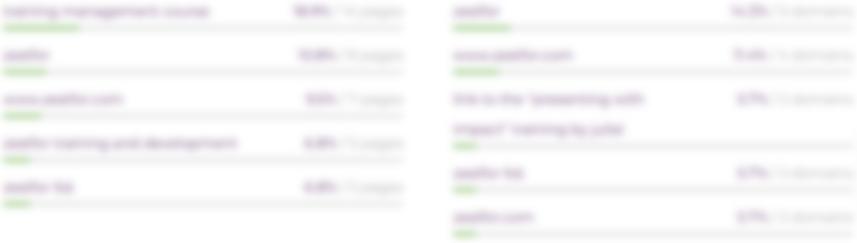
Anchor Texts Summary
Backlink Profile Analysis
Linked Pages Summary Top linked pages
Backlink Profile Analysis
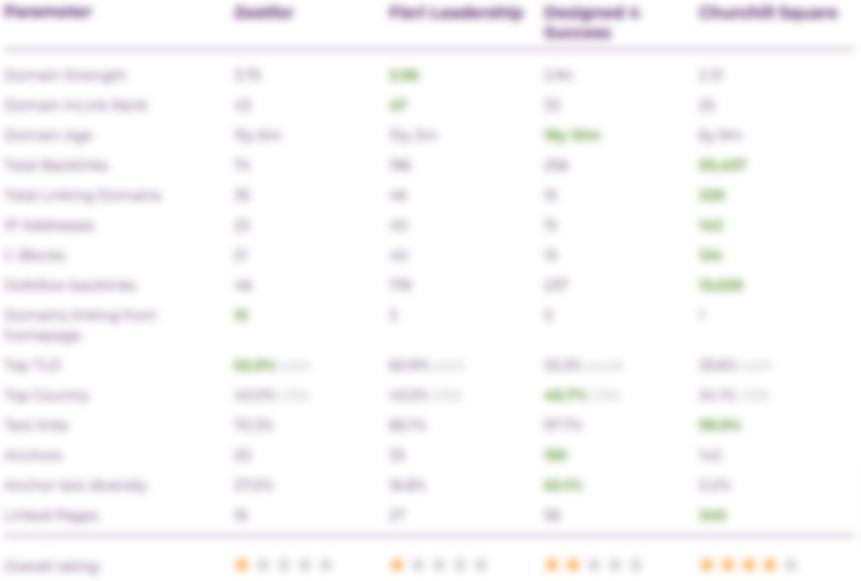
Competitor Insights
Backlink Profile Analysis
INSERT IMAGE
Backlink Profile Analysis
Observations
Current Backlink Profile
• COMPANY has a relatively low number of backlinks, with many from domains that may not provide high authority or diversity.
• Domain Strength is moderate, with room for improvement in acquiring high-quality backlinks.
Backlink Distribution
• Many backlinks are from a limited set of domains, reducing overall link diversity.
• Anchor Text usage is not fully optimised, with some backlinks lacking relevant keywords.
Competitor Comparison
• Competitors have a stronger backlink profile, with higher-quality and more diverse backlinks, which could be impacting COMPANY’s rankings.
Eddie Rayner. Email. eddie@tpg.media
Backlink Profile Analysis Recommendations
Increase High-Quality Backlinks
• Focus on acquiring backlinks from authoritative, relevant domains to increase Domain Strength.
• Explore guest posting, industry directories and media outreach to secure high-quality links.
Improve Link Diversity
• Target a broader range of referring domains and C-class IPs to reduce the reliance on a few sources.
• Aim for links from diverse industries and geographies.
Optimise Anchor Text Strategy
• Ensure anchor text is optimised for relevant keywords, while avoiding overuse of exact match anchors.
Competitor Benchmarking
• Perform a backlink gap analysis to identify valuable link-building opportunities that competitors are currently leveraging but COMPANY is not.
Backlink Profile Analysis
Next Steps
Conduct a Backlink Audit
• Use tools like Ahrefs to analyse the current backlink profile and identify any low-quality or toxic links.
• Disavow harmful links to improve domain authority.
Develop a Link-Building Strategy
• Focus on acquiring high-quality backlinks through outreach, content marketing and partnerships with reputable sites in relevant industries.
• Set goals for increasing the number of referring domains and improving link diversity.
Track and Monitor Backlink Profile
• Continuously monitor the backlink profile.
• Track improvements in Domain Strength and keyword rankings, adjusting strategies based on performance.
Eddie Rayner. Email. eddie@tpg.media
Customer Journey Optimisation Homepage
Customer Journey Optimisation
High Level Summary
The homepage plays a pivotal role in COMPANY’s customer journey, serving as the entry point for many visitors. A well-optimised homepage not only creates a positive first impression but also guides users to relevant content and actions, such as exploring services or making contact.
The following evaluation leverages extensive expertise in Customer Journey Optimisation, gained through years of A/B testing and data-driven experimentation. This experience has built a deep understanding of user behaviours, best practices and effective strategies to refine interactions and optimise site performance. By analysing the homepage's ability to facilitate navigation, engagement and conversions, the recommendations focus on enhancing layout, calls-to-action (CTAs) and content placement. The goal is to create a seamless and intuitive experience that aligns with user intent while supporting COMPANY’s business objectives.
This optimisation process should also extend to high-value pages, such as service pages, blog posts and case studies, to ensure a consistent and user-friendly experience across all core content.
Customer Journey Optimisation
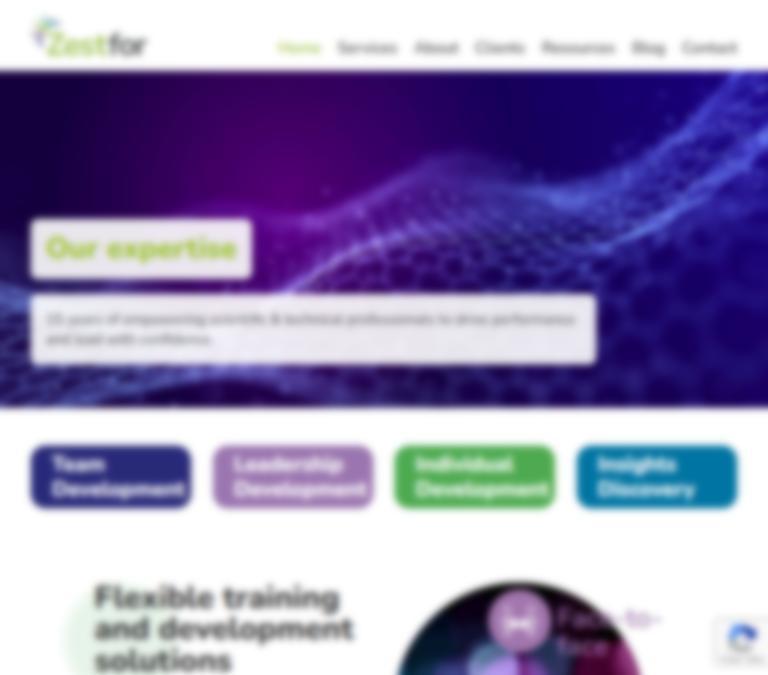
Homepage Analysis
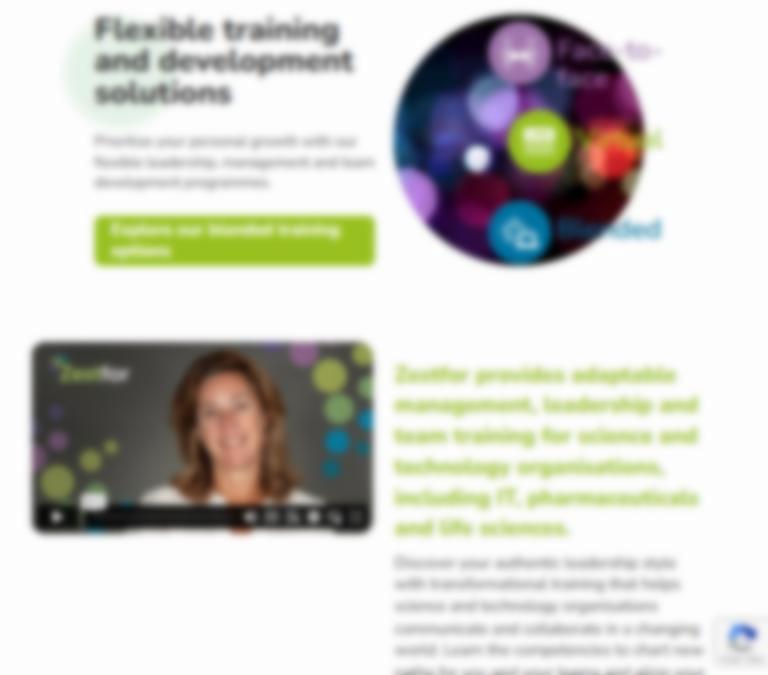
Hero Banner/Carousel
Weaknesses:
• Some carousel visuals are generic stock images that lack clear, targeted messaging.
• No actionable CTAs (e.g., "Learn More" or "Explore Our Services") are present, reducing engagement potential.
Recommendations:
• Replace stock imagery with custom visuals that highlight COMPANY’s industry focus and services (e.g., leadership workshops or team development images).
• Add concise, keyword rich, impactful text to banners that highlight key services or USPs (Unique Selling Points).
• Include prominent CTAs like "Explore Programmes" or "Read
Case Studies.“
• Ensure all visuals are web-optimised by serving them as WebP format, correctly sized and compressed to improve loading speed and performance and named with descriptive, keywordrich names.
Customer Journey Optimisation
Homepage Analysis
Aligning CTAs with Navigation
Weaknesses:
• The Services submenu items in the navigation bar consist of "Training Programmes," "Coaching Packages," "Insights Discovery Packages," and "Other Services“. The four main CTAs on the page are sub pages under "Training Programmes," which creates confusion when compared to the main menu structure.
Recommendations:
• Consider revising the CTAs to reflect the main menu structure, ensuring alignment with "Training Programmes," "Coaching Packages," "Insights Discovery Packages," and "Other Services”, OR clearly label the section with a prominent heading (e.g., use a H2 header like "Training Programmes") to distinguish the content areas. This will create a clear structure, allowing users to easily navigate the page and understand which service they are viewing, reducing confusion.
• Consider using a descriptive title and concise description for each CTA to guide users effectively, adding icons or subtle animations for engagement.
Customer Journey Optimisation
Homepage Analysis
Target Audience Clarity
Weaknesses:
• The communication of COMPANY’s niche focus may not be immediately clear to visitors due to its placement further down the page. Key messages about COMPANY’s specialised training might be overlooked, affecting the clarity of the brand's messaging.
Recommendations:
• Highlight COMPANY’s target audience early on, perhaps within the hero section or as part of the introductory content, to make sure visitors understand the niche focus right from the start.
• Use engaging visuals or headlines to reinforce the message and appeal directly to the target audience’s needs, enhancing immediate relevance.
Eddie Rayner. Email. eddie@tpg.media
Customer Journey Optimisation
Homepage Analysis
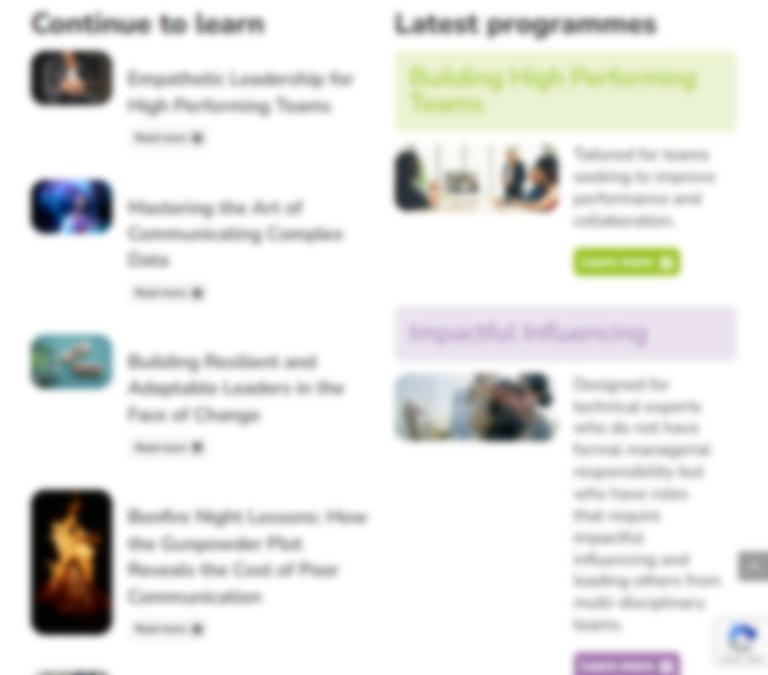
Blog Section
Weaknesses:
• Inconsistent image sizes in blog posts are disrupting visual harmony and creating a disjointed experience.
• The blog posts are only displaying the title of each post, without a brief description or publication date which makes it unclear whether the content is current or outdated.
• Limited blog visibility, with only five posts displayed, reduces user interaction with older content.
Recommendations:
• Standardise image dimensions for a cohesive and professional appearance, ensuring a uniform look across all blog posts.
• Include a brief description or teaser under each blog title to provide visitors with more context and entice them to click through to the full post.
• Display 2–3 blog posts in a slider format, with a "View All Blogs" button leading to the main blog page. This will improve content visibility and make it easier for users to explore a broader range of posts.
• Add publication dates to each blog post to provide clarity on whether the content is current.
Customer Journey Optimisation
Homepage Analysis
Content Placement
Weaknesses:
• There is an overwhelming amount of content on the homepage which makes navigation difficult, potentially leading to a cluttered user experience and causing visitors to miss key information.
• The "Latest Programmes" section, which could be of high interest to COMPANY’s target audience, is positioned too low on the page, making it less likely to attract attention.
Recommendations:
• Reorganise content to prioritise high-value sections, such as "Latest Programmes," by moving them higher on the page. This ensures that key information is easily accessible and doesn’t get buried under less important content.
• Group related content into logical sections, using headings or visual dividers to guide users through the page. This will improve the overall flow and help visitors quickly locate the content they’re most interested in.
Customer Journey Optimisation
Homepage Analysis
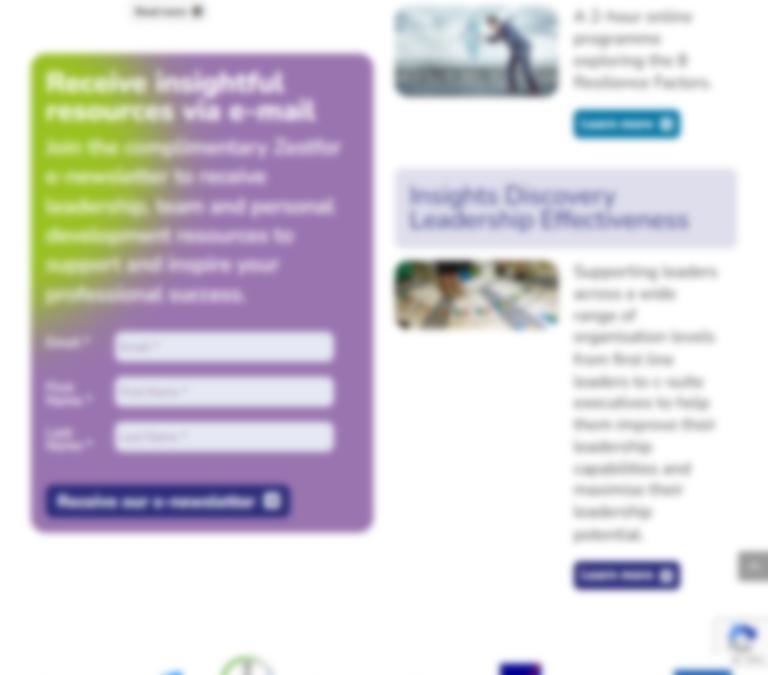
Newsletter Section
Weaknesses:
• The newsletter signup is currently placed under the blog section on the homepage, making it less prominent and potentially missed by visitors.
• It is only visible on the homepage and isn’t consistently accessible across the site, limiting its visibility and potential signups.
Recommendations:
• Move the newsletter section to the footer (above the main footer content) in the site template. This ensures it is visible on all pages, making it easily accessible to visitors regardless of the page they’re on.
• Design a clean, visually appealing call-to-action for the newsletter, with a concise message encouraging users to subscribe. This will increase the likelihood of conversions.
Eddie Rayner.
Customer Journey Optimisation
Homepage Analysis
Opportunities Missed
Weaknesses:
• There is no "Why Choose Us" type section on the homepage, which could clearly communicate the unique value propositions and help potential clients understand why they should select COMPANY’s services.
• While there are separate “Testimonials” and “Case Studies” pages, these important social proof elements are not featured on the homepage, potentially reducing their visibility and impact.
Recommendations:
• Create a "Why Choose COMPANY?" section on the homepage using engaging visuals or icons to represent the benefits and incorporate a call-to-action (CTA), such as “Learn More About Our Services,” that directs visitors to the Services page.
• Feature key Testimonials or Case Studies on the homepage, with brief quotes or highlights that demonstrate COMPANY's positive impact. This provides immediate trust signals to visitors and encourages deeper engagement.
• Include a “More Testimonials” or “View Case Studies” link to direct users to the dedicated pages for further details. This will improve visibility while also keeping the homepage clean and focused.
Customer Journey Optimisation
Homepage Analysis
"Why Footer Enhancement
Weaknesses:
• The footer section currently lacks internal links to other important sections of the website, making it harder for users to navigate to key areas, such as services, blog, or contact information once they have reached the bottom of the page.
Recommendations:
• Include internal links in the footer to essential pages like "Services," "About," "Blog," "Contact," and any other relevant sections. This will provide easy access to important content, encouraging users to explore more of the website.
Customer Journey Optimisation Recommendations
Establish a Clear Online Brand Identity
• Develop a comprehensive style guide for the website to ensure consistency and professionalism across all pages.
• Define brand colours that reflect COMPANY's adaptable and professional nature.
• Set typography guidelines, including font styles and sizes for headers, subheaders and body content, to enhance readability and visual appeal.
• Include image size and formatting standards to maintain quality, consistency and optimal loading performance.
Enhance Visual Content
• Create a curated catalogue of stock images that align with COMPANY's brand identity and resonate with the target audience. This will ensure a consistent and engaging visual experience throughout the site.
Accessibility Improvements
• Colour Contrast Testing: Ensure all text and buttons are easily readable for users with visual impairments.
• Keyboard Navigation: Test and enhance site navigation for users relying on keyboards or assistive technologies.
Streamline Website Copy
• Simplify and reduce text by writing for the web. Focus on concise, actionoriented messaging that highlights:
• Core services.
• Value propositions.
• Key calls-to-action (CTAs).
• Use scannable content with well-organised headings, bullet points and a clear structure to improve readability and user engagement.
Optimise
WordPress Theme Performance
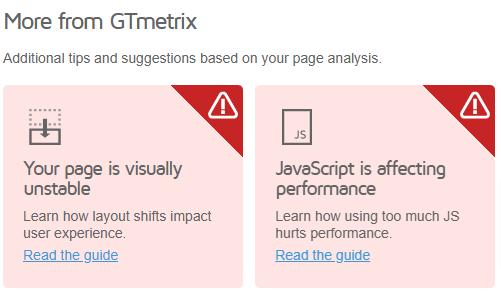
• Improve theme performance to reduce layout shifts and deliver a smooth, visually consistent experience as pages load.
Customer Journey Optimisation
Next Steps
To maximise the impact of the Customer Journey Optimisation recommendations, the following actions are prioritised:
1. Implement Homepage Optimisations
Revise CTAs, update layouts and improve content placement based on recommendations to streamline user interactions.
2. Analyse User Behaviour
Use heatmap tools (e.g., Hotjar or Crazy Egg) to observe how users engage with the homepage and identify any additional areas for improvement.
3. Monitor Key Metrics
Track metrics such as bounce rate, time-on-page and conversion rates using Google Analytics to measure progress.
4. Extend to Core Pages
Apply the learnings and optimisation strategies from the homepage to high-value pages like service pages, blog posts and case studies for a consistent user experience.
5. Review Mobile Performance
Test the homepage and core pages on multiple mobile devices to ensure a seamless, responsive experience.
Appendix
GT Metrix Report
GT Metrix Report
Performance Metrics
The following metrics are generated using Lighthouse Performance data.
First Contentful Paint
How quickly content like text or images are painted onto your page. A good user experience is 0.9s or less.
Learn more.
Time to Interactive
How long it takes for your page to become fully interactive. A good user experience is 2.5s or less. Learn more
Speed Index
How quickly the contents of your page are visibly populated. A good user experience is 1.3s or less.less. Learn more
4.7s
Total Blocking Time
How much time is blocked by scripts during your page loading process. A good user experience is 150ms or less. Learn more 1.0s
Largest Contentful Paint
How long it takes for the largest element of content (i.e., a hero image) to be painted on your page. A good user experience is 1.2s or less.
Learn more. 4.4s
Cumulative Layout Shift
How much your page's layout shifts as it loads. A good user experience is a score of 0.1 or less.
0.98
GT Metrix Report
Browser Timings
These timings are milestones reported by the browser.