
���� Onboarding Guide
Step
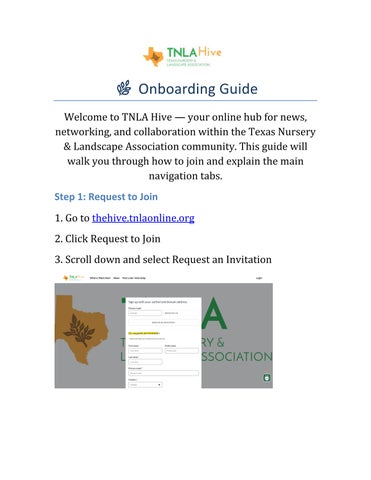
1.Go to thehive.tnlaonline.org
2.Click Request to Join
3.Scroll down and select Request an Invitation

Step 2: Activate Your Account
After your invitation is approved, you’ll receive an activation email. Click Activate your account to begin.

Step 3: Confirm & Sign In
You’ll be directed to the activation page. You can log in with LinkedIn, Facebook, Google, Apple, or your email.

Step 4: Complete Your Profile
Once logged in, update your profile so members can connect with you.

Step 5: Watch the Walkthrough Video
Foravisualtutorial,checkouttheonboardingvideos:
Desktop:https://share.vidyard.com/watch/ u7yDB9iFSjbmJJt5hKo3Bp
MobileApp:https://youtu.be/1Qsrx0D6Rck
���� Understanding the Tabs
Centralized Hub
Quick-accessdashboardwithkeyannouncements, shortcuts,andupcomingevents.
Events
ViewupcomingTNLAevents,webinars,andregional meetings.Registerdirectlyintheapp.
News
Industryupdates,TNLAannouncements,and newsletters.
Resources
Podcasts, brochures, and educational materials.
Groups
Join regional or topic-based groups. Collaborate, post updates, and access group resources.
TNLA Live Feed (Home)
Works like your Facebook-style homepage. Post updates, check in, and notify others where you are. See activity from groups you’ve joined.
Ask The Hive (Discussions)
Post questions, share knowledge, and engage in open discussions with peers across the industry.
Post a Job / Internship
Share open positions within your company.
Job Opportunities
Browse current listings and connect with employers.
TNLA Member Company Directory
Search by company, specialty, or region. Great for networking and partnerships.
���� Pro Tips for Members
• Use messaging to connect directly with peers
•Keep your profile updated for better networking
•AccessHiveanytimefromdesktopormobile browser—evenifyou’renotusingtheapp. Here:thehive.tnlaonline.org
Contact communications@tnlaonline.org for any questions or issues | www.tnlaonline.org