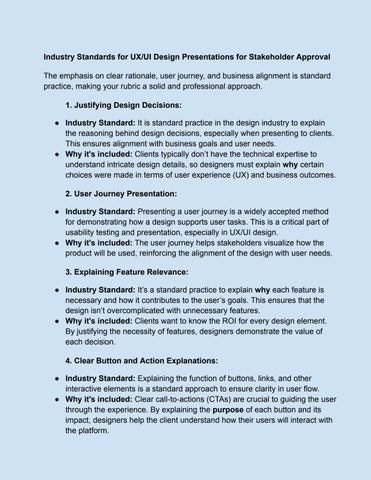
Industry Standards for UX/UI Design Presentations for Stakeholder Approval
The emphasis on clear rationale, user journey, and business alignment is standard practice, making your rubric a solid and professional approach.
1. Justifying Design Decisions:
● Industry Standard: It is standard practice in the design industry to explain the reasoning behind design decisions, especially when presenting to clients. This ensures alignment with business goals and user needs
● Why it's included: Clients typically don’t have the technical expertise to understand intricate design details, so designers must explain why certain choices were made in terms of user experience (UX) and business outcomes
2. User Journey Presentation:
● Industry Standard: Presenting a user journey is a widely accepted method for demonstrating how a design supports user tasks This is a critical part of usability testing and presentation, especially in UX/UI design.
● Why it's included: The user journey helps stakeholders visualize how the product will be used, reinforcing the alignment of the design with user needs
3. Explaining Feature Relevance:
● Industry Standard: It’s a standard practice to explain why each feature is necessary and how it contributes to the user’s goals This ensures that the design isn’t overcomplicated with unnecessary features.
● Why it's included: Clients want to know the ROI for every design element. By justifying the necessity of features, designers demonstrate the value of each decision
4. Clear Button and Action Explanations:
● Industry Standard: Explaining the function of buttons, links, and other interactive elements is a standard approach to ensure clarity in user flow.
● Why it's included: Clear call-to-actions (CTAs) are crucial to guiding the user through the experience. By explaining the purpose of each button and its impact, designers help the client understand how their users will interact with the platform.
5. Usability and Navigation:
● Industry Standard: Clear and intuitive navigation is a fundamental principle in UI/UX design Presenting and justifying navigation choices is a standard practice in design reviews.
● Why it's included: Usability and navigation ensure that users can easily find what they need on the platform It’s important to clarify why the structure has been chosen
6. Brand and Aesthetic Consistency:
● Industry Standard: Aligning the design with the client's brand is a critical component of UX/UI design. Ensuring aesthetic consistency with the brand’s identity is standard practice.
● Why it's included: Brand alignment in design reinforces the business's identity and helps with user trust Clients expect their brand to be represented consistently.
7. Feasibility of High-Fidelity Transition:
● Industry Standard: Moving from mid-fidelity to high-fidelity design is a typical process in design projects. It's standard to outline the steps needed for the transition and clarify whether the design is ready for high-fidelity development.
● Why it's included: Clients need to know that the design is feasible for the next stages of development, and this helps in reducing surprises later on.
Client-Focused Presentation:
The client-focused approach (ensuring the client understands why each decision was made) is common practice in the industry. However, its depth and level of detail can vary depending on the client’s familiarity with design processes.
● Some clients (especially those new to design) may require a more comprehensive explanation of design principles, whereas experienced stakeholders may prefer a more high-level overview.
● Your rubric is client-friendly and aims to make the design process transparent, ensuring clients feel informed and confident in their approval
Possible Adjustments for Broader Industry Fit:
1. Focus on Business Value: Often, the emphasis is placed on the design’s impact on business outcomes (conversion, engagement, etc.), so it may be helpful to emphasize how the design supports these aspects
2. Iterative Feedback Loops: Industry standards suggest incorporating feedback loops where stakeholders are encouraged to provide feedback before the final high-fidelity design Iteration is key to refining the design before development.
3. Visual Prototypes: Many teams present interactive prototypes or clickable designs for mid-fidelity presentations to make the flow and usability clearer If this isn’t already part of your process, consider including it in the future
4. Incorporate Heuristic Evaluation: While you mention heuristics, you might want to formalize the review of the design against standard usability heuristics (Nielsen’s 10 usability heuristics, for example) Clients may not always grasp these principles, but a thorough evaluation ensures design quality.
Mid-Fidelity Design Presentation Rubric
1. Design Alignment with Project Goals (10 Points)
● Explanation: Does the design align with the goals of the project and business needs?
○ Criteria for Client Evaluation:
■ Is the design clearly focused on the objectives of the platform (e g , minimizing food waste, supporting circular economy)?
■ Are the key features easy to understand in terms of their purpose?
● Rating:
☐ 0-3: Design doesn’t align with project goals
☐ 4-7: Design partially aligns with goals, some key features unclear
☐ 8-10: Design fully aligns with project goals and clearly communicates features
2. Clarity of the User Journey (10 Points)
● Explanation: Does the design effectively guide the user through their journey on the platform?
○ Criteria for Client Evaluation:
■ Are the steps the user takes to achieve their goals clear and easy to follow?
■ Is the flow from one page/feature to another intuitive and logical?
● Rating:
☐ 0-3: The user journey is unclear or confusing
☐ 4-7: The user journey is mostly clear, with some confusion or missing steps
☐ 8-10: The user journey is very clear and intuitive
3. Justification of Features (10 Points)
● Explanation: Are the features presented necessary and valuable for the users?
○ Criteria for Client Evaluation:
■ Does the design provide an explanation for each feature included?
■ Does each feature add clear value for the platform’s users or stakeholders?
● Rating:
☐ 0-3: Features appear unnecessary or poorly justified
☐ 4-7: Some features are justified, but others feel unnecessary
☐ 8-10: All features are necessary, well-explained, and add value
4. Explanation of Buttons and Actions (10 Points)
● Explanation: Are the buttons and actions clearly explained and purposeful?
○ Criteria for Client Evaluation:
■ Is each button/action explained in terms of its value and what it enables for the user?
■ Are the call-to-actions clear and compelling?
● Rating:
☐
0-3: Buttons/actions are unclear or not explained
☐
4-7: Some buttons/actions are explained, but others need more clarity
☐
8-10: All buttons/actions are well-explained and have clear value
5. Design Consistency & Visual Appeal (10 Points)
● Explanation: Is the design visually appealing and consistent with the brand or platform aesthetics?
○ Criteria for Client Evaluation:
■ Does the design follow consistent styles (e g , colors, fonts, layouts)?
■ Is the design aesthetically pleasing and aligned with the brand’s identity?
● Rating:
☐
0-3: Design is inconsistent or visually unappealing
☐ 4-7: Design is mostly consistent, but could improve in visual appeal
☐ 8-10: Design is highly consistent and visually appealing
6. Usability & Navigation (10 Points)
● Explanation: Is the design easy to navigate and use?
○ Criteria for Client Evaluation:
■ Are the main actions easily accessible and simple to use?
■ Does the navigation make it easy to find important features or information?
● Rating:
☐ 0-3: Navigation is confusing or difficult to use
☐ 4-7: Navigation is mostly intuitive, but could use improvement
☐ 8-10: Navigation is very intuitive and easy to use
7. High-Fidelity Feasibility (10 Points)
● Explanation: Is the design ready to transition into high-fidelity design or development?
○ Criteria for Client Evaluation:
■ Does the design feel complete enough to move forward to the next stage of development (high-fidelity)?
■ Are there any missing elements or major revisions needed before moving forward?
● Rating:
☐ 0-3: Design is far from ready for high-fidelity transition
☐ 4-7: Design is mostly ready, but requires some revisions before next stage
☐ 8-10: Design is fully ready for high-fidelity transition
8. Overall Understanding of the Design (10 Points)
● Explanation: Does the client understand the design, its purpose, and its value?
○ Criteria for Client Evaluation:
■ Do they feel confident in the design’s goals and how it will work for users?
■ Can they clearly articulate what each page/feature is for and how it helps their business?
● Rating:
☐ 0-3: The client has little to no understanding of the design
☐ 4-7: The client understands most parts of the design, but may have some doubts
☐ 8-10: The client fully understands the design and sees the value in every decision
Total Score (80 Points)
Total: / 80
Final Thoughts:
● What stood out positively in this presentation? (Client feedback section)
● Any areas that need improvement before moving forward? (Client feedback section)
Final Decision (Circle One):
● Approve to move to High-Fidelity Design
● Revise and resubmit for further review
Instructions for Scoring:
● Rating Scale: Rate each section from 0 to 10, with 0 being poor and 10 being excellent
● Total Points: The maximum score possible is 80 points After scoring each section, add up the points for a total score.
● Decision Making: Based on your understanding and confidence in the design, decide whether to approve the design to move forward to high-fidelity or request revisions.