Volunteer at The Storehouse Community Center Volunteer Portal Guide
Overview
We could not do this work without our dedicated volunteers. We are so excited to serve our neighbors alongside you!
Whether it is sorting or distributing food to our neighbors, or organizing our clothing closet, or taking the time to get to know our neighborsthere is a place for you to get involved here at The Storehouse.
Important Volunteer Information
Every person must have their own volunteer account. You cannot share an account with another person.
You must be registered for the shift to volunteer. Due to safety protocols and volunteer capacities, we do not allow walk-ins.
Closed-toe shoes are required for volunteer shifts.
The minimum age to volunteer is 14.
More information is included in the FAQ section.
NEW VOLUNTEERS:
Creating Your TSCC Volunteer Account
Create Your TSCC Volunteer Account
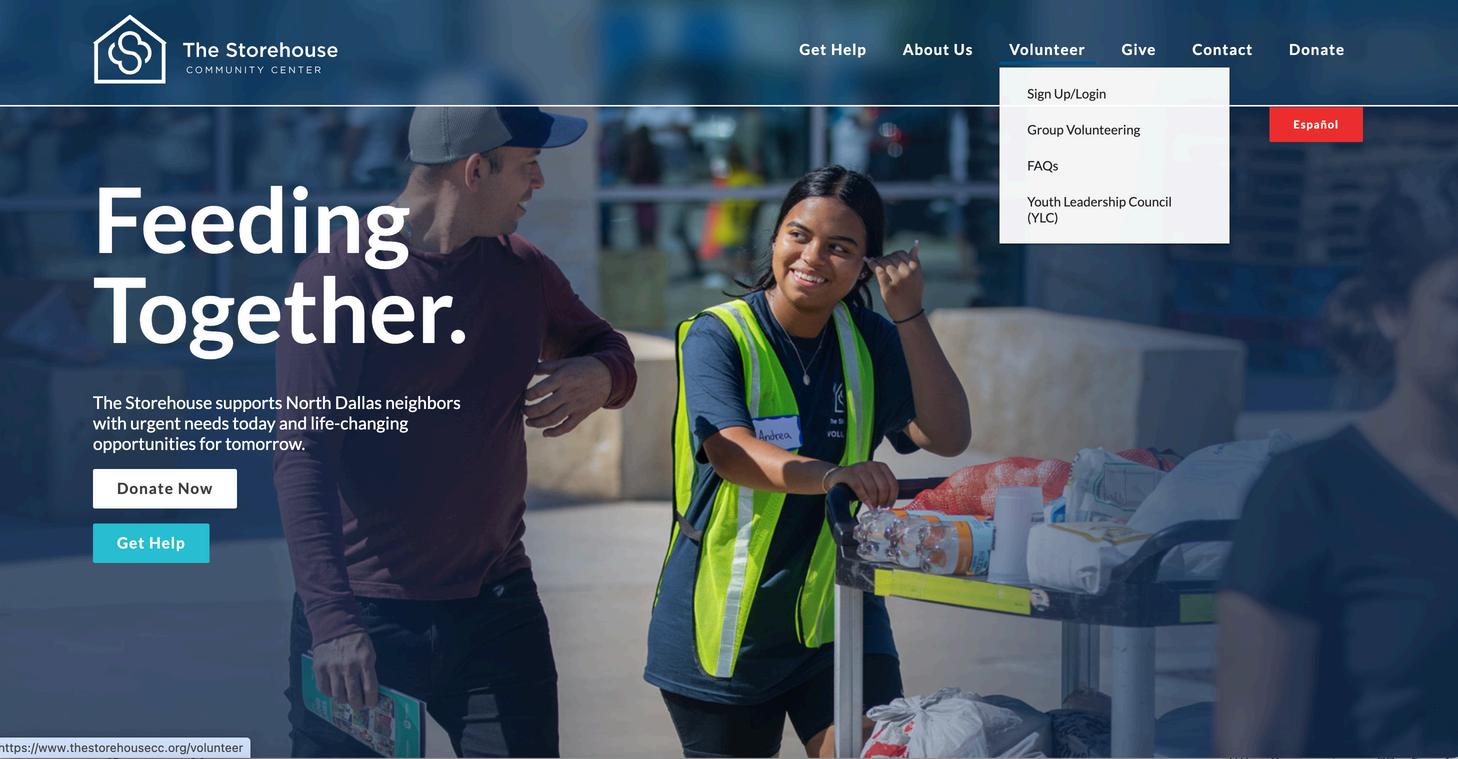
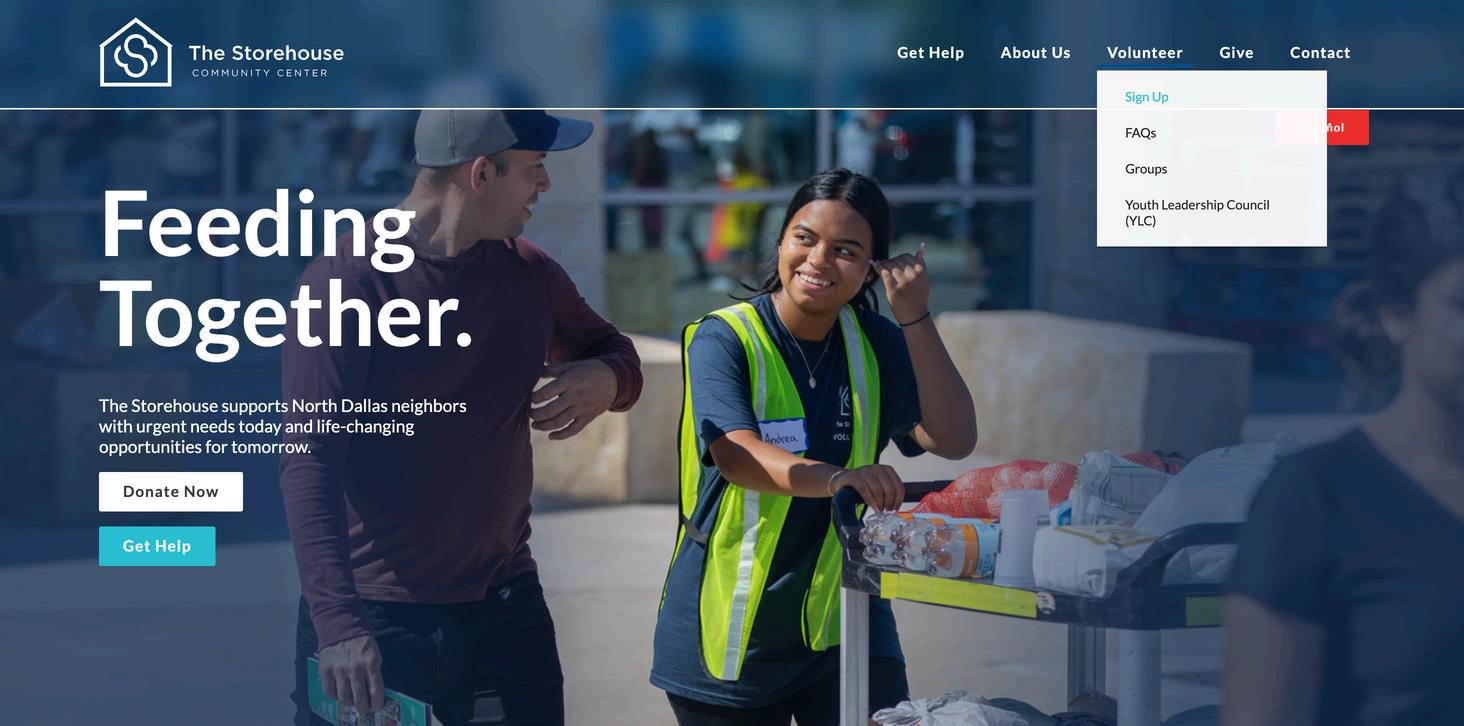
Step 1: Go to The Storehouse website (www.thestorehousecc.org)
Step 2: Hover over "Volunteer" then click on "Sign Up/Login"
Note – if you are using a mobile device, the buttons will be in the top right-hand corner.
Create Your TSCC Volunteer Account
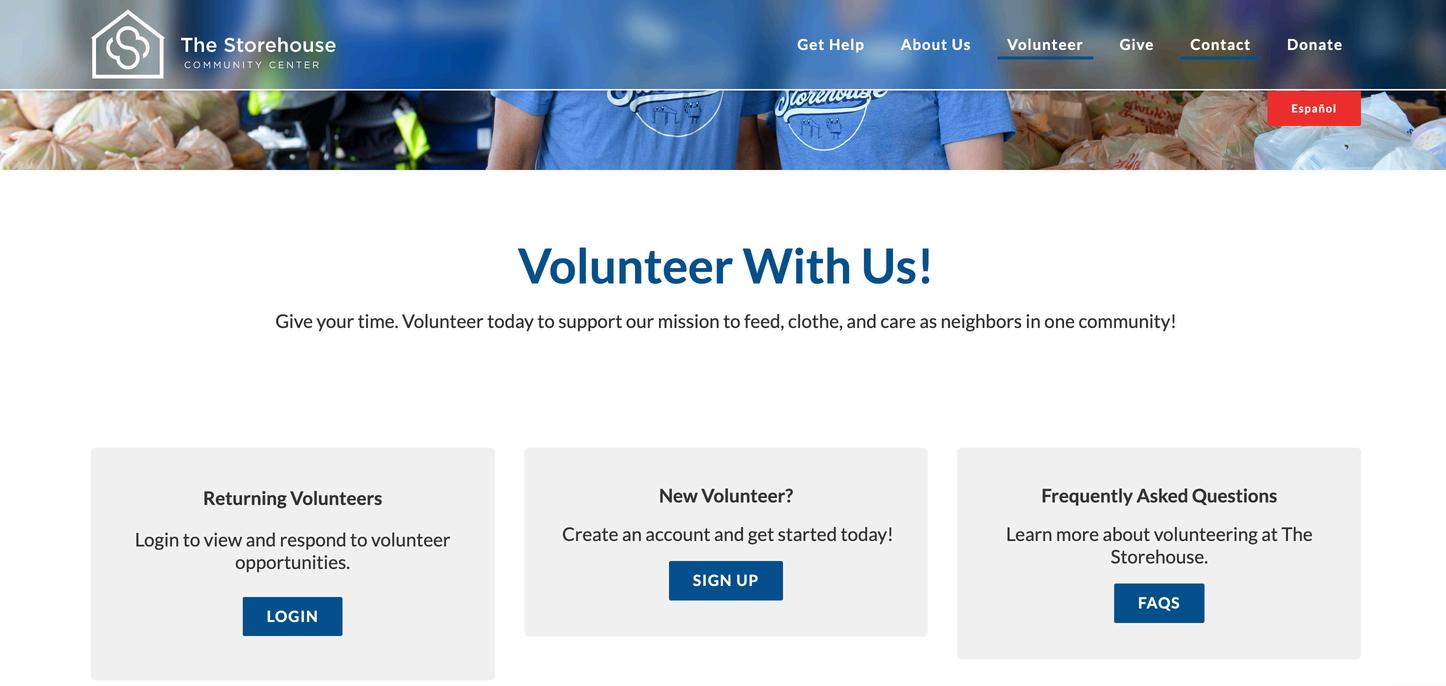
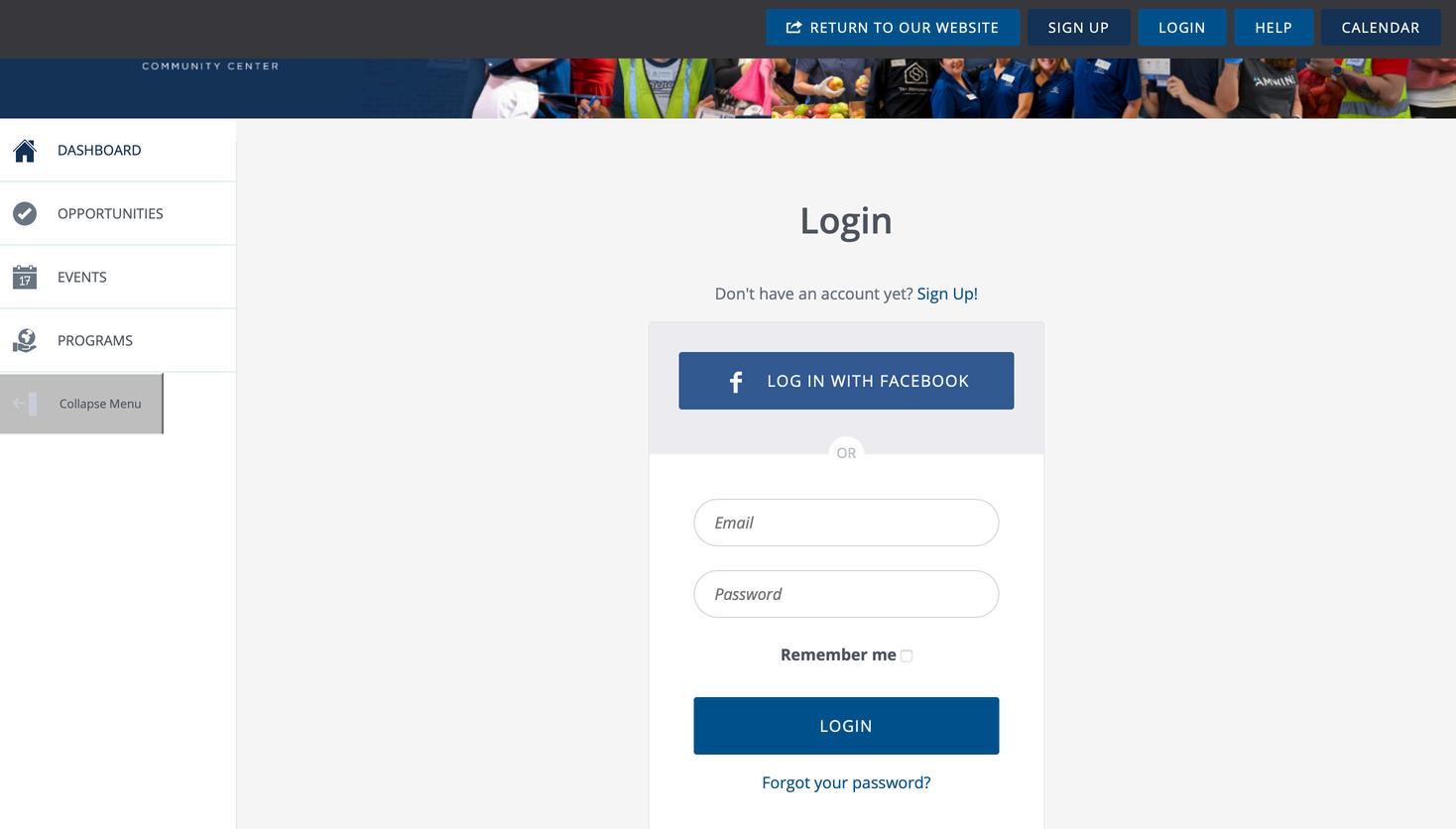
Step 3: Select the “Sign Up” button in the New Volunteer section
Note – You will come to this page and select “Login” in the Returning Volunteers section in the future to access your account.
Create Your TSCC Volunteer Account
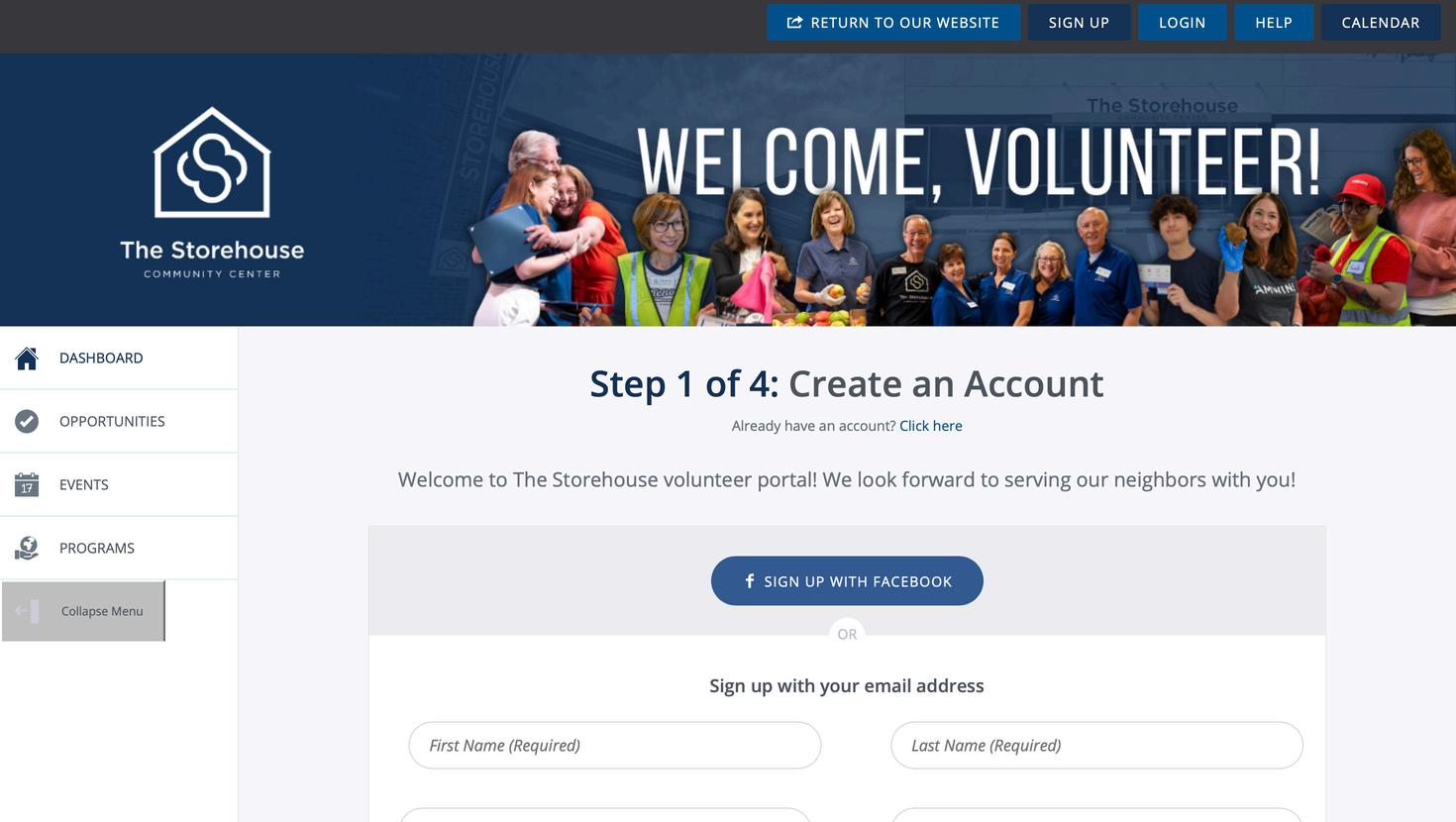
Step 4: Complete Step 1 of the Registration Process
Create Your TSCC Volunteer Account
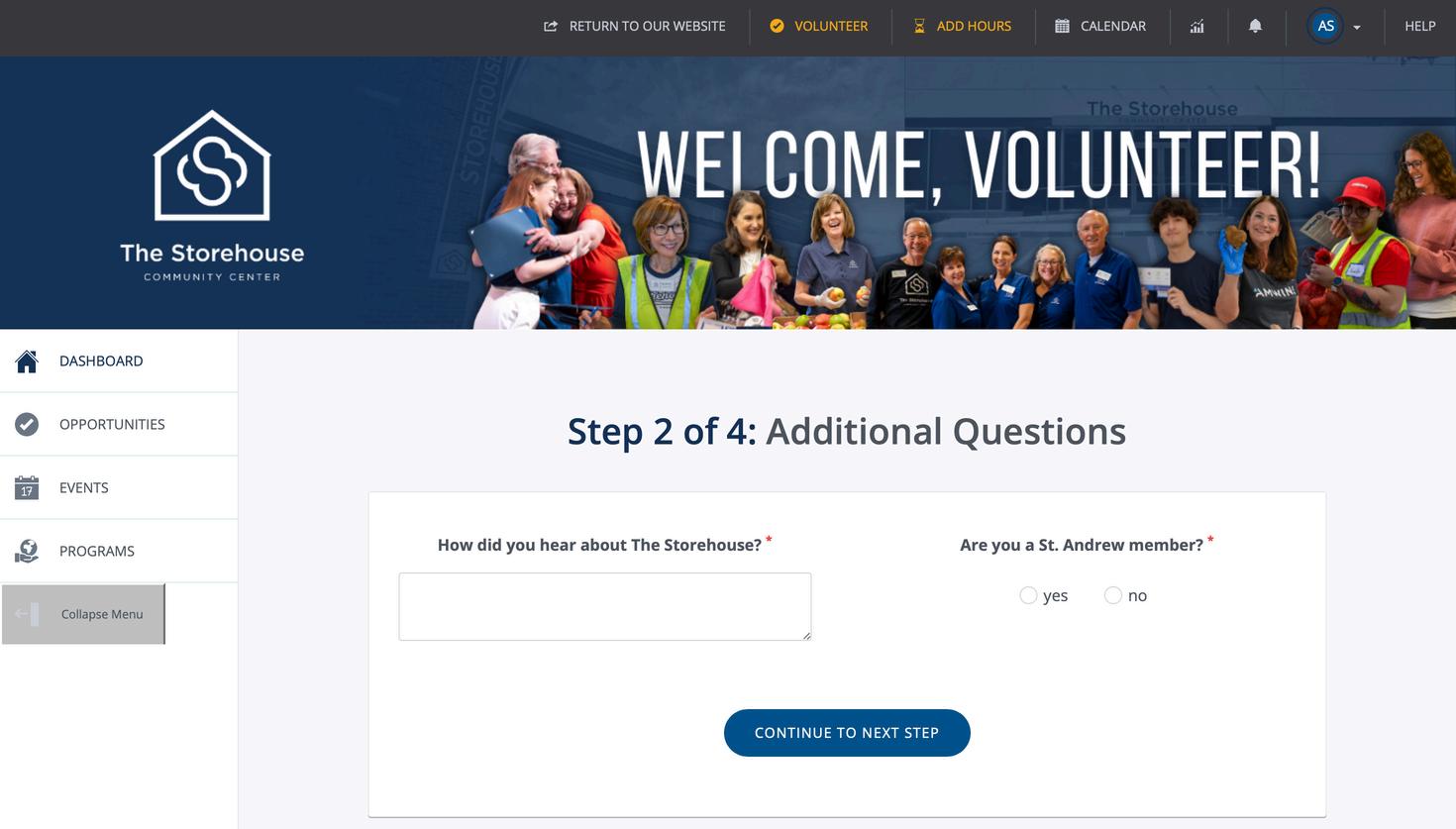
Step 5: Complete Step 2 of the Registration Process
Create Your TSCC Volunteer Account
Step 5: Complete Step 3 of the Registration Process
Create Your TSCC Volunteer Account
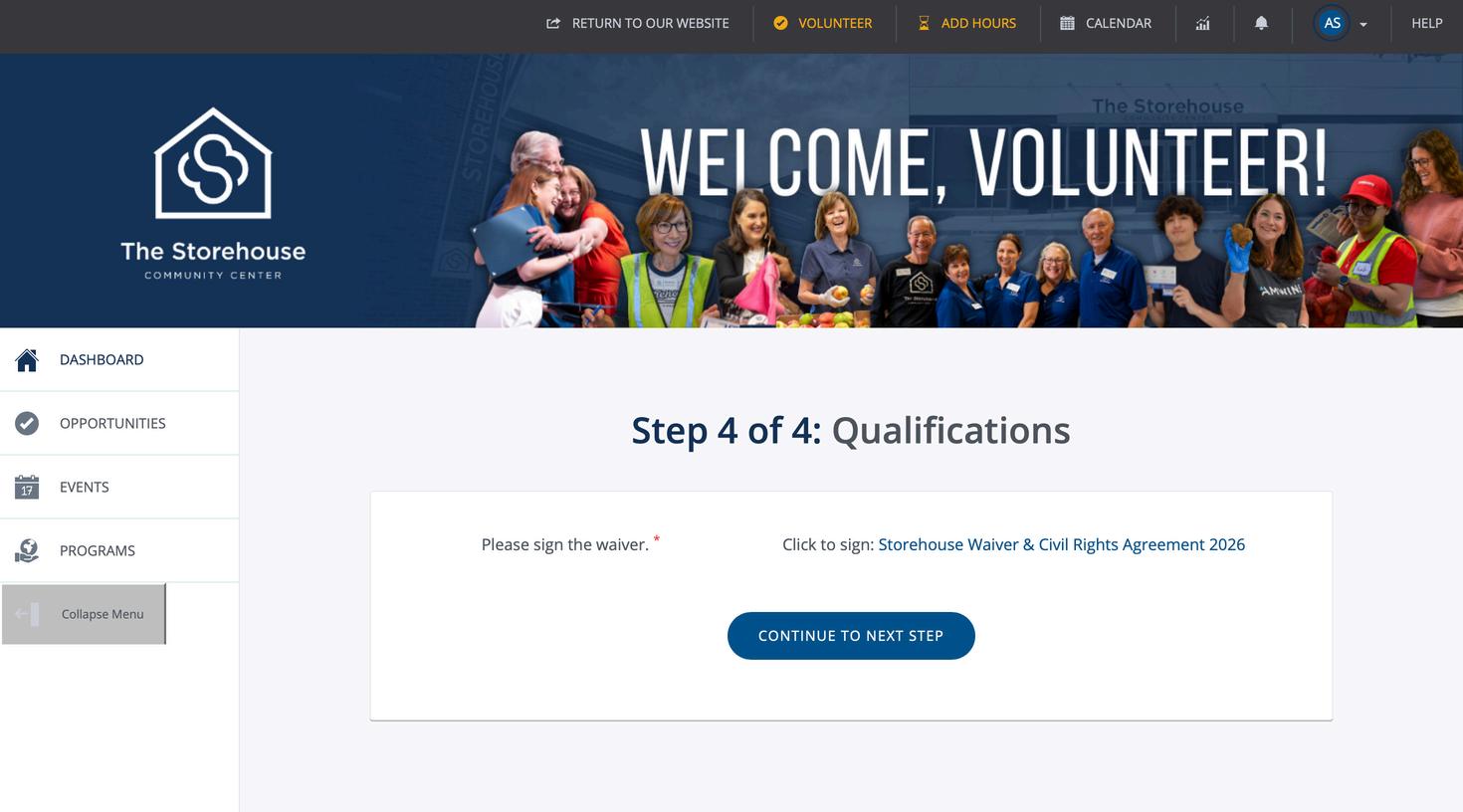
Step 6: Complete Step 4 of the Registration Process. The waiver will appear in a pop-up window.
Note – if you are under the age of 18, it will ask for a guardian’s email address. Your guardian will receive an email to complete a waiver. The guardian does not need an account to complete the guardian portion of the waiver.
Create Your TSCC Volunteer Account
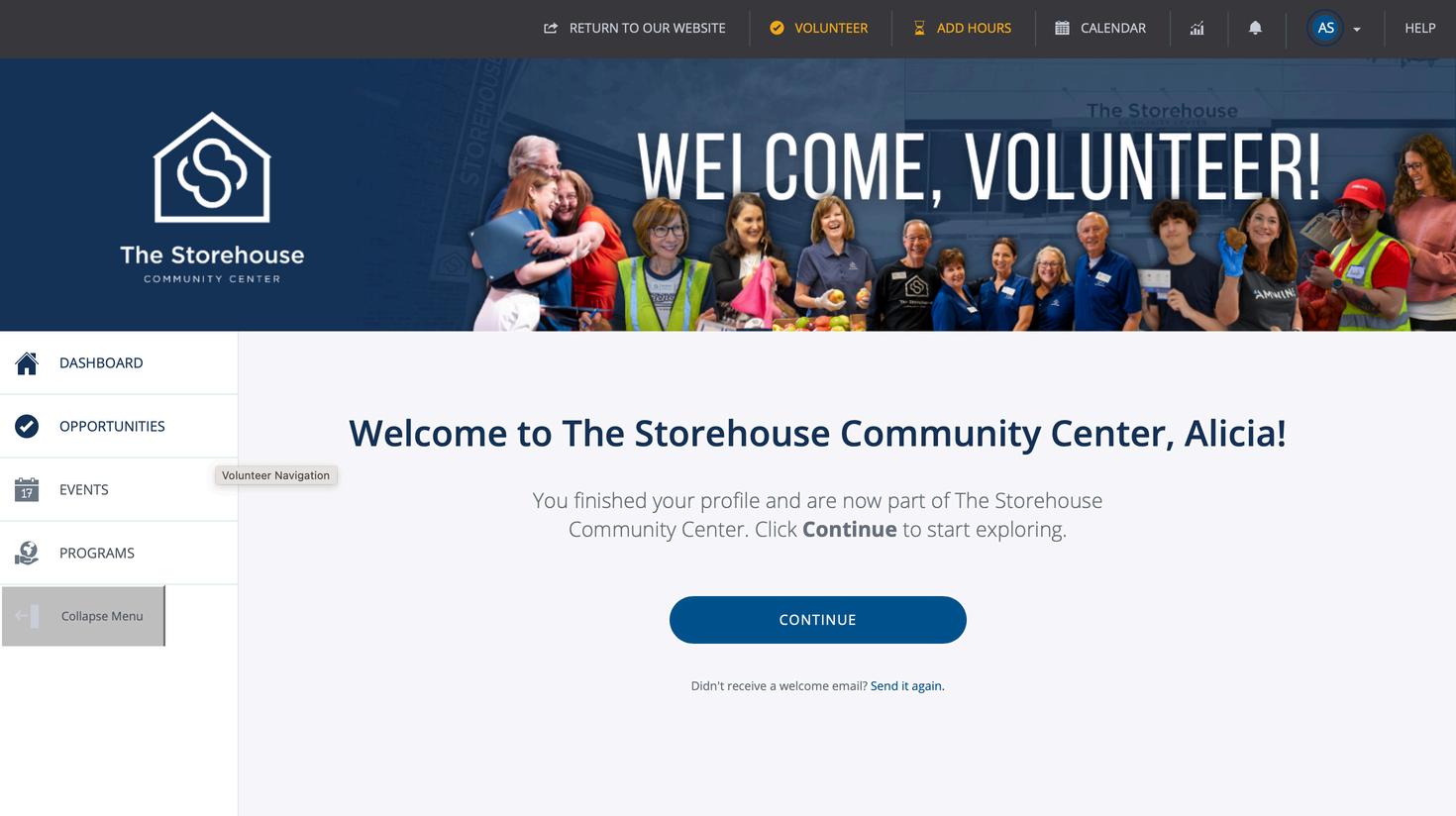
You will now see this screen. You are almost done! There are just a few more steps before you can register for a shift.
Press “Continue” to proceed to the next screen.
Create Your TSCC Volunteer Account
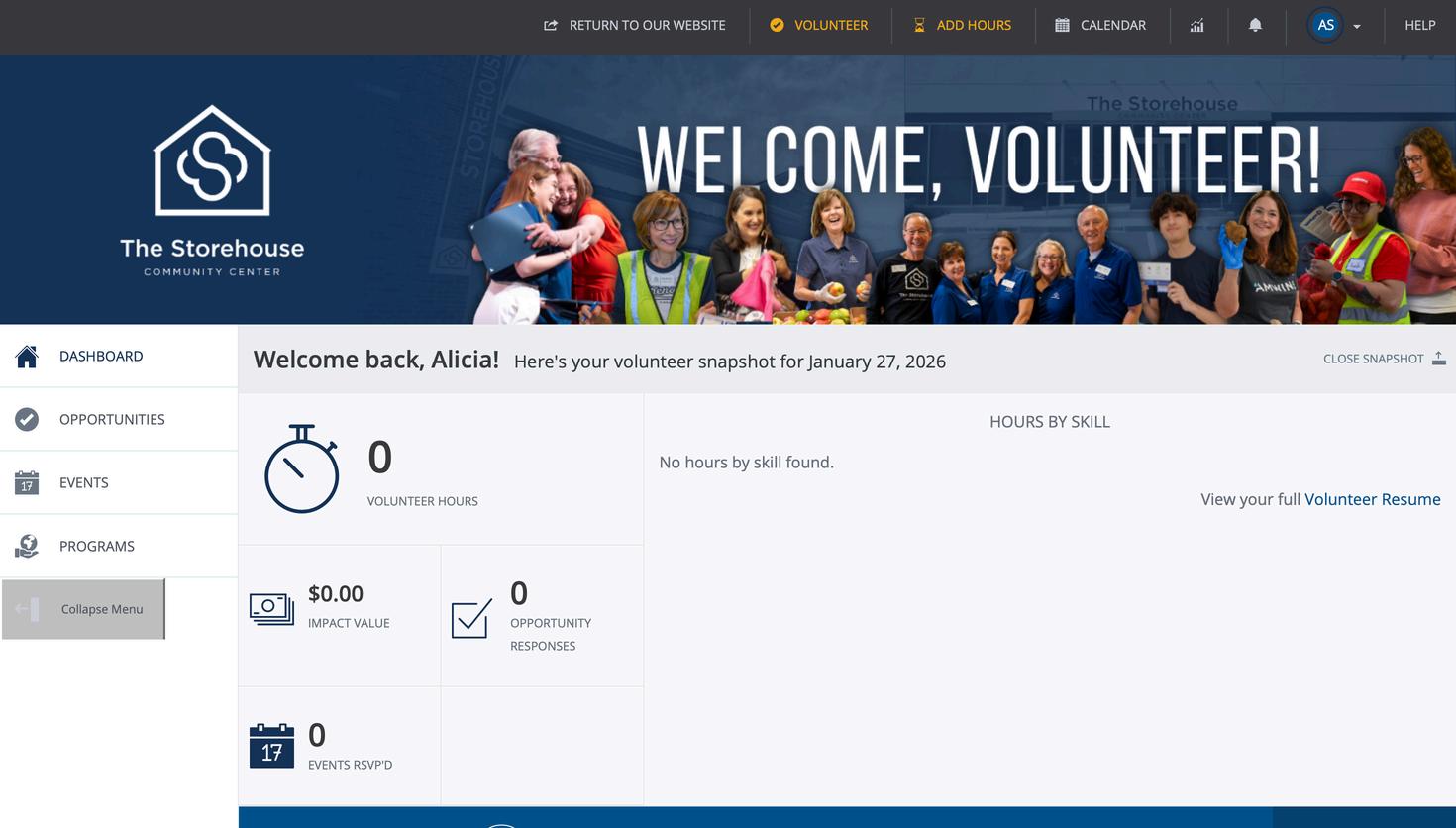
This is your Volunteer Portal Homepage. Follow these steps to finish registering the account.
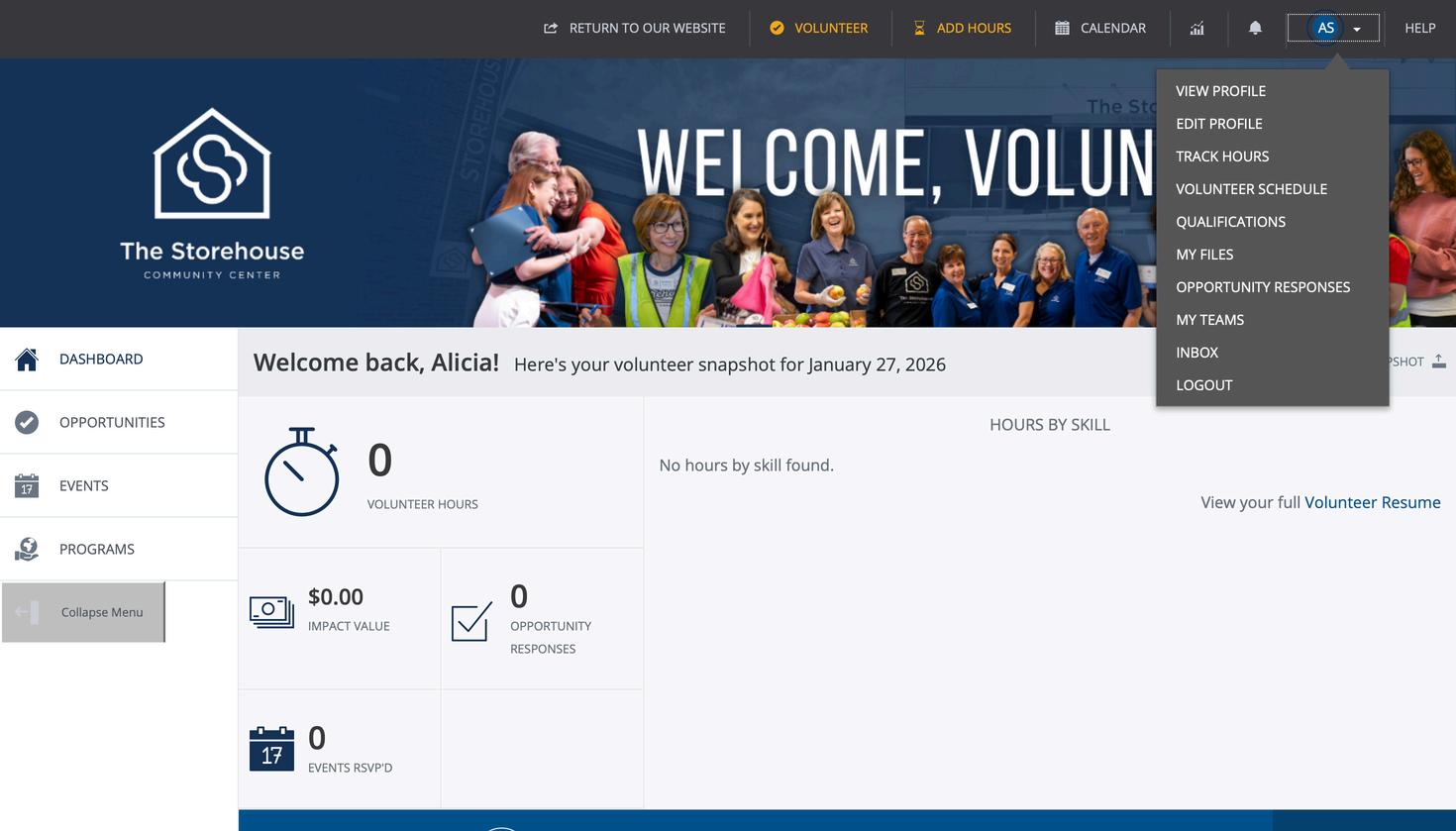
Step 7: Click the drop-down arrow in the top right-hand corner of the screen
Create Your TSCC Volunteer Account
Step 8: Select “Qualifications” from the drop-down menu
Congratulations! You are now a registered volunteer with The Storehouse!!
We look forward to feeding, clothing, and caring for our neighbors with you.
The rest of this guide will show you how to register for a shift and other important information that you can find on your portal.
Volunteer Portal Homepage
TSCC Volunteer Portal Homepage
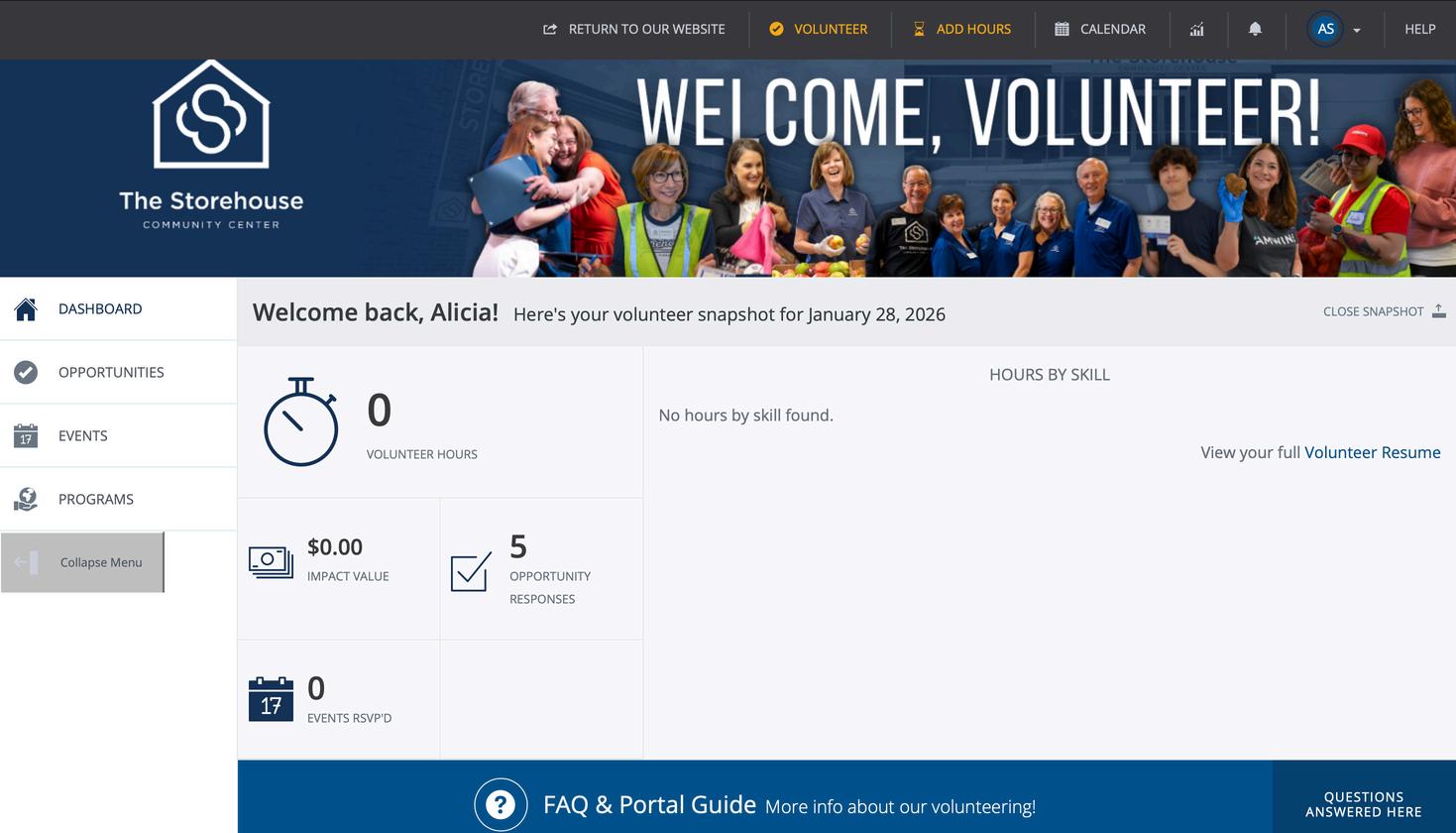
This is the homepage of your volunteer portal.
1.View and sign up for available opportunities
2.The number of volunteer hours you have completed
3.Click in this box to views the shifts you have registered for in a list view
4.Click the “Volunteer Resume” to print a log of all your hours
5.Click the drop-down arrow in the top right-hand corner to view menu to complete tasks such as updating information, managing your teams, view messages, and more.
TSCC Volunteer Portal Homepage
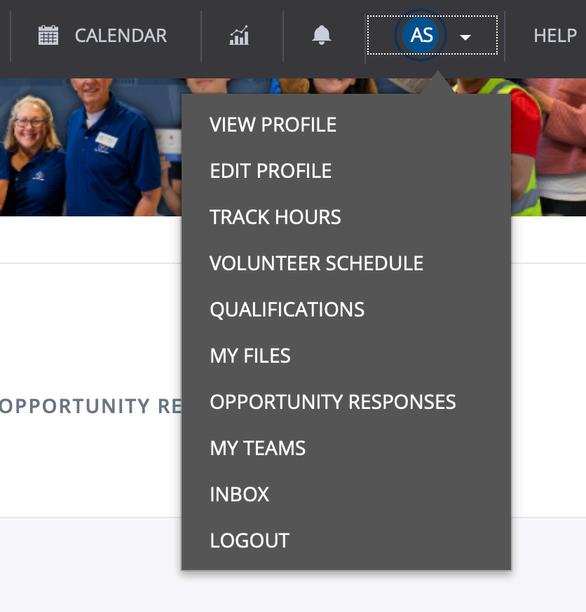
The drop-down menu:
1.Edit your contact information and change your password.
2.View the shifts you’ve registered for in a calendar view
3.View the shifts you’ve registered for in a list view
4.Manage your team(s)
5.View messages from TSCC and Galaxy
If you upload a profile picture, your picture will replace your initials.
Registering for a Shift
Registering for a Shift
If you are already logged in to your account, skip to Step 7.
Step 1: Go to the The Storehouse website (www.thestorehousecc.org)
Step 2: Hover over "Volunteer" then click on "Sign Up"
If you were given a link to join a team, use the link to register for the shift.
Registering for a Shift
Step 3: At the top of the page, select the “Sign In” button.
Registering for a Shift
Step 4: Enter your username (your email address) and password, then press login.
Registering for a Shift
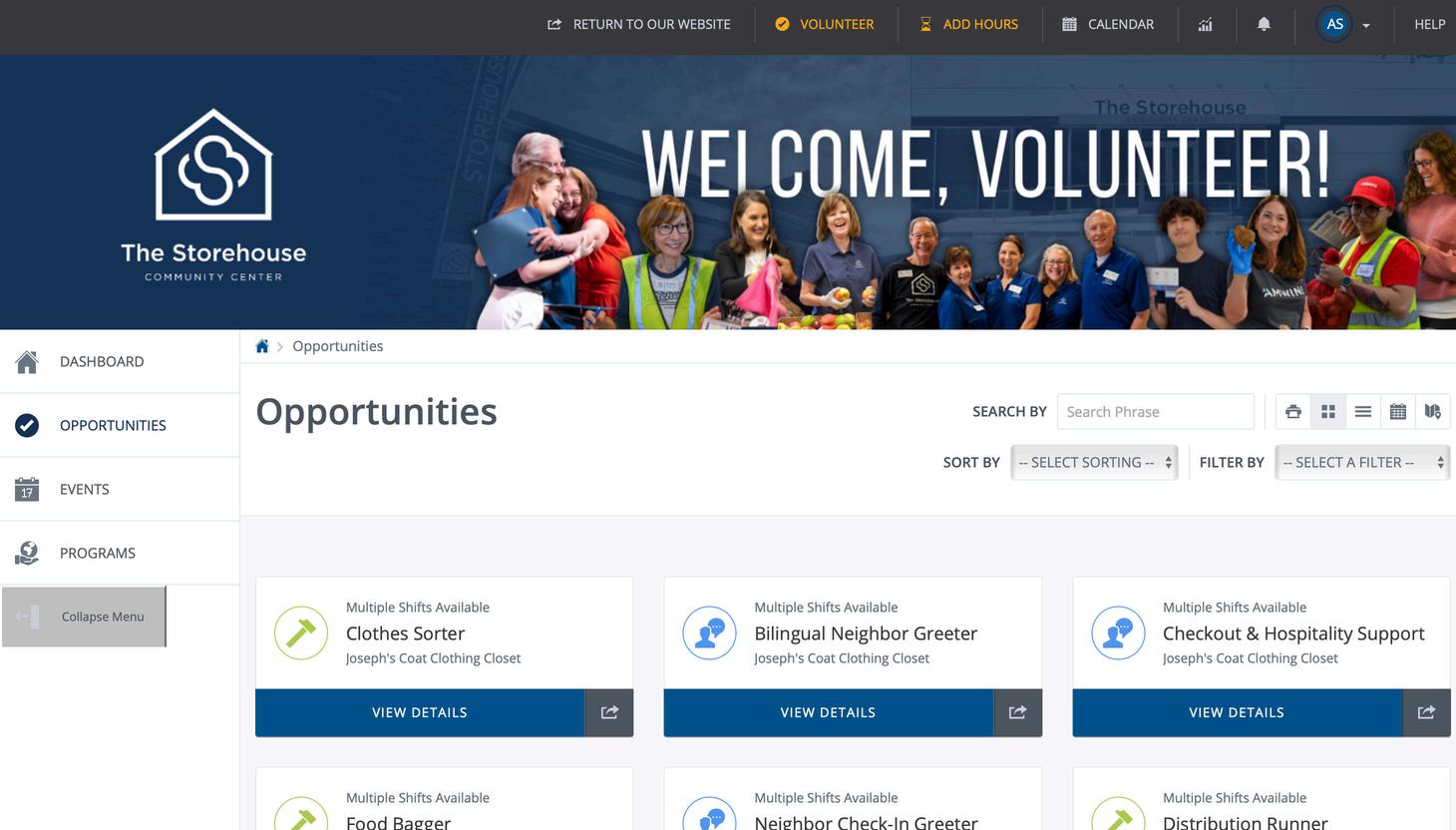
Step 5: Select “Opportunities” from the menu
Registering for a Shift
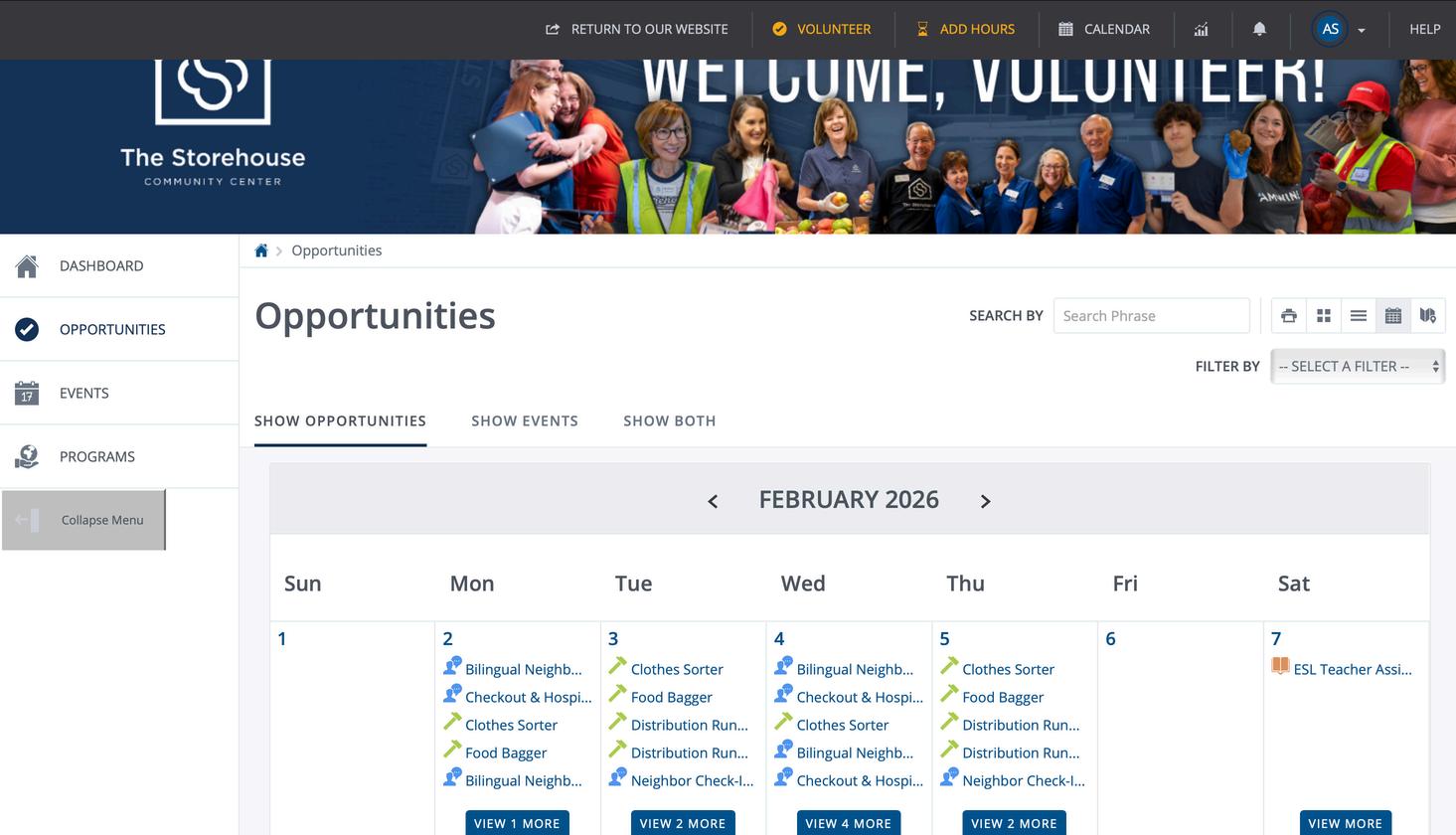
Opportunities Page
This page shows all available opportunities within the TSCC. You can change from grid view to calendar or list view here.
Registering for a Shift
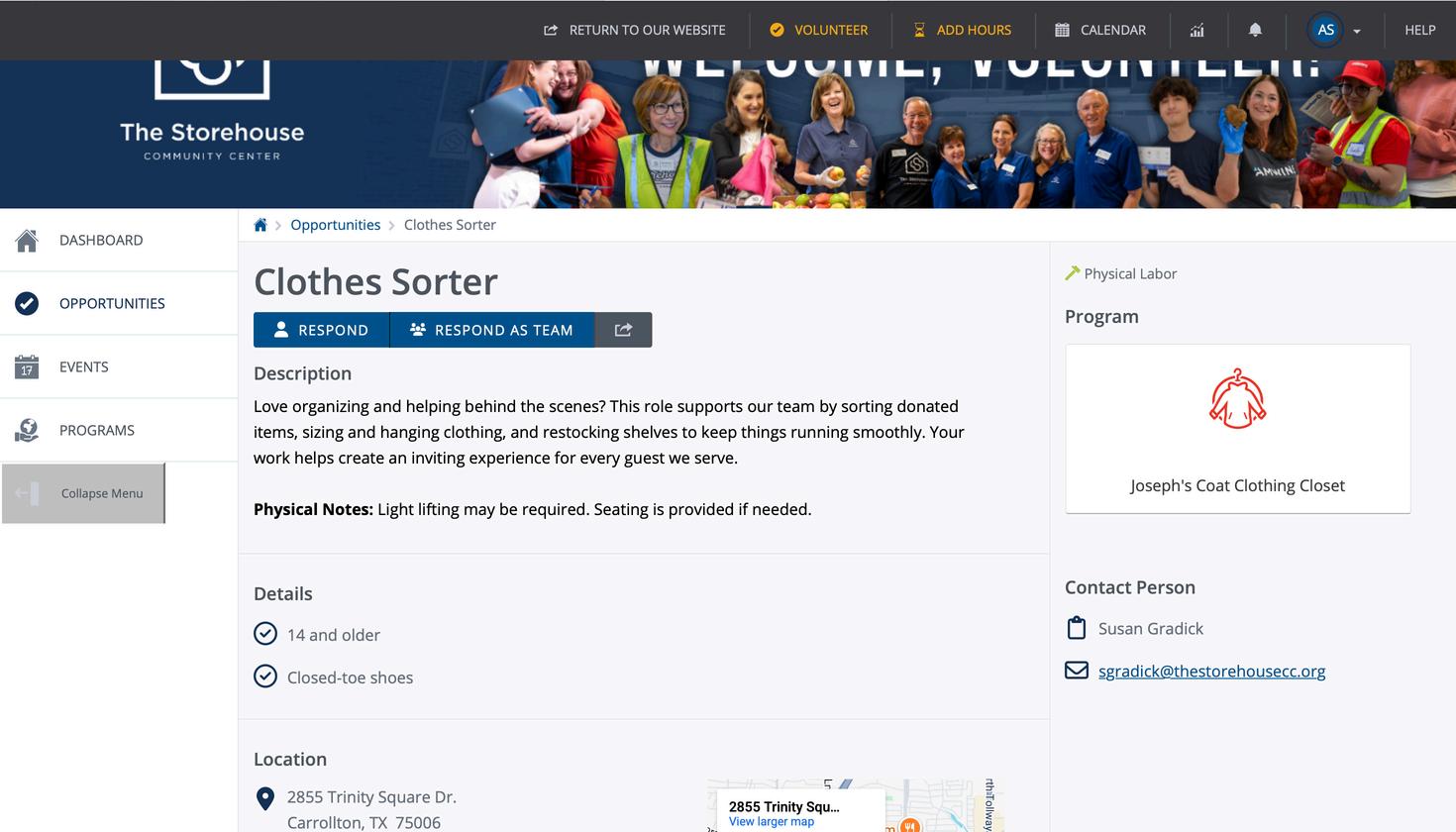
Step 6: Select an opportunity you would like to volunteer for. You click the blue letters as shown here in the box.
Registering for a Shift
Step 7: Respond as an individual or as a team.
Note – Responding as a team means you can reserve multiple spots at one time.
Registering for a Shift
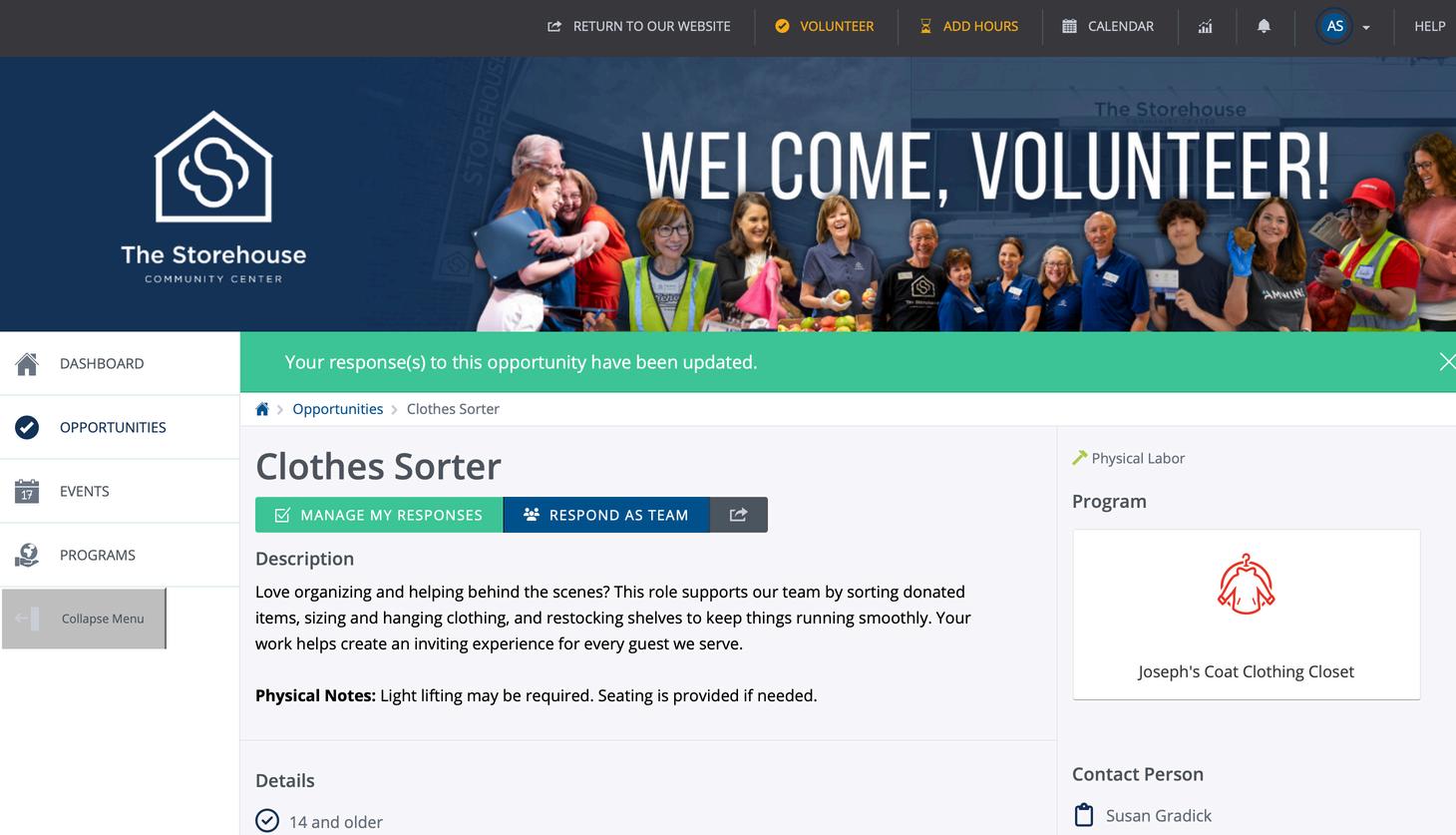
You have successfully registered when the blue box turns green or you see the “Your response(s) to this opportunity have been updated” message.
Canceling a Shift
Canceling a Shift
If you cannot attend a volunteer opportunity that you registered for, please cancel your shift by following the following steps.
Step 1: Log into your account at https://www.thestorehousecc.org /volunteer by entering your email address and password then clicking “Login”.
Canceling a Shift
Step 2: Click on “Opportunity Responses”.
Canceling a Shift
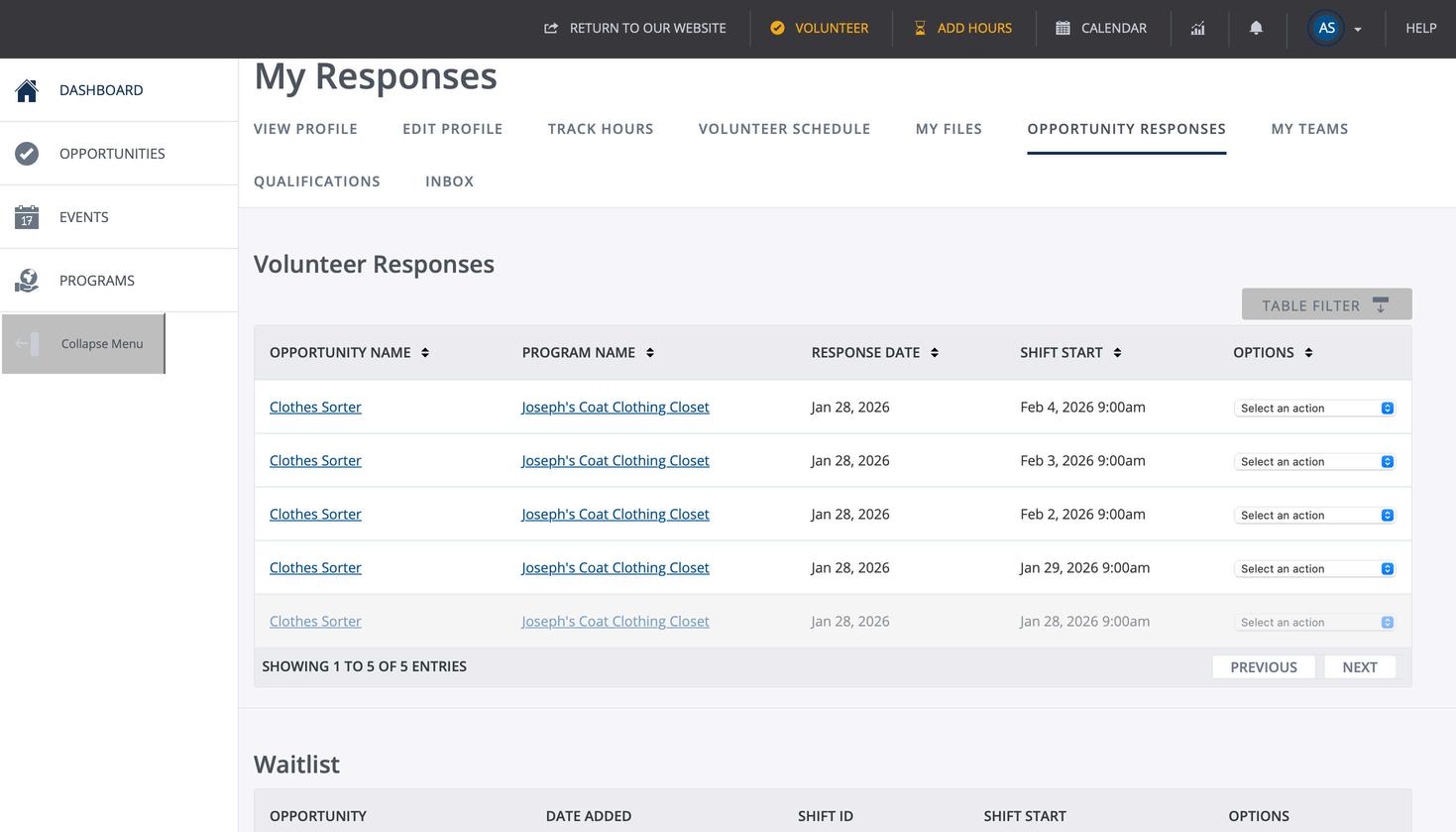
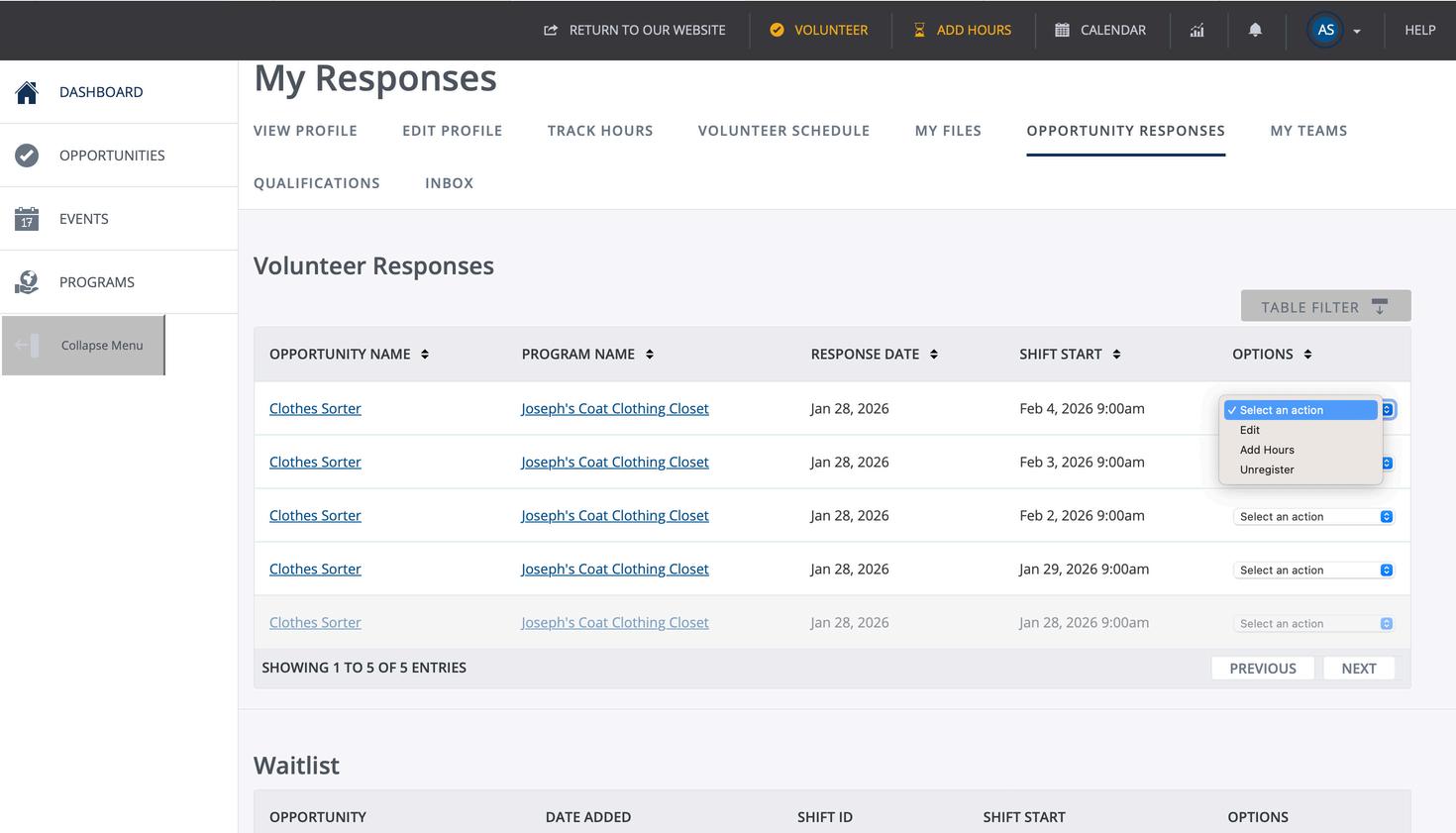
Step 3: This screen shows all your volunteer responses; responses that have already happened will be grayed out. Find the shift in the list that you want to cancel. Select the drop-down arrow on the same row as the shift you want to cancel.
Canceling a Shift
Step 4: Once you’ve selected the drop-down arrow, a menu will appear. Click “Unregister” from the list; it is the last item on the list.
Canceling a Shift
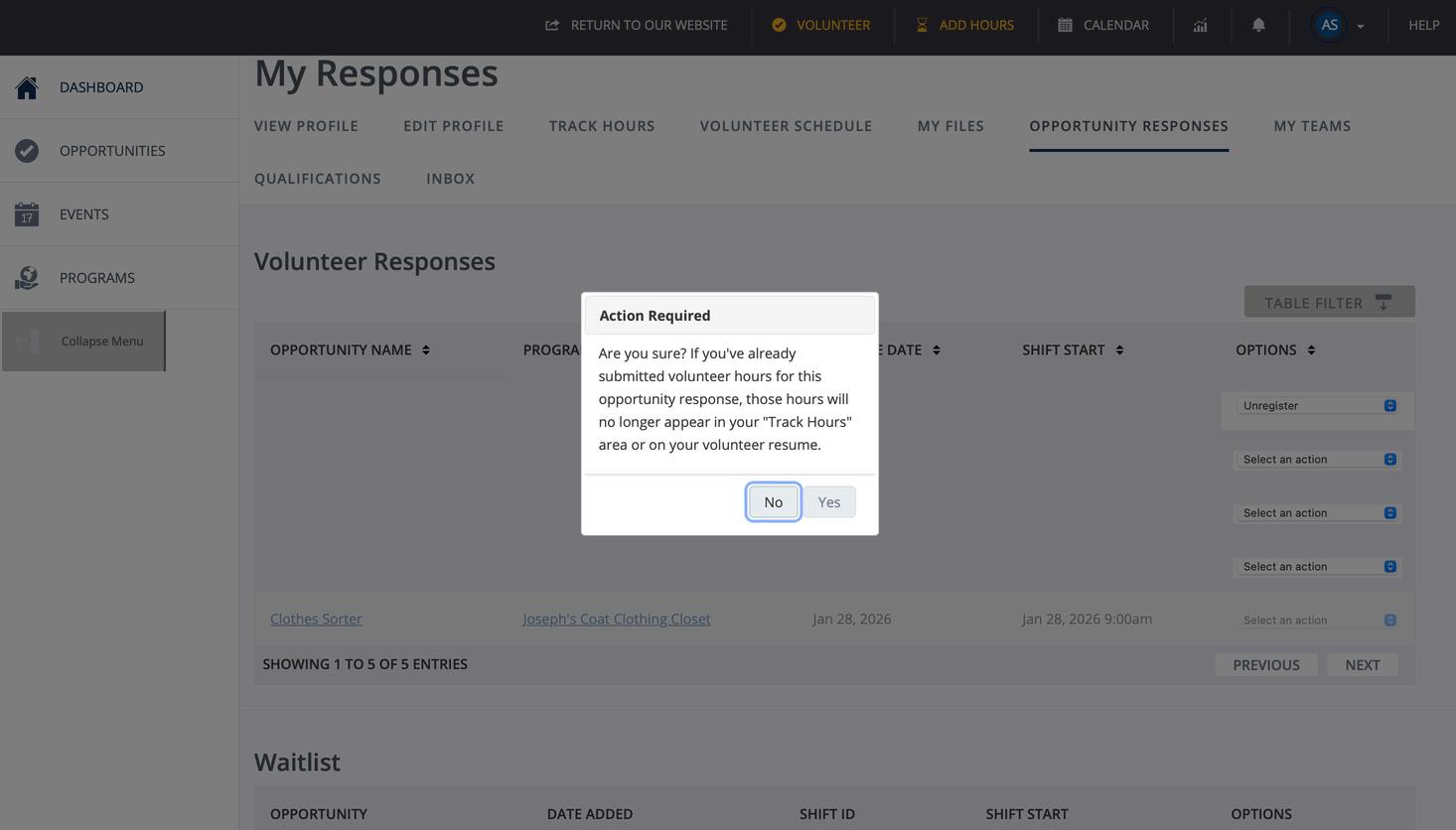
Step 5: If you are sure you want to cancel the shift, select “Yes”.
Canceling a Shift
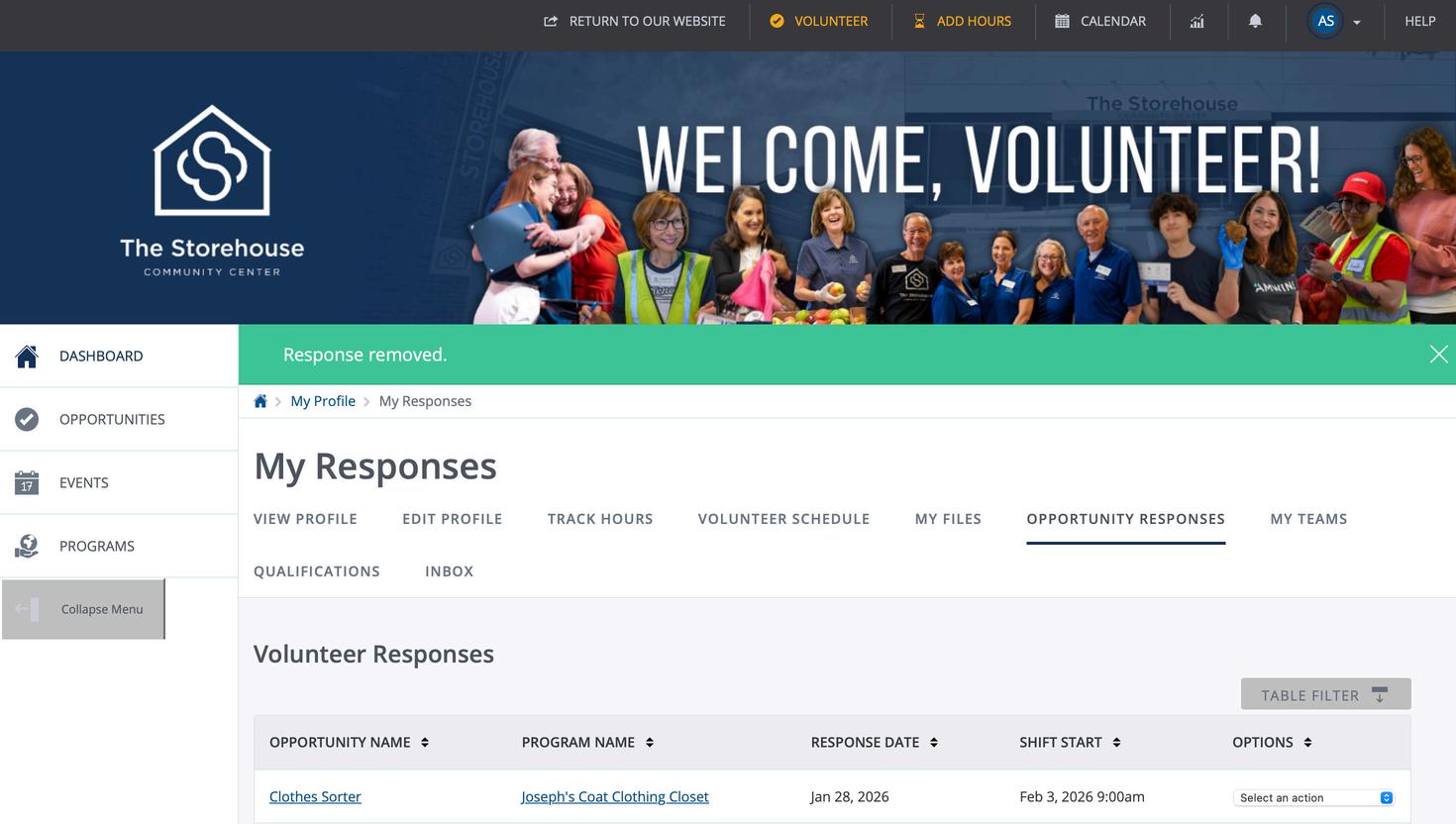
You have successfully cancelled the shift when you see the message “Response removed.” as shown here. The shift will no longer appear in the list on the “My Responses” page either.
Volunteer Frequently Asked Questions
You can find more answers to Frequently Asked Questions on the Volunteer Page of our website.
Volunteer Frequently Asked Questions
How do I register as a volunteer?
Go to The Storehouse Volunteer page and create your account to get started.
What are your minimum age requirements?
Due to safety concerns, volunteers must be 14 years or older. Minors must submit a copy of the waiver signed by both the minor and their legal parent or guardian prior to volunteering on campus. Parents/guardians of minors may now accept the waiver and civil rights document electronically without the need to print. When registering for an event, the minor receives the option of emailing the waiver to their parent/guardian or printing it for them to sign.
Do you have a dress code?
Yes. Closed toe shoes are required during your session. We encourage you to dress in casual attire that is appropriate for the day's weather conditions.
Volunteer Frequently Asked Questions
Are all volunteers required to sign the Storehouse waiver?
Yes. ALL volunteers must sign the Storehouse Volunteer Waiver and Civil Rights Document annually, as directed in the registration process.
Do I need to sign up to volunteer?
Yes. Each volunteer must create an account and sign up individually. You MUST be signed up for a session in advance for any volunteer opportunities.
What if I am on the waitlist (W/L)?
When all volunteer slots for a session are full, you can sign up on the waitlist. If you are on the waitlist, we are currently at capacity. If someone cancels, the system will send an email to all individuals on the waitlist. The sign up is then available on a firstcome, first-served basis. You will be notified if the spot has been taken.
Volunteer Frequently Asked Questions
If there isn’t availability for a shift, can I walk in?
Due to capacities, we do not allow walk-ins. All volunteers must register for the shift on our website before the shift.
I am running late; can I still volunteer?
We have a 10-minute grace period. Due to safety protocols, anyone that arrives after the 10-minute mark will not be allowed to volunteer.
Volunteer Frequently Asked Questions
What is the minimum age to volunteer?
The minimum age to volunteer is 14 years old.
Do minors need a chaperone to volunteer?
Minors do not need a chaperone to volunteer.
I need to track my hours; can I do that?
Hours are automatically tracked when you check-in with a kiosk or volunteer greeter. You can view your hours on your “Volunteer Resume”.
We can sign verification forms for educational institutions at the conclusion of your shift.
What happens if I no-show for a shift?
We understand that emergencies or other commitments come up that do not allow you to attend a shift. If possible, please cancel your spot at least 24 hours in advance. If you have 3 or more no-shows, we will deactivate your volunteer account.
Volunteer Frequently Asked Questions
Where are you located?
Seven Loaves Food Pantry and The Academy are located at 1401 Mira Vista Blvd, Plano, Texas 75093 on the campus of St. Andrew Methodist Church. Our main entrance is in the north parking lot, west of Mira Vista. Joseph’s Coat clothing closet is located at 2855 Trinity Square Drive, Carrollton, Texas 75006.
When are sessions posted?
We post the shifts the first business day of each month for the following month. For example, the first business day of April, we will open sessions for the month of May, etc. It is a manual process completed by 10 am the first business day of the month.
When are sessions offered throughout the week?
Sessions are offered throughout the week from Monday through Saturday. Saturday sessions are not available in the summer.
Volunteer Frequently Asked Questions
Can I volunteer as a court-appointed volunteer?
Yes, you will need to click “yes” on the the court-ordered community service requirement question during registration.
My community group or school needs an email address and documents to verify hours; what email should I use and what documents should I provide ?
Please use volunteer@thestorehousecc.org . The verification form needs your first name, last name, and email address. The name in your volunteer account must match the name for your school verification for hours to be verified. Volunteers will present their document to the volunteer check-in manager or a Storehouse staff member for approval at the time of their session. A template letter with The Storehouse letterhead is available for volunteers who do not have their own document for hours. Volunteers who need their community service hour approved after the day of their service can send an email to the address listed above.
Volunteer Frequently Asked Questions
What are the requirements for a shift?
The requirements for the shift are listed on the Opportunities pages.
Closed-toe shoes are required for all shifts.
I have a group of more than 20 people, how can we volunteer together?
We offer special off-site project opportunities for groups over 20 such as in-kind drives and putting together hygiene bags or kids snack bags.
Is there a deadline for my team members to join my team?
Yes, any unfilled reserved spots will be released 14 calendar days before the shift.