The Safety Net L O C AT I O N C O N S U LT I N G
DESIGN & ENGINEERING
DESIGN-BUILD
IT’S ALWAYS SAFETY FIRST. CONSTRUCTION & CONTRACTING
OCTOBER 2019
VOLUME 13 ISSUE 10
Slow Down: Back to School Means Sharing the Road National Safety Council | 09.23.19
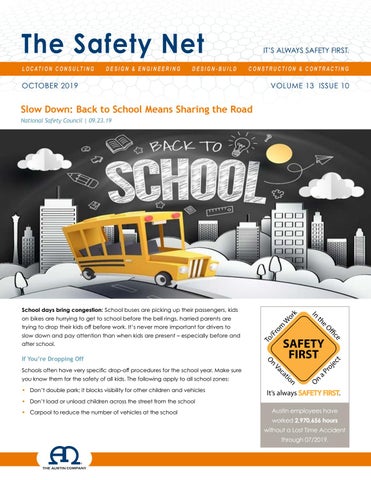
School days bring congestion: School buses are picking up their passengers, kids on bikes are hurrying to get to school before the bell rings, harried parents are trying to drop their kids off before work. It’s never more important for drivers to slow down and pay attention than when kids are present – especially before and after school.
If You’re Dropping Off Schools often have very specific drop-off procedures for the school year. Make sure you know them for the safety of all kids. The following apply to all school zones: • Don’t double park; it blocks visibility for other children and vehicles
SAFETY FIRST.
• Don’t load or unload children across the street from the school • Carpool to reduce the number of vehicles at the school
Austin employees have worked 2,970,656 hours without a Lost Time Accident through 07/2019.
Sharing the Road with School Buses If you’re driving behind a bus, allow a greater following distance than if you were driving behind a car. It will give you more time to stop once the yellow lights start flashing. It is illegal in all 50 states to pass a school bus that is stopped to load or unload children. • Never pass a bus from behind – or from either direction if you’re on an undivided road – if it is stopped to load or unload children • If the yellow or red lights are flashing and the stop arm is extended, traffic must stop • The area 10 feet around a school bus is the most dangerous for children; stop far enough back to allow them space to safely enter and exit the bus • Be alert; children often are unpredictable, and they tend to ignore hazards and take risks
Sharing the Road with Bicyclists On most roads, bicyclists have the same rights and responsibilities as vehicles, but bikes can be hard to see. Children riding bikes create special problems for drivers because usually they are not able to properly determine
Sharing the Road with Young Pedestrians According to research by the National Safety Council, most of the children who lose their lives in bus-related incidents are 4 to 7 years old, and they’re walking. They are hit by the bus, or by a motorist illegally passing a stopped bus. A few precautions go a long way toward keeping children safe: • Don’t block the crosswalk when stopped at a red light or waiting to make a turn, forcing pedestrians to go around you; this could put them in the path of moving traffic • In a school zone when flashers are blinking, stop and yield to pedestrians crossing the crosswalk or intersection • Always stop for a school patrol officer or crossing guard holding up a stop sign • Take extra care to look out for children in school zones, near playgrounds and parks, and in all residential areas • Don’t honk or rev your engine to scare a pedestrian, even if you have the right of way • Never pass a vehicle stopped for pedestrians • Always use extreme caution to avoid striking
traffic conditions. The most common cause of collision is a driver turning left in front of a bicyclist. • When passing a bicyclist, proceed in the same direction slowly, and leave 3 feet between your car and the cyclist • When turning left and a bicyclist is approaching in the opposite direction, wait for the rider to pass • If you’re turning right and a bicyclists is approaching from behind on the right, let the rider go through the intersection first, and always use your turn signals • Watch for bike riders turning in front of you without looking or signaling; children especially have a tendency to do this • Be extra vigilant in school zones and neighborhoods • Watch for bikes coming from driveways or behind parked cars • Check side mirrors before opening your door By exercising a little extra care and caution, drivers and pedestrians can co-exist safely in school zones.
pedestrians wherever they may be, no matter who has the right of way
2
Traveling for Work? Hotel Safety is a Must National Safety Council | 08.30.19 Do you travel for work – even if it’s just once a year for a safety? “As with other aspects of safety, being prepared and aware of potential risks are the key to a safe trip in your home country or elsewhere in the world,” the Canadian Center for Occupational Health and Safety says. To make your work trip a safe one, CCOHS recommends: • Choosing hotels in safe locations that take extra measures to provide security for guests. • Ensuring your reservation is guaranteed, even if you arrive late. Try to arrange it so you arrive at your destination before dark. • Sharing your schedule with your co-workers so they know how to reach you. Follow a check-in procedure, including calling a prearranged contact when you arrive safely. • Being aware of your surroundings. “You look less vulnerable when you are busy,” CCOHS notes. • Ensuring your hotel room has a peephole, dead bolt and chain lock. • Instructing hotel staff not to give your room number or name to anyone. • Checking that the locks and telephone work in your room. Report anything suspicious to hotel management. Additionally, never open your hotel room door without verifying who is on the other side. If the person claims to be an employee, call the front desk to confirm. Don’t invite strangers into the room or go to a stranger’s room. If you’re meeting a colleague, make sure to do so in a public location, such as the hotel lobby or restaurant.
3
Trenching Violations OSHA QuickTake | 08.29.19
A pipeline company agreed to pay $509,071 in penalties for exposing workers to trenching hazards. U.S. Department of Labor and Michigan Pipeline Company Agree To Resolve Citations Issued for Trenching Hazards DENVER, CO – The U.S. Department of Labor’s Occupational
also agreed not to have any ownership or managerial interest in any construction business conducting trenching and excavation activities within the U.S. in the future. They may engage in such activities in other capacities, but must notify OSHA and take appropriate training if they intend to resume such work.
Safety and Health
“Workers in trenches must be protected to prevent
Administration (OSHA)
deadly consequences,” said Loren Sweatt, Principal
and Kamphuis Pipeline
Deputy Assistant Secretary for OSHA. “This agreement
Company – based in
demonstrates employers must take their responsibilities
Grand Rapids, Michigan
under the law seriously to protect workers.”
– have reached a
“This agreement sends a message that companies that
settlement agreement
want to do business in the trenching and excavation
that the excavating
industry must operate safely and protect employees on
company will cease
the jobsite,” said Acting OSHA Regional Administrator
business operations and pay penalties of $509,071 for willful and serious violations of OSHA’s trenching and excavation standards. The agreement – approved by Judge Patrick B. Augustine of the Occupational Safety and Health Review Commission in Denver, Colorado – resolves three OSHA inspections conducted at Kamphuis Pipeline Company worksites in September and October 2017. Investigators found that the company repeatedly exposed employees to trench cave-in hazards while workers installed water metering pits and lines. The company also failed to follow other requirements for working safely in trenches and excavations. The settlement agreement requires Kamphuis Pipeline Company to pay the penalties, voluntarily terminate all operations, and dissolve the company’s corporate status in South Dakota. Company owner and founder Daniel J. Kamphuis agreed to surrender his North
Rita Lucero, in Denver, Colorado. OSHA offers compliance assistance resources on safe practices for Trenching and Excavation at https://www. osha.gov/SLTC/trenchingexcavation/index.html. Under the Occupational Safety and Health Act of 1970, employers are responsible for providing safe and healthful workplaces for their employees. OSHA’s role is to help ensure these conditions for American working men and women by setting and enforcing standards, and providing training, education, and assistance. For more information, visit http://www.osha.gov. The mission of the Department of Labor is to foster, promote, and develop the welfare of the wage earners, job seekers, and retirees of the United States; improve working conditions; advance opportunities for profitable employment; and assure work-related benefits and rights.
Dakota contractor license. Both he and the company
4
Lockout/Tagout Violations A tortilla company was cited and fined $81,682
Federal Judge Orders Company, Owner To Pay $1M To Terminated Employees
after a worker’s finger was amputated.
by JJ Keller | 08.28.19
OSHA QuickTake | 09.09.19
A federal judge in the U.S. District Court for the
U.S. Department of Labor Cites Tortilla Company for Exposing Employees to Amputations After Employee Injury
Eastern District of Pennsylvania has awarded $1,047,399 in lost wages and punitive damages to two former employees of a Pennsylvania manufacturer after a jury found the company
LABELLE, FL – The
and its owner fired them in retaliation for their
U.S. Department
participation in a federal safety investigation.
of Labor’s Occupational Safety and Health Administration (OSHA) cited Twins Twins LLC for exposing employees to amputations at
On April 2, 2019, a jury determined that the company and its owner illegally fired the employees because they participated in a 2014 OSHA inspection. The inspection followed an incident in which one of the employees’ coworkers suffered the amputation of three fingers.
the company’s facility in Labelle, Florida. The tortilla
The company fired one of the employees after
company faces $81,682 in penalties.
OSHA began an onsite investigation, and fired
An employee suffered a partial finger amputation while attempting to service a tortilla machine. OSHA inspectors determined that the company failed to establish lockout/tagout procedures to prevent unintentional start-up while performing machine maintenance; provide machine guarding; anchor a miter saw; and notify OSHA within 24 hours of the employee’s hospitalization as required by law. The company also allowed employees to operate
the second employee shortly after OSHA issued citations and assessed the company with penalties. The acts of retaliation violated Section 11(c) of the Occupational Safety and Health Act (OSH Act). The court’s award of $500,000 in punitive damages is the largest punitive award ever under Section 11(c) of the OSH Act. The court justified the award in light of the defendants’ “deliberative flouting of the act.”
powered industrial trucks without training. OSHA
In addition to damages, the judge awarded
has placed Twins Twins LLC in the Severe Violator
the former employees $547,399 in front and
Enforcement Program.
back pay, prejudgment interest, and additional
OSHA conducted the inspection as part of the Agency’s National Emphasis Program on Amputations and Regional Emphasis Program for Powered Industrial Trucks. “Proper safety procedures, including the effective
amounts to compensate for the adverse tax consequences of their receiving a large, onetime payment. The judge also ordered that the company and its owner immediately post an anti-retaliation notice at the plant, and never again violate Section 11(c) of the OSH Act.
lockout of all sources of energy, could have prevented this injury,” said OSHA Area Director Condell Eastmond, in Fort Lauderdale, Florida. “Employers are required to train workers and ensure that they understand how to de-energize machinery before performing service or maintenance.”
5
Increase in Heat-Related Construction Worker Deaths May Be Tied to Global Warming: CPWR National Safety Council | 08.28.19
Silver Spring, MD — Construction workers comprised 36%
between 1992 and 2002. Additionally, increasing temps
of all heat-related deaths on the job over a recent 25-
from 1997 to 2016 – a period that includes many of the
year period – and climate change may be a contributing
warmest years on record – were associated with greater
factor, according to a recent study from the Center for
heat-related death rates.
Construction Research and Training (also known as CPWR).
Construction workers born in Mexico had a 91% higher
Researchers used data from the Census of Fatal
risk than the average for all construction workers, the
Occupational Injuries to identify heat-related worker deaths
researchers said. Among professions, cement masons were
from 1992 to 2016. They found that 285 occurred among
10 times more likely to die from heat-related causes than
construction workers, who make up only 6% of the U.S.
the average construction worker, while roofers and helpers
workforce. For each case, the research team looked at
were seven times more likely.
time, region and temperature – gathered from National Oceanic and Atmospheric Administration data.
The researchers cite the urgent need for regulatory intervention, specifically a heat-related illness standard
Of the deaths, 78% occurred during the summer months:
from OSHA. Meanwhile, they say workplace interventions
32.9% in July, 25.6% in June and 19.5% in August. Over the
(e.g., acclimatization, ready access to water and rest
course of the study period, increasing summer temperatures
breaks), enhanced surveillance, and improved regulation
in the contiguous United States correlated positively
and enforcement “should accompany broader efforts to
with the annual number of heat-related deaths – to 13.7
combat global warming.”
deaths per year between 2011 and 2016 from 9.5 per year
6
Protecting Workers With Hearing Loss National Safety Council | 07.28.19 A growing number of workers wear hearing aids, such as behind-the-ear or in-canal models, that can’t be used with foam earplugs. What does OSHA allow, and what actually works to mask most noise but allow conversations with earplugwearing co-workers? Workers with hearing loss may have difficulty communicating over background noise, especially when they also must wear hearing protection. There are no specific regulations for this population, but these workers are subject to the same OSHA requirements as workers with normal hearing. OSHA does offer some guidance, suggesting that workers with hearing loss may benefit from hearing protection that is enhanced for better communication. Several hearing protectors can enhance audibility without compromising safety. Some of these enhanced options include passive uniform-attenuation hearing protectors, active leveldependent hearing protectors and the combination of passive earmuffs worn over hearing aids.
Passive uniform-attenuation Uniform-attenuation (also called “flat” attenuation) hearing protectors are designed to provide relatively uniform attenuation of sound at all frequencies. Conventional hearing protectors attenuate more high-frequency energy, where important speech information resides. Hearing protectors with a uniform response can make speech sound more clear and natural. Workers, including those with hearing loss, may find communication easier with these types of products.
Active level-dependent Active hearing protectors (also known as electronic earmuffs with sound amplification/high noise suppression) require a power source. Most are level-dependent, meaning they amplify low-level sounds while limiting high-level sounds so they don’t exceed a specified level (usually 82 dBA). These products have been shown to improve speech communication for individuals with hearing loss.1 Some active hearing protectors also incorporate communication features and can connect to other devices. This type of connection can benefit someone with hearing loss because the attenuation properties of the hearing protector will still limit the noise while transmitting only the wanted communication.
Hearing aids, earmuffs The use of hearings aids in noisy work settings should be approached with caution. Hearing aids should never be worn in noisy environments without the addition of a protective earmuff. Research shows that wearing a passive earmuff over a hearing aid can improve communication for workers with hearing loss, while maintaining safe noise exposure levels. Wearing a passive uniform-attenuation earmuff over hearing aids may offer even more improvement by transmitting more of those high-frequency speech sounds. Workers with hearing aids should see their audiologist to optimize the use of their hearing aids with an appropriate hearing protector. Workers with hearing loss have unique communication needs, and their hearing protection should be tailored to their job demands, noise environment, hearing loss and individual preferences. Finding the right solution can help maintain communication, safety and satisfaction at work, while protecting the worker’s hearing.
7
Recognizing Hidden Dangers: 25 Steps To A Safer Office National Safety Council | 06.01.19 by Laurette Claussen It’s fairly obvious that safety and health hazards can exist on worksites filled with heavy machinery and equipment, where employees often are required to engage in strenuous manual labor. A job where most of the work tasks are completed while sitting in a chair in a climate-controlled office building would seem less fraught with danger. However, a surprising number of hazards can be present in an office setting. According to data from the Bureau of Labor Statistics, 80,410 private-industry office and administrative workers suffered on-the-job injuries in 2008. Many of these injuries could have been prevented had workers or supervisors recognized the risks and implemented simple workplace modifications to help mitigate them.
KEY POINTS • Falls are the most common source of injury in an office, although workers also are injured by being struck by or against objects, and suffering ergonomic injuries. • Some simple changes to the workspace can be effective in eliminating hazards and reducing the number of injuries. • Administrative interventions such as scheduled walk-throughs and the establishment of a formal reporting system can help protect workers in an office environment. Here are 25 steps you can take to reduce the risk of injury among your office staff.
FALLS Slips, trips and falls, the most common type of office
to posing an electrical hazard, stretching cords across
injury, sidelined 25,790 workers in 2008, according to BLS.
walkways or under rugs creates a tripping hazard, so
Several hazards contribute to these injuries, although
ensure all cords are properly secured and covered.
most can be significantly reduced, often by raising awareness among employees.
1. STAY CLUTTER-FREE
2. STEP ON UP Standing on chairs – particularly rolling office chairs – is a significant fall hazard. Workers who need to reach
Boxes, files and various items piled in walkways can create
something at an elevated height should use a stepladder.
a tripping hazard, according to OSHA. Be certain that
The Chicago-based American Ladder Institute cautions
all materials are safely stored in their proper location to
that stepladders must be fully opened and placed on
prevent buildup of clutter in walkways. Further, in addition
level, firm ground. Workers should never climb higher than the step indicated as the highest safe standing level.
8
3. MAINTAIN A CLEAR LINE OF VISION Workers can collide when making turns in the hallways and around blind corners or cubicle walls. The National Safety Council suggests installing convex mirrors at intersections to help reduce collisions. If workers can see who is coming around the corner, collisions are less likely to occur.
4. GET A GRIP Carpeting and other skid-resistant surfaces can serve to reduce falls. Marble or tile can become very slippery – particularly when wet, according to the National Safety Council. Placing carpets down can be especially helpful at entranceways, where workers are likely to be coming in with shoes wet from rain or snow.
STRUCK/CAUGHT BY
that can be described as hazardous from an ergonomics perspective would appear quite innocuous to the everyday observer,” said Marc Turina, principal consultant for ErgoSmart Consultants in McKees Rocks, PA.
7. PROVIDE ADJUSTABLE EQUIPMENT One size does not fit all in an office workstation. “Adjustability is the key,” Turina said. “Chairs, work surfaces, monitor stands, etc., should all be adjustable in order to accommodate the widest range of employees.” He recommended presenting a variety of options to employees. Although employers may be reluctant to pay for expensive ergonomic equipment, experts insist the equipment is a wise investment. “A good keyboard tray may retail around $300; a good chair may retail around $500 to $700,” said Sonia Paquette, professional ergonomist and doctor of occupational therapy. She points out that the cost of the health claims that stem
Another major type of injury in the office setting comes
from not having these devices is much higher. “Some of
from workers being struck by or caught by an object.
these hard claims cost many tens of thousands of dollars
Incidents of this nature accounted for 15,680 injuries in
just of medical treatment, let alone cost of replacement,
2008, according to BLS.
absenteeism, loss of work production, etc.”
5. SHUT THE DRAWER File cabinets with too many fully extended drawers
8. TRAIN WORKERS ON HOW TO USE EQUIPMENT
could tip over if they are not secured, the council warns.
Providing adjustable furniture and equipment is only the
Additionally, open drawers on desks and file cabinets pose a tripping hazard, so be sure to always completely close drawers when not in use.
first step in creating an ergonomically sound workstation. “A big issue that I have encountered a lot lately is employee inability to properly adjust their own office
6. SAFE STACKING
chairs,” Turina said. “Many times, employers can invest
According to the Office of Compliance, which oversees
experience a bad workstation fit.” The problem often
the safety of U.S. congressional workers, proper storage of
is twofold: Workers do not know how to adjust their
heavy items can help reduce the number of office injuries.
equipment, and they do not know the most ergonomically
Large stacks of materials and heavy equipment can cause
beneficial way to set up their workstation. Train workers
major injuries if they are knocked over. OOC recommends
on both the ideal setup and how to operate adjustable
storing heavy objects close to the floor and warns that the
equipment accordingly.
load capacity of shelves or storage units should never be exceeded.
ERGONOMICS INJURIES
$500 in an excellent adjustable chair, but employees still
9. KEEP YOUR FEET ON THE FLOOR One of the first questions Paquette asks workers is whether their feet touch the floor when seated at their desk. “It sounds like an incredibly simple question,” she said,
Perhaps the most prevalent injuries in an office setting
“but very often workers have their keyboard tray on the
are related to ergonomics. Because office workers spend
desktop, so in order to reach it, they need to jack up their
the bulk of their day seated at a desk and working on
chair so high that their feet can barely touch the floor.”
a computer, they are prone to strains and other injuries
She added that unless an employee’s feet are on the floor,
related to posture and repetitive movement. Ergonomics
a chair will not be able to reduce pain and discomfort.
hazards can be difficult to detect. “Most office conditions
She recommended options such as adjustable keyboard ...continued on next page 9
trays or rolling tables adjusted to the proper height to eliminate this problem. Although footrests are a “secondbest option,” their small surface may impede some of the worker’s movement.
10. PROVIDE DOCUMENT HOLDERS Frequently typing from hard copy can lead to neck strain if a worker is forced to repeatedly look down to the desk and back to the computer screen. Turina recommends providing document holders to reduce this strain. “These document holders are reasonably priced, and eliminate excessive cervical motion and help to prevent muscle imbalances,” he said. Document holders also are good for the eyes, according to the St. Louis-based American Optometric Association. Keeping reference materials close to the monitor reduces the need for your eyes to change focus as you look from the document to the monitor.
11. CORRECT MOUSE PLACEMENT Paquette often sees workstations where the computer keyboard is on a tray, but the mouse remains on the desk. “That spells disaster for the neck and shoulder on the side of that mouse,” she said. She recommends that the mouse always be placed beside the keyboard.
VISION PROBLEMS
13. CORRECTLY POSITION MONITORS Prevent Blindness America recommends workers place their computer monitors slightly below eye level and 20-26 inches from their eyes. Screens that can tilt or swivel are especially beneficial. “Your eyes’ resting position is a few degrees below the horizon when you’re looking straight ahead,” Paquette said.
14. MINIMIZE SCREEN GLARE The American Optometric Association points to screen glare as a major cause of eyestrain in the office. To minimize strain, avoid positioning monitors opposite open windows, or be sure to always close shades or blinds. A glare reduction filter also can be used.
15. WEAR THE RIGHT GLASSES Workers should tell their eye doctor if they spend a large portion of the day working on the computer, the association recommends. The doctor can check the efficiency of vision at 20-30 inches – the typical distance a computer monitor should be placed. Glasses are available for computer use that allow the wearer to see the full monitor without having to excessively strain the neck.
16. INCREASE FONT SIZE ON COMPUTER Small font sizes on the computer can strain both your
Although looking at a computer monitor cannot damage
vision and your neck, as workers tend to pull the head
your eyes, spending a large portion of your workday at the
forward to view smaller print. A simple adjustment to
computer can cause eyestrain, according to Chicago-
the font size on the computer screen can eliminate the
based Prevent Blindness America. Eyes can become
need for this. “In many software programs, you can use
dry and irritated, and workers may begin having trouble
the CTRL-scroll up or down or CTRL+ or CTRL- to increase
focusing. A few work area adjustments can help alleviate
or reduce the size of the page you are looking at,”
some of these issues.
Paquette said.
12. DIM THE LIGHTS AND USE TASK LAMPS
17. TAKE A BREAK
Florescent lights in office buildings often are too bright for
Giving your eyes a rest and allowing them to focus on
optimal vision. According to the American Optometric
things at varying distances can help reduce strain and
Association, light that is at about half-normal office levels
fatigue. OSHA recommends workers take a 10-minute
is preferred. This can be achieved by removing some
break for every hour spent on the computer. These breaks
bulbs from overhead fixtures. If more light is needed
can include working on tasks that require your eyes to
for a particular task, the British Columbia Public Service
focus on objects at a further range.
Employee Relations Commission recommends providing individual task lamps rather than increasing overall lighting. The commission cautions that lightbulbs in task lamps should be fully recessed to avoid the creation of a bright spot in the worker’s line of vision.
10
FIRE SAFETY
ADMINISTRATIVE CONTROLS
Local fire departments responded to approximately
In addition to employee training and improved equipment,
3,830 office fires each year between 2004 and 2008,
certain administrative controls can aid hazard recognition
according to the Quincy, MA-based National Fire
and the elimination of potentially dangerous situations.
Protection Association. On average, these fires caused four civilian deaths and 37 civilian injuries annually. Some
22. CONDUCT WALK-THROUGHS
routine inspections around the office can help reduce the
Periodically walking around the office can help with hazard
likelihood of fire causing such devastation.
recognition and maintenance of ergonomic task design.
18. MAINTAIN CORDS IN GOOD REPAIR
Turina recommended employers conduct an ergonomics screen of every workstation at least once a year.
According to the Office of Compliance, damaged and
“Employee complaints are invaluable in the process, but
ungrounded power cords pose a serious fire hazard and
yearly reassessments can help to ensure that a good fit is
violate safety codes. Cords should be inspected regularly
maintained between employee and workstation,” he said.
for wear and taken out of service if they are frayed or if the third prong has been damaged or removed. Make
23. M ONITOR SIGNS OF MUSCULOSKELETAL DISORDERS
sure cords are not overloading outlets. The most common
Recognizing the symptoms of musculoskeletal disorders
have exposed wire. Further, cords should never be used
causes of fires started by extension cords are improper use and overloading. Extension cords should be approved by a certifying laboratory such as Underwriters Laboratories, and only used temporarily to connect one device at a time.
can alert employees of the need to make an ergonomics alteration to their workstation. But workers need to know what those warning signs are. “Lots of musculoskeletal injuries developing from poor ergonomics start out
19. INSPECT SPACE HEATERS
asymptomatically and can become quite severe by
If employees use space heaters, verify the devices are
Turina said. Pay attention to any pain, fatigue, numbness
approved for commercial use and have a switch that
or weakness, as these may be signs of an ergonomics
automatically shuts off the heater if the heater is tipped
problem and the start of a more serious MSD.
over, the Office of Compliance suggests. Further, make sure space heaters are not powered through an extension cord or placed near combustible materials such as paper.
the time an employee starts to experience symptoms,”
24. T ALK TO EMPLOYEES ABOUT THEIR CONCERNS
20. NEVER BLOCK FIRE SPRINKLERS
Simply asking workers how they are feeling can go a
Furniture and tall stacks of materials can block the range
to take advantage of the cases where employees are
of fire sprinklers, reducing their effectiveness in the event of an emergency. Objects should never be placed higher than 18 inches below sprinkler heads to allow a full range of coverage, according to the Office of Compliance.
21. D O NOT BLOCK ESCAPE ROUTES OR PROP OPEN FIRE DOORS
long way toward recognizing hazards. “Employers need experiencing symptoms like discomfort and fatigue early on, when quick, inexpensive interventions can usually solve the problem,” Turina said. “Ignoring these early warning signs can lead to employee suffering and astronomical cost in some cases.”
Items never should be stored along an emergency
25. E STABLISH EMPLOYEE REPORTING SYSTEMS
exit route. These paths should remain free of clutter,
Establishing an employee reporting system can be the
according to OSHA. Fire doors should not be held open by unapproved means (such as with a garbage can or chair), as this creates a significant fire hazard.
best way for organizations to get a handle on potential hazards before they cause injury. Consider creating an anonymous reporting process that encourages workers to come forward with their concerns. “Research shows that early intervention yields the most cost-efficient results in all areas,” Paquette said.
11
Fall Protection Again Tops OSHA’s ‘Top 10’ List of Most Frequently Cited Violations National Safety Council | 09.10.19
San Diego — For the ninth consecutive year, Fall Protection – General Requirements is OSHA’s most frequently cited standard, the agency and Safety+Health announced Tuesday at the National Safety Council 2019 Congress & Expo. The rest of the preliminary list of OSHA’s Top 10 violations for fiscal year 2019 also remained largely unchanged from FY 2018, with only one minor adjustment. Lockout/Tagout, which ranked fifth in FY 2018, climbed one spot to No. 4, trading places with Respiratory Protection. Patrick Kapust, deputy director of OSHA’s Directorate of Enforcement Programs, presented the list, based on OSHA Information System data from Oct. 1 to Aug. 15. Kevin Druley, associate editor for S+H, moderated the session that took place in the NSC Learning Lab on the Expo Floor. “Look at your own workplace and see where you can find solutions,” Kapust said during the presentation. “These are common violations. They’ve been around for a while. The answers are out there.” The full list with number of violations is: 1. Fall Protection – General Requirements (1926.501): 6,010 violations 2. Hazard Communication (1910.1200): 3,671 3. Scaffolding (1926.451): 2,813 4. Lockout/Tagout (1910.147): 2,606 5. Respiratory Protection (1910.134): 2,450
6. Ladders (1926.1053): 2,345 7. Powered Industrial Trucks (1910.178): 2,093 8. Fall Protection – Training Requirements (1926.503): 1,773 9. Machine Guarding (1910.212): 1,743 10. Personal Protective and Lifesaving Equipment – Eye and Face Protection (1926.102): 1,411
“Far too many preventable injuries and deaths occur on the job,” NSC President and CEO Lorraine M. Martin said in a Sept. 10 press release. “The OSHA Top 10 list is a helpful guide for understanding just how adept America’s businesses are in complying with the basic rules of workplace safety. This list should serve as a challenge for us to do better as a nation and expect more from employers. It should also serve as a catalyst for individual employees to recommit to safety.”
12
Can You Wear Your Hard Hat Backwards, According to OSHA? 09.23.19 by Shane Hedmond Hard hats are staples of the construction jobsite and required by OSHA wherever there is possible danger of head injury from falling objects, impact, or electrical shock (OSHA 29 CFR 1926.100). A common trend that has continued for years is the preference of many hard hat wearers to “reverse” the helmet’s configuration and face the brim to the back. But, is that allowed by OSHA? In short, sometimes. As you may know, hard hats must meet ANSI-Z89.1 requirements, which includes the minimum standards for impact resistance and protection from electrical hazards. These standards get updated on a semiregular basis as changes are deemed necessary.
When you can use hard hats backwards Using hard hats backwards or re-configuring the helmet to make the brim face behind you is also known as “reverse
the use of hard hats worn with the bill to the rear, so long as
donning.” The 2009 update to the ANSI Z89.1 standard
the manufacturer certifies that their tests meet ANSI Z89.1-
specifically addressed reverse donning for the very first time.
1969 requirements. OSHA maintains this position. It is worth
“Reverse Donning” hard hat symbol The 2009 update included an optional tests for manufacturers to perform that would certify that their hard
noting, however, that the 2009 version of the ANSI Z89.1 standard contains provisions for testing a hard hat with the bill to the rear.”
hats can be safely worn with the bill to the rear. If the hard
Current ANSI Z89.1 Standard
hat complies with those standards, then the hard hat will be
The specific reverse donning testing requirements first
marked with a “reverse donning arrow,” which looks a lot
made an appearance in the 2009 update of the Z89.1
like the recycle symbol, but with only 2 arrows.
standards, but were maintained with the more recent
Not all hard hats are required to pass the “reverse donning” tests, so you’ll need to check for the logo on your hard hat to be sure it can safely be used in reverse.
2014 update. Currently, the OSHA hard hat standard only acknowledges the 1997, 2003, and 2009 ANSI Z89.1 Standards, but “will deem any head protection device that the employer demonstrates is at least as effective as a head protection device constructed in accordance with one of the consensus standards identified in paragraph (b)(1) of this section to be in compliance with
OSHA Letter of Interpretation
the requirements of this section.”
OSHA also issued a letter of interpretation on this topic
According to Grainger, there were 3 main changes to the
back in 2011, in which they gave some history on the use of
standard in 2014, including updates to the Accessories
reversed hard hats:
and Replacement Components section, clarification that
“Although the ANSI Z89.1-1969 standard gives specifications for testing the hard hats with the bill to the front but not the rear, OSHA issued a letter of interpretation1 in 1992 allowing
“useful service life” is not a requirement for manufacturers, and testing allowances for optional high temperature preconditioning up to 140 degrees.
13
OSHA Inspectors Present ‘Most Interesting’ Cases During NSC Congress & Expo Session National Safety Council | 09.10.19 San Diego — The cases of a worker being killed and another suffering serious injuries while painting a mural on the side of high-rise building, an apprentice suffering injuries while working near power lines, a fatal trench collapse that resulted in another worker being injured, and an abrasive blasting incident in which a worker was fatally blasted with a hose were discussed Monday during OSHA’s “Most Interesting” Technical Session at the National Safety Council 2019 Congress & Expo. For the pair of workers painting a mural on the side of a newly renovated high-rise building in Florida, it wasn’t the usual situation of construction workers using scaffolding, said Chad Schulenberg, a compliance safety and health officer from OSHA’s Fort Lauderdale (FL) office. The failure of an onsite contractor to protect their safety, he said, contributed to a scaffolding collapse that caused one worker’s death and the other to suffer serious injuries from a 40-foot fall. The workers were using scaffolding borrowed from another contractor who was doing stucco work at the same time. Schulenberg said the contractor involved ran out of anchors to secure the scaffolding and decided to get more from another source rather than the rental company from which the scaffolding came. The drop-in anchors were then installed with 5/8-inch eyebolts that were not flush with the surface, causing the eyebolts to fail when they were installed at an 83-degree angle, instead of vertically, into the concrete. The platform, the two workers and their equipment weighed about 1,400 pounds, exceeding the working load capacity of the eyebolts. The employer was cited for not having a competent person inspect the scaffolding and its components and overloading the scaffolding, leading to its failure. “This was the most complex fatality that I’ve investigated,” Schulenberg said. “It shows how small things can lead to big things.”
14
Electrical safety incident in Colorado A 22-year-old apprentice sustained severe injuries while working near power lines in Colorado. Each line carried 320 kilovolts, making the area extremely dangerous for workers, who noted safety issues before the incident. Fred Peterson, a compliance investigator from OSHA’s Englewood (CO) Area Office, said the employer discouraged feedback on hazardous conditions, focused only on getting the work done quickly and left key details out of various site inspection documents. One worker, in fact, was so concerned about the hazards on the jobsite that he took cellphone video of flames coming from the bottom of the wooden power poles because the lines weren’t properly grounded. In addition, Peterson said, a 6-foot plasma arc occurred when tools came in contact with the power lines, which were supposed to be deenergized during the work. “This made my investigation pretty easy,” Peterson said. The apprentice was injured while atop a pole to install a grounding bar. Peterson said he spent 84 days inspecting hundreds of documents, and work on the job was halted for a year until the employer abated the hazards. The contractor also paid $1 million for an engineering study of the area. The safety inspection documents from the employer, however, noted only one tear in a flame-resistant shirt and a few improper personal protective equipment mentions. The employer was cited for violating OSHA standards 1926.962(c) and 1926(d).
Trench collapse in Texas A worker was fatally injured and another suffered back and leg injuries in a trench collapse in Lockhart, TX. Darren Beck, a safety compliance officer from the OSHA Austin (TX) Area Office, said the employer involved not only didn’t use a trench box, but also used only 6 feet of hydraulic shoring in two areas of the 12-foot trench, which were inadequate in protecting the workers. “If you ever drive past a trench and you don’t see the shoring, but you see guys in there and it’s 5 feet deep, call OSHA,” Beck said.
Abrasive blasting incident Industrial hygienist Mike Wacker, from OSHA’s Madison (WI) Area Office, shared the story of a work fatally injuring himself doing abrasive blasting. The worker, on his first day on the job, blasted himself with a hose that sprayed sand at 125 pounds per square inch. The employer received 13 citations, including four each for Grade D breathing air and abrasive blasting booth inadequacies.
15