1985 — 2025
THE WORLD’S BEST RECORDING TECHNOLOGY MAGAZINE
TM
MUSIC PRODUCTION TECHNIQUES / INDEPENDENT IN-DEPTH PRODUCT TESTS / ENGINEER & PRODUCER INTERVIEWS / LIVE SOUND
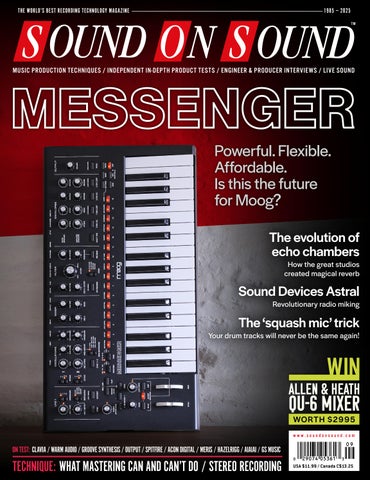
Powerful. Flexible. Affordable. Is this the future for Moog? The evolution of echo chambers How the great studios created magical reverb
Sound Devices Astral
Revolutionary radio miking
The ‘squash mic’ trick
Your drum tracks will never be the same again!
ALLEN & HEATH
QU-6 MIXER WORTH $ 2995
www.soundonsound.com
ON TEST: CLAVIA / WARM AUDIO / GROOVE SYNTHESIS / OUTPUT / SPITFIRE / ACON DIGITAL / MERIS / HAZELRIGG / AIAIAI / GS MUSIC
TECHNIQUE: WHAT MASTERING CAN AND CAN’T DO / STEREO RECORDING
USA $11.99 / Canada C$13.25
LE ADER
OVER-PRODUCTION I
s there a productivity crisis in music? The PR material put out by some software companies suggests so. Assistive AI tools are, they gush, helping producers work faster and generate more output than ever before. And in some ways, the music business is set up to reward this sort of efficiency. YouTube and social media algorithms can’t measure quality, so they reward content creators for quantity. Labels pressure their artists to deliver endless new material. Yet there’s already far too much music in the world. More tracks are uploaded every day than anyone could listen to in a lifetime. Generative AI services are flooding the Internet with tunes created with minimal human involvement. At the most basic level, the idea that we can raise our chance of success by increasing our output level is daft, because to any reasonable approximation, our output will be exactly zero percent of what’s out there. What’s more, the software companies who are trying to make us more productive find themselves in exactly the same situation. Developers are constantly churning out new processors or loop collections, creating a surfeit of plug-ins and sample libraries that benefits no-one. And the swamp will only grow as AI coding tools allow anyone to create their own plug-ins from prompts.
SOUND ON SOUND LTD (HEAD OFFICE) ALLIA BUSINESS CENTRE KING’S HEDGES ROAD CAMBRIDGE, CB4 2HY, UK T +44 (0)1223 851658 sos@soundonsound.com www.soundonsound.com
Some plug-in developers, such as Universal Audio, deliver quantity without sacrificing quality. But if the emphasis has to be shifted one way or the other, I’ll back quality every time. Sustainable success rests on cultivating a reputation, and it’s easier to build brand loyalty by focusing on a small catalogue of truly special products. A new plug-in from a company like Soundtoys, FabFilter, Oeksound, Soundtheory, Sound Radix or Liquidsonics is a major event, because we can be confident that it’ll be good, it’ll be genuinely original — and that we’ll have time to get to know it properly before the next one comes along. I wonder if it’s time to embrace a similar philosophy in music. We don’t yet know whether generative AI can match the peaks of human creativity, but it’s already obvious that humans can’t compete when it comes to generating slop. If it’s been done before, AI will do it again, much more efficiently than we ever can. And as for assistive AI, I’ve nothing against it, but let’s not use it to make more stuff that no-one wants or needs. Let’s use it to take music to places it’s not been before. Let’s use it to achieve something that would otherwise have been impossible. And above all, let’s retain pride in our work. Human-created music will retain its value only if we strive to deliver the best, rather than the most.
“Human-created music will retain its value only if we strive to deliver the best, rather than the most.”
ADMIN IS T R AT IO N
ADV ER T ISIN G
sos.feedback@soundonsound.com
admin@soundonsound.com
usadsales@soundonsound.com
Editorial Director Dave Lockwood Executive Editor Paul White Editor In Chief Sam Inglis Technical Editor Hugh Robjohns Reviews Editor David Glasper Reviews Editor Matt Houghton Reviews Editor Chris Korff Production Editor Chris Korff News Editor Luke Wood
Managing Director/Chairman Ian Gilby Editorial Director Dave Lockwood Marketing Director Paul Gilby Finance Manager Keith Werthmann
North America Sales Manager Dan Brown Regional Sales Manager David Carson UK Media Sales Manager Chris Cope
S UB S CR I P T I ON S subscribe@soundonsound.com www.soundonsound.com/subscribe
WOR L DW I D E E D I T I O N S
Circulation Manager Luci Harper Administrator Nathalie Balzano
UK/WORLD
Editor In Chief
E DI T OR I A L
WWW.SOUNDONSOUND.COM/SUBSCRIBE
NORTH AMERICA
Sam Inglis
M AR K E T IN G O N LIN E
marketing@soundonsound.com
support@soundonsound.com
International Business Development Nick Humbert
Digital Media Director Paul Gilby Design Andy Baldwin Web Content Editor Callum Hall Web Editor Adam Bull Digital Media Manager Atheen Spencer www.soundonsound.com twitter.com/soundonsoundmag facebook.com/soundonsoundmag instagram.com/soundonsoundmag
P R ODUC T I ON
DIS T R IB U T IO N
graphics@soundonsound.com
distribution@soundonsound.com
Production Manager Michael Groves Designer Mick Reilly Designer Andy Baldwin
International Distribution Magazine Heaven Direct www.magazineheavendirect.com
Printed in the USA Not for re‑sale outside North America
ISSN 1473‑5326 A Member of the SOS Publications Group The contents of this publication are subject to worldwide copyright protection and reproduction in whole or part, whether mechanical or electronic, is expressly forbidden without the prior written consent of the Publisher. Great care is taken to ensure accuracy in the preparation of this publication but neither Sound On Sound Limited nor the Editor can be held responsible for its contents. The views expressed are those of the contributors and not necessarily those of the Publisher or Editor. The Publisher accepts no responsibility for the return of unsolicited manuscripts, photographs, or artwork. © Copyright 2025 Sound On Sound Limited. Incorporating Music Software magazine, Recording Musician magazine, Sound On Stage magazine, SPL magazine, Sound Pro magazine and Performing Musician magazine. All rights reserved. All prices include VAT unless otherwise stated. SOS recognises all trademarks.
September 2025 / www.soundonsound.com
3
136 INSIDE TRACK
IN THIS ISSUE September 2025 / issue 11 / volume 40
FEATURES 8 SOS For Artists
www.soundonsound.com
WIN ALLEN & HEATH QU‑6 WORTH $2995
As well as giving you access to a vast range of loops and one-shot samples, SOS For Artists offers some cool tools for finding, auditioning and manipulating them.
100 The Drum ‘Squash Mic’ Trick Adding a compressed omni mic beneath the snare can bring snap and sparkle to any drum-miking setup.
102 What Mastering Can & Can’t Do Mastering is not an extension of mixing. It requires its own skill set — and, above all, a philosophy of “first do no harm”.
106 Stereo: Position & Perspectives This third article of our stereo mini-series explores how to manipulate the perspective obtained from coincident mic pairs.
122 Spotlight: MPE Controllers MPE has made electronic instruments more expressive than ever, and there are options out there to suit almost everyone.
PAGE 126 136 Inside Track: Aviram Barath Aviram Barath’s musical direction inspired rapper Loyle Carner to work with a live band for his hit album hopefully!
144 How I Got That Sound
128 The Golden Age Of Reverb Chambers
Producer and engineer Bill Schnee explains how he created the ultimate master take of Colin Blunstone’s ‘Never Even Thought’ in the days before digital editing.
Before plates and springs, the great studios of the ’50s and ’60s created magical ambiences through a mix of science and inspired guesswork.
Your studio and recording questions answered.
150 Q&A
134 Talkback
154 Why I Love... ’80s Guitar
The multi-talented Bethia Beadman talks cold studios, tape saturation and RCA 44s.
Sam Murray on the musical debt he owes to ’80s movies.
Soundtracks
58 GROOVE SYNTHESIS 3RD WAVE 8M
ON TEST
68 46
Production Suite
ADDAC System ADDAC511
96 90
AIAIAI TMA-2 Studio Wireless
34
Alpaca Mic C OV E R
40
Boss RT-2 Rotary Ensemble CEDAR ScreenVox Dialogue Noise Reduction Plug-in
74
Clavia Nord Piano 6 Stage Keyboard
146 Emergence Audio
Obsidian Brass
96
78 24 22
Sonuscore The Pulse Virtual Instrument
82
Sound Devices Astral Digital Wireless System
Universal Audio A Type Multiband Enhancer Plug-in
146 Vienna Symphonic
Library Synchron Special Woodwinds
Sample Library
Warm Audio WA-CX24 Stereo Valve Capacitor Microphone
72
Waves Curves AQ Equaliser Plug-in
148 Westwood Instruments
Alt Choir
PSP DRC
Virtual Percussion Instrument
Sample Library
Groove Synthesis 3rd Wave 8M
98
Output Co-Producer
Sampleson Tronic
UDO Audio RBN-1 Ribbon Controller
Sample Library
Dynamics Plug-in
148 Glow Worm Studio Sample Packs 30
Wavetable Synthesizer
20
Neural DSP NanOS v2.0 & 2.1
AI Sample Library & Assitant
SSL 4K G Channel Strip Plug-in
Moog Messenger
Firmware Updates For The Nano Cortex
Sample Library
58
16
54
Rotary Speaker Emulation Pedal
26
Radiophonic Workshop
Sample Library
Analogue Synthesizer
Eurorack Module
94
Meris Enzo X Guitar Synth & Effects Pedal
Microphone Filter
EuroBuss
Make Noise MultiMod Eurorack Module
Closed-back Headphones
91 AudioScape Engineering
Klevgrand Walls Reverb Plug-in
Eurorack Module
66
Hazelrigg Industries D Series 500-series Preamp & Processors
Drum Isolation & Extraction Plug-ins
50
62 Spitfire Audio BBC
Polyphonic Analogue Synthesizer
12 Acon Digital Drum
92
GS Music Bree6
WORKSHOPS 112 116 118 120
Studio One Cubase Logic Pro Tools
TECHNIQUE
As well as giving you access to a vast range of loops and one-shot samples, SOS For Artists offers some cool tools for finding, auditioning and manipulating them. THE SOS TEAM
W
hen you first land on the Samples page in SOS For Artists (SOSFA), you’re greeted with a grid of visually engaging, royalty-free sample packs covering a whole host of different genres, from synthwave to lo‑fi, blues to cinematic, and many more besides. But with so much to choose from, the options risk being a little overwhelming — so we thought you might like some guidance on good ways to browse for, and efficient ways to find, the sounds you want for your projects.
Finding Samples The top row of the Samples page showcases the newest releases, while the rows below highlight curated collections, featured content, new labels and a varied range of free sample packs. Each row can be filtered by style, so it’s pretty easy to find sounds that might suit your current project. This works pretty much as you’d expect. Hover over a pack graphic and you’ll see a preview option — click the main preview button and a demo track created using sounds from that pack will give you a quick taste. Below the demo, you’ll find eight samples that you can preview individually, which is ideal for getting a real sense of the pack’s character. All samples on SOSFA are presented in 24-bit/44.1kHz stereo, and they’re displayed with the sample type (loop or one-shot), tempo (bpm), key, and the pack name. The naming conventions should be clear and consistent, but you can of course rename them after downloading them. Once you begin exploring the tabs at the top of the interface, you’ll discover plenty of different ways to browse and discover content. For when you’re simply in search of inspiration, the For You and Collections tabs showcase curated picks in specific categories, such as drum kits, premium packs and different
8
September 2025 / www.soundonsound.com
genre selections. But if you’re looking for something more specific, then over at the top right, you’ll find the key navigation tools. First, Favourites shows everything you’ve marked for later recall, whether that be packs or individual samples. Second, Downloads gives you quick access to any samples you’ve purchased using credits — there are no limits on how many times you can download these. Finally, My Collections lets you organise samples from different collections into folders for faster location and access in the future. You’ll also see a running total of how many sample credits you have left for the year — you get a generous 2400 sample downloads with the annual subscription — and we even give away
New high-quality sample collections are added every week, in a range of styles, and you can find details of these on the Samples page.
a new sample pack every week, to keep the inspiration flowing. For deeper digging, you’ll likely spend the bulk of your time in the Search tab. With over 200 pages of individual samples in a library that’s growing by the week, these search tools are essential — they’re pretty good at pinpointing something suitable very quickly. The Advanced Filters tab to the right lets you be specific, with a drop-down menu to narrow your search by instrument, genre, SFX and key. But you can also use the keyword bar to enter more general search terms, for example specific instruments (eg. you can look
for Slide Dobro Americana, rather than filtering for ‘guitar’), genres or moods, and you can then refine the results with filters for loops and one-shots. Whether you’re looking for a Linn drum kit or specific Foley, from nature to industrial, you can focus down this vast library’s options into an auditioning shortlist pretty quickly.
Eight Of The Best! Once you’ve identified some samples that catch your ear, you can preview up to eight of them in the built-in sample player, the Creator, that appears at the bottom of the screen — so you can test how your selections might work together in real time, before you download them. Each sample has volume controls and options to add to favourites, download, add to your collection or jump straight into the main pack for deeper digging. If you find they nearly work, but not quite, or you just want to branch out within a specific sound family, you can find alternative samples via the Find Similar button. A standout feature of the Creator is the ability to tweak your selected samples before downloading. For instance, you can adjust the tempo and key of a sample to make it work alongside others. You can even choose whether to export full mixed tracks or individual processed stems! All in all, it’s a sleek, fast and intuitive system that should make hunting for samples genuinely enjoyable.
paste in your licence key, which you’ll find in your SOSFA account. You’ll then be asked to designate your sample folder locations. In the Settings menu, you can add multiple folders and easily update or refresh them by clicking the cog icon. Once a folder is selected, the plug-in scans your samples and automatically categorises them based on metadata. Samples will be auto-mapped across the keyboard so they’re audition-ready. They can be rearranged simply by dragging and dropping them to the desired keys, and you can lock favourite samples in place using the padlock icon above each key. As you add new folders, new samples will populate around your locked favourites, streamlining the setup process until your dream palette is ready to go. Once you’re happy with your layout, hit the Magic button at the bottom of the interface to sync everything to your project — sample start and end times will
be automatically aligned to ensure that they fit into your piece seamlessly. One of the sampler’s standout features is automatic time-stretching to match your project tempo, with each sample also trimmed, pitch-locked and normalised, saving valuable time in the editing phase. You can set your project key using a drop‑down at the top, although note that it displays only major keys — it might be a good idea to keep a circle of fifths diagram handy if you need help finding relative minors!
Getting Creative Along the bottom of the interface are three core playback modes. Normal mode loads and triggers samples across the keyboard. Chromatic uses samples as pitched instruments. And Slice chops and rearranges content rhythmically. Select the sample you want to work on in Normal mode, then switch to the other tabs to start manipulating your sound.
Into The DAW Once you’ve decided on the perfect samples for your track, the next step is to bring them into your DAW project, and that’s where the recently released LANDR Sampler plug-in comes in. Available in AAX, VST3 and AU formats, it’s a lightweight yet powerful tool that integrates seamlessly with your DAW of choice. The installer (found under the Plug-ins tab of the SOSFA dashboard) is a 311.3MB download. After installation, open this plug-in in your DAW and select from a range of output options: mono, stereo, 16 stereo, 16 mono, or an eight mono/eight stereo configuration. On first The Samples page also offers lots of ways to find the styles and sounds you’re after very quickly, with free-text keyword launch, you’ll be prompted to searches and various filters. www.soundonsound.com / September 2025
9
TECHNIQUE
WORKING WITH SAMPLES
You can preview samples — up to eight of them together to see if they work well — and download individual samples or full collections to your DAW machine.
The Effects tab includes six flexible effect modules: Filter, Chorus, Delay, Crush, Distortion and Reverb. Effects can be applied per sample, or globally if toggled on the main tab. You can even drag and drop to reorder the effects chain. The Sequencer tab brings a full 64-step sequencer into the mix. With built-in sync to your DAW, it allows real-time playback, recording or step programming. Add kicks quickly with the K shortcut, or you can get the plug-in to auto-generate a sequence
for you using your imported samples. For fine-tuning, you can drag samples directly from the keyboard into the timeline and
certain notes while refreshing others for variation and inspiration. All data from the Waveform, Effects, and Sequencer tabs can be saved as custom presets. You can also export your session, or simply drag and drop the rendered audio directly into your timeline. The Sampler opens up a world of sonic potential in your DAW — and it can also become a versatile performance instrument for triggering loops and one-shots in live environments, rather like Ableton.
“Once you’ve identified some samples that catch your ear, you can preview up to eight of them in the built-in sample player...” vary loop density as you experiment with different combinations. You can also lock
Once in the DAW, the LANDR Sampler plug-in, which is included in an annual subscription, provides a great way to get creative with your samples and to prepare them for use in your DAW project.
10
September 2025 / www.soundonsound.com
Innoducing the
V PACK ARENA Black Back in Black by popular demand
www.seelectronics.com
ON TE ST
Acon Digital Drum Production Suite Drum Isolation & Extraction Plug-ins Need to rebalance a stereo drum loop? Too much bleed on your close mics? This pair of plug-ins could be just the ticket... M AT T H O U G H TO N
A
con Digital are one of those rare companies who actually deserve more hype! I use several of their de‑noise and restoration tools, and they often crack problems I can’t seem to address any other way. Their new Drum Production Suite comprises two plug-ins, DeBleed:Drums and Remix:Drums. It’s available for Mac and Windows hosts of AU, AAX, VST2.4 or VST3 plug-ins. Activation is simple: just copy and paste a licence key. The same machine-learning technology underpins both plug-ins, but they have different aims. DeBleed:Drums is for use on an acoustic kit’s close mics, while Remix:Drums aims to separate out or rebalance the individual kit pieces in mixed stereo drums.
Do I Not Bleed? DeBleed:Drums does something similar to some other intelligent drum gates I’ve used, and while it perhaps offers less control over the result than Sonnox’s Drum Gate, it can be used for more than kick, snare and toms. A Drum Type selector specifies the mic you’re processing: Kick, Snare, Hi-Hats, Cymbals or Toms. The plug-in identifies those sounds, separates them internally from the bleed in real time, and provides a few controls to refine the result. A Floor knob sets how far the bleed is turned down (up to -60dB), while Sensitivity determines which parts of the signal are treated as the wanted drum and which as bleed. Acon suggest starting with the latter at zero, increasing/decreasing only if necessary, and I’d agree that’s the best approach. Finally, Trigger Threshold will feel familiar to anyone who’s used a gate. Found to the left of a scrolling waveform-plus-bleed-reduction history, this fader’s scale aligns with the waveform,
12
September 2025 / www.soundonsound.com
DeBleed:Drums — a more powerful alternative to a traditional gate/expander for controlling bleed.
making it easy to set; the higher the Threshold, the stronger the de-bleeding, but the greater the risk of missing wanted hits. On the right are real-time bleed-reduction and output-level meters. At the top, preset management is joined by undo/redo and A/B comparison buttons, and basic settings options. In the freely resizeable GUI, the controls and labels remain unchanged but the history display and meters scale to fit. Testing DeBleed:Drums on acoustic drum multitracks in various styles, I found it very effective on kick and snare close mics. Not only did it almost always successfully identify the relevant hits, but choosing a suitable preset almost always did a decent job of cleaning them up, so that I could then process the close mics without worrying about the effect on the other mics. There were just a few issues to contend with. For instance, on some faster, busier parts, with a resonant kick and lots of tom hits in the bleed, an occasional loud floor tom was identified as a kick. You don’t have the learn/remove functions of Drum Gate here to control that, but I was still able to correct these anomalies by adjusting the Trigger Threshold. Also worth noting is that it struggled to tame bleed from sources other than drums; for example, it didn’t manage to remove the belted-out lead vocal in an all-in-one-take rock-band recording. It was a similar story with snare. Again, it delivered impressive bleed control, and it wasn’t difficult to tackle detection errors by adjusting the Trigger Threshold, though I did find that the result more often benefited
from a small Sensitivity tweak. I sometimes wished for gate- or envelope-style control over the release, to prevent the click of a kick or hi-hat creeping through after a snare. But the results were good enough that I could insert other processors after DeBleed to refine the result. Speaking of adding plug-ins, slapping an 1176 emulation on a post-DeBleed snare and compressing the signal assertively with a fast attack and release instantly rewarded me with a nice fat-and-firm ‘snare body’ sound with which I could beef up the main snare sound in the overheads. I was delighted that I could EQ for more of the snap or meat without lifting up any ugliness in the cymbals. Definitely better results than I could achieve with traditional processing, and better than with some other ‘smart’ gates I’ve used too. With toms, DeBleed:Drums worked reasonably well, but its success was more dependent on the performance style and what else was being played, meaning I encountered more challenges. Experiments on hi-hat and cymbal spot mics met with, frankly, surprising success. I could even fake hat and cymbal spot mics from the overheads, and automate them to shift the energy in a drum performance at different points in a song, still leaving the overheads and room sounding ‘natural’. That’s handy!
Unpick The Mix? Remix:Drums is similarly intuitive. You have a channel each for the drums I listed for DeBleed:Drums, plus Other, which is
There’s no place like home. Your home studio is your sanctuary — a place where your creativity thrives and you can discover your true voice. At Sweetwater, we understand how important it is to have the right gear that complements your space and your needs. That’s why we offer expert guidance, unmatched support, and all the best hardware and software to turn your home studio into an oasis of inspiration.
Photo: Mitch Gallagher’s Home Studio
Sweetwater.com (800) 222-4700
ON TE ST
ACON DIGITA L DRU M PRODUCTION S UIT E
where signal not recognised as a specific drum is routed. The faders, each with a bar meter, range from -45 to +10 dB, so there’s plenty of scope to rebalance the drum mix. Beneath are channel mute and solo buttons, a pan slider and a Sensitivity knob. Most of that should be self-explanatory, and the last is pretty much the same as on DeBleed:Drums: turn one way for more isolation, the other for less. Slap this plug-in on a stereo drum loop, quickly solo one fader at a time, and you’ll get a good idea of what it offers. No stem separator I’ve used can (yet) perfectly unscramble the egg, and Remix:Drums is no exception. But given that this is a real-time insert plug-in, I have to say that what it does is remarkable. I could, with exceptional ease and speed, extract kicks and snares of a quality that allowed me to process and use them in a mix, particularly when using them in parallel with the original loop. For the other parts of the kit, the quality of isolation depends on the track you’re working on: it can be great or less so! Notably, on some acoustic styles (it can handle electronic drums) with lots of metalwork, there was a slightly ‘seasick compression’ effect on the isolated hi-hats and cymbals, almost as if they were being ‘ducked’ by the kick and snare. Again, I couldn’t completely remove vocal spill in the overheads. But although such artefacts mean I might not want to completely isolate the hats for separate use, the separation was good enough that I could ride the hats up/down by 6-8 dB and still be happy with the result. I simply could not accomplish that with conventional processors. The performance on toms depended very much on the part in question, in terms of the tom sounds themselves, the way they were played, and in how ‘boomy’ or ‘ringy’ the kick was. Sometimes, some of the kick sustain was assigned to the toms, for example, particularly where the kick and tom were struck simultaneously. Similarly, I sometimes had difficulty separating out drums hit at the same time: kicks and claps, snare and tambourine... But despite specific issues like this, on lots of material I enjoyed clean separation and it worked very well. Acon tell me that when turning up the Sensitivity control to achieve greater isolation of a specific drum, the ‘remainder’ should appear in the Other channel; this way, the channels all sum to recreate the source signal perfectly. And, indeed, when all channels play together with the faders at unity, they sum perfectly. However, my tests suggested there was more to it — that
14
September 2025 / www.soundonsound.com
Remix:Drums. Want to turn down the hi-hat or that booming electro kick? No problem!
several discrete drum-isolation processes are performed in series. For instance, with Snare and Other soloed, changing the Snare Sensitivity results in changes to the mix of the two sounds, while tweaking it with all channels playing doesn’t change the mix. Acon confirmed that my understanding was correct.
metalwork or tuck in an overblown kick really easily. Or you might use the solo/ mute buttons to extract, say, just the kick and snare groove from a sample. Even the faders alone could be a really handy tool for rebalancing the drums in a live recording where all you could use were the FOH mics.
Moving Out
Ba-dum Tish!
There’s another powerful option, supported by several DAWs, that opens up a universe of creative potential. Remix:Drums can provide separate outputs for each channel as well as the stereo mix, so you can route each kit piece to a different DAW track. It was a little fiddly to set up in Reaper (a Reaper issue, not a Remix:Drums one), but once done it worked flawlessly. It was wonderful to be able to deploy all my usual drum processors on these parts, particularly for parallel treatments, which were super easy to create this way — just keep the main Remix:Drums routed to your master bus, and route the individual parts to your DAW tracks for processing. In this way, I could add a dedicated plate reverb to a dry-sounding snare, and EQ and compress the reverb to make it fit the original loop. Wonderful! Similarly, the kick and snare isolation is good enough that I could use parallel saturation and compression to really shift up the energy in some loops without crushing the life out of it. A great option for remixing. More generally (even without the DAW routing stuff) Remix:Drums is a great way to re‑voice those ‘almost but not quite’ samples to better suit a composition or to fit them into a mix. You can pull down the
I realise that I’ve identified some limitations, but I have to say that my overriding impression of Acon Digital’s Drum Production Suite is very positive, and both plug-ins are truly impressive. They’re particularly good at isolating kicks and snares, but they open up countless possibilities for manipulating other kit pieces and whole loops too. Remix:Drums should appeal to anyone working with loops, remixes or even DJ sets. I do more work with acoustic kits and mixing, and for me, DeBleed:Drums has been a revelation. It goes way beyond what traditional tools can achieve, and works better than some other ‘smart gates’ I’ve used. There remain strong arguments for embracing bleed when miking, but when I want to turn it down, this is the tool I’ll now reach for first.
summary Acon’s Drum Production Suite comprises two powerful plug-ins that let you isolate drum sounds with surprising precision.
$ Full Drum Production Suite $139.
Remix:Drums $49. DeBleed:Drums $99.
E info@acondigital.com W https://acondigital.com
ON TE ST
SAM INGLIS
T
he Solid State Logic 4000 mixer is the gift that keeps giving. Despite their age, 4k E-series and G-series desks are still delivering hit mixes around the world. And for those who lack the space or budget, SSL have developed several alternative ways to access the same sound and feature set. The latest is a channel strip plug-in called 4K G, available in all common native formats for macOS and Windows and authorised using the iLok system. Being an emulation of the 4000 G-series channel strip, 4K G has variable high- and low-pass filters, plus a four-band EQ in which the two middle bands are fully parametric. It has the familiar SSL channel dynamics. And it also emulates the 4k console’s mic preamp, with the addition of a pot that varies the input impedance. A fader, pan pot, mute and solo buttons duplicate functions that are available in your DAW’s mixer, but are included here because the 4K G plug-in is part of SSL’s 360 universe and hence the alternative SSL Plug-in Mixer. This also explains its layout, which is designed so that the EQ and dynamics controls map perfectly onto SSL’s UC1 surface.
Joining The Band The EQ and filter sections feel like old friends even if you’ve never sat behind an SSL console, as their design has influenced so many others over the years. The two parametric bands are flexible enough for surgical cuts or broader tone-shaping, the filters cover all the territory you’ll need and the high and low shelving bands enable you to quickly dial in the right amount of air or thump. The icing on the cake is a button that switches the frequency ranges between those used on the ‘pink’ and ‘black’ iterations of the SSL EQ. Depending on the source, toggling this can make a surprising difference. If you’re used to more comprehensive plug-in compressors, the 4K G dynamics section might at first seem limiting (no pun intended). Ratio, threshold and release time are freely variable, but there’s a choice of only two fixed attack times, and make-up gain is either automatic or off. In practice, though, it’s perfectly flexible enough for the vast majority of bread and butter mixing roles, and its simplicity means you can set it up in seconds. SSL have also added a mix control to enable its use as a parallel processor. The EQ can be switched into the compressor side-chain, compensating for the lack of a dedicated de-esser section,
16
September 2025 / www.soundonsound.com
SSL 4K G
Channel Strip Plug-in
The latest addition to SSL’s Plug-in Mixer brings some ’80s goodness to your mixes. and it’s possible to select an external side-chain signal. The order of the filters, EQ and compressor can also be varied. The expander/gate is perhaps less useful in a digital world than it was when people were mixing huge projects from tape, but does its job smoothly and confidently.
Shut Up & Drive So far, so typical of SSL channel strip plug-ins we already have in our armouries, but SSL have given 4K G some points of difference too. If you like to vary the Sides level on a channel-by-channel basis, the Width control does exactly that. And while the SSL preamp circuit might not have the legendary status of its counterparts from Neve or API, overloading it certainly adds some grit and midrange emphasis to the sound. Many engineers who still work on
SSL consoles value the colour that can be imparted by driving them hard; enabling the preamp emulation on every channel in a DAW mix won’t sound identical, but achieves something similar. Finally, the impedance knob runs from 6200Ω at its clockwise extreme — the default setting — right down to 1Ω at the other. Treated subtly, it’s a surprisingly effective and usable way of toning down over-bright cymbals in drum overheads, for example. These extras are sweet icing on an already tasty cake!
summary A slick and well thought-out software rendering of the classic SSL 4000 G-series channel strip.
$ $149 W www.solidstatelogic.com
OUT NOW
Perfect scores, faster Dorico 6 is the next-generation music notation software from Steinberg. It works like an intelligent assistant, freeing your creativity, helping you express ideas without limits, and producing beautiful performance materials with ease. Smarter than ever, Dorico 6 includes powerful tools to catch errors before they reach the stand. Available for macOS, Windows, and iPad, Dorico lets you compose, arrange, and engrave stunning sheet music—fast.
steinberg.net/dorico All specifications are subject to change without notice. Copyright © 2025 Steinberg Media Technologies GmbH. All rights reserved.
20 YEARS OF ACOUSTIC RESEARCH INTO ONE SOLUTION.
www.trinnov.com
ON TE ST
UDO Audio RBN-1
Ribbon Controller
UDO’s ribbon controller puts Super Gemini-style expression at your fingertips. DAV E G A L E
R
ibbon controllers have always attracted a somewhat mystical reputation, thanks to the association with vintage synth behemoths such as the Yamaha CS-80. It hasn’t stopped Kurzweil, Roland, Korg and Alesis from flirting with ribbons within their own products, but thanks to the UDO Super Gemini, there has lately been a resurgence of interest, leading UDO to produce a standalone ribbon, designed to engage with any hardware synth that provides control capacity to host it.
Ribbon Dance The RBN-1 is a stylishly engineered product. The base and surround is manufactured from milled aluminium, extending to 581mm in length. The soft-touch ribbon surface feels entirely smooth (unlike some other ribbons), with the UDO moniker visible on the far left-hand side, and a cable protruding from the right. During my first point of engagement my own particular brand of OCD insisted that the UDO logo was the right way up, even though it was more convenient to use the ribbon upside down, with the cable to the left. It’s a small detail, but we all have our own pressures in life! On the unit’s underside, two long non-slip rubber pads allow secure placement on a synth of you choice, providing protection to any wooden synth casework. The base
20
is also magnetised, providing a very stable mounting solution, which is particularly effective when placed at an angle on a synth with metal casework. It’s not going anywhere! The trailing cable is finished with a 3.5mm TRS mini-jack, and a quarter-inch TRS jack adaptor is supplied for both connection scenarios. The idea is to connect the RBN-1 to some form of control input on the back of your hardware synthesizer, or VCF/VCA input if you have something more vintage in design. Unsurprisingly, the RBN-1 is likely to be popular with existing UDO owners, who may have a Super 6 or 8. It will immediately introduce some of that Super Gemini kudos, albeit with a trailing cable. UDO obviously have this in mind, as their products are set up to immediately cater for this level of control. But what of other synths, vintage and modern? I began by connecting the RBN-1 to the filter control jack on the rear of a Jupiter-8. Aesthetically it looked great, and sure enough, control was quick and evident, but it immediately highlighted a shortcoming of interfacing with vintage gear. As the RBN-1 is a passive device, you are reliant upon the synth’s attenuation to enforce the level of control you desire, which is regrettably lacking on a JP‑8. Don’t get me wrong, it worked nicely and was lovely to use, but more control over range would be useful. Next up, I hitched the ribbon to a Waldorf Quantum. Sure enough, the complexities of the Quantum’s modulation matrix allowed me to go far further than the Jupiter, dialling up substantial control, attenuation and generous routing options via the Quantum’s interface. After several hours of happy experimenting with a number of modern and vintage synths, the newer kids on the block unsurprisingly
September 2025 / www.soundonsound.com
yielded the most successful and useful results. Engaging with a ribbon on the vintage cousins was fun, but results were variable, and that’s very much down to the synths themselves. However, this is not the end of the story!
This Just In... Conceivably drawing inspiration from Dieter Doepfer (who produced a ribbon for Eurorack users), UDO offer an accompanying product, the RBN-1-C. This 6HP Eurorack module is the ideal companion, taming the ribbon’s operation beautifully. Firstly, it provides both gating and 1V/oct output, with scaling attenuation. This means you can easily create broad pitch or CV sweeps. You can also switch the ribbon to hold mode, which will generate note or CV sustain, and even record short loops, which can be replayed via a trigger input. This undoubtedly offers an enormous number of control benefits for Eurorack users, and should also provide the perfect means to tame the ribbon’s response, for users of vintage hardware synths.
summary The RBN-1 is a beautifully designed and engineered ribbon controller strip, but its effectiveness will be dictated by your own equipment and synth environment. When it works well, it works beautifully!
$ RBN-1 $315, RBN-1-C $210. W www.udo-audio.com
RIME
REFERENCE IMMERSIVE MONITORING ENVIRONMENT
Experience the true sound of your mix.
Try RIME 14 DAYS FOR FREE
www.neumann.com
ON TE ST
note and the additional notes are layered into the sequence as it continues playing), which can produce all sorts of quirky results. You can’t really just play a pattern ‘manually’ however; incoming notes always trigger the step sequencer, and it’s the sequencer that controls the sound modulation, although you can automate the parameters for hands-on operation if you have a suitable control surface.
Generator
Sampleson Tronic Virtual Percussion Instrument
Generate synthesized drum patterns with a single click. JOHN WALDEN
S
ampleson’s catalogue of virtual instruments is a somewhat eclectic browsing experience but, if you have a fondness for experimentation, there are some accessibly priced gems to be explored. Tronic would seem to fit the pattern. Described as a generative drum synthesizer, Tronic is a compact virtual instrument (all the controls are housed within a single screen) available for an equally compact price. It functions as a standalone app (so you could easily use in on a laptop in a live context), or as an AU/VST3 plug-in in a suitable host.
Synth & Sequencer Tronic’s sounds are all synthesis-based and the UI squeezes in streamlined control sets for two analogue‑modelled oscillators and a noise generator. We are very much in the classic drum synth sound world here and, even if your old-school synth programming chops are a little rusty, it doesn’t take too long to get a feel for what’s possible and how the various controls interact. You can
22
September 2025 / www.soundonsound.com
quickly coax a surprisingly wide range of drum synth — and pitched — sounds from the two main oscillators, while the noise generator makes it easy to add snare sizzle or hi-hat click. The (up to) 16-step sequencer lets you create a velocity and note (pitch) sequence that can be triggered via the Play button, with control over tempo or automatic sync to your host. However, the step-sequencer data can also be used to modulate parameters using the clickable matrix located on the right. Once a parameter is linked here, its manual control is bypassed. The principle is simple, but there is plenty of quirky sound design available here that makes it easy to radically alter the sound generated on a per-step basis. A single instance of Tronic can, therefore, provide a complete drum beat, or you can combine multiple instances, with each focused on a specific sound element. The choice is yours. Within your DAW, any incoming MIDI note will trigger the step sequencer, with the MIDI pitch then influencing the engine. You can also play polyphonically (sustain the first
The other main element of the feature set is the ‘generative’ engine. Pop open the Beat Generator panel and, with pretty much a single click, Tronic will create a combination of synth settings and a velocity/note pattern, giving you a unique pattern to experiment with. You get three style options to start the process off: Hit Maker (favours simple drum & bass‑style patterns), Rave Master (adds a little more complexity) and Synth Hero (adds further sonic variety for more arpeggio-like results). This whole system is a doddle to use but can easily produce very usable results; just keep clicking. Once you get something you like, you can edit it as required and then save it as a new preset. Incidentally, Tronic ships with a set of example presets for you to explore, which are accessible through a very straightforward browser system.
Conclusion Stylistically and sonically, Tronic is very much a tool aimed at music for the dance floor. That said, media composers might find it useful for generating ‘pulse’ style rhythms for drama or suspense cues, where you could easily automate the filter cutoffs to gradually adjust the tension level. However, it really is a lot of fun to use and, once you wind your speakers up a little, it packs a considerable punch, and the sound has plenty of character to it. Given the very modest price, it’s the kind of tool that anyone might take a punt on and be quite happy even if it was for occasional use only. Quirky, cool, sonically satisfying and inexpensive, if your beats need a treat, Tronic may be just the tonic.
summary Tronic’s compact drum synth and sequencer engine provides a lot of sound for a very modest price.
$ $49 W www.sampleson.com
Keep it Nashville Hot in the studio this summer with the analog warmth of Harrison Audio. Designed in Music City, our latest range delivers the performance and tone that’s helped create some of the most celebrated music in history. From the 32Classic console—a modern analog desk rooted in decades of studio legacy—to the 32Classic Mix Strip, which brings that same character to a 19” rack format, and the new DR510 500 Series System, a modular platform offering 10x2 analog summing mixer with Dante® or USB connectivity. With exclusive summer savings* across the range, there’s never been a better time to bring the smooth Harrison sound to your studio.
#CreateYourLegacy www.harrisonaudio.com
Find your Harrison/Solid State Logic distributor. *T’s & C’s apply. Offers available at participating stores only and are subject to availability.
ON TE ST
It might give off dbx vibes, but this plug-in offers even more control than the hardware that inspired it.
PSP DRC Dynamics Plug-in
PAUL WHITE
A
lthough ispired by the hardware dbx 118, PSP’s new DRC plug-in is not an outright emulation of it. Like the dbx, it’s capable of compression or expansion, and it can work across the entire dynamic range of the input. However, it’s a little unusual in that it also offers the option to process only signals that fall above or below the threshold. It’s also worth noting that, with appropriate settings, two instances could be pushed into service as a complementary compressor-expander pair. DRC supports all the usual plug-in formats on Mac and Windows, and authorisation requires an iLok account.
Ups & Downs Figuring out how DRC works requires a basic understanding of the different ways in which compressors and expanders can be made to work. Most compressors are designed to pull down signals that exceed a certain threshold, but it’s also possible to create an ‘upward compressor’ that works the other way around, increasing the level of signals below the threshold, while leaving those above it unchanged. PSP’s DRC combines VCA-style level detection with a choice of three operating modes: Linear, Below or Above. Linear refers to processing across the entire dynamic range, and in this mode processing can be applied to signals falling either side of the threshold. Below processes only signals that fall below the threshold level, while Above processes only signals that exceed it. These distinctions apply to both the compressor and expander settings. The usual complement of compressor/expander controls is there, with a small Attack knob being joined by larger ones for Release and the processing Threshold. Above the last of these is the three-way Mode switch, with virtual LEDs to show that the signal is above/below the threshold. To its right, a gain meter’s central zero position corresponds to the threshold, and below this are helpful controls to limit the amount of gain reduction/boost. The largest knob, Ratio, delivers compression when set anti-clockwise but expansion when clockwise of centre, with compression ratios going up into limiting territory, and the expansion increasing in increments of 0.2 up to 1:2. Bottom centre of the GUI are side-chain controls that give you plenty of control over the response: an adjustable high-pass filter is joined by low and high shelving filters (100Hz and 4kHz), and the strip at the bottom hosts an Internal/External side-chain mix fader and side-chain Monitor function. On the right are master wet/dry Mix and output Level controls, while a small Saturation knob adds gentle distortion
24
September 2025 / www.soundonsound.com
after the Level control. A Proc button acts as bypass, while the adjacent Fat button selects a higher internal sampling rate, to minimise aliasing artefacts.
In Use The above description might make this plug-in seem complex, but it’s versatile and effective, and if you keep an eye on the gain meter when switching modes, you’ll soon get the hang of what DRC is actually doing. I found that the expander in Above mode was particularly good at lifting out strong kick and snare beats from a drum loop, while leaving lower‑level elements, such as hi-hats, intact. But I could also use it as a ‘soft gate’ in Below mode. Compression in Linear mode is effective for levelling vocals and other such dynamic
sources, and used like this it doesn’t seem to introduce any obvious side‑effects. Still, the two ‘limit’ controls were really useful in preventing the gain change from becoming excessive. I found DRC useful both for subtle track and mix refinement, and when used more assertively for creative dynamic reshaping, such as altering the perceived balance of sounds in a rhythm loop. In summary, then, this plug-in stands out as being different from the average dynamics plug-in. It covers a variety of mixing tasks where precise control over signal dynamics is the main priority, and it offers a flexible approach towards dynamics processing that rewards experimentation.
summary A lovely, versatile dynamics processor, PSP’s new DRC plug-in breathes fresh life into the dbx 118 concept to deliver something that stands out from the crowd.
$ $99. W www.pspaudioware.com
MODULAR INSTRUMENT SYNTHESIZER WITH ANALOG AND DIGITAL SYNTH HERITAGE, ADVANCED PROCESSING AND HIGH PERFORMANCE SIGNAL PATH
ON TE ST
CEDAR ScreenVox Dialogue Noise Reduction Plug-in
The pioneers of pristine sound have released a plug-in de‑noiser priced within reach of mere mortals — and with near-zero latency, you can even use it live on air! M AT T H O U G H TO N
C
EDAR are a pioneering digital audio technology company based just outside Cambridge, UK whose origins lie in a 1980s research collaboration between Cambridge University and the British Library National Sound Archive. They were the first commercial company to give the world spectral editing on a computer, and they invented digital dialogue noise suppression. Recent years have seen a flurry of new spectral editing and machine-learning‑based noise-suppression and dialogue isolation tools from a range of developers, but arguably all of them stand on the shoulders of CEDAR — who haven’t been resting on their laurels. They’ve continued to develop their de-noise, restoration and dialogue-isolation tools, which remain among the most effective available. Their range does include machine-learning tools, such as VoiceEx, but they also use methods that allow operation at far lower latency than is possible with ‘AI’. CEDAR also have
26
September 2025 / www.soundonsound.com
a strong focus on tools that are quick and easy to use, and that’s highly valued by professional users; CEDAR’s tech has seen use on thousands of TV series and Hollywood movies. The down side? Well, CEDAR have hitherto priced their tools with those professional markets in mind. But, recognising a growing demand for their tools in different markets (eg. theatre, live sound, live corporate events and houses of worship, not to mention podcasting, content-creation and streaming), CEDAR recently released two plug-ins, ScreenVox and StageVox, and have priced them more accessibly. The former is under review here.
Basics ScreenVox is an insert plug-in for DAW and NLE hosts running on Mac (macOS 10.3 onwards) or Windows (10 64-bit and
newer), and it supports the AU, VST3 and AAX Native plug-in formats. It’s authorised by iLok (Cloud-based or USB dongle). The installer for my M1 Mac review system was a reasonably modest 237.1MB download, and there’s a 14-day free demo if you’d like to try before you buy. ScreenVox does not use machine learning, but rather an adaptive algorithmic approach, and this decision has enabled CEDAR to deliver what is the lowest-latency de-noiser I’ve encountered. Hold on to that thought because it’s hugely significant, but first let’s consider ScreenVox’s functionality and efficacy. Once installed, you can insert ScreenVox on a track (or clip, if your DAW supports that), just as you would any insert plug-in. In keeping with CEDAR’s design philosophy, the GUI is sleek and simple, with just three main adjustable parameters, plus bypass and reset buttons. Accordingly, basic operation is simple too,
_AstroLab 88 Avant-garde stage keyboard Designed for the live musician, AstroLab 88 puts impeccable performance sounds at your fingertips. With a premium hammeraction keybed and powerful software ecosystem, take your signature sounds to the stage and let nothing stand between you and your creative expression.
ON TE ST
CEDAR SCREENVOX
and tallies with the advice given on CEDAR’s website: first dial in a bit of attenuation, so you can hear the results of turning the other controls. Then adjust the Focus knob, to determine how ScreenVox responds to “noise elements of greater or lesser prominence”, then the BIAS control, to “fine‑tune the noise-reduction process”. And finally, “dial Attenuation to clean it all up!” Let’s expand on those descriptions a little. The Attenuation control’s purpose should be obvious, but Focus effectively decides which noise components are targeted for removal. At higher settings the plug-in will concentrate on the louder noise components — for example, if there’s significant buzz, hum or ringing, it could remove more of this and less by way of lower-level hiss. The BIAS knob, on the other hand, biases the algorithm towards being more or less tolerant of the noise. At higher settings you’ll remove more of the noise, but while it doesn’t necessarily leave you with ‘less voice’, you’ll tend to lose more by way of ambience, which can lead the voice to sound less natural. The Bypass button lets you compare the character of the processed voice with that of the original source, and in my tests it worked smoothly, without the click that my DAW’s built-in plug-in bypass facility introduced. If you press Reset, the button lights pink while ScreenVox quickly re-analyses the signal and adapts its processing accordingly, at which point it returns to unlit status. Generally this worked swiftly and smoothly. On a few occasions the button remained lit (hopefully something that can be ironed out) but a second click always sorted that out.
Screen Test With relatively ‘static’ sounds, such as the broadband traffic or aeroplane noise you often encounter on location, the noise emanating from computer or amplifier fans, or louder devices such as air‑con units, ScreenVox worked very well indeed. It could remove almost all such noise while also delivering a more natural-sounding voice than most noise removers do. It tended to retain more of the characteristic weight in male voices than, say, Accentize dxRevive, which I use a lot for post-production. Another positive is that as ScreenVox’s noise reduction performs well during pauses between dialogue, so the result is consistent: the noise never ‘whooshes’ up in the way I’ve heard it do with some other tools. All good so far, then. In fact, on such noises very good indeed. But while
28
September 2025 / www.soundonsound.com
ScreenVox is clearly very clever, it isn’t powered by magic. In more extreme test scenarios — poorer‑quality recordings, with higher noise levels relative to the voice, particularly where the noise is very dynamic in nature, or features other human voices — I heard more by way of side‑effects. For example, the background chatter of voices and loud clinks of cutlery and crockery in a café recording were tricky to tame without affecting the character of the main voice. But I stress that I was deliberately using sloppy recordings to discover for readers the limits of this plug-in’s capability. These aren’t really the problems ScreenVox was conceived to solve, and I’ve yet to encounter any de‑noiser that can deliver natural-sounding results in such situations, never mind a low-latency one. More professional recordings, with appropriate choice and positioning of mics, improved the dialogue-to-background sound ratio
latency”, and it’s no idle marketing boast. In my Reaper test projects, ScreenVox introduced 14 samples of latency, which, at 48kHz, translates to a delay of just under 0.3ms, and at 96kHz to a mere 0.15ms. For reference, in the same project Acon Digital’s DeNoise 2 introduced a 1536 sample delay (circa 16ms at 96kHz) while for dxRevive it was 4641 samples (over 48ms at 96kHz). As a technical achievement that’s impressive, but there are very practical benefits too: such latencies are imperceptible, so it can be used in all those live-audio contexts where other tools just aren’t suitable. To put it simply: ScreenVox won’t cause lip-sync problems. (I should note a caveat: other elements in your digital audio system can contribute to the overall system latency!) Despite this wondrously speedy processing, ScreenVox also seems to be very CPU efficient. I was able to run many instances (I lost track before I gave up
“CEDAR make the bold claim that ScreenVox operates at “near-zero latency”, and it’s no idle marketing boast.” and helped ScreenVox to deliver far better results. Even for the ‘bad’ recordings, though, where natural results weren’t achievable, ScreenVox could improve the clarity of dialogue significantly, to the extent that for some applications it could prove the difference between intelligible or not.
Latency? What Latency? In terms of subjective result, on the right material ScreenVox is up there with the best. But as I alluded to above, there’s another hugely important consideration: it’s an insert plug-in, and one that operates with astonishingly low latency. I’ve noted in previous reviews some reasons why insert plug-ins might be preferable in post-production applications to offline noise-removal tools. Not only can you process signals at any point in the signal chain, but you don’t need to commit to the result until the end of the project: you can revise the settings at any time during your project, for example if compression later alerts you to artefacts you initially missed. But all the other effective noise-removal insert plug-ins I’ve tried introduce too much latency for live use, particularly where live video screening is involved, whether in broadcast, streaming, or live speaking events. CEDAR make the bold claim that ScreenVox operates at “near-zero
counting) on my 2021 M1 MacBook Pro, even at 96kHz and with a small sample buffer, suggesting that even older machines should be able to run multiple instances.
Verdict In years past, CEDAR’s tools have, frankly, been too expensive for me personally to justify. ScreenVox isn’t exactly ‘inexpensive’ compared with some de‑noisers, but the asking price puts it within reach of those who work on dialogue-centric production at all levels; in the grand scheme of things, it costs no more than a mid-priced mic, or affordable LED lighting. Importantly, so long as you start with appropriate miking for the situation, it’s up there with the best when it comes to de-noising results. But the gobsmackingly low latency distinguishes it from all otherwise comparable software. It’s well worth checking out the fully functional demo.
summary A decent dialogue de-noiser with seriously low latency that means it can be used to clean live-streamed and live-screened dialogue, without noticeable delay or lip sync problems.
$ $325. W https://cedaraudio.com
$499.99
ON TE ST
JOHN WALDEN
I
f your personal music production ventures into the worlds of film, TV or video game scoring, then Sonuscore’s virtual instruments will undoubtedly be familiar to you. Their latest release — and the subject of this review — is The Pulse. Sonuscore describe this as a “creative powerhouse for modern electronic music” so, is this a further product aimed primarily at media composers or is it something for contemporary electronic music‑makers? The answer is ‘perhaps both’. Let’s explore...
Follow That It’s possible to think of The Pulse as a follow-up or companion to The Score. For me, The Score was a personal highlight release for 2024 (see SOS February 2024), and a big reason for that was the brilliant ‘Ensemble’ performance engine. This allows you to sketch out a full musical cue from The Score’s underlying sound set using just your choice of chords, a few keyswitches and some suitable tweaking of the mod wheel. The Score’s sound set is focused on conventional orchestral sounds with a compact section of synth, ‘band’, world and other sounds to provide some more contemporary flavours. The Pulse takes the same Ensemble Instrument performance engine (there are some differences; more on this in a minute) and populates it with a much more contemporary sound set consisting of drums (acoustic, electronic and hybrid), various synth-based sound groups and a miscellaneous selection of keyboards, guitars and orchestral sounds. Clearly, on paper at least, it’s a sound set you could create EDM or modern pop with but, equally, it would suit modern scoring work.
Sonuscore The Pulse $239 pros • Great for media composers wanting a contemporary palette of synth and drum sounds. • The Ensemble Instrument is instantly creative.
cons • Not cheap, but good value for money if you are prepared to fully exploit the potential.
summary Sonuscore’s The Pulse does for modern drum and synth-based scoring what The Score did for orchestral scoring. Inspiring, instantly creative and a lot of fun to boot.
30
September 2025 / www.soundonsound.com
With just a few MIDI chords as input, Sonuscore’s Ensemble Instrument engine provides instant orchestration from up to 10 individual sounds.
Sonuscore The Pulse
Virtual Instrument
Sonuscore orchestrate modern electronic music production. Like The Score, The Pulse is delivered with three different Kontakt-based front ends. As mentioned, the Ensemble Instrument engine — essentially a 10‑instrument sequencer-based performance engine — is very similar to that found within The Score (although minus The Score’s Chord Studio feature). I described this in the February 2024 issue so, in what follows, I’ll not repeat all the details here. Yes, the engine itself is both powerful and feature-rich, but the supplied Session presets — organised into Ensemble, Cinematic and Modern Genre categories — provide a very easy access point when you first dip your toes into The Pulse’s potentially deep waters. The Pulse’s two other engines — Drum Kits and Singles — do pretty much what you might expect. The Drum Kits UI lets you use a nine-pad drum kit (with plenty of presets included, although you can also build your own), while the Singles UI lets you load single instrument sounds. Both of these are compact, easy to use, and include a range of sound-shaping options and effects.
Instrument Roll Call The Pulse’s instrument collection is focused on drum (both acoustic and
electronic) and synth-based sounds. These will undoubtedly work well within a film/ TV/game scoring context and provide a perfect complement to The Score’s orchestral focus, but they might also work in a modern pop/EDM‑style song-based production. Indeed, Sonuscore provide an impressive ‘Live Performance’ video available on their website to demonstrate just that; it’s well worth watching. In terms of drum sounds, the combination of acoustic and electronic kits covers lots of ground. For example, the Acoustic presets provide conventional pop/ rock sounds (both drums and percussion) through to an effective Epic Trailer Kit preset. The Drum Machine presets include familiar options (808 and 909 inspired, for example) that would work for any ’80s and onwards electronic style. You also get a number of ‘hybrid’ kits with presets such as Cyberpunk, Synth Wave and Chasing giving a flavour of what’s on offer. The Drum Kits UI offers ADSR, tuning, EQ and effects options, so there is plenty of scope to make the sounds your own. The melodic sound set is organised into various categories including Basses, Plucks, Leads, Pads and Hits/FX, plus a compact catch-all ‘Misc’ collection of
Your Storage Solution Wherever Creativity Strikes From polished studios to last-minute hotel sessions, the Elektron keeps your work safe and your flow uninterrupted.
Wherever you make music, the Elektron is ready. Pocket-sized. Rugged. Fast. Reliable.
Less waiting. More creating.
go.owc.com/soundonsound Follow us on social @poweredbyowc
ON TE ST
SONUSCORE THE PULSE
keyboard, guitar and orchestral sounds. As with The Score, it’s worth noting that the sounds are categorised as either Sus (sustained) or not (shorter sounds such as plucks) and this dictates how they respond within the Ensemble engine. Shorter sounds can be used with the arpeggiator, while sustained sounds employ an envelope. However, both within the Singles or Ensemble engines, you also get EQ, attack/ release, and multiple effects options to customise the sounds to taste. Yes, individually, you may have access to ‘better’ virtual synth or drum options but, as with The Score, The Pulse’s compact sample set still provides some excellent — and very usable — sounds. With plenty of editing options, and options for blending multiple sounds, I’d have no problem imagining The Pulse being used for some serious scoring or song production work.
The Pulse’s feature set includes a very neat Ducker option for easy side-chain compression.
provide instant gratification. For scoring work in particular, I could easily imagine creating a short cinematic-style cue based on just a single Session preset. As suggested by their names, these two categories of Sessions are aimed at somewhat different musical targets. The former are more obviously aimed at scoring tasks and, while they include drum/percussion elements, this is done to provide a ‘pulse’. In contrast, the latter often All Together Now include a more obvious drum beat element. However, in both cases, the different pattern Of course, the stars of The Pulse’s show presets provide variations in the intensity are the Ensemble Instrument’s 80+ of any rhythmic sounds, while you can also Session presets. These are divided into mute/solo individual sounds to adjust the Ensembles, Cinematic and Modern Genre intensity further. From Stranger Things to categories and can be easily searched via a straightforward browser. The Ensembles techno tunes, The Pulse’s Sessions have category is the most straightforward. These you covered. I really do hope Sonuscore bypass the performance engine and provide consider offering Session expansion packs freely playable blends of (up to) 10 sounds. for both The Score and The Pulse; I’m sure Yes, you can create your own Ensembles there would be a market for that. presets, and with mod wheel macro-style While the engine provides a whole control to dynamically alter the blend, you suite of creative options, two features are can coax some fabulous pad/soundscape particularly worth highlighting. First, full MIDI textures out of the underlying sounds. export is possible, essentially capturing the Things get particularly epic, however, most recent performance pass each time with Cinematic and Modern Genre, where your DAW is put into playback. You can then the arpeggiator/pattern sequencer and drag and drop the MIDI output from the sound envelope features are fully exploited. engine to 10 MIDI tracks, allowing you to fully With the mod wheel providing both edit the performance and, if required, assign dynamic and blending control, and the the MIDI to alternative virtual sound sources. options to keyswitch between four different Second, each instrument’s FX panel includes arpeggiator/pattern sequences within a Ducker tab. This essentially provides a single preset, the performance options a built-in side-chain compressor, allowing you to duck the currently selected instrument based upon the signal from any of the other instruments within the same The Pulse instance. The obvious use case is to tuck bass or synth sounds out of the way of kick drum sounds. It’s neatly implemented and easy to use. The Ensemble Instrument performances are fully editable by the user.
32
September 2025 / www.soundonsound.com
Oh, and finally, it’s worth emphasising that you can create and save your own Session presets. Instant gratification from the supplied Sessions aside, this is where the true longevity of The Pulse lies as a scoring or production tool. The initial time spent learning the engine is, however, well spent.
Take Your Pulse The speed with which an initial idea — score or song — can come together within The Pulse makes for a very creative writing tool. Instant gratification from the preset Sessions is undoubtedly a big part of the appeal but this is also an instrument that provides some tremendous sound design potential for those prepared to go beyond the supplied preset ensembles, sounds and kits. If you are a media composer who has invested time in The Score, then The Pulse makes for a compelling companion instrument. The UI and engine will be instantly familiar while the more contemporary sound set will expand your compositional options into more modern and hybrid scoring styles. Sonuscore cite Tenet and Stranger Things as obvious musical references in their description of The Pulse and I think these are right on the money. Film, TV and game composers will, therefore, find a lot to like here. However, the Modern Genre Session presets also provide plenty of potential for more song-based projects, and I’d encourage electronic music producers to audition some of the excellent audio demos available on Sonuscore’s website. As with the The Score, putting your finger(s) on The Pulse is inspiring, instantly creative and a lot of fun. If the sound set fits your musical needs, The Pulse comes highly recommended. $ $239 W www.sonuscore.com
ON TE ST
With four different modes, onboard effects and MIDI sync capability, there’s plenty of creative potential packed into this stompbox.
Meris Enzo X Guitar Synth & Effects Pedal
PAUL WHITE
T
he Enzo X might best be described as being a pedal that creates synth-like sounds from a guitar. It uses a hybrid approach that allows it to create mono or polyphonic sounds, based around five distinct operating modes that I’ll go into more depth on below. Naturally, it’s an evolution of the smaller, original Enzo pedal that I reviewed back in SOS January 2019 (https://sosm.ag/meris-enzo), but although a tad larger it’s still simple to use — despite the new Enzo X boasting some hugely impresssive capabilities, it can be controlled using just seven knobs and four footswitches. Sitting in a metal enclosure, the Enzo X has around the same footprint as a typical paperback book, and incorporates a colour LCD screen, five-pin MIDI I/O, an assignable expression pedal jack, and a USB-C port for firmware updates. The signal path can handle any permutation of mono and stereo in and out, and both the in and the out are switchable for synth/line or instrument level. The analogue signal is converted to/from digital at 24‑bit/48kHz, while the processing is performed at 32‑bit floating‑point using Sharc DSP. An Analog Devices JFET input stage provides a suitably high impedance and low-noise preamplification. The user also has the choice of a true or buffered bypass, and there are 99 user presets arranged in 33 banks plus a quick-access bank for three favourite patches.
Synth Modes & Effects What the Enzo X can do is probably best explained by running you through the four different operational modes. Monophonic synth pedals are nothing new, of course, and as with others the Mono Synth mode here requires the user to avoid playing more than one note at the same time. That said, the processing seems to tolerate fingering noise and quietly resonating adjacent strings better than most, which is a definite plus point. With its synth-style filters, separate ADSR envelopes for both filters and amplitude, selectable saw/ triangle/square waveforms, modulation and FM cross-modulation between two
34
September 2025 / www.soundonsound.com
oscillators, the Mono mode works really well for lead and bass synth sounds. There’s also the ability to add noise to the synth sounds, and this Mono Synth section can also create portamento pitch glides. Poly Synth mode offers similar waveform choices but supports six-voice polyphony, each voice having two independent oscillators with ADSR amplitude and filter envelopes. The filter selection can be set to Ladder, State‑Variable or Twin modes, and there’s cross-modulation between the oscillators to give sounds more depth and interest: in this mode, the Enzo X is able to produce evolving pad sounds, polyphonic stabs and huge clouds of reverb-drenched loveliness. There’s also the facility to have the synth voices persist after the end of the note that’s coming from a guitar, and this creates a more keyboard-like feel when you’re changing notes or chords. Another mode, called Arp Synth, uses the same engine as the Poly Synth mode but it adds note sequencing, controlling both oscillators. You can choose one of four different arpeggio patterns of up to 16 steps, over one, two or three octaves. The arpeggios can be sync’ed to MIDI Clock too, of course, so that you can keep them in time with other devices or your DAW. A third mode, Dry Mono, doesn’t actually use the synth engines, but rather processes
the guitar or bass signal with a monophonic pitch-shifter that has a range of up to ±2 octaves. Again, the user needs to avoid playing more than one note at the same time for this to work cleanly but, if you can manage that, the result can sound absolutely huge. Finally, in a similar vein, there’s Dry Poly mode. This again bypasses the synth engines but this time pitch-shifts chords, using poly processing based on that in Meris’s LVX platform but tailored specifically for the Enzo X. The onboard effects section plays a large part in creating the Enzo X’s synth sounds, but it can also be used with the two Dry modes. In addition to the filters, separate white noise generation, and other synth-related treatments, the effects engine offers three stereo Prism reverb types from their Mercury (a dedicated reverb pedal), plus a pair of delays of up to 2.5s, again sync’able to MIDI Clock. Delay tails can be carried over when switching presets when carry‑over mode is active. Modulation effects include the usual chorus, phaser, flanger and vibrato, with variations on each, plus a ring modulator. A Drive section offers a choice of bit-crushing, op-amp, tube or transistor distortion. Series or parallel routing options can be explored, and an expression pedal can be assigned to various functions such as filter
Sync your mind and the rest will follow.
Get the best out of your existing hardware. Our latest line of professional word clocks, the Revolution clock family delivers versatile, rocksolid clocking to keep all of your digital audio devices running in perfect sync at even the highest sampling rates. Connectivity, accuracy, and reliability are important, of course… but the best feature of the Revolution Clocks? They make your entire studio sound better. Your productions will sound their absolute best when all of your devices are running in perfect, lock-step synchronization. Expect sharper transients; exquisitely detailed reverb tails; and a lush, vivid stereo image. With only 0.5 pS RMS of jitter at the BNC outputs, Revolution boasts the lowest jitter of any clocks we’ve ever made. Unique to the Revolution Clock XC is our new Suspended Oscillation technology, which employs a special custom-made proprietary material to float the oscillators, protecting them from environmental vibrations — which of course, any recording studio is chock full of. The Revolution Clock family offers an option to fit your studio, mobile rig, or house of worship. No job too big, no job too small.
©2025 Black Lion Audio. All rights reserved.
Revolution Clock Mini: Portable word clock
Revolution Clock: Portable word clock with Macro MMC,
with Macro MMC and 3 BNC outs
4 BNC outs plus S/PDIF, optical, and EAS/EBU outs
Revolution Clock XC: Word clock with Macro MMC, Suspended Oscillation, 8 BNC outs, and 2 S/PDIF, optical, and AES/EBU outs
ON TE ST
MERIS ENZO X
cutoff or modulation. MIDI can be used for switching presets but can also be used for parameter control (the Enzo X supports full MIDI CC mapping) and tempo sync. Preset dumping and loading is also supported, and it’s even possible to play the Enzo X’s synth sections (but obviously not the Dry mode sounds) from a MIDI keyboard!
Set The Controls The Enzo X’s controls are arranged with dedicated knobs for Pitch (in semitones), Filter, Level and Mod (LFO, envelope and so on), with a further multi-function push/ turn encoder knob for patch selection, page select when editing, and patch saving. Below the display are two encoders that in general control what is shown above them on the screen. Pressing the Save/Page encoder changes the display to edit mode, in which the left-hand encoder can be used to select from the on-screen options (neatly displayed within circles) and the right-hand encoder used to adjust the selected parameter. The Save/Page knob can be turned to move through the sections that you might wish to adjust: Oscillator, Filter, Mod, Amp, Ambience, Drive, Delay and so on. Level determines the synth engine’s output volume pre the Drive or Delay effects. Two favourite assigned parameters can be assigned to the two knobs below the display for quick adjustment during live performance. Buttons with integral LEDs are located above the four footswitches; these are preset selectors and essentially mirror the footswitches for desktop use. Presets can be called up either by using the footswitches to navigate banks (and the three presets in each one) or by turning the Preset/Pages knob. Turning the Pitch, Filter, Mod or Level knobs changes the display to show the values while adjustments are being made, then it reverts back to its previous state. Patches can be saved and renamed. For deeper editing, pressing then turning the Preset/Pages knob moves through the parameter groups (for example, Oscillators, Modulators and Clocking), with the knobs directly below the display being used to select and adjust the on-screen options. Navigation using the Enzo X hardware controls is actually pretty intuitive, but there’s also a free PC/Mac software editor, and it’s worth downloading, as it makes life easier still. Note, though, that this can only be connected via a five-pin MIDI interface; the USB‑C port on the back panel doesn’t support MIDI, as it does in many pedals, but is used purely to perform firmware
36
September 2025 / www.soundonsound.com
The Enzo X supports mono or stereo inputs and outputs, while the MIDI DINs facilitate tempo sync and even remote triggering of the synths.
updates. The editor is built around a series of non-threatening pages, covering Osc, Filter, Filter Envelope, Amp Envelopes, Drive, Clock, Ambience, Modulate, Mix, Modifiers and Exp Pedal. The last of those offers a wide choice of assignment options, including parameters relating to the Oscillators, Filters, Amp Envelope, Tempo, Ambience and Modulation sections. Patches may also be reorganised, renamed and backed up here.
The Sounds Exploring the presets is a great way to understand what the Enzo X is capable of. These show off a wide range of sounds, from fat synth leads and basses to more ambient creations. As is so often the case with presets, I felt that the preset designers went a bit overboard with the amount of added reverb, and also in allowing notes to persist for too long, but they do a good demonstration job, and it’s super easy to
layer in a little of the dry sound, to add a hint more note definition. The filter and volume ADSRs make it possible to create some very plausible polyphonic pads, and there’s lots of fun to be had in the arpeggio section too. But the so-called Dry options shouldn’t be ignored. Dry Mono adds the option of pitch-shifting for single-note work while also giving you access to the effects, and Dry Poly mode employs polyphonic pitch‑shifting which, along with the effects, can be use to create a different, possibly more organic-sounding feel when compared with the Poly Synth options.
Verdict The Enzo X offers a lot of creative potential for guitarists who are searching for a more synth-like character, but doesn’t burden you with the complexities of a full-blown guitar synth. There are some conceptual similarities with the Boss SY-200/300 (also guitar-synth pedals that work with
“It’s even possible to play the Enzo X’s synth sections from a MIDI keyboard!” make adjustments to adapt them to taste, before saving the updated version over the original. The Mono Synth sounds have the strongest focus, and with reasonably clean playing they track well, even if careless fingering of your guitar can still result in the odd glitchy octave swoop. There are some really solid bass sounds to be found here, as well as leads that can go from searing to mellow. While the raw oscillator options themselves are relatively simple, the extensive modulation and effects routing allow you to create far more complex sounds. And if you also add in the original guitar sound and apply effects, the results really can be impressive. The Poly Synth sounds might be somewhat more diffuse-sounding, but they can sound lovely — especially if you
a standard guitar pickup), but there are differences too, and each definitely has its own character. There’s much to explore for the ambient music‑maker or soundscape designer too, and it’s great that the synth engines can be played directly via MIDI. In short, this is a pedal with huge creative potential for any guitarist or bass player. Indeed, the fact that my only ‘gripe’ is that I’d have liked MIDI to be available over the USB connection, not just the five-pin DINs, speaks volumes!
summary An excellent, versatile and intuitive guitar-synth pedal that’s brimming over with creative potential.
$ $599. W www.meris.us
Discover SOS For Artists : A Complete Platform for Modern Music Creators
Your end-to-end music production suite
Designed to support independent artists, producers, and collaborators at every stage of the music-making journey, SOS For Artists is a new subscription service that brings together all the tools needed to take your music from idea to release.
Create 1. Sample Selection Made Simple
Over 3 million royalty-free samples — with new packs added every week. Up to 2,400 samples per year included in your subscription plus an advanced preview tool that lets you tempo-match.
2. Instruments & Synths
Included with SOS For Artists is a curated collection of high-quality plug-in instruments from respected brands like Spitfire, UJAM, Arturia, GForce, Sonuscore, and more.
“Efficient, DAW-integrated tools to streamline sample selection and composition.” 3. Stem Extraction with AudioShake
An integrated stem-splitting plug-in allows you to isolate vocals, drums, bass, or instrumental parts from full mixes — right inside your DAW or via the web platform.
4. Starter DAWs Included
For newcomers, the subscription includes lite versions of Steinberg Cubase and Ableton Live.
Produce “Refined tools for mixing and mastering, suitable for both quick demos and professional releases.” 1. Mix & Effects Tools
The effects collection includes EQs, Compressors, Reverbs, Delays, Saturators, and creative FX from trusted names. Highlights include Eventide’s CrushStation, Arturia’s Rev PLATE-140, TAIP by Baby Audio, and MixBox SE from IK Multimedia, plus Synchro Arts’ powerful VocAlign and RePitch plug-ins.
2. Mastering — Fast, Intelligent
SOS For Artists includes access to the advanced AI mastering engine from LANDR — available both online and as a plug-in. It analyzes your track’s dynamics, frequency spectrum, tempo, and stereo image to deliver a tailored master.
Distribute 1. Global Digital Distribution
Distribute your music to over 150 platforms including Spotify, Apple Music, Tidal, Amazon, and Deezer. Just upload your tracks, artwork, and metadata, set a release date, and go live within 2–7 days. Migrating from another distributor? Bring your existing catalog and retain play stats and followers.
2. Royalty Splits & Monetization
The Royalty Split feature allows you to divide earnings with collaborators. Just enter percentages. Payments are processed with low thresholds — starting at just $1 via PayPal — and you retain 100% of your royalties.
3. YouTube Integration
Link your official YouTube artist channel to keep distributed content and subscriber base in one place.
4. Cover Song Licensing
Mechanical licenses for cover songs are handled automatically with a simple one-time fee. A direct link to the Harry Fox database helps you verify original composers and credit them properly.
5. Promotion & Reporting
Promotion tools include Linktree-style landing pages and content creation tips to help boost visibility. Detailed royalty reporting shows trends, top countries, and top-performing platforms.
“Release your music across 150 major platforms including Spotify, Apple Music, Tidal, Amazon and Deezer while maintaining catalog integrity and metadata continuity.”
LIMITED TIME OFFER
Up to 50% off Monthly Price
Yearly Price
Was $19.99 25% OFF
Was $199 50% OFF
$14.99*
$99*
*Also available in most countries worldwide in your local currency.
0+ Curated Plug-ins, Instruments, 4 Effects, Production Tools 3 Million+ 100% Royalty-free sounds Free Sample Pack to download every week LANDR Mastering Plug-in Unlimited Distribution 2,400 Sample Credits £2,000 Extra Value Partner Bundle Unlimited MP3 Masters Unlimited WAV & HDWAV Masters Pause your subscription at any time
www.sosforartists.com
ON TE ST
Moog Messenger Analogue Synthesizer
40
September 2025 / www.soundonsound.com
There are few brands so widely loved as Moog, and as the company changes hands many will be asking what the future holds. Well, we’re about to find out... GORDON REID
I
’m old enough to remember when Moog synthesizers required a minimum of two people to lift them. Then the ’70s arrived, and things became altogether more practical with the release of the Minimoog. Despite being much smaller and lighter than its modular ancestors, this shared a characteristic that epitomised the company’s products in their heyday: they had heft. If you threw one at a guitarist (and, let’s face it, who didn’t in the 1970s?) you were liable to do serious damage, primarily to the guitarist. Later on, Moog dabbled with lightweight construction. The Polymoog was so twisty that you could almost tie it in a bow, and several of the company’s subsequent keyboards eschewed wood and steel for plastic. But when Bob Moog reacquired the rights to his name, the synthesizers produced by the reborn Moog Music were again solid and weighty. Even before switching one on, you felt proud to find yourself standing behind a Voyager, a Moog One or, of course, the re-released modulars. However, the Moog Music of 2025 isn’t the same beast as the Moog Music of 1972 or 2002, or even that of 2022. The recent acquisition by InMusic sent shockwaves through the bedroom studios of Moog aficionados, and even more deeply through Moog itself as manufacturing was moved out of the USA. Of course, there’s nothing wrong with designing products in the West and manufacturing them in the East. This has been the bedrock of many companies’ business models for decades but, while calm heads accepted that Moog may have had no alternative if they were to survive, concerns were raised about the future of the brand. Would their products still be perceived as high-end or would InMusic
sacrifice Moog’s reputation in order to bring cheaper products more quickly to the market?
Hail The Messenger The first keyboard instrument to appear following the acquisition was the chunky, Moog One‑inspired Muse polysynth, which I reviewed in Sound On Sound in September 2024. But to cite this as the progeny of the Moog/InMusic marriage would be misleading. The Muse was nearing the end of its development before InMusic moved in and, although late changes were made, I think that it’s more accurate to describe it as the last product of the outgoing dynasty, not the first of the new. But today I have in front of me what is clearly the first instrument of the new era. Based upon a plastic chassis and a metal fascia, the Messenger is not hefty. It’s a small, Chinese-manufactured monosynth with an analogue signal path, digital modulation, plus an arpeggiator and a sequencer. It has a short (32-note) keyboard which is both velocity- and aftertouch-sensitive, and its pitch-bend and modulation wheels are positioned where they should be. There’s no display and, therefore, there are no menus but, as I was soon to discover, this doesn’t simplify the synth. In contrast, it makes configuration, programming, and the saving and recalling of patches considerably more difficult than they would otherwise be. But let’s return to this later, and start by looking at the Messenger’s sound engine to try to decide whether this is an evolution of Moog’s synthesis, or something (for better or worse) that’s new and different.
Oscillators, Mixer & Filter Significant differences between the Messenger and many traditional Moog
Despatch the Messenger The Messenger was shipped before it was finished. I say this because, during the review, its original firmware was superseded by v1.0.7, which, in addition to a handful of bug fixes, included all manner of important improvements, many or all of which must have been in the initial specification. These include numerous updates to the sequencer, the addition of variable velocity and aftertouch sensitivities, a toggle for MIDI Clock transmission, the addition of MIDI CC11 (expression), five options for the CV output source, options for clock input ppqn ratios and more. Oh yes... and there’s now an auto-tune facility, which is just as well because there are no physical controls that allow you to tune and scale the synth. It leaves me wondering what other features Moog’s engineers intended to include and which may still be in development.
Moog Messenger $899 pros • It can sound like a vintage Moog. • It can also create some of the most innovative sounds yet heard emanating from a Moog monosynth. • The keyboard is sensitive to both velocity and aftertouch. • The arpeggiator and sequencer have some interesting features. • Despite its plastic chassis, it’s solidly built and feels robust.
cons • Configuration, programming and patch recall can be horrible. • A better manual would help. • The lack of effects will be a shortcoming for some. • It uses an external power supply.
summary Feeling a bit like a bridge between two eras, the Messenger is a new generation of Moog monosynth that offers a wider range of facilities and sounds than its predecessors, but retains the classic Moog character if you hunt for it. Unfortunately, it can be a pain in the arse to program. Since this is the first of its kind, the next few years should be very interesting.
monosynths appear right at the start of the signal path. All the usual waveforms and their in-betweeny shapes are available from the dual oscillators in a smooth clockwise morph from triangle through sawtooth to square and pulse, but if you turn an oscillator’s wave shape knob anticlockwise from the triangle position, you enter the domain of triangle wave‑folding, which leads to all manner of bright and interesting tones. Instead of traditional pulse-width modulation, the Messenger then offers wave modulation, which can create a far greater range of timbres than before. Hard sync is also provided, which allows you to generate the usual tones and sweeps. There’s also 2-op FM (cross-modulation) that generates somewhat unpredictable results, as is usual when employing VCOs rather than DCOs or digital oscillators as the operators. The tuning configuration is also unusual. Where you might expect to find a tuning knob for osc 1, you’ll find the master tune for the entire synth. The tuning knob for osc 2 is then implemented as an offset from this. Until you get used to it, you’ll find it mighty strange to be changing the pitch of osc 2 when you think that you’re tuning osc 1. The final audio source in this section is a sub-oscillator derived from osc 1, with wave shapes ranging in another www.soundonsound.com / September 2025
41
ON TE ST
MOOG MESSENGER
The Messenger measures 585 x 322 x 96mm and weighs in at 4.95kg.
some of its knobs are encircled with a white line while others are not. I’ve tried to work out whether there’s a consistent philosophy behind this, and still can’t discern one. (No doubt I’ll feel very stupid when someone explains it to me.) Trivia aside, genuine impediments started to become apparent when I tried to direct the contours to secondary destinations. Since there’s no screen and there are no dedicated buttons for doing this, you have to hold down the appropriate Loop button (which doubles as a ‘please initiate secondary assignment’ button), then turn the knob of the parameter to which you wish to direct the contour, and then turn the same knob (or the tempo knob, or press one of the 16 PGM buttons that run behind the keyboard) to determine the modulation depth, which is then displayed in a coarse fashion using the lights behind the same buttons. You then need to release the mechanism (I got into the habit of pressing the Patch button) or the next knob you turn will become the revised destination and you’ll have lost what you set out to achieve. Moog calls this Quick Assign, but I find it clunky because there’s no way to see what’s directed to where or by how much once you’ve programmed it. A similar mechanism is used to program the secondary destinations for the keyboard tracking, LFO 1, and the four modulation sources that are only available from the
44
September 2025 / www.soundonsound.com
PGM buttons: sample & hold (which, by the way, hasn’t been blessed with its own clock) and the destinations for velocity, aftertouch and the expression pedal. But then things start to become even more impenetrable... The Messenger has many parameters (including the portamento, pitch-bend ranges, the LFO ranges, the contour modes, as well as the arpeggiator and sequencer modes) that can only be programmed using the PGM buttons. And if you want to configure underlying features, things get even nastier. To access and program one of these, you must press the Settings button, then the Config button, then (possibly) the page button to access the group of settings that you want. You then have to press the button underneath which the wanted parameter resides, and then another to determine the wanted value. Since none of this is annotated on the panel, it will be impossible to leave home without a printout of the manual or, at the very least, an extensive crib-sheet. But even these won’t help you if you recall and try to edit an existing patch because there’s no indication whatsoever regarding existing modulation routings or depths. This makes it a horrendous job (indeed, it can be almost impossible) to try to work out why your sound and any subsequent editing isn’t producing the results that you expect. The designers may have implemented this programming system to save the
cost of a small screen and its associated navigation buttons, but I have a nasty feeling that they may have done it to make the Messenger appear more analogue, even though these functions are clearly digital. Either way, I think that they got it wrong. Either keep things simple and implement a WYSIWYG panel, or have lots of facilities and include a screen. Don’t make it complex and leave out the screen — that’s the worst possible combination. As for the manual itself, I’m afraid that I find this to be deficient too. There are lots of powerful features in the Messenger that deserve further explanations, but don’t get them. In addition, there are errors (for example, the clock division table appears to be described backwards) so I would exhort Moog to spend some more time on this to make it a more substantial and useful document. I realise that most owners will never read the manual no matter how long or how short it is but, for those of us who want to understand the synth fully, it would be a welcome improvement.
Don’t Shoot The Messenger Given the above, I was not a fan when I first set up and configured the Messenger, but not just because of its programming system. I could live with the short keybed with its unusual action as well as the lack of effects — after all, you don’t buy a Renault Clio and then complain that it’s smaller and
has fewer features than an Audi A8 — but, when I started to play, there seemed to me to be something a little bit brash about it. In some poorly defined way, it didn’t feel Moog-y to me. Inspecting its output on an oscilloscope confirmed what my ears were telling me; while the triangle wave is remarkably triangular for an analogue synth, the sawtooth and pulse waves contain excess high-frequency content that makes them brighter than I had expected. The turning point in our relationship occurred after I had created my own initial patch with nothing doing anything to anything else, and was experimenting with the sub-oscillator alone, applying a little PWM to the initial wave and shaping the results using the 24dB/oct low-pass filter mode. All was going well and then... Holy moly! A set of Taurus pedals jumped out of my speakers and narrowly missed my foot. Suddenly it was clear that the depth and warmth I had been seeking were in there waiting to be discovered, but perhaps obscured by all of the wave shaping, additional filter profiles and modulation options. From that moment on, it was all upward, with some great lead sounds, powerful basses, ’70s orchestral emulations, some excellent vocal(-ish) timbres, attention-grabbing sound effects, interesting arpeggios and more. For me, the trick was always to start with my initial patch and then aim for what I wanted, concentrating on simplicity rather than becoming distracted by all of the possibilities on offer. When
I took a single oscillator producing a triangle wave, added a little feedback and filtered the result, applied a little pitch modulation and then passed the output through a Space Echo... ooh, that could be lovely! But eventually I decided to delve more deeply and discovered a wealth of unexpected stuff including sounds that imitated a TB-303 (or, at least, one of its clones), emulated various non-Moog vintage synths and, courtesy of its wave‑folding, even trod on the toes of Arturia’s Brutes. You want smooth? It will do smooth. You want gnarly? It will do that too, and the tortured wail that made me want to run out of the studio might be exactly what you’re looking for. It’s quite possible that you’re going to obtain sounds from the Messenger that you haven’t heard before, and I doubt that you’ll regret overwriting any of the factory sounds to store your own. Mind you, you’ll need a large piece of paper and a pen to keep track of everything. No screen means no patch names, nor even any patch numbers! With up to 256 of your own sounds on board, this reinforces my view that the omission of a screen was a poor decision. If there’s a sonic (rather than an operational) caveat, it’s the gentle halo of broadband noise that surrounds the Messenger’s sounds. It’s all but inaudible with many patches, but I’m a bit sensitive about such things, and there were times when I felt that I had to increase the wanted signal level so that I could push the noise down. Having
said all of that, you might feel that a bit of whoosh adds character to your sounds. The choice is yours.
Conclusion For years, nostalgia has played as large a part in the sales of Moog’s synthesizers as their sounds and capabilities, so I’m pleased to see that the Messenger seeks to marry the company’s classic sound with the innovations that will move it into the future. At the price, it’s not bad value either and, while it’s more affordable than its predecessors, there’s nothing that should stop you feeling proud to stand behind one. Nonetheless, I’m at a loss to decide whether I love it (the sounds, the flexibility and the wider palette than previous Moog monosynths), am ambivalent about it (the width and action of the keyboard), or hate it (the mechanism for configuring it and programming complex sounds). Maybe I should accept that I currently feel all three of these emotions simultaneously. So, will I be buying one? Not in its current form. But give me a wider keyboard, a screen and a clearer programming system, and things could be different. But if you feel that — for you — the Messenger represents a good compromise between size, facilities and cost, I don’t think that you’ll be disappointed with its sound. $ $899 W www.moogmusic.com
www.soundonsound.com / September 2025
45
ON TE ST
HAZELRIGG INDUSTRIES D SERIES
The DVA microphone preamplifier, a valve-based design with the plate running on 150V.
The DLC inductor EQ, which once again includes a valve-based input stage.
The DNE is a solid‑state PWM-based analogue compressor.
in the mids and highs. But all of this is underscored by a sense of meticulous detail. With the right mic for the job put in the right place, the DVA delivered an absolutely stellar performance on vocals, acoustic guitar, double bass, strings, piano and percussion. But miking isn’t the only string to its bow: engage the -20dB pad (which doesn’t affect the DI input by the way) and play the incoming signal level off against the module’s gain control, and you’ll find some rather beguiling saturation awaiting you. It’s not inexpensive as preamps go, but it’s an absolute delight to use nonetheless. Moving on to the DLC inductor-based EQs, I found these similarly delightful. Their valve and transformers obviously make a contribution to the character, but it’s definitely the two-band passive EQ, with those separate, dual-frequency high and low boosts and cuts, that’s the main attraction. It’s an EQ that forces you to use your ears, and which rewards experimentation — balancing cuts and boosts at different or identical frequencies, in the classic Pultec-style ‘dip and peak’ fashion. As you experiment, you’ll find yourself creating somewhat more complex and distinctive curves that are different from the results
you could achieve with a conventional ±12dB bass and treble active EQ. Wonderful though both the DVA and the DLC are, the DNE PWM compressor is the brightest star in Hazelrigg’s D Series. The first thing that struck me was the sheer ease of operation: turn the threshold until you hear broadly the amount of compression that feels right, switch the attack and release times to give you the dynamic response you’re looking for, adjust the make‑up gain to taste... and the job’s pretty much done. The preset attack and release times really have been well chosen: fast is speedy enough to catch percussive transients, and the release is almost immediate to avoid intruding on the body of a sound; slow allows initial transients through during the attack/note-onset phase, with the release starting quite quickly but with the last few dB slowing considerably, especially during recovery from heavy compression. The DNE really is an outstanding compressor. It did a superb job of subtly controlling the dynamics of vocals, acoustic guitar, double bass, piano and percussion instruments. With highly dynamic programme material, where larger amounts of gain reduction
were needed, the DNE’s low-ratio, soft-knee compression never became aggressive, or even obvious. More impressively, the tonal character of the source didn’t change as gain reduction increased considerably — the high frequencies came through undiminished, contributing to an impression of incredibly transparent control.
48
September 2025 / www.soundonsound.com
To D Or Not To D? It’s an inescapable fact of life that, even in the 500-series format, hand-built, high-performance preamplifiers, EQs and compressors have significant price tags, and these particular modules cost more than most. Mitigating that, the stellar heritage is very evident here — each and every one of these modules sounds sublime, and if you can afford to splash the cash I’d say that the price-to-performance ratios justify the asking price. If you have the chance, I highly recommend that you audition Hazelrigg’s D Series modules. I’ll have to return the review units for now, but I’ve already started saving up! $ $1199 each. T Hazelrigg Industries +1 567 393 3276 E support@hazelriggindustries.com W www.hazelriggindustries.com
ON TE ST
AIAIAI TMA-2 STUDIO WIRELESS
The X03 transmitter uses AIAIAI’s proprietary W+ Link protocol to send audio wirelessly with latency down to 9.5ms.
At 227g, the TMA-2 Studio Wireless are light, but without feeling cheap, and the earcups can be clicked up and down to one of nine positions on the headband on either side, so there’s a wide range of fit. They don’t pinch too hard, and with pleather‑covered memory foam in both the earpads and the underside of the headband, they are comfortable to wear for long periods. The earpads are relatively small for over‑ear types, and not particularly deep, so while they do fit over the whole ear, they feel almost like on‑ear headphones, and place the drivers quite close to your ears. Sound-wise, they feel a little less extended at the extremes than my usual closed‑back AKG K872s, although those are considerably more expensive. Lows and lower mids seem perhaps a little bloated in comparison, but not to the extent that I couldn’t acclimatise to it. At the other end of the spectrum, highs were presented very cleanly indeed, with cymbals, tambourines and guitar string squeaks presented clearly but without being overbearing. Isolation was very impressive, perhaps even better than my AKGs (which themselves are excellent at shutting out the outside world), so I’d be more than happy to use these for foldback in close proximity to microphones. I was also able to drive them far louder than I’d consider safe using my MOTU interface, so I’d say they’re very much drummer-friendly headphones too. One minor quibble is that cable‑borne noise was very noticeable; any mechanical sound from the cable being bumped or brushed against things was transferred very efficiently to the left earcup. Happily, though, that’s not an issue when you go wireless...
Linked In Pairing the headphones to the X03 transmitter proved to be entirely automatic;
52
September 2025 / www.soundonsound.com
the W+ Link added noise. Turning the volume down connection on the headphones solves this to the point seemed to where the noise is inaudible, but requires have been you to turn the signal going into the X03 pre-configured transmitter up (by around 12dB, I estimate). out of the box My MOTU interface’s headphone amp was and wasn’t more than up to it, but this is worth bearing something I had in mind if you routinely use your own to do manually headphone amp near its maximum level. at all (though Conclusion I did occasionally forget that I was In upgrading their W+ Link system from in Bluetooth the X02 to the X03, it seems AIAIAI mode; a simple decided that ‘almost lossless’ rather double‑click of the than ‘fully lossless’ was worth it for the joystick switches sake of a significantly reduced latency, between Bluetooth and W+ Link). The and I’m inclined to agree. If you’re doing connection was remarkably robust; I was mission‑critical mixing and mastering, able to listen to my DAW while standing you’re likely to be very focused on what’s on my driveway (a surprisingly surreal happening in your DAW, and so unlikely experience!), and if I did test things by to be moving around a great deal. But walking too far, the audio simply went a bit where wireless headphone monitoring robotic and Aphex Twin‑y before cutting really comes into its own, I think, is at out. Importantly, the glitching was never those times when you’re likely to be more louder than the wanted audio, so you won’t animated: pacing up and down your studio fry your ears if you feel the sudden need to while listening to an eight‑bar loop and run away from your DAW as fast as possible. wondering what should come next, for When the connection dies completely, example. In fact, for those times when the headphones give you a friendly beep it’s beneficial to look away from your to let you know. Move back within range screen — while composing, tweaking an and you get another set of beeps and the arrangement, or evaluating a collaborator’s connection starts again; handiwork, say — the TMA-2 there’s no need to re‑pair Studio Wireless could be or anything. a genuinely useful studio In terms of the W+ Link’s tool. If your studio setup quality, I could just about is largely comprised of convince myself I could different synth racks, then hear a difference in the very again these headphones high frequencies caused could be ideal, allowing by the lossy compression, you to wheel about on your but I could just as easily studio chair from synth to talk myself out of hearing synth without garotting anything... Which tends to yourself on a curly cable. be my experience when I can also imagine modular comparing high‑bit‑rate synthesists, who have compression to PCM audio! enough cables to contend Which is to say that the with, benefitting from AIAIAI’s quality is very good, and wireless technology. certainly good enough for One final consideration composing and making is that, with their ability rough mixes, if perhaps not to work as standard for mastering (for which you wired headphones, in can always just plug the low‑latency W+ Link mode, The AIAIAI app lets you create mini‑jack in, of course). and also with consumer custom Sound Profiles. One potential issue devices over Bluetooth, I encountered early on was that of noise. these could easily end up being the only Out of the box, the TMA-2 Studio Wireless headphones you’ll need, whether for studio had its built‑in headphone amp turned up work, gaming or just general listening. almost to max, which roughly matched the level I was getting when using them $ $300 wired, but with some very noticeable W aiaiai.audio
Celebrating 40 years
Gear evolves. Trends fade. But pro sound is timeless. Duet 3 back at the original price of $495 for a limited time.* Learn more at apogeedigital.com *Get a free plugin bundle! If you've purchased a Duet 3 in the last 90 days, email us at hello@apogeedigital.com to claim yours.
ON TE ST
WA R M A U DIO WA - C X 24
these show a flat response through the bass and lower midrange, with a broad presence boost that lifts the high end and varies somewhat with pattern. However, Warm Audio’s plots suggest that this treble boost kicks in nearly an octave lower than that of the C24.
Figure Skating As I mentioned in my review of the V24, I’m fortunate enough to have an AKG C24 available for comparison, but wary of drawing too many conclusions from such a comparison. This particular mic has been rebuilt with new PCBs and transformers, and has a slightly later iteration of the ‘brass ring’ CK12 than was ever found in original C24s. The upshot is, I suspect, that it’s rather brighter than a typical specimen. It was certainly brighter than the V24, and in comparison with the WA-CX24, this particular C24 was typically several dB up above 5kHz or so. Conversely, the WA-CX24 was somewhat more present in the 2-3 kHz area, bearing out the suggestion that its treble emphasis starts a little lower down the frequency spectrum. This is, of course, relative; objectively speaking it’s not honky or midrange-forward, and if you were to compare it to something like a U87, the midrange would feel well controlled. The two capsules in a stereo mic obviously need to be well matched in terms of both sensitivity and frequency response, and as far as I could discern, the review WA-CX24 performed pretty well in this respect. I couldn’t detect any difference in sensitivity between the two sides, and they were timbrally as close as you could reasonably expect, given the configuration that places one capsule in a significantly more open environment than the other. In an ideal world, the two sides of a stereo mic would also maintain a consistent on- and off-axis frequency response across different polar patterns, with the only variability being the sensitivity to sound arriving from different directions. In practice, this is a fairly distant ideal when it comes to large-diaphragm capsules such as are found in the WA-CX24. It often seems to be the case that any on-axis high-frequency boost gets exaggerated and shifted downwards through the spectrum as the polar pattern approaches figure-8, and that’s certainly the case with both the C24 and the WA-CX24.
56
September 2025 / www.soundonsound.com
Little and large: the WA-CX24 (right) dwarfs the mic that inspired it.
Consequently, I am not generally a fan of figure-8 settings on large-diaphragm mics, as I often find them shrill or spitty on-axis and obviously coloured off-axis, at least compared with ribbon mics. Subjectively speaking, I’d say the C24 was the more shrill and the WA-CX24 the more coloured in figure-8 mode.
Crossing Over For me, the real advantage of a design like the C24 lies in the number of subtle variations that are possible on the theme of crossed cardioid or supercardioids. Crossed cardioid mics at 90 degrees have a stereo recording angle of more than 180 degrees, which is rarely what you want, but increasing the mutual angle and/or nudging the pattern a step or two towards hypercardioid can achieve a satisfyingly full stereo image with a balanced timbre. The WA-CX24 didn’t sound exactly like my test C24 when used thus, but it certainly had the same
strengths, and it makes an excellent one-stop shop for drum overheads, grand pianos and the like. As befits a close relative of the C12, the C24 is also in its element as a close mic. On vocals, for example, you can set both capsules to face forwards and use different gain settings or processing chains to experiment with slightly different sounds. On acoustic guitar, you can align the mic parallel with the fretboard with one capsule angled upwards and the other downwards, for a subtle stereo effect. In my tests, I compared the WA-CX24 not only with the C24 but also with an older C414 EB that likewise has the ‘brass ring’ capsule. For whatever reason, this C414 is much less bright on-axis than the C24, but both have a characteristic ‘dryness’ to the midrange. In terms of high-frequency response, the WA-CX24 lay somewhere between the two, while its midrange tonality was attractive but somehow subtly different. For me, the question “Does the WA-CX24 sound exactly like the AKG C24?” is moot anyway. For one thing, the variability of CK12 capsules and the existence of at least one major design revision through the C24’s history make that sound something of a moving target. More importantly, though, fewer than a thousand C24s were ever made, and when they come up for sale, the asking price is typically north of 10 times what Warm Audio are asking for the WA-CX24. The few people who are in a position to buy a ‘real’ C24 are unlikely to consider the WA-CX24 as an alternative, while those who are attracted by the Warm Audio mic simply won’t have the option of going for the vintage original. The real attraction of the WA-CX24 isn’t that it mimics a sought-after vintage model. It’s that it is a high-quality stereo valve mic at an unprecedented low price. As far as I’m aware, there’s simply no competition below the level of the Peluso P24, which is more than twice as expensive. If you want a multi-pattern, stereo valve mic for under $2k, the WA-CX24 isn’t just the best option. It’s the only game in town. And the fact that it bears more than a passing resemblance to one of the greatest mics of all time is the icing on the cake. $ $1599 W www.warmaudio.com
Apollo X Gen 2 sounds better. Go behind the scenes with UA Technical Fellow Dave Rossum.
©2025 Universal Audio Inc. All trademarks property of their respective owners.
Apollo Monitor Correction by Sonarworks® Elite-class AD/DA conversion for superior for mixing with confidence audio resolution
Unison preamps for genuine Neve, API, SSL, and Manley tones
Universal Audio Est. 1958
ON TE ST
Groove Synthesis 3rd Wave 8M
Wavetable Synthesizer Groove Synthesis 3rd Wave 8M $1999 pros • Equipped with the same powerful engine as the flagship models. • Beautiful wavetable synthesis with sampling support. • Bi-timbral with separate outputs per Part. • Rackmountable. • More affordable...
cons • ...but still expensive compared to similar products. • Reduced from 24 voices to eight voices. • Reduced physical controls mean a greater reliance on the screen.
summary The 3rd Wave 8M is the latest repackaging of Groove Synthesis’ flagship wavetable engine. It’s the smallest and most affordable version, reducing the voice count from 24 to eight — but retaining all the core features and, crucially, that lovely sound.
58
September 2025 / www.soundonsound.com
The third wave of the 3rd Wave reduces both size and price, but retains the sound that made us love it in the first place. RORY DOW
W
hen Groove Synthesis first unveiled the original 3rd Wave keyboard in 2022, it landed like a well-executed surf trick. Drawing from the lineage of the PPG Wave, but updated with numerous modern enhancements, it features three wavetable oscillators per voice, analogue filters and a comprehensive modulation engine. The keyboard version was a tour de force: 24 voices, a five‑octave keybed with aftertouch, and no corners cut in build quality — but it had a price tag to match. Its follow-up, the 3rd Wave Desktop, maintained the voice count but dropped the keybed and some physical controls. Still, the price remained out of reach for many.
The 3rd Wave 8M is the third member of the family — and the most accessible. The price finally dips below $2000, but not without a few sacrifices. In this review, we’ll examine what has been retained, what has been removed, and whether the 8M will appeal to readers who value their wallet as much as their desk space.
The Big Picture The 8M is an eight-voice, two-part multitimbral, desktop module version of the 3rd Wave. The most obvious departure from its predecessors is the voice count: the original keyboard version boasted a generous 24 voices, and the Desktop offered the same. This time, we’re working with just eight voices. That’s a considerable reduction. In practice, eight voices — each with three oscillators, analogue filters, four
envelopes, four LFOs and an extensive mod matrix — can still deliver a sonic wallop. But you might encounter voice-stealing when playing big chords on sounds with a long release. Crucially, the sound engine has not been nerfed. You still get all three oscillators per voice, each capable of virtual analogue waveforms, linear FM, wavetables (with 92 factory wavetables and support for user wavetables in Serum format) or sample playback. You also retain the multi-mode analogue filter section, featuring an SSI 2140 low-pass filter and a second digital state-variable filter. In essence, what Groove Synthesis have delivered is a smaller box, fewer voices, and fewer physical controls — but with no compromise to sound quality or core synth features. At $1999, it opens the door to anyone who baulked at the Desktop’s $3499 price tag or the Keyboard’s hefty $4999 commitment.
Front Panel Philosophy Physically, the 8M is compact yet solidly built. Measuring 53 x 29 x 20cm, it should fit comfortably on any desktop. It’s also the only 3rd Wave that is rackmountable, and it comes with ears included. The front‑panel layout is clean, logical and clearly descended from the Desktop version, albeit trimmed further. There are still dedicated knobs and buttons for key global, oscillator, filter and envelope functions, but many parameters are now consigned to the LCD screen. To this end, Groove Synthesis have equipped the 8M with a much larger seven-inch screen and increased the number of soft knobs to six, which makes the 8M feel different from its older siblings. Both the Keyboard and Desktop versions managed to make the screen feel like a small but necessary part of a much bigger system. You could edit sounds with only the occasional need to peer into the digital window. The 8M’s screen size, especially in relation to the smaller physical front panel, makes it feel like the primary focus of the synth, which is not something I felt with the other two models.
Oscillators & Wavetable Power Let’s recap the 3rd Wave’s synthesis capabilities. Aside from the reduction in voices and a shift from four-part to two-part multitimbrality, everything about the synthesis engine remains the same as the keyboard and desktop versions. I’ll summarise here, but for a more in-depth description, I refer you to the previous Keyboard review (www.soundonsound.com/reviews/ groove-synthesis-3rd-wave) and Desktop review www.soundonsound.com / September 2025
59
ON TE ST
SPITFIRE AUDIO BBC RADIOPHONIC WORKSHOP
The fun continues with classic analogue synths programmed by the Workshop members. Dating from 1969, the EMS VCS3’s ‘Pad 1 Lg’ tones incorporate a dusting of white noise and subtle filter movements, while its ‘Pad 2 Lg’ vibrato reminded me of a Clavioline. Introduced a few years later, the duophonic ARP Odyssey contributes portamento glides with unpredictable octave swoops and a so-called ‘bass drone’ energised by a syncopated rhythmic pulse (unfortunately not tempo-sync’ed). I also enjoyed the quintessentially Radiophonic sounds created on the 1975 Roland System‑100 semi-modular synth: these include the sonar-like ‘Filtered Noise 1’, ‘Rand Space 1’s interstellar wind effects and the mad robotic burbling of ‘Rand Space 2’.
Tape Loops, Warps & Additionals Emulating the pioneering tape techniques of 1960s RW composers, Spitfire created new tape loops featuring many of the abovementioned sounds with additional processing by Bob Earland’s modular system. My favourite loops are the detuned free-form tin whistle outbursts with long repeat echo (perfect for emulating the call of the mythical Selkie), atonal autoharp glissandi and the sort of eerie whistling you might hear in the soundtrack of a BBC Two MR James ghost story. Two inventive sound sets complete the library: ‘Warps’ (Spitfire-speak for heavily processed samples) contains some decent sci-fi effects, while the 90 ‘Additional Presets’ are creative sound pairings which utilise the eDNA engine’s twin sound bays. These additionals contain some gems: the menacing ‘5 Big Booms’ and massive,
L-R: Jared Fountain of Spitfire Audio, Roger Limb, Glynis Jones & Mark Ayres pictured at BBC Maida Vale Studios, July 2023.
see-sawing ‘Bad Wolf’ have great cinematic impact; ‘Lost In The Forest’ builds to a disorientating cacophony; and ‘Into the Pit’s hellish effects and despairing cries are a warning to the sinful. The queasy ‘seasick in a space ship’ wobbles of ‘Glowing Ore’ provide light relief and ‘Delaware Road Revisited’ evokes late‑’50s BBC experimental radio dramas, but for me the star turn here is ‘Doo-Wee-Ooh’, an exact recreation of the Doctor Who theme’s swooping lead sound. Brilliant.
Conclusion This fascinating project represents 40 years of a unique British institution, spanning the electronic music of late 1950s experimental BBC radio drama, Delia Derbyshire and John Baker’s 1960s musique concrète masterpieces, the early synth soundtracks
of the 1970s and hybrid orchestral synth-and-sampler scores of the ’80s and ’90s. Thanks to a great joint effort by all participants, owners of BBCRW can now celebrate and perpetuate the Workshop’s historical and cultural importance with a fresh crop of sonically inventive, Radiophonic-enriched soundtracks.
Suggested further reading: The Story Of The BBC Radiophonic Workshop, SOS April 2008 www.soundonsound.com/people/ story-bbc-radiophonic-workshop. Suggested viewing: The Alchemists Of Sound (2003 TV documentary, titles music by yours truly). $ $149 W www.spitfireaudio.com
Alchemists Of Sound The BBC Radiophonic Workshop was set up in 1958 to provide ‘special sounds’ for radio dramas and TV productions. The corporation’s attitude to its new department seems curiously half-hearted: crammed into a small room with a minuscule budget and redundant equipment, Workshop staff were hired on 90-day contracts and termed ‘assistants’ rather than ‘composers’. Nevertheless, the team approached their assignments with imagination and enthusiasm, turning base audio material into sonic gold. In those days the weapon of choice was the tape recorder. Audio sources were limited to a few test bench oscillators, a noise generator, the ‘wobbulator’ (a modulated sine wave oscillator) and found sounds, but once a noise was captured on tape it could be played forwards and backwards, slowed down, sped up, turned into a repeating loop, cut into sections, spliced and re‑sequenced. Recordings could also be enhanced by (to quote one RW member) “an echo device that had to be turned on the day before you needed it”. Despite these limitations, the Workshop hit the jackpot in 1963 with Delia Derbyshire’s stunning realisation of Ron Grainer’s Doctor Who theme. The iconic
64
September 2025 / www.soundonsound.com
‘daggada-dang’ bass line was derived from a plucked steel string stretched over a metal tray; the swooping melody line was performed one note at a time on an old valve oscillator; while the ‘clouds’ effects requested by Grainer were realised with filtered white noise. Every note was painstakingly pre-recorded at the right pitch onto a piece of tape cut to the required rhythmic duration; these tiny pieces were then spliced together in correct musical order and played back on four manually synchronised tape machines. The resulting electronic masterpiece enthralled UK TV viewers and put the Radiophonic Workshop firmly on the map. Recommended listening: Quatermass And The Pit sound effects (Desmond Briscoe, 1958), Dick Mills’ ‘Adagio’, ‘Veils & Mirrors’ by Glynis Jones, Brian Hodgson’s TARDIS take-off noise, John Baker’s ‘Structures’, Vendetta incidental music and ‘Reading Your Letters’, Peter Howell’s ‘Greenwich Chorus’ vocoder chorale, Roger Limb’s ‘Passing Clouds’ and Delia Derbyshire’s ‘Blue Veils and Golden Sands’, ‘The Delian Mode’ and ‘Ziwzih Ziwzih Oo-Oo-Oo’, a hymn of praise composed by robots that start to worship their space station’s power converter!
DESIGNED AND CRAFTED IN THE UK BY NEVE® ENGINEERS
“Every single recording I've ever done, some aspect of the drums has gone through a Neve. It’s been a huge part of my sound.” ASH SOAN | ICONIC UK DRUMMER | SNOW PATROL
Learn more by scanning the QR code or visit neve.com
ON TE ST
sound of a microphone to suit a particular source. Sensibly, Alpaca do not claim that it will reduce the capture of unwanted noise. We actually have two products to look at in this review: the original Alpaca Mic, and its smaller sibling, the Alpaca 57, which is intended to work with a Shure SM57 dynamic mic. If you’re tempted to give the larger Alpaca Mic a try, you need to ensure you have the right ring adaptor for your mic. Several rings are available, and between them, should cover most small to medium-sized side‑address mics. I fed back to the designers that this is an aspect of the product that needs a little refinement, though: swapping the rings out often felt too tight, and with expensive mics (with delicate switches) you don’t want to be squeezing them into place too hard.
Does It Work?
Alpaca Mic Microphone Filter Made using real alpaca wool, this quirky microphone filter aims to solve a number of recording problems. NEIL ROGERS
M
any core products and practices in recording studios have remained constant for several decades. Microphones, for example, have broadly followed the same design principles for almost a century, as have microphone accessories like pop filters and stands. As a result of this, when someone brings to the table a new product that challenges established ways of working with micophones, it can be easy to quickly dismiss it. The Alpaca Mic is a 3D‑printed device that is
66
intended to sit on top of and surround the headbasket of your microphone. One end of the unit is designed to perform like a typical pop filter, while the inside of the housing is lined with alpaca fibre. Alpaca Mic’s website lists a number of benefits to using this natural product (yes, it’s from real alpacas!), including the fact it doesn’t retain any moisture, is naturally anti-static and allows air to freely pass through. Why would we want to surround our microphone with it, though? The designers suggest that this material can filter and soften off-axis sounds coming into a (cardioid) mic, which can help reduce unpleasant reflections when recording in an untreated space. This has the potential to be a useful tool for people trying to get good recordings in a home setting, and could also be a way of adapting the
September 2025 / www.soundonsound.com
The short answer to this all-important question is: yes and no. I tried the Alpaca Mic on a few different capacitor mics during the review period, and if you’re interested in hearing for yourself, I’ve provided a few audio examples to accompany this review. The thing I liked the most was how the it could tame the high‑frequency response of a mic, to reduce excessive sibilance on vocals or to soften the cymbals on a room or character mic on a drum kit. This comes with a little compromise, however, as it often affected the lower midrange, occasionally introducing unpleasant boxiness around 400Hz. I also wasn’t 100 percent convinced by the designers’ claim that it can improve isolation for a mic in an untreated acoustic space. I tried the Alpaca Mic in a few different spaces in my studio, including a completely untreated corridor, and while I could hear a small reduction in room reflections/tone, it wasn’t night and day by any means. Considering some of the potential side-effects of surrounding your mic with a product like this, careful testing would be needed to make sure it was a worthwhile trade-off in your recording space.
Hats Off Engineers who regularly record live drums, especially for heavy genres of music, will be well aware of the
Here you can see the inside of the Alpaca Mic, with the alpaca fibres exposed.
common issue of hi-hat spill getting into your close snare mic. At the recording stage it can often not seem too bad, but once you start to add high-frequency EQ to your snare channel when mixing, you can quickly be presented with ear-scratching hi-hats that prove tricky to gate or minimise without choking the sound of the snare drum. In my tests with the Alpaca 57, the advantages were clear-cut: it did help reduce the often harsh high-end spill from the hi-hat, but crucially retained that midrange ‘bark’ that is such a part of the SM57’s appeal as a snare mic. Also, engineers are much more comfortable getting heavy-handed with EQ in this kind of application, so concerns about changing the natural response of your mic are perhaps less than with a capacitor mic for vocals.
Summing Up The larger Alpaca Mic is one of the best‑sounding products of this kind that I have auditioned, but there’s no escaping the fact that putting a bulky object around a microphone basket is
your mic when recording in an untreated space, but you will probably find yourself reaching for an EQ to cut the low mids. My favourite use, however, was as a creative device for softening the response or changing the personality of a brighter microphone. I would suggest that this is a product that has potential, but requires a little refining to be a clear-cut option for a home recordist — especially the mounting system. However, I can be more positive about the Alpaca 57, having used it on a few different drum recording sessions. Any tool that I can quickly pull out for drummers who bash their hi-hats is very welcome!
summary The Alpaca 57 is designed to fit on Shure’s classic SM57.
going to change how that mic performs. The result of this is a trade-off. You can get a small but noticeable reduction in high-frequency room sound entering
“Standing out as much for its unmistakeable appearance as its smooth, unhyped sound.” –Sound On Sound
The Alpaca Mic and Alpaca 57 offer unusual solutions to common recording problems, with the help of some 3D printing and the natural qualities of alpaca fibre.
$ Alpaca Mic $179, Alpaca 57 $89. T Alpaca Mic +1 832 646 0647 E alpacamic@gmail.com W www.alpacamic.com
Ag
47
Silver 107.868
www.soundonsound.com /September 2025
67
ON TE ST
GS MUSIC BREE6
twin ADSR envelopes (with subtly exponential curves) and a single LFO with variable wave shapes and a rate ranging between 0.10 and 100 Hz. The aforementioned CC implementation is welcome, since I couldn’t but hope for even one other onboard modulation option — a cycle option on one of the envelopes, perhaps, or a second LFO. Perhaps an LFO fade function. But then again, my beloved Moog Little Phatty Stage II only has one LFO, and you don’t hear me complaining about that. Perhaps it’s the OLED screen, which, with my synthesist‑in‑2025 mindset, feels like it should have some kind of sub-menu with an extra modulation source of some kind. After all, if the Bree6 can accommodate MPE or include something as nifty as a noise gate (which it does), just one other source of movement in the synth voice doesn’t feel like a stretch.
Extra Special Effects If there is one thing which all but makes up for this, it’s the effects section. Readers familiar with my reviews will know that I’m a fan of quality over quantity when it comes to onboard effects, and those on the Bree6 do not disappoint. Its digital delay just hovers on the right side of gritty, almost BBDlike but not quite. Excellent. I found that the delay, which can capably be set to incredibly short intervals, became almost a type of modulation source in itself, even resonating like a ring modulator — not so much an additive effect as an inherent part of the synth voice itself. The chorus is similarly intrinsic to the Bree6’s character, not simply in its ability to impart nostalgic Juno-esque lushness but also in its capacity for
70
September 2025 / www.soundonsound.com
It’s probably worth pointing out that the Bree6 is also available in black as well as this charming blue, but whatever size you chose it will measure 360 x 126 x 67mm and weigh 1.5kg.
“It couldn’t be built better, it could hardly have an easier workflow, and most importantly, it couldn’t sound better than it does.” stereo widening and subtle frequency modulation. Used in conjunction with the Detune knob in the Voices Mode section, things suddenly began to get interesting — weird and wonderful — yet still compact and with few discrete parameters. Were my concerns about the singular LFO being allayed before my ears?
Conclusion Perhaps. The Bree6’s choice of functions is curious at times: some things one might expect to find as standard are not here, for instance a noise generator. Other things, which I would sooner associate with far larger synths, are included; not only in the effects section, but also performance functions like Knob Smoothing, which adds slew to the response time of the knobs for smoother motion. There’s also capacious memory for preset storage — 512 slots to be exact. The Voices Mode section offers more flexibility than I expected: beyond Mono, Unison and Poly there’s Poly Stereo, which distributes voices across the stereo field. If it wasn’t already clear, this used in partnership with the chorus makes for some exceptionally wide and lush sounds, which, with the help of such a rock-solid analogue ladder filter, could capably pass for the sound of a synth three times the Bree6’s size — and price.
The question that persists in my mind, though, is who exactly is the Bree6 for? Its layout and functionality feel perfectly suited for the novice, but a $1000 synth with no keyboard is unlikely to break into that market easily, particularly not with the likes of the Moog Messenger now in the picture, which has a keyboard and retails for a good couple of hundred dollars less. Is it, then, for the more experienced synthesist? Well, it sounds good and it’s certainly portable. As I write this I have a session on location coming up; needless to say, with analogue polyphony called for on the track sheet, I would far rather pop the Bree6 and an Arturia KeyStep in my case than cart my huge Sequential Trigon-6 all the way to rural Devon. Its MIDI implementation means that if you’re not the software synth type, you’ll very much enjoy it as a USB mainstay in your DAW setup, and this I can easily imagine. The price feels at the upper limit for what you’re getting here, but at the same time it’d be unfair to focus on all the things the Bree6 is not. It couldn’t be built better, it could hardly have an easier workflow, and most importantly, it couldn’t sound better than it does — and I daresay that’s worth paying for. $ $999 W www.gsmusic.com
To find a dealer visit www.musicmarketing.ca
ON TE ST
Equaliser Plug-in
Waves Curves AQ
With personalised spectral target curves, static and dynamic options, and a handy side-chain function, Curves AQ’s tonal shaping tools are intended for engineers of all skill levels. S O N A L D ’S I LVA
A
nother day, another AI-powered plug-in: meet Curves AQ, the second plug-in in Waves’ Curves Spectral Series, following on the heels of their Curves Equator resonance suppressor. The literature claims that you feed the plug-in your audio, and it will then do most of the hard work of EQ’ing for you. Depending on how much control you like to exert over your mixes, this prospect could equally be promising or terrifying! While we’ve seen ‘smart’ EQs before — notably Sonible’s smart:EQ — Waves describe AQ as “the world’s first autonomous EQ”, and suggest that what sets Curves AQ apart from the rest is that it creates spectral targets that are specific to your audio. For them, this makes factory presets with descriptive names like Bright Acoustic Guitar or Delicate Female Vocal a thing of the past. Now, it’s all about
72
September 2025 / www.soundonsound.com
personalising EQ curves based on the information you feed into the plug-in, followed by suggestions in the form of five unique EQ profiles that the plug-in generates based on analysis of your input signal. So just how autonomous is Curves AQ, what kind of result can it deliver, and how much control do you have over the outcome? Let’s find out...
Overview The GUI is clean and easy to understand, as is the process of getting started. Insert AQ on an individual instrument track or a mix bus, play your audio, and click on the ‘Learn’ button. Once AQ has generated its five personalised EQ curves, you select the one you like and then tweak as required. Making manual adjustments to the boosts and cuts is simple, whether globally or on a per-band basis. A slider with colour-coded bars (red for boost/blue for cut) appears at
crossover points that you can slide up or down to change the intensity of the boost or cut. You also have the option of inserting ‘nodes’ at any frequency across the spectrum to further adjust the shape of the target curve — it’s similar to the controls in a traditional EQ, where you click to add a point at a frequency of your choice and then manually adjust filter type, Q and gain. The Dynamic/Static slider allows you to choose a combination of how static or dynamic you want the EQ to be. Different jobs will call for a different approach, as while dynamic EQ allows you to be more targeted, static EQ often delivers more consistent results. For example, I found the Dynamic mode worked well on a piano patch with vinyl effects, letting it breathe, in a sense, because it was reacting to the track only when certain frequencies became too prominent. The Static approach to cuts and boosts seemed better suited for the synth sub I applied it to, because the ‘breathing’ of the Dynamic EQ that had worked so well on the piano patch before made the bass pump unflatteringly. The plug-in also offers four tonal frequency ‘anchors’ for further control over the low end, fundamental, harmonics, and high-frequency (‘air’) components of the sound source. A Smart Tilt control is useful for when you’ve got your low, mid and high points in place but want to nudge the entire curve towards a brighter or darker sound. Adjusting the Tilt knob keeps the balance and shape of your overall settings while tilting everything in favour of more highs or more lows. Offset is a neat touch: this shifts the spectral target curve horizontally on the X axis, allowing you to adjust the fundamental of the target
Waves Curves AQ $129 pros • Does a good initial job. • Results are as tweakable as on a regular EQ. • Side-chain function addresses frequency clashes. • Can nudge you out of a creative rut.
cons • Won’t suit everyone’s preferred workflow.
summary A smart take on the smart EQ concept — you might think of it as the EQ job a studio assistant might do to get your parts ready to mix.
curve. Another useful add-on to the already plentiful EQ controls is MixSense, AQ’s external side-chain function, which works smoothly and with good visual feedback on where conflicting frequencies lie.
In Use If the buzz around this release left you with the impression that there’s a ‘set and forget’ quality to Curves AQ, let me dash those expectations — that’s most certainly not the case! For all the talk of AQ being “intentional”, “cognitive” and “subjective” in its tone shaping, rather than matching your signal to supposedly rigid factory presets, I find that it’s best to think of the suggested EQ curves as the handiwork of a good assistant: they’ve tackled some of the obvious problems, but you still have to adjust the result to taste to get it exactly right for the production in question. The assistant might sometimes be a little heavy handed, but their intention is clear, and a global processing knob allows you to tone down the intensity of their overall processing. In other words, what Curves AQ does very well is to serve up a good starting point. You can let it loose on your track/mix, and quickly do an A/B comparison of the original against multiple options. This can work especially well to highlight problem areas of your mix that can be hard to identify quickly by listening alone. It can also spark creative ideas — like the time it suggested a reggaeton target curve for a distinctly synth-heavy rock track I ran through it! It might not have been perfect, but AQ’s shape of the tone of the mix led me down a path I enjoyed and would not otherwise have explored. One massive plus point is that Curves AQ is really good at fixing muddy low end. I needed to do very little tweaking to those settings — it leaves almost every track sounding ‘cleaner’, and that generally benefited the whole mix.
Verdict So, while Curves AQ will do its thing with very little user input, the end results is not really about what Curves AQ intends, but about the intention of the person using it. Put another way, you get to decide what part of the EQ’ing job you are outsourcing to it. Do you want a quick assessment of what the sound needs? Are you unsure of the target tonality that you’re going for and are looking for guidance? Are you an absolute beginner, with no clue about what will make your guitar tone sound good? Or do you simply want to try out a variety of curves because you’re stuck in a rut and need ideas? Curves AQ allows adjustment of so many parameters that, even if the suggested target curves are not to your liking, you could still EQ your track manually within the plug-in to achieve the desired results. So seasoned tweakers needn’t compromise, while for inexperienced engineers, such as artists putting together their own demos, it’s a good sketchpad that could help you find your sound through trial and error. As for whether it is truly ‘autonomous’ or not, well it could be, to a point — but really that’s an individual assessment that each mixer will have to make, depending on how well it fits into their workflow. $ $129 (discounted to $49.99 when going to press). W www.waves.com
WE MAKE MIDI WORK FOR YOU
NEED MIDI FROM YOUR USB-ONLY DEVICE, WITHOUT USING A COMPUTER? MIDI USB HOST MK3 MIDI IN and OUT for USB-only keyboards, controllers and synths
WANT TO PLAY VINTAGE SYNTHS FROM YOUR MIDI KEYBOARD / SEQUENCER? PRO SOLO MK3 Play CV/Gate synths from your MIDI keyboard or sequencer (also Hz/V & s-trig)
SPLIT, MERGE OR EXTEND All the MIDI you need, right where you need it
THRU-5, 12 & 25
MERGE-4 & 8
Split a single MIDI source into 5, 12 or 25 identical copies
Combine the data from 4 or 8 MIDI sources into a single output
LNDX
Killamix™ Mini
Extend MIDI up to 1600 feet with etherCON
Get 144 virtual encoders, 144 virtual push buttons and 16 virtual joysticks
Contact the MIDI Specialists
kentonuk.com J#060 - Product Ad V15 - US.indd 1
www.soundonsound.com / September 2025
73
18/12/2024 16:21
ON TE ST
CL AV I A NOR D P I A NO 6 73
The Rear Panel
Given the changes to the control surface, you might expect the rear panel of the Piano 6 to differ from that of the Nord Grand 2 but... it doesn’t. It starts with a single pair of unbalanced quarter-inch left and right outputs plus a quarter-inch stereo headphones output that would be better found at the front of the instrument. The final audio socket is a 3.5mm monitor jack, the input to which is directed straight to the output. There are three quarter-inch sockets for sustain and expression pedals plus a footswitch, and a dedicated six-pin DIN socket for a Nord TP-2 triple pedal. Digital I/O is confined to five-pin MIDI in and out, and USB for MIDI as well as communicating with Clavia’s dedicated Sound Manager and
Nord Piano range produces some of my favourite acoustic piano emulations, electric pianos and sample-based sounds, and its robust construction gives me the confidence needed to pound away on it without feeling that I’m going to commit perfidious harm to its keybed or lightweight chassis (not least because it doesn’t have a lightweight chassis). I programmed several of my own setups during the course of this review and quickly became comfortable with the revised control panel (indeed, I suspect that it’s the best yet on a Nord Piano) and was soon creating lovely-sounding four-part performances. Of course, there are niggles — for example, I remain frustrated that I can only select one of Clavia’s pre-determined split points rather than choosing my own when setting up performances — but these are minor. My only major concern was one that I mentioned in my review of the Grand 2. A single, unbalanced stereo output pair is fine on an instrument that generates one stereo sound at a time and is not expected to be used in the highest‑quality situations. But the Piano 6 has four stereo sound generators with individual effects chains, and I expect it to be used in many of the top studios and on the largest stages in the world, so it’s crying out for four, balanced, stereo output pairs. I’m therefore surprised that Clavia have again failed to extend the output options to match recent upgrades to the sound generation. This wouldn’t
Sample Editor software. Happily, the Piano 6’s MIDI specification has been updated to reflect the changes in the sound engines and effects, and nearly every knob, button and slider on the panel sends a MIDI CC, so remote programming and automation should be a doddle. The final hole is an IEC socket for the internal PSU, which accepts nominally 230V mains power. This implies that there are different models for other countries. In these days of reliable, low‑noise, universal power supplies, I find this to be very odd because it means that you could end up having to use a Piano 6 with a chunky external transformer, which would be horrid.
stop me from using a Piano 6, but I much prefer to be able to monitor each sound independently when playing live. I’m also going to suggest (again!) that Clavia’s engineers add a multi-channel digital audio output to the next revision.
To Buy Or Not To Buy, That Is The Question Finally, we come to the issue of the price. Nord Pianos have never been cheap, but £3000+ seems like a lot of money for a couple of digital pianos
this? I think that the answer lies in a concept that can’t be justified by referring to specifications, pricing, or bangs for the buck: it’s the feelgood factor. While I could play a similar instrument that offers much more for much less, I’m not sure that I would enjoy the experience as much; there’s something about Nord Pianos that I find more engaging than the alternatives. So perhaps the answer to the question is, ‘yes it’s worth that much because it sounds great and it encourages me to play, and play well.’ On the other hand, you could counter this with the equally valid, ‘no, it’s not worth that much because there are alternatives with far greater facilities that I can obtain for far less cash.’ Into which camp do you fall? One final observation... Despite their current success, Clavia need to keep their corporate eyes on developments elsewhere. There are more high-quality products filling this space than ever before, and the stage piano cake is getting sliced ever more thinly. There’s a lot to be said for being a premium brand that sits at the top of the pile but, like some sharks, the company must keep moving forward if it is to survive. If it does, I suspect that we’ll be seeing and hearing these big red Swedish slabs for many years to come.
“There’s something about Nord Pianos that I find more engaging than the alternatives.”
76
September 2025 / www.soundonsound.com
and a couple of sample playback synths in a box. This persuaded me to look back at the prices of the Piano 1, 3 and 5 when they were reviewed and, when I converted these to current UK prices, these turned out to be £3173, £2951 and £3099 respectively. So, the differences are small, and it remains as good (or as bad) value as it ever was. But that doesn’t answer the question, ‘is it worth in excess of £3000?’. After all, it’s far from the most fully featured digital piano, nor is it the most affordable. Indeed, the equivalent statement could be applied to almost all of Clavia’s keyboards and modules over the past 30 years or so, which doesn’t read like a sound basis for a business plan that has delivered decades of commercial success. So how have Clavia achieved
$ $3999 W www.nordkeyboards.com
NEW!
SpaceBlender An Imaginary Space Machine
Forget the rules of time and space! SpaceBlender is an experimental reverb that lets you create shapes, tones, and textures that don’t exist in the natural world. Inspired by the pioneers of ambient music, with their extensive use of layered tape loops and delays, SpaceBlender is designed to create massive waves of lush, organic, and evolving spatial effects.
“An incredible ‘missing link’ plug-in for adding tons of creative atmosphere.” – Jason LaRocca Grammy-nominated mixer and producer (Venom: The Last Dance, Alien: Romulus, God of War, CeeLo Green)
Free 30-Day Trial at www.soundtoys.com
ON TE ST
OUTPUT CO-PRODUCER
rhythmic variations or melodic changes but, being based upon the same sound/ instrument, they can easily be used as either an alternative to the original loop or alongside it. While this is obviously an early iteration of the process, the potential of the concept is very obvious. Given just how capable the algorithms available for tempo and pitch manipulation of audio now are, with a little crystal ball gazing, you can begin to speculate about where Output might take this. I’m sure Co-Producer’s existing user base will lap this up when it is formally released.
Ready To Co-Produce? Subscription-based access to music software, virtual instruments and
sample content is now commonplace. However, for many potential users, budgets often mean they have to be selective about the subscription platforms they invest in, choosing the combination of features, content and price that best matches their specific needs. In this regard, I do think the Output One subscription is a pretty compelling offer, especially if you are already an Arcade user. Clearly, Co-Producer is going to be of most interest to those whose music creation process features loops and samples. However, in that context, it is a very interesting addition to the Output ecosystem. Its long-term success will obviously depend upon
the combination of features and the sample content it offers. By leaning into the Arcade library, the latter is impressive from the get-go. In terms of the former, and hinted at by the Re-Imagine feature, Output obviously see Co-Producer as more than just an intelligent sample library search engine and, with the potential obvious, it will be fascinating to see where they take the concept. If you want to explore that potential for yourself, then the Co-Producer (or, better yet, Output One) seven-day free trial is highly recommended. $ From $9.99/month including VAT. W www.output.com
Q&A With Gregg Lehrman, CEO Of Output What inspired the development of Co-Producer? Gregg: Arcade draws upon a pretty extensive sample library. One of the most common requests we received was for easier ways to refine searching that library to find the samples you were looking for. Co-Producer is designed to address that request. Co-Producer is, however, its own product, so what’s the relationship between Arcade and Co-Producer? Do they draw on the same sample content? All of the Arcade content is searchable via Co‑Producer but, in addition, Co-Producer also has access to sample content supplied by our various partners such as Minimal Audio, Cinesamples, Zenhiser and Black Octopus Sound. That sample content is expanding all the time. When Co‑Producer suggests samples from a search, you can easily see where they are sourced from, whether that’s an Arcade Line or one of our partner‑supplied libraries. All the samples are royalty-free, and a Co-Producer subscription provides unlimited access to the sample collection. What does the AI technology within Co‑Producer bring to the sample search process over and above that of a typical tag-based browser experience? There are two main strands to this. First, any text prompt the user enters is analysed within a Large Language Model (LLM). Obviously, this helps find samples that might match their search criteria but, equally, when a user then identifies and downloads a suggested sample, the model itself learns from that, noting a ‘successful’ match to the criteria. In that way, the LLM is constantly evolving and improving how it interprets specific combinations of text within prompts. Second, having auditioned your existing audio, as well as more routine tasks such as tempo and key/root note matching, Co-Producer’s AI can analyse the harmonic content and try to find samples that it thinks will be the most appropriate fit. Again, the AI will continue to learn, and this is undoubtedly an area that will continue to evolve based upon user feedback.
80
September 2025 / www.soundonsound.com
Did you have any concerns about the reaction to Co-Producer given how polarising AI can be within a creative context such as music production? I totally get that concern, but I think there are plenty of use cases for AI in a creative workflow where it is clearly being used as a tool to facilitate the artist’s creativity rather than to replace it. We see Co-Producer as very much in this role. It makes a specific technical process — searching a sample library catalogue to find the sounds your project needs — more efficient. It’s then up to the user to determine the creative direction taken with any samples that Co-Producer might suggest. Are you able to say anything about the future direction of travel for Co-Producer? Well, obviously, we will continue to expand the
sample content. However, we are also excited to see the functionality evolve. In this context, user feedback is absolutely critical. We have a team of trusted beta testers within our user community and, even in the few months since the initial release, we have issued a series of updates in response to their feedback. We are particularly excited by the next update [This will be available by the time you read this; see the comments in the main review — Ed.]. When you find a sample that is close to what you are looking for, you will be able to ‘Re-Imagine’ it. This essentially uses AI technology to generate alternative versions of the sample, giving you a greater number of creative options. The beta tester response to this has been overwhelmingly positive and, again, it’s that feedback that will help us focus Co-Producer’s development to best meet our user’s needs.
Mesa. The only desktop interface with legendary Lynx quality.
• Four low-noise microphone/line/Hi-Z switchable inputs • 14 total inputs and outputs with 2 loopback channels • Dual headphone outputs with dedicated D/A and independent level controls • Compact and portable for studio and live recording • Aurora(n) audio quality and transparency • Thunderbolt 3 interface for connection to Mac® and Windows® computers • High-contrast capacitive touchscreen interface • Flexible routing and monitor control • Optical I/O for S/PDIF or ADAT; Coax S/PDIF I/O; Word Clock in and out • SynchroLock 2™ low-jitter sample clock • MicroSD card slot for recording and playback
Get complete specs & info at lynxstudio.com
Lynx Studio Technology • Costa Mesa, CA • 714-545-4700 • lynxstudio.com
ON TE ST
Sound Devices Astral Digital Wireless System
Wireless audio takes a leap forward with this incredibly flexible system.
HUGH ROBJOHNS
W
ireless radio-mic systems have come a very long way in their sophistication and reliability in the 40‑plus years since I started using them professionally. Of all the enhancements over that time, the most influential change has undoubtedly been the adoption of digital transmissions, bringing a step improvement in sound quality, reception robustness, and remote-control features. Today, most of the well-known microphone manufacturers have their own radio-mic systems, and there are several specialist manufacturers too. However, it’s a mature market, and at each price level these systems are quite similar in their performance specs and capabilities. That is until a couple of years ago, when Sound Devices — best known for very high-quality location sound recording equipment — introduced a truly remarkable ‘next generation’ radio-mic system called Astral, which I think has genuinely revolutionised the multi‑channel radio-mic market. Traditionally, wireless mic systems have required a separate receiver for each radio mic transmitter (although some systems offer dual- or even quad-channel rackmount receivers). And most standard receivers occupy a half-rack format, meaning a 16-channel rig (which is not unusual for a theatre or a large band)
82
September 2025 / www.soundonsound.com
would typically require 8U of rack space just for the receivers, plus more for the aerial distribution amplifiers and power supplies. In other words, a substantial 19-inch rack full of receiving equipment is required. By contrast, Sound Devices’ Astral A20-Nexus provides up to 16 receiver channels within a single half-width unit. A pair of A20-Nexus receivers would provide up to 32 receiver channels in just 1U of rack space! That feature alone is astonishing — but it’s only the tip of this technological iceberg. Although it’s clearly intended mainly for portable film-shoot style applications, where it benefits from impressive integration with Sound Devices’ 8-Series digital recorders, the Nexus system can also be used in any other situation requiring very high-quality multi-channel digital radio‑mic systems: theatre, broadcast, conference/events, music live sound, or houses of worship. For portable film/TV shooting applications, the A20-Nexus has been designed to piggyback onto Sound Devices’ 833, 888 or Scorpio recorders via a beautifully engineered Quick-Dock mounting plate. But, for independent applications, it can also be used as a standalone unit, or mounted on a custom 1U rack shelf (along with a second unit or mains power supply, if required). The A20-Nexus can also be remotely controlled from a smartphone, tablet
The A20‑Nexus offers an unprecedented number of channels for its size: eight as standard, and optionally up to 16, in a half‑width rack!
or computer via a network connection, thanks to a built-in web server, and even powered over the network, too. These features make it perfectly practical to locate the receiver close to the transmitters on stage or set, while retaining full operational remote control. Sound Devices offer three Astral transmitters for use with the A20-Nexus receiver system: the A20-HH handheld microphone transmitter, and the A20-Mini and A20-TX bodypack transmitters (see ‘Transmitters’ box). All three have a wealth of unusual or even unique features enhancing their versatility.
A20-Nexus As standard, the A20-Nexus provides eight channels of true-diversity receivers in the half-rack unit. However, the number of receiver channels can be expanded through a software licensing scheme to 12 or 16, if required. These optional four-channel licences can be purchased permanently or as time-limited expansions for seven or 30 days, so when the owner of a standard eight-channel system is asked to work on an unusually large project, the option is there to add four or eight additional receiver channels and hire a few extra transmitters, just for the duration. That kind of flexibility and costeffectiveness is very attractive indeed for freelance sound recordists or equipment
Sound Devices Astral pros • Everything! This radio-mic system is astonishing in every way.
cons • Only the price... but you do get an awful lot for the money!
summary The Sound Devices A20-Nexus radio-mic system is incredible, not only for the number of receiver channels available in such a small unit, but also for its overall technical performance, sound quality, robust reliability, and immense flexibility. This really does redefine radio-mic systems in the 21st Century!
rental services seeking maximum versatility and cost-efficiency from their investments. Licences are loaded via a thumb drive through the USB port on the rear of the A20-Nexus, as are firmware updates. One of the most challenging aspects of running multiple radio-mic channels is that of frequency allocation — accessing legal and clear channel frequencies within the horrendously congested RF spectrum. This is made more complicated by the different frequency restrictions in different regions and nations. For example,
channels that are clear and available in the UK might not be usable in Europe or America. Most radio-mic transmitter and receiver systems operate across quite narrow frequency ranges, mostly due to the nature of conventional RF technology. As a result, to be usable in different parts of the world, radio-mic products are typically offered in a number of variants, each covering different parts of the total RF spectrum. By way of example, frequencies available for professional radio mics in the UK are scattered between 173MHz and 2.5GHz, fitting delicately in between countless other RF services. However, two particularly popular UHF bands are the PMSE shared-spectrum (606.5-613.5 MHz) and the licence-exempt band (863‑865 MHz). Now, taking Sennheiser’s EW-D digital radio-mic products as a typical case, the shared-spectrum band is covered by the S1-7 models, but the licence-exempt band needs the U1-5 models! Sennheiser offer 10 other model variants, covering alternative portions of the UHF spectrum between 470MHz and 1.8GHz. As you can imagine, ensuring the correct transmitter and receiver models are available to use legal frequencies in different regions
Receivers Although I’m reviewing the A20-Nexus here, I think it’s worth pointing out that Sound Devices also makes two other receiver systems using the same technology: the 16/32‑channel A20-SuperNexus and the 4/8‑channel A20-Nexus Go. The 1U rackmounting SuperNexus can be expanded with an A20-Opto unit to add Optocore connectivity for DiGiCo consoles and dual-MADI outputs with an independent clocking references. The Nexus Go is housed in the same half-width case as the A20-Nexus, but is a lower‑cost, lower‑channel-count alternative.
or territories can be an expensive and logistical nightmare for a touring band or equipment hire company. Sound Devices’ A20-Nexus neatly circumvents that entire problem by offering an industry-leading tuning range that spans from 169MHz up to 1.5GHz, in 25kHz steps, all within the standard unit. That vast spectrum coverage includes pretty much all the available VHF and UHF licensed and licence-free channels available in most countries, which is both very impressive and fantastically helpful for sound engineers working on projects
Channel output is on two DB25 connectors, and can be either analogue (mic or line level) or digital (AES3 or AES59). There is provision for multiple antannae, Ethernet control and PoE, dual‑redundant power supplies, and Dante networking. The USB‑A port is for connecting a keyboard for naming channels, pairing with transmitters, battery charging and firmware/licence updates.
THE SOUL OF ANALOG
SYNTHESIZERS CRAFTED IN ARGENTINA
Shop now in www.gsmusic.com
www.soundonsound.com / September 2025
83
ON TE ST
SOUND DEVICES ASTRAL
Having said all that, if the A20-Nexus is mounted directly onto a Sound Devices 8-Series recorder (via the bespoke mounting plate, which uses a special multi‑pin connector on the bottom panel), both AES59 sockets and the Dante connections are automatically disabled — presumably as a power-saving feature.
Powering Talking of power… the A20-Nexus requires 10-18 V DC (supplying at least 2A) which can be connected via a pair of dual-redundant TA4 sockets (the one receiving the highest voltage is given priority). That DC power can come from any standard battery system, or from an optional Sound Devices XL-WPTA4 60W
“The audio output options on the A20-Nexus are nothing short of mind-blowing!” mains power supply. The A20-Nexus consumes 11W at idle and up to 35W when it’s really busy! Alternatively, the unit can be powered via its Ethernet sockets from a 30W (803.at) PoE supply (not the older 803. af standard which can only provide 15W). If mounted to an 8-Series recorder the A20-Nexus is automatically powered via its Quick-Dock baseplate connections, from the recorder. A pair of standard four-pin Hirose DC output sockets are also included, and they can be switched individually from the
menu screens to link power through to external low-power devices (providing up to 3W or 250mA each). Both USB-A and USB-C sockets are present on the rear panel, although the latter is currently reserved for factory use only. The USB-A socket is used for connecting a keyboard to name channels and other parameters, or to mount a thumb drive for firmware updates and save or load settings. It is also used to connect handheld and body-pack transmitters for pairing and sync’ing their internal timecode generators. A removable
Transmitters Sound Devices currently offer three Astral A20 transmitter options compatible with the A20-Nexus and its siblings. The A20-HH is a handheld mic with a lot of features and versatility beyond the offerings of other manufacturers. Naturally, it covers the same 470‑1575 MHz tuning bandwidth as the A20-Nexus receivers, with the same three transmission mode options. The selected frequency and operating modes are displayed on an ‘e-paper’ screen, which is visible in daylight and retained even without battery power. An internal, patent-pending, conical antenna design (called a RocketAntenna) is located at the base of the mic body and this design is claimed to be immune to RF dropouts caused by holding the mic at its base — so transmission should always be rock-solid. The electronics are also waterproof, should that be an issue, although not all mic capsule options are! The mechanical structure of the mic relies on a magnesium die-casting and stainless‑steel construction, with a robust polycarbonate outer shell, designed (and rigorously tested) to survive all the rigours of use on the road including dropping, temperature and humidity extremes, vibration, and more. As standard, the A20-HH is supplied with Sound Devices’ own dynamic cardioid capsule, the CD-1, which can cope with up to 140dB SPL. Interestingly, this capsule features two diaphragms and two voice coils in a ‘dual-engine’ design which looks similar to Shure’s Nexadyne Revonic concept. The idea is to ensure consistent polar pattern across the full frequency range (to help maximise feedback rejection), as well as minimising handling noise and providing an extended dynamic range. Uniquely, each CD-1 capsule is carefully calibrated at the factory, not only to meet the published specifications, but to ensure that every capsule has exactly the same sensitivity and frequency response as every other CD-1 capsule. That kind of guaranteed consistency will appeal to touring sound engineers. However, plenty of other manufacturers’ capsules can be used with the A20-HH, too, thanks to an
86
September 2025 / www.soundonsound.com
ingenious reversible mounting collar that accepts Shure-compatible capsules in one orientation and Sennheiser-compatible capsules in the other! For capacitor heads, the capsule bias voltage is 5V in the Shure mode and 10V in the Sennheiser configuration. Of course, different microphone capsule designs have different weights, which will affect the centre of gravity and balance of the mic — something that many artists are quite sensitive about. To resolve that potential problem, Sound Devices have very cleverly included a conical 30g counterweight, housed in the RocketAntenna, which can be removed or replaced to adjust the mic’s balance in the hand. It’s simple, but ingenious, and it makes a big difference to the user experience. Other customisable features include a replaceable control ring below the capsule, with options for none, one, or three buttons, or a slide switch — the functions of which are fully assignable over NexLink and can even include the triggering of macros in digital mixing consoles! The outer body-shell of the mic, as well as the control ring and capsule collar, can be removed for bespoke paint finishes, or adornment with crystals, artwork, logos or whatever customisation might be desired. I’ve already mentioned how the transmitter’s output signal level and other audio functions are controlled at the receiver, and how the transmission channel frequency and other functions are assigned over NexLlink. Beyond that, the microphone can even be powered on or off remotely over NexLink, and Sound Devices’ standard XL-B118650 Li-ion battery will provide over 10 hours of runtime at the standard 10mW output power. (Other TX power options include 2, 20, 40 and 100 mW, subject to local regulations and range requirements.) I hinted earlier that Sound Devices’ transmitters also have an internal recording function, and in the case of the A20-HH, that is accommodated on a microSD memory card. Recorded audio files are in BWAV or RF64, 32-bit floating point format at 48kHz, complete with encoded timecode synchronisation, and the audio can be transferred via a USB-C port,
which is also be used for battery charging, receiver pairing and firmware updates. The main alternative to the A20-HH handheld transmitter is the A20-TX body-pack transmitter, which provides up to 12 hours’ runtime using rechargable Li-ion batteries of standard NiMH or alkaline AA cells. The RF output power can be selected between 2mW and 40mW and, like the A20-HH, it features an internal audio recorder using a microSD card with timecode file synchronisation, USB-C port, and an e-paper screen. The A20-TX also features a removable magnetic switch with a user-configured function, if required. The microphone connection is a Lemo plug which supports both two- and three-wire unbalanced lavaliers, as well as normal balanced mics (with switchable 12 or 48 V phantom power), or balanced line level, or even AES3 or AES42 digital audio signals! There’s also a guitar connection mode using an optional Smart Guitar Cable, which allows a customisable impedance (100kΩ, 1MΩ, or 10MΩ) and capacitance (0-1500pF in 25pF steps) for fine-tuning the guitar’s tonality to match a standard cable-to-amp connection. Impressively, the A20‑TX’s input preamp is actually the same as that used in the company’s 8-Series recorders, boasting a 140dB dynamic range, which is maintained via the company’s excellent multi-stage floating-point converters. Where transmitter pack size is an issue, such as in costume drama shoots or for artists in tight stage clothing, the A20-Mini transmitter is a miniaturised solution measuring just 48 x 76 x 19mm (WHD) and weighing 51g (without batteries). Despite this diminutive size, the A20-Mini retains most of the key features of its larger sibling, including the full 470-1525 MHz tuning range, internal 32-bit floating‑point recording (to a fixed 64GB internal memory providing 80 hours of audio capture with timecode), and a USB-C port. It’s also water-resistant, and can be powered from Lithium AAA or NP-BX1 Li-ion batteries. The Lemo input is not as versatile as that of its sibling model, but works with all the usual lavalier capsules and has a 130dB dynamic range.
ON TE ST MODULAR
and make it feel more cohesive. As I leaned into the compressor, I definitely started to experience that cohesion. Using the SCHPF switch I was able to let the subs and body of the kicks through so that the bottom end retained its power. Meanwhile, the mids seemed to open up, giving space to the sounds, and higher resonant peaks were pulled under control. The occasional twang from a Rings-style module no longer penetrated in unruly ways. The side-chaining took a bit of practice and experimentation and
ADDAC System ADDAC511 Eurorack Module
A
DDAC System are responsible for some completely wild and off-kilter designs, but also for numerous modules so nuts-and-bolts that they could capably unite to form the most utility Eurorack system imaginable. Although if you get excited about modules like the ADDAC200RM power‑rail monitor, then I take my hat off to you. All ADDAC System’s modules are named
92
September 2025 / www.soundonsound.com
was nothing like the hand-holding of a module like the Knobula Kickain. But again, as I worked with it, the possibilities revealed themselves, and I started finding those sweet spots. On the other hand, the Threshold CV remained a bit mysterious. Whatever modulator I patched in just threw the needle fully right and everything disappeared. After some messing around, I discovered that with the right combination of settings and an attenuated LFO, you could find some usable control of the needle. Some documentation wouldn’t go amiss.
and decorated in a similarly sober fashion, meaning that when a highly inventive module with masses of creative excitement is presented, it’s done so with less of a fanfare of bright colours and loopy graphics and more of a wry smile. The ADDAC511 VC Stochastic Voltage Generator can somehow fall into both categories, depending on the way you think about random voltage. A four‑channel distributor of all manner of unpredictability, no matter the scope of your stochastic ambitions, this module has you covered down to the most meticulous degree. If, on the other hand, you’re unsure of how much a (very) healthy dose of randomness can benefit your patching then read on: the ADDAC511 is waiting to bestow exactly that on your system, and with not a little finesse. In case it needed clarifying: ‘stochastic’ simply means that something
After working with the EuroBuss for a couple of weeks I know what they mean about cohesion and glue. Without it, I lose all of my lustre. I really like how it encourages me to keep mixing in the rack, to keep massaging and fiddling with the blend of sounds and focus on getting a fantastic sound out of my modular rather than assuming I’ll fix it in the DAW afterwards. For live performance, it offers a solid way of serving up a consistent signal to the sometimes less-than-ideal EMOM sound system. Once you have one, you’ll never put it in bypass. Robin Vincent $
$449
W
www.audio-scape.co.uk
is analysable but not predictable. In this case, that means that far from simply spitting out random voltages at, erm, random, the ADDAC511 operates according to a raft of finely tuneable conditions for its behaviour. If you’re familiar with 2013’s ADDAC501 Complex Random then much of this will feel redolent of that module, only hugely expanded. It has four separate channels, each with its own CV and gate output, and within each of these, three separate ‘states’ which can be recalled at the touch of a dedicated button. That’s 12 different, instantly recallable channel states, which is mightily useful. As for what each channel actually does; in a nutshell they can be set to generate continuous voltages, envelopes or be used as a quantiser for incoming CV. Each channel’s parameters fall into two broad categories, Voltage and Time, with each subcategory within these accessed and edited via an OLED screen and two encoders. The screen is of good resolution, and ADDAC have done their level best to avoid menu-diving with a maximum of two screen layers per parameter. While things can still feel a tad labyrinthine (long presses on buttons, highly detailed screen parameters and so forth), I can’t in good faith imagine any further streamlining of the ADDAC511’s workflow, so we’ll allow it. The Voltage section has six subcategories: Voltage, Quantization, Gate Out, Probability, Distribution and Smooth. At the risk of strangling any excitement out of these by listing functions, it’s very much worth illustrating just how creative these can be. The Voltage screen presents the main Mode parameter for switching between envelope and continuous voltage generation, alongside parameters like polarity (positive or bipolar) and minimum and maximum voltage values, which can also be range-locked to allow that range to be swept up and down the spectrum — with external CV if desired.
Next up, Quantization, which can set CV to adhere to one of several scales, or a custom scale. Transposition is also possible across a range of values — particularly useful when tonal CV destinations are working together chordally. It’s possible with this page to further tune things, with individual note probability easily adjusted. Have that major third pop up just every now and then, or take out the root note entirely. Clever stuff! The Gate Out screen allows adjustment of gate size and probability, as well as of step skipping. The Probability screen, aside from the obvious, includes a visual linearity curve for weighting the distribution probability of random voltage to one end or another of the overall voltage range, while Distribution further endows its own overall distribution curve with a distribution peak of variable position and width. Walk mode allows for ‘drunken walk’ behaviour around previously triggered values. Finally, the Smooth page essentially amounts to a very finely tunable slew limiter, with adjustable resolution so
that it can move in steps if desired. The Time section operates similarly, with its own Time, Distribution and Clock screens adjusting things in that domain. The Lock screens allow things to be locked into a sequence of up to 32 steps, if you want to return to some predictability. See what I mean? There’s a lot more to random than random would have us believe. And a lot more to this module than I can fit into this review. There are four separate clock inputs — these can correspond to each channel if you want them to; or they can be assigned any which way, meaning multiple channels can draw from the same clock source. Eight CV inputs can each be assigned to any parameter on the output channel: use external modulation sources to expand and contract ranges, shift probability weighting, you name it. The three logic outputs also add a layer of pseudo-predictability to things, comparing any of the CV inputs, clock inputs, CV outputs or logic outputs according to AND, NAND, OR, NOR, XOR or XNOR logic functions. As I explored the
ADDAC511, it occurred to me how rich it is to compose with probability as a raw material, and this module iterates and accommodates that with aplomb. I should point out that on more than one occasion, when using fast clock speeds and ambitious continuous voltage ranges, I managed to crash the module completely, prompting a power down and up. Hopefully this will [raises eyebrows] be addressed in a future firmware update. Needless to say, in the ADDAC511 the aforementioned poles of ADDAC System — dour utility and effusive creativity — are both manifest. The ADDAC511 can be a highly useful source of subtly tuned variation, quantisation, logic function and so on, but time and time again I found it unlocking new avenues of creativity and performability, be it by endowing just about everything with an extra dimension of movement and life, or constituting a compositional approach from the ground up. Approve. William Stokes $
$659
W
www.addacsystem.com
Built for the source. Tuned to the mix • • • •
Inter-plugin communication for easy depth-staging AI-processing for custom-tailored reverb effects Seamless browsing between room, hall, spring and plate reverb Perception-based parameters for more intuitive control www.soundonsound.com / September 2025
93
ON TE ST
Klevgrand Walls Reverb Plug-in The world has no shortage of decent reverb plug-ins, but sometimes you want something that is both quick and easy to use while still being versatile, and in that case Klevgrand’s Walls might well appeal. Walls provides six different types of reverb: Spring, Plate, Hall, Cosmic, Hex and Binary, the last being a straight-ahead algorithmic reverb. The decay time (100ms to 30 seconds) and size are adjusted by dragging the labelled arrows at the side and top of a box displaying a graphic of the currently selected reverb. There’s adjustment for pre-delay time as well as high and low EQ, with a choice of shelving or high‑/low‑pass, and dragging two dots on the EQ curve sets the frequency and depth. In the centre are controls for damping, diffusion and width, while modulation can be added by dragging a virtual joystick dot to control both rate and depth. Curved sliders set the Early/Late balance, the Wet level and the Dry level. To the right of the main graphic is the reverb type selector. Operation is straightforward and each of the reverb types offers a very different tonal character. Though Spring exhibits a convincing tonality, to my ears it doesn’t sound quite twangy enough to pass for a true spring reverb — but that’s not a bad thing in my book, as I’ve always hated the twang of real springs when processing anything other than electric guitar! To my ears the Spring has a spring-meetssmall‑plate character, and it works well on drum loops, sounding tight and with just the right amount of metallic edge. At lower density settings, the sound gets more metallic. Plate, on the other hand, sounds very much like the real thing, with a dense tail and a very subtle hint of metallic
resonance. Set the decay time to two or three seconds, and it sounds very natural, but of course the maximum 30‑second decay means that it can venture into territory that no mechanical plate can. Hall has the expected expansive character, with the reverb tail taking a short time to build up, while Cosmic seems to add more of a dynamic wash to the overall sound. Hex implies a sixsided space (or perhaps eight, with the floor and ceiling) and it combines delays with reverb in a useful way. Set it to fully wet and with late reflections only, and you’re greeted by an extremely fluttery reverb tail. Set it to early only and you hear repeats alternating left and right. These characteristics are even more obvious at low density and/or increased mod settings. It’s not a natural reverb sound by any means, then, but it’s potentially
“To my ears the Spring has a spring-meets-small‑plate character, and it works well on drum loops, sounding tight and with just the right amount of metallic edge.”
Neural DSP NanOS v2.0 & 2.1 Firmware Updates For The Nano Cortex I was impressed enough with Neural DSP’s Nano Cortex when I reviewed it in SOS February 2025 (https://sosm.ag/ neural-dsp-nano-cortex), but the recent NanOS v2.0 and v2.1 firmware releases massively expand the range of effects
96
September 2025 / www.soundonsound.com
and add flexibility to the seven-slot signal chain. Overdrives, wahs, filters and utilities (the original adaptive gate, plus a new noise gate and volume) can be positioned in either pre-effects slot. In the post-effects slots, the doubler utility and modulation effects are confined to slot 1, delays to slot 2, and reverbs to slot
useful, especially if you need the sound of somebody shovelling dried peas into a huge oil drum! Lastly comes Binary, which sounds to me like a vintage digital reverb, exhibiting a slightly soft attack and a nicely shimmery, even-sounding tail. At lower density settings, the sound takes on a vintage graininess, and this can be very flattering on non-percussive sound sources. Binary does a workmanlike job on just about any sound source to which you simply need to add ‘a bit of wet’ and, as with a plate, it doesn’t try to suggest any specific type of space. While there are many more sophisticated reverb plug-ins available, Walls has the advantage of simplicity plus the ability to quickly switch between six distinctly different types of reverb. All the reverb types behave well at shorter decay times and all the important controls are immediately to hand with no unnecessary complications. And it’s not exactly expensive either! Paul White $ $49.99. W https://klevgrand.com
3. Compressors and EQs (three-band parametric, low-pass/high-pass filter and nine-band graphic) can run in any pre- or post-effects slot. The pitch transpose function is now restricted to pre-effects slot 1. There are new compressors, two modelled on the UA/UREI 1176 and the SSL bus compressor, plus generic
VCA and optical options. These run in mono in pre-effects slots and stereo in post-effects ones. All have the same controls available: threshold, ratio, attack, release, make‑up gain, and a wet/dry mix for parallel compression. Other than a generic bass wah, the new wah models are based on Dunlop’s Budda BudWah, Cry Baby and Clyde McCoy Cry Baby. All can be controlled manually or by an expression pedal. The envelope filters (a generic version and a modelled Lovetone Meatball, as used by Kirk Hammett) have comprehensive control sets that enable you to fully explore their potential. The new guitar overdrive models provide a useful selection of distortions, all based on current hardware: Fulltone OCD, DOD 250, ProCo RAT, Xotic BB Preamp, Boss OD-1 and BD-2, Dunlop Fuzz Face, Xotic RC Booster and Ibanez TS808. Bassists get two to choose from: Darkglass Microtubes B3K and Xotic RC Bass Booster. All feature the control setups of the emulated hardware. The modulation models joining v1.1.0’s Boss DC-2W are based on the Boss CE-2W chorus, MXR’s M117R Flanger, Phase 95 and Uni‑Vibe, plus TC’s Dreamscape chorus/flanger/vibrato and a TC-2290 pedal chorus. Delay models joining the v1.1.0 stereo analogue delay are tape and digital delays (both stereo), plus mono dual, dual reverse and circular delays. Each model has a control line‑up that allows highly detailed editing.
“With this update, the Nano Cortex really has come of age...”
Some of the many new and worthy features in the v2 firmware.
Patented. Legendary. Spectacular. The patented Vitalizer circuitry makes the Vitalizer Mk3-T an unsurpassed sound designer. Audio productions sound more alive, have more details, more transparency, a higher perceived loudness and an overwhelming bass fundament.
www.spl.audio
www.soundonsound.com / September 2025
97
ON TE ST
The original Lexicon 224-derived Mind Hall reverb model is joined by Ambience, Room, Hall, Cave and Modulated reverbs. Again, you’re given a significant degree of control over the reverb sounds, though only the Mind Hall and the Cave can be damped. To round things off, there’s also: a new noise gate permanently assigned to the input
With this update, the Nano Cortex really has come of age. I can’t think of any other pedal near its price that can equal its sound quality, speedy onboard amp and drive pedal capture, IR loading, effects modelling, computer connectivity and (if connected to a powerbank) complete portability. Bob Thomas
(no need to use up a pre-effects slot); tap tempo (via footswitch, app or MIDI Clock); MIDI CC control of individual slot bypass and expression pedal position; IR bypass of one or both outputs; MIDI thru from TRS to USB; control of USB audio level; analogue input and output muting; and the option of keeping effects trails on bypass.
$ Free update. W https://neuraldsp.com
the selected effect to taste. In between the two are a ‘scrolling’ meter that can indicate the input level or gain reduction, along with five colourful buttons to choose the mode: Excite, Expand, Air, Crush or Gated. The side-chain filter switch (high‑pass or tilt options, or off) is a nice touch, and there’s a power on/bypass button. Beneath these, a virtual cartridge changes appearance according to the selected mode, and clicking on it reveals much more control. Depending on the mode, you can ‘mod’ the crossover frequencies and band gain, side-chain linking, compression ratio, knee shape and release, the output level (20dB) and the amount of headroom. Lastly, the Auto Cal switch allows you to choose whether the modelled mods are carried over when you change from one mode to another.
Excite mode uses all four bands of compression to replicate the so-called ‘John Lennon trick’, often used in the days before exciters to make a voice sound more forward, without adding harmonics. In this mode (and some others), virtual chinagraph pencil marks appear next to the large control knobs, and these hint at the classic control setup for the mode. You’re free to choose other settings, of course. Expand mode again employs all four bands, but offers a different effect based around the expansion stage. This gives you some noise reduction, and as well as being a creative tool is the mode you’d choose for decoding Dolby A-encoded material. Air creates a very hyped top end, which can be great for emphasising breathiness and whispering on vocals. It’s very easy to overdo, but can be an enticing effect that’s hard to put into
Universal Audio A Type Multiband Enhancer Plug-in As the name implies, albeit not stating so directly, UA’s new A Type plug-in models the old Dolby tape-noise reduction system, and specifically it caters for the various ways in which that system was modified and abused for creative effect. The Dolby noise reducers comprised two stages; a pre-tape encode processor, and a post-tape decode processor. The former used EQ and multiband compression to lift the low‑level details of the signal — particularly the high end, whose frequencies, being less energetic, are almost always lower in level than those further down — so that they would be above the noise floor of the tape onto which they’d then be recorded. The decode stage, used on playback, essentially reversed the process, using EQ and expansion to restore the signal (almost!) to its previous state, while simultaneously pulling down the tape hiss’s most audible frequencies. Both stages are catered for in UA’s plug-in, which means that as well as using it for creative effect you can even use it to decode Dolby A-encoded recordings. Universal aren’t the first company to emulate this processor in software, of course, but some others focus only on the encode stage — this was used on its own for popular HF enhancement ‘tricks’ — and UA have added bags more user control than I’ve seen elsewhere too, along with a generous selection of presets that help you get your head around what the plug-in might have to offer on different sources. It’s available to buy as a native or UAD/Apollo DSP plug-in, and is included in UA’s Spark subscription. The GUI sports a large Amount knob on the left and turning this gives you more effect, obviously. But, helpfully, this is also level-compensated. Opposite, another large knob lets you blend between the dry and processed signal paths to dial in
98
September 2025 / www.soundonsound.com
“The Auto Cal switch allows you to choose whether the modelled mods are carried over when you change from one mode to another.”
words; very different from EQ and fiddly to replicate using a more general-purpose dynamic EQ. Then we have some different effects, intended largely for use on drums. Crush mode ditches the multiband processing, to compress a single band, and it sounds similar to what’s implied by the name, while Gated mode is effectively the same but with a gate before the compressor, to achieve an ’80s-style gated drum effect. The mix control affects only the compression in this case, so you can use it for gating alone if you really want to. All these options and controls add up to create a plug-in that’s really fun to use and can deliver classic or novel treatments on a range of sources. Given the nature of the processing and the mix control, it’s possible to find a use for it on pretty much any source, even including brightening full mixes — though I’d definitely want to be using conservative settings there! The control over the band splits and gains is most welcome, and makes it super easy to focus the effect where it’s wanted. I had great success
shifting the energy of some electric guitar parts to sit them in a mix, sometimes by lifting the highs, other times by beefing up the mids, which is perhaps a less obvious tactic with this sort of processor. Again, it’s a hard effect to put into words: noticeable, yet tastefully discreet. The presets do a cracking job of demonstrating the possible range of effects from this plug-in, and on a number of different sources. For example, try putting a slowish, solid-sounding acoustic drum performance through the Crush The Kit and Drum Dryer presets, one based on the multiband Expand function, the other on the single-band Crush. You get utterly different-sounding results, each bringing out different facets of the original recording. Either might be useful (or not), depending on the production aesthetic you intend. If you like what you hear, just play with the wet/dry balance control until you have broadly what you need. The potential for transforming loops that offer the right rhythm but not quite the right vibe is immense, even before you start diving into the deeper controls.
Note that, as with any enhancement processor, your ears quickly grow used to what they’re hearing, and that this can easily lead you to bad decisions — either in overcooking the effect, or in opting to use it on every source. The key to good results is ensuring you retain your sense of perspective, so that you exercise good judgement. That’s one reason the wealth of presets is so welcome: you can work quickly, make a judgement on the basic treatment, and move on to the detailed refinement before your ears are seduced. As I said, this isn’t the only plug-in to take on the Dolby A idea. Some other options are less expensive, and can sound good. But I’ve not encountered anything that offers the range of treatments available here, nor anything that’s quite so configurable. If you have a Spark subscription, you have no excuse not to explore this plug-in. And if you don’t? I’d say it’s still well worth checking out the demo. Matt Houghton $ UAD/Apollo or native version $199. Included in Spark subscription.
W www.uaudio.com
www.soundonsound.com / September 2025
99
TECHNIQUE
The Last Five Percent What Mastering Can & Can’t Do
Mastering is not an extension of mixing. It requires its own skill set — and, above all, a philosophy of “first do no harm”. ALEXANDER WRIGHT
W
e often think of mastering as applying the final touches. But sometimes, the most powerful move is doing nothing at all. Mastering, in my experience, is as much about knowing when to intervene as it is about technical finesse. By the time
102
September 2025 / www.soundonsound.com
a mix reaches the mastering stage, most of the big decisions have been made. It’s tempting to think that one last tweak — the final five percent — might turn a good song into a great one. But often, the real job is resisting that urge. It’s vital to understand which tiny adjustments truly serve the music, and which might rob it of its soul.
The author checking a master on his Audeze headphones. Sometimes a change of perspective reveals that a drastic EQ move wasn’t necessary after all!
Mastering teaches patience. We remind ourselves that our primary mission is not to fix the mix or showcase our own skills, but to facilitate the artist’s vision. Early in my career, I was eager to sculpt and polish every track. Over time, I learned that great mastering often looks like doing nothing at all. The best masters tend to disappear. The goal is a final product where the music speaks, not the engineer.
The Art Of Restraint In mastering, less is almost always more. I follow a simple rule: change as little as necessary. If it isn’t broken, don’t fix it. Perhaps a mix has a boomy low end or an overly bright top, but sometimes it doesn’t. Sometimes the first instinct is to reach for a big EQ boost or heavy
compression, but good mastering is more about subtle shifts. It’s like adjusting the colour palette of a film, rather than changing the edit itself. I recall an early case with an indie ballad — a whisper-quiet song about heartbreak and loss. The mix engineer gave me a delicate track with soft guitar strums and vocals so intimate you could hear the artist’s breath. It had a gentle beauty, but the vocalist’s breath was a tiny bit loud, and there was a faint hiss in the background. In the studio, I found myself turning up the volume to really feel the music, and that background noise became more apparent. The instinct was to apply a noise gate or offline noise reduction. But doing so would have snatched away the song’s intimacy. Instead, I took a much gentler approach: a surgical parametric cut on the loudest breaths, and a very light downward expansion that left plenty of breathing space. The final master still had a bit of ambience and grain, but without the distracting hiss. That moment taught me a lot about the final five percent. If I had cranked a broadband compressor or aggressively gated every noise, the track might have become technically cleaner, but it would have sounded sterile. The emotional resonance would have been lost. For that song, I learned that patience is more valuable than heavy-handed editing. Trust the musical intent: sometimes an imperfection in the mix is part of the fabric of the song. But restraint isn’t always obvious in practice — especially when a mix arrives with more apparent flaws.
When Fixing Hurts More Than It Helps Not all sessions are so subtle. Some mixes have obvious issues: a tilt towards harshness, muddiness in the mids, or an overbearing low end. The challenge is deciding when to step in. Remember that mastering is the final polish, not a remix. If something feels fundamentally off, ask if it might be a mix problem in need of revision. One harsh lesson for me came with a rock track featuring a lead vocal from a vintage tube mic. It had grit and character — exactly what the band loved — but at higher volumes the vocal became rough around the edges. By the time I got the bounce, the highs were already hitting the ceiling. My first thought was to reach for an EQ to tame the offending
frequencies. But big cuts in the mids could rob the vocal of its warmth, and a heavy de-esser would flatten the tone too much. I had to judge which was a more important thing to chase: technical polish, or the character that the band adored. In this case, the grit was part of the charm. Rather than massacre it, I opted for a very gentle shelving EQ and a hint of parallel compression to add presence without smothering the dynamics. The result was a vocal that still sounded raw and alive, but sat better in the mix. The band was thrilled, and the vocal retained its soul. That session taught me that sometimes trying to ‘fix’ what’s already characterful can do more harm than good.
Trust Your Ears, Not The Meters Another turning point came with a dance mix plagued by low-end woes. The kick drum was solid, but the sub frequencies around 30Hz were overwhelming, rumbling through the entire track. The mix engineer said it was subtle, but once I heard it, I knew it needed attention. At first I thought a quick high-pass filter or narrow cut might solve it. But I worried: would a fix at 30Hz mask a deeper issue, and could it drain the track’s energy? So I tried something different: a subtle shelf EQ at 40Hz. It cleaned up the rumble just enough, without sucking the life out of the kick. The difference was night and day: the track lost its muddiness but still felt powerful. I was tempted to stare at the analyser, which showed a flat bottom end, apparently perfect. But I reminded myself that listening is believing. On speakers, the track still
A Few Simple Rules I Try To Follow • Fix with purpose: Use EQ and compression only when it serves the song’s emotion. Don’t ‘correct’ a sound that is part of the vibe. • Be minimal: Often, the smallest tweaks have the biggest impact. A tiny EQ nudge or subtle dynamic change can go a long way. • Trust your ears: Meters and scopes are tools, but if it sounds right in context, it probably is. Let what you hear guide you more than any readout. • Communicate: Collaboration with the artist and mixer is vital. They know the vision — make sure your changes align with it. • Take breaks: Rest your ears. A fresh listen can reveal whether the track was already fine, or if you truly needed that tweak.
slaps. On headphones, it still thumps. The fix worked, not because the meter smiled, but because it sounded good. The lesson here is simple: trust the music more than any meter reading. Engineers can obsess over flat frequency response, but listeners feel impact more than they analyse waveforms. A little precision EQ’ing in context can do wonders, but only if you let the sound be the final judge. In that session, I merely nudged the mix and let the groove take care of the rest.
The Psychology Of Over-processing Beyond the gear and meters, the trickiest part can be mastering your own mindset. Working on the final five percent is as much psychological as it is technical.
In mastering, less is often more. In this case, a cut of 0.5dB at 7.4kHz made all the difference.
www.soundonsound.com / September 2025
103
TECHNIQUE
Part 3: Position & Perspectives This third article of our stereo mini-series explores how to manipulate the perspective obtained from coincident mic pairs.
HUGH ROBJOHNS
L
ast month, I explained how Alan Blumlein invented Intensity Stereo in the early 1930s, and that its key innovation was that differences purely in amplitude between signals, fed to two loudspeakers placed at two points of an equilateral triangle, could be converted into inter-aural time differences (ITDs) for a listener located at the triangle’s third point. Many people argue that this concept and implementation is the true origin of stereophony, but we’ll see as this series progresses that most modern recordings push Blumlein’s theoretical boundaries quite a long way! Nevertheless, there is still more to explore in Blumlein’s Intensity Stereo idea... We closed last month with a description of Blumlein’s initial setup, using coincident (aka X-Y) figure-8 microphones set with a mutual angle of 90 degrees, and I explained how that arrangement gave a Stereo Recording Angle (SRA) of about 76 degrees. You’ll hopefully remember the significance of the SRA: sound sources arranged within that 76‑degree region in front of the microphones in the recording environment are ‘mapped’ onto the 60‑degree angle between the loudspeakers in the replay environment, and their relative positions are preserved in the stereo image.
106
September 2025 / www.soundonsound.com
To demonstrate this microphone arrangement, I recorded a small choir using coincident figure-8 mics set up in the Blumlein format (audio example 1 in the accompanying files: https:sosm. ag/this-is-stereo-media), with the choir arranged to almost fill a 76‑degree arc in front of the microphone. If you listen to that track on loudspeakers in a reasonably well‑treated acoustic, the choir should be spread almost fully across the sound stage, and with quite clearly focused images of each singer; hopefully, you should feel as if you could point at each individual voice. In fact, this impression of precise, focused sound positioning within the stereo image is a major strength of most coincident microphone techniques. If I were to offer a visual analogy, I’d suggest a comparison with a photorealistic painting, for example.
Perspectives However, stereo recording is about much more than just the left-right imaging; the perspective of sound sources is critically important too. By ‘perspective’, I mean the perceived distance or depth of each singer within the full sound stage,
and the balance between direct and reverberant sound. In example 1, the (empty) church is quite reverberant, yet the captured perspective is quite acceptable in the context of the Tallis piece I recorded. But what if we wanted a drier and closer sound? That would obviously require the microphones to be moved closer to the choir. But if we were to do that, the singers at the outer edges of the choir would be outside of the 76‑degree SRA of the Blumlein array. The audible result depends on just how far outside the SRA the outer singers become, but at best they would appear bunched into the loudspeakers, and at worst they would be captured with opposite polarities in each channel, and thus attenuated, upsetting the balance in a mono downmix and appearing rather phasey and unfocused in stereo. In other words, the positional information within the stereo image would become distorted compared to the actual source positions in front of the microphones — a little like the optical distortion you see when a very wide-angle camera lens is placed close to the subject.
Diagram 1: The wider the stereo recording angle (SRA), the closer the mics can be placed to the source.
To maintain a representative spread of singers across the full stereo image in a closer perspective, a much wider SRA will be required — this way, we can accommodate the greater stage width relative to the microphone’s closer position — and, fortunately, there are a couple of ways of achieving a wider SRA. The first is to alter the mutual angle of the microphones. For example, by angling the mics inwards (ie. reducing the mutual angle), achieving a given amplitude difference between channels (and thus establishing a specific stereo image position) requires sound sources to move further away from the centre line than before — so the SRA is increased. This gives us Rule 1, when it comes to tweaking stereo mic arrays: reducing the Mutual Angle increases the Stereo Recording Angle. Applying this idea to our Blumlein array, if the mutual angle of the microphones is reduced to 70 degrees (instead of 90) the SRA increases to 96 degrees. That wider SRA allows the mics to be moved closer to the choir, giving a drier perspective, but with the stereo image still spread nicely between the speakers without bunching at the edges, as shown in Diagram 1. Note, though, that while in this case a 20‑degree reduction in mutual angle provides a 20‑degree increase in SRA, the proportions vary with other stereo mic arrays. For example, reducing the mutual angle of X-Y cardioids by 20 degrees causes a 30‑degree increase to the SRA.
Of course, there’s only so far you can realistically reduce or increase the mutual angle before other imaging and tonality complications start to intrude...
Other Polar Patterns An alternative option is to keep the 90‑degree mutual angle, but change the microphone polar patterns to some other directional shape instead, such as hypercardioid or cardioid. Since these
patterns have much broader frontal pickup regions than figure-8s, a sound source will need to move even further away from the centre line to generate a significant amplitude difference between the channels, and so these polar patterns inherently have wider SRAs. The extreme would be coincident omnidirectional microphones, which would have an SRA of 360 degrees (and no stereo imaging at all — everything would appear to be in the phantom centre!). Diagram 2 compares the SRAs for coincident figure-8s, hypercardioids and cardioids (all coincident, with a mutual angle of 90 degrees). These configurations deliver SRAs of approximately 75, 135 and 196 degrees, respectively. So, if the stereo microphone array stays in the same physical location, but the polar patterns are adjusted between those three options, the changing SRA alters the perceived stereo width of the choir because it then occupies a different proportion of the resulting SRA, as shown in Diagram 3. If the choir fully occupies the stereo image width with the figure-8s Blumlein array, it will be a little narrower with the hypercardioids, and a lot narrower with the cardioids. Note that the room’s reverberation always fills the entire stereo width in all three cases (shown here as the purple background). The first three audio examples demonstrate these changing image widths with different microphone polar
Diagram 2: How the polar pattern affects the SRA.
www.soundonsound.com / September 2025
107
TECHNIQUE
POSITION & PERSPECTIVES
more reverberant with the figure-8s far away (example 4). The hypercardioids offer a half-way option (example 5), and Diagram 5 (overleaf) shows the relative mic locations. Diagram 6 is an attempt to indicate the perspective by showing the amount of reverberation as the purple background, with the darker colours indicating more reverberation or a more distant perspective, and the lighter colour meaning less reverb and a closer perspective.
Pros & Cons of Coincident Mic Arrays
Diagram 3: While the width of the source might be different, the reverb fills the stereo stage in all cases.
patterns. Example 1 uses figure-8s, while for example 2 the mics were switched to hypercardioids, and for example 3 to cardioids. Note how the church acoustic fills the space between the monitor speakers in all three examples, but that the choir occupies a reducing portion of the image width as you compare figure-8s to hypercardioids and cardioids. The relatively strong reverberation in these demonstrations tends to make the difference less clear than in a drier acoustic, so for an alternative demonstration, example 13 is a recording I’ve borrowed from some stereo training material created in the BBC back in the late 1980s; I trust the BBC won’t mind me sharing it here in the interests of public education! In this example another small choir is singing in a well-damped studio in front of a stereo mic (I suspect an AKG C422). The microphone polar patterns were switched at 30 second intervals from cardioid to hypercardioid to figure-8, and I have inserted short tone bursts between the three sections to make their identification easier. The order here is the reverse of my church examples, so the image starts off fairly narrow with cardioids, then gets wider with hypercardioids, and finally fills the entire image width with figure-8s. Diagram 4 (right) illustrates what you should hear as the track plays. Choosing different polar patterns for the coincident stereo array allows for a much wider range of SRAs than can
108
September 2025 / www.soundonsound.com
be achieved just by adjusting the mutual angle, giving far greater flexibility in positioning the microphones to achieve required perspectives. To demonstrate this, examples 4, 5, and 6 were also recorded with the Neumann SM69FET microphone, but this time I changed both the mic’s physical position and its polar patterns to try and maintain a constant, full image width but with very different perspectives. As you’d expect, the balance is much drier for the cardioids placed very close to the choir (example 6), and far
As I’ve already mentioned, the overwhelming strength of most coincident mic arrays is the precision of stereo imaging — the focus, detail and stability. This is largely due to the X-Y arrangement capturing only intensity or amplitude differences between the two channels, allowing the loudspeakers to convert them into ITDs (inter‑aural time differences) with very little ambiguity for the listener. So, coincident mic arrays are, without doubt, the optimal format for conventional stereo loudspeaker auditioning, if ultimate stereo imaging precision is the aim. That said, not all X-Y mic arrays are born equal! In particular, the coincident cardioids format is a challenge to employ because, with an SRA of around 196 degrees, it must be placed extremely close to the sound sources in order to fill the stereo image. Consider recording an orchestra, for example: to capture a full-width image
Diagram 4: An illustration of the differences you should hear when listening to audio example 13.
A DRUM STUDIO, IN YOUR COMPUTER.
With Superior Drummer 3, you have all the sounds and tools you need to create drum mixes for anything from rock and metal to electronic. Want even more options? Check out our line of SDX expansions by the likes of Bob Rock, Eddie Kramer, Elliot Scheiner and many more.
WWW.TOONTRACK.COM
Studio One
TECHNIQUE
M U LT I ‑ O U T P U T I N S T R U M E N T S
To activate the outputs from Kontakt in Studio One we can use the Instrument Rack in the Console as we did with Impact, or we can use the Port Setup button at the top of the Studio One plug‑in header. At the top of the GUI, above the actual Kontakt plug‑in, there’s a pair of icons with arrows. The one where the arrow is pointing away from the line is the one we need. Click on it and you’ll be able to activate all the outputs you need, which will appear as sub-channels in the Console. Kontakt has its own internal mixer, which you can bring up from the View menu when in Classic view. You can set levels, rename outputs, and load other Native Instruments effects. You can configure the mixer manually by adding strips one at a time, or, perhaps more efficiently, you can select a factory configuration that will load a good selection of stereo and mono channels for you. It’s not particularly sophisticated, though, so actually using the Studio One Console will give you much better mixing and automation facilities, plus access to all the PreSonus and third-party effects. I should add that all the instruments you load into Konkakt will respond to all MIDI channels when in Omni mode, and so will play together if you connect a MIDI keyboard or sequence them from a track in Studio One. If that’s not what you want, then, in the same ‘i’ panel, you can assign the instruments different MIDI channels in order to address them separately. Then you can create additional MIDI tracks in Studio One to play and sequence the instruments independently. There are some interesting connections here when you set this up that you might find helpful, so let’s go through the steps. You already have Kontakt loaded, with a few instruments, running to different outputs that you have enabled. Set each instrument to its own MIDI channel. Add a new instrument track in the Studio One arrange window. Open the Inspector for the new track, and you’ll find the output/ input section just above the channel strip. The Out part is where you select the instrument you are routing the track to, and we want that to be the already loaded Kontakt. Next to that is usually the MIDI channel number. This now seems to be called Instrument Channel and is listed as Event Inputs, with a number that looks a lot like a MIDI channel number. Let’s assume these are the same thing and that PreSonus have done one of their strange
114
September 2025 / www.soundonsound.com
Enabling outputs for the Reason Rack works much as it does for Kontakt. With outputs enabled, turning off the To Main button for a channel at the top of the GUI will automatically route it to a channel in the Console.
non-standard naming things, and select the relevant channel for the instrument you wish to play. Then, a step or two underneath, you’ll find Channel: this is where you can select the output you want to associate this track with. With those connections all made, you can rename the track to reflect the instrument you are using, and the channel in the Console will follow suit. It only sounds complicated because some of Studio One’s naming conventions are a little opaque, but it really is obvious once you’ve done it a couple of times.
One Good Reason The Reason Rack plug‑in is another popular multi-output instrument. Reason Rack has its own mixing Consoles that you can load and patch together within the plug‑in... but there’s also a simpler and more automatic way. As you load instruments into the Rack, their outputs are automatically wired to the I/O Device module at the top of the rack. With the To Main buttons lit, all the outputs will be
summed to the main Reason Rack output in the Studio One Console. However, if you enable the outputs (as you did with Kontakt and Impact) then you can deselect the To Main button to route an instrument directly to its own output in the Console. I really appreciate the simplicity of that. Once you are making full use of the multiple outputs from your multi-output instrument, then each one can be treated the same as any other channel in the Console. This means you have panning and level control, mute and solo, insert and send effect options, icons, scribble strips, and you can even create different submix busses to group the outputs of certain instruments or certain parts to one fader. You also have full automation control over the mixing of these instruments, and can record or draw movements into the track. This gives you masses of versatility without crowding out your Console with unused outputs, making for a much smoother and more useful experience.
Ash Soan
WORLD CLASS DRUMMER, sessionist with Trevor Horn, Adele and many others.
Herchild Model 660 for side mic
Súper8 to cover all the drum kit’s mics
HA73 Elite Series + Motorcity EQ for snare
This is what I call...
“The Heritage Kit” The sound of yesterday, built for tomorrow.
Learn more by scanning the QR
SPOTLIGHT
Ableton Push 3
MPE Controllers MPE has made electronic instruments more expressive than ever, and there are options out there to suit almost everyone.
Ableton Push 3
Although it’s been primarily designed as a controller for their Live DAW software, the latest iteration of Ableton’s Push now boasts MPE integration. Each of the device’s 64 pads are fitted with X/Y sensors that detect movement across the surface of the pad, and the latest versions of Live now include a selection of MPE-capable software instruments that have been specifically designed to take advantage of the expressive possibilities offered by the new design. Thanks to MIDI connectivity — via 3.5mm TRS and class-compliant USB — it’s possible to control external MPE instruments, and the Push 3 can also be configured to receive MPE data from other gear. There’s no shortage of audio I/O either: the device includes a built-in audio interface with two line- or instrument-level inputs (balanced or unbalanced), a pair of balanced
122
September 2025 / www.soundonsound.com
line-level outputs, a headphone output and eight additional channels of I/O via ADAT. Finally, a pair of footswitch inputs makes it possible to add some additional controls, and can also be configured to send CV and gate signals to modular rigs. Ableton also offer the Push Standalone, which comes fitted with its own processor, battery and 256GB SSD, allowing it to function without a computer — thanks to an Upgrade Kit option, it’s possible to buy the base version and upgrade it to a Standalone at a later date. $ Push $999, Push Standalone $1999 W www.ableton.com
embodme Erae 2
embodme Erae 2
Designed as a control centre for hardware synths and modular rigs, the embodme Erae 2 combines an MPE-capable controller with a powerful looper. The unit feature a touch-sensitive surface that’s loaded with 16,000 force sensors, with the company’s
5-pin DIN sockets and via USB, while quarter-inch TRS sockets offer line-level audio outputs and support for two external continuous pedals. $ $1799 W www.expressivee.com
Expressive E Osmose
Expressive E Osmose Force Multi‑Touch technology helping the Erae to detect everything from the lightest touch to fast, percussive playing. The playing surface is covered by a soft fabric skin that helps to deliver a pleasing tactile response, as well as providing some diffusion for the underlying LED backlights — the company also offer a thicker silicone pad that allows the instrument to be played with drumsticks. In addition to its expressive control capabilities, the Erae 2 is kitted out with an eight-track looper that allows users to capture, play back and modify parts, and an arpeggiator that boasts some interesting modulation capabilities. There’s no shortage of connectivity: there are 12 dual outputs offering a total of 24 configurable analogue outputs that can carry CV or gate signals, drum triggers and bipolar modulation CV signals, as well as one MIDI in, two MIDI outs and both host and device USB ports. $ €799 W www.embodme.com
The vast majority of MPE controllers, even those that adopt a piano-keyboard layout, tend to use a combination of pads and sensors to capture users’ finger movements, meaning that they can present quite a learning curve for keyboardists. The Expressive E Osmose takes a unique approach in sticking with ‘standard’ keys, but employs a clever keybed design that allows each key to be pushed from side to side as well as downwards. As a result, the controller boasts a much more familiar feel than pad-based surfaces, while still offering a more expressive playing experience than a standard MIDI keyboard. As well as functioning as an MPE (and conventional MIDI) controller, the Osmose is also a fully fledged standalone synth, and comes loaded with a 24-voice EaganMatrix engine that provides a collection of virtual analogue, physical modelling and FM synthesis. Expressive E also offer a selection of software synths and virtual instruments, the majority of which support MPE. MIDI connectivity is provided on
Haken Continuum / ContinuuMini The latest iteration of Haken’s Continuum instrument and controller is available in two sizes: the Slim46 and Slim70, which cover a range of 46 and 70 semitones respectively. Designed to be as expressive and rewarding to play as an acoustic instrument, both versions pair a user-programmable EaganMatrix sound engine with a fingerboard-style playing surface designed and hand-built by company founder Dr Lippold Haken. The instrument promises an incredibly expressive playing experience, and is capable of generating real-time continuous control in three dimensions for every finger that’s placed on the playing surface. As for I/O, the instruments offer both an analogue line-level output and a digital S/PDIF input and output, along with MIDI in and out, a headphone output and a pair of pedal inputs; the company also offer a CV converter that allows the Continuum to take control of modular rigs. Thanks to bi-directional MPE support, the Continuum can be used to control other instruments, or be played from
Haken Continuum / ContinuuMini
www.soundonsound.com / September 2025
123
SPOTLIGHT
MPE CONTROLLERS
Intuitive Instruments Exquis
an external controller. There’s also the ContinuuMini, a packed-down version of the Continuum that aims to offer a similar playing experience in a more portable and affordable format. It features the same sound engine as its larger siblings, but with a smaller playing surface that offers its own distinct feel. Haken say that its pitch accuracy, pressure sensitivity and fast response mean that it’s still a responsive, sensitive instrument, but the playing surface is only capable of detecting one finger at a time. $ From $999 W www.hakenaudio.com
Intuitive Instruments Exquis
Intuitive Instruments’ offering comes in the form of the Exquis, which won the Commercial Hardware category in the 2023 MIDI Innovation Awards. The majority of the controller’s surface is occupied by a grid of hexagonal keys, which uses backlighting to display any musical scale or custom note mapping — by default, thirds are placed next to each other, and chords are arranged in ergonomic shapes that remain consistent regardless of the notes they contain, in an effort to make the instrument easy to play and learn. The keys themselves offer enough resistance to allow for
Muse Kinetics QuNexus Galaxy
124
September 2025 / www.soundonsound.com
fast, percussive playing, but have enough play for users to modulate long notes by changing the amount of pressure applied to each key. The MPE support of course means that modulation can be applied on a per-note basis — velocity, aftertouch and pitch-bend data is generated by every key — and there’s also a ‘classic’ mode that offers standard polyphonic aftertouch. Further hands-on control is provided by a set of four rotary encoders and a six-zone touch slider. The Exquis features MIDI connectivity along with mod, pitch and gate CV outputs, making it compatible with a wide range of instruments as well as modular rigs. It can also be used with a dedicated software application that’s packed with over 400 presets for free MPE-capable plug-ins and instruments, and there’s a Remote Script provided that turns it into a control surface for Ableton Live. $ $299 W www.dualo.com
Muse Kinetics
Muse Kinetics, formerly Keith McMillen Instruments, have a trio of MPE-capable controllers in their current line-up. The first is the QuNexus Galaxy, a keyboard-style unit which features 25
touch-sensitive keys that are capable of detecting velocity, pressure and tilting motions, allowing the controller to generate in-depth per-note control data. There are three onboard sequencer/ arpeggiator tracks, each of which can be programmed with up to 32 steps and 10 arpeggiator patterns, and can be independently assigned to the controller’s USB, MIDI and CV outputs. The company also offer the K-Board, a lower-cost alternative that offers a similar experience to the QuNexus Galaxy, but with no onboard sequencer/arpeggiator and USB-only connectivity. If you’d rather hit things than press them, there’s the BopPad Galaxy, a drum pad that features four independently programmable zones that can output MIDI notes, velocity, pitch-bend, pressure and location CCs. The controller is equipped with USB connectivity as standard, with 5-pin DIN I/O available via the optional K-701 MIDI Expander. $ From $119 W www.musekinetics.com
Roger Linn Design LinnStrument The Roger Linn Design LinnStrument features a grid-style playing surface which the company say rivals the expressive capabilities of fine acoustic instruments. Rather than following the same convention as a piano keyboard, the LinnStrument’s notes are arranged in a similar way to stringed instruments, with each row of keys containing a series of consecutive semitones, making it simple and intuitive to create natural-sounding pitch-bends by transitioning between keys. Notes are tuned in fourths by default, meaning that fingerings remain the same for all scales, while some visual assistance is provided by RGB backlighting. Each key features five types of touch-sensing: strike and release velocity, pressure, and X/Y movement, offering a wealth of expressive control over MPE-capable instruments, with MIDI connectivity supported via USB and 5-pin DIN sockets; there’s also an input for a single or dual footswitch, which can be used to provide hands-free control over a range of different functions. Further versatility is provided by a built-in two-track sequencer that boasts per-note velocity, duration, bend and Y-axis values, along with a powerful arpeggiator. Two versions of the controller are available:
Roger Linn Design LinnStrument
the LinnStrument 128, which features 16 rows of eight-key columns, and the larger LinnStrument, which extends the row count to 25. $ LinnStrument 128 $1099, LinnStrument $1499
W www.rogerlinndesign.com
ROLI Seaboard 2
The latest version of the acclaimed ROLI Seaboard retains the keyboard-inspired playing surface of its predecessor, but boasts an updated design that includes fret-style ridges designed to help users locate the centre of each ‘key’. Along with pressure sensitivity, the controller is capable of generating MIDI data based on each finger’s vertical and horizonal movement, making it possible to trigger the likes of per-note vibrato effects and seamless pitch-bends. There’s also an
assignable X/Y pad, along with a trio of touch-sensitive sliders that allow users to customise the controller’s response. MIDI is supported via USB-C, quarter-inch TRS and wirelessly via Bluetooth, while an additional quarter-inch TRS socket makes it possible to hook up a continuous pedal. The Seaboard 2 features a built-in battery that offers up to eight hours of operation with a three-hour charge time. There’s also the Seaboard M, a scaled-down 24-key version of the controller that offers a similar playing experience but with a smaller footprint and a 10-hour battery life (with a 4‑5-hour charge time). It also comes fitted with a pair of the company’s magnetic DNA connectors, which allow users to link together multiple units, or combine them with the company’s traditional piano-style instruments to form a hybrid controller. $ Seaboard M $349.99, Seaboard 2 $1399. W www.roli.com
ROLI Seaboard 2
Zivix Jamstik Studio
Zivix Jamstik
It’s not only players of key- and pad-based instruments that can reap the benefits of MPE. Zivix’s Jamstik range comprises four models of MIDI guitar — the Studio, Classic, Standard and Deluxe — that not only offer MPE compatibility, but which also feature onboard processors that allow them to be used as standalone controllers without the need for a computer. All four models function as ‘standard’ steel-string electric guitars and, with a choice of 22- and 24-fret models with different pickup configurations, should provide guitarists with a welcome, familiar feel. Each variant comes fitted with a hexaphonic MIDI pickup that feeds the onboard processor, and its magnetic operation means that it’s compatible with all standard metal strings as well as happily functioning with a capo in place. In MPE mode, each of the Jamstik’s strings control a different MIDI channel, allowing for detailed per-note control over the likes of velocity, pitch-bends and more. As for connectivity, all Jamstik guitars feature a standard instrument-level output on a quarter-inch TS socket, along with 3.5mm TRS and USB-C MIDI outputs, and support for wireless MIDI over Bluetooth. $ From $699 W www.jamstik.com www.soundonsound.com / September 2025
125
FE ATURE
Before plates and springs, the great studios of the ’50s and ’60s created magical ambiences through a mix of science and inspired guesswork. J A S O N O ’ B R YA N
I
n an age where we can drop a reverb plug-in onto a track in seconds, it’s easy to forget that adding space and depth to a recording was once a serious technical challenge. Long before plates, springs and digital algorithms, the earliest pioneers of artificial reverb relied on real architecture — and a fair bit of trial and error. The origins of acoustic chambers lie in radio. Back in the early ’20s, and well before their adoption in music recording, major American networks such as NBC, CBS and Mutual had built chambers to create dramatic effects for their radio shows. By the 1940s, however, recording studio engineers began experimenting with artificial reverberation through repurposing bathrooms, basements and storage rooms. These makeshift chambers used a speaker to emit sound and a microphone to capture the resulting effect, which was then blended into the original recording. Later, rooms were designed with cement-plastered, non-parallel walls, and non-parallel floors and ceilings, to achieve a more prolonged and smoother sound decay.
Vital Signs Milton T ‘Bill’ Putnam Sr was one of the first to refine the approach. At Universal Recording in Chicago, he turned the studio washroom into a source of artificial reverb for the Harmonicats’ ‘Peg O’ My Heart’. This innovative technique contributed significantly to the record’s unique sonic texture. The single was released through Putnam’s short-lived but influential Vitacoustic label — a name deliberately chosen to reflect the company’s identity as a purveyor of “living sound”, with echo effects central to the label’s aesthetic. An article published in Billboard in 1947 introduced the launch of Vitacoustic and described Universal Recording’s new “third-dimensional” sound. According to the piece, Putnam’s method created an immersive audio experience, likening it to the ambient effect of a well-designed restaurant sound system with multiple strategically placed speakers. This report
128
September 2025 / www.soundonsound.com
The Golden Age Of Reverb Chambers stands among the earliest documented mentions of artificial reverberation being used deliberately to enhance the sense of depth and realism on record. Art Sheridan, who witnessed these sessions first-hand, later recalled that Putnam and engineer Bernie Clapper constructed the original echo chamber setup by placing a speaker and microphone in the adjacent women’s washroom. “It was that old-style tiled kind of space — it had great resonance,” he said. To prevent interruptions during takes, they even stationed someone at the door to stop anyone from entering and flushing the toilet mid-session. The resulting effect gave ‘Peg O’ My Heart’ a spacious and distinctive quality that resonated with listeners. The record climbed to number one in 1947, selling an impressive 1.4 million copies and putting Universal Recording Corp firmly on the map. Early studio experimentation by both Bill Putnam Sr and Les Paul with artificial reverberation would prove instrumental, eventually leading to more sophisticated and permanent designs that became standard in recording studios throughout the following decade. By the mid-1950s, a handful of studios had begun treating recorded sound not simply as a document of performance, but as raw material
for constructing entirely new sonic environments. The golden age of the acoustic chamber was brief — roughly from 1956 to 1958 — but in that time, some of the most iconic chambers in history were designed and installed. Alongside the rise of multitrack tape and sound-on-sound overdubbing, they laid the foundation for a new kind of music production based around not merely capturing sound, but creating it.
Columbia Calling While Putnam was pushing technical boundaries in Chicago, across the country in New York, Columbia Records’ CBS 30th Street Studio was shaping what would become one of the most revered natural acoustic environments in recording history. The studio’s distinctive sound stemmed from its architectural features, including 50-foot ceilings and unvarnished wood floors. The natural acoustics of the space created a rich, resonant sound that couldn’t easily be replicated and which contributed significantly to the studio’s legendary status. Columbia engineers Frank Laico, Stan Tonkel and Fred Plaut earned a reputation for their innovative use of natural room ambience and echo. During World War II, Frank Laico had worked on the top-secret voice
Photo courtesy of Universal Audio
Bill Putnam Sr (right) with Nat King Cole.
encryption system SIGSALY, developed at Bell Laboratories, which gave him early experience with complex audio technology. His status as an innovator at Columbia was firmly established when he and head of A&R Mitch Miller repurposed a small, concrete store room in the basement. “It was all concrete,” Laico recalled. “We got rid of the garbage that was in there and experimented.” The duo tried various microphone and speaker setups until they found something that worked. Once Miller was satisfied, “That’s the way we left it — and we never changed it.” By installing a speaker and a Neumann U47 microphone, they transformed the space into one of the most renowned acoustic chambers in recording history. As Laico explained, “The room itself had its own echo, which was very nice. However, it would produce a different-sounding echo with every session that came in. With the chamber, we could regulate the echo by adjusting the volume of each instrument. Every mic had its own send, so we could set its level, and we could also regulate the return.” To enhance the reverberation, Laico pre-delayed the signal before it reached the chamber by running the sound through a tape machine at 15 inches per second, adding subtle separation and extra depth to the effect. Laico credited Les Paul for the
idea. “Les told me how he smoothed things out by running the sound to the echo chamber through a tape machine,” he said. Taking the suggestion further, Laico added, “We fed the output of that echo room to another tape machine and ran it at the same time. It worked — warmed things up and increased the length of the decay.” The results were so impressive that, as Laico put it, “engineers from all over the world wanted to know our secret. That chamber simply sounded wonderful.” The impact of that sound can be heard on some of the most iconic albums ever recorded: Kind Of Blue by Miles Davis, Lady In Satin by Billie Holiday, Dave Brubeck’s Time Out, Bob Dylan’s Highway 61 Revisited and Bridge Over Troubled Water by Simon & Garfunkel. Each of these records showcases the studio’s exceptional acoustics and its lasting influence on the art of recording.
Nat Built” in honour of Nat King Cole’s pivotal role in the label’s success — was completed in April 1956. It was the world’s first circular office building and became home to Capitol Studios. The complex would eventually house eight purpose-built acoustic chambers. Building on the pioneering work of Bill Putnam and Les Paul, Capitol commissioned Mike Rettinger to design the original four echo chambers for its new studios. Rettinger, a specialist in architectural acoustics, studied physics at the University of California before joining the film recording division of RCA in Hollywood as an acoustics engineer. Over his career, he published six books and numerous articles on acoustics and electro-acoustics, and also designed many of NBC’s studios in Los Angeles. The quadruple subterranean chambers Rettinger created for Capitol were installed 30 feet beneath the Tower’s parking lot. Each was built from concrete and coated with a reflective lacquer similar to that used on pipe organs. Designed without parallel surfaces, and featuring trapezoidal shapes and irregular ceilings, each chamber produced its own distinct character. At the time, Music-Views magazine described the construction as “the largest, most elaborate, and first underground reverberation chambers ever constructed anywhere in the world”. Capitol Studios engineer Nick Rives explained: “When they originally built the studios in 1956, they built four chambers to go with the studios. A few years later, they realised that they needed more, so they dug up the entire parking lot and added four more identical chambers. They’re about a storey underground, made of concrete with a very heavy lacquer paint.
Towering Heights Meanwhile, on the other side of the country, Capitol Records were preparing to open their own landmark facility, which would combine futuristic architecture with meticulous acoustic design beneath the streets of Hollywood. Designed in 1953 by a then 24-year-old Louis Naidorf of Welton Becket Associates, the Capitol Records Tower — nicknamed “The House That
Billboard, May 10, 1947.
www.soundonsound.com / September 2025
129
FE ATURE
THE GOLDEN AGE OF REVERB CHAMBERS
Photo courtesy of Capitol Music Group
Ed Uecke, James Bayless and Mike Rettinger, The Capitol Tower, Hollywood, 1956.
While they’re all very similar in their design, the differences are in the speakers and the microphones.” Initially, the chambers were equipped with RCA 44 ribbon microphones and Altec Voice Of The Theatre speakers. Over time, Capitol engineers experimented with various speaker and microphone configurations, customising each chamber’s sonic character. Each of the eight chambers, averaging around 2000 cubic feet, provides a maximum reverb time of five seconds. Their design produces a smooth decay curve, delivering a natural-sounding ambience that has become a signature element of the Capitol Studios sound. Chamber Four is often considered the most “classic-sounding”, and has been used on sessions by artists including Diana Krall, Bob Dylan, Frank Sinatra, Nat King Cole and the Beach Boys. Chamber Seven, by contrast, is known for its extended reverb tail. Its speaker positioning yields a deeper, more prolonged echo, resulting in a darker, more spacious character. The 1957 recording of ‘I’m A Fool To Want You’ by Frank Sinatra is a quintessential example of the Capitol chamber sound. The unique design of the echo chambers adds depth and clarity to the song’s harmonies, enhancing its haunting, melancholic tone. Pushing the possibilities further, in the same year, Mike Rettinger and Carl Shipman filed a patent titled Miniature Reverberation Chamber System, proposing the use of Freon gas
130
September 2025 / www.soundonsound.com
in reverberation chambers to extend decay time — allowing a small chamber to mimic the reverberation of an air-filled space 27 times larger.
Picking Up The Pieces Just as Capitol’s echo chambers were making their mark in California, another groundbreaking approach to reverb was taking shape back on the East Coast — though this time, the results came less from science and more from inspired chaos. New York’s renowned Atlantic Studios, which opened its doors in 1957 at 234 West 56th Street, became a powerhouse of 20th Century music and home to legendary artists such as Aretha Franklin, Ray Charles and Led Zeppelin. Among its standout features was an unusually designed acoustic chamber — arguably one of the most distinctive in the world. Despite its fame, the chamber’s design was anything but scientific. As Atlantic engineer and producer Tom Dowd later admitted, the goal was to build the most acoustically unpredictable space imaginable. “I bought lots of boxes of leftover tiles from local hardware stores,” Dowd recalled, “because I only wanted fractured pieces.” Rather than follow conventional acoustic design principles, Dowd and his team deliberately created “the most non-symmetrical room in the city”. The walls and ceiling were completely mismatched, and the tile work was so erratic that, as Dowd put it, “no two pieces looked the same”. While he described the chamber as
“a nightmare of a room” in terms of aesthetics, its chaotic geometry delivered exactly what they wanted: a chamber with a rich, unpredictable reverb that gave Atlantic recordings their signature depth. That signature is clearly heard on Aretha Franklin’s 1967 recording of ‘Respect’, which features the chamber in full effect. The reverb gives Franklin’s vocal performance a sense of space and emotional power that helped define the Atlantic sound.
Western Swing Back in Los Angeles, innovation in chamber design continued. After laying the groundwork in Chicago, Bill Putnam Sr brought his vision west and helped transform United Western Recorders into one of the leading studios of the 1960s. In 1958, Putnam relocated from Chicago to Hollywood and opened United Recorders at 6050 Sunset Boulevard. Just a few years later, in 1961, he expanded the operation by taking over the nearby Western Recorders at 6000 Sunset. With three recording rooms, Western quickly became one of the most in-demand studios of the era. Its largest space, Studio 1, could accommodate a full orchestra and hosted sessions for giants like Frank Sinatra, Dean Martin and Nat King Cole throughout the 1960s. A crucial part of the Western Recorders sound came from its acoustic chambers, which were as unconventional as they were effective. Audio engineer Chuck
Your True Sound
From Pedal to Performance Highline Stereo Stereo Passive Line Isolator
Transmit your amp simulator’s true tone with Radial’s mono and stereo Highline passive line isolators. The Highline features premium Jensen transformers for pure, full-output sound, balanced outputs for long cable runs, and built-in isolation to eliminate hum and buzz and protect against phantom power. Passive, plug and play, and built to last, Highline ensures your signature sound takes the high road on every show.
also available
Highline
Passive Line Isolator
TALKBACK
Bethia Beadman WILLIAM STOKES
B
ethia Beadman has toured with Courtney Love and recorded Radiohead, Depeche Mode and the Stooges for Nigel Godrich’s In The Basement sessions. She is also a formidable artist in her own right, with the excellent Tchad Blake-mixed track ‘Kitten Feel’ just released as we go to press.
At the moment I can’t stop listening to Alice Coltrane. She’s the queen of the universe. Especially with that kind of music, you know, it’s got to be the real deal, or it’s awful. I guess Journey In Satchidananda is the obvious album. This week, I also listened to Rowland S Howard on a photo shoot recently — he was a member of the Birthday Party in Australia, it’s sort of Birthday Party meets Lou Reed. He’s fantastic. And Al Green! For me, right now, all roads lead to Memphis. I went to find Al Green, because he preaches in a church there. He wasn’t there, but his cassock was over the chair, and it had this amazing embroidery emblazoned on it. The artist I’d most like to collaborate with When it comes to writing, because there’s so much stimulus around, I really just like to be alone. In silence, in the dark. It’s almost like the starving of the senses reveals the exact note and syllable. As soon as you bring another person into the room, all that’s doing is creating more stimulus, which somehow muddies this process of seeking clarity. But I am opening up to it, because obviously it can be a very healthy, positive, enjoyable thing.
134
September 2025 / www.soundonsound.com
The first thing I look for in a studio Heating! I’m always cold. I dream of recording in the tropics! Apart from that, I have had quite a journey with ribbon mics, particularly the RCA 44. My very first demo was recorded on that, and at the time, I wouldn’t have known what that was, but I did the song in one take, and it somehow had a quality that worked and has worked for me since. I have actually now bought my own, which is very exciting and has been a long time coming.
My secret weapon in the studio is Faith, I suppose! There’s a Lou Reed album called Magic And Loss, and I sort of feel like that sums life up quite well. And yeah, it’s just about being open. Keeping your heart open, and allowing it to come. Karma, chemistry, timing and lighting!
The person I would consider my mentor Everyone and no-one, I suppose. The music is the mentor. I think I learned a lot from hearing it back — all the down time I’ve had in the studio has been really, really helpful. I’ve been lucky with that. I got some down time at Real World and I learned such a lot, just by listening back.
The studio session I wish I’d witnessed I’ve witnessed some pretty amazing sessions! I saw a Reel on Instagram a couple of weeks ago that showed Elvis in the American Sound sessions. Apparently, he did 23 takes of ‘In The Ghetto’, a song by Mac Davis. And the reel showed the first one, and it was just exquisite! So I’d love to have witnessed those 23 takes, and the exquisite imperfections with each take, to have seen what then amounted to the chosen master — and why.
My go-to reference track or album Harvest by Neil Young. I always thought I could only like a snare that has that tight, raw, dry Neil Young ’70s sound. Like, ‘Why would anyone not do that? Why does anything else exist but that?’ But, that said, I’ve now grown! My new drummer on the record is Adam Bradley Schreiber from Detroit, and he is bringing the swamp, with a huge, sort of more shamanic vibe. He’s really amazing, and he actually uses all ribbon mics too, to record. So yeah, it’s only a three-piece, so there’s more room in the recording for his playing. When we told him we wouldn’t have a bass player, he was like, ‘Yes!’ Because he can sort of fill the spectrum. I love ‘Alabama’ on Harvest, and ‘Out On The Weekend’. That opening is great.
The producer I’d most like to work with I’m working with him now! Paul Simm. We’re quite different, and the chemistry between us is quite flammable, in a way! He’s extremely instinctive and spontaneous — and so sharp — but also, brutal and blunt! It’s wonderful, I’ve never worked with a producer before. It’s the most exciting thing. And of course the album is being mixed by Tchad Blake, and Paul had already prepped it to be mixed, but I couldn’t really imagine how it could sound better than what Paul had done. And Paul generously says, ‘Oh no, if we can raise it one percent, we will!’ Tchad’s halfway through it, and we’ve got back a few mixes, and it’s just been the most exciting thing in my whole life to hear those mixes go just that little bit further.
Photo: Turkina Faso
The studio experience that taught me the most Making my first recordings with a bloke called Tom Goldsmith, whose dad ran Audio Gold in London, which is this famous old audio shop. Tom and my band, we went into a warehouse with the tape machine and recorded really hot to tape, all playing together, and then we mixed it down to quarter-inch. We had to sort of ‘rehearse’ the mix, you know, doing the faders together with multiple hands, and the sound — it just had this lovely saturation. Tom’s girlfriend played viola, and it sounded like a motorbike engine! They’ll always be my favourite recordings. What I learned there is that I’m always going to love a band in a room, playing together. One thing that tops the best song is if the best song is played by a band in a room together. I prefer that to [multi]tracking. And then, if the band lasts a long time and grows and deepens their relationships with one another, I love that too. You know, it’s all about relationships and trying to get those feelings into the music — or not trying! I mean, there was bleed all over it, obviously. The advice I’d give myself of 10 years ago Very little. I believe in divine timing, and the journey. But, when I got those three days of down time at Real World, instead of going in and concentrating on three songs, I recorded 13 tracks, including vocals, in three days. Because I was just burning. I had to get it all out. I always did that. But honestly... It would have been good just to concentrate on three tracks.
center supported side-address cardioid
transformerless active balanced condenser
www.soundonsound.com / September 2025
135
INSIDE TRACK
AV IR A M BA R AT H • LOY LE C A R N E R
Aviram Barath (left, background) worked with Loyle Carner (centre, with guitarist Tom Misch) on his third album Hugo, and then became musical director for his touring show.
on stage: they know the boundaries of the vision of this show, and within these boundaries, they can be themselves. That’s where there is a chance for us to create something with human expression that leads to real engagement with the audience. We all want to feel a part of a community with other humans, but if a person in the audience experiences a laptop playing the show, they haven’t interacted with real humans. “Lola Young is a good example. Part of her vision is to communicate imperfection. I think what people find so exciting about Lola is that she is a real human. There is nothing about her that is put on. My role as a musical director is to help build a show that allows for her personality to shine through. That means allowing room for unexpected moments, when she can just sing what she likes, and make sure these moments can be extended if she wants to. So you create options for the musicians on stage to react to what she’s doing, and for her to react to what they’re doing. “We can’t just play the record, that would feel really stale. There are artistic choices that are right for the record, but don’t necessarily work the same
138
September 2025 / www.soundonsound.com
way in a live performance. So with the Lola show, we push a slightly edgier, rockier sound than the record, because it feels like the show wants to go to this slightly punkier place. Another unique situation are Tiny Desk Concerts [Girl In Red performed one], where there’s no monitoring. This limitation forces the performance into a much more intimate place, with everyone listening to each other acoustically in the room. The result is arrangements that have to be sparser, allowing more freedom. This is why we get all those really beautiful alternative versions from Tiny Desk. “It’s not that I’m against computers or other technology. Technology plays a vital part in being able to create the sonics that are on records, and in translating them to the stage. For example, a big part of sonic identity can come from vocal production. People can stack 100 vocal tracks on their records. Sometimes it’s a big part of the sound, and it can be a big part in what makes someone’s voice iconic or recognisable. Those vocals will have specific effects on them, specific delay throws or reverb settings. Live, you can just use the effect audio from the record on a backing track. Or, you
can recreate some of the effects chains, and draw specific automations, and use those on the performer’s live microphone, so it still reacts to what the performer is doing on stage. It’s similar to combining a live kit with a drum machine on stage. The art and the fun is to find the right balance between technology and human performance for each project.”
New Words In 2022, Barath’s talent for finding that balance inspired Benjamin Gerard Coyle-Larner, aka Loyle Carner, to invite him to become his musical director. “I’d played on Ben’s third album, Hugo, contributing some piano, and we started talking about the way he wanted to perform that record. Up until that point, Ben had always performed in a classic hip-hop way, mainly him with a DJ. To tour Hugo, he wanted to perform with a band for the first time. There are lots of nuances that come with performing hip-hop music live, because it is so rooted in repetition or looping, things that we associate with technology rather than human performance. So we went through the process of finding the right people. We found brilliant musicians. For example,
SUBSCRIBE & SAVE TABLET | WEB | REPLICA | PRINT PLUS BONUS PDF
SMARTPHONE COMPATIBLE
1 ICONIC MAGAZINE
6 GREAT WAYS TO READ IT
SCAN ME
TO SUBSCRIBE
TABLET - PHONE - WEB - PDF - REPLICA - PRINT All this for less than the price of a Coffee+Muffin each month!
www.soundonsound.com/subscribe • Go DIGITAL - get 12 monthly Tablet issues + all locked Web articles + monthly Full Issue PDF download the day the issue goes live. • Go PRINT+DIGITAL - get the best of both worlds and save over 50%.*
iOS / ANDROID
Every Digital sub includes a 5‑device licence to our App: mix and match across iOS/Android Tablet and Smartphone.
ONLY READING SOS IN PRINT?
Choose our full Print+Digital bundle for unlimited 24/7 access.
* The 50% discount offer is based on the US retail price of the Print magazine, Tablet and Web subscription when sold separately. Subscriptions can be cancelled at any time and you will receive a pro-rata refund for all outstanding issues.
INSIDE TRACK
AV IR A M BA R AT H • LOY LE C A R N E R
Richard Spaven is a legendary hip-hop drummer who understands how this kind of music works. It’s very subtle. It’s about milliseconds in the way the groove sits. “On tour with Ben I play keyboards, a bit of guitar and bass, trumpet on a couple of songs, and I sing. We toured the album for two years, and during this time Ben fell in love with live musicianship. Spending time with live musicians on the road meant that a whole new musical vocabulary entered the conversation. And when the time came to work on his next album, Ben wanted it to be focused on live performance. So we started with the touring band in a studio, trying stuff out and seeing what sticks, with Ben reacting to what’s happening in the room in real time. I think this was a revelation for him. As a hip-hop artist you’re used to receiving beats via email, and if you like one, you put your verses on it. But the ability to go in a really nuanced way and say, ‘Oh, I really like this part, but I want that to swing a bit more,’ or ‘I want that note to come a bit later,’ opened up a whole new set of possibilities for him. “In the beginning, sessions were dotted around the Hugo tour. If we had a few days off somewhere we’d go into a studio. A lot of those initial sessions were in Premises Studios in Hackney in London. Their Studio A is a great room. We continued in Urchin Studios, another studio in Hackney. By the time we had something that felt like a record, we went to LA and spent two weeks in Larabee Studios. I guess what we were doing was blowing the songs up as big as we thought they could be. After Larrabee we spent a few days in New York. We wrote the last song that came onto the record there, ‘Don’t Fix It’, with Nick Hakim. We finished that song in Electric Lady Studios. “When we came back from the States, we realised we did not actually want the songs to be that big, and we went into a process of stripping some things back and navigating to the place where those songs started, rather than where they ended. With a lot of this record, when we had a choice between being more hard-hitting or gentle, we took the more gentle route. We had a lot of conversations about leaving spaces for the audience’s imagination. As soon as we felt a song had an identity, we were like, ‘OK, now let listeners paint the rest of the picture in their own minds. We’ve drawn the lines, now the colouring in
140
September 2025 / www.soundonsound.com
can be done by the listeners.’ We hoped that this makes people feel like the record is also theirs. We did this stripping back, as well as more overdubs, and finishing the album, at either Urchin, Premises or Strongroom Studios. Then we mixed with Lexx at his The Barn studios near Hastings.”
In The Room The core group consisted of Loyle Carner, Nick Mills and himself. “We were involved in everything. The band consists of Richard [Spaven] on drums, Harvey [Grant] and Finn [Carter] on keys, and other friends came in to play instruments on specific songs. Nick played guitar, co-wrote and co-produced, and engineered the whole record. Ben also co-produced and of course co-wrote the whole record. “Many of the songs started as improvisations by the band in the room. By that point we had a strong understanding of each other, having toured together for two years. With band sessions, all the musicians were usually together in a room, no partitions, with only Rich, the drummer, behind glass Nick Mills (left), Aviram Barath (centre) and Loyle Carner at work on a song from hopefully! in Los Angeles.
walls. Nick and Ben would be in the control room, and I was moving between that and the live space. Someone would come up with an initial idea, for example a chord progression, and the conversations in terms of how to move forwards with it happened really quickly. “For example, the first song written for the album was ‘In My Mind’, at Premises Studios. We played the basic idea a few times, talked for 10 minutes about a structure that we thought would work, and then we played the song twice. The second take is what’s on the album. Ben was in constant communication with the live room. After that second take, he said, ‘I have an idea, but it’s kind of sung, and I’ve never sung on a record.’ We encouraged him to put down the idea, and not to overthink things, and the take he did that day is what’s on the record. “Another example is the song ‘Lyin’. I wrote the initial musical element on a synth, and the song was written to that. Then Ben said, ‘Actually, I want this to feel like a lullaby.’ So the image we were trying to paint is Ben sitting playing a guitar next to his son’s bed, singing the song. We took the synth out and
www.soundonsound.com
July 2025 Period : 01-31 July 2025 [source: Google Analytics] Stats updated 01 August 2025
monthly page views
monthly visitors
total page views : 1,483,768 this month
total visits : 1,077,813 this month
North America : 453,885 Europe (excluding UK) : 425,091 UK : 359,352 Rest of World : 245,440
North America : 395,858 Europe (excluding UK) : 241,840 UK : 161,777 Rest of World : 278,338
Electronic Music Production Masterclasses . Songwriting Workshops . Immersive Audio Lab . Artist Development . Networking . Product Demos.
November 14-15, 2025 San Francisco
x MUSIC EXPO 25 More info at musicexpo.co. Use SOS15 at check out to get 15% off
FE ATURE
Hear The Sound W www.youtube.com/
watch?v=RfsMPmLvV6U
Bill Schnee • Colin Blunstone ‘Never Even Thought’ J O E M AT E R A
D
uring more than 45 years in the studio, American producer and engineer Bill Schnee has gained credits including Ringo Starr, Neil Diamond, Marvin Gaye, Whitney Houston, Dire Straits, Miles Davis and Steely Dan to name just a handful. He’s earned 11 Grammy nominations for Best Engineered Record, and won two for Steely Dan’s Aja (1977) and Gaucho (1980). “In 1978 I produced an album by Colin Blunstone — the great lead singer from the Zombies — for Elton John’s Rocket Record Company. ‘Never Even Thought’ was the title song of the album and, for me, the jewel of it.”
Thought Processes “As it was 1978, so much of what we had to do in the studio required time and
144
September 2025 / www.soundonsound.com
creativity, which is now incredibly simple with today’s technology. Case in point were the reverbs for this song. I wanted different reverbs on Colin’s vocal for different parts of the song. As I recall, there were only two EMT 140 plates in the studio where I mixed the song. So, I had to mix some sections with one reverb setting and EQ, and other sections with different ones, and then edit the sections together on the two-track. “I came up in the late ’60s when my mentors said recording starts with the right mic(s) in the right position on the instrument. Consoles had very minimal equalisers, so if you wanted the sound brighter, you would move the mic or change it to a brighter one. Back then I used only four mics on the drums. When I heard the first Elton John album recorded by Robin Cable in 1970, I not only heard mics on every drum, but lots of EQ on those mics. I decided I wanted the impact of multiple mics, but not the phase-shifty sound of excessive EQ. From then on, I spent many hours trying different mics to get the sounds I wanted from the different drums that didn’t require much — or any — EQ. From that came the drum sound I was known for, at least in Los Angeles. Never completely happy with anything I do, I am pretty happy with the drums on this Colin song.”
Fills To The Fore “I had Jeff Porcaro on drums, David Hungate on bass, Davey Johnstone on guitar, and the track centred around James Newton Howard on electric piano and
a later overdubbed acoustic piano. In spite of this all-star band, the track took over four hours to get, most likely because I was trying too hard. When we finally got the track and the band had gone home, I went back and listened to all the previous takes just to make sure, in my pushing, we hadn’t gone past a better take. I was pleased to hear that the last take was indeed the best one for me. However, while checking the previous takes out, I found something that I was able to make into a really fun part of the arrangement. “At the end of the fade on about the second take, as the other musicians were dropping out, Jeff started fooling around with some silly drum fills — I’m sure just to relieve a bit of tension. I really liked the fills and wondered if I could somehow use them in the master take. The first and last take were almost four hours apart, and we weren’t using a click. But not surprisingly with Jeff, when I timed 16 bars of the two takes, they were within a few 10ths of a second of each other. I cut the drum fills out of the two-inch analogue tape, and found places in the fade that made musical sense and inserted them. “When the band returned to the studio the next day, I showed them what I had done and had them each overdub their parts to the new ending. What put the track over the top was James, first with his incredible piano and electric piano work, and then with the amazing string chart he wrote. Because Colin wasn’t used to singing as high or hard as the track was calling for, I had to push him more than I usually do an artist. The result was a powerful and impassioned vocal, and the end result was everything I had hoped for, and more!”
FREE eBook RECORDING TECHNOLOGY
BASICS &BEYOND SECOND EDITION
Get your FREE digital publication from Sound On Sound This FREE illustration-rich eBook is aimed primarily at newcomers to the subject, but will prove equally valuable to anyone struggling with the complexities of today’s sophisticated recording technology. The purpose of this 170-page guide is to introduce readers to the essential components of a modern recording system and to explain the recording process in an easy-to-follow way, demystifying the inevitable jargon, both as it crops up, and with a comprehensive glossary. Written in the accessible, no-nonsense style of the Sound On Sound team of authors and editors, Recording Technology: Basics & Beyond covers: ■ What to buy ■ Studio setup ■ Computers for audio ■ Audio interfaces ■ Monitoring ■ Acoustic treatment ■ Mic techniques ■ How digital audio works ■ Understanding your DAW software ■ Upgrading your system
■ Software instruments ■ Wiring your studio ■ Plug-ins ■ Recording audio ■ Understanding MIDI ■ Recording vocals ■ Mixing ■ Compressors ■ Equalisation ■ Mastering ■ A.I. - in Music
Don’t miss out! Sign up and share the link with friends and colleagues on social media.
https://sosm.ag/recording-ebook
ON TE ST
Emergence Audio Obsidian Brass Kontakt Instrument
HHHHH The French horn as source material for an ambient library seems unusual, but as Emergence Audio’s excellent new release Obsidian Brass proves, we haven’t quite reached the limits of what can be turned into a textural, atmospheric, cinematic soundscape. When you think about it, the horn is a bit of a shapeshifter: played on hunts in the days of yore; moving to a more formal, indoor setting in concert bands; adding drama to symphony orchestras; making the leap to jazz ensembles in the 20th Century; and now, to otherworldly sonic realms enabled by technology. It has a distinctive core sound but also the ability to convey a diverse range of emotions, and that may explain its versatility, which is on full display here in Obsidian Brass. The source material features a staggering number of pristinely recorded articulations: movement by way of a flutter, double and triple tongue, lip trills, vibrato, hand bends, and whole‑ and half‑step grace notes; the sharp attack of the sforzandos; the clear, ringing call of a sustained open note; dynamic heft of a sustained swell; and the playful (and onomatopoeically named) ‘twah twah’. These provide fertile ground for all the effects that follow. First draft sketches lend themselves to designing tense, brooding and dramatic pieces; dig a little deeper and other possibilities begin to reveal themselves. Lush pads bathed in digital textures evoke nostalgic Hollywood by way of Vangelis. The trailer music trend of reimagining pop songs as harmonically rich mood pieces is the perfect playground for the combination of sounds found in this library. There’s even a possibility for a broad comedy cue with a rapidly descending scale run on the Here It Comes preset. The music-for-picture crowd aren’t the only ones served by this Kontakt instrument. Fire up one of the Pulses presets for the rhythmic side of Obsidian Brass to emerge, and you have the building blocks of a dance track in the vein of Underworld or Moby. As you explore the long evolving soundscapes enabled by Emergence Audio’s Infinite Motion Engine 2.0 technology, there’s one point to note: watch
146
September 2025 / www.soundonsound.com
out for the build up of low frequencies in your compositions, especially prevalent in this library built upon the warm, velvety sounds of the French horn. The sounds are so lush and rich that once you start layering, it takes no time to use up your low‑end allocation so things can get muddy if you’re not mixing as you go. Emergence Audio’s GUI is so functional and seamless it becomes invisible, allowing the composer to focus, without interruption, on the creative. The sounds and the possibilities for their manipulation are at the forefront of each of their releases, and this one is no exception. The Multis deserve a special shoutout for loading without fuss and being light on CPU usage as you play. You’ll find a lot of space-related names like Star, Nebula, Infinite, Universe, and Matter scattered across the library, but it offers more earthly sonic possibilities as well. Obsidian Brass is cinematic, vivid, energetic, and lush. Highly recommended. Sonal D’Silva $119 www.emergenceaudio.com
Vienna Symphonic Library Synchron Special Woodwinds VSL Synchron Player Instruments
HHHHH The latest instalment in VSL’s symphonic odyssey adds six new solo woodwinds to the company’s hall-recorded Synchron series. These special instruments are not commonly found in orchestral scores: you can use them to supplement a standard woodwind line-up, or independently as solo voices. They also work together nicely in an ensemble, as artfully demonstrated by Guy Bacos’ ‘Voices Of The Wind Spirits’ online demo. Two instruments stand out as the chief melodic contenders: smaller, louder and higher-pitched than the standard Bb model, the clarinet in Eb is known for its bright incisive tone and piercing high register. Ideal for thematic reinforcement, spiky aggressive parts and staccato accents, it’s extremely nimble and executes lightning-fast runs
with spot-on accuracy. In a more subdued vein, the lovely oboe d’amore’s sweet, melancholy sound is the perfect vehicle for expressive romantic and pastoral melodies. Pitched a minor third lower than a regular oboe, its warm inviting timbre also sounds great played chordally. Descending into deeper pitch waters, the bass oboe and bass flute both supply a useful extra octave below Middle C. The former sounds not unlike a cor anglais — though an orchestral rarity, its plaintive, somewhat dark and earthy tone famously adds an exotic haunting texture to Gustav Holst’s The Planets suite. As well as providing a great foundation for flute ensemble writing, the large J-shaped bass flute’s luxuriantly breathy tone also works beautifully for top‑line melodies. Two low-end specialists complete the collection: the floor-standing, weirdly shaped and superbly sonorous contrabass flute extends the flute family low range by a further octave, while the gigantic contrabass clarinet plumbs symphonic depths down to a practically sub-sonic Bb0, a thunderous and sinister presence which will add a seismic rumble to your orchestral bass lines. Each instrument offers regular, virtuosic and lyrical legato styles (all excellent), long sustains, agile and bold staccato and portato short notes, and emphatic sforzatos. Most also play sforzatissimos, crescendos, diminuendos, flutter tongue and trills; the flutes and small clarinet play fast note repetitions, while the contrabass flute turns in some lively percussive staccato consonants which work well in rhythmic passages. Performed with admirable precision by Synchron Orchestra members Veronika Vitazkova (flutes), Ludovico Asnaghi (oboes), Wolfgang Klinser (small clarinet) and Reinhold Brunner (large clarinet), these top-grade samples were recorded from four main microphone positions, which are presented in the Standard Library along with a separate room mix. The more expensive Extended Library adds surround
PODCASTS ELECTRONIC
RECORDING
MUSIC
& MIXING
Catherine Anne Davies
Create Your Own Samples
Catherine Anne Davies, also known as The Anchoress, discuss her preferred recording methods, her obsession with vintage synthesizers, the decision to invest in her own studio and receiving three consecutive MPG Award nominations.
Paul White explores the creative potential of using ‘found’ sounds, demonstrating how items found within your surroundings can be sampled, manipulated and transformed into complete tracks.
The Anchoress
Retro Style Techniques
PEOPLE &
RECORDING
& MIXING
MUSIC INDUSTRY
Yamaha NS-10M
Cameron Craig
David Mellor explores how the Yamaha NS10M monitors became a studio staple and why, decades after being discontinued, engineers are still seeking out second-hand pairs.
Producer, mixer and engineer Cameron Craig discuss his traditional path into the music industry, share advice for newcomers looking to start their career and his work with the Music Producers Guild.
Legendary Nearfield Monitors
The MixBus Interview
Follow our channels by subscribing to the shows on Apple Podcasts, Spotify, Amazon Music or wherever you get your podcasts.
All shows are mastered to the highest quality the podcast channel will support and are in stereo.
Check out our website page for further details
www.soundonsound.com/podcasts
ON TE ST
SAMPLE SHOP
and height mic positions suitable for 5.1 and Auro‑3D 9.1 immersive mixing. This fabulous collection features VSL’s new Flow view, a simplified user interface that presents the essential controls of each instrument. The regular Synchron GUI (now re-christened Precision view) is also included — for more info about Flow, see my April 2025 SOS review of Synchron Prime Edition. Dave Stewart From €99 www.vsl.co.at
Westwood Instruments Alt Choir
Kontakt Instrument
HHHH Performed by vocalists with “influences ranging from folk, pop and indie [and] classically tuned voices”, Westwood Instruments’ Alt Choir provides a collection of sounds perfect for human, intimate and tense vocal writing. The 16 vocalists were recorded in separate SATB sections, which are presented in individual patches alongside an ensemble patch. From the first note, the recording and performance quality is evident. The tone is quiet and pure, with emotional movement, even on the conventional sustain sounds. You can hear the individual singers, but they are blended really nicely. The Episodes (more on this later), Improv, Sustains and Chatters patches are just teaming with inspiration. You could hold a chord for days with these evolving sounds, and still be engaged. The two flavours of legato — standard and Improv (a really fun alternative with more movement in the sustain samples) — sound beautifully smooth and realistic. Episodes is very cool, providing certain keys with performances which move between notes, depending on the key signature you choose. So if you select G major, for example, G, B and D will trigger ‘moving’ samples while the rest of the keys will trigger one note. It would be great to have some sort of key detection or key combination input option for this sound but still, this is very cool. Short ‘ahs’ and ‘ohs’ are also on offer, as are some gorgeous tempo sync’ed swells over ‘ah’, ‘mm’ and ‘oh’ vocalisations. Some round robins on the shorts are a bit pitchy but this could actually aid realism. Each section also comes with a collection
148
September 2025 / www.soundonsound.com
of body and vocal percussion, which sounds excellent. Additional articulations appear in some of the patches. Within these, highlights include the pitched whispers, which are a sort of ‘sussh’ sound that exude indie film score. The moving fifths, thirds and seconds articulations are sublime — inspiring performances that move between notes, and the basses singing in fifths is a great addition. The close mic gives an even more intimate sound than the provided mix, and as The Nave studio doesn’t boast a huge wash of reverb, the room and gallery mics still provide a tight sound which can be augmented with the onboard reverb. The textures patch for the most part provides subtle synth sounds that match the aesthetic of the main patches, and in some of the sounds you can hear the original recordings poking out, which is nice. This 20.9GB library runs in the free Kontakt Player version 6.6.1 or higher, and Westwood’s familiar interface provides a great array of options for control including legato speed, keyswitch options, effects and more. Westwood Instruments have been on a roll, producing great‑sounding, interesting alternative instruments. Alt Choir is no exception and provides great value at its price. Thomas Field $279 www.westwoodinstruments.com
Glow Worm Studio Sample Packs
Kontakt Instruments
HHHHH I first became aware of Glow Worm’s sample packs at SynthFest last year, which was fitting enough as they’re all based on analogue synths. Arranged for playback in NI’s Kontakt, the files for each preset are presented as a monolith so there’s just one item per preset to load into Kontakt, either by browsing to it or simply dragging it into the Kontakt window. The sample sets on offer are taken from analogue synths, some well known and others less so, and in the case of instruments that don’t offer presets, suitable patches have been created. Where the original instrument is monophonic, the samples can be played
polyphonically if required. In many cases each note of each instrument is sampled over a long time period, with velocity layers if appropriate, to include all the slow modulations and filter effects that make these analogue instruments sound so rich. Because of that some of the sample packs are very large, but once downloaded, the individual presets load pretty quickly. The smallest instrument packs are under 3GB, with the largest being Dave Smith’s Mono Evolver, which comprises over 300 patches in total. This large size is explained by considering an example that has five sample layers, with each key sampled individually, which can amount to 380 samples just for one patch. If each sample averages 25 seconds long, a single instrument preset could take up to 1.5GB, so these won’t load as quickly as the more typical smaller ones. The samples themselves, which are supplied as compressed archives, were created at the Glow Worm Studio using RME interfaces and the respected Sample Robot software. It is evident that a huge amount of care has gone into both selecting the presets/patches to sample and into the sampling process itself. Kontakt’s envelope shapers, filters and modulation facilities may then be used to further modify the sounds as required. Instructions on how to use the samples within Kontakt are available on the Glow Worm site. Amongst the sample sets you’ll find instruments by Analogue Solutions, ARP, Behringer (System 100 clone), Dave Smith, Dreadbox, Futuresonus, Hypersynth, Jaysis, Korg, MakeNoise, Moog, Oberheim, Roland, Studio Electronics and Vermona. These all come across with the weight and focus of the analogue synths used to create the samples, and the use of long samples, where needed, means that the notes evolve naturally without running into unnatural-sounding loops. The sounds chosen provide a good representation of what each instrument is capable of, so if you’re looking for no-compromise analogue synth sounds that you can access from within Kontakt, this is a great place to start. Paul White From €4 www.glowwormstudio.nl Audio examples of this month’s libraries are available at www.soundonsound.com.
THE WORLD’S BEST RECORDING TECHNOLOGY MAGAZINE
“I admire Sound On Sound as the survivor amongst the professional media. I knew the people that founded it, I read technical articles and have even lifted some of the articles and applied them to a few of my own designs! Long may you last!” The Late, Great Rupert Neve Electrical engineer, founder of Rupert Neve Designs.
W W W.S OUNDONS OUND.COM
Q
How wide should I pan my stereo mic recordings?
I recorded, with a Shure stereo mic, two musicians placed about two feet apart, but although the stereo recording I obtained is solid and focused, it doesn’t have a very wide stereo image. (I will try a stereo widener and/or some reverb, in case that helps.) I also used two additional Line Audio CM3 cardioid mics, located about six feet apart and pointed slightly inwards. If I pan these off‑centre in opposite directions, the sound becomes very nice and spacious indeed on headphones, but the phase meter starts dipping way into the red, and the imaging is somewhat vague in comparison. If I back off on the panning extremes the sound is still nice where the phase meter doesn’t cross the line past the centre zero. What I’m wrestling with here is whether the finished recording should be a document of what it was (via the stereo mic with the narrow stereo image), or the enhanced larger experience with the spaced mics. I feel like I am drifting into mixing philosophy but I’m leaning towards ‘go big or go home’. What would you advise? SOS Forum post
The cardioid capsules of stereo recorders and affordable stereo mics are often configured as a coincident X-Y array. At practical distances when recording ensembles, though, the recording angle tends to result in a narrow image. But increasingly, as with this Tascam DR-40X, you’re able to change the angle.
150
September 2025 / www.soundonsound.com
Hugh Robjohns, Technical Editor You’re not giving us much to work with here, but I’m going to assume your “stereo mic” recording was made with a coincident (X-Y) cardioid combination of some sort. That kind of array has an enormous stereo recording angle (SRA), approaching 180 degrees, and that would mean that unless the mic is placed extremely close to the ensemble, the musicians would only occupy a small proportion of the full SRA — and, subsequently, the musicians will inherently span a fairly narrow stereo image, with the room sound filling out the rest to the sides. The coincident cardioid X-Y array is very common on handheld stereo recorders and in fixed-capsule stereo mics, but it’s rarely a good choice for recording ensembles, because at any kind of distance the imaging gets very narrow.
Conventional stereo-width enhancers work very well on coincident arrays like this, without introducing nasty phase problems (unless you really take it to extremes), so you could certainly broaden your imaging that way very effectively if you wished. And if the recording lacks a nice room acoustic, everyone loves a bit of spacious reverb — that will keep your ensemble sounding intimate while placing them within a nice acoustic space. I don’t know what your plan was for the two spaced microphones, but if they’re panned hard left/right then this arrangement is likely to result in two ‘puddles’ of sound and a big hole between them in the middle. This is essentially what the phase meter was warning you about. If the mics are panned mid-way towards the left/ right there might potentially be quite a lot of coloration or phasiness (think comb-filtering) due to the time offset of acoustic crosstalk between the source instruments and mics. At the end of the day, though, the question is, as you’ve said, how you want it to sound. There’s no rule to say the result has to be true to what you heard in the room: you’re creating a form of art here, so the mix can be whatever you want it to be. That said, you probably still want it to give the impression of sounding somewhat ‘natural’. Personally, when there are only two performers contributing, I don’t usually like them to be panned very wide, such that they come predominantly from individual speaker cabinets or earphones; that always sounds too artificial and distracting to me. Some modest separation between the performers is nice, though. I typically aim for 4-6 dB offsets left and right of centre. The rest of the soundstage would ideally be filled with the recorded room acoustic if there is one, or with artificial reverb to give a sense of space.
“Conventional stereo-width enhancers work very well on coincident arrays like this, without introducing nasty phase problems.”
NEXT MONTH IN
Braingasm Ocula This unusual‑looking microphone has been specially designed for use in Decca Tree arrays. Does the theory hold up in practice?
Subscribe at :
www.soundonsound.com/subscribe
AD INDEX To Advertise in Sound On Sound please contact: usadsales@soundonsound.com Allen & Heath............................................................................................... 37
Kenton Electronics....................................................................................... 73
AMS Neve.................................................................................................... 65
Lynx Studio Technology............................................................................... 81
Antares..................................................................................................... OBC
Meris........................................................................................................... 25
Apogee........................................................................................................ 53
Moog Music................................................................................................. 33
Arturia Software & Hardware....................................................................... 27
Neumann..................................................................................................... 21
Baby Audio................................................................................................ 135
Output........................................................................................................IBC
Black Lion Audio (RAD Distribution).............................................................. 35
OWC............................................................................................................ 31
Cranborne Audio.......................................................................................... 15
Radial Engineering..................................................................................... 131
DPA Microphones...................................................................................... 105
Red Panda Lab............................................................................................ 59
Ear Trumpet Labs......................................................................................... 67
sE Electronics.............................................................................................. 11
Eventide...................................................................................................... 87
Slate Digital................................................................................................. 29
FabFilter...................................................................................................... 71
Sonible........................................................................................................ 93
GIK Acoustics............................................................................................... 61
Soundtheory................................................................................................ 99
Groove Synthesis 3rd Wave........................................................................4-5
Soundtoys................................................................................................... 77
GS Music..................................................................................................... 83
SPL USA...................................................................................................... 97
Harrison Audio............................................................................................. 23
Steinberg..................................................................................................... 17
Hazelrigg Industries..................................................................................... 85
Sweetwater................................................................................................. 13
Heritage Audio........................................................................................... 115
Toontrack Music........................................................................................ 109
Hifiman........................................................................................................ 45
Trinnov...................................................................................................18-19
IK Multimedia US......................................................................................... 49
Universal Audio............................................................................................ 57
Ilio.............................................................................................................. IFC
Yorkville (ART)............................................................................................. 43
Josephson Engineering.............................................................................. 135
Zogaria Systems (AST Conductors).............................................................. 67
Digital version (no WH Smith reference)
NEXT MONTH IN
SHOWCASE
David Carson (Regional Sales Manager): david.carson@soundonsound.com
Kludge Audio 506 Equalizer
THE ANALOGUE EQUALIZER FOR THE 96 KHZ AGE
http://www.kludgeaudio.com/500
Piano Organ Synth
Note-for-Note Sheet Music - MIDI Files
TRANSCRIPTIONS Learn Your Favorite Keyboard Parts Exactly As They Were Recorded
Visit ManyMIDI.com Free Sample
Money Back Guarantee
EQ52
500-Series Equalizer
Find the BEST acoustic fabrics from top brands at the LOWEST prices…
ingramengineering.net
Guilford Of Maine
Maharam
Luum
Knoll Textiles
DesignTex
…and more!
…up to 95% OFF retail bstockfabric.com 152
September 2025 / w w w. s o u n d o n s o u n d . c o m
Experience acoustic perfection anywhere with the only studio trailer designed specifically for recording artists, composers, musicians, podcasters, and video personalities. De s i g n yo u r d rea m stu d i o at : m o b i l e s o u n d stu d i o s .c o m
1-203-502-7600 THE WORLD’S BEST RECORDING TECHNOLOGY MAGAZINE
FULL ISSUE PDF THE WORLD’S BEST RECORDING TECHNOLOGY MAGAZINE
1985 — 2025
THE WORLD’S BEST RECORDING TECHNOLOGY MAGAZINE
1985 — 2025
TM
MUSIC PRODUCTION TECHNIQUES / INDEPENDENT IN-DEPTH PRODUCT TESTS / ENGINEER & PRODUCER INTERVIEWS / LIVE SOUND
SSL Oracle
THE WORLD’S BEST RECORDING TECHNOLOGY MAGAZINE
1985 — 2025
TM
TM
MUSIC PRODUCTION TECHNIQUES / INDEPENDENT IN-DEPTH PRODUCT TESTS / ENGINEER & PRODUCER INTERVIEWS / LIVE SOUND
MUSIC PRODUCTION TECHNIQUES / INDEPENDENT IN-DEPTH PRODUCT TESTS / ENGINEER & PRODUCER INTERVIEWS / LIVE SOUND
S L AT E D I G I TA L
VMS 2
Hybrid mixing without the compromises
Microphone modelling... Evolved!
Inside Track: Grant Boutin & Tate McRae
Crafting mega-hits in FL Studio
M A K I N G WIN
Alex Warren Erica Synths FOCUSRITE ‘Ordinary’ Steampipe SOS For Artists NOVATION & ADAM STUDIO BUNDLE How the biggest hit Physical modelling The easy way to get your of 2025 was created
gets physical!
music onto every platform
WORTH £1472
www.soundonsound.com
ON TEST: DREADBOX / APPLE / STEINBERG / MACKIE / HIFIMAN / TWO NOTES / ROYER / ELYSIA / NEUMANN / POLYEND / HEDD
TECHNIQUE: HOW STEREO WORKS / COMPOSING WITH CHANCE
Jung Jae-il
The composer behind Squid Game
How to play to a click
Which studio desk is right for you?
S K E L E TÁ
Introducing... SOS For Artists Dynaudio Acoustics M1 MkII A legend returns!
TANTRUM AUDIO
ANGRY SYSTEM SPEAKERS + SUB WORTH £ 16 40
August 2025 £7.99
TECHNIQUE: HOW STEREO WORKS / PRO TOOLS PLAYLISTS
IK Multimedia iLoud Micro Pro
The smallest pro monitors yet?
Harrison D510r
500-series chassis with Dante
www.soundonsound.com
ON TEST: AUDIX / SOUNDTOYS / UJAM / EVENTIDE / TRITON / BOSS / XVIVE / BABY AUDIO / KORG / ANALOGUE SOLUTIONS / DREAMTONICS
UNIVERSAL AUDIO
STUDIO BUNDLE WORTH £ 320 0 www.soundonsound.com
ON TEST: RME / SOYUZ / ARTURIA / BEYERDYNAMIC / TOONTRACK / TASCAM / ACUSTICA / EASTWEST / AUDIX July 2025 £7.99
TECHNIQUE: FITTING A BOSS GK-5 PICKUP / VOCAL LEVELLING IN CUBASE
June 2025 £7.99
This complete digital replica of the Print magazine includes all articles and adverts published in that edition. Buy and download instantly - no shipping costs! Only $5.99 each edition (or FREE with all Digital subscriptions).
Get your FREE PDF today! https://sosm.ag/FreePDF
w w w. s o u n d o n s o u n d . c o m / September 2025
153
’80S GUITAR SOUNDTRACKS S A M M U R R AY
L
ike, I suspect, a lot of people growing up in the ’80s, my first exposure to the electric guitar didn’t come primarily from my parents’ record collection (which admittedly was a great place to go for the Beatles, the Stones, the Who, Leonard Cohen, and some choice Motown singles), or from going to a life-changing gig. Instead, my early introductions to the instrument that would go on to form the basis of my entire career came via the medium of the big-box VHS cassettes we rented from the video store for our family movie nights. The first Back To The Future film was a significant turning point in my guitar journey. From the opening scene where Marty McFly plugs in the little travel guitar, dimes the amp’s controls and blows up the comically oversized speaker to the iconic rendering of Chuck Berry’s ‘Johnny B Goode’ in the infamous ‘Enchantment Under The Sea’ dance scene, the film may as well have been commissioned by the Electric Guitar Marketing Board. By the time the end credits rolled, the primary school-aged me was well and truly sold. But this was far from the only film from this time period that impressed the importance of the guitar onto my young and impressionable self. It only dawned on me recently that long before I knew who he actually was, I first became aware of the six-string wizardry of Steve Vai when I saw him play the role of the Devil’s guitarist Jack Butler opposite Ralph Macchio (of Karate Kid fame) in the 1986 film Crossroads. The famous guitar duel between the two (with both parts played by Vai!) at the film’s climax is so intimidatingly good that it is said to have ended as many guitar careers as it started! It was even in one of the films from this time period (OK, technically it was released in the early ’90s, but close
enough!) that I was first introduced to the concept of GAS or gear acquisition syndrome. Every time I fall in love with the latest piece of ‘must-have’ gear, I am transported back to the scene in Wayne’s World where our protagonist gazes through the music store window at the white Fender Stratocaster he dubs Excalibur, and utters the famous words: “It will be mine. Oh yes, it will be mine.” Soon, I didn’t even need to see the instrument to recognise its sonic signature. In fact, it wasn’t until I started writing this article that I realised how many times the guitar greats who went on to later inspire my own playing were first
“My entire career owes a debt of inspiration to those well-worn VHS tapes that introduced me to so many stories and worlds outside of my own...” 154
September 2025 / www.soundonsound.com
revealed to me through the soundtracks of the films from this era. For example, my first auditory glimpse of Nuno Bettencourt’s string-skipping brilliance? The mall scene in Bill & Ted’s Excellent Adventure. My first introduction to Brian May’s multi-layered guitar harmonies? Flash Gordon. The first time I heard Steve Stevens’ majestic lead playing? Top Gun. I could go on! So although a part of me would like to claim that my guitar origin story began with some unheard-of esoteric album, or from attending a mythical and deeply profound live gig, the truth is that my entire career owes a debt of inspiration to those well-worn VHS tapes that introduced me to so many stories and worlds outside of my own, and to the instrument that to this day still intrigues, fascinates, frustrates, and enchants me. Be kind, please rewind.
Make history.
Output Co-Producer listens to your track and helps you find or create samples that fit your track's rhythm and harmony. output.com
FREE eBook RECORDING TECHNOLOGY
BASICS &BEYOND SECOND EDITION
Get your FREE digital publication from Sound On Sound This FREE illustration-rich eBook is aimed primarily at newcomers to the subject, but will prove equally valuable to anyone struggling with the complexities of today’s sophisticated recording technology. The purpose of this 170-page guide is to introduce readers to the essential components of a modern recording system and to explain the recording process in an easy-to-follow way, demystifying the inevitable jargon, both as it crops up, and with a comprehensive glossary. Written in the accessible, no-nonsense style of the Sound On Sound team of authors and editors, Recording Technology: Basics & Beyond covers: ■ What to buy ■ Studio setup ■ Computers for audio ■ Audio interfaces ■ Monitoring ■ Acoustic treatment ■ Mic techniques ■ How digital audio works ■ Understanding your DAW software ■ Upgrading your system
■ Software instruments ■ Wiring your studio ■ Plug-ins ■ Recording audio ■ Understanding MIDI ■ Recording vocals ■ Mixing ■ Compressors ■ Equalisation ■ Mastering ■ A.I. - in Music
Don’t miss out! Sign up and share the link with friends and colleagues on social media.
https://sosm.ag/recording-ebook