1985 — 2026
THE WORLD’S BEST RECORDING TECHNOLOGY MAGAZINE
TM
MUSIC PRODUCTION TECHNIQUES / INDEPENDENT IN-DEPTH PRODUCT TESTS / ENGINEER & PRODUCER INTERVIEWS / LIVE SOUND
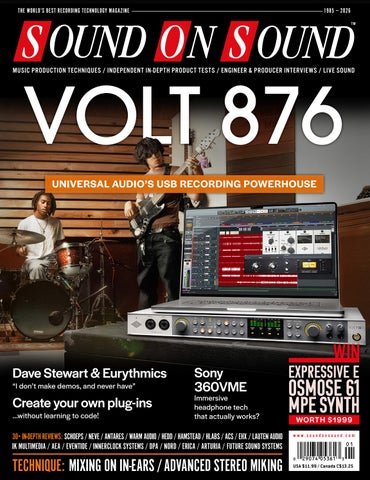
UNIVERSAL AUDIO’S USB RECORDING POWERHOUSE
Dave Stewart & Eurythmics “I don’t make demos, and never have”
Create your own plug-ins ...without learning to code!
Sony 360VME
Immersive headphone tech that actually works?
30+ IN-DEPTH REVIEWS: SCHOEPS / NEVE / ANTARES / WARM AUDIO / HEDD / HAMSTEAD / HLABS / ACS / EHX / LAUTEN AUDIO IK MULTIMEDIA / AEA / EVENTIDE / INNERCLOCK SYSTEMS / DPA / NORD / ERICA / ARTURIA / FUTURE SOUND SYSTEMS
TECHNIQUE: MIXING ON IN-EARS / ADVANCED STEREO MIKING
EXPRESSIVE E
OSMOSE 61 MPE SYNTH WORTH $1999
www.soundonsound.com
USA $11.99 / Canada C$13.25
www.ilio.com
800.747.4546
LE ADER
VIRTUAL CIRCLES E
ach new technology hype cycle tends to bury its predecessor. The current obsession with AI has, therefore, robbed attention from the previous next big thing. Virtual reality has been out of the headlines for a while now. But does that mean it was a technological dead end? Or is it quietly maturing in the background, poised to return once we’ve tired of having ChatGPT portray family members as action figures? The TL;DR of VR was that you’d put on a pair of ski goggles and be transported into an alternative reality. But in practice, there wasn’t actually much to do in the virtual world, and the illusion often proved superficial. The idea that one day we’d all be commuting to work in Mark Zuckerberg’s Metaverse now seems even more preposterous than it did first time around. Virtual reality is thus quite similar to artificial intelligence, in the sense that it has yet to live up to the grander claims that have been made for it. But that doesn’t mean both things can’t be impressive and useful on a smaller scale. AI might not be building starships or unlocking the secret of free energy, but as Ben McCulloch’s feature in this issue demonstrates, it’s quite useful for developing plug-ins. And whilst VR isn’t teleporting us to our own personal Abbey Road, it is becoming more relevant in a production context.
SOUND ON SOUND LTD (HEAD OFFICE) ALLIA BUSINESS CENTRE KING’S HEDGES ROAD CAMBRIDGE, CB4 2HY, UK T +44 (0)1223 851658 sos@soundonsound.com www.soundonsound.com
If reality is ever going to be virtualised convincingly, sound will have a key role to play. And since virtual reality is delivered through wearable devices, the same needs to be true of audio for VR. I’ve tried quite a few products that seek to manufacture a three-dimensional experience on headphones, and until now, I’d say the benefits have been real but limited. However, Sony’s 360VME really does take things up another level. As it stands, it’s optimised for the specific task of mixing and QC’ing immersive audio. There’s no visual element, and it doesn’t support technologies such as head-tracking. But Sony have solved one of the really hard problems, and 360VME is wholly convincing in the way that it presents sound as coming from above or behind you. There are many other really hard problems to be solved before we can all step into our own virtual Studio 2, or whatever the endgame of VR in audio production is. But at least it feels as though one of the essential building blocks is now in place. And, simultaneously, we’re seeing other breakthroughs, such as Neumann’s VIS virtual mixing environment for the Apple Vision Pro. Who knows, perhaps soon you’ll be turning the pages of a virtual SOS on a virtual newsstand.
“Whilst VR isn’t teleporting us to our own personal Abbey Road, it is becoming more relevant in a production context.”
ADMIN IS T R AT IO N
ADV ER T ISIN G
sos.feedback@soundonsound.com
admin@soundonsound.com
usadsales@soundonsound.com
Editorial Director Dave Lockwood Executive Editor Paul White Editor In Chief Sam Inglis Technical Editor Hugh Robjohns Reviews Editor David Glasper Reviews Editor Matt Houghton Reviews Editor Chris Korff Production Editor Chris Korff News Editor Luke Wood
Managing Director/Chairman Ian Gilby Editorial Director Dave Lockwood Marketing Director Paul Gilby Finance Manager Keith Werthmann
North America Sales Manager Dan Brown Regional Sales Manager David Carson UK Media Sales Manager Chris Cope
S UB S CR I P T I ON S subscribe@soundonsound.com www.soundonsound.com/subscribe
WOR L DW I D E E D I T I O N S
Circulation Manager Luci Harper Administrator Nathalie Balzano
UK/WORLD
Editor In Chief
E DI T OR I A L
WWW.SOUNDONSOUND.COM/SUBSCRIBE
NORTH AMERICA
Sam Inglis
M AR K E T IN G O N LIN E
marketing@soundonsound.com
support@soundonsound.com
International Business Development Nick Humbert
Digital Media Director Paul Gilby Design Andy Baldwin Web Content Editor Callum Hall Web Editor Adam Bull Digital Media Manager Atheen Spencer www.soundonsound.com twitter.com/soundonsoundmag facebook.com/soundonsoundmag instagram.com/soundonsoundmag
P R ODUC T I ON
DIS T R IB U T IO N
graphics@soundonsound.com
distribution@soundonsound.com
Production Manager Michael Groves Designer Mick Reilly Designer Andy Baldwin
International Distribution Magazine Heaven Direct www.magazineheavendirect.com
Printed in the USA Not for re‑sale outside North America
ISSN 1473‑5326 A Member of the SOS Publications Group The contents of this publication are subject to worldwide copyright protection and reproduction in whole or part, whether mechanical or electronic, is expressly forbidden without the prior written consent of the Publisher. Great care is taken to ensure accuracy in the preparation of this publication but neither Sound On Sound Limited nor the Editor can be held responsible for its contents. The views expressed are those of the contributors and not necessarily those of the Publisher or Editor. The Publisher accepts no responsibility for the return of unsolicited manuscripts, photographs, or artwork. © Copyright 2026 Sound On Sound Limited. Incorporating Music Software magazine, Recording Musician magazine, Sound On Stage magazine, SPL magazine, Sound Pro magazine and Performing Musician magazine. All rights reserved. All prices include VAT unless otherwise stated. SOS recognises all trademarks.
January 2026 / www.soundonsound.com
3
150 DAVE STEWART
IN THIS ISSUE
www.soundonsound.com
January 2026 / issue 3 / volume 41
FEATURES 106 How Anyone Can Create Plug-ins Got an idea for a plug-in, but no idea how to code? We can help...
112 Mixing On In‑ear Monitors If there was a monitoring system that was reliable, affordable and sounded the same everywhere, would you use it for mixing? Well, there is — and you probably already own it.
WIN
EXPRESSIVE E OSMOSE 61 WORTH $1999
116 Advanced Stereo Miking Concepts We dive deeper into the theory and practice of hybrid mic arrays, and consider the benefits of using more than one array.
132 Spotlight: Control Surfaces There’s more choice than ever in the world of control surfaces — we check out some current eight-fader options.
136 Is USB 2 Good Enough? Why are almost all audio interfaces still USB 2 devices? And does it matter?
140 40 Ideas That Changed Music: Part 2 Our four-part series charts the most important technical breakthroughs in music history.
142 Inside Track: Carter Lang Songwriter, producer and musician Carter Lang has built a stellar career on collaboration and a love of obscure hardware.
148 Talkback Artist and producer Galina Juritz on Go Jetters, Thundercat and why she’s always ready to record another take.
6
January 2026 / www.soundonsound.com
PAGE 34 150 Dave Stewart & Eurythmics As one half of Eurythmics, Dave Stewart created a chart-topping blend of soul music and electronica. Now he’s paying tribute to his earliest influences.
158 How I Got That Sound Jeff Balding tells us how he spent three days getting the right drum sound for Shania Twain’s ‘Man, I Feel Like A Woman’.
162 Why I Love... Found Sounds Benjamin McCulloch explains why he loves creating music with sounds from the real world.
92 ERICA SYNTHS X HEXINVERTER HEXDRUMS
ON TEST 38
Neve 88R LBC 500-series VCA Compressor
92 Erica Synths x
Hexinverter HexDrums
8 Schoeps Desert Island
Eurorack Module
ACS Eclipse 500
Drum Machine
Capacitor Microphones
4MS MetaModule
In-ear Monitors
Stereo VCA Compressor
Antares AutoTune 2026 Pitch-correction Plug-in
102 Aum Guitar Prana
Pedal & Slide Saddle
76
XS-100 Poly Shifters
Polyphonic Pitch-shift Pedals
86 Clavia Nord Organ 3 Digital Combo & Tonewheel Organ
68 DPA 4060 & 4099 Core+ Microphones
157 Edu Prado Sounds Dark Mandolin Sample Library
28 Electro‑Harmonix Oceans Abyss Digital Reverberation Pedal
Virtual Immersive Monitoring System
156 Soniccouture Deep Felt
Exay One Astrax
Sample Library
Eurorack Module
157 Sonora Cinematic Aethervox
96 Future Sound Systems Cric
Sample Library
Analogue Synthesizer
18
Hamstead Soundworks Redwing
74
22 HEDD Audio HEDDphone D1 Headphones
24 HLabs EQ169+ Single-channel Analogue Equaliser
78
Tobinski Sequencer Eurorack Module
Stereo Modulation Pedal
Guitar Sustainer System
102 Boss XS-1 &
60 Sony 360VME
Reverb Plug-in
100 Arturia KeyStep MkII Controller Keyboard
Stereo Set
66 Eventide Temperance Pro
56 AEA 1029 12
14
Sample Library
C O V E R
72
156 Emergence Audio Infinite Guitar
40 Universal Audio Volt 876 USB Audio Interface
32 Warm Audio Throne Of Tone Dual Overdrive Pedal
IK Multimedia ARC On-Ear Headphone Calibration System
50 Innerclock Systems GridLock II MIDI Interface
36 Lauten Audio Kick Mic Capacitor Microphone
104 Neural DSP Archetype:
Misha Mansoor X
Guitar Rig Emulation Plug-in
WORKSHOPS 120 Cubase 124 Studio One 126 Logic 128 Pro Tools 130 SOS For Artists www.soundonsound.com / January 2026
7
ON TE ST
Schoeps Desert Island Stereo Set Capacitor Microphones These pocket-sized mic pairs provide an easily understood entry point to Schoeps’ comprehensive catalogue. SAM INGLIS
O
f all the great German microphone manufacturers, Schoeps seem to maintain the lowest profile. Most people who are serious about recording classical music will have extensive experience with Schoeps mics, but in the rock and pop world, they can fly a little under the radar. That’s partly because, unlike Sennheiser, Neumann or beyerdynamic, Schoeps are not generalists. They do not make dynamic mics, or large-diaphragm models, and they don’t offer a range to suit every budget. Their entire product line is based around small-diaphragm capsules, of uncompromising quality. Historically, moreover, there has been no obvious Schoeps counterpart to the U67 or MD441: no iconic, instantly identifiable object that is ever-present in studio photos or documentaries about classic albums. Apart from the vocal-oriented V4U, Schoeps mics are deliberately made to be self-effacing and visually unobtrusive.
Click & Colette At the heart of the Schoeps range is a series of no fewer than 20 different capsules. All 20 are available separately as options for the modular Colette system, in which they can be paired with one of a number of bodies such as the CMC 1U and CMC 6, as well as accessories such as pads and low-cut filters. Almost all of the MK-series capsules are also available as
8
January 2026 / www.soundonsound.com
complete miniature mics, courtesy of the CCM range. So, for example, the CCM 2H miniature mic is functionally and sonically the same as the pairing of the CMC 1L body and MK2 capsule from the Colette range. You’d choose the former if you value convenience and compactness, the latter if you want the freedom to mix and match different preamps and capsules. The Colette range is by far the most comprehensive modular mic system on the market, which is perhaps a double-edged sword. On the one hand, there’s no recording task imaginable that can’t be handled by at least one of the 150-plus combinations of body and capsule on offer. On the other, if you’re taking your first steps into Schoeps’ world, the immense wealth of options can be intimidating. I suspect that’s one of the major reasons behind the introduction of the Desert Island Stereo Set.
Small Is Beautiful If you were actually stuck on a desert island, you’d have to keep a sharp eye out
for thieving seabirds, because the Desert Island Stereo Set is remarkably compact. It comprises a pair of CMC 1U bodies, each about an inch and a half long, with your stereo-matched choice from nine of the most popular MK-series capsules. These are supplied with simple standmounting clips in a very robust black Peli case with a carabiner, so you can attach it to your belt in case of albatross attack. At around five inches by three, the case is genuinely pocket-sized, and not much larger than one you might use for a pair of IEMs or similar. Capsule options for the Desert Island Stereo Set include four MK2 omni types variously optimised to be flat in the nearfield, the diffuse field and distances in between, plus the MK21 wide cardioid, the MK22 open cardioid, the MK4 cardioid, the MK41 supercardioid, and the MK5, which uses a mechanical switching arrangement to offer both omni and cardioid patterns. Schoeps supplied the MK4 version for this review. As you’d expect given the price and Schoeps’
make noise have fun Introduce your microphone to your FX pedals. REX and ROXi are legit, studio-quality mic preamps designed to live right on your pedalboard, unlocking new creative possibilities for performing and recording musicians alike. Whether you’re a singer, horn player, harmonica shredder, one-mic bluegrass band, or metal-polka accordion hero, REX and ROXi let you connect your mic to your favorite stompboxes and sculpt creative, inspiring sounds on stage or in the studio. Created to the same bulletproof standards as all our pro audio gear, these pedals are made to perform — and built to last. Learn more at www.gracedesign.com
ON TE ST
SCHOEPS DESERT ISL AND STEREO SET
reputation, manufacturing quality is top-notch. There’s something awe-inspiring about tiny things made to an incredibly high standard, and the Colette mics are just that. The CMC 1U body requires standard phantom power, with a range of 30 to 52 Volts specified, and its XLR output is electronically balanced. The CMC 1U / MK4 combo can accommodate sound pressure levels up to 135dB for 0.5% distortion, and if you anticipate recording anything louder than this, you can of course buy Schoeps’ inline pads separately. The CMC 1U has a frequency response that is flat from 20Hz upwards; below this, it is intentionally designed to roll off at 12dB per octave. Output impedance is 50Ω, and Schoeps say that the CMC 1U will drive cable runs of up to 400m. The MK4 capsule, meanwhile, boasts specifications that look almost too good to be true. Its polar pattern is pretty much perfectly cardioid between 250Hz and 16kHz, although it’s a shame the graph does not include a measurement at 125Hz. Its on-axis frequency response is ruler-flat from about 180Hz upwards, below which a very gentle roll-off reaches -3dB at 50Hz. Self-noise is a state-of-the-art 14dB (A-weighted), and the system has a comfortable sensitivity of 15mV/Pa.
such as the old AKG C451 have to be offset vertically to stop the tails and cables fouling each other, but there are no such issues here (although setting a precise mutual angle by eye can be harder with such short bodies). ORTF and some other widely used stereo arrays also demand a good off-axis response, since things that are in the centre of the stereo field are off-axis to both mics. Schoeps’ capsules deliver exactly what’s needed in this respect. There are also numerous studio applications for high-quality cardioid pencil mics that don’t involve stereo, and these mics fulfil such roles with equal aplomb. It seems to be the fate of all small-diaphragm cardioid mics to be compared with the Neumann KM84,
discontinued in favour of the MKH8040, but still very popular. In a direct comparison, the Sennheiser mic was significantly warmer-sounding on all sources, and less ‘sparkly’ in the 10kHz region. And in each case my instincts told me to EQ the MKH40 to sound like the Schoeps, not the other way around! The CMC 1U / MK4 pairing is undoubtedly much more similar in character to the KM84 than it is to the MKH40, and I think both the Schoeps and the Neumann mics manage to achieve the neat trick of measuring completely flat whilst sounding just a touch euphonic. It’s not the outright flattery that many large-diaphragm mics provide (and which has to be weighed against their lumpy off-axis response and other negatives), but a sort of twinkle in the eye that you wouldn’t get from, say, a typical measurement mic. All in all, I was left thinking that the KM84’s legendary status is as much an accident of history as it is a reflection of that mic’s undoubted quality. The prominence of the Neumann name, and the KM84’s widespread use on classic records, has given it a profile that eludes the more understated Schoeps line. Yet the MK4 capsule has an equally rich history and pedigree. In combination with the CMC 1U or one of Schoeps’ other bodies, it achieves technical standards that the older mic can’t. And it sounds great, both in stereo and on its own. If engineers decide to elect this as the gold standard instead, I won’t stand in their way.
“There’s something awe-inspiring about tiny things made to an incredibly high standard, and the Colette mics are just that.”
Pencil Pushing Applications for a well-matched pair of high-quality cardioid pencil mics are legion, and if there’s one to which the CMC 1U / MK4 combo isn’t well suited, I didn’t find it during the review period. The compactness of the body is a real help when setting up something like an ORTF array; longer mics
which has become the gold standard in many engineers’ minds. I carried out several such comparisons during the review period. On some sources, such as close-miked vocals, the two were largely indistinguishable, except in that the KM84 seemed more susceptible to popping. On others, notably acoustic guitar, there was a discernible difference, albeit one that was subtle and hard to describe. In most cases, the Neumann classic seemed to exhibit a slightly fuller low midrange, while the Schoeps mics felt more open and extended at the high end: not brighter, as such, but perhaps more natural. Another favourite German small-diaphragm cardioid mic of mine is the Sennheiser MKH40, now
$ $3756, or $4510 with MK5 capsules. W www.reddingaudio.com W www.schoeps.de
Since the Schoeps mics are modular, you can augment a Desert Island Stereo Set with additional capsules at any point.
summary The Desert Island Stereo Set is the perfect, portable introduction to Schoeps’ exhaustive range of modular microphones.
10
January 2026 / www.soundonsound.com
There’s no place like home. Your home studio is your sanctuary — a place where your creativity thrives and you can discover your true voice. At Sweetwater, we understand how important it is to have the right gear that complements your space and your needs. That’s why we offer expert guidance, unmatched support, and all the best hardware and software to turn your home studio into an oasis of inspiration.
Photo: Mitch Gallagher’s Home Studio
Sweetwater.com (800) 222-4700
ON TE ST
JOHN WALDEN
A
utoTune Pro 11 (reviewed in SOS June 2025: https://sosm.ag/ antares-autotune-pro-11) remains Antares’ flagship product, offering both graphical/manual pitch correction and harmony generation alongside automatic pitch correction. But they’ve long offered more affordable versions that concentrate on the automatic correction side of things, and replacing AutoTune Artist is the new AutoTune 2026. The most obvious change is a GUI redesign, though the controls and settings are largely familiar from earlier versions.
Simplicity You can pick from two modes, Modern and Classic, the former promising more natural results and the latter offering the older AutoTune 5 algorithm, which apparently remains popular. Other than that, the main control set has been streamlined to just three parameters: Speed, Humanize and Flex Tune. The retuning Speed should be self-explanatory, while Humanize allows AutoTune to pitch-correct sustained notes more naturally at higher Retune speeds. FlexTune (available only in Modern mode) constrains the amount of pitch correction being applied (something that’s nicely indicated by coloured brackets in a redesigned pitch-correction meter), so more of the original vocal gestures can be retained. You can set the voice or instrument type (for example, soprano, alto/tenor or baritone/bass) and the key and scale type manually, but AutoTune can Auto Detect the voice type and, via the included AutoKey plug-in, suggest the appropriate key/scale combination after listening to your audio input. A drop-down list offers more scale options, and the new GUI makes it easy to add/remove notes to constrain the notes being corrected. With so few controls, dialling in your pitch correction really is very easy, but those new to AutoTune might find it useful to explore the new collection of artist-designed presets.
On Test AutoTune 2026 is, frankly, a breeze to use, and does its job with a minimum of fuss. The highest-quality setting delivers the best results at the cost of 58ms of latency, but as with AutoTune Artist, there’s the choice of low-latency
12
January 2026 / www.soundonsound.com
Antares AutoTune 2026 Pitch-correction Plug-in
Whether you want natural pitch correction or the classic pitch-glitch effect, AutoTune 2026 aims to make things easy. operation (Cubase reported 2.3ms in Modern mode and 0.8ms in Classic mode). So you could easily use this plug-in in real time while tracking, if that helps your singer to perform with confidence. I ran a few different vocals through AutoTune 2026 and AutoTune Artist, and in most cases I’m not sure I would have been able to reliably tell the difference in a blind test. But since AutoTune 2026 uses fewer CPU cycles to match this already high quality bar, that’s a win! On the down side, the Artist version’s Transpose and Throat/Formant options aren’t included, and neither are some of its more exotic scale selections. Also, some might be deterred by the cost of the perpetual licence, though there are subscription options and a free 14-day trial is available. But the bottom line is that AutoTune 2026 works well.
It captures the essence of the AutoTune automatic pitch-correction experience in a modern, very accessible GUI. Whether you want to gently nudge the pitching of a decent sung vocal or make a feature out of more extreme pitch correction, those new to automatic pitch correction will find that AutoTune 2026 does exactly what they will expect of an ‘industry standard’.
summary AutoTune 2026 delivers Antares’ famed automatic pitch‑correction process in a modern UI with a streamlined workflow, although, for a perpetual licence, that quality and convenience does come at a price.
$ Perpetual license $300 (includes
one-month subscriptions to Auto-Tune Unlimited and AutoKey 2). Subscriptions also available. W www.antarestech.com
ON TE ST
Neve 88R LBC 500-series VCA Compressor
At last, the channel compressor of Neve’s flagship 88R console is available in 500-series form! M AT T H O U G H TO N
R
eviewing Neve gear is always a pleasure, but as they helpfully make various preamps, EQs and processors in multiple forms for different use cases, there’s often considerable overlap between products. That leaves reviewers with a conundrum: just what is there left to say? The 88R LBC puts the 88R console’s channel compressor into a 500-series module, and is a case in point. Neve have released standalone versions of this processor before, most recently the 88C that I reviewed in SOS May 2025 (https://sosm.ag/neve-88c). So, after confirming to you that the 88R LBC functions in precisely the way that’s claimed, works well with a vast range of sources, and sounds as good as you’d expect, I find myself at serious risk of repeating myself (see what I did there?). Thus, I’ll keep this review of what I judge to be a remarkably good compressor short and sweet!
Attack With Speed! This single-slot, 500-series module offers pretty much identical functionality to the dual-channel 88C,
14
January 2026 / www.soundonsound.com
but aesthetically the knobs and layout owe more to the 88R console. At the top, a nine-LED meter can indicate up to 50dB of gain reduction (with finer resolution in its top half, naturally). To each side there’s a tri-colour LED to indicate the input/output levels. That’s slightly less visual feedback than you get on the 88C, but a design decision that contributes to a clean, open layout, despite the tight confines of the 500-series format. Below are pots for the threshold (+20 to -30 dB), ratio (1:1 all the way up to Lim, with 3:1 at the vertical position), release (0.03 to 3 ms), and make‑up gain (0 to 30 dB). These are joined by four toggle switches. One at the top right engages a side-chain high-pass filter (80, 125 or 300 Hz, or off), while another engages an automatic make‑up gain facility — a time-saver we’re accustomed to in plug-ins, but rare in the analogue world, where it’s rather harder and more expensive to implement. A third switch enacts the automatic release mode. Yes, many compressors have such a facility, whereby dual time-constants allow it to recover faster after aggressive transients and more gently at other times, but Neve’s approach is notable for employing three ‘layers’, which tends to make it effective on a wider range of material than most; in fact, I almost always agreed with Neve’s ‘set and forget’ suggestion. The final toggle switch, Fast, implements an ultra-fast attack setting, and for the Lim ratio this doesn’t let anything whatsoever peep above the threshold.
Now, the eagle-eyed among you may have noticed that I haven’t mentioned an attack knob. That’s because there isn’t one! Instead, Neve use something they call “adaptive attack technology”. Conceptually, it’s similar to an automatic release: the use of two separate circuits enables the compressor to respond at different speeds to more aggressive and gentle transients. I wrote about this in my 88C review. In short, my initial reservations about ‘letting go’ were unfounded; it works brilliantly. Finally, at the bottom, we have push switches for In (bypass) and Link. The latter allows you, assuming you have a suitable 500-series host rack, to link the side-chain bus of multiple 88R LBC modules, for use on stereo and other multi-channel material.
Key Takeaways In terms of its action and sound, there’s really very little I can add to my already glowing assessment of the 88C but, in summary, the technical specs are everything you’d hope for from a modern Neve design, with vanishingly low distortion that translates into a superb sonic performance. The adaptive attack and ‘triple-layer’ auto release work very well, and can make setup for most sources exceptionally quick and easy. Were you to have several of these compressors in a rack or 500-series host console (in which scenario there should be no power problems, since the modest current draw is well within the VPR Alliance spec), that speed could prove a real advantage during a busy tracking or analogue mix session. Neve have done a grand job of packing all this into the 500-series format too, with an intuitive layout that leaves plenty of space for fingers around the controls. Yes, you pay a little premium for the Neve name, but it should hold its value well too, and that money is genuinely buying you a great-sounding, ‘all-rounder’ channel compressor with some really cool and practical features.
summary A lovely, clean-sounding VCA compressor-limiter whose unique features make it versatile and exceptionally quick to set up.
$ $995 T AMS Neve +44 (0)1282 457011 E info@ams-neve.com W www.ams-neve.com
ICONIC DESIGN, REBORN.
MEET THE NEXT GENERATION OF QU SERIES: Reengineered with the latest FPGA processing technology and versatile connectivity for today's sound engineers.
20 YEARS OF ACOUSTIC RESEARCH INTO ONE SOLUTION.
www.trinnov.com
ON TE ST
M AT T H O U G H TO N
W
ith a background in aviation electronics, Pete Hamstead came to the guitar world with different ideas from most designers, but arguably his most important was to design analogue amps that boast much better noise performance than the classics, and his recipe works: I’ve played through a couple of their amps and as well as kicking out a great tone, they’re whisper‑quiet in terms of noise — to the extent that when not playing through it, you really wouldn’t know the amp was on!
Red Lines This is all achieved through component choice and skilled circuit design (as opposed, for example, to any noise-supression processing such as expansion). Naturally, Hamstead soon went on to bring his expertise to bear on analogue stompbox design, and we’ve already been impressed by a couple of his designs: the Signature Analogue Tremolo (reviewed in SOS July 2016: https://sosm.ag/ hamstead-signature-tremolo) and the Odyssey multi-mode analogue overdrive (SOS August 2018: https://sosm.ag/ hamstead-odyssey). Now, in collaboration with the team behind That Pedal Show, Hamstead have returned with a larger, more ambitious pedal called the Redwing. But although billed as an analogue ‘stereo modulation pedal’, that description doesn’t really convey its full scope. It features two bucket‑brigade delay (BBD) lines that are used in various ways to bring us a whole smörgåsbord of tasty effects, ranging from chorus, vibrato and flanging, to a sort of rotary-speaker emulation and even ring-mod-like textures. As you might expect of Hamstead, they’ve taken an analogue purist’s approach: the signal path and the controls are entirely analogue, and that’s a decision that has pros and cons. In the pros column, the sound is great, the technical performance is superb, with vanishingly low noise levels, and the controls are every bit as immediate and intuitive as you’d expect of a decent analogue pedal. As for the cons, there’s no MIDI, no tempo sync, and no preset switching system. For some, that last one could well prove a deal-breaker, simply because this pedal is capable of performing so many different duties,
18
January 2026 / www.soundonsound.com
Hamstead Soundworks Redwing
Stereo Modulation Pedal
This all-analogue affair takes modulation well beyond the bread-and-butter chorus and flanger effects. and for playing a set on stage I’d tend to view it as a single-purpose pedal, even if that purpose might vary from show to show. The sound and versatility definitely appeal, though, and at home and in the studio, you obviously have more time to dial in your settings and experiment.
Form & Function The build quality is solid and weighty; it inspires confidence. On/bypass switching is handled using GigRig’s ‘silent’ OptoKick optical footswitch, which
should prove reliable and, as long as you’re gentle, can be operated quietly, with no click. The main knobs on the top panel are Gain (which appears to be a post-effect master volume, and doesn’t apply when the effect’s bypassed), Speed, Width and delay time (labelled Manual), pretty much as you’d expect. There’s also a Blend knob for mixing the wet and dry signals, and Regen, which sets the feedback intensity. An active EQ section comprises separate Bass and Treble knobs that can cut or boost, but apply only to the wet signal — so, in conjunction with the Blend control, you can use them to rein in any effects that you like but which nonetheless tend to leap out a bit too much. Some switches, though, allow you to take things a little further. There are three LFO modulation waveform options (Triangle, Sine, and Asymmetric, which is essentially a sine wave that’s flattened out
Recording studio
Ableton Live Controller
Sampler
Synthesizer
Drum machine
Modular hub
ableton.com/push
Live show
Bandmate
Expressive instrumen
Writing partne
ON TE ST
HAMSTEAD SOUNDWORKS REDWING
on the top part of the wave, to cause a ‘lurchier’ sort of feel), along with a smaller knurled knob to adjust the Shape. With the latter you can move the centre point of the waveform back/ forwards, so you can, for example, dial in a classic sawtooth shape. The LFO is Hamstead’s own design by the way, not an off-the-shelf chip. The Speed knob has an associated switch for Hi/Lo speed ranges. This increases the range of effects possible without the pot seeming too sensitive and finicky to the user, and the Hi setting is what allows this pedal to be taken all the way into Leslie and ring-mod sort of territory. Finally, an Offset switch and another small knob allow you to offset the right‑side delay line, making it possible to achieve something like the classic through-zero open-reel tape flanging. Obviously, you can’t move either delay line earlier in time than the dry signal! On the rear, the Redwing has a single mono jack input, but the dual jack outputs can be used in a couple of ways. A switch determines whether they’re used in tandem for left-right stereo, or one for the dry signal and the other for the wet. There’s also a Control input for an expression pedal that acts on the Speed parameter. A Hold jack supports an external footswitch, and this can be used to drive the feedback loop into oscillation. A Phase In/Out toggle inverts the polarity of one of the two delay lines, for more complex, spacious-sounding effects. Finally, a DC power inlet accepts 9-24 V, and requires a 365mA supply (not provided).
Impressions Plugging into the Redwing, the first thing I noticed was a joyful sonic richness, and in general it sounds every bit as good as I’d hoped. Obviously, you do need to spend a little time dialling in the actual effect you want, and there are some recall sheet‑style examples in the manual to help get started. The dual BBD lines open up possibilities far beyond what a standard mono modulation pedal can deliver and since, in stereo mode, you can offset one channel and polarity-invert
the modulating LFO for one line, you’re able to produce all sorts of luscious textures. The Redwing really shines when used in fully stereo setups. I don’t tend to run dual amps or cabs myself, but when testing it over my studio monitors with modelling amps, the sense of width and motion was impressive: a constantly shifting, luxurious image that feels warm and immersive, but simultaneously clear — never noisy or muddy. It has serious potential, then, for keyboards, synths or, perhaps, even vocals, not just guitar. But for all this glorious stereo sophistication, the Redwing is perfectly happy being used as a mono-in, mono-out stompbox on your guitar pedalboard. I can’t claim to be a frequent user of chorus effects either, but I admired and enjoyed what I found here; even subtle settings seem to have a sense of depth and vitality. Flanging is much more ‘me’ territory, and when it comes to that effect this pedal is oh-so satisfying. The Redwing is capable of restraint or wildness, and pretty much everything in
“The sense of width and motion was impressive: a constantly shifting, luxurious image that feels warm and immersive, but simultaneously clear...” 20
January 2026 / www.soundonsound.com
You have the choice of fully mono operation and not only a stereo output, but separate wet and dry mono outputs.
between. You can dial in familiar effects — the gentle ‘whoosh’ of an Electric Mistress, say — or something far more distinctive. That includes, with the Offset control engaged, what I reckon is a convincing approximation of tape-style flanging. What’s more, since the Gain control only applies when the effect’s engaged, you can compensate for any sense that a flanging effect is sucking your part out of the mix when you engage the pedal — an occupational hazard with modulation effects that can render otherwise brilliant effects unusable! I found the vibratos equally impressive. And if you push Regen into higher values and set the Speed switch to Hi, the pedal begins to veer into much more experimental territory: those metallic, ring-mod-like sounds I mentioned above, and self-oscillation — the latter can be really engaging.
Verdict So, do I love the Redwing? Absolutely! Should you get one? That depends on what you require of it. If you need a Swiss Army knife of a modulation pedal to experiment and record with, and the sound and range of effects is all important, it’d be a superb choice; it may not be inexpensive, but I really can’t think of a better option, and I’d heartily recommend it. If, on the other hand, you need a stompbox that you can quickly configure differently for each song in a live set, then, gorgeous as it sounds, you should probably look elsewhere.
summary An immaculately designed and built all-analogue pedal, the Redwing is capable of a surprising range of modulation effects, from classic choruses, through whooshing flangers, to swirling rotary speakers and metallic ringing. As long as you don’t require instant preset recall or MIDI control, it’s a joy to hear and use.
$ $559. E hello@hamsteadsoundworks.com W www.hamsteadsoundworks.com
Creating Legends For Over 50 Years
For more than 50 years, Harrison has defined the sound of the world’s most influential records. Today, the 32Classic MS Mix Strip and DR510 500 Series system carry that legacy forward— bringing the legendary Harrison tone into the modern studio. Combining decades of analog expertise with cutting-edge hybrid workflows, these tools deliver the unmistakable Harrison sound. Designed to inspire producers, engineers, and artists alike, they empower today’s creators to craft the timeless music of tomorrow.
ON TE ST
CHRIS KORFF
H
EDD Audio are best known for making studio monitors fitted with ‘folded ribbon’ tweeters, or Air Motion Transformers. Indeed, their founder Klaus Heinz has spent his life developing this technology — first studying under the inventor of the AMT, Dr Oskar Heil, before founding ADAM Audio and developing the idea into the ART (Accelerated Ribbon Technology), and then setting up Heinz Electrodynamic Design (HEDD) to take his ideas even further. Arguably, Klaus Heinz is responsible for more ribbon tweeters gracing studios than anyone else. So it perhaps wasn’t surprising that HEDD Audio’s debut pair of headphones used a heavily modified AMT driver. Indeed, the HEDDphones were the first ever headphone design to employ AMT drivers, and also the first product to deploy AMTs across the full audio bandwidth — an impressive feat of engineering given that they’re normally designed to only reproduce frequencies above 2kHz or so. Those headphones were expensive and enormous, but when Sam Inglis reviewed the original HEDDphones in SOS July 2020, he deemed those trade-offs more than worthwhile, praising them for their neutral, forensic sound, and their outstanding ability to resolve detail and reveal non-linearities in source material. The HEDDphone Two, released in 2023, met with similar praise, but while it was a worthy update to the original design it was still fundamentally the same concept: an AMT driver operating at full range as a headphone driver. For their third headphone release, though, HEDD have made a significant departure...
Mortal Coil The new HEDDphone D1s use moving‑coil dynamic drivers, and they are consequently a much more familiar shape and size. They’re also significantly more affordable than the HEDDphone Twos — around a grand cheaper, in fact. Even so, they are not as conventional as they might appear: HEDD say that these are the first ever headphones to employ a Thin-Ply Carbon Diaphragm (TPCD), a material developed by Swedish company Composite Sound. As far as I’m aware, this partnership marks another first for HEDD, who in addition to making AMT tweeters, have always manufactured the moving-coil bass and midrange units for their own monitors — and even developed their own proprietary materials for the
22
January 2026 / www.soundonsound.com
HEDD Audio HEDDphone D1 Open-back Headphones
HEDD’s third headphone release loses the AMT driver in favour of a conventional moving coil, but the company’s trademark high-tech approach is still very much evident. cones. So why get a third party involved? Composite Sound are a subsidiary of Oxeon, who make carbon‑fibre structures for the automotive and aerospace industries, among others. Perhaps surprisingly, their name has appeared in SOS before: Oxeon make a carbon‑fibre material called TeXtreme, which high‑end monitor manufacturers Ex Machina Soundworks employ for the midrange cones in all of their monitors. And Composite Sound, formed in 2016, seem to have been founded as
a spin‑off brand specifically to serve loudspeaker (and now, apparently, headphone) manufacturers. The Thin-Ply Carbon material itself is woven from extremely thin ‘tapes’ of carbon, which Composite Sound say results in increased stiffness and reduced weight compared to conventional ‘yarn’-based carbon fabrics. More impressively, they say that their manufacturing process allows them to vary the thickness and stiffness of the material in a very targeted way, in order to (for example) supress resonances, or delay the onset of cone break‑up. So, rather than following the traditional approach of creating a cone and then damping it where necessary (adding mass in the process and therefore reducing the speed at which it can move), they can incorporate only such damping as is needed by varying the properties of the diaphragm itself. Composite Sound call it a ‘Metamodal’ material, and say that it can be “engineered for a tailored modal behaviour —
frequency response linearity, improved pistonic motion, moving mass optimisation — as needed”. All of which are very useful qualities for loudspeaker and headphone driver diaphragms. There is a lot of dogma in the audio industry, and companies that specialise in specific technologies — electrostatic speakers, say, or compression drivers — are often stubbornly wedded to them. HEDD Audio, being one of the leading exponents of AMT tweeters, and having pioneered their use in headphones, could be forgiven for sticking with them. But the decision to work with Composite Sound looks like a very pragmatic one, if you assume that they first decided they’d like to make some less enormous headphones, concluded that they’d therefore need to be moving‑coil designs, decided that they should still be extremely good headphones, and then rang around to see who could make the best possible material for their diaphragms. That strikes me as a commendably rational approach. And it should be noted that HEDD haven’t entirely outsourced the tech for the D1s: other than the TPCD, the rest of the driver is custom-made in-house at their factory in Berlin, along with the rest of the headphones. There’s more to headphones than their drivers though. In the case of the D1s, those TPCD drivers are housed in open‑back circumaural earcups, which feature generous padding to place the drivers just over an inch away from your earholes. The drivers are protected on both sides by perforated metal grilles, and
on a B&K 5128 HF-HATS rig, with diffuse-field HRTF compensation (ie. corrected for the effect that the B&K crash-test dummy’s anatomy has on the measurement microphones). The graph shows a largely flat response between 20Hz and 10kHz, bar a broad boost around 100Hz and some wrinkles from 3kHz up, before falling to about -20dB at 20kHz.
In Your HEDD All of which is very well, but what are they like to use? The first thing I noticed when putting them on, before playing anything through them, is that they’re quite ‘huggy’ — somewhere between ‘snug’ and ‘tight’ — and the contouring of the headband wasn’t quite a match for the contouring of my own head, which meant that the bumps applied a noticeable amount of pressure on either side of my pate. On the plus
“The HEDDphone D1s are impressively neutral, with no part of the spectrum sounding over‑ or under‑represented.” the earcups are attached to the headband by way of a yoke that both swivels on the vertical axis and rotates along the horizontal. There’s not enough movement to allow the D1s to fold up, but they do come with a rigid zip case, which can also house the included braided Y‑cable. The Y ends of said cable have an L and R on the mini‑jacks to let you know which is which, and you need to observe those markings if you don’t want a reversed stereo image (the earcups don’t do the clever thing of only outputting the correct side no matter which cable you plug in, as some headphones do). There’s a corresponding L and R on the inside of the headband, which has sliding metal strips to allow for differently sized heads, and is well padded at the top. The padding on both the headband and earcups is covered with perforated, breathable velour, which is comfy to both ears and a bald head. Specs-wise, the D1s are again much more conventional than the AMT-based HEDDphones. They have a sensitivity of 100dB/W (compared with 89dB/W for the HEDDphone Two), and a nominally 32Ω impedance (41Ω for the HEDDphone Two). HEDD give an unqualified (and therefore not very useful) frequency response of 5Hz-40kHz, but they also show a proper and much more helpful response graph, as measured
side, though, they felt very secure and I was confident that the fit, in terms of the position of the drivers relative to my ears, was spot‑on and repeatable. I can’t say the same for my usual open-backs, the AKG K712s, which are very loose-fitting and allow for rather too much movement. What’s more, and I guess as a result of both the snug fit and generously padded earcups, the D1s offer more isolation than you’d expect from open‑back headphones. Sound leakage outwards is also considerably better than on the 712s, which you can hear remarkably clearly from across the room. However, the D1s don’t exhibit that slightly claustrophobic or tubby sound that closed-back cans usually do, to varying degrees.
In fact, tonality-wise the HEDDphone D1s are impressively neutral, with no part of the spectrum sounding over‑ or under‑represented. The big deal that HEDD and Composite Sound make of the low mass of their TPCD led me to wonder whether the high end might prove a bit attention-grabbing, but in practice, there’s nothing incongruous about the top end (unlike the K712s, which are a little on the hypey side). If I did notice a fast transient response, it was in the lower mids, where double basses and toms seemed rather more tangible and punchy than on both my K712s and the much more expensive K812s. And on material recorded in stereo, I also got a sense that the image was more precise than on the AKG models, perhaps because of the TPCD’s superior ability to resolve timing information between the left and right channels. In fact, the AKG K872 provides an interesting point of comparison. Although it’s a closed-back design, it boasts highly engineered dynamic drivers, with diaphragms of 53mm in diameter. HEDD don’t specify the size of the TPCD, but it looks quite similarly sized to me. What’s more, both designs place the diaphragms a similar distance from the wearer’s ears. To my ears, both models sound quite similar (notwithstanding the closed-back design of the 872s, and their concomitant excellent isolation and low-mid emphasis), but in terms of neutrality and transparency, I think the D1s win out. Which is no small feat given that they cost around half the price that the K872s did when new. Finally, and it’s quite a difficult thing to notice when trying out new headphones, the D1s actually sound... slightly boring. Not in a dull or muffled way, but in the way that a good pair of studio monitors in a properly treated room sound. I found myself listening to the music, rather than the headphones. More so than any of the other headphones I had to hand during this review, the D1s didn’t really have a ‘sound’ as such, they just presented audio in a neutral, natural and transparent way. Which is all anyone can ask of a good pair of studio headphones!
summary HEDD’s first‑ever moving-coil headphones are a fine example of quality engineering translating to excellent sound reproduction. They’re not cheap, but they easily hold their own against other premium models.
$ $799. W hedd.audio www.soundonsound.com / January 2026
23
ON TE ST
H L A B S E Q 169 +
The power inlet is compatible with V-LOCK power cords, which have a pin to prevent accidental removal.
than the clean turn-and-listen approach adopted here. To set the range, there’s a three-position toggle switch to the left of the bypass toggle. In Original mode, you have ±12dB of adjustment on the Presence bands and ±15dB on the shelves, whereas in Mastering mode, the presence bands’ control range is ±4dB and that of the shelves ±5dB, so the switches give you far finer control over a more restricted range. A third choice, in the switch’s middle position, is Hybrid mode, which combines the shelving options of Mastering with the greater mid‑band ranges of Original. The output level isn’t affected by the range control, and always offers you ±3dB of gain.
In Use The EQ169+ is incredibly quick and easy to dial in, thanks in no small part to the stepped controls. On the face of it, to inexperienced engineers who’ve grown up with software tools, stepped controls might appear to limit your options, but there’s real merit in this approach. Just being able to reach out, tweak the controls and listen, in full confidence that you can return exactly and immediately to the previous setting, means you can easily compare and contrast settings. That’s great for mastering and other work with complex material, but it’s also a way of working that every student of audio should experience; a really effective way to to train your ear
and develop your listening skills. In any case, there are plenty of frequency options to play with, and generous overlap between bands means that you can perform boosts and cuts close together, or dial in some pretty complex curves — between the HPF, the low shelf and the Presence bands, you have ample control over the punch and power region of a kick drum, for instance. The stepped controls also made using two units on stereo material a breeze, but not just for mastering. For example, the review pair was a joy to use on a drum bus, and worked well on the stereo mix bus too, Some EQs do offer you more than the ±12dB of gain available in the mid bands, of course, but honestly, how often do you really need a broad 15dB boost/ cut? While there’s plenty of scope to shape any sound, I should note that the bandwidths are not adjustable, and I’d suggest that this EQ is much more about broad tonal shaping than the surgical removal of problems. That you can restrict the gain range to make possible really focused adjustments is wonderful, and is one of the keys to this EQ being so supremely versatile — it’s super easy to configure an appropriate gain range for whatever tracking, mixing or mastering application you have in mind — and this is something that’s been managed without crowding the front panel, or cramming too many options into the range of any one control.
It’s not long since I had the CS169 channel strip in for testing, and I opened up some projects I’d used that on for comparison. There are more EQ options on the EQ169+, of course, but the sonic character is just the same — just as impressive. What this translates to in subjective terms is an EQ that sounds clean and effortless, as you’d expect of a unit whose quoted frequency response (1kΩ load) is within ±0.1dB from 5.4Hz to over 25kHz, a THD spec of 0.005% at 0dBU, and which has a signal-to-noise ratio in excess of 108dB. Still, as was the case when appraising the CS169, my ears detected an almost indefinable hint of silky smoothness: while this EQ sounds clean, it never struck me as sounding harsh or clinical.
The Bottom Line This isn’t the only seductive-sounding, high-quality analogue EQ today, and competition is fierce. But there are few models whose roots lie in the Studer consoles, and the EQ169+ has lots to commend it. If you want to hear it in action on a range of material, check out the examples on HLabs’ own product page (https://hlabs.audio/product/eq169plus). But the long and short of it is that this device is easy to use and it sounds superb; if I had to use no other EQ for tone-shaping ever again, I wouldn’t complain. Given the sonic quality, the versatile features, and that the units are hand-built in Europe, the asking price represents decent value too.
summary A lovely analogue EQ, whose design has roots in the circuitry of a classic Studer console, and which boasts not only a great sound but also some really useful practical features, such as the ability to adjust the gain range to suit different tasks.
The Gain Range switch lets you toggle between settings that might be better suited for tracking and processing individual sources, or for mastering and bus-processing work.
26
January 2026 / www.soundonsound.com
$ $1399. T HLabs +33 (0)6 5940 6253 E contact@hlabs.audio W www.hlabs.audio
ON TE ST
PAUL WHITE
W
ith most of Electro‑Harmonix’s effects pedals, you use just a few intuitive controls to perform a specific task. But Oceans Abyss goes way beyond this remit. While it isn’t exactly a budget unit, you get a lot of processing power for your money, and I’d say it finds itself in the rarefied company of pedals such as Strymon’s Big Sky, Source Audio’s Collider, Boss’ RV-500 and IK’s AmpliTube X-Space. With dual stereo reverb engines and additional effects blocks, you could argue that the Oceans Abyss is in fact a dual‑engine multi-effects pedal. Its main focus, though — at least where the 128 presets are concerned — is very much on reverbs, with the other effects generally playing a supporting role. It can create reverb effects that go way beyond the natural, yet it can also handle all the more conventional reverb scenarios. You can use any of the other effects without reverb if you want, though. For example, you could use one processing block to replicate a Small Stone phaser or Memory Man delay. Furthermore, as each engine has its own bypass switch, you could load different effects into each and access them separately during your performance. The audio quality has also not been neglected, and the pedal’s converters run at 96kHz/24‑bit.
In Control Physically, the pedal is fairly wide (181 x 146 x 57mm WDH), and is housed in a robust folded‑metal base that mates with an extrusion forming the front, top and rear of the case. The Oceans Abyss is controlled by a combination of knobs, sliders and three footswitches. The footswitches are, sensibly, located well away from the sliders, which have integral LED indicators in their caps that flash while they’re being moved. The footswitches are used for bypassing the A and B effects engines, overall bypass and, by pressing both together, for preset up/down scrolling. The switches may also be used to enter tap‑tempo data, with various customisation options offered in the Settings menu. As with EHX’s POG 3, a turn, rock and press NavCoder works in conjunction with a monochrome OLED display. The latter makes use of graphics where applicable to show the signal path, settings, patch saving, virtual fader positions and so on. Control settings are aided by those
28
January 2026 / www.soundonsound.com
Electro‑Harmonix Oceans Abyss Digital Reverberation Pedal
If you’re looking for more than reverb from your reverb pedal, you really should check out EHX’s latest powerhouse... illuminated slider caps (green on the left, blue on the right), again similar to those used for the POG 3, along with dedicated knobs for Pan, Pre‑Delay and Time. The faders adjust Blend, Low EQ and High EQ, and there are buttons for Edit, Moment (which changes the related footswitch from latching to momentary action) and Tails. Reverb engines A and B have identical control sets, with master buttons for Preset, Home and Settings just below the display. The NavCoder, which is mounted centrally, is quite sensitive to movement, so you’ll need just a little practice before you get used to it. As for editing, the Home button shows the signal path, and this can be navigated using the NavCoder. The blocks, I/O
ports and links blink when selected. When a block is selected the NavCoder can be used to scroll through the list of available effects and when a connector is selected, rotating the NavCoder scrolls through the connection options. A Live mode allows for direct control using the panel faders, to make quick changes to the sound. And being able to see the various blocks and their connections on the display makes more detailed editing much easier — once you’ve learned the three-letter abbreviations used on screen. On the rear panel are pairs of jacks for the inputs and outputs, which allow the pedal to be used in mono or stereo. There are also send and return jacks (TRS for mono or stereo connections) for inserting an external device into the signal path, a jack for connecting additional footswitches and a jack for an expression pedal. The footswitch input supports up to three additional footswitches. There’s MIDI in and out on five-pin DIN connectors and a USB‑C port for connection to a computer for running EHXport software, similar to that already available for the POG 3. This was not available at the time of writing, but should streamline preset editing and handling. The comprehensive MIDI support includes Program Change, Control Change and MIDI Clock sync. Power comes in via a standard barrel
_AstroLab 37 Avant-garde stage keyboard
Imagine a compact keyboard uniting the most iconic sounds in a single instrument. Engineered for liftoff, AstroLab 37 redefines what a compact performance keyboard can be, combining an unrivalled sound palette, intuitive controls, and a seamless studio-to-stage workflow. Play and create beyond limits.
ON TE ST
Warm Audio Throne Of Tone
Dual Overdrive Pedal
With two different distortion stages, an insert point and external controls aplenty, could this be the only overdrive you need? PAUL WHITE
W
arm Audio make a number of pedals based on existing or classic circuit designs, and they’ve generally impressed. As the name of this one might suggest, the new Throne Of Tone owes its inspiration to the Analogman King Of Tone, a somewhat boutique dual overdrive pedal, whose designer cites Marshall’s Bluesbreaker pedal as his own inspiration. The original King Of Tone allowed for an extra degree of user tweakability compared with the Bluesbreaker, though, courtesy of internal switches and trimmer pots — and the Throne Of Tone helpfully puts all of these on the outside to improve access. All but one of these controls are on its top panel. The exception is the high-voltage switch, which is on the rear panel, and when active this doubles the internal voltage from 9 to 18 Volts to allow more internal headroom — something that’s particularly useful when using the clean boost setting, since that too breaks up eventually if the gain is set high.
Game Of Tones Both sides of this pedal are identical, with rotary controls for Volume, Gain, Tone and Presence. The last of those shifts an internal filter from 500Hz to 2.3kHz to add extra brightness and bite. Below the knobs are three switches, the first of which changes the voicing from King to Blues. Both produce perfectly decent tones, but Blues is the one that offers that bit more bite and clarity. Apparently, the Blues setting uses TL072 op-amps and is voiced to emulate the Bluesbreaker pedal, whereas King uses JRC4580 op-amps and is voiced to emulate the King Of Tone. Next comes a three-position switch for selecting Distortion, Boost or Overdrive. Boost provides a nominally clean boost, while Overdrive handles lower-gain drive sounds. Distortion delivers more dirt and saturation of course, but it still never gets excessive. Warm Audio have also included insert send and return jacks, so that other effects can be placed between the two drive channels where desired. A graphic EQ could be a very interesting addition, for example. These modes are created by changing the clipping topography of the circuitry, which uses two op-amp stages per channel. Clipping is produced by diodes in the feedback path of the second op-amp stage, and also by separate diodes to ground following that stage; switching allows the two sets of diodes to be taken in or out of circuit. The first op-amp stage provides the gain, and the tonal shaping
32
January 2026 / www.soundonsound.com
is handled by a passive filter network at the end of the signal chain. A third toggle switch selects between Low or High gain modes. A toggle switch between the two channels allows their order to be switched, and each channel has its own footswitch with red status LED.
Diode In Your Arms Tonight It’s common practice for guitar players to stack different overdrives, and having essentially two independent drive circuits in one pedal makes this very easy. The way the two channels interact allows for some very expressive drive characters, one option being to push a clean boost into an overdrive, though it can also be rewarding to stack two lower‑gain overdrives as an alternative to a single drive pedal set to a higher gain. As each pedal has its own bypass switch, the player can choose between three different drive settings during performance by using either channel on its own or both in combination. Overall, the natural character of the guitar and amplifier still come over strongly, while the range of drive goes from just adding a little hair up to classic rock, but not as far as modern metal. Coaxing your own optimal tone out of the pedal can take a little experimentation, as the ways in which the two channels can be set up and combined provide a lot of flexibility, but having all the switches where you can get at them makes life much easier than having to go inside the case for internal settings. As is so often the case with highly regarded pedals, the original King Of Tone has an associated mythology regarding its ‘rare as unicorn droppings’ diodes and their influence on the sound. While I have no way of knowing whether the same diode types or close equivalents are used here, I definitely have no argument with the clipping behaviour of this circuitry. OK, this pedal may be viewed by some as a clone of tone, but it’s affordable, versatile and very solidly built. If having different shades of overdrive in one pedal appeals to you, then the Throne Of Tone may well scratch your itch.
summary More than a mere clone, the Throne Of Tone offers takes on both the Bluesbreaker and King Of Tone pedals — and puts all the tweaking options on the outside where you can reach them!
$ $229. T Warm Audio +1 512 348 6585. W https://warmaudio.com
BURL BLACK SOLUTIONS Home Recording
B16 MOTHERSHIP with Dante, Control Room Monitor 16 ADC in x 12 DAC out
Major Studio
B80 MOTHERSHIP with Pro Tools Digilink 64 ADC in x 64 DAC out
Learn more at www.burlaudio.com/black
It’s coming, and you will hear it coming...
ON TE ST
Lauten Audio Kick Mic
Capacitor Microphone Lauten’s latest makes crafting the perfect bass drum sound a breeze. PAUL WHITE
L
auten Audio’s Kick Mic is an end-fire capacitor microphone, designed specifically for use with bass drums. In contrast to some conventional kickmiking practices, this mic is intended always to be placed inside the drum, via a hole cut in the resonant head. According to Lauten Audio, this approach addresses common issues such as low-frequency build-up, phase problems from reflections within the drum shell, and unwanted bleed from other kit components. Physically, the Kick Mic is robust and compact, suitable for both studio
36
January 2026 / www.soundonsound.com
and live use. The mic body measures 125 × 50mm and it weighs 290g. An included swivel-mount collar with a thread adaptor (for compatibility with both EU and USA mic‑stand threads) allows precise positioning inside a kick-drum port. Unlike some swivel mounts, this one locks in place very securely. The only other accessory supplied is a soft storage pouch. Requiring 48V phantom power and equipped with a FET preamp stage, the Kick Mic has a tight cardioid polar pattern designed to remain directional down to very low frequencies — around 50Hz. (In contrast, most directional mics
tend to become more omnidirectional at low frequencies.) The Kick Mic’s KC608 capsule, which is specified to operate over the full 20Hz-20kHz frequency range, features a 17mm diaphragm mounted within a 40mm element in a rear-ventilated chamber — a topology intended to deliver a fast transient response and a balanced blend of beater attack and drum-body resonance. As with most kick mics, the frequency response is intentionally not flat, but at same time it’s not so dramatically shaped as some other kick mics like the AKG D112. Because of its intended position inside the drum, the capsule is designed to
handle very high SPLs of up to 146dB. Self-noise is low at less than 15dBA, which is negligible in the presence of a loud source such as a kick drum. Figures for sensitivity are almost irrelevant for a mic working in such high-SPL environments, and I needed to set a very low mic gain on my interface to achieve a sensible level without the risk of clipping. Another key aspect of the design relates to what Lauten call Air Coupling Modes. These are essentially vents in the
with a 16-inch Tama kick, it still served up a surprisingly weighty recorded tone. As expected, altering the mic’s position changes the character in very perceptible ways: the furthest-forward recommended setting places the mic’s EQ switches just inside the drum, and yields a balanced, ‘general purpose’ kick sound. For the small bass drum I found this position to be the one that delivered the most depth and weight. Fine-tuning the placement may be necessary depending on the
“For any given session the ideal mic placement spot can be found very quickly.” rear of the capsule, intended to mitigate the effects of turbulence created by the rapid movement of air inside a kick drum as the beater strikes. The aim is to prevent the mic from being overloaded by a build‑up of headroom-eating sub-bass energy, which can lead to a muddy or distorted sound. These vents also help the mic to maintain its directionality down to very low frequencies. Onboard tonal shaping is provided by switchable 140/80 Hz high-pass filter and 5/12 kHz low-pass filter, offering several tailored response options to suit the drum and musical style. These filters allow the user to tame excessive low end, emphasise the midrange, or soften an overly aggressive beater attack.
drum’s construction and tuning, so for a large kick drum that tends to be heavy on bass and short on beater click, moving the mic a little closer to the beater helps achieve a better balance. Further tonal variation can be heard when moving the mic from a centre position towards the edge of the shell. Because the Kick Mic is an end-fire design, positioning is relatively straightforward even when the resonant-head hole is small.
While bass drums may seem like known physical quantities, when you get them into the studio every one seems to behave differently, and that’s where the Kick Mic comes into its own — its predictable behaviour means you soon get a feel for what tonal changes to expect when adjusting its position. For any given session the ideal mic placement spot can be found very quickly. The reduction in spill from other sources is also a valuable attribute. In summary, the Lauten Audio Kick Mic represents a genuine solution to a number of routine problems when faced with miking kick drums. It may not be the only mic able to produce a good kick sound, but its ‘better mousetrap’ benefits are definitely worthwhile.
summary The Kick Mic has a number of well‑thought‑out features that make it a real problem‑solver when recording bass drums.
$ $499. T Lauten Audio +1 877 721 7018 E sales@lautenaudio.com W www.lautenaudio.com
Pumped Up Kicks The Kick Mic’s recommended placement inside the drum significantly reduces spill from nearby drums and instruments, while the ability to balance the impact and resonance of the drum by adjusting the position of the mic makes it relatively easy to achieve a strong kick-drum sound. Gone are the days when engineers had to spend hours chasing a usable miked kick sound! The tight polar pattern also minimises the effect of internal reflections, and with careful positioning and EQ switching it’s possible to coax a wide range of bass-drum characters from a well-tuned drum. For live work, the benefits of quick setup and reduced bleed are substantial, and the mic’s high SPL handling capability means even the loudest drummers won’t faze it. However, the Kick Mic also performs well with smaller drums — for example, tested www.soundonsound.com / January 2026
37
ON TE ST
ACS Eclipse 500
In-ear Monitors
IEM pioneers ACS bring their bassist-optimised hybrid technology to the universal-fit market. DAV E LO C K WO O D
R
egular readers may recall, last year I found a set of custom-moulded ACS Emotion Dynamic hybrid IEMs to be the perfect solution to the challenge of playing bass in a silent-stage setting. These just-launched models employed a setup of twin balanced armatures for midrange and highs, plus a balanced-armature super-tweeter, combined with a custom-made dynamic driver to give the impression of more ‘weight’ in the lows courtesy of the dynamic driver’s ability to ‘move more air’ than balanced armatures. Of course, given that we are talking about a dynamic driver small enough to fit inside an IEM along with all the other drivers, the vent tunnels and tuning filters, we are not talking about moving very much air... But a little goes along way when it is coupled directly to your ear canal! They worked very well in the specific application for which I acquired them, and having got used to them, I am not sure that I don’t now prefer them to my existing, multi-balanced-armature set, at least for live-performance applications. At $1200 a set, though, clearly these
38
January 2026 / www.soundonsound.com
are not within easy reach for everyone. However, with the release of the new Eclipse 500 model, ACS have brought the same technology to the universal-fit IEM market at a lower price point.
A Winning Combination The Eclipse 500 has the exact same combination of dynamic and balanced‑armature drivers as the Emotion Dynamic hybrids, but now mated with a choice of three sizes of foam tips. Achieving a proper fit is all-important for getting a good low-frequency response with IEMs, and getting the correct size of tip and, crucially, positioning it optimally is obviously the first essential in all IEM usage. But the shape of ears does vary significantly from one individual to another, resulting in some people struggling to achieve both a stable fit of the body of the IEM in the outer ear and a good coupling to their ear canal at the same time. I’m actually one of those people, having a slightly unusual ear canal size and shape, and have sometimes struggled with the positioning of universal sets. Included with the Eclipse 500s, however, is a choice of different lengths of the coupling nozzle that mates the foam
tips to the body of the IEM. The difference is barely discernible to the eye, with the largest being only 1.5mm longer than the shortest, but it will often be enough to make all the difference. I’m not aware of anyone else offering this particular mode of customisation, but it is a very good idea, and should ensure that more people are able to achieve the proper fit and positioning needed to get the full performance out of these IEMs. So, what do they sound like? In addition to the standard foam tips, the review models were supplied with a pair of my personal custom mould tips as well so I could make a direct A/B comparison — well, as close to A/B as you can get given the time it takes to manoeuvre a pair of IEMs out your ears and insert another set! To me, they sound substantially the same when using the custom moulds and almost indistinguishable with the foam tips too, once I had found the optimum set and the ideal nozzle adaptor length. Clearly, there are more potential user variables with the latter setup than custom moulds. The Eclipse design differs from the Emotion model in construction, having an aluminium body versus the all-silicone body of the custom‑mould version,
and the sound-bore arrangement is slightly different, too: the custom set has the dynamic driver and an ambient filter combined into a single bore while a second conveys just the balanced armatures, with both bores then venting directly into the ear canal. In the Eclipse version, the dynamic driver, balanced
“Properly fitted, the Eclipse 500 hybrid set can offer much the same functional benefit as the Emotion set...” armatures and ambient filter all have separate bores, which then combine into a single outlet via both the custom and foam tips. In theory, any of that might be expected to make some sort of difference, but I’m happy enough to say that, properly fitted, the Eclipse 500 hybrid set can offer much the same functional benefit as the Emotion set for
SoS2024 Ad_PSI_A21M_PRINT2.pdf
1
12/4/23
6:43 AM
any performer needing a bit more sense of depth and weight in their IEM mix. And, crucially, the Eclipse includes the same ambient filter as the upmarket model, maintaining airflow into and out of the ear, whilst still achieving the required degree of attenuation and a good low-frequency performance. I really don’t know how they make that work!
IEMs For All There is no denying that IEMs have changed the landscape of live music performance in a lasting way. Some people love them, some people hate them, while others just accept them as a necessary ‘part of the job’ whenever they are required. But they are certainly no longer just the province of the fully ‘pro’ performer. With ever increasing numbers of ‘silent stages’ or ‘low-volume venues’, if you work in any kind of ‘paid to play’ situation, sooner or later you are quite likely to really wish you had some. One last thought occurs to me on these: custom moulds may be the pinnacle of the ‘pro’ world for optimum
fit and performance, but ears change as we get older, and sooner or later, those pricy custom moulds will no longer seal properly and have to be replaced. The serious semi-pro or amateur performer using universals, however, may be able keep a universal set in use for far longer by periodically switching to a different tip size, or, in this range, using a different nozzle length. A price tag of $950 is still not in everybody’s ‘affordable’ bracket, but with these at least you can look at it as a long-term investment in both your contemporary stage‑readiness and your hearing health, too.
summary ACS’s Eclipse 500 hybrid model offers the same benefits as their upmarket Emotion Dynamic, at a lower price point, by incorporating essentially the same design and driver line-up into a universal‑fit IEM.
$ $950. E info@audina.net W www.audina.net W www.acscustom.com
www.soundonsound.com / January 2026
39
ON TE ST
Universal Audio Volt 876
USB Audio Interface
UA’s Volt range reaches its full potential with a rackmounting, multi-channel USB interface. SAM INGLIS
U
niversal Audio have built up an incredibly strong brand by marrying vintage and modern sensibilities. In part by cultivating relationships with other big names from the analogue world, they’ve generated a strong association with the golden age of tape-based recording — yet, since the late ’90s, the products on which they’ve built this reputation have been digital. The UAD-2 Powered Plug-in platform, the Apollo range of Thunderbolt audio interfaces and the Sphere modelling mics all major on traditional values, but they realise those values through DSP. An all-UA recording system can thus mimic the sonic qualities of tracking to tape, on vintage mics, through a classic console and outboard, but it does so within a modern computer-based environment.
40
January 2026 / www.soundonsound.com
The cost of such a system is a tiny fraction of the gear it emulates, but even so, UA have historically positioned their plug-ins and Apollo interfaces towards the premium end of the market. To cater for those whose budget won’t stretch that far, they more recently introduced the Standard Series modelling microphones and the Volt line of audio interfaces. The Standard mics offer basic modelling options through the Hemisphere plug-in, while the Volt range dispense with the Apollos’ built-in DSP, and connect via USB rather than Thunderbolt. Until now, the Volt range has been comprised of small, bus-powered, desktop models with small I/O counts, no digital I/O, and basic hardware input monitoring. If you wanted ADAT expansion, or low-latency input mixing in UA’s Console software, you’d have to step up to the Apollo range. That’s all changed with the introduction of the Volt 876.
Volt Face The new model boasts numerous features that, within UA’s product range, were previously found only in Apollos.
It’s a mains-powered, full-width 1U device that comes with removable rubber feet and rack ears, and its rugged metal case is surprisingly deep and heavy. This is partly because it features a built-in mains power supply, something that will have Apollo owners casting envious glances. On the analogue side, it sports eight mic/line inputs on combi XLR/jack sockets, with the first two located on the front panel. The front-panel inputs offer a high-impedance mode for tracking electric guitars. At the other end of the front panel you’ll find two independent headphone outputs, augmenting the eight line outputs on the rear panel. The 876 is the first Volt to feature digital I/O, and it’s pretty comprehensive. You get two sets of optical Toslink in and out sockets, for either stereo S/PDIF or up to 16 channels of ADAT Lightpipe I/O, plus word clock in and out. There’s also MIDI in and out on full-sized DIN sockets, while connection to the host computer is made using a single Type‑C USB port. The Volts cannot host UAD-2 plug-ins, and consequently do not implement Apollo features such as Unison modelling
Universal Audio Volt 876 $999 pros • Full digital control enables Auto-Gain and seamless integration with UA’s Console and LUNA software. • Preset FET compressors on all eight analogue inputs. • Can be controlled from a computer even when configured as an ADAT expander. • Decent specifications and nice loud headphone amps. • Built-in talkback and speaker switching.
cons • Routing within the internal mixer and UAD Console is less intuitive and less flexible than in some interfaces. • Fixed threshold relative to 0dBFS means there’s a limit to how hard you can drive the compressors.
summary UA’s Volt range just got a whole lot more serious, with an expandable USB interface that can tackle challenging multitrack recording tasks.
mic preamps, or low-latency monitoring through plug-ins in UAD Console. Instead, Volt preamps have a switchable Vintage mode, and on some models, a preset FET compressor based on UA’s classic 1176 design. Both features operate in the analogue domain, and both are available on all eight of the Volt 876’s analogue inputs. However, with so many different settings available for each 876 channel, UA have moved away from the analogue, one-button-per-function control paradigm of previous Volts. Instead, a set of eight illuminated buttons is used to select one or more inputs, whereupon a rotary controller and a further set of buttons are used to adjust preamp parameters for the selected inputs. In other words, although the preamps on the Volt 876 don’t support Unison, they are nevertheless fully recallable and under digital control. A 60dB gain range is available, calibrated in 1dB steps, and adjacent odd/even input pairs can be linked to maintain gain matching for stereo recording. To the right of the input controls is a bank of eight five-segment LED meters, and to the right of this, you’ll find the Volt 876’s ‘master section’ controls. A main encoder with LED halo governs the output level at the first pair of outputs, which are designated monitor outs. There’s also a separate mute button, but it’s the other three controls that help to differentiate the Volt 876 from comparable interfaces. The Dim/Talk button simultaneously dims the monitor outputs and engages the 876’s built-in talkback. By default, this uses a small mic embedded in the front panel, which is also available as a recording source to your DAW. The 876 also implements a slightly more basic version of the Apollos’ speaker switching, whereby it’s possible to designate outputs 3+4 as
being an alternate monitor output pair, and use the Alt button to toggle between these and the main monitor outs. And lastly, there’s a button labelled Direct, which lights up green when engaged.
Going Direct The desktop Volts offer a very simple hardware-based implementation of direct monitoring. That approach wouldn’t really cut the mustard on an interface that can potentially be handling more than 20 inputs, so UA have brought this into the digital world too, making the 876 the first Volt to be controllable from their familiar UAD Console app. Within UAD Console, you’ll see a new mixer pane that presents all of the 876’s digitally controllable features. This means it’s possible to control all the abovementioned preamp parameters, and to set up monitor balances that draw on all the analogue and digital inputs, plus a stereo loopback channel. As well as having a fader, mute, solo and pan controls, each input channel also has sends to two dedicated Cue busses, meaning that in effect, you can create three different low-latency cue mixes. These can be distributed between the 876’s main monitor outs and its two headphone outputs. However, DAW return channels don’t appear in the Console mixer at all, so if you want your previously recorded signals to appear both in the main mix and one or both of its Cue busses, you’ll need to arrange this within your DAW, or output to the loopback channel instead. The Volt 876’s Direct button, in effect, is a remote control for the Console channel mute on whichever input(s) are selected using the front-panel buttons. So if, for example, you have input 3 selected on the 876 and toggle the Direct button, you’ll see channel 3 in Console
Most of the Volt 876’s I/O is on the rear panel, with only the first two inputs and the headphone outputs at the front.
www.soundonsound.com / January 2026
41
ON TE ST
U N I V E R S A L A U D I O V O LT 8 7 6
unmute itself, and you’ll hear input 3 at the monitor outs and in the Cue busses. If it’s routed to an unmuted, armed track in your DAW, you’ll hear it ‘indirectly’ too. The idea of having dedicated Cue busses is inherited from the Apollo, where it’s designed to support more complex setups than can be created with the 876. With this interface it enables integration with LUNA (see box), but in other respects, a simpler architecture might be more intuitive — personally, I’d rather just have DAW returns appear in the Console mixer, and sends routed directly to outputs rather than busses. As it is, the limitations on routing seem a bit arbitrary. For example, each of the Cue busses can be mirrored to exactly one pair of physical outputs in addition to one or both of the headphone outs. Unsurprisingly, the Volt 876 doesn’t support surround monitor control, and has no built-in DSP that could be used to host speaker correction profiles, as the Apollos can.
Making Gains Having made the 876’s preamps digitally controllable, UA have taken the logical next step and implemented the Assistive Auto-Gain algorithm that was introduced with the Apollo X Gen 2. It
works in exactly the same way here, giving you choice over the duration of the auditioning period, the target peak signal level, the threshold level at which signal is held to be detected, and so on. As on the Apollos, Auto-Gain can be applied to multiple inputs at once, and will maintain consistent gain levels for linked inputs. You may find you need to reduce the default listening threshold level for quiet signals such as speech, but in general it works well, and is every bit as effective with the Volt 876 as it is with the Apollo. UA recommend running Auto-Gain with the preset compressors switched off, then activating them afterwards if required. If you ignore their advice, Auto-Gain in effect ‘hears’ the compressed signal when making its decisions, so the target level you select will influence the amount of compression that is applied. There are three compressor modes, named Fast, Guitar and Vocal. The main variable that changes when you switch between them is the release time; all have relatively fast (sub-2ms) attack times, a fixed 6:1 ratio and 6dB make-up gain, and a soft-knee threshold configured such that the compressor starts to apply gain reduction when the input signal gets within 12dB of the clipping point of the
A-D converter, and doesn’t reach the full 6:1 until the threshold is exceeded by several dB. So if you’re like me and tend to leave a lot of headroom at recording, for example by setting the Auto-Gain target to -12dBFS, the compressor won’t do much at all. To achieve noticeable amounts of gain reduction, you’ll need to set a higher Auto-Gain target, or adjust the gain manually. As on the other Volts, there’s no visual indication of whether gain reduction is taking place, or how much, so you’ll need to be guided by ear. Typically, the compression is pretty transparent in Guitar and Vocal modes; Fast mode is more assertive, though still smooth except on sources with a lot of low-frequency content.
More Volts One of the features that differentiates the Apollo interfaces from the Volts — and indeed almost all USB interfaces — is scalability. If you want to increase the I/O count of an Apollo setup, you can simply daisy-chain an additional unit over Thunderbolt. This generally is not possible with USB devices, and the Volt 876 is no exception. However, the Volt 876 can act as an ADAT expander as well as an interface, and UA have
When the 876 is used as an ADAT expander, Host mode allows it to be controlled from within UA’s Console, as shown in this screen capture — note that the same preamp controls appear at the top of the ADAT channels as on the first eight channels.
42
January 2026 / www.soundonsound.com
Radial Engineering creates reliable, high-fidelity audio gear to ensure you achieve the best sound and create music and mixes that are truly inspiring. Our goal is to help you live up to the highest professional standards, improve workflow, and capture the subtleties of every take whenever and wherever you hit record. Our mission is to provide world-class audio equipment to support your success as recording technology continues to evolve while listening to our customers as closely as we listen to the music.
www.radialeng.com
ON TE ST
U N I V E R S A L A U D I O V O LT 8 7 6
Volt 876 & LUNA If you’re an audio interface manufacturer, the advantages of offering your own DAW software are fairly obvious. Not only can you bundle this software to drive hardware sales, but you have complete control over integration between the two. Thus, although most DAW software will work well with third-party hardware, it often steps up a level when used with an interface from the same manufacturer. Universal Audio launched their ambitious LUNA recording software back in 2020, and initially it was closely tied to their Apollo hardware. Since then, UA have added support for generic Core Audio and ASIO interfaces, and have continuously expanded the feature set to the point where it’s now an impressively complete package. Best of all, it remains free to download and use, although there is now a Pro paid-for tier that incorporates various LUNA Extensions such as the API Vision Console Channel Strip and Studer A800 Tape Recorder. To coincide with the introduction of the Volt 876, UA have more or less simultaneously launched version 2.0 of LUNA. This brings some banner features that undoubtedly justify the integer upgrade, most notably the addition of ARA (Audio Random Access) support, allowing products such as Celemony’s Melodyne and NoiseWorks’ DynAssist to be used directly within the LUNA editing window. The other big step forward is the introduction, in the Pro version, of a comprehensive Hardware Insert system, which handles delay compensation and routing automatically, and allows hardware chains
to be saved as presets. Elsewhere, LUNA’s automated instrument detection is much improved in version 2.0, and UA have also built in the means to control the Volt 876 from the LUNA channel strip or mixer. In essence, this populates the Preamps section of the channel strip with all the same controls you see in the Console mixer. You can adjust gain, change the compressor mode, toggle phantom power and polarity, select instrument mode for inputs 1/2, and so on. It’s also possible to run Auto-Gain from LUNA, although this option only appears when a track is record-armed or when input monitoring is active. Channels in the LUNA mixer are automatically populated with sends to Console’s two Cue busses, and you can have a further two Cue sends that go direct to 876 outputs. What you don’t get with the Volt 876, though, is the Accelerated Realtime Monitor feature that is available to Apollo users. This, in effect, integrates the Console mixer into LUNA, allowing you to set up low-latency cue mixes without tabbing back and forth between the two applications. I’m not sure if it would have been technically feasible to implement this with the Volt, but its absence does mean that you’ll either have to keep your buffer size low while recording, or keep Console open in the background. In the latter scenario, it would be nice to have the option for the 876’s Direct button to toggle track mutes in both applications at once, so that a single press would mute the Console channel and unmute the LUNA channel, or vice versa — although the switching logic involved might be too complex.
The Volt 876 is smoothly integrated into LUNA. Here, I’ve launched Auto-Gain on one of the inputs from a second 876 in ADAT + Host mode.
As I mentioned at the outset, Universal Audio’s Apollo and UAD product lines are built on the idea of emulating classic analogue equipment in the digital domain. So it’s possibly a little ironic that if you want ‘real’ analogue compression in your audio interface, you can’t get this in an Apollo, but you can in the more affordable Volts. And whereas previous Volt models
46
January 2026 / www.soundonsound.com
haven’t encroached on the Apollo line at all, the Volt 876 neatly bridges the gap between the two ranges. The Apollos still offer enough, both functionally and in terms of audio specifications, that you probably wouldn’t buy a Volt 876 as your primary interface in place of an Apollo x8p. But if you’re an existing Apollo owner looking to expand your rig, the 876 is
a pretty tempting option, thanks to its close integration with UAD Console and LUNA. And if you’re starting from scratch, the Volt 876 is a classy, feature-rich design that will do everything you need of a project-studio audio interface and more. $ $999 W www.uaudio.com
i am in row eleven. i am reverb.
iamReverb’s distance controllers put you right where you wanna be. Experience a new definition of naturally authentic reverb and become one with the music.
99,- (limited offer!) Get lite for only $ 49,iamreverb.com
Take position: iamReverb lite is now available for only $ 99,49,–
Discover SOS For Artists : A Complete Platform for Modern Music Creators
Your end-to-end music production suite
Designed to support independent artists, producers, and collaborators at every stage of the music-making journey, SOS For Artists is a new subscription service that brings together all the tools needed to take your music from idea to release.
Create 1. Sample Selection Made Simple
Over 3 million royalty-free samples — with new packs added every week. Up to 2,400 samples per year included in your subscription plus an advanced preview tool that lets you tempo-match.
2. Instruments & Synths
Included with SOS For Artists is a curated collection of high-quality plug-in instruments from respected brands like Spitfire, UJAM, Arturia, GForce, Sonuscore, and more.
www.sosforartists.com
“Efficient, DAW-integrated tools to streamline sample selection and composition.” 3. Stem Extraction with AudioShake
An integrated stem-splitting plug-in allows you to isolate vocals, drums, bass, or instrumental parts from full mixes — right inside your DAW or via the web platform.
4. Starter DAWs Included
For newcomers, the subscription includes lite versions of Steinberg Cubase and Ableton Live.
ESSENTIALS
FREE PLAN ign up and explore S the features Upgrade at any time Kickstart your creativity with 7,800 samples Preview the Mastering tool Preview the Distribution service
ONLY
99
$
PRO
or $12.99* per year per month $1,000 worth of Tools inc 18 Plug-ins 1200 Sample Credits Unlimited MP3 + up to 36 WAV masters per month Unlimited Distribution
* Monthly price does not offer same number of Plug-ins or Sample Credits
ONLY
199
$
or $19.99* per year per month $2,000 worth of Tools inc 45 Plug-ins 2400 Sample Credits Unlimited MP3, WAV + HD WAV masters Unlimited Distribution
** Also available in most countries worldwide in your local currency.
Produce “Refined tools for mixing and mastering, suitable for both quick demos and professional releases.” 1. Mix & Effects Tools
The effects collection includes EQs, Compressors, Reverbs, Delays, Saturators, and creative FX from trusted names. Highlights include Eventide’s CrushStation, Arturia’s Rev PLATE-140, TAIP by Baby Audio, and MixBox SE from IK Multimedia, plus Synchro Arts’ powerful VocAlign and RePitch plug-ins.
2. Mastering — Fast, Intelligent
SOS For Artists includes access to the advanced AI mastering engine from LANDR — available both online and as a plug-in. It analyzes your track’s dynamics, frequency spectrum, tempo, and stereo image to deliver a tailored master.
Distribute 1. Global Digital Distribution
Distribute your music to over 150 platforms including Spotify, Apple Music, Tidal, Amazon, and Deezer. Just upload your tracks, artwork, and metadata, set a release date, and go live within 2–7 days. Migrating from another distributor? Bring your existing catalog and retain play stats and followers.
2. Royalty Splits & Monetization
The Royalty Split feature allows you to divide earnings with collaborators. Just enter percentages. Payments are processed with low thresholds — starting at just $1 via PayPal — and you retain 100% of your royalties.
3. YouTube Integration
Link your official YouTube artist channel to keep distributed content and subscriber base in one place.
4. Cover Song Licensing
Mechanical licenses for cover songs are handled automatically with a simple one-time fee. A direct link to the Harry Fox database helps you verify original composers and credit them properly.
5. Promotion & Reporting
Promotion tools include Linktree-style landing pages and content creation tips to help boost visibility. Detailed royalty reporting shows trends, top countries, and top-performing platforms.
“Release your music across 150 major platforms including Spotify, Apple Music, Tidal, Amazon and Deezer while maintaining catalog integrity and metadata continuity.” www.sosforartists.com
ON TE ST
Innerclock Systems GridLock II MIDI Interface
Innerclock Systems GridLock II $2500 pros • By far the best MIDI timing of any MIDI interface, ever. • A generous number of ports, and it’s expandable. • Built-in MIDI to CV conversion. • Support for USB MIDI devices and hosts. • Custom systemwide MIDI ports per instrument is a revelation. • Perfect for medium to large studios.
cons • It’s Mac-only.
summary The GridLock II is a new flagship MIDI Interface from the timing-obsessed Innerclock Systems. It has a ton of MIDI ports (USB and 5-pin DIN), and also supports Din-Sync and CV/Gate/Voltage Clocks (via the VTX-1 breakout). The real innovation here is the frankly astonishing timing. MIDI clock, MIDI notes, CV, Din-Sync and crucially, port-to-port alignment are all within microseconds. That near-perfect timing is independent of which DAW you use. And, the ability to rewrite the firmware to create per-instrument MIDI ports is superb. A new standard has been set.
50
January 2026 / www.soundonsound.com
Can a MIDI interface really make a difference? Innerclock Systems think so.
RORY DOW
A
ustralia’s Innerclock Systems have been around for 20 years, but you may never have heard of them. They specialise in a niche corner of the music technology market: MIDI timing and synchronisation. They obsess over jitter, port alignment and sample accuracy, and create tools that work to eliminate the timing problems inherent in music production. Until now, they have mainly focused on MIDI clock generators. The GridLock II promises a lot more: it is their new flagship MIDI interface. In fact, Innerclock Systems are billing it as the first ever “professional” MIDI interface. Why? Well, there are certainly a lot of ports, both USB and 5-pin. It supports 5-pin MIDI, USB MIDI, Din-Sync and CV/Gate. There are also some very impressive specs on timing, which promise event, clock and port-to-port accuracy to within a few microseconds. The customisable firmware allows you to create virtual OS system ports for each instrument in your studio. Then there’s the clock generation, which also promises frightening accuracy, and, crucially, the ability to shift clocks
independently across all available ports so that all your externally clocked gear is perfectly in sync. In short, it might be the most over-engineered MIDI interface ever made.
Hardware Let’s look at the physicals first. The GridLock II is a desktop USB 3 MIDI interface with ports on the front and back. It can also be rackmounted using a custom 19-inch rackmounting kit. It’s a fairly chunky unit measuring 190 x 235 x 70mm. On the rear are eight 5-pin DIN ports. These can carry any MIDI or Din-Sync data, switchable per port. There is also a pair of DB25 connectors for the optional VTX-1 Eurorack CV breakout box, which provides 16 CV outputs. Innerclock tell me that additional breakout box formats are coming. Around the front, you’ll find eight more 5-pin DIN ports. Four are MIDI outputs, two are MIDI inputs, and two are dedicated Din-Sync outputs. You’ll also find two USB-A 2.0 ports and two USB-B 2.0 ports. The two USB-A ports will support powered hubs, allowing you to connect up to four USB devices each. The USB-B ports are host ports, enabling you to connect to another computer or hardware device
The UT Tube67 is United’s faithful homage
design to the next level with component-
to one of the most in-demand mic designs
level attention to detail, as well as
of all time. The original classics have shaped
including a switchable Air Modification
the sound of countless classic recordings
preferred by many classic recordists.
since their debut 1960; renowned for velvety, creamy, full-bodied tone. The UT
It’s not just another mic — it’s a United.
Tube67’s smooth top-end make it an
www.unitedstudiotech.com
outstanding choice for vocals, imparting a warm, intimate quality that only can be delivered by it’s 1960’s NOS EF86 vacuum tube. Linear response across polar patterns ensures versatility, excelling in capturing strings, woodwinds, brass, piano, drums, and both acoustic and electric guitars. United has taken this classic-specification
©2025 All Rights Reserved, United Studio Technologies. United Studio Technologies is a trademark of United Studio Technologies, LLC. All other trademarks are property of their respective owners.
ON TE ST
BOB THOMAS
F
ounded in California in the mid-1960s, Audio Engineering Associates are more familiarly known by their initials AEA, and best known for their range of high-quality, handcrafted ribbon microphones and preamplifiers. Their involvement in this area dates back to 1976, when they took over the repair of RCA’s ribbon mic range. 1998 saw the release of the first AEA mic, the R44C, and 27 years on AEA still produce it — but their range has grown considerably since then, to include 10 ribbon mics, five mic preamps, and two phantom-powered, active DI boxes. Now, the company have moved further along the signal chain, with the recent release of the AEA 1029, a stereo VCA compressor.
First Look The AEA 1029 takes the form of a 1U half-rackmount device, and shares the classic aesthetic of its preamp stablemates: a dark grey chassis and fascia; white lettering and scaling; a circular, retro-styled red and silver company logo; and AEA’s signature tall, knurl-tip silver knobs with black position indicators. Despite being small, the knobs’ combination of knurling and narrow diameter ensures
AEA 1029 $1499 pros • Superb audio performance. • Intuitive operation. • Excellent value for money.
cons • Absolutely none!
summary A high‑quality, handcrafted, true‑stereo peak/RMS compressor that delivers a superb level of performance at an attractive price point.
56
January 2026 / www.soundonsound.com
AEA 1029 The debut compressor from
Stereo VCA ribbon‑mic legends AEA is a classy Compressor and versatile affair. that the controls feel nicely spaced, even to my large hands. Depressing the Compressor In button activates relays that switch the compressor out of a hard bypass. An associated green LED illuminates to indicate that the compressor circuitry is active. The compression characteristics are set by a three-position mode and timing toggle switch (Peak Fast / RMS / Peak Slow), and continuously variable rotary threshold and ratio controls. Up to 20dB of make‑up gain allows you to compensate for any loss of level due to compression, and a dry/ wet control encourages you to explore parallel compression. Below/between the threshold and ratio controls, a red LED illuminates when the set threshold level is exceeded and gain reduction occurs. Three horizontal LED ladders indicate the level of gain reduction (six segments, 1-12 dB), and of the summed input and summed output signals (seven segments, -20dBu up to clipping). Finally, there’s a comparatively large red power on/off button, and a green power indicator LED. The 1029’s rear panel carries the 5-pin XLR connector for the external switching power supply, and balanced XLR I/O connectors for each channel. Lifting the lid of the AEA 1029 reveals a single, beautifully laid-out circuit board that hosts all the componentry and each channel’s Fred Forssell-designed discrete op-amp. The majority of components, even on those op-amps,
are surface-mount types, though a number of full-size, electrolytic capacitors are employed in the audio circuits. The stereo-linked compressors feature THAT Corporation’s 4305 Analog Engine single-chip dynamics processors, and the 4305 itself has two main parts, an RMS (Root Mean Square) level detector, and a Blackmer voltage-controlled amplifier (VCA). Both the RMS detector and the VCA are pre-trimmed during chip manufacture to deliver low distortion (typically 0.07% THD).
Current Thinking Since the 4305’s VCA acts on current, not voltage, the L-R voltages of an incoming stereo signal are first converted to currents, which are then routed to the input of their respective channel’s 4305. In parallel, a summed tap of those currents is sent to the RMS detector of one 4305. This routing configures the 1029 as a feed-forward, true-stereo compressor. The RMS detector computes the RMS level of the input current signal by rectifying it, converting the result to a logarithmic voltage, and then applying that voltage to a log-domain filter. That filter’s output is a DC voltage that’s proportional to the RMS level (in dB) of the input signal current. This voltage, modified by that single 4305’s side-chain controls (mode/ time constant, threshold, ratio and make‑up gain), is then sent to each channel’s 4305 VCA to control its output current level.
The idea of all that is that, since the VCA gain (in dB) is proportional to the control voltage, and the control voltage is proportional to the RMS level (in dB) of the input signal current, changes in the level of the VCA’s output signal current reflect the way in which we humans perceive loudness. The advantage is to create a more natural-sounding gain control, with high levels of precision and stability over a wide dynamic range. For the RMS mode, the control voltage is derived from the mean average of both the positive peaks and negative troughs of the incoming current’s amplitude. In Peak mode, on the other hand, the control voltage is derived only from the peaks. The 4305’s RMS detector can be easily reconfigured to act as a peak level detector by changing the values and number of certain capacitors around the chip. In the 1029, a DPDT (Double Pole/ Double Throw) switch and an array of solid-state opto-relays is used to carry out the necessary changes to toggle between RMS and twin Peak modes. Since the 4305’s VCAs output currents, a pair of discrete op-amps then act as current-to-voltage converters, creating the signal voltages necessary to drive the electronically balanced L-R outputs. Those op-amps are designed by Fred Forssell, who has a 50-year‑plus career designing, making and selling high-performance audio equipment in the USA, and has played a key role in designing not just the 1029 but the entire range of AEA mic preamps. His proprietary low-noise, low-distortion op-amps for the 1029 feature complementary NOS Toshiba PNP and NPN JFETs, and are designed to deliver current-to-voltage conversion of the highest quality and precision.
In Use Unusually for a compressor, in my experience at least, no signal is shown on the 1029’s input and output meters when it’s in bypass. In practical terms, this is no big deal, but it does require you to have the compressor active if troubleshooting
or gain-staging your signal chain. There’s no shortage of headroom, as the clip LEDs on the input and output meters come on at +22dBu, 4dBu before the actual clip points of +26dBu. Like me, then, you shouldn’t have any issues integrating the 1029 into your workflow. As you might expect given the headroom, the frequency bandwidth specifications (dry: 10Hz-200kHz +0/-0.05 dB/wet: 10Hz-200kHz +0/-0.1 dB) and its signal-to-noise ratios of -97dBu (dry) and -91dBu (wet), the 1029 delivers a performance that is clean, open and transparent. Whilst the 1029 doesn’t offer the sonic character of, say, a vintage-style valve or optical compressor, it has its own distinct qualities. In all three operating modes, the 1029 is impressively precise in the way it handles peaks and transients, particularly at lower frequencies. To my mind, the transparency and precision of this sonic performance may have something to do with the Forssell op-amps that drive the outputs. The continuously variable threshold (±20dB), ratio (1:1 to Limit) and up to 20dB of make‑up gain allow you to explore and exploit the 1029’s compression modes in detail. The Peak Fast mode (4ms attack, 17ms release) is adept at controlling the peak transients of drums and percussion. At higher ratios and thresholds, this mode can crush these sources into ideal candidates for wet/dry parallel compression. Peak Slow (4ms attack, 200ms release) could well become the perfect partner for a stereo-miked double bass, but I also found it very effective on the spoken word. For vocals, whether male or female, the 1029’s RMS mode (12ms attack, 50ms release) worked superbly, its strong and subtle overall control remaining transparent, smooth and virtually inaudible, until I started pushing past a ratio of 4:1. RMS mode also performed superbly on more complex stereo sources, with the sort of transients you’ll find in acoustic pianos, guitars, bowed instruments and even, dare I say
On the rear, as well as the balanced I/O on XLRs, there’s a 5-pin socket for the external PSU.
The dry/wet mix control makes parallel compression easy — and with the superb transient control of this compressor, it can be really effective.
it, my banjos. For my applications at least, a 1029 would probably spend the majority of its time in RMS mode.
Final Thoughts At first, given the simplicity of its control layout and the fixed attack and release times of its various modes, I suspected that the 1029’s compression options might be a bit limiting (if you’ll pardon the pun). But first appearances can be deceptive,and my misgivings proved to be groundless. The time constants have been very carefully chosen for use in the real world, which implies much thought, consultation and experimentation in their selection. Once I’d become familiar with the extent of its capabilities, working with the 1029 on any particular source became a hugely enjoyable and intuitive exploration of the wide range of possibilities offered by the multitude of potential combinations of its mode/time constants, threshold levels, ratios and wet/dry mix levels. After many years of multitracking, I’ve recently begun to return to my roots in old-school analogue recording, using a stereo microphone and a stereo mic preamp direct to two-track tape. The AEA 1029 has already proven itself an ideal travelling companion on this journey. If you’re looking for a high-quality, true stereo compressor that offers excellent value for money and a superb level of performance, you really should give the AEA 1029 a try. $ $1499. T AEA +1 626 798 9128 E info@ribbonmics.com W https://aearibbonmics.com www.soundonsound.com / January 2026
57
8”
The second-generation Footprint ®01 Gen2 and Footprint ®02 Gen2 3-way monitors are a complete reinvention of Barefoot Sound’s acclaimed series, redesigned from the ground up to deliver greater precision, power, and transparency. www.BarefootSound.com
20 YEARS
6.5”
Tri-amplified 3-way SPOC ™ Technology 8” Dual-Force ™ Woofers 710 Watts Per Monitor HxWxD: 14.25 x 10.20 x 13.60
Tri-amplified 3-way SPOC ™ Technology 6.5” Dual-Force ™ Woofers 410 Watts Per Monitor HxWxD: 13.55 x 9.10 x 12.45
ON TE ST
SAM INGLIS
V
ery occasionally, a new product creates a real buzz within the industry. Word spreads in trade-show corridors and dealer showrooms, and suddenly everyone is clamouring to hear this new phenomenon. Sometimes it turns out to be a damp squib. Sometimes, as in the case of Celemony’s Melodyne all those years ago, it’s the start of something very special. It’s been a while since anything else had that sort of impact, but the jungle telegraph has definitely been sounding about Sony’s 360 Virtual Monitoring Environment. On the face of it, that might seem odd. After all, isn’t Sony 360 Reality the ‘other’ immersive format in a market dominated by Dolby Atmos? And aren’t there plenty of other products on the market already that promise to deliver immersive virtual control room environments on headphones? Well, yes, and yes — but also no. First of all, 360VME is entirely agnostic about, and independent of, mix and delivery formats. It can be used to mix material in Sony 360 Reality, but it’s equally capable of supporting Atmos, 5.1 and indeed stereo. And second, whilst there are other products that virtualise control-room monitoring, 360VME has a unique selling point. To
60
January 2026 / www.soundonsound.com
Sony 360VME Virtual Immersive Monitoring System
Sony aren’t the first company to promise believable surround sound on headphones. But are they the first to deliver it? explain the significance of this, it’s worth a quick delve into how these products work.
Acting On Impulse No matter how many speakers there are in an immersive setup, a human listener has only two ears. These can be considered single-point receivers, like microphones. Thus, in principle, it should be possible for an impulse response to perfectly describe how the sound from any given speaker is reflected, refracted, absorbed and otherwise coloured on its way to each ear. And if we can generate a set of impulse responses mapping each speaker onto each ear, we can recreate the sense of listening in a 3D space on headphones. In practice, there’s a problem that limits how faithfully this can be done. The most important source of coloration in this context is the physical geometry of our own head, torso and outer ear. Our
perception of direction is derived from the filtering effects introduced by these structures, so in order to ‘binauralise’ headphone sound, the filters we apply need to perfectly describe the effects of the listener’s head geometry. Considered independently of the room and speakers, these are known as the head-related transfer function or HRTF. The limiting factor is that no two people have the same head, ear or torso shape. So in order to create a viable commercial product, manufacturers need to either work out a practical way of measuring the HRTF of the person who’s going to use it, or choose a generic HRTF and hope that it will be close enough. In the past, the latter option was the only feasible one, but in recent years, we’ve seen several attempts to derive personalised HRTFs from visual sources. Genelec’s AuralID, for example, can do so by analysing a video of your head,
whilst Embody’s Immerse Virtual Studio uses just a photo of the ear. Once the HRTF has been calculated, it can be superimposed on the characteristics of a control room to create a virtualised listening experience. In some cases, such as AuralID and APL Virtuoso, these characteristics are derived from first principles, to create an ‘ideal’ control room. In others, including Immerse Virtual Studio, they are measured in real-world control rooms. Either way, there is no such thing as a completely neutral set of headphones, so it’s often desirable to add further equalisation to compensate for the headphone frequency response.
Profile Pictures What’s different about 360VME is that it it uses a single set of measurements to capture the characteristics of all three elements: the room and speakers, the headphones, and the geometry of the ears and head. It’s not just creating a personalised HRTF and applying that to a generic room simulation, or an impulse response recorded separately. It’s measuring the entire system, with the listener in place. In order to use 360VME, you will need a file that Sony call a Profile. This is based on measurements taken in the space you wish to replicate, and needs to be done
by an authorised representative of Sony. Because your ears and the room are measured together as a system, it’s not possible to separate them, so you can’t for instance load up an emulation of Abbey Road’s control room instead of your own. You’d have to make arrangements with Abbey Road to visit and have your own Profile measured in situ. Back in June 2023, I reviewed Sony’s first ever open-backed headphones, the MDR-MV1, and was a little mystified by the marketing, which made a big deal out of their supposed suitability for use in immersive mixing. It seems this may have been part of a wider plan, because 360VME currently requires either the MDR-MV1 or the closed-back MDR-M1; the former are recommended, and were used for this review. Typically, when you adopt 360VME, you’ll be buying a package that includes a pair of Sony headphones, a one-off fee to cover the cost of the Profile measurement, and a monthly or yearly subscription licence. We’re talking professional rather than home studio pricing here, but the same is true of AuralID and some other competitors. To get started on this review, I visited the London offices of UK dealers HHB, which houses an immersive demo space with a 7.1.4 Genelec Atmos setup. The measurement process begins by adjusting the headphones to get the most comfortable fit. You then remove the headphones and fit tiny omnidirectional mics in your ears. These are held in place by conventional earhooks and spiral wire mounts, and feed a custom preamp that is connected to the measurement system. Once the mics are in place and you’re sat in the sweet spot, you’ll hear sine sweeps sent through each speaker in turn. Finally, you put the headphones back on again, and the system sends a sine sweep through each earpiece. The entire process is surprisingly pleasant, quick and easy — much more so, for example, than being measured for custom in-ear moulds.
Plain Panes The 360VME software is currently available only as a standalone program for macOS. Like most such applications, it installs a virtual soundcard driver, which presents 16 channels to your DAW or chosen streaming application. Its two-channel output can then be routed either to the Mac’s headphone out or to an audio interface of your choice. A certain amount of mucking around with permissions in System Settings is necessary to get any
Sony 360VME pros • Convincing recreation of immersive speaker listening on headphones. • Simple, fast measurement process. • Easy to set up and use.
cons • It’s only as good as the room and speaker system it measures. • No plug-in or Windows versions.
summary As long as you have access to a very good-sounding control room, 360VME is a step forward in allowing you to work in immersive audio on headphones.
sound out of it, but once you’ve overcome that hurdle, it’s fairly straightforward. There’s something rather early-2000s about the 360VME interface, which is rather small and can’t be resized, but it’s clear and straightforward to understand. I encountered a couple of minor bugs, such as a tendency to throw a strop when other audio devices were connected, and it occasionally swapped the headphone channels over for no obvious reason, but for the most part it works as advertised. The upper pane is where you configure audio routing, meter input signals and mute or solo virtual loudspeakers. The lower has three tabs labelled De-reverb, Monitor EQ and Panning, which allow you to customise the sound to suit your taste. You might ask why this should be necessary, if a 360VME Profile is such a perfect representation of the system that was originally measured. There are, I think, two reasons. One is that there’s no such thing as a perfect immersive monitoring system in the first place, and the other is that the experience of listening on headphones still differs in some important respects. In particular, 360VME doesn’t incorporate motion tracking, or sample the room at different positions. HHB’s demo suite is impressive, but it’s not a purpose-built Atmos room, and I preferred the results I got from my Profile by engaging a little De-reverb and applying a gentle high-frequency shelving cut.
Deep Fake So why is 360VME creating a buzz? In part, I think, because the initial demo that people experience is so impressive. Once your ears have been measured, you’ll get a chance to A/B some material on speakers and headphones; and when you’re sitting in the space that has been measured, with all the same visual cues, the illusion is absolutely www.soundonsound.com / January 2026
61
ON TE ST
SONY 360VME
The measurement process involves having small microphones inserted in each ear.
irresistible. Indeed, multiple people have told me that they’ve been completely fooled into thinking they were listening to speaker playback when in fact the sound was coming through the headphones. The immersive mixes I heard at HHB’s studio really did appear almost identical on speakers and headphones, with the only obvious giveaway being the lack of physical presence from the low bass. The question, then, is whether 360VME can maintain that believability in other contexts. When you’re looking at the back of an airline seat or the wall of your home office, will it still feel like you’re listening in a high-end control room? And the answer is yes; or, at least, more so than I’ve experienced before. I’ve tested most of the other immersive virtual studio products on the market at present, and they’re all helpful in their way, but inasmuch as they create a believable surround stage, it’s only up to a point, and mostly in two dimensions, and sometimes with audible artefacts. To a certain extent, moving sources can appear to be above or
62
January 2026 / www.soundonsound.com
behind you, but this is much less the case with static sources, and I’ve certainly not heard another system where you can solo, say, the Left Top Rear speaker and really feel as though the sound is coming from over your left shoulder. With 360VME, you absolutely can. Stable, believable imaging around the front and left/right surround speakers is familiar from other products. Stable and believable imaging above and behind you is not. Moreover, 360VME also works in stereo. If you feed it a two-channel signal, what you’ll hear is how that would sound played back over the left and right speakers in the measured room. Once again, the illusion of ‘being there’ is really very impressive, although I was surprised at how bright my familiar reference tracks sounded with stereo material. The timbral difference when you click the Bypass button is certainly pretty stark, in part because 360VME is no longer compensating for the bump in the MDR-MV1s’ low midrange. Stereo listening also exposes some grittiness in the upper midrange that wasn’t present on the original
speakers. Even in surround, I actually found music more enjoyable to listen to in bypass, although that’s hardly the point. In stereo, I think 360VME would still be a useful mix referencing tool, but it does more to earn its keep if you work in immersive audio.
360 Deals Not having an immersive speaker setup myself, I’ve always felt that virtual monitoring software is probably most useful to those who do. Nothing I’ve tested has made me confident that I could undertake an Atmos or 360 Reality mix entirely on headphones. Rather, I think the value of products like AuralID, Virtuoso and Immerse Virtual Studio is that you can take away projects started on a speaker-based system and continue to work on them in a somewhat immersive context until you can next get back into the control room. In terms of confidence, Sony’s 360VME is a clear step forward from this. It is, however, designed to piggy-back on an existing speaker-based monitoring arrangement. There wouldn’t be much
ON TE ST
DPA 4060 & 4099 Core+ Microphones
DPA’s new Core+ technology represents a significant upgrade for their already class‑leading miniature microphones. BOB THOMAS
R
eleased in 1995, the DPA 4060 and 4061 not only propelled Danish Pro Audio (as DPA Microphones were known back then) onto the world stage, but also redefined expectations of what miniature microphones were capable of. By combining measurement microphone and hearing aid technology, DPA created a capsule for those microphones that became the foundation of their miniature microphones for many years. The 4099 supercardioid instrument microphone, released in 2009, married a 4060-type capsule with an interference tube to produce the world’s first miniature shotgun microphone. In 2018, DPA introduced their Core technology, with the aim of reducing harmonic distortion at higher sound pressure levels. That was incorporated in
68
January 2026 / www.soundonsound.com
the d:screet 4060 and the d:vote 4099, which were released later that year. Most recently, in January 2025, DPA announced their new Core+ by DPA technology, which they describe as “a groundbreaking, patent‑pending innovation that sets a new standard for distortion-free microphone sound”. At the same time, DPA also introduced the new MicroLock miniature locking connectors, which are backwardsand forwards-compatible with DPA’s own existing MicroDot connectors, and an extensive and comprehensive range of new and revised stand and instrument mounts for 4060 and 4099 series microphones. The first microphone to benefit from DPA’s latest technological development is the DPA 4099 Core+, which made its debut at InfoComm in June 2025, and was followed, shortly thereafter, by the DPA 4060 Core+.
Evolving Technology The driving force behind the Core and Core+ technologies was and is DPA Microphones’ desire to obtain the clearest possible sound from their microphones by minimising distortion and increasing dynamic range. The original Core development focused on the impedance converter that sits inside the electret
The 4099 Core+ with gooseneck and piano mount.
microphone capsule. DPA engineers implemented a fully compensated circuit topology that linearised the performance of the impedance converter. This resulted in a significant reduction in distortion, increasing the SPL that the capsule could handle before its THD reaches 1% — the point at which a loss of sound quality will be perceived by most listeners.
DPA 4060 & 4099 Core+ $595/$760 pros • Impressive absence of harmonic distortion across virtually the entirety of their dynamic ranges. • Wide and versatile range of mounting options. • IP58 rating means that dust and liquids are unlikely ever to be a problem.
cons • None.
summary DPA’s 4060 Core+ and 4099 Core+ miniature microphones deliver an impressive performance that is clean and distortion‑free at any realistic SPL.
DPA’s engineers then turned their attention to the analysis and correction of the distortion that arises from non-linear displacement of the microphone capsule diaphragm. With a very small volume of air such as that located behind the diaphragm of a capacitor microphone, the forces acting on the diaphgram are different when the diaphgram is forced inwards compared to when it is being sucked outwards. The patent-pending Core+ design corrects these non-linearities in diaphragm displacement, right up to SPLs that approach the 1% THD level of the electronics. The combination of Core impedance converter linearisation and Core+ diaphragm linearisation is said to result in essentially unmeasurable distortion, from the level of the microphone capsule’s self-noise up to a few dB below clipping.
4060 The frequency response ranges, sensitivity and typical A-weighted equivalent noise levels of the original 4060, the Core Normal SPL and Core+ Normal SPL variants are identical. (Ever since the Core range, the 4060 is available in Normal, Loud and Extreme SPL versions; the 4099 comes in either Loud or Extreme SPL.) All three generations of 4060 have specified frequency responses of 20Hz‑20kHz (±2dB), with their removable soft boost grids adding a 3dB boost between 8-20 kHz and their high boost grids adding a 10dB boost at 12kHz. Their sensitivities and self-noise figures are also identical, at 20mV/Pa and 23dB A‑weighted, respectively. Where differences do appear are in the total harmonic distortion (THD) and typical dynamic range specifications. The original 4060 had a THD of under 1% up to 123dB SPL peak and a typical dynamic range of 100dB. The d:screet Core Normal SPL version improved both figures by 6dB, and the Core+ Normal SPL improves things yet further, with a THD A close‑up of the 4060 Core+ capsule. Like all Core+ mics, the capsule has been double gold‑plated, hermetically sealed and protected with a hydrophobic coating, giving the mics an IP58 rating.
COMPACT
STAGE The Mix and Match space-saving stand system
Create your ideal lighting or speaker stand with durable base plates in various sizes and matching extension rods – or choose a complete stand from the K&M Compact Stage series. With smart design, exceptional stability, and optional weight plates, this system offers maximum flexibility for stage, rehearsal room, or studio. Convenient carrying bags ensure safe and easy transport. Discover space-saving stands tailored to your needs!
Made in Germany
·
5 year warranty
·
k-m.de/us
See us at NAMM booth #14708
www.soundonsound.com / January 2026
69
ON TE ST
4MS MetaModule Eurorack Module
T
he literature accompanying Expert Sleepers’ Disting NT multifunctional module includes a section titled “What is it not?”, which reads, “The Disting NT is not a ‘virtual modular’. There are no virtual cables flying around.” It continues: “It is not a ‘patch player’. It is not the intention that you do all the complex setup on a computer and then copy it over to the module.” What could Expert Sleepers possibly be referring to here, I wonder? Surely not the MetaModule from Portland’s 4MS, with its computer-programmable virtual modular environment and potential scores of virtual patch cables? Needless to say, as a doting user of the Disting NT, I was intrigued to find out. The MetaModule does indeed present a virtual modular environment that can accept patches ported over from the free VCV Rack, and which can also be used to create virtual patches internally. It has a central colour screen accompanied by a single encoder and button, with which virtual modules (‘plug-ins’) are selected from an internal library and compiled into patches. These
72
January 2026 / www.soundonsound.com
can then interface with the rest of a physical system via a set of 12 assignable knobs, as well as eight assignable inputs and outputs. There’s a microSD card slot to accommodate memory, a USB-C port and — at least on the MetaModule proper — that’s about it. As for the library of modules on offer, suffice to say it’s extensive: 1500 emulations are currently available. Whew! Mutable Instruments designs are available as clones through Cloned Instruments, as is a wide selection of 4MS modules, including classics like the VCA Matrix and Ensemble Oscillator. There are offerings from Befaco and Moffenzeef (whose founder Ross Fish, I notice, is now working with 4MS, excitingly), and many, many more. It’s not a stretch to say I’d be getting my money’s worth with ‘just’ a module that could be more or less any Mutable Instruments module I pleased, let alone the rest. The option to incorporate MIDI via a virtual MIDI-CV interface module also expands many familiar favourites’ functionality considerably. Virtual patches can’t expand forever, since the CPU can only handle so many modules (depending on their complexity). As such it will not co-operate with more than a modest handful if you’re operating at the more CPU-intensive end of the spectrum. I was not disappointed by this: things can quickly get visually complicated on that little screen, and it can become laborious tracing reams of virtual patch cables and navigating through layers of different ‘knob Sets’ (since the virtual controls are likely to outnumber the physical ones, it’s possible to create more than one mapping per patch). In short, the more there is going on, the less playable the MetaModule becomes, and the less creative it feels. Even a simple patch consisting of a Mutable Instruments Rings clone, a Music Thing Modular Turing Machine
emulation from Stellare Modular and a 4MS Listen Four mixer, for example, took time to construct and configure in the first instance, but once patched and mapped I was away, tweaking in real time and patching it into the rest of my system. Indeed, I found much of the beauty of the MetaModule to lie in the simple — but expandable — things. Using it solely to emulate a simple mixer, for example, is very useful. But using it to emulate a mixer with a different insert effect on each channel is fantastic. It can be a 909-style drum array ready to pair with an external sequencer, but if desired, that array can also take care of its own bus compression or effects. When it comes to my own workflow, these sorts of use cases are where the MetaModule works at its best, but that’s just me: happily I can say it very much retains all the open-ended adaptability we would hope for in modular. Beyond the MetaModule itself are some expansion options: there’s a Wi-Fi expander for wireless patch transfer from VCV, a button expander with eight extra buttons, and an I/O expander with six extra inputs and eight extra outputs. So not only is the MetaModule customisable virtually, but different combinations of hardware can also adapt to your workflow or particular patch needs. You can, for instance, chain MetaButtons units to give a whole grid of buttons if that’s your bag. The full set at the time of writing will set you back over $1000, which is no snip, but needless to say, their combined functionality might span a clutch of modules worth three times that amount. It’s fair to say there are some areas that feel ripe for expansion and improvement here: the size and resolution of the screen struggles at times with more detailed module panels, and in the absence of a computer, the process of patching several
88R LBC PRECISION. POWER. PURE NEVE DNA. 88RS CONSOLE DYNAMICS IN 500-SERIES FORMAT
www.neve.com
ON TE ST MODULAR
jacks together can be very slow going with just one encoder and button. In practice, the latency between spotting a specific parameter to edit and actually editing it feels longer than is comfortable — at least, in the ordinarily tactile and immediate world of Eurorack. When it comes to VCV, not all VCV modules work on the MetaModule, so be ready to save the Module Finder page on the 4MS website to your ‘favourites’ (VCV itself — very much an unofficial partner of the MetaModule — has no dedicated directory of compatible modules).
Tobinski Sequencer Eurorack Module
S
equencing in Eurorack has always felt like a bit of a problem. Perhaps it’s the standard of sequencing we expect these days versus the amount of physical space available in Eurorack, but it feels like sequencing is a question a lot of people are trying to find the answer to, and one which a lot of manufacturers are possibly making more complicated in their ever-more inventive attempts to solve the problem. Traditionally, modular sequencing means a step sequencer into which you
74
January 2026 / www.soundonsound.com
This said, you’re unlikely to be left frustrated with the compendium on offer, and it would be prudish not to assume that this catalogue is only going to expand, as is that of hardware expansion offerings, from what I gather. It’s in light of thoughts like this that the MetaModule, while hugely functional, has the air of a relatively early step down a rich avenue of potential. I wouldn’t be hugely surprised — certainly not disappointed — if other iterations of the platform were to emerge (one wonders if the Wi-Fi expander doesn’t open up the potential
to pair with an iPad app), or if 4MS came to release their own software modular environment specifically for pairing with the MetaModule. In any case, the key question is: can I imagine the MetaModule living in my system for a long time to come? The answer is yes. It’s not about to replace a raft of modules with virtual equivalents, but I don’t think that’s its intention. Atop that, it’s fast becoming the best of friends with my Disting NT. William Stokes $
$649
W
www.4mscompany.com
program a pattern and then sit back as it loops endlessly. Nothing wrong with that — entire sub-genres of electronic music have been built around it — but if you want to move away from that repeating pattern, a whole lot of options suddenly open up, and anyone looking to sequence a modular in 2026 is going to have to do a lot of thinking about how they want to do it. One approach, as demonstrated by the Tobinski Sequencer, is to go back to basic principles — analogue, unquantised, eight steps — and then mess with those principles. Yes, the Sequencer cycles eight-step patterns, but it also gives you all sorts of opportunities to muck around with them and create variation. At the heart of it are two banks of eight sliders and eight switches. The sliders adjust the pitch, the switches flip between gate on, gate off and slide. Each bank of sliders and switches, though, can be output separately — there are four CV outs and four gate outs. What’s the use of that, if it’s the same gates and pitches being output? Well, the first way to mess with your sequence is with the four sets of loop start and end controls. With sequences one and two patched to different voices, you just have to reduce the length of sequence one to seven
steps and you’re off to the polyrhythmic races. Using the different outputs at the top of the module, sequences one and three or two and four can be combined to form two 16-step sequences, again sharing the same pitch and gate info but with individual lengths. There are also inputs and buttons to change each sequence’s direction as well as individual clock inputs (labelled Reference In) and End Pulse Outs for each channel. A final section at the top gives you Reset in, Step In (ie. global external clock), Start and Stop Ins, Start Out and Ref Out (ie. clock out). That’s a lot to take in at first, but what it gives you is a lot of flexibility in how you control the Sequencer and how the Sequencer controls what it’s connected to. So, there are plenty of ways to mess with your eight- (or two-, three-, four...) step sequence here, but Tobinski also make an expander module called, ingeniously, the Sequencer Expander. This connects to the Sequencer via a ribbon cable and gives you per-channel control over
Register Now! namm.org/attend
ON TE ST MODULAR
Gate Length, Step Order (which switches between six preset step patterns), Strobe, Loop Start, Loop End, step Hold and Reset. As you look into the wider Tobinski range, though, you find that this is very much the tip of an interconnected iceberg, designed to work with modules with such fascinating names as the Harmonic Timing Generator and the Interpolating Scanner, all of which have been cleverly conceived to work together as a complete system. It’s an ambitious and exciting project and clearly a lot of thought and work has gone into designing it, but it also represents one of the only problems with the Tobinski Sequencer: once you see the rest of the system, you’ll very likely want the whole thing! This in turn brings us to the other problem, which is that these modules are not cheap. Cost aside, though, this is an incredibly creative and comprehensive approach to modular, and proof that there’s plenty of life in analogue yet. The Tobinski Sequencer is a very modular way of looking at sequencing. Instead of trying to imitate the sort of functions you’d find in a DAW or a modern groovebox, it takes us back to basic voltages and gates and gives you the tools to get creative with these. Analogue purism means that you may find yourself reaching for a quantiser, and the manual recommends a giving the Sequencer time to warm up before use, but there’s still a lot to be said for the back-to-basics approach; it’s about working out how to build something with the blocks you’ve got, rather than simply buying more blocks. And, naturally, this is a menu-free domain. If you want an authentic, hands-on analogue sequencing experience without any danger of boring yourself through repetition, the Tobinski Sequencer is highly recommended. David Glasper $
$919, Sequencer Expander $298.
W
www.tobinski-audio.com
76
January 2026 / www.soundonsound.com
Exay One Astrax Eurorack Module
E
xay One have entered the Eurorack fray with a remarkable-looking scanner and panner. Astrax is full of futuristic vibes, and projects its sci-fi-inspired design in dramatic front-panel cuts that give you a view into the guts of the machine. The layout is spacious, splitting the module nicely in two, locating the patch sockets tidily at the bottom and offering up some confidently sized controls. It gives a great first impression. That said, the module description, in a rather dull font, sitting in a box on the front, feels really out of place. On the left, you have Scanning and on the right you have Panning, which doesn’t entirely explain what’s going on but it’s a good place to start. The Scanning side gives you four inputs and a single output. As you turn the knob, the inputs are routed, in turn, from 1 to 4, to the output. Between each pair, we have some smooth interpolation to carefully blend two inputs as you scan between them, so you get a mix of 1 and 2, 2 and 3, and then 3 and 4. Stick in four different waveforms from an oscillator, and you can blend between them. Add some modulation in the CV input and you have a constantly varying waveform at the output. The Scan knob stops at 1 and 4 and doesn’t cycle around like some similar scanner modules can. There are four LEDs peeking through the front panel window that follow the input scanning and also visualise the movement of one to another. I confess I expected the LEDs to be more dramatic, considering the design of the front panel and the gash through which you view them, but they are very gentle and reserved. There are plenty of other uses for the scanning, especially if you plug a voltage sequence into the CV input. You could mix through modulations, leap between trigger patterns or remix four channels of audio, to name a few, and it will take CV or audio. The Panning side has the opposite configuration, with a single input routed to four outputs. As you turn the knob, the source is sent to each output in turn, mixing from one to the other. The website suggests that this is quadrophonic panning,
which it is in that I can send a signal to four different speakers, but it isn’t because I can only move from one speaker to the next in a straight line and not place it in space using a mix of all four speakers. It could be useful for moving a sound on a defined path, but as output 4 doesn’t mix into output 1 it couldn’t do a continuous loop; it can only go there and back again. However, there are plenty of other things you can do with a single source and multiple destinations. You could route through different filters, or different effects modules, you could send triggers to different destinations or use it to route modulations through different parts of your rack. Going in either direction, Astrax offers a wide range of modulation and mixing possibilities. It’s the sort of module that grabs your attention and gives you ideas. It’s comfortable to use, moves and mixes smoothly, and its striking physicality means you won’t lose track of it amongst the chaos of your modular. It could have had a more dramatic lighting system though. Robin Vincent $
$349
W
www.exay-one.com
“Astrax offers a wide range of modulation and mixing possibilities. It’s the sort of module that grabs your attention and gives you ideas.”
LEGENDARY DRUM SOUNDS.
Drums recorded in some of the world’s best studios by iconic engineers like Sylvia Massy, Bob Rock, Elliot Scheiner, Eddie Kramer and Hugh Padgham, to name a few. Start exploring our collection of expansions for Superior Drummer 3 today.
WWW.TOONTRACK.COM
ON TE ST
IK Multimedia ARC On-Ear Headphone Calibration System Headphone correction gets physical with IK’s neat desktop DAC. SAM INGLIS
T
he benefits of using EQ to flatten the response of a monitoring system are now widely accepted, and competition is hotting up. In 2024, IK Multimedia introduced ARC Studio, a hardware device that can load room correction profiles created in their ARC software. In 2025, Audient countered with the ORIA Mini, the first dedicated, standalone solution for hosting profiles created in Sonarworks’ widely used SoundID. ARC and SoundID will both improve the in-room response of a speaker system. SoundID is also designed to correct the
78
January 2026 / www.soundonsound.com
frequency response of headphones, but the ORIA Mini can’t host these headphone curves. There are a handful of audio interfaces that can do so, but there’s never been a dedicated hardware counterpart to the ARC Studio or ORIA Mini targeted at headphone listening. If you sensed that you were just about to read the words “until now”, you’d be spot on, because that’s exactly what IK Multimedia’s ARC On-Ear is.
Into The ARC ARC On-Ear ships in a cute and compact cubic cardboard container, and comes with a handy semi-rigid carry case. The form factor of the unit itself recalls that of the old Focusrite VRM Box from many years ago, being a square‑ish unit about three inches across designed to sit on a desktop. It’s surprisingly heavy for its size, partly because its shell is made of metal and partly because it has a built-in
IK Multimedia ARC On-Ear $300 pros • Headphone calibration and virtualisation in a portable, bus-powered hardware device. • Capable of standalone operation, and has an internal battery. • Impressively vast range of headphones supported at launch. • Editing software is easy to use and well designed.
cons • No S/PDIF input, which would make it easier to use alongside another audio interface. • There is currently no software or plug-in vehicle for IK’s headphone correction profiles.
summary A well thought-out and highly effective one-stop shop for headphone monitoring and calibration.
lithium-ion battery. Audio I/O comprises a full-sized headphone jack on the front, plus a mini-jack labelled Analog In on the rear, where it’s joined by an on/off switch and a USB Type‑C socket. The top panel features three buttons with logos that illuminate when active, and a large volume control. This is an old-school potentiometer rather than an encoder, and the one on the review ARC On-Ear felt a bit wobbly. The package includes a short USB cable and an equally short balanced audio cable with mini-jacks at either end, one of which has a full-sized jack adaptor screwed on. This enables two separate modes of operation. You can use the ARC On-Ear as a USB DAC for your computer. In this scenario, your DAW software and operating system address the ARC On-Ear directly as an output device, and there is bidirectional communication between the hardware and IK’s ARC On-Ear software, of which more presently. Connecting the USB cable to a computer or to a suitable power source will also charge its internal battery. This battery enables the other mode of operation, whereby the ARC On-Ear is used as a fully standalone device. Audio is piped in through the Analog In mini-jack socket, which is a fixed-gain, line-level input that can accept a maximum level of +10dBu, and the unit is controlled from the three top-panel buttons. This might benefit any diehards still mixing in the analogue domain, and also makes it easier to integrate the ARC On-Ear with a larger audio interface.
PrismsoundSOS725x3-dec2025v2-text-outlines.indd 1
“I tried ARC On-Ear with several different pairs. As always, it makes the most difference with headphones that are audibly not flat to start with, but in every case the calibration seemed to me an improvement, and in most cases a substantial one.” Both the controls and the analogue input are always operational, so as long as you have a spare USB socket, you can still have the benefits of bus powering, hardware control and software integration while supplying audio from a line out on another interface. IK say that the ARC On-Ear will deliver around four hours’ continuous listening on a single charge, depending on various factors such as playback level. On the output side, the ARC On-Ear uses a ‘zero impedance’ headphone amp that will deliver 100mW per channel and a maximum output level of 19dBu. I found it plenty loud enough with all the headphones I tried.
ARC Curves Once you’ve registered the hardware and installed IK’s Product Manager, you’ll in turn be able to install the ARC Studio software. This is a friendly, mostly single-window affair, and I found that almost everything about it was sufficiently intuitive that I didn’t need to look anything up in the PDF manual. Which is lucky, because the PDF manual doesn’t go into great depth about anything.
The ARC On-Ear hardware can store five Presets. A Preset is configured in the ARC On-Ear software, and is made up of several elements. First and most importantly, there’s the choice of headphone model. As this is the first headphone correction product IK have made, I was expecting to find only a handful of headphones supported. Not so. Even at launch, ARC On-Ear includes well over 200 correction curves, for models from more than 60 manufacturers. It was enough to make me wonder whether IK had simply licensed these from another company, but I’m told that all of them have been measured in-house using a proprietary testing system. Moreover, the list is impressively current, with many brand-new models represented. At present, however, IK don’t offer the option to send in your own headphones for custom measurement. The correction curve for each set of headphones maps its measured frequency response onto a custom target, which is adapted from the widely used Harman curve. But that’s not all. IK have also
01/12/2025 11:35 am
www.soundonsound.com / January 2026
79
At NAMM? Come see us! ACC Hall A, Booth 11513
®
StudioLive Series III SE Digital Mixers ®
Command every channel. Control every stage. StudioLive® Series III SE digital mixers go beyond delivering pristine studio sound quality and processing to give front-of-house engineers and integrators industryleading recording, playback, and streaming—with Studio One® Pro audio workstation and Capture software, the most powerful remote access capabilities, one-click virtual soundcheck, and intuitive usability to suit newcomers and professionals alike.
©2025 Fender Musical Instruments Corporation. All Rights Reserved.
At NAMM? Come see us! ACC Hall A, Booth 11513
A I R
X D
AC T I V E
LO U D S P E A K E R S
Heavyweight Audio.
Featherweight Form. Unleash powerful, crystal-clear sound anywhere with the versatile, wireless-ready PreSonus Air XD Series — built for bold performance and effortless control.
©2025 Fender Musical Instruments Corporation. All Rights Reserved.
ON TE ST
Clavia Nord Organ 3 Digital Combo & Tonewheel Organ The latest generation of Clavia’s organ series introduces some pretty big changes. GORDON REID
S
ome years ago, Hammond tonewheel organ emulators — often called ‘clonewheels’ — achieved such a degree of realism that (by and large) only those who played them could hear any significant difference between the original instruments and the emulations. Nowadays, you can stick the likes of a Nord C2D or Hammond SKX Pro in a fake wooden case, and nobody in the audience will be able to tell whether you’re playing a fistful of zeros and ones or a menagerie of rotating thru’penny bits. But as players, we always want something new, something improved, something that woos us to hand over large wodges of cash for the promise of sounding better than ever before, and it’s this as much as anything that forces manufacturers to carry
86
January 2026 / www.soundonsound.com
on developing existing product lines. If they didn’t, they would fall by the wayside and some other bunch of Herberts would then get their hands on your money. Consequently, and notwithstanding component obsolescence, I have no doubt Clavia would have loved to keep selling us C2s and C2Ds ad infinitum and avoid the costs of further development and tooling up for manufacturing a new instrument. But today we have the Organ 3, which replaces the previous models and promises numerous updates and improvements over them.
The Organ Models & Effects The underlying Hammond emulation in the Organ 3 sounds to me to be very similar to, if not the same as, that in the latest C2 organs but with some useful enhancements to the
surrounding technology. For example, the panel promises three overdrive types compared with the single type of the C2s (although the third isn’t yet implemented so we’ll have to wait to see what that offers). The existing two are less aggressive than before and, for me, are an improvement, offering a more organic growl when dialled in appropriately. There’s also a new ‘Deep’ mode within the Hammond chorus effect. This sounds similar to the chorus on my C2, so perhaps it’s the shallow mode that Clavia added. Either way, there are now more chorus/ vibrato options, which can’t be a bad thing. The next enhancement is a Soft B3 option, which, at the touch of a button, removes the percussion, key click and leakage to produce the unsullied sound of the virtual tonewheels. If you’re looking for the cleanest representation
of a tonewheel generator, this is a quick and easy way to obtain it. Unlike its Hammond model, Clavia’s Vox and Farfisa emulations have not yet reached the point of convincing me that I’m listening to the original instruments. Indeed, I long ago stopped liberating my large, heavy and fragile Vox Continental II and Farfisa Compact Duo from storage to make detailed comparisons with modern instruments because the result was always that the emulations were Vox-ish or Farfisa-ish. But Clavia have promised an “updated Vox emulation” in the Organ 3, and a “fully revised Farfisa emulation, with improvements to the tone generators, filters and dynamic behaviours such as compression and key click”. When testing the Vox model, I was surprised to find that the method for mixing the sine and triangle tones (which, traditionally, is achieved by pulling out two drawbars by the desired amounts) has been changed on the Organ 3. This offers a single drawbar with the pure sine wave at one extreme and the triangle at the other, which means that you can’t control the volume by pulling the waveform drawbars out by the desired amount; you can only control the waveform mix. I’m not sure that I like this. When compared with the C2D, there are also changes in the way that octaves ‘fold’ at the upper and lower extremes of the keyboard. (Mind you, the Continental II only had four-octave keybeds and a more limited range of
Clavia Nord Organ 3 $4499 pros • There’s a lot to be said for concentrating on doing one thing well. • It’s cool to be seen playing a Nord organ on stage. • Numerous incremental improvements in the Hammond, Vox and Farfisa emulations make it a better product than the C2 series...
cons • ... except that the pipe organ section has been completely gutted (as am I). • Neither the organ itself nor its accessories are cheap.
summary The Organ 3 is a first-class instrument that will appeal to many players but I fear that, by allowing other manufacturers to catch up and in some ways overtake it, Clavia are at risk of losing their position as the leader of the clonewheel pack.
footages, so folding wasn’t an issue.) Ultimately, the Nord’s drawbars don’t reflect those of the original precisely but provide additional voicing options, which is good. Happily, the V3 chorus/ vibrato setting does a pretty good job of emulating the original vibrato so, if you add some overdrive and use suitable EQ, you can approach the sound of the Conti. Nevertheless, I doubt that you’ll ever feel that you’ve perfectly imitated ‘I’m A Believer’ or ‘The House Of The Rising Sun’.
www.soundonsound.com / January 2026
87
ON TE ST
CL AV I A NOR D ORGA N 3
While the control mechanism remains the same as before — using the halfway point of a drawbar as a simulacrum of flicking a tab up or down — there are differences in the Farfisa model when comparing the C2D with the Organ 3. Most noticeably, the 16’ sounds fold on the C2 but don’t on the Organ 3, which means that you can now obtain greater bass extension. Unfortunately, as with previous Nords, the Organ 3 lacks the Multi Tone Booster tabs that generated the Farfisa’s most aggressive and instantly recognisable sounds. To be fair, the underlying tone can be subtly brighter on the new model, which is a good thing, but the Organ 3 remains too polite to be completely convincing. Sixty-year-old Farfisa Compacts tend to be brash lumps of noisy, distort-y gnarliness, whereas emulations always sound to me as if they’ve been to a Swiss finishing school, joined the local yacht club, and would never be seen serving biscuits without a doily. Now we come to something that Clavia don’t boast about in their marketing materials. The lovely sample-based Pipe Organ of the C2 and C2D has been reduced to a single, modelled Principal (diapason) sound. You can add ranks using the drawbars to create a range of registrations, and the onboard EQ can help you to obtain a brassier sound, but the Flutes, Trumpets, Vox Celeste, Nazards and all of the others nestling in the C2 series have been discarded. I was hugely disappointed when I discovered this, so I asked the Product Specialists at Clavia why they had done it. They told me that the company had dispensed with
Round the back we find a quarter-inch input for Rotary Control (either via a pedal or the optional Half Moon Switch), a USB‑B port, inputs for Swell and Sustain pedals, two 5-pin DIN ports for MIDI I/O and an extra one for the optional Pedal Keys, a selection of audio outs, a 3.5mm monitor input and, at the farthest right, an 11-pin Leslie connector and accompanying High Level output. Phew.
the sampled pipe organ sounds to focus the Organ 3 on the Hammond, Vox and Farfisa organ models, and to simplify the control panel. Hmm... you could simplify my car’s dashboard by removing the multi-speaker sound system and the air conditioning, and I wouldn’t like that either. Unfortunately, even the surviving sound isn’t perfect because it exhibits aliasing at the top end. All in all, you can treat the Organ 3 as a pipe-organ-free zone. You might wonder if this has any relevance to rock & roll but, while writing this review, I watched a performance of Bonobo performing ‘Otomo’ live at the Royal Albert Hall with Anna Lapwood playing the mighty ‘Voice Of Jupiter’ organ. The same evening, I also watched a recording of Yes’ classic track ‘Awaken’, in which the Nord C2D pipe organ worked as a perfect replacement for the genuine pipe organ played on the album. Whether it’s dance or prog, there’s a place for pipe organs in modern music. Happily, the flexibility of the bass pedal sounds has gone in the other (ie. good) direction. The C2 generated appropriate pedal sounds depending upon the organ model chosen but, on the Organ 3, you can choose which model you would like to play at any given moment. I suspect that the Trek II and Moog Taurus options will find many uses. Happily, there’s also an FX Bypass button in this section, so you can apply the Leslie effect to the organ manuals while your bass pedals remain unmolested.
Extras Although you can use the Organ 3 ‘out of the box’, there are numerous extras that enhance its abilities. Perhaps the most important of these is the Half Moon Switch that determines the speed of the rotary speaker emulation and can also control a genuine Leslie speaker connected via the 11-pin connection on the rear panel. Others include a stand, a soft case, and two expression pedals. But if you want the full organ experience, you’ll also need the Nord Pedal Keys 25 floor pedal that’s powered by the Organ 3 itself via the MIDI cable that connects the two. (An external PSU is provided for those times that you may wish to use it as a standalone MIDI pedal.) Unfortunately, all of these devices come at an extra cost, with the pedals adding a brain-melting $2800 to the price of the Organ 3 itself.
88
January 2026 / www.soundonsound.com
The next bunch of changes lie in the various effects. Clavia say that the Organ 3 includes a new rotary speaker emulation that promises “further increased resolution for the Rotary Speaker horn and bass rotor model”. Since I had no idea what that meant, I asked the Product Specialists who responded that this relates to the amount of detail in the frequency domain (I’m not sure that that’s much clearer) and how closely the model matches the sound and behaviour of the original speaker. Whatever the explanation, it sounds nice so I’m not complaining. The other significant change here is the replacement of the previous three rotary speaker models — two Leslie 122s and a Leslie 145 — with a single model that offers five microphone positioning options. The delay effect has also been updated, and you can apply this to the upper manual or the whole instrument, which makes it possible to play psychedelic Pink Floyd solos on the upper manual while obtaining clean accompaniments on the lower. Perhaps even more significant are the improvements to the reverb section. There’s now a Chorale mode that choruses the ‘wet’ signal, and a spring model that, when wanted, you can place before the rotary speaker effect. I’ve been crying out for the second of these for as long as I’ve been reviewing digital organs because the sound of a reverberated signal passing through a rotary speaker is quite different from the sound of the same speaker in a reverberant space. The final upgrade in the existing effects sections is an additional amp model. As always, the name alludes to its inspiration without being specific. Which British tube amp and 4x12 speaker do you think that they mean? Clavia have also added a modulation effects section derived from its other product families, and this allows you to apply a phaser, flanger, chorus, tremolo
ON TE ST
Drum Machine
Erica Synths x Hexinverter HexDrums Erica Synths have resurrected the now-legendary Hexinverter percussion modules to create a drum machine that’s as immediate and playable as it is individual.
RORY DOW
H
exDrums is a collaboration between Hexinverter Électronique, a Canadian Eurorack modular company that closed its doors in 2022 due to post-pandemic supply chain issues, and Erica Synths, who subsequently acquired the rights and continued manufacturing, selling, and supporting some of Hexinverter’s most popular modules. Amongst those modules were the Mutant Drum series, a collection of x0x-inspired drum voices that have become the core of this analogue drum machine. There are 10 drum voices comprising two bass drums, a flexible percussion engine called Machine, snare, clap, rimshot, hi-hat (open and closed), and two sample-based cymbals. The most obvious equivalence is with the mighty TR-909. The HexDrums wears the influence proudly, but is not shy about deviating from established norms and treading its own path.
Hex Appeal The HexDrums is a chunky desktop unit that comes in a lively black-and-yellow
92
January 2026 / www.soundonsound.com
livery. It offers real-time control over every drum parameter, individual outputs for all voices, a hands-on 64-step sequencer with pattern memory, a song mode, a stereo master compressor and an overdrive circuit. Operation is intuitive, and if you’ve ever used a classic analogue drum machine, you’ll barely need to open the manual. At 455 x 216 x 91mm, Hexdrums is a solid desktop unit. Its all-metal casing, black wooden side panels, mechanical cherry keys, and panel-mounted pots and switches make it feel robustly old-school. All the inputs and outputs on the rear are on proper grown-up quarter-inch jacks and 5-pin MIDI sockets. In short, the build quality is superb.
The Drums The first of HexDrums’ two bass drum voices is ideal for the heavy kick drum commonly used in techno, electro and many other electronic music genres. It’s a combination of a triangle core VCO (square or sine wave), a sub-oscillator, a pitch envelope with variable decay, a pitch control with a range of several octaves and an adjustable click level. The results are very flexible, ranging from soft, short clicky kick drums to long
Erica Synths x Hexinverter HexDrums $1559 pros • Classic drum-machine layout and user experience. • A robust sound that will fit right in with classic techno. • Familiar sequencing, with enough new features to keep things interesting. • Chunk, solid build quality.
cons • Hi-hat filtering can make hi-hats disappear. • Cymbal samples have to be chosen in pairs.
summary HexDrums feels like a love letter to the Roland TR-909. It’s a 10-voice analogue drum machine, with a couple of sample-based cymbals that can be replaced with your own samples. All the usual 909-style sequencing tricks are there, but with enough modernisation to keep things feeling new and carve its own sonic identity.
disco toms, typical 909 kicks, and massive gabber techno window-shakers. The second bass drum is based on the TR-808 twin-T damped sine-wave oscillator. Unlike the TR-808, however, you can tune the fundamental frequency to match your song, or high enough to create tom sounds. It has just three controls (excluding level): pitch, decay and tone. The Machine voice is the most complex of all, capable of a wide variety of percussion, synth voices and special effects. It consists of two synthesis parts, a dual-oscillator membrane and a noise section. With a variety of envelopes to provide amplitude and pitch variation (one of which can be permanently opened for drone sounds), you can achieve semi-realistic snares, dark techno rumbles, bass sounds, zaps, blips and noise blasts. The dedicated snare drum voice uses two bridged-T sine-wave oscillators, adding a noise element, two octaves of tonal pitch control, and a resonant filter to create a surprisingly versatile snare. It will emulate 808 snares with ease, and 909 snares up to a point (I couldn’t quite get the ‘snap’ right). The clap uses a linear feedback shift register to create the noise elements, essentially producing white noise that, when pitched down, becomes more digital-sounding (like 8-bit noise). There’s a simulated reverb that doesn’t sound like a real reverb but adds some low-frequency body, and a band-pass filter. Decay and filtering are also available for general tone shaping. The Rimshot is next, and can be switched to sound like a Clave. There are the usual pitch and decay controls, plus a state-variable filter. With the wide
Round The Back
pitch range and filter, the rimshot can be coaxed to produce kick drums and toms, and the filter, with high resonance and mod envelope, can tease out electronic zaps and special effects. The Hi-hats circuit bundles both open and closed hats into a single 808-inspired section. The Decay controls the open hi-hat length. There’s a band-pass filter for further shaping, and you can de-latch
In addition to the 12V DC external power supply socket and switch, HexDrums’ rear panel houses the master L&R outputs, stereo headphone output, 10 individual drum voice outputs, MIDI In and Out on 5-pin DIN, USB-B for MIDI and firmware updates, and analogue clock input, output and reset. All audio inputs and outputs are on quarter-inch jacks.
Trusted by Top Artists Worldwide
The Copperhead is an original TELEFUNKEN Elektroakustik design available in both fixed Cardoid (TF29) and Multi-Pattern (TF39).
Vintage vibes with a modern design.
Trusted by Top Artists Worldwide
The compact, phantom-powered cardioid-only TF11 is versatile, portable, and dependable for all recording environments from home to studio to stage.
www.soundonsound.com / January 2026
93
ON TE ST
Future Sound Systems Cric Analogue Synthesizer
Future Sound Systems’ debut desktop is very much in a class of its own. WILLIAM STOKES
J
ust when I thought Bristol’s Future Sound Systems were getting ‘serious’ with the Cric, they put a cartoon frog in its manual with a speech bubble saying, “Hi there! My name’s Francis and I’ll be popping up here and there to guide you towards certain things to look out for when using Cric.” Francis Crick was, of course, one of the great British scientists, and such in-jokes would be incredibly annoying if they didn’t somehow align with Future Sound Systems’ design ethos perfectly. From their filters to their oscillators to their modular guitar preamps, the company’s philosophy combines solid pragmatism, labcoat-worthy experimentalism and a certain
96
January 2026 / www.soundonsound.com
light-hearted — surreal, even — creativity. I say all of this because, in many ways, the Cric is the ultimate expression of this philosophy, which is the key to understanding it. An all-analogue, patchable desktop synth, the Cric is quite a beast. At least, it’s more beastly than anything Future Sound Systems have produced to date, but make no mistake, this is a premium synthesizer: patiently designed, impeccably built and, to be honest, with little precedent in its field. Aside from a few diminutive standalone offerings, the company are of course best known for their Eurorack acumen, from which I’m happy to report the Cric draws more than a little. Despite this, however, it’s telling that at this year’s Machina Bristronica exhibition, the Future Sound Systems crew didn’t bother bringing any modular
goods with them at all, instead focusing solely on showcasing the Cric.
Complex Oscillations That modular mindset is certainly still traceable here, however, in that the Cric’s circuits can be patched any which way. Three oscillators and a white noise source constitute its sound generators, but it doesn’t take long to realise that these coalesce to create something far more than the sum of their parts. The first is the Scissor oscillator, which is the most traditional of the three, though in fact it’s also not very traditional at all. It has four wave shapes — sine, triangle, sawtooth and pulse — each with its own attenuator and output. So, right from the off, with these all sounding together in different combinations, there’s already decent scope for sculpting composite
outputs the inverse. These only have one output apiece of their respective DNA Mixes, but the VCA levels of those constituent discrete waveforms can be individually attenuated and modulated thanks to individual pin inputs.
Pin Drop
sounds with different waveforms. The Scissor oscillator doesn’t stop there, though: beyond its knob for variable FM, switchable between linear or exponential, it has a shape control which of course varies the pulse width of the pulse wave, but also shifts the harmonic content of the sine and triangle waves. This functionality is dependent on a switch which, when on Clean, maintains a ‘purer’ version of those waveforms, and when on Shape imbues those triangle and sine waves with a type of notch at their peaks, resulting in a grittier texture reminiscent of older, characterful analogue synths, as well as FSS’s own Cyclical Engine module. Next are a pair of ‘DNA’ oscillators. These are curious things, delineated as +DNA and -DNA. The +DNA oscillator only outputs positively-rectified sine, triangle or saw waveforms (that is to say, with the negative-going half of the wave form flipped to positive-going) while -DNA
This, tangentially, brings us to a conspicuous point of departure from the cabled world of modular: the Cric’s pin matrix. The Cric is one of only a handful of synths of its size to sport one, but you’ll be hard pressed to find a pin matrix-to-synth size ratio quite like the Cric’s. If you’re unused to pin matrixes, they can look dense and difficult, even a turn-off, but be not afraid. Even the most intimidating-looking pin matrix (the Cric’s is 24x32) actually makes for quick work once you’re used to it. The Cric ships with 25 coloured banana pins, which doesn’t sound like many, but I rarely found myself needing more. Plus you can buy extras on the FSS site. Pins also have more than a few advantages over patch cables, not least the fact that they are much tidier. Some synths’ cabled patchbays are concentrated over to one side of their panels in the name of leaving the panel controls free of clutter, but to me, this can often end up feeling cramped and counterintuitive to patch. A pin matrix avoids this issue, since by definition its I/O must be concentrated into two simple axes. Dotted and solid lines are used here to differentiate sections and the patch points within them, and while it’s not always very quick to trace an input or output up to the patch point, the included banana pins come in different colours which helps. This also makes unpatching and recreating patches much, much quicker, and to this end a notebook makes an ideal Cric companion. If you are of the 3.5mm cable persuasion, the Cric has a handful of jacks above the pin matrix: four inputs and outputs, a global gate and
Future Sound Systems Cric $2999 pros • Mammoth-sounding, with oodles of distortion, wave folding and filtering to explore. • Hugely original and creative workflow. • Excellent build quality. • Plays very well alone or with other analogue gear.
cons • Lack of MIDI may disappoint some. • It’s expensive!
summary Future Sound Systems have outdone themselves with a stunning synth. The Cric is as solid and reliable as it is explorative and creative.
volt-per-octave input, discrete Frequency CV inputs for the three oscillators and a trigger input for each of the Cyclical Function Generators.
Complex Oscillations... Cubed! Which brings us neatly back to the other side of the panel and the Cric’s core signal path. Considering there are discrete outputs for each of the Scissor oscillator’s waveforms and discrete inputs for the DNA oscillators’ frequencies — complete with FM attenuators on the panel — the you’d be forgiven for instinctively patching one oscillator into the frequency input of another when it comes to FM. This you can of course do, and with great results. But here is where the Cric really flexes its muscles, offering a number of handy switches for instantly adjusting the oscillators’ interrelationship. In this respect, there’s no signal normalling in the conventional sense, but there are interactions under the hood that can be instantiated natively. Generally speaking, analogue synths with more than one oscillator commonly place them all on equal footing — notwithstanding one usually having more
The Cric’s rear panel is where we find the power switch, four quarter-inch audio outputs, four quarter-inch audio inputs, a headphone port with level control, and an XLR input with gain control.
www.soundonsound.com / January 2026
97
ON TE ST
Arturia KeyStep MkII Controller Keyboard & Sequencer
Arturia have reinvented the much-loved KeyStep controller keyboard. ROBIN VINCENT
T
he KeyStep and its derivatives have become almost ubiquitous in the synth community. You see them everywhere at synthesizer shows and on YouTube videos and they’re clearly a perfect fit for anyone working with MIDI, software and hardware. And so, with a product so useful and successfully baked into our workflows, it takes quite a bit of gumption to attempt to improve it. This will be a story of losses and gains, and whether that’s a happy story depends on what you see as important in a multifunctional two-and-a-half octave compact MIDI controller.
New Hardware My first impressions are that it’s the same form factor of the original but with the knobs removed. It’s fairly light, made of relatively robust plastic, and shallow in depth. The plastic knobs and squishy buttons have been replaced with a row of hard plastic but nicely clickable buttons, a tiny OLED screen and a silver hi-fi knob that stands a bit too proud. This feels like a regressive step back into screens and
100
January 2026 / www.soundonsound.com
menus, which causes me to wince a little, but we will see what the interface offers before passing judgment. More pleasing are the little graphical clues printed along the top of the keys that hint at patterns and note structures. At the back, we have a USB-C port for power and connection next to a very welcome on/off switch, although we have lost the option for DC power. We then have full‑size MIDI in and out ports, 3.5mm sync in and out, a quarter-inch sustain port and a bunch of 3.5mm CV outputs. We get an additional CV mod output to add to the original pitch, gate and mod jacks. Something I’ve always found curious about the KeyStep range is that Arturia talk about the compact depth enabling you to be closer to the thing you’re controlling, except you have all these ports getting in the way as their cables spew out the back. I would have liked to have seen these ports running along the front panel, or pushed to the sides to enable you to butt the KeyStep up against its hardware destination. I would also like to have seen the labels of the ports printed on the front panel, as they do with the KeyStep Pro, to save me writing them on with a Sharpie so that I don’t have to turn the keyboard on its edge every time I want to patch it in. One thing I am very grateful for is the removal of the micro‑switch sync options
panel. I imagine we have the screen to thank for that. In fact, there’s quite a lot we can thank the screen for. I no longer have to connect to the MIDI Control Center in order to change any settings; it can all be done on the device itself. As we’ll see, the screen is really the key to all the depth that’s been brought to the MkII.
Arpeggiator So, other than the interface, what’s new? Arturia have pulled the sequencer and arpeggiator into an interesting new relationship, added new arp patterns, extended the chord function and are introducing the Mutate button, which will
Arturia KeyStep MkII $139 pros • Mutate button. • Sequencer to arpeggiator and back again. • New arpeggiator patterns. • Deeper Chord features. • Spice and Gate strips.
cons • Screen driven. • No knobs. • Inconsistent pattern naming.
summary The KeyStep MkII trades in its knob-led immediacy for button-led depth and expanded creativity.
reinvent your sequence. The keybed, on the other hand, remains the same half‑decent experience with slim keys, velocity and aftertouch. Let’s start with the arpeggiator. On the original you could switch between all the usual arp modes on the turn of a knob. They were good and solid, and you could see at a glance which one you were on. With the KeyStep 37, they introduced a pattern mode as option 7, which is by far my favourite arp mode on any device I’ve ever encountered. In pattern mode, it just seems to generate a sequence of notes that sounds great. Whenever I want to try out some sounds or demo a synth I throw on arp mode 7, hit some keys, and it’s perfect. Arturia noticed how great it was, pulled it across to the KeyStep MkII, and expanded it into nine fascinating variations. As there’s no knob, you select a mode by holding Shift and choose it from the 16 options spread across the keys. The little graphical clues are actually very helpful, and once you’ve tried them all out you know exactly what they are telling you. The first five are familiar ARP modes, number 6 is a chord mode, 7-15 are pattern modes, and 16 is a user mode. The screen and labelling are inconsistent here, where the modes 7-15 as written on the keys are called Patterns 1-9 on the screen. It makes you struggle to see what mode you’re on and leaves you missing the original pattern knob all the more. In Pattern mode on the KeyStep 37, each time you press some keys you get a new, random and usually awesome pattern. On the KeyStep MkII, you now have nine patterns that follow their own distinct rhythm and character using ties and rests, but you get the same pattern every time. This would be disappointing if it weren’t for the new expectation-beating Mutate button. Hit the Mutate button and the pattern reforms into something funkier while staying within the rough structure of the selected pattern. Keep hitting it until you find something you really like. So,
you now have nine rhythmic variations of the KeyStep 37 arp number 7 that can be constantly evolved. When you find something you like, you can save it or manipulate it by squirting it over to the sequencer.
Sequencer & Chords The sequencer takes the KeyStep beyond the enhancements found in the KeyStep 37 and into some solidly useful territory. The stealing of arpeggiations is delightfully fruitful because in sequencer mode I can transpose it with a finger, overdub on extra notes or edit the sequence note by note on the little screen. Starting from scratch, you can pump in notes SH-101-style or set it looping and throw in some keys. The screen tracks the loop progression, giving you visual clues of tempo and timing. At the top of the keyboard is a very useful Undo button that will remove everything you did from the last time you pressed Record. You can nudge notes, change octaves, double the pattern length and quantise, all from the Shift key. It’s fast, fluid and entertaining. And in a confluent twist, if you save your sequence, which you can do in up to four banks of 16 slots, the rhythm and phrasing of that sequence will turn up as arp user mode 16. But there’s more. You can record automation from the mod and pitch-bend strips directly into your sequence. There’s no editing for it, but you do have that very handy Undo button and the ability to clear automation via a menu. Hidden beneath the touch strips are two secret weapons called Gate and Spice, which can add a lot of flavour to your sequences and arpeggiations. Gate changes the gate size of the notes, which is far more satisfying than selecting a single gate size percentage like you could on the original. Spice is a weird little function that appears to throw in gate changes, ratchets and general messing about depending on how hard you lean into it. Both of these can also be recorded as automation into the sequencer.
It can get quite busy and complex once you start building up your sequence. This is where those save slots come in handy so that none of that hard work is wasted. You can also chain patterns together and have your KeyStep play back a whole song. But if you are struggling to develop beyond a basic melody line then the Mutate button is ready and able to give you new ideas. It’s interesting how the Mutate function differs between arp and sequencer. With the arp it throws out a new idea in a similar rhythm, whereas with the sequencer it feels very much more derived from the notes and pattern you entered. The Chord mode has acquired all sorts of depths with the help of the screen, similar to those in the KeyLab MkII. Along with holding the Chord button and recording the chord you are currently playing, you can also browse a bunch of chord presets, spread the voicing, add bass notes and turn it into a strum. The scales are also very welcome and you can set different ones for the keyboard and the pattern generation.
Conclusion The new MkII makes some quite radical changes to the flow and intention of the KeyStep. The original was playful, very immediate, and great for playing your gear. The new one builds in the ability to craft and then save, mutate and save again, sequence, re‑sequence, spice up and save again. It becomes a place where you can write melody and build songs. Some of the immediacy is certainly lost. The three knobs of the original made it the easiest and most convenient player of modular and MIDI boxes on the market, whereas the MkII requires you to dig a little deeper. For shows and demos it adds a level of unhelpful complexity, but it has huge potential for the home user and creative spaces where a little bit more effort will be rewarded. $ $139 W www.arturia.com
The back panel loses its DC power socket, but gains an on/off switch. The full-size MIDI ports remain mercifully intact, and the CV section has gained an extra mod output.
www.soundonsound.com / January 2026
101
ON TE ST
Boss XS-1 & XS-100 Poly Shifters Polyphonic Pitch-shift Pedals
Aum Guitar Prana Pedal & Slide Saddle Guitar Sustainer System The Aum Guitar Prana Pedal is outwardly identical in connections and features to the pedal that came with the company’s original Vibraslide, the brainchild of Aum Guitar’s Gareth Whittock. Bearing some comparison with devices such as the Ebow and Sustainer guitars, the original Vibraslide used a hand-blown glass slide that connected to the pedal via a thin and flexible mini-jack cable. Whereas an Ebow houses both the pickup and string drive transducers, the Vibraslide used the output from the guitar’s own pickups as the source, amplified the signal within the pedal, and then fed it back to the strings via a transducer within the slide. Like a Sustainer guitar, the Vibraslide was able to drive all the guitar strings at once. This new system sees the pedal in a new green livery, but the key difference is in the slides, which are now available in glass or metal. Rather than the electronics being inside the slide, they are now attached to a small box fixed to the side of what’s referred to as a Slide Saddle — this can be worn over a finger in the traditional way, rather than having to be held like a lap‑steel guitar bar. However, if you want to use it as a lap-steel bar, you can, and the box section provides a useful handle. The strongest signal occurs when the box is on top of the slide rather than off to one side, but rocking the slide as you play provides a means of controlling the sustain intensity. As the slide can activate several strings at once and is just about long enough to cover a seven‑string guitar, it could be interesting to experiment with alternate tunings. The pedal requires a standard 9V, 300mA or higher, centre-negative PSU (not included), and a quiet, well-regulated supply is preferred, because a poor-quality supply can feed noise to the slide. There’s
102
January 2026 / www.soundonsound.com
an on/off footswitch on the left of the pedal linked to a white status LED, while the rightmost switch operates a polarity inverter, which emphasises fifths or octaves (most noticeably on the lower strings), rather like the second switch setting on an Ebow, and in this mode the LED turns red. A Pre knob sets the level of the guitar feeding the pedal, and if this is set too high there will be audible distortion — which may or may not be a good thing, depending on whether you can find a use for it! To the right is the Sys knob, which controls the level of the guitar signal being fed to the slide. The guitar connects, via the pedal’s in and out jacks, to its usual amplifier, but there are two further jacks on the rear panel that function as an effects loop, allowing other pedals to be inserted into the signal path. These don’t affect the guitar sound directly but do affect what’s sent to the slide, giving rise to some interesting possibilities. For example, a wah pedal can change the overtones in the sustained sound. In use, it’s possible to feel small vibrations from the slide, and picked notes will sustain indefinitely if the Pre and Sys controls are set sufficiently high. If set too high, it becomes harder to control the strings that you don’t want to hear vibrating, so it’s useful to damp unwanted strings where possible when playing. I prefer these hollow Slide Saddles to the Vibraslide and, although there’s a box and cable attached to the tubular slide section, it soon becomes second nature to position this somewhere comfortable. As with the original Vibraslide, the resulting sound can be very different from that of an Ebow, and not only because multiple strings can be sustained at the same time but also because it is possible to pick a string to produce a conventional attack and then have the note sustain. Paul White $ Pedal with one Slide Saddle is €219 (about
$250), or €269 ($310) with two Slide Saddles. Additional Slide Saddles €60 ($69). W https://aumguitars.bigcartel.com
Smooth, real-time polyphonic pitch-shifting remains a real technical challenge, and with most pitch-shift pedals processing artefacts are generally audible when shifting chords. Boss’ latest attempts to rise to this challenge are the compact XS-1 and the larger, more controllable XS-100, both based on the same underlying pitch-shifting technology. Adopting the familiar Boss compact pedal format, the XS-1 Poly Shifter is the more straightforward of the two new Boss pitch pedals, furnished with a Balance knob to blend between the dry and shifted signal, and a Shift Value rotary switch that determines how far the pitch is moved up or down. The first seven positions are semitones and the last three are octaves, with the choice of one-, two- or three-octave shifts. I found the numbers around the Shift Value control to be quite difficult to read, even when holding the pedal in front of me in daylight, so that could pose a challenge under subdued stage lighting. A small three-way switch sets the direction of the shift or adds detuning if left in its middle position, and the main footswitch can be set either to toggle on and off in the usual way or to operate only when the switch is held down. In detuning mode, the Shift Value knob adjusts the amount of detuning up to ±20 cents, and with the Balance control set around a quarter of the way up, this produces a very natural-sounding chorus effect. External footswitches can be connected to switch tunings. With just a couple of knobs and a toggle switch, what’s on offer? Set the Balance control fully clockwise and you hear only the shifted sound as set on the Shift Value dial. The first thing you notice on selecting a shifted sound is the lack of grainy artefacts. The sound is almost as smooth as using a capo, even on fancy chords, but there’s no formant correction included in the processing, so the apparent guitar body resonance will change along with the pitch‑shift. If only moving two or three semitones up/down you won’t really notice, but if you shift up by an octave the guitar body will sound smaller, almost mandolin-like; conversely, if you shift down the body will sound larger. The harmonic content of the string is also shifted, so when shifted upwards the sound will be brighter
and harmonically different from the same note played unshifted. That being the case, I’d say that for the most natural-sounding shifts, moving up or down by just two or three semitones is safest. If you don’t mind the tonal changes, then you can go further. As a virtual capo then, the XS-1 is very practical, with downward shifts producing a very usable baritone guitar effect. Select an upward shift of one octave and then adjust the blend to produce an effective substitute for a 12-string guitar. OK, so you hear octaves on all six strings, not just the lower four, but in a live context nobody is going to notice. Detune plus a suitable blend setting gives you a natural-sounding chorus but without the obvious LFO modulation of a typical chorus pedal. It is also worth noting
that any processing latency is so low as not to be significant. Some online comments suggest that the XS pedals are not great at following note bending, deep vibrato or pinched harmonics, but I tend to use all of those techniques and didn’t find any obvious issues. In my tests I placed the XS-1 before any overdrive pedals. With the XS-1 being the more straightforward of the two pedals, there are some limitations. For example, I would have liked to be able to use the virtual capo mode with octaves, but here you have to choose one or the other. You can’t capo up two semitones and have octaves at the same time, so no capo’ed 12-string sounds. Similarly, you can’t add detuning to a shift setting, only to the unison sound.
For those with more sophisticated needs, the Boss XS-100 Poly Shifter can store 30 presets and comes with an integrated expression pedal incorporating an assignable toe switch with the ability to pitch the note up another octave when pressed hard. This makes it significantly larger than the XS-1 but it still maintains a reasonably narrow footprint, and the rear connectors help conserve pedalboard space. Its functions and form factor invite comparisons with the DigiTech Whammy DT, which, although far from new and not programmable, still offers cleaner pitch‑shifting than most competing pedals. The XS‑100 has input and output jacks as well as a thru jack, mini-jacks for MIDI in and out, and a USB-C connector for facilitating firmware uptates. The pedal’s front panel is surprisingly sparse, with a turn/push encoder, two buttons, and two footswitches: Effect and Tune Down. Effect switches the pedal-controlled effect on or off, but if both switches are pressed together the two switches then act as preset up and down selectors (SW mode). Tune Down brings in the downtuning or capo effect as stored in the preset, unless the switches are in SW mode. Presets may also be navigated by turning the encoder. A small display screen covers patch selection, parameter editing, tuning functions and so on. During performance the display shows the patch number to the right, while to the left there are values for the pitching functions. Unlike the XS-1, detuning and pitch‑shifting can run at the same time.
The Stereo Image Bigger Maker in 19″ rack format
NEW!
BiG [Studio] spectacularly enlarges the stereo image and opens up new creative ways of sound shaping. The new Tube Harmonics control refines the harmonic spectrum of every signal, making it more vivid, detailed and increased in size – bigger than life!
www.spl.audio
www.soundonsound.com / January 2026
103
TECHNIQUE
BEN MCCULLOCH
I
f you make music with computers then you surely use plug-ins. They’re everywhere: sequencers, samplers, instruments, inserts, effects, utilities such as spectrograms and MIDI filters, and more. But have you ever thought about making your own plug-in? Perhaps you have an idea for a plug-in that doesn’t yet exist, but you don’t know how to make it yourself? Until now, your chances of making your own VST, AU or AAX plug-in were limited unless you could write code, and had the time to invest in building your idea, or you could afford to pay someone else to do it, or you were famous enough to have companies competing to put your name on their plug-in. Today, there’s another option: a new approach called vibe coding. Vibe coding is a process where you use natural language to describe what software you want to make, and have a large language model write the code for you. You don’t even need to read, or understand, the code. Large language models, often abbreviated as LLMs, are so-called ‘artificial intelligences’ that have been trained on a vast corpus of written material across all fields. This allows them to generate different types of material, from essays and forum posts to computer code. If you’ve already used LLMs such as ChatGPT, you’ll find vibe coding is similar,
106
January 2026 / www.soundonsound.com
in that it feels like a conversation with someone, except you’re talking about the software you want to make. All you need is the ability to put your ideas into words, and the diligence to see it through, even when things don’t go to plan. These are skills you already use when writing songs. In this article I’ll outline the process you’d need to follow make your own plug-ins, and I’ll illustrate my points with an example project.
Starting Points Before you start messing around with AI code generation, you need to know what you want to build. It all starts with one question: what do you want or need? Perhaps you want to work with MIDI data: filter it, generate melodies or invent outlandish new jazz chords. Or you could work directly with audio, and modulate sample playback so that you can have a snare backbeat that constantly evolves over the course of
a song. These are possible, as are many other ideas. My only recommendation is that your first attempt is the simplest thing you can imagine. You want to learn the process before attempting to vibe code a complex plug-in. You will need to rein in your expectations, too. Some things you try simply won’t work. You can’t expect to create a competitor to plug-ins that precisely model orchestras, or allow you to have granular control over every parameter of sample playback. Commercial plug-ins with those features are complex, and need experts to build them. It’s best to think of vibe coding as a means to build something that’s uniquely yours, that may not be available to buy. Don’t underestimate it, though! I’ve frequently been surprised how far I could push my vibe-coded efforts. The results usually worked better than I expected. It’s a creative process, so I recommend that you approach it with an open mind.
Screen 1: The initial prompt used to create the first version of my sequencer plug-in code.
Screen 2: Once Claude has generated the code (right), it can be copied and pasted into Reaper’s plug-in window.
Your plug-in is going to be created during a conversation with a machine, where you give it your ideas and the machine sends new ideas back at you. In this example, we’ll use Cockos Reaper to host our generated plug-in, for two reasons: Reaper’s JSFX plug-in format has its own compiler built in, and Cockos generously offer a month’s free trial to new users. For the code generation we’ll use Anthropic Claude, as they also offer a generous free tier and it’s consistently given the best code-generation results in my trials compared to OpenAI’s ChatGPT and Google Gemini. Claude’s free tier
does limit the amount of code you can generate in any six-hour period, so you may have to wait for it to reset, or consider paying for the licence.
Prompt Action The vibe-coding process I’ll outline isn’t very risky. As with all software, bugs and crashing are an inherent risk, and there is the possibility that Reaper will fall over if you give it buggy code, but this has never happened to me. Another concern about LLMs is giving them too much personal data, but you’ve got control. The main thing to remember is to never tell the LLM anything that could identify you.
Screen 3: Select and delete the default Reaper plug-in code, highlighted blue here, and paste in the code generated by Claude.
Worth noting is that Anthropic allow you to decide if they can use your conversations to train their models in the Privacy section of Claude’s settings menu. Let’s walk through the process I follow to create my own plug-ins. While your goals may be different, the process you follow should be the same, and it always begins with considering what the final result should be: 1. Define your desired plug-in. 2. Describe it in natural language. 3. Use Claude to create code. 4. Test the code in Reaper. 5. Repeat steps 3 and 4 to optimise the features and fix bugs, if needed. 6. Stop when it works (rather than waiting until it’s perfect). About my own plug-in idea: I love acid house synths. Occasionally, I use sequencers to create repeatable melodies and rhythmic patterns. I want to vibe code a sequencer tool that’s similar to a Roland TB-303’s built-in pattern creator, but with some notable differences. I want it to offer more than 16 steps in a single pattern, and allow the user to select the exact number of steps; I want a visual interface that allows me to see all the notes in the sequence, not just the note assigned to the current step; I want the option to select any www.soundonsound.com / January 2026
107
TECHNIQUE
VIBE CODING YOUR OWN PLUG-INS
octave for each note, rather than just one octave above or below the default; and in place of the 303’s ‘accent’ feature, I’d like to be able to choose from a wider scale of velocities. Before you begin, you need to have your software ready. First, register for Claude if you don’t use it already. Once you’re registered, it should open a new chat window. Keep that open. Then, start up Reaper, make a new project, add a track to it, and then click on the FX button on the track. The last two steps are to click on the FX menu text in the window that opens, then click on ‘Create new JS FX...’ from the drop-down menu. A new window will appear. Keep it open, and return to Claude. Now we’re ready to get vibey. I know what I want to build. Now I need to be able to put that into words. My description will be the ‘prompt’ that I type into Claude’s chat window, giving the LLM the information it needs to build my plug-in. There’s a bit of an art to creating effective prompts (a skill that is sometimes called ‘prompt engineering’), and it gets easier the more often you work with LLMs. Many Internet forums are dedicated to it, but it’s really just about giving instructions efficiently. Good instructions are specific and clear, include all the vital information, and often break big bits of information down into smaller chunks. Thankfully, LLMs are constantly getting better at understanding what we want, so don’t worry about trying to make a ‘perfect’ prompt.
From The Top My initial Claude prompt is shown in Screen 1. As you can see, I haven’t given all the details at once. I want to see what Claude creates, and then shape it in rounds of improvements. It’s a bit like writing a song: you try things, move stuff around, add to it and take things away, and over time, something good hopefully starts to emerge! As soon as I hit Enter to send the prompt, Claude starts to generate code straight away. The first time you see this happen, it’s quite startling. Programmers take a long time to think through a coding problem before they begin. AI just dives in! Incidentally, if you were to give Claude this exact same prompt, you’ll probably get a different answer and a different set of code. That’s because LLMs like Claude generate fresh answers each time they’re asked a question.
108
January 2026 / www.soundonsound.com
Screen 4: The first version of my sequencer.
“The code Claude generated gave me an idea I hadn’t had before.” The next step is to test the code that Claude has produced. In Claude, there will be a new separate window on the right side showing the generated code. At the top right of that window there is a Copy button. Click on Copy, keep Claude open in your browser, and then head to Reaper. You should still have the New JS Effect window open in Reaper. You’ll be asked to name your creation, so just give it a short descriptive name for now, such as My 303 Sequencer. Click on OK and you’ll be presented with
a new and basic JSFX plug-in. Clicking Edit will open up the plug-in’s code window, which will already contain some basic code. You want to select all of that and delete it, so that you start with a blank slate. Now you can paste in your Claude-generated code and save it. At this point, one of two things is going to happen. One is that you’ll see a ‘Recompiled OK!’ message at the bottom of the code window, meaning that your plug-in is ready for testing. Alternatively, you’ll see an error message. Both of these are normal occurrences and are positive steps forward! Sooner or later you’ll hit a roadblock, but don’t worry. They can be easily overcome. If your plug-in is ready for testing, go ahead and try it. Just remember to try it ‘in context’, as if you were in a music-making session. For example, a sequencer won’t make sound by itself, so to test that it’s working properly, you would need to put another plug-in after it that generates sounds from MIDI data. So play around! Try your first version and see what happens. It might be the start of something incredible! Alternatively, perhaps your code didn’t work; or, although the code compiles, the resulting plug-in doesn’t behave as you’d hoped. In a moment I’ll show you the process for overcoming these issues.
New Directions The first version of my sequencer is shown in Screen 4. Considering I’ve only spent a few minutes thinking about what I wanted, and then the code was generated on the spot, that is pretty good! I didn’t tell Claude how many steps I wanted, but it gave me a plug-in with a range of 1-32 steps, which suits me
Screen 5: This plug-in code has generated an error, shown in blue at the bottom of Reaper’s JSFX window.
NAMM Booth #14514
Reverb. With a side of audio destruction. McDSP’s latest plug-in builds on the legendary, incredibly popular and downright amazing FutzBox plug-in. Harnessing the power of McDSP SIMs (Synthetic Impulse Models), filters, saturation, and a compact yet powerful reverb engine, FutzVerb combines two of the most common audio effects used since the invention of the DAW - distortion and reverb. What’s not to like? Learn more about FutzVerb and all the too cool to believe McDSP v7 plug-ins at www.mcdsp.com. Free 14-day demos available.
P R O F E S S I O N A L
A U D I O
H A R D W A R E
A N D
S O F T W A R E
TECHNIQUE
G I OVA N N I C O R D OVA
I
f you’re mixing in multiple studios, working on location, or dealing with an untreated room, monitoring consistency becomes your biggest challenge. Most engineers reach for headphones as the go-to alternative, but there’s another solution that’s been hiding in plain sight: the same in-ear monitors that revolutionised live sound. IEMs offer something that neither headphones nor most rooms can deliver — absolute consistency. While they might seem like stage gear, they’re solving monitoring problems that working engineers face daily, from mobile recording setups to critical listening in less-than-ideal spaces.
A Shifting Landscape The way we monitor has changed dramatically over the past decade. Where once you might have worked primarily in a single, well-treated control room, today’s reality often involves bouncing between project studios, hotel rooms during touring work, and home setups that range from purpose-built to makeshift. Each environment brings its own acoustic compromises, and adapting your ears to these varying conditions can be exhausting and time-consuming. Even worse, it introduces uncertainty into your decision-making process at exactly the moments when you need confidence most. My own journey into IEM mixing began almost by accident after seeing a compelling review on a trusted YouTube channel. The relatively low initial investment allowed me to experiment alongside my existing monitoring system, and the results were immediately positive enough to spark deeper research into what turned out to be an entire world of IEM technology. What started as curiosity about an alternative monitoring approach quickly revealed an ecosystem with decades of development behind it, driven primarily by the demanding requirements of live sound engineers and performing musicians.
Technical Advantages The key difference with IEMs lies in how they couple to your ear. Unlike headphones, which create a variable air gap between driver and ear, IEMs sit directly in your ear canal. This eliminates the complex interactions between driver response and your individual ear geometry, which means you get reliable frequency response regardless of positioning or head movement.
112
January 2026 / www.soundonsound.com
IEM Mixing
Can You Really Mix On In-ears?
If there was a monitoring system that was reliable, affordable and sounded the same everywhere, would you use it for mixing? Well, there is — and you probably already own it. This physical coupling also bypasses much of the HRTF (head-related transfer function) that colours headphone reproduction. While this might initially sound like a disadvantage — after all, we’re used to hearing the world through our individual HRTF — it actually means the response you’re hearing is closer to what the drivers are producing. There’s less individual variation to account for. Which is one reason why IEMs translate well between different listeners once you understand their characteristics. I’ve found this predictability transformative in practice. The learning curve with IEMs was surprisingly gentle compared to adapting to new rooms or headphones, likely because they’re inherently stable. After I’d established familiarity through reference playlist listening, and undergone careful experimentation before making any significant mix changes, the translation quality became reliably repeatable. Unlike headphones, where slight shifts in positioning can alter the sound, or rooms,
where your listening position creates dramatic differences in what you hear, IEMs deliver the same response every time. Beyond consistent response, IEMs offer another practical advantage that standard headphones struggle to match: sound isolation is superior to most headphones. Quality universal‑fit IEMs typically achieve 15-25 dB of passive isolation, while custom-moulded versions can reach 30dB or more. This enhanced acoustic sealing lets you listen critically at lower SPLs, reducing fatigue while revealing detail that external noise would otherwise mask. In practical terms, this means you can work effectively in environments that would be challenging with conventional monitors. The portability factor is worth mentioning too. After years of transporting full-sized headphones in their cases between sessions, having reference-quality monitoring that fits in a pocket represents a meaningful improvement. The protective cases most IEMs ship with are typically no larger than a glasses case, making them trivial to pack for any session or
trip. This convenience factor shouldn’t be underestimated — monitoring you’ll actually bring with you is infinitely more useful than monitors left at home.
Practical Limitations The one thing IEMs can’t replicate is that tactile bass response you get from large monitors. Some IEMs offer excellent low-end performance and linear extension, but the physical sensation of low-frequency energy ‘in your chest’ — which many producers and engineers rely on for judging how kicks and subs will translate to club systems or large speakers — simply isn’t there. Full-range speaker verification in a well-treated room remains essential for this reason. This becomes obvious when working on bass-heavy genres or when making critical judgments about sub-bass extension and impact. While you can hear both the frequency content and the dynamics accurately through quality IEMs, you won’t feel it the same way. It’s worth thinking about when planning your monitoring approach: IEMs work brilliantly for detailed balance work, automation and general mixing decisions, but a final check on speakers is always helpful. Communication during in-person sessions becomes more challenging too. Unlike open-back headphones, which maintain some ambient awareness, most IEMs create complete acoustic sealing that affects both client interaction and the ability to follow conversations between collaborators in the control room. This requires conscious adjustment to working practices. Some engineers develop a habit of keeping one IEM out during collaborative sections, though this obviously compromises the monitoring stability. Others establish clear communication protocols, using visual cues or talkback systems to maintain workflow. However, the enforced lower listening levels actually benefit long-term hearing health. While those accustomed to high‑SPL monitoring will need adaptation time, this shift towards quieter working practices helps protect against the industry’s widespread hearing damage problems. It’s a change worth embracing.
Implementation Considerations In terms of fit, in-ear monitors are available in two forms. So-called universal models come in generic moulded shells, to which the user fits soft ‘tips’. Custom moulds,
by contrast, are based on personalised measurements and shaped to precisely fit the user’s ear canals. Universal-fit models can work well, but depend heavily on proper tip selection. Silicone, foam and hybrid materials each offer different noise rejection and comfort characteristics. Budget additional time and cost for experimentation. Foam tips typically provide the best ambient exclusion and bass response due to their expansive nature, but they compress over time and need regular replacement. Silicone tips are more durable and easier to clean, though they may provide slightly less sound rejection and require more precise sizing. Some manufacturers offer hybrid designs with foam cores and silicone exteriors, attempting to combine the benefits of both approaches. Finding the right tip size is crucial. Too small and you’ll lose both acoustic sealing and bass response; too large and you’ll experience discomfort during extended sessions. Most IEMs ship with multiple tip sizes, and it’s worth systematically trying each one during extended listening to find the optimal fit. Your ear canals may differ in size, so don’t assume you need the same size for both ears. Custom moulds are where things get interesting. Yes, you’ll need to visit an audiologist for ear impressions or 3D scans, but the improvements in comfort and isolation are substantial. It’s not cheap, but when you compare to the cost of high-end monitors plus proper acoustic treatment, custom IEMs start looking fairly cost-competitive. The impression process involves having silicone material injected
into your ear canal, which sounds more uncomfortable than it actually is. Modern impression materials are soft and warm, and the whole process takes around 20 minutes. The resulting custom shells fit your ear anatomy precisely, distributing pressure across a larger surface area rather than relying on a few contact points as universal tips do. This makes extended wearing far more comfortable. The improved seal also provides superior ambient exclusion and more dependable bass response, as there’s no risk of the seal breaking with jaw movement or slight head turns. The selection process really benefits from hands-on testing. If you can get to a specialised IEM centre — there are some excellent ones in London — you’ll get invaluable access to expert knowledge and the ability to audition everything from sub-£100 models to £3000+ references. These consultations give you insights into the practical trade-offs between different driver technologies and tuning philosophies that you’d never get from specifications alone. A knowledgeable consultant can also help you understand whether your monitoring needs align better with a neutral reference tuning, or something with slight contouring for extended listening comfort. Don’t overlook amplification, either. Many IEMs benefit enormously from dedicated amplification rather than your standard headphone output. A good desktop headphone amp or even a portable DAC/ amp combination can dramatically improve both dynamic range and detail resolution — it’s often the difference between “these sound decent” and “now I understand what all the fuss is about.” The difference stems
Custom‑moulded in-ears such as these, from Ultimate Ears, offer better isolation, greater consistency of sound, and comfort for long-term wear.
www.soundonsound.com / January 2026
113
TECHNIQUE
We dive deeper into the theory and practice of hybrid arrays, and consider the benefits of using more than one array.
Part 7: Advanced Hybrid & Combination Stereo Arrays
HUGH ROBJOHNS
I
n the previous part of this series, I introduced the concept of hybrid stereo mic arrays, and explored some of the initial practical processes you can undertake to choose either an established named array — all of which are defined precisely — or to adapt the idea to tailor your own to the recording task in hand. This time, I want to dive a little deeper into the subject, and we’ll start with some useful tools that can inform your choice.
Design book that I reviewed a couple of years ago: www.soundonsound.com/ reviews/multichannel-microphone-array-d esign. That book covers a far wider range of mic configurations and applications
than we’ve been exploring here, though, so perhaps an easier introduction to the concepts can be found in an article on Grace Design’s website: www.gracedesign. com/support/StereoZoom10.pdf.
Visualisation In Part 4, I mentioned the advantages of visualisation tools for optimising the SRA and capsule configurations, and the increased parameter interaction when tweaking hybrid arrays means good visualisation tools become even more helpful. However, there’s another way of looking at these things that I’ve found very educational and informative: The Stereophonic Zoom. This was the title of an academic paper presented by Michael Williams to the AES Convention in London in 1984, and it has been enhanced by its author ever since, culminating in the excellent Multichannel Microphone Array
116
January 2026 / www.soundonsound.com
The capsule spacing and mutual angle of various ‘name’ hybrid arrays. The shaded areas (top and bottom) indicate regions where the direct/reverb ratio varies across the stereo image.
Michael has, very generously, also published the associated graphs for a range of stereo arrays using different polar patterns on his website (www.williamsmmad. com/MAD/2ch/2ch.htm). I’ve redrawn one of his graphs for cardioid capsules configured in a stereo array (opposite). The capsule spacing is shown along the bottom axis and the mutual angle along the vertical axis. The blue lines indicate the SRAs provided by different combinations of capsule spacing and mutual angle, while the orange blobs identify the parameters employed by the named hybrid arrays discussed previously. As you can see, the X-Y coincident cardioid array, with zero capsule spacing and a mutual angle of 90 degrees, lies close to the blue 180‑degree SRA curve. The DIN array, with its 20cm capsule spacing and 90‑degree mutual angle, is offset to the right of the X-Y array, sitting close to the blue 100‑degree SRA curve. Hopefully, examining this graph will help to make a little clearer how reducing the capsule spacing moves horizontally leftwards across the blue lines of increasing SRA and, similarly, how reducing the mutual angle moves vertically downwards across the increasing SRA lines. The shaded areas at the top and bottom indicate the regions where the direct/reverb ratio varies across the stereo image. In the upper area there tends to be too much reverberation in the central zone of the stereo image, and the direct sound tends towards a ‘hole-in-the-middle’ effect. In the lower shaded area, the reverberation tends to increase and ‘pool’ towards the outer extremities of the stereo image. So, choosing parameters in these areas is not recommended.
An illustration of angular distortion: sources further from the centre tend to be pushed outward towards the speakers.
certainly audible when comparing different array configurations in good monitoring conditions. It can also become noticeable when close-miking a soloist who plays in an animated way, as any small physical movements can sound rather exaggerated when auditioned on the speakers. The optimum conditions to minimise angular distortion vary with different polar patterns in the array, but for cardioid microphones the angular distortion is minimised by using moderate mutual angles (80-110 degrees) and capsule spacings (20-30 cm). In other words, hybrid arrays produce slightly less angular distortion than coincident arrays, and almost half as much
angular distortion as spaced arrays. So it seems that capturing both time and intensity differences between channels is better than just time or intensity alone. As can be seen on the graph, the DIN array has the least angular distortion of all the hybrid arrays I’ve discussed so far, with NOS and ORTF both having a little more angular distortion. Not surprisingly, the coincident cardioids and Gerzon array have considerably more. In practice, this angular distortion is rarely even noticed, let alone problematic, but it’s still interesting to note how changing parameters affects this aspect of stereo-imaging accuracy. This angular distortion is also illustrated
Angular Distortion The red lines, roughly perpendicular to the blue SRA curves, represent the ‘angular distortion’ created by the array, indicated here as a percentage error from the true position. Angular distortion, in this context, is the variance between the physical angles between sources in front of the microphones, and their perceived relative angles when replayed over loudspeakers. It’s analogous to the optical distortion created by a wide-angle camera lens when it’s placed close to a subject. As a general rule, most stereo mic arrays tend to expand the soundstage outwards — they push sources located away from the centre of the stereo image even further out towards the speakers, thus stretching the centre and ‘crushing’ the extremities. It’s usually a pretty subtle effect, but it’s
Top: a typical OCCO array, with an ORTF stereo array complemented by omni outriggers; and bottom: a Faulkner ‘Phased Array’, with two pairs of mics mounted on the same bar and pointing 45 degrees left/right.
www.soundonsound.com / January 2026
117
TECHNIQUE
CONTROLLING ACOUSTIC DRUM DYNAMICS
and plenty of third-party options including freebies such as those mentioned above. Since all Cubase versions come with DaTube, I’ve used that here. As shown in the screenshot for my kick drum channel, I pushed the Drive control quite hard and then backed off the output to balance (to taste, by ear) the processed and unprocessed signal. In this case, DaTube’s harmonics add a lovely warmth to the kick tone, and result it a more solid ‘thump’.
Two Busses At Once Another technique that’s well worth exploring for acoustic drums is parallel compression. Some plug-ins let you do this internally — that’s what a wet/ dry mix control gives you — but there are often advantages to adopting the ‘old-school’ approach of putting a duplicate signal through a compressor on a separate track,
and I’ve done that here using a send to a dedicated effects track. This allows you, for instance, to EQ the ‘wet’ part of the signal different from the dry one, which can be helpful. In fact, as you can see in the final screenshot, I chose to create two such effects busses for this project. The first receives sends from just the drum shell channels (the kick, snare and toms), while the second gets the hi-hat, overheads and room mics. The purpose of this separation is to allow you to be more assertive with the close-miked drum-shell processing than with the metalwork, which can start to sound weird if overcompressed, or when the longer sustains are compressed in response to loud close‑mic hits. There are plenty of creative options that you might explore on the ‘shells only’ bus, but I’ve kept it relatively simple in this case with an instance of the
Klanghelm’s MJUC jr — one of many great-sounding free ‘character’ compressor plug-ins you can check out if your version of Cubase has fewer options.
122
January 2026 / www.soundonsound.com
Pro Tools Cubase
If you want to move beyond a natural sound, parallel processing of the kick, snare and tom mics can be used to dial in some additional grit without making your cymbals suffer.
Tube Compressor pretty much ‘slammed’, followed by the Distortion plug-in to add extra grit. As demonstrated in the audio examples, blending just a tiny amount of the resulting signal into the overall drum mix injects a much more aggressive character to the overall kit sound. But you can easily dial in something super-grungy if you really want to. Importantly, the cymbals, having not been subject to this OTT processing, retain their definition — they sound neither ‘splashy’ nor too harsh.
Bypass Plug-ins, Not Taste So whatever version of Cubase you have, you have plenty of scope to experiment. That said, it’s fairly easy to take your perfectly decent acoustic drum recording from ‘natural and dynamic’ to ‘flat and overcooked’, so make sure you avoid the potential for a taste bypass by regularly bypassing your dynamics plug-ins for an A/B reality check. Side-step that possibility and, with a combination of taming your transients, reduced dynamic range, and possibly a little colourful saturation, you can increase the overall level, and dial in some attitude, so that your acoustic (or multi-out virtual instrument) acoustic drum mix delivers just what the song requires.
HIGH PRECISION, DEEP IMPACT. THE NEXT GENERATION OF SUBWOOFERS KH 750 DSP
KH 805 II
NEW
KH 810 II
www.neumann.com
NEW
KH 870 II
NEW
TECHNIQUE
THE SOS TEAM
W
hen we first launched SOS For Artists (SOSFA), it wasn’t all that easy to try before you buy. Now, thankfully, you have a number of options. Not only do we have two subscription tiers available — Essentials and Pro (of which more another time) — but so that you can get a good taste of what’s possible before you commit to a sub, you can now sign up to a free version of SOSFA, and test-drive a more feature-rich seven-day trial version. Obviously there are plenty of features you can only find in the main subs — we couldn’t give away everyone’s plug-ins for free forever, for example! — but you should find that there’s more than enough in the free and trial versions to allow you to experiment with ideas, plan projects and generally get a feel for whether our platform is a good fit for you. In this article, we’ll explore this free version in more detail, as well as running through the added extras in the seven-day trial.
Exploring the Free Version In case you’re completely new to this, creating an SOSFA account is really straightforward: just provide an email address and password, and you can then immediately access the dashboard. The GUI is pretty clean and we hope you’ll find it intuitively organised! At the top are four main tabs: Samples, Plugins, Mastering and Distribution. Clicking on a tab takes you to a brief overview of what you can do, and even the free version of SOSFA allows for meaningful exploration of what’s on offer. Even if you’re just starting out, you should find it easy enough to navigate that you can jump straight into previewing loops, structuring tracks and planning a release, all from this single interface. The Samples tab is where many people’s creative journey will start. Here, you can not only browse thousands of loops and one-shots, but also audition them directly in the browser and, better still, test combinations of them using the built-in eight-track Creator. This offers an interface and engine that allow you to layer multiple samples, adjust them in volume and experiment with arrangements. Plus, you can save favourites to folders so you can revisit them later. Even though there are some limitations compared with
130
January 2026 / www.soundonsound.com
You can now explore SOS For Artists with a free trial!
You can now create an SOSFA account without paying to subscribe, and can start exploring the content and features found in the four main tabs.
the paid subs, this tab is invaluable for testing ideas and building future projects. You can quickly audition combinations and find inspiration for beats, harmonies or textures. SOSFA offers a wide breadth of options, but with the added advantage of dropping these sounds into the Creator section, so that you can audition samples together without needing to export them elsewhere. The Plugins tab gives an overview of more than 40 professional tools that are compatible with all the major DAWs. So that you can gain insights into how a plug-in might (or might not!) enhance your setup or workflow before installing it, you can view specifications, explore features and watch demonstration videos, all without leaving SOSFA and having to trawl the Web. Obviously, the plug-in licences themselves aren’t included in the free version but you can test quite a number of them in the seven-day trial
(more on that later), and the demos and documentation should give you enough information to plan your projects and understand how each tool could be applied in your productions. In the Mastering tab, you gain some access to the LANDR automated mastering service. Here, you can upload tracks and experiment with different mastering presets. The free version lets you hear how your track would sound after mastering, to give you a sense of the sort of polish that you might achieve on a track before you commit financially. Downloads are limited, and you’d need to subscribe before you could export the results as high-quality files. But even as it stands, this free version could be a useful preview tool — hearing a mastered version of a track can often In the free version’s Samples tab, you can search for and audition lots of samples spanning a huge range of genres.
The seven-day trial gives you access not only to more features, but also evaluation versions of various plug-ins.
highlight potential areas for improvement that had escaped your attention when mixing, particularly in terms of balance, EQ and dynamics. The Distribution tab allows you to start building a release by uploading audio, adding artwork and filling in metadata. While you can’t distribute tracks without a subscription, this feature is excellent for
planning. By preparing everything in advance, you can streamline the process for when you decide to go live. This preparation step is a subtle but valuable feature, allowing musicians to organise releases, catalogue their work and familiarise themselves with the data entry process. Even in a free account, SOS For Artists encourages structured planning from the very start.
Testing the Seven-Day Trial Once you’ve had a nose around the free account, and are ready to dive in a little deeper, you can sign up for the seven-day trial. This unlocks more access to the Essentials or Pro plan, so you can develop a greater understanding of how well our platform might work for you. In order to activate the plan, you will need to The trial also extends the options available in the online mastering service, including the ability to render a watermarked MP3 version to play on other systems.
add payment card details — but you don’t pay up front, and you can cancel before the trial expires should you wish. Once signed up, there are still some limitations, but you can dig into each of the sections more deeply and play with more of the tools. Starting in the Samples tab again, you can open up the search bar and type in “free”. You’ll be able to browse and download a range of samples to try out in your first project, from 166 tabs of one‑shots and loops, including synth pads, guitars, synths, percussion and more. There’s plenty here to suit all sorts of genres. In the Plugins tab, you can download, install and try out 22 of the available plug-ins for the duration of the trial. The choices include Synchro Arts’ RePitch 2 Standard and VocAlign 6 Pro, LANDR Stems, and a range of Audified’s plug-ins including MixChecker. Also included in this trial version is LANDR’s sampler, which is a great way to organise and make good use of any samples you may have downloaded from the previous tab. In the Mastering tab, you now have the option of downloading an unlimited number of watermarked MP3 versions of your tracks — this means you can test them in various settings, for example putting them in playlists alongside commercial tracks, which again can be a great way to get a new perspective on your mix, or get feedback from bandmates and so on. Some other features in this tab let you revise your master before downloading too. For example, having heard the automated result, you can adjust the EQ settings, widen or narrow the stereo field and introduce some sibilance control if needed. This trial version gives you 4GB of storage (there’s a whopping 2TB on the full plan, once the trial has ended), so you have plenty of room to run a few tests and finalise your mixes before committing. Once your masters are finalised, you can even set a release in motion as we described in much more detail last month — the option to fully release your tracks is included in the trial!
Free & Trial Versions’ Key Features The new free version of SOS For Artists has some limitations compared with a subscription, but it still offers lots of tangible benefits: • You can experiment with loops and sound design for free. • Plug-in demos can help you understand their potential in your projects. • You can hear mastered versions of your tracks, and glean insights into your mixes. • You can prepare your release metadata and artwork before subscribing. If you want more than that but aren’t yet ready to commit to a sub, you can check out the trial version. This lasts seven days, and offers deeper access to the platform’s features: with included samples, trial plug-ins and the option to release your tracks, you have the tools you need to get your first track created and launched.
www.soundonsound.com / January 2026
131
SPOTLIGHT
Eight-fader Control Surfaces LUKE WOOD
T
he last time we looked at control surfaces, the focus was on single-fader units. And whilst many people are perfectly happy with just the one fader (or indeed, none at all!), others prefer working with something that feels a little more like a traditional console. At the top end of the market you have the likes of Avid’s S4/S6 and Yamaha’s Nuage — big, modular beasts designed to take the place of large-format analogue mixers in commercial mixing and post-production studios — but there’s now a healthy selection of products aimed at home and project studios that still offer a useful amount of hands-on control, but in smaller, far more affordable packages. This month, we’re rounding up a selection of eight-fader surfaces that offer DAW control either over protocols such as HUI and MCU, or in some cases, with some clever use of good old MIDI.
Akai MIDIMix
Akai’s MIDIMix offers a compact and affordable way to add some physical controls to a computer-based setup. It features eight main faders and a dedicated master fader, along with record arm and mute/solo buttons and 24 knobs — they’re not endless encoders, so
Akai MIDImix
132
January 2026 / www.soundonsound.com
There’s more choice than ever in the world of control surfaces. We check out some current options that won’t relieve you of too much space. they won’t remain in sync to their mapped parameters when changing between tracks/instruments. It’s a MIDI-only unit, so will only act as a DAW controller in software that supports parameters being mapped to MIDI commands. It does include a script that offers one-to-one control mapping with Ableton Live, though, and comes supplied with a copy of Live Lite, as well as a six-month subscription to Reason Studios’ Reason+ upon registration. $ $109. W www.akaipro.com
Avid S1
The smallest member of Avid’s S-series range comes equipped with eight touch-sensitive motorised faders, each of which is joined by mute, solo, record arm and select buttons, an LCD screen, and a rotary encoder with another pair of push buttons. A row of function buttons along the top of the surface can be used to assign the encoders to various DAW and plug-in parameters. The surface is designed to be paired up with a tablet running the free Avid Control iOS/Android app, which although not strictly necessary, does add some useful functionality such as detailed metering and an array of customisable soft keys. It communicates with a DAW using Avid’s own EuCon protocol, which, as you’d expect, offers in-depth integration with Pro Tools, but is also officially supported in Logic Pro, Cubase and Nuendo. Although it’s capable of functioning as a standalone surface,
the S1 pairs up neatly with the Avid Dock, which acts in a similar fashion to the master section modules found in the S4 and S6, adding a master fader, transport, automation controls and more in-depth session navigation tools. It’s possible to combine up to four S1s and a Dock in a single setup, and they all lock neatly together thanks to magnetic strips tucked away in their side panels. $ $1495. W www.avid.com
Behringer X-Touch / X-Touch Compact Behringer’s X-Touch includes main faders each equipped with an LCD scribble strip, a rotary encoder, LED metering and a set of select, record arm, mute and solo buttons; there’s also a ninth fader that acts as a dedicated master. The unit’s right-hand side is occupied by a wealth of controls that include mode selection for the encoders, assignable function
Avid S1
Behringer X-Touch
keys, DAW automation and utility controls, navigation tools, a transport section and a large jogwheel. Along with MIDI, the X-Touch supports both HUI and MCU, allowing it to integrate seamlessly with the majority of DAW platforms. If you want to expand your setup further down the line, there’s the X-Touch Extender, which houses eight additional faders, screens, encoders and buttons that share the same layout as the controller’s main section. The X-Touch Compact then offers a scaled-down version that features the same amount of faders but without the scribble strip, and replaces the array of function keys with a set of eight additional rotary encoders and a smaller transport section. $ X-Touch $329, X-Touch Compact $239. W www.behringer.com
Icon Pro Audio V1-M / P1-M Icon Pro Audio’s V1-M offers a wealth of hands-on control that comprises a selection of tactile controls and a grid of touchscreen buttons that can be assigned to everything from hotkeys to MIDI commands. There are nine motorised faders in total (one is a dedicated master fader), and each of the channel faders is accompanied by a rotary encoder and four function buttons. Plenty of visual feedback is available thanks to a TFT
Icon Pro Audio V1-M
JLCooper FaderMaster Professional
meterbridge-style display, and the large touchscreen interface is joined by a set of transport buttons and a jogwheel. Everything can be configured using Icon’s iMAP software application, which comes pre-loaded with custom mapping configurations for 18 DAWs — users are free to customise the included maps if they wish. The smaller P1-M then offers a more compact alternative, and saves on space by losing the row of dedicate buttons for each channel, as well as offering a reduced set of function keys and a smaller jogwheel; a customisable touchscreen display is still present. Both the V1-M and P1-M can be expanded with an additional set of eight faders, encoders and buttons by pairing them up with the V1-X and P1-X respectively, and Icon also offer an optional meterbridge-style row of display screens for both the P1-X and its extender. $ V1-M $1269.89, P1-M $692.14. W www.iconproaudio.com
JLCooper FaderMaster Professional JLCooper’s FaderMaster Professional is about as simple as a control surface can get, housing just a set of eight 100mm faders and eight buttons, although it is possible to link multiple units to create a larger surface. MIDI I/O is provided on 5-pin DIN sockets, and
there are two quarter-inch TRS sockets that can be used to integrate an external foot pedal and footswitch. All of the controls are freely assignable, and the surface can be configured using a Mac-based software application. As it’s a MIDI-only device with no support for protocols like HUI or MCU, the FaderMaster Professional will need to be used alongside a DAW that supports MIDI mapping. $ $999.95. W www.jlcooper.com
Korg NanoKontrol 2 / Studio
If you’re tight on space, then it’s worth taking a look at Korg’s NanoKontrol 2. The latest iteration of the ultra-compact controller packs in eight mini faders, each of which is joined by a rotary control and dedicated solo, mute and record-arm buttons. The left-hand side of the unit features a set of transport controls along with buttons for engaging loop/cycle playback modes, setting and navigating track markers and DAW track navigation. Everything can be customised using the Korg Kontrol Editor software, which allows users to define the type of MIDI message transmitted by each control, as well as setting their minimum/maximum values. Because the NanoKontrol 2 is a MIDI controller, it’s possible to use it to control software instruments and sample libraries as well as a DAW. The larger (but still relatively compact) NanoKontrol Studio then offers a similar layout, but with the addition of per-channel select buttons,
Korg NanoKontrol 2
www.soundonsound.com / January 2026
133
SPOTLIGHT
E IGH T- FA DE R C ON T R OL S U R FA C E S
a jogwheel, built-in scene switching and Bluetooth connectivity. $ NanoKontrol 2 $119.99, NanoKontrol Studio $219.99.
W www.korg.com
Mackie MCU Pro
The MCU Pro is the latest in a long line of control surfaces from Mackie, who actually developed the MCU (and earlier HUI) protocols that have become the standard method of communication between many DAWs and control surfaces. The current model’s main section sports nine touch-sensitive motorised faders (eight channel faders plus a dedicated main fader), along with eight assignable V-Pot rotary controllers and dedicated record-arm, solo, mute and select buttons. A section above the main faders offers Track, Send, Pan/Surround, Plug-in, EQ and Instrument modes for the V-Pots, along with buttons for bank navigation and fader modes. The right-hand side of the controller packs in an array of assignable function buttons, as well as offering dedicated sections for selecting automation modes, triggering keyboard modifier keys and selecting important menu functions such as undo and save. The lower-right corner features a transport section, navigation/zoom controls and a jogwheel. As for visual feedback, there’s a digital scribble strip above the eight channel faders and a counter that can display time, bars/beats or SMPTE timecode. Thanks to a built-in MIDI interface, it’s possible to connect up to three of Mackie’s XT Pro units, each of which adds another bank of eight faders, V-Pots and channel function buttons. $ $1399.99. W www.mackie.com
Mackie MCU Pro
134
January 2026 / www.soundonsound.com
Nektar Panorama P1
Nektar Panorama P1
Occupying around the same space as a 17-inch laptop, Nektar’s Panorama P1 houses a set of nine 45mm faders, 16 rotary encoders, 10 LED buttons and 28 standard push buttons — those looking to get some more limbs involved will be pleased to see there’s also a footswitch input. A full transport section is present, and this helpfully doubles up as an additional set of function keys that can be configured to transmit MIDI commands or QWERTY keyboard macros. Visual feedback for the controller’s various operation modes is provided by a 3.5-inch colour display, which also makes it possible to carry out MIDI mapping assignments on the unit itself. As the Panorama P1 is a MIDI device, it can be used to control a whole host of software and virtual instruments. However, Nektar have provided pre-built configurations that offer in-depth integration with a selection of DAWs straight out of the box. Currently, users of Bitwig Studio, Cubase, Nuendo, Logic Pro, Reaper, Reason and Studio One all enjoy dedicated Mixer, Instrument and Transport modes, along with a fourth mode that provides access to standard MIDI control. $ $299.99. W www.nektartech.com
Novation Launch Control XL Mk3
Novation Launch Control XL Mk3 The latest iteration of Novation’s MIDI fader controller offers a wealth of hands-on control, and thanks to a set of custom scripts, can be used to control a selection of DAWs (Ableton Live 12 or later, Logic Pro 11 and later, Cubase 12 and later, FL Studio, Bitwig) as well as any MIDI-capable hardware and software instruments. There are eight 60mm faders, 24 endless encoders with RGB LEDs and 16 assignable buttons, along with dedicated navigation, page and play/stop and record buttons — the Mk3 version also introduced an OLED display for some visual feedback. The controls can be custom mapped to suit just about any instrument or setup, and it’s possible to store up to 15 configurations. As for connectivity, the unit offers MIDI I/O over USB as well as 5-pin DIN sockets. The Launch Control XL Mk3 is available to pre-order at the time of writing, and should be shipping by the time you read this! $ $249.99. W www.novationmusic.com
PreSonus FaderPort 8
PreSonus FaderPort 8
PreSonus’ take on an eight-fader control surface comes in the form of the FaderPort 8, which offers a middle ground between the FaderPort (a single-fader surface) and the larger FaderPort 16. You get eight 100mm, touch-sensitive motorised faders, each of which is accompanied by an LED scribble strip and select, mute and solo buttons, while a multi-mode encoder at the top left of the surface offers control over the likes of panning and plug-in parameters. A collection of 65 buttons offers hands-on access to 78 functions, and there are sections dedicated to automation modes, track navigation, zooming/scrolling and transport. As you’d expect, the FaderPort 8 boasts in-depth integration with PreSonus’ Studio One DAW (and comes with a six-month membership for the Studio One Pro+ subscription), and there’s also a customised mode that extends the courtesy to Ableton Live users. Other DAWs aren’t left out, though, as support for MCU and HUI offers compatibility with all of the major alternatives. $ $524.99. W www.presonus.com
along with touch sensitivity. They are joined by select, solo and bypass buttons, the latter two of which double up as polarity and bypass function switches, and a row of 10 OLED displays that offer a digital scribble strip and parameter readouts. As with its predecessors, the unit integrates tightly with Softube’s Console 1 software, but also includes Pro Tools HUI and Generic MCU modes that allow it to function as a standard controller in all major DAWs, along with an Apollo Central mode that allows it to control Universal Audio’s interface software mixer. Helpfully, it can also be used as a MIDI CC controller. Thanks to dual USB-C ports, it’s possible to link up to four units without a hub, and there are a selection of mounting options available, including a rackmount kit, a VESA mount, and a stand that allows the Fader MkIII to be housed below a Console 1 Channel MkIII. $ $1099. W www.softube.com
SSL UF8
SSL UF8
point and integrates the surfaces with SSL’s 360-enabled plug-ins and the user’s DAW. All of the major DAWs are officially supported out of the box — the UF8 can control up to three simultaneously — and it’s possible to control software that isn’t currently on the list thanks to HUI, MCU and MIDI CC compatibility. There are also two quarter-inch inputs that can be used to assign a variety of functions to external footswitches. Up to four UF8s can be linked together to build a larger surface, and it’s possible to team the unit up with SSL’s UF1 and UC1 in order to build a virtual SSL console with a dedicated master fader, full transport section, additional metering and hands-on channel strip/bus compressor controls. $ $1299.99. W www.solidstatelogic.com
The SSL UF8 features eight 100mm touch-sensitive motorised faders that are each joined by a high-resolution colour display that offers a virtual scribble strip, level metering and channel routing information. Eight dedicated select, Studiologic’s ultra-compact SL Mixface mute and solo buttons are present, has been designed as a mobile solution along with eight multi-function V-POT for those working on the go. It encoders derived from SSL’s large-format features nine faders (eight Duality and AWS consoles. As with main faders along the other members of SSL’s with a master), controller family, the along with UF8 integrates a set of eight with the buttons and company’s SSL rotary controls. 360 software, Despite the minimal which acts as footprint, Studiologic have Softube’s Console 1 Fader MkIII breaks a central control convention in that it actually has 10 Studiologic found space on the SL Mixface’s panel for a set of transport faders, but given SL Mixface controls, and it will also attach its size, it seems magnetically to the company’s range reasonable to of controller keyboards and act as an include it here expander for their built-in controls. anyway! The Although it’s a MIDI-only controller, it motorised faders does offer automatic parameter mapping have been for all of the major DAW platforms — upgraded in the a full compatibility list is available on the MkIII version, and company’s website. now offer haptic $ $299.95. feedback that can W www.studiologic-music.com Softube Console 1 Fader MkIII emulate detents,
Studiologic SL Mixface
Softube Console 1 Fader MkIII
www.soundonsound.com / January 2026
135
FE ATURE
The ABC Of USB Is USB 2 Good Enough?
Why are almost all audio interfaces still USB 2 devices? And does it matter? SAM INGLIS
A
udio interfaces mostly connect to computers over Universal Serial Bus, or USB. Back in the day, computers used the rectangular Type‑A USB socket, while peripherals used the house-shaped Type‑B socket. Today, both computers and interfaces use the smaller Type‑C socket. Depending on how recent your computer is, you might find your Type C sockets labelled USB 3.1, USB 3.2, USB 4 or Thunderbolt. But delve into the specifications of your audio interface, and the chances are you’ll find it’s actually a USB 2.0 device. How can this work? And why are interface manufacturers apparently stuck in the past?
What’s The Difference Between Type‑C And USB 3? The lettered connector type and the numbered USB standard refer
136
January 2026 / www.soundonsound.com
to related but different things. The connector type determines how electrical links are made between the host and destination devices. The USB version determines how those paths can be used to transfer data, and hence how audio and MIDI flow from interface to computer and back again. It’s even possible to use Type‑A, B or C connectors purely for charging, without supporting any form of data transfer. One of the central pillars of the USB standard has always been backwards compatibility. The idea is that older USB devices should never be left behind as computers move to newer versions. When you plug a USB 2 device into a computer’s USB 3 port, it’ll be recognised for what it is, and the computer won’t attempt to do anything that isn’t supported under USB 2. What type of physical connector it has makes no difference.
The reversible Type‑C connector (above) is newer than the original Type‑A and B connectors (left) — yet most interfaces that use it are actually USB 2.0 devices.
In this sense, then, the fact that most audio interfaces are USB 2.0 devices isn’t a problem. There is no risk of them becoming orphaned by newer connectors or computers. But even so, it’s reasonable to ask why that’s the case. Since the rest of the world has moved on to newer versions of the standard, why haven’t interface manufacturers followed suit? And wouldn’t Thunderbolt be even better?
Is USB 2 A Bottleneck? Interface manufacturers will tell you the reason they haven’t moved to USB 3 or later is because there’s simply no need. The USB 2 standard is more than adequate for audio interfaces, and thanks to USB’s backwards compatibility, a USB 2 interface can be connected to any modern computer. Because USB 2 ensures maximum compatibility without compromising performance, there is no reason to use anything else. There’s a lot of truth in this answer, but it isn’t quite the full story. It’s certainly true that USB 2 offers plenty of bandwidth, at least on paper. If that bandwidth could be fully exploited by an audio device, it would be able to handle more than 400 streams of mono 24-bit audio at 48kHz. In practice, though, this isn’t possible, because the ability to control the data flow is exceeded long before the data flow itself becomes overloaded. In terms of channel count, one of the highest‑performing USB 2 interfaces on the market at the time of writing is RME’s MADIface USB, which provides 64 inputs and 64 outputs at 48kHz. That’s about at the limits of what
is achievable with USB 2, and is more than most people will ever need. So, in that sense, USB 2 is certainly ‘good enough’ — except that if you look around, you’ll find that very few other interfaces get anywhere near this. The large majority of USB 2 interfaces offer only 24 ins and outs, or less. Why?
What Other Limitations Are There? One reason is that most audio interfaces are constrained by other factors not directly related to the USB 2 specification. To explain why, let’s take a quick detour into the world of vehicles. Suppose you are in the market for a vintage sports car from the early 2000s. You might test drive a Lotus Elise and a Vauxhall VX220 and find them surprisingly similar... except that it wouldn’t really be a surprise, because they are built on the same chassis. Figuratively speaking, the same is true of most USB audio interfaces. At the heart of an interface is a hardware processor that has a lot of complex jobs to do. It handles communication with the computer over USB. It takes audio from all the various inputs, manipulates it in various ways and routes it to different outputs, whilst keeping everything in perfect sync. This hardware processor is a key
part of the interface, but few interface companies have the resources to manufacture custom hardware. Instead, they have two choices. One is to take a general-purpose processor such as an FPGA (field-programmable gate array) and implement their own mixing, routing and USB controller code from scratch. The other is to use an OEM product from a third-party manufacturer that specialises in this field. This makes development much easier, because the difficult low-level coding has already been done by the third-party manufacturer. Nearly all manufacturers take the second route, and as a consequence,
the hardware platform that is used in the majority of interfaces has finite processing resources.
What About Latency? Latency is a word you’ll hear a lot in discussions of audio interfaces. In this context, it refers to a delay between the signal entering the interface and being heard again at its output. This can make it hard for singers and musicians to properly hear themselves whilst performing, so one of the most important features of any professional audio interface is the ability to keep the delay as short as possible. Most of the delay arises because the audio signal has to follow a convoluted path before it reaches our ears. From the microphone or instrument, it goes first to an analogue-to-digital converter. The processor described above then pipes it down the USB cable to the computer, where our DAW software takes care of writing it to a drive, before spitting it back down the USB cable. Finally, the hardware processor in the interface routes it to our headphones or monitors. In terms of latency, the most problematic points in this chain are where the signal enters and leaves the computer. To ensure smooth signal flow with no dropouts, the signal needs to be ‘buffered’, which means that samples are pooled into batches before being released. Making the buffer smaller can reduce the latency, but makes the computer work harder. Make it too small and the buffer may not be able to supply data on demand, and you’ll hear a glitch. Does the choice of USB 2 make it hard to achieve low latency? Not necessarily. How low a buffer size you can effectively work with depends on several factors, but one of the most important is the audio interface driver. This is a piece of low-level code that runs on your computer and handles the transfer of data over USB. It’s not only the connection protocol that determines how good or bad the low-latency performance is, it also depends on how efficient the driver code is. And interfaces that are built around a generic processing platform often rely on generic driver code. On Apple machines, most manufacturers opt
“Many of the limitations of current interfaces are actually down to the implementation rather than to the USB 2 standard itself.”
Thanks to its use of custom hardware and drivers, RME’s MADIface USB can provide 64 inputs and outputs at base sample rates over USB 2.
interfaces from many different companies are built around the same chassis — because, behind the scenes, the market is dominated by a single provider. That provider is a British company called XMOS (www.soundonsound.com/people/ mark-lippett-xmos). However, this widely used platform is designed to be affordable and reliable, not to exploit the USB 2 standard to its very limits. So, if you’re wondering why there are hardly any 32-channel USB interfaces on the market, or why the internal mixer on your interface loses some features at high sample rates, that’s not because USB 2 can’t support it in principle. It’s because
www.soundonsound.com / January 2026
137
FE ATURE
We continue our countdown of the most significant technological breakthroughs in recording history. THE SOS TEAM
S
ound On Sound celebrates its 40th anniversary this year. To mark the occasion, we’ve surveyed the history of recorded music and put together our own Top 40, aiming to identify the most significant developments in music tech since music tech became a thing. In the second part, we count down from 30 to 21... 30: Pitch-shifting We take it for granted now that if you record something a little sharp or flat, you can knock it into shape with a readily available pitch-shifting plug-in. But no such luxury was around in 1955, when Musique Concrète pioneer Hugh Le Caine released ‘Dripsody’, a composition based around a recording of water dripping into a metal basket, where the tape was manipulated by looping it, reversing it, delaying it and, most notably, by adjusting the playback speed. Halving the speed would lower the pitch by an octave, and doubling it would play back an octave up, but Le Caine took things much further: he built a small keyboard that allowed him to play melodies — a remarkable achievement that now seems astonishingly prescient! Naturally, changing the speed of tape changes both the recording’s pitch and duration together, unlike the ‘pitch-shifting’ we use in our DAWs today. It would be almost 20 years before a dedicated digital pitch-shifter came out, but it was Le Caine who walked so that the Eventide H910 Harmonizer could run. 29: Digital delay Delay effects in music, such as those pioneered by guitarist Les Paul,
140
January 2026 / www.soundonsound.com
were initially tape-recorder-based. The mid-’70s saw the advent of affordable, analogue, solid-state delay units with short delay times and limited audio bandwidth from Electro-Harmonix, MXR and others, but as digital memory chips became both more capable and affordable, mainly thanks to the growth of the computer industry, the first digital delay units were launched by Eventide, Lexicon and MXR. Even with, initially, limited delay times and low bit depth (often just 8- or 12-bit), they were still more usable than anything that had gone before, as they allowed modulation, looping and even rudimentary sampling. Once 24-bit conversion became available, a digitally delayed signal could be indistinguishable from the source, even at long delay settings. Now, many digital delay units, particularly in the guitar market, offer emulations of some of the lo-fi ‘defects’ of earlier echo technologies, often felt to be more characterful and musical! 28: Distortion as an effect Featuring Ike Turner but credited to Jackie Brenston & his Delta Cats, the 1951 hit ‘Rocket 88’ has been called the first rock & roll record. That may or may not be true, but it’s certainly remarkable for the sound of Willie Kizart’s electric
The Sennheiser Mikroport was the world’s first belt-worn portable radio mic system.
guitar. Legend has it that the loudspeaker in his amplifier was damaged on the way to the session; producer Sam Phillips decided he liked the sound and featured it prominently in the recording. This accidental discovery kickstarted a process that would see the guitar take over as the dominant instrument in pop and rock music, and it wasn’t long before devices such as fuzzboxes were introduced to create similar effects in a more deliberate and controllable fashion. And it didn’t stop there. Everything from drums to didgeridoos has been distorted to creative effect, and it’s hard to imagine what rock or metal music might sound like without distortion. 27: Wireless microphones Cables can be enough of a nuisance in the studio, but in live performance and on television or movie sets, they really
hamper freedom of expression. Several companies explored the idea of using a radio-frequency link rather than a length of copper to connect microphone and preamp in the 1950s. Shure’s Vagabond system, introduced in 1953, featured an omnidirectional mic attached to a substantial stand which contained the transmitter electronics. Then, in 1957, Sennheiser introduced the Mikroport, the first ‘personal’ wireless system with a beltpack transmitter. Its valve-based electronics could run for a whole 11 minutes on one set of batteries! 26: Audio over IP SOS readers with long memories may recall Yamaha’s mLAN system, introduced around the turn of the century. At the time it was notable for being the first digital audio protocol to use the FireWire standard, but it was also one of the first attempts to create a networked system where multiple devices could communicate. Numerous manufacturers signed up to use the mLAN protocol, but relatively few products emerged. The appeal of networked audio remained, however, and once developers such as Audinate had solved the problems of using standard Ethernet infrastructure for audio traffic, audio over IP quickly made inroads in professional environments such as broadcast and live sound. The ability to distribute audio signals across a network rather than merely in a fixed chain has proved little short of revolutionary.
Quad-Eight’s Compumix was one of the earliest commercial mix automation systems.
25: FM synthesis 23: Portable synthesizers Modulation of one signal by another is In its early days, electronic music was a basic principle of radio, and by the very much a studio-based affair. Whether late ’60s, analogue synth designers had they worked with an assemblage discovered the creative possibilities of of different devices, as in the BBC’s allowing one wave to modulate either Radiophonic Workshop, or with a modular the amplitude or the frequency of synth like the early Moog designs, another. Under some circumstances, logistical issues prevented synthesists the latter technique could produce from becoming just another member musical sounds with harmonically related of the band. All that changed with the partials, but analogue oscillators were invention of compact, complete synths too unstable to do so repeatably and like the Moog Sonic Six, EMS VCS3 and, reliably across a wide range. However, most influentially of all, the Minimoog. Stanford University’s John Chowning Suddenly, keyboard players could tour developed a system whereby multiple with an instrument that was small enough digital ‘operators’ — essentially, simple to be flightcased, and simple enough oscillators outputting sine waves — could to be reprogrammed between songs. be combined to generate complex Is it a coincidence that progressive rock timbres. Having tried and failed to interest became popular at exactly the same time? US synth companies in his work, he signed a deal with Yamaha. The 22: Direct injection first commercially available The idea of directly recording FM synth was 1980’s the output of electrical GS-1, but it was the instruments, rather than DX-7, released miking an amp, seems so in 1983, that obvious in retrospect that would be FM’s no-one seems to have thought breakthrough. the DI box an invention worth Not only did documenting. Most major studios the DX-7 sound had custom-built DI systems by the mid utterly unlike the ’60s, and direct injection often became analogue synths that the default approach for bass guitar in had gone before; with particular, notably at Motown Modern manufacturers are in Detroit. However, pioneering its 16-note polyphony still making DI boxes inspired by and velocity-sensitive British producer Joe Meek was the famed Motown units. keyboard, it was certainly recording bass direct as a completely different playing experience. early as the late ’50s, first at Lansdowne Studios and later at his own studio on 24: Mix automation London’s Holloway Road. As productions became increasingly complex in the early ’70s, the challenges 21: The pan pot of mixing grew exponentially. Multiple Early stereo mixes of pop and rock tracks pairs of hands were needed to make often sound extreme to modern ears, all the necessary fader moves. A mix because the individual sources are all could not be recalled or repeated, and either central or hard-panned. There’s it was often necessary to piece together still something to be said for this as an a master take from the best bits of several approach to mixing, but in the ’60s, it mixes. The advantages of automating was not done deliberately. The designers the process were obvious, and by the of most mixing consoles simply hadn’t turn of the next decade, Solid State Logic anticipated that anyone would want to would be firmly established as market artificially synthesize a stereo picture leaders. However, many other mixer from mono sources at mixdown. As manufacturers tried their hand at devising four-track gave way to eight- and then a computerised mix automation system, 16-track recording, the scope for miking with varying degrees of success. Among individual instruments separately grew the first to gain a foothold in the real exponentially — and the world was the Quad-Eight Compumix, ability to place these sources as used on Neil Young’s 1973 live album at intermediate positions within the stereo field, and Time Fades Away. Young himself hated even have them appear to the album so much he refused to issue it move, was vital. on CD until 2017. www.soundonsound.com / January 2026
141
INSIDE TRACK
Carter Lang
Songwriter, producer and musician Carter Lang has built a stellar career on collaboration and a love of obscure hardware.
PAUL TINGEN
“I
’m categorised as a songwriter and a producer. But I also feel an artist in how I create sounds, and help bring an artist’s vision to life. What I do is not about me. It’s not about making a name for myself. It’s about the music that comes out of collaboration. I don’t care if it takes one person or five or 10, the question is always: how can we make music that gives us and other people the chills? “Out of all the things I’ve worked on, I don’t think there was one time that we thought, ‘We need to make a hit today.’ Instead, you land on an idea, it becomes a thing, and eventually hits sometimes happen. The question in that situation is always, ‘How can I get everybody to be excited about what we’re doing, without forcing anything?’”
142
January 2026 / www.soundonsound.com
Carter Lang’s laid-back, collaborative approach to writing and production has made him extremely successful. Growing up in Chicago, Lang started his musical career playing classical piano, guitar and bass before being introduced to synths, and to the Akai MPC 1000, in the late ’00s. The beats he was making at home resulted in him becoming part of the Chicago hip-hop scene. “A friend sold me a Roland JX‑8P, and the sounds were so mesmerising and warm! I then bought a Roland SH-2000, which is such a charming, interesting synth. That was my introduction to early ’70s monosynths. It has a very classic sound. “I was never super good in the box, and the MPC allowed me to start making my own compositions and arrangements. It was my introduction to rhythm, and sampling, especially of records. I worked with a rapper called Zack Wicks who really inspired me, but who sadly passed away while I was still
in school. He showed me Sun Ra and Frank Zappa and tons of esoteric music that the great producers were sampling. That got me curious about the sounds that were used on these records. Later when I got into pedals, I was able to combine them with synthesis, sampling and drum machines in a way that sounded good.”
Going South Lang went to New Orleans to attend the Loyola University music business programme, which allowed him to explore many different sounds and genres as it was “a laboratory of playing in different bands”. On returning to Chicago, Lang started to work with the hip-hop collective Savemoney, particularly their members Chance the Rapper and Vic Mensa, as well as rapper Mick Jenkins. The MPC 1000 was still a crucial tool for him, one that allowed him to “differentiate” himself and “add value
to the writing process with interesting sonic flavours and rhythms”. Not long afterwards, Lang’s career took a step up when he began working with SZA in 2015, playing as a guitarist in her live band and co-writing and co-producing half of her debut and breakthrough album Ctrl (2017). Lang went on to co-write and co-produce Post Malone and Swae Lee’s monster hit ‘Sunflower’ (2018), which is the seventh most streamed song of all time on Spotify. “Ctrl was a dream and super defining for my career. SZA and I really crafted a sound together. Then ‘Sunflower’ came out of nowhere. It was based on a beat made by Louis Bell and I, and then our management pitched it to the Spider Man: Into The Spider-Verse [2018] movie, and suddenly it’s the main part of the movie. That song became larger than life, and a great calling card for me. It allowed me to move forwards in publishing and to acquire a lot of gear! It also prompted my move to LA in 2019, so I could be closer to many of the friends I was working with, and led to me establishing my current studio.” Since then, Lang has gone from strength to strength, being at the heart of the making of SZA’s second album, SOS (2022), as well as the extended and reissued version, Lana (2024), and of Justin Bieber’s albums SWAG and SWAG II. In addition, Lang has worked on tracks by Camila Cabello, Chance the Rapper, Doja Cat, Lil Nas X, Alicia Keys, Kali Uchis, Lola Young, Rosé and more. Lang has had a hand in more than 30 Billboard-charting songs, six of which went to number one. He has received 10 Grammy nominations and two Grammy Awards.
Although he also uses Ableton Live, Carter Lang credits the Akai MPC with helping him carve out a unique identity.
Comrades In Arms Reflecting Lang’s emphasis on working with friends, the credits of songs he’s been involved in typically draw from a small group of co-writers and co-producers: Rob Bisel (see SOS March 2023), Blake Slatkin (SOS February 2023), Jared Solomon, Omer Fedi, Dylan Wiggins, Mk.gee, Dijon Duenas, Tobias Jess Jr and Eddie Benjamin. “Of course, being a producer sometimes means being behind the computer and recording and editing my friends, instead of jumping in and always playing. I’ve found a lot of joy in watching the flow and discovery of people playing, and not feeling so eager to apply my own sound or cast my opinion on a song idea as it develops. Instead of saying, ‘OK, we need to do this,’ I encourage others to do what they do, while not losing sight of how everyone in the room is feeling.
Carter Lang’s collection of rare vintage gear includes (clockwise from top left): Dynacord EC280 delay, Wersi Bass-Synthesizer, Korg Poly-Ensemble string machine and Olson Rhythm Beat drum machine.
www.soundonsound.com / January 2026
143
INTER VIE W
As one half of Eurythmics, Dave Stewart created a chart-topping blend of soul music and electronica. Now he’s paying tribute to his earliest influences. J O E M AT E R A
Dave Stewart Producer & Songwriter
Dave Stewart performing songs from Dave Does Dylan on PBS TV.
150
January 2026 / www.soundonsound.com
“W
hen I was a kid, I had two Bob Dylan albums — The Freewheelin’ Bob Dylan and Another Side Of Bob Dylan — and I was just fascinated with the lyrics,” recalls Dave Stewart, co-founder of influential ’80s synth-pop duo Eurythmics. “And I used to sing these songs when I was about 16 years old in the folk clubs of my home town of Sunderland.” Almost 60 years later, Stewart has paid tribute to this formative influence by recording an album of covers titled Dave Does Dylan, recorded in a minimalist fashion that retains the simplicity and directness of the originals. “It depended on where I was,” explains Stewart. “Sometimes I’d be in a hotel room, sometimes in my home studio in the Bahamas, and sometimes in Nashville or sometimes, God knows where. We — Jesse, my engineer, and I — always take a couple of mics with us on the road so that we’re able to record into the laptop. So, I’d just sing the song live straight into the iPhone and I would post the recording on Instagram, and people would react to it and go, ‘I love that song and it sounds really good. Why don’t you put it out so we can get it?’ Then management said, ‘Why don’t we make some vinyl for Record Store Day?’ So, we did a vinyl run of about 3000 for Record Store Day.” Stewart’s go-to microphones for the road weren’t extravagant by any means. “They’re not fancy or special but very reliable Shure mics,” says Stewart. “Basically, two Shure SM7Bs — one for the voice, and one on the guitar — and sometimes we used an Audio-Technica AT5045 on the guitar too, depending on where we were.” When it came to guitars, Stewart’s choices were more varied. “Again, it depended on whatever guitar I had with me at the time,” he says. “One of them was an Australian‑made miniature 12-string Maton which I used on the track ‘Shelter From The Storm’. I also used my blue Takamine that I originally bought back in the ’80s, as I was using it for concerts and we’d have it
in my hotel room. I also used this beautiful limited-edition Martin that John McBride, who owns Blackbird Studios in Nashville, gave to me for my birthday. It is made out of the wood of a ship that sank like 200 years ago. Martin made a very small amount of these guitars out of this wood. Also, an old 1948 Gibson LG-2 parlour guitar. I have around eight guitars in my studio in the Bahamas, and about 16 guitars in my little home studio in Nashville.”
Tour Management Dave Stewart first appeared upon the scene in the late 1970s with pop-rock group the Tourists, fronted by his then girlfriend and later Eurythmics partner Annie Lennox. The group released three albums in quick succession: their self-titled debut in 1979 was followed later that same year by Reality Effect, yielding two UK top 10 singles with ‘I Only Want To Be With You’ and ‘So Good To Be Back Home Again’. Luminous Basement appeared in 1980 before the group disintegrated while on tour in Australia. It was while they were licking their wounds and contemplating an uncertain future in a hotel room in the Australian country town of Wagga Wagga that Stewart and Lennox stumbled upon an idea that would alter their lives. “I’d brought in my suitcase this tiny little miniature sort of plastic synthesizer called an EDP Wasp,” recalls Stewart. “You couldn’t press a keyboard down and it was like a Stylophone and was black and yellow like the colours of a wasp. But what was great about it was that you had the basic synthesizer controls where you could change the sound. And at first, I was trying to make it sound like a didgeridoo. Then I started playing just very simple bass lines on it. As Annie and I were in the hotel room, Annie started singing along a bit to what I was playing. We were just messing around but we kind of vaguely had this idea that just the two of us writing songs could be quite good. When we got back to England we decided to pursue the idea. We’d been living together for about four years, in a squat at first, but now were living in this apartment. So, all we ever did was see each other and talk to each other 24 hours. It was just us two. We started to get folie à deux so we decided we should live apart — so Annie moved upstairs, and I downstairs.” In early 1981, both Stewart and Lennox headed to Cologne, Germany to begin the recording process for the Eurythmics’ debut album In The Garden with German producer Conny Plank, who had worked
Dave Stewart and Annie Lennox in the studio, 1982.
with leading Krautrock groups such as Neu!, Cluster and Kraftwerk. By this point Stewart had added further gear to his sonic arsenal, and working with Plank gave Stewart an education in the art of recording. “I had gone to a music shop and got a little bit more additional gear for the Wasp,” he says. “I got a Caterpillar master keyboard and a Spider sequencer and basically when I wired them together, I could start sequencing the Wasp and it was really powerful-sounding. So, I got really into that and then I got a couple more other things:
Photos: Peter Anderson
a Roland TR‑606 Drumatix, which is another little drum machine, and a Roland Space Echo, and I was making all this kind of weird experimental-sounding stuff.”
Dreamscapes Released in October 1981, In The Garden featured a supporting cast of musicians that included members of Krautrock pioneers Can and Blondie drummer Clem Burke. It didn’t meet with much commercial success, but its atmospheric soundscapes and experimental spirit hinted at what was to www.soundonsound.com / January 2026
151
INTER VIE W
DAV E S T E WA RT
The makeshift studio setup that was used to produce Sweet Dreams (Are Made Of This): to the right of the mixing console are a Lexicon Prime Time delay and Roland Space Echo, and Dave Stewart’s prototype drum computer.
come. For the 1983 follow-up Sweet Dreams (Are Made Of This) Stewart and Lennox relinquished the musicians, preferring to remain a duo. Holing themselves up in a makeshift studio located in a picture factory attic, they went to work on what would become their signature sound. “On the Sweet Dreams record, you can hear it’s me in the bedroom with my gear playing the bass lines on a Roland SH-101 onto a four-track cassette TEAC 144 Portastudio, like on ‘I’ve Got An Angel’,” he explains. “Later on, when we got an eight-track, we bounced that four-track onto the eight-track. Sweet Dreams is very unique-sounding because it was almost like soul music meets a very Germanic kind of electronic Kraftwerk-y kind of thing. It wasn’t like New Order’s ‘Blue Monday’. But on the other hand, it had elements of this dystopian kind of emptiness to it that left a lot of space for Annie’s vocal. That was one of the things I really focused on when I first began producing. The first thing I ever produced was a Tourists song called ‘The Loneliest Man In The World’ where I left a lot of space as well, but I was only given two hours in the studio to do it, and I had everything, like tubular bells and all sorts of things going on. “A lot of it was trying to create as much space as possible so that Annie’s voice sounded crystal clear, pure, and not drowned out. But making sure the backing
152
January 2026 / www.soundonsound.com
track still sounded incredibly powerful. A lot of that has to do with literally not having anything in the stereo picture on top of each other, as well as looking at the difference of frequencies and not having the cymbals or the hi-hats from a drum machine be on the same frequency as, say, an electric guitar within the limited tracks we had. “We only had seven tracks to work with, because the eighth one was running a sync tone into this very strange prototype of a drum computer. And so those tracks, if you played them back, it’s really hard to make sense of them because you’ll hear on one track, it might have Annie’s harmony of a backing vocal before it suddenly turns into a sequencer playing.”
Pulling The Strings The album’s celebrated title track owed much to an illicitly borrowed instrument. “The guy who owned the picture-framing factory had this expensive Oberheim OB-X synthesizer with a cover on it, and we were told not to touch it. When I started the rhythm of ‘Sweet Dreams’, Annie was very depressed at that point, lying on the floor saying, ‘Oh, nothing’s going to work’. She was waiting for me to get this drum machine working because it was a prototype, but it was very unusual and she was really feeling like giving up. And all of a sudden, I got it working and I put in this downbeat, which was a mixture of
a tuned-down tom-tom on top of a bass run, and then a four‑on‑the‑floor on the bass and she suddenly leapt up and was like, ‘What’s that?’ It was just so infectious. “And then we said, ‘Ooh, let’s just take the cover off this synthesizer and switch it on. He won’t mind.’ And we did, and we switched it on and it had that exact string sound without programming anything. It must’ve just been left on that sound. Maybe it was some preset sound or something that was in it. So, Annie started playing along with my sequence and it was just so infectious and powerful that we were both jumping around. Annie went from laying on the floor completely depressed to sort of celebrating. As she started singing ‘Sweet dreams are made of this,’ I quickly got a mic. We only had one beyer stick microphone — the kind of mic you used for hi-hats and things like that. And all of Annie’s vocals were done with that mic. “When we were mixing the album, we had to have little marks on the board so that myself, Annie and Adam Williams — a great bass player from the band the Selecter, who helped put that studio together for us, and was also great at engineering — had to write all sorts of marks at various points in the songs. We had to mark where something might quickly move from there to there and that from there to there and that from there to there, like you would with automation today, but there was no
PODCASTS
Three dedicated channels each with their own series of episodes to keep you entertained throughout the month.
ELECTRONIC
RECORDING
PEOPLE &
MUSIC
& MIXING The Recording & Mixing channel takes the practical approach and will keep you inspired with expert hints and tips.
The Electronic Music channel is for everyone interested in synths, samplers and the world of electronic music.
MUSIC INDUSTRY The People & Music Industry channel features the great and good in engineering, production and manufacturing.
Follow our channels by subscribing to the shows on Apple Podcasts, Spotify, Amazon Music or wherever you get your podcasts.
Check out our website page for further details
www.soundonsound.com/podcasts
FE ATURE
Hear The Sound W https://open.spotify.com/
track/6sxptembJVty4sNtcPMAVz
W www.youtube.com/watch?v=ZJL4U GSbeFg&list=RDZJL4UGSbeFg
Jeff Balding • Shania Twain ‘Man! I Feel Like A Woman’ J O E M AT E R A
N
ashville-based producer and engineer Jeff Balding has worked with huge artists such as the Eagles, Faith Hill, Morgan Wallen, Blake Shelton, Taylor Swift, Shania Twain and Megadeth, to name but a few. Asked to nominate a favourite sound from his vast back catalogue, he zeroes in on the drum recording for Shania Twain’s 1997 hit ‘Man! I Feel Like A Woman’.
The Luxury Of Time “On most tracking sessions in Nashville, you might spend an hour dialling in drum
sounds. ‘Man! I Feel Like a Woman!’ got the benefit of three full days of auditioning drums, trying different placements, and fine-tuning sounds for the album. We went through dozens of snares, plus multiple kicks, toms and cymbals until we found the few with exactly the right character for the record. “When Mutt [Lange, producer] was looking for a studio to track Shania’s Come On Over, he stopped by the Tracking Room in Nashville to check it out. I happened to be working on a metal album at the time, with the drums set on a riser in the studio’s stone room. Mutt mentioned he’d always loved the sound of drums on a riser, so we kept that concept for Shania’s tracks. The combination of the riser and the stone room was the perfect recipe for the big, lively tone we were after. “Once we locked in the drums and cymbals, I auditioned several mic choices for each position, including different room mic placements. Even though I have my go-tos for drum mics, I wanted to make sure every choice worked specifically for the tone we were after on this record —
Jeff Balding: “Mutt mentioned he’d always loved the sound of drums on a riser, so we kept that concept for Shania’s tracks.” 158
January 2026 / www.soundonsound.com
mics that complemented the drums, EQ’ed easily, and blended naturally. The end result was a drum sound as much about the room and mic placement as it was about the performances themselves.”
Lots Of 67s “For the kick, we used a clear [Ludwig] Vistalite bass drum for its punchy, fat sound, miked just inside the front head with an Audio-Technica ATM25. I ran it through a 31-band EQ for subtle tweaks to even out the tone. All the drums went through Neve 1073 preamps and a Neve BCM-10 sidecar, using the 1073s for EQ and occasionally bringing a signal into the SSL console for extra shaping. The snare was miked with an ATM23 instead of the usual SM57, and ATM25s went on the toms. Overheads were vintage Neumann U67s. Room mics were also U67s — two in the back corners and two in the front corners — with the front pair compressed through a UREI 1178 and the rear pair through a Fairchild 670. We also set up additional mics to capture alternate room effects. “The final drum sound was worth the work — clear, punchy, and leaving lots of space for the rest of the production.”
NEXT MONTH IN
Phil Manzanera & Andy Mackay: Performing In Atmos When former Roxy Music members Phil Manzanera and Andy Mackay started an electronic improvisation project, they had no plans to perform it live — let alone in an immersive Dolby cinema!
Subscribe at www.soundonsound.com/subscribe
AD INDEX To Advertise in Sound On Sound please contact: usadsales@soundonsound.com Ableton................................................................19
Grace Design.........................................................9
Radial Engineering...............................................43
AIM Audio............................................................81
Groove Synthesis 3rd Wave............................... 4-5
Royer Labs..........................................................99
Allen & Heath.......................................................15
Harrison Audio.....................................................21
Sonarworks.......................................................105
Amphion..............................................................27
Heritage Audio.....................................................25
SOS For Artists............................................... 48-49
AMS Neve............................................................73
Hifiman................................................................87
Soundtheory......................................................153
API Audio.............................................................63
iamReverb...........................................................47
Arturia Software & Hardware...............................29
Ilio..................................................................... IFC
Audeze................................................................31
Josephson Engineering........................................67
Barefoot......................................................... 58-59
K&M Stands.........................................................69
Beyerdynamic...................................................OBC
Kenton Electronics...............................................83
Burl Audio............................................................33
Lauten Audio.......................................................65
Cranborne Audio..................................................13
McDSP..............................................................109
DPA Microphones................................................95
NAMM Show 2026...............................................75
Expressive E........................................................55
Neumann...........................................................123
FabFilter..............................................................53
Placid Audio.........................................................67
Trinnov.......................................................... 16-17
Garbage Ideas.....................................................37
Presonus....................................................... 84-85
United Studio Tech (RAD Distribution)..................51
Genelec...............................................................45
Prism Sound........................................................79
Warm Audio.........................................................89
GIK Acoustics.......................................................91
PSI Audio.............................................................39
Yorkville (ART).....................................................71
Soundtoys.........................................................115 Soundbridge........................................................35 Soundflow......................................................... IBC SPL USA............................................................103 Strymon.............................................................111 Sweetwater.........................................................11 Telefunken..........................................................93 Toontrack Music..................................................77
SHOWCASE
David Carson (Regional Sales Manager): david.carson@soundonsound.com
Kludge Audio 506 Equalizer
THE ANALOGUE EQUALIZER FOR THE 96 KHZ AGE
http://www.kludgeaudio.com/500
Note-for-Note
Piano Organ Synth
Sheet Music - MIDI Files
TRANSCRIPTIONS Learn Your Favorite Keyboard Parts Exactly As They Were Recorded
Visit ManyMIDI.com Free Sample
Money Back Guarantee
THE WORLD’S BEST RECORDING TECHNOLOGY MAGAZINE
Find the BEST acoustic fabrics from top brands at the LOWEST prices…
FULL ISSUE PDF THE WORLD’S BEST RECORDING TECHNOLOGY MAGAZINE
THE WORLD’S BEST RECORDING TECHNOLOGY MAGAZINE
1985 — 2025
THE WORLD’S BEST RECORDING TECHNOLOGY MAGAZINE
1985 — 2025
TM
TM
MUSIC PRODUCTION TECHNIQUES / INDEPENDENT IN-DEPTH PRODUCT TESTS / ENGINEER & PRODUCER INTERVIEWS / LIVE SOUND
MUSIC PRODUCTION TECHNIQUES / INDEPENDENT IN-DEPTH PRODUCT TESTS / ENGINEER & PRODUCER INTERVIEWS / LIVE SOUND
Sequential Fourm
TM
MUSIC PRODUCTION TECHNIQUES / INDEPENDENT IN-DEPTH PRODUCT TESTS / ENGINEER & PRODUCER INTERVIEWS / LIVE SOUND
CRANBORNE AUDIO
A F F O R D A B L E A N A L O G U E P O LY S Y N T H
“The best drum machine Roland have ever made”
BRICK LANE One module, seven compressors!
Guilford Of Maine
Maharam
Olivia Dean
Producing a modern soul classic
WIN
2025’s stand-out studio kit
Exclusive: Steinberg Cubase 15 Maximum expression, minimum fuss
Luum
Knoll Textiles
DesignTex
…and more!
…up to 95% OFF retail bstockfabric.com 160
January 2026 / w w w. s o u n d o n s o u n d . c o m
SoundFlow 6
The virtual Pro Tools operator!
£20,000 STUDIO IN OUR 40TH ANNIVERSARY
COMPETITION
Feature-packed channel strip
Aim Audio Inspire
Expressive E Soliste
Reinventing the studio mic?
TECHNIQUE: RECORDING WITH SPACED PAIRS / TEMPO MAPPING IN LOGIC
Musically modelled strings
OUR AMAZING STUDIO BUNDLE WORTH OVER £20,000!
Apogee Symphony Studio Affordable entry to immersive monitoring
SSL Revival 4000
E-series channel in a 1U rack
www.soundonsound.com
ON TEST: AUDIENT / SPITFIRE / T-REX / KRK / RODEC / DYNAUDIO / NUGEN / INSTRUO / AUDIOSCAPE / SOURCE / HUM December 2025 £7.99
The epic production behind the hits
Bumper anniversary issue
Essential tips for pop perfection
www.soundonsound.com
ON TEST: FOCAL / ZERO-G / SPITFIRE / HIFIMAN / GRACE / FORS / AUSTRIAN AUDIO / AMPHION / IZOTOPE / ZOOM / ATOMIC ANALOG
TECHNIQUE: PODCASTING IN STUDIO ONE / SOS FOR ARTISTS
Mixing vocals Exclusive: SSL Super 9000
KPop Demon Hunters
40 years of SOS!
WIN
NEVE 88C COMPRESSOR WORTH £ 1074
www.soundonsound.com
ON TEST: BUCHLA / STEINBERG / POLYEND / VALETON / NORDIC / NOISEWORKS / LYNX / NI / BRAINGASM / BITWIG / HH / HOTONE November 2025 £7.99
TECHNIQUE: MID-SIDES RECORDING / PLOSIVE CONTROL / DAW WORKSHOPS
October 2025 £7.99
This complete digital replica of the Print magazine includes all articles and adverts published in that edition. Buy and download instantly - no shipping costs! Only $5.99 each edition (or FREE with all Digital subscriptions).
Get your FREE PDF today! https://sosm.ag/FreePDF
MIXER ELIXIR
ProCircuit™ 6-into-1 VCA Mixer
NEW!
soundsemiconductor.com
AUDIO & VIDEO CABLES, PANELS, CONNECTORS, ACCESSORIES.
Experience acoustic perfection anywhere with the only studio trailer designed specifically for recording artists, composers, musicians, podcasters, and video personalities.
What you need, when you need it.
De s i g n yo u r d rea m stu d i o at : m o b i l e s o u n d stu d i o s .c o m
REDCO AUDIO
1-203-502-7600
Whether building on your experience or seeking new challenges, CRAS can enhance your skills, build connections, and open doors—in just 11 months. 1,200+ Industry Connections to get your foot in the door.
Unmatched Hands-On Training
in 13 different studios, a 6,000 sq/ft live sound venue, a fully equipped live broadcast trailer, and the latest professional gear and software.
Placement Opportunities
with leading studios and production teams in music, film, video games, live sound, and broadcast audio.
FINANCIAL AID AVAILABLE TO THOSE WHO QUALIFY
1.888.767.4382
CRAS CONSERVATORY OF RECORDING ARTS & SCIENCES CONSERVATORY OF RECORDING ARTS & SCIENCES
OUR CONNECTIONS
ADVANCE YOUR AUDIO CAREER
CLASSES START EVERY 3 WEEKS
.edu
Gilbert Campus – 1205 N. Fiesta Blvd, Gilbert, AZ 85233 Tempe Campus – 2300 E. Broadway Rd, Tempe, AZ 85282
w w w. s o u n d o n s o u n d . c o m / January 2026
161
FOUND SOUNDS BENJAMIN MCCULLOCH
I
think it’s important to have open ears when you’re a music-maker. I like to listen to everything, because it’s all got musical potential in some form or other. I feel like the sounds of nature, a bustling city, or even devices such as dishwashers and cars are just as interesting as acoustic or electronic instruments. I wonder if other musicians feel the same? We often focus on craft when we’re producing music. It requires a huge time investment to acquire the skill to play an instrument well. It also takes time to develop our own style and taste. Songwriting is a craft that needs constant effort too, and engineers and producers need to learn to get results from equipment that often resembles NASA mission
control... and then you also need to develop unique social skills to work with performers. When you consider all the craft that needs to go into music-making, it might seem that simply recording things like birdsong, waves on the beach or cicadas is cheating. We might say “Anyone can do that!”, and that’s partially true. Anyone can do it — so long as they have the motivation to go and find the thing, the luck to capture it (the world doesn’t always perform on cue), the skill to record it well, and then the technique and imagination to turn everyday sounds into music that people want to hear. When trying to record these sounds you’ll often feel like a surfer waiting for the perfect wave. You’re ready, but you have to be patient and wait for nature to get ready too. It can be relaxing if
“When trying to record these sounds you’ll often feel like a surfer waiting for the perfect wave.” 162
January 2026 / www.soundonsound.com
you’re somewhere nice, or it can be incredibly frustrating if you’re not in record when the sound appears. Sometimes it’s dangerous! You have to keep your wits about you when recording wild animals. Is it worth the effort? I think so. Listen to ‘Blackbird’ on the Beatles’ white album. The song would still be great without the bird recording, but for me the whole thing comes across so much better because Paul McCartney’s performance features a guest spot from a blackbird! It’s beautiful and unique. When you dig into music production techniques, you realise that many musicians were inspired by sounds that weren’t from music. Loads of Björk’s albums include found sounds and natural recordings, but a great example is Vespertine — listen to it and you will feel like you’re in an Icelandic winter landscape with ice cracking under your feet, because the producers really recorded cracking ice for the songs. Billie Eilish’s producer Finneas O’Connell
is known for recording interesting sounds and working them into his tracks. For example, in the chorus of ‘Bad Guy’ you can hear the sound of a pedestrian crossing recorded in Sydney. It’s a prominent part of the rhythm! Who else would have used that sound in that way? That’s why I find it so exciting. We can remix the world in our own unique style. I’ve been recording a forest near Prague for my music recently, because it’s full of amazing sounds. Why don’t you try recording found sounds too? You’ll get the best results with a high-end portable recorder and good mics, but you don’t need that yet. Just put your phone into record mode for a moment, go outside, and try to capture anything that interests you. What do you hear that inspires you to make music? Will you include the sounds you record, or just use them as inspiration? I promise nobody else will make the same choices as you — there’s just too much sonic variety out there!
SoundFlow 6 is one of the most significant and potentially transformative developments in the way we interact with our DAWs in years. Julian Rodgers
soundflow.org
TM
ISSUE ONE FREE DOWNLOAD
CLICK HERE
First published on the 18th October 1985.
www.soundonsound.com