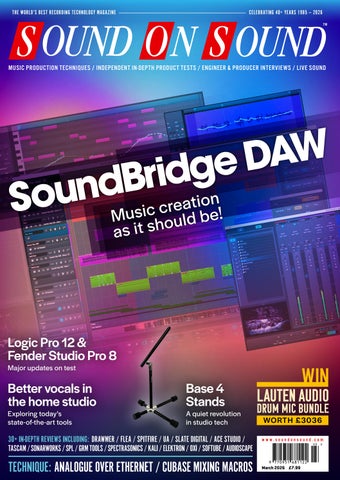
SOUND ON SOUND THE WORLD’S BEST RECORDING TECHNOLOGY MAGAZINE
THE WORLD’S BEST RECORDING TECHNOLOGY MAGAZINE
CELEBRATING 40+ YEARS 1985 — 2026 TM
MUSIC PRODUCTION TECHNIQUES / INDEPENDENT IN-DEPTH PRODUCT TESTS / ENGINEER & PRODUCER INTERVIEWS / LIVE SOUND
MARCH 2026
W A D e g d i r B d n u n o i t o a e r S c c i s ! u e M b d l u sh o as it
www.soundonsound.com
Logic Pro 12 & Fender Studio Pro 8 Major updates on test
Better vocals in the home studio Exploring today’s state-of-the-art tools
Base 4 Stands
A quiet revolution in studio tech
VOLUME 41 • ISSUE 5
30+ IN-DEPTH REVIEWS INCLUDING: DRAWMER / FLEA / SPITFIRE / UA / SLATE DIGITAL / ACE STUDIO / TASCAM / SONARWORKS / SPL / GRM TOOLS / SPECTRASONICS / KALI / ELEKTRON / OXI / SOFTUBE / AUDIOSCAPE
TECHNIQUE: ANALOGUE OVER ETHERNET / CUBASE MIXING MACROS
LAUTEN AUDIO DRUM MIC BUNDLE WORTH £3036
www.soundonsound.com
March 2026 £7.99
Capture with Clarity Capture sound with precision and artistry. The AKG C-Series condenser microphones deliver studio-grade clarity for speech, music, and ambient environments—engineered from decades of acoustic expertise to elevate every recording. Discover the difference at akg.com.
INTRODUCING
MODERN ACOUSTICS
LOW NOISE FLOOR
WIDE DYNAMIC RANGE
ECO-FRIENDLY DESIGN
AKG Professional is exclusively distributed in the UK and ROI by Sound Technology. For more information please call 020 8962 5080 or visit soundtech.co.uk
C-Series
C104 | C114 | C151
© HARMAN 2026. All rights reserved.
LE ADER
THE C WORD W
e are only a few short weeks into 2026, and I’m already tired of the C word. No, not ‘content’, although that’s bad enough. For this is the year we stop thinking of ourselves as engineers, or producers, or guitarists. To get ahead in today’s world, you need to be a creator. The recent NAMM Show was positively crawling with creators, who had their own dedicated area on the show floor. But what is a creator? As far as I can tell, it’s someone who does more than just music. Creators are multi-disciplinary animals, who dabble in everything from live streaming to video production in a bid to hustle their way to public attention. Some people no doubt relish the opportunity to spread their wings like this. But many more feel they have no choice. As our recent survey with Sonarworks showed, music professionals are now having to expand their skill sets to survive — and AI is the main force driving this change. The manufacturers developing AI tools insist that they will support human creativity, not replace it. But tell that to the drummer who gets less work because AI can lay down a part in seconds. Tell that to the graphic designer twiddling her thumbs because AI can produce something adequate for free. Musical genius has long been underpinned by the work of specialists: orchestras and conductors,
ALLIA BUSINESS CENTRE KING’S HEDGES ROAD CAMBRIDGE CB4 2HY T +44 (0)1223 851658 sos@soundonsound.com www.soundonsound.com
session musicians, engineers, producers and so on. Yet the premise of the creator economy is that this underpinning is disposable. Where yesterday’s artists employed teams of skilled practitioners, tomorrow’s creators will instruct AI bots. Personally, I think this is asking too much, both of creators and of AI. You have only to watch rock stars act to know that talent is not transferrable between artforms. Encouraging musicians to tackle everything from cover art to immersive mixing themselves is a recipe for mediocrity, not genius. And while AI bots will produce competent, generic musical performances, they can’t make the original contributions that session players do. They can’t work as a team to create something greater than the sum of its parts. They can’t inspire and guide in the way that a great producer does. Technological change has always sidelined skills relating to older tech. Not many of us can still line up a tape machine, or bias a valve amp. But AI threatens de-skilling on a completely different scale. Creators will still want and need orchestration, mastering, audio editing and so on. But if it doesn’t pay for humans to acquire that expertise, it will be lost. We’ll be left with AI or nothing, and music will stagnate. I am unconvinced that the creator economy is good for artists. I’m even less convinced that it’s good for art.
ADV ER T ISIN G
admin@soundonsound.com
sos.feedback@soundonsound.com
adsales@soundonsound.com
Managing Director/Chairman Ian Gilby
Editorial Director Dave Lockwood
UK Media Sales Manager Chris Cope
Editorial Director Dave Lockwood
Executive Editor Paul White
Marketing Director Paul Gilby
Editor In Chief Sam Inglis
Finance Manager Keith Werthmann
Technical Editor Hugh Robjohns Reviews Editor David Glasper Reviews Editor Matt Houghton
P R ODUC T I ON
Production Editor Chris Korff
graphics@soundonsound.com
News Editor Luke Wood
Nick Humbert
Printing Warners Midlands plc Newstrade Distribution Warners Group Distribution Ltd, The Maltings, Manor Lane, Bourne, Lincolnshire PE10 9PH, UK.
support@soundonsound.com
ISSN 0951‑6816
Digital Media Director Paul Gilby
A Member of the SOS Publications Group
www.soundonsound.com/subscribe Circulation Manager Luci Harper
March 2026 / www.soundonsound.com
International Business Development
Designer Andy Baldwin
subscribe@soundonsound.com
4
marketing@soundonsound.com
O N LIN E
S UB S CR I P T I ON S
NORTH AMERICA
M AR K E T IN G
Designer Mick Reilly
Design Andy Baldwin
UK/WORLD
“You have only to watch rock stars act to know that talent is not transferrable between artforms.”
EDI T O R I AL
Production Manager Michael Groves
WOR LDW I D E E D I T I O NS
Editor In Chief
A DM I N I S T R AT I O N
Reviews Editor Chris Korff
WWW.SOUNDONSOUND.COM/SUBSCRIBE
Sam Inglis
Administrator Nathalie Balzano
Web Content Editor Callum Hall Web Editor Adam Bull Digital Media Manager Atheen Spencer www.soundonsound.com twitter.com/soundonsoundmag facebook.com/soundonsoundmag instagram.com/soundonsoundmag
The contents of this publication are subject to worldwide copyright protection and reproduction in whole or part, whether mechanical or electronic, is expressly forbidden without the prior written consent of the Publisher. Great care is taken to ensure accuracy in the preparation of this publication but neither Sound On Sound Limited nor the Editor can be held responsible for its contents. The views expressed are those of the contributors and not necessarily those of the Publisher or Editor. The Publisher accepts no responsibility for the return of unsolicited manuscripts, photographs, or artwork. © Copyright 2026 Sound On Sound Limited. Incorporating Music Software magazine, Recording Musician magazine, Sound On Stage magazine, SPL magazine, Sound Pro magazine and Performing Musician magazine. All rights reserved. All prices include VAT unless otherwise stated. SOS recognises all trademarks.
Unlock Your Best Mixes If you can’t trust what you’re hearing, you can’t trust your mix. The truth is your room is likely holding you back. Introducing ORIA Mini, the room correction powerhouse that sits between your audio interface and speakers. Powered by Sonarworks, ORIA Mini is a dedicated hardware solution that analyses and corrects your room’s acoustic imperfections in minutes, transforming your studio monitoring.
Powered by
100 ERIK ARVINDER
IN THIS ISSUE
www.soundonsound.com
March 2026 / issue 5 / volume 41
WIN
FEATURES 28 How I Got That Sound Producer, engineer and mixer Jacquire King tells us the secret behind his favourite drum sound.
50 Analogue Audio Over Ethernet There are now lots of useful boxes that allow you to move analogue audio signals over Cat cables — but sadly there’s little progress towards wiring standards.
66 Inside Track: Space Primates British duo Space Primates have pivoted from wannabe session guitarists to top-tier K-pop producers, with impressive results!
72 40 Ideas That Changed Music Our series concludes with the 10 most significant technological developments that have shaped — and continue to shape — everything we hear.
82 Better Vocals In The Home Studio With the right tools, you can capture a good vocal take in most rooms. And if you can’t, AI processors are opening up new possibilities...
100 Erik Arvinder:
String Arranger To The Stars
The Stockholm Studio Orchestra have added their magic to countless hits. We tracked down the orchestra’s linchpin, Erik Arvinder.
106 Modular Composer and producer Oscar Powell tells us how modular has shaped his latest album.
6
March 2026 / www.soundonsound.com
LAUTEN AUDIO DRUM MIC BUNDLE WORTH £3036 PAGE 126 120 Talkback Mandy, Indiana’s Scott Fair on why you need to get things wrong and what you can learn from recording drums in a cave.
122 Spotlight: Monitors With
Built-in Room Calibration
Room calibration is more accessible than ever, and some DSP-equipped monitors now come with it entirely onboard.
136 Q&A Your studio and recording questions answered.
138 Why I Love... Crime Writing Bill Randall explains how his twin loves of making records and writing about crime have inspired his debut novel.
ON TEST
117 How Does It Sound Now?
Legendary Engineers And Vintage Gear
24 ACE Studio 2 Vocal Synthesizer Software
40 Apple Logic Pro 12 DAW Software
108 AudioScape EQP-2A Stereo Valve Equaliser
36 Base 4 Stands 8
Kali Audio HP-1 Closed‑back Headphones
117 Lounsberry Pedals TFP-1
Tall & Fat Boost 118 Mixedinkey Wingman
Drawmer Electronics 1979
92 OXI Instruments OXI One MkII
Sampler & Sequencer
60 Fender Studio Pro 8 DAW Software
FLEA M 251 FET Capacitor Microphone
GRM Tools Atelier Sound Design Software
128 Heavyocity Ostinato Textures Sample Library
116 Heritage Audio 73 DI & P DI Direct Injection Boxes
30 SoundBridge DAW DAW Software
129 Sound Dust Seeker Sample Library
88 Spectrasonics Omnisphere 3 Software Synthesizer
14 Spitfire Audio
Mervyn Warren Choir Sample Library
Overdrive Pedal
Compositional Aid Plug-in
96 Elektron Tonverk
74
78
Modular Microphone Stands
Analogue Channel Strip
10
Book
C O V E R
92 OXI INSTRUMENTS OXI ONE II
52 SPL Venos Valve Stereo Bus Compressor
105 subMatrix BeetTweek Eurorack Module
Sequencer
22 Slate Digital ML-2A Small‑diaphragm Modelling Microphone
44
104 Tubbutec Drummertime Eurorack Module
112 Softube Flow Mixing Suite Effect & Processor Plug-in Collection
56 Sonarworks SoundID
Tascam FR-AV4 Four-channel Digital Audio Recorder
18
Universal Audio UAFX 2.0 Effects Pedal Firmware Update
Virtual Monitoring Pro Virtual Monitoring System
128 Soniccouture Polarity Modular Sample Library
129 Sonora Cinematic Refraction Sample Library
WORKSHOPS 130 Pro Tools 132 Cubase 134 SOS For Artists
www.soundonsound.com / March 2026
7
ON TE ST
Drawmer Electronics 1979 Analogue Channel Strip
Drawmer’s latest processor packs a lot of punch into a 1U rack!
M AT T H O U G H TO N
W
e’ve already found plenty to love in Drawmer’s 1970s range, and the latest to arrive for review is their 1979, a 1U 19-inch rackmount analogue channel strip that, like all their gear, is made in Yorkshire. Essentially, the 1979 combines a particularly versatile mic/line/instrument preamp stage with a three-band EQ, a FET compressor and overall output mix and level control. I’ll take you through the details of all that below, but first I should mention that I looked at a similar but larger, more richly featured channel strip in SOS June 2024: Drawmer’s 1977 (https://sosm.ag/ drawmer-1977). The most significant differences between the two, other than size, are that the 1979 has dropped the variable frequency option for the preamp’s filter, along with several of the more advanced features in the EQ and compressor (for instance, the slope switches for the shelves, the Big and Air circuits and independent make‑up gain stage for the compressor, and the dedicated saturation facility). All that is, of course, reflected in the price, the ‘street price’ being about £350 less for the 1979 than the 1977. But the 1979 also has an interesting card up its preamp sleeve that the 1977 lacks. More on that below.
Connections & Controls On the rear are four Neutrik jacks: one for the balanced mic input, one a dedicated balanced line input, a direct out (taken post the preamp and filters, but pre the EQ/ compressor), and a main output. There’s also a TRS jack for the unbalanced insert point, while a fused IEC14 inlet (for 50‑60
8
March 2026 / www.soundonsound.com
Hz, 115-230 V mains AC) is joined by an on/ off rocker switch. There are some design decisions here that I approve of. First, this I/O configuration makes it easy to put the mic and line inputs on separate patchbays, and prevent phantom power being applied accidentally to line-level gear. Second, the direct out makes it possible to record using the traditional in-line approach: the mic signal going straight to ‘tape’, and the DAW playing back through the line input for mixing. Third, insert even the cheapest EQ into the side-chain, and you can shape the compressor’s response to your heart’s content, and, with a suitable cable, you can use the return stage as a key input.
Lift Off Your signal enters at the preamp stage, whose control section hosts an array of switches. First, a rotary switch selects both the source and the mic input impedance: you can choose the front-panel TS instrument input, the line input, or the mic input. For the last, there are several settings: three different input impedance options that could help you coax different voicings out of passive dynamic mics, including ribbons (150Ω, 600Ω or 2.4kΩ); and Mic 48V, which presents a higher impedance and engages 48V phantom power for capacitor and other active mics and DIs. There’s also a polarity inverter, which is always good to see. Then we come to the input gain, another rotary switch, and this one has a crowd of labels jostling for your attention: an inner circle describes the mic preamp’s 0-66 dB range, while an outer ring running from -24 to +42 dB is for the line input. Despite the density of the text, it’s all pretty easy to read, with clear white-on-black printing, and reverse colours for the outer
ring. Two more buttons combine to set the first-order high-pass filter (30, 80 or 110 Hz, or off). Finally, a red button engages a function called Lift. Drawmer say this adjusts the gain of lower‑level signals to make it easy to work with quiet sources without the clipping that simply applying gain risks, or damaging the peaks as can happen with conventional compression/ limiting. They don’t give the game away, but I suspect it’s a form of preset parallel compressor. As I’ll explain later, it works remarkably well. On the opposite side, there’s a main output section. A balanced master bypass button routes the preamp stage directly to the main output — it doesn’t even pass through the main -10 to +20 dB output level control that’s also found here, along with an output-level VU meter (which has a +10dB pad switch to make its readings more helpful when deliberately working with hot signals). A wet/dry pot blends the preamp’s output (dry) with that post the EQ and compressor (wet). And there’s a power-present LED, but sadly no front-panel on/off switch.
EQ & Compressor The EQ, which can be switched in/out of the signal path independently of the compressor, comprises low and high shelf filters, and one swept-mid/semi-parametric band that has switchable bandwidth (narrow or wide, the latter indicated by a green LED). All three bands offer ±12dB of gain, and they’re connected in series, with helpful overload indicator LEDs between each stage. Helpfully, the Cut/ Boost knobs are all detented at the unity gain position. The low shelf is first in the signal path, and can be set from 50 to 700 Hz, with various settings clearly marked in
between. The mid comes next, and despite the name spans a vast range (75Hz to 10kHz). The high shelf has a similarly generous range of 1.25 to 12 kHz. There’s plenty of overlap between bands, then, and while this could make precision matching of multiple units tricky, yellow pointers at the base of each knob do make the position pretty clear. Above a button (with green LED) to engage the EQ section or enact a hard bypass, there’s another to place it pre/post the compressor. The compressor uses a FET to perform gain reduction, and again has an in/bypass button (red LED for in). In its eight-LED, 0 to -20 dB gain-reduction meter, the top five LEDs cover the first 7dB, so there’s plenty of resolution where you want it. The main controls are all rotary pots — no detents
know you’ll want to parallel compress with pre-compression EQ, you might be better off setting the compressor and mix controls first, and then EQ’ing into them.
In Use Having reviewed the 1977 already I was pretty confident about what this new unit would offer, and my expectations weren’t wide of the mark. The preamp doesn’t impose huge character on signals, but rather conveys them cleanly and with a good sense of detail — as you want from a good all-rounder. The HPF is less fine-tunable than on the 1977, but with the three frequency options there’s still ample scope to tackle pops and rumbles, or, for example, to move a guitar’s low end out of the way of a bass. And if not using the
“Insert even the cheapest of cheap EQs into the side-chain, and you can shape the compressor’s response to your heart’s content.” this time, but they’re not really needed here. These govern the conventional compressor parameters: threshold (±20dB); ratio (1.5:1 right up to 20:1); attack (0.2 to 200 milliseconds); and release (0.1 to 2.5 seconds). There’s no dedicated blend control for the compressor; you use the master wet/dry knob for parallel compression. There’s a good reason to configure it this way: you can EQ the compressed signal, to target the energy you add to the dry signal. The flip side is that if you first use EQ to set the desired tone and then decide you wish to apply parallel compression, you’ll need to revisit your EQ. So if you
compressor, that mix control could be used as a way to scale your EQ settings. The impedance options were interesting to play with. I found lower settings could coax a more midrange‑y sound out of an SM57 placed on a guitar cabinet, for example. The Lift button is more useful than I’d anticipated. Yes, it makes quieter sounds louder, and that could be helpful for stage and streaming or broadcast sound. But it can also do a wonderful job of bringing up any breathiness in a vocal, or emphasising whispers for an intimate sound. Hearing that in your headphones, with zero latency, can really help the performance too. So there are studio applications for Lift too.
I have little to say about the EQ, but that’s not an insult! It’s a classic console-style EQ: pretty much neutral in terms of character, and with plenty of range and gain on hand for tone-shaping of pretty much any source. There isn’t the ability to get really surgical, but it’s worth pointing out that the broad ranges mean you can place a mid dip below where you’ve set a low shelf boost, to tighten that boost. Similarly you can boost the high end, while countering any harshness that results. Finally, there’s the compressor, and that isn’t so neutral sounding. There’s a distinctive FET character, particularly with more aggressive settings, but the colour isn’t excessive, and with gentler settings it’s suitable for massaging all sorts of material. Used on its own, without the EQ, the mix knob makes it trivially easy to dial in parallel compression. My only misgiving is the one I raised earlier, that using the mix knob can also dilute your EQ moves. But while that might influence your workflow, it doesn’t really prevent you from doing what’s needed. I like Drawmer’s kit. It’s all honest, no-nonsense stuff that performs well, but they also focus on delivering thoughtful extras, such as the Lift facility here. This is a channel strip that should find a home in plenty of live rigs, and could prove a good front end in any project studio.
summary A well‑specified channel strip that offers lots of control and some genuinely useful features.
£ £1040 including VAT. T Drawmer Electronics +44 (0) 1709 527574 E sales@drawmer.com W www.drawmer.com
With separate line and mic inputs on the rear (there’s an instrument input on the front too), a direct out and a side-chain insert point, as well as the main output, the 1979 has been designed to play nicely with a patchbay.
www.soundonsound.com / March 2026
9
ON TE ST
SAM INGLIS
S
lovakia’s FLEA Microphones have now been around for well over 20 years. In that time, they’ve built up an enviable reputation for their meticulous recreations of classic microphones. FLEA’s Vintage series pays homage to the most celebrated large-diaphragm valve mics, and includes faithful replicas of the Neumann U47, U48, M49 and M50, the AKG C12 and the Telefunken ELA M 251. More recently, they introduced the Next range of mics, which are also inspired by the classics without being exact clones. The mic under review here is part of the Vintage line, but is not a valve microphone. FLEA’s M 251 FET is an attempt to capture the magic of the ELA M 251 in a phantom-powered, solid-state design. The advantages of this include lower cost, low noise and greater convenience, with no need for a dedicated power supply. But does the M 251 FET still have the special sonic qualities that make the Telefunken original the most sought-after vocal mic of all time?
In The Ring At the heart of all good C12 and ELA M 251 microphones is AKG’s ‘brass ring’ CK12, which has been described as the most complex microphone capsule ever built, and is notoriously difficult to replicate. Unlike the main Neumann designs, it hasn’t yet proved amenable to mass (re)production in the Far East, and so modern-day mic builders are faced with a choice. You can buy a cheap capsule that outwardly looks like a CK12, and perhaps tinker with the circuit to make the on-axis frequency response somewhat like that of a C12 or ELA M 251. Or you can buy a handmade capsule that is actually constructed like a CK12 — if you can find someone to make it, and if you can justify the cost. As befits their reputation, FLEA have always taken the second approach, and their earlier C12 copies used Tim Campbell’s excellent CT12 capsule. However, they have since developed their own CK12 clone, which is now being used in all of their AKG-inspired mics, including the M 251 FET. One of the reasons why FLEA mics are so highly regarded is that they’ve always gone the extra mile to recreate the construction of the originals. FLEA
10
March 2026 / www.soundonsound.com
FLEA M 251 FET Capacitor Microphone
FLEA have replicated one of the most influential mics of all time — but without the valve. mics don’t just look a bit like their inspirations when viewed from a distance; they follow the dimensions precisely, and also reproduce the finish as closely as possible. That has led FLEA to make an interesting decision in designing the M 251 FET. As it’s a standard phantom-powered microphone, there’s no functional reason why it needs to have a bespoke connector or cable. But in order to maintain the
look and feel of the ELA M 251, they’ve equipped it with a period-correct swivel standmount, with a multi-pin connector and a captive cable. This, of course, has pros and cons. Like the original, FLEA’s standmount is a lovely piece of engineering that holds the mic securely at any angle. But like the original, it offers minimal shock protection, and the captive cable is a fixed length that may not be convenient for all applications. The construction of the entire system is every bit as good as you’d expect from FLEA’s reputation. The cream-coloured enamel finish on the body is flawless, the headbasket is divided authentically into silver and black halves to denote front and back, and the T-shaped pattern selection switch is spot on. In short, it looks like an ELA M251 fresh from the factory
STUDIO QUALITY SOUND ANYWERE YOU GO. INTRODUCING THE NEW H5 STUDIO The H5studio was made for seamless and professional production. Creators can record flawless audio with stunningly clear microphones, studio-grade preamps, and 32-bit float recording. The 19.4mm microphones capture audio with incredible frequency response, 140 dB max SPL, and an expansive dynamic range. Their increased size captures recordings with unmatched depth and fidelity.
ZoomUnitedKingdom
ZoomUnitedKingdom
ZoomEurope
Exclusive distribution in D, A, CH, DK, GB, PL, EE, LV, LT, BG, HU, BE, NL, L, GR, CZ, SK: Sound Service U.K. Limited | www.soundservice.uk | sales@soundservice.uk
ON TE ST
F L E A M 251 F E T
floor, inasmuch as it’s possible to know what that would look like. It also comes in a wooden box that is a beautiful object in its own right. When Neumann and AKG mics first made it across the Atlantic, their high sensitivity compared with ribbon and moving-coil mics caused problems at some studios, where the preamps and consoles weren’t set up to deal with it. For this reason, the output on export models was often ‘strapped’ to give a 50Ω nominal impedance and a reduced sensitivity. Although this is less likely to be needed today, it’s a marker of FLEA’s authenticity and attention to detail that they offer a 50Ω version of the M 251 FET with reduced sensitivity compared with the standard 200Ω version. The standard version was sent for review, and boasts specifications remarkably close to those of the valve version. Self-noise is a very decent 10dBA in both cases, whilst sensitivity is 18.5mV/Pa, marginally higher than the valve 251’s 18mV/Pa. Maximum SPL is quoted as 132dB, though it’s not stated what distortion level is reached at this point.
the lower in figure-8. The response is broadly flat through the midrange, and bass extension seems to measure well, despite the T14/1’s supposed deficiencies in this department.
“It’s the ability to complement the human voice that really marks out a good C12 or ELA M 251.” In subjective terms, the FLEA is one of the brighter CK12-equipped mics I’ve tested, but not in an unpleasant or unbalanced way. Tonally, it falls somewhere in between my AKG C414EB, which is actually quite a warm-sounding mic, and my C24, which is very bright. In general, I found I could match the timbre of the C24 with a boost at 9-10
25 To One I’ve reviewed a number of 251-inspired mics over the years, and have experienced a much greater variation in sound than you might expect. This is probably the result of several factors. For one, ageing and the variability of original CK12 capsules means that not all surviving Telefunken examples are alike, so the sound of the original is a bit of a moving target. And for another, most modern copies change the design in some ways. At the cheaper end of the market, they usually employ Chinese-made capsules, which, while they might be edge-terminated like the CK12, are internally more similar to the Neumann K67. Another key factor in the C12 and 251 sound is the Haufe T14/1 transformer; some manufacturers reproduce this accurately, whilst others choose not to. FLEA, as you’d expect, fall into the former group. One thing that’s characteristic of all CK12-based mics is a frequency response plot that shows dual peaks, centred somewhere around 5-6 kHz and 10-12kHz, and varying in extent with polar pattern. That tendency is borne out by FLEA’s published graphs for the M 251 FET, with the upper peak being most prominent in omni and
12
March 2026 / www.soundonsound.com
kHz; this needed to be broader and wider in cardioid than in omni. And in a direct comparison between the two, I didn’t lament the lack of a valve in the FLEA M 251 FET. On drums, for example, the slight compression that the C24’s valve imparts is perhaps visible when comparing the waveforms of the recorded parts, but it’s less apparent in the sound.
On-axis tonality usually varies with polar pattern in large-diaphragm mics, and the FLEA is no exception. As is typical with the CK12, switching to figure-8 moves the brightness down from the ‘air’ region to the realms of the tangible, but it’s nicely controlled, and all three patterns are very usable. Off-axis response is a strength of the CK12, and although it will never be as pure as a small-diaphragm mic, it sounded good to me. The high value placed on older CK12-based mics reflects, to a large extent, their unique qualities as vocal microphones. They often excel as drum overheads and on acoustic instruments, but it’s the ability to complement the human voice that really marks out a good C12 or ELA M 251. I didn’t have the chance to compare the FLEA M 251 FET to an original 251, but I certainly liked it very much on vocals. It shows its value especially with the female voice, which can be more challenging to record well, and many of which don’t always play to the strengths of something like a U87. The M 251 FET ticks all the right boxes here.
Luxury Goods Although it’s more affordable than FLEA’s valve 251, the M 251 FET certainly isn’t a budget mic. For around the same price or less, you could have your pick of solid-state models, including world-class mics based around CK12-type capsules from Austrian Audio (OC-S10) and Josephson (C716), and Nordic Audio Labs’ superb NU-24K, which to my ears has similar sonic strengths. And it’s priced similarly to BeesNeez’s Tribute 2, a highly regarded valve-based 251 recreation. But, in its own way, the FLEA M 251 FET is unique. No-one gets closer to the look and feel of the original ELA M 251, and at the same time, the practical advantages of ditching the valve and power supply are obvious. If you’re seriously contemplating spending this much money on a mic, find a friendly dealer who will let you compare the options — but make sure the M 251 FET is among them.
summary Despite being a solid-state mic, the FLEA M 251 FET painstakingly recreates the look and feel of the Telefunken original, and sounds exactly as you’d hope it would.
The M 251 FET uses FLEA’s own recreation of the AKG CK12 capsule.
£ £3444 including VAT. W www.flea-microphones.com
ON TE ST
Spitfire Audio Mervyn Warren Choir Sample Library
Core Techniques
for each preset, allowing selection either by keyswitching or simply clicking on the icon. Shift‑clicking lets you use multiple articulations within a patch at the same time. Turn on Adv to access the Advanced section, which provides keyswitch and round robin controls. Each preset contains three mic signals: Close, capturing the direct sound of the vocal; stereo Room mic; and Mix, the default setting, which is a balanced mix of the two mic signals.
The recordings are divided into three master categories — Full Choir, Soprano & Alto, Tenor & Bass — all featuring near-identical articulations: long and short versions of vowels (Ah, Oh, Ooh), warm, rich Mmms; percussive Doos; and powerful, soaring Yeahs. Building upon this are pre-layered presets: Dual Longs and Shorts (two sounds per patch); Stacked Longs and Shorts (three or more sounds combined together); Morphs (transitioning from one vocal technique to another); Legatos; and Aleatoric Hairpins featuring sounds performed with variable dynamics for movement and texture. To round things off, there’s a Body Percussion kit (Hand and Thigh Claps, Stomps, Breaths, Finger Snaps and Chest Beats), and a Long Whispers & Breaths preset that brings a sound‑design element to the mix. With a download size of 11.5 GB, the library runs in Spitfire’s Ensemble player with main controls that should be familiar to Spitfire users: Expression and Dynamics faders, and knob controls for Vibrato, Reverb and Tightness. In addition, a Morph control knob allows for morphing between articulations. For the Legato patches, the Legato Offset knob can be used to adjust the legato interval. The Technique Switcher on the main page displays all available articulations
As expected, from developers and creatives with experience as deep as Spitfire and Mervyn Warren’s, the quality of both the performances and sampling is top notch. The library loads and functions smoothly, and selecting presets is as simple as clicking through a list on the left of the window. There is no lag when switching between presets or when multiple instances of the Ensemble player are loaded into the DAW. Let’s run through the core articulations in terms of the following: dynamics, layering, legato performance and morphing. The sounds have a native dynamic level just by virtue of how they are created, so a closed sound like Mmm is naturally softer and less resonant than a full‑throated Yeah; Ooh is in turn softer and less open than an Oh or Ah. That sounds rather obvious but it is worth noting, because even though the library offers you the ability to combine articulations within a preset, if you play Mmm and Yeah together, the Yeah will drown out the Mmm with no ability for you to control individual volume within the preset. Loading each articulation on its own track is much better for dynamics control. There are no multis on offer but you can work around that by setting up something
Spitfire’s collaboration with Mervyn Warren has produced a choral library that’s really very special indeed. S O N A L D ’S I LVA
A
dding flavour to the vocal library market is Spitfire Audio’s new release Mervyn Warren Choir, named after the five-time Grammy award-winning musician, producer and vocal arranger who curated and produced the project, which the literature says aims to capture “the unique timbre and expressive power of an elite Black choir”. To that end, Mervyn Warren — who has worked with a dazzling range of artists and producers — brought together 20 highly accomplished professional vocalists for the project. The talents of this group were harnessed to create a versatile choral
Spitfire Audio Mervyn Warren Choir £349 pros • Well‑balanced mix signal for each articulation. • Extended bass range down to A0. • Smooth morphing between vocal techniques. • Includes body percussion and breaths.
cons • Pricey.
summary Suitable for media composers and producers working across a variety of genres, Mervyn Warren Choir is perfect for adding lush choral textures, punchy background accents and rich harmonies to your compositions.
14
March 2026 / www.soundonsound.com
library, suitable for everything from film music composition to pop, jazz, neo-soul and R&B productions.
Performance
Fireface UFX III
Award-Winning Power Perfectly Expanded
The SOS Award-winning Fireface UFX III is the heart of a powerful, modular system ready for any environment, from the precision of the studio to the demands of live sound and the reliability required in broadcast. Paired with the 12Mic and M-1620 Pro — both featuring pristine conversion, remote control, and AVB/Dante connectivity — this trio delivers scalable I/O and total routing freedom via TotalMix FX. Whether you’re tracking in the studio, mixing a live show, or managing complex broadcast workflows, RME gives you the flexibility to adapt and the confidence to perform.
Worldwide Distribution: Audio AG, +49 8133 9181-0, www.audioag.com • UK Distribution: Synthax UK, +44 1727 821870, www.synthax.co.uk www.rme-audio.com
ON TE ST
The latest entry to Slate Digital’s VMS range promises unparalleled flexibility when recording instruments. PAUL WHITE
L
ike the earlier ML-1A and ML-2 systems, Slate Digital’s new ML-2A modelling microphone works in conjunction with the company’s VMS (Virtual Microphone System) software to replicate the sound of multiple classic microphones. This is made possible by the use of a known input from a factory‑calibrated microphone — the ML-2A itself. For home studios, the ML-2A offers an affordable alternative to buying multiple microphones of different types, though the system could also be a real time-saver in commercial studios. The whole package comprises two small‑diaphragm cardioid capacitor ML-2A microphones, a stereo bar and mounting hardware, all of which fits into a semi-rigid zip-up carry case. Users can access a total of 27 mic models from within the VMS software — the Classic Instruments pack and a new Radio France Instruments pack come as standard. While those packs include some classic ‘vocal mics’, the emphasis here is mostly on mics you’d expect to use on instruments, which makes a useful contrast to most other mic-modelling systems. The software is authorised using an iLok account, and two authorisations are included. Available in all the mainstream plug-in formats for both macOS and Windows, the VMS plug-in can be instantiated in mono or stereo. This latest incarnation is built on the foundations of previous versions, rather than being a complete redesign of the package, but then if it ain’t broke, why try to fix it? After all, the original VMS package is over a decade old and has grown to become very well established. The models include both large- and small-diaphragm capacitor microphones, plus a number of well-known dynamic microphones including ribbon mics. The software runs in real time and can be used when recording as long as you have a low-latency audio interface running at a suitably low buffer size. It’s also, of course, possible to audition different mic emulations after recording. Designed to provide a linear frequency response with minimal distortion, the included ML-2A microphones offer a neutral baseline input for the modelling process. Each mic features a pad switch to enable
22
March 2026 / www.soundonsound.com
Slate Digital ML-2A
Small‑diaphragm Modelling Microphone it to handle the high SPLs of, for example, brass, guitar amps or kick drums. The maximum level handling with the pad engaged is in the region of 156dB SPL. There’s also a low-cut filter switch. Naturally, there are some limitations to mic modelling, as the off-axis response of different microphones can be quite different, and there are also differences in the way the proximity effect affects the low end when working up close. However, I would imagine that most users will use the mics on-axis, and any low-end changes due to proximity effect can be adjusted in the VMS plug‑in.
Inside VMS As with previous versions of VMS, the source microphone is selected at the top left of the plug-in window, while the centre panel shows all the available mic models as well as sliders for input trim and a variable Rumble (low-cut) filter, which goes up to 160Hz. Mics can be browsed by Pack or by Type; the Classic Instruments pack has 19 models and the Radio France Instruments pack boasts eight. Once a mic has been selected, a large image of that microphone is shown in the centre panel. At the bottom of the plug‑in there’s metering, plus controls for adjusting the pan and stereo width. The width effect works by adding a delayed signal to the left channel and subtracting
the same delayed signal from the right, so that summing to mono cancels out the effect while leaving the dry signal intact. An Intensity control adjusts the strength of the modelling so that the user can balance the original characteristics of the ML-2A mic with those of the modelled mic, for when a ‘fully modelled’ sound isn’t needed. It is even possible to push the control beyond 100 percent to exaggerate the target mic’s characteristics. A Proximity slider adjusts the amount of proximity effect for the current model.
Slate Digital ML-2A £359 pros • Attractively priced. • A sensible range of classic microphone models for instrument use. • Easy to use. • Musically valid results including the option to blend mic models. • The included microphones produce good results on their own.
cons • Nothing at the price.
summary Comprising two mics plus a stereo bar, mounting hardware and a case, the ML-2A bundle would represent good value even without the VMS software. With it, it becomes an incredibly flexible tool for recording instruments.
To the right of the GUI is the output stage, which can be set to Default, offering only output level trim and polarity-invert controls, or to one of two classic hardware preamp emulations. The blue panel/red knob graphic of the FG-73 leaves little doubt as to what is being modelled here, and the trim and polarity-invert controls are joined by a Virtual Drive control for adding warmth. The second of the emulations is the FG-76 (based on a Telefunken design), again with suitably vintage graphics, offering the same control options as for the FG-73. Both the mic-modelling section and the preamp section have individual bypass buttons. One very intriguing option is the ability to blend the characteristics of two different mic models. Engage the Dual switch at the top of the plug‑in and another microphone slot opens up, allowing you to choose a second mic model. An Interpolate fader also appears, letting you adjust the blend of characteristics. This is more than just a crossfader; it actually interpolates between the underlying parameters of the two microphone models.
Performance Switching microphone types after recording is a very practical way to find out which microphone best suits a particular sound source. Normal and Dynamic versions are available for some models, where the Dynamic versions are optimised for louder sources. The Classic bundle includes
“VMS can be viewed as a very flexible microphone toolkit that goes beyond specific microphone emulations.” emulations of well-known microphones such as the Neumann U87 and U47, the AKG C414 and C451/CK1 plus a number of other classic small- and large-diaphragm capacitor mic models. Dynamic mics are also well represented, including the usual suspects such as the Shure SM57, the Sennheiser MD 421 and the Electro-Voice RE20, alongside a few custom drum mics. Among the ribbons we have a Royer R-121 emulation. The differences between the mics are not always as obvious as you might expect, but the subtleties inherent in each type are captured very convincingly. Even if you have some of the ‘real’ mics in your locker, trying VMS first might help you get a feel for how well each of them might suit a particular sound source, without the need to keep setting up and connecting different microphones. If VMS indicates, for example, that a U87 is the best option for
By default, the VMS plug‑in lets you apply a single microphone emulation to your ML-2A recordings. However, by engaging the Dual switch at the top, you can load up a second mic model, blending the characteristics of the two using the Interpolate slider.
a particular source, you can then set up your own U87 and be fairly confident of the result. Equally, if one of the other models gives the best result and you don’t have that particular microphone in your locker, then you can stick with the VMS version. Having the vintage preamp emulations with variable drive provides a means to add controlled warmth to the mic models, and the emulations do a fine job of capturing the essential vintage character of the originals. That Width control is also useful, as it adds a slightly roomy quality to the sound, which can be effective in pushing sounds further back in the mix so that they appear to sit behind the main parts.
Summary Not having anywhere near all of the original mics on hand for comparison, it would be over-reaching to try to evaluate the absolute accuracy of all the VMS models, and in the case of many vintage mics, no two examples sound quite the same anyway. The more important question to ask is how well VMS works in offering a broad choice of microphones that allows the user to choose the best options by ear. A pure emulation won’t always be the best choice, which is why the user is given the option to reduce (or overemphasise) the strength of the modelling process. Similarly, the ability to combine two mic models may well produce something that works better than relying on a single model. In this respect, then, VMS can be viewed as a very flexible microphone toolkit that goes beyond specific microphone emulations. When discussing mic choices, many users think of vocals first, but having a wide choice of instrument-focused models as provided by the ML-2A bodes well for things like acoustic guitar recording, while picking the right mics for a drum recording session or for miking guitar amps can also make a huge difference. If your favourite setting uses a combination of mic types, you can always save it as a preset in the VMS plug‑in. The included preamp models are also very welcome and could be used with existing microphones or previously recorded tracks by bypassing the mic modelling. And although the focus of the ML-2A system is instrument recording, it is still possible to get good-sounding vocal results as long as you use a good pop shield with the mics. As the package comes with two microphones and a stereo bar, a number of stereo-miking techniques can be explored, taking into account that the included mics have a fixed cardioid pattern. Equally, the mics can be used separately, feeding two different instances of VMS. Overall, the ML-2A package feels to me like a good balance between value, choice, flexibility and ease of use. £ £358.80 including VAT. W www.slatedigital.com
www.soundonsound.com / March 2026
23
ON TE ST
ACE Studio 2 Vocal Synthesizer Software ACE Studio 2 begins an ambitious expansion beyond its vocal synthesis roots.
ACE Studio 2.0’s highlight remains its vocal synthesis capabilities, but the Canvas now provides a more DAW-like user experience.
JOHN WALDEN
W
hen SOS first looked at ACE Studio in the November 2024 issue, the product was already attempting something fairly ambitious: a virtual instrument offering AI-based vocal synthesis and capable of producing natural human vocals from MIDI note and lyric data. And, in the main, it did a remarkable job, letting you create virtual vocals for your projects that were undoubtedly good enough for a number of obvious use cases. With ACE Studio 2.0 vocal synthesis is still very much the headline feature. However, v2 sees ACE Studio evolving into an all-in-one AI music studio environment that adds a more DAW-like workflow, a novel approach to instrument synthesis, voice cloning, and various generative AI music options.
The Small Print Before we dig into what this expanded concept offers, let’s briefly address one of the elephants in the room. ACE Studio’s various AI features obviously require
24
March 2026 / www.soundonsound.com
a data source for their training. Parent company Timedomain make it very clear that this has been approached in an ethical fashion, collaborating with the musicians/ performers involved and providing suitable compensation. Whatever your personal position on the desirability of vocal synthesis or generative music, a critique based upon copyright or IP concerns over the training content has been suitably bypassed here.
Vocal Chops Vocal synthesis is still ACE Studio 2.0’s primary function and this operates in a broadly similar fashion to the original. With the Canvas’ DAW-like track versus timeline environment, you can create a suitable MIDI part on a track, add lyrics to the MIDI notes, pick a voicebank, and ACE Studio then renders a sung performance of that note/ lyric content using the chosen voice. MIDI clips can be created by manual editing, recording, MIDI file importing or, alternatively, you can import/record your own ‘scratch’ vocal as audio and apply the remarkable Vocal To MIDI function. This extracts pitch and lyrical content from your
audio performance and produces a suitable MIDI clip for the synthesis engine. Yes, some subsequent editing may be required, but it you are starting from a clean recording without harmonies or effects such as reverb or delay, this is a very efficient process even if you don’t really consider yourself to be a singer. As before, the vocal synthesis can be rendered within the cloud, but computers with suitable CPU/GPU hardware can now also use a local ‘Turbo’ mode that can shave some time off the process. The synthesis engine attempts to add some natural performance elements to the rendered vocals derived from the specific voice model you have chosen. As v2.0 considerably expands upon the catalogue of available voicebanks, now spanning many music genres, genders, ages and native languages, you have plenty of ways to experiment to find the best vocal character to suit your specific musical project. A new synthesis engine — Verse25 — provides you with four parameters — Power, Soft, Breathy and Chest, plus the option to add breath noise — that can be automated to vary the vocal delivery further.
For pre-2.0 voicebanks, you can also access earlier versions of the synthesis engine should you wish. There are two key new functions within the vocal synthesis feature set; Choir Mode and Blend Voices. Conceptually, the latter is simple; you just add additional voicebanks via the track’s header panel, balance their levels, and the synthesis engine will combine their timbral characteristic when rendering. Choir Mode lets you generate multiple voices from the same MIDI/lyric clip, with control over the tightness of their timing (Offset), stereo spread (Spread) and gain. You can, of course, use multiple different voicebanks for a genuine choir-like result or multiples of the same voicebank to provide things like vocal doubling. The results can be impressive. In addition, you can now clone your own voice (or that of another singer you have recorded). As I experienced with
ACE Studio 2 From $497 pros • The vocal synthesis is genuinely useful for a number of real-world applications. • The new instrument synthesis technology has considerable potential. • Voice cloning off to an encouraging start.
cons • Integration between vocal synthesis and AI generative music features perhaps still a work in progress? • The Canvas is not yet a fully-fledged DAW replacement. • No limited-time free trial available.
summary ACE Studio 2.0 represents an ambitious expansion of the software’s remit well beyond its vocal synthesis roots, although some elements of that ambition are perhaps still to be fully realised.
the similar function when reviewing IKM’s ReSing recently, this is not a task to be undertaken lightly. I did experiment with ACE Studio’s version of this tech, albeit with a somewhat limited set of training data. The results were very promising — me, but not quite — but I suspect you would have to collate an extensive, and varied, collection of cleanly recorded singing examples for the cloning process to match that of the built-in voicebanks.
Environmental Change The revamped main workspace — the Canvas — provides a familiar DAW-style environment within which you can add both audio and MIDI-based tracks, and record or arrange clips for each along the timeline. The basic editing tools for these clips or their contents are not as fully featured as you would find in a mainstream DAW, but the MIDI editing environment is suitably tailored for the AI voice and instrument sounds that are ACE Studio’s highlight. For audio clips, this is where you can access the new Stem Splitter and this offers three different splitting options. The results are generally good, and it is certainly convenient to have the process ‘in house’. Additional track types include the Chord Track and the Tempo & Signature Change Track. With the latter pair, existing MIDI data is adjusted to follow any changes made but, as yet, no similar time-stretching is applied to any existing audio clips. The Chord Track lets you lay out a chord sequence along the timeline. On playback, this simply triggers a basic piano part and that’s perfectly suitable as a backing track while you work on a MIDI-based vocal or instrument idea. However, it doesn’t interact with the other content — MIDI or audio — within the Canvas; changing a chord within the
Chord Track will not re-voice your vocals, instruments or existing audio to match. The mixing environment is pretty basic compared to a more conventional DAW, but you can, of course, integrate ACE Studio with a DAW using either the ACE Bridge 2 plug-in or via ARA in a DAW that supports it.
Vocal Synthesis For Instruments For me, the most intriguing new feature v2.0 provides is the AI instrument synthesis. The initial selection of instruments is focused on non-chordal options such as violin, cello, trumpet or saxophone. These use the same approach as the vocal synthesis engine, so ‘voicebanks’ have been built from performances of real performers, and the engine can then attempt to impart some of this human expression into the rendered performance. Equally, the engine can use a ‘smart’ approach to automatically assign articulation changes based upon the nature of the performance. Usefully, prior to the rendering process, you get basic sounds for each instrument that serve for real-time use as you record the initial MIDI. There is a really interesting concept at play here. By using information gleaned from real performers to inform how the virtual performance is then delivered, the potential of the approach is obvious. I’d be very surprised if we don’t see some of the mainstream sample-based virtual instrument developers dipping their R&D toes into this pond very soon. Indeed, as we were going to press, ACE Studio announced a new collaboration with EastWest, so that process may well be underway.
Prompt Delivery ACE Studio’s new AI generative music options come via three different avenues
As well as a considerable number of new voicebanks, the engine now includes Blend Voices and Choir Modes.
www.soundonsound.com / March 2026
25
ON TE ST
ACE STUDIO 2
— Inspire Me, Add A Layer and Music Enhancer — each of which can generate musical ideas from suitable prompts. Inspire Me can deliver a whole song, from a prompt idea or from lyrics, and either with or without a vocal (although this vocal is AI generated, it doesn’t employ ACE Studio’s own vocal synthesis engine). Add A Layer provides a similar function, but you can define a clip length in the Canvas if you just want a few bars as a starting point. I was working with v2.0.2 at the start of the review process and, at this point, the generated music didn’t really seem to reference any existing content within the project. However, v2.0.5 arrived just as I was finishing the review, and this produced a significant improvement in this feature. So, for example, if you wanted to add a new element — guitar, bass, vocal, drums, etc — to an existing idea already on the Canvas, this is now possible. I tried a few different musical styles — rock, house, EDM — and, while the results wouldn’t win prizes for musical originality, and produced the occasional musical oddity, they were generally on point. The documentation suggests Music Enhancer will take a user-defined selection of your current Canvas content, analyse it, and then ‘reimagine’ it using AI into a different music style. In use, I found it a bit hit and miss and often got an ‘analysis failed’ message. That said, both Music Enhancer and Add A Layer are currently shown as beta features so, presumably, there is still more to come... A further element of the AI toolkit is the supplied Generative Kits. These are a downloadable catalogue of musical projects and project elements in a range of genres that you can use as starting points to inspire your own ideas. The song kits generally include an instrumental backing track (as audio, and which you could stem split) and a sung vocal. The latter uses one of ACE’s own voicebanks, so the voice can be swapped out, and the MIDI part is full editable. They do provide a very good demonstration of the voice synthesis engine’s capability and, for that reason alone, would be well worth exploring for new users.
Playing The ACE So, what’s all this new — and ambitious — functionality like in use? Well, the vocal synthesis engine remains impressive and the wider selection of voicebank options are welcome. In the main, it is also remarkably easy to use, so getting to a first pass at
26
March 2026 / www.soundonsound.com
As well as Vocal To MIDI functions, audio clips now have direct access to a stem splitter.
a melodic/lyric idea — and then being able to develop it — is not particularly difficult. The results are good enough for a variety of real-use cases such as creating vocal hooks, backing vocals and harmony vocals. You could also easily generate a full lead vocal demo to serve as a guide to a real singer. If you are aiming for synthesized vocals to actually fill the lead vocal role, perhaps that’s a case-by-case question, and whether the quality bar is jumped may well depend upon what the final use of the song is intended to be. The Voice Cloning feature is also off to a promising start. The introduction of ACE Studio’s own AI-based virtual instruments is also a hit. I had plenty of success coaxing very usable performances out of the various string and brass instruments by recording myself scratch‑singing my best impression of the target instrument and applying the Vocal To MIDI function, before finally picking the appropriate AI Instrument to perform the resulting MIDI. This is a lot of fun and the potential is intriguing. Watch this space... things could get interesting. The new Canvas environment does mean you can do more within ACE Studio than just vocal synthesis, but it is still some distance for a fully fledged DAW; for example, the absence of support for third-party VST/AU plug-ins. In terms of the AI-based generative music features, the quality and variety of full mixes generated from text prompts was, like most AI generated music, fairly generic and the variety seemed somewhat genre-dependent. Still, it’s scary to hear a ‘finished song’ appear so easily and, presumably, the results will only improve further as the AI engine’s training library continues to expand. However, for me, the missing link is how the AI generative options integrate with ACE Studio’s vocal synthesis. For example, when you use the generative processes to create a musical idea, any vocals within the output are generated as audio. Maybe it’s
an ambitious ask, but it would be brilliant if the generative stage included the option to create a MIDI-based synthesized vocal instead of the audio one embedded within the mix. This could really link the two main strands of ACE Studio’s technology in a genuinely useful way.
50 Shades Of AI The act of generating music via AI entirely from a prompt is undoubtedly something where opinions can be black, white... and multiple shades of grey in between. Thankfully, ethical sourcing of training materials deals with the most obvious legal concerns, but it still leaves plenty of scope for reservations on various artistic grounds. That’s a discussion for another day. In v2.0, the vocal synthesis capabilities that are ACE Studio’s headline act have been expanded in some very useful ways and I’d still suggest this would be the key feature around which a purchase decision might be made. If vocal synthesis is your primary interest, then Dreamtonics’ Synth V would represent the obvious competition. Timedomain clearly now see ACE Studio as a broader concept with the three new strands — the more DAW-like Canvas, generative AI music and virtual instrument synthesis — added to the impressive virtual vocalist. The fruits of some of these ambitions may still be to come but, in the case of the approach underlying the instrument synthesis, I think this is a genuinely interesting technology. Is this expanded concept for you? Timedomain offer a seven-day money-back guarantee but, currently at least, there is no limited-time free trial available. £ Artist $497, Artist Pro $660, annual
rent‑to‑own subscription Artist $16.58/ month or Artist Pro $22/month (both charged annually). Rent-to-own completes after two years. Prices include VAT. W www.acestudio.ai
THANK YOU!
D3V
ON TE ST
SoundBridge DAW
DAW Software
The world is not short of DAWs, so what sets SoundBridge’s offering apart?
SoundBridge DAW; all the core features you need and a minimum of clutter.
JOHN WALDEN
T
here are undoubtedly some big hitters within the DAW software sector. The likes of Pro Tools, Logic Pro, Cubase, Ableton Live, Studio One and Reaper have a considerable market share and there are plenty of other very creditable alternatives that also have an established profile, albeit with a somewhat smaller (although no less dedicated) user base. With so many impressive options already available, it’s therefore a pretty brave developer who decides to try and establish a foothold within the DAW marketplace with yet another alternative. However, SoundBridge appear to be such a developer. So, if your own personal search for the perfect DAW is still ongoing, is SoundBridge DAW worthy of serious consideration?
Music History While SoundBridge DAW may be unfamiliar to many SOS readers, it does have some history. The software started life in 2016 under a different name — Lumit — and at that stage it was a Windows-only application. However, a couple of years
30
March 2026 / www.soundonsound.com
down the line, the software’s UI was restyled, and it was rebranded as SoundBridge DAW. It has evolved considerably over the subsequent years, and at the time of this review, it is sitting at v2.10.2 and is available for both Windows and macOS platforms. SoundBridge point to two very intentional design elements that make SoundBridge DAW distinct. First, the DAW is built around a streamlined feature set that is tightly focused on core tasks and avoids any distracting feature bloat. Second, and as a direct consequence of the first, SoundBridge DAW offers an equally streamlined UI and, as a result, should be very easy to navigate. Access to SoundBridge DAW is provided via
three routes. First, a free version is available. This is a fully functional DAW but with a limited track count and minus some of the more premium features. The ‘Everything Bundle’ — which includes the full version of SoundBridge DAW, the RitMix virtual drum machine instrument, the reChord arpeggiator plug-in and a Sound Bank sample library — is then available via two payment options; a monthly/annual subscription model ($9.99/ month) or via a lifetime licence (a one‑off payment of $199.99 and which apparently includes lifetime upgrades). Sensibly, SoundBridge also offer a 14-day free trial for the subscription model so, whichever way you might then eventually choose to pay, you can try before you buy even with the full version.
Bridge Foundations On paper at least, SoundBridge DAW may be streamlined, but it’s built on some fairly solid — and suitably sensible — choices, with core elements that you might find within most popular DAWs. The Sequencer window provides a familiar track versus time layout where you can build your project’s arrangement of audio or MIDI clips. The equally familiar Mixer window provides the usual fader, pan, solo and mute functionality for each track within your project. The Transport Bar combines the usual transport and metronome controls along with access to key editing tools and the Files, Edit and Options menus. It also includes a useful CPU load meter.
SoundBridge DAW $199 or $9.99/month pros • Well-chosen streamlined feature set. • Gentle learning curve compared to some DAW software. • Solid performance.
cons • Up against some excellent established competition. • May require supplementing with additional third-party effects/ instruments.
summary SoundBridge DAW may be up against some excellent established competition, but it is a very solid DAW with a well-chosen core feature set and a gentle learning curve.
Other familiar elements include key sub-windows such as the Audio Editor, MIDI Editor and Automation Editor. The panel on the left of the UI can be toggled between a File Browser (allowing you to search for media content on your file system) and Plugin Browser views. The latter lets you browse whatever effect or instrument plug-ins you have installed, including the compact stock effects collection provided with SoundBridge DAW itself. The Plugin Browser provides the main route by which you can insert effects onto individual tracks/channels. This is one process that is perhaps handled in a somewhat less conventional — although perfectly sensible — fashion. An Insert Rack panel can be displayed on the right side of the UI (you can toggle it on/ off via a dedicated button within the Transport Bar). This panel then lets you manage the insert effects for the currently selected Sequencer window track or
The Mixer window provides flexibility in expanding/collapsing track groups. The Plugin Browser (far left) makes it easy to add insert effects on the selected track within the Insert Rack (far right).
Mixer window channel. You can add effects to this Rack by simply dragging and dropping them from the Plugin Browser. It’s perhaps less familiar that having the inserts ‘in line’ on your Mixer channels but it does mean that the main Mixer window is less cluttered. It’s a workflow approach that soon becomes very familiar and you can pop open any of the individual plug-ins from the Insert Rack as required. The RitMix drum machine is the only virtual instrument included. However, you do also get a built-in Sampler that can be assigned to
any MIDI track within a project. This concept is not unlike the Sampler offered within Cubase but, in SoundBridge DAW, you get the option of using multiple samples within a single Sampler instance, configuring round-robins, velocity layering, and note mapping ranges for each sample, alongside the usual tools for sample editing, ADSR, filtering and loop slicing. There is considerable potential here providing you are up for the DIY sound construction work required. SoundBridge’s website talks about recapturing the joy of ’90s/early-2000s music making and that ethos extends to the graphical style of the UI. Of course, personal tastes vary but I can sense a hint of FL Studio in the graphical approach and there is a somewhat retro vibe. You can customise aspects of the colour scheme (including a number of alternative skins), brightness, contrast and scaling if you feel the need. Most of the individual windows can also be floated to suit your workflow preferences. Finally, amongst other elements of the core feature list, media composers should note that SoundBridge includes video playback support and a video track for music-to-picture work. However, while the audio routing
The mini mixer view can be displayed beneath the Sequencer window and provides the same options for collapsing/expanding track displays as available within the main Mixer window.
www.soundonsound.com / March 2026
31
ON TE ST
SOUNDBRIDGE DAW
options available within the Mixer are more than flexible enough to let you utilise the multiple audio outputs your audio interface might offer, currently there doesn’t appear to be any formal support for surround‑sound‑style panning, nor export of final mixes in anything other than stereo formats.
Record, Edit, Arrange, Mix Most recording projects can be boiled down into four stages — recording, editing, arranging and mixing — although it may often involve an iterative back and forth between these stages. So, in practice, how well equipped is SoundBridge DAW to support you as you deal with each of these fundamental stages of your recording project? Well, before you get started, SoundBridge’s Preferences dialogue (from the Options menu) provides all you need to configure your connected audio and MIDI hardware. I had no problems getting the software to work with two different audio interfaces (one 2-in/2-out and one 14-in/12-out) at a suitably small buffer size, or with my Novation Impulse MIDI keyboard/controller. This was a painless experience. Buttons at the top of the Sequencer window’s track list section allow you to add, delete and group tracks. When adding tracks, you can choose between Audio, MIDI or Return types, each with fairly obvious functions. For MIDI tracks, you can either drag and drop a suitable VSTi from the Plugin Browser to the track’s Insert Rack or associate it with an instance of the Sampler. Effects plug-ins can be added to all three of these track types in the same way. All the usual track labelling and colour-coding options are also provided. The process SoundBridge DAW uses to assign tracks to a group — essentially creating audio busses within the audio
The Audio Editor provides a compact but carefully chosen set of tools for editing your audio clips.
signal flow — is perhaps slightly quirky compared to many other DAWs but it is rather nicely implemented. So, for example, if you have a set of guitar tracks and you want to assign them to a bus, you simply select the tracks within the Sequencer window, and then hit the Group button at the top of the track list. A Group track then appears above the selected tracks within the Sequencer window and to the left of the selected tracks within the Mixer. A button on the Group track lets you ‘collapse’ the display of the individual tracks. This essentially acts like folders do in some
“SoundBridge DAW is a solid, competent, fuss-free music production environment that’s easy to get to grips with.” other DAWs so, in essence, the track grouping feature combines both functions; audio busses for audio routing and folders for project organisation. It’s rather neat and works very well. Unless I missed something obvious, the only down side of the process is that you can’t separate the Group track from its associated individual tracks within the track list or Mixer displays so, if you prefer to position all your audio busses (that is, Group tracks) far-right of the Mixer track display (much as you might find them
The MIDI Editor provides an easy-to-use environment for manual editing of your MIDI data.
32
March 2026 / www.soundonsound.com
on a traditional hardware console), that doesn’t seem to be possible. That said, the collapsing status is mirrored within the Mixer, so if you just want to focus on your Group tracks at some stage within the mixing process, you simply collapse all the groups to leave yourself with a set of Group track fader strips. Audio recording, whether done one track at a time or in a multitrack session, worked smoothly. This included using SoundBridge DAW’s internal monitoring option (to use internal plug-in processing while recording, for example) and direct monitoring functionality on my audio
interface. If my experience here was typical, then with a suitable number of audio inputs, you could easily deploy SoundBridge DAW in something like a full band recording session. MIDI recording was equally efficient, and the DAW seemed to provide very solid support for my usual go-to virtual instruments from the likes of NI (including Kontakt), Toontrack and EastWest. Once you get to the editing and arranging elements of your project, SoundBridge DAW’s approach provides some tried and tested options. Audio and MIDI clips can be moved, copied, deleted and otherwise laid out along the Sequencer window’s timeline much as you might do in almost any DAW. Clicking on either an audio or MIDI clip within the Sequencer window pops open that clip in the appropriate editor window in the lower half of the UI. The Audio Editor offers a compact selection of tools including fades, looping behaviour, gain, gain automation, pitch and time-stretch. Rather neatly, you also get the option to bounce the selected audio to an instance
20 YEARS OF ACOUSTIC RESEARCH INTO ONE SOLUTION.
Distributed in the UK by emerginguk.com sales@emerginguk.com / +44 118 402 5090
ON TE ST
SAM INGLIS
N
ew solutions to everyday problems don’t come along very often, but when they do, the effects are far-reaching. Of all exotic synthesis techniques that have been invented in the last 30 years, how many have had the same impact as sample streaming from hard drives? And what breakthrough in mic design has delivered practical benefits to compare with the Rycote InVision range of shockmounts? Although it’s too early to be sure, my hunch is that the subject of this review may provoke a similar understated upheaval. To understand why, consider what’s involved in miking up a drum kit. Around the five or six stands supporting cymbals, snare and hi-hat we somehow need to squeeze in another half dozen mic
36
March 2026 / www.soundonsound.com
Base 4 Stands Modular Microphone Stands
Base 4 have rethought the design of the humble mic stand from the ground up. The results are quite something! stands. Some will be supporting heavy mics on boom arms, at angles that will make them unstable unless they’re counterweighted and the stand’s legs are carefully oriented. We need tall stands, short stands, stands with long arms, stands with short arms. Even when we want to use two mics on the same drum, we can’t attach them both to the same stand. And no matter how much care we take, recordings get spoiled by boom arms drooping, or drummers
pushing them aside as they squeeze through the forest to reach their throne. Isn’t there an easier way? That’s one of the many questions addressed by Base 4 Stands, a new manufacturer from the United States.
Base 4 Arithmetic I’ve used mic stands from many different manufacturers over the years, but almost all of them employ the same basic design. Three legs fold down to
form a tripod base, from which a steel tube extends vertically upwards. This usually contains a second, thinner tube which can be extended upwards and is held in place by friction. And on top of this, we find the familiar boom arm, which is often telescopic like the main tube. Above all, the philosophy has always been that each mic gets its own stand. Base 4’s design rips up every single one of these conventions. Like traditional stands, the Base 4 models are constructed out of metal tubing, but they use aluminium rather than steel. Instead of being smoothly cylindrical, the tubes are quartered by broad grooves running along their entire length. At one end, they terminate in a pair of ‘jaws’. To attach one tube to another, you simply slot the jaws at the end of the second tube into the grooves on the side of the first and tighten them until they grip firmly. The attachment point can be anywhere along the tube. Since all of the tubes are the same diameter and they are all grooved in the same fashion, this makes the system fully modular. Practically any number of arms can be attached, either to the core riser or to each other. A single Base 4 stand can thus be extended more or less indefinitely, or made to hold an arbitrary number of microphones. There are four basic models, each comprising a riser, four legs, and a single arm. The main thing that differentiates the Shorty, Sidekick, Solo and Big Tree models is the length of the riser and the arm. As the name suggests, the Shorty is optimised for miking things that are near the floor: amps, bass and snare drums, seated guitarists, cellos and double basses, and the like. Next up, with a riser about 30 inches long and a 24-inch arm, the Sidekick is probably the model you’d choose for close-miking drums or for vocal recording, among many other applications. The Solo pairs a 40-inch riser with a 28-inch arm, for applications such as drum overheads, grand piano, small ensembles and so on, while the Big Tree has a telescoping riser and a 30-inch arm. It too would be perfect for drum overheads, and would also work well for situations such as orchestral or choir recording where you need to get the mics quite high up in the air. All four models are available separately or as bundles, whereby the basic stand is included along with additional arms of different lengths. It’s also possible to buy individual arms as
add-ons at a later date. For the purposes of this review, Base 4 supplied the Solo Bundle and the Sidekick Bundle, which together gave me a selection of arms ranging from the three-inch Stub Mount upwards. Both come with soft bags that help to keep everything together when you’re moving from one venue to another.
Colour Coded Every other mic stand I’ve used in my life has been either black or chrome, and while some are more elegant than others, they’ve all been functional rather than stylish. By contrast, Base 4 have gone all in on making a visual statement with their stands, which are available in black, white, bare aluminium, or a choice of bold colours. This isn’t just a feature that will give your studio an Instagrammable edge. It’s also genuinely helpful in differentiating the mic stand from drum hardware and other black-or-chrome clutter, making it much easier to see at a glance where everything is. The Base 4 name reflects the fact that each stand has two long and two short tubes that act as legs. Generous cylindrical rubber feet contact the floor, while the clamping ‘jaws’ at the inner end are mounted directly to the tube, and attach to the grooves at the base of the riser. Tightening the
Base 4 Mic Stands From $229 pros • A single stand can hold multiple mics with no compromise over position. • Visually striking, and available in a range of finishes. • Very lightweight yet stable. • Once locked into position, the arms stay exactly where you put them. • Jam Nuts effectively hold mic clips in place and prevent unwanted rotation.
cons • Takes some time to assemble and pack away.
summary If you though mic stands were a boring, mature technology with no room for improvement, think again. Base 4’s range upends all the conventions, and their innovations translate into practical benefits for engineers and studios.
jaws requires the use of a supplied ball-ended hex key, as there’s no space for a thumbwheel. The stand should be assembled so as to place the centre of gravity over the two longer legs. You’ll find another clamp on top of the riser, but rather than being fixed directly to the end of the tube, this one is mounted on a universal ball-and-socket joint. This clamp grips the main arm, at
Arms can be attached not only to the riser and to each other, but to the legs, as shown here.
www.soundonsound.com / March 2026
37
ON TE ST
Apple’s Logic Pro 12 in all its glory. The Mac version now includes the Sound Library window previously found in Logic Pro for iPad.
Apple Logic Pro 12 DAW Software
The latest release of Logic Pro has been introduced as part of Apple’s Creator Studio bundle, but does Logic Pro 12 offer meaningful improvements for power users? MARK WHERRY
T
he last time Logic Pro was sold as part of a larger suite of applications was in the Logic Pro 9 era. Logic Studio — comprising Logic Pro, MainStage, Compressor and two now-defunct applications — had been introduced in late 2007, arriving, like the monolith in 2001: A Space Odyssey, in a big black box. It was intended as the music-and-audio counterpart to Final Cut Studio, which had debuted two years earlier, unifying Apple’s video applications. However, with the subsequent move to digital-only releases via the Mac App Store, Apple decided that bundles were out and single applications were back in vogue. When Logic Pro 9 transitioned to the Mac App Store at the now-familiar price of £199.99 in 2011, users questioned how
40
March 2026 / www.soundonsound.com
Apple would handle upgrade pricing, since the platform didn’t — and still doesn’t — provide an obvious mechanism. This concern was addressed when Logic Pro X followed and no upgrade path was offered. Existing users had to purchase the new version as though it were a new product, although since Logic Pro X cost the same £199 as the previous upgrade from Logic Pro 8 to version 9, this could still be framed as familiar territory. Nevertheless, for anyone who grumbled at the time, I think 13 years of free upgrades has perhaps squared that particular circle. Since then, software pricing has shifted toward subscriptions, often to the disgruntlement of users. And while some will argue it’s nice to own something outright, that notion seems increasingly optimistic in the world of modern software
licensing, where ownership can feel like a Faustian pact tied to compatibility and copy protection. All of which brings us neatly to January 13th, when Apple announced Creator Studio, once again making Logic Pro a member of an application bundle.
The Creator Myth Creator Studio brings together Apple’s family of creative and productivity applications under a single licensing umbrella, lowering the cost of using the Mac and iPad versions of Final Cut Pro, Motion, Compressor, Pages, Numbers, Keynote, Pixelmator Pro, MainStage and — of course — Logic Pro to just £12.99 per month (or £129 annually). And while that is, by any reasonable measure, astonishingly good value (see box), there’s just something faintly absurd about seeing Logic Pro or Final Cut Pro listed — with equal billing — alongside a spreadsheet. However, before existing Logic users cry havoc and let slip the cost of subscriptions, it’s important to stress that nothing has been taken away. Every application included in Creator Studio remains available as a one-time purchase, meaning Logic Pro users can still upgrade to version 12 at no extra cost, just as before. The only difference is that if you use Logic as part of the Creator Studio
Apple Logic Pro 12
Creative Accounting The cost of buying the Mac applications included in Creator Studio with one-time pricing is slightly more expensive than the cost of paying the annual subscription fee for five years: £679.94 versus £649.95 (at the current pricing). However, considering Creator Studio also includes the iPad versions of Logic Pro and Final Cut Studio (which are priced at £49 per annum), paying the subscription pricing for these over the same five-year period — in addition to the one-time purchase pricing for the Mac applications — works out at £1679.84. Of course, if you’re not interested in using one of the other applications included in Creator Studio, any additional cost is unlikely to be of interest. Although, it’s worth remembering Apple make it surprisingly easy to start and stop subscriptions as needed, meaning you only have to pay £12.99 to access the other applications when required. Logic Pro 12 even adds a Manage Subscription item to its application menu, making it easy to administrate the current subscriptions associated with your Apple Account.
bundle, there’s a separate product entry on the Mac App Store listed as Logic Pro: Make Music with a new icon adopting the updated familial aesthetic. It’s also important to note that, in the same way nothing is being removed from the one-time purchase version of Logic Pro, nothing is being added exclusively for Logic users who subscribe to Creator Studio either. This isn’t the case for every application included in the bundle, however, with Pages, Numbers and Keynote featuring a new Content Hub that offers access to additional photos, graphics and illustrations to be used within your documents. And while this isn’t part of the current plan for Logic Pro, it’s not impossible to imagine Apple offering similar subscriber-only content for other Creator Studio applications in the future.
You Are Chord-ally Invited... One of the most significant new features in Logic Pro 12 is Chord ID, which can automatically add chord events to MIDI or audio regions based on harmonic analysis. Previously, aside from the chord track itself, chord events were largely tied to Session Player-based tracks and regions. But now, you can simply right-click a region and select ‘Analyse Chords’ from the context menu — or drag a region directly to the chord track — to generate a chord progression from that material. The resulting chord events appear on the lower part of the region (as they previously did for Session Player regions), and their visibility can be toggled via a new Chords option in the Track Area’s View pop-up menu. Even if you do nothing else with these chord events, being able to quickly (and lazily) identify the chords in something you’ve just played — or even in a song you’ve always been curious about — is remarkably convenient. One small criticism, or perhaps observation, of Chord ID is that, despite
appearances, it doesn’t seem to analyse the chords in MIDI regions. If you select a MIDI region on an external MIDI track and invoke the ‘Analyse Chords’ command, a progress window briefly appears but no chord events are generated. Likewise, if you drag such a region from an external MIDI track to the chord track, an empty event is created based on the current key signature. However, if the same MIDI region is first moved from an external MIDI track onto a software instrument track, the chord analysis works as expected, suggesting that Chord ID is always working based on audio analysis — regardless of the source. Although, if this indeed the case, surely it wouldn’t be difficult for such regions to be rendered internally using a basic sound, just for the purpose of analysis.
Your Own, Personal Skilled Synthesist One situation where having a populated chord track is particularly useful is when working with the AI-based Session Keyboard and Bass Players. And these players have been extended in Logic Pro 12 with the addition of a new Synth Player, which Apple suggest is “like having access to a skilled synthesist that can instantly take a musical idea in new directions when needed”. Right.
£199 pros • Chord ID is a useful tool for harmonic analysis. • The Quantec Room Simulator plug-in now supports surround formats up to 7.1.4. • Native spatial playback support for QTA files recorded with an iPhone 16 or 17 Pro is impressive. • Even if you already own Logic Pro, Creator Studio’s attractive pricing is tempting if you’ve ever wanted to dabble with any of the other applications — especially Final Cut Pro.
cons • Logic Pro 12 isn’t the most feature-rich upgrade Apple have released — especially given how infrequently the main version number is incremented.
summary Logic Pro 12 for Mac nudges Apple’s widely used music production tool forward, whilst encouraging users to dip their toes in the company’s broader ecosystem of applications for creative professionals.
While I can’t say I’ve ever heard anyone use this presumably hip, alliterative term, Synth Player makes it easy to add synth parts performed using Logic Pro’s library of synths and samplers — especially Alchemy — as well as third-party Audio Units. It can even be paired with the External Instrument plug-in, enabling hardware synths to be triggered, which is a neat touch. Rather than existing as a separate class of Player, the new Synth Player functionality is delivered as additional styles within the existing Keyboard and Bass Players. The Keyboard Player gains simple pad, modulated pad and rhythmic chord styles, while the Bass Player can add bass lines described as ‘pump’, ‘808’ and ‘sequenced’. And if you’re wondering why there’s an ‘808 Bass’ style rather than a ‘303 Bass’, it’s because this option
Chord ID makes it easy to analyse a chord progression from an audio region, add the resulting events to the chord track, and then add a synth pad with one of the new Keyboard Player styles.
www.soundonsound.com / March 2026
41
ON TE ST
A P P L E L O G I C P R O 12
triggers an Alchemy patch called Chrome 808 Bass by default, combining a synth bass tone with a clicky kick-drum sound in the sample oscillator. The Synth Player styles also introduce extra controls in the Session Player Editor for shaping LFOs and envelopes, along with dedicated Slide controls for the bass styles, providing a useful degree of tweakability without undermining the whole point of the feature — speed and convenience. If you already find Logic Pro’s Session Players useful, the new Synth Player styles will undoubtedly be welcome. And while the more discerning EDM connoisseurs may turn their noses up at such a feature, even something as basic as the Simple Pad style can be surprisingly handy. When used with Chord ID, it becomes trivial to throw the synth equivalent of a warm blanket over your arrangements to fill a temporary gap.
Spatial Awareness While QuickTime Audio once referred simply to a QuickTime movie containing nothing more than a conventional audio track, QTA files have taken on a very different meaning since macOS 15 (Sequoia) and iOS 18, capturing a three-dimensional sound field rather than linear PCM samples like a Wave file. This shift reflects the capabilities of the four-microphone array found on the iPhone 16 and 17 Pro models, which effectively functions as a compact Ambisonics rig, encoding a spherical sound field as a first-order Ambisonics (FOA) recording. The resulting data describes not only the overall room but also extracted voice objects, background noise beds and head-orientation metadata, allowing the listening
QuickTime Audio spatial playback is supported in Logic Pro 12, with the Audio Region Inspector enabling you to configure the rendering of a QTA file.
perspective to be adjusted after the recording has been made. Although Logic Pro 11 could technically open QTA files, it rendered them as regular Wave files, discarding the sound-field data required for further spatial processing. Logic Pro 12, by contrast, supports native spatial playback
“At the end of the day, it’s difficult to be unhappy any new version of Logic Pro. Because while some updates are overflowing with more exciting new features than others, they’re all free and you only need to pay for the application once.” of QTA files, so dragging one onto an audio track reveals a dedicated set of controls in the Region Inspector. These allow you to choose how the captured sound field is rendered — mono, stereo or surround — and, when voice objects are present, to adjust the balance between direct vocals and the surrounding ambience. The flexibility this provides is impressive, effectively giving audio capture an equivalent of what ProRes RAW offers in video, lending validity
The Real Quantec Room Simulator When Logic Pro 11.1 reintroduced Quantec’s legendary Room Simulator as a plug-in, it wasn’t just another nostalgic emulation. Apple had acquired the schematics and algorithms created by Quantec’s inventor, the late Wolfgang Buchleitner, allowing the QRS and Yardstick to be recreated with unprecedented authenticity. Yet for all that pedigree, the initial release was curiously limited to stereo, even though the QRS itself was never a stereo algorithm. Its engine models a three-dimensional acoustic space from which any loudspeaker layout can be derived — stereo being just one of many possible projections. This is why the original QRS hardware could provide four outputs for true quadraphonic reproduction, rather than simply a widened stereo effect. Therefore, it’s particular exciting that Logic Pro 12 extends the QRS plug-in to support surround formats up to 7.1.4, finally allowing the underlying spatial nature of the Quantec algorithm to be heard after all these years. And it sounds superb: impressively natural and open, avoiding the midrange build-up often associated with dense, overlapping delay networks in conventional algorithmic reverbs. This is undoubtedly because its spatial projection quite literally gives the sound more room to breathe — something that becomes especially apparent in 7.1.2 or 7.1.4.
42
March 2026 / www.soundonsound.com
to Apple’s claim that the iPhone offers ‘studio-quality’ recording. The only minor caveat was that working with QTA files proved to be the one context in which Logic Pro would occasionally evaporate without warning, although the blame for this may lay with macOS Tahoe rather than Logic Pro
itself, given that the new Spatial Playback features depend on Apple’s latest operating system.
A Logical Creation? At the end of the day, it’s difficult to be unhappy with any new version of Logic Pro. Because while some updates are overflowing with more exciting new features than others, they’re all free and you only need to pay for the application once. Indeed, even as Apple introduce subscription-based pricing, with Logic Pro being included in Apple’s new Creator Studio bundle, you don’t have to pay for the applications that are key to your daily workflow if you’d rather not. So, whilst it would have been welcome to see more groundbreaking features being added to Logic Pro 12, complementing the nevertheless useful improvements and additions that are present, it also seems churlish to grumble too much. £ £199.99, or £12.99 per month/£129 per
year with Creator Studio subscription. Prices include VAT. W www.apple.com
Discover SOS For Artists : A Complete Platform for Modern Music Creators
Your end-to-end music production suite Designed to support independent artists, producers, and collaborators at every stage of the music-making journey, SOS For Artists brings together all the tools needed to take your music from idea to release.
Create 1. Sample Selection Made Simple Over 3 million royalty-free samples growing monthly. 2. Instruments & Synths Includes a curated collection of high-quality plug-in instruments from brands like Spitfire, UJAM, Arturia, GForce, Sonuscore, and more. 3. Stem Extraction with AudioShake An integrated stem-splitting plug-in allows you to isolate vocals, drums, bass, or instrumental parts. 4. Starter DAWs Included For newcomers, the subscription includes lite versions of Steinberg Cubase and Ableton Live.
Produce 1. Mix & Effects Tools The effects collection includes EQs, Compressors, Reverbs, Delays and Saturators from trusted names. Including Eventide, Arturia, Baby Audio, IK Multimedia, and Synchro Arts. 2. Mastering — Fast, Intelligent SOS For Artists includes access to the advanced AI mastering engine from LANDR.
Distribute 1. Global Digital Distribution Distribute your music to over 150 platforms including Spotify, Apple Music, Tidal, Amazon, and Deezer. Or, if you use these platforms transfer all tracks to SOS For Artists without losing data. 2. Monetization & Royalty Splits Retain 100% of your royalties or use the Royalty Split feature and divide the earnings with your collaborators.
FREE PLAN
ESSENTIALS
ign up and explore S the features Kickstart your creativity with 7,800 samples Preview the LANDR Mastering tool Preview Distribution
or £12.99** per year per month £ 1,000 worth of Tools inc 18 Plug-ins 1200 Sample Credits U nlimited MP3 + up to 36 WAV masters U nlimited Distribution
ONLY
99*
£
* Prices exclude VAT. Taxes will be applied at the UK / EU Country rate at checkout. ** Monthly price does not offer same number of Plug-ins or Sample Credits *** Also available in most countries worldwide in your local currency.
3. YouTube Integration Link your official YouTube artist channel to keep distributed content and subscriber base in one place. 4. Promotion & Reporting Promotion tools include Linktree-style landing pages and content creation tips to help boost visibility. Detailed royalty reporting shows trends, top countries, and top-performing platforms.
PRO
199*
£
or £19.99** per year per month £2,000 worth of Tools inc 64 Plug-ins 2400 Sample Credits Unlimited MP3, WAV + HD WAV masters Unlimited Distribution
ONLY
www.sosforartists.com
ON TE ST
HUGH ROBJOHNS
B
uilding on the success of the company’s two-channel FR-AV2 recorder (reviewed in SOS June 2025: www.soundonsound.com/reviews/ tascam-fr-av2), Tascam have now released a larger, four-input recorder based on the same impressive technology. Like its smaller sibling, the FR-AV4 is strongly geared towards those working with digital cameras, allowing sound to be recorded independently on four high-quality audio tracks for post-production and remixing, with perfect synchronisation guaranteed thanks to the machine’s comprehensive timecode connectivity options. But, of course, it can also be used independently as a four-track audio recorder.
Physical Form The extremely compact FR-AV4 measures 184 x 42 x 130mm (WHD) and, thanks to its robust fibreglass casing, weighs just 756g when four AA batteries are installed (it’s 660g without them). The machine can be configured to work with alkaline, Ni-MH or lithium cells, from which it draws a maximum of 5.4W. With alkaline batteries, the worst-case operating duration (with four phantom-powered mics, and both the HDMI connection and headphones in use) is around 1.5 hours. That rises to four hours with lithium cells, while recording just two inputs without phantom power, and with no headphone or HDMI connections, increases the operating time to 9 hours for alkaline and 17 hours with lithium batteries. Helpfully, the four AA batteries are accommodated in a plastic holder cartridge which inserts into the rear of the unit behind a screw-down flap. Spare holders
44
March 2026 / www.soundonsound.com
Tascam FR-AV4
Four-channel Digital Audio Recorder With a quartet of excellent preamps and 32-bit floating-point recording, Tascam’s FR-AV4 could be a videographer’s dream... are available as accessories, to enable fast battery swaps if required, although I imagine most professional users would employ the internal cells as a redundant backup supply and power the unit primarily from its USB-C connector from a dedicated external supply of some sort, to give much longer operating durations. An optional mains power adaptor is also available, and that connects via USB. A Kensington slot (to accommodate a Kensington lock tethering cable) is available on the rear panel, and all four corners of the unit feature pillars for strapping to support the unit if placed in a protective carry-bag. Both the top and bottom panels of the FR-AV4 feature threaded quarter-inch inserts to allow mounting on tripods, cameras or other standard grip equipment. Like its smaller sibling, the FR-AV4 can record to its memory card at sample rates of 48, 96, or 192 kHz and in either 24-bit linear or 32-bit floating-point files using the WAV (BWF) format. There’s also an option to record in MP3 format at 48kHz, with bit rates of 128, 192, 256 or 320 kbps. All four input channels are recorded individually, along with a stereo mix, usually as separate mono or stereo files (depending on the channel-linking status). However, there’s an
option to record all six channels as a single polyWAV if that’s preferred. I was surprised, given the larger size of the new recorder, that Tascam have opted to provide only a single memory card slot. The microSD format may be convenient, but on a professional machine I’d have preferred dual slots (as on, for example, my own Zoom and Nagra recorders) for redundant backup purposes and, potentially, the ability to record to different formats simultaneously. But at least the FR-AV4 shares the same automatic file closing system as its sibling, which prevents the loss of recorded audio in the event of power failure. The SD slot accepts a microSD, microSDHC or microSDXC card (a maximum capacity of 512GB is currently supported), and there’s a welcome improvement over the FR-AV2 too: the card slot is now much better protected, behind the screw-down battery cover at the rear of the unit.
Connectivity The left-hand side panel features combi XLRs for inputs 1 and 2, plus a USB-C connector and a 3.5mm output socket that can be configured to feed unbalanced stereo audio or linear timecode to a camera
or timecode transmitter. Uniquely, in this market, there’s a pair of HDMI connectors to provide an HDMI input and output. The HDMI input is provided principally as a convenient means of receiving timecode and record/stop instructions from a connected camera, and the video content (2k, 4k and 8k formats are all supported) is passed straight through to the HDMI output for onward connection to a monitor screen or video recorder. Helpfully, the recorder’s internal audio sources (channels 1+2, 3+4, or the stereo mix) can be inserted into any of the four stereo audio channels of the HDMI output stream, replacing any original audio signals being conveyed by it. The potential benefits of that should be obvious, although I was surprised to discover that any existing audio embedded in the HDMI input stream cannot be extracted and recorded by the FR-AV4. Tascam’s user manual explains how up to four FR-AV4s can be daisy-chained, using the HDMI connections to share timecode synchronisation and start/stop commands, and how the stereo mix from each machine can be embedded in the HDMI stream passing between them to allow monitoring at a final destination. I’m sure this feature will be useful in some situations, though I was disappointed that the same HDMI connection can’t be employed as single-cable hookup to a second recorder for a safety backup. Perhaps a future firmware update will add the ability to record from the HDMI stream in the same way that it can record from its USB input? On the subject of USB, I’ve already mentioned that the USB-C connector can be used to power the unit, but it supports other functions too. First, it allows the exchange of recorded audio data, with the unit working as a remote storage device with Windows 10/11 and macOS 13/14/15 computers. Second, the FR-AV4 can also be configured to serve as a 6-in/2-out USB audio interface (with local recording to the SD card, if required), although it only supports sample rates of 48 or 96 kHz in this mode.
(An ASIO driver is available for Windows users). Finally, it is also possible to convey timecode for NLE/DAW synchronisation over the USB connection. Over on the right-hand side panel are two more combi XLRs for inputs 3 and 4, plus a pair of 3.5mm sockets for linear timecode connections in and out, supporting all standard video frame rates. A third mini-jack socket accepts a stereo unbalanced mic or line input from a camera or other source, which can be selected to record in place of XLR inputs 3 and 4. Plug-in power of 2.5 or 5 Volts is available here, if required, too. A fourth mini-jack socket provides a monitoring headphone output which is controlled by a rotary volume control immediately above it. The unit’s power is turned on and off via an almost flush spring-loaded slide switch in front of the headphone socket, which has to be held against the spring for a few seconds (to avoid accidental power-up/down).
Technology As with its smaller stablemate, the FR-AV4’s four XLR inputs feed Tascam’s new “ultra low-noise HDDA” mic preamps. These employ sophisticated discrete circuitry to achieve an EIN figure of better than -127dBu, which is on a par with many high-end studio mic preamps as well as most of the current crop of comparable high-quality portable recorders. The maximum accepted input level is +4dBu via the XLR connections, with an input impedance of 2kΩ, and +24dBu via the TRS terminals (8kΩ). A menu page allows each channel’s recording source to be selected from XLR (mic), TRS (line), mini-jack (Ext), or USB audio. Phantom power can be activated for each channel individually and selected between 24 or 48 Volts. The 3.5mm stereo input socket can accommodate up to +1dBV, with a 6kΩ input impedance (falling to 1.6kΩ if plug-in power is enabled). As with the FR-AV2, each of the four preamps feeds dual high‑/low-gain
The FR-AV4 has an HDMI input and output, which caters for sync as well as replacing the audio in the video feed that passes through it.
Tascam FR-AV4 £799 pros • Impressively transparent and quiet mic preamps. • 32-bit floating‑point format negates worrying about recording levels. • Very comprehensive timecode facilities. • HDMI audio replacement. • Good battery life and external power options. • Optional Bluetooth remote control, monitoring and timecode features. • Informative touchscreen display with a straightforward menu structure. • Highly compact for a four-channel recorder.
cons • Single microSD memory card. • Bluetooth adaptor a cost option. • Headphone amplifier a little weak.
summary A superbly engineered stereo audio recorder with excellent audio quality, the freedom of 32-bit floating‑point files, sophisticated timecode implementation, easy operation, good battery life, and great Bluetooth remote-control features.
converters, whose outputs are combined to deliver 132dB of dynamic range that’s captured using 32-bit floating-point recording. As with all 32-bit floating-point recorders, it is technically possible to overload the mic preamps themselves (for example, by placing a high-output mic very close to an extreme sound source), but it’s an unlikely occurrence in the kinds of applications for which the FR-AV4 is intended, and the key benefits of this dual-converter technology are really its incredibly low noise floor and that it permits the user to optimise the recorded signal level in post-production, instead of having to spend time doing so in the field.
Operation In practical use, I found the FR-AV4 to have a fractionally lower noise floor than my own Zoom F8n Pro, and it coped perfectly with a range of typical location-recording cabled and radio mics, including DPA lavaliers and a variety of directional and shotgun mics from Schoeps, Neumann, Sennheiser, and Rode. The headphone amplifier is optimised for low-impedance headphones and only provides a maximum of 50mW per channel, so careful choice of headphones is required — I mostly opted to use Sony MDR7509s (24Ω) which I found were a little louder than the Sennheiser HD25s (70Ω) that I usually prefer.
www.soundonsound.com / March 2026
45
ON TE ST
TA S C A M F R-AV 4
The front-panel controls are much as would be expected of any portable recorder, and almost identical to the FR-AV2 of course. The latter’s four soft keys along the bottom edge of the display screen have given way to a more conventional encoder-driven menu system, but the core menu structure and functionality are actually very similar. A rectangular colour LCD touchscreen is located on the left of the front panel, and although some elements can be selected by touch, most actions and functions are controlled through a dedicated Menu/Home button and associated rotary encoder. Across the top at the right side of the panel are four small rotary input gain controls (0-60 dB) with black channel-access/monitor buttons below and red peak-overload LEDs above (illuminating when the input signal exceeds -2dBFS). The transport controls are slightly unusual, in that there’s no Stop button (what you might assume to be the stop button is actually a socket for the optional Bluetooth adaptor!). The Record button is separated from everything else at the far right, making it very easy to locate by touch alone, and recording is both initialised and stopped by pressing this button, with an adjacent red LED indicating the current status. A pre-record buffer is enabled by default, meaning that each recording captures a few seconds of audio before the record button is pressed, to ensure that nothing is missed. The buffer size varies with the sample rate, providing seven seconds of pre-recording at 48kHz, five seconds at 96kHz and just two seconds at 192kHz. Four buttons to the left of the Bluetooth adaptor socket are labelled Function, Play, Monitor and Menu. I’ve
already mentioned the Menu button, and the Monitor button accesses a menu page which determines which signals are routed to the headphones. The Function button is user-programmable to access a wide selection of menu screens or features, including mark/slate (the default), mixer page, phantom power, headphone volume, Bluetooth functions, SD card directory, timecode functions, HDMI, and the just added auto-mix system (see below). When files are being played back (started and stopped by pressing the Play button), the
“The recorder’s internal audio sources... can be inserted into any of the four stereo audio channels of the HDMI output stream, replacing any original audio signals.” Monitor and Function buttons become rewind and fast-forward controls. As intimated above, Tascam’s optional AK-BT2 Bluetooth adaptor can be installed in the front panel (maximising the usable range) for wireless timecode transmission/reception (compatible with Atomos timecode devices), as well allowing remote stereo audio monitoring, BEXT and iXML file metadata entry, and providing full remote-control functions via Tascam’s clever Recorder Connect app (for both iOS 16/17/18 and Android 12/13/14 operating systems). When I received the review FR-AV4 model it was running on the launch v1.01 firmware, but Tascam released v1.1 shortly afterwards and updating the unit was as simple as downloading the dedicated
On the right side panel, alongside combi XLRs for inputs 3 and 4, you’ll find a headphone monitor output, an input jack for a camera’s audio signal, and timecode in/out mini‑jacks.
46
March 2026 / www.soundonsound.com
updater app and plugging the unit in to a computer via its USB-C port. The headline news for this new firmware version is that it adds an auto-mixer (constant gain) function, but it also fixed a few bugs, and improves usability in various minor, but nevertheless helpful, ways. The auto-mix function does exactly what it says, very effectively, and the relative weighting given to each of the four input channels can be adjusted as required, which is nice. The only minor limitation of the system is
that it only operates at the 48kHz sample rate, but I can’t see that being a deal-killer for anyone. Naturally, a lot of information is presented on the bright and sharp LCD screen, but it’s not overly cluttered and colour coding makes things easy to understand. There are two main operating screens which are swapped by side-swiping, with one showing the stereo mixer and output functions, and the other the input gain settings, timecode and SD remaining time. Both have channel and stereo meters scaled from -48 to +6 dBFS, coloured in green up to -12 (the mid-point), yellow to -6, and orange above that — an arrangement which gives good level information without having to squint at the scale markings. If the A-D converter is overloaded the entire meter display turns red. By default, files are date-stamped and numbered sequentially, but the date section can be replaced by user-entered text (6-9 characters), if required, to indicate specific projects or scenes. Input channels can be linked in stereo pairs, of course, whereafter most signal-conditioning options are adjusted on both channels together, instead of separately, and the audio is recorded as a stereo file instead of separate mono files.
TECHNIQUE
Analogue Audio Over Ethernet
Radial’s Catapult system: one of several brands who make similarly useful analogue audio over Cat-cable systems, but whose products are generally incompatible.
Standards for AES72 Ethernet Adaptors HUGH ROBJOHNS
I
t’s becoming increasingly common to employ standard Ethernet cables and passive breakout boxes to convey four separate, balanced analogue signals from one location to another. This scheme works very well with line-level analogue connections — but mic-level analogue, AES3 digital audio and DMX control signals can also be conveyed over such systems equally successfully. Commercial examples of this breakout-box-and-tails arrangement include Thomann’s Cat Sssnake, Radial’s Catapult, Cranborne Audio’s CAST, Neutrik’s Stageboxes, and SoundTools’ Cat Box... amongst many more. The concept takes advantage of the construction of standard Ethernet cables that contain four tightly-twisted pairs of wire, making it trivial to connect each pair to a separate XLR or TRS socket, to convey differential signals like balanced analogue audio. Since Ethernet cables are designed for high-frequency data, the characteristic impedance and bandwidth are also ideal for digital audio signals like AES3, and DMX.
Cables & Shielding Note, though, that whereas standard analogue audio multicore cables always have individually shielded pairs (and sometimes an overall shield), common Cat 5e and Cat 6 cables are usually unshielded (UTP) types. This lack of screening might seem problematic, but fortunately its absence is rarely a problem in practice, because most interference sources are magnetically coupled to the wires and the very close and tightly twisted pair construction ensures both wires in each pair attract identical levels of interference
50
March 2026 / www.soundonsound.com
Lots of useful boxes now allow you to send analogue audio signals over Ethernet-style Cat cables. But sadly there’s little progress towards wiring standards... — this allows a differential receiver to reject that interference to a very high degree. Nevertheless, cable screening is important in reducing electrostatically coupled interference, as well as crosstalk between channels, and in analogue microphone applications a continuous screen also provides the return ground path for phantom power. Consequently, it’s a good idea to use shielded Cat cables where possible, and overall-shielded (STP) Cat 6 cables are generally specified for use with RJ45 breakout boxes. If you’re planning to pass mic signals (with or without phantom power), or for critical applications in hostile RF environments, many argue the benefits of Cat 7 cable, which has individually screened pairs in addition to the overall screen — this type of cable is more expensive, though, and mechanically less flexible. When it comes to Cat 7 cables, it is worth being aware that two sub-types exist: F/FTP, which has a foil overall shield with individually foil-wrapped signal pairs; and S/FTP, which has a braided overall shield along
with individually foil-wrapped pairs. The S/FTP type is generally preferred for deployable (as opposed to fixed installation) cables, because it’s more flexible and easier to handle. Cat 7 S/FTP cable will cost roughly five times as much as Cat 6 S/FTP cable for a given length, though, and brings negligible benefits in most applications.
RJ45 Connector Wire Colour Pair Number
Pin 1 Stripe 3
Ethernet Wiring Standard The Ethernet standard for digital communications specifies two different RJ45 plug wiring conventions known as T568-A (table 1) and T568-B (table 2). The T568-A convention is typically more prevalent in Europe and older installations, whereas T568-B is more common in America and on American-designed equipment. They’re very similar, the difference being that pairs 2 (orange) and 3 (green) are swapped over.
The AES72-2019 ‘Standard’ The four pairs of wires in all Ethernet cables are colour-coded blue, orange, green and brown, for pairs 1 to 4 respectively, and within each coloured pair one wire has
Pin 2 Green 3
Pin 3 Stripe 2
Pin 4 Blue 1
Pin 5 Stripe 1
Pin 6 Orange 2
Pin 7 Stripe 4
Pin 8 Brown 4
Pin 2 Green 2
Pin 3 Stripe 3
Pin 4 Blue 1
Pin 5 Stripe 1
Pin 6 Orange 3
Pin 7 Stripe 4
Pin 8 Brown 4
Table 1: T568-A Format RJ45 Connector Wire Colour Pair Number
Pin 1 Stripe 2
Table 2: T568-B Format
a solid colour and the other has a white stripe on top of the colour. For Ethernet data there is no specified signal polarity, and as long as the wiring is consistent at both connectors, it doesn’t matter whether the white stripe is denoted ‘hot’ or ‘cold’. Polarity doesn’t matter for AES3 or DMX signals, either. But for analogue audio applications the wiring polarity is critically important. Most installations and applications allocate the white-striped wire as the ‘hot’ or ‘in-phase’ connection. So, the computer industry has established a couple of defined wiring arrangements, and what we require is a similar standard form of wiring which allocates four balanced analogue audio channels to the four wire pairs in a known order, and with defined polarity across each pair. It sounds obvious and easy, doesn’t it? But no such standard yet exists! “Ah,” you say, “but this article is about AES72 Ethernet adaptors, so surely the Audio Engineering Society has come up with a single unified international wiring convention?” Not yet! The AES72-2019 Standard is simply a naming scheme for a number of different (and semi-incompatible) wiring arrangements that an AES committee identified as existing currently. And, since the Standard was drawn up in 2019, several further arrangements have materialised in more recent products that aren’t included in AES72-2019. The AES’s hope seems to be that manufacturers will label their products using the relevant AES code, thereby identifying the specific wiring configuration in use — in that way consumers would be able to identify compatible products from different manufacturers. Sadly,
very few manufactures seem aware of AES72-2019, let alone embrace it, and few consumers are cognisant of the potential incompatibility issues between different manufacturers’ products. AES72-2019 currently defines nine different wiring conventions, but my research for this article identified at least 12 in current products, and I wouldn’t be surprised to discover there are more. Clearly, upwards of 12 different wiring conventions is entirely unhelpful for the consumer, but sadly that’s the way it currently is — and I don’t foresee a truly ‘standardised’ wiring configuration arising soon. That being the reality, AES72 identification labels could be genuinely helpful if properly implemented. But, to date, I’ve found only two manufacturers referring to the AES scheme in their documentation, and only one putting labels on the equipment. So, there’s a long way to go...
AES72-2019 Configuration Labels If the AES72 scheme were being used, each breakout connector box product would have a number to indicate the relationship between Ethernet cable pairs and breakout audio channels, plus a letter denoting the signal polarities within each pair. For example, the E-types have hot signals on even RJ45 pins, whereas the O-types have hot signals on odd RJ45 pins. Naturally, not every manufacturer is that consistent, so to recognise them the M-type means ‘mixed’ polarities! Table 3 lists the AES72 type labels and associated wiring arrangements as detailed in the 2019 Standard. The two grey rows highlight the existing T568A and T568B Ethernet conventions. I’ve supplemented the AES’s original 2019
RJ45 Connection T568‑B colours
Pin 1 /////
Manufacturer Products AES72-1E Thomann Sssnake AES72-1O AES72-1M Ashton Research & Whirlwind AES72-1M2 Cranborne CAST AES72-2O (T568‑B) SoundTools AES72-3E AES72-3M (T568‑A) AES72-4E Neutrik & StudioHub AES72-5E AES72-6E AES72-6M Radial & Catherine North Electronics AES72-7O American Recorder
11+ 1+ 12+ 33+ 1344+ 3+
Pin 2 Pair 1 1+ 111+ 23+ 31+ 3+ 4+ 43-
Pin 3 ///// Pair 2
table with three extra yellow rows detailing additional wiring configurations not currently recognised in AES72-2019, but which do already exist in various current products. I’ve also allocated them with notional type labels based on the AES format, but these are not official AES designations. Additionally, I’ve listed manufacturers known to be using specific AES72 formats where I have good evidence, but the absence of names doesn’t mean other formats are unused; I just haven’t identified who is using them (yet).
Good News & Bad News Given these 12 documented interconnection formats, the obvious question arises as to what happens if different brands of breakout box, wired to different ‘standards’, are used at each end of the Ethernet cable... The good news is that the four separate signals fed into the source end will always arrive as four separate signals at the destination — no channel will go missing or be combined with others. The bad news is that using incompatible boxes means input channels will almost certainly appear on differently numbered output channels, and probably with polarity inversions. For example, if you have a Neutrik Type-4E box at the source end and a Radial Catapult Type-6M at the destination, channel inputs 1, 2, 3 and 4 appear as output channels 4*, 2, 3*, 1*, with the asterisk indicating polarity inversion! So, today, the only sensible approach to using Cat 6 breakout boxes at present is to ensure products at both ends are made by the same manufacturer, and only use boxes from different manufacturers if they’re known to employ exactly the same wiring configurations (information that’s rarely available!).
Pin 4 Pair 3
Pin 5 /////
Pin 6 Pair 2
Analogue Audio Channels and Polarities 23+ 32+ 2+ 33+ 22+ 3+ 32233+ 2+ 3+ 11+ 321+ 12+ 2+ 1+ 1232+ 23+ 41+ 14+ 32+ 23+ 3+ 2+ 234+ 22+ 4-
Pin 7 /////
Pin 8 Pair 4
44+ 4+ 44+ 44+ 4211+ 1+
4+ 444+ 44+ 44+ 2+ 1+ 11-
Table 3: AES72 type descriptors, with additions in yellow.
www.soundonsound.com / March 2026
51
ON TE ST
SPL Venos Valve Stereo Bus Compressor
Variable‑mu compressors have remained popular for three-quarters of a century, and with good reason. But could they be made better? SPL believe so... N I C K M AV R I D I S
Y
es, I know... another day, another valve compressor! But believe me, if you’re thinking of stepping up your mixing game with the addition of a high-end bus compressor, then the SPL Venos is well worth your attention. The Venos is a stereo device, and it utilises the variable‑mu principle for gain reduction, whereby the side-chain control signal alters the bias voltage on the grid between a thermionic valve’s anode and cathode. It occupies three units of 19-inch rackmount space and is available
52
March 2026 / www.soundonsound.com
in your choice of red or black. The overall aesthetic is appealing, and puts me in mind of those chunky-yet-elegant steam locomotives of days gone by.
More Than Just A Vari‑mu One of the Venos’ key features is that, like some of the other high-end SPL designs, it operates on a high internal voltage of ±60 Volts (so 120V in total). This is far more than most other audio devices use, and it makes possible some astonishing technical figures. For example, the maximum input and output gain are both 32.5dBu. THD+N
(+10dBu) is 0.002%, while (A-weighted) noise is given as -98dBu. Unless you plan on building a firework, you cannot use off-the-shelf op-amps in such a design, so SPL designer Wolfgang Neumann created the company’s own discrete SUPRA op-amps, which you’ll find in their Iron, PQ, Crescendo and various other devices as well as here. Four huge control knobs dominate the front panel, and they’re all stepped to ensure precision. Bias adjusts the valve’s grid voltage, Output gain is the final ‘fader’ before the signal leaves the device. Input sets the level prior to the transformer, immediately before the ECC82 triode, whereas Threshold sets the control-voltage level in the side-chain. This is where it gets really interesting: a mode selector allows the user to choose between different side-chain (and, subsequently, compression) behaviours. The mode labelled Linear should be self-explanatory, while Vintage and Modern apply side-chain equalisation. The latter cuts off both low and very high frequencies, while Vintage cuts between 0.5 and 1 kHz, and applies a boost above that.
SPL Venos £4399 pros • Wonderful performance. • A range of tonal and compression character options. • Excellent build quality.
cons • This sort of quality doesn’t come cheap!
summary SPL have refined and expanded upon the classic variable‑mu approach to compression in this great-sounding new bus compressor, which offers a range of tonal and compression options.
The Focus and Punch options are different: their compression curve drops after a maximum level, leading to the tight, hard-hitting sound of over‑compression, but it doesn’t stop there. Another switch selects Germanium, Silicon or LED rectifier diodes, a choice that influences not just the six attack and six release times but also their timing curves, and can enliven the sonic character. A final feature to highlight is that SPL have also implemented a little frequency correction option called AirBass, which is a smiley-curve boost; and Tape, which engages the sort of high-frequency roll-off you’d experience when transferring signals to an open-reel machine. I mentioned above that the SPL Venos evokes the look of a steam locomotive, and the same can be said of the build quality. As we’ve come to expect of SPL, the massive front panel is accompanied by a very sturdy case, and all the controls offer a solid tactile response — neither too loose nor too stiff. This is due in no small part to SPL’s use of high-quality components throughout, including parts from ALPS. Also worth nothing is that SPL say that, because some parts’ specs might change in the first operating days in a circuit, they don’t rely simply on selecting good parts and testing the final product once — each Venos (like many other SPL products) is subject to a thermal burn-in stage, to ensure stable component behaviour. But of course, as much as that all inspires confidence, it’s what the Venos can do to your audio signals that really matters...
meter needle remains unmoved. Its signal path seems to add a little ‘edge’ to the details, analogous to a little sharpening of an image in Photoshop. Thanks to this behaviour, all audio passed through the Venos sounds more ‘contoured’, or more ‘hi-res’ if you like — but never seeming artificial. There’s good consistency between channels too: by swapping the left and right, I was never able to tell one channel from the other, except when deliberately pushing way too far with the Germanium rectifier to see what it took to hear a difference. Starting in Linear mode, with the Silicon rectifier and very moderate gain reduction of one or two decibels, this compressor reveals how thoughtful and empathetic it is. Others may refer to it as ‘musical’, and you might wonder why I chose those adjectives. Well, I’m always banging the drum for vari-mu compressors, because they seem almost to ‘understand’ the signal being
you switch from Modern to Vintage, for example. Linear is the most transparent of those modes. Subgroups or mixes with a lot of energy in the lows and the highs, though, can lead to a shaky dynamic behaviour when compressed a lot, and in that case the Modern setting is very helpful. If you need to tame a drum bus, Modern’s side-chain filtering reduces not only the impact that bass instruments and kick drums have on the compressor, but also gets rid of the problem whereby the sharp hi-hats, claves or cowbells found in lots of electronic music trigger a little too much bus compression. I can imagine that many users will stick to using either Modern or Linear, and not the other modes at all, just as only a few people use figure-of-eight or omni patterns on their multi-pattern capacitor mics. But, being the softest-sounding mode, Vintage has its place. We know the side-chain filter curve of course, but in practical terms this mode seems to react
“A slack snare, a kick drum lacking definition, or weak brass: all of these can seemingly be enhanced using Focus mode.” fed through them, and to ‘sing along’ somehow, instead of working against it. The SPL Venos masters this task perfectly and, seeming even more cautious than most vari‑mus, it’s exactly what you need when you’re compressing the more complex signals that are usually routed to stereo busses. Although the five modes do differ quite substantially, they also speak the same language: the grip the Venos has on your audio doesn’t loosen if
more to snare drums in drum busses and short consonants in vocal subgroups. It’s just a tendency — you wouldn’t use the Venos to ‘repair’ a mix, but rather as a refined tool to get out of it as much as you can. And it can be beautiful! The compression behaviour of Focus mode reminds me of my Amtec Model 099 in feed-forward mode, with its slope set closer to Lim than Comp. For example, if vocals risk getting lost in the mix, the Focus mode on the vocal bus can help to
In Operation The Venos instantly vivifies any bus signal a little, even when the gain-reduction
The different modes are way more than a gimmick — they’re an integral part of the Venos concept, and are what make it so supremely versatile.
www.soundonsound.com / March 2026
53
ON TE ST
SAM INGLIS
T
here is a trickle-down effect in music tech. Major innovations appear first in high-end products, and only later become more affordable. Back in the day, this process took years, but it seems to be accelerating — and Sonarworks’ SoundID Virtual Monitoring Pro has taken it to extremes. It’s very similar in concept to the Sony 360 Virtual Monitoring Environment I reviewed only two months ago. Yet whereas 360VME is a premium, subscription-based product that involves a measurement process carried out by a trained professional, SoundID VMP is a keenly priced extension to Sonarworks’ existing SoundID Reference, and is designed for self-operator use. The basic principle in both cases is the same. A speaker-based monitoring environment is replicated on headphones not by simulation or the application of a head-related transfer function, but by placing microphones in the listener’s ears and capturing a test signal directly. The user then puts headphones over the mics, the same test signal is played back through the headphones, and some clever software calculates the necessary filter or impulse response to map each speaker onto the left and right headphone channels.
Ear Candy As described in January’s SOS, Sony’s implementation of this concept is
56
March 2026 / www.soundonsound.com
Sonarworks SoundID Virtual Monitoring Pro Virtual Monitoring System
The latest extension to Sonarworks’ SoundID lets you take your own studio with you wherever you go. proprietary. It only works with Sony headphones, and the measurement system is not available to buy or hire; a Sony representative has to come to your studio to oversee the process. And once you’ve got your 360VME Profile, you’ll need to pay an annual subscription fee to keep using it. Should you change your studio around, or want to measure a different room, you’ll need to arrange another visit from the Sony rep. Sonarworks have implemented a similar idea, but in a much more affordable and open-ended fashion. The SoundID
Virtual Monitoring Pro package comprises a software licence and a pair of ear-worn mics, plus a small rectangular box that connects to a computer over USB. This serves as a dedicated preamp for the mics, which plug in using a mini-jack. Mics and preamp are snugly housed in a semi-rigid carry case about the same size and shape as a glasses case, making them eminently portable. It’s entirely up to you what headphones you use. Once you’ve registered your purchase, you can install a software program called Virtual Monitoring Pro Measure, which guides you through the process of measuring your environment. The end result is a file with an SWVM extension, which can be loaded into Sonarworks’ SoundID Reference in exactly the same way as their headphone correction and room calibration profiles. So, whereas 360VME can only be used as a standalone ‘systemwide’ application, Virtual Monitoring Pro users also have the option of applying the processing in a DAW plug-in.
Functionally, there’s one key difference between 360VME and SoundID VMP. Although it works perfectly well in stereo, Sony’s system is designed primarily for use with immersive monitoring setups, and thus supports up to 16 channels. Virtual Monitoring Pro is currently stereo-only — although, given that Sonarworks offer an immersive version of SoundID Reference, it’s not beyond the bounds of possibility that this might change at some point in the future.
Five Step Plan If you’ve ever used the SoundID Reference Measure app to generate a calibration profile for speakers, you’ll be aware of the lengths Sonarworks go to to make a potentially complicated process more or less idiot-proof. They’ve applied the same principles to Virtual Monitoring Pro Measure, which means there’s lots of hand-holding, short video segments and animations to illustrate key points. The process is divided up into five stages. First up is a checklist that ensures you have everything to hand; for obvious reasons, you’ll need to be able to route sound separately through your speakers and your headphones as required. Everything must be set to 44.1kHz for the measuring process, though the resulting profile can be used at any sample rate. A nice touch is that you can choose whether to measure your speakers with or without SoundID Reference calibration applied.
Sonarworks SoundID Virtual Monitoring Pro €299 pros • Another level of realism in virtual monitoring compared with existing alternatives. • Straightforward measurement process. • You can measure any number of monitoring environments. • Works with any headphones.
cons • Currently stereo-only. • Persuading the mics to stay in your ears can be a challenge.
summary Virtual Monitoring Pro provides a simple and effective way to recreate any speaker-based monitoring environment on headphones. And it actually works!
Unlike IEMs, the binaural mics don’t come with a choice of tips or fittings.
The main problem I had with the measurement process was convincing the binaural microphones to lodge securely in my ears. Unlike universal-fit IEMs, they don’t come with a choice of tips or other fitting options. I don’t think this matters from a performance point of view, since you won’t be wearing them for long periods, and they don’t need to seal the ear canal to do their job. However, they do need to stay put, and I found this frustratingly hard to achieve. Every time I’d get one of them in place, the other one would move or fall out. In terms of what it actually does, the measurement process is very similar to that for 360VME. Initially, pink noise is broadcast, and you’re instructed to turn the volume up or down to ensure a healthy level is captured at the mics. You’ll then hear a couple of sine sweeps. After that, you place the headphones on your ears, with the
mics still in place, mute the speakers and repeat the process. The ensuing number-crunching happens in the cloud, so the machine on which you’re running VMP Measure needs an active Internet connection. When it’s done its work, you’re invited to do an A/B comparison between speakers and headphones, using either your own reference track or a small selection of provided loops. At this point, you can adjust treble and bass tone controls to try to make the subjective match closer. Once the measurement process is complete, your profile is saved in the aforementioned SWVM format, and you can return to SoundID Reference to use this as part of a preset in much the same way as is possible with speaker and headphone calibration profiles.
Profile Proliferation SoundID Reference has been covered many times in these pages, so I won’t describe it in any detail here. However, it is probably worth pointing out that whereas 360VME is a brand‑new application that has a few teething issues and a decidedly unsexy user interface, SoundID Reference is a mature and very slick package. And, as mention of headphone and speaker calibration reminds us, it has many other roles to play besides hosting VMP profiles. In practice, though, much of this existing functionality is redundant when you’re using SoundID Reference with a VMP profile. There is no need for headphone calibration, since the VMP Measure process is done with the headphones in place and thus automatically compensates for their characteristics. It wouldn’t make sense to overlay a VMP profile with another
The hardware component of the Virtual Monitoring Pro system consists of a small USB preamp and a pair of binaural mics.
www.soundonsound.com / March 2026
57
ON TE ST
Fender Studio Pro 8
Digital Audio Workstation
There’s lots to catch up on as PreSonus Studio One becomes Fender Studio Pro. ROBIN VINCENT
F
ender purchased PreSonus in November 2021, and to take Studio One to version 8, they have decided to entirely rebrand and rename the popular DAW. It’s now called Fender Studio Pro and neatly identifies this professional recording platform with one of the biggest musical instrument brands in the world. However, in our Internet and algorithmically navigated times, it also neatly cuts itself off from a legacy of close to two decades of ‘Studio One’ tagged videos, tutorials, reviews, articles and fan sites, to be lumped into search engine results with many other competing products that have ‘Studio Pro’ in their name. It’s a small change, one that perhaps rolls a bit more nicely off the tongue, but it feels like it’s at the expense of some uniqueness and the need to stand out in a very crowded market. The rebrand shouldn’t raise any concerns for existing users, though. Fender appear to be committed to and enthusiastic about their new flagship software and have
60
March 2026 / www.soundonsound.com
taken over all the licensing, subscriptions and support from PreSonus. All of my products under the my.presonus.com banner have been smoothly redirected to my.fender.com. There have been murmurings that Fender Studio Pro will be perceived as a more guitar-oriented DAW, and with a Fender amp as the header image on my.fender.com I’m definitely feeling a lot more rock & roll, but is that really going to be the case? Well, let’s have a dive into what this DAW can offer in its move from PreSonus Studio One Pro 7 to Fender Studio Pro 8.
Is It All There? The first thing to say right off the bat is that nothing has been lost in this transition, or at least nothing worth mentioning. Everything in Studio One Pro 7 is also there in Studio Pro 8. It hasn’t been stripped of its MIDI editing or pattern programming, and probability, the mastering section, scoring, macros, Fat Channel plug-ins, virtual instruments and Show Page are all present and correct. Some terminology and
button positions have changed; for instance, it’s no longer about ‘songs’, it’s now all about ‘sessions’, and after many years of
Fender Studio Pro 8 £169 or £19.99/month pros • Looks great, very unifying. • Channel Overview simplifies effects tweaking. • Mustang and Rumble are top class amp modellers. • Decent note extraction. • Useful Chord Assistant.
cons • Channel Overview is terribly static. • The update is very guitar-focused. • No new virtual instruments. • No new MIDI tools.
summary Studio One gets a new name, a rebrand and a fresh look that has lots for guitarists to get excited about. The rest of us may feel under-served by Studio Pro 8 but nothing has been lost in transition and there are many welcome improvements.
W E N confusion, the Project Page is now called the Mastering Page, and thank the DAW gods for that.
The Look PreSonus have tweaked and smoothed the interface over the years, but the Fender shift (as it will now be called) has brought a bit more than a tweak. Where Studio One was flat and flawless, Studio Pro has gathered sections together and sunk them into the background with the tiniest brush stroke of elegant shading. In all the main graphical elements, everything is more three-dimensional; the faders, knobs and buttons are more pronounced and realistic. The bottom row, which was once a seamless, never-ending transport bar, has been helpfully broken up into appropriate sections. Over on the bottom left we get newly positioned Inspector and Track List buttons, which have previously been at the top of the track list. On the bottom right, the buttoned words Browse, Mix and Edit have been replaced by reasonably obvious icons, and we get a new button to go along with them, which is probably the biggest and, for me, the most jarring change. This new button brings up the reimagined Channel Overview. It throws a largely blank chunk of space right across the bottom third of your screen in what feels like rather a petulant and unyielding way. Don’t get me wrong, it’s terribly useful, but it’s also alarmingly out of character. The Studio One front end has, from the beginning, championed the concept of the single, dynamic window where everything is adaptable and resizeable, using every bit of available space, whereas the Channel Overview is static, you can’t resize it in any direction, and it is empty until populated with inserted effects (more on this below). Talking of effects, all the existing PreSonus effects and virtual instruments are now listed under ‘Fender’ in the Browser and have all had a makeover. They get the same pronounced 3D look, which is different enough to feel new and fresh. Even the long-neglected Mojito gets brought up to date with a nice, clean and consistent look. Currently, on my system, additional instruments like Deep Flight One and Sub Zero Bass are still listed as PreSonus, but that may be because I opted not to re-download and install them during the installation of Studio Pro 8, so they have not yet got the memo.
USB Solo mk2 from
High spec MIDI to CV converter with both USB and 5 pin DIN MIDI V/Oct & Hz/V – Gate & S-trig – 3 aux outputs – clock & DIN Sync Can be used as a USB MIDI Interface (while still converting to CV) All of the features of the Pro Solo mk3 but with the addition of USB See website for full information
SPLIT, MERGE, EXTEND OR CONVERT All the MIDI you need, right where you need it
Overview One brand spanking new feature, or to put it another way, a catch-up feature that almost every other DAW has, is the Overview. It has a button on the top toolbar that drops down a session overview squished into an inch-high band that runs all the way across the top of your screen. Your current arrangement view is seen as a little grey box outline. You can move this about for super-fast project navigation. It works, it’s good, and I’m glad to have it aboard.
Thru-5, 12 & 25
Merge-4 & 8
Split a single MIDI source into 5, 12 or 25 identical copies
Combine the data from 4 or 8 MIDI sources into a single output
Channel Overview Once you’re over the shock of this incongruent piece of screen real estate, the Channel Overview is actually really quite good. It’s taken what was a floating window with a fiddly list of insert effects that offered a couple of text parameters (although this does still exist) and expanded it out into a graphically interesting and knob-laden effects panel. You
LNDX & LNDR
MIDI USB Host mk3
Extend MIDI up to 1000 metres LNDX (shown) has etherCON connector
MIDI IN & OUT on DIN for your USB-only keyboards, controllers & synths – without using a computer
WE MAKE MIDI WORK FOR YOU Contact www.soundonsound.com the MIDI Specialists / March 2026
kenton.co.uk
61
ON TE ST
FENDER STUDIO PRO 8
routing. Both views assume a linear stack of chained plug-ins, but Studio Pro has a very versatile routing window where you can set up sprawling maps of effects in parallel and series using splitters. Both views show the Splitter as a plug-in, but don’t make any attempt to show how the plug-ins are routed. With our attention being drawn to the usefulness of the Channel Overview, it is perhaps something that Fender could consider tackling.
Mustang Native & Rumble Native The new Overview gives you an, er, overview of your session. Very useful.
The Channel Overview’s ‘Setup Edit Parameters’ function allows you to assign your choice of third-party plug-in parameters to the eight available knobs.
could see it like the Devices row in Ableton Live or Bitwig Studio. Every plug-in inserted on the selected channel is displayed here in an easily accessible and reorderable chain. All of the native plug-ins get nicely realised compact versions of themselves with a handful of pertinent controls and a graphical element. The Pro EQ, for instance, gives you the whole EQ window that you can freely edit as you would in the plug-in GUI. Some of the native plug-ins that don’t conform to the regular aesthetic, like the Analog Delay, Chorus and Rotator, are reduced to a panel of knobs, and this is also what we find for third-party plug-ins. However, the Fender plug-ins get carefully selected and useful controls, whereas third-party ones get the first eight, regardless of their usefulness. I was slightly disappointed by the handling of third-party plug-ins in the Channel Overview and so I did a bit of digging to see if there was a way to edit the knob assignment. This took me back to the original Channel Overview window with the fiddly insert parameters, and I discovered on a right-click that you could ‘Setup Micro Edit Parameters’ and actually specify which controls you would like to
62
March 2026 / www.soundonsound.com
see; this is a big improvement over previous versions. Coming back to the new, larger Channel Overview, I was very pleased to find a similar option when I right-clicked the controls of a third-party plug-in. The option is called ‘Setup Edit Parameters’ and lets you add any of the available controls to those eight knobs. Your choices stay with the plug-in whenever you load it and make for a really useful compact version for quick edits. Just for clarity, the fiddly parameter sliders in the insert list are called ‘Micro View’, whereas the knobs in the Channel Overview are called ‘Mini View’. There’s one small issue that carried over from the Micro View to the Mini View, and that’s how it doesn’t handle effects
Newly introduced, Mustang offers a range of stompbox effects and amp sims.
Fender have added a couple of rather nice plug-ins to the roster that replace the one casualty of the rebranding, PreSonus’ guitar amp and effects plug-in, Ampire. Mustang and Rumble are comprehensive guitar and bass plug-ins, pulled from Fender’s DSP-based hardware, and filled with modelled amps and stompbox effects. These are largely based on Fender products but also push into wider tonal options from brands like Orange, Vox and Marshall, among others. There are 39 guitar amps, 18 bass amps and dozens of carefully dialled-in presets to find that particular tone. There are 125 effects pedals to drop into the signal chain, covering pretty much everything you can imagine. Amongst others, there are 14 reverb pedals, 13 delays, 15 overdrives and 15 modulation pedals; plenty to play with. Both plug-ins work in the same way and are visually delightful. You choose an amp, a cabinet (if applicable) and then add in as many effects as you want, either before or after the amp. Click on the image of the device in the overview to fill the window with a close-up of the controls. It looks and sounds amazing. However, the interface and functionality feels big, chunky and laborious, like it was designed for an iPad. If you click on a knob, you get a huge sort of vertical control pop-out from the side which would be useful if you are trying to move a small knob on a touchscreen, but feels out of place in a desktop context. It doesn’t really fit with
The chunky controls turned out to be quite useful when playing guitar further away from the screen.
At last, the 670 for the
NEXT GENERATION of Studios
MSRP 2.999 € (inc VAT)
The sound of yesterday, built for tomorrow.
Learn more by scanning the QR
INSIDE TRACK
Space Primates: Stray Kids ‘Do It’
Space Primates are Marc Sibley (left) and Nathan Cunningham.
66
March 2026 / www.soundonsound.com
British duo Space Primates have pivoted from wannabe session guitarists to top-tier K-pop producers, with impressive results! PAUL TINGEN
H
aving enrolled at the Institute of Contemporary Music Performance in London with the aim of becoming session guitarists, Marc Sibley and Nathan Cunningham realised that “that well was drying up”. So, after graduating in 2013, they decided instead to form a production duo, and shut themselves away to learn the trade. “A few things aligned at that time, including working on music at Nathan’s parents’ farm, which was pretty isolated so there weren’t as many outside distractions,” recalls Sibley. “During three months of intense work, we improved exponentially to where we felt we produced great music and had a competitive skill set. Something clicked in the quality of our work. Before that we had reached out to tons of people, and there was no response. When we reached out after those three months, most people got back to us.” “It was a matter of putting in the hours,” adds Cunningham. “Initially, we spent a good amount of time copying tracks. I think the first thing Marc and I ever did together was copy Katy Perry’s ‘Teenage Dream’. We studied many of the instrumentals on the website
Hipstrumentals and tried to replicate them, and then made things that were just different enough so we could use them, but that were heavily inspired. Sound On Sound also was a massive resource for us, and still is, actually. In 2014, we got to the next stage, which was being original. We found our own sound.” When Space Primates sent out their new, original tracks, one was heard by rapper LunchMoney Lewis, who was signed to Dr Luke’s publishing company Prescription Songs. Before Sibley and Cunningham knew it, they were in Dr Luke’s studio in LA, working with the famous producer and LunchMoney. Space Primates had sampled the Dazz Band song ‘Let It Whip’. The resulting track, LunchMoney Lewis’ second single ‘Whip It!’, became a hit in Australia and Germany, and Space Primates signed to Prescription. “That song kick-started everything,” recalls Cunningham, “and allowed us to move to Los Angeles.”
Pulling Strings Since then, Space Primates have worked with artists across a wide range of genres, such as Flo Rida, the Vamps, David Guetta, Seeb, Jonas Brothers, Enrique Iglesias, Dvbbs, Alesso and Katy Perry. A significant
number of K-pop acts have been among them, including Red Velvet, Kai, Taeyeon, Monsta X, Enhyphen, and Stray Kids, who recently topped the US album charts with the mixtape Do It, the title track of which was co-written and co-produced by Space Primates. “I’d say about 50 percent of our songs start on guitar,” says Cunningham, “even if they may not have a guitar in them at the end. Having studied guitar at college definitely helped us. Being good at an instrument has always given us an edge over the average beatmaker, because your ears are more developed in a way that you don’t get if you don’t play an instrument.”
Effects pedals have an important role to play in Space Primates’ writing and production.
www.soundonsound.com / March 2026
67
FE ATURE
Our series concludes with the 10 most significant technological developments that have shaped — and continue to shape — everything we hear. THE SOS TEAM
N
ovember 2025 marked 40 years since the first issue of this magazine hit the newsagents’ shelves. Sound On Sound has stayed at the cutting edge through non-stop technological change and disruption. We finish our look back at the milestones of music tech with the 10 that, in our view, have proved most important of all. 10: Compression In radio, it was desirable for the programme level to be close to the maximum permitted, as this would create the strongest signal. But going past this maximum could have serious consequences and even damage the transmission equipment. Hence radio stations began to invest in limiters: devices that could prevent the signal level exceeding a desired ‘threshold’. The first commercially available units appeared as early as 1931, and by the early ’50s, broadcast compressor-limiters had become quite sophisticated. Their initial use in music recording was in disc cutting, where they served a similar protective purpose, but it was not long before imaginative engineers such as Joe Meek began to find creative applications for them. Soon it became common practice to use compressors on individual instruments during tracking, as heard for example on Ringo Starr’s drumming or Roger McGuinn’s guitar. The sound of pop music would be very different without it! 9: The unidirectional microphone capsule The vast majority of microphones sold these days have a cardioid polar pattern. They pick up sound from the front and reject sound from the rear, and we can point them at sound sources in the
72
March 2026 / www.soundonsound.com
same way we might illuminate a picture with a spotlight. But it wasn’t always thus. Basic microphone design allows the construction either of a pure pressure mic, which has an omni pattern, or a pressure gradient mic, which has a native figure-8 pattern. Early attempts to create a unidirectional mic involved combining an omnidirectional moving-coil capsule with a figure-8 ribbon motor, with less than perfect results. The problem of creating a single capsule with a cardioid polar pattern was solved independently by Ben Bauer at Shure, who created the single-diaphragm Unidyne capsule, and by Dr Hans Joachim von Braunmühl and Walter Weber, who invented the dual-diaphragm capacitor capsule. 8: Sampling In a general sense, ‘sampling’ is the process by which an analogue-to-digital converter translates a fluctuating voltage into a stream of numbers. In early digital recorders, this stream of numbers was then simply written to a medium such as magnetic tape. The great innovation of Australian designers Kim Ryrie and Peter Vogel was to retain these sequences of numbers within random access memory, allowing them to be manipulated in real time. Together, they created the immortal Fairlight Computer Musical Instrument. 7: Overdubbing The AC-biased tape recorder proved a revolutionary device in more ways than one. As well as offering unprecedented sound quality, it allowed recordings to be altered after the fact. Composite performances could be edited together from The Shure Model 55 was the first mass-produced unidirectional moving-coil microphone.
The Fairlight Computer Musical Instrument introduced sampling to the world.
multiple takes, and by temporarily disabling the machine’s erase head, it was possible to layer a second performance on top of a first. This technique, which gives Sound On Sound its name, was pioneered by Les Paul using a disc cutting machine, and perfected when Bing Crosby gave him an early Ampex recorder in 1949. ‘How High The Moon’, recorded thus with his wife Mary Ford, was a big hit in 1951. 6: Sequencing The idea of having sound generation triggered by the playback of stored data long pre-dates electronic music. In the early part of the 20th Century, the player piano or pianola became hugely popular, and there were even standard formats for piano rolls so that the same music could be played on most manufacturers’ instruments. Later, more sophisticated systems incorporated an ever-increasing degree of musical expression. The key difference compared with sequencing as we know it today is that the player piano was really a playback-only device. It was not until analogue sequencers and
The first practical implementation of pulse code modulation was the SIGSALY system, developed during WWII as a means of encrypting speech.
early experiments in computer-based music that the sequencer became a compositional tool. Then, 75 years after player-piano manufacturers had met in Buffalo to agree on a universal format for paper-based sequencing, MIDI happened... and the rest is history. 5: Stereo Literally, the coinage ‘stereophonic’ translates as ‘solid-sounding’, and it was EMI engineer Alan Blumlein who established that such a phenomenon could be created using two spaced loudspeakers, playing back different but related signals. Blumlein also invented the coincident miking array that bears his name, and was the first to show that a two-channel stereo signal could be represented as ‘sum and difference’ or Mid and Sides. Crucially, he also developed practical tools that could make stereo recording and reproduction a reality, demonstrating that a single groove on a record could contain two signals simultaneously. Blumlein applied to patent his inventions late in 1931, and he was not far ahead of Bell Laboratories, Disney and other American pioneers.
4: Editing Today, recorded sound is infinitely malleable. It didn’t get that way overnight. Early media such as wax cylinders and disc recorders simply documented what was put in front of them, imperfectly and finally. Probably the biggest single step along the path to today’s state of affairs was the popularisation of tape as a recording medium after the Second World War. Tape could be recorded on more than once, a property which enabled the invention of the drop-in. Its comparatively flawless sound quality made it feasible not only to record direct from life, but to re-record from another tape machine. It could be played backwards, for otherworldly effects. And tape could be cut up and stuck back together, allowing performances to be shortened, improved and composited. All of these properties were fully exploited by the early exponents of musique concrète, but pop and classical engineers were quick to see the potential too. 3: Machine learning We don’t yet know how AI will change music, but it seems certain that it will. Already it’s possible to generate convincing pastiches of existing musical genres from a handful of prompts, to disassemble a recording into its constituent parts, and to have a machine‑learning-based ‘intelligence’ mix or master our tracks.
The original Western Electric recording system, with battery-powered amplifiers and a gravity-fed lathe, was transported around hotel rooms in the Southern USA to capture many now-classic recordings. It has been meticulously rebuilt by Nick Berg at Endpoint Audio Labs in LA.
And the technology is very much in its infancy. Will AI lead to the end of music and recording as viable careers? Or will it prompt audiences to turn back to the real and embrace live music made by human beings again? Either way, Pandora’s Box has been opened, and there is no turning back. 2: Digital audio In an analogue telephone system, multiple amplification or ‘repeater’ stages were required for long-distance calls to offset signal loss. Each time the signal was amplified, the signal-to-noise ratio fell. In the 1930s, a British telephone engineer named Alec Reeves realised that the same problem did not apply to Morse code and other signalling techniques based on binary on/off states, because these could be perfectly reconstructed at any point as long as the signal was above the noise floor. Reeves came up with the idea of pulse code modulation: a means of encoding audio into on/off electrical pulses. The idea lay dormant for a number of years because no practical implementation was possible, but was revived during the Second World War when Bell Laboratories discovered the potential for transmitting encrypted signals. The eventual publication of their work after the war laid the foundation for digital audio as we know it, and the first practical digital audio recorder was developed by the Japanese broadcaster NHK in 1967. 1: Electrical recording It is generally agreed that the first successful electrical recordings were released a century ago, in 1925. Prior to the invention of the condenser microphone and the vacuum tube amplifier, recording was a mechanical process. A horn transmitted air vibrations to a stylus, which scratched a trace into soft wax. The low fidelity of this process demanded difficult adjustments on behalf of the performers, who had to crowd round the recorder and play bizarre instruments like the Stroh violin. The Western Electric recording system, initially licensed to Victor and Columbia, did not change things overnight. The equipment was expensive, labels were cautious about audience acceptance, the Great Depression was in the offing, and electrical recording’s improvements in capture quality were not carried through to consumer playback systems. In the long run, however, this is surely the most fundamental step forward in the history of recorded music.
www.soundonsound.com / March 2026
73
ON TE ST
GRM Tools Atelier
Sound Design Software
GRM Tools’ new sound design software is an absolute tour de force! RORY DOW
G
roupe de Recherches Musicales (GRM for short) is a French experimental music institution established in the 1950s. It was born from Pierre Schaeffer’s ‘Musique Concrète’ — a groundbreaking approach to composition that treats any recorded sound as raw material to be shaped, rather than notes to be written on a score. Many consider Musique Concrète to be the birth of modern sound design. GRM released their first plug-ins (also called GRM Tools) back in 1992, when virtual instruments and effects were still in their infancy. GRM Tools is still going strong more than 30 years later and has become a staple for sound designers. After all this time, it is exciting that a new product has been released. Atelier is a contemporary continuation of GRM’s experimental ethos and builds on the GRM Tools suite. It’s a multi‑channel, modular, sound‑design sandbox. It comes
74
March 2026 / www.soundonsound.com
as a standalone application and as VST3, AU and AAX plug-ins. At the time of this review, only the Mac version was available. However, GRM tell me that a Windows version should be available by the time you read this review, or shortly after.
Atelier If you’re familiar with GRM Tools, you’ll instantly see its influence in Atelier. In essence, Atelier is a modular environment where you can add sound sources, effects and modulators, and then connect them with cables. In one sound‑design session, you might create a complex, ever-morphing drone made with 30 oscillators and a dozen comb filters. The next day, you might be creating your own custom reverb using multi-layered delays and band-pass filters. After that, some granular sample mangling, using either your own samples, or by resampling Atelier’s output. You get the idea. Currently, the Atelier plug-ins only work as effects or as a standalone application.
There is no instrument version, which means there’s currently no way to play Atelier like a synthesizer, even though you can generate sound with sample playback, oscillators, self-resonating filters and delays. There is some rudimentary MIDI mapping, but not the kind of keyboard playback you might expect from a regular synth. GRM tell me that this is a feature they would like to add in the future.
Sound Design You can start, of course, by loading presets. There aren’t many included (just 30 by my count), and the onus is clearly on creating your own, which I wholeheartedly recommend. So, with an empty canvas, you start by adding a processor module. These are sound generators or effects. You might add a Gen module that creates oscillators, followed by a Comb module for comb filtering, and then a Time module for delays. There are eight processor
GRM Tools Atelier €249 pros • A unique approach to modular synthesis and effects. • Stunning user interface and experience. • A sound‑design playground that could keep you fascinated for years. • Multi‑channel support for almost any configuration.
cons • No plug-in instrument version (yet?).
summary Atelier is a worthy addition to the Groupe de Recherches Musicales (GRM) history of experimental music development. A sound‑design toolbox that utilises familiar tools and effects in new and exciting ways.
modules to choose from. Apart from the ones I’ve already mentioned, there is Play (for sample recording and playback), Band (for filters), Pitch (for pitch‑shifting), Gain (for amplitude) and Viz (for various handy visualisers). Processor modules occupy the top two-thirds of the interface, and you can add as many as you wish. They will always be processed from left to right, in series. Below the Processor section, in the bottom third of the interface, you can add Modulators. There are just three types, but don’t think this is limited. Each of them is a complex modulation source that covers a wide range. Agitation is capable of all manner of cyclical and random modulation. It’s an LFO on steroids. Peak is more focused on transient shapes: an envelope on steroids. And Control is a macro source: a slider on steroids. Almost anything in Atelier can be modulated. Even randomisers and presets (and each processor module has its own).
a graph in the main interface. So in the Delay, each dot represents a unique delay tap with its own settings (delay time, gain, band-pass filter). Other parameters, such as feedback and dry/wet mix, can be adjusted globally, but modulated per voice. The modulation sources are designed to work in a multi‑channel mode as well. So, one instance of Agitation (the LFO) will modulate all 32 delay taps’ global parameters via a single cable. Each voice is assigned to a dynamic channel system. Most users will be working in stereo (so two channels), but imagine you’re working in surround. Let’s say seven channels, for the sake of argument. You add an oscillator. It begins to drone. Because there is only one, it is evenly distributed among all the channels. As soon as you add a second oscillator, the system kicks in and begins distributing the generators around channels. Generator 1 will go to channels 1, 3, 5 and 7. Generator 2 will go to 2, 4 and 6. If you add more generators, the system will distribute them as evenly as it can. As you add more processors to the chain (filters,
delays, etc) each will have different numbers of voices and channels depending on how many dots (delay taps, pitch-shifters, etc) you add. And the dynamic channel allocation system handles everything. There are options to ‘spread’ individual voices across the channels, and these can, of course, be modulated. The Spread parameter takes a voice and slowly blends it into all other channels. It is a complex system, but it’s very cleverly presented with the use of colours. Each dot (voice) in the generator is given a unique colour. There is a colour for each output channel. As you ‘spread’ that voice (or all voices), the colour slowly fades to grey. When all colour is gone (just grey), that voice is audible in all channels. Essentially, colour means a voice is panned. No colour means it’s mono (playing in all channels). It’s a very clever system which I’ve not seen before, and it allows you to have mind-bogglingly complex patches with a relatively simple interface. Imagine 32 oscillators, each with individual pitches, waveforms and volume. Now imagine the pitch of each oscillator modulated with 32 different waveforms, each at a different speed. And the oscillators going into seven delay lines, which are also being modulated by the same LFO source. In this setup, you only see two Generators (Gen for the oscillators and Time for the delays) and one modulation source (Agitation). The UI is simple, but the complexity of what is really happening is impressive. To sum this up, part of Atelier’s unique approach to synthesis is to output channels and voices as a multi‑channel system that dynamically adapts to whatever you add to it. As such, it supports just about any crazy multi-speaker setup you might want to throw at it.
Generators Let’s take a tour of the Generators. Play is first up. It’s a sampler that can record, play back and loop audio. You can either drag and drop a file or record audio
Multi‑channel It’s worth taking a brief detour at this point to explain how Atelier handles voices and channels. It’s quite a unique and clever system. Almost everything related to polyphony, channel management and voices is handled automatically. It’s virtually invisible to the user. The first thing to note is that each processor module can handle multiple versions of itself. In the Time processor, for example, you can add up to 32 delay taps. The Pitch module can add up to eight pitch-shifters. Coloured dots represent each processor voice on
Despite first appearances, there is simplicity in the UI. This patch is 11 oscillators, going through four comb filters, then into a cluster of 10 delay taps.
www.soundonsound.com / March 2026
75
ON TE ST
PHIL WARD
H
eadphones sales have ballooned over the last decade or so, and many monitor manufacturers have felt compelled to add them to their product range. The headphone market has also become intensely competitive, so if you launch some headphones they really need to cut it in terms of price, features, performance and appearance. Have Kali Audio hit the sweet spot with their new HP-1? It’s clear from the get-go that Kali have chosen to cover both consumer and pro audio roles with the HP-1. To that end, along with a conventional wired option, the HP-1 also offers wireless Bluetooth connection and optional noise cancelling. The HP-1 is also fully active and works only from an internal rechargeable battery. A very healthy battery life of 40 hours is claimed. The HP-1 breaks little new ground in terms of appearance or mechanical design. It’s of predominantly plastic construction, and finished almost exclusively in traditional black. Despite the plastic, the HP-1 feels relatively sturdy. The plastic construction also has the benefit that it is light (270g), which helps with comfort over long periods. Comfort is also aided by generously dimensioned and suitably compliant earcups. The HP-1 is a closed‑back, circumaural design, so it relies for bass performance on a good seal between earcups and head. The generous earcup design helps significantly in that respect. Kali Audio describe the earcup and headband covering as being made from ‘vegan leather’.
Kali Audio HP‑1 £199 pros • Capable baseline performance . • Light and comfortable. • Bluetooth and active noise cancellation included. • Good battery life. • Inexpensive for its feature list.
cons • Short 3.5mm jack connecting cable. • Noticeable tonal balance quirks. • Tuning modes of questionable value. • No ANC with wired connection. • Latency a little high.
summary The Kali Audio HP-1 offers a capable performance for the price along with a combination of features that is hard to find elsewhere.
78
March 2026 / www.soundonsound.com
Kali Audio HP-1 Closed-back Headphones
Kali’s debut headphones straddle the professional/ consumer divide. How useful are they in the studio? The HP-1 is supplied in a smart‑looking carrying case and also comes with a (very) short USB‑A to C charging cable, a 3.5mm jack-to-jack audio cable (also quite short), and a 3.5mm to 6.3mm jack adaptor (push fit, non-screw variety). Putting a number on ‘quite short’, the audio cable is just 1 metre long, so if you’re using the HP-1 connected to your DAW interface, your right ear can be no further away than that. You’re going to need a longer cable. Furthermore, I personally don’t think the 3.5mm jack format has any place on headphones intended for professional use. Your mileage may differ of course, but in my experience the 3.5mm jack is simply not dependable enough. If a revised MkII version were to arrive I’d really like it to incorporate a more durable wired connection format. While I’m on the 3.5mm subject, a better quality 6.3mm adaptor would be desirable. Located on the side of the right earcup are push-button controls for
power and volume, the 3.5mm jack socket for wired connection and an LED for power‑on and preset indication. On the left earcup is a charging socket, a push button that enables Active Noise Cancelling (ANC) mode and Bluetooth pairing mode, and an LED to indicate those modes. Strangely, ANC can’t be enabled when a wired connection is used. The presets I mentioned are three headphone frequency response profiles that Kali Audio call Tuning modes. The idea is that the HP-1’s tonal balance can be adjusted to reflect the sound of alternative headphones as an aid to mix translation. Kali have christened the three modes Studio, Consumer and Extra Bass and they are described as follows: “Studio is a transparent, accurate tuning that will translate faithfully. Consumer mimics headphones sold alongside smartphones and tablets. The tuning is natural, balanced, and unobtrusive. Bass Heavy is a fun
voicing similar to headphones that are popular with hip-hop fans and producers.”
Mode Switching Double pressing the standby button on the right earcup scrolls through the three modes, but a quirk in the user interface means that when the HP-1 is working via a Bluetooth connection, the mode will only change if there is an input signal present. That confused me for a while. When the mode is changed, a synthesized female voice announces the change through the headphones themselves (the same voice announces power on/off and ANC on/off). I’ve included some frequency response measurements that illustrate the difference between the profiles. I’ve expressed my doubts before about pro audio monitors (or monitor optimisation software) that offer alternative tonal profiles as an aid to mix translation, and I think much the same about the concept applied to headphones. Far better, I think, for mix engineers to learn how their own monitoring translates than take the shortcut of alternative monitoring response profiles that may (or may not) reflect a useful alternative. Within each HP-1 ear cup is a 40mm moving-coil driver about which Kali Audio offer no other detail. I guess it’s safe to assume that the driver is of conventional design and construction, otherwise there’d be some further description in the HP-1 promotional material. A conventional driver need not be a problem, though. There are a lot of fine headphones out there that incorporate conceptually conventional drivers; what they do all tend to feature, however, is care and skill invested in driver design. Much as with monitor drivers, headphone driver performance tends to be found as much in the detail as in the overall concept.
Measuring Up
So, Diagram 1 shows the HP-1 frequency response via its wired input in Studio mode compared with one of my reference closed-back headphone models, the AKG K371. (The K371 is a useful comparison because its frequency response conforms pretty closely to the much researched and often referenced Harman Curve headphone target response.) The HP-1 clearly offers a more recessed midrange balance than the K371, with a little more top end. I’d expect it to sound somewhat midrange-deficient, but with some extra high‑frequency sparkle. Diagram 2 shows the Tuning mode frequency responses. The Consumer mode displays a little more bass than Studio, some upper midrange attenuation and a slightly depressed high‑frequency band. Finally, the Extra Bass mode offers something of what it says on the tin, although as its extra‑low‑frequency energy kicks in downwards from 400Hz, I think I might have named it Extra Low Midrange. My measurements of the Tuning Mode presets appear to agree reasonably well with the curves published by Kali Audio. The measurement shown in Diagram 3 was specifically prompted by listening to the HP-1, because I felt while doing so that engaging the ANC function resulted in a significant change in tonal balance — the balance became significantly leaner and brighter. I wasn’t wrong; Diagram 3 shows the HP-1 frequency response via Bluetooth with noise cancelling enabled and disabled. With noise cancelling enabled there’s a significant drop in energy below 200Hz and some further local variations from the response. The change in balance with noise cancelling engaged may of course be an intentional characteristic aimed at emphasising
ALTERNATIVES Headphones aimed at pro applications that also incorporate Bluetooth and active noise cancelling are unusual and perhaps the only one that comes close is the AIAIAI TMA-2 Studio Wireless, which offers Bluetooth but not noise cancelling. There are however numerous high‑performance conventional studio headphones in the HP-1 price bracket from manufacturers such as beyerdynamic, AKG and Sennheiser. There are also consumer headphones that offer Bluetooth, ANC and a wired connection option, such as the very popular Sony WH-1000XM4.
intelligibility in noisy environments, but it felt somewhat questionable to me. Finally, Diagram 4 reveals the effect on latency of the various HP-1 options by showing its impulse response compared to a reference passive headphone (the K371 again). The reference latency of 10ms reflects the audio interface in use for the measurements (Dante Virtual Soundcard and a Focusrite X2P). The measurements reveal that the active electronics of the HP-1 introduce about 20ms extra latency (Kali Audio claim 17ms), which is borderline for tracking work, but Bluetooth introduces a whopping 300ms — so you won’t be recording overdubs with the HP-1 in Bluetooth mode. Diagram 4 also shows that enabling noise cancelling has some significant effects on the HP-1 impulse response (I’d not be surprised to find this is the case for all noise‑cancelling headphones).
HP Source Listening to the HP-1 was a somewhat mixed experience. The baseline level of performance in Studio mode is
The HP-1s feature active electronics which enable three Tuning modes, active noise cancellation and Bluetooth connectivity, in addition to wired.
I mentioned earlier that I took some frequency response data of the HP-1. The measurements were made using a Neumann KU100 binaural head, and while that won’t result in definitive, calibrated data, it does enable some comparisons to be made. Note that the messy character that headphone frequency response measurements show at the top end of the audio range is predominantly a function of how the headphone driver and earcup interact with the ear pinnae, and it is not as disastrous as perhaps it looks (the ear and brain do a fine job of sorting it all out). It will also vary from person to person.
www.soundonsound.com / March 2026
79
FE ATURE
Photo: Brett Sayles
In The Home Studio With the right tools, you can capture a good vocal take in most rooms. And if you can’t, AI processors are opening up new possibilities... JULIAN RODGERS
O
ne of the clearest giveaways that a recording was made in a project or home studio rather than a professional studio is the sound of the vocal. Boxiness, early reflections and uneven low-mid build-up typical of bedrooms, lofts and home offices mean that even when the performance is strong, the acoustic fingerprint of a small, untreated room can be difficult to escape. Effective acoustic treatment is the best solution, but many people simply can’t treat their recording environments properly. Space constraints, rented and shared living arrangements or the temporary nature of a setup often force people to work in rooms that are too small or too lively to allow for a clean capture. And although we can reduce ambience capture by working extremely close to a capacitor microphone, this strategy introduces Reflection filters can help limit the amount of vocal sound that escapes into the room as ambience. Options include the original sE Electronics Reflexion Filter (left), the Aston Halo (centre) and the Kaotica Eyeball (right).
82
March 2026 / www.soundonsound.com
its own problems: over-prominent breaths, lip and mouth noises and excessive proximity effect, which subsequent heavy compression or high-frequency enhancement will only accentuate. Professional facilities use purpose-built booths, designed to provide a neutral, dry acoustic, or larger rooms where reflections occur later and more evenly, avoiding many of the problems common in small domestic spaces. But for home and project-studio users, what can be done to improve vocal recordings when the ideal solution, tracking in a suitable, well-treated space, isn’t an option? This article explores the practical alternatives. We’ll look at passive acoustic
tools, hybrid capture technologies, modern AI-based cleanup options and the increasingly viable world of AI-generated or AI-revoiced vocals. Each approach addresses a different facet of the problem, and while none is preferable to a genuinely well-designed recording environment, they can go a long way toward mitigating the shortcomings of a compromised space.
On-mic Absorption An accessible way to reduce room coloration is an on-mic absorption system. The product that defined this category back in 2006 was the sE Electronics Reflexion Filter (https://seelectronics. com/products/rf-pro/), which introduced
If you can’t build a permanent vocal booth in your studio, portable options are available, including the GIK PIB and the IsoVox portable vocal booth.
the now-familiar approach of placing a semi-cylindrical absorber directly behind the microphone. Its patented multi-layer construction combines different materials to target multiple frequency ranges, and when positioned correctly, it can provide a worthwhile improvement. The main thing that these devices do is to reduce the amount of vocal sound entering the room, rather than reducing the amount of room sound that is captured. However, in setups where the vocalist is facing a nearby wall, the Reflexion Filter can help reduce the strong early reflections that hit the microphone off-axis, which in a cardioid mic are the most coloured and intrusive. Positioning and support, however, matter. One common mistake is placing the microphone too far back inside the curve of the filter, which in my experience increases tonal coloration. The physical weight of the unit also means lightweight stands will struggle to support it properly. Aston’s Halo (www.astonmics.com/EN/ product/halo) takes a more enveloping approach. Instead of the conventional semi-cylindrical shape, it also curves both above and below the microphone, addressing one of the weak points of earlier designs. This broader coverage makes it more effective at reducing reflections arriving from vertical angles. Kaotica’s Eyeball (www.kaoticaeyeball. com) is a different interpretation of the same idea. Rather than mounting absorption behind the microphone, it encloses the mic
in a sphere of varied foam densities, with an integral pop filter. It’s compact, easy to position and provides consistent absorption from all directions. One drawback shared by larger reflection filters is their impact on the performer’s sight line. In the same way that large gobos can isolate a performer visually as well as acoustically, a bulky on-mic filter can reduce communication and line-of-sight — a consideration worth bearing in mind during vocal sessions. There are many other options in this category, including the Adam Hall RF1, Vicoustic Flexi Screen Ultra, Primacoustic VoxGuard and Auralex MudGuard.
attenuation of mid‑ and high-frequency reflections, heavier packing blankets generally perform better. There are also purpose-made acoustic blankets available, which provide a more predictable and consistent result. For those who want an effective and visually attractive solution, a product such as the GIK Acoustics PIB Portable Vocal Booth (www. gikacoustics.net/en-gb/products/pib-portable-vocal-booth) offers a more convenient, repeatable solution. At 2m tall by 1m wide, this broadband absorber is vertically hinged and used free-standing. It can be positioned individually or in multiples around the performer to create a controlled acoustic environment in much the same way as a homemade gobo, which if made correctly is an excellent solution. GIK publish performance data showing useful absorption extending down to 160Hz, which is adequate for vocal work. It’s a portable, professionally designed product which is a practical option for users who need reliable performance without installing permanent treatment.
Portable Vocal Booths A long-standing workaround for recording vocals in a poor acoustic is the improvised booth made from absorbent household materials. Duvets are the default choice for many, and while they do offer some
Uniquely, UA’s Sphere mic modelling system can compensate for the acoustic effects of most popular reflection filters.
www.soundonsound.com / March 2026
83
ON TE ST
The third edition of Spectrasonics’ flagship synth boasts a gargantuan sound library expansion, a standalone studio‑quality effects rack and a host of new synthesis features. DAV E ST E WA RT
S
pectrasonics’ surprise autumn 2025 announcement of Omnisphere 3 caused great excitement in the synth world, not least in the windswept corner of the UK where your humble scribe resides. I’d been happily using Omnisphere since its first release, eagerly downloading each update, scarfing up the Sonic Extensions libraries and marvelling at the continual stream of creative innovations. I expected the instrument’s third edition to bring fresh treats, but when I saw the full extent of its new features it felt like Christmas had come early. The main headline-grabbers in Omnisphere 3 are 18 all-new sound libraries comprising a staggering 26,000 patches, and the ‘Omni FX’ upgrade which adds 35 new studio-quality effects and can be used as an independent standalone plug-in in your DAW. Also included are a number of important new synthesis features that I’ll describe shortly, but first, a reminder of the product’s history.
Omnisphere Odyssey First released in autumn 2008 and reviewed by myself in SOS December 2008, Omnisphere built on the success of Spectrasonics’ Atmosphere soft synth with a greatly enlarged core library.
88
Spectrasonics Omnisphere 3
Software Synthesizer
Following a major 2009 patch update, Paul Nagle’s May 2011 and August 2015 SOS reviews explored Omnisphere 1.5 and 2’s innovations and improvements. In August 2018, version 2.5 saw the advent of the ambitious Hardware Synth Integration programme, leading to the unveiling of Omnisphere 2.8’s intriguing Sonic Extensions libraries in October 2021. Now read on! Omnisphere is powered by Spectrasonics’ STEAM engine, which runs as a plug-in and standalone on Mac (macOS 13 Ventura or higher) and Windows (Win 10 or higher) systems. You’ll need AU, VST3, VST2 or AAX capable host software, a minimum 2.4 GHz processor, 8GB of RAM (16GB or more recommended) and 64GB of free hard drive space. Spectrasonics assure buyers that Omnisphere 3 is 100 percent backwards compatible with all Omnisphere 2 sessions and libraries, so your precious saved projects will sound exactly the same post-update.
New Sound Libraries “We have been busy!” proclaims Spectrasonics’ founder Eric Persing in his jubilant Omnisphere 3 introductory video. I’ll say. Creating 18 sound libraries for a product update seems to indicate a degree of insanity. Apparently the creative team worked on the project in secret for many years, which helps explain the four-year gap since the 2.8 update. The new libraries are listed in the box overleaf. Deciding on their contents involved much debate, with Persing constantly aware that adding thousands of sounds to Omnisphere’s already vast factory library
March 2026 / www.soundonsound.com
would make the synth harder to use. The solution was to sort the contents into 18 themed categories to meet the needs of different kinds of users, so that someone looking for an EDM beat wouldn’t have to wade through exotica such as blown ostrich
Spectrasonics Omnisphere 3 $499 pros • A great-sounding, easy to use, fully evolved software synth with an astonishing array of features. • 18 themed sound libraries offer a world of musical and sonic possibilities. • Incorporates a standalone multi-effects rack you can use in your DAW. • Amazingly versatile — you will never run out of inspiring new sounds.
cons • Investigating the 26,000 new patches will take an eternity — but do we care?
summary The third edition of Omnisphere confirms its reputation as a top software synth. Its sound quality, new synthesis features and internal effects are second to none, and the addition of 18 new sound libraries singles it out as the most versatile synth on the market. Emphatically recommended to my fellow musicians and producers in every quarter of the musical community!
eggs and rattling light bulb filaments to find it — just dial up the ‘Club Land’ library folder, and job’s a good ‘un.
Patch Explosion: Part 1 Whatever your musical tastes, if you need strong, effective synth sounds Omnisphere 3 will have something for you. Here follows an overview of the new libraries and a selection of patches which caught my ear. The new factory sound library takes Omnisphere into the modern age but keeps its eyes on the past. Analog Vibes features a treasure trove of vintage synth samples and contemporary synth textures, with the Minimoog-like arpeggiated bass groove of ‘Star Cycler’ representing the best of both eras. The quirky lo-fi Retro Vibes library has the dusty charm of an old antique shop, while Classic Digital celebrates the ’80s with Yamaha DX7, Wave PPG and Roland JD-800/D-50 timbres, including old favourites ‘Classic Super Bells’ and ‘D50 Evocative Soundtrack’. Designed with film and TV hybrid soundtracks in mind, the versatile Scoring Electronic collection runs the gamut from the savage ‘Omega Level Optic Blast’ to the ethereal reverberant wash of ‘Distant Piano Dreams’. The brutal, uber-aggressive synth patches in Hard Edges should excite Prodigy fans, while ambient composers will enjoy the lovely ‘Filtered String Orchestra’ pad and radiant organ tones of ‘Evolvo RS09 Horizon’ found in the Warm Tones and Ambient Dreams collections.
Unsurprisingly, Club Land focuses on club-orientated electronic music, serving up a steaming dish of tempo-sync’ed pulsing arpeggios, epic swelling pads, builds and risers with a European twist. ‘Rave Afro Stab Riff’ is a perennial fist-in-the-air UK warehouse classic, and ‘Pulsating Voices Pumped’ has a similarly The powerful new Quadzone feature makes it easy to create euphoric atmosphere. splits, crossfades and velocity switches for the four layers in an Dance-orientated producers Omnisphere patch. will also welcome the Electronic Production library, which veers towards Experimental Organic grabbed my attention commercial pop, hip-hop, trap and with ‘Cavern Expedition’, a beautiful mainstream EDM with an array of otherworldy patch based on the sound ear‑grabbing synth leads and synthetic of struck cave stalactites. grooves like ‘Tiny Beat Machine’. Back on Earth, Omnisphere 3’s Meanwhile, Electronic Underground gets Instruments Collection and Live edgily experimental with the unhinged Keyboardist libraries offer full-range ‘Frantic Drone Monkeys’ groove and the playable instruments. Highlights from the baleful sound-design nightmare of ‘Tuvan former include the timeless ‘Mellotron Fuzz Flange’. Flute’ and the new ‘Expressive Flute Legato’ performed by Pedro Eustache; Patch Explosion: Part 2 the latter includes lush pads, synth leads and decent Hammond B3 and Rhodes A trio of libraries feature sounds derived multisamples. In the vocal department, from acoustic sources. Scoring Organic whether you need a classical, pop or weaves miscellaneous instruments gospel choir, jazz ‘doo-doots’ or a Tuvan (including orchestral strings and battling throat singer, Vocal Collection (which draws cinematic drums) into magical hybrid heavily from Spectrasonics ’90s choir creations. I liked the heavenly bells of libraries) will oblige. ‘Carillon Timbre Shifter’ and chuckled at Two effects libraries complete the set. ‘Hocketing Ladies’, a melodic rhythmic SFX Electronics’ wonderful collection of confection of staccato boys choir samples. effects includes the dreamy ‘Desert Mirage’ I’ve yet to find creative inspiration in soundscape, scary drones, impacts, modular Organic Vibes, but the defiantly leftfield blips and mad circuit-bent noises, while SFX Organic transforms nature recordings, environmental effects and animal sounds into surreal sonic events. A new, super-logical browser designed by Eric Persing makes navigating this oceanic sound content somewhat easier. Each library has various sub-categories (ARP + BPM, Bass Sounds, Strings, etc), each of which has its own stylistic sub-sub-categories (Short, Percussive, Aggressive, etc) The descriptors are consistent throughout and you can mark and rate your favourite sounds, a vital step if you want to find them again!
New Features
The mighty Omnisphere Arpeggiator, thought by many to be the best in the business.
Never short of ideas, Spectrasonics have dreamed up some excellent new features for Omnisphere 3. The musically intelligent Global Controls let you quickly alter a patch’s overall tone, ambience, filter, envelope and vibrato settings without delving into its four layers — a great time‑saver. Another cool creative tool is
www.soundonsound.com / March 2026
89
ON TE ST
SPECTRASONICS OMNISPHERE 3
Mutations, which transforms patches into new, unique, musically related forms and saves the mutation with a new name. A hallmark of vintage analogue synths is their iconic swooping glide effect. Thanks to Omnisphere 3’s new dual‑frequency shifter, the effect is now polyphonic and if played chordally, can glide off in two different directions! Omnisphere is now fully compatible with MIDI Polyphonic Expression, so those who own an MPE-compatible host or controller can perform per-note expressive control on parameters like vibrato, timbre and pitch. Using these two functions together opens up new worlds of expression. The new ‘Quadzone’ feature makes it easy to create splits for the four layers in a patch. You can now crossfade, modulate and velocity-switch layers, set up multiple zones within each layer and globally move between zones with a continuous MIDI fader. Taking inspiration from classic analogue synths, a major overhaul of the analogue synthesis engine includes 35 brand new filters, circuit‑modelled filter saturation and a new portamento glide module. Also included are 638 DSP waveforms, each of which is a morphing wavetable which can be modulated. Last but not least, Omnisphere’s Hardware Integration now supports every major brand of synth and controller with over 300 new profiles. Despite these innovations, the Omnisphere 3 GUI looks much the same as ever, a comfortingly familiar sight for longtime users in a fast-changing world.
Conclusion Omnisphere 3 sees Spectrasonics’ beloved ‘power synth’ reach a new level.
Featuring 93 studio-quality effects, Omnisphere 3’s new effects rack can also be used as a standalone plug-in within any DAW.
Its sound quality is now on a par with any hardware synth on the market, and the staggering quantity of high‑quality sound sources outguns any single sample library. The combination of Eric Persing’s extensive programming experience and his creative team’s imaginative sound design has created an instrument whose myriad musical and sonic possibilities should spark the imagination of producers, composers and musicians of all genres. To borrow a 1970s UK wrestling phrase, who’s the daddy? Other soft synths may have more to offer in the way of complex modulation routings, spectral wavetable warping and animated graphical displays, but in terms of usability, musicality, versatility and sheer sonic splendour, Omnisphere 3 towers above the competition. £ Omnisphere 3 $499, Standard Upgrade
$199, Atmosphere Upgrade $249. Prices include VAT. W www.spectrasonics.net
Omnisphere 3’s astonishingly diverse sound library features a vast array of colourful sources such as a blown ostrich egg, a Swedish nyckelharpa, a celestaphone keyed zither, lyre harp, a magic wand, metallophones, piano harmonics, tongue slap flutes and a gorgeous Italian sul tasto cello.
90
March 2026 / www.soundonsound.com
Omnisphere FX Omnisphere 3 introduces the 35 new internal effects units listed below, bringing the total to 93 (103 if you own the Sonic Extensions libraries). In a welcome development, the entire effects rack can now be used as a standalone plug-in within any DAW. Each instance of Omnisphere FX incorporates an FX Rack where you can load up to four effects, and up to 53 FX Racks can be open at once. Reverb • Super Verb • Velvet Verb • Solar Shimmer • Inversions Delay • Refraction Delay • Swiss Army Delay • Backward Echo • Magnetic Echo
EQ • Super Channel • Vintage British Desk • 1970s Class-A Console • Classic Tube 2-Band • Classic Tube Midband • Classic Tube Filters Distortion • Multiband Distortion • Tube Overdrive • Mean Machine
Modulation • Unstable Drifter • Chameleon Chorus • Barberpole Phaser Creative • Flip Backward • Pump-O-Matic Dynamics • Half Speeder • Optical • Warp Shifter Levelling Amp • Pulsar Split • Multiband • Ring of Fire Compressor • Classic 1176 Limiter • Solid State Mix Bus Colour • Analog Studio • 1950s Tube Tape+Console Compressor • Vintage Enhancer • Tube Saturator • Noisemaker The 58 effects inherited from Omnisphere 2 include classic items such as phasers, flangers, tremolo and vibrato, graphic EQ, gate/expander, tube limiter, tape slammer and valve radio. I was particularly impressed by the quality of the reverbs, some of which are ideal for creating lush ambient soundscapes.
In the Beginning...
There Was...
ON TE ST
SIMON SHERBOURNE
I
n the ongoing quest for the perfect sequencer I’ve wanted to get my hands on an OXI One for a while. Now, as the MkII version ups its game with twice as many tracks and new dedicated performance features, could the OXI be ‘the One’? The OXI One is a standalone desktop sequencer with flexible MIDI, USB, Bluetooth and CV/gate connectivity. It has eight top-level tracks that can host various sequencer types, including polyphonic and multitrack variants. Patterns, arrangements and modulations are created and managed on an 8x16 pad grid taking up two thirds of the slim unit’s panel. The build is solid and surprisingly heavy thanks to the metal chassis. Even so, it comes with a terrific carry case, which also has a pocket to stow cables and the optional OXI Split MIDI breakout box. The left third of the panel groups all the mode and operation buttons. Above these is an OLED display supported by four metal, indented encoders. The whole feel is rather luxurious. All essential legending is on the backlit buttons so dark or low-lit conditions aren’t a problem. On the left edge you have an SD card slot (new to the MkII) and a USB-C port, which provides computer comms, USB hosting and charging for the internal battery. The battery is rated at a generous eight hours of use, and I regularly got more than that. Along the back there’s a single TRS MIDI I/O pair, clock in and out, a CV input (which is actually two inputs if you use a stereo splitter) and eight outputs each for CV and gate. A mini HDMI port labelled Pipe connects to the optional OXI Pipe Eurorack module, which brings most of the analogue connections conveniently into a rack.
One II 101 The obvious place to start exploring was with a mono sequence. Diving into the main settings for Sequencer 1 revealed options for MIDI output (All, USB, TRS, Bluetooth) and channel, Program Change and Sequencer Mode. A separate, dedicated view for assigning analogue voice outputs turns the pad grid into a routing matrix, with the first eight pads on each row choosing CV outputs and the second picking gates. Returning to the main view, you can start adding triggers/notes
92
March 2026 / www.soundonsound.com
OXI Instruments OXI One MkII Sequencer The OXI MkII is a sequencing powerhouse — could it be ‘the one true sequencer’ so many of us are looking for? using the grid as a piano roll. Setting a scale other than Chromatic from the display will give you at least a full octave on the grid. The encoder labelled Octave adjusts the root, but tapping it toggles it into scroll mode so you can zip the grid’s display range up and down.
The other encoders are set to Velocity, Gate and Repeat and follow a standard convention on the OXI One: adjusting an encoder offsets the value for all notes, but tapping switches the grid into a bar chart mode where you can set the focused parameter for each trigger. You can also add triggers from these
views, which is a fast and effective way to create dynamic sequences in Velocity mode. Flipping through the modes was the first of many times I encountered the one issue with the encoders, which is that they are not aligned with the four parameters on the display. You will repeatedly reach for the middle two encoders to control parameters 1 and 4 until your brain begins to lock in the required muscle memory. If you don’t want to program a sequence manually, Gen mode provides a fully featured Euclidean sequencer, which can be saved and recalled in any patterns that use it. There’s also a Random pattern generator which creates patterns within specified parameters. On top of this, Random Perform lets you apply varying degrees of randomisation to different sequence parameters non-destructively. The states of all these factors can be saved to pattern slots. Talking of which, Save/Load operation was one of the areas where intuition broke down and I had to fall back on the manual. In fact I had to re-look this up several times. Separate Save and Load buttons turn the main pads into a storage grid where you can park up to 16 patterns per track. An important point that bit me multiple times is that you must save before loading another pattern or you’ll lose your work in the previous one. The Load view can serve as a general launcher for playing all the patterns in your project, although as we’ll see later the Arranger gives you a way to organise your patterns more intentionally. Notes can be tied beyond a single step simply by holding the first and last steps. Pattern length can be set by holding the Init or End buttons and tapping in the grid. While holding both buttons you can quickly set and change a loop zone within your pattern. Maximum pattern length is 128 steps, or eight pages. The page buttons double as nudge buttons (with Shift) to transpose or move your whole sequence. The Track button accesses playback options like direction and step division.
Steps can be slowed right down to a bar each, handy for slow ambiences and chord progressions.
Polyphony, Chords, Drums The One caters for polyphony with poly and chord sequencers. The poly mode takes advantage of the piano roll interface to easily program, record (with or without quantisation) or edit polyphonic performances, catering for up to seven notes per step. We didn’t touch on the keyboard mode yet, but it’s especially useful here, allowing you to play via the grid in either a piano layout or isomorphic fourths or fifths. Keyboard view has note repeat buttons at different divisions or you can use the arpeggiator. The arp can also be used for recording, or can arpeggiate sequenced chords on playback, and has a built-in Euclidean rhythm generator. The chord sequencer is simply brilliant, and became the starting point for most of my jams. It’s used with a special version of the keyboard layout which, in addition to the note grid, provides two columns of chord shapes, a column to choose inversions and voicing, and another column for spread. The top row is reserved as a bay where you can park chords that you like, building progressions for your song which you can then record or drop into the sequence. Poly and chord modes work great with MIDI, but they can also utilise the CV and gate outputs. In the output assignment view you can add multiple CV/gate outputs to tracks for use as multiple voices or modulation outputs. When a poly or chord track has multiple outs set to pitch mode the OXI One will intelligently generate polyphonic output voicing to your modular. Multi mode splits a track into eight sequencing lanes, ideal for drums. Keyboard view in multitrack provides eight zones of 16 velocities for real-time play. Sub-tracks can be easily muted, and you can set different start and end points per lane with the Init/End buttons. A dedicated drum pattern generator that reminded me of the Polyend Play can
OXI Instruments OXI One MkII £799 pros • Deep and varied sequencing possibilities. • Enough tracks now to orchestrate a full show or composition. • The most usable implementations of generative and randomised sequencing. • Powerful modulation in both directions.
cons • You’re going to want the MIDI Split box unless you’re Eurorack-focused. • Takes persistence to reach the fun/ fluent stage.
summary The MkII upgrade turns the OXI One into a full sequencing battlestation, with a wealth of different modes to explore. Once you click with the workflow it’s hard to imagine going back.
populate the first three tracks for you, nominally as kick, snare, hat. This lets you explore an X/Y pattern space while also setting density per track and degrees of ‘chaos’. This is generated in real time, and is in addition to any trigs you set manually and any Random Perform on the track.
Repeats, Mods & Accumulators A major strength of the OXI One MkII is a focus on features that take simple patterns and coax them into doing more interesting things. From the main track view the Repeat function provides a simple retrigger or ratchet function. However, if you get into individual step editing you can do a lot more. As well as the number of repeats, you can set a range of time within which your set number of retrigs will fire. This means you can extend out past a single step length, and get dotted as well as triplet values. You can also set a positive or negative velocity ramp for the retrigs, creating build-ups or pseudo echoes. The most fun is Acceleration: ramping the timing of repeats to give you those bouncing ball‑type nonlinear retrigs that
To save you the trouble of turning this magazine upside down, the rear panel hosts eight 3.5mm gate outputs, eight 3.5mm CV outputs, a mini HDMI port for connecting to the optional Pipe Eurorack module, and a final section of 3.5mm ports for CV in, clock in, clock out and MIDI in/out.
www.soundonsound.com / March 2026
93
ON TE ST
Elektron’s polyphonic sampling workstation might be their most musical device yet. SIMON SHERBOURNE
R
umours circulated before the Tonverk emerged that Elektron were working on a new instrument that could be something a bit different. Inevitably, disparate wishlists were projected onto this chimerical wonderbox: it would surely be the next-gen Octatrack, a Syntakt ‘Pro’ or a mashup of the Syntakt and Digitakt. Any of these would have been terrific, but the Tonverk is in fact something new to the line-up: a polyphonic sampler. So, can Elektron’s distinctive approach bring something new to this category, and is it sufficiently different from their other offerings to warrant a whole new instrument? Let’s find out. The Tonverk slides in between the compact Digi units and flagship Analog Rytm, Analog Four and Octatrack instruments in both size and price. It looks like a stretched Digitakt, with the narrower trig keys of the Digitone. These adjustments allow the 16 track/ step buttons to be laid out in one row, in turn making space for an octave of piano‑format keys like on the Analog Four. I/O has been expanded with some extra outputs. USB-C ports are used for power and connectivity, and storage is via SD card, both firsts for Elektron.
Pick & Mix Swappable sound engines (‘machines’) are a standard feature on Elektron’s instruments, but the Tonverk takes modularity to the next level with effects machines and a flexible routing and mixing architecture. The 16 tracks follow a mixer-like layout, with eight source tracks for audio or MIDI, four versatile bus tracks, three effects returns and a master. This is one of the most interesting things the Tonverk brings to the table, facilitating sound design, performance setups, and external hardware configs. The eight instrument tracks can operate in four sampler modes or as MIDI tracks. The Single Player and Multi Player modes are traditional, polyphonic sample players, aimed primarily at melodic performance. These are supported
96
March 2026 / www.soundonsound.com
Sampler & Sequencer
Elektron Tonverk
by the familiar pattern-based Elektron sequencing environment, where you can drop steps from the main trig keys, picking pitches from the mini keyboard; or you can play and record from the mini keyboard or a connected controller. More than with any other Elektron device, I had a keyboard controller connected most of the time. The Single Player machine lets you pick a sample, manipulate it, and pitch it across notes. You can set a loop point for the sustain (and optionally release) stages of your amp envelope, with smooth loop crossfading that makes it easy to turn any sample into a playable instrument. The Tonverk is not really set up for playing or capturing rhythmic loops, however. You can do it but there’s no time-stretching or bpm matching so it’s an old-school manual pitching process. The Multi Player is for multisampled instruments: those built up from a set of key and velocity mapped samples. This of course allows for much more dynamic, expressive and pitch‑consistent instruments, benefiting from that connected keyboard. The factory library includes a set of multisampled instruments or you can make your own using the onboard Autosampler. There’s currently no way to create Multi Player sounds from samples, or to edit the samples and mappings within a patch. My chief issue with the Tonverk though is the lack of preview capability when browsing for sounds other than single samples, which is a flow killer when getting down ideas. Other Elektron instruments are mainly dealing with single samples or synth patches, so it’s easier to audition. With multi-instruments and kits, a device could do with audio previews or the ability to temporarily load in place. On the Tonverk you have to load a patch into a track to hear it, so if you don’t want to lose all your track settings you need to make a habit of using the Memorize & Recall feature.
Subtracks & Grains The Tonverk also caters for one-shots and beats, but rather than using the one-sound-per-track approach of the other Elektron grooveboxes, it leverages its polyphony in the Subtrack machine: an eight-track drum machine within any single track. When a Subtrack track is selected, the eight ‘white’ notes on the mini keyboard each host a different
sample, with separately addressable sequencer lanes. Importantly, each Subtrack voice has its own VCA, filter and LFOs. Track effects are shared, and a ‘super track’ lane takes care of automation and parameter locks for this layer. The main limitation of Subtracks is that sends are at the track level, so if you want to keep your kicks out of the reverb or throw specific sounds to a delay you need to split to different tracks. Halfway through testing an early Christmas present arrived: a new sound machine called Grainer, along with fixes for some gnarly initial bugs. Grainer is a classic granular synthesis module providing a different way to play back single samples, with all the wonderful sound‑design possibilities granular offers. There’s a fairly deep level of control here, surpassing the classic Mutable Clouds, for example. This quickly became my favourite thing, and the starting point for most sessions on the Tonverk. You get control of grain rate, amount and length, and can set grain generation to random, sync’ed or ‘oscillator’ mode, the last of which is good for smooth continuous tones. There’s a sample position control, with a jitter amount and stereo spread. You can set a ratio of forwards to reverse playback and shape the grains. Possibilities range from simple, high‑quality sample playback over a wide pitch range, to otherworldly textures, to sync’ed rhythmic layers. And all polyphonic.
Effects & Routing Elektron are billing the Tonverk as a workstation and audio processor as well as a sampler. This is largely based on the open routing system and the inclusion of a large suite of effects machines, many of which are brand new. As well as the morphable, two-stage filters that are standard issue on modern Elektron boxes, the source tracks have two assignable effects inserts and a choice of 11 effects machines. Many of these in fact contain multiple effects. Good examples are the Degrader and Dirtshaper modules, which offer whole pedalboards of distortion, lo-fi, noise and glitch effects. Freeze in the Degrader is particularly fun. Tracks have two LFOs dedicated to effects modulation in addition to the two voice LFOs. Sources can be routed to any of the four stereo bus tracks for submixing
Elektron Tonverk £1069 pros • Much more sonic scope as a sampler, including granular synthesis. • Kits within tracks. • Flexible mixer. • Great as a sequencing and audio processing hub. • Autosampler is easy and effective.
cons • Can’t currently manually edit/create multisample patches. • Patch auditioning clunky. • No range looping. • A few workflow and feature gaps that need closing up.
summary Elektron have expanded into deeper sampling territory with this versatile, intriguing and refreshingly musical new instrument.
and further processing. The same suite of effects are on offer here, plus Saturator Delay, Supervoid Reverb and Warble tape emulator. The bus (and send) tracks also have a Shape machine comprising a two-band shelf filter and amp envelope, although bus tracks can swap this out for a MIDI machine. The mix busses have their own sequencer tracks, which you can use to automate the effects and Shape controls. A great use for this is for pseudo side-chain pumping. While the compressor machine can be keyed from any track for classic kick side-chaining, I love being able to shape movement manually. With the bus VCA, you can drop your own triggers and use a negative amp envelope to contour the dynamics as you please. This can be extended to all kinds of sequenced effects on the busses, which you can bypass by muting a bus’ sequencer track. All source and bus tracks have sends to the three return tracks, which have just six effects to choose from and a single insert as they are typically used for reverb, delay, compression or chorus. These are mostly new algorithms. Supervoid Reverb is the new top‑tier ambience effect, focusing on realistic spatial simulation across a range of sizes. Rumsklang Reverb is a dark and moody large space effect. Finally there’s a master mix bus that routes to the A+B outputs. Tracks and busses assigned to this output pass through yet another effects
www.soundonsound.com / March 2026
97
INTER VIE W
such a prestigious role as the pinnacle of their careers, but Erik felt the need to create as well as to perform, and decided to set off on his own path. Today he is arranger, conductor, producer, orchestrator and founder of Sweden’s busiest string orchestra, the Stockholm Studio Orchestra. “It wasn’t so much about missing something, as much as a different kind of hunger. There’s so much more to arranging music and running an orchestra. As my conducting responsibilities have expanded, I’ve found myself playing less and leading more. Conducting fascinates me, it challenges me in ways that playing never could.”
Continuity
Erik Arvinder: String Arranger To The Stars The Stockholm Studio Orchestra have added their magic to countless hits. We tracked down the orchestra’s linchpin, Erik Arvinder. U R B A N K I N D H U LT
A
s founder and Creative Director of Stockholm Studio Orchestra, Erik Arvinder has become the first-call string arranger for pop’s biggest names, including Childish Gambino, Lady Gaga and Avicii. His work also includes a vast catalogue of top-tier films, TV shows and game scores. Erik Arvinder grew up in a deeply musical household. His mother and father were both career violists; respectively performing with the Royal Stockholm Philharmonic Orchestra for over 40 years, and doing studio gigs with ABBA in addition to his full-time position with the Swedish Radio Symphony Orchestra. Erik picked up his first 16th-size violin at age five, which in
100
March 2026 / www.soundonsound.com
his family was almost considered too late. “I remember my father yelling things like ‘Too flat!’ from the top floor of our house when I was practising as a kid. Music was an essential part of my upbringing which made a lot of things feel natural when it came to learning and developing into a musician as I moved on.” Erik’s musical development followed a pretty standard template for a young Swede. However, after completing his education at the Royal College of Music, he distinguished himself by winning an audition with the Royal Stockholm Philharmonic Orchestra, becoming the youngest permanent member of the first violin section — where he shared the stage with his mother for four years. Many musicians would have regarded
In a sense, Erik was following in the footsteps of his father, who had appeared as a session player with Swedish icon Evert Taube, Björn Skifs, Bengt Palmers and ABBA, and moved in the same circles as the father of Erik’s future collaborator, Mattias Bylund. This was the generation that established the studio sound of Swedish pop. Decades later, the Stockholm Session Strings became the go-to players for nearly everything leaving Swedish studios in the late ’90s and early 2000s, and the iconic backwards Bollywood sample on Britney Spears’ ‘Toxic’ is rumoured to have been played by Erik’s dad, amongst others. Today, Erik has taken up that baton, and as Creative Director of the Stockholm Studio Orchestra, he in turn is shaping the sound of contemporary pop. “In pop projects, I’m an arranger, shaping the song, its harmony, and how the strings interact with it. In film or orchestral work, I’m an orchestrator. I translate someone else’s composition into a playable, emotionally convincing score. One builds the form, the other brings it to life. As a conductor I make sure that the orchestral performance is at its very best, like a producer in real time. “For a long time, the Swedish sound was ‘forest’. Clean. Now, the orchestra is moving toward a more American expression: bigger, bolder, more attitude and away from that slightly slim Nordic aesthetic. Less Nordic design and a bit more extra. At the same time, adaptability remains essential. One hour we are doing tight EDM rhythms, the next Nordic pop with restrained vibrato, then a ’60s pastiche full of glissandi and slow rubato phrasing.”
The Human Element SSO’s home base is one of ABBA’s former studios of choice in Stockholm. Now known as IMRSV Studios, it was originally
Erik Arvinder Selected Discography
The Stockholm Studio Orchestra’s home base is IMRSV Studios in Stockholm, originally modelled after Abbey Road Studio 2.
modelled after Abbey Road Studio 2 in London, and dates back to 1969. There, under Erik’s guidance, shared sessions and cross-project collaborations have replaced the old models, offering a level of flexibility unheard of in Los Angeles, where union rules still keep strict boundaries. In part, it’s a response to competition from sampled orchestras and, increasingly, AI. “Real instruments are limitless in ways digital ones are not, but they’re demanding in every sense. There are practical realities to consider: recording a full string orchestra for a single song is expensive. Studios must be booked, arrangers hired, and musicians paid. My idea was to extend recording days while musicians are already there, allowing more work to be done at a lower cost, without compromising quality. String recordings shouldn’t be reserved for those with big budgets. The industry has also become much more single-oriented, with projects often focusing on one or a few songs. That shift creates a natural synergy between different sessions. We can keep
prices down thanks to Sweden’s lack of union restrictions, which allows several projects to be recorded in the same day — something that would be impossible in a union session in LA. “I think we’re living in a time where AI and technology have made music production more accessible than ever, but at the same time, they’ve created this growing hunger for what’s human. The presence and energy of real musicians playing together in the same room... you just can’t fake that. When AI really takes over, I don’t think the human part will disappear. I think it’ll be even more desired. Real music played by real people will mean more than ever. You can hear the craftsmanship. You can come here and record with us. You can feel it. The biggest difference in our work has been harnessing digital tools to streamline everything that isn’t creative. Take contracting a session, for example — it used to mean calling 21 people, checking availability, negotiating fees, and starting over when someone got sick. Together with
Violin or viola • The Weeknd ‘Drive’ • Coldplay ‘Jupiter’ • Ariana Grande ‘bye’ • Sam Smith & Madonna ‘Vulgar’ • NSYNC & Justin Timberlake ‘Better Place’ • Ed Sheeran ‘A Beautiful Game’ • John Williams Star Wars: The Force Awakens • Lady Gaga ‘Alejandro’ • John Williams Star Wars: The Last Jedi • Harry Styles Harry Styles • Demi Lovato ‘Confident’ • Morrissey Low In High School • Lady Antebellum Heart Break With Stockholm Studio Orchestra • Taylor Swift The Life Of A Showgirl • Lord Huron The Cosmic Selector Vol. 1 • Avicii Stories • Childish Gambino Because The Internet • Dolly Parton & Galantis feat Mr Probz ‘Faith’ • Kate Hudson Glorious • Zara Larsson Introducing EP • Netflix Chef’s Table • Ludwig Göransson Community • Loreen ‘Tattoo’ • First Aid Kit Palomino • James Arthur ‘Quite Miss Home’ • The Knocks & Dragonette ‘Slow Song’ • Lupe Fiasco ‘Stellar Light’
www.soundonsound.com / March 2026
101
ON TE ST MODULAR
Modular Profile
C
omposer and producer Oscar Powell has spent the last decade or so at the experimental end of electronic music. His latest LP We Do Recover is a masterful sonic meditation on grief and rehabilitation, crafted with an intriguing focus on Eurorack-infused stochastic processes. Here Powell shares his thoughts on is favourite modules, the themes of the new album, and gives us a glimpse of what’s around the corner. On his entry into modular I didn’t like the whole modular thing for a long time. I found the sonic results rarely justified the spectacle in a live context: huge racks to make basic sounds that you could just as easily make with a laptop — and with more precision. There were exceptions, of course, and Russell Haswell — a great friend and, in many ways, mentor — was certainly one of those; he persuaded me to get a few things. I instantly liked the specificity of it: creating a system to perform very focused roles that fit with what I wanted to do. It was never a case of ‘let’s see what happens if I do this, this and this.’ It was always a case of how can I perform a particular task. On his go-to modules The ADDAC Stochastic Function Generator is never too far away. The distribution of musical events, whether micro or macro, felt liberating to me; like programming the cosmos or something. It felt less like I was making music and more like I was forecasting geological events. With that module I was able to compose Piano Music 1—7 on Editions Mego, stochastically
106
distributing notes and pitches to drive a simple digital piano plug-in. Considering I barely know where middle C is on a keyboard that was a thrill! I’m also a huge fan of ALM Busy Circuits. I have loads of their stuff but my favourite was always Akemie’s Taiko, the FM drum voice, because of that highly synthetic, digital rubbery twang you can get out of it and the complexity of combinations you can use to generate a single voice. On making We Do Recover It was a different kind of process for me — maybe a more personal record in many ways, rooted in my current experience of life, fatherhood and grief. It was a case of sifting through archives of stuff I had generated over the last five years or so, and collecting things together that I thought
March 2026 / www.soundonsound.com
amounted to a story. Recently it’s been hard to find the time to actually generate or record like I had been for the decade prior, so it was quite liberating to take a different view, from above, and spend the time curating and editing things that had already been made. Again, most of the tracks were made using stochastic distributions so that’s probably a thread that connects the music somehow; it feels unruly and hard to predict, which has always been a sensation I enjoy in music and art. On what’s next There’s a bunch of music related to We Do Recover that is still to come out — WDR EP2, a follow up to WDR EP1. I also want to re-immerse myself in the a folder project [afolder.studio] which is a cross-disciplinary concept
I created with Norwegian visual artist Marte Eknæs and Swiss filmmaker and animator Michael Amstad. I dream, also, of uprooting to a clifftop sometime, with a car full of stuff, to find the space and time for recording new material. Even if that kind of space and freedom is hard to come by with other responsibilities these days. Music goes in waves for me: some years I am active, some years less so. Accepting that it can’t be ‘always-on’ like it once was for me is part of being an artist in a world and a culture that doesn’t make it easy for you to exist. On the culture of modular I have no idea about the culture of modular! I do what I do, and I use what I use. But beyond that, I have no relationship with it. To be honest, I couldn’t care less. William Stokes
ON TE ST
AudioScape EQP-2A
Stereo Valve Equaliser
AudioScape’s new Pultec‑inspired rack is a no‑compromise stereo take on the classic passive equaliser. M AT T H O U G H TO N
A
rguably the most famous of all analogue equalisers, the Pultec EQP-1A is a passive, valve-amplified design that was also among the first EQs to see regular use in the music industry. The earliest version was introduced as the EQP-1 in 1953, and variants of it remained in production until 1981. Familiar as it now is to many of us (thanks in no small part to the number of DAW plug-in emulations of it), it has to be said that this two-band EQ is a pretty quirky design. Thankfully, the quirks proved very useful, most notably the so-called ‘Pultec trick’ whereby dialling in LF shelf attenuation and an equal shelving boost at the same frequency doesn’t simply cancel out, but rather creates a slight dip just above the boost, which makes it quick and easy to dial in meaty low-end boosts without things becoming too ‘flabby’ or ‘muddy’. It’s far from a one-trick pony, though, and also contributing to its popularity are a pleasing harmonic distortion that’s introduced even with no cuts or boosts applied, and the fact that even the tightest of bells in the upper band are pretty wide. It’s actually pretty hard to dial in a bad result accidentally, then, and the EQP-1A has proved enduringly popular among recording, mixing and
108
March 2026 / www.soundonsound.com
mastering engineers. When original units occasionally come up on the second-hand market, they fetch eye-watering sums, so it’s hardly surprising that several companies make products based on this vintage design. Some attempt, as far as possible, to be no-expense-spared clones, while others are more loosely based on it, aiming either to embellish it with greater functionality or to make the technology available for a lower price.
Two Cool Based in Florida, USA, AudioScape are one of the more recent companies to base an outboard EQ on this vintage design, and they actually offer a few variations. All of them aim to deliver the Pultec’s functionality and sound at a lower price... but not too low! While their prices are competitive, they’re far from being in corner-cutting or bargain-basement territory. These are serious bits of professional kit, handmade by a small team in the US, using high-quality components, including new‑old‑stock valves. Under review here is their EQP-2A which, unlike most EQP-1A-inspired gear, is a stereo device, with a single set of controls operating a pair of well-matched channels. Now, it’s fair to say that there are some disadvantages to a dedicated stereo configuration: you can’t, for example, use
it to EQ two mono signals, such as you’d need to do if you wished to treat the Mid and Sides components differently. Hence, AudioScape recommend matched pairs of their EQP-A for multi-mono applications. There are also a lot of pros though! The single control set means you can make broad-brush tonal changes to stereo material really quickly, without worrying about matching channel settings. It hogs only half the rack space that two mono versions would, and the cost per channel comes down too, with no sacrifice in terms of sonic performance. All this makes the EQP‑2A a particularly appealing prospect for stereo-bus processing — though you can of course still use a single channel to process a mono source. You’d have no problem tracking a vocal through one channel, and then using the same device later as your stereo mix bus EQ. I have to say, my first impressions were very positive. The hardware has an air of solidity and quality about it. The 3U steel faceplate is nicely finished in battleship grey, and has no rough or sharp edges. Nor is there any flimsiness about the 13.25-inch (34cm) deep steel case, which has cooling vents on the top and on both sides. With no fewer than six valves inside, those are a necessity, and while the temperatures are not in egg-frying territory I’d suggest leaving a little space above the EQP-2A in your
rack. On that note, it can take a little while for the valves to warm up and thus for the sound to stabilise; not a criticism, just an observation for those who are unaccustomed to working with real valves. On the back are XLR sockets for the channels’ I/O, which are balanced using four chunky, shielded transformers that protrude below. Mains AC is received through a standard IEC C14 socket, the voltage being stepped down by a large internal toroidal transformer that’s also screened from the surrounding audio circuitry. There’s plenty of space inside, where each channel’s main circuit sits on its own PCB, and each channel also has its own vertically mounted board to link to the panel-mounted user controls. Amongst the traditional through-hole components that are used throughout (something I approve of — it should make servicing easier in years to come), there are two inter‑stage transformers which, like the others, have been custom wound. All in all, it’s very nicely put together; certainly a cut above the more inexpensive EQP-1A emulations I’ve seen. Returning to the front panel, the user controls are laid out in classic EQP-1A fashion, with an ‘in’ (bypass) switch on the left, an off/on control on the right, and the two EQ bands’ controls between. The low band has a trio of knobs, the upper two of which turn pots to set the Boost and Atten(uation) on an undefined scale from 1-10, and the one beneath governs a frequency selector switch (20, 30, 60 and 100 Hz). The upper band has five controls: Boost (1-10) and Bandwidth (Sharp or 0 to Broad or 10) knobs for the boost, Atten (1-10) and Atten Sel (5, 10 or 20dB) knobs for the cut and a frequency
selector switch that’s common to both (3, 4, 5, 8 10, 12, 16 kHz). A large red jewel light glows when the unit is powered up. The EQ stages are entirely passive, of course, and valves are used as amplifiers to counter the loss in level that’s inherent in that approach.
Shapes & Colours So what exactly do these controls do? The LF band’s boost and attenuation controls both apply shelving filters, and as I suggested above they don’t neatly cancel but interact in interesting ways. The precise effect of using both at once depends on your chosen settings. Dial in equal boost and cut and you have the classic ‘Pultec trick’ curve, for example, but less radical curves can be good too, particularly when working with the more complex material you’ll encounter on a mix bus. In that context you can almost use Atten as a sort of slope control for the boost. The upper band is different: Boost brings up a big, fat bell curve, and it’s important to note that even the Bandwidth knob’s Sharp setting (at 0) is
AudioScape EQP-2A £2499 pros • Flawless build quality. • Sounds superb. • Stereo controls make mix-bus work easy.
cons • None.
summary A lovely stereo implementation of the classic Pultec EQP-1A, this EQ packs two channels of AudioScape’s EQP-A into the same rack space, with no evidence of compromise.
allowing for more generous boosts, but it can be used alone to darken the top end.
Sound Judgement To put the EQP-2A through its paces, I started by hooking it up to my DAW and using it on a few sessions. In that role, I found everything here I’d hoped for. I could radically revoice a kick drum, and not just its bottom end either: with all four filters in play, there’s plenty of scope to
“It has that wonderful knack of making everything sound like a slightly better version of itself.” anything but narrow; this thing is always about painting with broad strokes of the brush! The Atten control is a high shelf, and its turnover frequency is shared with the bell’s centre frequency, so there’s still interaction between the boost and cut, just of a different nature to that in the low band. I tend to view the shelf as a means of taming top-end side effects, so
Four of the six audio transformers that contribute to the EQP-2A’s character are shielded and protrude from the rear of the case. All the transformers have been custom‑wound to match as far as possible the original spec.
create pretty complex curves that can, for example, embiggen the bass while simultaneously pulling back any woody lower mids, and making the beater’s click more audible, without making the whole thing sound overly bright. To be honest, I’d expected the EQP-2A to work well on kicks and other individual sources. But where it really shone was on the drum and stereo mix busses. It’s important to understand that the EQP-2A is not purely about equalisation. There’s a really pleasing harmonic distortion that’s always added to the signal passing through an EQP-2A (as with any quality Pultec-inspired EQ), with both odd and even harmonics in the mix, but the musical-sounding odd ones dominating. In modern parlance, we’re more in the euphonic ‘saturation’ territory than outright ‘distortion’ and it’s utterly seductive. What you hear just seems that hint lusher, thicker and nicer all round: it has that wonderful knack of making everything sound like a slightly better version of itself — and that goes for complex material like full mixes as much as it does individual sources.
www.soundonsound.com / March 2026
109
ON TE ST
SOF TUBE FLOW MIXING SUITE
with a lot of electric guitar-based music, though, I’d be reluctant to ditch my favourite third-party amp/ effects modellers in favour of Softube’s Metal, Vintage and Bass Amp Room — though they’re decent enough, and I could more than manage with them should I need to. Similarly, while the Suite’s Vocal Tuner is a capable automatic pitch‑correction plug-in (with features not unlike AutoTune 2026, including a low latency mode), I sometimes needed to look elsewhere for more advanced control over pitch‑correction.
Go With The Flow
The plug-in suite is stuffed with interesting options, including the very impressive Layers (pictured).
on these mixes, I knew the broad direction I was going in, but I found that the combination of host plug-in and a suitable Flow as a starting point let me get things into the right ballpark very quickly indeed, making it easy to keep the focus on the musicality and energy of the track as a whole. Fine-tuning my preset starting points was also a pretty slick experience, especially
as I gained more experience with the macro control system. The bottom line is that if I’d taken a punt on the Flow Mixing Suite as my primary source of plug-ins for mixing, I’d be entirely confident in the quality I could deliver and speed at which I could work. Is there anything I’d miss? Not massively — there really is a vast range. As someone who works
Rage against the machine or not, subscription-based access to plug-in bundles is a business model that’s here to stay. If you’re running a studio or mixing service as a going concern, frankly, the monthly subscription for something like the Flow Mixing Suite is a modest overhead to cover alongside your rent, electricity, Internet services and so on. That situation may be different from the perspective of a home/project studio owner or independent artist still finding their feet, though the subscription model does at least mean you don’t have to invest lots up front to get instant access to all the tools you might ever need — and the subscribe-to-own idea has some appeal too. There are competing subscription services from the likes of Universal Audio, Slate Digital and Waves, amongst others, but I’ll happily tell you that this is a very impressive plug-in bundle, the host plug-in delivers a generally smooth workflow, and the Flow presets provide great starting points to speed up your initial mix configuration. If my personal solar-powered desert island recording studio happened to combine just the Flow Mixing Suite alongside my DAW of choice, I’d be more than happy while I awaited rescue — and if I were to produce a duff mix or three, that would be entirely down to me not the tools! It’s top-notch stuff for a relatively modest monthly cost. £ $14.99 per month ‘subscribe to own’ plan
All of the plug-ins can be used individually if you prefer that workflow and, whether used within the host or outside it, each includes its own set of useful presets.
114
March 2026 / www.soundonsound.com
(credits toward the purchase of perpetual licences for individual plug-ins are added to your account each month). W https://www.softube.com
AT E ! RE U G L VA Discover SOS For Artists : A Complete Platform for Modern Music Creators
The SOS For Artists Pro subscription gives you access to 64 quality Plug-ins from leading brands with more being added on a regular basis at no extra cost. Name AAS - Session Bundle Rekraft TimeShaper 3 MixBox SE EON-Arp Groove Shaper Flare & Fusia Texturize LoFi - Pitch Dropout LoFi - Flux Light Live 12 Lite Cubase LE 15 U73b Compressor Dirty Dyna Korvpressor LANDR VoxChain LaCreme3 Model 5000 Pythor MixChecker Ultra MixChecker GK Amplification 3 Pro RZ062 Equalizer 1A Equalizer NEED 73 Console EQ BlackQ3 FlashBack AXXESS SynthMaster 2 Player LANDR Synth X CUBE Mini MiniRaze
Brand Applied Acoustics Systems Beatskillz CableGuys IK Multimedia Modalics Pitch Innovations Puremagnetik Soundghost Yum Audio Yum Audio Ableton Steinberg Audified Beatskillz Klevgrand LANDR Tone Empire Tone Empire Tone Empire Audified Audified Audified Audified Audified NoiseAsh Tone Empire Beatskillz GForce KV331 LANDR Lunacy Audio MOK
Type Bundles Creative FX Creative FX Creative FX Creative FX Creative FX Creative FX Creative FX Creative FX Creative FX DAW DAW Dynamics Dynamics Dynamics Dynamics Dynamics Dynamics Dynamics Emulation Emulation Emulation EQs EQs EQs EQs Instrument Instrument Instrument Instrument Instrument Instrument
Name Originals Intimate Grand Piano BioTek 1 USynth Core Digital Synsations LANDR Mastering Plugin PRO Rev PLATE-140 LANDR VoxVerb Analog Lab INTRO Bolly X GRX SampleX v3 Sequel 2 Vinylistik M-Tron Select SampleTank 4 SE LANDR Sampler LANDR Chromatic Orakle The Orchestra Elements U78 Saturator Valves TAIP CrushStation Reelight Pro Valvekult V3 LANDR VoxTune LANDR VoxDeEss LANDR FX Voice VocAlign 6 Pro RePitch Standard RePitch 2 Standard LANDR Stems
Brand Spitfire Audio Tracktion UJAM UVI LANDR Arturia LANDR Arturia Beatskillz Beatskillz Beatskillz Beatskillz Beatskillz GForce IK Multimedia LANDR LANDR MNTRA Sonuscore Audified AudioThing Baby Audio Eventide Tone Empire Tone Empire LANDR LANDR LANDR SynchroArts SynchroArts SynchroArts LANDR
Type Instrument Instrument Instrument Instrument Mastering Reverb Reverb Samplers Samplers Samplers Samplers Samplers Samplers Samplers Samplers Samplers Samplers Samplers Samplers Saturation Saturation Saturation Saturation Saturation Saturation Vocal Processing Vocal Processing Vocal Processing Vocal Processing Vocal Processing Vocal Processing Workflow
(Note - only 19 are included in the Essentials plan)
FREE PLAN
ESSENTIALS
ign up and explore S the features Kickstart your creativity with 7,800 samples Preview the LANDR Mastering tool Preview Distribution
or £12.99** per year per month £ 1,000 worth of Tools inc 18 Plug-ins 1200 Sample Credits U nlimited MP3 + up to 36 WAV masters U nlimited Distribution
ONLY
99*
£
* Prices exclude VAT. Taxes will be applied at the UK / EU Country rate at checkout. ** Monthly price does not offer same number of Plug-ins or Sample Credits *** Also available in most countries worldwide in your local currency.
PRO
199*
£
or £19.99** per year per month £2,000 worth of Tools inc 64 Plug-ins 2400 Sample Credits Unlimited MP3, WAV + HD WAV masters Unlimited Distribution
ONLY
www.sosforartists.com
ON TE ST
reliable. Internally, the circuitry is housed on a high-quality PCB with the pots, connectors and switch all wired onto it to reduce the risk of physical stress damage. For organ setups using an internal Leslie emulation, the stereo version of the pedal would be a more appropriate solution. But my particular clonewheel rig comprises a Hammond SKX with the 11-pin Leslie socket feeding a Neo Ventilator 2 Leslie pedal, so I connected the (mono) Tall & Fat pedal between the Hammond and the Leslie emulator. It takes a little experimentation to
Mixedinkey Wingman Compositional Aid Plug-in Wingman is a practical compositional aid that runs as a DAW plug-in. It can suggest chord sequences to fit an existing melody, and can handle stem-splitting to separate vocals, drums, bass, and instruments from a full mix. It then converts the instrument, vocal and bass stems into MIDI. Machine learning is used for the stem splitting, but the chord-generation and bass-part-generation elements are algorithmic, based on established musical principles. When first released, only up to 16 bars could be worked on at a time, but as we were going to press this limit was removed in a free update. Wingman supports macOS (12 and above) and Windows hosts; I tested the AU version in Logic Pro X and encountered no problems with installing or in operation. A Record button starts the DAW from its current position and begins the ‘listening’ process, analysing the audio from the track, bus or mix on which Wingman is inserted. The source track(s) can be audio or MIDI. The stem-splitting process begins automatically, and Wingman also works out the key of the incoming material. Once split, the individual stems can be muted or soloed, and there’s a separate level control for each stem and any generated chord and bass parts. At the top of the screen, the input waveforms are shown after splitting, with boxes on the right showing the exported stem as audio and MIDI — these audio or MIDI parts can be dragged directly into your project. The lower part of the screen displays the generated chord and bass parts, each with solo and mute buttons. These can again be dragged into your project, as MIDI or as audio using Wingman’s own
118
March 2026 / www.soundonsound.com
find the optimum control settings but, once optimised, the Tall & Fat brings a pleasingly rich, organic quality to the sound, with a slightly compressed nature and strong even-harmonic character, which add a subtle depth and warmth quite reminiscent of a classic console organ. With the Drive sweet spot dialled in, pulling more drawbars and/ or opening the expression pedal brings on a beautifully controllable and emotive overdrive which, to my ears, sounds far more realistic and musical than the digital drive features built into either my SKX or the Neo pedal.
sound sources; there’s a useful range of piano, pluck, guitar, bass or pad sounds. The display view for the chords and bass parts can be set to show chord names, notes or audio waveforms. Arrow keys allow the user to explore alternate chord sequences, with multiple variations. The number of variations depends on the source material, but in most cases I found around 10 alternatives for each melody I processed. At the very bottom are some options for choosing Wingman’s own sounds to play the bass or chord parts, if you want to use those. I noticed on my M1 Mac Mini that the CPU load can be quite heavy during the audio-capture process, presumably because the stem splitting is being calculated at the same time, but once that’s done the CPU load is light. Wingman gets full marks for workflow and ease of use, then, but how effective is it? Although it creates only four parts, the stem splitting works very effectively, and the pitch-to-MIDI engine does an impressive job too, even on complex polyphonic sources. For many users, that alone should be worth the price of admission. The chord generation produces fairly simplistic results, presented as block chords, and usually with just one or two chords per bar and simple chord structures such as majors, minors and sevenths, with the occasional minor seventh. The software doesn’t attempt to try different inversions or to implement note-leading for the bass lines, but it does give you a very
The Lounsberry Tall & Fat isn’t the most inexpensive boost pedal out there, and if you’re importing from the US to another country the cost rises further (UK customs duties and VAT added another £50 to the bill for mine). But it does a remarkably good job in bringing a very pleasing vintage character and realistic overdrive quality to digital clonewheel organs — it is easily the best solution I’ve heard to date, and I highly recommend it! Hugh Robjohns £ $199 plus duty and VAT. W www.lounsberrypedals.com
practical starting point for your own editing tweaks. Similarly, the generated bass part tends to be of the one-note-per-bar variety, but again provides a good starting point. I’ve found Wingman very helpful for coming up with ideas based on anything from a simple melody to a complex mix. Sing a melody, play a guitar line or improvise a keyboard melody part, and Wingman will offer up a choice of supporting chord parts and a bass part. Extract a vocal or other melody using the stem splits and try it against some of the alternative chord progressions, or use the MIDI file to turn vocals into an instrument part. When it comes to generating backing parts, Wingman doesn’t pretend to be a complete musical arranger, but provides you with a solid set of basics, and its ability to offer alternative chordal backing options, audio‑to‑MIDI conversion and stem splitting in an affordable package with a straightforward drag-and-drop export facility makes it a very attractive and surprisingly useful tool. Paul White £ £99 (discounted to £49 when going to press).
W https://mixedinkey.com
PODCASTS ELECTRONIC
RECORDING
MUSIC
& MIXING Gear Of The Year 2025
Vicky Clarke - Neural Synthesis
Paul White and Hugh Robjohns pick their hardware and software highlights from the gear they’ve reviewed in the last 12 months.
Vicky Clarke talks about her experimental approach to sound, from field recording and neural synthesis to AI technologies and spatial audio. She also discusses immersive installations, open-source tools and the unconventional inspirations that drive her work.
Hardware and Software highlights
Spatial Sound
ELECTRONIC
PEOPLE &
MUSIC
MUSIC INDUSTRY
Bernard Butler - Musician and Producer The MixBus Interview
Bernard Butler discusses his early steps into music production and how he approaches working with new artists and bands. He shares insights on touring, adding value as a producer, songwriting partner and his collaboration with engineers.
Jonathan Snipes My Life In Modules
Producer, sound designer and composer Jonathan Snipes joins William Stokes to explore his work with experimental hip-hop group Clipping, sharing an inside look at their unique production process.
Follow our channels by subscribing to the shows on Apple Podcasts, Spotify, Amazon Music or wherever you get your podcasts.
All shows are mastered to the highest quality the podcast channel will support and are in stereo.
Check out our website page for further details
www.soundonsound.com/podcasts
SPOTLIGHT
Genelec GLM
Monitors With Built-In Room Calibration Room calibration is more accessible than ever, and some DSP-equipped monitors now come with it entirely onboard. LUKE WOOD
Many monitors now incorporate complex onboard DSP designed to enhance their performance, carrying out everything from crossover filtering and phase optimisation to dedicated EQ profiles designed for different placement options. Many even allow
122
March 2026 / www.soundonsound.com
users to tweak settings to suit their own requirements. Some manufacturers have taken things a step further, though, offering systems that can self-calibrate to a specific room using a measurement microphone, with the resulting correction run directly from the monitors’ DSP. The most obvious benefit to this approach is that having the calibration run from
the monitoring system itself means that there’s no need to have a plug-in or software application running on the studio computer. As such, any other sources that are played through the system are still subject to the same correction — and of course, it makes it impossible to accidentally bounce a mix with your calibration processing ‘baked in’!
the process of calibrating their system. Once the configuration is complete, a calibration profile can be exported and saved to the A-Series’ DSP, allowing all of the necessary processing to be carried out by the monitors themselves and negating the need to run a correction plug-in or application on the host computer. All A-Series customers are provided with a 60-day trial for Sonarworks SoundID Reference, and can also take advantage of a 25 percent discount on all SoundID Reference products on the Sonarworks web store — the discount can be obtained by by registering one or more A-Series monitors in the MyADAM user area. £ From £399 each including VAT. W www.adam-audio.com ADAM Audio A8H
ADAM Audio A-Series ADAM Audio’s A-Series comprises five active models that feature the company’s X-ART ribbon tweeter and Multi-Layer-Mineral (MLM) low-frequency drivers. Helpfully, the tweeter is housed in a rotatable waveguide, allowing all five models to be used in horizontal and vertical orientations while maintaining the appropriate high-frequency dispersion. The entry-level model in the range is the A4V, a compact unit with a four-inch woofer that can serve as a primary system in smaller rooms or take on surround and height duties in surround and immersive rigs. The A7V steps things up with a seven-inch woofer that extends the low-frequency response down to 40Hz compared to the A4V’s 52Hz (at the -6dB point), along with a higher maximum SPL (104 vs 100 dB). There’s also the A44H, which offers similar performance to the A7V, but sports a low-profile horizontal design that makes it a great choice for a centre-channel speaker — its width also means it’ll sit neatly on top of a standard 19-inch rack. Next up are a pair of three-way designs that feature a dedicated midrange driver in the form of ADAM’s Dome Cone Hybrid (DCH) unit. The
first, the A77H, features a pair of 7-inch woofers that are capable of playing down to 34Hz, while the flagship A8H opts for a single eight-inch woofer that extends the response to 31Hz. Room-correction duties for the ADAM A-Series are taken care of by industry experts Sonarworks: thanks to an official partnership between the two brands, SoundID Reference profiles can be loaded onto, and run directly from, the monitors’ built-in DSP. Getting set up requires a suitable measurement mic and a licence for SoundID Reference, and Sonarworks have published written and video tutorials that talk users through
Fluid Audio Image 2
Fluid Audio Image 2 Fluid Audio’s Image 2 is the larger of the company’s two monitors, and features a sealed three-way design that promises to deliver accurate stereo imaging, an extremely flat frequency response, impressive bass extension and low distortion. Low-frequency reproduction duties fall to the company’s Vi-bracer system, which employs a pair of opposing side-mounted woofers designed to cancel internal reactions before they reach the cabinet. The technique is said to improve dynamics and reduce room interaction, as well as maintaining clean low-frequency performance that extends down to 38Hz (-3dB). The front face is occupied by a dedicated five-inch aluminium-cone midrange driver, and an Air Motion Transformer (AMT) tweeter that has been optimised to deliver a precise, detailed high-frequency response while exhibiting minimal distortion. Analogue (line-level via XLR and TRS) and digital (AES3 and S/PDIF) connectivity options are present, and the Image 2 is equipped with a footswitchable Cubemix function that curtails the monitors’ frequency response in an effort to emulate ‘grotbox’ speakers for mix-checking purposes. Fluid Audio are another of the handful of companies to have an official partnership with Sonarworks, and offer the ability to transfer SoundID Reference calibration files onto their built-in DSP. Those wishing to try out the room-correction functionality can take advantage of a 60-day trial for SoundID Reference. £ £1992 each including VAT. W www.fluidaudio.com
www.soundonsound.com / March 2026
123
SPOTLIGHT
M O N I T O R S W I T H B U I LT- I N R O O M C A L I B R A T I O N
Genelec SAM There’s no shortage of contenders in Genelec’s extensive Smart Active Monitor (SAM) family — if you include subwoofers, there are 26 models to choose from! To simplify things a little, the range is divided into three categories. First up is The Ones, a set of point-source three-way monitors that employ the company’s innovative Minimum Diffraction Coaxial (MDC) drivers. The smallest in the range is the 8331A, which is comparable in size to most compact two-way designs, yet still manages to reach 45Hz (-6dB) and produce 104dB SPL, while the flagship (the 8361A) delivers 118dB and extends down to 30Hz. Those in search of more low end for The Ones can add a W371A sub, which will happily play down to 23Hz. Next, there’s the Smart Active 2-Way range, which sport a more traditional Genelec style and design. The 8320A serves as an entry point into the SAM ecosystem, offering a compact design that’ll output 100dB SPL and play down to 55Hz, while the larger 8350A extends performance to 112dB and 33Hz; the middle ground is occupied by the 8330A and 8340A, and the range also includes the 1032C, which adopts the straight-edge cabinet design of the 1000 series and so is suitable for soffit mounting. Additional low end for the 2-Way line-up is taken care of by the Smart Active Sub range,
IK Multimedia iLoud Precision Series
which comprises five models of increasing size, the largest of which plays down to 15Hz! The most powerful models on offer can be found in the Main Monitor range, which includes a number of sizeable designs aimed at high-end mixing, mastering and post-production rooms — both soffit-mounted and freestanding options are available, including the impressive 8381A that we previewed in SOS July 2024. Room calibration is carried out by Genelec’s own GLM software suite, and all of the models in the SAM series have the onboard DSP that’s required to host the resulting calibration files. The simplest, and most cost-effective way to carry out the task is with the GLM Calibration Kit, a hardware bundle that includes a GLM Network Adaptor, a measurement mic and the necessary cabling; Genelec provide resources that guide users through the process of measuring and calibrating their system in their room. Those with more advanced requirements are catered for by the 9320A SAM Reference Controller, which includes the same measurement mic and functionality as the GLM Calibration Kit, but combines it with comprehensive monitoring control, the ability to manage high-channel-count immersive systems, and Genelec’s powerful headphone monitoring tools. £ From £599. GLM Calibration Kit £268. Prices include VAT.
Genelec 8361A
124
March 2026 / www.soundonsound.com
W www.genelec.com
IK Multimedia First up from IK Multimedia is the iLoud Micro Monitor Pro, the latest and most advanced version of the company’s popular compact monitoring system. Despite its minimal footprint, the system boasts some impressive specifications, with low-end reproduction extending to 50Hz (-2dB) and a maximum SPL of 109dB; as well as being a compelling choice for portable setups and working in small rooms, IK say that the iLoud Micro Monitor Pro can also serve as a high-quality secondary reference in larger setups. The next step up comes in the form of the iLoud MTM MkII, which occupies a larger cabinet and employs a pair of 3.5-inch woofers and a one-inch tweeter, extending the low-end response and maximum SPL to 48Hz (-2dB) and 112.5dB respectively. The largest and most powerful models can be found in the iLoud Precision line-up. The Precision 5 MkII and Precision 6 feature a typical two-way design that employs 5- and 6.5-inch woofers along with a 1.5-inch tweeter, while the Precision MTM MkII opts for a dual-5-inch driver layout that delivers a slightly higher SPL. Both the Precision 6 and Precision MTM MkII boast a frequency response that’s within ±1dB between 45Hz and 30kHz, while the Precision 5 rolls off slightly higher at 46Hz. There’s also the iLoud Sub, an ultra-compact subwoofer which
subwoofers, as the correction processing that takes place is passed on to the analogue outputs. £ From £444 each, MA 1 £230. Prices include VAT.
W www.neumann.com
Wayne Jones Audio
Neumann KH 120 II
can be used to extend an iLoud system’s low-end response to 25Hz (-6dB). All of the above offerings feature built-in room-tuning powered by IK Multimedia’s ARC X system. Bundles are available for stereo and immersive systems alike, and come supplied with the company’s ARC Mic, providing users with everything they need to get their system calibrated for their own space. The setup is carried out using the ARC X software, which as well as tailoring the monitors’ frequency response and tackling time-alignment and output levels, is also capable of simulating over 20 different speaker systems that range from high-end monitors to consumer playback devices. £ From $599.99 per pair. W www.ikmultimedia.com
Neumann KH Series
Neumann’s ever-popular KH line-up has been expanded recently, and now includes a selection of analogue and digital monitors. The entry point to the range is the KH 80 DSP, a compact two-way unit that’s renowned for punching well above its weight; frequency response is within ±6dB between 53Hz and 21kHz, and it’ll produce a maximum SPL of 108.8dB. Stepping up to the KH 120 II extends low-end performance to 44Hz, while the larger KH 150 II gets you down to 39Hz — both are equipped with
Australia-based Wayne Jones Audio have three choices that feature built-in room-correction. The first, the Baby Reds, feature a two-way design with a 6.5-inch woofer and a 1.46-inch aluminium tweeter, while the larger two-way Reds employ a 10-inch woofer. Both the 6.5-inch and 10-inch two-way models are available in two versions: a ‘standard’ model that uses 18mm MDF for the entire cabinet, and a version that features a carbon-fibre construction with 18mm MDF front and rear panels. The Big Reds, as their name suggests, are the largest model in the range, and sport a three-way design that combines a pair of 10-inch woofers with a dedicated 6.5-inch midrange unit and the same aluminium tweeter. Wayne Jones Audio were the first company to partner with Sonarworks and offer built-in integration, and all of the models in their current range will host SoundID Reference calibration files — it’s possible for users to transfer files to the monitors via USB or Ethernet, and have them run by the onboard SHARC DSP. £ From £4756.40 per pair
onboard DSP. The KH 310 and KH 410 both feature a three-way design with fabric-dome midrange drivers, with the former’s sealed design extending down to 34Hz and the latter’s ported cabinet capable of reaching an impressive 26Hz. The company also offer a selection of DSP-equipped subwoofers: the KH750, a compact unit designed to pair with the KH 80, KH 120, KH 150 and KH 310; the KH 805 II and KH 810 II, mid-sized units plus shipping and VAT. that offer some additional headroom and W www.waynejonesaudio.com and extended low-end response; and the KH 870 II, a much larger beast that offers enough outputs to integrate with a 7.1.4 Dolby Atmos system. Room-calibration duties for Neumann’s KH Series are taken care of by the company’s own system, which comprises an MA 1 measurement microphone and an accompanying software application. Interestingly, users of the all-analogue offerings (the KH 310 and KH 420, for example) can still benefit from the calibration by adding one of the DSP-equipped Wayne Jones Audio Reds
www.soundonsound.com / March 2026
125
TECHNIQUE
BeatSkillz Vinylistik: a plug-in available through SOSFA that offers a lovely collection of retro, sampled drums that are ideal for lo-fi beats.
SOS For Artists has the sounds and tools you need to craft some deliciously chilled lo-fi beats. THE SOS TEAM
A
t its core, lo-fi music prioritises feel over fidelity: rather than aim for maximum clarity or loudness, a lo-fi beat invites the listener into a smaller, more human sonic space. And while early lo-fi recordings were shaped by people leaning into the constraints of budget equipment and imperfect recording environments — something most music makers worked hard to avoid! — today’s lo-fi producers intentionally seek out the slight timing inconsistencies, pitch drift, softened transients, limited bandwidths and background textures that can all contribute to a sense of warmth, intimacy and nostalgia. For this month’s workshop, we created a complete lo-fi beat using some characterful plug-ins from the SOSFA subscription. More recent lo-fi offerings may have a harder edge, but we chose to stick to the gentler ‘Lo‑fi Girl’ style that’s become synonymous with the genre. Note that we’re using the informal term ‘beat’ here to refer to a complete loopable section of music, not just drums, and that you can find an audio example at https://sosm.ag/sosfa-0326.
Session Setup & Tempo Our first step was to choose some samples and plug-ins that would work with the lo-fi aesthetic, and download them from SOS For Artists. We found plenty to choose from, including a range of effects from BeatSkillz,
134
March 2026 / www.soundonsound.com
Yum Audio and one of our favourites, Baby Audio’s Taip. We also downloaded, from the Sample tab, a collection of one-shots that had potential for creating the drum parts and adding texture to the finished track. Most lo-fi beats sit comfortably between 65 and 85 bpm. It’s a pleasant sweet spot that seems to groove along nicely, since the whole ethos is built around easy-listening vibes for study and rest. For this session, we started with a tempo of 82 bpm and chose a simple 4/4 time signature. The emotional weight of lo-fi tracks tends to be rooted in their chords, and extended jazz-style harmonies (minor sevenths, ninths and suspended chords) can instantly create a reflective mood, without requiring any melodic Arturia’s PLATE-140 provided a global, analogue plate-style reverb for all tracks, while Yum Audio’s Lo-Fi Flux Light added a cool pitch wobble to the piano parts.
complexity. The arrangements also thrive on restraint, so we stacked up 10 simple musical parts using a four‑chord progression: Dm9, Dm9b5/G, C9, Am9. The electric piano part, a broken chord, was played in using the Lounge Lizard Session 4 plug-in, from the AAS Session bundle, while the higher, arpeggiando piano part used the Spitfire Audio Original Intimate Grand Piano. For added movement, a gentle rhythmic pad was added using Gforce Axxess (with the pattern locked to the project tempo, using the LFO Retrigger switch) and, finally, Sonuscore’s Orchestra Elements was used for a simple string ensemble part, to provide a few extra harmonies in the upper register. Lo-fi is definitely one of those styles that benefits from being played in rather than drawn in, assuming you have the skills, but it’s not impossible to program. Either way, it works best with a very ‘lazy’, lightly quantised playing style. This piece we decided to quantise a little more than usual for this style, specifically to avoid other parts clashing with the arpeggiated synth. But we used no more than 80 percent quantisation on any track and, to preserve the loose piano feel, none at all on the upper piano part.
Adding Drums Lo-fi drum patterns tend to be understated, often borrowing from hip-hop but keeping things very minimal. Kicks are rounded, rather than sub-heavy, snares feel dusty rather than sharp and snappy, and hi-hats are muted or filtered. For this beat, we dropped the samples we’d downloaded from SOS For Artists into Logic Pro’s side panel, and dragged them onto an empty track, for use in Logic’s Sampler. This track was duplicated twice, to put the kick, snare and hats on separate tracks — that would make processing easier later on. Vinylistik from BeatSkillz is a plug-in offering a collection of retro, sampled drums that are ideal for this genre, and we used this to drop in some additional hats, played in real time from a keyboard, to give lots of human dynamic and timing variation. Again, we kept quantisation to a minimum, with the kick drum being the only track fairly close to the beat, and the other parts left lagging slightly behind to create a relaxed feel.
Texture & Atmosphere Textures are crucial in lo-fi production, often acting as a musical layer in their own right. Instead of simply
Baby Audio’s TAIP — a great plug-in for deliberate tape-style saturation.
adding noise underneath a track, though, texture can be shaped rhythmically and harmonically. For this track, we used an ambient nature sound, downloaded from the SOSFA Samples tab, and enhanced it with Soundghost’s Texturize plug-in. Texturize offers a range of options, including ambience, effects and Foley sounds, and we opted to inject a little more grit into the track courtesy of some vinyl crackle. We kept this all fairly low in the mix, so it wasn’t distracting, but with just enough presence to add a little more sense of depth and warmth.
A Simple Bassline As with most elements, lo-fi basslines are usually kept very minimal. They often follow root notes, or just use simple motion. Sine or triangle bass patches can work really well, especially when they’re filtered to tone down any unwanted brightness. For this beat’s bass part, we used UJAM USynth Core in instrument mode — it has a great selection of very usable sounds. For anyone that hasn’t come across them yet, UJAM were co-founded by Hans Zimmer and Pharrell Williams back in 2009, and their core premise is offering plug-ins with great sounds and simplified controls, designed with busy composer workflows in mind. The first bass sound fitted into the vibe perfectly, and it was softened further by pulling down some of the higher frequencies using the plug-in’s own controls.
We used Arturia’s excellent Rev PLATE-140 to add a touch of analogue-style reverb across all the parts, and looked to Baby Audio’s Taip to add some wear, glue and presence to all tracks, but more so on the drums, strings and synth pad. Yum Audio’s Lo-fi Flux Light added a slight retro warble to the pianos. This kind of effect can be used more assertively on many lo-fi tracks, but for this particular mix we opted to keep things fairly mild.
gentle degradation of the sound, in the form of some mild bit crushing, a touch more reverb and some additional tape wobble. As a final step, we dialled in some light limiting just to bring the track up to a comfortable listening level without squeezing the life out of the dynamics. With the beat now complete, the only thing left to do was copy and paste it multiple times to extend the duration of the track, then mute out parts in each section to create some musical variety. This including dropping the drums out entirely for a bar at the end of section three.
Finishing Touches
Conclusion
For this piece, master bus processing was pretty sparse. We used EQ to roll off some of the high and low frequencies, to give that instant lo-fi vibe. Next, we dropped in Rekraft from BeatSkillz, a fantastic plug-in that’s similar in style to XLN Audio’s RC-20 Retro Color. It’s an all-in-one lo-fi machine that offers compression, EQ and stereo width control, and up to five vintage-style effects: texture, reverb, tape mod, crusher and motion. For more texture, you can drop your own samples into this plug-in, but there’s also a good range of pre-loaded samples that allow you to add tape, vinyl or film noise, and more besides. We tried a few things, and ended up opting for a little more
Hopefully, we’ve been able to show you that lo-fi can be a quick and easy genre to explore if you want to expand your production music catalogue. It can be used in a variety of places, including sending it to labels and radio stations that specialise in this style, creating chilled playlists or submitting it to ads that are looking for a laid-back vibe. Whether you choose a gentle, chilled style, or something a little darker and grungier, it’s a fun genre to work in, and also provides us with the perfect excuse for experimenting with the raft of retro plug-ins that are now available. It’s worth remembering that lo-fi is mostly used as background music, and that makes it common to keep things as simple as we have here, and for it to be as relaxing to make as it is to listen to. But we could have spent much longer on this piece — and we’ll likely revisit it for some fine-tuning in the future: a beat like this would definitely benefit from a dusty sax being dropped on top, or perhaps a sultry guitar lead incorporating the violining technique!
Intentional Imperfection Obviously, lo-fi is about embracing imperfections, but there’s more to it than that, and there are some common production techniques used across the genre. Overzealous use of compression is generally avoided, for example, and high and low frequencies are often rolled off to create a retro vibe. Stereo width is usually kept fairly minimal too. For this track, we put the bass right in the centre of the stereo image, and the piano and electric piano parts were panned just a little, so that they sat opposite each other. The same went for the pad and strings — they were placed opposite each other, but slightly wider than the pianos. For the drums, the kick was kept central and the rest of the sounds were panned (just slightly) to mimic the layout of a drum kit.
BeatSkillz Rekraft was deployed on the master bus to impose a little more lo-fi character on the beat, in the form of bit-crushing, and a touch of reverb and tape wobble.
www.soundonsound.com / March 2026
135
Q
Is there more to a limiter than a compressor with an infinite ratio?
People often say a 10:1 or 20:1 compressor is “effectively limiting”. So is a genuine limiter just a compressor with a high ratio, or are there other differences, such as the attack times, or the nature of level detection? If so, does it make any practical difference? Nathan Young via email Hugh Robjohns, Technical Editor Although they can be used creatively, the role of a limiter is fundamentally protective: to ensure that whatever its output is fed into never receives excessive signal levels. The ultimate expression of that would be a ‘look-ahead brickwall limiter’, which is something I’ll return to. Most situations, though, don’t require such precise control, which is why there are many variations on the limiter theme. Your mention of the ratio is a good example. The ultimate limiter — the so-called ‘brickwall’ limiter would have a ratio of infinity:1. But it’s not only extremely difficult to achieve that in analogue circuitry (the only option when limiters were invented), but also unnecessary in most situations and, often, aesthetically undesirable too. In real life acoustics, limiting only happens in extreme situations such as bomb explosions or lightening strikes. Consequently, hard limiting tends to sound obvious and unnatural, and any ratio above 10:1 is considered practically to be limiting. The majority of limiters have a ratio of around 20:1, since that’s relatively practical to construct in analogue equipment. If you think about it, a ratio of 10:1 means the input signal has to rise 10dB above the threshold level for the output to grow by 1dB. If we’re trying to prevent the output exceeding, say, +12dBu, and we set the limiter threshold to +11dBu, the input signal would need to exceed +21dBu (ie. +11dBu +10dB). While that’s technically possible, it’s unlikely in real-world mixing situations. Use a 20:1 ratio, and the input signal would need to reach +31dBu to generate an output of +12dBu — in which case the input circuitry is probably clipping already! Thus, a 20:1 ratio is considered acceptable for most real-world protective limiting applications. But the ratio is just one aspect of a dynamics processor. The kind of
136
March 2026 / www.soundonsound.com
detection circuitry in the side-chain makes a big difference too, and limiters need to use a peak-sensing system to detect the true peak amplitude of incoming transients. In contrast, compressors typically sense the RMS or average energy of A fast compressor with a ratio over 10:1 can serve as a limiter — but it still the material, to help might not be able to detect the peak amplitude of incoming transients. control the perceived distortion. Called a ‘look-ahead limiter’, loudness rather than the peak levels this is achieved in practice by inserting (though some offer a choice). a short delay of, typically, a few hundred The reaction time of the side-chain microseconds between the point in the sensing circuitry (and gain-reduction signal path that feeds the side-chain and element, for that matter) is also critical, the gain-reduction element. It’s easy to because if the limiter is slow to introduce achieve this digitally, and look-ahead the required gain-reduction, a brief limiter plug-ins are readily available. transient peak will pass through the Although possible in analogue equipment, limiter before any attenuation can be it’s difficult and expensive to implement, applied. So a very fast attack time and so generally found only in really critical fast-acting gain-reduction element is situations like broadcast transmitters and desirable... up to a point. high-end mastering studios. Unfortunately, conventional limiters Finally, the release time of a limter can only react once the transient is also generally faster than that used has arrived, and if the introduction of in a compressor. In the latter, the gain gain reduction is too fast, it will dramatically reduction is typically released relatively change the waveshape of that transient. slowly to give a smooth sense of level We often hear that as ‘transient distortion’ control and so that the background — an unpleasant ‘crackle’ at the starts noise doesn’t rush back up after of sounds — especially on harmonically heavy gain-reduction. But limiters simple sources such as flutes and pianos. generally process loud sounds, and Conversely, too slow an attack allows brief we usually want to maintain that sense transients to slip through uncontrolled (this of peak loudness. One way our ears/ is known as an ‘overshoot’), potentially brain recognise ‘loud’ is the speed of overloading subsequent equipment. amplitude change, moment to moment. Interestingly, though, if the transient A very fast release (around 50ms) helps overload in analogue equipment lasts for to maintain an impression of loudness, less than 1ms, the ear/brain generally won’t even though the actual peak level is recognise it as an overload at all. So the being tightly controlled. attack time of most analogue limiters is So, if you really need the ultimate rarely faster than just under 1ms. in peak control, you want a look-ahead Sadly, in digital signal paths brickwall limiter with an infinity:1 ratio. But even the briefest overloads cause in most practical situations, a conventional aliasing, and the ear is much better at peak-sensing compressor or limiter with recognising that! Rather than reacting a ratio of 20:1 or more, and fast attack after a peak transient has arrived, then, and release times, will give perfectly a technologically superior solution is acceptable results. Listen out for transient for the side-chain sensing circuitry to distortion caused by too fast an attack, and analyse the signal slightly in advance of low-frequency modulation caused by too it reaching the gain-controlling element. fast a release, and if the true peak output In this way, the required attenuation can level is critical look out for overshoots, and be applied fractionally before the transient set the threshold a decibel or two lower arrives at the gain-reduction element, than the allowable peak. thereby avoiding any risk of transient
NEXT MONTH IN
The United States Of America
Eschewing guitars in favour of keyboards and primitive electronic instruments, the United States Of America’s self-titled album almost disappeared without trace after its release in 1968. In the April issue of SOS we speak to founding member Dorothy Moskowitz about the recording and eventual recognition of what became a psychedelic classic.
April issue on sale Thursday 19th March. Available at TG Jones, WH Smith Travel and all good newsagents.
Subscribe at www.soundonsound.com/subscribe
Digital version (no WH Smith reference)
The Advertisers Index NEXT MONTH INSound On Sound To Advertise in
please contact: chris.cope@soundonsound.com
ADAM Audio UK
www.adam-audio.com
27
Kenton Electronics
✆ 020 8544 9200
61
Aim Audio
www.aimaudio.com
49
RAD Distribution
www.raddist.com
55
AMS Neve
✆ 01282 457011
59
Rupert Neve Designs
www.rupertneve.com
13
API Audio
www.apiaudio.com
107
Sonarworks
www.sonarworks.com
81
Audient
✆ 01256 381944
5
Sony Europe
www.pro.sony.eu
19
Burl Audio
www.burlaudio.com
91
SOS For Artists
www.sosforartists.com
43, 115
DPA Microphones
www.dpamicrophones.com
47
Sound Technology
www.soundtech.co.uk
3
29
Sound Service UK
www.soundservice.uk
11
17
Soundtoys
www.soundtoys.com
111
21
Synthax Audio UK
www.synthax.co.uk
15
69
Toontrack
www.toontrack.com
IBC
63
Trinnov
www.trinnov.com
33
The United States Of America
Eschewing guitars in favour of keyboards and Fabfilter Software Instruments www.fabfilter.com primitive electronic instruments, the United States Of America’s self-tilted album almost Genelec www.genelec.com disappeared without trace after its release GIK Acoustics Europe in 1968. In the April issue ofwww.gikacoustics.com SOS we speak to Groovebox founding member Dorothy Moskowitz about www.thegroovebox.co.uk the recording and eventual recognition of what HeritageaAudio www.heritageaudio.com became psychedelic classic. iamReverb
www.iamreverb.com
65
Universal Audio
www.uaudio.com
OBC
Josephson Engineering
www.josephson.com
95
Warm Audio
www.warmaudio.com
IFC
w w w . s o u n d o n s o u n d . c o m / November 2016
April issue on sale Thursday 19th March. www.soundonsound.com
137
BILL RANDALL
A
nything to do with studio gear and music production holds an endless fascination for me. So, when I first put pen to paper to begin my debut crime novel (the other passion) I knew the tried and tested police detective trope would be hoofed out in favour of a hip record producer. With their multi-faceted skill sets, producers could make perfectly acceptable crime investigators, I reasoned — fully aware that I would’ve shoehorned music into whatever genre I was working in. But the further into the first draft of the book I waded, the more perfect the premise became. I’ve recorded with a few producers — from some names you’d recognise, through to friends of mine doing great things — and despite them having very
different personalities, they all share certain traits. Daily, they solve puzzles, are artistic yet proficient with technology, and — arguably most important of all — they know how to get the best out of people. I knew I’d chosen the right protagonist. My novel Protection Song opens with a young singer-songwriter called Ellie, who has begun working with Ian, an experienced record producer in North London. Ian recognises Ellie’s talent and respects her desire to move away from her abusive manager, who is sending her down a path in the industry she is no longer comfortable with. Together, Ian and Ellie are secretly developing her low-key songwriting career instead. But when Ian finds Ellie dead in his studio, and suicide is suspected, he’s forced to attempt his toughest puzzle yet. This being a crime novel, I needed to include the
seediness of the London music scene, along with the criminal underbelly. But I found writing scenes about the creative and technical process of making music the most rewarding. I imagined two people sitting in a room, contemplating creating something from nothing — that’s what the magic of music is, for me — and giving readers of traditional crime fiction a taste of what that feels like. I wanted to convey the unique connection between a fragile artist and an encouraging producer who commits to fostering the idea through to its conclusion. I knew the first draft would be chock-full of studio references that would probably be weeded out by my editors (though nothing too technical). But I wrote the book I personally wanted to read, in the hope that there’d be others like me. When the manuscript was finally edited, I was delighted
“With their multi-faceted skill sets, producers could make perfectly acceptable crime investigators.” 138
March 2026 / www.soundonsound.com
Photo: Tony Webster
CRIME WRITING
to hear they loved learning about the recording process, and left most of the detail in. Turns out, readers were also intrigued by the backdrop of gigs and studios throughout the book — and as to why a producer, who grew up with tape machines and fixed EQ points on a console, might think differently to a young bedroom beatmaker who’s always had Ableton. Part of the plot revolves around a song secretly recorded by Ellie before she died. It’s called ‘Under The Tree’ and is the ‘protection song’ of the book’s title. Some of the lyrics appeared as a poem in the novel, but I’d spent so long with them in the writing process, I realised I needed to hear the song come to life. So, I wrote the music and called in some friends to help produce and release it. I had no idea when I started writing that it would become a multimedia project but, as I spend most of my time thinking about music and recording tech, I’m happy that it was inevitable.
ICONIC ENGINEERS. EPIC STUDIOS. TIMELESS DRUM SOUNDS. Our Superior Drummer 3 universe includes expansions by Sylvia Massy, Bob Rock, Elliot Scheiner, Al Schmitt, James Farber, Kevin Killen, Eddie Kramer, Hugh Padgham and many more. Listen to their drum sounds and watch in-depth, documentary-style videos shot on-location at iconic studios like AIR, The Warehouse, Capitol and more – on our site today.
WWW.TOONTRACK.COM
Meet legend�ry �n�log sound for the whole b�nd.
Volt 876 USB Recording Studio Get classic studio sound on every mic or instrument you connect with our new Volt 876 USB Recording Studio. The Volt 876 starts with next-generation 32-bit audio conversion, adds eight Vintage preamps and ��76-style analog compression on every channel, and rounds it all out with full hardware session recall in your DAW. When it's time to mix, things get even better, thanks to UAD plug-ins and LUNA, our smart, award-winning workstation that lets you sound like the records you love. Le�rn more �t u�udio.com/volt-876
FREE eBook RECORDING TECHNOLOGY
BASICS &BEYOND SECOND EDITION
Get your FREE digital publication from Sound On Sound This FREE illustration-rich eBook is aimed primarily at newcomers to the subject, but will prove equally valuable to anyone struggling with the complexities of today’s sophisticated recording technology. The purpose of this 170-page guide is to introduce readers to the essential components of a modern recording system and to explain the recording process in an easy-to-follow way, demystifying the inevitable jargon, both as it crops up, and with a comprehensive glossary. Written in the accessible, no-nonsense style of the Sound On Sound team of authors and editors, Recording Technology: Basics & Beyond covers: ■ What to buy ■ Studio setup ■ Computers for audio ■ Audio interfaces ■ Monitoring ■ Acoustic treatment ■ Mic techniques ■ How digital audio works ■ Understanding your DAW software ■ Upgrading your system
■ Software instruments ■ Wiring your studio ■ Plug-ins ■ Recording audio ■ Understanding MIDI ■ Recording vocals ■ Mixing ■ Compressors ■ Equalisation ■ Mastering ■ A.I. - in Music
Don’t miss out! Sign up and share the link with friends and colleagues on social media.
https://sosm.ag/recording-ebook