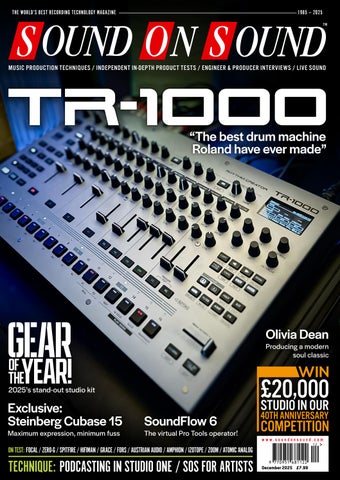
SOUND ON SOUND THE WORLD’S BEST RECORDING TECHNOLOGY MAGAZINE
THE WORLD’S BEST RECORDING TECHNOLOGY MAGAZINE
1985 — 2025 TM
MUSIC PRODUCTION TECHNIQUES / INDEPENDENT IN-DEPTH PRODUCT TESTS / ENGINEER & PRODUCER INTERVIEWS / LIVE SOUND
“The best drum machine Roland have ever made”
DECEMBER 2025
www.soundonsound.com
Olivia Dean
Producing a modern soul classic
WIN
2025’s stand-out studio kit
VOLUME 41 • ISSUE 2
Exclusive: Steinberg Cubase 15 Maximum expression, minimum fuss
SoundFlow 6
The virtual Pro Tools operator!
,000 £20 STUDIO IN OUR 40TH ANNIVERSARY
COMPETITION www.soundonsound.com
ON TEST: FOCAL / ZERO-G / SPITFIRE / HIFIMAN / GRACE / FORS / AUSTRIAN AUDIO / AMPHION / IZOTOPE / ZOOM / ATOMIC ANALOG
TECHNIQUE: PODCASTING IN STUDIO ONE / SOS FOR ARTISTS
December 2025 £7.99
ALL SYSTEMS GO
BATTERY-POWERED PORTABLE PA SYSTEM
This bundle is a complete Mackie battery-powered portable PA system, including two Thump GO loudspeakers, two ThumpSub GO subwoofers, ProFX10 GO mixer and rechargeable batteries. FEATURES:
• Complete battery-powered portable PA system • 2 Thump GO battery-powered loudspeakers • 2 ThumpSub GO battery-powered subwoofers
• ProFX10 GO battery-powered mixer • 2 SPM400 speaker poles • Rechargeable batteries included • Optional spare batteries sold separately • Custom bags sold separately
LEARN MORE: PRODUCT PAGE SCAN HERE
Exclusively distributed in the UK and Ireland by Source • T: 020 8962 5080 • W: sourcedistribution.co.uk/mackie
LE ADER
ASSISTED LIVING W
e tend to overestimate the effect of a technology in the short run and underestimate the effect in the long run. Not my words, but those of the scientist Roy Charles Amara — and a pretty good summing up of the history of music tech. When sampling became affordable in the early ’80s, we were told it meant the death of orchestras and the end of human musicianship. Four decades on, there’s no doubt that sampling has had profound effects, but they’re more subtle and more varied than anyone could have predicted. Today’s doom-mongers and tech evangelists are busy making extravagant claims about AI. And we’re already seeing that AI models can produce acceptable pastiches of human-created art, not only in music but also in the visual arts and literature. But in terms of society as a whole, the extreme predictions of both optimists and pessimists remain unfulfilled. Billions have been invested in companies that still have no path to becoming profitable. Issues such as hallucination are being waved away, even though they may represent fundamental problems with the technology. GPU makers are lending money to AI companies to buy more GPUs. From where I stand, it looks like a bubble ready to burst. But that’s not to say that AI won’t be transformative in the long term.
ALLIA BUSINESS CENTRE KING’S HEDGES ROAD CAMBRIDGE CB4 2HY T +44 (0)1223 851658 sos@soundonsound.com www.soundonsound.com
It’s just that the transformations it actually brings might not be the ones we expect. The dotcom crash around the turn of the century didn’t lead to the Internet being switched off, or the end of e-commerce as a concept. Instead, it culled thousands of lame startups to leave the field clear for those with a robust business model. But coding websites wasn’t hard, and once coded, they cost little to run. That’s very much not the case with generative AI, which requires colossal effort to implement, and consumes enormous resources. In the near term, my feeling is that the bigger transformation will be the quiet one wrought by assistive AI. And SoundFlow 6, as reviewed in this issue, is a great example. Its AI features are not about eliminating humans from the creative process, but enabling humans to learn faster and spend less time doing repetitive tasks. Personally, I’ve always found video tutorials to be frustrating, and we all know how hard it can be to find the information you need in a 300-page PDF manual. The potential for an AI trained by experts on your chosen DAW to deliver the answers you need fast, and carry out routine session management jobs, seems to me genuinely exciting. Hey, SoundFlow! Colour all the drum tracks purple and route the tom mics to a bus, please. And put the kettle on.
ADV ER T ISIN G
admin@soundonsound.com
sos.feedback@soundonsound.com
adsales@soundonsound.com
Managing Director/Chairman Ian Gilby
Editorial Director Dave Lockwood
UK Media Sales Manager Chris Cope
Editorial Director Dave Lockwood
Executive Editor Paul White
Marketing Director Paul Gilby
Editor In Chief Sam Inglis
Finance Manager Keith Werthmann
Technical Editor Hugh Robjohns Reviews Editor David Glasper Reviews Editor Matt Houghton
P R ODUC T I ON
Production Editor Chris Korff
graphics@soundonsound.com
News Editor Luke Wood
Nick Humbert
Printing Warners Midlands plc Newstrade Distribution Warners Group Distribution Ltd, The Maltings, Manor Lane, Bourne, Lincolnshire PE10 9PH, UK.
support@soundonsound.com
ISSN 0951‑6816
Digital Media Director Paul Gilby
A Member of the SOS Publications Group
www.soundonsound.com/subscribe Circulation Manager Luci Harper
December 2025 / www.soundonsound.com
International Business Development
Designer Andy Baldwin
subscribe@soundonsound.com
4
marketing@soundonsound.com
O N LIN E
S UB S CR I P T I ON S
NORTH AMERICA
M AR K E T IN G
Designer Mick Reilly
Design Andy Baldwin
UK/WORLD
“Today’s doom-mongers and tech evangelists are busy making extravagant claims about AI.”
EDI T O R I AL
Production Manager Michael Groves
WOR LDW I D E E D I T I O NS
Editor In Chief
A DM I N I S T R AT I O N
Reviews Editor Chris Korff
WWW.SOUNDONSOUND.COM/SUBSCRIBE
Sam Inglis
Administrator Nathalie Balzano
Web Content Editor Callum Hall Web Editor Adam Bull Digital Media Manager Atheen Spencer www.soundonsound.com twitter.com/soundonsoundmag facebook.com/soundonsoundmag instagram.com/soundonsoundmag
The contents of this publication are subject to worldwide copyright protection and reproduction in whole or part, whether mechanical or electronic, is expressly forbidden without the prior written consent of the Publisher. Great care is taken to ensure accuracy in the preparation of this publication but neither Sound On Sound Limited nor the Editor can be held responsible for its contents. The views expressed are those of the contributors and not necessarily those of the Publisher or Editor. The Publisher accepts no responsibility for the return of unsolicited manuscripts, photographs, or artwork. © Copyright 2025 Sound On Sound Limited. Incorporating Music Software magazine, Recording Musician magazine, Sound On Stage magazine, SPL magazine, Sound Pro magazine and Performing Musician magazine. All rights reserved. All prices include VAT unless otherwise stated. SOS recognises all trademarks.
Unlock Your Best Mixes If you can’t trust what you’re hearing, you can’t trust your mix. The truth is your room is likely holding you back. Introducing ORIA Mini, the room correction powerhouse that sits between your audio interface and speakers. Powered by Sonarworks, ORIA Mini is a dedicated hardware solution that analyses and corrects your room’s acoustic imperfections in minutes, transforming your studio monitoring.
Powered by
104 INSIDE TRACK
IN THIS ISSUE
www.soundonsound.com
December 2025 / issue 2 / volume 41
FEATURES 8 SOS For Artists With our nu‑disco tune mixed and mastered, we turn our attention to distributing and promoting it...
WIN
COMPLETE STUDIO BUNDLE
WORTH OVER £20,000! PAGE 78
44 Talkback Multi-talented composer, producer and instrumentalist Donato Di Trapani talks Bach, Tony Visconti and Werner Herzog.
52 Hybrid Stereo Mic Arrays Understanding spaced and coincident stereo arrays allows you to exploit the characteristics of both, and even to create your own!
64 40 Ideas That Changed Music Our four-part series charts the most important technical breakthroughs in music history.
72 Classic Tracks: Disintegration Loops William Basinski’s archival recording project gained a life of its own when the tapes began to deteriorate, and then took on a new significance in the wake of the September 11th attacks.
82 Modular Rides In The Storm’s Uwe George Giegler gives us his take on all things Eurorack.
84 Gear Of The Year 2025 The SOS team pick their highlights from recent hardware and software launches.
96 How I Got That Sound Marillion guitarist Steve Rothery tells us the secret behind the guitar sound on ‘The Great Escape’.
6
December 2025 / www.soundonsound.com
104 Inside Track: The Art Of Loving To perfect Olivia Dean’s intimate, personal sound world, the artist and producer/songwriter Zach Nahome decided to step outside the studio.
122 Spotlight: Hardware Channel Strips We’re decades into the age of the DAW, but outboard channel strips remain popular for good reasons — and there are plenty to choose from.
128 Podcasting In Studio One Studio One has everything you need to produce professional‑sounding podcasts.
132 Granular Synthesis In Logic Alchemy’s granular engine is a sonic playground with infinite possibilities!
134 Q&A Your studio and recording questions answered.
138 Why I Love... The Swiss Museum
For Electronic Music Instruments
Simon Horrocks shares his enthusiasm for one of the world’s greatest synth collections.
56 ZOOM LIVETRAK L6
66 Grace Design m701
ON TEST
24 Hifiman HE600 & more
92 Amphion One18X
40 iZotope Ozone 12 Advanced
116 Arturia Tape J-37
80 Rides In The Storm SED-CSM
Atomic Analog Tonograf EQ
Eurorack Module
116 Brainworx bx_pulsar Delay Plug-in
C O V E R
500-series Equaliser
Capacitor Microphone
32 Roland TR-1000 Drum Machine
60 Singular Sound BeatBuddy 2 Rhythm Generator Pedal
126 Crow Hill Company
126 Sonora Cinematic
Sample Library
Sample Library
Pocket Strings
12
Focal Lensys Pro Closed-back Headphones
20 Fors Pivot Software Synthesizer
110 Steinberg Cubase Pro 15 Digital Audio Workstation
28 Strymon PCH Active DI Interface
Mastering Plug-in Suite
Tape Emulation Plug-in
98 Austrian Audio OC-S10
Sample Library
Planar Magnetic Headphones
Passive Monitors
16
120 Spitfire Audio Tenebra
Audio Interface
Transfigured Orchestra Vol 2 46 SoundFlow 6 DAW Control Software
127 Soundpaint Vivaldi’s Solo Violin Sample Library
81
Strymon SuperKar+ Eurorack Module
126 Toontrack 12-string Bass EBX Sample Library
118 Vangelis: The Unknown Man —
Complete
Book Review
118 Warm Audio Tube Squealer Overdrive Pedal
22 Zero-G Elements Kepler 2 Software Instrument
56 Zoom LiveTrak L6 32-bit Multitrack Recorder, Mixer & Audio Interface www.soundonsound.com / December 2025
7
TECHNIQUE
With our nu‑disco tune mixed and mastered, we turn our attention to distributing and promoting it...
Affinity Photo are all capable and popular tools. While you’re focused on designing your graphics, consider also creating some themed headers that you can use to freshen up your website and social profiles on release day. And with an eye on the later promotion phase, you could create other social graphics now too — some imagery promoting merchandise, tour dates and launch parties, for example.
Simple Videos
Your artwork is important — but be sure to acquaint yourself with the dimensions and other rules before trying to upload it.
THE SOS TEAM
I
n previous articles, we’ve described using SOS For Artists (SOSFA) to create, mix and master a nu-disco track. Now for the final steps: distribution and promotion. There’s no single ‘right’ way to promote a tune, but while most independent artists won’t want to spend big bucks, following some common industry practices might just boost a track’s ‘discoverability’. Before all that, though, we need to give our song a name! After brainstorming around 30 potential titles, ‘To The Floor’ emerged as our favourite, and also inspired a topline idea that resulted in a vocal version. The next step was to gather together all the assets necessary for the release campaign. Alongside the audio, you’ll usually need graphics, videos and written content. Typically, it’s best to create video content first, and then take screenshots for your artwork and promotional visuals. But not everyone will have the skills, budget or time to produce a traditional music video; more on this below. In this case, we decided to focus first on the artwork, and then to produce a simple ‘artwork video’ based on it.
quality that you’re ‘future‑proofed’. The maximum supported size is 6000 x 6000 pixels, and any image must adhere to this 1:1 aspect ratio (in other words, it must be square). If you’re ‘borrowing’ images from elsewhere, then do be sure to check the usage rights. You should keep any text on the image to a minimum; only the artist and track name are allowed. And you can export a smaller version for use with track listings and online promotion. You’ll need to use a third-party tool to create your artwork, and while it’s possible to do this with various phone apps now, if you want to take your graphics more seriously then Photoshop, Canva and
SOSFA’s focus is on distributing your music, not videos but, like it or not, videos are a necessity when promoting your music today. Thankfully, creating them needn’t be daunting. Those who are comfortable on camera can shoot their own footage and turn it into a music video. Or you might simply film a live performance. You could also hire freelancers or connect with fellow creators on the SOS Forum to fill any skill gaps (after all, building a strong team is key to any successful endeavour!). But if performing on camera or motion graphics aren’t your strength and you want to go it alone, then simple lyric videos could be a good option. These remain a popular choice, and you can use a basic video editor to overlay lyrics onto background images, just adding fades or simple animations between them. Aligning text on the timeline can take a little time, but it’s a great opportunity to get creative with fonts and visuals to tell a story. Since we’re releasing a nu-disco track, we thought a glitterball‑themed promo video the perfect choice! To create it, we downloaded a royalty‑free seamless loop from our own Canva subscription (www. canva.com). You can buy Canva’s stock
Release Artwork For SOSFA, the minimum spec for your main artwork image is 1500 x 1500 pixels. We’d recommend at least 3000 x 3000 pixels — that will look good if anyone needs to print it at 300dpi, and is of sufficient
8
December 2025 / www.soundonsound.com
While SOSFA focuses on the audio side, videos can be an important promotional tool — and if you’ve not made one, creating something useful based on your artwork might be less onerous than you imagine!
It’s a good idea to get all your metadata together in advance, in a spreadsheet...
...and you can then manage it in a third-party app such as Metadatics. Note that you’ll need metadata for each version you release, including any stems intended for sync.
footage for a modest fee if you’re not a subscriber, but there are lots of other places where you can source royalty-free footage too. We then edited the video in DaVinci Resolve (there’s a free version if you’re new to video editing: www. blackmagicdesign.com/uk/products/ davinciresolve), layering artwork and text on top, to create our simple animated visual. With a 16:9 (widescreen landscape) video ready for YouTube, and a shorter Facebook edit, a 9:16 (portrait, for phones) version was created for Instagram, YouTube Shorts and Spotify Canvas (the looping visuals that accompany some Spotify releases). You can’t cover every platform, but it makes good sense to focus on the few platforms where your audience is likely to be most active, and these cover a lot of bases.
The Boring Part!
contact/national-agency-contacts). The code combines the country abbreviation, identifier, year, and a five-digit track number; for example ‘UK-M3L-25-00082’. Be sure to assign a separate ISRC for every mix of each track, including each stem group that you’ll be uploading for sync. In the description column, you should include a brief sentence or two about the track’s style. For keywords, add 15‑20 terms reflecting its mood. For example: ‘upbeat’, ‘lively’, ‘sad’, or ‘ominous’. Catalogue and barcode numbers are generated automatically by the SOSFA platform, so these fields can be filled in later.
Next, add your metadata to the tracks, starting with the release audio. There are lots of dedicated tagging tools that can make this straightforward; we used the Mac-only Metadatics (www.markvapps.com/ metadatics) and entered the Title, Artist, Album (you could put a single’s name here), Genre, Year, and bpm. For sync purposes, duplicate your audio folder. In your metadata program, add your full name and PRO registration number in the Composer field and, if you are the sole rightsholder and can offer instant clearance, enter ‘One Stop’ in the Group field. Include a contact email address here as well. Use the comments
With all your data prepped, and your campaign materials ready, uploading your release to SOSFA is easy — and you’ll be given a friendly nudge if you miss any important information.
With the visuals in the bag, it’s time to don your ‘record label’ hat. Start by organising your track’s metadata, ideally in a spreadsheet like Excel, with columns for ISRC, track and product titles, mix version, release date, credits, duration, catalogue number, bpm, key, genre, description, and keywords. Not all of that is strictly required for release, but it will make promotion and uploads to sync platforms much easier. Let’s look at ISRC codes first. This is an international identifier for your tracks, and typically it’s assigned automatically during distribution. If you’re running your own label, you can obtain a unique three-digit identifier and country code through PPL in the UK (if you’re elsewhere you can find your local Performing Rights Organisation at: https://isrc.ifpi.org/en/
www.soundonsound.com / December 2025
9
TECHNIQUE
C R E ATING & R E LE A SING A N U ‑ DIS CO T R ACK : PA RT 3
You can choose which of the major platforms your release will be distributed to, and have the option to distribute to numerous smaller sites and stores too.
box for a brief track description, website, contact info, ISRC, Key, and Time Signature. Finally, paste in your comma-separated keywords — the album artist field works well for this, since it’s searchable.
Electronic Press Kit & Press Release Traditional physical media packs have largely been replaced by Electronic Press Kits (EPK), hosted on your own website or platforms like DISCO (www.disco.ac), which seems to be gaining popularity. Make sure it includes your artist name, promotional and release images, track listing, release date, credits, biography, contact info, target markets and a list of a few well-known artists with a similar sound. Include several high-res professional images so that journalists can easily find what they need. You’ll also need a press release, which sounds grand but is super‑easy! We’d suggest creating a one-page A4 Word document and including your contact details and a logo at the top. Begin with ‘FOR IMMEDIATE RELEASE’, add your promotional text, and end with ‘###’ or ENDS to signal the end of the release. The release should briefly outline your achievements and highlight your latest release, but do try to write something original and engaging to attract attention!
Distribution & Registration With all materials in place, it’s time for distribution and registration. A release date 4-8 weeks ahead is ideal, but this track
10
December 2025 / www.soundonsound.com
had a faster turnaround, and SOSFA can get releases live in as little as 2‑7 days if your profile is already set up — though allowing more time obviously helps with pre-release promotion. In SOSFA, go to the Distribution tab and select ‘Add Release.’ With all assets and metadata ready, uploading is straightforward. Click into each track to enter title, artist, mix version and other details. The platform will automatically flag any missing information. On the Release Info tab, add yourself as the composition owner, and either you or your label name as the master recording owner, according to your PPL registration. The Cover Art tab lists artwork guidelines as a helpful reminder. The Release Settings tab lets you choose distribution platforms, set your release date, and opt for SOSFA to collect YouTube royalties for you — useful if your channel isn’t yet monetised. The final page allows you to review all information before submitting. You can save and return later for a final check if you prefer — mistakes can be corrected after submission, but updates may take a couple of weeks to appear. Once your track is approved for distribution, register it with your local Performing Rights Organisation (PRO) to collect royalties. Here in the UK, this is the Performing Rights Society, or PRS (www.prsformusic.com). Membership requires ID and a small fee, but it should pay off if you are actively promoting your music to radio and submitting your live performance information. Once registered,
adding your songs is a quick process, especially if you use the metadata database we discussed above. If you’re running a label, you’ll also need to register your release with the organisation that issued your ISRC code, in our case PPL UK. Registration is free and you can set up a rightsholder account as an individual or under your label if registered as a company. Uploading is straightforward: register individual tracks first, then create a separate registration for the overall release, in this case a single with two mixes. It’s advisable to wait for PRS registration confirmation first, since you can link the two databases by adding in the ISWC (International Standard Musical Work Code) provided by PRS. Finally, add your release to MusicBrainz (https://musicbrainz.org) for industry visibility and use Discogs (www.discogs.com) to give even more visual presence, particularly if you’re releasing physical formats too.
The Release Campaign By now, you might be getting an idea of how good record labels actually earn their share of the income! While there’s still more legwork to come, it’s perfectly normal to start small with your first release campaign, and increase your efforts with each new release, as you acquire more contacts and followers. There are three main groups on whom, ideally, you need to target your promotion efforts: • T he media — under which heading we’d include DJs, radio stations, blogs, magazines, reviewers, tastemakers, playlists, venues, and so on. • Music supervisors for sync. • Your fanbase. Note that your focus should be on building long-term, mutually beneficial relationships. To that end, if you’re taking your music career seriously, consider hiring a promoter or enlisting a friend to help ease the workload. But even without that, you can start building your contact list by searching locally and online for industry professionals in your genre. Use Google, LinkedIn, and attend events with business cards to grow your network. Contact each person individually where possible, sharing a brief introduction and a link to your press kit, and offer the option to join a mailing list (never add contacts automatically; in many countries it’s illegal, and in any case you
want people to notice you, not report you as a spammer!). Make sure the tracks on your EPK are actually downloadable. Emerging artists can upload their track to BBC Introducing (www.bbc. co.uk/introducing) for potential local radio coverage and pursue interviews with local and national publications, TV, radio and online outlets. Try to arrange interviews to coincide with gig dates in that area. You can use the SOSFA Promotion tab to set up your official Spotify for Artists account, where you can apply to be featured on Spotify playlists. You can also sign up to Musixmatch here to upload lyrics, and further expand your visibility. When it comes to music supervisors, you’ll need to reach out individually, with a polite message and a link to your tracks. Consider uploading your releases to Songtradr (www.songtradr.com), where they can be licensed for sync immediately. Other platforms exist, of course, but note that many of them don’t pay royalties! Alternatively, a publisher can seek out sync placements in exchange for a share of the licensing and royalty fees, so that
you’re not having to solely handle any legal paperwork. Finally, don’t forget to set up a campaign to promote your release to fans, including as a minimum scheduled social posts and a dedicated web page. Consider running launch events (online, offline or both) and dedicated gigs. Take note of your more enthusiastic fans and encourage them to share links, and make sure you share any press coverage that you receive. Some artists will even stage local publicity stunts to gain further exposure, but we’ll leave those ideas to you!
Ongoing Promotion Whatever you do, don’t be tempted to view ‘release day’ as the end of the campaign. You need to generate momentum, so continue updating banners and promoting to both fans and the industry for at least a couple of weeks beyond the release date. Specifically on SOSFA, you can go to your release page to access store links — these can be easily shared — and can visit the Tools tab to link your official YouTube channel,
to ensure that all content on the platform is earning income for you. A smart way to boost streams is creating a themed playlist around your release, including popular or similar artists. Give it a clear, appealing title, such as ‘8 Hours of Relaxing Spa Music’ or ‘Epic Gaming Soundtrack,’ that can attract both listeners and businesses who use Spotify. Tracks can then often be discovered in venues like restaurants, coffee shops and gyms via Shazam... Finally, you can extend a track’s life even further by performing, sharing videos and even releasing remixes in the weeks following the initial release.
Rinse & Repeat As you can see, running a release campaign requires a heck of a lot of admin and contact building, and this quick guide only really scratches the surface. You could also explore collaborations, cross-promotions with other artists and paid campaigns on platforms like Google, Facebook and Spotify... and much more. But hopefully we’ve given you some ideas. Whatever approach you take, have fun with it!
www.soundonsound.com / December 2025
11
ON TE ST
Focal Lensys Pro Closed-back Headphones
Focal’s latest studio-focused headphones aim to deliver reference-quality monitoring in a closed-back format. SAM INGLIS
W
hen it comes to headphones and loudspeakers, the divide between studio and hi-fi models is sometimes more apparent than real. There are plenty of hi-fi enthusiasts who say they want to hear music on the same type of system that was used to mix it, or at least on a flat-sounding playback rig. So although it’s not uncommon for a manufacturer to use different distributors, retailers and publicity materials for the two markets, it’s also not uncommon for the products themselves to be pretty similar. Visit the website of French monitoring maestros Focal, for example, and you’ll find their headphone range divided into High-Fidelity, Wireless and Professional categories. But it doesn’t take Sherlock Holmes to figure out that they’re all built on the same basic chassis and technology, presumably with voicing tweaks to accommodate listener preferences. The Clear MG Professional open-back headphones I reviewed in SOS June 2021 have a direct counterpart in the hi-fi world, while the subject of this review also bears a strong resemblance to existing hi-fi models from Focal.
The earcups themselves are of an elongated oval in shape and, as seems to be the fashion these days, are tilted so that the lower half sits forward of the top. The yokes offer plenty of rotation on both the fore-and-aft and the up-and-down axes, and they are mounted on notched metal strips that slide in and out of the headband to accommodate different head sizes. The headband itself is padded, but rather narrow, and its pressure on the top of the head does become noticeable after a while. In general, though, these are pretty comfortable headphones, and at 306g are relatively lightweight. The foam earpads are a little deeper than most, and are field-replaceable. The Lensys Pros connect to the outside world through a mini-jack socket in the
Lens Flair The Lensys Pro is a new closed-back headphone model that, as far as I can tell, uses the same housing as the more hi-fi‑oriented Azurys model. This means that the earcups actually resemble those of an open-back design, with an attractive arrangement of holes laid out in four concentric rings. Behind these holes, however, what looks like a fine gauze is actually a layer of rigid material that blocks sound from entering and leaving, and the degree of acoustic isolation on offer is pretty good.
12
December 2025 / www.soundonsound.com
base of the left earcup. Straight and curly cables are supplied, as is a good-quality semi-rigid case. Internally, the Lensys Pros use Focal’s proprietary aluminium-magnesium ‘M-profile’ moving-coil drivers, and Focal say that “their acoustic load has been optimised for operation similar to that of
a bass-reflex loudspeaker”. They present a nominal impedance of 26Ω and a sensitivity of 100dB SPL for a 1mW signal at 1kHz. Refreshingly, Focal give a frequency response with tolerances, in this case 5Hz to 22kHz, ±3dB. Distortion is given as 0.3% for a 1kHz signal at 100dB SPL; this is decent, though it would be nice to know what the figure is at 100Hz too.
Focal Points Although they’re about half the price of the Clear MG Professional, the Lensys
U T O P I A M A I N | STUDIO MONITORS OF EXCELLENCE The Utopia Mains range employs the full breadth of Focal’s technical expertise and professional audio industry knowledge to deliver an unparalleled recording, mixing or mastering experience. Comprising a 3-way Main 112 and 3.5-way Main 212 model, each Utopia Main monitor features newly patented drivers paired with Class-H Current Mode amplifiers for ultimate power and sonic precision.
The apex of monitoring
Exclusive Distribution: Sound Service UK | www.soundservice.uk
ON TE ST
FOCAL LENSYS PRO
Although the outer shell of the earcups is perforated, a second layer of rigid material within prevents sound from entering or leaving.
a good thing, especially for mixing. In fact, I fancied that the Lensys Pro had just a little of the character of my Yamaha NS10s, in that they are brutally revealing of boxiness, honkiness, unwanted resonances and general low-mid clutter. The flip side of this is that if you mix only on the Lensys Pro, I think you’d need to take care not to clean things up to the point where the mix becomes thin-sounding on other systems, but I’m sure you’d get used to this fairly quickly. And, of course,
“There’s a subtle yet noticeable ‘thickness’ to the sound that tends to make other headphones sound ‘scooped’ when you switch away from them.”
Pros are still relatively costly for a pair of broadly neutral, but inasmuch as it closed-back headphones. departs from the flat, the most noticeable You won’t be buying these feature is not the presence boost that in sets of five to hand is typical of so many closed-back out to musicians on the headphones. Rather, the live-room floor. So, if you are Lensys Pros slightly bring considering them for studio forward the midrange, with roles, you’d want them to a broad emphasis that is be good enough to use most prominent around for tasks that demand 300Hz but apparent critical listening: editing, right up to 1kHz or so. sound design and There’s a subtle yet mixing, for example. noticeable ‘thickness’ Are they? to the sound that In my view, yes tends to make other they are; and, moreover, headphones sound they have some subjective ‘scooped’ when you qualities that you don’t find switch away from them. in too many headphones. As far as their utility The Lensys Pros are shipped The tonal balance is goes, I think this is mostly in a good-quality fitted case.
14
December 2025 / www.soundonsound.com
the Lensys Pros don’t suffer from the NS10’s bandwidth restrictions at either end. Sibilants, cymbal crashes and other high-frequency events are represented naturally and smoothly without any hype, which means the Lensys Pros don’t become fatiguing during extended use. Nor are they plagued by the artificial boost in the 100-150 Hz region that some cheaper cans use to compensate for a lack of true bass. Although the Lensys Pros are not cheap, then, they do offer a sound character that is relatively unusual. Not having heard the Azurys model with which they clearly share much DNA, I don’t know if this is unique to the Lensys Pro, but it’s a voicing I don’t associate with hi-fi products, which tend to have a flattering, ‘smile curve’ presentation. And, to my mind, it’s one that is particularly useful for studio tasks. Auditioning a few of my own mixes through the Lensys Pros often had me reaching for the EQ, and the results were usually the better for it!
summary By gently emphasising the all-important midrange, Focal have given the Lensys Pro a valuable USP for mixing applications.
£ €699 including VAT. W www.sound-service.eu W www.focal.com
ON TE ST
ATOMI C A N A LO G TONO GR A F EQ
and suitably ‘stable’ when used on stereo sources, and the sweetening effect of these circuits — a subtle but pleasing sort of ‘sheen’, combined with that satisfying touch of fullness you get from transformer-based designs — as well as the broad-strokes EQ options should be very appealing to engineers as they approach the final stages of a mix or master. My first proper tracking session with these units was on a piano session. It’s an instrument for which I’ve developed a few mic techniques over the years to make my studio’s somewhat dark-sounding upright sound richer and, well, generally a bit more ‘grand’! The Tonografs’ low and high shelves helped a great deal, with both set to boost at just shy of the 3 o’clock position, but while the EQ curve was obviously helping, there was more to it. Switching the EQs in and out revealed just what a dramatic effect they were having, and my client remarked on how good the piano was sounding. The rest of my time with these EQ modules coincided with a very busy period at my studio, during which I recorded a series of young guitar bands who were chasing a sound that was very familiar to a ’90s kid like me! The Tonografs sounded superb on drum close mics, and the 60Hz shelving filter in particular worked nicely for adding extra weight on kick drums; it was also great to be able to cut some boxy frequencies at 500Hz or add more presence if needed. When paired with the classic close snare mic option of an SM57, it was possible to get heavy-handed with the midrange boost at 1.4 or 3 kHz, and I found myself pairing this with a high shelf boost set at 7kHz or a cut at one of the higher frequency options. In both these high-SPL settings, I quickly developed more of a sense of the ‘colour’ being imparted by the electronics over and above the boosts and cuts; it was easy to hear how the subtle amount of saturation complemented the music. I had a similarly positive experience using these EQs on close-miked
18
December 2025 / www.soundonsound.com
High-quality components were used throughout, and considerable time and effort went into matching the performance of the original TAB circuit — not least the mid band’s inductor, which had to be analysed and recreated.
guitar cabinets: they worked a treat in those in-depth ‘tone-chasing’ sessions, where you just want to be able to lean over and pull a little brightness up in the sound or add more weight.
Summing Up As you can probably tell, I was rather taken with these EQs! They’re the kind of thing that you find yourself wanting to leave in your recording chain whenever possible, even if you’re not actually making any EQ moves. That’s precisely how I found myself using them on vocals, in fact — sitting there as a sweetener, they’re gently flattering all the time but, should you need it, they also offer simple tone-shaping at the twist of a knob. Of course, a diligent reviewer must also search for negatives. But while I did find a couple of points worth noting, it’s not a significant list in the grand scheme of things. For instance, I often had to get out of my chair to see what settings I’d dialled in, but this is a common issue for me with 500-series modules. Also worth noting is that these units do get very hot The Tonograf has more features, yet is more compact than the W95C.
when they’ve been on a while, and the manual rightly suggests you give some thought to where to place them in your 500-series chassis. Finally, boutique tools such as these rarely come cheap, and certainly these are at the more expensive end of what’s available for the 500-series format. Having said that, these are some of the nicest-sounding 500-series EQs that I’ve used, and if you stuck two of these modules in a 19-inch rackmount chassis for a similar price, they’d be competing with products that cost much more. But of course these were originally console EQs, so I think it makes good sense to stick with a modular format — there are still mixers that can host 500-series modules like this, after all! The bottom line is that if you’re carefully assembling a high-end recording and mixing setup, these would be a fantastic addition, and are well worth checking out.
summary The classy-looking Tonograf EQ packs a lot of vintage analogue muscle into a single 500-series module. They combine a subtle but pleasing sound character with a simple-to-use EQ that works superbly for all-round recording and mixing duties.
£ £1125 including VAT. E sales@makenoiseproaudio.com W https://makenoiseproaudio.com W https://atomicanalog.com
ON TE ST
NICK ROTHWELL
O
ver the last few years I’ve been seeing an increase in software bloat in audio plug-ins, whether that’s the hundreds of presets, 3D animated graphics or just the complexity of hybrid synthesis models with long chains of built-in effects. It’s therefore a relief to come across something as simple, clean and focused as Pivot by the Sweden-based company Fors. Pivot brings Scandinavian minimalism to classic FM synthesis (or, to be pedantic, phase modulation), with a clean design aesthetic, all simple geometric forms and lower-case labels. Its resizeable window flips between a panel for synthesis and one for modulation. The plug-in is compatible with macOS, Windows and Linux, and supports the modern CLAP standard as well as VST3 and AU.
Pivot Point The style of FM on offer here is pretty simple: three operators (one carrier plus two modulators) and two algorithms. In fact, Fors are emphatic that Pivot is algorithm-free, and that’s true in the sense that you can smoothly morph between two operator layouts, so algorithm selection is not either/or. There’s also a multi-mode filter (comb, acid or SVF, the latter being able to shift continuously between low-pass and high-pass) and a smattering of simple effects. The two extremes of the operator configuration value (called ‘route’) are a 3-op stack, and a two-modulators-into-one-carrier tree. The route value ‘pans’ the third operator’s output between the first and the second. This seems to cover all the important tonal ground, although you’re limited to a single carrier throughout. An iconic three-dice logo shows the routing mix. Operators 2 and 3 have the usual pitch controls (course and fine), although the carrier has none, so there’s no overall transpose. All three operators have their own ADSR envelope, as does the filter, and operators 2 and 3 have a level setting and feedback loop (to themselves only). The interface is pretty much devoid of knobs and sliders: you can drag control points to shape the envelopes, but the level, feedback and filter envelope follow controls look more like road signs than synthesizer knobs, although dragging up or down on them works as expected, with visual feedback. The one concession to rich visual display is waveforms, showing the signals that are flowing between the operators and also the final pre-effects audio output. I hooked up a software oscilloscope to the plug-in and can confirm, should you be concerned, that this display is accurate. Pivot’s effects section is pretty minimal: there’s a very gentle chorus for providing some stereo width (‘width’ being its only parameter), an effect like a bit-crusher, and a distortion effect, which I found a little underwhelming. Pivot’s raw sound is pretty dry, so you’ll have to rely on your DAW’s suite of effects to add warmth and richness. There
20
December 2025 / www.soundonsound.com
Fors Pivot
Software Synthesizer
Interface has always been a barrier to FM synthesis. Can Fors’ elegant approach make it more accessible? is a unison mode which runs three voices for each note, and they can be detuned as far apart as two octaves, if you want to layer up and fill up the frequency spectrum a bit. Flip to Pivot’s modulation panel and you’ll find a pair of LFOs, with a selection of shapes, and a continuous skew parameter to reshape or provide PWM. Rates can be Hertz or tempo-time, and output can be uni- or bipolar. The LFOs are per-voice, can reset on key-down or be beat-sync’ed, but there’s no phase control. There are two additional ADSR envelopes available as modulation sources as well. You can modulate from up to five internal sources (LFOs, envelopes, a note-on random generator) and five external MIDI ones (pitch, velocity, mod wheel, pressure, MPE front-back slide). MPE left-right glide tracks pitch as expected (it’s not available as a modulation source), although old-school pitch-bend is
hard-wired to a two-semitone range. The full modulation limits for pitch are pretty extreme at ±96 semitones, which is pretty much Nyquist to DC, so you’ll need to keep that in check.
May The Fors Be With You If you’re used to more sophisticated instruments, Pivot might seem a bit weak — a dry sound, relatively simple FM implementation — but on a recent project I found myself using it a lot. It’s clear both conceptually and visually, does most of the harmonically rich and animated FM that you could want, and is very approachable. My review copy came with very few presets, but I don’t think I used any of them, instead just grabbing the on-screen controls to make sounds from scratch each time. In a world of ultraprocessed software instruments, it’s good to come across something this pure and refreshing.
summary Pivot is an elegant and approachable 3-op FM synth with morphable algorithm and filter, dedicated modulation matrix and MPE support in a sleek designer package.
£ £29 including VAT. W www.fors.fm
ON TE ST
JOHN WALDEN
T
hose with a passion for media composition and cinematic music styles will be familiar with Stefano Maccarelli’s various collaborations with Zero-G including the excellent Ethera titles. However, a further collaboration was Elements Kepler and this provided a Kontakt-based ‘hybrid scoring toolkit’ inspired by scores to films such as Dune, Tenet and Oppenheimer. With an impressive array of presets, a straightforward UI, plenty of sound‑design options and a very accessible price, Kepler was very well received. Indeed, so well received that the same team are now back with Elements Kepler 2. So, what does this update add to Kepler’s sonic world?
New Tricks As before, the full version of Kontakt (8.6 or later) is required (Kontakt Player is not supported). Kepler 2 adds 17GB of brand-new material to the original’s already hefty 33GB, expanding the palette considerably. As far as I can tell, the expanded collection of presets (now numbering over 1000) within Kepler 2 don’t duplicate those within the original release; if you have projects based upon Kepler 1 you might — initially at least — want to keep both versions installed. As with the first version, sounds can be built from up to three sound layers. However, Kepler 2 delivers some UI changes to streamline access to the various sound‑design options within the front ends of both the Core Designer and Texture Designer instruments. It also adds a third flavour of the engine called the Synth Designer. All three share the core features but, as explained clearly in Kepler 2’s manual, there are features within each engine specific to their different purposes. An expanded set of tabs is now accessible directly from the top of the UI, giving you access to various effects options (Space, Dyn and EQ, for example), envelope controls (Shape), sound layer blending (XYtab), step-based parameter modulation (Macro 1 and Macro 2), sample slicing (Slice), arpeggiation (Arp) and an option to automatically quantise any MIDI note input to a specific grid resolution (In Q). Many of these options can be adjusted on a per-layer basis and editing of each layer also offers an ‘expert’ mode, with further sound‑design options, accessed via the square button beneath each layer’s meter section towards the top of the UI.
22
December 2025 / www.soundonsound.com
Zero-G Elements Kepler 2 Software Instrument
Zero-G’s popular hybrid scoring toolkit gets a significant upgrade.
You could immerse yourself in the extensive preset collection for a considerable amount of time. Kepler 2 exists in the same sound world as the original, which is to say there is a huge range of textures, drones, pads, cinematic percussion, sound effects (such as risers, whooshes, impacts and braams), playable instruments including synths and basses, sounds based upon various organic sources, and a collection of vocal-based presets that offer choral textures, tribal chants, screams and throat singing, amongst others. Given the flexibility of the various engines, providing you are prepared to dig in, there is also endless scope to design your own sounds. A significant element within Kepler 2’s new sample content is a collection of string instruments that utilise something Zero-G term ‘Bow In Motion’. This is a rather neat legato feature where various string instruments have been sampled with long continuous performances that include audible changes in bowing direction. These have been recorded at various original tempos, but this bowing motion can also be tempo-sync’ed to your DAW. The sounds themselves are excellent and full of character but, for slow, sustained note
performances, the fact that the bowing matches the tempo of the project can add an interesting additional element of realism.
Conclusion Kepler 2 is a very worthwhile expansion of the original concept, delivering new sounds and new sound‑design options. However, the underlying concept remains a key part of what makes this library so attractive; it’s a complete toolkit for media scoring within a single library. The sounds are sonically impressive, but you also have options for every element of the scoring process, from the most delicate of percussion to the darkest of drones. If you are looking for a one-stop shop for modern hybrid cinematic scoring, then hats off to Stefano Maccarelli and Zero-G: Elements Kepler 2 delivers just that and does so at a very accessible price.
summary Elements Kepler 2 improves on the already impressive original. A great single‑library toolkit for modern hybrid scoring.
£ £133. Upgrade from Elements Kepler 1 £45. Prices include VAT.
W www.zero-g.co.uk
V-DRUMS 3 SERIES
FLA GSHIP_SOUND_ENGINE
UNMATCHED_EXPRESSION
N EXT-L EVEL D RUMMI NG STARTS HERE
ON TE ST
The Ananda Unveiled, Edition XV and HE600 are all open-backed designs.
Hifiman HE600 & more Planar Magnetic Headphones SAM INGLIS
H
ifiman sounds like one of Marvel’s less well known superheroes, but they are actually a headphone manufacturer with a huge portfolio of products. The fast pace of innovation and rapid turnover of models reflects the progress being made by founder Dr Fang Bian, who is constantly striving to improve his designs. Although they make other types of headphone, Hifiman specialise in planar magnetic models, and have claimed numerous breakthroughs in driver technology. It can be a little hard to keep up with the development of the Hifiman product range, which usually includes numerous B-stock offers, limited editions and variations on a theme. At the time of writing, the collection available in the UK comprises no fewer than 60 different headphones, including all four of the models that were sent for this review. What these all have in common is very aggressive pricing. Historically, headphones that use alternative technologies such as planar magnetic drivers have tended to occupy premium price brackets, but the Edition
24
December 2025 / www.soundonsound.com
XV, Audivina LE, Ananda Unveiled and HE600 are all relatively affordable. The first two retail at around the £360 mark, with the HE600 coming in at about double that, and the Ananda Unveiled somewhere in the middle.
In The Frame When I first tested Hifiman headphones in 2022, there was often very little in common between different models. Since then, Dr Bian seems to have been working to standardise some aspects of his designs, and the four models under review share quite a few construction features. The frames appear identical in each case, with a perforated fabric strap sitting inside a separate structural headband and cushioning the load on top of the head. The yokes from which the earcups are suspended are likewise very similar in all four models. They
Hifiman’s assault on the studio market continues with no fewer than four new headphone models.
permit the cups to rotate freely up and down, and a little fore and aft. In practice, this means it’s relatively easy to adjust any of the four headphones to fit your personal head shape. A final point of similarity between all of the review models is that the signal from your headphone amp enters through separate mini-jack sockets at the base of each earcup. In all four cases, alas, it’s needlessly difficult to identify which earcup and which side of the Y-shaped cable is left and which is right. If I were planning to pack them away on a regular basis, I’d be making coloured labels, especially for the cables. And talking of packing these headphones away, all four of these models arrived at SOS Towers in smart and practical semi-rigid cases, which I haven’t seen on previous Hifiman models. The Audivina LEs also come with multiple cables, including a so-called ‘balanced’ cable terminating in a four-pin XLR. Once you get to the earcups themselves, clear differences are apparent between the four models. Those of the HE600 are circular, whilst the Edition XV, Audivina LE and Ananda Unveiled all employ the elongated, asymmetrical egg-shaped geometry used on the HE1000 Unveiled and Arya Unveiled models I reviewed earlier this year. The ‘Unveiled’ tag refers to the complete omission of any grille or louvre on the outside of the earcup, a design philosophy intended to prevent sound from the rear of the diaphragm being reflected back into the earcup. Hence the Ananda Unveiled’s magnet structure is
ON TE ST
Active DI Interface
Strymon PCH
This pedalboard-friendly DI interface has been designed specifically for interfacing amp modellers and electronic instruments with PA and recording systems. DAV E LO C K WO O D
E
ven in today’s ever more high-tech live-sound world, a guitar player arriving at any gig with a ‘provided PA’ is most likely to find that the engineer’s default option will be a single line to front-of-house and an SM57 to place in front of the speaker. All well and good if you’ve turned up with a conventional guitar
Strymon PCH £259 pros • Excellent signal integrity. • Flexible routing and connections. • Great‑sounding headphone amp. • Bullet-proof build quality.
cons • An aux input would have been nice.
summary Strymon’s PCH is more than ‘just another DI box’. When you’ve spent serious time and money crafting a great-sounding modelling rig that you hope will be feeding into a great-sounding PA system or recording rig, the ‘bit in the middle’ really matters: a signal chain, like any other chain, is only as strong as its weakest link!
28
December 2025 / www.soundonsound.com
amp — you’ll be a mono source arriving at the console at the expected ‘mic level’. Not so good, however, if you’ve brought a digital amp modeller and pedalboard loaded with your lovingly crafted stereo effects. What usually happens then is that the 57 gets somewhat reluctantly swapped for a single-channel DI box and the engineer departs without answering your questions about what kind of level you should be sending... Amp modellers are usually capable of outputting a very wide range of levels, from a hot ‘pro’ line level down to mic- or passive instrument level, and may have anything from balanced XLR or TRS sockets to unbalanced TS jacks. You might imagine that you’d always be pretty safe with a nice, strong line-level signal on balanced XLRs that you can connect directly to any stagebox, but there’s still plenty that can go wrong in that scenario. The chances are that the stagebox will connect to the mic inputs on the console, with line-level signals expected to be handled either with a separate TRS input, or maybe just a pad switch to drop the sensitivity of the mic inputs. It’s also sadly true that not all XLR-equipped modellers can deal with being sent phantom power,
and not all PA consoles have phantom power switchable per channel. On the whole, you are often better off just playing safe and using a DI box that will drop your modeller’s signal down to mic level... except not all DI boxes are created equal! You could be clipping the DI box before your signal even gets to the console, and if you’ve taken a split to a local monitor from before the DI, you won’t even know that your FOH sound is compromised.
Who Needs A ‘Specialised’ DI box? The widespread and ever-increasing use of virtual amps in live sound and recording over the last few years has led to the development of a few dedicated ‘pedalboard amp’ interfaces, notably Pinstripe Pedals’ DISO and Walrus Audio’s Canvas, and they are joined now by the PCH from premium pedal-makers Strymon. About the size of a standard Boss pedal, the PCH is an active, high-headroom, stereo DI interface with a pair of balanced, low-impedance XLR outputs, a pedalboard-PSU-friendly 9V DC input (internally converted to 24V), and, unusually, an onboard headphone amp. I say ‘pedalboard-PSU-friendly’ because it’s 9V, but with the one caveat that it requires a fairly hefty 500mA current supply.
now in cylinder
61
ON TE ST
Roland TR-1000 Drum Machine
Elegantly combining analogue and digital, and balancing programming with performance, the TR-1000 is the best drum machine Roland have ever made. SIMON SHERBOURNE
M
usic production gear is often designed with aggressive price points in mind and that means compromises, but the brief for a true flagship product should be more of a ‘give them what they want and we’ll figure out the money later’ vibe. Initial reactions suggest that the TR-1000 is indeed the pro drum machine we wanted from Roland. Join us as we explore Roland’s vision of an analogue drum machine for modern times.
The Big Picture The TR-1000 expands both physically and functionally on Roland’s primary
32
December 2025 / www.soundonsound.com
general‑purpose drum machine of recent years: the TR-8S. It adds analogue drum voices to the digitally synthesized and sample-based sources, new features like sample slicing and bpm matching, and a much improved user interface. The instrument follows the layout of the TR-8S, but moves away from the black plastic Aira build to a more serious‑feeling metallic silver chassis. There’s some resemblance to the MkII Elektron flagships; while the step keys reference the 909 they are more like Elektron’s, and there’s a modulation crossfader like the Octatrack.
Comparisons with the Analog Rytm were inevitable as it’s the reference point in my studio for a modern hybrid drum machine. But it’s fair to say that everyone has been influenced by Elektron’s conventions in recent years. And if Roland had asked me what I wanted it would have been the TR-8S’s form factor with the Rytm’s functionality. In the end the 1000 has kept all of what makes the 8S unique, and crossed over into the territory of multiple rival units. Sat next to an 8S or Rytm the TR-1000 is massive. It’s a heavy, chunky wedge built to be a studio centrepiece and pro touring instrument. The thickness and raked panel
make room for that analogue synth circuitry as well as an internal power supply, and the resulting rear‑panel space has been stocked with a full set of split track outputs, full‑sized MIDI, USB ports, some analogue trigger/CV connectivity and more. The panel design comes from the TR-8S, which itself was an evolution of the 808/909’s track columns and step keys. As we’ve said before, the faders are a defining feature, typically slammed up and down in place of mutes rather than used for setting balances. It’s hard to explain why this makes these machines so playable — it just does. Fader count is down from 11 to 10, but notice channels 1-4 are double width with six knobs. These are dual-layer tracks; more on that in a bit. There’s a proper screen instead of a text display, supported by six push encoders. This, along with the wealth of dedicated buttons and a generally better‑thought-out UI make working with the TR-1000 faster and easier. You’re much less reliant on assigning knobs as you can achieve most sound design and editing tasks quickly from the screen. But first, let’s dive into sounds.
Analogue Soul This is, I’ll say up front, a great drum machine in general, but it’s the analogue piece that’s caused most excitement. The TR-1000 has 16 synth circuits taken from the 808 and 909, skewed towards the 808 as the 909 had some sample-based sounds. Although channels are named on the panel, any of the analogue sounds can be used on any track, but only once per kit of course. Let’s zoom in on the 808 kick as it’s so iconic. The TR-1000 808 kick has the same two shaping parameters as the original: Tone, which affects the transient click; and Decay, which adjusts the length of the subby boom that accompanies it. The 1000 version also gets a Tune control.
It doesn’t disappoint, delivering that air‑shaking thump. The decay can go way longer than the original. In fact once you get to about 70 percent the circuit oscillates indefinitely, giving you a sub tone that you can shape with the track’s envelopes, filter and LFO. This makes sense, as in modern hip-hop production ‘808 bass’ is more associated with sustained bass lines than kick drums. However, as we’ll see there’s not really a great workflow for melodically sequencing or playing the TR-1000, at least in this first release. In short, both analogue kicks sound mint, as do all the other analogue circuits. And many have extended capabilities, such as the hand clap with controls for clap size and tail level. Not everything is covered. There’s no mid tom, but the other toms can cover its range. Also absent are any of the switched modes on the 808: congas, claves and maracas. For these you’ll need to go digital. A super cool feature of the analogue voices is dynamic responsiveness to velocity, and not just in terms of level. For example, the levels of the Snappy component of the snares and the membrane sound on the toms increase relative to the body tones with harder hits. The TR-1000 has no velocity‑sensitive pads, not even the single tap button found on the TR-8S, but it does have the usual Accent system for pushing some steps, and a ‘weak note’ entry option, giving you three basic levels. It’s easy to adjust the velocities of notes in a pattern more finely by holding and dialling in a value. Triggers from MIDI inputs also respect velocity.
Digital Heart Roland’s Analogue Circuit Behaviour DSP was first seen on the TR-8, recreating the 808 and 909 sounds by building the circuits virtually, and staying mostly faithful to the
Roland TR-1000 £2286 pros • It’s an analogue 808 and 909... • ... with many other synth and sample capabilities. • Much improved file and control workflows. • Unquantised recording and programming. • Sample slicing, looping and stem playback. • Multi-channel analogue and USB audio I/O.
cons • No straightforward melodic sequencing. • Per-step motion has unpredictable results. • Still no instant takeover mode for patterns.
summary A best-of-both-worlds pro drum machine that’s hugely fun and inspiring to play.
original controls. ACB has evolved over successive instruments like the Boutique machines, adding sounds from the other TRs and some new and extended control ranges. In fact some sounds like the 6x, 8x and 9x kicks (x being the naming convention for ACB) can be switched between the TR8 and Boutique versions, in either the original or long decay modes that these units offered. ACB models provide the classic sounds from other great instruments like the 606 and CR‑78, as well as 8x and 9x sounds that aren’t rebuilt in analogue here. But beyond that, Roland have pimped the ACB patches, unlocking control over many new parameters within the component parts of the algorithms, so they are great to have alongside the analogue versions. For example, the 808 Snare now has independent control of the levels and decays of the tone (body) part of the sound
Round the back we have an IEC mains inlet and power switch; USB‑C and A ports; MIDI in, out and out 2/thru ports (two of which double up as DIN Sync); a quarter-inch pedal input; 3.5mm sockets for trigger in, filter CV control, trigger out and clock out; two quarter-inch audio inputs; 10 quarter-inch individual audio or trigger outputs; and finally, also on quarter-inch jacks, the main audio outs and dedicated analogue effects outputs. Phew!
www.soundonsound.com / December 2025
33
Discover SOS For Artists : A Complete Platform for Modern Music Creators
Your end-to-end music production suite
Designed to support independent artists, producers, and collaborators at every stage of the music-making journey, SOS For Artists is a new subscription service that brings together all the tools needed to take your music from idea to release.
Create 1. Sample Selection Made Simple
Over 3 million royalty-free samples — with new packs added every week. Up to 2,400 samples per year included in your subscription plus an advanced preview tool that lets you tempo-match.
2. Instruments & Synths
Included with SOS For Artists is a curated collection of high-quality plug-in instruments from respected brands like Spitfire, UJAM, Arturia, GForce, Sonuscore, and more.
www.sosforartists.com
“Efficient, DAW-integrated tools to streamline sample selection and composition.” 3. Stem Extraction with AudioShake
An integrated stem-splitting plug-in allows you to isolate vocals, drums, bass, or instrumental parts from full mixes — right inside your DAW or via the web platform.
4. Starter DAWs Included
For newcomers, the subscription includes lite versions of Steinberg Cubase and Ableton Live.
ESSENTIALS
FREE PLAN ign up and explore S the features Upgrade at any time Kickstart your creativity with 7,800 samples Preview the Mastering tool Preview the Distribution service
ONLY
99*
£
PRO
or £12.99** per year per month £1,000 worth of Tools inc 18 Plug-ins 1200 Sample Credits Unlimited MP3 + up to 36 WAV masters per month Unlimited Distribution
ONLY
199*
£
or £19.99** per year per month £2,000 worth of Tools inc 45 Plug-ins 2400 Sample Credits Unlimited MP3, WAV + HD WAV masters Unlimited Distribution
* Prices exclude VAT. Taxes will be applied at the UK / EU Country rate at checkout. ** Monthly price does not offer same number of Plug-ins or Sample Credits
*** Also available in most countries worldwide in your local currency.
Produce “Refined tools for mixing and mastering, suitable for both quick demos and professional releases.” 1. Mix & Effects Tools
The effects collection includes EQs, Compressors, Reverbs, Delays, Saturators, and creative FX from trusted names. Highlights include Eventide’s CrushStation, Arturia’s Rev PLATE-140, TAIP by Baby Audio, and MixBox SE from IK Multimedia, plus Synchro Arts’ powerful VocAlign and RePitch plug-ins.
2. Mastering — Fast, Intelligent
SOS For Artists includes access to the advanced AI mastering engine from LANDR — available both online and as a plug-in. It analyses your track’s dynamics, frequency spectrum, tempo, and stereo image to deliver a tailored master.
Distribute 1. Global Digital Distribution
Distribute your music to over 150 platforms including Spotify, Apple Music, Tidal, Amazon, and Deezer. Just upload your tracks, artwork, and metadata, set a release date, and go live within 2–7 days. Migrating from another distributor? Bring your existing catalogue and retain play stats and followers.
2. Royalty Splits & Monetization
The Royalty Split feature allows you to divide earnings with collaborators. Just enter percentages. Payments are processed with low thresholds — starting at just $1 via PayPal — and you retain 100% of your royalties.
3. YouTube Integration
Link your official YouTube artist channel to keep distributed content and subscriber base in one place.
4. Cover Song Licensing
Mechanical licenses for cover songs are handled automatically with a simple one-time fee. A direct link to the Harry Fox database helps you verify original composers and credit them properly.
5. Promotion & Reporting
Promotion tools include Linktree-style landing pages and content creation tips to help boost visibility. Detailed royalty reporting shows trends, top countries, and top-performing platforms.
“Release your music across 150 major platforms including Spotify, Apple Music, Tidal, Amazon and Deezer while maintaining catalogue integrity and metadata continuity.” www.sosforartists.com
ON TE ST
JOHN WALDEN
i
Zotope’s Ozone is one of the most long-standing and well-known software mastering suites, and we last reviewed it at version 11, back in SOS January 2024 (https://sosm.ag/izotope-ozone-11). Now, iZotope have delivered version 12. As you might expect from a mature piece of software like this, Ozone’s existing feature set is both broad and deep. It’s a powerful piece of software that offers more than enough functionality for experienced engineers to perform almost any kind of mastering processing. All that core functionality remains intact in Ozone 12, but we’ve explored it in previous reviews, so I’ll keep this review focused on the highlights of this new release. There are several tier options when purchasing Ozone, and I had access to the ‘full fat’ Advanced edition for this review. The other options in the Ozone family, Elements and Standard, provide subsets of the feature set at more modest prices. Elements is aimed at less experienced users who might want the software’s Master Assistant process to do the heavy lifting for them, while the key difference between the Standard and Advanced versions is the number of processing modules included (14 and 20, respectively), and that Advanced also makes each of its modules available to the user as an individual DAW plug-in. (The iZotope website provides
40
December 2025 / www.soundonsound.com
iZotope Ozone 12 Advanced Mastering Plug-in Suite
The latest version of Ozone promises improved AI assistance and adds some interesting mix-repair options to its powerful mastering toolkit. a feature comparison chart if you want more detailed information about the differences between the three tiers.)
A Little Assistance Ozone’s depth and power can make it somewhat intimidating for new or less experienced users, and it was with this in mind that iZotope first introduced the AI-based Master Assistant feature. Essentially, this auditions a section of the incoming audio and then suggests a suitable mastering processing chain to get you started, while leaving you in control. In Advanced and Standard, you can then dip into the individual modules, but in all versions — and lying at the heart of the Elements version — you can use a straightforward ‘more/less’
approach, courtesy of a compact set of macro-style controls. No, this perhaps won’t rescue a poor mix to the extent an experienced mastering engineer might be able to, but feed it with material in decent health and it’s very effective, producing fast, fuss-free results that, importantly, make it less likely that an inexperienced user will take their mix backwards rather than forwards! Version 12 brings us the option to customise this assisted mastering process. Sitting alongside what’s now a much more expansive selection of genre-based targets, the new Custom feature lets you choose your own selection of Ozone’s underlying modules to be included in the processing chain. You can adjust the length of the auditioning time
Custom signal flows and additional genre targets bring more options to the Master Assistant concept.
(up to 60 seconds, using the Analysis Time slider) that Ozone uses to learn the properties of your mix. And you can give the Maximizer module a nudge in your preferred direction in terms of the intensity of the processing and any ‘loudness target’ you might have in mind. Should you prefer a specific starting point, you can even save these ‘custom flow’ settings as a default — for example, this could be useful if you want to ensure consistency as you work through a series of tracks. Some minor graphical tweaks aside, once the analysis is done, the options for then fine-tuning the result thrown up by Ozone 12’s initial suggestions remain similar to those found in v11, and while this is not foolproof, I do find the compact control set to be well thought out. Indeed, it’s what makes the Elements edition such a sensible choice for those who are new to
DIY mastering: it consistently delivers pretty solid results without the user having to actually learn how to master.
Know Your Limits The Maximizer module is intended to increase loudness and add a sense of impact. I’ll leave a discussion of the relative merits of squeezing every last drop of loudness out of your mix to another day, but how hard this processor is made to work is entirely within the user’s control. If the user pushes for a louder end result, then management of Maximizer’s limiting stage is key to how artefact-free the results remain. iZotope have added a new Intelligent Release Control mode (IRC 5) to this module’s existing options and we’re told
that it’s their most advanced algorithm to date, able to deliver louder masters without trade-offs in terms of additional artefacts such as distortion or pumping. As before, Maximizer’s real-time graphical display provides useful visual feedback on the limiting process, and it’s interesting to see the impact on this as you switch between the different IRC modes. Also interesting is when you engage the module’s Delta switch as you do so — this isolates just the parts of the signal that the limiting is removing from the original. I’ve no insight into exactly how IRC 5 does its work (though the real-time graph hints that the limiting is faster) but it does seem, as advertised, to let you push the levels just a touch further while retaining the signal’s coherence. However, don’t just assume IRC 5 is the best option in all cases. Like so many things in mastering, the metering is helpful, but you must let your ears guide your judgement, and I spent an interesting hour with a selection of mixes in contrasting genres — there were plenty of cases where I preferred alternative IRC modes.
Better Bass Ozone Advanced already had a dedicated low-end management module in the form of Low End Focus, so I was intrigued at the new addition called Bass Control. This module has been added in both Advanced and Standard versions of Ozone. If you look at the documentation for the two modules,
iZotope Ozone 11 Advanced £479 pros • New modules expand Advanced’s technical capabilities. • Elements is an ideal starting point for DIY mastering. • New Bass Control module is particularly impressive.
cons • A significant learning curve if you’re to fully exploit the Advanced and Standard versions.
summary Ozone pulls off quite a trick. From a technical perspective, Ozone 12 Advanced is surely the most powerful and sophisticated software-based mastering environment currently available, while in its Elements edition, it provides one of the most accessible.
The new Bass Control module provides impressive control over the balance and dynamics of the low‑frequency range while mastering.
www.soundonsound.com / December 2025
41
ON TE ST
SoundFlow 6 is now fully integrated into Pro Tools, where its UI elements appear in the Clips List.
A ground-up reinvention turns SoundFlow from an advanced macro engine into an intelligent, context-aware virtual assistant. JULIAN RODGERS
S
ince its introduction in 2017, SoundFlow has grown from a clever macro utility for Pro Tools into a fully featured automation environment. Its user base includes many working professionals who value its flexibility, problem-solving power, and the active online community that supports users through issues, answers questions and shares workflows. Originally developed by engineer Christian Scheuer to automate repetitive tasks in Pro Tools, SoundFlow exploited the Accessibility features in macOS to trigger custom commands and build macros. Its roots in real-world editing and mixing workflows explain why it has always been strongly aligned with Pro Tools. But despite that close association, it was never limited to that DAW: SoundFlow also offers official support for other applications such
46
December 2025 / www.soundonsound.com
SoundFlow 6 DAW Control Software
as Ableton Live, Logic Pro, iZotope RX, Sibelius and Media Composer, which can benefit from pre-made commands and ‘decks’ in the same way as Pro Tools. SoundFlow can be used to create automation for any software on the Mac, and there is an active community of users creating and sharing their custom solutions online. However, if a piece of software has not implemented macOS Accessibility features, then automation is limited. It can also be used for more mundane desktop tasks — for example, launching web pages or switching apps at the touch of a button. This breadth of potential has long been one of SoundFlow’s greatest strengths. Its openness comes at the cost of initial complexity, but also opens the door to almost unlimited customisation. Many users build bespoke control decks, shortcuts and workflows to automate nearly every aspect of their daily computer work — from session setup to deep editing, from
batch processing to web launcher decks of their most-used pages and tools. Version 6 marks a clear step change. It builds on that deep base of user-driven automation and the tight partnership with Pro Tools, and then reimagines how automation can support creative work. With a new engine, new ways to build solutions, and the use of AI, SoundFlow 6 feels not just like a more powerful tool, but a more capable assistant: one that understands context, adapts to session needs, and helps users get more done with less friction.
User Perspective I’ve been using SoundFlow since version 5, which also represented a significant deepening of capability compared to earlier versions. Whereas prior editions were useful primarily for repetitive keystroke automation, SoundFlow 5 introduced pre-built scripts, macros and decks that
substantially changed how you could work in Pro Tools. As part of this, the SoundFlow team collaborated with Avid to deliver a curated package of pre-built macros to Pro Tools users, effectively offering more sophisticated alternatives to standard Pro Tools keyboard shortcuts. However, the real instant impact in workflow comes from SoundFlow’s decks: grids of custom buttons that you can trigger from a touchscreen device such as an iPad or, more effectively, from a hardware controller such as a Stream Deck. Even without creating your own custom content, you can immediately access powerful commands and workflow enhancements. The SoundFlow app’s built‑in usage-tracking statistics make its value very clear. After moving from a touchscreen-only setup to a dedicated Stream Deck, my use of SoundFlow increased dramatically. The tactile feedback, visual cues and context-aware displays on each Stream Deck button combine the best of hardware and software design. If you’re serious about workflow efficiency, buying a Stream Deck pays dividends quickly. Part of what makes this easy is the pre-built, bundled SoundFlow content for Pro Tools users. Unlike the earliest versions, where the emphasis was on installing your own macros, the packaged content means you can be productive immediately. You don’t have to start from scratch. Users have shared their own decks and macros for years, but having pre-installed, ready-to-go content essentially eliminates the learning curve for many.
That said, for a technically minded user, SoundFlow’s depth remains both enticing and frustrating: you could, if you wanted, build everything yourself, and go deep into scripting, custom commands and detailed workflows. You probably never will learn all of it, but that’s not a workflow problem — it simply means that the tool has far more to give when you want it to.
SoundFlow In Pro Tools In earlier versions, SoundFlow always operated as a parallel layer alongside Pro Tools. With version 6, for the first time, SoundFlow is embedded within Pro Tools itself. Controls, decks and commands are located where they belong: front and centre, in your DAW, and immediately accessible to every user. In terms of user uptake, one of the most significant changes in version 6 is that you no longer need to install SoundFlow separately. It is now installed by default with Pro Tools 2025.10. The onboarding process has been stripped of friction: there are no extra downloads, no external installers, no separate login screens. For new users, account creation and login happen directly from inside Pro Tools, using either a dedicated SoundFlow account or your existing Avid credentials. Immediately, you get access to pre-installed decks (grids of buttons to access commands), as well as very instructive built-in tutorials. For existing SoundFlow users, the transition is easier: there’s no longer a need to manually install the app.
SoundFlow 6 pros • Deep integration in Pro Tools, with no separate install or setup. • New SFX engine enables powerful features and Windows support. • AI-driven Flows enable adaptive, context-aware automation and chat-based interfacing. • Interactive tutorials hugely improve onboarding and learning. • Retains compatibility with existing SoundFlow 5 scripts and workflows.
cons • Learning curve remains steep for advanced customisation. • SoundFlow Editor currently unavailable on Windows at launch. • Fully realising its potential requires SFX implementation by third parties.
summary SoundFlow 6 marks a major step forward for workflow automation in Pro Tools and beyond. The new SFX engine, cross-platform capability, and AI-driven Flows take SoundFlow’s possibilities far beyond previous versions. What it can do today is impressive, but the potential it opens up for future development is huge.
Inside Pro Tools, SoundFlow is accessed from a tab located in the Clips List sidebar. From here you can launch decks of commands or macros, or detach them into floating windows which can be placed on another screen if desired; use the search bar to find commands, macros or decks by name; and discover and run the new
As before, SoundFlow 6 is fully integrated with hardware controllers such as Stream Decks.
www.soundonsound.com / December 2025
47
ON TE ST
SOUNDFLOW 6
It is accessible from the moment you open a session. It integrates deeply, adapts to your workflow, and offers both simplicity for newcomers and depth for power users.
SFX
The SoundFlow Editor remains Mac-only at present, but in other respects, SoundFlow 6 is now cross-platform.
non-deterministic sequences called Flows, of which more later. Triggering SoundFlow actions isn’t limited to clicking buttons in decks: you’ve always been able to assign keyboard shortcuts, MIDI events, OSC messages or even EuCon input. SoundFlow intercepts and handles key presses before they reach Pro Tools, so takes priority over Pro Tools’ own keyboard shortcuts. Because Pro Tools’ Keyboard Shortcuts window is searchable, it’s relatively easy to avoid conflicts: before assigning a shortcut in SoundFlow, check whether the key is already used, and if so, whether that use matters to you if you sacrifice it. The built-in visual keyboard map helps with this. Another strength is that your SoundFlow settings live in the cloud. This means that on guest systems or different machines, you simply log into your SoundFlow account and your custom shortcuts, decks and Flows follow you. A corresponding down side is that SoundFlow requires an active Internet connection. For most users, especially in music or general post workflows, this isn’t a major barrier. In highly restricted or offline environments, SoundFlow does offer solutions, but added complexity may be a consideration.
The Heart Of It SoundFlow actions in version 6 look and feel faster and smoother than before. In earlier versions, they often visually replayed menu navigation and UI interaction, so you could see what was happening. In version 6, they often execute in the background or invisibly. The results are faster, more fluid and less visually distracting.
48
December 2025 / www.soundonsound.com
For deeper tasks like creating your own commands, writing scripts and editing decks and Surfaces, the full SoundFlow application and editor remain available. Pro Tools 2025.10 installs these components in the background along with the bundled content. From the menu bar you can launch the SoundFlow editor to undertake customisation, scripting or complex controller builds. Custom control layouts called Surfaces are available to power users, though casual users will never need to create them. Importantly, many of the valuable benefits of SoundFlow can now be accessed without ever opening the editor. This significantly reduces the barrier to entry. Expert users still get full control, but non-technical users can start right away and reap real productivity gains. In short, SoundFlow 6 is no longer a bolt-on adjunct. It feels native to Pro Tools.
In previous versions of SoundFlow, mouse clicks, menu navigation, key presses and UI control were all triggered via operating system Accessibility hooks. That meant that SoundFlow was inherently Mac-only. Version 6 is built instead on a new underlying engine called SFX. SFX is a framework developed by SoundFlow and it replaces, though does not eliminate, the older Accessibility-based approach. Existing macros remain compatible, so long-time users needn’t fear breaking their workflows. But SFX offers a fundamentally different and deeper way of interacting with applications. When I first heard about SFX, I assumed it was built on top of Avid’s SDK for Pro Tools, but it isn’t. It uses a different communication method that can be used to automate any supported application. The result is both higher performance and greater fluidity. Some actions execute without noticeable UI animation, and tasks complete more cleanly. And because SFX does not depend on macOS Accessibility, Windows users are no longer excluded, although at the time of writing, the full SoundFlow editor for creating custom scripts, decks and Surfaces is only available on macOS. Windows support is expected to follow. In practice, SFX unlocks the potential for automation that is non-deterministic, content-aware and context-sensitive. In earlier versions, you fired a macro, and it ran the same sequence of steps every time. With SFX, automation can react
Pricing & Tiers SoundFlow 6 is available in four distinct tiers, scaling from casual use to full professional integration. For Pro Tools 2025.10 users, SoundFlow is included at no additional cost courtesy of the new Free tier. This pre-installed version provides access to bundled decks, tutorials and basic automation features. While it omits some of the more advanced capabilities of the paid plans, such as Stream Deck integration, it remains genuinely useful, with over 1700 commands available from the SoundFlow panel and the ability to assign custom keyboard and MIDI triggers to those commands in the SoundFlow Editor. The first paid-for tier is SoundFlow AI, priced at $10 per month or $100 per year,
which introduces the AI-driven features and Flows. Like all cloud-based AI services, these functions carry real computational and energy costs, so it feels reasonable that access is subscription-based. SoundFlow Pro, at $12 per month or $120 per year, corresponds to the full-featured edition familiar to long-time users, including scripting, macro creation, Surfaces and integrations with Stream Decks, phones and tablets. Finally, SoundFlow Pro AI, the flagship plan at $20 per month or $200 per year, combines every feature from both Pro and AI tiers. Existing subscribers retain their current pricing and feature sets, ensuring continuity for legacy users.
Pro • G Intelligent and transparent
A good gate/expander is an indispensable tool in any mixing or live situation. FabFilter Pro-G offers everything you could wish for: perfectly tuned algorithms, complete control over the side chain and channel linking, excellent metering and great interface design. Try it now:
fabfilter.com
TECHNIQUE
With an understanding of spaced and coincident stereo arrays, we can exploit the characteristics of both — using either established arrays, or by creating our own!
Part 6: Hybrid Stereo Mic Arrays
HUGH ROBJOHNS
I
n previous parts of this series, we’ve explored the concepts of coincident and spaced stereo mic arrays. I hope you’ll recall that while coincident arrays generally deliver stable and precise stereo imaging, they’re often described as lacking ‘spaciousness’; in contrast, spaced arrays excel in the ‘spaciousness’ department but their stereo imaging is typically vague and unstable. There’s no technical reason, though, why these disparate approaches can’t be combined to create a ‘hybrid’ array — one which uses directional polar patterns set with a mutual angle, but with the mics spaced apart. Indeed such stereo mic arrays are common and popular, and it’s probably fair to say that most recording engineers use them most of the time! As with all the other stereo arrays we’ve considered, there are no fixed rules; the recording engineer can employ any capsule spacing, polar pattern and mutual angle they think appropriate for any given situation, bearing in mind that these parameters interact to determine the Stereo
52
December 2025 / www.soundonsound.com
Recording Angle (SRA) of the array, as well as the overall character of sound. As with coincident mic array setups (crossed cardioids, Blumlein, Mid-Sides and so forth), there are many precisely defined and named hybrid mic arrays, most being devised by European broadcasters in the early 1960s and consequently named after those organisations.
Popular Hybrid Stereo Arrays The best known and most popular is the ORTF mic technique, which was developed around 1964 by the Office de Radiodiffusion Télévision Française (the post-war French state broadcaster, which was broken up into seven new broadcasting companies in 1974, including TF1, TF2, FR3, and Radio France). For this array, two cardioid capsules are spaced apart by 170mm, and face outwards with a 110-degree mutual angle to give an SRA of 96 degrees. At around the same time, in the Netherlands, the national broadcasting foundation (Nederlandse Omroep Stichting) came up with a variation on the same theme. This NOS configuration also uses cardioid capsules but they’re
arranged with a 90-degree mutual angle and a 300mm capsule spacing, a combination that gives a slightly narrower SRA of 81 degrees. And in Germany, the Deutsches Institut für Normung standards institute came up with the DIN array. This also employs cardioids with a mutual angle of 90 degrees, but its slightly narrower capsule spacing of 200mm gives a wider SRA of 102 degrees. There are virtually limitless combinations of different capsule spacings, mutual angles and polar patterns, so not surprisingly there are other less well-known named formats, such as RAI (cardioids, 210mm spacing, 100‑degree mutual angle) and EBS (cardioids, 250mm spacing, 90‑degree angle). I’ve skipped over these simply because they’re so similar to the arrays I’ve already described, but I will highlight one more option, since I plan on returning to it in the context of post-production signal processing in a later article. The Gerzon array employs cardioid capsules with a mutual angle of 120 degrees and a spacing of just 50mm, giving an SRA of 130 degrees. This array was named after and promoted in the 1980s by Michael Gerzon, a genius who’s probably best known as the inventor of (first-order) Ambisonics and the SoundField microphone, and who credited the array to award-winning recording engineer and producer, Tony Faulkner. I wrote a detailed article about it five years ago, which you can read at www.soundonsound.com/ techniques/gerzon-array.
Diagram 1: The tighter an array’s SRA, the further back you must placed it to have the source occupy the full stereo soundstage.
To help you appreciate the practical differences between all these named arrays, Diagram 1 (top right) indicates a notional orchestra on stage (the yellow block) with each hybrid stereo array positioned such that its SRA encompasses the full width of the orchestra. Since these arrays all use cardioid capsules, I’ve also included coincident X-Y cardioids, with their nominal 196‑degree SRA. As can be seen, the NOS array’s relatively narrow 81‑degree SRA means it must be placed furthest from the orchestra, with the X-Y coincident cardioids being the closest (typically right above the conductor). Consequently, each of these arrays will deliver a similar stereo width when auditioned on speakers, but very different perspectives (direct/ reverb balance) due to their different distances from the stage; the more distant placements capture more ambience and reverberation than the closer ones, but also have different degrees of ‘spaciousness’ due to their differing capsule spacing. Again, NOS offers the greatest spaciousness and X-Y the least.
Practical Mic Placement But faced with so many options, how do you choose? As with coincident and spaced arrays, the basic principle of mic placement is to decide first on the desired perspective — how far away from the source(s) the mics should be for the optimum balance of direct to reverberant sound. When rigging and rehearsal time allows, you can assess that by listening
to a single mic (of the type you intend to use for the stereo pair) facing directly forwards, with the monitoring switched to mono. Then adjust the placement (distance and height) to capture a sound with a nice overall balance of the ensemble on stage — but make it very slightly too dry, since it will sound more reverberant in stereo. Having established the optimum position for the array, you can figure out the Stereo Recording Angle needed to encompass the entire ensemble. I’m not great at estimating angles by eye, so I use a digital protractor made by GemRed (I’m sure other brands make similar devices). I stand where the mic array is to be located, and open the protractor’s arms until they align with the
It can be very difficult to estimate the angle of the mics in a stereo array by eye, but a digital protractor makes precision quick and easy.
outer edges of the wanted soundstage while looking over the hinge. The display in the protractor gives me the exact angle required, and I can then refer to a stereo mic visualiser app to explore the various combinations of mutual angle and capsule spacing for my chosen mics’ polar pattern that match that SRA value. Choosing a smaller capsule spacing means more of the stereo information is conveyed as inter-channel level differences, which means sharper imaging detail but less spaciousness. Selecting a wider capsule separation generates more inter-channel time-of-arrival information, so a greater sense of spaciousness but less image stability and precision. Changing the capsule spacing alters the SRA, of course, and that needs to be corrected by adjusting the mutual angle between the capsules. In doing so, a smaller mutual angle gives a more uniform tonality across the stereo image (the stage sources are less off-axis). A larger mutual angle means far more of the wanted sound sources on stage will be being captured increasingly off-axis, and so may
www.soundonsound.com / December 2025
53
TECHNIQUE
H Y BRID S T E R EO MI C A R R AY S
have a less consistent tonality. This depends on the consistency of the mic’s polar pattern with frequency, and I’d generally avoid large mutual angles when using large-diaphragm microphones for that reason, but when using good‑quality small-diaphragm mics I find that it’s rarely a noticeable issue in practice. A third variable, especially when using multi-pattern mics, is to change the capsule polar patterns. For example, changing from cardioid to subcardioid has a similar effect to reducing the mutual angle — because a sound source must be further away from the centre to generate the same inter-channel level difference. Swapping cardioid for hypercardioid is akin to increasing the mutual angle, and
narrowing the SRA. This extra option means we can add a third rule: Rule 1: Reducing the Mutual Angle increases the Stereo Recording Angle. Rule 2: Reducing the Capsule Spacing increases the Stereo Recording Angle. Rule 3: Reducing the Pattern Directivity increases the Stereo Recording Angle. Again, it’s important to remember that all of these parameters interact to some extent, so the ideal mic placement and array configuration is often arrived at iteratively. So my
“Changing from cardioid to subcardioid has a similar effect to reducing the mutual angle — because a sound source must be further away from the centre to generate the same inter-channel level difference.”
advice is to always allow yourself plenty of time to work through that process, auditioning the results at each step to make informed decisions and choices. Yes, the perspective and stereo imaging can be fudged somewhat in post-production, but it’s always far better to get it right at source, which is also the only way to arrive at the best possible sound quality. With experience, it becomes easier to intuit an appropriate array close to the ideal from the outset. But building that experience takes a lot of time, experimentation and critical assessment in many different recording situations and environments! Recording is a craft and an art — it takes time to hone these skills.
Next Time In the next part of this series, I’ll discuss in more depth the practical considerations when choosing hybrid stereo arrays, examine the concept of ‘angular distortion’, and explore the potential of more sophisticated stereo arrays using more than two mics, including the famous Decca Tree.
Audio Examples The media files associated with this series (https:// sosm.ag/this-is-stereo-media) include an example of an ORTF hybrid mic array (track 8, ‘ORTF’). This was captured using a pair of Rode TF5 microphones supported on a 3D-printed clip designed specifically for that purpose and mounted on the same stand that also accommodated the Mid-Sides array (track 7, ‘Coincident Mid-Sides’). The latter makes a useful comparator for coincident versus hybrid arrays — but remember to adjust the Mid-Sides decoder to match the decoded stereo image width of the ORTF pair. Also mounted on the same stand was a pair of spaced omnidirectional mics (track 11, ‘OCCO Omnis’), with a capsule spacing of 690mm for an SRA of 96 degrees — exactly the same as the ORTF array. Consequently, these spaced omnis allow a direct comparison between a pure spaced array and the hybrid ORTF setup. Listening to the differences between these three alternative arrays, in terms of stereo imaging, spaciousness and perspective can be very illuminating. Unfortunately, changes in tonality across the sound stage are almost impossible to perceive from these examples because of the relatively strong reverberation. But in drier acoustics, and with a wider sound source (for example, a full orchestra) those differences would be more apparent between the different arrays. Sadly, I didn’t have sufficient mics or recorder channels available to rig DIN, NOS and Gerzon hybrid arrays too, but hopefully this ORTF example will give a flavour of the benefits of hybrid arrays — and I would certainly encourage anyone interested in stereo recording to experiment with different configurations. As mentioned, the ORTF, NOS and DIN arrays are very precisely specified. For example, if the capsules aren’t exactly 170mm apart and facing 55
54
December 2025 / www.soundonsound.com
Thanks again to the Teme Valley South Churches Choir (TVSCC), who repeatedly performed ‘If Ye Love Me’ by Thomas Tallis to help us demonstrate the characteristics of various stereo mic arrays. degrees left and right, then it’s not an ORTF array. Rather, it’s a hybrid array of your own design. But if you find that 170mm spacing with a mutual angle of 120 degrees works nicely in a particular situation, there’s absolutely nothing wrong with using that combination. Just don’t call it an ORTF array!
Meet legend�ry �n�log sound for the whole b�nd.
Volt 876 USB Recording Studio Get classic studio sound on every mic or instrument you connect with our new Volt 876 USB Recording Studio. The Volt 876 starts with next-generation 32-bit audio conversion, adds eight Vintage preamps and ��76-style analog compression on every channel, and rounds it all out with full hardware session recall in your DAW. When it's time to mix, things get even better, thanks to UAD plug-ins and LUNA, our smart, award-winning workstation that lets you sound like the records you love. Le�rn more �t u�udio.com/volt-876
ON TE ST
Zoom LiveTrak L6 M AT T H O U G H TO N
B
eing only a mosquito’s proboscis wider than my Korg Volca Keys synth, the L6 is the most compact LiveTrak I’ve used, yet into it Zoom have crammed so much, including 10 analogue inputs, two aux outs and MIDI I/O, up to 12-in/4-out USB audio interfacing, and a host of digital facilities. As well as channel EQ, there are also four built-in sampling Sound Pads, a digital effects engine, and a handy ‘Scene’ facility to store and recall mixer settings. What’s more, all this can be powered by four AA batteries or USB, and two USB ports (one dedicated to power, one for interfacing) can deliver power, so there’s even power redundancy if needed. While the range of potential applications is huge, you’d expect limitations on any device such as this, and I’ll explore those alongside the many plus points. But in case any of it comes across as sounding overly negative, I’ll stress up front that overall, I’ve found the L6 to be hugely impressive, and believe it offers remarkable bang for buck.
Orientation There’s a decent PDF manual, and a software editor makes more possible, but the best way to get your head around this thing is to start by exploring the hardware. You’ll find almost everything in terms of I/O and control on the top panel, the exceptions being the battery compartment underneath,
56
December 2025 / www.soundonsound.com
32-bit Multitrack Recorder, Mixer & Audio Interface
Zoom’s smallest LiveTrak ever is a mobile production powerhouse. and the USB-C power inlet and microSDXC card slot on the right panel. The first two input channels are mono, and accept mic/line signals on combi jacks. They share a button for +48V phantom power, and each has a signal-present LED, a mute button and an encoder whose default role is as the channel fader. All onboard recordings are 32-bit float format, but these channels are the only ones to have dual switching A-D converters and, as on similar devices, they have no gain knobs (because they’re unnecessary), so are great for beginners or those in a hurry. The flip side is that you have no control over when switching happens, and when it does a short fade is applied to camouflage the change in noise-floor level. This normally works very well, but you may want to double-check the auto‑fades on edits made later in your DAW or NLE. Four more inputs again have a mute button and rotary encoder. These are stereo channels, to give you 10 analogue inputs in total, and accept unbalanced -10dBV line-level sources on quarter-inch TS jacks. They can be used for mono sources too, and the approach is different for each pair of
stereo inputs. Tracks 3 and 4 have a Mono x2 button. When engaged, both inputs appear on the left and right mixer channels, and they share the volume, pan, EQ and send settings — but they’re recorded as separate mono files on the SD card. Tracks 5 and 6 instead have a button to select the analogue jacks or a USB return as the input source. The latter are ‘hardwired’, meaning channel 5 can receive only USB return 1+2, and channel 6 USB return 3+4, so you might find you need to re-patch an analogue source when selecting these. For mono on these tracks, plug into the left jack. All the input channels feed the master bus automatically (unless you engage their mute). On the right, there are master output jacks at the top, a master output level knob (minus infinity to +20dB) at the bottom, and a stereo LED bar meter between them. There’s also a master-bus compressor with automatic make-up gain. This offers no controls besides an on/bypass button, but can work well for raising levels of dialogue or taming filter sweeps during performance/ streaming, without sullying any multitrack recordings. Top right is the quarter-inch TRS headphone output, also with its own
Zoom LiveTrak L6 £295 pros • Sounds decent. • Switching 32-bit conversion for the mic preamp channels. • Incredibly portable, with multiple power options. • Super-easy to use. • Great bang for buck.
cons • Some routing limitations. • Software could use more features.
summary The L6 packs a frankly insanely good feature set into an immensely portable package! There may be limits to what it can do, but there’s much to love.
monitor level knob. This always delivers the master mix to your headphones: there’s no separate solo facility, and, short of unplugging them, no way means of muting your speakers if recording vocals while monitoring on headphones. Above the headphone monitor level pot are four buttons: Record and Play for the multitrack recorder, and the three Scene buttons. Immediately to the right of the main input channels, a profusion of buttons set the function of the channel encoders, and the selected function applies to all channel encoders simultaneously. In addition to the default level function are pan, the effects send levels, aux 1 and 2 sends, and four buttons for the channel EQ (comprising two shelves and a sweepable mid). Hit a button and the LED rings around the encoders will indicate that parameter’s current settings. There’s more you can do with the software, but there’s a decent amount of physical control for such a small device. My only gripe is that the LED rings can sometimes be obscured by the encoder knobs, and the light from the LEDs can, from some angles, appear blurry, making it hard to be certain of the setting.
sends are mono even from stereo channels, which won’t suit everyone (eg. if trying to incorporate a stereo sampler into a live rig). The built-in digital effects may be rudimentary but sound decent enough. A Sel button toggles between three reverbs (Hall, Room and Spring) and two delays (Delay and Echo). When controlled from the hardware, these are pretty much on-or-off affairs, but there’s a tap‑tempo button for the delays (tempo will also slave to a MIDI Clock signal), and a pot to set the overall effects level. The final channel, to the left of EFX, is for the Sound Pads, of which more below. To save a Scene, you just hold and press one of the three buttons, and press again to recall. Most parameters are covered, including some that can only be set using the software editor. For example, it will store the channel levels and mute states, and the EQ settings. So you could prepare Scenes in advance and recall them during a show, for instance one Scene to solo a podcast host by muting only the guest mics, and another to reverse that. Something it doesn’t do is recall the encoder function that was ‘in view’ when saving; if that’s important you’ll have to select it manually.
Multitrack Recording & Sound Pads
USB Audio Interfacing The L6 worked as a USB audio interface straight off the bat with my Mac and my Samsung Android phone, but Windows users need to install a driver. The 48kHz sample rate is fixed, but you can choose a 32-bit float or 24-bit fixed-point word length. As well as recording to and playing back from your DAW, you can easily use a phone to play a backing track into the mixer during a live performance. When I received the L6, it had v1.0 firmware installed, and updating it to v1.2 introduced new features. Notably, button combinations during power-on now configure how the L6 presents itself to attached devices. By default, the host determines how many I/O are used, but you can choose a fixed 12-in/4-out format, or a simpler 2x2 stereo configuration. The latter is particularly welcome: it means it’s now possible to hook the L6 up directly over USB to my DJI Osmo Pocket 3 video camera! So I can record a mix in sync with the video, and (albeit without any timecode support) pretty easily line up any SD multitracks in post.
48kHz/32-bit WAVs. Playback is equally simple: hit Play, and the last recording plays back. For a budget device, it sounds beautifully clean and detailed, but I would ideally have liked more features. For instance, using the hardware you can only play back the last-captured recording; there’s no way to access previous takes. Also there are no transport, marker or other file-navigation facilities, and there’s seemingly no way to rebalance the multitracks on playback. Finally, during playback you cannot monitor the input channels, and you can’t overdub. These are the sort of limitations I had in
To make a multitrack recording, pop your microSD card in the slot (extracting it again proved unusually fiddly!), set the desired channel levels and press Record. When you’re done, hit Play/Stop. That’s it! The multitrack comprises mono files for channels 1+2, mono or stereo files for channels 3-6 (depending on how you configured them), and the stereo mix, complete with the The LiveTrak L6 has a dedicated USB power inlet on the effects and Sound side, but it can also be powered by AA batteries or via the Pads. All files are other USB port on the top — so you have plenty of options for portability and redundancy.
Sends & Scenes To the right of these buttons are more I/O and a couple of internal channels. At the top are MIDI in and out on TRS mini‑jacks, and the audio interfacing USB port. Immediately to their right are two aux sends on quarter-inch jacks. Note there are no dedicated aux return channels (so external effects must occupy input channels), and that the aux
www.soundonsound.com / December 2025
57
ON TE ST
PAUL WHITE
L
ike its predecessor, the BeatBuddy 2 is essentially a drum machine in a pedal, and it’s designed to support your live performance — but it also makes a far more friendly alternative to a metronome for practise or recording purposes. It’s available in two versions: the full-fat BeatBuddy 2 (which I’ll abbreviate to BB2) that’s reviewed here, and the more keenly priced BeatBuddy Mini 2 (BBM2). The latter, of course, forgoes some of the full version’s features, and I’ve written more about that model in the separate box. Among the headline new features in the BB2 are ‘HD’ drum kits — a definite step up in quality from the original. Singular Sound have also created a ‘song matching’ tool, that the user can use to search for famous songs and discover what beat and tempo should work. That can be found at https://songmatcher. singularsound.com, and note that songs that are listed as compatible with the BB1 will also work for the BB2. The BB2’s output is stereo, and for best sound quality the pedal should be connected to a full-range, flat‑response system such as a PA system or keyboard amp. It will still
60
December 2025 / www.soundonsound.com
Singular Sound BeatBuddy 2 Rhythm Generator Pedal Singular Sound’s revamped drum generator offers top‑quality sound and flexible playback options. work in mono if plugged into a guitar amp, but of course the sound quality will be affected by the amp’s own character.
Overview Physically, the BB2 looks rather imposing: while it comes in a compact pedal format, it’s solid and chunky enough to remain stable on the floor during use. It’s operated by two domed footswitches, three turn/push encoders (these select the drum set, tempo and volume), and another multifunction encoder comprising a Tap button surrounded by a left/right, up/down ring. Pressing Tap brings up Tap Tempo
mode, but it’s also used as an Enter button when using the directional pads to select functions, including the genre, tempo, content menu, and song folder. A large colour LCD displays the selected kit, tempo, time signature and other useful information. The status for Intro/Outro, Drum Fill and Transition is also displayed clearly, with a moving block display that indicates the progress of the beat, and good use is made of colour to show intros, outros, main beat, transitions and so on. The switches recognise press, multiple press and hold gestures, which means you
Singular Sound BeatBuddy 2 £382 pros • Robust and stable pedal format. • Choice of well-sampled drum kits. • Comprehensive controllability. • Manager editor allows content creation on a computer. • Clear, informative display
cons • No USB means the SD card must be removed to edit content.
summary A substantial improvement over the original BeatBuddy, this pedal makes it easy to tailor your drum backing to your live playing or practice needs.
can do things like call up an outro part on the fly, allowing for the kind of leeway in live performance that a pre-recorded backing track can’t give you. As the footswitches can handle multiple functions, the display also tells you what will happen if either footswitch is pressed. For example, if you hold down the left footswitch to bring in a transition fill, the word Transition appears in the display. Likewise, if you do a double‑press, the display changes to Outro and the background colour changes to red leaving you in no doubt as to what is happening. The cast metal case has various jack connections on either side. On the right are two Multiswitch footswitch/expression pedal jacks, plus left (mono) and right inputs that allow a mono or stereo signal to pass through the pedal unaffected by its volume control (which governs only the level of the generated drum parts). This is useful if you don’t have a separate mixer. Note that the user must set the type of accessory being used with the Multiswitch jacks in the Multiswitch settings menu, which is accessed by pressing the drum set and tempo knobs down at the same
time. On the left side, you’ll find left (mono) and right output jacks, along with a quarter-inch TRS headphone output jack. On the rear, there’s an input for a 9V, centre-negative PSU (a 500mA power supply is included). There are also five-pin MIDI in and out sockets here, as well as an SD card slot. A 4GB SD card is included and all the drum kits, beats and settings are stored on this, so it must be inserted before the pedal will work. If the SD card is lost or damaged, or you want to keep a backup, the content can be downloaded to a fresh card from the support section of the Singular Sound website. The way that the BB2 works is that the SD card stores two categories of content: the sampled drum kits themselves, and the Song files. Songs are made up from MIDI files that are organised into separate song sections. Drum sets use a WAV file format, and these are triggered by the Song MIDI files. Using the web-based BeatBuddy Manager software, users can create their own songs, design new beats and import their own drum sounds. BeatBuddy 2 can also be used as a drum sound module using MIDI from a drum pad controller or similar, and MIDI files of beats created using DAW software can also be imported. The majority of BeatBuddy 2’s drum sets comply with General MIDI mapping. It should be obvious that this approach allows the BB2 to play beats at any tempo without compromising the audio quality, but it’s also worth pointing out that it makes it possible to play back the same sounds in any time signature — something you can’t really do with audio loops. On board are 15 drum kits spanning 24 genres, each offering numerous variations along with intro, outro and fills. Apparently, the BB2 can read the SD card from the BB1, which could be handy if you’re upgrading, but it won’t work the other way around. While the drum rhythms may not
rival high-end sample libraries for nuance, I have to say that the sound quality is excellent, and everything sits well in a live performance context. If a PA feed is not available, it still sounds surprisingly solid when played through a guitar amplifier, though it’s definitely worth playing it through a decent PA/keyboard speaker system if at all possible.
The Buddy System A press/click on the Volume encoder toggles its turn action between controlling the main output volume and the headphone volume. And once you can hear what you’re doing, it only takes a little practice to get used to triggering fills and (with a double‑press), outros, or switching song sections. Indeed, because whatever you trigger happens at the start of the next bar or phrase, I find it rather easier than using many loopers (where accurate timing is essential). That will be all many users require — and there’s an argument for keeping it simple — but to cater for those who want more control there’s an optional Superswitch floor unit, whose six domed footswitches can give you direct access to all the key functions. This allows for things like hands-free triggering of accents, moving to the next or previous part, doubling or halving the tempo, and navigating the song folder. And if six extra switches seems like overkill, there’s also a two-footswitch option. Choosing a drum kit is straightforward: you just use the Drum Set knob to scroll through the options, then press the encoder to load it, which takes just a few seconds. Pressing and holding will save that kit as the default for the current song. The tempo can be set using the Tempo knob or by using Tap Tempo mode, and the BB2 can also sync to MIDI Clock. As the controls are moved the display automatically switches to the appropriate
The BeatBuddy 2 has stereo output on quarter-inch jacks, as well as a headphone output, and there’s support for external footswitches that can access any parameter for more direct control during a performance.
www.soundonsound.com / December 2025
61
FE ATURE
Our four-part series charts the most important technical breakthroughs in music history. THE SOS TEAM
A
lot has happened since the first issue of Sound On Sound appeared in October 1985. Music technology and the music industry have changed beyond all recognition. Today’s home computers can do things that would have seemed impossible in the mid-’80s. But how did we get here? To mark Sound On Sound’s 40th anniversary, we have put together a list of 40 milestone developments from the history of recording and production, which we’ll be counting down over the next four issues. Agree? Disagree? What have we missed? Get in touch on feedback@soundonsound.com to share your own thoughts. 40: Spectral editing Spectral editing is a digital-audio processing technique that allows users to view and manipulate sound using a spectrogram display that simultaneously shows time, frequency and amplitude, rather than just a waveform. First seen in CEDAR Audio’s Retouch process, launched in 2002, the display makes it possible to visually identify and isolate different sounds that occur simultaneously, thereby facilitating the removal of clicks, hums and other background noises often without affecting the surrounding audio. Retouch, along with Steinberg’s SpectraLayers (originally developed by Divide Frame and published by Sony) and iZotope’s RX software, has a signal-focused approach optimised for use in post-production and restoration, whereas a more music-based app like RipX uses a slightly different spectral analysis that is more note‑ and harmonics-based, with a focus on instrument separation. Melodyne, similarly, uses a form of spectral note extraction alongside polyphonic pitch detection to create its unique visual editing interface.
64
December 2025 / www.soundonsound.com
Producer Roger Nichols developed the first drum sample replacement system.
39: Drum sample replacement Steely Dan producer Roger Nichols bought his first computer in 1976. By 1978 he had developed the first version of Wendel, a drum machine that employed 12-bit, 125kHz sampling. It wasn’t the first digital drum machine but, uniquely, it had an envelope follower that allowed it to be triggered from a pre-recorded drum track. Existing kick and snare sounds could be replaced with factory samples, or you could sample and replay clean hits from your own multitrack. Wendel was first used in January 1979 on Steely Dan’s album Gaucho, and was superseded by the 16-bit MkII version in 1981. 38: Parallel compression Unlike standard compression, which reduces peak levels with the aim of controlling overall dynamic range, parallel compression blends a heavily compressed version of an audio signal with the original unprocessed signal. This has the effect of maintaining all the transients and dynamics of the peaks whilst still adding density through raising the level of quieter parts of the source via the compressed path. The most common setup is to route a track to a secondary channel or auxiliary bus, where heavy compression is applied,
before mixing that signal alongside the dry track. The audible effect is denser and more powerful, just like normal compression with some make-up gain applied, but without any loss of transient detail — a common side-effect of compression — because the dry, uncompressed track is always louder on the peaks. It’s commonly used on drums, sometimes vocals, and even full mixes to increase average loudness and perceived energy. The technique is sometimes referred to as ‘New York compression’ because of its frequent use on New York disco and pop recordings in the 1970s and 1980s. 37: Re-amping Re-amping, as used in the context of guitar recording, refers to recording a clean, direct signal via a DI box that can subsequently be replayed through a guitar amp and re-recorded. The player will usually be listening to a guitar amp at the time to help with the original performance, but the technique allows the sound to be altered or improved later without requiring the part to be played again. When re-amping it is important for the playback signal to match both the level and source impedance of a typical guitar signal to ensure that the amplifier will react normally in terms of distortion and tonality. A number of dedicated impedance-matching boxes are now available, notably Radial’s X-Amp. Re-amping is often cited as being ‘invented’ in the early ’90s, but was actually in regular use well before, using either custom‑made adaptors, or even passive DI boxes connected backwards, so the amp would see the high-impedance side of the box. 36: Noise reduction Dolby Laboratories developed their A-type process in 1965 to combat the high-frequency hiss inherent in analogue tape recording. In the following years, as multitrack tape recorders added more
a sung vocal in a remarkably transparent way. But what no-one had anticipated was that producers would use it without discretion. Cher’s 1999 mega-hit ‘Believe’ showcased the uncanny sound that could be achieved with fast retune speeds; at the time, it seemed like a novelty, but the effect has become part of the standard sound palette of hip-hop and R&B.
Sony’s pioneering real-time convolution reverb.
discrete tracks to the standard tape widths, the Dolby process became an essential component of many professional multitrack recording studios. The rival dbx system, using a full-bandwidth compander to compress the signal during recording and expand it on replay, was effective at suppressing noise, but could also produce audible noise modulation. The Dolby system avoided this by dividing the audio spectrum into four separate frequency ranges, applying compression and complementary expansion separately in each band, reducing noise by up to 10dB in the midrange and 15dB at high frequencies without significant side-effects. Dolby-based systems always had to be carefully calibrated to ensure that the record and replay levels matched, otherwise the encoded signal would not be properly ‘decoded’. By the late 1980s, higher fluxivity tape formulations and 30ips working were often preferred to using Dolbys for noise reduction. 35: Mixing in the box Ricky Martin’s 1998 global chart-topper ‘Livin’ La Vida Loca’ is notable for more than just its singer’s chiselled good looks, or its unusual success in bringing Latin music to a mainstream audience. It’s generally regarded as the first number one single to be mixed entirely in software, without the assistance of a hardware console or any outboard processing. The software in question was, of course, augmented by hardware DSP cards, but even so, ‘Livin’ La Vida Loca’ was a recognisable landmark along the path to the current situation where composers and producers can work anywhere, with only a laptop and a pair of headphones. 34: Convolution Convolution exploits the idea that every single sample in a digital recording can be considered, in its own right, an instantaneous impulse with a given amplitude. So if we
have another digital recording that actually represents the response of a room or other structure to an impulse, we can impose the sound of that room on the first recording by playing back the second one over and over again, with its amplitude adjusted to that of each sample in the first. This process was understood many years before it became practical to implement, with the first real-time convolution reverb being Sony’s DRE S777 from 1999. Not all of the claims made for convolution in its early days were fulfilled, because the realism of simple implementations is compromised by its inability to capture time-variant or non‑linear phenomena, but many of these shortcomings have now been addressed. As well as powering many reverb plugins, convolution is now also the standard technique behind loudspeaker emulation in amp simulators. 33: Pitch correction In 1996, physicist Andy Hildebrand was inspired to apply some of the insights he’d gained in the oil and gas industry, where he worked on improving the interpretation of radar images, to audio. The result was something previously thought impractical: a real-time algorithm that could analyse and automatically correct the pitch of monophonic audio. This algorithm formed the basis of what may be the single most influential plug-in of all time. Used with discretion, AutoTune could eliminate ‘pitchiness’ from
An early iteration of Antares’ Auto-Tune plug-in.
32: Time-stretching The ability to play back recorded audio faster or slower without changing its pitch might seem like a quintessentially digital phenomenon. Not so. German inventor Anton M Springer published a paper in 1957 describing his all-analogue, tapebased Acoustical Time Regulator, which he had demonstrated in operation four years earlier. Four playback heads were mounted on a cylinder which could be rotated independently of the tape speed. Switching between the heads allowed short segments of the audio to be repeated or omitted, depending on whether the tempo was to be reduced or increased. Springer claimed that tempo could be varied by ±30 percent with no loss of audio quality. 31: MIDI recording sync’ed to tape From the perspective of today’s ‘in-thebox’ DAW production techniques, it is easy to overlook the mid‑’80s technology revolution that came before. Early MIDI sequencers, whether in software or hardware, could start in sync with a multitrack tape machine and continue running in parallel using a rudimentary sync code, but they always had to start from the beginning. Clearly, this was of no practical use in an overdub session where you might shuttle about endlessly. Everything changed, however, with the development of the ability to lock sequencers to industry-standard SMPTE timecode. This meant that the sequencer would start playing in sync at whatever point you started the tape, effectively adding ‘virtual tracks’ to any size of multitrack setup. In the era before audio recording on computers, software sequencers such as Steinberg’s Pro 24 and C-Lab’s Notator became perfect companions to the narrow-gauge multitracks of the day, as fundamental elements like drums and bass parts never needed to be recorded to tape at all. It was also possible to edit the MIDI elements of a performance, or indeed change sounds, right up to printing a final mix.
www.soundonsound.com / December 2025
65
ON TE ST
Audio Interface
Grace Design m701 Grace Design have brought their considerable expertise to the audio interface arena. HUGH ROBJOHNS
G
race Design are well known as purveyors of some of the very best microphone preamps and monitor controllers available, but there are more strings to the company’s bow, with highly regarded instrument preamplifiers, active DI boxes and microphone mounting systems in the portfolio — all brilliantly conceived and beautifully engineered, too. However, the latest addition to the family is a first for Grace Design: a sophisticated audio interface and A-D/D-A converter! This new product, the m701, features a fully modular construction allowing the user to specify their own specific analogue and digital I/O requirements, with up to 64 channels of analogue conversion (in or out) and 212 digital channels in a wide variety of formats. The way that is arranged is through eight slots housing a mix of eight-channel balanced analogue input and output cards (or four-channel mic preamp cards), plus two slots for 32x32 digital cards (in AoIP, HDX or USB flavours), and a further option module currently used for 24 extra channels of AES3 — all this in addition to S/PDIF, ADAT and eight channels of AES3 I/O fitted in the unit as the base standard.
66
December 2025 / www.soundonsound.com
Although Grace Design have never offered a fully-fledged interface before, digital conversion is certainly something of which the company have plenty of experience. After all, they have been incorporating high-performance converters into their mic preamps and monitor controllers for 25 years or more, allowing Grace’s engineers to build up all the knowledge and skills needed to extract the very best technical performance from high-end converters — expertise in analogue stages, power supplies, clock generation, grounding arrangements and much more, where small design tweaks have a big impact on the technical specifications.
Overview The m701 is a 2U rackmounting unit with a typically understated grey chassis and front panel, dominated by a large (WVGA) colour display screen, a rotary data encoder, six menu navigation buttons, and an illuminated standby/on button. It is a simple, elegant user interface which belies the massive connectivity and signal routing potential hidden within. The standby button illuminates yellow in standby mode, green while booting, and white when operational. Not surprisingly, the rear panel is a lot busier, being completely awash with
connectors, many on interchangeable cards or modules to facilitate individual configuration requirements. Starting at the left-hand side, a universal IEC mains inlet accepts 100-240 V AC and has an integral mains on/off switch and fuse holder. Other connectivity fitted to the chassis as standard includes a single Ethernet RJ45 port (for network control via GraceNet — a browser-based remote-control app), and a USB-A host socket for firmware updates or a Wi-Fi access point connection. Additionally, standard digital audio I/O is provided on a pair of TOSlink optical sockets, an AES59 (25-way D-Sub) socket for eight channels of AES3, a pair of RCA phono sockets for coaxial S/PDIF, and a couple of 75Ω BNCs for word clock (with switchable termination on the input). The optical ports can be configured individually either for dual-channel S/ PDIF (operating at base and double sample rates) or ADAT, the latter carrying eight channels at base sample rates or four channels (using S/MUX) at double sample rates. All other connectivity is configurable, starting over on the right-hand side with eight vertical module slots, which can be fitted with any desired combination of eight-channel balanced analogue line-level inputs, eight-channel balanced analogue line-level outputs,
or four-channel mic/line modules, as mentioned earlier. All connections to the outside world are via AES59 (25-way D-Sub) sockets mounted on the individual modules. The four-channel mic cards use the same preamp design as found in the company’s superb m108 and m801 MkII preamps, and if two mic cards are installed alongside each other a ribbon cable links them so that all eight inputs are conveniently accessed through the first card’s AES59 connector. In situations requiring additional (or external) mic preamps, up to 12 external m108 microphone preamplifiers can be connected to the m701 over Dante, and fully controlled through the GraceNet user interface, with all settings stored within the m701’s memories. A further two horizontal ‘Digital Interface’ slots on the rear panel each provide up to 32 more channels in and out. Compatible interface cards are currently available for Dante, Ravenna (and AES67) and Pro Tools DigiLink, and a USB 2.0 interface card should also be available by the time you read this review. Any pair of interface cards can be installed, although the Ravenna card (which uses the Merging Audio ZMAN networking hardware) can only be used in slot 2. The Dante card employs the Brooklyn 3 networking hardware, and although it supports 32 channels in both directions at base and double sample rates, this reduces to 16 channels at quad sample rates. The Dante and Ravenna
cards are both equipped with dual RJ45 sockets for primary and secondary network connections. For Pro Tools HDX/ HD and HD-Native users, the DigiLink interface effectively emulates two Avid HD I/O interfaces. Again the card is physically equipped with two sockets (Primary and Expansion), but only the Primary socket is currently enabled. A third, much larger module slot accepts an optional panel carrying three more D-Sub sockets for an additional 24 channels of AES3 in and out. As with the standard built-in AES3 port, each of these eight-channel interfaces can be configured individually for professional or consumer status data formats. The m701 operates with a single clock domain, which means that all digital inputs must have the same sample rate and be synchronous with each other — ie. all clocked from the same master clock source. Anything that is not at the selected sample rate or correctly synchronised with it is automatically muted. There are no sample-rate conversion facilities in the unit with the current firmware or, indeed, any kind of signal processing capability such as level adjustment, EQ, Mid-Sides encode/ decode — although the built-in monitor mixer does have channel faders, so there is some DSP capability available within the FPGA. Perhaps Grace Design plan to expand the feature set in the future, but they have announced no plans so far. Assuming the synchronous clocking requirements are met, any physical input
Grace Design m701 From £3150 pros • Comprehensive range of digital and analogue I/O options. • Massively configurable. • Typically elegant and practical user interface. • Impressive versatility and technical performance.
cons • Mic input cards only accommodate four channels per slot.
summary The Grace Design m701 is a cleverly conceived high-end interface/converter unit with a wide range of interfacing formats and a high channel‑count capability that makes it ideally suited to larger studio and mastering installations. Nicely engineered, and with excellent technical specifications, the m701 is an impressive product.
can be routed to any number of physical outputs, configured using a simple cross-point matrix graphical interface, with input sources arrayed on the left-hand edge of the grid, and output destinations across the top. Channels can be routed individually by clicking on the appropriate cross points, or (by double-clicking the Edit knob) as a complete block, with all source inputs within the selected interface module being mapped directly to their corresponding destination module outputs — a major time‑saver. Similarly, existing routings can be erased individually or across a complete block.
www.soundonsound.com / December 2025
67
CL A SSIC TRACK S
William Basinski The Disintegration Loops William Basinski’s archival recording project gained a life of its own when the tapes began to deteriorate, and then took on a new significance in the wake of the September 11th attacks. TOM DOYLE
O
Photo: Sean Stout
72
December 2025 / www.soundonsound.com
ne of the most celebrated tracks in ambient music, William Basinski’s ‘dlp 1.1’, the epic, slow-moving opener of his four-volume 2002–3 album series, The Disintegration Loops, is a 63-minute-long recording of a 12-inch piece of tape sonically degrading in real time. Back in July 2001, when it was created, ‘dlp 1.1’ was in fact the result of an accident. That summer, Basinski was in his Brooklyn loft attempting to digitise some of his old quarter-inch tape loops he’d made in the ’80s when he noticed the deteriorating effect and kept his CD burner running. The recording later took on a greater resonance when it soundtracked Basinski’s single-take video footage, shot from his roof, of the Manhattan skyline in the wake of the September 11th attack on the World Trade Center. The combination of the visual and sonic elements — smoke billowing across the damaged city, as slowed brass notes from a random snippet of radio-broadcast muzak gradually decayed — became an unexpectedly powerful one. What had started life as an artful experiment became a poignant audio-visual tribute to 9/11. “Yeah, this is where it was like, ‘Oh God, the music has changed’,” Basinski tells SOS today of the moment he realised that he’d created a monument to a tragedy. “The whole world had changed. It was like, ‘This is... well, it’s an elegy now.’” In its video installation form, ‘dlp 1.1’ is now a permanent exhibit at the National September 11 Memorial & Museum opened in 2014 on the original site of the World Trade Center. Basinski admits that he hasn’t visited the museum, believing he would find the experience too emotionally overwhelming.
Photo: James Elaine
Tape recording and manipulation has fascinated Basinski throughout his long career.
“I’m never gonna go see that,” he stresses. “I can’t deal with that.” Nonetheless, it’s further proof that ‘dlp 1.1’ has only grown in stature in the two-and-a-half decades since its creation. Now Basinski has overseen a new, four-vinyl box‑set remaster of The Disintegration Loops that reveals all of its strange and fascinating details anew. “Well, y’know, people discover it when they’re ready for it,” Basinski says of the enduring appeal of The Disintegration Loops, before adding with a laugh, “and then they can’t get enough.”
Beginnings William Basinski, born in 1958 in Houston, Texas, took a circuitous route into ambient music. His father was a scientist for NASA, working on the lunar module, and so he grew up in Clear Lake City, a planned community populated by many space program workers, including astronauts. When his dad was relocated to Florida, the family went with him. “I spent a lot of time practising my clarinet because I was quite a sissy,” Basinski says, “and it kept me somewhat out of trouble from the bullies in Florida. Then in ’72 when they
cancelled the moon program, we ended up moving to Dallas. “My parents put us in this very fine school district with a super fun, rigorous music program. In high school I played in the jazz band. I changed from clarinet to tenor saxophone.” Basinski went on to study saxophone at the University of North Texas in Denton. “I totally screwed my auditions, so I switched to composition,” he says. There, one contemporary music teacher opened up the future avant-garde composer’s mind. “This was my favourite class,” he remembers, “because he taught us how to listen. He took us out into the fields and made us stretch our ears with deep listening. Then we learned about Cage and all the other possibilities that were available with radio, silence, noise, prepared piano.” At the same time, Basinski’s fellow students were introducing him to the work of other experimental composers who were to prove inspirational, such as Steve Reich, Terry Riley and Philip Glass. “I got to hear everything that was new and cool and far out. Y’know, Steve Reich’s tape loop studies. And then when Music For 18 Musicians came out [in 1978 ], where he transitioned that merging and
phase-shifting into the ensemble, that was just so beautiful, I thought.” It was at university that Basinski first conducted his own tape experiments, ingeniously sellotaping over the erase head of a casette‑recording Sony Walkman so that he could create long, improvised and live-overdubbed electric piano compositions. “The first piece was probably around eight to 15 minutes,” he recalls. “We always had a piano in our house growing up, so I could play the piano to compose. I was sort of working on this thing for some time, for some years. I would just, y’know, smoke some weed and fuck around and then try things, and just randomly roll back and intuitively do this other part and see what happened.”
San Francisco It was through these initial tape experiments that Basinski first met his long-term partner, visual artist James Elaine. “I was in this very snooty art group of kids the second year after I moved away from the dorm,” Basinski remembers. “Jamie was like the king of this group. He wanted to hear about my music, and so I played it for him, and he said, ‘You’re a genius.’
www.soundonsound.com / December 2025
73
ON TE ST MODULAR
it’s quite thrilling to be able to feed the Chord voice some root notes and then play the Solo voice over the top. Both voices end up at the same outputs, but we have some useful options here. You can set the outputs to give a wide stereo feel with alternate notes from the Solo voice being panned hard left and
right, or pull them closer to the centre with the Chord voice in stereo. There’s a mono mix option, or a split option where the left carries the Solo and the right carries the Chord, which is great for processing them differently. Both sides offer an audio input so you can use the Karplus algorithm as
a sympathetic resonator array. This opens the SuperKar+ up to all sorts of tonal possibilities. The SuperKar+ is a well-thought-out module with a stunning sound and a habit of occupying your time. The Chord and Solo voices give it multiple layers of usefulness in your rack with plenty of tonal
variations to explore and modulate. It would benefit from greater MIDI control, CV‑controllable scales and slightly slimmer knobs, but otherwise it’s a superb implementation of Karplus‑Strong, and a lovely piece of work. Robin Vincent £
£399 including VAT.
W
www.strymon.net
Modular Profile: Uwe George Giegler
F
ounder of Rides In The Storm, Berlin-based Uwe George Giegler is a designer whose precocity is matched only by his talent at circuit building. Having rubbed shoulders with some of Germany’s most revered synth developers throughout his career, Giegler continues apace to create modules that are not only original in design and expertly engineered, but also affordably priced. On his entry into modular Back in the early ’80s, I was already designing concepts for modular systems and working with various circuits. Later, I saw Dieter Doepfer’s first modular releases at the Frankfurt Music Fair, where I also met Andreas Schneider. After that, Doepfer modular walls could be found in many other studios in Frankfurt! A little later, I began working with Manfred Fricke, MFB, and we continued to work together until his death. I then founded my own company in 2017 with Frank Kumm: IO Instruments. When Manfred became very ill and then passed away, I founded a second company of my own, Rides In The Storm. I was able to recruit circuit designer Nikolai Dichev, who previously worked for ACL, and later Moritz Goetz, who develops software. On his go-to modules Oh, I’m very spontaneous! A lot of modules, especially from small manufacturers, have an idea that I like to look at. My focus is on sound and originality; I like to keep track of things, otherwise I lose interest. I remember hearing a great module — with mini tubes — from a US manufacturer, and I was instantly composing music in my head. On the story of Rides In The Storm The name came to me after a visit to a bar. I was still a little tipsy, and ‘Rides In The
82
December 2025 / www.soundonsound.com
Storm’ popped into my foggy brain. There are associations with the Doors and the melodious sound of ride cymbals in the wind, which is the actual meaning. First, I created a sound page with all kinds of patterns and sounds for synths and drum machines. But it quickly became clear that I wanted to make my own series of synth modules, with excellent sound quality at affordable prices in a compact footprint. Little by little, over 25 products have been created to date. Together with Nikolai, we swear by discrete circuits and our own developments, but that also means that the development time is quite long and we need quite a few prototypes before it comes onto the market. Nikolai now lives in Bulgaria, so we visit each other regularly for work meetings. This also brings a certain slow-down, which I consider urgently necessary in this field. Our next release will be the QSQ sequencer and for next year we’re working on a standalone drum machine, Rhythm Rides. On the SED-CSM The SED-CSM is killer synth! The sonic possibilities are enormous; the transients, the punch, the definition is great... Four years of development, as well as the necessary perseverance through highs and lows, preceded it. All our experience and sonic ideas have gone into this instrument. We are very proud of it. The synth is versatile, the tuning is stable — thanks to THAT 310 Transistor Arrays — it’s discrete, powerful, compact and affordable. The idea originally came from an employee at Perfect Circuit in Burbank during one of my visits: ‘Why not build a voice synth?’ Well, here we go! Another great thing about the module is that it can be connected to a second filter, either in series or in parallel; ie. before the VCA and after the internal VCF. Which is really fun.
There was no model for the SED-CSM; its sound is unique. There weren’t many discrete circuits; most synths work with dedicated chips, like the Curtis. There is one exception here, though: the LFOs are made with 3345 chips, which also work well at audio rate and can be used as additional VCOs. On the culture of modular I can’t really presume to talk about it, because there’s everything in there — including the zeitgeist of individualism. But there are also jams here and there, and some people are good at it. It’s a kind of hipster rebirth of the hippie era! In my workshops, I always ask everyone personally what their approach is. There are many answers: playing, contemplation, curiosity, musical interest... Personally, I like to use modular as an addition in the studio, to make samples and loops, and I still use a groovebox live. But I also get up at night sometimes to try things out. Maybe it means that childhood can be extended, and in fact modular represents eternal life, we just don’t know! William Stokes
88R LBC PRECISION. POWER. PURE NEVE DNA. 88RS CONSOLE DYNAMICS IN 500-SERIES FORMAT
www.neve.com
FE ATURE
The SOS team pick their highlights from recent hardware and software launches.
AEA 1029
audio design that saw the original be applauded for delivering designer take the ideas used in a brilliantly well-designed earlier tube devices such as the and incredibly versatile V72 and V76 amplifiers and adapt PWM compressor, genuinely At first glance I thought that the AEA 1029’s them to low-voltage transistor pushing the envelope of what compression options might be slightly circuitry. With simple high and low a compressor can achieve limited. However, once I’d explored the shelving filters and an inductive — and at an impressively extent of its capabilities, the 1029 proved mid-band option, these units affordable price, too. The Brick to be an impressive performer. It is more have a pleasing inherent sound Lane 500 has been the most than capable of delivering superb, open combined with a simple-to-use inspiring product of 2025 for me, without and transparent audio performance and EQ that works superbly for a doubt. Hugh Robjohns impressively precise control of peaks Cranborne Audio https://sosm.ag/BrickLane all-round recording and mixing. across a wide range of sources. The Brick Lane 500 It took a huge amount of financial fixed attack and release timings have discipline to take them out of my rack and been very carefully chosen, which made Several tools for seamlessly integrating send them back after the review period! working with the 1029 a hugely enjoyable analogue processing into a DAW These classy-looking EQs definitely sit and intuitive exploration of its environment have appeared in recent in the more luxury end of the market possibilities. Overall, the AEA 1029 years, and Freqport’s FreqInOut FO1 is one price-wise, but pack an awful lot of is a compressor that gets the job of the neatest I’ve come across. To your analogue muscle into a 500‑series done and is, for my needs, the computer, it’s a USB interface with line-level module. Neil Rogers ideal companion for recording I/O that can be used to loop in outboard. with stereo microphone setups. But to the user, it’s a real-time plug-in that https://sosm.ag/AtomicTonograf can be stored and recalled with DAW Bob Thomas sessions. Sam Inglis https://aearibbonmics.com/ Although notoriously difficult to engineer aea-products/1029/ https://sosm.ag/FO1 well and historically expensive to implement, PWM technology has long Freqport FreqInOut FO1 been the ‘holy grail’ of analogue The Tonograf EQ by Atomic compression, offering the very Analog is a part-for-part recreation best technical performance and of the legendary TAB W95 equaliser module from the early Atomic Analog widest range of artistic control. So Cranborne Audio are to 1960s — a fast-moving period in Tonograf
Studio Hardware
84
December 2025 / w w w. s o u n d o n s o u n d . c o m
such as the adaptive attack. It’s Garbage Ideas’ debut, the FK all powered over USB-C and Comp, was one of the products this, along with the rugged I most enjoyed playing with in the leatherette chassis, makes last year. A relatively affordable, it way more portable simple-to-use FET compressor, the than most analogue FK Comp employs a non-linear compressors. And amplifier stage that encourages Neve have made great you to lean into the more use of the front-panel real characterful side of compression. estate too, with dual-purpose With simple input, output and mix controls, channel linking options, controls and an LED light that and meters changing colour to denote proudly proclaims “You did it!” different modes, amongst other when the compression threshold is breached, you probably get Garbage Ideas things. Most importantly of all, it’s FK Comp really easy to dial in, and to my the idea that this isn’t a tool for ears, sounds smooth and natural audiobook recordings — although on pretty much any source. Matt Houghton it is capable of clean level control if used carefully. I loved it for driving drums https://sosm.ag/Neve88C or vocals into that heavy saturated compression sound, which — thanks to the While the SSL Oracle wasn’t quite the blend control and the clever design of the most expensive new mixing console that circuit — still manages to retain enough I laid hands and eyes on this year, it’s clarity to be usable come mix time. very definitely aimed at the high-end professional market. And while that Neil Rogers sort of money can buy other analogue https://sosm.ag/FKComp consoles with recall systems and digital control, there’s nothing else that The Hazelrigg DNE is a superb delivers the concept so completely: compressor that had me reaching for it’s an SSL console with an entirely my wallet almost as I switched it on. Its analogue signal path, but whose every pulse width-modulated, twin side-chain setting can be recalled accurately in circuits come directly from DW Fearn’s less time than it takes to boot your stellar VT7 PWM compressor. Each DAW. There’s an EQ on every channel side-chain has its own attack and that can be set to SSL’s E or G-series release time constants, which are blended together to control the Hazelrigg ‘flavour’ and the ability to set up Industries DNE sessions remotely. Best of all, to my DNE’s pulse width-modulated gain cell, allowing the compression to be tailored to deliver subtle control of the dynamics of vocals, acoustic guitar, double bass, piano and percussion instruments. Even when larger amounts of gain reduction are needed, the DNE’s low ratio, soft-knee style of compression remains incredibly transparent. The Hazelrigg DNE is one of, if not the, finest 500-series compressor that I’ve had the pleasure of reviewing. I still miss it, and my wallet still worries about that. Bob Thomas https://sosm.ag/DSeries
Tascam Studio Bridge
mind, is that, unlike typical digital mixers, it can offer almost the same ‘one-knob-per-parameter’ immediacy as a traditional analogue console if you want that. Oh, and it sounds great too! Matt Houghton https://sosm.ag/Oracle Sometimes, I don’t like screens — they encourage me to use my eyes before my ears — and the Tascam Studio Bridge has let me escape them; it’s made it practical to put my mixing console back at the heart of recording and jamming sessions. It’s the first 24-track recorder for decades that lets you individually arm its 24 tracks, and record overdubs and punch-ins. I can load backing tracks, sketch out a song structure in advance and, when I’m done, transfer the WAV files to my DAW. Oh, and it doubles up as about the best value USB audio interface with 24 line-level analogue I/O there is! Matt Houghton https://sosm.ag/TascamStudioBridge
The Neve 88C compact dual-channel VCA compressor borrows heavily from the 88RS console’s channel dynamics, including clever features Neve 88C
SSL Oracle
w w w. s o u n d o n s o u n d . c o m / December 2025
85
FE ATURE
GEAR OF THE YEAR
AIAIAI TMA-2 Studio Wireless
Trinnov Nova
ADAM Audio D3V
Monitoring Before I’d reviewed ADAM Audio’s compact D3V monitors, I would never have considered installing a pair of dedicated active computer loudspeakers costing almost £300 on my desktop. However, once I’d heard the results of connecting my computer over USB-C to the D3V’s 200W RMS of stereo amplification via its onboard DAC, the ultimate decision was never in doubt. The combination of that amplifier power with the D3V’s all-new D-ART ribbon tweeter, 3.5-inch woofers, and twin 3.5-inch passive radiators, delivers a superbly detailed overall performance. Thanks to its passive radiators, the power and accuracy of the D3V’s low-frequency extension and delivery belies its compact dimensions, while its wallet-friendly price point only adds to its attraction. Bob Thomas https://sosm.ag/D3V I’m perfectly used to using wireless headphones for gaming and other media, but it was still a strange experience to walk around untethered while listening to my DAW on AIAIAI’s TMA-2 Studio Wireless cans. This latest iteration of their wireless studio headphone technology, while not lossless like the earlier Wireless+ model, is still easily good enough in quality for most studio purposes (if not mastering), and the latency is considerably lower (certainly low enough for tracking virtual instruments). They’re perfect for that ‘pacing around restlessly’ stage of production, and they’re also, like all of AIAIAI’s products, commendably eco-conscious in terms of manufacture and repairability. Chris Korff https://sosm.ag/TMA2Studio One of the reasons I still find monitors so fascinating is that speaker engineers continue to find so many different
86
December 2025 / w w w. s o u n d o n s o u n d . c o m
Amphion One18X
ways of skinning the cat. There’s the contemporary, high-tech DSP route and there’s the more traditional analogue artisanal route — and countless options in between. And even if a manufacturer takes the traditional analogue route, there’s always improvements and more performance to be found. I reviewed the original Amphion One18 a decade ago, and even though the 2025 One18X version appears to be very similar, the reality is that it seems to have taken quite a significant step up in performance. The One18X demonstrates strong correlation between serious, engineering-based electro-acoustic development and subjective performance. The reduced distortion of the new tweeter seems genuinely audible and has lifted the performance of the entire system. The One18X was a genuine pleasure to have for a while in the studio. Phil Ward https://sosm.ag/AmphionOne18X Room and monitor optimisation systems are not without issues. The primary challenges are the distortion of nearfield monitor frequency response in the interests of ‘flat’ in-room response, and the general lack of any skin in the time-domain game. The Trinnov system has for some time been probably the most effective in terms of managing and minimising the inherent issues, but until its Nova system came along, the entry price was high and the user interface was idiosyncratic at best. Trinnov’s Nova changed all that. It brought the price down from eye‑watering to potentially affordable, and it offers an interface that’s easily usable by mere mortals. Of all the review subjects that had temporary studio residence in 2025, Trinnov’s Nova is probably the one I’d most wish didn’t have to leave. Phil Ward https://sosm.ag/TrinnovNova
Microphones In the world of classical recording, Acoustic Pressure Equalisation (APE) of small-diaphragm omnidirectional capsules has long been a very desirable thing — ever since Neumann introduced the M50 in 1951, in fact — enhancing the HF directivity to improve stereo imaging in spaced mic arrays like the Decca Tree. Many SDC omni microphone manufacturers offer accessory APEs to fit their mics, but Braingasm’s Ocula is the only model (other than M50 tributes) to feature a permanently integrated APE, which makes it very special indeed. It also happens to be quite attractively priced in comparison to the alternatives, making it a very desirable option for classical recording aficionados. Hugh Robjohns https://sosm.ag/Ocula The Lauten LT-386 Eden valve microphone was a real feature item in my studio during the month or so I had it for review this Summer, sitting almost permanently in position, ready for the next vocalist, guitarist or drummer to cross its path. This is not a cheap mic by any means, but it does offer a surprising amount of versatility thanks to some clever ‘multi-voice’ circuitry that changes the mic’s signal path. The Neutral setting offers a clean U47‑style sound, or you can go a bit darker and more obviously coloured with the Gentle setting. Most striking, though, is the Forward option, which puts you clearly in Sony C-800G territory with a bright, modern vocal sound. There is also a two-stage high-pass filter that adds even more flavour control to this substantial valve mic. One for the fantasy wish list, perhaps, due to the pricing, but well worth checking out if you’re in the market for one special mic to do a lot of jobs well. Neil Rogers https://sosm.ag/Eden
Lauten Audio LT-386 Eden
Nordic Audio Labs NU-24K
Sound Devices Astral
Braingasm Ocula
It’s been a good year for studio microphones, and most of those I’ve tried have had some outstanding qualities. I was impressed by the scale and ambition of Warm Audio’s WA-CX24, the ergonomic innovation of Aim Audio’s Inspire, the versatility of Audix’s D6X, the honesty of the Royer R12 and AEA N28, and the understated class of the Austrian Audio OC-S10. But the microphone that tested my self-restraint most of all was the Nordic Audio Labs NU-24K. It looks stunning and sounds even better, and it will be a long time before my credit card is safe around it! Sam Inglis https://sosm.ag/nu24k Wireless radio mic systems are ubiquitous these days, but Sound Devices really pushed the technological boundaries with their incredibly flexible Astral range, which goes far beyond any other current system’s capabilities. For example, 16 digital receivers housed in a 1U half-rack unit is mind-blowing enough, but the abiity to tune them anywhere between 169MHz and 1.8GHz, while providing balanced analogue, AES3 and Dante outputs, had me gobsmacked! The associated transmitter units are just as impressively versatile and fabulously well-engineered. The Astral range is not just at the peak of digital wireless technology; it’s hovering far above it! Hugh Robjohns https://sosm.ag/astral
Audio Interfaces & Converters The Apogee Symphony Studio range of USB interfaces reflects the apparently unstoppable trend towards mixing in immersive formats by offering generous output channel numbers and high-end monitor control via a comprehensively specified app. But simultaneously with offering all that, the Symphony Studio range doesn’t forget the tracking functions of an interface, so its mic inputs are very highly specified, all but noiseless, and sound really great. Being a USB interface that has both high-end tracking and immersive mixing fully covered makes the Symphony Studio range something of an outlier, and a natural pick for Gear Of The Year. Phil Ward https://sosm.ag/SymphonyStudio Having been a big fan of the original Thunderbolt-based PreSonus Quantum, I was sceptical about the reinvention of the range as a series of USB interfaces. Would that not lose what made the originals special? I need not have worried. The PreSonus Quantum HD8 and its siblings not only offer remarkable audio specs for the money, plus welcome bonus features such as auto-gain and re-amp outputs; they also offer seriously good low-latency performance, at a very competitive price. Sam Inglis https://sosm.ag/QuantumHD8
RME’s ADI range of specialist interface/ converters have always delivered impressive class-leading performance, and when the company releases a new model that raises the bar even further it’s impossible not to admire their expertise and devotion. The ADI‑2/4Pro SE’s dynamic range performance is the best I’ve ever measured, and the D-A side improves significantly on its predecessor, too, which is just extraordinary. Digital RIAA equalisation has been added for vinyl enthusiasts, as well as impressive balanced headphone driving capability and a more versatile I/O structure. This is a superbly engineered product. Hugh Robjohns https://sosm.ag/ADI24PRO Solid State Logic have been cranking out new products at such a rate this year that it’s been hard to keep up. There have been two superb channel strips, plus the excellent 18 USB audio interface and the mighty Oracle console, among others. But the one that has really hit the mark for me is the Alpha 8. A line-level ADAT expander might not seem like the most exciting product — but this is so much more than a conventional line-level ADAT expander. Sam Inglis https://sosm.ag/Alpha8 RME ADI-2/4 Pro SE
Apogee Symphony Studio 8x16
PreSonus Quantum HD8
SSL Alpha 8
w w w. s o u n d o n s o u n d . c o m / December 2025
87
FE ATURE
GEAR OF THE YEAR
Software You need a room full of monitors, mounting hardware and cables to mix in Dolby Atmos, right? Well, no, not if you have APL Virtuoso 2. Virtuoso 2 is a multi-channel room and monitor modelling app that takes the output from, for example, the Dolby Atmos renderer, and plays it over headphones APL Virtuoso 2 such that you can be effectively ‘fooled’ into hearing multiple monitors in a room. Not many Sound On Sound review subjects make me laugh out loud but Virtuoso 2 did. It’s not dissimilar to the feeling when a good magician performs close magic. Your inability to process what just happened leaves you laughing. I’d listen to an Atmos mix conventionally, then put headphones on with the room and monitors modelled in Virtuoso 2, and the sound would be really pretty similar, and it would make me laugh. Many more times than once I took the headphones off to check the monitors were muted. Virtuoso 2 is truly uncanny. Phil Ward https://sosm.ag/Virtuoso2 I’ve been a fan of FabFilter’s plug-ins since they released their Mastering Bundle 15 years ago. Since then, they’ve rarely put a foot wrong, but this year’s Pro-Q 4 equaliser plug-in is a real highlight. It retains all the good qualities of previous iterations, and adds goodies like resonance suppression and the ability to edit multiple instances from a single plug-in window. I’ve barely opened another EQ plug-in since I installed it. Sam Inglis https://sosm.ag/ProQ4 A real time-saver, Noiseworks DynAssist can make sure every syllable is heard clearly, and every breath and ess is near the optimum level. For something that, when you boil it down to its bare essentials, simply turns your audio up and down, it’s an incredible piece of software. It has already changed the way I approach editing and processing dialogue, and a little bird tells me there’ll soon be some impressive new strings to its bow! Matt Houghton https://sosm.ag/DynAssist I’m lucky enough to have experienced most of the major DAW platforms over
88
December 2025 / w w w. s o u n d o n s o u n d . c o m
FabFilter Pro-Q 4
NoiseWorks DynAssist
the last 20‑plus years, and have reviewed a number of them for SOS. There are some amazing options available, but Cubase has been my personal DAW-of-choice for all of that time. Amongst a range of refinements to an already impressive specification, Cubase 14 Pro added a brilliant Drum Machine instrument, a cool new Pattern Editor environment and the very powerful Modulator system. My personal ‘best’ just keeps bettering better. John Walden https://www.steinberg.net/cubase/ Strymon’s Cloudburst pedal is still unique amongst reverb effects, going beyond ‘shimmer’ to a type of reverb tail resynthesis that makes the reverb sound almost like an orchestral layer. Cloudburst Plug-in brings that sound straight to your DAW, making editing easier and of course allowing you to use the effect on multiple tracks if required. Having the reverb enhancement on a continuously variable control rather than two switch positions is really useful, as are the freeze functions. While Cloudburst might seem to be aimed at ambient composers, where it is of course extremely welcome, it can also fit into many other musical genres too. Paul White https://sosm.ag/CloudburstPlugin
Hardware Instruments Having already pulled ahead as the most functional production workstation on the market with version 3 of the MPC OS, Akai followed up with a mic-drop of a launch in the MPC Live MkIII. With four times the processing power, even more expandability, mic pres and a built-in mic, the Akai MPC Live III
Steinberg Cubase 14 Pro
Strymon Cloudburst Plug-in
new Live is finally a true one-stop portable production system. It’s also been upgraded as an instrument, looking to widen its appeal with step sequencing and clip matrix workflows, and introducing an innovative, expressive pad grid. Simon Sherbourne https://sosm.ag/MPCLiveIII What makes a good Eurorack module? Originality? Usefulness? Ease of use? Cutlass’ Gloop combines all three. The idea of a tape-style looper but with four playback heads instead of one is certainly original, and it’s definitely useful... Wondering what to do with your carefully crafted eight-step sequence? Gloop can reorder it on the fly, turn it into a half-speed version, do Steve Reich-style phasing, make it into a textural drone or a lovely twinkly ambient piece — and probably lots of other things I haven’t thought of yet. It’s also intuitive, blessed with a decent reverb and delay that can affect passing as well as recorded signals, and rejoices in one of the best digital implementations of Frippertronics I’ve come across. Gloop is very much the gift that keeps on giving, and in my opinion is a very good Eurorack module. David Glasper https://sosm.ag/Gloop The follow up to Melbourne Instruments’ impressive Nina debut, the Delia is a six-voice polysynth boasting a 49-note
Cutlasses Gloop
Aim… Ready… RECORD!
Backlit Controls
Peak Level Meter
Reversible Pickup
190° Shockmount
Pop Filter
Transformer
Electronic
Based in Berlin, Aim Audio’s highly experienced team is bringing back volume production to the original home of the world’s most famous Studio Condenser Microphones. Launching with products that are not only ground-breaking and exquisite, they also have what we call Useful INNOVATIONS in Audio DESIGN. Both our new INSPIRE and ESSENCE mics were conceived entirely from the ground up and feature our patented switchable Transformer or FET output stages, a host of other genuinely useful innovations and a sound that’s been meticulously tuned by a tribe of leading musicians, audio engineers and experts from all around the world. While the INSPIRE + PACK also includes a hard case, our custom ORBIT shock-mount, with its unique 190° adjustment that redefines what a shock-mount can and SHOULD do, and the SENTRY reversible magnetic Pop Filter. A one stop shop for home producers, hobbyists or seasoned studio vets alike, this outstanding package will bring your ideas to life as well as INSPIRE new ones, always finding a way to fit into any session and help you make better recordings.
Distributed worldwide by:
sales@audiodistributiongroup.com
aimaudio.com
FE ATURE
GEAR OF THE YEAR
Melbourne Instruments Delia
keyboard and of course Melbourne’s signature motorised knobs. These don’t just allow the physical panel controls to snap to correct values when loading a preset; they can take on steps or detents and move by themselves to take care of certain types of automation. The Delia is armed with fantastic‑sounding DCOs, dedicated high-pass and low-pass filters, onboard effects and a slew of other functions, including the brilliant Morph, which gives each preset two interpolated layers that can be ‘faded’ between, with its motorised knobs moving in real time. William Stokes https://sosm.ag/Delia Ending decades of speculation about whether Roland were done with analogue, the OGs are back with a flagship, best-of-both-worlds drum machine that puts the transistor back in Transistor Rhythm. Most of the original 808 and 909 synth circuits are on board, side-by-side with ACB digital, FM, PCM and sampling. Built around the ultra-performable TR‑8/8S mixer-style design, but with greatly improved usability, and incorporating modern performance and sequencing workflows influenced by newer-generation instruments, the TR-1000 is the best drum machine Roland have ever made. Simon Sherbourne https://sosm.ag/TR1000 At first glance, Sequential’s latest synthesizer offers nothing new. The Fourm is a two-oscillator, four-voice analogue synth with mini-keys. Big deal. But this little powerhouse turns out to be all sweet spot, with a sumptuous vintage sound at a reasonable price. It’s a masterclass in miniaturising, somehow managing to retain a big synth analogue sound and user experience. Think of it as a monosynth
Arturia V Collection 11
90
with four voices, surprisingly playable polyphonic aftertouch, a one-knobper-function front panel and plenty of thoughtful modernisations. It also proves that Sequential is in great hands under the stewardship of Focusrite. Rory Dow https://sosm.ag/SequentialFourm
Virtual Instruments Following the rich pickings of new hardware synths and keyboards over the past few years, 2025 has — for an old progger like me — been a bit of a fallow year. But I continue to be impressed by the ongoing advances in soft‑synth technology. There are numerous low-cost but high-quality offerings from the likes of Cherry Audio, but the standout for me was Arturia’s latest V Collection. The company keep adding high-quality synths (innovative as well as imitative) and V Collection 11 is now so wide-ranging that I doubt that anyone will ever fully plumb its depths. I just wonder when they’re going to add all of the other instruments that I’ve requested. Gordon Reid https://sosm.ag/ArturiaV11 Since I first used it back in 2023, Synthesizer V by Dreamtonics has regularly left my mouth contorted between my jaw hitting the floor and a smile so big my face might split. The option to use a virtual instrument that can deliver the melody, lyrics and expression of a very respectable human session singer is a bit of a songwriter’s dream. The arrival of v2 didn’t change that one bit, it just refined the software’s operation and added some additional functionality. Synth V is a truly remarkable piece of technology. John Walden https://sosm.ag/DreamtonicsSynthV2
Dreamtonics Synthesizer V Studio 2 Pro
December 2025 / w w w. s o u n d o n s o u n d . c o m
Roland TR-1000
Song Athletics Bone
Sequential Fourm
Beautifully recorded, versatile, easy-to-use samples in the form of loops and one-shots – there’s a lot to love about Bones, the sample pack containing over 1000 royalty-free sounds by British creative studio Song Athletics. When I first heard it, I felt like I’d been sent tracks by a well-curated group of talented performers and recordists with a seriously good ear for tone. You can keep it simple by layering drum loops, melodic lines, and vocal samples, or get properly experimental with modulation effects, distortion, reversing, chopping, time stretching — the studio-quality recordings are a treat to work with. While this is a general-use sample pack containing the basic building blocks needed for a piece of music, there’s nothing generic about the sounds and I must say, I’ve thoroughly enjoyed exploring the collection over the past few months. Sonal D’Silva https://sosm.ag/Bones Spitfire Audio’s BBC Radiophonic Workshop library celebrates a cherished national institution. Drawing upon a vast tape archive collated by Mark Ayres, this fascinating collection takes a Tardis-like journey through 40 years of musical ingenuity, bringing together experimental 1950s electronica, otherworldly soundscapes, sci-fi effects, early analogue synths, historic instruments, ‘found sounds’ performed by original RW members at Maida Vale Studios, junk percussion, tape loops and new processed ‘warp’ treatments. Also included is a brilliant recreation of Delia Derbyshire’s iconic, swooping oscillator-driven ‘ooh-wee-ooh’ lead sound heard in the Doctor Who theme, an essential patch for all keyboardists! Dave Stewart https://sosm.ag/RadiophonicWorkshop
Spitfire Audio BBC Radiophonic Workshop
Sub51 Drop Pad 3
I was a fan of the original Drop Pad for Kontakt, but it has now been updated to run also on the free Kontakt Player, as well as adopting a number of new performance features. It also has a completely new sound library, though owners of older Drop Pad versions can still use their original samples alongside the new ones to create new patches. Drop Pad isn’t the only instrument to allow four sample sources to be dynamically blended, but the ability to add movement also extends to the effects. Its rhythmic patches, which can be built up from layers, always remain in sync and can be locked to any DAW tempo. Despite its flexibility, Drop Pad 3 remains intuitive in use and is capable of generating sounds that span all genres from ambient to gritty EDM. Paul White https://sosm.ag/DropPad3
authentic-sounding, all-analogue recreation of this classic tube amp, which uses solid-state components to replicate every part of the original circuitry. You can run it into an amp, but I think it does its best work paired with a really good IR or speaker modeller, where it can give you the instant gratification of a miked-up Tweed Deluxe in a DI recording. Yes, it will ‘flub’ like mad under full distortion if you are not careful, just like the real thing, but that’s just part of the beauty of this amp — it puts so much range of expression into the hands of the player and the choice of pickup and volume control settings. I’ve simply never heard a better emulation. Dave Lockwood https://sosm.ag/Deluxe55
create or edit presets even without a pedal connected. Paul White https://sosm.ag/SourceEncounter
It’s no secret that I’m a big fan of Universal Audio’s amp emulation pedals — all of them! Even as a diehard lover of classic tube amps, I have to say that I often now use a DI’ed UA pedal for recording in preference to the ‘real thing’. Sometimes it’s just quicker and easier than rigging a mic, or firing up the OX, with no loss of tone or feel that I can discern. Regular readers may recall that UA’s Lion 68 ‘Marshall’ was one of my GOTY picks for last year, and it is still my most-used UA pedal, but the Enigmatic ’82 ‘Dumble’ now runs it a very close second. There is so much in this ‘amp’ that you don’t find in anything else. It is well known that I often struggle to find musical designer Howard Alexander Dumble applications for ring modulators, would tweak every amp’s circuitry to but the Red Panda Radius pedal Guitar Technology meet the preferences of an individual adds features that really help player, and whilst I certainly can’t push the boundaries of what claim to have the same insight and the effect can achieve. With the The Electro‑Harmonix Oceans Abyss expertise, I find the comprehensive set ability to blend ring modulation can run two types of reverb, along with with frequency shifting, a flexible a range of other effects blocks that can Red Panda Radius of variables in the control app lets you explore every tonal nuance that you modulation section that includes be configured in a number of series and could wish for. The signature an envelope follower and the ability to have parallel configurations, all aided by a display ‘distorted-yet-somehowthe modulation oscillator track the incoming showing the connections in graphical form. warm-and-articulate’ tone is audio pitch (monophonic), the results go There are delays, filters, modulators and in there, but there’s a whole from classic inharmonic ring modulation more to play with, making Oceans Abyss lot more as well. I feel like to bell-like timbres, drones, harmonic something of a multi-effects workstation. It I’ve only just scratched the enrichment and even slow, dreamy is fairly intuitive to use but digging surface. Dave Lockwood modulation. If, like me, you had deep can take time, which is written off ring modulation as too where the upcoming software https://sosm.ag/ Universal Audio unmusical, this pedal might get editor will come in very handy. UAFX Enigmatic ’82 Enigmatic82 you to reconsider, and I suspect If you like exploring complex the modular synth fraternity will delay and reverb effects, you’ll Guitar rig modelling/simulation has come really love it. Paul White find a lot to like in Oceans quite a long way since I reviewed the Zoom Abyss. Paul White 503 back in SOS October 1998! Some of https://www.redpandalab.com/ Electro-Harmonix products/radius the top-of-the-line hardware modellers https://sosm.ag/OceansAbyss Oceans Abyss and profilers currently available are truly amazing, but they also tend Based on the same hardware as the The great thing about a ‘Tweed-era’ Fender to come with a top-of-the-line Collider pedal but running different code, Deluxe amp is that it sounds almost instantly price tag. IK Multimedia Source Audio’s Encounter is a dual-channel ‘right’ for a whole lot of the classic electric challenged that situation with pedal aimed at the production of cinematic guitar sound ‘vocabulary’ the moment their ultra-compact ToneX and ambient reverbs and delays. The user you plug into it. Which is good, because One (reviewed by Paul White can combine a delay and reverb or two there’s very little on the amp for you to in SOS September 2024) and of each type of effects, where the many tweak: the Tone control really only has options include filtering, modulation, pitch a couple of sensible settings, and you now Valeton have pushed the Valeton shifting and reverb reverb. I had so much might want to get fancy by dialling bang-for-buck ratio even further GP-5 fun reviewing this pedal that Source Audio in a little interaction between with the GP-5. With a full rig, said they’d like to use some of the channels, but apart from and both modelling and the presets I’d created. If you that, you just set the Volume profiling options within a mini-pedal like the transformative abilities low if you want the beautiful, footprint, at £75, it shouldn’t be of granular processing but rich cleans, or turn it up for the able to sound good. But it does. crave something smoother, then uniquely gnarly distortion it As a compact guitar rig for personal Encounter is most definitely offers. Origin Effects’ Deluxe55 practice, band rehearsals and the a pedal to try. Interestingly, their pedal version makes it even occasional gig, Valeton’s GP-5 is an simpler by omitting the second absolute steal. John Walden Origin Effects on-line editor includes a virtual Source Audio model of the pedal so you can channel from their incredibly Deluxe55 Encounter https://sosm.ag/GP5
w w w. s o u n d o n s o u n d . c o m / December 2025
91
ON TE ST
PHIL WARD
I
first wrote about Amphion monitors in these pages over 10 years ago, when I reviewed the One15 and One18 models (along with an Amphion power amplifier). That speaker has now been revised, with a new tweeter and a re-engineered crossover, to become the One18X. The One18X is a relatively small monitor, so nearfield installation is not likely to provide any dimensional challenges. Its front panel carries a nominally 165mm-diameter bass/mid driver and a 25mm dome tweeter, the latter mounted at the mouth of a generous and matte‑white curved waveguide. The waveguide is comparable in size with that of the bass/mid driver. Both the tweeter and bass/mid driver feature aluminium diaphragms, and they are integrated via a passive crossover at an unusually low 1600Hz. The One18X’s advertised bandwidth is 45Hz to 55kHz ±3dB, and its sensitivity 85dB at 1m for 2.83V (1W at 8Ω). It’s specified to offer the amplifier a nominally 8Ω load, but as we’ll see, passive speaker impedance is a subject generously laced with complexities. Around the back we find an auxiliary bass radiator (ABR), also equipped with an aluminium diaphragm, and some input terminals that can accept 4mm plugs, bare wires or spade connectors. The cabinet is finished in a dark grey textured paint and is constructed of internally braced MDF. It feels both extremely rigid and non-resonant. While I’m on the subject of cabinets, I’ve always really admired the classically ‘Scandinavian’ Amphion industrial design aesthetic. The combination of visual simplicity with classy finishes and beautifully judged proportions presses all the right buttons for me.
Passive Voice Bar the One25A, all Amphion monitors are passive. I’m sure the vast majority of readers appreciate the difference between active and passive monitors, but just in case, here’s a one-sentence explanation. Rather than incorporating multi-driver amplification and line-level (or DSP‑based) crossover filtering within their cabinet, as do active monitors, passive monitors contain a crossover filter network that operates at power level, and are driven by external amplification. I’m not going to get into the pros and cons
92
December 2025 / www.soundonsound.com
Amphion One18X
Passive Monitors
With their precision engineering and distinctive white waveguides, the One series put Amphion on the studio map. And now they’ve got even better. of the active and passive principles now, except to say that we in the pro-audio sector have come to expect monitors to be active, and perhaps to see passive monitors as maybe equivalent to a slightly weird relative: that uncle who lives out in the middle of nowhere with seven cats and is only ever mentioned in hushed
tones. But of course, just as Uncle Colin might well be living his best life and having a fabulous time, passive monitors can work extremely effectively — as evidenced by countless very satisfied Amphion users. Furthermore, wearing my speaker engineer hat, I have a soft spot for passive monitors; to my mind there’s
Amphion One18X £3300 / €3750 pros • Remarkable level of midrange and tweeter detail. • Fabulous, low‑distortion high frequencies. • Pin-sharp stereo imaging focus. • Very well judged bass.
cons • None.
summary The Amphion One18 always was a very capable nearfield monitor. It’s significantly better now and hugely impressive.
more creative artistry inherent in their design. Active speakers, from a design perspective anyway, can seem a touch ‘paint by numbers’ I feel. Another Amphion feature is the generous tweeter waveguide. In electro-acoustic terms, the waveguide is perhaps more significant than the passive format, because it defines some of the electro-acoustic design parameters at a more fundamental level. A decade ago, when I first wrote about Amphion monitors, big tweeter waveguides were relatively unusual. These days, though, there are many more such devices to be seen adorning the front panels of monitors, which suggests the arguments in their favour have gained some traction. So what are the arguments?
acceptable power handling and distortion levels. Furthermore, even when a bass/mid driver and tweeter are successfully integrated, there is likely to be a significant dispersion mismatch between them. The dispersion of the tweeter at the bottom of its band will be inherently wider than the dispersion of the bass/mid driver at the top of its band. The result of that will be potentially audible non-linearity in the off-axis response. Adding a waveguide to a tweeter offers a potential fix. Firstly, the waveguide modifies the inherent radiation impedance mismatch between a tweeter diaphragm and the air, and the result of that is a very significant increase in tweeter radiation efficiency. A waveguide can add around 10dB to tweeter sensitivity, and that allows its operational band to be extended very usefully downwards because its overall workload is significantly reduced. Secondly, tweeter dispersion, rather than being defined by the diaphragm diameter, will be defined at lower frequencies by the waveguide diameter, and if that is comparable to the diameter of the bass/mid driver, they will
Guiding Light Any conventional two-way speaker, in which the full audio band is covered by a bass/mid driver and a tweeter, potentially incorporates a challenge: engineering a bass/mid driver that extends high enough in frequency to integrate with a tweeter that extends low enough is inherently difficult. If the bass/mid driver has a diaphragm large enough to reproduce low frequencies at a reasonable volume level, it will become significantly directional at the top end of its band; and at said top end of the band, a large diaphragm will have stopped moving as a whole and be working in a somewhat chaotic, resonant mode. The tweeter issue is that if the diaphragm is small and light enough to reach up to 20kHz with acceptably wide dispersion, it might struggle to reach low enough in frequency to integrate with the already bandwidth‑challenged bass/mid driver whilst retaining
have similar dispersion. So the dispersion mismatch between bass/mid driver and tweeter goes away. A further benefit is that the increased sensitivity of the tweeter enables the crossover frequency to be lowered. This both relieves the bass/mid driver from duty at the top end of its range where the going gets tough, and, again, helps with the dispersion mismatch, because the bass/mid driver is low-pass filtered earlier (where it is less directional) and where the wavelength is longer (so path-length differences between the drivers and the listener result in less phase difference).
Loading... The final signature Amphion characteristic is their use of auxiliary bass radiators for bass loading (the term ‘loading’ comes from the idea that you ‘load’ the bass driver diaphragm with the mass and compliance of the air in the cabinet). The ABR technique is closely related to ‘simple’ port tube reflex loading (ABR is in fact a form of reflex loading), but rather than employ a tuned port to extend the bass driver output, a driver diaphragm and suspension (with no motor system) is used. To my way of thinking, there’s two primary advantages to the ABR technique over the simple reflex port. Firstly, the ABR tuning frequency can be adjusted simply by adding or removing mass to or from the diaphragm. This is in contrast to having to adjust the length of the port, which, in compact monitors, might not fit easily in the cabinet once it is of large enough diameter to provide adequate linear airflow. Secondly, ABRs are immune to the potentially audible undesired resonance effects that simple port tubes often suffer. That perhaps makes it seem as if anybody would be crazy to choose the simple reflex port option, but of course simple ports do have advantages; they’re inexpensive, simple (the clue is in the name) and consume much less cabinet panel real estate than ABRs, and with thoughtful design simple ports can be made to work perfectly well.
Gen X
Instead of a port, the One18X loads its bass driver with an ABR, or auxiliary bass radiator, mounted on the rear of the cabinet.
And so to the modifications that have turned the One18 into the One 18X. The changes primarily concern the tweeter and crossover. Firstly, the tweeter is now the same as the device employed in the active high-end One25A that I reviewed, very positively, back in SOS
www.soundonsound.com / December 2025
93
FE ATURE
Hear The Sound W https://open.spotify.com/
track/14UOPc89sWZyaEPdKe1Grp
W www.youtube.com/
watch?v=LqUYBITZDZQ
Steve Rothery • Marillion ‘The Great Escape’ J O E M AT E R A
G
uitarist Steve Rothery is the longest-serving member of prog-rockers Marillion, and has developed side projects including a solo album and a folk-fused project under the name of the Wishing Tree. His guitar playing is also featured on albums by Steve Hackett, Arena and Swallow The Sun to name but a few. Here, he details how he got his favourite guitar sound on Marillion’s ‘The Great Escape’. “While there is only one guitar sound on this track, it actually morphs
into five different tones. Using my Japanese Squier Stratocaster fitted with EMG SA pickups and a Kahler locking tremolo, it starts out with a slightly grungey Marshall tone courtesy of a Marshall JCM800 50 Watt amp. Then in the second section, I switch to using Rockman modules into an Alesis QuadraVerb and a Roland JC-120. It’s a very clean, bright, compressed sound with delay and reverb, which gives a very sort of spacious sound. “It then segues into my signature solo sound that I was using during that period of time, which is a modified Boss DS-1 through, again, the JC-120. Because the JC-120 is a transistor amp, it’s got a very clean, bright, present sound. Another tonal switch occurs next, this time it’s just a rackmounted Boss CE-300 chorus unit, through the JC-120 yet again, which is followed into the ending section of the song by the addition of a Leslie speaker, which adds a kind of fast warble to the little play-out melody that I do in that section. I used a Switchblade switching system and two TC 2290s to
Steve Rothery: “The room that we were playing in had suits of armour and all sorts of weird stuff like that.” 96
December 2025 / www.soundonsound.com
switch pedals and delay levels, so all the patch changes were played live.”
Going South “My guitar sound for this track was recorded at Miles Copeland’s Château de Marouatte in the South of France, which was an amazing place. It hadn’t been used as a studio before when we went there. So, we had all these kinds of cables and wiring going through the battlements and the master bedroom was a kind of control room. We stuck an SM57 on my guitar amps. I don’t think we used any big condensers in those days. It was quite a surreal environment to record. The room that we were playing in had suits of armour and all sorts of weird stuff like that. So, a lot of it affected the acoustics, and definitely affected the vibe. My amp was in another room down the corridor and on quite loud, which I think you have to be in that situation to get the amp singing. I don’t like compression at the mix stage, as the Boss DS-1 compresses the sound in a very specific way for the solo sound and the Rockman modules have a compressor built in them.”
Thinking about a headphone upgrade?
Why don’t you upgrade your entire existing collection all at once?
The sound of yesterday, built for tomorrow.
Learn more by scanning the QR
ON TE ST
SAM INGLIS
M
ost of the products we review in Sound On Sound are good. Companies who make bad products don’t tend to stay in business for long! Even so, it’s rare to encounter something that instantly screams “modern classic”, but Austrian Audio’s first product was one such. Released in 2019, the OC818 is a multi-pattern capacitor microphone based around a re-engineered take on AKG’s celebrated CK12 capsule. Employing a ceramic surround rather than the original “brass ring”, Austrian Audio’s CKR-12 is more consistent, more stable and easier to manufacture than the original — but, crucially, it shares all of its positive sonic qualities. Had Austrian Audio simply used this capsule in a faithful recreation of the C414, it would no doubt have been very popular. But what makes the OC818 a modern classic is that they opted not to be limited by AKG’s 50-year-old design choices. The OC818 dispenses with the C414EB’s output transformer, improving its specs and producing a cleaner sound. It uses microprocessor control to adjust the polarisation voltages to each side of the
98
December 2025 / www.soundonsound.com
Austrian Audio OC-S10 Capacitor Microphone
The OC-S10 is a premium vehicle for Austrian Audio’s highly regarded CKR-12 capsule. capsule, for superb polar pattern accuracy. Cutting-edge manufacturing techniques deliver unprecedented consistency, meaning that any two OC818s can be used as a pair with no need for additional matching. And not only can the polar pattern be controlled remotely over Bluetooth, but the signals from the front and rear of the capsule can be recorded independently, whereupon Austrian’s Polar Designer and Stereo Designer plug-ins enable far greater control over the directionality of the mic than would be possible with switches alone. What’s perhaps most impressive of all about the OC818 is that it remains relatively affordable, retailing at well under £1000. That’s not something
you can say of many modern classics, or indeed of second‑hand C414EBs. What’s more, Austrian Audio have used the same capsule in two even more wallet-friendly mics, the fixed-cardioid OC18 and OC16. They’ve also diversified into headphones, pencil mics and stage dynamic mics, with solid results. Until now, however, they haven’t entered the premium tier of the mic market. Launched at this year’s NAMM Show, the OC-S10 is very definitely a premium studio microphone. In creating it, Austrian Audio haven’t steered away from the trusty CKR-12, but nor have they taken some of the more obvious paths open to them. They could, for example, have used this capsule as the basis for a high-end
Austrian Audio OC-S10 £2299 pros • Gorgeous, natural, open sound. • Superb shockmount and pop shield design. • Dual-output configuration makes it very versatile.
cons • You can buy two OC818s for less — and those are great mics too.
summary Austrian Audio have pulled out all the stops to create their new flagship model, and the results are most impressive.
valve mic, or added an expensive output transformer and fancy Japanese capacitors. They could even have made a stereo mic. What they’ve actually done, however, is more subtle.
Doing The Rounds The OC818, 18 and 16 all share a distinctive body shape, which is a little reminiscent of a hip flask. In its way, this is as individual and recognisable as the angular C414 body, and has some advantages over that design, including reduced susceptibility to RF interference. The OC-S10, though, looks nothing like either. Its generously sized, cylindrical body is outwardly more conventional than that of the OC818, but in its own way represents an equally innovative design. Five basic polar patterns are available — omni, subcardioid, cardioid, hypercardioid and figure-8 — and the OC-S10 has the same complement of pad and high-pass filter settings as the OC818. Rather than being adjusted using switches, however, these are selected using detented rings that surround the entire body of the mic. These are satisfyingly solid in operation, but more practically, they make the current setting easily visible from any angle, since the legends for each position are reproduced on the rear side. The OC818 already has an unusually open headbasket, but the OC-S10 goes even further, suspending the capsule in a considerable volume of free space. A similar three-point elastic capsule mount is used, and this in itself offers a decent degree of shock protection, but one of the OC-S10’s outstanding features is the dedicated shockmount that Austrian Audio have developed. A threaded ring holds the mic in place
within an inner cradle, which in turn is suspended within a rigid outer frame. The linkages between the two are not formed from conventional elastic bands, but from Y-shaped pieces of soft rubber. These provide support in compression as well as in tension, and so even though the mic itself is only attached at one end, there’s minimal droop when used horizontally. This mounting system is remarkably good at preventing the transmission of mechanical noise. In fact, I’d go as far as to say that this is the most effective shockmount I’ve ever tested, especially considering the not inconsiderable size and weight of the mic itself. Tap your finger on the mic stand or even on the outer frame of the mount, and you’ll hear nothing but what the mic is picking up through the air — no rumbles, thumps or extra low-frequency components at all. My favourite feature, though, is the universal ball-and-socket joint through which it attaches to the mic stand. This permits a wide range of rotation in three dimensions, and holds the mic securely at whatever angle you choose. Similar mechanisms are offered by specialist manufacturers such as Triad-Orbit, and until you’ve tried them, you won’t realise what a difference they make to the usability of a mic. In addition, the OC-S10 comes with its own custom pop shield. This attaches magnetically to the mount, and disperses wind blasts using a fairly thick but lightweight screen made of foamed metal. In practice, I found that the dual-layer mesh in the mic itself was already reasonably effective at minimising pops, and the pop screen completely eliminates them. I’m never 100 percent convinced that pop screens are sonically transparent in other respects, but this one is as good as I’ve heard, with no ringing and minimal high-frequency loss.
Splitting The Difference As previously mentioned, the OC818 offers remote pattern control courtesy of the optional
OCR8 Bluetooth dongle, plus the option to record the output from the rear side of the capsule separately, enabling the pattern to be decided after the fact. This is the one aspect of the OC818 design that sometimes feels a bit clumsy, because the second output appears on a mini-XLR socket, and the necessary adaptor cable tends to foul the mic clip. Bluetooth control is not supported on the OC-S10, but dual-output recording very much is, and its larger body has enough room for two full-sized XLRs. These are positioned side by side, at the base of the body where nothing can get in the way. The obvious risk with this idea is that in normal use, when you’re only connecting one cable, you might accidentally plug it into the wrong socket. Austrian Audio have prevented this through an ingenious mechanical locking arrangement, which blocks access to the second XLR unless a cable is plugged into the main socket.
The foamed metal pop shield attaches magnetically to the shockmount.
www.soundonsound.com / December 2025
99
ON TE ST
A U S T R I A N A U DI O O C -S 10
less headroom, but since the maximum SPL is still 157dB, that’s unlikely to be a problem in the real world. Output impedance is considerably lower, at 108Ω to the OC818’s 275Ω. As previously mentioned, the pad and filter implementations are the same as those of the 818. The pad operates in two 10dB stages, the first of which reduces the polarisation voltage of the capsule, while the second introduces attenuation in the internal circuitry. The corner frequency of the filter can be set to either 40Hz or 80Hz, with a 12dB/octave slope, or to 160Hz, in which case the slope is 6dB/octave above 80Hz and 12dB/octave thereafter. This offers a good array of options for tackling both subsonic noise and low-frequency build-up due to proximity effect. The individual frequency response charts for the review mic corresponded closely with the generic measurements published in the manual. These, in turn, display a fairly strong family resemblance with the equivalent charts for the OC818 — and, completing the chain, with many mics based on the original AKG CK12 capsule. Mics based on this capsule design tend to exhibit the same general character, with a flat or even recessed midrange and a generous high-frequency lift. This treble emphasis often appears as two separate peaks on the response chart, which assume different proportions depending on the polar pattern. In the OC-S10, the upper peak is the broader. Centred around 10kHz and spanning nearly an octave, it’s at its most obvious in omnidirectional mode, being almost
5dB up. As you shift the pattern towards cardioid, this starts to flatten out and a second peak starts to develop, centred around 5kHz. By the time you reach figure-8, the 10kHz peak is barely 2dB above the nominal zero, whilst 5kHz is boosted by as much as 5 or 6 dB. In practice, although some shift in on-axis tonality is audible as you change the polar pattern, it’s more consistent and less obnoxious than it is in many large-diaphragm mics. I tend to avoid using my U87s and C414EBs in figure-8, as that upper‑midrange emphasis can make things sound edgy, but the OC-S10 remains comparatively smooth. I suspect that’s partly because there’s no output transformer to add a layer of grit.
“I’d go as far as to say that this is the most effective shockmount I’ve ever tested.”
Polar pattern, pad and filter settings are chosen using indented rings that rotate around the body of the mic.
Finally, premium mics are often distinguished by premium packaging, and the OC-S10 is no exception. The mic itself comes in a very nice wooden box with a magnetic closer, which is almost identical to the boxes Extinct Audio use for their BM9s. This, in turn, is housed in a robust hard-shelled case with compartments for the shockmount and pop filter. Austrian Audio put each production mic through a rigorous test procedure, and individual frequency response charts are supplied for each of the five polar patterns. Whereas the OC818 has a thoroughly modern look and feel, the OC-S10 package embodies a slightly more timeless approach to industrial design. It’s not retro, but nor does it wear its innovations on its sleeve in quite the same way. The overriding impression is of a seriously high-class product, constructed to the highest standards without any compromises. I think Austrian Audio have struck a really nice balance between form and function here.
Twin Peaks The OC-S10 requires standard 48V phantom power to operate, and draws a modest 3mA or less. Its specifications are, unsurprisingly, very similar to those of the OC818, although it slightly betters that mic in a couple of ways. Self-noise is just 8dBA, a 1dB improvement over the 818, and sensitivity is 14mV/Pa to the 818’s 13. On the down side, there’s 1dB
100
December 2025 / www.soundonsound.com
Unusually, the shockmount does not use elastic cord; the inner cradle is suspended using triangular pieces of rubber-like material.
OG OC? The OC818 was conceived, it seems to me, as the mic AKG would have made 50 years ago had the technology been available to manufacture the CK12 consistently and exploit its strengths fully.
NEW!
SpaceBlender An Imaginary Space Machine
Forget the rules of time and space! SpaceBlender is an experimental reverb that lets you create shapes, tones, and textures that don’t exist in the natural world. Inspired by the pioneers of ambient music, with their extensive use of layered tape loops and delays, SpaceBlender is designed to create massive waves of lush, organic, and evolving spatial effects.
“An incredible ‘missing link’ plug-in for adding tons of creative atmosphere.” – Jason LaRocca Grammy-nominated mixer and producer (Venom: The Last Dance, Alien: Romulus, God of War, Fortnite)
Free 30-Day Trial at www.soundtoys.com
ON TE ST
A U S T R I A N A U DI O O C -S 10
As a consequence, it performs much better than the C414EB from a technical point of view, and does not have the same design or construction faults. It also does not reproduce some of the sonic characteristics that were, arguably, accidents of that design. Something of the signature sound of AKG’s CK12-based mics is undoubtedly down to the rather small Haufe T14/1 output transformer that was used in nearly all of them. This seems to add its own contribution to the sound, and I suspect it’s partly responsible for the high-frequency sparkle that distinguishes
those mics. That’s not present in the OC818, or at least, not in the same way, and the same goes for the OC-S10. If you want that slightly pushed, insistent treble, you’ll have to manufacture it by passing the OC-S10 through a coloured preamp. Because, by itself, this is just a wonderfully natural-sounding mic. It doesn’t have the ruler-flat response you’ll get in a good pencil mic, but more importantly, it never feels as though the mic is coming between the source and the listener. Inasmuch as this is a flattering mic, it carries out its flattery in a completely invisible fashion.
Plug & Play
A new version 3 of the Polar Designer plug-in is in the beta stage. By selecting the central (cardioid) polar pattern and connecting a second XLR cable, it’s possible to record the outputs from the front and rear sides of the OC-S10’s capsule separately. Assuming you’re careful to match the gain across both preamp channels, the resulting two-channel recording can then be processed using one of three native plug-ins, all of which are available for free on Austrian Audio’s website. These were developed for the OC818, but as far as I’m aware, should work equally well with the newer mic. Polar Designer allows you to recombine the two channels to synthesize your chosen polar pattern after the fact. It goes much further than simply offering a single, continuously variable pattern, though. You can vary the polar pattern independently across up to five separate frequency bands, or ask the plug-in to automatically optimise the pattern so as to maximise capture of the wanted sound or minimise spill pick-up. It’s also possible to reduce or enhance proximity effect. In some circumstances, the two-channel output can also be valuable as a source of stereo information. In its raw form, the stereo track represents a coincident array of cardioid mics at a 180-degree mutual angle. This is not an oft-used setup, though there are times when it might get you out of a hole. In this situation, the second of Austrian Audio’s plug-ins, Stereo Creator, allows you to vary the polar pattern of both sides simultaneously. It really comes into its own, however, if you have two coincident dual-output mics mounted at a 90-degree angle. By recording all four outputs to the channels of a quad track, you can then decode all sorts of different stereo arrays. Taking this further, AmbiCreator derives a B-format signal from the same mic setup, allowing you to use it as the basis for a two-dimensional Ambisonic array. All of the plug-ins are elegantly presented and easy to set up, but it should be noted that until now, there have been no Apple Silicon native versions. However, Austrian Audio confirmed that these are in the works, and an open beta of Polar Designer 3 with Apple Silicon support and other enhancements is already available.
102
December 2025 / www.soundonsound.com
ALTERNATIVES To my mind, the most obvious rival to the OC-S10 is Nordic Audio Labs’ NU-100K, which is based on a new capsule design that seems to have a lot in common sonically with the AKG CK12.
The OC-S10 is a very fine microphone, and had Austrian Audio launched this rather than the OC818 back in 2019, I’ve no doubt that it too would have become an instant classic. However, given that the earlier mic has established itself so successfully, the question arises as to why you’d pay more than twice as much for a new model that, on paper, is very similar. I didn’t have an OC818 available for comparison, but I didn’t hear anything from the OC-S10 to suggest that there’s likely to be a huge sonic difference between them — and nor would I want there to be. Why would Austrian Audio choose to change a winning formula? However, the OC-S10 is a real improvement in other ways. The second full-size XLR turns the option of recording the two sides separately from something that’s nice to have in theory into something you’ll actually use in practice. The shockmount is an absolutely outstanding piece of engineering that offers better isolation from stand-borne noise than anything else I’ve come across. The pop shield is likewise one of the very best designs you can buy. And the whole package just has an air of understated class that will fit perfectly into today’s boutique destination studios. Would I buy an OC-S10 when I could get an OC818 Dual Set and have money left over for more mics? That’s a tough question, and ultimately the answer to that would depend on how I anticipated using them. If I needed a pair of dogsbody mics to handle everything from drum overheads to brass overdubs, the 818s would be right at the top of my list. But if I wanted one statement mic to place in front of the most demanding vocalists, I’d have every confidence in the OC-S10 to do me proud. £ £2299 including VAT. T DPA Microphones UK +44 020 3008 7530 W www.dpamicrophones.com W www.austrian.audio
Meet your new
Session Assistant The future of automation lives inside of Pro Tools. soundflow.org
INSIDE TRACK
Zach Nahome & Charlie Holmes • Olivia Dean The Art Of Loving To perfect Olivia Dean’s intimate, personal sound world, the artist and producer/songwriter Zach Nahome decided to step outside the studio. PAUL TINGEN
O
ne of the UK’s leading producers and songwriters, Zach Nahome’s credit list contains prominent names like Bakar, Loyle Carner, PinkPantheress, Slowthai and Celeste. Recently, Nahome hit the big time with Olivia Dean, as co-writer, co-producer and executive producer on the British singer’s second album The Art Of Loving, and its lead single ‘Man I Need’, both of which
104
December 2025 / www.soundonsound.com
went to number one. “My process tends to be to go into a room with the artist with nothing, and leave with a song written,” says Nahome. “I also tend to lay down the demos. I’m not the best guitarist or pianist or drummer, but I figure it out. “When I started working with Olivia, she brought in a few songs that had already been written when I got involved, so my job was to help develop and finish them, as well as write new ideas together. Still, the overall process with her was the
same. The record started from within and from an internal dialogue, rather than considering an audience too much. The Art Of Loving is an ambitious record, and if your ambition is to really make the best music, the byproduct is that it will appeal to many people.”
A Room Of One’s Own “When we were talking about where to start work on the record, she was thinking studios, but nothing felt exciting.
Zach Nahome (centre) with Olivia Dean and bassist Finn Zeferino-Birchall.
creating these songs. Equipment is great and amazing, but honestly, the room is the most important. By miles.” Nonetheless, equipment remains essential, and Nahome recalls, “We brought in loads. We obviously had an obstacle in that room. The acoustics weren’t going to be incredible because there’s glass everywhere, so we had some baffles put in and built a vocal booth. I used a pair of Barefoot MicroMain27s, which are really good. We linked two [Universal Audio] Apollo x8ps together in order to get 16 preamp channels. We wanted to be able to just plug in and go. Everything was done in Logic, the DAW I have used for my entire career.”
House Music
At that point, she found all recording studios quite uninspiring and impersonal. So the idea came about to convert a house into a studio. “It’s quite difficult to find a place in London where you can make noise, but in the end we found a big house in East London that was perfect. We set up a studio in a big kitchen/living area with big massive glass windows looking onto a garden. It felt very open. The house was really cool, and we ended up working there for two and a half months. Olivia even stayed there part of the time. We’d often cook whilst making music, or I’d be in the kitchen making pasta whilst leaving something on loop to listen to. That studio became our biggest tool in
“We brought Olivia’s piano over from her home, and she also brought in her nylon-string guitar, which she loves. Rebecca Ellis at Gibson gave us loads of guitars to play with, which was great, and I also brought some guitars from my studio. We had a vintage Prophet‑5 and a Wurlitzer, and two drum kits: a vintage Gretsch and a vintage Ludwig. We also had lots of microphones, and tried several on the drum kit, but I ended up removing half of them because I didn’t love the sound of over-miking a drum kit in that environment. It sounded better using less, so I used just a Shure SM57 as overhead, another 57 on the snare, and I think the kick mic was a Sennheiser e902. Electric and bass guitars were recorded DI, which gives me more control over the sounds I want. “I’m less bothered by what mics there are on the drums, but I care a lot about what mic I use on vocals, and in this case a friend of mine lent me an amazing microphone. All her vocals and all acoustic guitars recorded in the house went through this AKG C12. We also recorded all the backing vocals on the C12, set to omni. We wanted to feel the house. The house was quite noisy, and we wanted that to be audible. The sound of the house became part of the sound world for the album, one of the common threads that holds it together.
That C12 also was a really big part of this record. I ended up buying it, because of how important it became to my process. That particular mic has a lot of history. It used to belong to Olympic Studios in London and then to Dusty Springfield, who recorded most of her songs with it. It’s incredible. “We also often used the Teenage Engineering TP-7. It’s almost like a tape recorder. There were a lot of noises around the house in East London. It was next to a school and the garden had amazing birds. I recorded a lot of the sounds of the environment that we were in with the TP-7. I also use my iPhone all the time. Sometimes I record vocals or drums solely through Voice Notes. The amount of times I’ll use the iPhone for recording guitars and pianos is amazing. Also on this album. Many of the songs may sound lush and big, but there’s this weird intimacy that you get from how your iPhone makes things sound, that spoke to the personal element that we were after.”
Less Is More Many other writers and producers are credited on The Art Of Loving, including Bastian Langebaek, Max Wolfgang, Matt Hales and Tommy Danvers, and American production and writing heavyweights like John Ryan, Julian Bunetta, Amy Allen, Tobias Jesso Jr and Nolan Lambroza. According to Nahome, most of their work on the songs took place before the East London sessions. “As I mentioned, some of the songs pre-dated her and I meeting. For example, the year before, Olivia had worked in America on a song with John Ryan and Amy Allen. Julian Bunetta and John later also offered some work on the production of songs like ‘Close Up’ and ‘Let Alone The One You Love’ on the drums and brass, in particular, which was great. Moreover, Olivia has worked with guys like Bastian, Max and Matt for a long time, and they are an integral part of her writing process. They make great songs together. “Some of these songs, because of the idea of the record being super-personal, had to be on the record. Tobias Jesso Jr,
Zach Nahome: “I think building an album is much like making a movie. There are all these threads and subplots, and even if they’re subtle, they’re important.” www.soundonsound.com / December 2025
105
ON TE ST
Steinberg Cubase Pro 15 What does the latest version of Cubase have in
Digital Audio Workstation common with the 1982 science fiction movie Tron?
MARK WHERRY
S
ince the release of Cubase 14 last November, Steinberg have issued three maintenance releases to the company’s “Advanced Music Production System”. And while this wouldn’t normally be notable — such updates have been common with previous versions — one of these releases contained far more than the usual handful of bug fixes. Version 14.0.20 might not sound like a striking step forward, but it brought substantive new features to what had already been an impressively ambitious upgrade. It also became the first official release to natively support ARM-on-Windows systems powered by Qualcomm’s Snapdragon X Elite processors, such as Microsoft’s latest Surface devices. With so much momentum during the Cubase 14 era, an initial glance at the headlines for Cubase 15 might seem underwhelming by comparison; however, such an impression belies the work Steinberg have undertaken for this year’s upgrade. Whilst some of the
110
December 2025 / www.soundonsound.com
new functionality inevitably builds on more recent additions to the application — particularly the Pattern Editor and modulators — it would be wrong to assume Steinberg’s developers have focused on these areas exclusively.
Hub-A-Dub-Dub Since the release of version 7 over a decade ago, Cubase’s Hub window has eagerly greeted users at launch, providing a starting point for creating new or opening existing projects. And while I can’t say I’m a fan of such windows, since the amount of utility they provide rarely warrants their gatekeeping nature, Steinberg have finally rethought this feature in Cubase 15. The Hub’s interface has been admirably overhauled, making it both more useful and more visually appealing. A brief Guided Tour introduces the new Hub, reminiscent of a similar feature in Dorico. Although, unlike Dorico, the tour guide window jumps to each feature being described — instead of remaining in one place and highlighting the relevant feature
— and conveys too little information to be truly helpful for Cubase neophytes. Existing users will find it a brief nuisance, and although it only appears once, it will resurface if the Preferences are deleted or disabled, such as when running Cubase in Safe Mode. The new Hub’s centre area reorganises the recent projects and templates categories into sections, and additional sections can be included for custom locations via a new, dedicated Hub Settings window. This is a great way to provide quick access to Cubase projects belonging to different real-world projects, and, although you can’t remove the Recent and Templates sections, it’s possible to toggle the visibility of these sections and any others you might add. Each section offers a ‘sort’ control to list projects by name or date in ascending or descending order. But the icing on the cake is a search filter to assist in finding projects across all sections in the centre area; the cherry would have been an option to automatically open and close
Steinberg Cubase Pro 15 £481 pros • The Pattern Editor’s new Melodic Mode makes it easier to program bass lines and similarly sequenced patterns. • Six new modulators are more than the sum of their signals. • A welcome reworking of Expression Maps, borrowing ideas from Dorico.
cons • Stem Separation isn’t quite on a par with some implementations in competing products. • Modulators still can’t be used on MIDI tracks or easily routed from one channel to another.
summary Cubase’s Hub window has been redesigned with some useful improvements, such as the ability to configure the centre area with sections based on custom folders.
sections to reveal matching projects without having to do this manually. Like the Hub in Steinberg’s stage production application, VST Live, it’s now possible to change the current audio driver and set the main stereo output directly from the Hub. Although, being somewhat lazy, it’s perhaps a shame that — unlike Logic Pro’s equivalent Choose a Project window — you can’t specify a surround format for a new empty project in the Hub or activate Dolby Atmos, incorporating the behaviour of the Atmos Setup Assistant. This is presumably because the Audio Connections window can manage input and output configurations independently of projects, which persist after a project is closed. So, if the previously open project used anything other than a stereo configuration for its main output, Cubase will substitute the Hub’s stereo output menu for a button to open the Audio Connections window. In addition to being able to set the audio driver from the Hub, Cubase 15 introduces a new Audio Settings window, consolidating the Audio System and Driver pages from the Studio Setup window into a single, dedicated panel. However, rather than serving as a replacement for these same settings in Studio Setup, the Audio Settings window duplicates this functionality, which seems like a missed opportunity to do something more radical.
drum patterns, its underlying nature as a step sequencer — triggering notes on different lanes — meant it could just as easily be used with instruments beyond drum machines. After all, step sequencers have long been used to craft TB-303-inspired bass lines or homages to Kraftwerk. The only catch was that such patterns are typically monophonic, whereas the Pattern Editor was conceived as a polyphonic sequencer for programming drums. To address this minor inconvenience, Cubase 15 introduces a new Melodic Mode, providing the Pattern Editor with a complementary set of tools making it more versatile for both monophonic and polyphonic pitch-based sequencing. Unlike Drum Mode — where lanes are derived from drum kit assignments and can be added or removed individually
Cubase 15 builds on the functionality introduced in 14 — making features like the Pattern Editor and modulators even better for a broader range of musicians — without neglecting other areas of the application.
— Melodic Mode displays lanes for pitches within a defined range. All chromatic pitches within this range are shown on individual lanes by default, but you can also select a root note and scale so only pitches within that scale are shown. For example, setting the root note to D and the scale to Harmonic Minor displays lanes exclusively for pitches belonging to the D harmonic minor scale, which is — of course — the saddest of all keys. These pitch constraints are particularly helpful when generating patterns automatically using Shapes or Randomisation. Shapes create rising and falling contours spread out over a number of steps, while Randomisation is carried over
Behaviour Patterns Although the Pattern Editor debuted alongside Cubase 14’s Drum Track feature and was primarily intended for programming
The Pattern Editor’s new Melodic Mode makes it easy to program sequences monophonically.
www.soundonsound.com / December 2025
111
ON TE ST
S T E I N B E R G C U B A S E P R O 15
Cubase 15 features six new modulators. Note the outputs of the Random and Attack Decay modulators are routed to the inputs of the Crossfader modulator. The Sample & Hold modulator is using the output of an audio track as a side-chain source.
from Drum Mode and produces a sequence based on user-defined conditions. Once a pattern has been generated or created manually, Melodic Mode allows further refinement via the Variation and Density controls. Variation transforms the pattern based on a specified amount of complexity, whereas Density non-destructively thins out the number of notes deployed. And, if a root note and scale have been set, changing the root note offers a quick and musical way to transpose the pattern. Some enhancements to the Pattern Editor apply to both Melodic and Drum modes, such as the ability to edit parameters directly from the Step Editor. You can now click to add or edit a step, or keep the button held down and drag the cursor up or down to adjust that step’s parameter value for the type currently selected in the Parameter Lane. This is
Scaling New Heights In addition to supporting high-DPI modes, recent Windows versions of Cubase have also offered an Application Scaling setting, allowing the user interface — and that of well-behaved VST3 plug-ins — to be scaled independently of the system’s setting. In version 15, Steinberg not only bring this feature to the Mac, but enable changes to take immediate effect (on both platforms) without the ceremonial restarting of Cubase demanded by the earlier Windows implementation. This newfound rescaling ability on the Mac will be welcomed by users with Retina displays, especially those lacking an option between More Space and their native resolutions — which appear to have been designed for birds of prey. Reducing Cubase’s interface by, say, 25 percent, allows more of the application to fit on-screen without affecting the rest of the system — and this feature is even handier now that Cubase 15 supports macOS’s dedicated full-screen mode. Curiously, while the Application Scaling setting now sensibly resides on the User Interface preferences page, the Enable HiDPI control in the Windows version has been left marooned under General. Given that these two settings are closely related, it seems odd they wouldn’t be kept together — as indeed they were in version 14.
112
December 2025 / www.soundonsound.com
tremendously handy, although I still wish the height of lanes was adjustable. Another welcome improvement is that it’s now possible to move and copy Pattern Events between Drum, Sampler, Instrument, and MIDI tracks — albeit with some limitations. For example, Pattern Events can’t be shared with tracks if they already contain Events created using a different Pattern mode, which basically means you can’t mix and match Pattern Events created with Drum Mode and Melodic Mode on the same track.
Modulators For The Users! Modulators were another great addition in Cubase 14, and Steinberg have also been busy improving this feature in version 15 with the inclusion of six new modulators. These offer even more ways to generate signals and, perhaps more importantly, the ability to combine modulators into composite sources. The aptly named Random modulator includes models inspired by the work of a computer scientist, a meteorologist and a biochemist. And while these occupations sound like the setup for a particularly nerdy pub joke, Steinberg’s developers had good reason to delve into such research: generating random numbers isn’t as straightforward as you might think. And generating musically useful random signals is even harder. Interestingly, one
of the models is named after Ken Perlin’s eponymous noise algorithm, which was originally developed for the movie Tron as a way of making surface textures in computer-generated imagery look more natural. The ‘wave’ in the Wavefold LFO modulator refers to a single oscillator capable of generating a sine or triangle wave — or anything in between via a Shape control. Folding describes how the oscillator’s output is manipulated such that, if the value of the signal exceeds a specified threshold, the waveform is inverted — or ‘folded’ — back on itself. And of course, like any modulator control, the controls for Shape and Fold can be modulated, which only adds to the fun. Attack Decay is an imaginatively named envelope generator, although a more suitable name might have been Impulse Decay since only the time and shape of the decay curve is adjustable — the attack stage is fixed with 100 percent amplitude and zero length. And while you could essentially create the same result more flexibly with the existing Shaper modulator, Attack Decay is simpler and allows the shape of the curve to be easily modulated. The new Sample & Hold modulator works as you’d expect: the current value of the input signal is ‘sampled’ and then
Both the Expression Map Setup window and the way in which playing techniques are represented in the Key Editor’s Articulation Lane have been redesigned in Cubase 15. Note the ‘Bowing Direction’ group has been consolidated into a single lane.
Decapitator The Secret Weapon of Top Mix Engineers
From subtle to extreme, analog saturation is an integral part of great mixes. That’s why we studied all the analog classics, and painstakingly created a plug-in that brings the best of analog saturation to your studio. Choose from five different models to add analog character to every track and bus in your mix.
“Decapitator is instavibe-in-a-box.” – Fabrice “Fab” Dupont (André 3000, Shakira, Jennifer Lopez, Marc Ronson, Isaac Hayes)
Free 30-Day Trial at www.soundtoys.com
ON TE ST
Vangelis: The Unknown Man — Complete
Warm Audio Tube Squealer Overdrive Pedal
Book
It’s hard to conceive of anyone not being aware, at least on some level, of the extraordinary and unique musical talents of Evangelos Odyssey Papathanassiou — better known to most simply as Vangelis. Born in Agria, Greece in 1943, Vangelis is best known for his inspiring use of synthesizers in creating hundreds of solo and collaborative works released as singles, albums and soundtracks throughout a career that spanned 1962 to 2022. We all know the Chariots Of Fire and Blade Runner soundtracks, of course, and many will be familiar with his electronic albums such as Heaven and Hell, Albedo 0.39, and Juno to Jupiter (his very last album). But how many are aware that he also wrote significant classical compositions for ballet, theatre and concert orchestra? Mark HT Griffin’s unofficial biography (Vangelis: The Unknown Man — Complete. The Definitive Biography, ISBN 978-0-9533017-6-8, published by Gryffyn Productions Ltd) stems from a long-held interest in and passion for Vangelis’ work. The original 90-page incarnation of this book appeared in 1994 before being expanded to 176 pages in a 1997 second edition. But this new self-published version spans 400 pages, and is clearly the culmination of a massive effort to detail the complete life and career of Vangelis. The content is drawn from vast swathes of material, derived mostly from countless published articles and interviews in music magazines and newspapers, printed throughout the extent of Vangelis’ public popularity, as well as from numerous album sleeve notes, TV and radio documentaries, and a variety of websites which materialised long after the earliest versions of this book. Although there’s nothing official from Vangelis himself (or his representatives) as far as I can see, some of his collaborators and friends have contributed to what is a very thorough and comprehensive collection of information, stories and anecdotes,
118
December 2025 / www.soundonsound.com
describing the composer’s life and works in a fascinating and entertaining way with considerable detail. While many of the synthesizers and other equipment used by Vangelis and his associates in various productions are mentioned casually in passing — and there is an appendix listing equipment known to have been used during different periods of his career — there’s little technical detail concerning this equipment, its use, or the production techniques Vangelis developed and employed. Consequently, this book is more of historical interest than detailing the musicological or innovative technological aspects of his work. I was sent a pre-publication book for review, and I have to say I found the typography pretty dense and hard on the eye due to the constant switching between Griffin’s own commentary in a normal font, and italicised sections for quoted material. But happily that doesn’t detract from the captivating story of one of my own musical heroes! The book is divided into 18 key chapters, each covering a period in Vangelis’ life defined mostly by a specific project. The book also includes many rare and private photographs, and several further appendices provide extensive listings of Vangelis’ recorded albums, soundtracks, collaborations, and even his album sales statistics. There is also a full bibliography and references list. Vangelis: The Unknown Man — Complete is well worth reading by anyone interested in the works of Vangelis, not least for its gathering of so much information into one cohesive story. Hugh Robjohns £ £26.99 including VAT. W www.markjtgriffin.com
Overdrive pedals are a staple of live performance for guitar players, but they can also be beneficial in the studio — a good analogue pedal placed before a modelled amplifier can often sound and, importantly, ‘feel’ better to the player than using modelled pedals. Warm Audio’s latest is the Tube Squealer, and with its name and green case that slopes down slightly at the front, there’s little doubt as to what it’s based on! The thing about Tube Screamers, though, is that they went through several design iterations over the years, and even though they all shared the mid-focused character of the original TS808 (which dates back to the late 1970s) each version sounded slightly different. The circuit has inspired many other pedal designs too. The Ibanez and Maxon originals most often employed a JRC4558D dual op-amp and a couple of clipping diodes, augmented by some tone-shaping and buffering circuitry. The Tube Squealer has external switches for true or buffered bypass, and for activating a charge pump to bring the internal operating voltage up to 18V for more headroom. For those not using a PSU, there is a battery compartment accessible via a removable plate on the bottom of the pedal (do take care not to lose the two screws!). Where this pedal differs from most Tube Screamer clones is that it can be switched to emulate a TS808, a TS9 or a TS10, which it achieves by reconfiguring its internal circuitry to match the originals. It also has a wet/dry Mix control as well as Drive, Level and Tone controls. Furthermore, it has a two-position pickup type switch that voices the pedal for use with single‑coil or humbucking pickups. The three versions of the Tube Screamer were all based around the same circuit topography but with some component changes. The general character of the original’s drive is warm, mid-heavy and quite compressed-sounding, and to my ear it has the smoothest sound of the three. Original TS808s are now very collectable and consequently fetch high prices, of course. Come 1982 and the TS9 was launched — I had one back in the day — and this was apparently the model favoured by Stevie Ray Vaughan. It had a slightly less ‘polite’ sound than the TS808, adding just a hint more bite. During the mid‑’80s, the TS10
“The pickup type switch adds some top to the humbucker setting, and if you like your overdrive extra bright, you could use this setting with a single-coil pickup instrument.” appeared on the scene, and was famously adopted by John Mayer, which certainly helped push up prices of secondhand models! Its sound was similar to the TS9, but again subtly different. Fortunately you don’t need to decide which one is best, because in the Tube Squealer you have the option to switch between all three types, with the added benefit of a Mix control — a simple touch but a welcome one, as it means you can blend in a little of the clean sound
to further preserve attack and clarity. The pickup type switch adds some top to the humbucker setting, and if you like your overdrive extra bright, you could use this setting with a single-coil pickup instrument. To my ear, the sound is close enough to its inspirations that even hardened ‘diode sniffers’ would struggle to find issue with what this little pedal serves up, and it is solidly built too with a cast metal case. Paul White £ £139 including VAT. W https://warmaudio.com
INTRODUCING...
REDD.47 SPECIAL EDITION
AUTHENTIC VINTAGE SOUND, REBORN WITH ORIGINAL PARTS
Super Vintage
www.soundonsound.com / December 2025
119
EXCLUSIVE UK DISTRIBUTOR
ON TE ST
S O N A L D ’S I LVA
A
merican composers the Newton Brothers have spent the past decade and a half terrifying audiences in creative ways with their scores for projects like The Grudge, Five Nights At Freddy’s, The Devil’s Hour, Ouija: Origin Of Evil, and more. With the release of Tenebra, in collaboration with Spitfire Audio, they share the tools of their trade to help composers conjure up all manner of nightmares, one meticulously-sampled menacing note at a time. With a download size of 11.35GB, Tenebra runs in Spitfire Audio’s Solar plug-in, powered by their eDNA (Electronic DNA) technology, and contains more than 100 sounds, each of which was “born from experimentation”, according to the literature. Orchestral instruments, field recordings, human voices, percussion, modular synths and unconventional instruments are processed and ready, providing the building blocks for a suspenseful composition.
Overview A great place to start, before exploring the 130 presets on offer, are the 10 factory presets that give you an overview of the core sounds that this library was built on. This is good for new composers (to learn what the foundation sounds like), and experienced composers (who often like to modify sounds from scratch). Here, you will find the full range of sounds that Tenebra offers: from staples like glassy, piercing tones (Bells & Glass) evolving, textured drones (Drone), impactful percussion (Perc) and creepy human sounds (Humanity) to more unique sounds from the composers’ personal synth collection (Synths), the dark side of an orchestra (Orch-Nocturna), and the Newton Brothers’ signature sounds “mangled by the Spitfire Audio team” (Warps). This is just the tip of the iceberg because after the factory presets come the other presets, with creepy but vague names like Angry Bees Dancing, Docking Off Jupiter, Freddie’s Basement, and Here & There, for example. I must give SA a shoutout from a usability perspective: if you mouse over the information icon to the right of each name, you get a clear sonic description of each patch. Angry Bees Dancing is a “buzzy pulsing synth”, Docking Off Jupiter is a “gritty atmospheric bass”, Freddy’s Basement is a “dark airy texture”, and so on. This is incredibly helpful, especially during the early days of using the library
120
December 2025 / www.soundonsound.com
Spitfire Audio Tenebra Sample Library
Spitfire have teamed up with composers the Newton Brothers to create something that’s truly terrifying. when you’re not yet familiar with it and just want to get to work instead of wasting time interpreting what Here & There could possibly mean for your composition. (It’s an “eerie wailing texture”, FYI.) A tip for new composers: when exploring the library, play the short audio preview next to each name and then read the corresponding text description. Sounds can be very hard to articulate sometimes and this is good practice for becoming more precise with your own descriptions.
Sounds & Textures The Synth presets are a treat, featuring sounds created using an ARP 2600, Moog Matriarch, DFAM, Polygogo, Therevox, Oberheim OB-X, Folktek Resonant Garden, Super Gemini, Solar 42 and the Newton Brothers’ expansive Eurorack modular system. You have complex textures, gritty leads, arpeggiated basses and eerie pads, and that’s before you even begin manipulating the sounds. Another standout is the Strings, with slippery glissandos, unhinged risers, chaotic swells and terrifying ghostly bends. One of the highlights of Tenebra is that while it’s built around experimentation, it’s not so esoteric that it abandons what we’ve come to know as the core sounds of a horror and suspense score, a solid string component being one of them. The Bass category has two interesting presets: Graveyard Haunting Bass featuring Purgatorys Cello as sound A and Red Flute Flutters Kit as sound B. As you go
higher in pitch, the timbre changes to something bordering on sound design. It sounds chaotic, like everything is going crazy, so you can progress in tension within one patch itself. Terrifying For Huge Chords Pad is also interesting because the higher notes turn the dark, gritty bass into an alarm-like sound. This is a useful characteristic seen across the library — textures and sounds within one patch vary as you travel around the keyboard. The library also boasts a selection of some unusual instruments including a bowed medieval citole, a “perfectly imperfect bowed piano”, and the
Spitfire Audio Tenebra £149 pros • Large selection of character-filled samples. • Detailed and precise sonic manipulation. • Easy to link parameters to MIDI CC. • Light on CPU resources.
cons • None.
summary Tenebra by the Newton Brothers is a rich library filled with evocative presets and extensive effects for customisation of the sounds. From horror, thriller and suspense staples like chaotic swells, eerie drones and dread-inducing bass to unusual instruments, unconventional performances and complex textures, this is a library that you will get more and more out of as you grow as a composer.
Waterphone, an iconic horror instrument developed by musician and composer Richard Waters, whose sound many of us have wrongly assumed to be that of a particularly creepy violin. It’s a delight to have access to some of its varied textures and performances.
Effects Half the fun of Tenebra is in the samples it contains, and the other half is in the engine that runs it. Solar is described as being the most up-to-date iteration of the eDNA engine, originally created for Spitfire’s Earth library, and now expanded. It is a powerful interface that allows almost too many options for sonic manipulation. I say too many only because it can be intimidating at first. If there’s something you want to tweak, it’s likely to allow you to tweak it. Each preset consists of two sounds — one each in sound bays A and B — with individual controls per sound for the following parameters: wobble (volume, pitch, filter); ADSR envelope; high‑ and low‑pass filter; tune, pan, offset, trim; and glide, bend and clone. The two sounds in conjunction can be manipulated via the Oscillate Mixer, which crossfades between bay A and bay B. Turn it on and it moves on its own, but you can also manually control its movement via the mod wheel. The crossfader multiplier increases or decreases the speed of the Oscillator Mixer and you can also select
the shape of the oscillator, speed, direction strength, and start point of the oscillation. This is a useful feature in a preset featuring two distinct sounds, but it’s even more fun to turn it on with two identical sounds loaded. I tried it with two instances of a sound called Moms Chimes and it created a sort of vacuum in the centre of the image field that was more felt than heard but was distinct enough to make a difference. On headphones, it generated the sensation you get when your eyes are closed and someone holds a finger close to the middle of your forehead. A horror library awakening your third eye? That’s not spooky at all! While the Oscillate Mixer facilitates crossfading between two sounds, what happens if you want to control the individual volume of each sound? That’s where the Trim knob comes in. You can balance the levels between the two sounds to your liking, and can even use it to fade in one sound after the other one has been triggered. One more layer of creativity unlocked. Bays A and B have identical parameters on the main page, but when you go deeper into the FX section, you notice the difference between the two. Each of the bays has a pre-assigned effects rack that differs a little from the other. Bay A has Shape, Phonic, Peak, Amp, Distort, Flanger and Chorus. Bay B has Form, Sonant, Notch, Digital, Bias, Convo and
The FX knob at the top can be configured to control multiple parameters. Alt+right‑click on any parameter to assign it to the knob.
Phaser. Both have aux sends where you can control Delay, Reverb, Convolution, Chorus, Flanger and Phaser. At the end of the signal chain are the Master FX including EQ, Grain, Tape Saturation, and a Limiter for final polish. Another shoutout for the excellent Tenebra manual, which features a clear and easy-to-understand eDNA FX signal‑flow diagram so you can understand exactly what the signal path is and adjust effects accordingly. The final section to explore is the Gate Sequencer, which is simple to understand. Two rows of step sequencers control both sound bays independently, and you can mute or unmute each step to add rhythmic movement to the sounds. Several parameters are adjustable including the length of the sequence, and the speed, depth and shape of the gate. A cool feature is that you can swap the sequenced patterns between the two bays easily using the Flip icon, to test which pattern works better with which sound.
Conclusion There’s no place more fitting for ‘vibes’ — the defining characteristic of present day pop culture — to shine than the world of horror music composition. Something either feels terrifying or it doesn’t and arguing about the technical merits of a composition will do you no good if it has left your audience cold. Tenebra is so good with vibes that it almost feels like cheating — hold down a chord and the sounds seem to do the work for you. Online forums are littered with people who scoff at sample libraries that have famous names attached to them. For example, the oft-echoed sentiment that “buying a Hans Zimmer library is not going to make you compose like him!” Indeed. The point being missed here is that the best sample libraries that involve famous composers offer us a selection of their musical vocabulary, and, by extension, access to instruments and sounds that you would not otherwise have access to, in one place. Think about it: as a non-famous, non-wealthy composer, would you have access to an orchestra, a rare medieval instrument, a Waterphone, vintage synths, and a selection of haunting glass tones all in one place? Unlikely. If the price works for you, this is a wonderful toolkit of well-curated sounds to inspire your next creepy creation. £ £149 including VAT. W www.spitfireaudio.com
www.soundonsound.com / December 2025
121
SPOTLIGHT
SSL Revival 4000
LUKE WOOD
W
hen mixing consoles dominated the studio world, every mic preamp would be followed at the very least by some basic EQ and an insert point to patch in outboard processors. Large-format desks would often include comprehensive filtering and equalisation, and sometimes per-channel dynamics processing too, and it was perfectly normal to use these facilities while recording, to get the sound right before it made it on to tape. Today, many studios are entirely console-free, relying either on rackmount preamps or those built into their audio interface, and many engineers tend to look to the DAW and plug-ins, rather than outboard, for processing. Thus, other than perhaps applying the high-pass filter on a mic or preamp, it’s common not to process signals at all until after they’ve been recorded. But there are still some solid arguments in favour of the ‘old’ approach. Making decisions and committing to sounds while recording can build confidence and generally leaves you with far less work when mixing. Many engineers say they can get a better sound out of hardware, of course, but many others simply favour
122
December 2025 / www.soundonsound.com
Hardware Channel Strips
We’re decades into the age of the DAW, but outboard channel strips remain popular for good reasons — and there are plenty to choose from. the hands-on approach and screen-free immediacy of interacting with physical gear. So, a channel strip that combines your mic preamp with a handful of other processors can be a genuinely useful addition to any studio, providing a ‘front end’ to your DAW, and potentially also a processing strip that you can access when mixing. As with most kit, there’s an overwhelming number to choose from. At the budget end of the market you can find fairly feature-rich options from the likes of PreSonus and dbx. If you take a no-expense-spared approach, you might prefer to check out HUM Audio’s N-Closure system (which houses the comprehensive channel modules from their high-end N-Trophy console), and elysia’s recently announced Channex Studio. There are more traditional high-end valve-based options from the likes of Avalon, Chandler Limited and Manley Labs, as well as cleaner-sounding high-quality preamp and EQ strips from companies like George Massenburg Labs.
Between those extremes are all manner of devices, offering different sounds and facilities ranging from basic EQ and compression to de-essers, saturation processors and even transient shaping. Units such as Gainlab Audio’s Bishop aim to replicate the sound and functionality of vintage valve gear for a relatively keen price, while some take a more modern approach and focus on delivering a combination of transparent preamplification and processing — DAV Electronics’ BG5 MkII, for example. Others take a best-of-both-worlds approach. Given that so many studio users are now working without a mixer, it’s not surprising to see that the designers behind some of the most iconic large-format beasts, such as SSL, API, Harrison, Neve and Rupert Neve Designs, now offer rackmount units based on their most sought-after console channels. And with all that in mind, let’s take a closer look at a selection of the available options.
API TCS-II
Avalon VT‑737SP Chandler TG12411
API TCS-II
The TCS-II brings together a selection of API’s famed circuits to offer a compact and relatively affordable way to access the sound of their much-loved consoles. Preamp duties are taken care of by the 512C, which will accept mic, line or instrument-level signals, and offers up to 68dB of gain. The 527A compressor follows, with threshold, attack, release and ratio controls presented on detented pots, and API’s patented Thrust side-chain circuit offering the ‘in-your-face’ compression style for which the design is so well known. When it comes to EQ, the TCS-II employs the 550A design, a three-band circuit with selectable frequencies, a choice of shelf or bell filters for the high and low bands, a switchable 50Hz‑15kHz band-pass filter, and ±12dB of gain for each band. Finally, the output stage is based around the 325 Line Driver found in the company’s consoles. A front-panel switch allows the compressor to be placed pre- or post-EQ, and as well as being individually bypassable, each of the unit’s sections can be accessed separately thanks to a collection of rear-panel I/O sockets. £ £3495 including VAT. W www.apiaudio.com
Avalon VT-737SP
The preamp section of Avalon’s VT-737SP employs a pair of dual-triode valves and features independent mic, line and instrument inputs placed in front of a variable high-pass filter. The following section houses an optical compressor that’s capable of everything from gentle compression to hard-knee limiting, and offers plenty of control thanks to threshold, ratio, attack and release knobs. Next up, a four-band EQ boasts a discrete Class-A signal path, and low and high shelving bands that offer the smooth character associated with passive designs, while two mid bands benefit from variable frequency and Q controls, along with x10 multiplier switches that extend
Drawmer Electronics 1977
their frequency range. A handy option is the SC Mids switch, which allows the two midrange EQ bands to be placed into the compressor’s side-chain to finesse its response, while the low and high shelves remain in the main signal path. The output stage utilises yet another dual-triode valve. £ £3799 including VAT. W www.avalondesign.com
Chandler Limited TG12411
Chandler Limited’s Abbey Road Series comprises an array of outboard processors that are officially licensed by the legendary London studio. The TG12411 combines a version of their TG2 preamp with a passive EQ that’s based on the circuit found in the TG12410 Transfer Console — that’s the mastering counterpart to the famous Beatles console. Mic, line and instrument-level signals are supported, and the gain control is followed by an output level knob, meaning that the preamp section can be deliberately driven for effect without the risk of clipping downstream devices. The EQ section features a capacitor-based high-shelf band, followed by an inductor-based Mid Peak band with proportional Q (there’s a toggle switch for narrowing the overall curve), an inductor/ capacitor Mid Cut band with a default narrow Q, and an inductor-based Low Boost with proportional Q. Finally, a Low Cut switch offers a choice of five frequencies. Boosts and cuts of up to 20dB mean the unit can apply some pretty heavy-handed curves, and the independent cut/boost bands mean that the TG12411 can behave in a similar way to Pultec and Lang EQs. £ £2599 including VAT. W www.chandlerlimited.com
Drawmer Electronics 1977
Said to be their most comprehensive channel strip to date, Drawmer’s 1977 is certainly rich in features. It places a clean mic pre in front of a three-band EQ and
soft-knee compressor to provide the classic channel strip options, but this design also boasts three styles of variable saturation. A stepped control delivers up to 64dB of gain for mic, line and instrument sources, while a choice of three impedances ensures compatibility with a wide range of microphones, as well as the ability to coax different voicings out of passive dynamic models. The three-band EQ offers ±12dB of adjustment per band with adjustable Q for the mid band, as well as a selection of filter-slope options for the low- and high-shelf bands. A compressor equipped with threshold, ratio, attack and release pots follows, and offers further tonal options courtesy of Drawmer’s signature Big and Air modes. Yet more tonal shaping is provided by a variable Saturate control, which offers a choice of three styles: clean, warm and overdriven. Helpfully, the compressor can be placed before or after the EQ, and the unit’s rear panel offers a clean direct output from the preamp section, in addition to its main output at the end of the chain — so you can, if you wish, record ‘clean’ while monitoring with the processing, or record both clean and processed versions for options at mixdown. £ £1465 including VAT. W www.drawmer.com
Grace Design m103
Grace Design products are renowned for their impressive technical performance and clean sound, and the m103 is no exception. Preamp duties fall to the company’s m101 design, which accepts mic, line and instrument sources, and features a Ribbon mode that both increases the input impedance and blocks phantom power. A three-band EQ offers a choice of peak or shelf filters for the low and high bands, along with a fully parametric mid. This is followed by an optical compressor with independent user control of the threshold, attack, release and ratio. Finally, a Trim dial provides ±10dB of level adjustment at the output stage.
Grace Design m103
www.soundonsound.com / December 2025
123
SPOTLIGHT
HARDWARE CHANNEL STRIPS
Great River Electronics MEQ-1NV
Harrison 32Classic MS
Heritage Audio BritStrip
Manley VoxBox
The order of the compressor and EQ can be selected using a front-panel switch, and additional rear-panel connections make it possible to patch the preamp and EQ/ compressor sections separately. £ £2620 including VAT. W www.gracedesign.com
Great River Electronics MEQ-1NV
Great River Electronics’ MEQ-1NV is technically two products (the half-rack ME-1NV preamp and EQ-1NV EQ), but since it’s possible to order them as a pair assembled in a 1U rackmount frame, we felt it should be included. The compound device accepts mic, line and instrument signals and delivers up to 70dB of gain, while custom-wound Sowter transformers deliver a vintage-inspired sound. Four EQ bands with ±15dB of gain follow, with the low and high bands offering a choice of peak or shelf filters, and the two mid bands being equipped with three selectable Q values. There’s also an 18dB/octave high-pass filter that can be placed at six different frequencies. £ £3050 including VAT. W www.greweb.com
Harrison 32Classic MS
Another channel strip derived from a large-format console is Harrison Audio’s 32Classic MS, based on their recent revamp of the iconic 32C. There are dedicated rear-panel mic and line inputs, along with a handy front-panel combo socket that’ll accept mic, line or instrument-level signals, and independent gain controls are provided for mic and line gain. As you’d expect, the 32Classic MS features Harrison’s signature filters: a 25Hz‑3.1kHz high-pass with a 3dB resonant peak, and a 160Hz‑20kHz low-pass. In addition to the filters there are four bands of EQ, each offering ±10dB of gain, selectable frequencies and a proportional Q behaviour. Although there’s no dynamics processing, the 32Classic MS does feature an insert point, so you can
124
December 2025 / www.soundonsound.com
place external processors in the signal path, and if you’re keen to keep things authentic, Harrison’s own console-derived compressor is available as a 500-series module. The right side of the front panel is dedicated to a Mixbus section that includes an output ‘fader’ and pan controls, and allows multiple units to be linked using rear-panel connections and their signals summed to a single stereo output. £ £1799 including VAT. W www.harrisonaudio.com
Heritage Audio BritStrip
The BritStrip brings together Heritage Audio’s 1073-inspired preamp and EQ offerings, and throws in the diode-bridge compressor from their Successor unit for good measure. There are custom Carnhill input and output transformers, and the preamp offers up to 80dB of gain, along with two switchable input impedances. As well as accepting mic and line-level signals, the preamp features a JFET instrument input with a DI-style thru output for passing instrument signals on to an amplifier or pedalboard. A three-band EQ follows, with a trio of switches allowing the high and low shelves to be switched to peak filters and engaging a narrower Q setting for the mid band. The compressor has threshold, make‑up gain, ratio and release controls, along with a Fast Attack switch, a selection of five side-chain filter frequencies and a Blend control that allows for instant parallel compression. External side-chain insert points are also provided. £ £1499 including VAT. W www.heritageaudio.com
Manley VoxBox & Core Reference
Designed to be the ultimate all-in-one toolkit for vocal recordings, the VoxBox combines Manley’s valve-based Mono Mic Preamp with a selection of processors that draw on their other high-end gear. Mic, line and instrument-level signals are accepted, and the preamp’s gain switch also affects the circuit’s slew rate, so as well as defining the
input signal level it affects the tonality of the unit somewhat. The compressor employs an optical design based on the company’s ELOP limiter, and offers a fixed 3:1 ratio along with threshold, attack and release knobs. Despite their familiar-sounding names, the controls work slightly differently from those on a typical compressor, applying up to four different time constants simultaneously and delivering a wide range of compression characteristics thanks to a technique that Manley have dubbed ‘parametric compression’. A Pultec-inspired EQ includes Low Peak, Mid Dip and Hi Peak controls, each with a generous set of frequency options, and there’s also a De-Ess section that can be targeted at the 3, 6, 9 or 12 kHz range, or set to act as a 10:1 limiter designed to mimic the sound of an LA-2A. Despite its name, Manley say that the VoxBox also excels on instrument-miking duties — but if the VoxBox is overkill, they also offer the more affordable Core Reference. This model employs the same preamp topology as the VoxBox, but pairs it with slightly simpler compressor and EQ sections, and includes a dedicated limiter. £ VoxBox £4399. Core Reference £2250. Prices include VAT.
W www.manley.com
Neve 8801
Neve’s 8801 houses a complete channel strip from the company’s acclaimed 88RS console in a 1U rackmount chassis. The Marinair-transformer‑equipped preamp is followed by independent low- and high-pass filters, and a dynamics section that features a VCA compressor/limiter and a gate/expander. Threshold, make-up gain, ratio and release controls are provided for the former, and two switchable attack times are available, while the latter is equipped with threshold, range and release controls, along with a Hysteresis knob that defines a separate threshold for rising and falling signal levels. Next up is the EQ section, which includes low and high bands that can be switched between bell and shelf modes, and a pair of fully parametric mid
bands. Helpfully, the 8801’s filters and EQ section can each optionally be inserted into the compressor’s side-chain circuit, and an Audio Routing switch makes it possible to place the unit’s dynamics, EQ and external insert points in any order you wish. The 8801 can also be fitted with an optional A-D card that provides S/PDIF, AES3 and DSD digital outputs, in addition to the standard analogue I/O. £ £2280 including VAT. W www.ams-neve.com
Rupert Neve Designs Shelford & Newton Channels
Rupert Neve Designs’ flagship Shelford Channel serves as a ‘best of’ collection, bringing together some of the legendary designer’s most praised designs. Its transformer-coupled preamp delivers up to 72dB of gain, and is joined by an instrument input derived from the company’s RNDI range plus a variable high-pass filter. The inductor-based EQ design features peak/ shelf low and high bands, with the former inspired by the 1064 and the latter offering a hybrid vintage/modern sound thanks to a mixture of inductor and capacitor-based circuitry. The mid band is based on the 1073, and is capable of everything from subtle enhancement to surgical correction thanks to a proportional Q design. Next up is RND’s diode-bridge compressor, a design renowned for its up-front character. There’s a wealth of control on offer thanks to threshold, ratio, gain, timing and blend controls, and it’s possible to place the unit’s high-pass filter in the side-chain. Lastly, switchable Red/Blue Silk circuits make it possible to introduce a generous dose of harmonic distortion. A more accessible entry into the RND world comes in the form of the Newton Channel — you still get a high-quality preamp section and the Red/Blue Silk circuitry, but it lacks the RNDI instrument input, and it employs a simplified EQ section and cleaner-sounding VCA compressor. £ Shelford Channel £3499.
Newton Channel £1850. Prices include VAT.
W www.rupertneve.com
SPL Channel One & Track One Mk3 SPL’s flagship Channel One Mk3 packs in a comprehensive range of processing, and includes some particularly versatile I/O options. The preamp delivers up to 68dB of gain and caters to all the usual signal types, but unusually it includes two separate mic inputs to provide a convenient way to carry out A/B comparisons. A Tube Saturation control then delivers access to variable harmonic distortion, while a Tube Post switch places the circuit either after the preamp or in between the EQ and output stages, to give even more tonal flexibility. The signal then passes through De-esser and Transient Designer sections, before reaching a simple compressor equipped with compression and make-up gain controls. As for EQ, the unit includes a pair of midrange bands with ±12dB of gain, and an Air band that takes the form of a bell filter centred at 19kHz. The Track One features a console-style direct output from the preamp section, and parallel main outputs that allow it to feed two or even three destinations. SPL also offer the Track One Mk3, which is more compact and omits the Tube Saturation and Transient Designer sections, and the additional I/O. £ Channel One Mk3 £1885. Track One Mk3 £1145. Prices include VAT.
W www.spl.audio
SSL Revival 4000 & Super 9000
As its name suggests, the Revival 4000 brings the sound of SSL’s iconic 4000-series consoles to their current rackmount product line-up. Its transformer-balanced preamp employs the same components found in the original E Series design, and is followed by a de-esser taken from the B Series variant. The following dynamics section includes a VCA compressor and gate that stay true to the E Series circuitry, with the compressor offering a versatile range of characters thanks to a soft-knee bypass, a fast attack mode and the ability to switch between logarithmic and linear
release curves. Variable low- and high-pass filters follow, and can be placed either in the main signal path or inserted into the compressor’s side-chain. The four-band EQ section takes a two-for-one approach, providing both the ‘brown knob’ variant found in earlier consoles, and the ‘black knob’ version developed alongside George Martin for AIR Studios’ first SSL console. The latter design features an extended gain range (±18 rather than ±15 dB), a more refined control response, and a steeper 18dB/octave high-pass filter. Routing buttons allow the de-esser and dynamics sections to be placed post-EQ, and the Revival 4000 also includes a balanced insert point and an external side-chain input. Just last month, SSL announced the launch of the Super 9000, a second channel strip, this time based on the SuperAnalogue circuitry introduced in SSL’s later 9000-series consoles, which offered a cleaner, smoother-sounding alternative to the more punchy, mid-forward character of the 4000-series. £ £1498.80 including VAT. W www.solidstatelogic.com
Universal Audio 6176
Universal Audio’s 6176 combines a preamp derived from Bill Putnam’s 610 modular console with one of the most popular compressors of all time: the 1176LN. The all-valve preamp section will accept mic, line and instrument-level sources — two impedance options are provided for the mic and Hi-Z inputs — and is paired with low- and high-shelf EQ bands that each feature ±9dB of gain and three corner frequency options. The unit’s right-hand section houses the 1176’s attack, release, input, output and ratio controls, the last of which includes a setting for the infamous ‘all buttons in’ mode. A front-panel toggle switch provides Join and Split operation modes, with the former placing the preamp and compressor in series and the latter allowing them to be patched in separately via individual rear-panel connections. £ £2999 including VAT. W www.uaudio.com
Neve 8801
Rupert Neve Designs Shelford Channel
SPL Channel One Mk3
Universal Audio 6176
www.soundonsound.com / December 2025
125
ON TE ST
Toontrack 12-String Bass EBX
EZbass Expansion
HHHHH The EZbass EBX expansion line does a pretty good job of covering the most obvious four‑, five‑ and six‑string electric bass options, but Toontrack do like to throw in the occasional curveball. The latest addition, 12-String Bass EBX, is just that. Electric basses with 12 strings are, of course, a bit of a niche thing. Mirroring the concept of a 12-string guitar, they tend to come in two physical formats: either a six-string bass with six octave strings, or a four-string bass with two pairs of octave strings. Toontrack have gone down the latter route here and used a Schecter model as the sound source for this library. From a technical perspective, the EBX follows Toontrack’s conventional format. As such, you get the sample library (around 750MB in size) plus a collection of MIDI grooves spanning a range of musical styles, tempos and time signatures and played with the 12-string instrument in mind. The supplied presets include a DI as well as a diverse set of options that provide mix-ready sounds. These provide various flavours of sounds featuring amp and effects combinations and go from just a touch of grit through to full-on, space-filling stereo processing. As well as the usual compact set of controls under the EZbass Effects panel, each preset also include the option to blend in a layer of FM synthesis to add some additional weight to the overall sound. From the first MIDI groove I passed through the DI preset, it was pretty clear that the sound is something rather special. While the low end is very solid indeed (and can be ably enhanced with the FM synth layer), the additional octave strings deliver both fundamentals and harmonics that place at least part of the sound within territory often occupied by conventional guitars. It’s a fascinating — and very appealing — sound that opens up all sorts of new and interesting options, but with the bass able to occupy a wider frequency range, how you voice any other instruments requires some adjustment. It’s a lot of fun to explore though, and can change the bass/guitar interaction in some very inspiring ways. While the 12-string bass has some pretty well-known exponents (for example, Tom
126
December 2025 / www.soundonsound.com
Peterson of Cheap Trick; Jeff Ament, who famously used a 12-string bass on Pearl Jam’s ‘Jeremy’; and Dug Pinnick of King’s X, who has a signature Schecter 12-string), as an instrument it’s still something of a rare beast. Albeit in a virtual format, I suspect Toontrack are about to put its distinct sound into the hands of more people than have ever played the real thing. 12-String Bass EBX sounds truly epic and, whether clean or driven, it brings a whole new dimension to the role electric bass can play within a mix. Well worth auditioning for every EZbass owner. John Walden €89 www.toontrack.com
Sonora Cinematic Transfigured Orchestra Vol 2 Soundbox Expansion
HHHH Transfigured Orchestra Vol 2 is an expansion pack designed to run on AudioModern’s Soundbox platform (downloadable free of charge for macOS, Windows and iPad). Vol 1 of Transfigured Orchestra featured 30 patches, focusing on the softer side of the orchestral sound palette and including pianissimo and sordino strings, soft French horns and clarinets, organic-sounding woodwind and granular transformations. Sonora Cinematic Transfigured Orchestra Vol 2 delivers what are termed Hybrid Gestures, which I’d describe as cinematic-style orchestral sounds, some of which have been treated using further processing or created from hybrids of other sounds. The pack includes 20 presets, the ones described as Waves offering unprocessed orchestral crescendos. Traditional orchestral instruments used to create the presets include violins, violas, cello, basses, flutes and even a flugelhorn. The whole library only runs to 750MB, but don’t let the small size and low price fool you, as the sounds on offer are impressively cinematic in scope and ready to slot directly into sound-for-picture, games or
ambient music. Many of the sounds embody a sense of movement and there’s a choice of orchestral crescendos, hybrid ambient washes, or combination sounds that have clearly been crafted with great care. Cinematic Rumbling or Crusher, for example, serve up the familiar slow‑attack, ominous wall of basses that preclude some form of doom while the flugelhorn would fit right in with a historical epic where something involving swords and bad attitudes is about to kick off. By contrast the Granular Flutes and This Is Cinema patches are a touch mysterious. The various string sounds also offer the kind of textural movement that many straightforward samples miss out. Over and above the included 20 presets, it is trivially easy to populate any unused sample slots with samples from any of the packs you already have installed to create new layered patches, and there are some free packs out there that work well in conjunction with these orchestral offerings. I found some lovely combinations by combining samples from this pack with some taken from Aethervox. This isn’t one of those orchestral packs where you pick an instrument and then get a choice of articulations as that’s not what the Soundbox platform is designed for, but what you do get are deeply expressive sounds that can fit directly into a film or music score with little or no further adjustment or processing. The pack is not about strict orchestral realism and doesn’t cover the entire orchestral instrument range, but instead offers an expressive sense of movement and mood setting. Compact, but genuinely impressive. Paul White £19 www.sonoracinematic.com
Crow Hill Company Pocket Strings Plug-in Instrument
HHHH New from Crow Hill Company is a fun little instrument titled Pocket Strings. At a bargain
price of £10 and placing only very modest demands on system resources, the idea here is to provide a portable string instrument which packs a creative punch, both as an excellent sketching tool and a colourful addition to existing libraries. The clear and attractive GUI provides several immediate sound‑sculpting options, allowing users to quickly morph between traditional cinematic-style strings and full-on string-synth textures with a surprisingly large amount of real-time modulation and timbral undulation at one’s fingertips. Looking from left to right on the interface, one first notices two interlocking wheels. The larger of the two wheels is a Timbre dial, allowing the user to crossfade between different recordings of the ensemble playing the same articulation. The inner circle is a standard mod-wheel‑driven expression control. Played together this allows the composer to achieve an impressive amount of dynamic expression. Beneath the wheels we see Glass and Chamber settings. The latter allows for the selection of several different reverb options, from closer‑sounding ‘chamber’ settings, to a nice hall, and a wonderfully cinematic ‘Splosh’ preset. The innovative Glass setting allows composers to deal with the frequency peaking that can occur when many samples are layered. Turning up the Glass dial applies compression and control to the fundamental frequencies, boosting or reducing them as necessary, while also giving users another fun morphing tool. After this is a digital-sounding, but still rich, Glisten setting, which creates a fast echo with a latent shimmer. Moving right on the interface, three buttons allow users to immediately switch between long, short and plucked version of their sound. The shorts are punchy and clear and seem to have a round robin selection occurring, while the nice plucks also sneak in a healthy Bartók pizz with a high‑velocity input. The instrument’s real creative power comes in the central mixer, which allows users to morph in real time between the traditional chamber string recording, to the classic Solina string emulator (bottom left, marked as ‘Vintage Synth’), and finally to the Yamaha CS-80 (marked as ‘Epic Analogue’). Crossfading between these three in
sustained passages or in more punchy short driven lines is a real joy. On the bottom right is a Bass switch, which simply doubles each note with a bass player an octave beneath it (as high as the bass will go, or C4). Beneath that are three large ‘shape’ buttons, which apply gradual dynamic changes across a duration of one to four bars. Used in combination with the expression and timbre wheels, dynamically nuanced performances are possible. My only requests would be to maybe include a few more shape types, and to fix the GUI, which currently requires users to click directly onto the shape graphic while the box around it remains inactive. For only £10, this is a compact yet powerful little instrument which packs a lot of fun under the hood. It’s a pretty little thing with surprising depth, and ably fulfils its role as a small sketching tool and an intriguing addition to your existing string palette. Mark Nowakowski £10 www.thecrowhillcompany.com
Soundpaint Vivaldi’s Solo Violin
Soundpaint Instrument
HHHHH Following the release of Disco Studio Strings, Soundpaint return with Vivaldi’s Solo Violin, a refined and expressive violin library that brings the essence of Baroque string writing into the modern producer’s toolkit. Inspired by the energy and precision of Antonio Vivaldi’s music, this library focuses on what makes chamber strings so emotional: clarity, movement and a strong sense of character. The tone is raw, dry and detailed, less about concert hall grandeur, more about the intimacy of a recording studio. It delivers that timeless, close sound that feels at home in a Baroque sonata but also blends naturally into modern pop, film scoring, jazz or even hip-hop (think of the elegant, melodic string textures in Coldplay’s ‘Viva La Vida’). If you’ve used Disco Studio Strings, Vivaldi’s Solo Violin will feel like a natural extension. It was recorded in the same room, with the same
players and microphones, and was designed intentionally to complement its predecessor. Where Disco Strings brings lush rhythm and groove, Vivaldi focuses on finesse, articulation and the subtle expressiveness of smaller ensembles. Technically, the recordings are excellent. The sessions were captured with a Neumann U47, AKG C414 and Royer 121-S, along with four additional spot mics that add depth and flexibility. This gives you total control over the space: close and dry for intimacy, or slightly roomy with natural reflections for more dimension. The first impression is how real it sounds. Slight detunes, bow noises, vibratos and fast transitions bring an authenticity that feels alive. Everything runs on the Soundpaint engine, known for its expressive response and fast loading. You can shift from lyrical legato to sharp rhythmic phrases seamlessly. The articulation list is comprehensive and well thought out, and includes Arps & Figures (a library of musical phrases and motifs that cover a wide range of chord types and voicings); Legatos (both mono and polyphonic); Ostinatos & Runs (for movement and energy); Shorts & Sustains; and finally a SoundLab section for creative, textural experiments. The Arps & Figures are particularly impressive as they’re not static loops. With the built-in Time control, you can adjust the tempo of each motif, while the ADSR envelope controls let you shape how naturally each phrase releases. The Legato patches are another highlight: smooth, expressive and effortless to play, whether used for solos or layered ensembles. Overall, Vivaldi’s Solo Violin is an elegant, intimate and remarkably realistic library that feels instantly musical. When paired with Disco Studio Strings, it forms one of the most versatile and cohesive string collections in the Soundpaint line-up. At $99, it offers outstanding sound quality and value for any modern composer or producer seeking realistic violins, both solo and ensemble. Benjamin Boukris $99 www.soundpaint.com Audio examples of this month’s libraries are available at www.soundonsound.com.
www.soundonsound.com / December 2025
127
Studio One
TECHNIQUE
RECORDING PODCASTS
The music channel in the podcasting template comes pre‑loaded with a side‑chain compressor. By assigning your vocal tracks to the side-chain input, you can have the music automatically duck down in level when someone is talking.
music in the background that then leaps to the fore as soon as you stop speaking for a few seconds of intro music. This then gradually fades out as you begin the podcast for real. For the outro you usually get a slow fade-in before the main outro music kicks in to close your podcast. In the middle you’d often get a short fade into a burst of music to introduce another topic or section. All of these things arranged on the project timeline give you visual and aural clues as to what’s about to happen so that you can time your talking to coincide. Talking can easily get lost in the music, and so you’ll need to to ensure that when you’re speaking the music level is reduced. There are two ways of doing this. You can duck it like on the radio, or you can prepare the audio beforehand.
Duck Duck Go Remember the side-chain compressor that was dropped onto the music track? Well, that’s designed for this exact purpose. It will use the voice tracks to trigger the compressor on
the music track, pulling the volume of the music down whenever you speak. The advantage of this method is that you can just let it work its magic without thinking about it, and talk over as much music as you like. If you open up the SC-Comp on the music channel you’ll see that the side‑chain button is lit in blue. Click the arrow to the right of it and it will bring up the source selection for the side‑chain that will trigger the ducking. If you are trying to record your podcast in a single take live then you’ll want to use the input channels. If you are going to do a bit of editing afterwards, which I think is advisable, then you only really need it on playback, so it can be set to the output of the voice channels. You can then adjust the threshold to get the severity of ducking you’re after.
Prep School Ducking isn’t to everyone’s taste, and it can feel too much like you’re running a pirate radio station. If so, you can do a little bit of audio editing to dictate
An alternative to automatically ducking the music track is to prepare the podcast’s structure in advance, by raising and lowering the music level at predetermined points in the recording. You can do this by crossfading between high‑gain and low‑gain snippets of the audio file.
130
December 2025 / www.soundonsound.com
exactly where you’ll be speaking and where you won’t. Take your intro music, slice it up so you have a short segment at the front for the episode number, a longer section at the back where you start the podcast, and a middle that will play as your intro. Use the gain handles on the front clip and pull it down to a good background level. Select a little range between the reduced music and the main intro and hit X to crossfade between the two. Do the same to crossfade back from the intro music to the background version, and then use the standard gain handles to fade it out. You can see exactly where you have to speak and when you should stop. This is particularly useful for the outro, as you can create a long fade at background levels so you can hear the end of the podcast coming, and know that you have to wrap it up before that crossfade into the outro music. It gives your podcast the same length and rhythm and keeps you focused. A quick tip is to select the music slices together and hit Ctrl+B (Cmd+B) to generate a mixdown to a single clip so that you don’t inadvertently pull the slices and crossfades apart.
Editing For a natural ‘live’ feel you won’t want to do much editing, but there may be the odd cough or doorbell ring that it would be good to remove. If it’s something you noticed during the recording then it’s a good idea to drop a handclap in there so you can quickly identify it on the timeline. Also, ensure that Ripple Editing is enabled so that after each cut the rest of the track automatically moves to fill the gap. Once you have everything as you like it, save the project as a template, ready to record your next episode!
Reverb. With a side of audio destruction. McDSP’s latest plug-in builds on the legendary, incredibly popular inc and downright amazing FutzBox plug-in. Harnessing the power of McDSP SIMs (Synthetic Impulse Models), filters, saturation, and a compact yet powerful reverb engine, FutzVerb combines two of the most common audio effects used since the invention of the DAW - distortion and reverb. What’s not to like? Learn Lea more about FutzVerb and all the too cool to believe McDSP v7 plug-ins at www.mcdsp.com. Free 14-day demos available.
P R O F E S S I O N A L
A U D I O
H A R D W A R E
A N D
S O F T W A R E
Q
Why is my music PC booting to the BIOS?
I have a tower PC that I had built specially for music production a few years ago. It used to work fine, but now I have to boot it twice before I can get Windows running. The first time, it goes to the BIOS, which I don’t really understand that well. I don’t need to make any changes in there, but if I just save and exit then the machine reboots and I’m taken to the usual Windows log‑in screen. It’s frustrating because I usually just switch everything on and then go make a coffee, but I have to hang around! What’s going on and how can I fix it? Jason Taylor, via email Matt Houghton, Reviews Editor Since your computer’s otherwise working fine and it’s a desktop/tower machine rather than a laptop (ie. a machine with a rechargeable battery), I strongly suspect that the problem lies in a dead battery on your motherboard. These always fail eventually, and that failure causes precisely the sort of issues you describe — and while you’d be unlucky for it to fail after only “a few years” it’s not
Desktop machines usually have a CR2032 battery on the motherboard — accessing and replacing it should be very easy.
impossible. Don’t worry, they’re designed to be easy to access and replace. Just pop the cover off the case to access the motherboard and you should see the battery — it’s usually a small coin-sized CR2032 type. As always, be sure to ground yourself before attempting to
Q
touch anything inside the computer (there are cheap grounding wrist straps to make this easy). Then just lever out the battery and slip the replacement in. If my suspicions are correct, this should get your machine booting up properly first time again.
How can I clean ‘battery crust’ off my gear?
I’ve had this a few of times now! I’ve forgotten to remove the batteries I put in some gear — a couple of stompboxes, an Ebow — and then, out of sight, out of mind, I left them like that for a couple of years. And of course, when I go to use them again, it turns out that the batteries have leaked all over the battery compartment and on replacing the batteries and scratching away the ‘crust’ on the contacts, the gear still doesn’t work. I assume I need to do a better job of cleaning away all that detritus, but is there a ‘right’ way to do it? Marc Williams, via email
A bad case of ‘the crusties’ on a delay pedal that doesn’t see enough use!
134
December 2025 / www.soundonsound.com
Matt Houghton Yeah, we’ve all been there at one time or... many others! Our Technical Editor might well tut, as I know he’s rather more careful and organised with his gear than I am with mine, but I’ve had this happen with pedals, handheld recorders, my Ebow and even a mic. But thankfully I haven’t yet discovered anything I couldn’t bring back from the dead. As you say, the key is cleaning. First, you need to remove the offending batteries, and wipe/ scrape away any goo and loose dust left over from the leak. Then dispose of the batteries safely. (Just in case, don’t do any of this with bare fingers!) As for cleaning the gear, the specifics are going to depend somewhat on what the gear is and the access you have to the battery compartment. But ideally you want to bathe the compartment in something acidic to neutralise the leak and to dissolve all the ‘crud’. I use a weak (circa 6%) distilled
Q U E S T ION S A N S W E R E D, P R OBL E M S S OLV E D
Removing the battery compartment and soaking it in distilled white vinegar removed most of the gunk that had leaked out of the batteries.
A final dry, scrape, and squirt of contact cleaner finishes the job.
white vinegar solution for this, which is very affordable and doesn’t leave behind any nasty residue. The vinegar will do most of the work, but you might find on some stubborn areas you need to mechanically scrape or rub the last bits away. And if the practicalities of the device mean you can’t actually bathe it, then you can apply it with cotton wool and rub it in. With a bad leak, the damage may extend beyond the compartment itself, so check for that — use the same method to address that, though note that if the batteries leaked onto any components or PCB it may well be unsalvageable.
When done, rinse and dry the area (I use kitchen towel for this). Then you just need to make sure the battery contacts are clean enough to make a good contact. Again, you can just give these a good scrape or rub with something abrasive and blow away any dust, and then, for good measure, give them a squirt of contact cleaner such as DeOxit D5 or Kontakt Super 10. That should be job done: stick some new batteries in there and give your gear a try. If that hasn’t done it, it’s time to let go, buy a replacement, or if the gear’s rare or valuable maybe contact an electronics repair specialist.
Q
How much do I really need to spend on an SD card for my digital audio recorder?
I’m about to flex my credit card and get a Tascam Studio Bridge, but I need an SD card for it. I already have a couple of cards lying around, but I’m not sure if they’ll be up to the job. The price of SD cards seems to vary a lot now, so what should I be buying to get the best performance without wasting money? The manual does give some information, but I’m finding the choice and price differences a bit overwhelming! Simon Walker, via email Matt Houghton Tascam specify “SD cards that are Class 10 or higher and compatible with SD, SDHC or SDXC standards”. SD is the oldest type, and can store up to 2GB — not a lot, when you’re recording 24-track audio. SDHC came next (in 2006), and its last two letters stand for High Capacity, denoting that this format was capable of storing up to 32GB. Finally SDXC (Extended Capacity) cards could give us 64GB to 1TB of storage (the Tascam can support only up to 512GB at the time of writing). In my review tests
136
December 2025 / www.soundonsound.com
of the Studio Bridge (https://sosm.ag/ tascam-studio-bridge), even an SDHC card I bought about 15 years ago let me record 24 channels at 16-bit/44.1kHz. An only slightly more recent card worked flawlessly for me at all word lengths and sample rates. So, if you have a card or two lying around already, one of them is likely enough to test your new toy. But I’d probably still buy a dedicated card, not least because if it lives in the Studio Bridge rather than being shared with other devices, you’ll never wonder where it is!
An SDXC type makes sense, as 128GB or 256GB cards aren’t that expensive. Class 10 was introduced in 2009, and most cards will now meet that criterion. Each card displays other information on the front, notably the maximum achievable read speed. That might be great for marketing, but we’re interested in the sustained write speed, and even if that’s not printed on the card, there will be clues. First, there’s a number sitting inside a ‘U’ icon. With modern cards, this will likely be a 1 or 3, and the U1/ U3 designation tells you that the card has either a UHS-I or UHS-II bus. This means write speeds of up to 104 and 312 MB/s, respectively. But we’re interested in the minimum write speed. A V rating (V30, V60 or V90) denotes the speed, and any with one of those ratings will do the job. High-capacity V60s and V90s are where things start to get really expensive, but they’re overkill for this application. An SDXC card with a V30 write speed rating will be ample — for instance, I’m currently using a couple of 128GB Lexar Silver Plus V30 cards (about £22 each) for my Studio Bridge and they seem to work very well.
NEXT MONTH IN
Dave Stewart “I don’t make any demos, and never have. If I had something on the Portastudio, it was bounced onto the eight-track and that was part of the master.” The legendary songwriter and producer explains how Eurythmics’ hits were made — and why he’s recorded an album of Dylan covers on his iPhone.
January issue on sale Thursday 18th December. Available at TG Jones, WH Smith Travel and all good newsagents.
Subscribe at www.soundonsound.com/subscribe
Digital version (no WH Smith reference)
The Advertisers Index
To Advertise in Sound On Sound please contact: chris.cope@soundonsound.com Aim Audio
89
McDSP
www.mcdsp.com
131
AMS Neve
✆ 01282 457011
NEXT MONTH IN
83
Modartt
www.modartt.com
135
API Audio
www.apiaudio.com
19
Moog Music
www.moogmusic.com
27
Audient
✆ 01256 381944
5
Roland Drums
www.roland.com
23
DPA Microphones
www.dpamicrophones.com
25
Planetary Systems
www.planetarysystems.co.uk
43
Expressive E
www.expressivee.com
29
Rupert Neve Designs
www.rupertneve.com
15
Fabfilter Software Instruments www.fabfilter.com
Dave Stewart
49
Slate Digital
www.slatedigital.com
75
GIK Acoustics Europe
www.gikacoustics.com
11
SOS For Artists
www.sosforartists.com
38-39
Groove Synthesis
www.groovesynthesis.com
21
Sound Service UK
www.soundservice.uk
13
Groovebox www.thegroovebox.co.uk 119 Soundflow “I don’t make any demos, and never have. If I had Harrison Audio on the Portastudio, www.harrisonaudio.com 59 Soundtoys something it was bounced onto HEDDeight-track Audio www.hedd.audio the and that was part of the master.”63 Source Distribution
www.soundflow.org
103
www.soundtoys.com
101, 113
✆ 020 8962 5080
3
Heritage Audio
Spitfire Audio
www.spitfireaudio.com
31
Synthax Audio UK
www.synthax.co.uk
17
Toontrack
www.toontrack.com
IBC
www.aimaudio.com
www.heritageaudio.com
97
The legendary songwriter and producer explains Hifiman www.hifiman.com 67 how Eurythmics’ hits were made — and why he’s IK Multimedia www.ikmultimedia.com OBC recorded an album of Dylan covers on his iPhone. Josephson Engineering
www.josephson.com
117
United Studio Technologies
www.unitedstudiotech.com
69
Kenton Electronics
✆ 020 8544 9200
71
Universal Audio
www.uaudio.com
55
LEWITT Audio
www.lewitt-audio.com
35
Warm Audio
www.warmaudio.com
IFC
w w w . s o u n d o n s o u n d . c o m / November 2016 January issue on sale Thursday 18th December.
www.soundonsound.com Subscribe at www.soundonsound.com/subscribe
137
SMEM F
rom multifunctional army knives to chocolate, watches, banking, yodelling and (surprisingly) garlic presses, even the most exhaustive Python‑esque “What have the Swiss ever done for us?” list would be unlikely to include synth-related stuff. Neighbouring France (Arturia, Daft Punk), Germany (Behringer, Kraftwerk), Italy (IK Multimedia) and even Austria (Falco) all have more well-known links to electronic music than the inconspicuous town of Fribourg, nestled in a landlocked country of lakes and mountains. But even if you get there, the guidebooks won’t help, and good luck finding the small sign in a huge industrial estate, before going down three floors in a lift, to a dust-free, humidity-controlled underground man-cave — aka the Swiss Museum of Electronic Instruments, the synth wonder of the world.
My guide was Vic Genna, well versed in the art of watching people’s jaws drop as he narrates you through the floor‑to‑ceiling shelves stacked with over 5000 historic synths, drum machines, keytars, toys, pedals and computers. The kit is in immaculate condition too. “As well as all the synths,” he explains, “we have a huge number of older organs. These are bulkier in terms of how much room they take up in our space. Although some of them connect to the birth of synthesis, such as the 1940s‑built Hammond Novachord, which was in fact technically the first polyphonic synth and has eight oscillators. The future of the rest of the organs is uncertain, but staff and volunteers here all have a say what happens to the collection, what projects we get involved with, what becomes collectible, what doesn’t. It’s extremely democratic.” Around 95 percent of the SMEM collection was founded by Basel collector Klemens Nikolaus Trenkle in the 1980s — he clearly bought
everything at an advantageous time price‑wise, before acid house, dance music culture and later DAWless jamming inflated the prices. Working partly as a musical instrument dealer, in 2016 he co-founded the SMEM ‘living museum’ and cultural concept. You see, SMEM isn’t just a heap of dusty relics in glass boxes. All the gear is lovingly restored, catalogued, learnt, used in collaborative projects and incorporated into established workshops and artist residencies. Nothing encapsulates this more than the SMEM playroom, a living workshop and studio space separate to the larger store, where people can get hands on, experiment, record and collaborate. The whole place is nothing short of miraculous, and unique in Europe. Most if not all of the big manufacturers (Roland, Korg, Yamaha and all the others) are apparently as jealous of this set up as you or I. Multiple versions of 808s, Wasps, Moogs, Prophets, and things you’ve never seen before from countries you’ve
“SMEM isn’t just a heap of dusty relics in glass boxes. All the gear is lovingly restored, catalogued, learnt, used in collaborative projects and incorporated into established workshops and artist residencies.” 138
December 2025 / www.soundonsound.com
never visited are hanging around waiting for you to gawp at, touch, feel. If you think about the hardware versus DAW history of electronic music, you’ll realise that this place is like an infinite VST library. Except every app/box here is the original physical artefact, with a fascinating authentic sound and haptic user interface that would teach modern app designers a thing or two. But apart from all that, why do I love it? Well, you know how lovely, kind and well-spirited all those people you’ve ever met who love synths and electronic music are? This is where they gather. This isn’t about superGAS, it’s a spiritual church of musical synthesis and a tribute to its creators — a sacred space for people who worship the god of synth to gather and celebrate; to live and breathe its future, present and past all in one go. Yeah, all of that, in the country that brought you cheese with holes, and Heidi. In fact, the Swiss love of craftsmanship, manufacturing, design, functionality, and most of all generosity of spirit, makes Switzerland the perfect home for such a thing. As awe-inspiring and inspirational as the mountains and lakes themselves.
Photo: Simon Horrocks
SIMON HORROCKS
UNHINGED CREATIVITY.
Seven kits recorded by Sylvia Massy at the iconic La Fabrique studio in France. Expand your Superior Drummer 3 today.
WWW.TOONTRACK.COM
FREE eBook RECORDING TECHNOLOGY
BASICS &BEYOND SECOND EDITION
Get your FREE digital publication from Sound On Sound This FREE illustration-rich eBook is aimed primarily at newcomers to the subject, but will prove equally valuable to anyone struggling with the complexities of today’s sophisticated recording technology. The purpose of this 170-page guide is to introduce readers to the essential components of a modern recording system and to explain the recording process in an easy-to-follow way, demystifying the inevitable jargon, both as it crops up, and with a comprehensive glossary. Written in the accessible, no-nonsense style of the Sound On Sound team of authors and editors, Recording Technology: Basics & Beyond covers: ■ What to buy ■ Studio setup ■ Computers for audio ■ Audio interfaces ■ Monitoring ■ Acoustic treatment ■ Mic techniques ■ How digital audio works ■ Understanding your DAW software ■ Upgrading your system
■ Software instruments ■ Wiring your studio ■ Plug-ins ■ Recording audio ■ Understanding MIDI ■ Recording vocals ■ Mixing ■ Compressors ■ Equalisation ■ Mastering ■ A.I. - in Music
Don’t miss out! Sign up and share the link with friends and colleagues on social media.
https://sosm.ag/recording-ebook
TM
ISSUE ONE FREE DOWNLOAD
CLICK HERE
First published on the 18th October 1985.
www.soundonsound.com