SOUND ON SOUND THE WORLD’S BEST RECORDING TECHNOLOGY MAGAZINE
THE WORLD’S BEST RECORDING TECHNOLOGY MAGAZINE
1985 — 2025 TM
MUSIC PRODUCTION TECHNIQUES / INDEPENDENT IN-DEPTH PRODUCT TESTS / ENGINEER & PRODUCER INTERVIEWS / LIVE SOUND
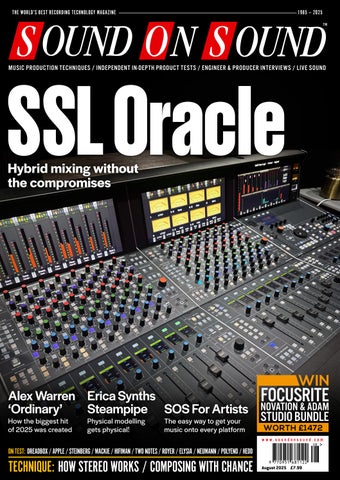
SSL Oracle Hybrid mixing without the compromises
AUGUST 2025
www.soundonsound.com
WIN
Alex Warren Erica Synths FOCUSRITE ‘Ordinary’ Steampipe SOS For Artists NOVATION & ADAM STUDIO BUNDLE How the biggest hit Physical modelling The easy way to get your VOLUME 40 • ISSUE 10
of 2025 was created
gets physical!
music onto every platform
WORTH £1472
www.soundonsound.com
ON TEST: DREADBOX / APPLE / STEINBERG / MACKIE / HIFIMAN / TWO NOTES / ROYER / ELYSIA / NEUMANN / POLYEND / HEDD
TECHNIQUE: HOW STEREO WORKS / COMPOSING WITH CHANCE
August 2025 £7.99
Exclusively distributed in the UK and Ireland by Source T: 020 8962 5080 • W: sourcedistribution.co.uk/rode
LE ADER
ODYSSEY & ORACLE T
he invitation to meet Solid State Logic’s new Oracle console at Real World Studios arrived the day I finished Joe Boyd’s book And The Roots Of Rhythm Remain. That might not sound like much of a coincidence, but bear with me. Boyd’s epic is a history of all that has been lumped together under the banner of ‘world music’. From Argentina to Zaire, he traces the development of music’s evolution outside the Anglosphere. It’s an immensely impressive work that will have you rushing to check out Tuvan throat singers, Ethiopian brass band music, kora improvisations and far more. And Real World has played a pivotal role in bringing these artists to a global audience. Studio, record label and founder Peter Gabriel have been at the forefront of the ‘world music’ movement since the early ’80s. Some of the most startling cross-cultural projects of our times were cooked up in a converted water mill near Bath. As Joe Boyd eloquently explains, though, there’s an uncomfortable tension that runs through this project. Anglo-American audiences gravitate toward what they perceive as authenticity. They want to hear traditional music, played on ‘real’ instruments. But by the time that music reaches Western ears, it’s often considered dated and embarrassing at home. Musicians in sub-Saharan Africa are just as thirsty for innovation as their British counterparts.
ALLIA BUSINESS CENTRE KING’S HEDGES ROAD CAMBRIDGE CB4 2HY T +44 (0)1223 851658 sos@soundonsound.com www.soundonsound.com
Boyd casts technology as the villain of the piece, arguing that sampling and drum machines have hollowed out the world’s great musical cultures. But if this is true, it’s just as true of Western music. Depending on our age, most of us probably lament the fact that harmonic sophistication no longer has a place in pop, or that Auto-Tuned vocals are really, really annoying. The insight that technology is the tail that wags the musical dog is not a new one. Boyd himself explains how the arrival of the bandoneon in South America contributed to the development of tango, and how the electric guitar was central to highlife. Today, inexpensive software spawns new genres. Who knows, perhaps the audiences of 2055 will look back on our era as the golden age before amapiano was ruined by AI, or whatever the next great leap forward turns out to be. Is it a contradiction to value tradition, yet also to be excited about the possibilities of new technology? I don’t think so. I don’t think Peter Gabriel thinks so either. The former owner of SSL is still actively involved in new product development, and clearly sees the potential in an analogue console with comprehensive digital recall. The Oracle probably won’t create new genres, or slay old ones; but it will help engineers make better recordings of all kinds of music.
EDI T O R I AL
ADV ER T ISIN G
sos.feedback@soundonsound.com
adsales@soundonsound.com
Managing Director/Chairman Ian Gilby
Editorial Director Dave Lockwood
UK Media Sales Manager Chris Cope
Editorial Director Dave Lockwood
Executive Editor Paul White
Marketing Director Paul Gilby
Editor In Chief Sam Inglis
Finance Manager Keith Werthmann
Technical Editor Hugh Robjohns Reviews Editor David Glasper Reviews Editor Matt Houghton
P R ODUC T I ON
Production Editor Chris Korff
graphics@soundonsound.com
News Editor Luke Wood
Nick Humbert
Printing Warners Midlands plc Newstrade Distribution Warners Group Distribution Ltd, The Maltings, Manor Lane, Bourne, Lincolnshire PE10 9PH, UK.
support@soundonsound.com
ISSN 0951‑6816
Digital Media Director Paul Gilby
A Member of the SOS Publications Group
www.soundonsound.com/subscribe Circulation Manager Luci Harper
August 2025 / www.soundonsound.com
International Business Development
Designer Andy Baldwin
subscribe@soundonsound.com
4
marketing@soundonsound.com
O N LIN E
S UB S CR I P T I ON S
NORTH AMERICA
M AR K E T IN G
Designer Mick Reilly
Design Andy Baldwin
UK/WORLD
“Is it a contradiction to value tradition, yet also to be excited about the possibilities of new technology?”
admin@soundonsound.com
Production Manager Michael Groves
WOR LDW I D E E D I T I O NS
Editor In Chief
A DM I N I S T R AT I O N
Reviews Editor Chris Korff
WWW.SOUNDONSOUND.COM/SUBSCRIBE
Sam Inglis
Administrator Nathalie Balzano
Web Content Editor Callum Hall Web Editor Adam Bull Digital Media Manager Atheen Spencer www.soundonsound.com twitter.com/soundonsoundmag facebook.com/soundonsoundmag instagram.com/soundonsoundmag
The contents of this publication are subject to worldwide copyright protection and reproduction in whole or part, whether mechanical or electronic, is expressly forbidden without the prior written consent of the Publisher. Great care is taken to ensure accuracy in the preparation of this publication but neither Sound On Sound Limited nor the Editor can be held responsible for its contents. The views expressed are those of the contributors and not necessarily those of the Publisher or Editor. The Publisher accepts no responsibility for the return of unsolicited manuscripts, photographs, or artwork. © Copyright 2025 Sound On Sound Limited. Incorporating Music Software magazine, Recording Musician magazine, Sound On Stage magazine, SPL magazine, Sound Pro magazine and Performing Musician magazine. All rights reserved. All prices include VAT unless otherwise stated. SOS recognises all trademarks.
You Can’t Unhear Quality
Award Winning Audio Interface Range | Class-A Audient Console Mic Preamps Class Leading 32-Bit Converters | JFET Instrument Inputs | Headphone Outputs USB-C | Balanced Inserts* | Ultra-low Latency Software Mixer | 24bit / 96KHz Advanced Monitor Control | Audio Loop-back | 3 Year Limited Warranty Free Plugins & Software Included
*Balanced Inserts feature on iD24, iD44 & iD48 only.
106 ANNA MURPHY
IN THIS ISSUE
www.soundonsound.com
August 2025 / issue 10 / volume 40
FEATURES
WIN
8 SOS For Artists Whether it’s existing releases or new tunes, SOS For Artists can help you get your music out... well, pretty much everywhere!
38 Why Changing Settings Is Overrated Not everyone wants their compressors to sound the same. But once you’ve set yours up how you like them, why change anything?
44 Talkback Nadah El Shazly on remaining open‑minded in the studio.
64 How Stereo Arrays Emulate
Real-world Sound
Our second instalment draws on the work of Alan Blumlein, to explain how we can audition and evaluate different stereo miking techniques.
FOCUSRITE, NOVATION & ADAM STUDIO BUNDLE WOR TH £1 472 PAGE 105
72 Inside Track: Alex Warren ‘Ordinary’ There is nothing ordinary about the success of Alex Warren’s breakthrough hit — or its signature sound, created by producer Adam Yaron.
86 How I Got That Sound Producer and engineer David Tickle explains how he transformed a guitar into the distinctive ethereal sound on U2’s ‘All I Want Is You’.
102 Happy Accidents:
Composing With Chance
If your beats are static, your are melodies predictable, or you’re just plain out of ideas, perhaps it’s time to introduce some random elements?
106 Anna Murphy Singer, composer, engineer, producer, mastering engineer and hurdy-gurdy virtuoso, Anna Murphy is a woman of many talents.
122 Spotlight: High-end Reverb Pedals In this month’s round-up, we shine our spotlight on a range of reverb boxes that pack plenty of punch into a pedal format.
136 Q&A Your studio and recording questions answered.
138 Why I Love... Practising Dave Gale tells us how he fell back in love with piano practice.
114 TWO NOTES TORPEDO RELOAD II
62
Apple Logic Pro 11.2 Digital Audio Workstation
90
Arturia V Collection 11 Software Instruments
60 Bastl Instruments
Kastle 2 FX Wizard
88 Franklin Audio RA-20 & SS-6 MkII
42
Cymatics Dark Sky
HEDD Audio Type 05 A-Core
119 Heritage Audio
HA 240 Gold Foil Verb Reverb Plug-in
Granular Effects Plug-in
22 Hifiman HE1000 & Arya Unveiled
34 Dom Sigalas Modern 80s Kit
Planar Magnetic Headphones
MAX V2
120
Virtual Drum Instrument
52
Dreadbox Artemis Polyphonic Analogue Synthesizer
28
Ear Trumpet Labs Wanda Capacitor Microphone
127 Eclipsed Sounds Galenaia
& Hxvoc
Electric Guitar
26
Electro-Harmonix Pico 360+
99
Elysia xmax
18
Erica Synths Steampipe Physical Modelling Synthesizer
110
Laboratories Itinera
Vocal Enhancement Software
127 Sonora Cinematic
Panorama Acoustic Sample Library
Sony ECM-778
36
Shotgun Microphone
iZotope Velvet
126
Knobula Monumatic LANG Electronics SILVERR 47 Lauten Audio Eden
20
SRM Sounds Valley Forge Sample Library
Steinberg Dorico 6
82
Notation Software
Two notes Torpedo Reload II
114
Reactive Load & Stereo Power Amp
32 Vienna Symphonic Library
Synchron Stage Reverb
Valve Microphone
Convolution Reverb Plug‑in
Mackie CR3.5 Gen 3 Desktop Monitors
68
Neumann RIME Virtual Immersive Monitoring Environment
84
Polyend Step Drum Machine
98 Euterpe Synthesizer Eurorack Module
Sonible prime:vocal
16
Dual-channel Valve Microphone Preamplifier
Master Bus Processor
78
Digitally Controlled Analogue Console
Eurorack Module
Looper Pedal
94
Solid State Logic Oracle
46
Vocal Processing Plug‑in
Sample Library
118
HOFA SYSTEM DelayPro
Schlappi Engineering BTFLD Eurorack Module
Delay Plug-in
Sample Library
126 Edu Prado Sounds Extended
100
Garbage Ideas FK Comp
Active Monitor
Modular Effects Processor
118
Active Ribbon Microphone
FET Limiter & Saturator
56
Royer R-12
12
Dual-channel Reamper & Stereo Switcher
C O V E R
ON TEST
24
Radial Highline Passive Line Isolators
WORKSHOPS 128 130 132 134
Studio One Pro Tools Cubase Reason
TECHNIQUE
Whether it’s existing releases or new tunes, SOS For Artists can help you get your music out... well, pretty much everywhere!
Five tabbed pages make it easy to create a new release, and the first is the Track Information page.
THE SOS TEAM
L
ast month, when announcing our new SOS For Artists (SOSFA) service, we promised to follow up each month with practical workshops to show you how to get the best out of it. In this first column, we’ll don our record label hats, and take you through the Distribution section of our platform. Some of you might just want to get your tunes out there, while others will be taking the commercial side of things much more seriously. We’ll cater for both audiences, as we explain just how easy it is to get your material onto download and streaming platforms, and offer some tips on getting the most out of your releases.
Import Duty? The Distribution tab presents you with two options. One is to add a brand new release, and you’ll need to choose this if you haven’t submitted any tracks to download stores previously. The other is to import an existing release, and will
8
August 2025 / www.soundonsound.com
be handy for those who’ve already been releasing and promoting music. This option transfers ownership of your music from your current service, ensuring that everything remains intact in stores where you’re already listed — because the last thing you want when switching is to lose your existing plays and playlist entries! It’s important to note that imports happen on an individual release basis. This means that if you have multiple albums in your catalogue, you’ll need to import them individually. Also bear in mind that you’ll also need a screenshot from your current distributor as proof of ownership before an import can take place. To import a release, grab from Spotify the URL of the album/track you want to import and paste it into SOSFA. You’ll then see your track listing appear. Next, a bit of admin is required. You need to upload your artwork and audio, and ensure that any metadata is accurate; it will bring in your ISRC codes, label name and date of release automatically. There are also a couple of shortcuts that let you select
a completed track and reuse the metadata across all other tracks in the release. It’s definitely easier if you gather all release assets together before going ahead with an upload, and if you’ve never released music before, there are a few more things you should consider. Apart from the music itself, for example, you’ll want to include any remixes, your artwork and probably more besides. So, below, we’ll examine these requirements in more detail...
Prepping For Release Your finished, mastered track should be in the correct format. Because it will be distributed to a wide range of download stores, some of which offer high-quality recordings to listeners, it’s best to upload it in either WAV or AIFF format, at CD or broadcast quality (16- or 24-bit, 44.1 or 48 kHz). That way, you’ll get the best quality on the high-quality services, while those that use lossy compression can do the conversion automatically (and only once!). It’s also worth using a format that
can retain metadata — AIFF, Broadcast WAV or 320kbps MP3, for example. To some extent, that allows you to future-proof your files, should you need to submit tracks to music supervisors for sync purposes at some point. If you’ve commissioned any remixes (or created some yourself), have these ready to go. And, even though you don’t strictly need them for your release, consider having stems ready too — if you prepare stems routinely during the production process, they can more easily be used for remixes or sync later on. For instance, you might have separate files for the lead vocal, all backing vocals, all guitars, drums, percussion, basses, keyboards, strings, and effects returns. Or if you really want to, you could have a separate track for every voice and instrument. But the most essential one is the lead vocal, as quite often remixers will choose to replace many or all of the other parts. Every track needs an ISRC code. This is an international standard for identifying your track and contains the release year and label identifier. If you’re just releasing as a solo artist, don’t stress: an ISRC code will be allocated by the platform automatically when you upload. But if you’re setting up a record label, you may want to allocate your own codes, so your releases consistently have the same identifier. This is easily done by contacting PPL (Phonographic Performance Limited) if in the UK or the RIAA (the Recording
Each release needs its own artwork, and as with your audio, it makes sense to upload a high‑quality version that will work best on the stores that use larger images.
Industry Association of America) if in the US. (There are equivalent bodies in the EU and elsewhere). They will issue you with a three‑digit code. If you were assigned the letters ABC, your ISRC code would be COUNTRY + CODE + YEAR + 5 DIGIT RELEASE NO. For instance: UK-ABC-25-00001. Each different version of your track needs its own ISRC code, and if you’re planning on pursuing sync, then give your stems their own codes too. Barcodes are another lifelong identifier for your releases, and we recommend letting the platform allocate this; you can purchase your own barcodes if you wish but it’s often an unnecessary expense. An internal catalogue number is something that you choose yourself for allocating to album and EP releases, and labels will often use something along the lines of their label name followed by a three digit number. However for distribution purposes, a number is allocated to your release automatically. When it comes to artwork, most We might not all like to pigeonhole our music, but assigning the right genre imaging software to your track can help to get it in front of the right listeners.
such as Photoshop, Affinity and the pro version of Canva gives you what you need to create your artwork assets. Note that you’ll generally need to submit a 4000px square image at 300dpi — that might sound like a pretty large file, but some stores do request hi-res images. It’s a good idea while you’re at it to export a smaller JPG version for websites and social posts. When choosing your software, it might be worth bearing in mind the need to create assets for your website and social platforms for promoting your release. Having a landscape and a square promo template should cover most of your needs (unless you’re also posting to Instagram, which, following their recent update, now has its own dimensions of 1080 x 1350). And some software, Canva for instance, can be used for creating short-form videos — the recommendation is to create a short promo in portrait (1080 x 1920) view that can be used as a YouTube short and Instagram reel, and a shorter version can be exported to use as a Spotify canvas. Longer videos are a whole separate topic — we may come back to that another time. Then it’s time to add the metadata to your tracks. This is best done in a dedicated app, such as Metadatics, but it’s also possible to use the iTunes Music app. You can add the track title, artist name, release name (to indicate whether the overall release is a single or part of an EP or album) and the smaller version of your artwork. It’s a good idea to add the tempo of your track (in bpm) too, and your website address in the notes section.
www.soundonsound.com / August 2025
9
TECHNIQUE
DISTRIBUTING YOUR MUSIC
The Settings page is where you specify which stores and services will list your music — you can specify the main ones individually, and well over 100 smaller ones collectively.
At this stage, we’d also suggest making sure that you’re ready for your promo campaign. For instance, ensure that you have email capture on your website, so that new fans of your release can sign up for updates. Also have your social posts uploaded and scheduled, to fit around your release.
Uploading To SOS For Artists With the hard work out the way, you’re ready for the fun part! Once all of your assets are in place, head over to SOS For Artists’ Distribution tab to upload and schedule your release. In the Distribution section, the first tab is where you can upload all of your tracks. Within each track entry you can add the title, ISRC, the names of your artists, remixers and any other contributors. This is also where you specify the genre, which can
A final summary page allows you to check that everything’s correct before you commit it to distribution.
help to ensure your music reaches the right audience. There are 24 main genres, each with numerous sub-genres, so you may need to do a bit of searching to find what’s closest to your sound. If you’re releasing a single with remixes, you can also identify different versions of the track by adding the mix title. In the second tab you can identify the overall release information, whether for a single track, an EP or an album. Again you can add the title and genre, plus add in your label name and master rights holder information (you as an individual or your label name). The third tab is for uploading your artwork. The fourth is for choosing the stores and social platforms you’d like your release distributing to, and there’s the option to filter out certain countries here — while distributing your track is pretty easy, promoting a release is
not a small job, and it can often be a good idea to seek out labels in territories where you’d like to build a strong presence, and let them handle distribution and promotion for that country, since they’ll have knowledge and contacts that you don’t. (More on the promotion side of things in the separate box.) You can also set your release date here, and although the platform can push releases to download stores as quickly as 2-7 days, an eight-week lead time is recommended to get the most out of your campaign, and to make sure that your track is present across all stores globally before going live. A final tab lets you check all of the data you’ve input, before approving the terms and clicking that submit button. Then, it’s over to the distribution team for the final checks before pushing your release to the stores.
Promotion If you want to be productive while you wait for your track to come out, consider using that time to plan which playlists you want to add your track to, and start building your own playlists that will incorporate your track. You can also upload your track to BBC Music Introducing and similar sites if you’re new on the scene, push your track out to radio stations and DJs, claim your Spotify For Artists profile and upload your canvas artwork, set up promotional gigs, submit press releases and schedule all of your social posts. Also be sure to register your release with PPL and PRS (and their non-UK equivalents): these are royalty collection agents, but one deals with your
10
August 2025 / www.soundonsound.com
master recording while the other deals with performances of your music. It’s a good idea to add your release to MusicBrainz and Discogs databases too, for further exposure. (This is where you find out what record labels do for their share of the cash!) There’s about an eight-week reporting time from download stores. After that, you should start to see on SOSFA some stats for which countries or cities are connecting most with your music, and that could help you to plan future campaigns and tours. And hopefully, if you’ve done a good job of promoting, you’ll even start to see some income that you can invest in your next release!
U T O P I A M A I N | STUDIO MONITORS OF EXCELLENCE The Utopia Mains range employs the full breadth of Focal’s technical expertise and professional audio industry knowledge to deliver an unparalleled recording, mixing or mastering experience. Comprising a 3-way Main 112 and 3.5-way Main 212 model, each Utopia Main monitor features newly patented drivers paired with Class-H Current Mode amplifiers for ultimate power and sonic precision.
The apex of monitoring
Exclusive Distribution: Sound Service UK | www.soundservice.uk
ON TE ST
Royer R-12 Active Ribbon Microphone
Royer have powered up their most affordable ribbon mic with active electronics. SAM INGLIS
D
avid Royer might be the most influential microphone designer in the business today. When he set up Royer Labs back in the ’90s, the ribbon mic was a moribund technology, largely forgotten by the studio world. Royer’s first product, the R-121, demonstrated not only that there was a place for ribbon mics in contemporary recording, but that there was still scope for technological innovation, thanks to developments such as rare-earth magnets and Royer’s then-unique ‘offset ribbon’ motor. Not content with reinvigorating ribbons, David went on to set up Mojave Microphones to commercialise his ideas around capacitor mic design. Meanwhile, the R-121 is still widely regarded as the gold standard for recording electric guitar amps, among other things. As befits a premium US-made mic, however, the R-121 is relatively costly, and perhaps out of the reach of many people who would like to own one. With this in mind, Royer first created the R-101, and then later the R-10, aiming to boil down the essential qualities of the flagship model into a more affordable package. The latter mic was reviewed by Hugh Robjohns in the January 2018 issue of SOS (www.soundonsound.com/reviews/ royer-r-10) and remains a current product. It has now been joined by a sister mic called the R-12.
Attractive Active One of Royer’s biggest innovations came in 2002 with the launch of the R-122: an active, phantom-powered version of the R-121, with a sensitivity comparable to most capacitor microphones and the ability to drive long cable runs without the sound suffering. On paper, the concept of an active ribbon mic sounds trivial
12
August 2025 / www.soundonsound.com
to realise, but in practice, Royer had to overcome significant technical hurdles to get it to work, as the company’s co-founder Rick Perrotta explains in the boxout. In Royer’s approach, the active circuitry doesn’t provide any amplification as such. Rather, it acts as a buffer and line driver, the extra sensitivity coming from the use of a transformer with much higher voltage gain than can be employed in a passive mic. The R-122 is also still a current product, and its present MkII iteration features a switchable high-pass filter and -15dB pad. Both of those features have been carried over into the new R-12 — which, as you’ve probably twigged by now, is an active version of the R-10. Like the R-122, it achieves its extra sensitivity by the use of a special output transformer, which is stabilised by an active buffer. One benefit of Royer’s approach is that the R-12 can handle sound pressure levels up to an ear-melting 160dB.
Twelve Tones Royer sent a pair of R-12s for review, housed in a compact hard case. Each mic comes with a swivel mount, but — unsurprisingly in view of the wish to keep costs down — there are no shockmounts or stereo bar. For the most part, it’s visually identical to the R-10, except that the Royer badge is black rather than green, and the rear side of the mic has discreet recessed switches to activate the pad and filter. The R-12 has a natively figure-8 polar pattern, but as with other Royer models, its ribbon is offset within the magnet gap. Consequently, the on-axis frequency response is slightly different depending on whether the front or back of the mic is pointing towards the source, although Royer told me that this effect is less pronounced in the R-12 than in the original R-121. On paper, this feature has both pros and cons. It gives you what is essentially
ON TE ST
Need a helping hand to clean up your vocal and dialogue recordings? JOHN WALDEN
I
t’s a reality of recording life that there are occasions when dialogue or sung vocals end up being captured in less-than-ideal conditions. There are now a few tools that are designed to help in such situations, but one of the latest is Sonible’s prime:vocal. As with other Sonible products, it’s based on ‘AI’ (machine learning). You can use it either as a standalone application or as an ARA plug-in (assuming your DAW supports those — most now do), and an initial analysis stage is automatically performed when the audio is first loaded. In terms of processing options, prime:vocal offers five AI-powered modules, which provide: Noise Reduction, Room Reduction, Vocal Clean-Up, Spectral Balance and Dynamics. In each case, as well as a global ‘amount’ control, there’s a compact set of user controls to fine-tune how the processing is applied.
All Mod Cons As shown in the main screenshot, the module controls are laid out at the base of the main UI. Starting on the left, the Noise Reduction module attempts to remove non-speech/vocal components including both static background noise (consistent hum for example) and intermittent noise (a door shutting, footsteps, etc). The algorithm also attempts to remove bleed into the vocal recording from other sources (for example, a strummed guitar). The module lets you dial in the amount of reduction that’s
16
Sonible prime:vocal Vocal Enhancement Software
applied, of course, but also to adjust the degree of reduction in three separate frequency bands should you need more targeted control. Room Reduction does pretty much what you’d expect: it attempts to remove any room-based ambience from the recording, to leave you with a drier vocal signal (to which you might or might not then choose to add your own reverb processing to match other sources). Again, you can apply weighting to the reduction and apply this separately to low‑, mid‑ and high‑frequency bands. The Vocal Clean-Up module caters for de-essing and de-plosive processing. As well as adjusting the overall degree of processing, you can choose, for each process, between off, soft, medium and strong treatments. This means you can quickly settle on the sweet spot between the amount of cleaning and the audible side-effects that more extreme settings can bring. The Spectral Balance module brings some of Sonible’s smart:EQ’s ‘smarts’ into prime:vocal. The plug-in can apply some dynamic EQ adjustments to improve the tonal balance. You can give the algorithm a steer, by selecting between vocal (high or low) and dialogue (high or low) source profiles and, if you have a tonal target in mind, also select between a warm, natural or bright emphasis. Again, a global ‘amount’ dial lets you adjust how far the treatment might take things. Finally, the Dynamics module offers a combination of compression and level riding, with both processes having four settings (none, soft, medium and strong). While the compression would seem to operate
August 2025 / www.soundonsound.com
as expected, the level riding not only pulls down louder sections of the vocal/dialogue, but also raises the level of quieter sections. As with the other elements of the processing chain, the central waveform display produces a useful colour-coded display, providing visual feedback on where each processor is changing the waveform. Also rather useful is the ‘diff’ option (located to the top left of the waveform display), which lets you audition just the delta signal (the difference between the processed and unprocessed audio). You can also turn individual modules on and off, and this makes it very easy to hear exactly what you are achieving with each processing option. For many situations, static settings might well provide suitable cleaning and refinement of a dialogue/vocal recording, but a pop-out Automation panel (accessed using a button on bottom right of the UI) allows you to automate prime:vocal’s main ‘amount’ controls. Automation curves are created by adding nodes, which can be positioned as required. This is particularly useful where you need more assertive
settings to deal with problem sections, but would rather dial back the processing elsewhere for a more natural-sounding result.
International Rescue So much for the operational details — what about the quality of the results? I experimented with both sung vocals and dialogue using recordings that had various underlying issues. When it came to consistent background noise (electrical hum or other low-level ambient noise), I thought prime:vocal did an excellent job. With more intermittent noises, I found that the results were much more dependent on the nature of the unwanted noise. For example, while a relatively loud door slam was easily attenuated, I still wasn’t left with a transparent, intact section of dialogue. On the other hand, low-level foot noise on dialogue recordings was more effectively dealt with, and in circumstances where you need to rescue a field recording and don’t have the option to re-record, the results could well be good enough to transform the audio from unusable to usable. For both dialogue and sung vocals, the Room Reduction module impressed me. It did a great job of cleaning up two-person interview dialogue that was recorded in an ambient office space, leaving me with a much drier sound. As
The ARA functionality ran very smoothly in my host DAW.
always, it’s generally better to treat these things at source where you can, but if you regularly find yourself having to record dialogue or vocals in an untreated space, prime:vocal could be a good solution to clean things up prior to other post-production or mixing work. Those working regularly with sung vocals will probably already have an established toolkit for managing de-essing, tonal balance and dynamics. But if not, or if you like the idea of a single tool that can cover all of these routine vocal/dialogue refinement tasks — or perhaps are just looking for a first pass at these processing options before getting busy with your favourite de-esser, EQ and compressor — then prime:vocal is worth demo’ing, as the remaining three modules are all very easy to use, and equally easy on the ear. The appeal to those working with dialogue is, if anything, even more obvious. This all-in-one approach could help podcasters or video content creators achieve decent results quickly, and it’s a great combination to up your VO game. I have to say that the results are impressive and, importantly, despite the sophistication of the under-the-hood processing going, the control set is accessible to anyone. Perhaps the only obvious catch is that, as with some of the more effective vocal cleaning options in iZotope RX and Steinberg’s SpectraLayers, this is not a real-time processor: whether used standalone or as an ARA plug-in, prime:vocal requires that initial analysis stage before you can get started with processing. So you can’t use it for live‑streamed material, and it’s harder to revise your decisions in light of edits (eg. moving clips between tracks) and further processing than with a regular insert plug-in from the likes of Accentize, CEDAR or Waves, particularly if you also want to use another ARA plug-in for a different task such as pitch correction. Nor can you batch process a collection of audio In case you need to vary the applied processing through a recording, prime:vocal includes an automation lane feature.
recordings that all need a similar style of treatment. But whether this matters is really a question of your preferred workflow, and in the ‘pros’ column, the analysis stage is performed pretty quickly (much faster than real time on a modern computer), prime:vocal is remarkably easy to use, and the results are very good.
Prime Choice? If you’re looking for a quick fix to nudge less-than-perfect dialogue/ vocal recordings in the right direction, prime:vocal might not be the most obvious choice. But if quality matters and you like the idea of having all these enhancement processing options in one tool, then Sonible may well be a prime candidate. It really can tidy up sung vocals that need some rescuing very well indeed. I suspect, though, that prime:vocal will hold even greater appeal for content creators, podcasters and filmmakers who record dialogue and need a single tool to bring out the very best in recordings that have had to be made in sub-optimal circumstances. In that context, the sensible selection of processing modules, the ease with which they can be used, and the quality of the results should impress. If you’d like to check it out, then there’s a 30-day free trial, as with all Sonible’s plug-ins.
summary Sonible’s prime:vocal provides a very effective set of vocal/dialogue enhancement options in a single, unified tool. It ought to have particular appeal to those looking to get the best they can from their dialogue and voiceover recordings.
£ £83 including VAT. W www.sonible.com
www.soundonsound.com /August 2025
17
ON TE ST
LANG Electronics SILVERR 47
Dual-channel Valve Microphone Preamplifier BOB THOMAS
T
he LANG Electronics SILVERR 47 is a two-channel valve mic preamplifier that continues brand owner Heritage Audio’s exploration of the recording equipment used “on the majority of the tracking and mixing sessions for one of the most popular bands in music history”. The covert reference is to the Beatles, of course, and the model designation plays on the EMI-designed REDD 47 line amplifier cassettes, whose circuits inspired this product’s development, and some of the early names of that legendary band.
Inside & Out The channel controls are arranged in a mirror image either side of a red-jewelled power indicator. Two black-grilled apertures frame (and help cool) each channel’s JJ ECC88 and NOS 6AU6 valves. Next comes the detented, post-transformer output level attenuator, which sits above the button switches that activate polarity inversion, 80Hz high-pass filter, 48V phantom power and a -20dB pad. The final control, a six-position rotary switch, sets each channel’s 22-52 dB gain. The sixth position, NFB, selects the highest gain level and switches off the SILVERR 47’s negative feedback loop, greatly increasing harmonic distortion. Underneath this, an unbalanced quarter-inch input jack feeds Heritage Audio’s highly regarded JFET-based DI circuit. Plugging into this socket bypasses the mic input and routes the DI output directly to the input transformer. In the middle of the rear panel are a switched
18
August 2025 / www.soundonsound.com
Whether it’s detailed definition you want or dirty distortion, this new take on a classic valve preamp has you covered. IEC mains inlet with fuse compartment and voltage selector. Either side are the two channels’ transformer-balanced XLR input and paralleled XLR and quarter-inch jack output connectors. The construction, internal and external, is of very high quality. The bulk of the channel electronics, including the custom input transformers, sit either side of a fully shielded power transformer. Small daughterboards are mounted behind the channels’ front‑panel controls and rear‑panel I/O connectors, with the output transformers being bolted directly on the inside of the chassis. The SILVERR 47 uses the same JJ E88CC valve to drive its outputs as the P.LANE 436 compressor I reviewed in SOS June 2025 (https://sosm.ag/lang-plane-436), so it was no surprise to find that it uses the same output transformer. The NOS (new old stock) EF86 pentodes used in the REDD 47 input stage are dwindling, and it’s replaced here with a 6AU6 pentode — Heritage have significant stocks of these, so can ensure long-term support of the SILVERR 47.
In Use My tests revealed the SILVERR 47 to be a high-performance and easy‑to‑use preamp. Its stepped clean gain range of 22-46 dB might rule out use with low‑output dynamic or ribbon microphones and quiet/ distant sources, but with typical studio mics on acoustic instruments, electric guitar and bass amps, drums and close-miked vocals, the SILVERR 47 is a versatile performer. The 20Hz-20kHz (±0.5dB) frequency response means it can convey depth in the bass, clarity in the midrange, and high-end precision, but as well as delivering detailed definition you can add weight, width, warmth and harmonic
colour by pushing the input and voltage gain levels — then use the output attenuator to rein the levels in. The mic input can handle +14dBu (without the -20dB pad) and the maximum output level is +24dBu. Add in the 22-52 dB of gain (with negative feedback defeat at 52dB) and that output attenuator, and you have plenty of scope for experimentation across a stem or mix bus, or as a two-channel cascade — all of which might necessitate use of the pad. And if you DI a guitar into cascaded channels, you could find yourself retracing the revolutionary step into distortion made by a guitarist from that ‘popular band’. LANG Electronics’ SILVERR 47 valve mic preamp delivers a high level of audio performance. More importantly, it offers a distinct character that I’ve not encountered previously. A pair of REDD 47s is on eBay as I write this, but at $65,000 they’re just(!) out of my reach, so I wasn’t able to make direct comparisons. But I can say that the SILVERR 47 delivers performance and characteristics that are very similar to those ascribed to the REDD 47, and it does so for a reasonable price — for some of us, that could well prove an irresistible combination.
summary A high-quality, transformer-balanced, stereo valve microphone preamplifier that can not only deliver clean, clear precision and detail, but also, when pushed, that sense of weight, warmth and width that results from transformer-based harmonic distortion. A great guitar distortion effect too!
£ £999 including VAT. W https://lang-electronics.com
ON TE ST
Mackie CR3.5 Gen 3 Desktop Monitors
Mackie’s new dinky studio speakers are designed for both work and play! PAUL WHITE
I
n this latest version of their compact desktop powered speakers, Mackie have tried to cover all bases from home entertainment to gaming to desktop music production and mixing. To that end, they offer the ability to adjust the voicing to suit the application, so if you want more thump for a party you can have it, but then when you want a more honest approach for music making, you can have that too. With the front‑panel Tone knob turned all the way left, you get a flat frequency response. Turn it to the right and a smile curve is applied for more low end and more high treble. This model also has a rear‑panel location switch to compensate for desktop or bookshelf placement. As the name suggests, the CR3.5 Gen 3 has a 3.5‑inch woofer. This crosses over at 3kHz to a one‑inch silk-domed tweeter, which is protected by a perforated grille. The amplification is Class‑A/B, and total power is quoted at 50 Watts. As with its predecessors, all the electronic circuitry is located in one speaker, with a two-core wire feeding a passive speaker at the other side. Both speakers utilise passive crossovers. A Left/Right switch allows the powered speaker to be located at either side. All the necessary cables are included with the speakers. The cabinets are rear-ported and the user has a choice of quarter‑inch jacks, RCA phonos or a 3.5mm TRS mini‑jack for the input. Another version of the system, called the CR3.5BT, offers an additional Bluetooth input but is otherwise identical. The mains comes in on a two-pin figure-8
20
August 2025 / www.soundonsound.com
connector and there’s a rear‑panel master mains switch as well as an on/of switch built into the front panel volume control. There’s also the familiar light-up Mackie ‘running man’ logo to show the speakers are powered up. Next to the volume control is a headphone jack, the use of which mutes the speakers. Size-wise, these monitors are similar to the earlier versions and indeed to many competing mini monitors/multimedia speakers, at 206 x 140 x 180mm and with a total weight of 3.7kg, so they won’t take up too much real estate in the smaller studio. While the speakers only need a two-pin mains supply to operate safely, it could be argued that a mains ground might still be useful in desktop systems running on laptop computers, as the chances are that nothing else in that system will be grounded and that can lead to hum or interference making an unwelcome appearance. I had no such problem when testing with my laptop system, but having one ground connection can help avoid problems, especially when recording electric guitars.
Little Boxes By way of performance, you can’t expect ground-shaking bass from a such a small speaker but they still manage to sound satisfyingly punchy, with a response extending from 70Hz to 20kHz (-3dB). Their peak SPL is 100dB at one metre, which is loud enough for safe desktop monitoring. Sonically I feel that these speakers exhibit improved clarity when compared with earlier versions, and they have excellent stereo imaging without excessive
low‑frequency overhang given their size and the reflex porting. I tried them with a variety of musical styles and found them to be detailed without sounding aggressive; vocals are handled kindly and low‑end sounds such as kick drums retain definition. Of course these little speakers won’t rival esoteric monitors for accuracy, and you couldn’t expect them to, but for music production and mixing in a small room, they tick all the important boxes, especially if you are on a tight budget. I’d be very happy to use them in my Studio B (my upstairs office), and as long as you do a second opinion run‑through on your headphones (which is always advisable for checking the low end, especially when working in a small room) they are not going to stand in the way of you achieving a well-balanced mix. In summary then, a worthwhile upgrade that still costs less than you’d expect to pay for an overdrive pedal.
summary The Gen 3 CR3.5 is ultra-portable, with a surprisingly well-balanced sound, while the voicing control allows it to perform double duty as both a home studio and home entertainment system. While you can’t expect ‘big boy’ performance from such small speakers I can’t find anything to complain about given their modest size and cost.
£ CR3.5 Gen 3 £105, CR3.5BT
Gen 3 (with Bluetooth) £130. Prices are per pair including VAT. T Source Distribution +44 (0)20 8962 5080 E sales@sourcedistribution.co.uk W www.sourcedistribution.co.uk W www.mackie.com
i am the music. i am reverb.
Become one with the music: iamReverb’s distance controllers put you right where you wanna be, in the room of your imagination. An immersive reverb experience, naturally authentic and easy to use. Get your free 14-day trial at iamreverb.com
Take position: Start from one of over 100 presets and refine your reverb to perfection.
ON TE ST
Hifiman’s Unveiled models are fully open, with nothing between the magnet structure and the outside world.
Planar Magnetic Headphones
Hifiman HE1000 & Arya Unveiled With their Unveiled series, Hifiman are taking the concept of open-backed headphones to its logical conclusion!
SAM INGLIS
I
f you believe some corners of the Internet, Chinese manufacturing is all about imitation rather than innovation. Look for yourself, though, and you’ll find Chinese companies bringing new ideas to market in every sector. In the world of headphones, Hifiman lead the pack, with founder Dr Fang Bian pushing forward the development of transducer technology at a sometimes dizzying speed. My own first encounter with the brand came three years ago, when I looked at their Arya, Sundara and HE-R10D models in SOS April 2022 (www.soundonsound.com/reviews/ hifiman-sundara-arya-he-r10d). Together, these represented a relatively small sample from the very wide Hifiman catalogue, but were enough to demonstrate the diversity of designs that can be found therein. One of the things that has historically relegated planar magnetic headphones
22
August 2025 / www.soundonsound.com
to the ‘alternative’ category is the difficulty of matching the HF extension of moving-coil designs. Hifiman’s designs showed that this is not an inherent limitation of the technology; and, with the Sundara in particular, they also demonstrated that planar headphones can compete head-to-head on price with moving-coil models of similar quality.
Lifting The Veil The pace of development at Hifiman is such that numerous models have been added to the range since 2022, and it has to be said that the full line-up is both impressive and slightly confusing. At first glance, it appears that Hifiman products all occupy one of three pricing or quality tiers labelled Reference, Premium and Hi-Fi. However, although the HE1000se, HE1000 Stealth and Arya Organic models are found in the Reference category, the two review models actually form part of the Premium line, despite being slightly more expensive than those counterparts. Both are open-backed, planar magnetic
headphones that implement another of Dr Fang Bian’s design innovations. In the HE1000 Unveiled and the Arya Unveiled, existing Hifiman technologies such as the Nanometre Thickness Diaphragm and Stealth Magnets Design are paired with a new construction that seeks to eliminate possible sources of reflection and refraction within the earcup. In essence, the Unveiled concept refers to the complete removal of the outer grille, along with the Window Shade Louvres featured on earlier models, leaving nothing between the magnet structure and the outside world. On the basis of previous experience, I was half expecting the two models to have nothing else in common at all, but if you discount cosmetic factors, they are really quite similar. They have identical or near-identical egg-shaped earcups, with mini-jack sockets at the base of each to accommodate the supplied Y cable. The yokes and headband also appear to be more or less the same on both models, apart from the fabric used to make the
head strap. In both cases, the earcups are free to rotate up and down, forward and back. And both feature deep, soft earpads that are tapered such that the rear side of the headphones sits slightly further from the head than the front.
Unboxing Match Part of the price differential between the two models is accounted for by the packaging. The Arya Unveileds ship in a cardboard box, while the HE1000 Unveileds arrive in an imposing leatherette-covered crate. Neither is particularly suitable for protecting your investment in day-to-day use, though, especially if you need to travel with your reference headphones. HE1000 purchasers also get multiple cables, including a ‘balanced’ one terminating in a four-pin XLR, and a hardback printed manual. Both models come with a surprising abundance of drawstring cloth bags, in an attractive brown suede-type finish, and a pair of plates that attach magnetically to the outside of the earcups. These emphatically don’t turn the HE1000 or Arya Unveiled into usable closed-back cans. Rather, the idea is that you fit them when you aren’t using the headphones, in order to prevent magnetic particles being ingested through the open back of the earcup and potentially fouling the diaphragm. Since none of the cloth bags is large enough to accommodate the entire headphones, I’d assume that at least some of them are then designed to be placed over the earcups once this is done, for a further layer of protection. I seemed to have enough left over not only to house all the cables, but to make handy dust covers for some lucky microphones too.
The flip side of the extended high-frequency response on the original Arya was a treble that was noticeably uneven in places, with the most obvious manifestation being a prominent peak somewhere in the 4kHz area. I’m pleased to report that the unveiling process seems to have evened things out considerably, and although both models are a touch prone to exaggerating issues such as sibilance, the characteristic peakiness is gone. There would be scope to linearise these headphones using software EQ, but unlike with the original Arya, I don’t think you would need to do so in order to use them for mixing, as their brightess is relatively benign and easy to ‘learn’. And although they don’t have the thrilling bass that you get on something like the Audeze LCD-X, such low end as there is is both even and pretty
deep, which is the most important thing in an analytical tool such as a pair of open-backed headphones. Other planar qualities such as low distortion and the ability to present transient information in a natural, punchy fashion are fully present and correct. The need to cover up the rear of the earcups when not in use might sound a nuisance, but in practice I think this is mainly a backside-covering exercise on Hifiman’s part. I was fairly lax about applying the magnetic shields while the HE1000 and Arya Unveiled resided in my control room, and if either of them sucked in any unwanted particles, I didn’t notice the consequences. What I did notice was several mix issues that had gone unremarked on darker or less detailed monitoring setups — and I’m sure I won’t be the only person to find these very useful reference tools in the studio.
summary If you love planar magnetic headphones but wish they had more going on up top, Hifiman’s Unveiled models were made for you.
£ HE1000 Unveiled £2499,
Arya Unveiled £1379. Prices include VAT.
W www.hifiman.com
Ears Out According to the specifications, the HE1000s are marginally the heavier of the two models under review, at 450g to the Arya’s 413g, and boast a sensitivity of 95dB to the Arya’s 94. Impedance is quoted as 28Ω and 27Ω respectively. In practice, as you’d expect from their physical similarity, the experience of wearing both models is pretty much the same, and although they are heavier than most headphones, I found them perfectly comfortable. Both also produced subjectively similar levels from the same source volume settings, and were easy to drive from audio interface headphone sockets. Timbrally, there’s also a far greater degree of sonic uniformity between these two models than there is between any of the other pairs of Hifiman headphones I’ve heard. Neither the Arya Unveiled nor the HE1000 Unveiled sounds like a typical pair of planar magnetic headphones, if such a thing exists. They not only have a much more extended high-frequency response than you might expect, but also a voicing that shows this to full effect. Both are comfortably on the bright side of neutral, and I’d say the HE1000s are marginally more so than the Aryas, but perhaps with a slightly smoother midrange into the bargain.
Both the Arya Unveiled and the HE1000 Unveiled (seen here) come with screens that attach magnetically to the outside of the earcups to protect them when not in use.
www.soundonsound.com /August 2025
23
ON TE ST
Radial Highline Passive Line Isolators
What does Radial’s latest compact pair of boxes have to offer? M AT T H O U G H TO N
C
anadian manufacturers Radial have a surprisingly wide range of products for the studio and stage, from load boxes and audio-over-Cat devices to colourful summing boxes and 500-series modules. But they’re particularly well established as one of the leading brands making useful little problem-solver boxes such as DI and re‑amp boxes (and even both in the same box!), splitters and switchers. As well as boasting superb technical specifications, their compact gadgets are housed in robust folded-steel boxes, with very clear labelling and usually with an overhang to protect the connections and controls — in other words, they’re built to last a lifetime on the road.
Two High The latest additions to the portfolio are two boxes that form the Highline range. Both are line-level isolators, one being mono and the other stereo, and the intended application is to sit between
24
August 2025 / www.soundonsound.com
either a pedalboard chain or hardware amp simulator and a PA system, where their internal transformers provide true galvanic isolation — in other words, it protects your gear’s outputs from DC phantom power voltages being applied from the FOH mixer, and it also serves to break/prevent the ground loops that can result in unwanted hum when using unbalanced outputs, such as are often used on amp sims and pedals. But for their size and the fact that one can isolate two channels, the two pedals are almost identical and at their heart lies a 1:1 ratio Jensen transformer (or two in the case of the stereo version). Starting with the mono version, it’s incredibly simple from a user point of view. On one end, there are two TRS jack sockets, one labelled Input and the other Thru, and these can handle balanced or unbalanced sources. Between them is a grey, latching button that changes the Thru output to an input, summing it with the main input signal. So this box can receive stereo outputs from an attached device, and send a mono sum on to the PA. At the other end, the output is presented on a male XLR connector, and there’s a ground-lift button that lifts the audio ground path at the XLR. Helpfully, the labels appear both on the end panels and on the top of the steel case. And that’s as complicated as it gets! The stereo version is a couple of centimetres longer and about 1cm wider, and this time there are four TRS sockets and two XLR outs, to cater for stereo devices and setups. Again a switch lets you use the Thru jacks as inputs and sum them with the main Input jack. A second button, though, sums everything to mono. So the stereo
The Highlines’ Thru outputs can be used as a secondary input, which is summed with the main one.
box has more potential uses; engage both buttons, and it would be possible, for example, to sum four mono inputs to a single or dual‑mono output. Again, there’s a single ground-lift button that acts on both channels.
Verdict As is so often the case with Radial gear, it’s hard to know what to say about these boxes — they just work! They successfully blocked phantom power, and I was able to eliminate the hum caused by a ground loop that I’d contrived to create for test purposes. As well as being ruggedly built, the technical specs are exemplary, and to my ears this translates to them having zero audible impact on the sound. Though intended for amp sims and pedalboards, there’s no reason you couldn’t use them (with suitable cables) for any other line-level gear, and if you have gear not at line level... well they do boxes for that too. There are plenty of line isolators to choose from today, but there is much to commend the Highlines, and if you have the budget they deserve to sit at the top of your audition list.
summary Robust, effective and transparent, the Highlines both do exactly what Radial claim.
£ Highline Mono £203.90, Highline Stereo £283.18. Prices include VAT.
T Polar Audio +44 (0)1444 258 258 E sales@polar.uk.com W https://polar.uk.com W www.radialeng.com
OUT NOW
Perfect scores, faster Dorico 6 is the next-generation music notation software from Steinberg. It works like an intelligent assistant, freeing your creativity, helping you express ideas without limits, and producing beautiful performance materials with ease. Smarter than ever, Dorico 6 includes powerful tools to catch errors before they reach the stand. Available for macOS, Windows, and iPad, Dorico lets you compose, arrange, and engrave stunning sheet music—fast.
steinberg.net/dorico All specifications are subject to change without notice. Copyright © 2025 Steinberg Media Technologies GmbH. All rights reserved.
ON TE ST
Could this ‘smart’ plug-in help you massage vocal and dialogue recordings into better shape? JOHN WALDEN
I
’ve been impressed with iZotope’s new Catalyst range of plug-ins. Essentially, they add a dollop of ‘smart’ (ie. machine-learning assistance) to one or more of the sophisticated processing options found in the likes of Ozone, Nectar and Neutron, and make it available in a more streamlined form at an accessible price. From a user point of view, it’s an approach that has a lot to commend it. The latest addition to this range is Velvet, a smart de-esser, dynamic tonal balancer and noise (mouth sounds, pops, clicks) remover, which is intended primarily (if not exclusively) for processing vocals or dialogue.
Three-pronged Attack At the top of the GUI, the global control strip features buttons for delta auditioning (the difference between the dry and processed signal) and bypass, as well as preset access and a Mix slider. The processing is applied in real time, and my Cubase system registered around 100ms of latency, so it will be fine for mixing but is perhaps best not used while tracking There are three main panels: Sibilance, Tonal and De-Click. The incoming audio signal is split before being passed through the Sibilance and Tonal modules. Processing is done independently (in parallel) in these two modules before the recombined signal passes through De-Click. At the heart of the Sibilance module lies a sophisticated multiband dynamic EQ. You can configure this manually to using up to six dynamic (or static if you prefer) bands, each with frequency, gain and Q controls, as well as the option to select bell or low-/high-shelf filter types, or to apply upward or downward compression. But a Learn button offers intelligent assistance: press this and Velvet analyses the incoming signal and makes a best guess at the Amount (of gain reduction) and Threshold (the point at which processing is triggered) in each band, which you can then adjust to taste. The module’s Solo button makes it easy to judge precisely what this processing is doing.
26
August 2025 / www.soundonsound.com
iZotope Velvet Vocal Processing Plug‑in The Tonal module is similar in principle to the Clarity or Sculptor modules found in iZotope’s Ozone and Neutron, in that it uses dynamic EQ to adjust the tonal balance. Its Lift control lets you boost frequencies that might be too low in level, while Tame does the opposite. The Lows, Mids and Highs sliders control how intensively these dynamic changes are applied to three broad frequency bands. And, to give Tonal a nudge in the right direction, there’s a selection of vocal and dialogue targets (and some Instrument and Cymbal options) to identify the source material type. The De-Click module’s Amount control is joined by Freq Skew, which focuses the detection more or less on the highs/lows if required. As with the other modules, there’s a Solo button should you need it.
Velvety Smooth? Velvet’s GUI is compact and intuitive, and I found this plug-in very effective on a range of spoken and sung vocal recordings. The presets make it easy to find a sensible starting point but, importantly, you can then adjust the settings to taste. It’s usually a simple matter to tweak the main controls,
perhaps using the Delta or Solo buttons to hear precisely what your processing is achieving and to listen out for artefacts. While cleaning up vocal recordings and achieving a more balanced sound is simple, I also found Velvet great at taming splashy cymbals, both in a multitrack drum recording and, albeit with a little more tweaking, within a stereo drum loop. Yes, you could probably achieve similar results with three separate plug-ins, not least with iZotope’s ‘full fat’ tools. But why bring three plug-ins into the project where one will do? Velvet offers a very neat combination of sibilance reduction, tonal balancing and de-clicking, and the real-time insert plug-in format is very convenient. Its price is modest too, so it’s convenient, compact and cost-effective. Whether you’re working with vocals or dialogue, the 10-day free trial is well worth a spin.
summary A very effective sibilance, tonal balancing and de-clicking plug-in at a very cost-effective price.
£ £49 including VAT. W www.izotope.com
DESIGNED AND CRAFTED IN THE UK BY NEVE® ENGINEERS
“Every single recording I've ever done, some aspect of the drums has gone through a Neve. It’s been a huge part of my sound.” ASH SOAN | ICONIC UK DRUMMER | SNOW PATROL
Learn more by scanning the QR code or visit neve.com
ON TE ST
Ear Trumpet Labs Wanda Capacitor Microphone
Does Ear Trumpet Labs’ latest mic have a golden sound to match its opulent appearance? SAM INGLIS
I
n our ever more corporate world, it’s always refreshing to discover an independent manufacturer doing things their own way. And manufacturers don’t get much more individual than Ear Trumpet Labs, who are based in Portland, Oregon. Back in the early 2000s, self-described ‘bricoleur’ Philip Graham built some experimental mics for his vocalist daughter Malachi; word of mouth led to his being asked to make mics for other people, and the two of them now manufacture microphones as a family business in parallel with Malachi’s career as a musician. If you have even a passing interest in bluegrass music, the chances are you’ll have discovered Ear Trumpet Labs many years ago, because models such as the Louise, Josephine and Myrtle are omnipresent in any context where band members crowd round a single microphone and step forward to deliver their solos. That, however, is an inherently self-limiting market, so Ear Trumpet have since diversified into studio mics, as well as models intended for close-up use and even a dedicated large-diaphragm capacitor mic designed to be attached to an upright bass. What all of these models have in common apart from their naming scheme is a distinctive retro aesthetic, which I think could fairly be described as steampunk. There’s a lot of bare metal in evidence, usually sporting chunky machine screws, and the look of the aforementioned Louise, Josephine and Myrtle echoes that of the original Western Electric capacitor mics from the 1920s. Internally, however, they are all modern designs, with
28
August 2025 / www.soundonsound.com
transformerless solid-state circuitry that runs from conventional phantom power.
All That Glitters The latest addition to Ear Trumpet Labs’ ever-growing range is the Wanda, which is described as having “all-brass mid‑century styling”. There’s certainly no arguing about its essential brassiness. This microphone is more brassy than Tower Of Power doing brass rubbings in a brass foundry. So brassy is it, in fact, that it looks more like a brass model of a microphone than an actual
working mic. Apart from the XLR socket, every single visible component is made of raw brass, from the grille to the pivot mount to the gigantic hex nut that resembles a plumbing connector. I’m not sure to what extent this makes it ‘mid‑century’ — it doesn’t ape any specific vintage model that I’m aware of — but it’s in keeping with Ear Trumpet Labs’ house style, and instantly recognisable on any stage or screen. The Wanda is supplied in a rather cute metal box that looks like an item of military surplus. It’s intended to be used with the integral pivot mount, so there’s no clip or shockmount supplied, just a thread adaptor for European mic stands. All that brass makes the Wanda a pretty chunky lift, weighing in at 1lb (454g) and measuring two inches across throughout. Although it’s not designed for handheld use, there’s some internal shockmounting and reasonable resistance to handling noise, so there’s nothing to stop you combining a singing session and a weights session if you want to. There’s also plenty of gauze inside the none-more-brassy grille, so plosive resistance is pretty good. Ear Trumpet Labs don’t say where they source their capsules, and it’s not clear whether the transducer in the Wanda is an electret or an externally polarised design. What we are told is that it has a 26mm diaphragm and delivers a fixed, nominally cardioid polar pattern. The Wanda will work with phantom power voltages from 24 to 48 V. Being designed for close-up use, it has a relatively low sensitivity of 3.8mV/Pa, and is designed to deliver its flattest low-frequency response at a distance of about six inches. The output impedance is unusually low, at less than 50Ω, and self-noise is quoted as 14dBA. The on-axis frequency response given in the specifications is interesting, with no broad deviations from the flat but plenty of smaller ones. There are little humps around 180 and 400 Hz, whereupon a smooth but shallow rise up to 3kHz is followed by double dips at 3.5 and 8 kHz and a peak around 10kHz. The polar plot does not show a classical cardioid shape at any of the measurement frequencies, but broadly follows the usual large-diaphragm trend from somewhat omnidirectional at low frequencies to somewhat supercardioid at high. The Wanda’s construction is diametrically opposed to those studio mics that aim
The Wanda ships in a robust and appropriately period-styled metal case.
to suspend the capsule in free air, so doubtless all that brass modifies the native polar pattern of the capsule.
Magic Wanda? Ear Trumpet Labs say that the Wanda should excel not only on live and studio vocals, but on “high-volume applications” such as close‑miking snare drums, guitar cabs and brass instruments. Or, in other words, it’s the sort of capacitor mic designed to be used in contexts where a moving-coil dynamic would traditionally have been first choice. And sonically, it offers an interesting contrast with most dynamic mics, and indeed with many capacitor mics designed for stage use. The upper-midrange presence boost you find in something like a Shure SM57 or beyerdynamic M 88 is absent here. The Wanda is not a mic voiced to cut through a busy mix on a loud stage. Rather, it offers a sound that is on the smooth side of balanced: not dark or boomy, but more restrained than many other stage or studio mics. On my own vocals, the Wanda was perfectly usable and took EQ well, but sounded a touch flat without processing. It also gave me the so far unique
experience of feeling that sibilants were a little too subdued, presumably because their characteristic frequency in this case coincided with one of the dips in the Wanda’s response. The endless variability of the human voice means that all mics suit some singers better than others, and the Wanda is a better fit with voices that have a tendency to stridency or harshness. I think it would
you want for an up-front solo but works well to take the edge off rhythm parts that need to sit back in a mix. It was interesting to compare the Wanda, which uses a large-diaphragm capsule inside a relatively closed-off headbasket, with one of my existing favourites, the Earthworks SR117. This is another capacitor stage mic, but has a miniature capsule inside a much more open headbasket. As you’d expect, off-axis capture was thus cleaner on the Earthworks, especially from the sides, and the cardioid pattern was noticeably better behaved. This isn’t intended as a criticism of the Wanda: it’s simply a natural consequence of the design choices that the two companies have made. The SR117 is, according to its makers, ruler-flat across pretty much the entire frequency spectrum; in a direct comparison, it sounded crisper and more present, while the Ear Trumpet Labs mic hinted at a warmer, almost pillow-y quality. It wasn’t a night and day difference, but enough that swapping the two mics over in most applications would have you reaching for the EQ.
You’re My Wanda Wall Industrial design is an under‑appreciated aspect of microphone manufacture, but the look and feel of a vocal mic can be almost as important as its sound. A mic that makes the singer feel special will solicit better performances, and a mic that looks dramatic and different can turn heads right through the auditorium. The Wanda scores top marks on both qualities, and backs up its unique appearance with a distinctively mellow, laid-back sound. It probably wouldn’t be anyone’s first choice for a death metal show, and I doubt there’s much chance of Ear Trumpet Labs releasing a high-tech wireless version, but the Wanda is perfectly targeted at certain vocalists and genres — and is sufficiently versatile that even if it doesn’t suit a given singer, you’re sure to find a role for it somewhere on the same stage.
“This microphone is more brassy than Tower Of Power doing brass rubbings in a brass foundry.” also work well on those very quiet wispy female voices you hear singing novelty ukulele-based cover versions on insurance adverts, though alas none of them came through my studio during the review period. I didn’t manage to engage in any brass-on-brass action, either, but I can certainly see why Ear Trumpet Labs recommend the Wanda for trumpets and their ilk. I did try it on some other loud things, and was quite taken with the Wanda as a cabinet mic for electric guitar amps. Again, it delivers smoothness in abundance, which might not be what
summary Standing out as much for its unmistakeable appearance as its smooth, unhyped sound, the Wanda is effective on more sources than just vocals.
£ $525 plus shipping and import duty. W www.eartrumpetlabs.com
www.soundonsound.com /August 2025
29
Discover SOS For Artists : A Complete Platform for Modern Music Creators
Your end-to-end music production suite
Designed to support independent artists, producers, and collaborators at every stage of the music-making journey, SOS For Artists is a new subscription service that brings together all the tools needed to take your music from idea to release.
Create 1. Sample Selection Made Simple
Over 3 million royalty-free samples — with new packs added every week. Up to 2,400 samples per year included in your subscription plus an advanced preview tool that lets you tempo-match.
2. Instruments & Synths
Included with SOS For Artists is a curated collection of high-quality plug-in instruments from respected brands like Spitfire, UJAM, Arturia, GForce, Sonuscore, and more.
“Efficient, DAW-integrated tools to streamline sample selection and composition.” 3. Stem Extraction with AudioShake
An integrated stem-splitting plug-in allows you to isolate vocals, drums, bass, or instrumental parts from full mixes — right inside your DAW or via the web platform.
4. Starter DAWs Included
For newcomers, the subscription includes lite versions of Steinberg Cubase and Ableton Live.
Produce “Refined tools for mixing and mastering, suitable for both quick demos and professional releases.” 1. Mix & Effects Tools
The effects collection includes EQs, Compressors, Reverbs, Delays, Saturators, and creative FX from trusted names. Highlights include Eventide’s CrushStation, Arturia’s Rev PLATE-140, TAIP by Baby Audio, and MixBox SE from IK Multimedia, plus Synchro Arts’ powerful VocAlign and RePitch plug-ins.
2. Mastering — Fast, Intelligent
SOS For Artists includes access to the advanced AI mastering engine from LANDR — available both online and as a plug-in. It analyses your track’s dynamics, frequency spectrum, tempo, and stereo image to deliver a tailored master.
Distribute 1. Global Digital Distribution
Distribute your music to over 150 platforms including Spotify, Apple Music, Tidal, Amazon, and Deezer. Just upload your tracks, artwork, and metadata, set a release date, and go live within 2–7 days. Migrating from another distributor? Bring your existing catalogue and retain play stats and followers.
2. Royalty Splits & Monetization
The Royalty Split feature allows you to divide earnings with collaborators. Just enter percentages. Payments are processed with low thresholds — starting at just $1 via PayPal — and you retain 100% of your royalties.
3. YouTube Integration
Link your official YouTube artist channel to keep distributed content and subscriber base in one place.
4. Cover Song Licensing
Mechanical licenses for cover songs are handled automatically with a simple one-time fee. A direct link to the Harry Fox database helps you verify original composers and credit them properly.
5. Promotion & Reporting
Promotion tools include Linktree-style landing pages and content creation tips to help boost visibility. Detailed royalty reporting shows trends, top countries, and top-performing platforms.
“Release your music across 150 major platforms including Spotify, Apple Music, Tidal, Amazon and Deezer while maintaining catalogue integrity and metadata continuity.” LIMITED TIME OFFER
Up to 50% off
Monthly Price
Yearly Price
14.99*
£
Was £19.99 25% OFF
14.99*
€
Was €19.99 25% OFF
99*
£
Was £199 50% OFF
99*
€
Was €199 50% OFF
0+ Curated Plug-ins, Instruments, 4 Effects, Production Tools 3 Million+ 100% Royalty-free sounds Free Sample Pack to download every week LANDR Mastering Plug-in Unlimited Distribution 2,400 Sample Credits £2,000 Extra Value Partner Bundle Unlimited MP3 Masters Unlimited WAV & HDWAV Masters Pause your subscription at any time
*Prices exclude VAT. Taxes will be applied at the UK / EU Country rate at checkout. ** Also available in most countries worldwide in your local currency.
www.sosforartists.com
ON TE ST
JOHN WALDEN
I
f you are a regular consumer of music technology content on YouTube, you may already be familiar with Dom Sigalas. Via both his own channel, and that of Steinberg (Dom creates a lot of feature content for products such as Cubase), he provides some fabulous videos, all presented with his considerable insight, boundless enthusiasm, and a production level that would put lots of mainstream TV studios to shame. Dom has also released a small number of sample library/virtual instrument products, and the latest in this line is an update to his impressive Modern 80s Kit MAX. As modern pop and electronic music has been riding a very obvious ’80s (synth) wave in recent years, Modern 80s Kit MAX V2 could well have a very broad appeal. The instrument runs in Steinberg’s free-to-download HALion Sonic and so can be used in any DAW host that supports VST3, AU or AAX.
Dom Sigalas Modern 80s Kit Virtual Drum MAX V2 Instrument Dom Sigalas breathes new life into some classic drum sounds.
Conclusion
Something Old, Something New At its heart is a collection of over 300 samples derived mainly from vintage ’80s and ’90s drum machines and processed though analogue and tube outboard for maximum impact. These are ably demonstrated via the 150 supplied presets, some of which make for instantly recognisable kits (for example, the Beat Them Kit 83 nods to Michael Jackson, while the Bad Mike Kit reminded me of a Fine Young Cannibals’ classic). There are plenty of other examples though and the library is chock full of sounds — kicks, snares, toms, hi-hats, claps and more — to enjoy. You can, of course, build your own customised kits,
34
set remains very easy to use. And, if you discover the Easter egg‑style button, you can generate new kit combinations with a single click. Equally impressive is the Sequencer page. With eight keyswitchable patterns, Note, Velocity, Pan and Pitch lanes for each of the 19 sample slots, independent step counts (up to 16 steps) for each lane, the ability to apply accents on any step, and an option to rotate individual lanes, this is a rather cool pattern creation environment. DAW sync is, of course, supported, but you can also drag-and-drop patterns to your DAW if preferred.
Modern 80s Kit MAX V2’s main page (shown here in the top panel) provides plenty of sound design options, while the Sequencer page (bottom panel) offers a very effective pattern sequencing environment.
with 19 sample slots available. It’s here that the ‘modern’ bit of the title comes to the fore as the new UI manages to provide an impressive selection of sound design options. For each sample slot, you have individual control over sample selection, volume, pan and pitch, while both the Amp Envelope and Super Punch controls can dramatically change the shape of each sound. You can also trim the start/end points used for the selected sample. Within
August 2025 / www.soundonsound.com
the lower half of the display, the Sauces and Spaces provide plenty of creative options to further customise each sound (for example, add a sub thump to the kick or sizzle to the claps). The Mixer page provides additional sound design options (for example, compression, limiting and adding a little lo-fi vibe) as well as standard level, pan and mute/solo options. The flexibility of the various sound design tools is impressive, but the control
OK, so if your virtual drum instrument collection is already well stocked, perhaps you might not consider Modern 80s Kit MAX V2 an essential purchase. However, this is an excellent take on the concept. The kits themselves sound great and the UI delivers plenty of sound design options for your custom creations. The kits work brilliantly on their own but, equally, also work great when layered under a standard acoustic kit to add some additional beef (indeed, some of the presets seem to be designed with this in mind). Dom Sigalas’ Modern 80s Kit MAX V2 is every bit as good as his YouTube content. It’s also compact, resource‑friendly and very competitively priced. Oh, and owners of V1 get the V2 upgrade for free. Modern 80s Kit MAX V2 is a bit of a gem and well worth checking out.
summary Modern 80s Kit MAX V2 provides a great collection of classic drum machine sounds with plenty of modern sound design twists and a very cool step sequencer, all at a great price point.
£ £89.99 including VAT. W www.domsigalas.com
MASSIVE TUBE SOUND. The most legendary series of microphones
based around a select new old stock EF86
has returned.
pentode glass vacuum tube — the last living descendent of the originals’ tube.
UT
Twin48
exceptional
This results in a bold, rich sound, due to the
preservation of two venerable classic tube
pentode’s harmonic profile being much
microphone designs. The original classics
different than modern dual-triode tubes.
The
is
an
of the late ‘40s and ‘50s have been front and center in countless recordings — and
These legendary microphones, still inspiring
demand for them is higher than ever!
after generations, are now available in both
United has taken these classic-specification
of their original forms in the UT Twin48.
designs to the next level by uniting both designs into a single microphone.
It’s not just another mic —
Massive tube sound calls for the right
www.unitedstudiotech.com
it’s a United. tube: The UT Twin48’s amplifier stage is
©2025 All Rights Reserved, United Studio Technologies. United Studio Technologies is a trademark of United Studio Technologies, LLC. All other trademarks are property of their respective owners.
ON TE ST
Shotgun Microphone
Sony ECM-778 Sony take aim at one of the big guns of the shotgun world... SAM INGLIS
J
apanese electronics giants Sony are not a company to do anything in haste. The short shotgun mic that is subject of this review has been in development for many years, and was partly prompted by a research exercise undertaken before the Covid pandemic. Sony wanted to understand why many sound engineers still preferred Sennheiser’s ubiquitous MKH416 to their own ECM-678; the feedback they received was, as I understand it, bracing, with participants scoring the MKH more highly on almost all criteria. Sony’s designers gritted their collective teeth, took the results on board and went away to design an entirely new model. So, despite the very similar model names, the ECM-778 is billed as a big step forward — and, Sony hope, as the mic that will finally end Sennheiser’s dominance in this sector of the market.
Tube Mics All of these mics use the same core design principle, whereby a slotted ‘interference tube’ is placed in front of a small-diaphragm capacitor capsule. This introduces cancellation at mid
36
August 2025 / www.soundonsound.com
and high frequencies, suppressing the capture of off-axis sound to an extent that isn’t possible simply by varying the design of the capsule itself. However, this increased directionality comes at the cost of several compromises. The tube needs to be relatively long, meaning that it’s difficult to miniaturise a shotgun mic; and although off-axis sound is attenuated, such off-axis sound as is captured tends to be highly coloured. Further to this, the off-axis response at any given frequency is typically quite variable with angle of incidence, and this can mean that sources moving off axis sound phasey. Some manufacturers have attempted high-tech responses to these issues, for instance by using built-in DSP with multiple capsules to maintain a narrow directivity across a wider frequency range. However, Sony have chosen to stick with a single capsule and an all-analogue approach, with improvements coming courtesy of old-school electro-acoustic know-how. Several breakthroughs are claimed for the new mic: at just 176mm in length, it’s significantly shorter than the MKH416, and it weighs only 102g to the MKH’s 175g. This is potentially a significant
advantage in a mic that will often be used on boom poles and on the edge of camera shots. Like most of Sony’s recent mic launches, the ECM-778 is Hi-Res Certified, meaning that it has an extended high-frequency response. Sony say that it is within ±10dB from 40Hz to 40kHz. Finally, Sony say that their newly developed interference tube maintains an unusually consistent on-axis frequency response regardless of distance.
ECM Records The ECM-778 ships in a robust and practical hard plastic case. As well as the mic itself, this contains both foam and ‘dead cat’ windshields, a 50cm XLR cable and a plastic clip with a hollow 8cm-long base that serves to get it out of the user’s way when mounted on top of a camera. No shockmount is included, but the mic will fit comfortably in
when mounted on camera. The relative shortness of the interference tube also means that voiceover artists can work it up close to exploit the proximity effect, and you can clearly hear the resulting low-end enhancement in Paul’s vocal sample. But the most obvious differences between the ECM-778 and the MKH416 are located from perhaps 7kHz upwards.
Front Row Seats
a Rycote lyre suspension. Specifications were unavailable at the time of writing, but the E in Sony’s ECM mics usually stands for ‘electret’, so I assume the ECM-778 is a permanently polarised design rather than a ‘true’ capacitor mic; regardless, it requires conventional 48V phantom power. A recessed switch introduces a high-pass filter. As I don’t do a lot of work that calls for shotgun mics, I enlisted the help of TV sound specialist Patrick Pretorius with testing. He took the review mic out with him on a couple of major sports broadcasts, and rigged it pitchside at a Wembley Arena tournament alongside a Sennheiser 416. He was also able to get it into the hands of radio presenter Paul Hayes, who usually uses a 416 and kindly recorded a voice sample comparing the two, which you can hear in this month’s audio examples. And, of course, I tested it in my own studio. We were, I think, all impressed. The Sony mic’s compactness is a clear advantage in real-world use; it’s only a little longer than a typical small-diaphragm capacitor mic, and extremely lightweight. Compared with a 416, it’s less likely to droop on its mount, or protrude into a wide shot
The Sennheiser mic has a familar, warm on-axis tone that flatters male voices when used close up, and presents backgrounds and ambiences such as crowd noise in a fashion that is comfortable and non-fatiguing, if not exactly natural. By contrast, the new Sony mic has a much crisper high end, both on and off axis. On the whole, I felt this was well judged; it assists with intelligibility and subjective clarity, without making the mic sound thin, or becoming tiring in the long term. Directionality seemed pretty similar to that of the 416, but the additional brightness did mean that off-axis sounds sometimes grabbed the attention in a way that they didn’t on the Sennheiser mic, and on one or two occasions this made the inevitable off-axis coloration more apparent. But if you were to equalise one of the mics to match the on-axis sound of the other, I think this would largely eliminate such differences. Shotgun mics are frequently used for dialogue capture in film and TV work, where their directionality allows them to capture an apparently close-up sound whilst remaining out of view of the camera. This generally works well if you’re on a purpose-built set, but can be a bit of a minefield in more confined spaces. Near to the source, the enhanced directionality means you can capture an apparently dry sound, but there’s a critical distance at which room reverb starts to be audible, and once you get beyond this, everything starts to fall apart. This is an inevitable consequence of the interference tube design, and is as true of the ECM-778 as any other mic. Before you reach that point, though, the vocal capture does remain impressively consistent in tone. The interference tube on the ECM-778 features two rows of 19 slots on opposite sides. These slots each span rather less than 60 degrees of the tube’s circumference, and increase gradually
in width from about 1mm to 2.5mm or so. The off-axis response of the mic varies quite a bit with rotational angle; typically, it would be set up as shown in the photograph, with the low-cut switch and the helpful Up legend at the top, and the slots running along either side. Rotating it through 90 degrees considerably alters both the character and the level of the off-axis pickup. Again, this is typical of shotgun mics, though Schoeps claim a uniform response for their much more costly CMIT range.
Point & Shoot To music producers and studio engineers, shotgun mics might seem like a niche category, but they are everywhere in sound for picture, and the MKH416 must have generated millions over the years for Sennheiser. There are sound reasons for this. If you’re working on a World Cup that’s being watched by billions of people worldwide, the incentive to stick with something that you know will work is pretty strong. Like most of Sennheiser’s mics, the 416 is also an RF design rather than a conventional capacitor mic, which gives it some advantages in terms of resistance to humidity. I wasn’t able to test this aspect of the ECM-778’s performance. The MKH416 occupies a relatively sparsely inhabited price band, perhaps because other manufacturers have been reluctant to go head to head against such an industry standard. Historically, other popular ‘short gun’ mics have tended to be significantly more expensive options for pro use, such as the Schoeps MiniCMIT, or more affordable models targeted at on-camera use in semi-pro and consumer environments. In recent years, however, DPA have been making inroads with their 2017, and my time with the ECM-778 was enough to convince me that this, too, is a serious challenge to Sennheiser’s dominance. It’s both positioned and priced as a direct rival to the MKH416, and is clearly a very high-quality alternative.
summary Sony are targeting the ubiquitous Sennheiser MKH416 with an impressive new shotgun mic that is shorter, lighter and more extended at the top end than its established rival.
£ £930 including VAT. W https://pro.sony/en_GB/home
www.soundonsound.com /August 2025
37
TECHNIQUE
Set... And Forget Why Changing Settings Is Overrated
Many classic compressors have a sound that is either right or wrong. If your chosen settings don’t work, use something else!
Not everyone wants their compressors to sound the same. But once you’ve set yours up how you like them, why change anything? C H R I S T O P H E R ‘J S C H L O M O ’ H E I M E R
A
couple of years ago, I wrote an article explaining why I never touch any settings on my calibrated outboard gear. You can read that article at www.soundonsound.com/ techniques/calibrating-your-mixing-setup; in a nutshell, it facilitates reliable, easy recall. Lately I had many people ask how this could possibly be a good thing, since every record is different. Here’s why. People generally understand why I calibrate the gear in terms of input levels. But their next question is usually something like “But you adjust attack and release times as needed, right?” Well, no, I don’t. That’s the point for me. And I know a lot of engineers who work the same way. For example, Chris Lord-Alge is famous for buying another 1176 to
38
August 2025 / www.soundonsound.com
set it differently, rather than changing settings on one of the units he has. Not everyone has the space and money to do that, but that’s the spirit. It’s equally true for plug-ins, too. The reason why this approach does work is simple: every unit, and specifically every compressor, has a sweet spot where it sounds best. And that sweet spot depends on the application and the user.
Locked Down Let’s take a lead vocal. There’s many ways to compress it, but it’s safe to say an 1176 is a favourite choice for many. If you’re one of those people, are you constantly varying the ratio and attack and release time to see what sounds best on a given voice? I know I don’t. Attack 3 and release 7 for me just works on vocals, as does the 12:1 ratio. Many prefer 4:1;
I know people using 20:1 and I’m sure there’s people loving 8:1, too. My point is: to me, there is no point fiddling around on every mix. I have done this long enough to know that 12:1 is my preferred ratio on an 1176 for vocals, and that I like it to slam on loud consonants. If that sound doesn’t work, another ratio or attack likely won’t change the way I feel. I’ll use a different compressor with a different sound. Or consider the legendary SSL bus compressor (and its many, many clones). Ask any engineer how they would use this on their stereo bus and you’ll get two possible answers. One is “I never use it because I don’t like it.” Two is “I use it on every mix — with these settings.” That may be a slight oversimplification, but you know what I mean. Either you’re an advocate of classic VCA compression on a mix or you’re not. Those engineers
ER-Range
who are using an SSL-type compressor — be it in a desk, as outboard or in the box — typically tend to use the same settings on every mix. And that makes total sense to me. SSL-type compressors sound completely different depending on whether you are using a 2:1 or 4:1 ratio. And while you could argue one of these may likely be the better choice on any given mix, usually engineers connect with one of them because they want to ‘feel’ a certain way when the compressor kicks in. To me, that’s especially true for the release. Many swear by the glueing effect of the auto release. Others love the bouncy excitement of the fastest release. Rarely do they use anything else. Why would they? In both cases, that’s the sound they want from an SSL. With the attack time, it’s pretty much the same. You either want it wide open and punchy, or you want to rein in the mix a bit. Depending on what you prefer, you likely find the other approach to sound awful. To me, my trusted SSL XR626 on the stereo bus has two sounds. The first is 2:1 ratio, longest attack, fastest release, just tickling the needle. This is the perfect balance of glue and rhythmic drive for me. The other is 4:1 ratio, longest attack, auto release, 2-3 dB of gain reduction. This is a very different kind of glue, sustaining rhythmic holes and ‘easing up’ the mix. The great thing is that my initial calibration for the former also works for the latter due to the internal gain structure of the unit, so I don’t have to adjust the threshold, just the ratio and release. In the rare case neither of these sounds works on a mix, I’ll use a different compressor. As soon as I get the SSL’s attack down from 30 to 10 ms, I hear the mix becoming small. And none of the intermediate release settings cuts it on the mix bus for me. It’s how I feel. I’m sure tens of thousands of engineers frankly disagree. Good! Andy Wallace is well known for using an attack of 1ms on his SSL or Smart C2, with a 4:1 ratio, auto release and 4dB of gain reduction. This is a sound I would never, ever use on a mix — but I have yet to hear an Andy Wallace mix that doesn’t sound amazing, and that’s the point. Every unit has a sweet spot, but that sweet spot can be different for different people.
Analogue EuroRack Modules with Digital Recall
ER-Processor
'The Brain' can control up to 16 modules with Midi, 127 snapshots & 8 Triggers/Gates
ER-Patch 16/32
Crosspoint matrix router, 16x16 or 32x32 for Audio, CV or Triggers/Gates
ER-Gain+Sum
Eight channel Gain Control for Audio or CV
And more modules to come!
Based on our SOS reviewed XPatch and XP-Relay
Early Adopters 20% Discount www.cbelectronics.co.uk
Ag
47
Silver 107.868
In The Zone The takeaway here is not that there’s no need to bother checking out different settings on a processor. It’s not that you should blindly adopt a preset you saw
The author’s ‘SSL compressor sound’ might not be the same as yours, but what matters is that it’s consistent from mix to mix.
www.soundonsound.com / August 2025
39
TECHNIQUE
SET & FORGET
Softube’s Chandler Germanium Compressor plug-in is a key element of the author’s mix bus chain, again with fixed settings.
someone else use without listening or thinking. Quite the opposite: your chosen settings should be the result of intensive listening, to determine the sweet spot that works for you. A good example is something like an LA-2A or LA-3A. On these classic T4-based opto compressors, there’s nothing to be adjusted apart from how much compression you want and how much you want it to favour the high frequencies. So the sweet spot of these units depends entirely on the amount and character of the compression. You may find it’s between 3 and 5 dB of gain reduction, I may find it’s between 1 and 3 dB, and so on. I may love the sound of LA-3As on drums, you may hate it. There’s only one way to find out, and that’s actually listening. The gain-reduction sweet spot on a compressor is particularly crucial, because whilst erring on the safe side will do no damage, pushing past it can do more harm than good. Knowing that spot is critical. For example, in my calibrated hybrid template I have an instance of Softube’s Chandler Germanium Compressor on the mix bus. The setting I use is a lot more dry than wet; it’s less about the actual compression, more about the Germanium’s harmonics and the high frequency sheen it adds. That’s the sound I want from it. The sweet spot for the mix is between 1.5 and 5 dB on the plug-in needle. As soon as it goes past
5, the music starts to sound choked and loses everything I like about that sound. Knowing this and paying attention to it comes from hours of listening and trial and error. No-one else can tell you. To me, every piece of gear used for making, recording and mixing music has a sound, and not just a range of settings. Sure, a sound is a result of a setting, but it’s always the sound I’m thinking
Likewise, every guitar amp has a sweet spot. With a Fender Princeton Reverb, which I love to record across all genres, I know where that sweet spot is for me. That’s the sound I want, and it’s always my starting point. I’ll adjust from there if I think I need to, but more often than not, I’ll use a different guitar or record a different amp with a different sweet spot and hence a different sound. Musicians often think of their instruments and amps as having a specific sound, and it can be helpful for engineers to think along the same lines.
“I have done this long enough to know that 12:1 is my preferred ratio on an 1176 for vocals, and that I like it to slam on loud consonants. If that sound doesn’t work, another ratio or attack likely won’t change the way I feel.”
40
August 2025 / www.soundonsound.com
of. A Telecaster has a very different sound from a Les Paul, no matter what settings you make on the guitar or amp. Just like a Telecaster through a Fender amp, an Empirical Labs Distressor (which changes its knee and actual timing with every ratio) on 2:1, HP and Dist 2, attack 7, release 2 on drums to me is a distinct sound. And it’s the sound I usually want drums to have: a little more compression when it’s rocking, just a bit when it’s a quiet track. In both cases, the drums benefit from the way their transients get shaped, how their rhythm is energised and from the density of the added harmonic distortion. If not, guess what: I’ll use another compressor.
Endless Search
The work that I’ve put into finding sounds I love on particular instruments by listening to different gear and finding its sweet spot has more than paid for itself. When I load my template and start a mix, I have all the sounds I love ready to go, set up and calibrated to operate in their sweet spot. All that without having to move a finger to recall some tiny knobs on a hardware unit. In the time it used to take me to try out different compressors and settings on a vocal, I have the whole mix almost done now. But even so, I still make sure to try out new ideas and sounds. Because without all the long hours of trying, I wouldn’t have come to this point. So keep trying, but don’t forget to listen. You’ll know when you have found your sweet spot!
ON TE ST
Garbage Ideas FK Comp FET Limiter & Saturator
This quirky 500-series module is designed for colour and attitude rather than cleanliness. NEIL ROGERS
I
always enjoy learning about the story behind small boutique pro audio companies, and that of Garbage Ideas appears to be the classic ‘engineer meets tech’ tale, where a connection is made, and they decide to develop a product they think people will like. The engineer in this case is Atlanta-based Jason Kingsland, who’s worked with artists including Band Of Horses, Belle & Sebastian and Bryan Ferry. Although proficient with a soldering iron and capable of repairing and maintaining much of his own gear, he decided to free up his time by taking on a young local tech, Vic Fischer. The pair soon began to explore how certain pieces of esoteric equipment behaved and why, with a particular focus on Jason’s love of ‘wonky’ old compressors that did something unusual or musical to the audio passing through them. For review here we have the first fruits of that pair’s endeavours. Called the FK Comp, it’s a 500-series module that very much nails its flag to the mast as a creative studio tool. It pairs a FET-style compressor with a Class A line-amp circuit, and is intended as a simple-to-use device that can control the dynamics of a source or deliver more aggressive saturation-style effects.
Trash Talk Controls-wise things are unfussy, which is good. Input and output knobs control the levels coming into and from the unit and, in the traditional FET-compressor style, you use the input knob to bring the signal as far above the compressor’s threshold as desired. Amusingly, a single LED at the top lights when 15dB of gain
reduction is introduced, and its label proudly announces ‘You Did It!’. I’m not sure how useful this is as a meter, but it certainly has the practical effect of encouraging you to dig into the processing, and invites you to just use your ears. The FK Comp has two distinct operating modes. Comp brings the assertive compressor circuit into play, while Drive disengages the side-chain circuit, so that compression is disabled — this allows the device to serve as a line amplifier with up to 30dB of gain that can be driven into distortion, with the output control letting you achieve that at sensible levels. There’s also a Link option, which is the same as Comp but, in 500‑series racks that support it, two units can share their control signals, with both units reacting to whichever signal is higher at a given time. Lastly, fittingly located in the centre of the control panel, we have the all‑important Mix knob to facilitate parallel processing. There are probably better options out there for pulling the dynamic range down by a few dB when tracking, and most will be drawn to this unit by the suggestion of some character and attitude. But while the limited (pardon the pun!) metering meant that it often took me some time to judge the FK Comp’s contribution when using it more conservatively, it did seem to do a nice job of adding a little control, and it could serve as an all-round compressor if you needed one. Alongside the aggressive FET compressor, the summing stage of the FK Comp’s circuit intentionally produces a couple of ‘musical’ sounding effects, which have obviously been carefully tuned to work in real-world tracking and mixing situations.
“When recording drums... I found it easy to get seriously pumping compression effects without the cymbals tearing my ears apart.” 42
August 2025 / www.soundonsound.com
Wobbler
Deliberately designed so as to be non-linear and not clean-sounding, the summing stage (which is required for the dry/wet Mix control) has the effect of increasingly rolling off the top end of a signal as it receives higher input levels. Simultaneously, the circuit produces increasing amounts of harmonic distortion in the mid to high frequencies, and, generally speaking, the greater the THD generated by the circuit, the more the bandwidth of the amp reduces.
Garbage Ideas FK Comp £369 pros • Simple, fun control options. • Great for heavily compressed drum and vocal sounds. • Very affordable. • Onboard Mix control makes it versatile.
cons • None.
summary The debut release from Garbage Ideas, the FK Comp is a simple‑to‑use FET‑style compressor paired with a non-linear amplifier stage that encourages you to lean into the more characterful side of compression.
This is arguably ‘wrong’ from a technical audio electronics perspective, but it works superbly in practice when compressing something (drums or vocals, for example) heavily. Effectively, it automatically tames those higher frequencies that can otherwise quickly start to sound nasty with this sort of processing, and it tightens up the low end too, which can again be desirable with more in-your-face processing techniques, particularly parallel compression/distortion.
Dishing The Dirt This bandwidth-reducing effect described can best be heard, in my experience, when using the FK Comp as a mono drum room or ambience mic. I have always been a fan of ‘blown out’ character mics when recording drums, but often find they require too much additional processing to make them work in the mix. For the couple of sessions on which I used the FK Comp, I found it easy to get seriously pumping compression effects without the cymbals tearing my ears apart. With the Mix control and the summing stage coming after the output level knob, it wasn’t difficult to find the sweet spot that added excitement, yet didn’t completely destroy the fidelity of the drum mix. It was a similar story on vocals, and a technique I’ve often found myself using of late is to put a dynamic mic like an SM58 next to a more typical large-diaphragm option when tracking a singer. With the safety net of having a ‘proper’ vocal mic up, I like to heavily compress the dynamic mic, and put a hardware delay or reverb on it — it’s a great way of getting the singer in the mood, and I’ve been pleasantly surprised by how often this mic has ending up staying in the mix. Getting that aggressive in‑your‑face modern vocal sound without it becoming too harsh around 2-4 kHz can be challenging, and I was pleased to find that the FK Comp did a great job of focusing the saturation and ‘vibe’ in just the right areas. I also achieved great results when using the FK to transform boring DI’ed bass guitar sounds into full-blown fuzz parts, or to just add a bit of grit to the midrange.
Most components are surface‑mount devices, and balancing of both the input and the output is performed electronically.
definitely have something to offer. I’ve always thought the 500-series format works best when it allows equipment to be significantly more affordable, and the FK Comp certainly ticks that box too. Affordable, instant gratification, paired with
just enough of a learning curve that you’ll discover additional uses over time? It seems like a pretty good idea to me! £ £369 including VAT. W www.garbage-ideas.com
Instant Gratification We Brits love a bit of self-deprecation, especially when it’s unwarranted, and this first release from Garbage Ideas seems to me to be a good example: it’s far from being garbage! If you’re a fan of characterful, fun tools that you can quickly try out when recording or mixing, then I think this little orange device could
www.soundonsound.com / August 2025
43
ON TE ST
Digitally Controlled Analogue Console
Solid State Logic Oracle It’s been decades since the last commercially successful digitally controlled analogue mixing desks could be bought new. Now, console-automation legends SSL believe the time is finally ripe for their return... M AT T H O U G H TO N
A
few weeks before the June launch of SSL’s new Oracle console, I drove down to their headquarters in Begbroke, Oxfordshire, where I had the opportunity to lay hands, eyes and ears on a 24-channel specimen, and spent several convivial hours quizzing designer Niall Feldman and his colleagues on the finer points of their creation. I’m told it’s the culmination of many years’ R&D — I gather the team started batting around ideas for this and the ORIGIN at the same time and the ORIGIN came out three years ago! Famously, SSL were pioneers of computer-based console automation.
46
August 2025 / www.soundonsound.com
Other digital control systems may have existed, but their 4000 B console, released in 1976, was one of the earliest to have computer-based automation built in, and the 4000 E that followed in 1979 took the concept much further; it was, I believe, the first desk to combine total parameter recall, level automation, tape transport control and comprehensive channel EQ and dynamics. (For more about how this worked in practice, check out our 2022 video demo: https://sosm.ag/ssl-4000e-video). Those early recall systems ushered in a revolution in audio production, but weren’t what we’d call ‘digitally controlled analogue’. As that video shows, there was a lot of manual alignment of controls involved in
The 24-channel Oracle at SSL’s HQ in Begbroke, Oxfordshire, which formed the basis of this review.
the recall, so while accurate and impressive, it certainly wasn’t instant or automatic. In the years since, SSL have continued to make analogue consoles, along the way improving specs and introducing new features to adapt them to the changing nature of music production. But it’s arguable that their underlying console design philosophy hasn’t really changed that much over the years: “if it ain’t broke, don’t fix it...”
Back To The Future? In some respects, that could be considered surprising. Forty years ago (1985) SSL founder Colin Sanders published a booklet, The Future of Audio Console Design: A Report To The Recording, Post-production And Broadcasting Industries. In it, he set out his vision for how recording console design should evolve to meet the changing needs of those industries, essentially arguing that more flexibly configurable consoles were required to accommodate the need for so
they opted to develop their existing technology. Of course, they long ago embraced digital audio processing in other product lines, and have, in their mixers, embedded digital facilities like automatable faders that can serve as DAW control surfaces. But, although they did release digitally controlled EQ for the SSL 4000 in the early ’80s, it wasn’t until 2022 that they launched a fully digitally controlled analogue device: the Bus+, reviewed in SOS May 2022 (https://sosm.ag/ssl-bus-plus). The Oracle builds on that experience and the company’s control surfaces to finally deliver something like Sanders’ vision: an inline mixing console with a fully analogue signal path, but with everything being digitally controlled.
The Inbetween Years
many channels and facilities, and that the only way to achieve this was by doing away with physical controls that directly altered circuit parameters. Instead, he argued, some kind of assignable remote-control facility would be essential: the audio routing and processing might be analogue or digital — he gave equal page space to both — but, either way, the approach to control interface design and ergonomics would be the same. From a quality point of view he preferred analogue, probably partly because it was familiar to him and partly because DSP really was still in its infancy in 1985. And in his consideration of analogue electronics, he discussed at length the pros and cons of various devices for altering analogue circuit parameters, including FETs, opto-fets and MDACs — the last being widely employed in SSL products today, of course. At the time, SSL concluded that digitally controlled analogue consoles were not yet commercially viable, which is why
Of course, some other companies did pursue this approach. In the UK, Calrec Audio’s VCS console (1985) was used widely in BBC TV broadcasting, where the ability to instantly recall settings was very beneficial. It was superseded by the Series-T in 1991, and the control-surface assignability concepts were later carried into the company’s digital consoles. Around the same time in the USA, Harrison developed their SeriesTen, which used five assignable knobs per channel strip to control all channel functions. Like the Calrec, every function could be saved and recalled, with full automation, and the company went on to develop further digitally controlled analogue consoles: the SeriesTen B (1989) and the Series 12 (1994). Trident announced their ultimately unsuccessful Di-An in 1986 (only a couple were ever made) and in the same year, French company SAGE presented their take on the concept at an APRS event. Euphonix arrived at the party a little later, with probably the most commercially popular models: their Crescendo (1990) evolved into the CSII and later the CS2000 (1993) and CS3000 (1997), before they eventually turned their attention to digital mixers. So the Oracle’s core operational concepts — and even the use of MDACs for remotely controlled variable resistances — are not entirely new. But having said that, we’ve seen 30 years of improvements in technology and manufacturing methods since then, and the Oracle attempts to bring analogue up
SSL Oracle From £86,999 pros • Big-console capability in a relatively compact footprint. • Recall is impressive: total, and near-instant. • O-Control software facilitates standalone or DAW-based automation. • O-Control can be used offline for efficient session prep. • Excellent use of screens for metering and other visual feedback. • Can be configured to suit different workflows. • Switchable 4000 E and G EQ types. • Built-in Bus+ and LMC compressors. • Doubles as a DAW controller. • Huge future potential!
cons • As with the AWS, there’s no individual channel dynamics processing. • Not inexpensive!
summary The concept of digitally controlled analogue mixers might not be entirely new, but it’s a long time since we’ve seen significant developments in this area. If you like working in the analogue domain but demand the convenience of digital, it doesn’t get better than this.
to date in a way that hasn’t previously been possible. And I have to say that I reckon they’ve done a bloody good job of it!
What’s The Big Idea? Digitally controlled analogue is more expensive to implement than conventional analogue or purely digital gear and, naturally, the Oracle is pitched at the top end of the professional studio market. SSL say they view it as a replacement for
SSL founder Colin Sanders set out a vision for digitally controlled analogue consoles way back in 1985 — arguably, the Oracle finally delivers it.
www.soundonsound.com / August 2025
47
ON TE ST
Dreadbox Artemis Polyphonic Analogue Synthesizer
Dreadbox are aiming high with the ambitious Artemis. RORY DOW
T
he Greek synthsmiths at Dreadbox have steadily built a reputation for affordable desktop analogue instruments with a satisfying helping of mojo. The Artemis slides into their portfolio at the top end with a two-oscillator, six-voice analogue polysynth that aims to nail the sweet spot between desktop affordability and the mythical ‘big synth’ sound. But does it succeed?
First Impressions Out of the box, the Artemis makes a great impression. It’s compact but not cramped, with a metal chassis that feels durable and heavy. The control surface is covered
52
August 2025 / www.soundonsound.com
with a mixture of knobs and sliders, with each section clearly delineated. A small OLED display is used for patch navigation, settings, and access to certain functions that lack front-panel controls. The Artemis is in desktop territory, measuring 375 x 185 x 55mm and weighing just under 2.5kg. It is on the larger end of desktop synths and avoids the toy-like feel afflicting some other desktop devices. It’s an instrument that tries to deliver the knob-per-function satisfaction of flagship synths and succeeds, mostly. One of the Artemis’ big selling points is the generous effects section, supplied by the effects gurus at Sinevibes. The effects section allows up to four stereo effects per patch, with a dedicated
front‑panel control section. Whilst the synthesizer section is predominantly analogue, the effects are all digital.
Voice Architecture At the heart of the Artemis is a true analogue signal path featuring two VCOs per voice, a sub-oscillator, and a noise generator. Unfortunately, you cannot use both simultaneously — it’s either sub or noise, you choose. Each oscillator offers five waveshapes (sine, triangle, saw, square and noise) and can smoothly crossfade between each, although, to reduce front‑panel complexity, the waveform morphing for each oscillator is controlled by the same knob and the modulation is also shared, so if you modulate a waveform, both oscillators change equally. There is also pulse-width modulation and hard sync. Oscillator 1 can modulate oscillator 2’s frequency for more harmonic complexity. It’s linear FM, so you don’t suffer from the detuning problems of exponential FM, which is a welcome feature. However, the Amount slider never felt like it went
The oscillators sound rich and satisfyingly analogue, which we’ve come to expect from a Dreadbox synth. There’s a low-end presence worthy of any good vintage polysynth, and the highs don’t sound harsh or shrill even with the filter wide open. I am a big fan of the filter section. There are two filters: a 24dB/oct low-pass filter with a switchable 12dB mode and a resonant high-pass filter. There is no information about the lineage of the filter design. The low-pass suffers a little from low-end loss as you crank the resonance, but it’s not as severe as some, and it can scream with the best of them, especially when you crank the Drive parameter. There’s also a separate high-pass filter with fully adjustable resonance (yay!). Filter tracking (just three settings; off, half and full), a dedicated filter envelope, and filter FM (from oscillator 2 or the noise source) complete a highly capable yet ergonomically designed filter section.
Modulation
far enough. The results always felt a bit tame, and it was difficult to push the synth into ‘wild’ FM territory. Oscillator 2 can be tuned relative to the first up to two octaves in either direction. There’s also a fine-tune slider, but this only increases the pitch of oscillator 2, which is less than ideal because if you detune a couple of oscillators, you ideally want one oscillator pitched down and one up so that the perceived centre point is perfectly in tune. You can still detune the patch overall to compensate, but this is done by accessing the patch options and adjusting the overall patch detune in the menu. The Oscillator 2 Detuned control also doubles up as a unison detune. Unison comes in three flavours. Standard unison will stack and detune six voices for thick mono sounds. Duo Mode makes Artemis duophonic for two pairs of three-voice unison. And finally, Tri Mode gives you three pairs of two-voice unison. The Spread control, which bounces voices left and right, will also affect unison voices for massive stereo unison patches.
Each voice has access to two ADSR envelopes and two LFOs. The envelopes are fairly vanilla and are fixed to filter frequency and VCA. They share a set of ADSR sliders on the front panel, and a button switches the focus of the sliders from one envelope to the other (or both with a long press). The filter envelope also has a dedicated control for FM amount. That’s as far as envelope modulation goes. There is no way to assign envelopes to anything other than VCA, filter cutoff or FM amount. If you need more destinations, the LFOs can be repurposed with a one-shot ‘envelope mode’. The LFOs can operate per voice, globally, or sync’ed to an internal or external clock. They must be switched together, however, meaning that you cannot have LFO 1 running freely while LFO 2 is set to per-voice. There are dedicated front-panel controls for LFO rates, waveform switching, fade-in (LFO 1 only), LFO cross-modulation, and sliders for VCO and VCF modulation amount (LFO 1 only), as well as oscillator waveform and pulse-width modulation (LFO 2 only). There are no other destinations for LFO or envelope modulation. There is a modulation matrix, but it only deals with assigning incoming MIDI, such as velocity, aftertouch, mod wheel, and a single MIDI control change (CC74). The mod matrix feels much more flexible than the fixed architecture of the envelopes and LFOs. By diving into the menu and selecting, for example, velocity, you can add velocity modulation to almost any front‑panel control by just moving a physical
Dreadbox Artemis £1089 pros • Six-voice analogue polyphony with the signature Dreadbox mojo. • Excellent stereo effects from Sinevibes. • MPE support.
cons • Despite being a flagship, it’s still a slightly compromised user experience. • No patch naming, despite having a screen. • Limited LFO and envelope routing.
summary The Artemis is Dreadbox’s new flagship desktop synth. It is more expensive than many of their other offerings, but you get some fantastic Sinevibes effects, which complement the more traditional six-voice analogue synthesizer engine very nicely. It is most certainly a treat for the ears, even if some aspects of the user experience could use some polish.
control. You can easily assign velocity to obvious things, such as filter cutoff, but also to more esoteric destinations, like glide amount, filter resonance, and even effects parameters. It’s a shame that this flexibility is limited to just a few MIDI sources, as it would greatly expand sound design potential if LFOs, envelopes (and, dare I say, oscillators) were added to the list. Perhaps one of the reasons this isn’t possible is that the modulation matrix, small as it is, isn’t very transparent. The menu contains a single line for, say, velocity, and once you add a destination or two (I couldn’t detect any limit on the number), they become invisible. After which, the only way to alter any given amount is to reapply it or clear everything. The good news is that this modulation matrix allows for some wonderfully complex sound design to occur via velocity, mod wheel, aftertouch and CC74.
Effects Engine The result of Dreadbox’s partnership with Sinevibes is some of the best onboard synth effects I’ve had the pleasure of using. You get four effects simultaneously: distortion/bit‑crush, chorus/ensemble, delay and reverb. All are stereo and have a generous number of variations to choose from. For example, the distortion effect (first in the chain) has 15 different distortion, saturation and wavefolding algorithms. The modulation section has 11 variations of flangers, phasers, choruses and pitch-shifters. There are four flavours of delay, and five reverbs, including
www.soundonsound.com / August 2025
53
ON TE ST
DREADBOX ARTEMIS
some lovely granular cloud reverbs, Eventide-style shimmers, BBD delay emulations, and even a kooky random repeater. It is an impressive selection, made all the more interesting by their ability to be modulated via incoming MIDI. The distortion and reverb options are excellent, and the modulation and delay options are OK. One notable omission is the lack of a tempo sync option on any of the delays, which is a shame and also confusing because the global tempo is visible on the effects screens. Overall, the effects feel integral to the Artemis experience. Many of the included presets are, understandably, dripping with effects. Whilst this might irk some people, the fact is that these are great-sounding effects, and the combination of Dreadbox’s signature analogue muscle, along with some primo digital effects, is an intoxicating cocktail.
Sequencer & Arpeggiator The Artemis includes a 64-step polyphonic sequencer and an arpeggiator. The sequencer is pattern-based, with real-time and step input options. Each step can include up to six notes and supports ties, rests and velocity. There’s also a probability setting to add a bit of variation to pattern loops. Both sequencer and arpeggiator can be sync’ed to clock (at various divisions) and respond to incoming MIDI transport data. The arpeggiator features a standard selection of patterns and offers the same probability, swing and gate length options as the sequencer. Oddly, there’s no octave control for those massive keyboard-sweep arpeggios. Neither the sequencer nor the arpeggiator will win any innovation awards, but they are valuable additions nonetheless.
Preset Management & Storage The Artemis includes 512 patch memory slots (eight banks of 64). Preset management is handled via the OLED screen, using the data encoder to scroll through presets and press and scroll to change banks. The review unit I received
54
August 2025 / www.soundonsound.com
Round The Back Connectivity is solid: unbalanced quarter-inch outputs, headphone out, MIDI in/out on five-pin DIN and USB, and a USB-B port for MIDI. Power is supplied via a standard 15V DC barrel connector (PSU included). There’s no CV/gate or audio input, which is a shame, given how nice the onboard effects are. MPE support enables integration with expressive controllers, such as the ROLI Seaboard, Linnstrument or Osmose.
had only around 150 presets, with the remaining 350+ presets set to an initialised patch. As someone who likes to ‘roll my own’, this does not bother me at all, but if you’re a preset player, this might come as a bit of a disappointment. Hopefully, more presets will be added over time. One aspect of preset management that does bother me is that, despite having an OLED screen, you cannot name presets. Instead, they are referred to by their bank and preset number (eg. C32). It makes it almost impossible to find a favourite preset unless you write down its bank and number on a piece of paper and keep it handy. It’s also annoying not to have a compare function when saving presets, as it’s impossible to know whether you are saving over a good preset (or even whether the slot in question is empty). There is no patch editor or librarian software at present, but you can dump individual banks via SysEx for backup. Overall, the preset handling could use some love. Proper naming, a favourites system, and compare when saving would improve things dramatically.
In Use There is a lot to like about the Dreadbox Artemis. The core analogue synthesis engine is powerful and capable of a wide variety of classic analogue sounds. Deep, solid basses, Juno-like poly strings, soft FM bells, rich pads, fat unison leads, classic analogue brass, and industrial effects are all on display. When you add Sinevibes’ generous effects section, a new, more
modern set of sounds emerges. Thanks to the lush reverb, ambient pads and soundscapes are a particular speciality, but glitchy modular sequences, filthy distortions, enormo-unison stabs and otherworldly landscapes are all possible. Dreadbox are a company primarily known for their good value. Almost all of the synths in their current desktop line‑up cost €400 or less. The most expensive, Nymphes, is another six-voice analogue polysynth and will cost you just over €400. The Artemis, on the other hand, is closer to €1100. Some of that extra cost is justifiable: more controls, an OLED screen, and the excellent Sinevbes effects. However, the analogue polysynth side still feels somewhat compromised. Sub‑oscillator or noise source, but not both. Shared waveform controls for both oscillators. No flexible envelope or LFO routing. No patch names. Hidden modulations that make reverse‑engineering patches rather difficult. No tempo-sync’ed delays. When you compare some of the alternatives in the same price bracket, these limitations begin to matter, and while they might be forgivable at €400, I’m not sure if they are at €1100. I know I’m comparing analogue with digital, but in terms of a touchy-feely experience — the everyday knob-tweaking of using a synth — the ASM Hydrasynth is an excellent example of a near-perfect user experience at a similar price that I feel Artemis doesn’t quite reach. Having said all of that, I cannot leave you with the impression that I did not like the Artemis — quite the contrary. I don’t think there is any synth fan who will not appreciate the breadth of sounds it can make. It can sound expensive or nasty, depending on your preference. It is an excellent all-rounder and would make a great ‘only’ analogue polysynth for smaller setups. Need to emulate a fat Moog bass one day? A Juno pad the next? A moody granular cloud-soaked drone the day after? The Artemis has you covered. £ £1089 including VAT. W www.sourcedistribution.co.uk W www.dreadbox-fx.com
ON TE ST
HEDD’s new A-Core range sees the company return to making all‑analogue monitors — and the results are impressive. BOB THOMAS
B
ack in 2017 I reviewed HEDD Audio’s debut offering, the Type 07 studio monitors (SOS March 2017). Although they could be fitted with a range of digital interface cards that allowed for direct AES3 and various audio-over-IP connections, they were otherwise pure analogue monitors. By the end of 2020, the Type series had evolved into their current Mk2 guises, with pretty comprehensive onboard DSP (including a zero-phase Lineariser filter), analogue and digital inputs, and the choice of sealed‑box or reflex‑port operating modes. My colleague Phil Ward wrote a magisterial review of the Type 07 Mk2 in SOS October 2021, and summarised it as “a seriously high-performance nearfield monitor”. Now, in 2025, HEDD Audio have gone back to their roots by releasing entirely analogue reworkings of those Mk2 speakers. These new monitors are called the Type 05 A-Core and the Type 07 A-Core, and pair the Mk2’s cabinets, AMT (Air Motion Transformer) tweeters, custom honeycomb woofers and twin 100W analogue ICEpower Class‑D amplifiers with newly designed analogue filter boards. For this review, HEDD Audio sent over not only a pair of the brand-new Type 05 A-Core monitors, but also a pair of the current Type 05 Mk2s, which remain in production. Since the only differences between the A-Core and the Mk2 versions are the former’s analogue filter boards and the latter’s DSP boards, this made for an interesting comparison that we’ll come to later on.
Meet The Maker Berlin-based Heinz Electrodynamic Design (HEDD) have a 50‑plus‑year back story that is pretty unique in our industry. Physicist Klaus Heinz, the son of Physics Nobel Prize laureate Ernst Ruska, first became interested in loudspeakers while at university. After graduating, he opened a high-end hi‑fi shop in Berlin, which in turn led to an encounter with a loudspeaker by US
56
August 2025 / www.soundonsound.com
Active Monitor
HEDD Audio Type 05 A-Core company Electrostatic Sound (ESS). That loudspeaker, the AMT1, was the first to utilise the original, rather bulky, dipole AMT (Air Motion Transformer) tweeter, which had been invented in the 1960s by the late German-born American physicist and inventor Oskar Heil (1908-1994). The sound quality of that original AMT (which is still available from ESS as the I-Large) made such an impression on Heinz that, in 1985, he travelled to the US to study under Heil. There, he refined Heil’s AMT
design to reduce its overall dimensions to those of a conventional high-performance tweeter and improve its reliability. In 1999, Heinz founded ADAM Audio, a company whose reputation and success were built on the back of his ART (Accelerating Ribbon Technology) and X-ART tweeter refinements of Heil’s AMT. At the time, that style of ribbon tweeter was unique in the studio monitor market. Heinz stepped down from ADAM in 2014 and, together with his son,
musicologist Dr Frederik Knop, founded HEDD Audio in 2015 in order to continue his development of the AMT concept. HEDD Audio now produce three HEDDphones (yes, they went there), six studio monitors, two subwoofers and the giant, and reassuringly expensive, Tower Mains monitors.
AMT Overview All HEDD products — including the HEDDphones — feature Heinz’s latest refinements of the AMT design. In simple terms, an AMT tweeter is an electromagnetic transducer that uses a pleated diaphragm to push and pull air in and out of the folds. The resulting airflow moves approximately four times faster than the surface of the tweeter itself. This speed delivers an accurate performance accompanied by low distortion, which results in a smooth and detailed high‑frequency performance across a bandwidth that can extend from under 2kHz up to 40kHz. The HEDD AMT’s diaphragm is made of Kapton polyimide film (think space blanket without the silvering), with an aluminium circuit pattern etched on it. In a fully assembled AMT, the diaphragm (hand-folded at HEDD’s Berlin factory) sits inside the strong magnetic field generated by a neodymium magnet. When an alternating current is passed through the printed aluminium circuit, that current generates a varying magnetic field which interacts with the static field from the permanent magnet to generate a force (the Lorentz force, which is the same force that moves a loudspeaker’s voice coil), causing the space between the folds to compress and expand in response to the positive and negative swings of the alternating current. Incidentally, whilst the folds in the AMT tweeters designed for HEDD’s loudspeakers are uniform in shape and depth, those in the HEDDphones vary in both these dimensions. This variant — the Variable Velocity Transform, the second generation of which debuted in the HEDDphone TWO — enables the HEDDphones to reproduce frequencies from 10Hz-40kHz.
HEDD Audio Type 05 A-Core £1150 pros • Superb audio performance. • Detailed, smooth and open sound quality that delivers dynamic detail and accuracy. • Superb transient response.
cons • Absolutely none.
summary An impressive, high-performance all-analogue studio monitor whose compact size belies its capabilities.
construction, AMT tweeter, 5‑inch custom honeycomb woofer, and port openings. The only visible difference is that the company logo has been reduced in size and now fronts a momentary push‑button that switches the monitor in and out of standby. As on the Mk2, the three-LED indicator panel shows green for active, white for standby and red for overload. And, again as in the Mk2, the cabinet is, for all practical purposes, entirely devoid of resonance. At the rear of the cabinet, the Mk2’s DSP control panel, balanced XLR analogue input and AES3 input and output XLRs have all disappeared. In their place sits a largely empty
When I checked with Dmitry Gregoriev (Head of R&D at HEDD), he confirmed that that was indeed the case. To paraphrase Dmitry’s lengthy and detailed response to my question, careful design and component choice were key to ensuring that no additional distortion artefacts are added to the filtered signal, which translates to cleaner reproduction of fast transients and a higher detail retrieval. This careful approach also allows the Type 05 A-Core to achieve very similar signal-to-noise ratio and total harmonic distortion performance to that of the analogue pathway in the Mk2’s DSP board. As a result, the listener’s perception of detail, transient response and resolution should be very similar across the two models. A quick specification check would appear to confirm my thought and Dmitry’s reply. The monitors’ specifications state that, for both the A-Core and Mk2 variants, the Type 05 delivers 112dB SPL per pair at 1m. In terms of frequency response, the A-Core ventures 2Hz lower in the bass than its digitally driven counterpart at 43Hz-50kHz (though no qualifications are given). Crossover points are specified at 2.5kHz for both. Since the Mk2s’ sealed-box mode requires special filtering from the onboard DSP as well as physical plugs for the ports, this is not available on the A-Core.
“This is a high-performance monitor that is not only transparent, revealing and analytical, but is also easy to listen to...”
A Time To Look From the front, top, bottom and sides, the Type 05 A-Core appears to be virtually identical to its Mk2 ancestor: same
space containing a ±12dB volume knob flanked by smaller ±6dB shelving bass and treble controls, an unbalanced -10dBV RCA phono input and a balanced XLR/jack combi socket, plus an input selector switch. Internally, the twin ICEpower 100W analogue Class‑D amplifiers are fed by what HEDD describe as their “most sophisticated and reliable analogue filter board to date, allowing us to tune every speaker to the most natural response and create a flawless, low-latency analogue signal path”. This I took to mean that it has been designed to allow HEDD to tune the A-Core in the analogue domain to deliver an audio performance as close as possible to that of the SHARC DSP-tuned Mk2 — which is no mean feat.
A Time To Listen
Having set the A-Cores and Mk2s up next to each other in a 1.25m equilateral triangle with my listening position, I listened to them both daily for a couple of weeks — not so much to run the monitors in, but more to get my ears accustomed to them. Once I felt happy, I experimented with the A-Core’s shelving room adjustments which, although effective, turned out to be unnecessary in my room. As I usually do, I began with deadmau5’s classic EDM album 4x4=12. The opening track has serious amounts of detailed bass and sub-bass content that will test the low-end response of any loudspeaker to its limits. I wasn’t expecting the A-Core to produce anything in the sub-bass region (spoiler alert: it didn’t), but what it did do was to produce a superbly controlled, punchy and detailed performance in the bass, low‑mid and midrange areas, which was accompanied by a clear, open and
www.soundonsound.com / August 2025
57
ON TE ST
Modular Effects Processor
Bastl Instruments Kastle 2 FX Wizard Add a touch of magic with Bastl’s mini modular effects box. ROBIN VINCENT
B
ehold the magical mystical box of delights that is the Bastl Instruments Kastle 2 FX Wizard. It’s a bit of a mouthful to say, although, unlike the other Kastle boxes, it doesn’t quite fit in your mouth if that’s a helpful measure of size. I’m not sure a wizard would want to use something quite this fiddly, but it’s undoubtedly overflowing with mischief and spellbinding effects. The FX Wizard is a small but mighty multi-effects box. It’s made from plastic
Bastl Instruments Kastle 2 FX Wizard £165 pros • Some really fun effects. • Very playable. • Modulation brings it to life. • Capable of wonderfully zany combinations. • I can’t stop fiddling with it.
cons • Fiddly mini modular patching. • No bypass and no pass‑through when off. • No battery cover.
summary The Bastl Instruments Kastle 2 FX Wizard is terrifically entertaining, casting explosions of effects and epic spells of modulation in an almost but not quite too fiddly little box.
60
August 2025 / www.soundonsound.com
but feels solid; it has an air of brutal functionality rather than anything approaching beauty or elegance. Although It’s about half as big again as the other Kastles (ARP, DRUM and Kastle 1.5), it has the same layout of seven knobs; three on either side and one in the middle. The additional space has allowed Bastl the room to plough in a bunch more patch points. It retains the patch-wire modular approach of its companions, which is both fun and frustrating, fiddly and fabulous. Its size will inevitably be a factor, but assuming the compact form does not put you off then let’s dig in.
Nine Modes To Rule Them All Within the FX Wizard are nine effects modes. These include Delay, Flanger, Freezer, Panner, Crusher, Slicer, Pitcher, Replayer and Shifter. Most are self-explanatory and some are less so, but they all make sense very quickly once you start to fiddle with them. There are only actually three parameters involved in the effect itself; the other four knobs, and the majority of the patching, are to do with modulation. If you look closely at the front panel, you might see the floppy ears of a white rabbit biting hold of three of the knobs; these are the ones that will, presumably, take us down the rabbit hole. The middle knob is usually the dry/wet mix or amount, but this does vary depending on the effect. The top‑right knob is usually time
or rate, but again there’s some variation, and the right-side Feedback knob is nearly always feedback and plenty of it. The effects are great. On the whole they are fun, responsive and capable of some really wizard things. Some of them do exactly what you’d expect, like the Delay, Flanger, Panner and Crusher, whereas others invite you in for a bit more of a play. The Freezer is like a sync’ed delay wired into a ratchet machine with granular vibrations. The rate knob goes one way to smear timbral components and the other to rhythmically regurgitate frozen slices of your audio. It’s enormous fun. As is the Pitcher, which will shift your melodies through some tonal stretching before finding some nonsensical loops of juddering Arcadian bubbles. The Shifter is a much calmer and more deliberate pitch‑shifter that can give you everything from subtle detuning to octaves and FM-style ultrasonic modulations. The Replayer is also very cool, where you can grab a chunk of audio and then play it back at different speeds or directions in a fitful emulation of some form of tape. The Slicer endeavoured to patternise my audio in line with a bunch of preset rhythms, and was the least interesting for me. I was probably not using the right sort of source material, but it seemed to lack the playfulness of the other options.
Wired For Sound So, as an effects box, it’s a fun little machine that will keep you amused for hours. But that’s not the half of it. If you want to move on from being the sorcerer’s apprentice into something approaching Gandalf,
Dumbledore or even Rincewind, then you’ll need to embrace the tiny weeny world of jumper-wire modulation. Modular patching with jumper-wires is not unique to Kastle boxes; you’ll also find it on AE Modular systems, the Korg Volca Modular and the NS1 Nanosynth. And all of them share a nagging sense that your fingers are simply too fat for this sort of nonsense. However, with patience, compromise and the knowledge that the compact size is convenient, affordable and even adorable, we will persevere. The FX Wizard has 54 patch points broken up into nine blocks of six. Many of the blocks have two rows of functionality so you have to keep your wits about you and follow the screen‑printed labels and signal routing very carefully. In terms of modulators, we have an LFO, an envelope follower and a pattern generator that can output CV and gates. The LFO patch block is split into three for the triangle wave and three for the square wave. A dedicated LFO knob lets you turn from sync’ed tempo divisions to free-flowing frequencies. The envelope
follower has three outputs and drags some CV shapes off the incoming audio. Alongside the envelope is an interesting little pattern generator. It generates eight steps of both CV and gate in 16 different patterns. The CV either runs up all eight steps like a flight of stairs, bounces up and down again or randomly blips about depending on how you patch it. All of this modulation can be fed into numerous places. The Time and Feedback parameters have dedicated attenuverters over on the left. The Amount knob in the middle has its own block for modulation or triggering. You can mess with the LFO rate on another knob or put some CV to work selecting the effect mode in a wonderful cascade of glitch-riven sound mangling. The more you play with it, the more extraordinary it becomes until you feel you could be casting some sort of modular enchantment. As a final flourish, Bastl have snuck in a DJ-style filter that goes from high-pass to low-pass on a turn and a stereo widener for pushing those sounds apart. The FX Wizard is resolutely stereo and loves
nothing better than moving about in that field. Still, it’s worth noting that it prefers a stereo input by default, and you’ll have to dig into the advanced settings to switch it to mono mode.
Conclusion After spending a good amount of time conjuring up effects with the Kastle 2 FX Wizard, I find two things to be true: one, it’s very fiddly, and two, it’s a heck of a lot of fun. When you get right down to it, there’s enough space around the controls for uncomplicated grab-and-twist interaction, and its playfulness does a good job of soothing away the jumper‑wire eye strain and fudgy-finger syndrome. The effects are very capable when used as intended, and the box can quickly morph into a weird wizardly instrument of its own once you apply a bit of modulation. So grab your pointy hat, flourish your patch wires, and let the FX Wizard cook up something potent. £ £165 including VAT. W www.bastl-instruments.com
www.soundonsound.com / August 2025
61
ON TE ST
Apple Logic Pro 11.2 DAW Software
Apple deliver plenty of refinements in the latest update to Logic Pro. JOHN WALDEN
W
hile ‘dot’ updates to any top-end DAW are unlikely to deliver revolution, alongside some minor stability and reliability fixes, Apple’s recent release of Logic Pro 11.2 does manage to pack in some rather useful ‘new and improved’ items. As usual, the update is free to existing users. Indeed, the list of refinements is pretty extensive, so I’ll focus here on the obvious highlights and, to cover a few extra bases, squeeze in a best-of-the-rest list before I finish. Let’s explore...
Do The Splits Just a few years ago, the ability to ‘unmix’ a stereo audio file into separate stems seemed like absolute magic. Actually, it still does, but the quality of those separations has improved considerably. Equally, this is no longer a process that is confined to
Apple Logic Pro 11.2 £199 pros • Improved Stem Splitter feature. • Flashback Capture for retrospective audio recording.
cons • Direct ChatGPT access from within Logic; pro or con?
summary Logic Pro 11.2 brings a wide range of new, improved and fixed features to their flagship DAW. It’s great to see Apple adding value and, for existing users, the update is free.
62
August 2025 / www.soundonsound.com
While Flashback Capture for retrospective audio recording, long faders in the Mixer, an improved Stem Splitter and new sound packs are the highlights, the Logic Pro 11.2 update brings a long list of new and improved features.
specialist spectral editing software. Stem separation arrived in Logic Pro 11 (see Paul White’s article in the December 2024 issue of SOS for an introduction) but 11.2 both expands of what’s possible (more stems) and improves the quality of the separations. Up to six stems can now be extracted, with new options for guitar and piano added to the existing vocals, drums, bass and ‘other’ stem options. The Stem Splitter dialogue offers a range of preset stem selections, but you can make your own selections as required. Stem Splitter does require at least an M1 processor but on my M4-based host computer, the separation process was suitably speedy for a typical three-minute song-style audio file. Once completed, the stems appear within a suitable Stack ready for auditioning and/or editing. I was generally impressed with the quality of the separations and, compared with v11, I do think the results are cleaner and any artefacts less noticeable. There is undoubtedly some quality leapfrogging with this technology as developers of different products go through their update cycles, so the ‘best’ option is hard to pin down at any one time (SpectraLayers 11’s ‘Extreme’ quality mode would currently get my vote, but it requires considerably longer processing time than Logic uses here). However, Logic Pro is very capable. Yes, as with other stem splitter software, the results are very dependent upon just how busy the original mix is and, when isolating vocals, the results will be impacted by the presence of ambience effects (delay and reverb) and harmony/
backing vocals. However, there are plenty of use-case scenarios where Logic’s stem splitting will be more than usable. Whether it’s for a simple mix rebalancing task, creating an instrumental-only mix, adding effects to specific stems, or even replacing a stem (new bass part anyone?), it’s surprising just what you can now attempt. And, if stem splitting is something you do use, it’s a considerable convenience to have this functionality built directly into Logic. Incidentally, Fadr’s online stem separation system now offers separate stems for lead vocals and backing vocals. I think this may be a first and, while I’ve not tried it, if you are keen on repurposing a capella lead vocals into a full song remix, this is an option you may have been waiting for. Other developers will undoubtedly follow so maybe this is something for Logic Pro 11.3? Fingers crossed.
Inspiration Safety Net Logic Pro’s Capture Recording feature has been renamed to Flashback Capture and, while the previous version allowed you to retrospectively capture a MIDI performance, in 11.2 you now also get the option to capture audio. If you have ever missed that inspired vocal or guitar take as you were just warming up (haven’t we all?), then this will be a very welcome addition. There are some understandable technical differences between retrospective audio and MIDI recording. For example, for audio, Logic must be in playback (this is not required for MIDI) for the background capture process to be active and an audio
track needs to be record enabled. However, both these conditions are likely to be met in the most typical situation where you are just running through a song section while working out and/or warming up for a specific part. Logic will capture up to three minutes of audio into a suitable buffer. This buffer is cleared every time playback is initiated but, if you want to capture a performance, you can simply stop playback, hit Shift+R, and the audio will appear on your record‑enabled track as if you actually had record active; very neat. Incidentally, you do have the option to add a dedicated Flashback Capture button to Logic’s transport control section within the Toolbar (see the main screen) if you prefer. A few technical details are worth noting. First, if you go beyond three minutes during playback, only the most recent three minutes of audio will be captured. Second, if you are cycling playback through a particular song section, the capture process will retain just the first four passes, even if the total recording time is less than three minutes. However, when you trigger Flashback Capture in this situation, rather wonderfully, as can be seen in the main screen, those (up to) four passes do appear as multiple takes. Third, for audio, Flashback Capture will only work for a single audio track at any one time, so this won’t be something that could rescue you when you failed to hit the Record button and the band just did the perfect take. OK, so Logic Pro is not the first DAW to add retrospective audio capture, but I have to say that, in practice, it works very well. It’s a welcome addition and I’m sure almost
On a suitable host, you can now access ChatGPT directly within Logic’s Notepad feature.
every user will find themselves smiling every time it saves a moment of musical magic from being lost forever.
Throw Long Also welcome is the new option for long faders within the Mixer. This can be activated via the Mixer’s View menu and is available independently for the main Mixer window and the Mixer panel within the Main window although, unless I’ve missed something obvious, not within the Inspector (hopefully that will be added at some stage). Obviously, the longer fader throws make it easier to perform finer‑resolution level adjustments and, while you only get the choice between the standard and long options (you can’t manually scale the fader length), it’s an addition that will undoubtedly make mix automation tasks easier.
Fancy A Chat?
Given how divisive AI technology can be within the creative arts, the integration of ChatGPT into Logic’s Notepad may not be to everyone’s taste. Providing your system supports Apple Intelligence and macOS 15.4, you can access this functionality via the Compose button. There are plenty of use cases for this technology, but one obvious example would be to generate ideas for song lyrics. Yes, we will all draw our own personal lines in the sand when it comes to AI‑generated lyrics (as opposed to human‑created lyrics), but you can lean into this technology in a more subtle way, such as using ChatGPT as a rhyming dictionary or thesaurus. I’ll leave the AI debate for another day, but with the Logic’s Stem Splitter now offers up to six stems as well as improved convenience of never leaving Logic, you can now type audio quality of the separations.
text questions or prompts as you might do directly into the ChatGPT website.
Best Of The Rest There is an extensive list of all the changes 11.2 brings on Apple’s website (https:// support.apple.com/en-us/109503). Space precludes mentioning all of these, but a few items caught my attention, so I’ll finish with a personal ‘best of the rest’ list. For example, there is now a Search & Select option to find tracks by name or number, which is useful in larger, more complex, projects. You can now save the Undo History within a project and, while it doesn’t recall everything (plug-in changes, for example), it’s a useful addition. The Toolbar’s Master Volume slider can now be toggled to show an output meter, which many will find useful. If you use the Chord Track, individual chords can now be moved along the track even when the track is closed. You can also import Chord Track contents from another project. For those working with surround or spatial audio projects, the pan control now offers an Elevation slider, allowing you to adjust the vertical positioning of a signal. Finally, as with most Logic updates, there are new sound packs available for downloading. For 11.2 these are Magnetic Imperfections (lo-fi soul inspired), Dancefloor Rush (drum & bass synths and drums) and Tosin Abasi (the metalhead inside me particularly liked this last one).
Nudge, Nudge Apple are continuing to nudge Logic Pro forwards rather nicely, even between the whole‑number updates. With 11.2, as well as the obvious highlights, there are a huge range of more minor refinements and tweaks designed to make everyone’s Logic experience a little slicker or a little deeper. A worthwhile download that’s full of incremental improvements and all delivered without charge to existing users. What’s not to like? £ Free update, or £199.99 including VAT. W www.apple.com
www.soundonsound.com / August 2025
63
TECHNIQUE
Part 2: How Stereo Arrays Emulate Real-world Sound Our second instalment draws on the work of Alan Blumlein, to explain how we can audition and evaluate different stereo-miking techniques. HUGH ROBJOHNS
I
n part 1 of this series on stereo miking techniques we looked at the intentions behind recording in stereo, and how the human ears/brain work out the location of an audio source in the real world, using three primary mechanisms: inter‑aural level differences (ILDs), inter‑aural timing differences (ITDs), and spectral cues from the sound reflections off the shoulders and pinnae. The reason we needed that background information is that, when we capture and replay stereo recordings, our aim is to recreate those auditory locational cues, either as accurately as possible, or in a way that is pleasingly believable. So, before moving on to examine different stereo microphone techniques, we need to consider how the ways in which we audition two-channel stereo recordings emulate the real-world experience. And for that, we need to look in particular at the pioneering work in the 1930s of Alan Dower Blumlein. Until such time as humans can be upgraded with direct Bluetooth reception to the auditory processing centre in
64
August 2025 / www.soundonsound.com
the brain, we only have two options for listening to stereo recordings: loudspeakers or headphones/earbuds. Both approaches have their merits and disadvantages, but they each interface with the human hearing system in dissimilar ways, so result in significantly different experiences. By their very nature, headphones (and earbuds) isolate each ear, which can only hear the signal presented via its own channel. This is in contrast to real life where both ears always hear a sound source with different levels, timings and frequency responses, as previously explained. So, this aural exclusivity is inherently unnatural, and the most obvious result is sounds being perceived as existing within the head — along an imaginary line between the ears, rather than in the space around us. There are ways to resolve that problem, though, and I will return to that in the future. In the meantime, listening over loudspeakers is where stereophony began, and the majority of stereo
microphone configurations are optimised for this format... so that’s where I’m going to start.
Loudspeaker Stereo To most people, ‘stereophonic’ implies two loudspeakers, but it wasn’t always that simple. Back in the early 1930s, Dr Harvey Fletcher and his team, working for Bell Labs in America, were experimenting with multi‑channel sound recording and reproduction. His initial work used a large curtain of many microphones, arranged laterally and vertically in front of a stage, effectively sampling the combined sound wavefront projected from an ensemble on that stage. Each of those microphones was linked individually (via suitable gain stages) to a correspondingly located loudspeaker in a separate listening room, the idea being to reconstruct the original sound wavefront, preserving all directional information from the sound sources on stage — a system which was known as the ‘Curtain of Sound’.
Fletcher’s Curtain of Sound.
This system actually worked very well, but of course it was highly impractical — especially since multi‑channel recording and transmission hadn’t yet been invented, from the recording and transmission points of view! Fletcher and his team therefore simplified the system, eventually deciding that three microphone/loudspeaker channels, arranged as left, centre and right, in a horizontal line, was the minimum arrangement for recreating acceptable locational information. To demonstrate this new format to the public in March 1932, Fletcher arranged a live relay, using telephone lines to route the three audio channels from the Academy of Music in Philadelphia to the Constitution Hall in Washington. The Conductor in Philadelphia was Leopold Stokowski, who had a great interest in improving recorded sound, and he went on to help Disney develop its bespoke surround-sound system, Fantasound, which was launched in a roadshow tour of the Fantasia film to public theatres across the USA in 1940. The results of Fletcher’s public demonstration were considered impressive, but the technical difficulties of managing even three channels — maintaining their critical phase, timing and level relationships — eventually curtailed further development. From a commercial perspective, another significant problem was how to create a mono recording for release on a 78rpm disc. Downmixing
all three mic channels to mono resulted in unpleasant comb-filtering, while only using the centre channel lost information from the sides, compromising the overall balance. Solutions were found in time, of course, most notably with the superb Mercury Living Presence recordings made by Robert Fine in the late 1950s and early ’60s. Meanwhile, in early-1930s UK, Alan Blumlein was working for EMI on sound recording and reproduction techniques, and he realised that recreating the original source time-of-arrival differences from three loudspeakers, as Fletcher was doing in America, had serious inherent problems. Chief amongst these is that
both of the listener’s ears can hear signals from all the loudspeakers. Consequently, the intended time-of-arrival differences captured by the stage microphones were subsequently confused by the additional time-of-arrival differences created by each of the replay loudspeakers. Moreover, these additional ITDs are dependent on the position of the listener relative to the speakers, making life difficult in theatre settings with lots of listeners. It occurred to Blumlein, though, that this apparent problem of each ear hearing all loudspeakers could potentially be used to advantage — but only if he gave up the idea of capturing the real time-of-arrival differences from the sources. This new scheme relied on reproducing only intensity (amplitude) differences between the signals feeding each loudspeaker, a system which creates an illusion of directional sound information with remarkable realism and stability. He called his invention Intensity Stereo. To work with reasonable accuracy, it requires the speakers and listeners to be positioned at the points of an equilateral triangle (ie. with a 60‑degree listening angle). This arrangement fools the ear/brain into translating the pure level differences between signals from the two loudspeakers into artificial ITDs, portraying spatial information about (virtual) sound source positions arrayed between the two loudspeakers. This brilliantly clever solution is explained in the ‘Stereo Illusion’ side box. It is worth noting in passing, though, that Intensity Stereo is not the only way to create the impression of different spatial positions. A similar effect can be created by introducing small delays into signals of identical levels reproduced from each loudspeaker — something I’ll come back to later.
Coincident Microphones
The classic Blumlein array has an SRA of 76 degrees.
Having come up with a workable system to create the illusion of virtual sound sources positioned in space between a pair of loudspeakers, the logical next question was how to capture the positioning of real sound sources on a stage and convey that information to the loudspeakers as an Intensity Stereo signal. The critical aspect here is that timing differences between the channels are expressly not required, so separate, spaced microphones like Fletcher was using are not acceptable. Instead, the two microphones feeding the two
www.soundonsound.com / August 2025
65
ON TE ST
Neumann RIME
Not everyone can afford a 7.1.4 Neumann speaker setup, but perhaps RIME is the next best thing? SAM INGLIS
I
f you want to mix Atmos or another immersive music format ‘properly’, the barrier to entry is high. You’ll need a double-figure number of high-end studio monitors, an interface that can handle complex calibration setups, and a room that is extremely well behaved acoustically. The cost of cabling and speaker mounting alone can exceed what many of us would want to spend on an entire stereo monitoring setup.
Neumann RIME £85 pros • Easy to set up and use. • More affordable than most alternatives. • Does a good job of virtualising a speaker-based immersive mix room.
cons • Only compatible with Neumann headphones. • Does not support personalised HRTFs.
summary RIME is another solid addition to Neumann’s increasingly comprehensive range of monitoring tools, helping to bridge the gap between headphone listening and speaker-based immersive audio.
68
August 2025 / www.soundonsound.com
This being the case, it’s not surprising that there are many products intended to let you mix immersive audio on headphones. In the pages of SOS, for example, we’ve already covered Embody’s Immerse Virtual Studio Signature Edition, Genelec’s AuralID and APL’s Virtuoso (as well as packages like Slate VSX and Acustica Sienna that do the same in stereo). The latest company to enter the fray are Neumann, with something they call Reference Immersive Monitoring Environment, or RIME for short.
RIMEs Of Goodbye Neumann have long been part of the Sennheiser group, and one of their stablemates until recently was a company called Dear Reality, who were responsible for one of the earliest attempts to translate immersive monitoring onto headphones, with a product called dearVR Monitor. Sennheiser closed down Dear Reality earlier this year, and several of their engineers were hired by Neumann to assist with RIME development. However, RIME is a wholly new product, which is not based on the dearVR Monitor code, and which actually embodies a different design philosophy. Products such as dearVR Monitor and AuralID use mathematical methods such as ray-tracing to model the way in
Virtual Immersive Monitoring Environment which sound coming from multiple point sources impinges on the ears. Some, like APL Virtuoso, add a modelled virtual room environment, but what you’re hearing on your headphones is always an idealised setup rather than one drawn from real life. By contrast, products like Immerse Virtual Studio and Sienna attempt to recreate the experience of being in a specific, real-world immersive mixing room. This is achieved by capturing impulse responses at the listening position. It’s this second approach that Neumann have taken with RIME — except that, rather than travel the world measuring other people’s mix spaces, they’ve chosen to build their own immersive mixing environment and measure that. This space, naturally, uses Neumann’s own loudspeakers and MA-1 calibration system throughout, whilst the impulses were recorded using Neumann’s classic KU100 ‘Fritz’ dummy head. In principle, both approaches have their own benefits. The fully virtual approach pioneered by Genelec and Dear Reality is infinitely flexible, with endless freedom to change the number and position of sources within the monitoring environment. This is not a trivial advantage, especially in a world where different immersive formats specify different speaker layouts; there are not many real-world studios that can fully cater to multiple immersive playback specifications. On the other hand, the impulse response approach used in RIME should be able to offer a level of ‘being there’ realism that perhaps isn’t possible with a completely virtualised environment.
Turning Heads An important factor in any headphone-based 3D monitoring system is recreating the ways in which our outer ear, head and torso shape the sound arriving at our eardrums. The coloration introduced by these structures is critical to our ability to localise sound coming from different directions, but doesn’t occur naturally with headphone listening, so needs to be introduced somewhere along the way. It can either be added on playback using a complex set of filters called a head-related transfer function (HRTF) or, as in Neumann’s case, baked into the initial impulse response recordings by capturing them using a dummy head.
Either way, the problem is that no two people have the same ears or bodies. An HRTF or dummy head response that works well for you might not work so well for me, and vice versa. With this in mind, companies such as Genelec and Embody have developed systems for deriving personalised HRTFs from photos or videos, whilst others are content to use generic measurements in the assumption that these will be close enough for most people. Neumann’s approach doesn’t leave open the possibility of using different HRTFs, but even so, RIME does allow a certain amount of personalisation, as we’ll see. Another factor that can influence the realism of the results is, of course, the headphones themselves. All of this modelling and/or sampling assumes a completely neutral playback system, but most headphones deviate from the flat in some ways. Again, there are various options open to developers. They can leave it up to the user to linearise their headphones using a separate product such as Sonarworks SoundID Reference. They can incorporate corrective equalisation themselves, as for example APL and Embody have done. Or they can restrict the software to working only with their own headphones, giving them complete end-to-end control over the sound. Genelec have been moving in this direction, with AuralID now integrated into their overarching UNIO framework, and Neumann have taken the same approach with RIME, which is designed only to work with their NDH 20 and NDH 30 headphone models. I tested it with the latter.
WE MAKE MIDI WORK FOR YOU
NEED MIDI FROM YOUR USB-ONLY DEVICE, WITHOUT USING A COMPUTER? MIDI USB HOST MK3 MIDI IN and OUT for USB-only keyboards, controllers and synths
RIME Time RIME is available as a plug-in for macOS and Windows in all the major native formats; there’s no standalone ‘systemwide’ version. It’s authorised using a serial number and, on installation, you have the choice to install the impulse responses at various different sample rates. If you’re never likely to work at 176.4 or 192 kHz, you can save yourself a few hundred megabytes by leaving those IRs out. In an Atmos project, you’d typically place RIME directly after the Dolby Atmos Renderer plug-in, with the Renderer set to output to 7.1.4 rather than binaural. The room that RIME recreates is a 7.1.4 setup, but there’s freedom to solo or mute different speakers, so you can scale this down or use RIME as a stereo virtual monitoring environment if you wish. Compared with some virtualisation plug-ins, the control setup is mercifully simple. The centre area can display either a stylised visual representation of Neumann’s reference immersive mix room, with the speakers superimposed in white, or a grid-like view somewhat akin to Genelec’s GLM speaker matrix. In the latter view only, clicking on an individual speaker will solo it, whilst Control-clicking will mute it. It’s not obvious why this couldn’t be made to work in both views, but that’s hardly a big deal. There is also an Ambience slider which is self-explanatory. To the right of this view, you get to choose which Neumann headphone model you’re using, and apply basic shelving EQ if required. The settings pane also conceals the option to boost the LFE channel by 10dB, which helps to compensate for the fact that you can’t ‘feel’ low-frequency content in the same way when monitoring on headphones. The left-hand side of the screen, meanwhile, lists each speaker individually, with tiny mute and solo buttons, and
WANT TO PLAY VINTAGE SYNTHS FROM YOUR MIDI KEYBOARD / SEQUENCER? PRO SOLO MK3 Play CV/Gate synths from your MIDI keyboard or sequencer (also Hz/V & s-trig)
SPLIT, MERGE OR EXTEND All the MIDI you need, right where you need it
THRU-5, 12 & 25
MERGE-4 & 8
Split a single MIDI source into 5, 12 or 25 identical copies
Combine the data from 4 or 8 MIDI sources into a single output
LNDX
Killamix™ Mini
Extend MIDI up to 500 metres with etherCON
Get 144 virtual encoders, 144 virtual push buttons and 16 virtual joysticks
Contactwww.soundonsound.com the MIDI Specialists / August 2025
kenton.co.uk
69
INSIDE TRACK
Adam Yaron: Alex Warren ‘Ordinary’
There is nothing ordinary about the success of Alex Warren’s breakthrough hit — or its signature sound, created by producer Adam Yaron. PAUL TINGEN
A
t the time of writing, Alex Warren’s ‘Ordinary’ is enjoying an incredible 12th week at number one in the UK. It’s also topped charts in the US and at least 18 other countries. “It’s truly surreal,” says Adam Yaron, the song’s producer and co-writer. “I’ve been so grateful for the overwhelming response — it hasn’t fully sunk in. The day we started writing the song, Alex,
72
August 2025 / www.soundonsound.com
our two co-writers, and I immediately felt there was something special about it. Alex believed in the song from day one, and worked hard to get it heard. The song has turned into everything we could have hoped for, but nothing that we actually expected.”
Out Of The Ordinary ‘Ordinary’ was written by Alex Warren, Cal Shapiro, Mags Duval and Adam Yaron. Yaron co-wrote, and was the executive
producer on, the whole of Warren’s debut extended play You’ll Be Alright, Kid (Chapter 1), released last September, and has the same roles on Warren’s first album You’ll Be Alright, Kid, released on July 18th. “Alex has a rare ability to connect with people, and platforms like TikTok helped amplify that,” says Yaron, “but at the heart of it, it’s the music and his artistry that carried the song’s success. It’s interesting. The first verse doesn’t
studio and said, ‘My wedding’s coming up, and I’m gonna save a seat for both of my parents who passed away, so they can be there in spirit.’ “Shortly after that, Mags Duval, the other writer on ‘Ordinary’, entered the picture. The four of us, Alex, Mags, Cal and I, co-wrote ‘Carry You Home’ on the first day that we all worked together, and then the next single, ‘Burning Down’, which Joe Jonas later featured on and marked Alex’s first to impact Top 40 radio. These songs made it clear that the four of us work really well together, and led us to doing a writing camp for two weeks in December 2024 at Perfect Sound Studios in Los Angeles, where a lot of the upcoming album, including ‘Ordinary’, was born. “It was very much an upward curve with Alex. With each release, we gained more and more momentum. The support from his incredible manager Brian
Sokolik, and Mikey Parker, his A&R, have been key to propelling the music forward. But most important is Alex’s talent for delving into the creative process and presenting the music to his audience so authentically. After we wrote ‘Ordinary’, he was convinced that it needed to be the next single. He wanted the world to hear it. It came out in early February of 2025, which was very quickly after we completed it.”
On The Bounce According to Yaron, the quartet of songwriters “bounces around” various places to work, including Yaron’s home studio. The Perfect Sound Studios sessions in December 2024 proved particularly productive. “We sometimes go to studios when we want a more elaborate setup, with extra instruments and so on, and we booked the two weeks at Perfect Sound because we could be
Adam Yaron in his Los Angeles home studio.
match the second verse at all. It has a completely different melody structure. It’s a very dynamic track. Normally a hit needs to be punchy from the start, but ‘Ordinary’ grows very slowly and takes you on a journey. Perhaps it’s the quirks, dynamics and otherness that listeners keep coming back for. “We wrote ‘Ordinary’ after several singles from the album had been released in 2024. The first one, ‘Before You Leave Me’, started propelling Alex forwards, especially in Europe. ‘Save You A Seat’ connected on a much deeper level because of its lyrical rawness and sonic authenticity. That song was the first one we collaborated on with Cal Shapiro, a close friend and collaborator of mine. It’s a powerful song. Alex came into the
Co-writers Cal Shapiro (far left) and Mags Duval (centre left) celebrate ‘Ordinary’ topping the UK charts with Alex Warren (centre right) and Adam Yaron.
www.soundonsound.com / August 2025
73
ON TE ST
Erica Synths Steampipe Physical Modelling Synthesizer
Erica have teamed up with software developers 112dB to create a genuinely original synthesizer. WILLIAM STOKES
C
onsidering I spend much of my journalistic life writing about synthesizers, here’s something of a controversial statement: I don’t get particularly excited about working with simple waveforms. Sure, I can appreciate the value of a throbbing supersaw, a chiming FM tone or a guttural folded sine wave as much as the next producer, but I can’t deny that I get immeasurably more excited when I hear about new ways of manipulating samples, digging into complex acoustic raw material,
78
August 2025 / www.soundonsound.com
synthesizing the behaviours of physically occurring harmonics and so on. Granular synthesis, wavetabling, delay-based no-input mixing... [holds hands up] what can I say. That’s where I really get excited. All this makes me more or less the target market for the Steampipe, a ‘true’ physical modelling synthesizer from Erica Synths in collaboration with Dutch plug-in developers 112dB, whose Steampipe you may recognise as a software instrument built for Native Instruments’ Reaktor. It’s not the first Riga-Utrecht joint venture, either, with Erica and 112dB also working together on the Nightverb reverb as well
as a spate of Eurorack modules, including the lauded Black Stereo Reverb and Black Stereo Delay. The Steampipe isn’t far off the ideal collaboration between the two: it not only provides a second lease of life for an instrument that seems to have come perilously close to slipping below the radar, it’s also an excellent opportunity for Erica Synths to continue their relatively recent expansion into standalone formats — with the success of units like the pin‑matrix-endowed Syntrx and thunderous Perkons HD-01 drum machine speaking for itself.
Hard Core The Steampipe is at its core an eight-voice polyphonic synth. In fact, no: on the surface it’s an eight-voice polyphonic synth. At its core it’s something very different, since, well, it doesn’t really have any oscillators. It’s gorgeously built, with a sturdy (3kg, no less) metal enclosure and wooden sides, a surprisingly high-resolution screen on the upper right of the interface and a perfectly acceptable level of I/O; there are stereo outputs, an audio input (more on that anon), both DIN and USB MIDI and a sustain pedal input. Of course, that’s nothing less than what I’d expect
from a €1000 unit. Its panel is spacious and navigable, replete with Erica Synths’ solidly mounted, generously sized trademark knobs that happily correspond more or less to one function each. As far as its recognisable synth-ness goes, it’s certainly a MIDI-controllable electronic instrument, which responds particularly well to MPE, for reasons that will become clear. It has lots of modulation capacity, room for 192 user presets, and a high-resolution screen, complete with cute little organ pipe animation to indicate voice allocation. Look on the panel and you’ll see an envelope, a low-pass and high-pass filter, and other familiar circuits. Where it takes a very sharp left turn is in its voice architecture. At the top of the panel, its signal flow begins not with wave‑generating oscillators but with an envelope and a noise generator. Beyond this is what looks more like an odd selection of effects than a voice-sculpting topography. This is because the Steampipe operates in a distinctively non-linear way: instead of a more conventional signal flow, in which waves generated by oscillators flow through filters and VCAs, it essentially employs a system of feedback loops redolent (at least at its most basic level) of a Karplus-Strong algorithm: which is to say, it uses incredibly short delay times with variable tuning and feedback to create resonating oscillations out of the simplest of sonic stimuli.
vague. This wouldn’t ordinarily matter, but since there’s little precedent out there for the Steampipe’s workflow, one can’t really assume the usual level of contextual understanding. Nonetheless, things soon begin to make sense: ‘steam’ and ‘pipe’ are in fact good analogies for what goes on here (and be prepared for a lot of inverted commas). For instance, in an organ pipe, the movement of air doesn’t generate much sound by itself, but creates energy to excite the pipe, which does generate sound. Here, the ‘steam’ constitutes either raw direct voltage current or white noise, or a combination of the two thanks to a Mix knob. The character and ‘pressure’ of that ‘steam’ is then further dictated by a gain knob, an envelope and a low-pass filter. Next, then, is the ‘pipe’. This is where things get a lot less linear, its primary currency being feedback. The pipe begins with the Karplus-Strong-esque Delay Box, which sends its output through a saturator and high- and low-pass filters, before feeding it back into itself. The Harmonics knob in this section controls the spread and character of the Delay Box’s harmonics response, or “‘stiffness’
Erica Synths Steampipe £977 pros • Excellent build quality. • A well-designed and highly creative signal path. • Huge sonic range, from fragile tones to monstrous distortion. • Highly usable onboard reverb. • Also makes a great external signal processor.
cons • Layout isn’t particularly intuitive — keep the manual close! • Non-linear workflow means it can be difficult to retrace steps in sound sculpting.
summary A completely unique instrument that sets new standards in physical modelling synthesis, the Steampipe is all but guaranteed to open up new avenues in your electronic sound sculpting.
a Polarity button to change the polarity of the delay and either accentuate mainly odd or all harmonics.
Feedback, Saturation & Reverb The Feedback section has a Push knob to control how strongly the signal is fed back in, and — in a very elegant bit of design — its own two-stage envelope (decay and release) for some highly musical control over its movement, which can be further augmented via the modulation matrix. It’s worth saying at this stage that across the board the Steampipe leaves little unexplored when it comes to playable expression and movement — and not just in the MPE sense (though this it handles capably with a very well-furnished MIDI control matrix). As well as the Feedback’s own envelope, the ‘steam’ section offers velocity control over its envelope, envelope control over its filter cutoff and keytracking over both. There’s Drift to inject some tuning instability into the equation, as well as adjustable glide, and there’s also adjustable delay in the LFO section to allow modulation to drift in after a note is triggered. There’s no envelope control for the main filter section, but with so much else on the table I didn’t miss it. Continuing along the signal path, the Saturation section comes with a Symmetry knob to even further adjust the balance of odd and even harmonics in conjunction with the Polarity button,
“112dB’s instrument is very much deserving of everything Erica Synths have endowed it with: well designed, well built and phenomenally creative.”
Airflow This is probably a good time to say that it took me longer than I like to admit to actually work out exactly what is going on with the Steampipe’s signal flow, and while Erica Synths’ manuals are almost always fantastic in my experience (and made of paper! Yay!), on this occasion I would have loved a bit more detail about the fundamentals of the Steampipe’s topography, as well as a few more commonalities between the workflow as laid out in the manual and what’s actually displayed on the panel. Some things, for instance the (surely very important) fact that its workflow is comprised of two primary sections, the ‘steam’ and the ‘pipe’, are not indicated with any visual cues on the interface at all, while other details in the manual are left technically
of the resonator body” as Erica Synths put it — not unlike the Position control on Mutable Instruments’ iconic Rings Eurorack module. It’s a curious beast, the Harmonics knob, in that it can have little effect on a sound or completely mutate it, depending on the position of other parameters, but suffice to say this is because sometimes the harmonic core of the sound is, well, the core of the sound, and sometimes it’s not; it might be the ring of feedback or the saturated push of white noise. Next to the Harmonics knob is a knob called Splitpoint for ostensibly adjusting how those harmonics are separated. Together with its corresponding button, this provides a lovely touch for further sound sculpting. In essence, it ‘splits’ the delay line into two to lend itself to bell-like, almost ring-mod‑style sounds with variable levels of dissonance. There’s also
www.soundonsound.com / August 2025
79
ON TE ST
Steinberg Dorico 6
Steinberg deliver a slick update to their scoring software. MARK NOWAKOWSKI
T
he rapid evolution of the Dorico notation software has, in a mere handful of years, somehow brought us to a sleek version 6. With the storied Finale platform being retired and a resultant wave of notation refugees seeking a new home, Daniel Spreadbury and his team at
Steinberg Dorico 6 £481 pros • Innovative Quick Cuts feature for cutaway scores. • Robust proofreading assistant. • Enhanced chord symbols. • Workflow enhancements that equal real time saved. • Cross-platform support. • Free SE version.
cons • Steep learning curve for those coming from other programs. • An arguably pricey Pro tier.
summary The Dorico team address feature gaps while adding powerful new tools to the composer’s arsenal.
82
August 2025 / www.soundonsound.com
Steinberg had every incentive to deliver a knockout update. True to form, they’ve answered the perennial question ‘what else can you possibly do with notation software?’ with a potent new version boasting flagship functionality and ingenious new features, blending Dorico’s attention to the requests of their users with some surprise new additions as well. While version 5 focused more on the playback features of the platform, version 6 makes significant updates to workflow and engraving.
The Proofreading Revolution Let’s start with the crown jewel of this update, and the feature that justifies the price of (re)admission alone: the new proofreading assistant. Tucked discreetly in the bottom corner of the right zone toolbox, users will see a new tick list icon with a red number balloon. Click it, and Dorico 6 unleashes a meticulous scan of your score, flagging potential errata with uncanny precision. Testing it on a recent score, I was greeted by over 100 suggestions. Some were mundane — duplicate dynamics, a nudge on positioning — while others hit harder, like a missing time signature
Notation Software
The new proofreading assistant — ideal for those without an assistant to blame for mistakes.
change I’d somehow overlooked. More nuanced still, the tool questioned my musical choices, pinging my alignment of dynamics in a bell part, and flagging a ‘pizz’ marking on plucked piano sections as non-standard. Needless to say, for the absent-minded (myself included) and those without personal assistants (probably most of us), this is a brilliant addition which may help the composer avoid public embarrassment later. One thing I appreciate is how this tool is an option tucked away in the corner, not littering the already busy interface with unnecessary visual flags. If I fully intend on marking my inside of the piano as ‘pizz’, I do not want that annoyingly pointed out to me in the interface. Here, one is free to fix those items which needs fixing, and politely ignore the rest.
New Engraving & Workflow Features The Quick Cuts feature is a clear nod to the influx of Finale users. This tool delivers full and partial cutaway scores with elegant automation — easily hiding empty staves to save space, à la Berio or Stravinsky, with a single tick box.
Further workflow options abound: a new Fill view joins the Page and Galley options, dynamically stretching visible notation to fit your window — perfect for maximising screen real estate. The beloved Jump Bar gets a beefy upgrade, expanding its searchable terms and options, letting you toggle settings and apply them on the fly. Pop‑overs now move and remember their spots, sparing you the frustration of obscured score elements, while flow headings automatically add titles to each movement (even mid-page). A subtle but powerful engraving feature now allows System-attached items (such as tempo marks) to be attached to specific player staves in the score. A new DAW-like feature is cycle playback, which allows you to loop sections for editing in write mode. Optional rulers and grids in Page view enable precise tweaks to layout, and tapered curves open the door to custom braces, arrows and more. A subtle gem of a time-saving addition allows users to toggle between ‘all’ properties and ‘active’ ones, cutting endless scrolling. Also useful is the (seemingly obvious, but previously lacking) ability to edit titles and instrument names by simply double-clicking on the item in question. Now, instead of changing a title or page element without changing the global setting, one is taken to the relevant Project Info or edit window to make the correct global change. There is also further control to separate the appearance of
The Jump Bar has been overhauled and now includes expanded search terms and options.
tempo markings (and gradual tempo changes) between score and parts. Furthemore, there is deeper control of text items in paragraph styles, along with the addition of the beautiful new Splentino
lines along with custom creation for precise appearance and playback. On the playback front, a new marching percussion soundset from Tapspace — bass drums, cymbals, snares and tenor drums — brings new realism to marching band realisations. Building on past versions’ separation of playback and notation lengths, Dorico 6 also adds a humanise option, injecting life into your MIDI mock-ups. It’s not a playback revolution, but a solid step for the notation software that already leads the pack in this regard.
“Dorico 6 dazzles with innovations like cutaway scores, a stellar proofreading panel, more powerful chord symbol options, and workflow tweaks that make a real difference in efficiency.” font. These features accompany a bevy of menu improvements and new efficiencies to add many new layers of engraving customisability in the software.
Chord Symbols & Percussive Power For the jazz and pop musicians in the crowd, chord symbol handling takes a leap forward in Dorico 6. The software now allows for multiple rows to indicate things like alternate harmonic options. Also new are duration
Pricing & Accessibility Though the full Pro version is a pricey £481, Dorico has multiple other entrance options. SE 6 is free, handling up to eight players — perfect for dabblers and younger students. Dorico Elements, at £83, covers most student and amateur needs, while full upgrades from version 5 are also £83. Others may benefit from the generous educational and crossgrade options. Cross-platform support (macOS, Windows, iPadOS) and a 60-day Pro trial seal its accessibility, giving hesitant users plenty of time to audition the software for free.
Conclusion Dorico 6 dazzles with innovations like cutaway scores, a stellar proofreading panel, more powerful chord symbol options, and workflow tweaks that make a real difference in efficiency. It’s refreshing to see that success has not affected the Dorico team’s ability to listen to their user base while finding new ways to innovate: Spreadbury and crew have done it again. £ £481 including VAT. The new Quick Cuts function makes cutaway scores a piece of cake.
Upgrade pricing available.
W www.steinberg.net
www.soundonsound.com / August 2025
83
ON TE ST
Polyend Step JOHN WALDEN
B
ased in Poland, Polyend have undoubtedly carved their own path over the last few years with their intriguing line‑up of music production hardware. This now includes synths, grooveboxes, trackers and, more recently, Press, a rather impressive studio-grade stereo analogue compressor in a guitar pedal format. Whether live or in the studio, Polyend’s target audience is undoubtedly those who like to make their music by putting their hands (or feet) on actual hardware, rather than via a software/ mouse combination. All of which is worth bearing in mind when you consider what their latest release has to offer. The Step is a four-track drum machine/sequencer in a guitar pedal format. The pedal form-factor obviously implies a design intention with live use in mind but, equally, Polyend are keen to promote the Step’s potential within a broader creative workflow, including the studio. Of course, the world is not short of hardware drum
84
August 2025 / www.soundonsound.com
Drum Machine
Polyend take it to the floor with a new pedal-based drum machine.
machines, including a few that come in a pedalboard-friendly format for solo gigging applications. However, this is Polyend... so, what’s the twist that puts the Step out of step (in a good way) with the existing crowd?
Hardware Heaven You might already have noted the Step’s fairly serious price. Well, let me confirm that, when handled in person, you soon realise that the price is matched by the seriously impressive quality of the hardware. Not only does it feel very robust, the controls all work smoothly, and it also looks fantastic. The top panel features with an array of large rotary knobs (some of which also operate as push buttons), a very nice display that provides plenty of graphical feedback in use, two rows of smaller buttons (with colour-coded lighting used to identify different functions or operating modes) that are used when sequencing patterns, and three high-quality footswitches. As shown in the images, the back panel features an impressive array of audio, MIDI and USB
connectivity, alongside a microSD card slot (used, for example, for firmware updates) and a 9V power jack designed for use with standard pedalboard power supplies.
Four On The Floor When I started browsing the Step’s feature list, I have to admit that my first thought was ‘only four tracks?’ Essentially, the Step provides a four-lane, 16-step, pattern-based sequencing environment, with a ‘song’ structure allowing you to chain up to 16 patterns into a longer performance. Would a ‘kit’ containing a maximum of four sounds not feel a little limiting? In practice, any doubts were very quickly and comprehensively dispelled. In part, this is because the collection of included sounds — some 2000 samples spanning classic analogue drum/synth sounds and acoustic drums — are excellent but, equally, your ability to tweak them, and to process them with a range of included effects (with per-step control of many parameters within a track’s step sequence) makes it possible to conjure all sorts of variations,
both sonically and rhythmically, from what’s available. This is ably demonstrated by the included 200 preset kits (built from those 2000 available sounds) and the 350 pattern presets, and you can, of course, assemble your own kit and create your own patterns. Pushing the Beat or Kit knobs opens preset browsing options, with genre-based categories that you can scroll through using the rotary action of the same knobs. From 2-step, breakbeat, drum & bass, electro, garage rock, glitch, hip‑hop, house, jazz, various flavours of rock and into weird, the Step manages to cover a lot of musical ground, and those four-part patterns never sound limited. Many of the Kit presets feature kick, snare (or clap) and hi-hat on lanes 1 to 3. Lane 4 can be a further percussive sound but, equally, in many of the presets it is a melodic sound such as a bass sample. And, as one of the many per-step parameters you can sequence is note (pitch), if you want to add a bass line (or other melodic element) to your sequences, that’s perfectly possible; the Step can therefore provide more than just your drum accompaniment. Pressing any of the four numbered buttons on the left selects one of the four tracks within the current pattern for editing, and the row of 16 buttons can then be used to create a pattern for that track. This will all function while the Step is in playback, so you can experiment in real time as you develop a rhythm. There are some very impressive elements to the pattern creation feature set, though. For example, you can change the number of steps on a per-track basis; set your hi-hat to cycle on 15 steps while your kick and snare cycle on 16, and all sorts of interesting rhythmic options can
open up. In addition, over and above note pitch, there is a long list of parameters that you can vary on a per-step basis including volume, reverb, delay, panning, filter cutoff, filter resonance, bit depth, overdrive, sample start/end, microtuning, sample fade-in/out, repeat type/grid, and chance (probability an active step will play each time the pattern cycles). Volume, speed and swing can also be adjusted for each track. Master effects options, including delay, reverb, a limiter and saturation, are also available.
“The quality of the build, sound and feature set fully justify the price tag.” Yes, all this programming has to be done using the hardware controls and the (high‑quality) display, so it is perhaps not quite as efficient a process as you might have when pattern sequencing on a large computer screen. However, even with a little use, it soon becomes a fairly familiar process. And, if you are already comfortable with the kinds of hardware-based musical tools that Polyend obviously focus on, the Step’s workflow will feel very intuitive. Once you have crafted some patterns, and chained them into a song, the Step’s footswitches then provide you with hands-free control. This includes the obvious options to start/stop playback and to trigger pattern changes (you can also do that via MIDI) and, while patterns can have a preset tempo, when the unit is not in playback, the Step’s Effect button supplies a tap‑tempo function (tempo sync via MIDI is also possible). However, while in playback,
this same button then lets you trigger your choice of spot effects from reverbs, delays, filters, pitch‑shift, various sequence glitching options, pattern looping and multi-effects. This is very cool and adds additional performance interest on the fly. For further options, you can also use the expression pedal input for parameter modulation.
Take The Step? Polyend’s Step is impressive, so who might take the appropriate steps to purchase one? Well, if you are simply looking for some conventional drum sounds and patterns to support your solo function or pub gigs, there are probably more obvious (and less expensive) options, including a few that will provide drum sounds from your pedalboard. However, if you are seeking something with a more obviously creative slant — for electronic music making built around a MIDI rig, or more abstract guitar-based improvisation, for example, I think the Step could really shine. The quality of the build, sound and feature set fully justify the price tag. For those that love the creative process provided by hardware instruments, Polyend’s Step is a mouthwatering proposition and well worth getting your hands — and feet — on for a test drive.
summary Polyend make high-end hardware instruments aimed firmly at the more creative and experimental musician. As a powerful drum/ step sequencer with a pedalboard footprint, the Step looks, feels and sounds great.
£ £429 including VAT. W www.polyend.com
Things are pretty busy round the back, with a USB‑C port, microSD card slot, 3.5mm MIDI in and out sockets, and quarter-inch connections for an expression pedal and stereo audio inputs and outputs.
www.soundonsound.com /August 2025
85
FE ATURE
Hear The Sound W https://open.spotify.com/
track/34sL4eaI8UKWOyYpCvoboU
W www.youtube.com/
watch?v=3yJdQN3_eVI
David Tickle • U2 ‘All I Want Is You’ J O E M AT E R A
A
cross a career spanning more than 45 years, multi‑award‑winning English music producer and engineer David Tickle has worked with some of the industry’s biggest names, including Blondie, Prince, Peter Gabriel, Joan Armatrading, Split Enz, U2, Joe Cocker and the Police. Here, Tickle explains how he created the mysterious and ethereal sound that weaves in and out of U2’s ‘All I Want Is You’. “On the right side of the mix at the beginning, I recorded The Edge sitting next to me in the control room. I used an SM57 on his guitar — which was a beaten up old 1930s acoustic guitar — close to the soundhole. We listened to it via Yamaha NS10 monitor speakers while he was playing, so there were no headphones. It’s all kind of done as live as possible, as that’s how I wanted to capture the sound of the recording.
86
August 2025 / www.soundonsound.com
“Then we recorded a track of rhythm guitar, a kind of delayed jangly guitar that The Edge used and which is playing the eighth notes, but with delays on it. With that track, I sent that guitar into three different delays, using Lexicon PCM42s. So, I now have a 16th note, an eighth note, and a quarter note. With these three different delays, I’m sending them back through the SSL console and then feeding them back into each other, so that they start to collide, and become this kind of deeper delay thing.”
Full Pitch “I send into an AMS harmoniser with an octave above, and an octave below. I’ve got two channels that I can send into, so with the outputs of these delays, I then bring those channels up by pushing the faders up and down, which allows me to send certain amounts of them to either the higher octave or the lower octave that then goes into a Lexicon 480 reverb. I think it probably had about 5.6 to 8 seconds of reverb delay, which is fairly long, and using the Church ambience program. “The Lexicon 480 comes back into the console, and I feed a bit of that back again into the delays and into the Harmonizer. But again, I’m controlling these faders so that it starts to regenerate, and I do it quickly otherwise it
can get out of control. I use EQ and filters, and filter out a lot of the low end, so I don’t get this big humming bottom end on the regeneration, being careful about the high end too. “I then make dips in the middle, or boost around about the 1.4 to 2 kHz area, so that’s it’s almost glassy-sounding in certain areas of the mix. Meanwhile, the tape’s playing, and I’ve got this jangly guitar that is going into this mixture. But then by moving the faders slowly, and it takes a few run‑throughs to get it to balance, I get it to soar by moving up and down utilising the AMS 15. Then with the EQ, I make it sound really quite ethereal. I can make it sound like voices or strings, depending on the EQ that I’m boosting or cutting. So, I can give it these different tones or textures, and that’s coming out in this kind of beautiful stereo, but it’s all caused by regeneration of this one guitar. And a lot of that guitar actually isn’t being played in the actual song.”
The sound that defined an era
SILVERR 47
®
ALL TUBE MICROPHONE PREAMPLIFIER
P-LANE TYPE 436
ALL TUBE VARIMU COMPRESSOR
Level up your studio recordings with
LANG SPECIALIZED AUDIO EQUIPMENT
The sound of yesterday, built for tomorrow.
Watch them in action
ON TE ST
Franklin Audio RA-20 & SS-6 MkII M AT T H O U G H TO N
F
ranklin Audio offer a small range of handy problem-solving devices that are all designed and handmade in Syndey, Australia. Alongside a couple of DIs and a speaker switch, there are two re‑amp boxes and a stereo input switcher boasting some useful facilities that I think make it unique. I was sent the stereo version of their re‑amper, the RA-20, and the SS6 MkII stereo switcher for evaluation. They came generously packaged to protect them from damage in transit, and both take the form of a two-part, black, 1.5mm folded-steel rectangular box, with most controls on the top panel and four rubber feet securely attached to the base with screws. The labelling is similarly no-nonsense, the crisply printed white-on-black text and markings being easy to read against the black. One might summarise all that by saying these boxes are compact and robustly constructed, with a pleasingly understated, utilitarian aesthetic. All of which is a good thing in my book...
The Re‑amper I’ll take the RA-20 re‑amper first, since that’s probably the simpler device to
88
August 2025 / www.soundonsound.com
describe. Passive re‑amping might not be rocket science, but it’s executed nicely here, with custom-wound Franklin Audio transformers at its heart, and while this box essentially puts two of the company’s RA-10 single-channel re‑amp circuits in one box there are some thoughtful additional touches in this two-channel version. Two Neutrik Combi sockets on the back allow you to connect sources using three-pin XLRs or quarter-inch jacks, and two quarter-inch TS jack outputs can pass the signal on to your stompboxes or amps. Nestling between the RA-20’s sockets are two buttons that let you select different channel-configuration functions, helpfully indicated in a simple diagram above. The four options are: dual mono (whereby both channels remain completely separate); mono (left channel only) to dual mono, with separate controls for each channel; stereo, whereby both channels are used, but the left channel’s controls govern the behaviour of both; and mono to stereo, whereby the left input is split to two outputs, and the controls for those outputs are linked in the same say as in stereo mode. On the top are two knobs per channel, the upper one operating a pot to vary the input impedance to suit (or, potentially, change
Dual-channel Re‑amper & Stereo Switcher We check out a cleverly configurable re‑amper, and a switch box with a difference...
the character of) a source, and the lower one setting the level at the output. Below, on the front panel, are two buttons for each channel, one a ground lift and the other a polarity inverter. And that’s pretty much all there is to it from a user point of view. The knob positions are super easy to see, as is the in/out status of the various buttons on the front and rear (though, being on opposite panels, note that you can’t see the status of all of them at once). And there’s an incredible amount of flexibility on offer here for such an apparently simple box — the control linking in particular makes more sophisticated re‑amping setups very easy to implement. As you’d expect of a well made passive re‑amper with high-quality components, there’s low noise (SNR >90dB) and distortion (THD <0.001%) and the frequency response is pretty much flat (10Hz-30kHz ±1dB). There are numerous possible applications for this box, outside of traditional re‑amping. You could, for example, use it in mono-to-dual-mono configuration to re‑amp to two amplifiers simultaneously, using the channels’ separate level controls to hit the sweet spot of each amp. Alternatively, it’s a perfect means of hooking up a buffered stereo stompbox effect with an instrument
The RA‑20’s two channels and control set can be configured to suit the task in hand.
input and line-level output (like so many digital pedals are today) to your audio interface: stereo line-level balanced out from your interface to the balanced inputs of the RA-20; unbalanced instrument level out from the RA-20 to the pedal; then from the pedal’s line outs back to your interface — and, of course, you could have more than one stereo pedal in that chain. In that scenario, it’s great to have the balanced inputs, as with suitable cables this will help to keep noise to a minimum if your audio interface is placed some distance away from your pedalboard. And the technical performance means it’s suitable for sending all manner of signals out of your DAW to process with pedals: if you want to hear a snare through a RAT distortion, or a vocal through your bucket‑brigade delay pedal, you can do that.
can be routed to, for example, valve or transformer-equipped mic preamps for a little extra flavour, and there are also left and right Thru jacks that you can use you to pass the signal on to other unbalanced destinations locally. There’s also a ground-lift button for each channel, should you need it. And as with the RA-20 (and the Synth Buddy for that matter), everything’s passive — the DI part of the equation employs a pair transformers that are again custom wound by Franklin — so you don’t need a power supply. The frequency response is quoted as being 10Hz-40kHz (within 1dB), and
synths, drum machines and the like on stage could find this splitting function really handy: you could hook the SS-6 up to the FOH desk and have a local feed for monitoring, all with a single box that’s light and small enough to be portable. Another potential application would be in the studio, where you can hook up various instruments that you use regularly, and record the selected one both dry (with the DI outputs patched into your interface’s mic preamps) and, simultaneously, through effects, giving you the option to strike the optimum wet/dry balance later during mixing.
Boxing Clever? I love both these Franklin boxes. Countless re‑ampers, switchers and other ‘problem solver’ gadgets make their way into my studio each year and lots of them have their merits. But these have clearly been designed by people who understand the practical needs of music‑makers as much they do the theory behind the gear. They’re sturdy, they’re practical, they’re relatively small and lightweight, and they don’t screw up your sound. What’s more, they offer that little bit more than what they ‘say on the tin’. The clever channel-control modes in the re‑amper impressed me particularly. Were I in need of such gadgets then, based on this experience, I’d certainly put any of the Franklin range on my audition list, and am happy to recommended them.
“They’re sturdy, they’re practical, they’re relatively small and lightweight, and they don’t screw up your sound.”
A Switcher To DI For? In a similar vein, the SS-6 is essentially a switch in a box — so a simple idea — but Franklin have taken the opportunity of adding some useful features for the user’s convenience. At first glance, it resembles the Heritage Audio Synth Buddy I reviewed in SOS June 2025 (https:// sosm.ag/heritage-synth-buddy), but while Franklin’s box (which I believe came to market first) is a little more expensive, I don’t think the price unreasonable because it has a few more tricks up its sleeve. Like the Synth Buddy, there’s a big selector knob on the top panel, and the inputs are arrayed across the back panel: there’s one row each of six quarter-inch TS jacks for the left and right channels, respectively. The Synth Buddy offers more inputs (10), but has only one output. The SS-6, on the other hand, has balanced XLR DI outputs that
the signal-to-noise ratio and THD are the same as for the RA-20. In operation, I found the SS-6 just as intuitive as I did the Synth Buddy, and if you have several outboard instruments and an audio interface with only two inputs, something like this could be so convenient, taking up less space than a mixer and being more immediate to use than a patchbay. While there may be fewer inputs to choose from than on the Synth Buddy, the dual outputs open up rather more applications. For example, I was able to use it as a simple splitter, patching my Roland Juno‑6 into the inputs and simultaneously routing it to a pair of mic preamps for colour, en route to my audio interface, and onward, via the Thru connectors, to my pedalboard for effects. I imagine a lot of people taking multiple
summary This admirable pair of problem-solvers performs well and offers some really practical features.
£ RA-20 £279 SS-6 £349. Prices include VAT. W https://makenoiseproaudio.co.uk W https://franklinaud.io
As well as routing unbalanced sources to different destinations, the SS‑6 can act as a transformer‑based stereo DI.
www.soundonsound.com /August 2025
89
ON TE ST
Arturia V Collection 11 The Roland JP-8000 lives again in software form!
Software Instruments GORDON REID
Y
et another year, yet another V Collection and, as has become traditional with previous incarnations, the improvements in V Collection 11 comprise a combination of new instruments, some existing instruments that are new to the Collection, updates to instruments already in the Collection, and new sounds that may (or may not) be exactly what you need.
Jup-8000V The most eye-catching of the new instruments is a recreation of the Roland JP‑8000, although I’m not sure why Arturia chose this in preference to other — possibly more useful — synths that they could have modelled. After all, the big selling points of the original were its SuperSaw waveform and its Feedback Oscillator, both of which could be the basis of interesting and, at the time, innovative patches. There are now many other ways to obtain these timbres, but somebody in Grenoble must still be a big fan and have managed to persuade everyone else of the JP’s desirability.
90
August 2025 / www.soundonsound.com
V Collection 11 is here, and yes, it’s bigger than before, better than before and better value than ever.
Arturia’s marketing materials for JUP-8000 V lean heavily toward EDM sub-genres such as Goa, trance, and something called progressive underground, which sounds to me like a tube train that leans slightly to the left. But despite the company’s concentration in these areas, it would be a mistake to think that the soft synth is constrained within these walls. While I wouldn’t normally choose to use an instrument that promises me a “mainstage breakdown” (whatever that may be) it took me just moments to create some lovely pads, leads and basses and, no doubt, greater time spent with it would have led to even more interesting sounds. Unfortunately, JUP-8000 V exhibits a problem that was endemic to Arturia soft synths in years past: the dual oscillators in each voice have a non-random and constant phase offset assigned when you play them. This means that you can program a sound and play chords that exhibit an extreme dee-dee-doo-doo-doo-doo-doo-dah effect — sometimes even missing notes entirely because of cancellation — as you cycle through the voices. I don’t know whether
the original synth ever did this, but I wish that JUP-8000 V didn’t. That issue aside, it’s a powerful ‘virtual-virtual-analogue’ synthesizer, and adds yet another colour to Arturia’s already extensive palette.
Pure LoFi For me, a more interesting addition is Pure LoFi, which offers a highly unusual slant on sound generation. Built largely upon sample-based synthesis (but with extra spice in the form of a little analogue modelling and wavetable synthesis) it offers numerous ways to degrade the initial signal. These include the ability to replay the samples and oscillator waveforms through emulations of the signal paths of early digital samplers such as the Fairlight and Emulator, the addition of various noise types from a dedicated noise engine, and a ‘lofi’ mode that adds the types of imperfections and coloration imparted by tape replay and aging speakers. Interestingly, applying the lofi parameters doesn’t make Pure LoFi sound low-quality; if anything, they can add to its appeal. You can coax a huge range of interesting sounds from it, and
V Collection 11 Intro If you don’t need everything that V Collection 11 offers, you may find the Intro package more to your liking. Priced at €199 this contains 10 of the Collection’s instruments: Analog Lab, Pure LoFi, Augmented Piano and Augmented Strings, plus emulations of the Minimoog, Juno‑60, Prophet‑5, DX7, Rhodes 73, and Arturia’s own MiniFreak. It may not comprise the selection that you would choose to extract from the complete Collection, but should be more than enough to get you started. Let’s face it... if you had all of the original keyboards emulated here, plus a weird string ensemble and something equivalent to Analog Lab in your studio, I doubt that you would complain.
I must admit that I was surprised by how much I liked some of these. I might even go so far as to say that it produced some sounds that I haven’t heard before, which is a huge accolade in a world where almost everything seems to be possible if you’re prepared to search for it. What’s more, you can import your own WAV and AIFF samples into both the instrument and noise engines, and there’s no practical limit to the length of these (only the amount of RAM in your host computer) so the possibilities are enormous. If I have a criticism it’s that, whether you’re programming solo instruments, pads, percussive sounds, chimes, special effects or whatever, the sounds exhibit a common underlying character. That’s not necessarily a bad thing — after all, the likes of Minimoogs, DX7s and Mellotrons can all be accused of
the same — but it’s something to consider when choosing sounds for a given project. What’s more, I tripped over a couple of bugs while learning how to get the best from Pure LoFi, but I understand that Arturia are aware of these and are already working on fixes.
Wait, There’s More In addition to the above, Arturia have chosen to make their latest version of SEM V a new instrument. Transitioning from V2 to V3, it now looks rather different and has a quite different feature set. I ran both versions simultaneously and ended up unsure which I preferred. In its Advanced mode, V3 offers all of the current Arturia goodies to enhance the underlying structure and sound, but the older one forced me to think about sounds within many of the constraints imposed by the original SEM and its polyphonic n-Voice derivatives. Sometimes, less can be more. But whichever version you choose to use, they both have that Oberheim-y character that we know and love. Two further additions are not new synths but existing ones that have been incorporated into the Collection for the first time. The first is Synthx V, which I reviewed in the March 2025 edition of SOS. The second is MiniBrute V, which, by offering up to eight-voice polyphony, provides some of the underlying sound of the PolyBrute, notwithstanding the lack of all of the sophisticated filtering and modulation capabilities of the hardware polysynth. The last changes are the inclusion of Augmented Mallets and Augmented
Arturia V Collection 11 €699 pros • The range of instruments and sounds available is truly staggering. • The price per instrument is incredibly low. • There’s an Intro version that’s available for a much lower price if you don’t want to plunge immediately into the full-fat Collection.
cons • There are a small handful of bugs. • The upgrade pricing can be a bit convoluted.
summary If you work ‘in the box’ and can’t realise your keyboard music using V Collection 11, you should seriously consider taking up embroidery or painting watercolours.
Yangtze, and upgrades to all of the Augmented-series synths: Brass, Grand Piano, Mallets, Strings, Woodwind, Voices, and Yangtze. These are treated as straightforward updates, so I had no opportunity to compare the latest versions against the earlier ones. However, a bit of digging revealed that the changes include improvements in morphing, modulation, arpeggiation, effects and user interfaces, while some also include expanded sample libraries. I fear that I may be in the minority when I say that I like some of the Augmented instruments a lot, and the new — dare I say ‘augmented’ — versions are even better than before. They may not look like conventional synths, but there’s a huge amount of potential in each of these, so they deserve much more than a casual glance.
To Buy Or Not To Buy?
Pure LoFi is a reminder that V Collection is more than just vintage synth recreations.
So, V Collection 11 is complete and all-encompassing, yes? No, of course not. There are still many keyboards and synthesizers that Arturia could be persuaded to include in version 12, or 13, or 14... and you only have to look across the pond to see that there is still significant room for expansion. In particular, Arturia were beaten to the market by a competitor’s recreation of the ARP Pro Soloist, as well as its intriguing Korg PS‑3300 and, most recently, its EDP Wasp. But there are many other instruments that none of the major softie companies have yet addressed. I would still love to see a Logan String Melody II V, a Korg PE‑2000 V and a Roland RS‑202 V, and I will continue to exhort Arturia’s engineers
www.soundonsound.com / August 2025
91
ON TE ST
Master Bus Processor
Elysia xmax In a world of retro homages, it’s always refreshing when a manufacturer looks to do something a little different... BOB THOMAS
A
s I noted when reviewing their xpector headphone amp and monitor controller in SOS January 2025 (https://sosm.ag/elysia-xpector), German company Elysia aim to develop audio equipment that’s not only of high quality but also has a “certain something”. Well, their latest release, the Class-A xmax master bus processor, appears to deliver several such certain somethings!
Overview The xmax is available in three different physical formats that have identical features, liveries, functionality and
Elysia xmax From £949 pros • Capable of great-sounding results. • Intuitive operation. • Excellent value for money.
cons • None.
summary With this impressive Mid-Sides-based processor, optimising a stereo signal’s dynamics, width and perceived loudness is a rewarding, intuitive process.
94
August 2025 / www.soundonsound.com
performance: there’s a 500-series module, a similar‑looking but standalone Qube version, and a 1U 19-inch rackmount variant. Being true stereo units, there’s only one set of front-panel control knobs, and in the case of the rackmount unit that was loaned to me for this review, these are arranged in four groups (Threshold, Control, Gain and Shape), with two placed either side of a central section comprising a backlit logo, three latching button switches and a group of six small LED meters. Each control group comprises three knobs. This unit’s rear panel carries all the I/O connectors, of course. These comprise a balanced input and output for each channel, presented on both XLR and TRS wired in parallel, and a second balanced TRS output (labelled Ext 2) for each channel. There’s an IEC mains connector, with an on/off switch, a fuse compartment, and 115/230 V voltage selector. While the xmax is designed to receive a left-right stereo signal at the input, this is immediately encoded into Mid-Sides (M-S). The Mid is then split by a variable crossover filter (40-470 Hz), to create two bands, described as Low and Mid (making it the Mid band of the Mid signal... I wonder if a different name for
the band might have been helpful!). The Mid signal’s two bands and the Sides signal each then pass through one of three VCA compressors, each with its own threshold and make‑up gain controls — the threshold controls are the first trio on the left of the rackmount xmax, while the make‑up gains (±12dB) form the first trio to the right of the meters. After any compression and make‑up gain you apply, the Mid and Low bands are recombined, and the Mid and Sides signals pass through the stereo ±8dB shelving high-frequency equaliser (whose control is labelled Tone) before everything is decoded for delivery as L-R stereo to a soft‑clipper stage that can be used to control high-level transients, and, finally, the output level control. I’ve discussed the compressor threshold controls already. The adjacent trio of knobs is labelled Control, and the first of them sets the Mid bands’ crossover frequency. The next specifies the release time (10ms to 1.7s), which applies to all three compressors. The third is used to link/unlink the three compressors’ control voltages, and ranges from them acting completely independently to being fully linked. When linked, the loudest control voltage takes precedence — the xmax behaves more like a conventional single‑band VCA compressor, but you can set the band thresholds to determine which parts of the signal are most likely to trigger gain reduction. Next comes the three buttons, and when active each of these is surrounded by an illuminated LED ring. The first, labelled Hit It!, switches the xmax in and out of hard bypass. Next, Punch changes the compressors’ common ratio from 1:1.45 to 1:2.55. Finally, Lowmo (shorthand for Low Frequency Mono Maker) inserts a fixed 150Hz 12dB/octave high-pass
filter into the Sides signal, to remove low-frequency content that could cause phase issues in stereo, and ensure the energetic low end is distributed evenly across the L-R channels. To the right of the logo are two horizontal rows of LED meters, and it seems to me that their role is probably more to offer visual confirmation of what you think you’re hearing than to assist in processing decisions. Gain reduction for the Mid band and Sides channels of up to 9dB is indicated across seven LEDs on the first two meters of the top row, while the Low band is catered for by the first meter on the bottom row. Second on the lower row comes a soft‑clip limiting level meter (unscaled). Finally, on the right of each row, we have simple two-LED displays of the Mid and Sides channel levels. The third control grouping (make‑up gains) I’ve covered, and the final trio of knobs, collectively labelled Shape, contains the controls for the high-frequency shelving equaliser (Tone), the soft clipper (S-clip, ranging from min to max), and the output level (±12dB).
a decent starting point was generally to set the three thresholds to give me audible compression with approximately equal amounts of gain reduction on the meters, then to choose a crossover frequency, often using the Low and Mid bands’ gain controls to help judge that, and then auditioning the effect of the 150Hz Lowmo filter.
recorded. The default compression ratio of 1:1.45 is perfect for gentle control, while the steeper slope of the Punch-activated 1:2.55 ratio is well-suited to compressing, for example, drums, bass or any other source or track where you want to add intensity and energy into the mix. Increasing the degree of control-voltage linking is another area to experiment with. As I alluded to above, you can go from having three completely independent compressors at the minimum setting, to fully-linked compressors at maximum, in which case they function in a similar way to a more conventional VCA bus compressor. At some point while you’re feeling your way into all this, your ears will start to take over, and you’ll find yourself working intuitively across both the compressor and gain controls balancing the Mid signal’s Mid and Low band levels and the width of the stereo soundfield in response to, and as part of, the changes in compression that you’re making. You’ll discover that you can also use the compressors’ gain controls as tone controls: adjusting the relative levels of the Mid bands obviously shifts the tonal balance overall, but the high-pass filtered (or unfiltered) Sides signal will also have a different frequency balance, so pushing that up or pulling
“Although billed as a master bus processor, the xmax can be deployed with great success across any stereo bus, stem or subgroup.”
In Use Once I’d spent a little time getting acquainted with the xmax, I found that
Setting the release time came next. The attack time for all three xmax compressors is fixed at 10ms, so it’s simply a case of setting the release time to what feels right for the track. If gain reduction reaches 8dB or more, Elysia’s proprietary Auto Fast function automatically shortens the attack time to catch any fast, high-level transients, but doesn’t affect the release, and once gain reduction drops back below 8dB, the attack time returns to 10ms. Although billed as a master bus processor, the xmax can be deployed with great success across any stereo bus, stem or subgroup, be it drums, acoustic and electric guitars or basses, brass, strings, vocals or any other source that you’ve
On the rear panel, you’ll find the usual analogue I/O on XLRs and jacks, and a globally compatible IEC power inlet with on/off switch.
www.soundonsound.com / August 2025
95
ON TE ST MODULAR
Schlappi Engineering BTFLD Eurorack Module
I
f you remember my review of Schlappi Engineering’s Nibbler, you’ll have an idea of how impressed I was at the Pacific-Northwest developer’s ability to take the seemingly banal language of binary and apply it in the most interesting of musical ways. I deemed that module a triumph. To recap: it uses four on-or-off stages — that is, 4-bit — and essentially counts to and from 15, firing off correspondent gates as it does so. I’m reliably informed that a 4-bit binary word is known as a ‘Nibble’, which is probably the cutest sentence you’ll read this issue. A slew of other features orbits this central function (not to mention a rather nice big Reset soft key), but at the heart of the Nibbler is the most fascinating and elegant concept of analogue-does-digital; something which I have only seen executed a handful of times and that I think presents a rich vein of creativity for developers. Safe to say Eric Schlappi and crew are in the vanguard of this. The Nibbler isn’t the only binary-based module in their range, which also includes the BTMX (‘bit mix’) and now the BTFLD (‘bit fold’), which is in front of me today. A slim little thing at just 6HP, on first glance the BTFLD looks like some kind of expander for the Nibbler, with a very similar‑looking set of outputs for its various binary values. It’s a very different beast, however: it’s a 4-bit analogue-to-digital converter, processing any signal at its input with binary logic and mangling it in all sorts of wild ways. “The inspiration for this module,” explains Eric Schlappi, “is the similarity of binary encoding to wavefolding,” and this is essentially the BTFLD’s mantra: distortion, harmonic augmentation, sonic complexity, and everything else we love about wavefolding — but with a definite twist. In a nutshell, feed the BTFLD a signal, audio or CV, and it will convert that signal into digital. Its Range switch selects between ±5V and +10V input and output ranges, the former generally better suited for audio and the latter for CV. It features variable gain at the input, controllable by hand as well as by CV, which is the primary tool for sculpting the harmonic character of audio and for offsetting control signals. A lovely little strip of
100
August 2025 / www.soundonsound.com
LEDs in typical Schlappi blue smoothly displays the value of the input signal; a key visual cue next to the on/off LEDs of the other jacks. I’ve always been a fan of the generous amounts of visual cues on Schlappi modules, and the BTFLD is no exception. A key difference between the BTFLD and the Nibbler is that the BTFLD’s ‘Bit’ outputs don’t just spit out gates; instead they output around 0.6V, 1.2V, 2.5V and 5V respectively, which is to say their values more or less double incrementally. They therefore behave somewhat differently according to what’s being fed into the module, most basically illustrated by the fact that if you send a simple, static waveform into the BTFLD, each output gives something resembling a different octave. The cumulative output of all of them is 10V, and they are recombined at the lowermost Stepped output into a 0-10 V signal with 16 possible different values. For audio, this will output a type of bit-crushed version of the input signal, while for a smooth LFO, for instance, it’ll introduce a sample rate and chop it into steps, as if fed through a clocked sample & hold. At audio rates the individual Bit outputs will spit out variously harmonically inaccurate distorted versions of the input signal with their different intervals and voltage values, while for the aforementioned LFOs they will pulse at particular intervals of the wave according to their resolution, making for a strange and highly creative sort of output-switching sample & hold. The BTFLD’s I/O goes further still, with the topmost Saw output subtracting the stepped output from the input to essentially creating a wavefolder-style, ‘sawtooth wave-influenced’ version of the input signal, which was particularly fun when it came to audio, adding some serious edge and grit. On this note, I found the BTFLD got along very well with a low-pass filter in the picture, just in case things got a little harsh at the top
end. You’ll notice I’m using a lot of terms like ‘-style’ and ‘type of’ — this is because while many of the BTFLD’s sounds feel familiar, its design means it achieves them in a rather unique way. The last jack on the panel is Inject, which allows another signal to be added to the post-VCA input signal for further modulation and signal mixing. This was an effective addition even as a means of combining two simple, asynchronous LFOs, which leads me to possibly my favourite thing about the BTFLD, which is that it isn’t just capable at processing either audio signals or low-frequency modulation, it’s outstanding at both. As with most Schlappi Engineering modules, the theory behind the BTFLD is legion and very much deserving of a deep dive, but it’s also a helluva lot of fun to simply send it a signal and see what happens at different outputs. Six unique outputs for one input in just 6HP is impressive. And all of them useful, too. I was able to take any input signal and endow it with various configurations of aliased, crushed harmonics, and then do things like pan them around the stereo field. This opened up a very interesting kind of ‘stereo-widening distortion’ functionality, not to mention the opportunity to send different BTFLD outputs through different effects or processes around my system. In no time at all, more so with a little modulation in the picture, I was able to create huge, harmonically rich and aggressive sounds in stereo out of even the simplest input signal. Feeding it more complex audio, even field recordings, it works beautifully as a precise and characterful distortion effect, cramming as much harmonic information as possible — which isn’t much — through its outputs. Whatever you might have in your system, I can assure you it’s not quite like this. Schlappi Engineering are on a winning streak. William Stokes £
£216
W
www.schlappiengineering.com
FREE eBook RECORDING TECHNOLOGY
BASICS &BEYOND SECOND EDITION
Get your FREE digital publication from Sound On Sound This FREE illustration-rich eBook is aimed primarily at newcomers to the subject, but will prove equally valuable to anyone struggling with the complexities of today’s sophisticated recording technology. The purpose of this 170-page guide is to introduce readers to the essential components of a modern recording system and to explain the recording process in an easy-to-follow way, demystifying the inevitable jargon, both as it crops up, and with a comprehensive glossary. Written in the accessible, no-nonsense style of the Sound On Sound team of authors and editors, Recording Technology: Basics & Beyond covers: ■ What to buy ■ Studio setup ■ Computers for audio ■ Audio interfaces ■ Monitoring ■ Acoustic treatment ■ Mic techniques ■ How digital audio works ■ Understanding your DAW software ■ Upgrading your system
■ Software instruments ■ Wiring your studio ■ Plug-ins ■ Recording audio ■ Understanding MIDI ■ Recording vocals ■ Mixing ■ Compressors ■ Equalisation ■ Mastering ■ A.I. - in Music
Don’t miss out! Sign up and share the link with friends and colleagues on social media.
https://sosm.ag/recording-ebook
TECHNIQUE
and one beat long. When both are looped, the offsets generate some interesting (and some not so interesting) rhythmic interactions. To take control of the evolving parts, convert the loops to real copies, then choose the best bits.
Groove Is In The Part
Screen 1: Convert loops of differing lengths to real copies to extract the best parts.
Happy Accidents Composing With Chance
If your beats are static, your melodies predictable, or if you’re just plain out of ideas, perhaps it’s time to introduce some random elements? ELI KRANTZBERG
A
leatoric music is a composition technique incorporating some degree of ‘chance’. Some elements are left to the performer’s discretion, so there is a degree of random probability when and if some elements in the music will occur. Aleatoric techniques can be used to introduce variation and interest to an existing composition, to inspire new ideas or to create a wholly ‘generative’ piece of music. Modern DAWs and plug-ins can introduce these deterministic elements into our music production. Here we’ll look at a few techniques available in most modern DAWs and many plug-ins.
This technique works great for film score-style musical development. The permutations generated by the repeating loops, coupled with a steady pulse, create variety while maintaining thematic consistency. The same idea works well with groove-based music with either a static, or simple, harmonic progression. Set the loops to beat-based offsets to create interesting syncopations. In the example in Screen 1, I place a four-bar (green) bass part alongside a (blue) clav part that is three bars
Most modern DAW sequencers incorporate a parameter for probability, or chance, to determine the likelihood that a programmed note will sound on any given pass through the pattern. One way to use this musically is to reduce the probability of a steady part, like a 16th‑note hi-hat, from occurring on every subdivision (Screen 2). The continual variations will undoubtedly yield interesting syncopated and funky patterns. Another feature of modern step sequencers is the ability to set unique numbers of steps for each lane. Combining this feature with varying probability generates evolving rhythms using a much smaller set of steps. Varying the velocities leads to interesting ghosted and accented notes falling on different subdivisions. In the example in Screen 3, I’ve taken a simple three-step lane of hi-hat notes with varying velocities and probability percentages. The result is a funky and evolving hi-hat part.
Haunted Rhythms Ghost notes are a large part of the intangible human element that live drummers bring to the art of drumming and grooving. After programming a basic groove, set up an additional lane with either a duplicate of your snare sample or, even better, an alternate, lower‑intensity snare sound. Set the lane for four steps of 16th notes (assuming a 4/4 beat), and program steps on the second and fourth 16th notes.
Loop-De-Loop One simple way of introducing evolving interactions between parts is to loop regions (aka clips or events) of different lengths. Because of the offset timing, each iteration yields slightly different results when played back together. Too much indeterminacy, however, can lead to chaos. To get useful and interesting results, couple this with some regular recurring parts that anchor the music. For example, set up a regular recurring ostinato in one or more parts alongside the evolving loops.
102
August 2025 / www.soundonsound.com
Screen 2: The varying probability amounts on each hi-hat note generate continual rhythmic variations.
Screen 3: A looping lane of three steps generates an evolving hi-hat part containing accented and ghost notes.
These are the pulses where ghost notes happen. Set your step sequencer to loop this four-step lane, and lower the chance (or probability) of the two programmed steps getting triggered on any given pass. The result is randomly generated ghost notes on the second and/or fourth 16th notes of each beat in the bar. Set the step velocity appropriately low so they are much quieter than your principal snare. Generating these kinds of random rhythmic variations is great, but sometimes you want or need to capture this lightning in a bottle, to ensure consistent playback of your song. Modern DAWs incorporate features to route or record the output of internal instruments to a new track. Although the exact procedure may vary slightly from DAW to DAW, the underlying workflow is the same. Extend your pattern, which is likely between one and four bars long, to play for a long enough time to generate plenty of randomly generated variations. Create an additional track to re-record the output of your pattern playback track. On the new track, set the MIDI input to respond to internal routing rather than external MIDI input (like from a keyboard controller). Then assign it to listen to the output of the pattern playback track, and record the result. You will end up with a constantly varying recorded part. Pick and choose the areas that work best, and copy/paste them where desired.
new directions as to the actual structure of the music. Arpeggiators are generally the antithesis of this goal. Traditionally they spit our regular repeating patterns of notes, usually arpeggios, that remain consistent. However, modern arpeggiators offer a variety of functions that introduce random or chance elements to the sequences of notes generated. For example, the Probability Arp in UVI’s Falcon software synthesizer offers control over the percentage chance that generated notes will jump to another octave, be repeated, skipped, panned or accented. The generated notes can conform to a specified tonal centre, scale or mode. Slowing the speed down from the traditional eighth‑ or 16th-note arpeggiated patterns we expect, the result is the opposite of a regularly recurring sequence of notes. The notes generated are often interesting re-ordered sequences that would not otherwise be considered.
Recording the MIDI output in your DAW, as described earlier in this article, is a great way of capturing the magic. Once in your DAW, extract the best segments for development in a more controlled manner. Alternatively, use the evolving sequence of notes to accompany more regularly repeating parts, handing over some of the compositional aspects of the music to chance, if that is your thing. Many software instruments, like UVI’s Falcon, also provide tools for capturing the generated notes directly onto the source track. Latch mode, which allows the arpeggiator to run until new input is received, is an interesting function that allows for a random and improvisational performative approach. Start a multi-note pattern, ideally with some silent steps, then stop and start different notes as the arpeggiator plays. The result is an evolving part incorporating change in real time, at the discretion of the performer.
From Micro To Macro Incorporating chance elements in part creation is a great way to stimulate production ideas. There are plenty of tools available to help with the actual composition of the underlying music itself using chance procedures. Two such tools were introduced in the recent Kontakt
Screen 4: A looping four-step lane incorporating low velocities and low chance generates random ghost notes.
Idea Generators So far we’ve been exploring ideas incorporating controlled random elements accompanying structured, predetermined parts as a means of creating variation or adding interest or feel. Taking things a step further, incorporating indeterminate elements may also stimulate ideas and
Screen 5: Set the MIDI routing of a new track to capture the output of a pattern-generating track incorporating chance elements, and record the results for further use.
www.soundonsound.com / August 2025
103
INTER VIE W
Anna Murphy
Singer, composer, engineer, producer, mastering engineer and hurdy-gurdy virtuoso, Anna Murphy is a woman of many talents. JILLIAN DRACHMAN
A
household name within the metal community, Anna Murphy rose to fame as hurdy-gurdy player and vocalist in the band Eluveitie, which she joined at 16. Since then, she has developed her own solo project Cellar Darling, and been part of numerous other acts including Fräkmündt, Maer, Lethe and Nucleus Torn. In parallel to her career as an artist, Murphy has also worked at Lucerne’s Soundfarm Studios since 2011, and more recently joined the mastering team at Zurich’s echochamber. Although Murphy was born into a family of opera singers, she forged her own path: “I grew up in a nice, artsy, empathetic, and very kind bubble, a very privileged environment as well, because I’ve always been surrounded by artists and music. The funny thing though was that when I was a teenager in high school, I stopped playing instruments. I wasn’t really interested in music from
106
August 2025 / www.soundonsound.com
about the age of 13 to 16, and I wanted to study. I was interested in philosophy and history. I didn’t really want to pursue the artistic path, and then things just changed rapidly. The genes took over, I guess. Now, I can’t really imagine doing anything else.” Remarkably, Murphy taught herself how to play the hurdy-gurdy only three months before joining Eluveitie. She then rapidly cultivated her abilities as a vocalist after the group’s founder, Chrigel Glanzmann, asked if she could sing. Murphy’s early explorations as a sound engineer and producer were likewise self-guided, though she would eventually find mentors. “I just always wanted to take things one step further. I really enjoyed making my own demos at home, so I just got more and more into the audio production part.” Eventually Eluveitie’s Meri Tadić, who has also joined forces with Murphy in godnr.universe!, asked Anna to mix a solo album for her, and Murphy became
Anna Murphy at Soundfarm Studios, where she has worked since 2011.
part of the Soundfarm team when Marco Jencarelli, a friend of her uncle, invited her to take up an apprenticeship. “I learned how to record, how different microphones work, how the recording software works, and how to mix. With every production that I did, I just learned a little bit more. It’s been a really rewarding journey.”
Farm Favourites Over the years, Murphy has updated the equipment in her space at Soundfarm: “Being a studio engineer is a very expensive passion, especially if you like analogue gear, which I do. I worked in the box for many years. Now, I’m getting into what analogue equipment does, how it sounds, how it feels to use it. Since I am a human being that makes really fair studio wages, I can only get a new piece of gear every once in a while. But it also makes it more special. I cherish it more than if I could just buy tons of stuff all the time.” The gear that Murphy selects naturally varies based on the particular project: “For vocals, I don’t have one go-to microphone, because the choice of mic depends on the type of voice, the type
Photo: Elia Meier
of genre, the type of sound. I really love the [Neumann] U87. But if I were to be recording something for a lo-fi type of project, it would be way too nice. So, sometimes, I might actually use a dynamic microphone rather than a condenser just because of the sound I’m going for in the end. For bass and guitars, it’s kind of the same thing. We have a lot of amps. I like recording real amps, real cabs. I always record separate DI tracks as well, just in case you want to tweak, or you messed up the amp settings and need to re‑amp or do something else. “We do a lot of live recordings at our studio because we have so many rooms and such a big space, so complete room separation is possible. You can stick the drums in one room, and you could put the guitars and the amps in another room. We have three recording rooms. We have three control rooms. So, it’s more like a communal studio. But we like each producing our own things, pretty much. “I think the most important thing, at least for me, is what am I hearing. If I have speakers that don’t really give me good feedback, then I’m not going to get good results from my recording. My Amphions are really nice, so I enjoy mixing on them. My favourite piece of gear as a mastering engineer at echochamber is the Terry CEQ. A true vibe machine!”
to record everything with your laptop at home. You can even mix stuff yourself, and you can have AI master it. So, why go to a studio? Of course, there’s the fancy gear and the room acoustics and everything, but I think the feedback you get from another human being is one of the main reasons. Just the way that you interact with someone who understands your vision as an artist can make your music better, or it can make you perform the way you want to perform. It’s good if you can kind of read the room when you’re in this profession, and you can figure out what a person needs. “I give a lot of workshops as well about mixing and recording. Even if a lot of people aren’t really into the science and technical stuff, I think it’s great if they learn more. The more that artists and musicians know about the subjects, the better they can communicate with
life somehow had to do whatever my vision was. Now, I’ve completely come away from that. I have more distance from it. I have a healthier relationship with my ideas. I like finishing a song from A to Z by myself before we record it, but I also like just playing around with ideas and finishing something that was only a rough sketch.” Anna Murphy’s hurdy-gurdy playing is prominent in her own project Cellar Darling, not least because “Our guitar player, Ivo Henzi, does not like playing solos, so I decided I would try some on the hurdy-gurdy.” Murphy actually has two different hurdy-gurdies as well as a special preamp for each, all of which are manufactured by Schertler, with whom Murphy has a long‑standing partnership. “You can kind of compare the electric and acoustic hurdy-gurdies to the acoustic guitar versus electric guitar. They have completely different purposes. The acoustic one obviously has a much nicer, warmer, more powerful sound just due to it being an acoustic instrument. So, for that, I usually just use one or two microphones, and I don’t really use the sound of the pickup in the studio. I have the Yellow Single preamp, and it’s a really nice piece of equipment that I sometimes use to get the direct pickup sound. The electric hurdy-gurdy is really low, so it’s cool for practice. It’s cool for live purposes because it’s not as sensitive. My acoustic hurdy-gurdy would pick up so much drums from the back when we’re playing live that it would pretty much be unusable. So, I definitely need two different ones.” Any tips for miking this unusual instrument? “As with everything, it depends on the context and the sound I want to achieve. For a pure, clean sound I use Brüel & Kjær or DPAs, either mono or stereo. This especially within a dense context with lots of other instruments. If I’m going for something either more ‘vibey’ or there’s a lot of focus on the hurdy-gurdy alone, I’ll use large-diaphragm condensers. Placement is usually aimed towards the bridge of the instrument, far enough to catch a good amount of warm resonance but also the clacking of the keys.”
Anna Murphy: “The more that artists and musicians know about the subjects, the better they can communicate with producers, with mixing engineers, with mastering engineers.”
Comfort Breaks Murphy has travelled to other recording facilities, such as Los Angeles’ Seahorse Sound Studios, where she produced, engineered, mixed and performed on 2024’s Rust & Glory by the pirate-themed, San Diego-based act the Dread Crew Of Oddwood. “Obviously, at first, I was a bit nervous because it’s a completely different setup with different gear. Just because you’re a sound engineer, that doesn’t mean you can just walk into every studio and get how things are wired and everything. “I think it’s a lot about making people feel comfortable and/or productive in an atmosphere, because, let’s be honest, that’s one of the only reasons people still record in studios. I mean, it’s really tough because you have the greatest home recording gear. It’s totally possible
producers, with mixing engineers, with mastering engineers, because sometimes we’re not talking about the same thing. You know, somebody says: ‘I want it to be brighter. I want it to be more compressed.’ We might have completely different perceptions of those terms. So, the more knowledge you have, the better results you can achieve in cooperation with other people. That’s something I’ve come to cherish a lot when I can work in a team. It’s not about agreeing with each other necessarily but just communicating in a way that’s beneficial.”
Opening Up Working in teams over the years has made Anna Murphy more accepting of external input into her own music. “Because, again, I’m pretty much doing the 50/50 thing — I’m as much an engineer as I am an artist — it’s easier to take a step back from my own songs. It used to be like: ‘OK, this is my song. It has to be perfect. It has to be like I envisioned it.’ And everybody in the chain of making that song come to
www.soundonsound.com / August 2025
107
ON TE ST
Lauten Audio Eden Valve Microphone 110
August 2025 / www.soundonsound.com
Lauten’s flagship model is much more versatile than your average valve microphone.
to bring something fresh to the table with their mics, though, and so the Eden features two sound-shaping options, giving you the freedom to change the personality of your mic with the flick of a switch (or two).
Finding Your Voice NEIL ROGERS
L
auten Audio are a small, family-owned company who pride themselves on bringing new ideas to the microphone market. I’ve had the pleasure of reviewing some of their drum-focused models for SOS recently, but have never crossed paths with any of their mainstream large‑diaphragm capacitor offerings — until now. The Eden is the crown jewel of Lauten’s flagship Signature series, and it’s a large‑diaphragm capacitor microphone. It’s valve-based, and packs in some innovative sound‑shaping features that aim to offer serious versatility in your recording sessions.
The Eden Project The Eden is a substantial and impressive-looking mic that sits beautifully in its equally substantial shockmount. This mount has been designed so that you can leave it attached whilst safely storing it in is flightcase — indeed, Lauten intend that the mic is not removed from its mount at all, since doing so requires unscrewing a couple of hex bolts. There’s a fair bit of shiny chrome on display and, in a nice touch, Lauten include a pair of white gloves to encourage careful handling of the mic when setting up or packing away. I had one client describe it as a ‘bling’ looking mic which could be a positive, depending on your particular taste! Moving on from the cosmetics, plenty is going on under the hood with this multi-pattern tube mic. The designers describe the Eden’s capsule as being one the largest available, at 38mm, and it is apparently tuned by hand to meet the high standards required by the design team. The microphone allows you to choose between cardioid, omnidirectional and figure-8 pickup patterns, with the selection switch found on the mic itself rather than the power supply, as is the norm. The Eden houses an ‘aged’ EF806 valve, which is combined with a custom‑wound output transformer to provide the warmth and colour typical of high-quality tube mics. Lauten love
Located on the rear of the microphone is a ‘Multi-Voicing’ switch that allows you to choose between three different signal paths, each with its own unique frequency response. The options are F (Forward), N (Neutral) and G (Gentle), the idea being that you can tweak the response of the mic to help tame a harsh or spiky source, in the way a vintage mic might (Gentle mode), or have a brighter, more present‑sounding mic for a modern pop-style vocal (Forward). The Neutral setting sits somewhere in between and is described as a good starting point for exploring what this mic can offer. Additionally, we also have a filter section, which is intended to complement the Multi-Voice feature. Described as a “unique two-stage high‑pass filter”, it offers two settings intended to help with common problem areas when recording. Lauten describe the first setting as a ‘Kick Shaper’, and it introduces a very steep high-pass filter intended to remove excess boominess from close‑miked kick drums. The ‘Vocal Shaper’ option is described as a smoother high-pass filter intended more for cleaning up vocal takes and helping to subtly shift the personality of the mic in conjunction with the Multi-Voice settings.
Vocal Point The Eden is a hefty microphone and Lauten sensibly recommend using a heavy-duty weighted mic stand to ensure you don’t get any unwanted drooping — or worse — of your mic mid-session. I found a good‑quality standard-sized stand worked well in my studio. My first studio test with the Eden was one of those frustrating one-day recording sessions where, despite my repeated advice and warnings, we ended up doing all the vocals in the last hour of the day. Oh, and the band also revealed to me that three different singers provided the lead vocal! Playing
Lauten Audio Eden £3898 pros • At its core, a great‑sounding tube microphone. • Excellent build quality and accessories. • The Forward setting is more than just a useful ‘brighter’ option. • Useful filter settings to explore and learn. • Handles high SPLs well for a tube mic. • A good all-rounder. • Can excel on certain voices.
cons • None.
summary With its multiple polar patterns, Multi-Voice settings and filter options, the Eden LT-386 is a mic that can change its personality to suit your circumstances. Impressively, it manages to do this whilst always retaining the virtues you’d expect from a quality, classy sounding tube microphone.
it somewhat safe, I kept the Multi-Voice switch in its neutral position and left the filter section in its flat setting. Using the relatively neutral‑sounding preamps on my Audient console and some very light 1176‑style compression, I was struck by how smooth the first male vocalist sounded, with the Eden providing a pleasing ‘blank canvas’ capture of the singer. The next two singers in the same session were female vocalists with very different voices, and using the same settings, I was again more than pleased with the smooth, full-range sound captured. At this early stage, I couldn’t get a clear sense of the mic’s character other than that it was clearly a very capable, high‑quality mic that seemed to handle some of the troublesome facets of vocal recording (like sibilance) with ease. I used the Eden on a number of other singers over the review period and I began to get a sense of how this mic behaved in its different settings. The neutral option had a pleasing U47 feel to it, which is no bad thing at all, and I was also impressed with how the mic kept its sense of size and shape when used on a very loud punk rock singer. During a session with a female vocalist, I had a chance to experiment more with the Multi-Voice feature and I was impressed with how the Forward setting opened up
“The Eden worked superbly, providing all the clarity and attack you need but without getting harsh.”
www.soundonsound.com / August 2025
111
ON TE ST
Two notes Torpedo Reload II Reactive Load & Stereo Power Amp
French company Two notes Audio Engineering have updated their flagship Reload re-amping product — and it’s different from what everybody was expecting! DAV E LO C K WO O D
I
’m sure I wasn’t alone in feeling certain that Two notes would integrate their premium tube-amp loading and re-amping device with their renowned speaker and mic simulation software — it would make a product that competed
Two notes Torpedo Reload II £849 pros • Excellent reactive dummy load. • Transparent power amps. • Intuitive controls. • Comprehensive effects loop options. • Comes with access to high-quality cab emulations.
cons • No integrated speaker-sim provision.
summary A simply great-sounding re-amping unit, probably the best I’ve heard, but the absence of integral speaker emulation may steer some people towards other products.
114
August 2025 / www.soundonsound.com
directly with units like UA’s OX and the Boss Tube Amp Expander. But, apparently, we were wrong. The new Reload II is still a dedicated reactive dummy load and re-amping power amp, albeit one that ships with an included perpetual licence for Two notes’ excellent Genome Reload II Edition speaker and mic emulation software. But if you’re one of those people who is disappointed about what it doesn’t do, you certainly won’t be disappointed with what it actually does. It looks to me like Two notes have set out to make the Reload II the most complete, most versatile and, above all, best-sounding re-amping unit on the market. And I think they’ve succeeded...
‘Celestion Approved’ Two notes refer to a “ground-up rework” of their reactive load, described now as a “Celestion-Approved Load Response”, seeking to replicate as closely as possible the impedance curve of a typical loudspeaker, thereby maintaining the normal tonal and dynamic response of the connected amp. With the advent
of increasing numbers of devices designed for the safe loading and silent DI recording of tube amps, the term ‘impedance curve’ has gone from being something guitar players simply never thought about to being the source of seemingly never-ending heated debate, with the role of the ‘reactive load’ at the heart of such units coming under particular scrutiny. Nobody would dispute that having an accurately speaker-like impedance curve is a good thing in a dummy load — that much is obvious — but there is a little more to it than that. Units like UA’s OX (and Two notes’ Captor X for that matter) have fairly ‘generic’ impedance curves, and yet nobody could argue that they aren’t capable of producing a line-level signal that, for recording or PA purposes, sounds convincingly like a miked-up speaker. Obviously, the dynamic modelling, or the IR and other processing, is designed to do a significant amount of the work in those cases, especially when you consider the possible need to emulate the response of a number of different speakers and mics. Indeed, it could be argued that having the exact impedance curve of, say, Greenbacks in a 4x12 may not help that much when you are trying to emulate a 1x12 JBL in an open-back combo cab. Not only would the speakers themselves be quite
different, but even the enclosure would be affecting the reflected load behaviour of the system as a whole. Logically, therefore, the ‘Celestion Approved’ tag in the Reload II undoubtedly means this reactive load’s impedance curve doesn’t emulate just one specific speaker type.
Touch & Tonality But one area in which having the most realistically speaker-like load certainly is a major benefit, in my experience, is when you are re‑amping the loaded-down signal into a real guitar speaker, simply to make a loud amp quieter whilst preserving all its touch and tonality. In that scenario, with everything remaining in the analogue domain, there is no DSP correction or enhancement available to compensate for any changes in your amp’s dynamic or tonal performance. So, as a player, you really want the amp to be doing exactly what it normally does with your chosen settings, and for the speaker to sound exactly like itself. That’s what you get with the Reload II. The Reload II has two channels of solid-state, Class-D power amp, capable of up to 215W RMS into 4Ω, 120W RMS into 8Ω, and 50W RMS into 16Ω. If you have a favourite 16Ω Marshall 4x12, then you’re out of luck in terms of achieving maximum level unless you are prepared to rewire it; that’s just how solid-state power amps work. Curiously, with both channels driven into 4Ω, the maximum power output drops to 150W per channel. That’s still pretty loud though, and maybe a safety-margin consideration in respect of the power supply? If you’re still a bit ‘sniffy’ about Class-D for guitar amps, perhaps from a past
The somewhat mysterious Mojo control, designed to deliver “high-power feel” at low volumes. We might not know quite how it works, but it does!
“Most of my testing was done with circa-50W guitar amps, and it was never intrusive, even for someone ‘allergic’ to fan noise in the control room.” negative experience, believe me: Class-D has come a long way in the last few years. This one is as low-noise and transparent as you could want, with the kind of ‘effortless’ power delivery that always makes you think there is plenty more in reserve. Because this isn’t a direct attenuator, but rather a design that fully loads the input then derives a line-level signal to feed to the integral power amps, not only is the source amp consistently
In order to work with a wide range of virtual speakers, the Reload II’s ‘Celestion approved’ impedance curve seems not to emulate one particular speaker type.
loaded at any output level setting, but you’ve got a full range of control of the output volume too, from everything to nothing and all points in between. Ironically, the output volume pots are actually physically detented, presumably to allow for exact channel matching, but they do have a very fine resolution to the ‘steps’ to be fair, and you have further fine level adjustment courtesy of an Amp In Level control that lets you ensure that the power amp isn’t over- or under-driven. The post-load, line-level signal appears on a pair of rear-panel XLRs to be recorded in your DAW for subsequent speaker-sim processing, or sent via IR-hosting hardware to a PA system or for real-time monitoring. The Reload II’s input can accept up to an impressive 200W RMS output, from either a tube or solid-state amp, selectable for 4, 8 or 16 Ω operation, so you can run your source amp with the setting that makes it sound its best (some classic tube amps do indeed have an optimum output-transformer setting). The integral power amp can also accept an external line-level input, which means it can be used with an amp modeller — a role that it plays particularly well when
www.soundonsound.com / August 2025
115
SPOTLIGHT
LUKE WOOD
R
everb pedals have come a long way over the last decade or so, and there are now plenty of examples that pack in enough serious features to rival their rackmount counterparts. They’re not just aimed at guitarists, either — models that feature plenty of hands-on controls and have the ability to communicate with other devices using MIDI or CV signals can be a tempting prospect for synth-based rigs too, and they can even lend themselves to serious mixing use in the studio. This month, we round up a selection of high-end offerings that are equipped with true stereo signal paths and offer MIDI integration.
High-end Reverb Pedals
In this month’s round-up, we shine our spotlight on a range of reverb boxes that pack plenty of punch into a pedal format.
Boss RV-500 & RV-200
Boss’ flagship RV-500 comes equipped with 21 reverb algorithms shared across 12 modes, offering everything from spring and plate emulations to huge-sounding atmospheric soundscapes, as well as some classic Roland effects including the SRV-2000 Digital Reverb and RE-201 Space Echo. The pedal boasts 32-bit/96kHz processing, and packs in enough DSP to provide independent delay and modulation along with every reverb patch, as well as allowing users to run two of its reverb algorithms simultaneously — the Dual mode offers series and parallel routing options, as well as allowing each reverb to be fed with a full-range or band-split signal. Top-panel controls are provided for key parameters, and a rear-panel TRS socket supports the connection of two additional footswitches or an expression pedal. MIDI I/O is provided on five-pin DIN connectors as well as USB, and the latter can be used to carry out remote editing and patch backup from a computer using the free RV-500 Editor/Librarian software. Boss also offer the RV-200, a more compact pedal with 12 reverb modes and a more streamlined feature set. You still get stereo I/O and footswitch/expression pedal connectivity, but there are fewer onboard presets (127 compared to the RV-500’s 297), and the smaller footprint means the MIDI I/O is on 3.5mm TRS mini-jack sockets. Both pedals have the ability to maintain reverb tails when switching between presets or bypassing the effect. £ RV-500 £379, RV-200 £259. Prices include VAT.
W www.boss.info
122
August 2025 / www.soundonsound.com
Boss RV-500
Chase Bliss Audio CXM 1978
Built in collaboration with Meris, the CXM 1978 offers Chase Bliss Audio’s take on the revered Lexicon 224 rackmount reverb and its iconic LARC remote controller. Room, Plate and Hall modes are available, while a Tank Mod button provides a choice of Low, Med and High settings that apply increasing amounts of modulation to the signal, allowing users to craft a range of chorus and rotary speaker-inspired effects. Individual reverb time controls are provided for low-end and midrange frequencies, with the split point defined by a Cross
Chase Bliss Audio CXM 1978
control, while a Diffusion switch offers a choice of three settings that affect how much ‘smearing’ is applied to the reverb’s initial attack. A Clock section then includes a Standard mode that replicates the sound of an original 224, along with Lofi and Hifi settings that offer two distinct new takes thanks to decreased/increased bit and sample rates. As for connectivity, a set of six quarter-inch TRS sockets provide stereo I/O (the pedal will happily accept instrument- or line-level sources), CV and expression pedal connectivity, and compatibility with the Meris Preset Switch; MIDI in and thru connections are available on five-pin DIN sockets. The CXM 1978 is capable of storing 30 presets, and benefits from motorised faders that respond to patch changes or external control signals. £ €1069 including VAT. W www.chasebliss.eu
Electro-Harmonix Oceans Abyss Described as an “advanced reverb laboratory”, the Oceans Abyss from Electo-Harmonix comes loaded with 10 reverb types, any two of which can be run simultaneously thanks to its dual effects engine. It features a flexible signal path that can be configured with up to eight effects blocks — two are dedicated to reverb, while the remaining slots can be loaded with a selection of other modulation, delay, saturation, bit-crusher and volume-based effects. Settings are provided to allow reverb tails to be maintained during switching/bypassing. There’s also a stereo effects loop that makes it possible to insert external effects into the pedal’s signal path. Two sets of identical top-panel knobs and sliders offer hands-on control over each reverb engine’s key functions, while
Electro-Harmonix Oceans Abyss
Empress Effects Reverb
a footswitch input makes it possible to add up to three external switches, and just about all of the pedal’s parameters can be controlled externally using an expression pedal, CV signals or MIDI CC messages. The audio I/O — which can be instrument‑ or line-level — footswitch and expression connections are all provided on quarter-inch TS/TRS jack sockets, while MIDI in and out connections are on five-pin DIN sockets. There’s also a USB connection that will soon provide editing and preset management using a free EXHport software application. £ £475 including VAT. W www.ehx.com
Empress Effects Reverb
Named simply the Reverb, since Empress Effects’ pedal was released the company have continued to add new reverb algorithms through firmware updates — there are currently 32 algorithms, organised into 12 categories. These cover everything from classic-sounding halls, plates, springs and rooms to modern ambient and modulated effects. All parameters can be controlled directly from the Reverb’s top panel with no menu-diving, and it’s possible to store up to 35 presets, which can be navigated and recalled using the pedal’s footswitches. The pedal employs 24-bit converters, while the internal processing operates at 32-bit/48kHz. An analogue dry path is blended back with the wet signal using a VCA. True and buffered bypass modes are provided, allowing reverb tails to be
preserved, and an isolating transformer on the second output helps to combat ground loops when running a stereo setup with two amps. All of the pedal’s external control functionality is taken care of by a multi-purpose Universal Control Port connection, which is provided on a rear-panel quarter-inch TRS socket. That socket can be used to connect an expression pedal or an external tap‑tempo switch, and it’s capable of receiving CV or MIDI signals, as well as functioning as an external audio input. £ £469 including VAT. W www.empresseffects.com
Erica Synths Nightverb
The Nightverb from Erica Synths is a bit of an outlier, in that it’s a desktop unit rather than a pedal, but it warrants inclusion here, since it will accept both instrumentand line-level signals and it’s possible to connect an external footswitch. It features a stereo reverb algorithm developed by 112dB and, given the company’s modular synth heritage, it’s no surprise to see the top panel sporting a wealth of hands-on controls. Decay times range from 1ms all the way to 1000 seconds, and there’s a freeze function that not only allows the reverb tail to be sustained indefinitely, but features chromatic tuning that makes it possible to ‘play’ the frozen sound from a MIDI keyboard. As for external control, all of the parameters can be controlled using MIDI and, as it can also transmit CC messages, the Nightverb can be used to control other gear too. An external footswitch can be used to navigate patches or engage the bypass or freeze functions. The Nightverb comes loaded with 30 factory presets, and includes 70 user memory slots. £ €588 including VAT. W www.ericasynths.lv Erica Synths Nightverb
www.soundonsound.com / August 2025
123
SPOTLIGHT
HIGH-END REVERB PEDALS
Eventide Space
Old Blood Noise Endeavors Dark Star
The Eventide Space features 12 distinct reverb types, and comes loaded with 100 factory patches that include a selection of artist presets. There’s a variety of halls, rooms and plates derived from the company’s flagship rackmount processors, along with more experimental offerings such as their Blackhole, MangledVerb and Shimmer algorithms. Plenty of hands-on control is available thanks to 10 top-panel knobs, and it’s possible to control the Space’s parameters externally via either an expression pedal or MIDI controller. Instrument‑ and line-level I/O, expression pedal and Eventide’s Aux Switch connectivity is taken care of by rear-panel quarter-inch TS sockets, while MIDI in and out/thru connections are present on five-pin DIN sockets. Remote editing and preset management can be carried out from a computer using the Eventide Device Manager software application, which can also take full control of the pedal’s parameters. £ £439 including VAT. W www.eventideaudio.com
Described as a “soundscape reverb”, Old Blood Noise Endeavors’ Dark Star focuses heavily on dramatic creative effects as opposed to traditional reverbs. Rather than providing multiple algorithms, the pedal allows users to craft a wide range of sounds by augmenting its reverb with a collection of other processors. A pair of independent pitch-shifters span a ±2 octave range, and there’s a low- or high-pass filter, as well as a Crush control that can be used
Meris MercuryX & Mercury7
The first of two offerings from Meris is the Mercury7, which includes Ultraplate and Cathedra algorithms inspired by the Blade Runner soundtrack, along with some pitch-based processing and modulation
Eventide Space
capabilities designed with creative, sci-fi-style effects in mind. A rear-panel quarter-inch TRS socket accepts either an expression pedal or MIDI, both of which can be used to control all of the pedal’s parameters. The MercuryX steps things up a gear, with five additional algorithms that include the Lexicon-inspired 78 Room, 78 Plate and 78 Hall, along with Spring, Prism and Gravity modes. There’s a healthy dose of modulation on offer, as well as gate envelope controls for each reverb type and a collection of additional effects including dynamics processors, a selection of preamp models, filters and a range of modulation effects. External control is possible from an expression pedal or over MIDI, the connections for which are provided on separate quarter-inch TRS and five-pin DIN sockets. Both pedals feature switchable headroom options that allow them to accommodate instrument- and line-level signals, making them as useful for mixing and live sound as they can be for guitar. £ Mercury7 £300,
MercuryX £599. Prices include VAT. W www.meris.us
Meris MercuryX
124
August 2025 / www.soundonsound.com
Old Blood Noise Endeavors Dark Star
to apply sample-rate reduction or overdrive. A Lag control makes it possible to introduce a delay to the reverb signal, while a Spread knob makes it possible to create some stereo movement, and a whole host of feedback-based effects are available courtesy of a Multiply dial. Every parameter can be controlled via an expression pedal or MIDI — connections are provided on quarter-inch and 3.5mm TRS sockets, respectively — and the pedal includes an Aux footswitch that can be used to trigger infinite reverb effects, or manipulate the pedal’s low-pass filter and pitch-shifter sections. £ £299 including VAT. W www.oldbloodnoise.com
Source Audio Ventris
Source Audio Ventris & Collider Source Audio are renowned for their innovative approach to stompbox design, with many of their pedals packing some serious features into a compact enclosure and offering comprehensive remote control capabilities. The Ventris Dual Reverb includes 12 reverb models that range from spring and plate emulations to experimental, modulated ambiences, and is capable of running any two simultaneously with a choice of series, parallel and split routing modes. The Collider, meanwhile, features a similar design and dual effect architecture, but combines a selection of the Ventris’ reverb models with delay modes derived from the Nemesis Delay. In addition to parameter control via an expression pedal or MIDI — connections for which are provided on quarter-inch TRS and five-pin DIN sockets respectively — both pedals feature a 3.5mm Control Input connection that can be used to hook up Source Audio’s range of tap‑tempo switches and expression pedals, and a USB port for communication with their Neuro Desktop Editor software or mobile app. £ Ventris £379, Collider £359. Prices include VAT.
W www.sourceaudio.net
Strymon BigSky, BigSky MX & NightSky Equipped with 12 reverb modes, the Strymon BigSky caters for everything from spring, plate, room and hall emulations to more experimental non-linear reverbs and expansive, ambient soundscapes, and also includes a footswitch-controllable
Strymon BigSky MX
Infinite Sustain feature. Top-panel controls are provided for key functions, while more in-depth programming can be carried out using a menu system, and every parameter can be controlled externally via an expression pedal or MIDI. The pedal can store up to 300 presets, and it’s possible to configure reverb tail spillover on a per-patch basis. For those who want more, the BigSky MX is capable of running two reverbs at once with a choice of series, parallel and split routing options, and includes all-new Impulse and Chamber algorithms alongside expanded Spring, Plate, Hall, Room and Shimmer modes. Heading further into experimental territory is the NightSky, which includes a number of synth-inspired features including an onboard step sequencer, a resonant filter and the ability to morph seamlessly from one set of parameter positions to another. £ BigSky £449, BigSky MX £699, NightSky £399. Prices include VAT.
W www.strymon.net
Wampler Catacombs
are joined by a Shimmer mode that’s been designed for atmospheric effects. Any one of these can be run alongside a delay, and the signal path can put them in series or parallel. It’s possible to store and recall eight presets directly on the pedal, and that count is increased to 128 when using a MIDI controller. Despite its compact form factor, the pedal features plenty of hands-on control, and all parameters can be controlled externally via an expression pedal or MIDI CC messages. The pedal’s stereo audio (instrument‑ or line-level) and expression pedal connectivity is provided on quarter-inch TRS sockets, while MIDI I/O is handled by a pair of 3.5mm TRS connections. Wampler also make VST3, AU and AAX plug-in versions of the Catacombs, and provide a free licence to those who purchase the physical pedal upon registration of their warranty. £ £299.99 including VAT. W www.wamplerpedals.com
Wampler Catacombs
The Wampler Catacombs is a dual-purpose pedal that combines independent delay and reverb processors, and it allows them to be run as dual-stereo or two independent mono effects. There are five different reverb modes on offer: halls, room, plate and a spring reverb
www.soundonsound.com / August 2025
125
ON TE ST
SRM Sounds Valley Forge Kontakt Instrument
HHHHH Named after the spaceship in Silent Running, Douglas Trumbull’s 1972 sci-fi cult classic, Valley Forge by SRM Sounds is a Kontakt library built for composers and sound designers looking to explore the space between the organic and the synthetic. It’s a focused, atmospheric toolkit with a clear cinematic angle — particularly for those working in sci-fi, psychological thrillers or abstract soundscapes. At its core is a 15-player timpani ensemble recorded at Studio Richter Mahr, home base of composer Max Richter. Across six instruments, the library covers everything from traditional hits and rolls to experimental playing techniques: superballs, clusters, bowed effects and processed noise. It’s rich in detail, and often more textural than percussive — ideal for tension and evolving cues. Where Valley Forge really distinguishes itself is in its hybrid design. The acoustic material is pushed through analogue processing chains, producing drones and atmospheres that feel unstable and alive. One instrument is entirely dedicated to this: a drone generator built around a randomisation engine that constantly mutates the sound, creating evolving layers with minimal input. Also included is a sampled Minimoog once owned by Richter. While relatively simple in programming — there’s no LFO or complex modulation — it adds a soft, vintage tone that blends well with the rest of the library. It’s especially useful as a harmonic bed beneath the timpani or drones. The interface is clean and performance-oriented. Each patch includes a shared effects section with keyswitchable presets covering reverb, filters, delay and saturation. It’s clearly built with experimentation in mind, encouraging hands-on use rather than static programming. At 9.7GB and priced at £129, Valley Forge isn’t a general-purpose library. But that’s not the point. It’s a niche,
126
August 2025 / www.soundonsound.com
well-crafted tool for composers who need cinematic textures that live in the margins — between rhythm and tone, noise and harmony, nature and machine. Benjamin Boukris £129 www.srmsounds.com
Edu Prado Sounds Extended Electric Guitar Kontakt Instrument
HHHHH While there are some brilliant mega-libraries available from high-profile developers, it’s always nice to discover a hidden gem from a smaller development team. Extended Electric Guitar by Edu Prado Sounds (EPS) is exactly that. Edu is originally from Brazil, but now based in Ireland where he works as a composer, musician, producer and sample library developer. In the latter role, the focus is on more unusual, specialised sounds. Extended Electric Guitar is just that, with the compact 1.5GB Kontakt-based library offering some 20 experimental and unconventional guitar-based instruments. And, while the library itself has been around for a little while (available via the EPS website), it is now also available as an NKS partner product via NI’s own website, alongside a selection of other EPS Kontakt libraries. There are two key elements that provide the ‘unusual’ here. First, rather than conventional strumming or picking, the instruments here have been built from performance articulations such as muted plucking, various harmonics and the use of a bow, providing both short and sustained instrument options. Second, many of the presets then take these articulations and subject them to some very tasteful processing. Some elements
of this are baked into a selection of the presets but the compact, single-screen UI also offers some very neat options for adding your own take to the creative processing. This includes attack/release and high-pass/low-pass options, and also cabinet emulation with a cool ‘spin’ control, Smudge (an amp-style emulation), Pump (compression), Scream (for some added grit), and Space (reverb) and Smear (a creative delay-style effect). The control set is straightforward but the degree of sound-shaping available is actually very impressive. However, the really impressive thing is the sounds themselves. Extended Electric Guitar’s core presets just ooze character and class. You could find a home for these sounds in all sorts of song-based contexts in a range of musical genres from pop to rock to EDM to ambient. However, I think soundtrack composers could have a field day with this library, and I could easily imagine building a full score with Extended Electric Guitars forming the sonic centrepiece. Whether you need a beautiful melodic topline, a deep low end, or some magical and/ or mysterious sustained textures, there is something to suit, and it all has a wonderful organic nature. Pair this with a suitable arpeggiator (or Kontakt 8’s Phrase or Pattern tools) and it’s a truly inspiring combo. Extended Electric Guitars is my first encounter with the Edu Prado Sounds catalogue and, having browsed the EPS website, I’m now very intrigued by a number of the other titles. Yes, Extended Electric Guitars is a compact library with a niche sound set, but it is exceptionally good at what it does. It’s also modestly priced. Well worth checking out. John Walden £59 sounds.eduprado.com
Sonora Cinematic Panorama Acoustic
Kontakt Instrument
HHHH Requiring NI’s Kontakt 8 or the free Kontakt Player 8.1, Panorama Acoustic utilises the same dual-voice Aria engine as Sonora Cinematic’s previous Panorama instruments. This time, though, the sample set is based on acoustic guitars comprising a nylon‑strung model, a steel‑strung instrument and a 12-string. These are all sampled in detail and were played by musician Matteo Nahum. As expected from Sonora Cinematic, the sounds also include heavily processed examples that slot into cinematic and chill‑out compositions as well as more mainstream music. A range of presets covers both lightly processed and heavily disguised examples of these instruments, and as the underlying Aria engine supports the drag‑and‑drop import of the user’s own samples into either or both layers, there’s a lot of creative potential here. Note, however, that although user samples can be looped if required, loop points are not imported and there are no tools for smoothing the loop transitions. The Aria engine offers two customisable layers with a central control pad that can be used to blend, stack or crossfade layers by moving the control puck in the X axis; the Y axis controls other parameters relating to the filter, volume, panning and so on. X/Y motions can be recorded and saved as user presets so that the path is traced every time a new note is played. Rotary controls access attack and release, with further tabs to access the controls for filters/LFOs and effects. The A and B samples can be set individually to fade as the X/Y pad is moved, or can be left fixed. Though only three guitars were sampled, these have different picked and plucked articulations, harmonics and even an EBow sample. The source samples include straight and processed sounds with a few using granular processing, so it is possible to conjure up sounds that stray a long way from the guitars that created them. With over 100 factory presets, it is evident just how varied the sounds can be, and they include what Sonora Cinematic call Impros, which are simple rhythmic
repeats built using unison, fifth and octave notes that follow the original note. It’s worth mentioning, though, that the Impros are not locked to DAW tempo. In most cases the Impro follows after a short delay and usually at a lower level, allowing it to sit naturally in the mix. This also allows the user to include shorter notes that end before the Impros start. The Natural Impros section is further divided into Root/Fifth/Octave and repeated Single Notes. The other categories cover Motions, Single Strokes, Sound Design and, for two of the guitars, Tremolos. Ranging from natural to ethereal, aggressive to ambient, Panorama Acoustic has a lot to offer, especially given its modest cost. Paul White £59 www.sonoracinematic.com
Eclipsed Sounds Galenaia & Hxvoc
Voice Databases For Synthesizer V Studio 2 Pro
HHHHH Eclipsed Sounds are a small USA-based team that develop voice databases for Dreamtonics’ Synthesizer V virtual vocalist instrument. Synth V has just moved to v2 and Eclipsed have therefore updated their existing voice catalogue for the new version (including the Solaria voice based on collaboration with the highly regarded singer Emma Rowley). However, they have also launched two new voices; Galenaia and Hxvoc. Galenaia was created with Spanish classical/opera soprano Laura Gómez and, while I make absolutely no claims for an extensive knowledge of this genre, even a brief test-drive of the voice within Synth V 2 makes it very obvious that the synthesized version of Laura’s voice is pretty epic (I’ve created a short demo you can audition via the SOS website). Based upon the underlying sampling and synthesis of Laura’s voice, as well as the common Synth V Loudness, Tension and Breathiness properties, you get six Vocal Modes — Stable, Supported, Rounded, Throaty, Warm and Nasal — that you
can adjust (and automate) to change the character of the vocal delivery. This lets you move from a quite subtle, soft performance style all the way up to a full-on, passionate, powerful delivery. By the time you get to the latter, that distinctive wide vibrato often found in classical singing is in full force (though you can adjust this to suit via Synth V’s control set). If opera or classical music is your genre of choice, this is impressive stuff. Hxvoc is perhaps a little more in the mainstream (or maybe just in my mainstream?). This was created by sampling US-based rock singer Seann Nicols. Within Synth V, you get eight Vocal Modes — Clear, Nasal, Subdued, Aggressive, Belt, Dark, Rap and Scream — and, while the voice’s default setting has a touch of rasp to it, by emphasising the Clear and Subdued modes, you can clean things up very nicely. The rest of the modes provide a huge variety of vocal delivery, and let you easily go from blues into various styles of rock and, with the Aggressive and Scream modes pushed (and a dollop of the Tension control), into metal. And, yes, with a little experimentation, you can coax Hxvoc into various ‘scream’ styles of singing. Hxvoc vocal territory is much more in my musical comfort zone and this voice database provides a really versatile platform for almost any flavour of rock vocals. I suspect lots of Synth V users (or potential users) will find Hxvoc very intriguing. I sincerely hope Eclipsed Sounds have found a female vocalist to collaborate with who covers the same sort of ground. Eclipsed provide some of the very best options for Synth V and I love that the company are prepared to embrace somewhat niche musical genres. Galenaia and Hxvoc both sound great and while a virtual instrument that can synthesise human-sounding vocals is not something everyone is comfortable with, even if only used as a songwriting tool with the intention of providing a guide for a real singer, this is very impressive technology. John Walden €89 each. www.eclipsedsounds.com Audio examples of this month’s libraries are available at www.soundonsound.com.
www.soundonsound.com / August 2025
127
Pro Tools
TECHNIQUE
You can automate almost everything in Pro Tools, but for plug‑ins, you’ll need to enable those parameters first.
Could the humble mouse be the only Pro Tools controller you need? JULIAN RODGERS
A
utomation can really make a difference to your mixes — and Pro Tools has a particularly deep and sophisticated automation system. But how you control that automation system makes a difference too. The obvious choice is a hardware control surface. People who successfully incorporate a control surface into their workflow usually have nothing but praise for the benefits. However, not every experiment with a control surface is successful. To make a difference, a control surface has to work better than the already familiar keyboard and mouse, and for many tasks it’s just too easy to keep using what you already know. The best control surfaces represent a significant expense, and take time to
130
August 2025 / www.soundonsound.com
learn properly. If your first experience of a control surface is slower and more difficult than the point-and-click simplicity of the mouse, it’s not surprising if it doesn’t stay part of your studio for long. With practice though, you might eventually reach the mix nirvana of the dedicated EuCon devotee who can mix with console-like speed, bringing parameters and tracks up using custom layouts and ultimately being so comfortable on the surface that the screensaver kicks in on Pro Tools without them even noticing. It happens! However, the majority of Pro Tools users rely solely on drawing in automation. For editing existing automation, it is the most accurate and detailed method available. But for writing a first pass of automation it’s less effective. It’s ideal for certain tasks such as controlling switched parameters like plug‑in bypass or mute, but it’s slow for the majority of mixing tasks compared to either using a controller or a mouse to input automation in real time. Drawing directly into the automation playlist is often the first way new users
interact with automation, and many users stay with it exclusively.
Point & Click Clicking automation data into a playlist can be very efficient if you know exactly what you want to do, but it has a down side: you can only audition the adjusted values after you’ve released the Edit tool. This leads to time‑consuming auditioning of material in a tweak, play, re-tweak, replay cycle. That said, getting to know the available Edit tools really helps speed things up. The Pencil tool is obviously the one to use for freehand drawing, but the Line pencil is useful too, and don’t overlook the Triangle and Square tools for grid-based panning and tremolo/gating effects (try automating a filter with the Random tool for instant synthesizer-like sample & hold sounds). The Trim tool is excellent for adjusting selections, and the Grab tool is the go-to choice for creating and manipulating breakpoints. A great tip is to hold Command+Option (Control+Alt on Windows) and click with the Grab tool to create a new breakpoint
at the same level as the previous breakpoint. Swap Command (Control on Windows) for Shift to do the same at the next breakpoint value. There’s lots of good things to say about drawing automation, but it’s not the best choice for everything.
Keeping It Real Between the two methods of clicking automation in and using a control surface lies using your mouse or trackpad to input automation in real time. While far from a secret, it does seem to be overlooked by many! This real-time workflow can be done using the on-screen faders, knobs and plug‑in user interfaces in Pro Tools. Pro Tools allows almost everything to be automated. Writing automation is different from recording audio or MIDI to the timeline, most notably in that it is done with the transport in Play. You’ll need to known how to enable parameters that aren’t enabled by default (plug‑in parameters need to be enabled, for example), and the simplest way to do this is to click on the control you want to automate while holding Cmd+Opt+Ctrl (Ctrl+Alt+Start on Windows) and selecting Enable Automation for “[your parameter]”. You’ll also need to be in an automation mode that permits data to be created. Write mode is best treated with caution, as it will overwrite existing automation, so the usual choice is between Touch or Latch modes. Familiarity with the contents of the Automation Window, found in the Window menu, will cover all you need for basic use. For a Studio or Ultimate user, the next step would be to learn the Manual Write and Write On Stop commands so that you can, for example, find the most comfortable level for a vocal while playing and have Pro Tools write that level back to the beginning of the selection when you hit Stop. These will do most of what you need, and the advanced features such as Capture and Preview, Trim, Auto-Join and Latch Prime On Stop, to name a few, are all there to solve specific problems or make particular tasks easier. It’s good to learn what they are for in case you encounter situations where you need them.
I’ve always been a heavy user of the Mix window and, as the name implies, this is intended for mixing. Many people favour exclusive use of the Edit window, though, and if that’s you, you can make use of the floating faders, more correctly referred to as Output Windows, which can be accessed by clicking on the little fader icon on the right of the track’s output tile. You’ll need to show I/O in the track headers in the Edit window. These floating faders are indispensable when writing volume automation with a mouse. There are two approaches you can take. If you open a floating fader and later click on the Output Window button on another track, that Output Window’s contents will update to that new track. In this way you can navigate a session using a single floating Output Window. The alternative — and you can use these two approaches in combination — is to Shift-click when opening multiple Output Windows; they will open with the target button deselected and you can keep several faders accessible at once. You can arrange them to your liking and save them as a Window Configuration for easy recall, too. If you find your screen is cluttered with floating faders, hide them all at once using Cmd+Opt+Ctrl+W on a Mac or Ctrl+Alt+Start+W on Windows. This is a toggle command, so hitting it again brings them all back. Very useful indeed.
The Write Stuff When it comes to the business of actually writing your automation, there are a few tricks you can use to add some extra control to your on-screen faders. The
first is to hold Cmd on a Mac or Ctrl on Windows for extra‑fine movement. This works on any control, not just faders. If you’re using Mix groups, the faders will typically be linked and will move together when the group is active. If you only want to write automation to one grouped track you can of course deactivate the group or temporarily suspend all groups using Shift+Cmd+G on a Mac or Shift+Ctrl+G on Windows. Alternatively, you can do the equivalent of ‘clutching’ the faders as you would a control surface, by touching more than one fader cap. To do this hold Ctrl on a Mac or Start on Windows to momentarily ungroup the fader. I mention this frequently but if you’re working with automation in Pro Tools you simply must know the shortcut to quickly display an automation parameter. Hold Ctrl+Cmd on a Mac or Start+Ctrl on Windows and click on the parameter’s control to display its automation playlist. Hold those modifiers and click the track name to go back to the main clips playlist. You can definitely improve your confidence amd speed at writing automation by getting comfortable on a control surface, but you can absolutely work without one too, and the two approaches of editing automation playlists for fine work and using on‑screen controls in real time for a more fluid, ‘bigger picture’ perspective work well together. If you overlook riding your faders in real time in favour of diving straight into the automation playlist then you might be working too hard. You might find it fader moves easier and faster, and that usually results in better mixes.
Floating Faders Many people would rightly point out that there’s nothing like a finger on a fader, but we’re all pretty adept at using a mouse. There are helpful workflow tweaks which can make this even more comfortable.
You can open multiple Output Windows, with each set to target a different track, to give you as many ‘floating faders’ as you need to write your automation.
www.soundonsound.com / August 2025
131
PRACTISING DAV E G A L E
A
s any professional musician, composer or producer will attest, when you take the leap to the professional domain, everything changes. Music is (and I realise that I’m preaching to the converted here) a largely unseen commodity that has the ability to take you to the very heights and the lowest depths of emotion, in some cases remarkably quickly. But the moment finances enter the fray, working in music becomes a very different affair, and you have to feel like you’re permanently on top of your game. During my teenage years, I found myself arranging music for various sizes of acoustic ensemble. Synthesizers were (and in so many cases still are) very expensive, and beyond the reach of my humble
bank account at that time, so scribbling dots on a score before handing out parts for friends to play was like operating a form of acoustic DAW, before DAWs were a thing! There were many fringe benefits; apart from the absence of any tangible costs, I quickly discovered that the more arrangements I undertook, the better and more fluent I became. As I studied my craft and flexed the ‘arranging’ muscle, my scores became more complex, with each taking a little less time to complete. Strangely, I also found the process enjoyable, and it was immensely fulfilling to hear my workings out loud. Several years on, I was working on a media project; with DAW wide open, pianistic challenges lay ahead. The ideas were there, but you try telling that to my fingers! They had clearly decided that they
would not be playing ball on this occasion — which, for a media composer attempting to write hybrid scores, creates something of a challenge! What followed became a consuming passion. That evening, I dug out all of the old piano music that I had played in my youth, and to my total dismay, I couldn’t get close to any of it. Tough problems call for serious solutions — I had to do some practice! Formulating a plan, I found myself practising almost every day, for at least an hour at a time. Grabbing a copy of Hanon’s legendary The Virtuoso Pianist exercise book, I set about retraining my fingers. As is the case with most instruments, playing the piano is all about muscle memory. It doesn’t matter whether you’re a live modular/electronic musician, or whether you play the bagpipes: you really have to train those fingers!
“I now find the process of practice very calming and cathartic, with many moments of immense personal achievement.” 138
August 2025 / www.soundonsound.com
The good news is, it worked! Several years on, my practice regime remains firmly in place, and I’m now back in command of my fingers. But interestingly, I now find the process of practice very calming and cathartic, with many moments of immense personal achievement. It’s also invaluable for drawing inspiration from the compositional past masters, harmonically, melodically and timbrally. A friend of mine, who is a headteacher in a secondary school, often mentions how much he wishes that he’d practised the guitar properly, during his teen years. I’ve seen the look in his eye as he watches young students playing effortlessly. It’s not so much jealousy, as the slight tinge of regret. As I hope he will one day ascertain (and as I discovered to my own advantage), it’s never too late to pick it up again and enjoy that essential practice, regardless of your musical discipline!
RAINY DAY?
Stay inside and make a song or two. If you want world-class sounds and tools, check out our EZ Line products.
WWW.TOONTRACK.COM
FREE eBook RECORDING TECHNOLOGY
BASICS &BEYOND SECOND EDITION
Get your FREE digital publication from Sound On Sound This FREE illustration-rich eBook is aimed primarily at newcomers to the subject, but will prove equally valuable to anyone struggling with the complexities of today’s sophisticated recording technology. The purpose of this 170-page guide is to introduce readers to the essential components of a modern recording system and to explain the recording process in an easy-to-follow way, demystifying the inevitable jargon, both as it crops up, and with a comprehensive glossary. Written in the accessible, no-nonsense style of the Sound On Sound team of authors and editors, Recording Technology: Basics & Beyond covers: ■ What to buy ■ Studio setup ■ Computers for audio ■ Audio interfaces ■ Monitoring ■ Acoustic treatment ■ Mic techniques ■ How digital audio works ■ Understanding your DAW software ■ Upgrading your system
■ Software instruments ■ Wiring your studio ■ Plug-ins ■ Recording audio ■ Understanding MIDI ■ Recording vocals ■ Mixing ■ Compressors ■ Equalisation ■ Mastering ■ A.I. - in Music
Don’t miss out! Sign up and share the link with friends and colleagues on social media.
https://sosm.ag/recording-ebook
Mixing and mastering with Trinnov www.trinnov.com
Changing Case Study
2
w w w. s o u n d o n s o u n d . c o m
g Rooms
Mixing and mastering with Trinnov
T
rinnov Audio, established in 2003, is a French company renowned for its pioneering work in audio processing and room-acoustics correction technologies across a number of different domains, including professional studios, commercial cinemas, high-end hi-fi and home theatre systems. Founded by Arnaud Laborie, Rémy Bruno, and Sébastien Montoya, Trinnov began by focusing on immersive-sound research. The founders’ vision was to leverage the power of advances in digital signal processing techniques to significantly enhance acoustic optimization in playback systems, leading ultimately to the development of their Optimizer technology, first introduced to acousticians and audio engineers in 2005 at the Audio Engineering Society convention. Today, Trinnov boasts a diverse team of over 65 people across six different time zones, collectively bringing together decades of audio engineering and musical experience. This collaborative expertise has enabled Trinnov to install nearly 15,000 high-performance systems worldwide. At the heart of the company’s product line is the Optimizer, a sophisticated loudspeaker and room-optimization technology that employs powerful DSP to address both room acoustics and speaker performance. Their key ‘point-of-difference’ is that, unlike the traditional, real-time pink-noise and equalisation method that cannot address the time-domain aspect, Trinnov’s approach fully accounts for both time and frequency domains, providing a more comprehensive and inevitably more effective solution to acoustic optimization. Unsurprisingly, the technology is being widely adopted across
“Trinnov is ‘speaker-agnostic’: it will work with all makes of speaker, not just one.”
every applicable sector, with over 4,000 studios already using it for monitoring and mixing. Trinnov Audio designs all of its solutions in-house and holds numerous patents for unique technologies. In the pro-audio domain, the Trinnov Product Portfolio consists of their D-MON series and Nova. The D-MON’s integrated monitoring processors combine the Optimizer room correction process with advanced monitoring functions, supporting configurations from stereo up to complex multichannel setups like 9.3.6 Dolby Atmos systems. Users can start with a basic setup and upgrade via software updates as their needs evolve.
Marketing Manager for Trinnov Audio Benoit Munoz: “We’re not a marketing company, we’re a technological research company. That’s where the money goes”.
w w w. s o u n d o n s o u n d . c o m
3
Nova, the first of a new generation of Trinnov products, is based on a redesigned platform that offers greater modularity, higher performance, enhanced reliability, and native support for Audio-over-IP protocols such as Dante. It also serves as a comprehensive monitor controller, accommodating setups from stereo up to 5.1 surround configurations. Trinnov has indicated that it will eventually release a dedicated product to address high-channel count installations such as theatrical dubbing stages.
Technology and Research “The thing with Trinnov is that we’re very focused on technology and research” says Marketing Manager Benoit Munoz. “There is only one marketing person, myself, a graphic designer and a small sales team, but there’s over 30 engineers. We’re not a marketing company, we’re a technological research company. We are currently building a new HQ and it’s really focused on research and development with labs and anechoic chambers. That’s where the money goes. Some of our engineers can tell you
a lot of things about your speakers without ever having been in your room or knowing anything about it — problems with furniture or with the room itself and maybe even guessing the type of speakers used because they are so used to seeing this data. It makes us seem almost clairvoyant sometimes! But there are always things that create early reflections in a room — that’s why mastering engineers are so cautious about their desk and the reflections around it — and the Trinnov system is really big on dealing with early reflections, and that’s something that will dramatically improve a phantom centre image straight away. “Trinnov will make a positive difference on every system but especially with Atmos. The thing is, the more speakers you introduce, the more problems you introduce. Of course, there are other calibration systems in use, but we started doing this 10- or 15-years before any of them. And, of course, Trinnov is ‘speaker-agnostic’: it will work with all makes of speaker, not just one. Where Trinnov makes a huge difference
is in time and phase, and a lot of manufacturers’ ‘correction systems’ do not cater much for phase- and time-alignment problems. A big difference to start with is that we use our own four-capsule microphone based on the Ambisonics technology. If you are just using a basic omni-directionmal mic, you have to take multiple measurements, moving your microphone around listening to tone sweeps, which introduces the possibility of human error. With our system, we can let the microphone do this by itself, on a microphone stand with automated procedures. Trinnov can calibrate a simple stereo system literally in a minute, and that makes it really easy to do different presets for different listening positions in the room. There’s always been that problem of the difference between where a client tends to sit to listen to the mix compared to where the engineer sits. Now you can just make a preset for different listening positions and recall them on the fly from the Trinnov remote controller.” The Trinnov analysis procedure may be superficially simple, but
Established in 2003,Trinnov now has nearly 15,000 installed systems worldwide and a team of over 65 people, working across six different time zones.
4
w w w. s o u n d o n s o u n d . c o m
there are still different ways of using it. Benoit Munoz again: “We always like to offer people options: there’s the single measurement point, often preferred by professional users who tend to always be in the same spot, or the multiple measurement points version, where you might do one measurement in front of you and others off to the left and right. Once the Optimizer has all this information, you can tell it ‘the centre position is the most important, but the left and right are 60 percent important’ — you can give a weighting to them. That’s something we use more in home theatre or in commercial cinema, where the primary goal is consistency across a range of seating. But in professional audio, it still has an application for people working on a really big console where they’ll need to move out of the centre position, or producers that have synthesizers or drum machines in another part of the studio — they’ll want the sound to be consistent in that space, too.”
Using a four-capsule, tetrahedral array, the Trinnov calibration microphone can gather all the information necessary to analyse a 3D space in a single automated process.
One thing the Trinnov system certainly doesn’t do is seek to homogenise the sound of all speaker systems to match some kind of of idealised response. Engineers, and particularly mix engineers, will often have become very used to working with the sonic signature of a particular speaker that they have used for a long time. Whilst Trinnov can easily correct any issues it may have, that’s not always what’s going to be wanted by the user. “Yes, normally the idea is not to change the nature of the speakers: not to ‘Frankenstein’ the speaker, but to try to respect the way they behave and respect what the user wants” says Benoit Munoz. “We allow the user to set an ‘excursion curve’ where you can keep the ‘flavour’ of the original speaker response, and we tell the Optimizer to not touch part of the spectrum. You can tell it ‘I love what you’re doing on the low end, but I don’t want you to correct from 200Hz upwards,’ or ‘I love the low end and the highs, but I don’t want you to do anything in the midrange’. The user can just draw a curve to tell the Optimizer not to touch a part of the spectrum, or you can limit how much correction it can apply so it won’t ever be over-EQing anything.” This level of highly sophisticated DSP-intensive number-crunching isn’t going to happen in real-time, of course, so the trade-off for monitoring accuracy is a significant degree of latency. The D-MON processor specs as “under 10 milliseconds”, but in the new Nova system that figure rises to around 20ms. “We are working on that to improve it in the future” says Benoit Munoz, “and we hope to bring it under 10 milliseconds, too, but if you want to correct for the lower part of the spectrum with
very long wavelengths, we are constrained by basic physics. We’re working on a mode where you get latency under 10 milliseconds but still get some of the benefits of the optimization, just not all of it.” Of course, even 10ms latency is an issue for anyone recording in the control room and monitoring on speakers, so Trinnov includes a bypass option to go down to an imperceptible single-sample latency. Inevitably this will result in a change in sound of the monitors — even high-end users with nicely designed control rooms and great speakers will hear a difference when they bypass the Trinnov processing, but
w w w. s o u n d o n s o u n d . c o m
5
Producer and engineer Fabrice Dupont uses both a Trinnov D-MON and a Nova system at his eight-room Flux Studios facility in New York City’s East Village.
the amount of change will depend on how much correction Trinnov system has been doing.
Absolutely Fabulous! Producer and engineer Fabrice Dupont uses both a D-MON and Nova system at his multi-room Flux Studios facility, located in New York City’s East Village. Established in 2009, the studio has expanded over the years to occupy an entire building, offering a variety of specialized rooms tailored for different aspects of music production. “We’ve been so busy,” says Fab. “I’ve been blessed with a lot of cool records — I’m a client of my own studio now since I separated my personal music-production business from the operation of the studio. I’ve got partners and a management company now, and we’ve grown Flux from a two-room studio to an eight-room facility, which I couldn’t have done just by myself. We’ve gone from being just a cool, indie room to being a world-class place, but we’ve still got rooms that are designed to be affordable, and we do a lot of community stuff working with schools, donating
6
w w w. s o u n d o n s o u n d . c o m
time so that kids can come and see what a recording studio looks like. “The evolution of Flux has been incremental”, Fab explains. “Everything here has to happen in small touches because we’re always running. We can’t shut down for three months to re-do a room, so we have to do everything in little ‘band-aid’ patches. We created this Cloud9 Atmos room in four weeks of relentless work at the speed of light, and we actually took this Trinnov D-MON 12 out of another of the rooms here as this is quite a small space, and without the Trinnov system it just wouldn’t have been possible for it to be an Atmos room. “The monitoring in this room is all Focal Solo 6s — I don’t subscribe to the idea of having bigger speakers in the front for Atmos. The last time I checked, everybody listens to Atmos mixes on headphones and there aren’t ‘bigger speakers in the front’ on headphones! I get great results using all the same speakers in an Atmos rig, and I love the Solo 6s, but it’s the Trinnov that was really instrumental in making it work, taking care of all the delays, the room compensation, and also swapping between stereo and Atmos, because Trinnov is
“No matter how good you get your room and no matter how much money you spend on it, you can always get it a little better with the Trinnov.” not just great room correction, it’s also a very good monitor section that happens to ‘speak digital’. “From our previous experience of adding an Atmos rig to our ‘Dungeon’ tracking room, I realized that that was a really bad idea. Having an Atmos room that’s also a tracking room is a dumb idea that’ll never work for a commercial studio. These days, you need a control room where the artist can bring in 30 of their closest friends to watch them record. But in an Atmos room, the mixing position needs to be so much further back that you eat up half your control room space. There can be no real overlap in functionality between a New York-style ‘classical-in-the-morning, rock-and-roll-in-the-afternoon, hip-hop-at-night’, recording room and an Atmos room. It was a really bad idea. I just didn’t know it at that time. So this winter we relocated the Atmos rig to our latest room called Cloud9, which
was designed to do ‘Atmos-plus-whatever’, as opposed to Dungeon which was designed to do ‘whatever-plus-Atmos. “Although I designed Cloud9 to mix both Atmos and stereo records, it’s also kind of a community room for the crew. I thought it wouldn’t get booked that much, so I encouraged the team here — the principals, the assistants and the interns — to bring their personal projects to the studio and to use the rooms to make music and teach each other, because it helps them to get better at what they do. But clients are now booking this room for writing sessions because they love ‘the vibe’, so I implemented a little low-latency ‘workaround’ in the Trinnov, so when someone wants to write, it goes to zero latency, and then when they want to mix, it goes to fully accurate Atmos or stereo monitoring.” For Fab Dupont there are no issues at all with bypassing the Trinnov processing to achieve zero latency when overdubbing in a control room. “Who cares if the sound of your monitoring changes when you’re tracking and the dude insists being in the room? Accuracy doesn’t matter then. It just needs to be loud as f**k. Everything else is irrelevant. I used to be such a purist, and now I’ve become a ‘practicalist’. Basically, I know what will work and what will lead to success for the recording session — the artist being comfortable and inspired, and the work translating to the outside world. It’s not that hard to do. It’s when you get to the end of the Clients are now booking Flux’s Cloud9 Atmos room for writing sessions because they ‘love the vibe’, so Fab has implemented a ‘low-latency workaround’ in the Trinnov, so it can easily operate with zero latency whenever necessary.
w w w. s o u n d o n s o u n d . c o m
7
Flux initially added Atmos monitoring to their ‘Dungeon’ tracking room, but soon abandoned the idea: “In an Atmos room, the mixing position needs to be so much further back that you eat up half your control room space”, says Fab Dupont.
session and you’re going to lay down a rough mix that it really matters that the monitoring system is extremely accurate. So having the Trinnov in there means that the room can do anything, because it’s a monitor section, a room correction system when you want it to be, and it operates as a hub for everything. “This room also gets used as a reference point for the labels in town who need to check their Atmos mixes before they send them out. They book a couple of hours to come and listen to an Atmos playback because they know the monitoring is very accurate and they can trust what they are hearing in here. It’s working really well and a completely
unintended by-product of building this room. But that’s life! Whatever you intend is never what happens in the end.
A Room Of My Own “Upstairs, in my room, I have the Nova. I think Nova is great because it ‘speaks all languages’ — all the digital formats including Dante. Now, my room is getting used more and more by other artists because it’s ‘pretty’: they walk by on their way to the Dangerous room and they peek in and they’re like, ‘whoa!’ And then the next time they request my room. When it was just ‘my room’ — a single operator room — I could do whatever I wanted, but once you’ve got other people coming in you have to get everything standardized, otherwise they’ll just get really confused. So, the Nova is really great because you can run it at zero latency with just one switch using the new hard bypass
Nova is appreciated for its extensive digital connectivity, as well as the ability to easily switch to zero latency when necessary.
8
w w w. s o u n d o n s o u n d . c o m
that they have implemented. Having Dante in the Nova means I’m able to use Dante to go in and out of my UA Apollo 16D, and I’m able to do some really cool routing. I have brand new Universal Audio E2m Dante stations in the back that I use for headphones, which means I don’t have to have any complicated cabling and everything’s very modular. If something’s digital, I like to keep it digital. I go digital out of the Apollo into the Nova, digital out of the Nova into my Kii monitors. There was no other monitor section that I saw that could do everything — all the digital-to-digital-to-analog, analog-to-digital, analog-to-analog… It does it all, and the converters sound good, too. And it doesn’t have a fan! The remote control, too, is really great. It’s complicated to learn, but you can make it do just about anything. “You can get really nerdy with Trinnov if you want — you can get inside the engine and lose yourself in there for a month. But, really, I just want stuff to sound good. The only thing I care about is that what I hear in my room will translate to the outside world and that I’m not being ‘lied to’. And that’s what Trinnov does, and that, for me, is worth the price of admission. With the flexibility of the routing and everything else as well, they really hit the nail on the head with the Nova. And when they turn on Atmos in the Nova, things are really going to change — once that happens, you’ll truly be able to do everything in this one box.
“The monitoring in my room is a Kii BXT system and that just sounds bananas by itself, but there’s still an extra ‘x percent’ with the Trinnov. And there’s always some people who want to bring in their own speakers, so I have an extra output on the Trinnov that they can use to optimise their speakers to the room if they want. The process is really quick. You just put the special Trinnov microphone at the mixing position, press one button, and it takes about 30 seconds, then it computes for another 30 seconds, and then boom! It’s done the measurement. From there you can decide if you want to change the curve to something you prefer to hear. Personally, I don’t like speakers to be too bright so I always have a little bit of a shelf on my speakers, so they’re gentle and talk nice to me. I have crazy-good DSP available in the Kiis already, and of course I used that before I had the Trinnov, but now I just use the DSP in the Trinnov, so it’s all in one place. “I don’t monitor particularly loud for mixing — about 79dB SPL on the Kiis. And if I’m mixing a regular stereo record, I’ll spend half my time on a mono Auratone anyway — actually, it’s half an Auratone, as I had one cut in half so that it would fit in my computer bag for traveling. Then, if I’m still at all ‘iffy’ about a mix, I’ll do a final check on a pair of Airpod Pro 2 earbuds, because that’s what my client is going to listen on. But to use a tool like Trinnov, you really do have to get used
Fab Dupont is finding that his personal production room at Flux is now getting booked by other artists for its mixture of cutting-edge and vintage gear, as well as its “pretty” decor.
w w w. s o u n d o n s o u n d . c o m
9
Users can set an ‘excursion curve’ that limits the maximum amount of correction that will be applied, achieving an improvement whilst still keeping the ‘flavour’ of the original speaker to it: listen to your reference tracks on it, just integrate that reality into your body so that you don’t think about it. Settle on a listening environment that does what you need it to do. You may need to tweak the curve a couple times at the beginning until the mixes translate perfectly everywhere else, because that’s still a perception thing. But once you’re happy, don’t touch anything. Just let it be. You’ve done the due diligence at the beginning, so now you should just trust that your monitor system is always driving you in the right direction. Then the problem is when you’ve got to do a mix in a room that doesn’t have Trinnov. With all due respect to all the wonderful places where I work, I hate the monitoring system 100 percent of the time whenever I go into another studio now. Unfortunately, there isn’t a Trinnov or Kiis in every studio in the world, so I tend to try to do all my mixing here at Flux. People think that the top music mixers have it all figured out, but the reality of it is we have all just created a safe space in which we know we can trust what we are hearing. That’s why all the
10
w w w. s o u n d o n s o u n d . c o m
pro mixers now mix in their own rooms, because you can’t get the same results if you start traveling.
A Better Place “Overall, I think we’re in a better place today, but what we lack is the budgets we used to have — we don’t have enough time to make records the way we used to. If we had the same budgets we had back then with the gear we have now we’d make unbelievably good-sounding records. Obviously, some vintage gear has a certain sound quality, like mics and instruments, or a vintage synth — I just bought a Korg Trident and no plugin will sound quite like that — but we have plugins for most things, and it’s cool, even if the overall experience is different. But for monitoring, no, vintage is not better to me. Monitoring is not part of the creative process, it’s a tool — a means to an end. “You should always get your room as good as you can and not rely on the electronics to fix something that can be fixed with a piece of sheet rock or a bunch of Rockwool. But no
matter how good you get your room and no matter how much money you spend on it, you can always get it a little better with the Trinnov. What it will do is match the system to the room, whilst still keeping the ‘voice’ of the speaker, as people do still have preferences for what they want a monitor system to sound like. Maybe you like speakers that have a bit of a dip at 300Hz or something, and that’s something that just works for the way you mix, but you can tell Trinnov not to fix something. Upstairs in my room with the Nova, my curves are very limited because I have an amplitude limit of 3dB of correction, and that works great. It’s just massaging the thing into being as close to reality as possible whilst still talking to me in a way that I understand. And phase is phase: you’ve got to align the phase. “Atmos is great, but my problem is I know nobody’s going to hear what I’m hearing, and that’s really frustrating. To some extent you can say the same with stereo — I sit in front pair of Kiis and it sounds glorious, but then you give it to the artist, and if you listen to it how they are hearing it, on their
headphones and their phone, you’re like, ‘dude…?’ I was working with this hip hop artist recently and he was saying ‘there’s not enough bass’. I said, ‘are you sure, because I think this is pretty bass-heavy already?’ But he’s still saying ‘no man, there’s not enough bass.’ So I say ‘what are you listening on?’ ‘ I’m listening on my phone’ he says. ‘Yes, but what headphones are you using, I say. ‘No, I’m listening on my phone… on the phone…’. And I just said ‘get yourself a pair of headphones’. “But I think we’ve made some progress. I actually think the Apple Airpod Pro 2 earbuds are
awesome. I think they’ve brought a sort of audio baseline to the world that doesn’t actually make me angry, and they are relevant both for stereo and Atmos. And for me that’s wonderful because now when I do big records with people, I go and buy a pair of Airpod Pros and give them to them as a gift: ‘Welcome to the project: great working with you. Do you have a pair of these? You don’t? This is my gift to you.’ And then I say, ‘do me a favor: when I send you a mix, listen to it on these.’ Then we can talk about the same thing together and we reach a point where, at the very least, the base playback
system for the average civilian is good enough.”
Brian Lucey’s Magic Garden Mastering “I live and work in the same building, I’m ‘a lifer’ in music” says Brian Lucey speaking from his Los Angeles-based Magic Garden Mastering facility. “I’ve also had studios that are separate from where I live, so I’ve done it both ways and prefer the schedule flexibility, convenience and overhead of this set up”. A former professional musician, and a successful mastering engineer for the last 25 years, Lucey inhabits
Mastering engineer Brian Lucey: “Mastering is the transition moment between what we thought we were going to make, and something that we will be judged by forever.”
w w w. s o u n d o n s o u n d . c o m
11
a distinctive four-storey building with two curtain walls of glass and two walls of concrete. “This place is a bit of a novel concept,” he explains. “My studio sits on the ground floor of this open floor-plan, multi-level structure. The studio area is quite a small space but the low-end energy goes through these RealTraps walls and up into the building, so it’s as if you had a big warehouse and you put some mid- and high-frequency treatments in the middle of the room and just let the lows escape naturally. It actually makes for a fantastic low end. I’ve got diffusers above and behind me with bass traps everywhere. Even so, you couldn’t do high end mastering in a 12 x 15-foot room, but you can do it in a 12 x 15 room that’s really a 3,000 square-foot structure. I like this place because it’s very open and very human — during the day I may hear the FedEx trucks or people who are walking by, but it doesn’t bother me. Mastering is the transition moment between what we thought we were going to make, and something that we will be judged by forever. I don’t need a pin-drop quiet environment. The main thing is that it’s not a windowless cave with
12
w w w. s o u n d o n s o u n d . c o m
Magic Garden Mastering sits on the ground floor of an open-floor-plan, multi-level structure. “The low-end energy goes through these RealTraps walls and up into the building — it actually makes for a fantastic low end.” six-foot thick walls and bad air — I hate that kind of space. I often work at night and it’s 30dBA in here after 10pm, which is pretty darn quiet.” Lucey describes the Trinnov system as “an absolute necessity for Atmos”, yet he doesn’t use it for his stereo mastering work. “But I do have a lot of experience using it in stereo, as I spent countless hours experimenting with it and testing it out of curiosity and because it had been so incredible for some of my clients, before deciding to not use it myself. My room is good and I don’t need it: I use these beautiful Evolution Acoustics MMThree speakers designed by Kevin Malmgren in San Diego, with two 15s, two Accuton 7s and a ribbon tweeter on each side, and it’s +/-5dB across the whole frequency range. However, when I got into doing Atmos, Trinnov was the first thing I thought of. Trinnov for Atmos rooms does in five minutes what probably $40,000 in treatments and four people could not do in two weeks. “I was in another studio nearby that doesn’t have Trinnov and panning an object around the room you could easily pinpoint the speaker locations. That’s not a good immersive image. We want pinpoint accuracy at the listening position, and I just don’t
think you can do real immersive otherwise. You can do ‘surround-sound-plus-ceiling-speakers’… but that’s not truly immersive. A lot of people working in Atmos are doing this kind of minor evolution of surround sound, and for them that might be adequate, but to me it’s not sufficient. And the headphone product is usually terrible. Many people are doing something that is still focused on the proscenium: the front-wall approach where most of the energy is in the front and it comes back into the room like surround would do, only now with the addition of height speakers. That’s a very common thing, and for me it falls far short of the mandate for the format. “I spent three years investigating Atmos because I’m fortunate enough to have a successful career in stereo mastering, so I didn’t have to immediately start making money in Atmos using the common techniques. I’ve been able to really look at it anew and experiment to find fresh ways to work that are truly immersive. What I found was some physics-based principles: not ‘Brian Lucey’s ideas’ but physics-based principles that allow me to work as I do now. “Apple Music has been giving these ideas away to engineers globally for almost two years now. The goal is a headphone product that’s punchy and powerful and ultimately superior to stereo, and of course a room full of music, not just front loaded. This format at its best can be the future of headphones, and also fill a large room with punch and power in every part of that room. So, in process steps, we do our stereo mix first of course, using the 70 years of shared learning that we have in that format, and we don’t think about
“For Atmos/Spatial audio to make sense to the larger world, it has to be the ‘preferred consumable’ by billions of regular, music-loving people on cheap headphones.” Atmos/Spatial at all. We just do the stereo mix and get it to be amazing, and send it to someone like myself or whoever is mastering the stereo. From there we begin the Atmos/Spatial process by breaking out some stems. Not too few and not too many. And we fill the whole room with energy, not just the front-end dominant thing. To be truly immersive in a room and get a great headphone product with punch and power the first step mentally is to centre the image on the chair, which also centres it in the headphones. We can then get the whole room activated in all directions. It turns out that the Dolby and Apple software likes this. It turns out that rooms like this. And we can overcome the phase smear. The main problem with the new format is the phase smear in a headphone or earbud messing with punch and groove and power that basically results in a ‘swimming pool of alternative adventure’. It’s not something that can compete with the stereo headphone when done with ‘surround plus’ ideologies. Now, a lot of people are actually okay with that and they say, ‘it’s a different product’ and they over-emphasize the creativity of the format. Dolby
“None of my Atmos investigation would have been possible without having the Trinnov D-MON 12”, says Brian Lucey. “Unless you have the kind of accuracy of imaging in all directions that Trinnov gives you, you are stuck with doing ‘surround-sound-plus’.”
w w w. s o u n d o n s o u n d . c o m
13
Magic Garden Mastering employs a pair of highly distinctive Kevin Malmgren-designed Evolution Acoustics MMThree speakers with two 15s, two Accuton 7s and a ribbon tweeter each side, driven by Allnic Audio tube power amps.
and Apple have also accentuated this for years. They’re marketing people not engineers, so they sell ‘creativity’. It’s a new world and we don’t have skill in the aggregate for the engineering to do a great job beating the stereo in headphones and filling the whole room. For Atmos/Spatial audio to make sense to the larger world, it has to be the ‘preferred consumable’ by billions of regular music-loving people on cheap headphones. And if there’s a playback party in a huge room, it needs to fill the whole space while still being cohesive and punchy. Imagine having a playback party in a large theatre and the low end is mostly coming from the front of the room. That’s not immersive, that’s ‘surround-sound with-height-speakers’.
“Groove, Vocal, and Momentum” “Experimenting with some new ideas we can overcome the low-end lack of punch, the phase-smear problem, and overcome the vocal being a washy mess. It’s common to pan low-end only in the front two or three speakers and use a stem pair of wet vocals. The vocal will never resolve in headphones to a strong central image, and the punch is weak in headphones from the
14
w w w. s o u n d o n s o u n d . c o m
phase smear. And when the average listener hears a weird-sounding vocal, or a groove that’s not as punchy as in stereo, they are immediately turned off. Death to the format right there. Music is fundamentally groove, vocal, and momentum, which includes cohesion. “The best thing about stereo headphones is that everything that’s panned down the centre is really punchy, and the worst thing is that they don’t give you an image like you have with speakers in a room. Stereo headphones sound like you mixed it with the speakers three feet to your left and three feet to your right and then you strapped two drivers on your head with a coat hanger. But the punch of things that are panned in the centre is always amazing, and that is ironically the weakest part of the Atmos/Spatial format. So we must overcome the phase smear in the headphones. Trinnov makes this possible by eliminating the location of the speakers and creating a fully cohesive image centred at the chair. Which very conveniently is also where our heads sit wearing headphones that use DSP to create the illusion of a room. With punch and power in the new format
“If you listen to the things you’ve been mixing in a compromised environment for the last 20 years, you will now hear every single mistake you made.” it’s possible to actually beat the stereo master. If I’m beating my own stereo mastering work with Spatial/Atmos, that’s significant. “In practical terms I recommend folks go with 10 to 20 stem pairs generally speaking, because you’re only trying to deconstruct the stereo just enough, and yet not too much — there’s a Goldilocks number in there. And we definitely need to have a dry vocal pair and the ‘vocal-effects-only’ on their own pair, as well as bass and drums and all the normal splits. Then, in terms of placement, we want to get some low-end in all four corners. I call this overall idea-set ‘Cardinal Points Quad’. Which is a nod to the original expanded format of Quadraphonic, where today we need low-end in four corners. Then the cardinal points of Atmos are very important for minimizing phase smear. In stereo, of course we know the cardinal points are LCR (left, centre and right) and those are the punchiest pan locations — if we made a three-track recording and we panned it LCR, it would always be beautifully clear and punchy. Think ‘Kind of Blue.’ “Similarly, if we are in an Atmos room with any configuration of speakers from 7.1.4 upwards, and we start by looking forwards, there is an LCR in front of us; if we turn 90 degrees to the left, there’s another LCR there as well; and if we turn to the rear, there’s an LCR there, and one to the right as well. Then, if we turn our head sideways towards the corners, there are LCRs there, too, vertically. So this is the matrix of all the immersive cardinal points. We can’t just put the low-end only in the front speakers ‘because that’s where the big drivers are’: it will smear from the DSP, and if we turn the Left-Right binaural to Off, we move the image in a crazy way, and we create a huge discontinuity between Apple and Dolby, so we’ve got to get low-end in the rear corners as well. Now, obviously, we’re going to have to high-pass the rears a bit, because the speakers can’t handle it. But even if it’s high-passed, it’s okay, because frequencies and harmonics above 50 or 60 Hz still tell us there’s low end. We’ve got to get some low-end back there because we’re trying to
reset the image to the chair and to the middle of the headphones, versus it being on the front wall, as in stereo, with the centre of the image between the two speakers. For true immersive audio we have to move the centre of the image to the chair in the middle of the room. We’ve got to get energy behind us and above, and on both sides: all around us. “None of my Atmos investigation would have been possible without having the Trinnov D-MON 12”, Brian Lucey asserts. “Unless you have the kind of accuracy of imaging in all directions that Trinnov gives you, you are stuck with doing ‘surround-sound-plus’. In most people’s Atmos rooms, you can hear where the speakers are, and if you can tell where the speakers are in an Atmos room, it’s really not ready to do work in. And that’s what Trinnov solves in five minutes! Plus, you can add a target curve to get just the right frequency response. With the Trinnov in an Atmos room, you now have an analogue and mirror of the headphone. A room full of speakers plus DSP ends up being very similar to two drivers plus DSP. When we no longer hear where the individual speakers are located in the room, we’ve got a similar cohesiveness to headphones/earbuds that will allow real immersive work. Without that cohesion and phase accuracy in the room, the lack of a cohesive image with invisible driver locations, we are just doing surround sound and releasing it in an Atmos wrapper.
A different opportunity “When Apple and Dolby put this thing into our world, I thought it was annoyingly rude. It wasn’t something asked for by artists. It was very inorganic and corporate. Very ‘top down’, which I hated. Yet I saw that it wasn’t going to go away — Apple doesn’t do anything on a lark, so I started to investigate and spent those first years figuring out ways to do it different to the approach that comes from surround sound. Initially, a lot of people took the ideas that were available from surround sound, added some height speakers, and got to work. Then they got on the internet and they taught this to somebody else, and then something got an award from that work and someone else said, “How did you do it?” and so this whole thing kind of led directly out of surround sound. But it’s a different format with a different opportunity, and the opportunity begins when we centre the image on the chair and get quad low-end in the four corners, and energy in the whole room. “As a mastering engineer my mindset is ‘this thing needs to sound great everywhere’. That’s a mastering mindset: an overview mindset — ‘this needs to sound consistent and great everywhere’. But when this format was rolled out, they rolled it out to mixers, and with great respect to mixers, they are understandably identified with their mix. And when you’ve worked on a mix to make it amazing, as soon as you start stemming it and then spreading it out in the room, it’s like pulling teeth because it’s messing up your
w w w. s o u n d o n s o u n d . c o m
15
‘Before’ and ‘After frequency and phase plots from the Trinnov software. work. But, for me, as a mastering engineer, I don’t have that crippling attachment. My thing is, ‘let’s blow it up a bit, respectfully’ because I want the headphone translation to be respectful to stereo yet superior to the stereo. I’ve worked with many mixers who are just gnashing their teeth while they’re mixing in Atmos, at having their stuff deconstructed: they’re like, ‘as soon as I start moving objects, it falls apart.’ That’s absolutely true, but with a little bravery and some different techniques, we can have a little bit of reckless abandon, rely on the principles, experiment, and then work back to the details of the stereo master. Let go of it for a minute, spread the thing out just enough with the stems, and then come back and say ‘OK, let’s EQ the drum group’; EQ the vocal group; let’s EQ or compress the whole thing’. So you come back to it in the end and get those nuances, so that the differences between the stereo and the new format are so small in headphones that they are overwhelmed by the size and the dynamics. If you get all those things going then you’ve done the job of music engineering which is positive compromise. You’ve done enough to have chosen more exciting things than detrimental things. We are at step-one of this immersive journey in pop culture. We as engineers need to make a 3-D representation in the headphones of the stereo track that the Artist is familiar with… and someday, down the road, we can get creative, but we’ve got to learn to walk before we can run. So that’s what I figured out, and it all starts with the Trinnov.
16
w w w. s o u n d o n s o u n d . c o m
“Dolby’s got their frequency-curve ideas, but I did what seemed intuitively right to me: the Trinnov spits out the natural frequency plot of all the speakers. I drew the curve of my left and right back into the left and right as close as I could. In other words, I’m not ‘correcting’ them because I use them in stereo naturally all the time, It’s +5dB at 50Hz and maybe -3dB at 20kHz. Sloping down with some stair steps within. So I drew that back into the left and right and got my Cranesong Avocet and tweaked it to get it as close as I could to sounding like there was no Trinnov DSP on the left and right. Then I took the average of the left and right playback curves and drew that third curve back into every other speaker. That gave me an Atmos room that sounded like my stereo rig on ‘day one’, so I didn’t have to re-learn my room. And you can only do that with the Trinnov because it has that Target Curve facility per channel and it does all of this pinpoint-accuracy measurement down to sample accuracy in five minutes. “I put myself in an arena of familiarity with the Target Curve and an arena of proper imaging in all directions again with
the Trinnov D-MON 12. Only then did I start to think ‘how can we make this new format work better from a creative standpoint: a consumer-headphone standpoint?’ How could we engineer to empower the artist versus the label that wants to spend $350 on an Atmos song? I think Trinnov is actually great value. It might initially seem like a lot of money, but you’re getting a big speaker and room upgrade, you’re getting the Target Curve and you’re getting all that you could get in terms of what DSP can do for you. There are some very famous and very expensive rooms that don’t sound very good because they don’t use the Trinnov. Ultimately, we are going to have to have some DSP in our system anyway, so we might as well get a Trinnov, because Trinnov does DSP better than anybody.”
“The remote control is really great. You can make it do just about anything.”
Hearing Things You’ve Never Heard Before But, as Marketing Manager Benoit Munoz, admits, there’s an emotional attachment consideration in this area that the science sometimes has to overcome. “Yes, some people just really like the phase anomalies in their speakers! The craziest thing, to me, is when I hear people say ‘I know my room and the problems it has, so I’m able to compensate for that in real time’, and I just think ‘why do you want to do this’? Surely you want to get rid of what your room does to your speakers, because usually it’s not a good thing. But some people just want no digital processing in the signal chain at all, so those ones we’ll never be able to convince. But when people say they ‘don’t like Trinnov’, it is very often because whoever did the calibration didn’t really know what they were doing, or there was something really odd with the room. Sometimes people have only heard a Trinnov processor where someone has tweaked everything to the max and over-processed everything. Then, when they hear it done properly for the first time, it is truly shocking to them — they often have no idea how bad their room is. The thing we always say to people when they first install Trinnov is ‘do not listen to your own mixes. Listen to a reference track: whatever works for you’, because if you listen to the things you’ve been mixing in a compromised environment for the last 20 years, you will now hear every single mistake you made. That kick drum you always push too hard. That snare that you always EQ the wrong way. That vocal that is always to the left. They will all be in your face. Some people have even said that they really enjoy listening to music again after installing Trinnov, hearing things they’ve never heard before because of masking from early reflections.” Simple logic suggests that if you totally trust the accuracy of your monitoring environment,
there is surely no longer any reason to even have a secondary speaker system, or take the traditional trek out to the car to ‘check how your mix sounds there’? “Yes, I actually ask that question now of a lot of top engineers” says Benoit Munoz, “and most of them say, ‘no, I don’t need to do this anymore, because now I know my room is accurate’. And I have actually seen some engineers get rid of their second set of monitors because they say ‘I took my mix to the mastering room or the dubbing stage and it sounded exactly the same’. So, if you have a really good listening situation in your studio, you’re going to be making good decisions, not over- or under-compensating for anything, and therefore whatever the consumer is listening on, even if it’s earbuds, they will hear something similar to what you heard in your room.”
Acknowledgements www.trinnov.com www.fluxstudios.net www.magicgardenmastering.com Text: Dave Lockwood Special thanks to: Benoit Munoz, Fab Dupont and Brian Lucey
w w w. s o u n d o n s o u n d . c o m
17