Shakopee Mdewakanton Sioux Community Dakota Language Keyboard Instructions
The Shakopee Mdewakanton Sioux Community (SMSC) Dakota Language Keyboard is available through Keyman. The keyboard can be used on most devices, including Windows, MacOS, iPhones, iPads, and Android. Follow the instructions in this document to install and use the keyboard. Detailed instructions are also available at https://help.keyman.com/products.
Dakota Letters
The SMSC Dakota keyboard will make available the English letters used in the Dakota language, plus the following: é/É ṫ/Ṫ ú/Ú í/Í ó/Ó ṗ/Ṗ á/Á ṡ/Ṡ ġ/Ġ ḣ/Ḣ k̇/K̇ ż/Ż ċ/Ċ ŋ/Ŋ
Installation
The following links and instructions cover the most commonly used devices. Once the keyboard is installed, you may need to restart the device. iOS
Download the Keyman app available in the Apple Store. After downloading the Keyman app, search “SMSC Dakota” and follow the onscreen instructions to install the keyboard. The instructions are also available here. Note: Devices with iOS16 must have “Allow Full Access” enabled under the Keyboard settings. Android
Download the Keyman app available through Google Play. After downloading the Keyman app, search “SMSC Dakota” and follow the on-screen instructions to install the keyboard. The instructions are also available here. Windows
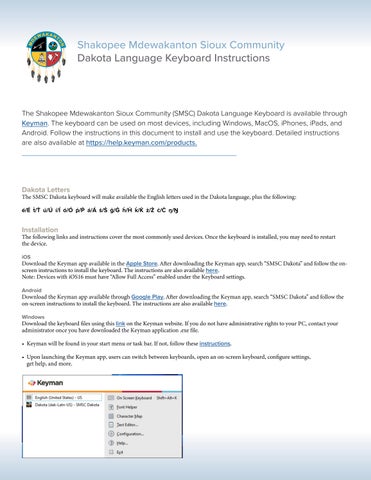
Download the keyboard files using this link on the Keyman website. If you do not have administrative rights to your PC, contact your administrator once you have downloaded the Keyman application .exe file. • Keyman will be found in your start menu or task bar. If not, follow these instructions. • Upon launching the Keyman app, users can switch between keyboards, open an on-screen keyboard, configure settings, get help, and more.