






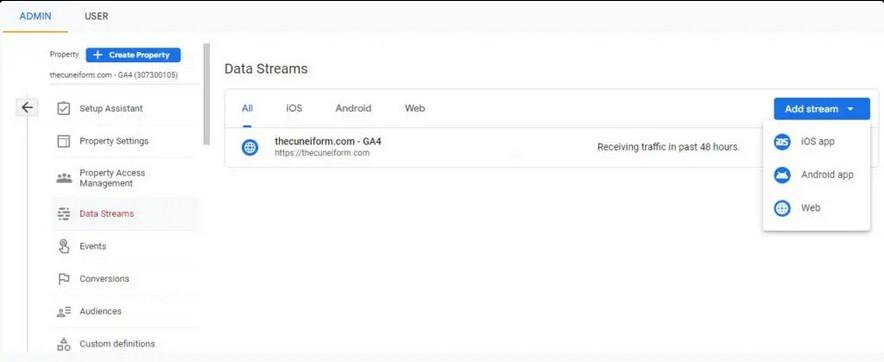
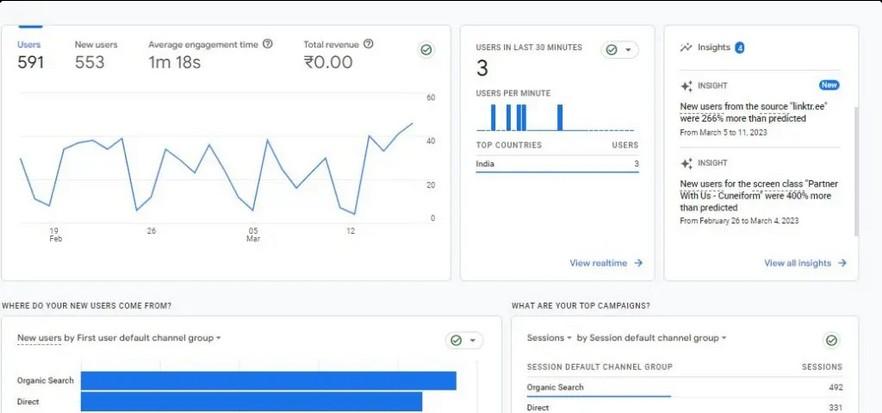
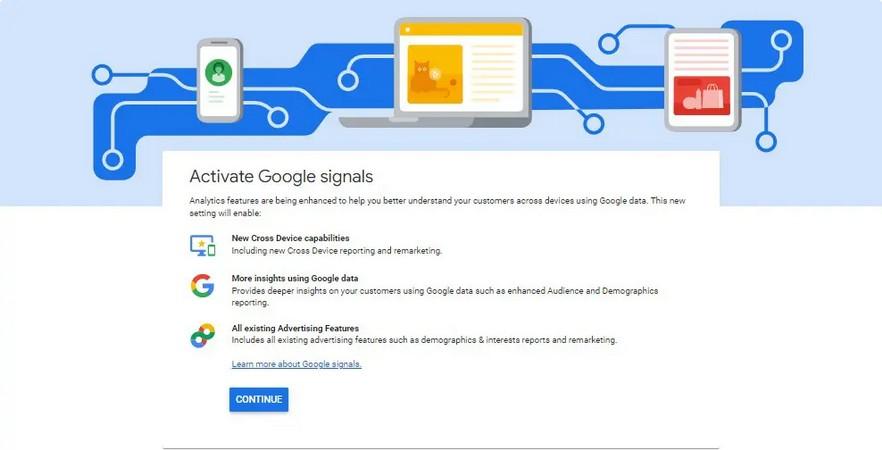

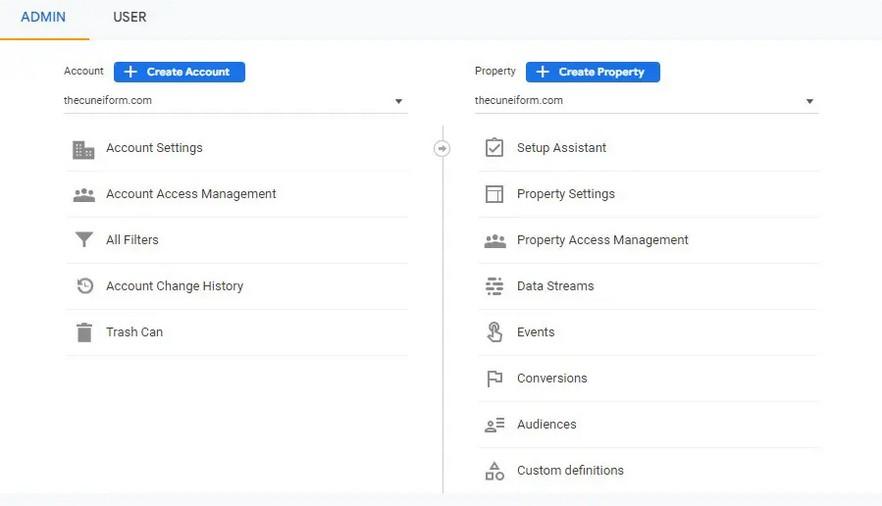

Ent er Your Email Monetize Your Website Through Search Engine Optimization Now! Subscribe to Newsletter Get In Touch With Full-Fledged Digital Marketing Agency. Important Info. USA 1 (512) 607-6820 IND 91 98193-83948 inquiry@thecuneiform.com Flyover, Highway, Vasantnagar, Ognaj, Ahmedabad, Gujarat - 380060 Quick Links SEO Service PPC M k ti g Digital Marketing P y P l y Terms & Conditions Refund Policy About Cuneiform We help you in improving your business help digital marketing, development, and application technologies. We located in Ahmedabad, Mumbai and Oregon (USA). Discover More Copyright@ 2022 Cuneiform, P d by C if C l i g All Righ R d P P dy M h 17 202 3 Digit l M k ti g Google Analytics, released 2005 after the company acquired Urchin, which was formed 1998, has any digital By 2011, were using Analytics (UA), rebranding of Google Analytics. With gtag.js Google paves the way for data be transmitted Google Ads and the Google Marketing Platform. Google introduced Google Analytics 4 (GA4) in 2020 the updated tracking protocol for GA properties. July 1, 2023, longer gather about your website app. January 1,2024, Google Analytics may longer include UA reports, containing all your historical data. Hence, GA4 migration is now inevitable. Create And Launch Your GA4 Property In Your Analytics Account The GA4 Setup Assistance will not affect your Universal Analytics property. It will create the new property let you parts Analytics property’s parameters (but all). Your GA4 property will only begin recording traffic data from the you it, properties will longer be able to import past data from UA. So, the it is created, the data will begin populating the GA4 attribute. property Property heading Following this, choose business’s industry and size before completing the creation For GA4 to generate reliable results, you need three to six weeks, depending on your site’s popularity. Data from UA and GA4 to be inconsistent at times. The reason is GA4 employs novel method of increased event measurement in its data collection. Add To add data stream, select Data Streams under Properties. UA, properties accept and tracking separate data Set Up Data Collection For Websites implement Google tag your pages you begin viewing your property. Insert your G-ID into the Google Analytics field on Google Sites. you Streams, your G-ID displayed in top right Activa te G oog le Sig na ls Advertisements for cross-device remarketing campaigns can be served to audiences built in GA4 and uploaded to Google Ads so long as Google signals are turned on. Ads Personalization allows Google to display these ads to users who have opted into the service. Make A List Of Your Essential Items A analytics property will take on any pre-existing UA property’s tracking items (such goals or events). After making your list, you can select what to keep and discard and where new monitoring items, such as events, goals, etc., Goals are created in each reporting view. If you want to retain goals from reporting views in GA4, you’ll need to list and recreate them manually. You can only track 30 conversions per property in GA4, like how UA reporting views only let you track 20 goals reporting view. your existing goals goals (such goals) you can adjust your tracking method accordingly. Migrate Individual Items To GA4 After establishing the account, the next step is to take measurements. Given the significant differences between the GA4 event and the UA models, careful preparation is required for this stage. To avoid duplicating effort in GA4, document your UA first. Identifying your company’s important UA events is crucial first step in moving them to GA4. While upgrading from Universal Analytics to Google Analytics 4 be time-consuming, the advantages are well worth the effort. Also, GA4 is continually evolving. Therefore, it’s essential to quickly respond to developments and adjust accordingly. Related Posts: GOOGLE MAY 2020 CORE UPDATE IS ROLLOUT- KNOW: HOW IT CAN AFFECT SEARCH RESULTS? How AI SEO Can Boost Your SEO Strategy in 2023 Home About Us Dig ita l Tra nsform a tion Developm ent Services Partner With Us Blog Contact Us Get Free Analysis