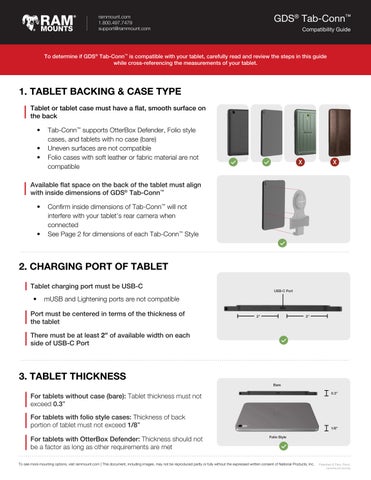
To determine if GDS® Tab-Conn™ is compatible with your tablet, carefully read and review the steps in this guide while cross-referencing the measurements of your tablet.
1. TABLET BACKING & CASE TYPE
Tablet or tablet case must have a flat, smooth surface on the back
• Tab-Conn™ supports OtterBox Defender, Folio style cases, and tablets with no case (bare)
• Uneven surfaces are not compatible
• Folio cases with soft leather or fabric material are not compatible
Available flat space on the back of the tablet must align with inside dimensions of GDS® Tab-Conn™
• Confirm inside dimensions of Tab-Conn™ will not interfere with your tablet’s rear camera when connected
• See Page 2 for dimensions of each Tab-Conn™ Style
2. CHARGING PORT OF TABLET
Tablet charging port must be USB-C
• mUSB and Lightening ports are not compatible
Port must be centered in terms of the thickness of the tablet
There must be at least 2” of available width on each side of USB-C Port
3. TABLET THICKNESS



For tablets without case (bare): Tablet thickness must not exceed 0.3”
For tablets with folio style cases: Thickness of back portion of tablet must not exceed 1/8”
For tablets with OtterBox Defender: Thickness should not be a factor as long as other requirements are met


rammount.com 1.800.497.7479 support@rammount.com
GDS® TAB-CONN™ DIMENSIONS
Depending on whether you have no case, OtterBox Defender or Folio style case, and depending on whether you need a Tab-Conn™ with D-Shape and/or Pogo Pads, cross reference the internal dimensions of your desired Tab-Conn™ to con rm that it will properly align with your tablet.
No Case (Bare) OtterBox Defender Folio Style Cases

RAM-GDS-TABC-B1D D-Shape Pogo Pads

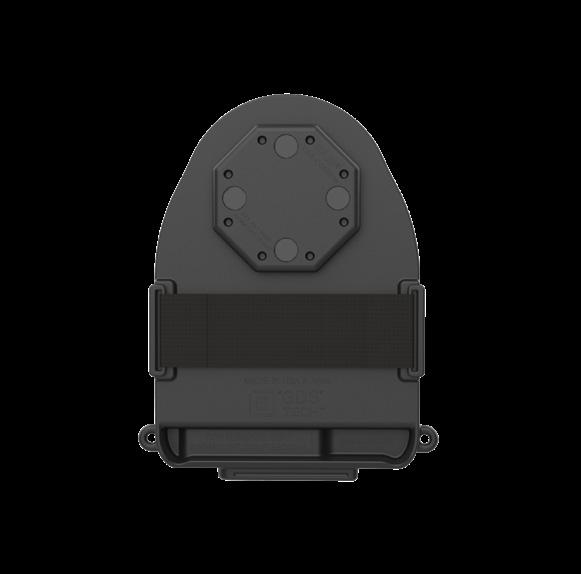
RAM-GDS-TABC-OTD1D D-Shape Pogo Pads

RAM-GDS-TABC-B1B Rear Pogo Pads RAM-GDS-TABC-OTD1B Rear Pogo Pads

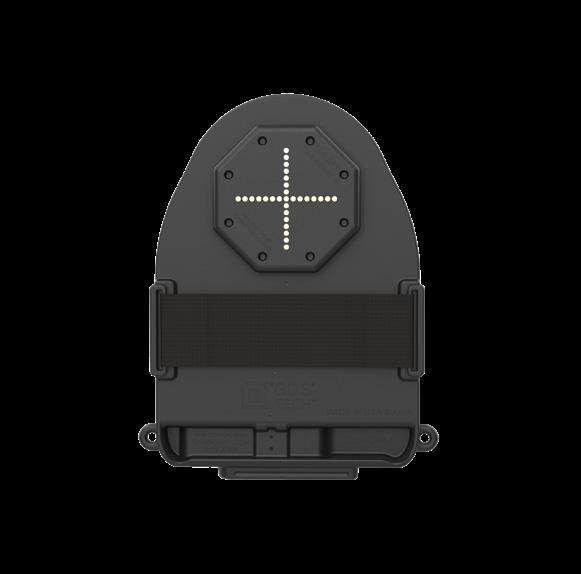

RAM-GDS-TABC-F1D D-Shape Pogo Pads

RAM-GDS-TABC-F1B Rear Pogo Pads
