Computer Basics Series
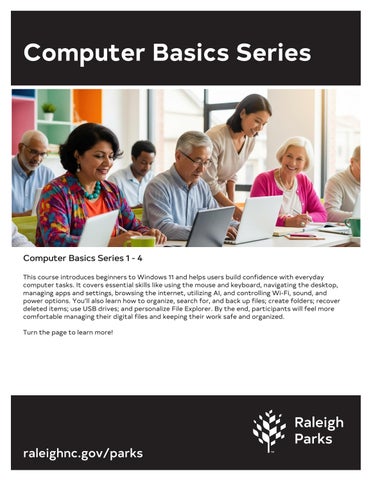
Computer Basics Series 1 - 4 This course introduces beginners to Windows 11 and helps users build confidence with everyday computer tasks. It covers essential skills like using the mouse and keyboard, navigating the desktop, managing apps and settings, browsing the internet, utilizing AI, and controlling Wi-Fi, sound, and power options. You’ll also learn how to organize, search for, and back up files; create folders; recover deleted items; use USB drives; and personalize File Explorer. By the end, participants will feel more comfortable managing their digital files and keeping their work safe and organized. Turn the page to learn more!
raleighnc.gov/parks
Computer Basics 1 Monday, Aug. 10 & 17, 2026 10:00 - 11:30 a.m. Cost: $12 Adults age 18+ Anne Gordon Center for Active Adults 1901 Spring Forest Road Raleigh, NC 27615 919-996-4720 Tuesday, Sept. 1, & 8, 2026
Whether you're just getting started with a computer or brushing up on the basics, this course will help you get started with Windows 11. From navigating your desktop to managing your internet connection, you'll gain confidence in using key features that make your digital life smoother and more productive. Some of what we will cover: • Mouse and keyboard functionality • Selecting and deselecting items • Navigating the taskbar and Start menu • Managing apps and windows • Power options like sleep, shutdown, and restart • Using the calendar, timer, and focus tools • Controlling Wi-Fi, volume, battery, and airplane mode • Browsing with Google Chrome, bookmarking, autofill, and privacy settings • Setting up a mobile hotspot A windows computer will be provided.
raleighnc.gov/parks
10:00 - 11:30 a.m. Cost: $12 Adults age 18+ Five Points Center for Active Adults 2000 Noble Road Raleigh, NC 27608 919-996-4730 Wednesday, Oct. 21 & 28, 2026 10:00 - 11:30 a.m. Cost: $12 Adults age 18+ Anne Gordon Center for Active Adults 919-996-4720
Computer Basics 2 Tuesday, Sep. 15 & 22, 2026 10:00 - 11:30 a.m. Cost: $12 Adults age 18+ Five Points Center for Active Adults 2000 Noble Road Raleigh, NC 27608 919-996-4730
Wednesday, Nov. 18, & 25, 2026
Whether you're saving family photos, organizing important documents, or just trying to find where things went, this course will help take the stress out of managing your computer files in Windows 11. Some of what you will learn: • Learn to cut, copy, paste, rename, and organize files.
• Create folders, undo mistakes, and recover deleted items.
• Search smarter, save images from the web, and move files to USB drives.
• Customize how files appear, delete what you don’t need, and restore them
if necessary.
• Personalize your File Explorer Home Page, use tabs to move files between
folders, add items to Quick Access, and more!
Whether you're just starting out or want to feel more confident, this course is designed to make everyday tasks simpler, faster, and less frustrating. Prerequisite: 'Computer Basics 1' or equivalent computer knowledge. A windows computer will be provided.
raleighnc.gov/parks
10:00 - 11:30 a.m. Cost: $12 Adults age 18+ Anne Gordon Center for Active Adults 1901 Spring Forest Road Raleigh, NC 27615 919-996-4720
Computer Basics 3 Tuesday, Oct. 6 & 13, 2026 10:00 - 11:30 a.m. Cost: $12 Adults age 18+ Five Points Center for Active Adults 2000 Noble Road Raleigh, NC 27608 919-996-4730
Wednesday, Dec. 9, & 16, 2026
Have you ever wanted to make copies of your work or maybe store those files as a backup? Whether you're protecting important documents, preserving creative projects, or simply keeping your digital life organized, having reliable copies of your files gives you peace of mind. No more worrying about accidental deletions, hardware failures, or lost progress. With the right tools, you can duplicate, save, and secure your work in just a few clicks—so you’re always prepared and always in control. Some of what you will learn: • Backup Files on Your Computer • Save Files to an External Drive like a USB. • Create Zip Files. • Recover Lost or Deleted Files • Create & Manage Folders. • Cut, Copy, Paste, and Rename Files.
raleighnc.gov/parks
10:00 - 11:30 a.m. Cost: $12 Adults age 18+ Anne Gordon Center for Active Adults 1901 Spring Forest Road Raleigh, NC 27615 919-996-4720
Computer Basics 4 Wednesday, Aug. 12, & 19, 2026 10:00 - 11:30 a.m. Cost: $12 Adults age 18+ Anne Gordon Center for Active Adults 1901 Spring Forest Road Raleigh, NC 27615 919-996-4720
Tuesday, Oct. 20 & 27, 2026
Computer Basics 4 guides you through Windows' most useful tools and settings. Some of What You Will Learn • Fine-tune your display for best clarity, comfort, and performance • Adjust brightness, Night Light, color settings, HDR, scaling, and resolution • Work confidently with multiple monitors and customize how they behave • Manage power, battery life, sleep modes, and energy saver options • Personalize your desktop background, taskbar, and theme • Use helpful tools like dictation, virtual desktops, clipboard history, and enhanced search • Record your screen, reset Windows, improve accessibility, and more
Computers will be provided.
raleighnc.gov/parks
2:00 - 3:30 p.m. Cost: $12 Adults age 18+ Five Points Center for Active Adults 2000 Noble Road Raleigh, NC 27608 919-996-4730
TechRefresh: Free Technology Q & A Sessions Thursday, Aug. 6, 2026 10:00 a.m. - 12:00 p.m. Cost: Free Adults age 18+ Five Points Center for Active Adults 2000 Noble Road Raleigh, NC 27608 919-996-4730 Thursday, Oct. 8, 2026
TechRefresh is an ongoing support program for students who have completed a Digital Inclusion Adult Technology class. It gives you dedicated time with an instructor to revisit any topics you’ve covered, get deeper explanations, and troubleshoot challenges one-on-one. Who Can Participate:
• Must have completed a course related to the refresh topic • Enrollment in TechRefresh is free for eligible alumni What to Bring:
• Your personal laptop, smartphone, or iPad with any relevant files or notes • List of topics or questions you want to cover How It Works:
• Register for your TechRefresh session • A representative will contact you the day before to give you an appointment time and to ask questions • Plan to arrive 15 minutes early to set up your device and materials
raleighnc.gov/parks
10:00 a.m. - 12:00 p.m. Cost: Free Adults age 18+ Five Points Center for Active Adults Tuesday, Nov. 3, 2026 2:00 - 4:00 p.m. Cost: Free Adults age 18+ Five Points Center for Active Adults Thursday, Nov. 19, 2026 10:00 a.m. - 12:00 p.m. Cost: Free Adults age 18+ Five Points Center for Active Adults