

Product: MINI HYD EXCAVATOR
Model: 303E CR MINI HYD EXCAVATOR CR7
Configuration: 303E CR Mini Hydraulic Excavator CR700001-UP (MACHINE) POWERED BY C1.3 Engine
Disassembly and Assembly
303E CR, 303.5E, 304E, 305.5E and 305E Mini Hydraulic Excavators C1.3, C1.8, and C2.4 Engine Supplement
Media Number -UENR0147-03
Publication Date -01/06/2013
Alternator - Remove and Install
SMCS - 1405-010
Removal Procedure
Start By:
a. Remove radiator.
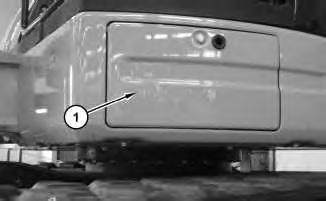
Illustration 1 g02148229
Date Updated -29/04/2016
2
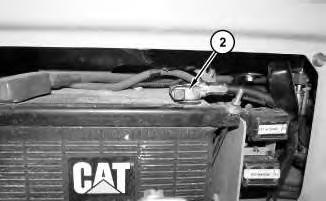
1. Open door (1). Disconnect negative cable assembly (2).
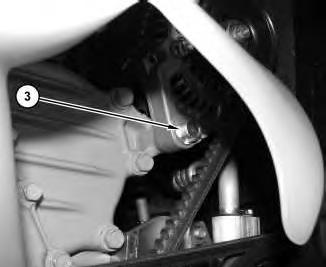
Illustration 3
g02852958
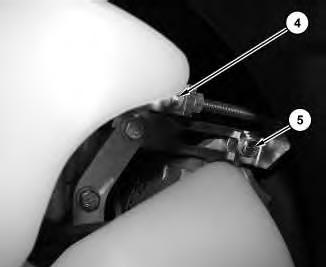
Illustration 4 g02853068
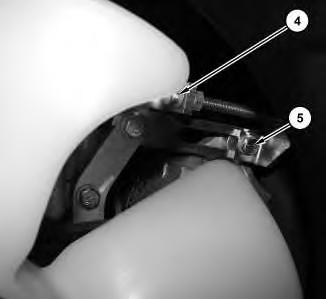
2. Loosen bolt (3) and bolt (5). Turn bolt (4) clockwise to remove alternator belt tension.
3. Remove fan. Refer to , "Fan - Remove and Install".
4. Remove belt. Refer to Operation and Maintenance Manual, "Belt - Inspect/Adjust/Replace".
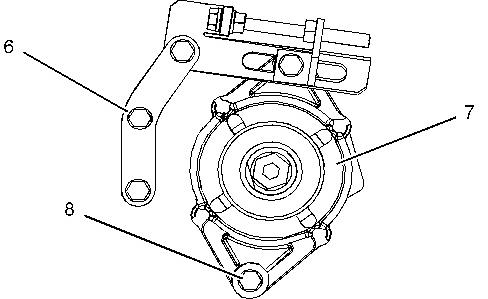
Illustration 5 g02853137
5. Remove bolts (6) and bolt (8). Remove alternator (7) with tensioner bracket attached.
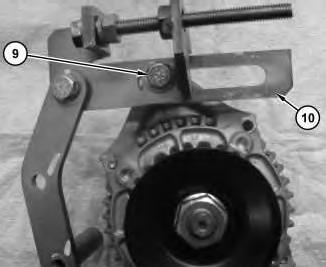
Illustration 6
6. Remove bolt (9) and remove tensioner bracket (10).
Installation Procedure
7
1. Position tensioner bracket (10) and loosely install bolt (9).
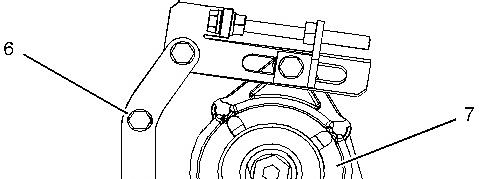
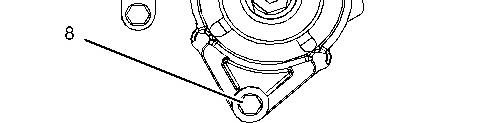
Illustration 8 g02853137
2. Position alternator (7) and loosely install bolt (8). Install and tighten bolts (6).
3. Install belt. Refer to Operation and Maintenance Manual, "Belt - Inspect/Adjust/Replace".
4. Install fan. Refer to , "Fan - Remove and Install".
This is the sample of the manual
Click on the download link for complete Manual
This is the sample of the manual
Click on the download link for complete Manual
Illustration 10
g02852958
5. Turn bolt (4) counter clockwise to tension belt. Tighten bolt (5) and bolt (3).
11
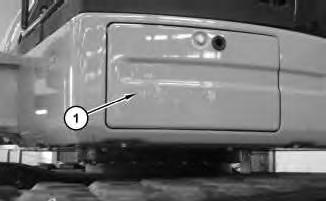
6. Connect negative battery cable assembly (2). Close door (1).
End By:
a. Install radiator. Refer to , "Radiator - Remove and Install".
Copyright 1993 - 2020 Caterpillar Inc. All Rights Reserved. Private Network For SIS Licensees. Tue Sep 8 12:10:10 UTC+0530 2020
Product: MINI HYD EXCAVATOR
Model: 303E CR MINI HYD EXCAVATOR CR7
Configuration: 303E CR Mini Hydraulic Excavator CR700001-UP (MACHINE) POWERED BY C1.3 Engine
Disassembly and Assembly
303E CR, 303.5E, 304E, 305.5E and 305E Mini Hydraulic Excavators C1.3, C1.8, and C2.4 Engine Supplement
Media Number -UENR0147-03 Publication Date -01/06/2013 Date Updated -29/04/2016
i03906473
Battery - Remove and Install
SMCS - 1401-010
Removal Procedure
2
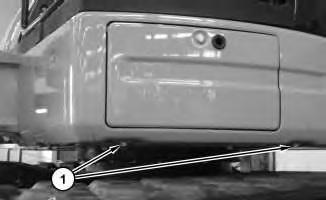
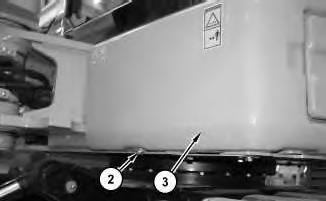
2. Remove bolt (2). Remove guard (3).
3
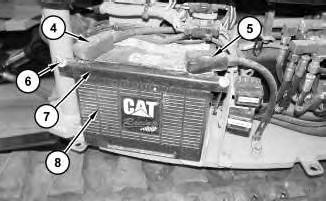
3. Disconnect negative cable assembly (5). Disconnect positive cable assembly (4). Remove nuts (6). Remove bracket (7) and battery (8).
Note: Do not attempt to remove battery (8) through the front access panel.
Installation Procedure
4
1. Install battery (8). Install bracket (7). Install nuts (6). Connect positive cable assembly (4). Connect negative cable assembly (5).
5
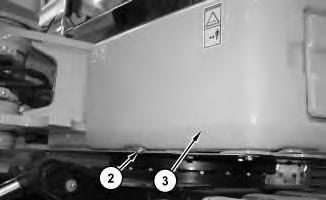
Install guard (3). Install bolt (2).
6
Copyright 1993 - 2020 Caterpillar Inc. All Rights Reserved. Private Network For SIS Licensees. Tue Sep 8 12:09:56 UTC+0530 2020
Product: MINI HYD EXCAVATOR
Model: 303E CR MINI HYD EXCAVATOR CR7
Configuration: 303E CR Mini Hydraulic Excavator CR700001-UP (MACHINE) POWERED BY C1.3 Engine
Disassembly and Assembly
303E CR, 303.5E, 304E, 305.5E and 305E Mini Hydraulic Excavators C1.3, C1.8, and C2.4 Engine Supplement
Electric Starting Motor - Remove and Install
SMCS - 1453-010
Removal Procedure
Accidental engine starting can cause injury or death to personnel working onthe equipment.
To avoid accidental engine starting, disconnect the battery cable from the disconnected battery cable end in order to prevent contact with other metal surfaces whichcouldactivate the engine electrical system.
Place a Do Not Operate tag at the Start/Stop switch locationto inform personnel that the equipment isbeing worked on.
1. Disconnect the battery.
2. Place identification marks on all of the harnessassembliesthat are connected to the electric starting motor and the solenoid.
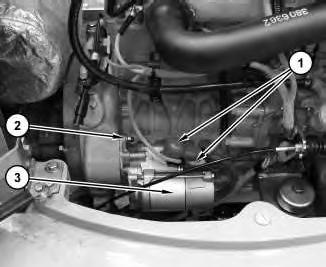
Illustration 1
3. Disconnect the harness assemblies (1). Remove mounting hardware (2). Remove electric starting motor (3).
Installation Procedure
1. Install starting motor in the reverse order of removal. Copyright 1993 - 2020 Caterpillar Inc. All Rights Reserved. Private Network For SIS Licensees. Tue Sep 8 12:10:25 UTC+0530 2020
Product: MINI HYD EXCAVATOR
Model: 303E CR MINI HYD EXCAVATOR CR7
Configuration: 303E CR Mini Hydraulic Excavator CR700001-UP (MACHINE) POWERED BY C1.3 Engine
Disassembly and Assembly
303E CR, 303.5E, 304E, 305.5E and 305E Mini Hydraulic Excavators C1.3, C1.8, and C2.4 Engine Supplement
Media
Engine - Remove and Install - Machines Equipped with Cab
SMCS - 1000-010
Removal Procedure
Table 1
Required Tools
A 138-7575 Link Bracket 2
Start By:
a. Remove cab.
b. Remove counterweight.
c. Remove refrigerant compressor.
1. Drain the hydraulic oil into a suitable container for storage or disposal. Refer to Operation and Maintenance Manual, "Hydraulic System Oil - Change".
2. Drain the engine coolant into a suitable container for storage or disposal. Refer to Operation and Maintenance Manual, "Cooling System Coolant (ELC) - Change".
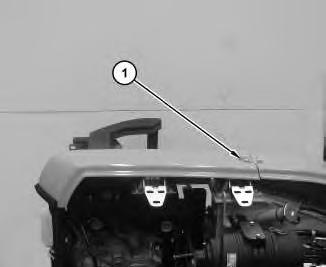
Illustration 1
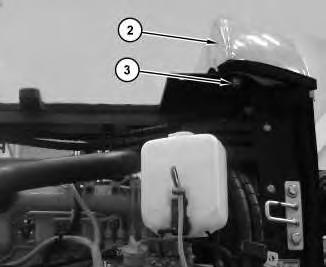
Illustration 2
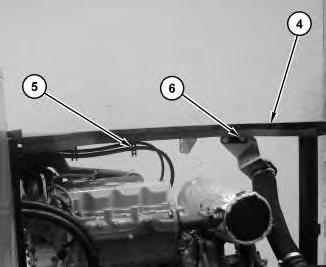
Illustration 3
g02854977
4. Attach tooling A to plate (4). Attach suitable lifting device to tooling A. The weight of the plate (4) is approximately 45 kg (100 lb). Remove cable straps(5) and bolts (6).
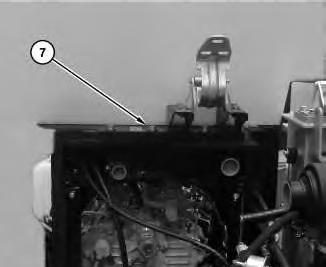
Illustration 4
g02855101
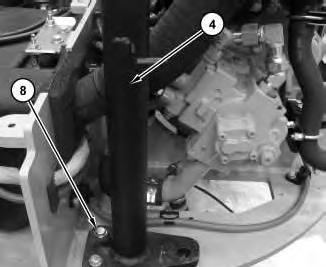
Illustration 5
5. Remove bolts (7). Remove bolts (8). Remove plate (4).
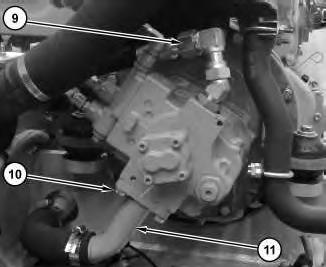
Illustration 6
6. Remove hose assemblies(19). Remove bolts (10) and tube (11).
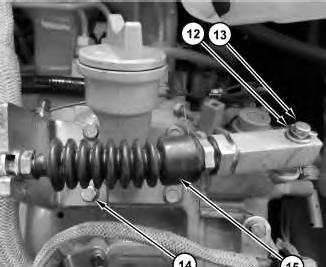
Illustration 7
g02855776
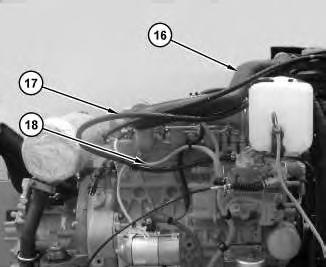
Illustration 8
g02855397
7. Remove cotter pin (12). Remove bolts(14) and remove cable (15) from shaft (13). Remove intake tubing (16). Remove fuel hoses (17). Disconnect wiring harness (18) from engine and position aside.
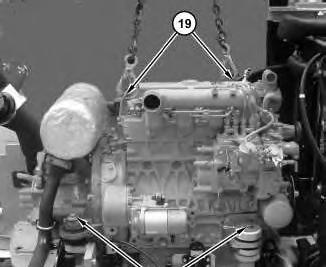
Illustration 9
g02855876
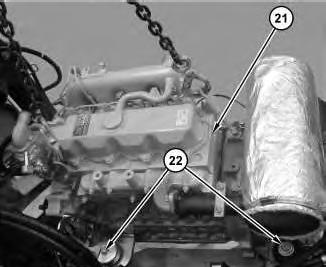
Illustration 10
g02855986
8. Attach suitable lifting device to engine hoisting brackets (19). The weight of the engine (21) is approximately 340 kg (750 lb). Remove engine mounting bolts(20) and (22). Remove engine (21).
Installation Procedure
1. Install engine (21) in the reverse order of removal.
Copyright 1993 - 2020 Caterpillar Inc.
Product: MINI HYD EXCAVATOR
Model: 303E CR MINI HYD EXCAVATOR CR7
Configuration: 303E CR Mini Hydraulic Excavator CR700001-UP (MACHINE) POWERED BY C1.3 Engine
Disassembly and Assembly
303E CR, 303.5E, 304E, 305.5E and 305E Mini Hydraulic Excavators C1.3, C1.8, and C2.4 Engine Supplement
Media
i04769971
Engine - Remove and Install - Machines Equipped with Canopy
SMCS - 1000-010
Removal Procedure
Table 1
Required Tools
A 138-7575 Link Bracket 2
Start By:
a. Remove canopy.
b. Remove seat.
1. Drain the hydraulic oil into a suitable container for storage or disposal. Refer to Operation and Maintenance Manual, "Hydraulic System Oil - Change".
2. Drain the engine coolant into a suitable container for storage or disposal. Refer to Operation and Maintenance Manual, "Cooling System Coolant (ELC) - Change".
1
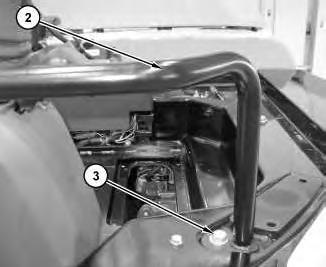
Illustration 2
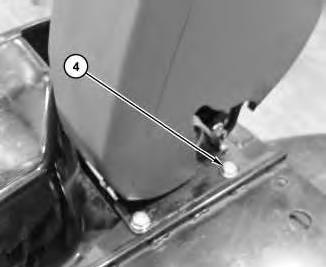
Illustration 3
g02859896

Illustration 4
g02859900
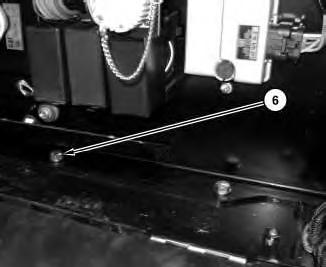
Illustration 5
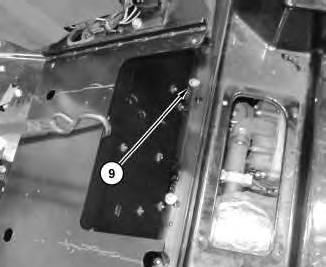
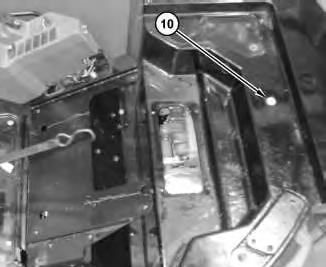
5. Remove bolts (6) that attach box to the platform.
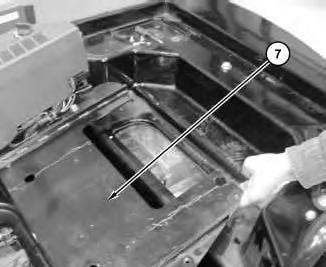
6

Illustration 7
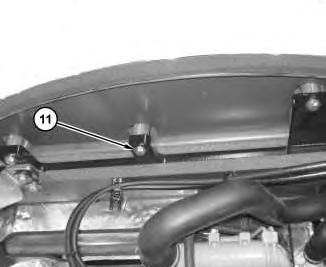
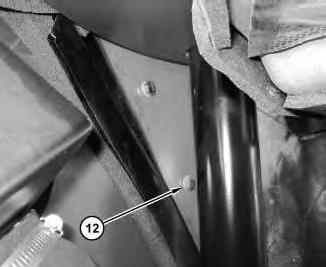
6. Lift the rear of the box (7) and secure with a suitable strap (8).
8
9
10
This is the sample of the manual
Click on the download link for complete Manual
11
12