= Voice command
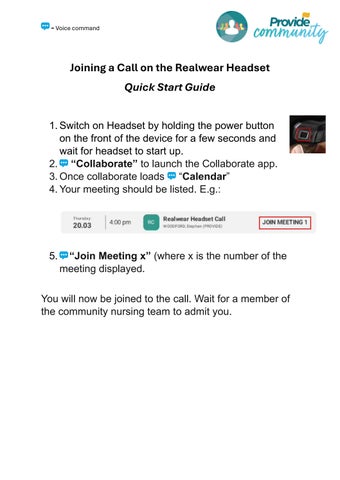
Joining a Call on the Realwear Headset Quick Start Guide 1. Switch on Headset by holding the power button on the front of the device for a few seconds and wait for headset to start up. 2. “Collaborate” to launch the Collaborate app. 3. Once collaborate loads “Calendar” 4. Your meeting should be listed. E.g.:
5.
“Join Meeting x” (where x is the number of the meeting displayed.
You will now be joined to the call. Wait for a member of the community nursing team to admit you.