What’s New FREE Executive Webinar: 5 Critical Cyber Security Protections EVERY Business Must Have In Place NOW To Avoid Ransomware, CyberAttacks, Bank Fraud and Data -Breach Penalties. April 14th, at 11:30 a.m. AST. You will discover the scary risks of mobile and cloud computing, the #1 security threat to your business, A SHOCKING truth about bank fraud, and more.
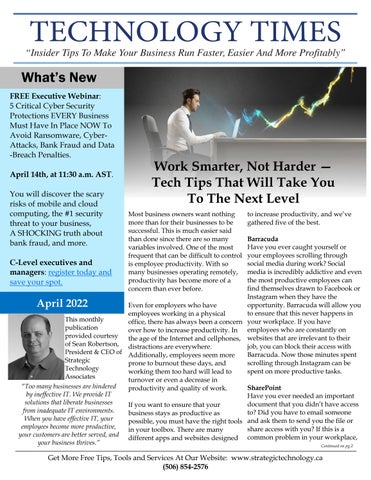
Work Smarter, Not Harder — Tech Tips That Will Take You To The Next Level Most business owners want nothing more than for their businesses to be successful. This is much easier said than done since there are so many variables involved. One of the most frequent that can be difficult to control is employee productivity. With so many businesses operating remotely, productivity has become more of a concern than ever before.
to increase productivity, and we’ve gathered five of the best.
Barracuda Have you ever caught yourself or your employees scrolling through C-Level executives and social media during work? Social media is incredibly addictive and even managers: register today and the most productive employees can save your spot. find themselves drawn to Facebook or Instagram when they have the opportunity. Barracuda will allow you Even for employers who have to ensure that this never happens in employees working in a physical This monthly office, there has always been a concern your workplace. If you have publication over how to increase productivity. In employees who are constantly on provided courtesy Your the age of the Internet and cellphones, websites that are irrelevant to their of Sean Robertson, distractions are everywhere. Image job, you can block their access with President & CEO of Barracuda. Now those minutes spent Here Additionally, employees seem more Strategic scrolling through Instagram can be prone to burnout these days, and Technology spent on more productive tasks. working them too hard will lead to Associates turnover or even a decrease in “Too many businesses are hindered SharePoint productivity and quality of work. by ineffective IT. We provide IT Have you ever needed an important solutions that liberate businesses document that you didn’t have access If you want to ensure that your from inadequate IT environments. to? Did you have to email someone business stays as productive as When you have effective IT, your possible, you must have the right tools and ask them to send you the file or employees become more productive, share access with you? If this is a in your toolbox. There are many your customers are better served, and different apps and websites designed common problem in your workplace, your business thrives.” Continued on pg.2
April 2022
Get More Free Tips, Tools and Services At Our Website: www.strategictechnology.ca (506) 854-2576
Technology Times
April 2022
Continued from pg.1
you need to try SharePoint. SharePoint will serve as a database for important files that anyone in your business may need at any time. You won’t have to wait for someone to share the files with you anymore. Keep in mind that SharePoint still requires a level of organization so that files are easy to find. TimeCamp TimeCamp is one of the most useful productivity apps available right now. With TimeCamp, you can track how much time your team is spending on any given project. It will break it down by specific apps and websites so you can see where most of their time was spent. You’ll also get to see analytics and determine how they are performing. TimeCamp will help you keep your budget in check and ensure that no task or project goes over budget. If clocking has been an issue in your business, TimeCamp can help there too. This program can be used as an easy attendance-tracking tool as it has functions for clocking in and out, tracking overtime, automating payroll and reporting leaves. It’s simple to use and comes with endless benefits. Slack
“To get the most out of your business, you must ensure that productivity is maximized wherever possible.”
If your company is operating remotely, or if you have certain employees who aren’t working in the office, how are you communicating with each other? Emails can be easily missed, and unless you provide your teams with work phones, texting is iffy at best. Slack takes all of the confusion out of the mix and gives you the best group messaging option. Employees will stay up-to-date on recent developments within the company. You can also create specific groups if you need to get a message out to a particular team or group of people. Slack has worked wonders for many organizations throughout the pandemic and is a foolproof way to increase productivity. Asana Asana is one of the best project management tools on the market. With this program, you can plan projects in advance and set up task lists to ensure that everything gets completed on time. You can also keep your team informed about any new developments with Asana’s messaging and commenting system. If you’re overseeing a team that is working on the same project, then Asana is a must-have for your company. To get the most out of your business, you must ensure that productivity is maximized wherever possible. There are many new websites, apps and programs designed to encourage productivity in the workplace. You just have to find what works best for your business. If you’re unsure of where to begin, give some of these programs a try.
Do You Safeguard Your Company’s Data And Your Customers’ Private Information BETTER THAN Equifax, Yahoo and Target Did? If the answer is “NO” – and let’s be honest, the answer is no – you are leaving yourself and your company open to massive liability, millions in fines and lost business, lawsuits, theft and so much more.
Why? Because you are a hacker’s #1 target. They know you have access to financials, employee records, company data and all that juicy customer information – Social Insurance Numbers, credit card numbers, birth dates, home addresses, e-mails, etc. Don’t kid yourself. Cybercriminals and hackers will stop at NOTHING to steal your credentials. And once they have your password(s), it’s only a matter of time before they destroy your business, scare away your customers and ruin your professional and personal life.
Why Not Take 4 Seconds Now To Protect Yourself, Protect Your Company And Protect Your Customers? Our 100% FREE and 100% confidential, exclusive CEO Dark Web Scan is your first line of defense. To receive your report in just 24 hours, visit the link below and provide us with your name and company e-mail address. Hopefully it will be ALL CLEAR and you can breathe easy. If your company, your profits and your customers are AT RISK, we’ll simply dig a little deeper to make sure you’re protected. Don’t let this happen to you, your employees and your customers. Reserve your exclusive CEO Dark Web Scan now!
Get your free Dark Web Scan TODAY at www.GetStrategic.ca/dark-web-scan
Get More Free Tips, Tools and Services At Our Website: www.strategictechnology.ca (506) 854-2576
Technology Times
April 2022
Are You A Good Remote Leader?
Shiny New Gadget Of The Month:
We have reached a new age in the workplace. Back in the 1980s, business books and seminars encouraged managers to meander around the office, chat with colleagues and try to gather valuable information around the water cooler. Now managers are working remotely, and it’s a completely different world.
Garmin Venu 2 Plus Smartwatch One of Garmin’s newest smartwatches is setting the standard for the industry. The Garmin Venu 2 Plus smartwatch comes in three different sizes and in various colours. With the Venu 2 Plus, you can connect the smartwatch to your mobile device, make phone calls and send text messages – all hands -free. The best functions of this smartwatch all relate to health and wellness since it gives you greater insight into your stress, hydration and respiratory levels. It can also keep track of your sleep patterns, heart rate and so much more. The smartwatch holds nine days of battery life, so it’s perfect for backpackers and hikers. If you’re looking for a great smartwatch, look no further than the Garmin Venu 2 Plus.
It’s not always evident who the great leaders are in a remote setting, and you may have wondered at some point if you are even good at it. Truthfully, we don’t have enough data yet to accurately evaluate what differentiates a great remote leader from the rest. But from my insights and experience running a fully remote company for 25 years, I’ve put together five questions that help determine if a remote leader is above average or not.
• • • • •
Are you great at setting goals? Are you great at hiring? Are you great at delegating? Does your compensation system reward high performance? Do you always do what you say you will do?
If you can answer yes to all five of these questions, it’s likely that you are a great remote leader. These are essential leadership qualities for any setting, but they become amplified with remote work. If you set unclear goals in an office, you can easily clarify when your team has questions. This becomes more difficult when working remotely. If you aren’t great at hiring, you will notice these mistakes quickly in an office environment – but it’s difficult to tell if you hired the wrong person in a remote setting.
Additionally, you have to be great at delegating tasks and following up to make sure the work is being completed in a remote setting, because you can’t physically see the process. In a traditional office setting, peer pressure plays an impactful role in influencing your employees’ behavior. When you remove the peer pressure, compensation becomes the biggest driving force, so you need to make sure your compensation system is rewarding the right behaviors. If you’re wondering about the final question’s role in an office, it’s actually quite simple. You need to build and maintain trust in your workplace, and this becomes more difficult in a remote setting. That’s why it’s important that you always follow through on your words. The remote workplace is here to stay, and it may take some adjustment to become the same caliber leader that you were in a traditional office setting. If you ask yourself those five questions every day and make the necessary adjustments in the categories you fall short in, before you know it, you’ll become a great remote leader.
Dr. Geoff Smart is the chairman and founder of ghSMART, a leadership consulting firm that exists to help leaders amplify their positive impact on the world. Dr. Smart and his firm have published multiple New York Times best-sellers. He stays active in his community and has advised many government officials.
Get More Free Tips, Tools and Services At Our Website: www.strategictechnology.ca (506) 854-2576
Technology Times
eye on your beginners and growers to ensure they are satisfied with their work. If Throughout the course of they’re not, have an open and 2021, employees left their jobs honest discussion with them. in droves due to a For employees who have combination of factors. In mastered their jobs, fact, an analytics firm, Visier, encourage them to try a new estimates that 1 out of 4 role or take on different workers left their jobs in 2021. responsibilities so they can If you own or operate a learn new skills. business, this news can be Increase Your worrisome. One of the best Productivity With A Voice ways to try to retain your Assistant employees is to coach and encourage them to grow so Even before the pandemic, they don’t feel stagnant and people were using voice bored with their work. assistants like Siri or Alexa to help them keep track of their If you don’t know where to day-to-day schedules. Now begin, you should start by that so many people are evaluating your employees. Decide if they’re a master in working from home, these their role, are still growing or virtual assistants are more valuable than ever before. are just beginning. Keep an
Retain Top Talent By Teaching Them To Grow
April 2022
They can help boost your productivity to new levels if you use them properly. Utilizing a voice assistant for these five tasks will help you increase your productivity while you work from home. •
Program your digital assistant to remind you of any of your meetings at least 10 minutes before they begin.
•
Ask your digital assistant for news and weather updates to keep you away from unproductive websites.
•
Create a to-do list and use your digital assistant to add and remove items.
•
Have your digital assistant read, listen and respond to your e-mails.
•
Create a morning and evening routine for yourself, then program your digital assistant to help you follow these routines. They can be programmed to wake you up, dim your lights, turn off computer screens and so much more to keep you on track.
Get More Free Tips, Tools and Services At Our Website: www.strategictechnology.ca (506) 854-2576