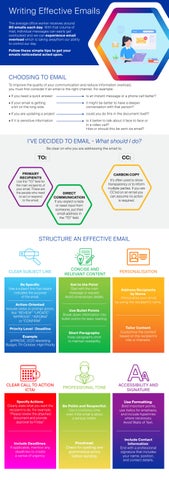
Writing Effective Emails The average office worker receives around 80 emails each day. With that volume of mail, individual messages can easily get overlooked and we can experience email overload which is taking awayfrom our ability to control our day. Follow these simple tips to get your emails noticedand acted upon.
CHOOSING TO EMAIL To improve the quality of your communication and reduce information overload, you must first consider if an email is the right channel. For example: • If you need a quick answer
is an instant message or a phone call better?
• If your email is getting a bit on the long side
it might be better to have a deeper conversation with that person?
• If you are updating a project
could you do this in the document itself?
• If it is sensitive information
is it better to talk about it face to face or in a video call? How or should this be sent via email?
I’VE DECIDED TO EMAIL - What should I do? Be clear on who you are addressing the email to.
PRIMARY RECIPIENTS
Use the “TO” field for the main recipients of your email. These are the people who need to act or respond to the email.
CARBON COPY
DIRECT COMMUNICATION If you expect a reply or need input from someone, put their email address in the “TO” field.
It’s often used to show transparency or to inform multiple parties. If you are CC’ed on an email you can assume no action is required.
STRUCTURE AN EFFECTIVE EMAIL
CLEAR SUBJECT LINE
CONCISE AND RELEVANT CONTENT
Be Specific: Use a subject line that clearly indicates the purpose of the email.
Get to the Point: Start with the main message or request. Avoid unnecessary details.
Action-Oriented: Include verbs to prompt action, like “REVIEW” “UPDATE” “APPROVE”, “INFORM” or “CONFIRM”.
Address Recipients by Name: Personalise your email by using the recipient’s name.
Use Bullet Points: Break down information into bullet points for easy reading.
Priority Level | Deadline Example: APPROVE, 2025 Marketing Budget, 7th October, High Priority
PERSONALISATION
Short Paragraphs: Keep paragraphs short to maintain readability.
Tailor Content: Customise the content based on the recipient’s role or interests.
CLEAR CALL TO ACTION (CTA)
PROFESSIONAL TONE
ACCESSIBILITY AND SIGNATURE
Specify Actions: Clearly state what you want the recipient to do. For example, “Please review the attached document and provide approval by Friday.”
Be Polite and Respectful: Use a courteous tone, even if the email is about a serious matter.
Use Formatting: Bold important points, use italics for emphasis, and include hyperlinks where necessary. Avoid Walls of Text.
Include Deadlines: If applicable, mention any deadlines to create a sense of urgency.
Proofread: Check for spelling and grammatical errors before sending.
Include Contact Information: End with a professional signature that includes your name, position, and contact details.