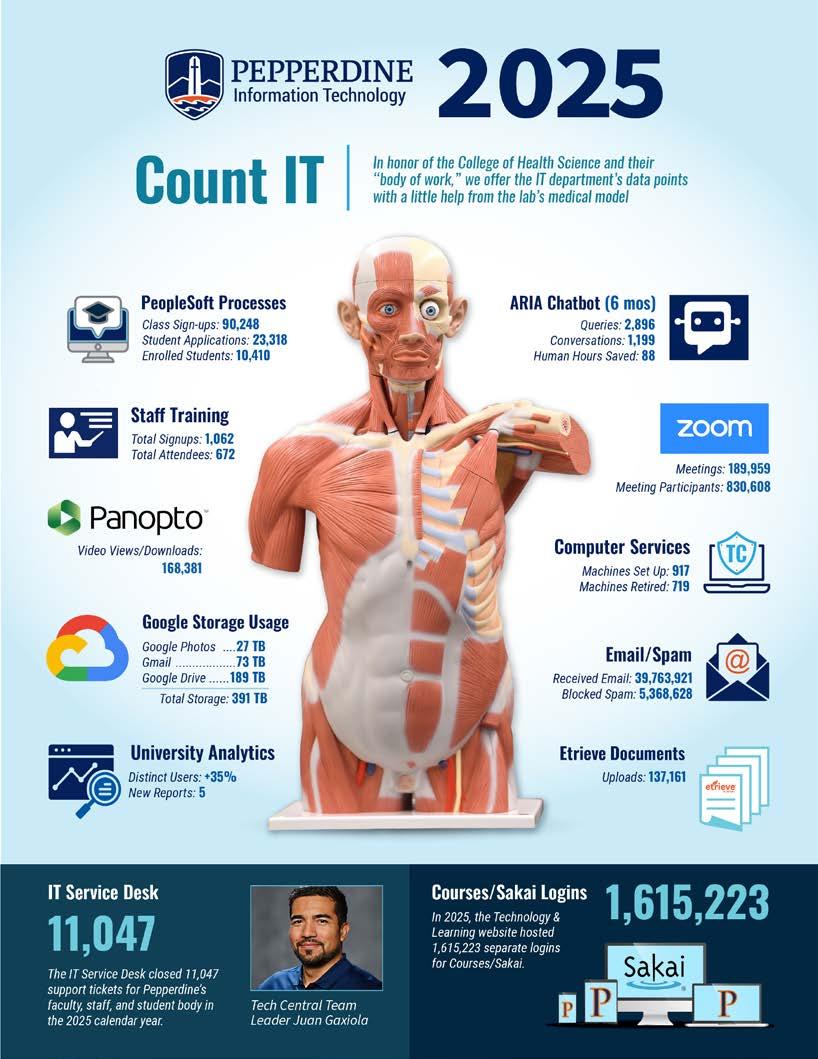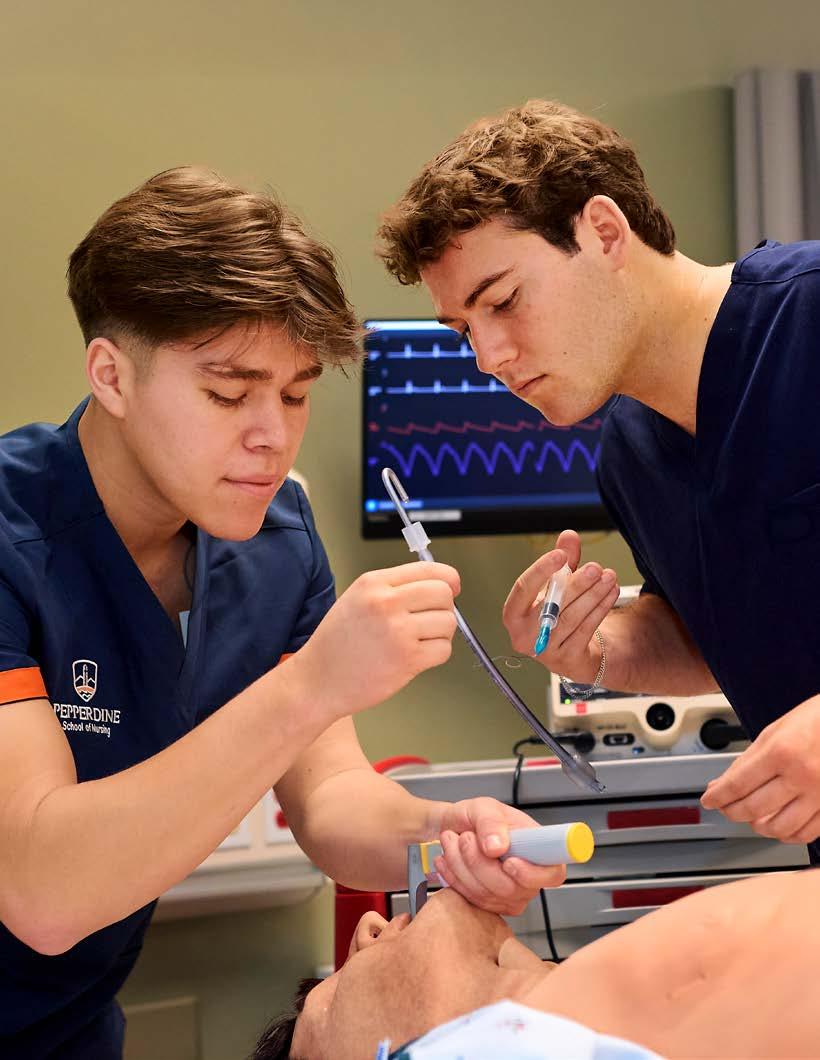
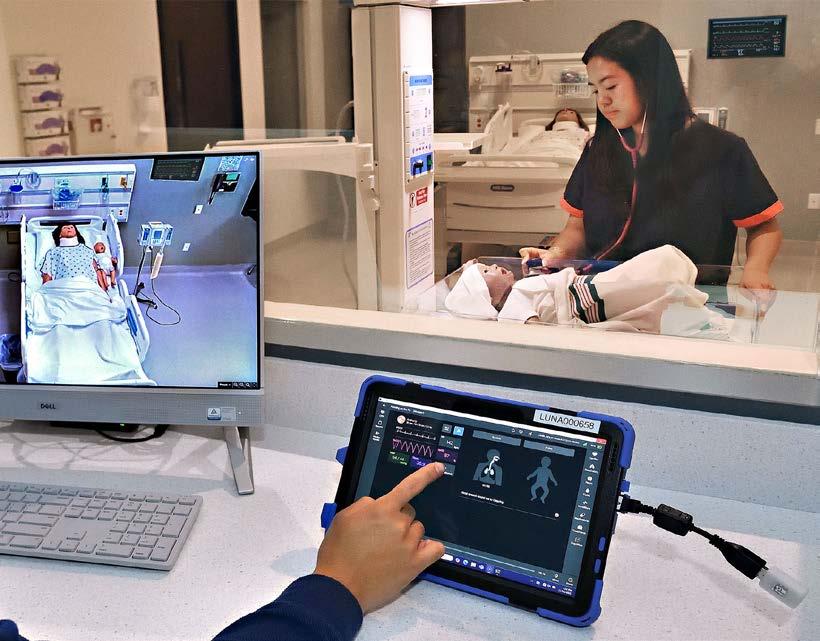
Above, Student Simulation
Technicians Johann Luna (left) and Trevor Molnar (right) demonstrate technique on a medical manikin.
As we present our IT Annual review, I want to take a moment to reflect on the profound role technology plays in shaping the future of Pepperdine University. More than just a collection of tools, technology is an integral enabler in everything we do, empowering our faculty, staff, and students to reach new heights in their academic and professional pursuits.
This past year has been particularly transformative, marked by a significant leap forward in our educational infrastructure: the successful transition to Pepperdine Canvas as our new Learning Management System (LMS). This innovative platform is not merely a replacement for its predecessor; it’s a gateway to enhanced teaching and learning experiences. Canvas provides our faculty with a robust and intuitive environment to design dynamic courses, foster collaborative learning, and deliver engaging content. For our students, it offers a streamlined and personalized learning journey, with accessible resources, clear communication channels, and opportunities for deeper engagement with course material. The feedback we’ve received thus far highlights its potential to truly revolutionize how we approach

education, opening up new avenues for interactive learning, creative instruction, and more effective knowledge sharing across all our schools.
Beyond the classroom, we are also diligently exploring the broader potential of emerging technologies to enhance overall productivity and operational efficiency across the University. A key area of focus for us is the responsible exploration of artificial intelligence (AI). We believe AI holds immense promise in streamlining administrative tasks, providing personalized support, and offering new insights into data that can inform strategic decision-making. Our goal is to leverage AI not to replace human ingenuity. We hope to augment it, freeing up valuable time and resources for our community to focus on their core missions of education, scholarship, and service.
The IT department is committed to fostering a technologically advanced and supportive environment that empowers every member of the Pepperdine family. We are excited about the opportunities that lie ahead and look forward to continuing to partner with you in embracing technology as a cornerstone of our collective success.
Jonathan See Chief Information Officer

On January 27, 2025, Pepperdine’s Office of the Provost announced its decision to move to the Canvas learning management system (LMS). The University’s decision followed an extensive LMS study and pilot conducted by IT’s Technology & Learning (TechLearn) team ahead of the July 2025 contract renewal of Pepperdine’s long-time platform, Courses (powered by Sakai).
The extensive study considered the current LMS market, faculty feedback, and the University’s needs. Between Canvas’ clear market lead and Sakai’s shrinking position, universities from Notre Dame to Stanford had moved to Canvas as their LMS.
In combining the reality of the LMS market with the charge to “Employ state-of-the-art technology in both physical and online classrooms…,” from Pepperdine’s 2030 Strategic Plan, the LMS Study culminated in a Canvas pilot during the Fall 2024 semester, leading to the January decision to move to Canvas.
Transition efforts began after the announcement, with early adoption scheduled for summer 2025 and University-wide adoption for fall 2025. The plan included town halls,

Above, Learning Innovations Lead John C. Buckingham led the transition from Courses/ Sakai to Pepperdine Canvas LMS along with Pepperdine IT’s Technology & Learning team.
“It wasn’t just TechLearn: It was TechLearn and GSEP pairing together, with a lot of the effort coming directly from Jennifer.”
Jordan Lott Senior Manager, Technology & Learning, IT Training Information Technology
extensive communication, course migration, faculty/staff training, and more.
At the Graduate School of Education and Psychology (GSEP), the leadership team chose to participate in an early adoption of Pepperdine Canvas,” said Assistant Dean of Learning Design & Technology Jennifer Miyake-Trapp. “And in order to implement an early adoption, it required a significant amount of planning and coordination between GSEP and TechLearn. Once we made that determination, we immediately began customizing communications to the GSEP community, and coordinating those communications to make sure that they had accurate information and timelines, and planning and resources for the community.”
“That was the neat thing,” added Senior Manager of Technology & Learning and IT Training Jordan Lott. “It wasn’t just TechLearn: It was TechLearn and GSEP pairing together, with a lot of the effort coming directly from Jennifer. And I think that started in mid-March, and they were in classes by the end of April.”
“We created specialized communications for the GSEP community that strove to delineate between Pepperdine Canvas users and Digital Campus users for 2U-partnered programs,” Miyake-Trapp continued. “And, so they listed which particular programs would be impacted. We also curated specific resources to help faculty and made a step-by-step guide detailing how to make a course transfer from Sakai to Pepperdine Canvas, and encouraged a follow-up consultation with the TechLearn team.
“In those communications, we had GSEP-specific trainings that we built into our implementation plan,” MiyakeTrapp added. “We also made detailed resource sheets for faculty that were included in all of the TechLearn information and contacts, and distributed those via email and at various staff and faculty meetings in the run-up to implementation.”
And part of why that was so important was because of the time frame,” noted Lott. “It was accelerated because when everything was announced there was such a short timeline for when we needed people to start using it for the summer. With other schools we just sent out general communication, but that’s because people could opt in to the summer term. Whereas, GSEP said everybody’s moving by summer.”
The Canvas story at the Pepperdine Graziadio Business School (PGBS) began about a year before everyone else’s, because the business school was transitioning its Online MBA program from a partnership with 2U to Pepperdine Canvas. Hannah McFarland works at the Center for Digital Learning as the senior instructional designer at PGBS, and she works most often with faculty. That’s where McFarland’s close collaboration with TechLearn began.
“By the time we were transitioning the full school, and not just our online graduate programs to Canvas from Courses,” McFarland began, “we had a pretty solid working relationship with TechLearn, especially me
and John Buckingham. We meet monthly to talk about things and lots of Google Chat messages.
“The biggest undertaking was getting faculty comfortable with Canvas,” McFarland said. “So, TechLearn really handled the mass training events: some of those Canvas basics, how to use quizzes in Canvas, and things like that. And we decided early on, that our instructional designer, Kody Bartley, would handle the one-on-one conversations and consultations with PGBS faculty.
“I think divvying up the combination of the mass trainings and the one-on-one spaces made it feel more manageable to support faculty individually,” McFarland noted. “The other big undertaking was actually getting all the course content from Courses/Sakai to Canvas. And bless, bless, bless the course migration tool that we borrowed from Duke University!”
Duke had migrated from Sakai to Canvas before Pepperdine began its transition, and their team built a tool to assist with the content transfer. TechLearn partnered with Pepperdine IT’s Innovative Development team and Duke’s Learning Innovations team to spin up its version of the Duke LMS Transfer Tool.
“Hands down, that saved the University thousands upon thousands upon thousands of dollars,” said Buckingham.
“John showed us the tool, and TechLearn created this amazing guide
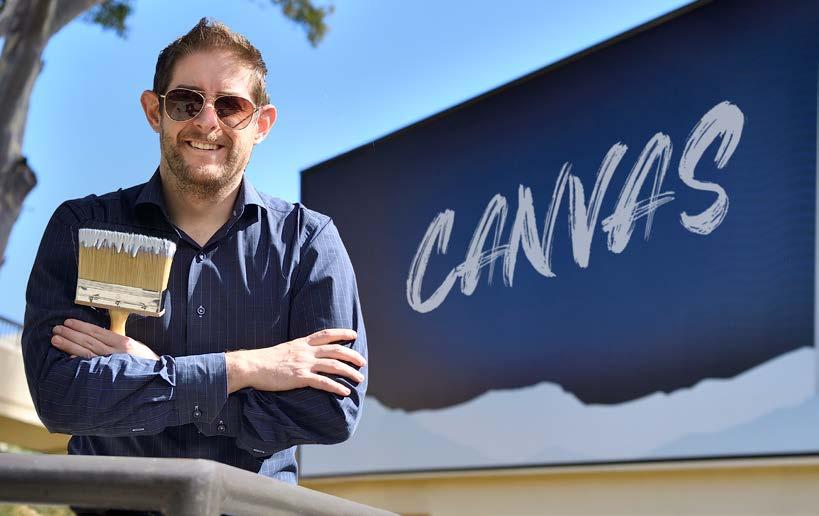
Right, IT Communications created both the image for the campaign to promote the transition to Pepperdine Canvas, as well as the logo, below, for the University’s new Learning Management System.

detailing which parts of Courses would come over to Canvas, which parts did not, and any revisions that might need to be made,” McFarland explained. “TechLearn sent out a mass email to faculty with a link to a Google Form where faculty would request a migration from Sakai to Canvas. And then TechLearn would communicate the faculty requests with my team using a Google Sheet.”
Buckingham would validate each migration request, and once complete, McFarland’s team would arrange to meet each faculty member on a first-come, firstserved basis to ensure that their content was ready to go.
“It was a lot of emotional support and coaching, because it feels very different from Sakai,” said McFarland. “Our full-time faculty had used Courses forever, and Canvas was very new to them.”
“We have had Sakai since 2009,” Buckingham noted.
“After more than a decade with one tool, moving to a new one, no matter how intuitive it may be, means there will be a learning curve for professors,” said Client Services Senior Director Alan Regan.
McFarland called the process “an interesting reverse.”
Adunct faculty were much quicker to get on board with Canvas, because a lot of other universities use it,” she observed. “So, if they’ve taught somewhere else, they’ve used it before. Whereas, our full-time faculty were really stressed by the transition.
“It was really important for them to have the combination of institutional support that TechLearn was providing with the resources, trainings, and communication, and then we could fill in the gaps with the individual support,” McFarland added.

“We’re in this together, and eventually this will feel easy.”
Hannah McFarland Senior Instructional Designer, Pepperdine Graziadio Business School
As Pepperdine’s 15-year relationship with Courses/Sakai winds down ahead of the June 1, 2026 deadline, the TechLearn team processed remaining migration requests and assisted the community in finding a home for any legacy project sites in Sakai, whether that’s Google Drive, Etrieve, or migrating to Pepperdine Canvas. The team will continue its communication campaign to all faculty, staff, and students, reminding them of their options to download content ahead of the early summer deadline.
In facilitating the transition to Pepperdine Canvas, TechLearn migrated more than 1,000 course and project sites and conducted more than 350 consultations, along with 23 training and planning workshops, and hosting three LMS Town Halls.
“This massive LMS transition could
not have been as successful as it has been without John,” said Regan. “He reached out to former Sakai schools and sought their advice. And he worked early with EIS (Enterprise Information Systems) to plan for the new data feeds, which are used to create the courses and enroll our students and faculty.”
“Ithink that there’s a solid number of faculty that really love Canvas,” McFarland noted. “They think it’s easier to use. It’s more intuitive, and it’s easy to figure out. I do feel that it has been harder for full-time faculty.
“We’re in this together, and eventually this will feel easy,” McFarland added. “TechLearn knew it was gonna be hard, but I think some faculty thought it was going to be just copy-pasting from Sakai. And it just hasn’t been. It’s a different platform. There’s no replacement for just really solid communication and collaboration when you’re going through change.”
For years, as Pepperdine University leadership attempted to compile a cohesive, institution-wide picture of key operational data, they were left feeling like they were on a frustrating digital archaeological dig. When it came time to report on institutional metrics, leaders would request data from across the University’s (then five) schools, only to be met with a deluge of reports.
These reports were often formatted differently and based on varying specifications, and in the most challenging scenarios, they produced contradictory numbers from the very same school. It was, as University Data Officer Lisa Welch described it, “the classic scenario.”
This fractured state of information painted a picture that Chief Information Officer (CIO) Jonathan See categorized as living in a DRIP state: Data Rich, Information Poor. The data existed in massive quantities, but the ability to translate it into reliable, actionable knowledge was severely limited by inconsistent processes and siloed organizations.
The Business Intelligence (BI) team worked to remedy this situation in the fall of 2016 by making the Data Stewardship program
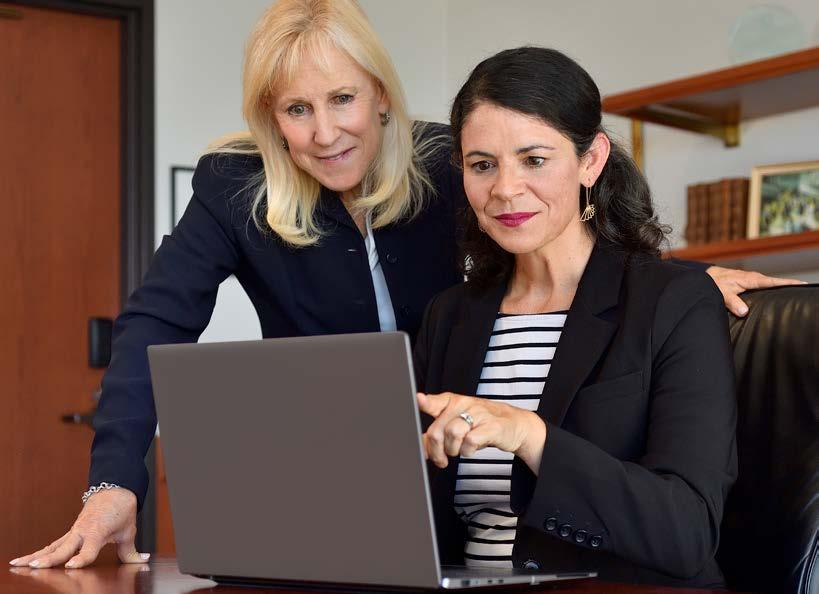
a University strategic initiative, relying on Data Partners throughout the University collaborating to develop a transparent data language and address data quality.
The opportunity to showcase this work arrived when Provost Jay Brewster approached See and Welch with a clear request: Could the BI group standardize the admissions reporting process for the President? Specifically, Pepperdine University President Jim Gash had seen and appreciated a clean, neat Excel template that the College of Health Science (PCHS) was using, and he simply asked, “I like this one. This is nice and neat—can we do this?”
I“This historical investment meant that what might have once taken years of targeted work by the BI staff, was now available through a BI dashboard.”
n fact, the foundation for this request dated back to 2016, when the data stewardship journey began. By the time the PCHS template caught the president’s attention, the necessary foundation had been built.
“We had almost everything that President Gash needed standardized in the warehouse and in other reports throughout our University Analytics,” Welch explained.
This historical investment meant that what might have once taken years of targeted work by the BI staff, was now available through a BI dashboard. At the next University Planning Committee (UPC) meeting, the BI group presented the report and rolled it out to the deans across the six schools.
It was a major institutional breakthrough.
The project’s success was anchored in two core principles that the BI group promoted. First came “The Single Source of Truth,” which is the philosophy that asserts that all University analytics and data should flow from one trusted reservoir. Provost Brewster immediately appreciated the gravity of the name, explaining that the phrase “Single Source of Truth” genuinely resonated with him.
“As a scientist, it does,” Brewster said, “and as a person of faith, it does. It’s the kind of language that is almost biblical. The idea that we all go to a single source of truth to fuel and understand our faith is one of those foundational statements in communities of faith.
“And when we talk about institutional data,” Brewster noted, “there’s nothing more frustrating than having different numbers
and a bit of a debate on the definitions, the terms, and the challenges relative to why the numbers aren’t precisely or ‘approximately precisely’ identical.”
The second principle, context and clarity, was achieved by ensuring the integration of the official Data Dictionary. This feature allows users to click a metric and instantly receive the University-agreed context and explanation of where the number originated. This transparency was essential for institutional trust, ensuring that everyone across the schools uses the same standardized criteria for terms like “enrolled.”
Dean Deborah Crown of Pepperdine Graziadio Business School (PGBS) spoke up as a major proponent of this foundational work.
“A data dictionary may not seem sexy, and yet it is so critical,” Crown said. “If you don’t have the foundation built correctly, you’re going to be making errors and you can’t make wise or innovative decisions without a solid foundation.”
Dean Crown’s enthusiasm for the new system, which solved a major challenge for PGBS’ complex portfolio of programs, was palpable during the UPC follow-up meeting with the deans. She felt that having the BI team pull together all the disparate data sources into a single, reliable document was “like Christmas morning!”
When Welch asked the Committee if there was any way that her team could make the dashboard even better, Dean Crown exclaimed, “I could literally hug you, right now!” leading to a room full of very happy, chuckling deans.
This years-long effort, which culminated in this high-level institutional adoption, represents the realization of a strategic goal. As CIO Jonathan See noted, the University has now begun a new chapter in its data journey.
“When we started the data stewardship journey in 2016, the University was in a DRIP state (Data Rich, Information Poor),” See reflected. “Today, we are beginning a new journey of DRIR (Data Rich, Information Rich), taking full advantage of clean data and making informed decisions. By embracing the “Single Source of Truth,” the BI group is not just delivering reports; it is fundamentally changing how Pepperdine University makes decisions, elevating institutional trust, and ensuring that strategic advancement is guided by a unified, accurate, and coherent picture of the institution.”
As the Mountain at Mullin Park rises into the Pepperdine University horizon, growing into a state-of-the-art athletics, events, fitness, and wellness complex, the IT department’s Senior Manager of Network and Telecom Services in Systems and Networking John Figueroa makes the rounds at the arena portion of the cornerstone facility. Dressed from head to toe in safety gear befitting the bustling construction site, Figueroa explained his role in the $250 million project.
“I am responsible for every single communication cable that comes in and out of the buildings,” he explained. “That’s every cable that connects every register, every television, every monitor, and every telephone that you see there. Anything that requires connectivity of some sort, I am responsible for.”
The Mountain project is divided into three sections: the parking structure–which is essentially completed–the arena, and the RISE building. As Figueroa surveys the arena site, he notes that all of the data cabling has been installed, including all the Wi-Fi locations and all of the rooms that require data.
“Construction still needs to procure the doors for all the office spaces, conference rooms, and more, because they need to secure the rooms in order for us to bring in the networking equipment,” said Figueroa. “We need to have an environment that is clean, has power, is lit, and energized (adequate voltage for the networking gear) for us to start activating electronics.”
Figueroa notes that the RISE building is scheduled to be completed by the end of July, which coincides with the University’s fiscal year and would allow the new site to host the 2026 New Student Orientation.

“We’re developing the project scheduling,” said Figueroa, “and it’s all pointing to a pretty hot and heavy run from March to June to get all the electronics connected and tested. People will need to start training on the endpoints, and the Audio Visual Technologies team will get familiarized with the production equipment.”
Figueroa’s supervisor and Director of Systems and Networking Dave Holden was quick to praise Figueroa’s dexterity and dedication on the project.
“John’s impact on the Mountain Project spans the entire lifecycle, from the earliest design meetings to the active construction site,” said Holden. “By advocating for University standards early on, he ensured our infrastructure was part of the building’s DNA rather than an afterthought. Just as importantly, he has worked shoulder-to-shoulder with contractors to verify installations and solve problems in real-time, serving as the critical link between the architectural vision and the digital reality of this complex facility.”
Figueroa put a personal spin on his approach to this particular project.
“When you’re there when the building is just getting started, you may not see the big picture,” he explained. “And once it’s all completed, you don’t really see all of the things that you saw before it was a finished product. I was part of that building being built and helped with a portion of the design.
“From my role, I see it from both sides of the coin,” Figueroa continued. “I am part of that old-school generation that will make a big fuss if a cable is out of place. Because in our eyes, you should be able to see a cable from where it begins and eyeball it to where it ends on the other side. And that’s one of the reasons that I love what I do.”
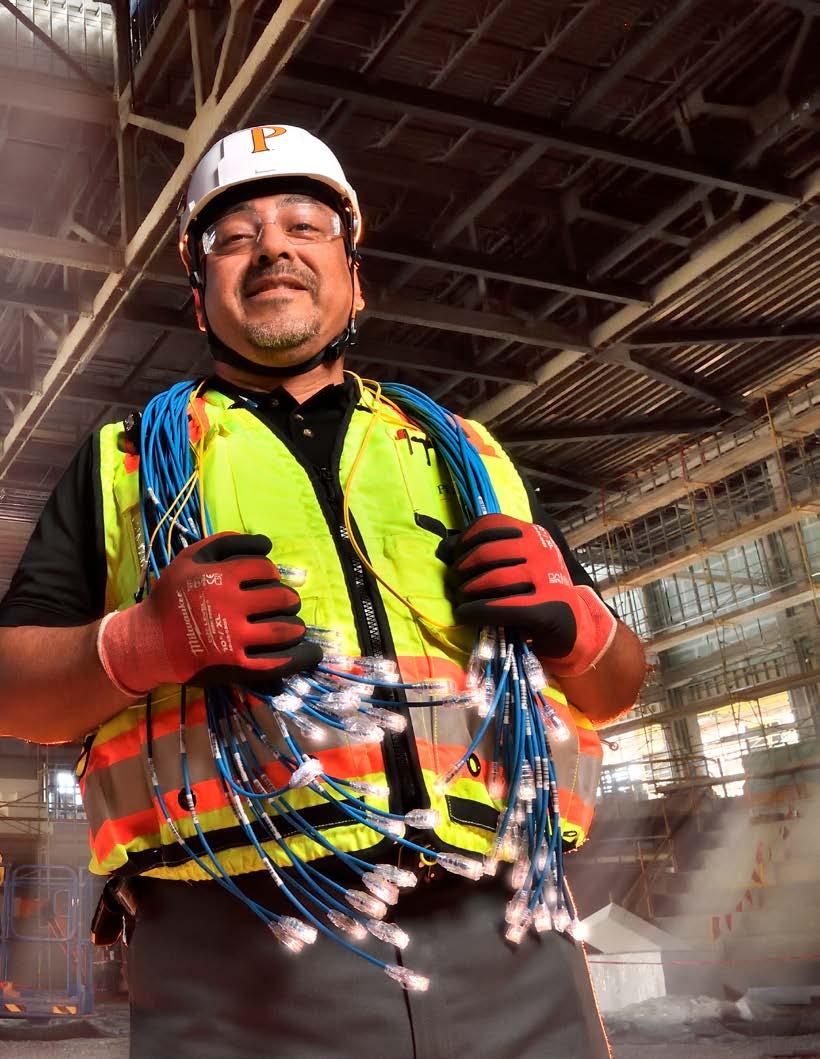
Left , Pepperdine IT’s Senior Manager of Network and Telecom Services in Systems and Networking John Figueroa stands in the arena in The Mountain at Mullin Park on the University’s Malibu campus in Q3 of 2025
IT teams support the College of Health Science Fall launch, from campus infrastructure to LMS integrations and much more
“In the beginning.” There may not be a more powerful threeword kickoff to a story about the magic of creation and collaboration, and the collective efforts of the Pepperdine IT department to bring the College of Health Science (PCHS) to life in 2025.
“We really had to build everything from the ground up,” said College of Health Science Director, Accreditation and Assessment Bob Emrich. “There were no existing programs to develop or modify, and so everything had to be developed from the very beginning including all of the technology behind all of our programs. When you’re building a program from scratch, there’s just so much detail.
“The beginning of the story was just getting something developed in our systems that we could point to and say, ‘This is our program, and this is the way it’s going to be set up,’ Emrich continued. “In fact, Michael Shiver and the PeopleSoft team were joined by Randi Redman and Dana Papenhausen from the Registrar’s side.
“And then we put together a complete program in the PeopleSoft test environment,” Emrich added. “And we had to do that before the actual program, because we had to prepare for the accreditor review. So, our very earliest applications required something substantive in our system. Even before we were ready to really develop a program, we developed a program.
“So, they did all of this work twice,” Emrich said. “Because we developed it once for the reviewer, and then, of course, we did it again for the actual implementation. And that had to happen for both the speechlanguage pathology program and the nursing program. So, in terms of IT and PeopleSoft, that’s really where the story began.”
Founding Dean, College of Health Science Michael Feltner framed the work to launch PCHS.
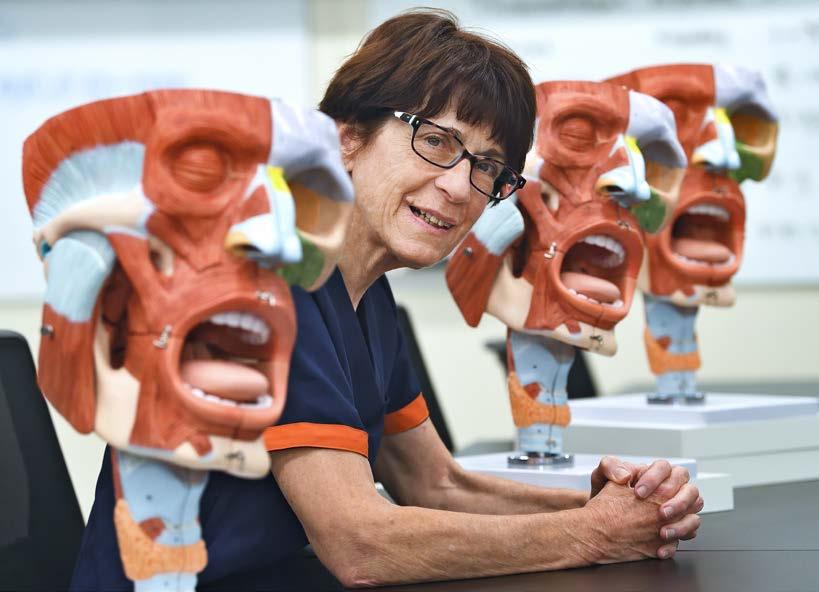
“It would be infrastructure and equipment; getting our employees on the network and making them functional from an IT standpoint; and then (ramping up) Canvas for our academic support,” Feltner explained. “I think my initial engagements with IT would have been through Planning Operations and Construction as we were designing the facility. Once we started making decisions on the equipment and saw its technological sophistication, IT was very involved in developing infrastructure and making sure our simulation center and labs were all going to function well.
“Iwould say the migration from Courses Sakai to Pepperdine Canvas was critically important for PCHS,”
Feltner continued. “We really needed to be on Canvas to integrate with our other tools and our assessment platform. The timing of the migration to Canvas and the support as we’ve developed our classes in Canvas have been incredibly important. The amount of technical integration that went in to support our admission and enrollment management was hugely significant.
Bob Emrich was our Manager of Academic Development and has changed roles to the Director of Accreditation and Assessment,” said Feltner. “He worked very, very, very closely with Alan Regan and TechLearn to facilitate our assessment.”
Regan’s team stepped up and immediately got to work.
“When the College of Health Science needed help designing a prototype class for their speech-language pathology program,” said Senior Director, Client Services Alan Regan, “there wasn’t another team available at the time, so IT stepped up and our Technology & Learning group partnered with them.
“Senior Manager of Technology & Learning Jordan Lott was crucial in hiring the new staff we needed for that temporary instructional design team within IT,” Regan noted. “He interviewed and hired the team of four staff members that ultimately produced the final prototype for that SLP 614 class: a critical component of getting the fall launch.”
Next, Lott and TechLearn’s Learning Innovations Lead John C. Buckingham were central in working with PCHS to identify tools that the school planned to use in Pepperdine Canvas.
Below, Pepperdine University Senior Director, Project Management Office Rita Schnepp prefers to hear from everyone involved in her projects.
TechLearn made extra time to meet with vendors and determine the right path to add these tools to Pepperdine’s learning management system. Those accommodations were vital in integrating the new tools with Pepperdine Canvas.
Regan had a completely different application to introduce to PCHS.
“While John, Jordan, and Domenic Scozzafava worked on Enflux and ExamSoft,” said Regan, “I was getting Pepperdine Syllabus ready.
“We worked quite a lot with PCHS to develop the appropriate templates,” said Regan. “And it wasn’t just Nursing: they wanted to adopt the platform for the entire College. That was intense. That was months of work, developing the template,
cross-training the appropriate people, and providing training options for their faculty.
“The Deans asked for a copy of all of the syllabi for the term,” Regan added. “Our new solution made it easy. In just a couple clicks, you can get a zip file of all of the PDFs in one quick operation, rather than having to hunt down each one and somehow compile them. The new system’s ease of use was tremendous for them.”
Next up: the construction phase.
“Two of the founding Deans–Dr. Leah Fullman and Dr. Angel Coaston–had to take an accreditation committee through the new build in Calabasas ahead of a March 3 deadline toward accreditation,”
said IT’s Senior Director, Project Management Office Rita Schnepp. “That was our first milestone, and we reached it despite the catastrophic wildfires taking place in Southern California in late 2024 and into 2025.
“Traffic and shipping were a nightmare,” said Schnepp. “Fires affected the construction and network-building phase because parts were delayed. And the electricians who were building the conduit for the new computer network had to drive for hours instead of the routine 45 minutes into Calabasas from the Valley. You can imagine what that will do to a project.
“The difference makers were honestly John Figueroa and Elias Armenta,” Schnepp said confidently.
“John wasn’t expecting to have to micromanage contractors who were trying to go home early because they didn’t have materials to work with,” Schnepp explained. “But John kept them busy and connected the dots for them, helping them find other work that needed to be done. He also had to install power adapters and temporary ethernet cables just to get equipment running for the contractors.
“And Elias has a great story too,” Schnepp smiled.
“Elias had to install seven 48-port Cisco switches for all these ‘manikins’ as well as all the ethernet cameras and audio equipment,” Schnepp began. “You can do the math on seven times 48 to figure out how much work that is.”
To understand the vital role of these Cisco switches, you have to understand that the jewel of the PCHS facility is the school’s five clinical simulation rooms complete with sophisticated manikins. These “patient simulator” devices deliver incredible realism including spontaneous breathing with heart and lung sounds, pulses, dilating pupils, and more.
Students work in the simulation rooms to improve their diagnostic skills, as instructors feed the manikins data from a simulation control room that sits behind a
Silence is not golden in the world of project management.”
Rita Schnepp Senior Director, Project Management Office Information Technology
two-way mirror in each simulation room. There are multiple cameras in each room complete with audio feeds, and it is all recorded onto a server so that all the work that takes place can be reviewed with the students as part of their training.
This is state-of-the-art technology in modern medical instruction. And it all needed to go through the Cisco switches that hadn’t arrived because they were two months behind, which would have caused the project to miss the crucial March 3 deadline for state accreditation.
“Well, Elias checked our inventory, and he found that the exact same Cisco switches that had been ordered for the project are the model we use for emergencies,” Schnepp said.
Armenta immediately reached out to Senior Associate Chief Information Officer Kevin Phan and Director, Systems and Networking Dave Holden to confer and get approval to install the switches in IT’s inventory and push the project forward.
“Kevin said yes, and Elias’ willingness to speak up genuinely saved the project,” said Schnepp.
“We joke about herding cats in project management,” Schnepp smiled.
“Sometimes people all want to talk at once, because they’re excited. That’s better than when they quietly hide their problems and they’re being too quiet. Silence is not golden in the world of project management. Elias proved why.”
IT partnerships succeed because they’re built on communication. Being proactive drives the department’s success from year to year, because there’s always one more thing that requires attention. That was never more true than In 2025.
“Jordan was essential in making the Pepperdine Canvas integrations happen,” noted Regan. “He worked directly with Bob Emrich, asking the wonderful question, “Anything else?” so they could plan for it, and work toward it at every step along the way.”
Working forward, the College of Health Science keeps building, layer after layer.
“We have Canvas as our LMS, Enflux as our analytics, and we have CORE ELMS, which is our clinical management system,” said School of Nursing Dean Angel Coaston.
“We have ATI, which is an assessment system,” Coaston added. “We have ATI EHR Tutor, which is an electronic health record simulation. We have KbPort, which is a medication dispensing simulator. LearningSpace is our simulation management system, then we have CastleBranch, which is our compliance, and we have Navigate360, which is student success. These technologies help support the faculty, and the student experience.
“We can’t do health care nursing without technology,” said Coaston. “I see technology in the build, and also in the sustainability and quality improvement of our program.
“I’ve been around healthcare a long time, and worked with CIOs in health systems,” Coaston summarized. “So, I know that it’s a lot of work to make our technology work seamlessly and feel almost…magical.”
The generations-old adage of “nice guys finishing last” has been a cynical nod to the idea that success often requires a sharp elbow and untethered ambition. But IT’s Manager, Campus Solutions EIS (Enterprise Information Systems) Michael Shiver embodies the welcome reality that good work doesn’t go unrewarded.
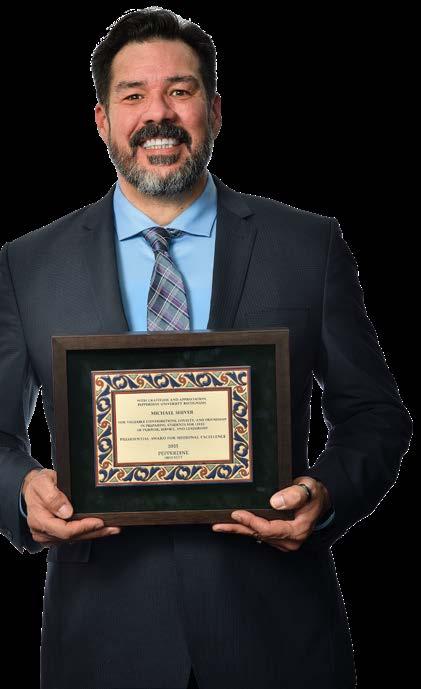
That fact was reinforced on October 29, 2025, at the annual Pepperdine Honors Ceremony on the Malibu campus, when Shiver became the first member of the IT department to receive the Presidential Award for Missional Excellence (PAME).
This annual award recognizes one faculty and one staff member who embody Pepperdine’s mission and exemplifies excellence in their professional and community lives. It is a recognition of profound purpose, service, and leadership, and it includes a $2,000 cash prize.
Executive Vice President & Chief Operating Officer Phil Phillips introduced Shiver, praising the quiet leader who began his career at the University in 2019. Phillips highlighted Shiver’s core character, noting that he is known for his “positive, can-do attitude,” and his approach to every challenge with humility and a deep sense of purpose.
For Shiver, who admits he does not like the spotlight or awards, the honor was a complete surprise. Yet, he views it as the most meaningful of his career because he sees it as recognition from his peers and the University.
“I was really honored and a little dumbfounded that I got this award for just doing my job,” Shiver said, immediately crediting his colleagues for their shared success. “This definitely is not a ‘me’ award; everybody makes me look good because they are willing to work and willing to learn. That’s the key.”
Shiver’s commitment to empowering his colleagues and solving mission-critical problems spans 25 years of PeopleSoft experience. In his roles, he has become a champion for
maximizing the functional capabilities of PeopleSoft, the University’s enterprise resource planning platform since 2008.
University Registrar Sara Turki has been working closely with Shiver for more than two years, calling him “vital and instrumental” to the student information system (SIS).
“He’s committed to problem solving, streamlining processes, and enhancing system functionality,” Turki said. “There’s really no way around what we do if PeopleSoft wasn’t functioning the way that it does, and I attribute that to Michael and his team.”
That team is currently collaborating on a major project to revamp the Degree Audit Report (DAR), which serves as the program plan for all University schools. The report, which guides students, faculty, and academic staff, had not been significantly updated since PeopleSoft’s launch in 2008. Shiver’s efforts are reconfiguring the entire process, significantly improving the student and administrative experience.
Perhaps the most visible and impactful example of Shiver’s service and technical prowess was his work through the COVID-19 outbreak.
“During the pandemic, when our University faced the challenges of COVID, he led the design and implementation of the campus-wide reporting system that helped keep our community safe, informed, and compliant—an effort that reflected both technical mastery and heartfelt care,” Phillips noted.
“I think it’s exceptional that he’s the first person in IT to get the award, and I think it’s super exceptional that he earned it while he was deep into a remote work job,” said Senior Director of IT Enterprise Information Systems Scott Bolan. “We’ve been remote since the start of COVID, and so his ability to connect with people is really exceptional.”
The complex system required Shiver to work in lockstep with teams across the University, including the Student Health Center, the Registrar’s office, and Seaver College administration.
“During the pandemic, as we were planning for Seaver students to return to campus, it was very important to faculty to be able to view the vaccination status of the students in their classes in case we had faculty who were immunocompromised or living with individuals who were immunocompromised,” said Assistant Provost for Strategic Initiatives Kendra Killpatrick.
“All of this work was hard work and time sensitive work, and Michael managed all of the data and any problems with calm and steady leadership,” Killpatrick added.
Shiver was also a pivotal figure in enabling the transition to online course modality for Seaver College, a major shift that the
“I can genuinely say that I’ve never had a bad day at work. Michael’s influence and levelheadedness just has such a calmness to it...”
Amanda Echeverri Lead Business Analyst, PeopleSoft Campus Solutions
Enterprise Information Systems
College had never undertaken before the pandemic.
Shiver’s mission-driven approach extends beyond crisis management and into the continuous project of fostering a culture of learning and technical progress. He helped Seaver College implement and maintain its Navigate advising platform and mobile app. He worked with Navigate’s Education Advisory Board team on technical needs, created new WaveNet buttons for faculty and student ease of access, and recently helped onboard the College of Health Science into the platform.
“Change management is a big thing; that’s key to keep things progressing,” Shiver explained. “Everyone wants to learn. That’s the good thing. We have a really good university that wants to progress, and they want to learn. That makes my job so much easier”.
The mission-driven philosophy is perhaps most profoundly felt by those who work with him daily.
When Associate Registrar Dana Papenhausen ran into a problem with a complex SQL query for diplomas, Shiver helped him troubleshoot and fix the record duplication issue, making the process of mailing diplomas to students easier and more timely.
“Whenever I get stumped, Michael will fix my code and then take the extra time to explain exactly how things work,” Papenhausen noted.
Lead Business Analyst, PeopleSoft Campus Solutions
Amanda Echeverri affirms that her team’s morale under Shiver is unmatched. She calls Shiver an excellent teacher who took her own PeopleSoft knowledge to another level, enabling her to solve problems independently and take on new projects.
“I can genuinely say that I’ve never had a bad day at work,” Echeverri smiled. “Michael’s influence and level-headedness just has such a calmness to it, that I feel very secure that I have a team and a leader who’s really going to show us where we are, where we need to go, and how to get there.”
Leading up to 2025, the conversation around Artificial Intelligence (AI) at Pepperdine University often felt like an introduction, a moment for trial and consideration. In 2025, that approach fundamentally changed. Chief Information Officer (CIO) Jonathan See summarized the transformation by stating, “AI is no longer a niche tool; it is an institutional commitment.”

Pepperdine Information Technology (IT) has spent the year moving past research and assessment to actively partnering with the community to shape the University’s future, which allowed us to confidently infuse this stored energy into the rollout of all these AI tools and strategies
“This three-tier process focuses heavily on data privacy and security to determine what level of oversight is necessary for adoption.”
This explosive shift saw the launch of University-approved AI tools, the establishment of robust governance and best practices, a massive community education campaign, efforts to create automated workflow initiatives, and the creation of a new position dedicated solely to exploring the emerging technological landscape.
The foundation of Pepperdine’s comprehensive AI strategy is a careful, deliberative process designed to protect the community and its sensitive data. The institution’s efforts began with the Provost’s AI Task Force, which worked with the schools, University administration, and IT to generate the AI Use Syllabus Statements. Released in July 2023, these statements were intended to help professors develop appropriate policies and guidance for student use of AI tools within a course.
This initial work eventually evolved into a more formal oversight group with the formation of the AI Oversight Committee. CIO Jonathan See noted that the process used by this committee to review and approve major AI tools was paramount. The committee serves a crucial role in assessing and approving tools that the campus community can use for day-to-day work, ensuring they are safe enough for University data. This proactive approach to vetting is essential, as simply adopting any tool without proper review would put the institution at risk.
“Our users will know that careful review was put into place to protect them and the data that they use versus simply adopting any tool that is made widely available from any vendor,” said See. “That puts us at risk if we don’t go through that process.”
To systematize this careful review, IT’s Innovative Development team crafted a robust framework for Tiered Trust related to AI tools. This three-tier process focuses heavily on data privacy and security to determine what level of oversight is necessary for adoption. For instance,

Tier 1 is reserved for low-risk items that use only public data, requiring no institutional oversight, though the community is kindly asked to disclose which tools they plan to use. Tiers 2 and 3 have increasingly risky data, thus increasing oversight requirements.
Following the successful vetting process, IT moved forward with a full-scale launch of two approved, enterprise-level tools for the community: Google Gemini for Education and Zoom AI Companion. This comprehensive launch effort involved a collaborative approach led by the IT Training team of Jordan Lott, DeJuan Oliver, and Isha Brown to implement features, plan communication, compile documentation, and deliver new workshops.
To provide a single resource hub and ensure continuity of information, IT created a dedicated AI website for faculty, staff, and students, providing insight and direction on a variety of topics:
• AI at Pepperdine
• Google Gemini
• Zoom AI Companion
• Tiered Trust
Left, Pepperdine IT’s Emerging Technologies Analyst Kiana Felker demontsrates a pair of wearable Ray Ban smart glasses which integrate technology for hands-free photo/video capture, audio playback, communication, and AI assistance.
In addition to the resource hub, IT updated and expanded its guidance on AI use, creating four key “Best Practices” centered around:
• Data privacy and security.
• Getting good output through better prompts.
• Verifying all AI content/ output.
• Being transparent, mindful, and ethical about AI usage.
To ensure the Pepperdine community could leverage the new tools effectively and ethically, the IT Training team made AI awareness a priority, leading the charge in change management. Over the fall, IT Training conducted a robust communication campaign, including email announcements throughout August, September, and October, followed by a series of training workshops.
The team delivered introductory and advanced sessions, including Gemini Essentials, Gemini Advanced: Deep Research & Workspace Integrations, and Zoom’s AI Companion. The effort saw high engagement, with 513 total sign-ups and an impressive 60 percent average attendance rate across all sessions.
Feedback from attendees was highly positive and praised the fantastic work, thought process, and kind delivery of the IT Training team. Testimonials lauded the training for being clear and easy to understand, with attendees recognizing the tools’ potential for significant efficiency gains. For instance, one attendee of the Zoom AI Companion session noted, “I think it will be a huge efficiency gain,” while an attendee of the advanced Gemini
course noted the “incredible advantage this workspace integration piece will give everyone on a daily basis.”
Looking ahead, IT Client Services has taken the important step of institutionalizing the exploration of new technologies with the addition of a new role: Emerging Technologies Analyst. The position was designed to assist in driving the University toward operational excellence. The role will focus on continuously monitoring, learning, and synthesizing advancements in emerging technologies, specifically including generative AI. This research is focused on business process efficiencies and effective integration strategies, ensuring that the knowledge gained is shared across Client Services and the wider IT department.
Meanwhile, ITs Innovative Development team is expanding work on programmatic and automation initiatives to safely and effectively use enterprise-level AI for deeper data analysis, predictive modeling, and resource management. This includes leveraging a more powerful enterprise version of Gemini with improved connectivity to institutional data sources.
The goal is to help teams “work smarter, not harder” by automating certain systematic processes that are often time-consuming for an individual, but could be completed quickly by an AI tool. IT is also partnering with the College of Health Science to create a chatbot for their website.
The collective effort across the IT department—from governance and infrastructure to training and forwardlooking research—demonstrates that Pepperdine has moved beyond the initial evaluation phase of AI. By strategically adopting AI, Pepperdine is guided by integrity and innovation as we advance academic achievement while maintaining ethical standards and practices.
In 2025, many Pepperdine IT staff members stepped up to share their knowledge and experience as guest speakers on a variety of technical topics. Some team members traveled to conferences from Florida to Japan, while others provided their expertise in online events. Here is a brief summary of those contributions.
Associate Chief Information Officer Gerard Flynn, right, was named chairman of the “AI in Education” track at The 17th Annual Asian Conference on Education in Tokyo, where he presented, “Infotainment in Education: Teaching Generative AI Through Narrative-Based Learning in Business.”

Event: SoftDocs User Conference
Location: Online
About:
Attendees learned how to use Etrieve/Softdocs to create records of computer setups and decommissions, and integrate them into KACE device management software to track inventory and maintain data integrity.

Event: InfoComm 2025
Location: Orlando, FL
About:
Attendees learned how Pepperdine’s Audio Visual Technologies team used data-driven methods to create a self-feeding process loop that guided the five-person team to effectively manage 200 classrooms across multiple campuses.

Event: InstructureCon 2025 Location: Spokane, WA
About:
This session detailed Pepperdine’s meticulous transition to Canvas through surveys, focus groups, and more, while navigating community culture and positive reviews of a long-tenured LMS to make an informed decision.

Event: NW/MET
Location: Boise, Idaho
About:
Attendees heard about the system that Pepperdine’s Audio Visual Technologies team used to track chronic issue resolutions among the high volume of support requests across hundreds of classrooms, without losing focus on day-to-day support.

Event: NW/MET
Location: Boise, Idaho
About:
Felker led a conversation about how Pepperdine’s AV Technologies (AVT) team collected anecdotes from specific faculty to inform AVT on how they interacted with classroom AV systems in order to drive more effective classroom design.

Event: InstructureCon 2025
Location: Spokane, WA
About:
This session detailed Pepperdine’s meticulous transition to Canvas through surveys, focus groups, and more, while navigating community culture and positive reviews of a long-tenured LMS to make an informed decision.

Event:
EDUCAUSE New Managers Institute
Location: Online
About:
Based on device lifecycles, the team discussed the procurement process, centralizing through one supplier. Using Etrieve, the endpoint management software automated the process from setup through decommissioning.

Mendez
Event:
EDUCAUSE New Managers Institute
Location: Online About:
Based on device lifecycles, the team discussed the procurement process, centralizing through one supplier. Using Etrieve, the endpoint management software automated the process from setup through decommissioning.