Preface
This book complements a course designed to teach object-oriented programming using the syntax of the C++ language. It will also prepare students for advanced concepts such as data structure and design patterns. Students who have completed this course will be ready to take on any other object-oriented language course, a data-structure course, or a course about design patterns.
What Is the C++ Language?
C++ is a progressive programming language derived from its predecessors, the C language and the B language. The C++ language expands the idea of a struct to a class in which different objects can be created from one single definition of a class with different values for each data element.
Furthermore, the C++ language explores the idea of object-oriented languages that simulate real life. In real life, we define a type and then we have objects of that type. In the C++ language, we define a class and then we create objects from that class. C++ also includes the idea of inheritance. In inheritance, we can create a class and then extend the definition to create other classes, just as in real life where the idea of an animal can be extended to create the idea of a horse, a cow, a dog, and so on.
Perhaps the most interesting addition to C++ is the idea of polymorphism. Polymorphism gives us the ability to write several versions of an action with the same name to be used by different objects. This practice is found in real life when we use the verb open. We can say that we open a business, open a can, open a door, and so on. Although the word open is used in all cases, it elicits different actions on different objects.
The most recent additions to C++ include the Standard Template Library (STL), a collection of predefined complex objects and actions that can be applied to those objects, as well as design patterns to make problem solving more efficient and coherent.
Why This Book?
The book has five distinctive goals as discussed below.
Teach Computer Programming
The book can be used as the first course in computer programming using the C++ language as the vehicle. Chapters 1 to 6 are designed for this purpose. They discuss computer systems and languages. They also discuss the basics of the C++ syntax and program controls, such as decisions and repetitions. Chapters 1 to 6 are essential to learning programming using the C++ language.
Teach the Syntax of the C++ Language
Chapters 7 to 12 are essential in the study of object-oriented programming. Although Chapters 8 and 9 are not directly related to the object-oriented features of C++, we believe that these two chapters can be taught after students understand the basics of object-oriented programming, which are discussed in Chapter 7.
Present New Features of C++
Chapters 13 to 17 discuss other topics normally taught in a first or second course in programming. They can be taught in any order.
Discuss Data Structure and Introduce the STL Library
Chapters 18 and 19 are an introduction to data structures. They prepare students for a course in data structures.
Introduce Design Patterns
Chapter 20 (which can be found online) gives simple and alternative solutions to some typical problems in object-oriented programming that would be more difficult to solve if patterns were not used. Chapter 20 gives students an insight to object-oriented programming through a set of standard solutions to specific problems. Although design patterns are normally taught in computer graphics courses, we have applied them to nongraphic problems for students who have no graphical programming experience.
Course Outline
The twenty chapters of the book are outlined in the following figure.
Chapter 1
6
7
10
11
12
8
19 Chapter 20
Appendices
Object-oriented concepts
Can be taught in anywhere after chapter 7
Can be taught if time allows (second course)
Data structures (optional)
Design patterns (optional) Basic C++ language
Appendices can be found online and are divided into six categories.
References
Appendices A to E are designed to be used as references for students. Students may need to consult these appendices when studying chapters in the book.
Language Knowledge
Appendices F and G give students information about how C++ prepares a source code for compilation and how it handles names in different sections.
Advanced Topics
Appendixes H to O discuss some advanced topics that were added to C++. They can be taught in the class, or students can use them as a source of additional information.
Brief Review of C++ 11
Appendix P gives a brief review of C++ 11 topics that were not discussed in the appendices that discussed advanced topics.
Brief Review of UML
We have used UML diagrams in the text. Appendix Q provides general insight into UML as a tool for designing object-oriented projects.
Bitset
The concept of bitset becomes more popular when C++ is used in network programming. We have included this topic in Appendix R.
Instructor Resources
Accompanying this text are several additional resources which can be found online at www .mhhe.com/forouzan1e. These include CheckPoint questions that help instructors gauge student understanding after reading each section of a chapter. True/false and review questions are also available to further test student’s knowledge. Complete solutions to the CheckPoint features, true/false questions, review questions, and problems are provided as well. Lastly, Lecture PPTs, text image files, and sample programs are provided as well.
Acknowledgments
We would like to express our gratitude to the reviewers of this text. Their insight and suggestions over the last few years greatly influenced this first edition. In alphabetical order, the reviewers are as follows:
Vicki H. Allan, Utah State University
Kanad Biswas, Institute of Technology, Delhi
Gary Dickerson, Union College
Max I. Formitchev, Maximus Energy
Cynthia C. Fry, Baylor University
Barbara Guillott, Q&A Analyst, CGI, Lafayette, LA
Jon Hanrath, Illinois Institute of Technology
David Keathly, University of North Texas
Robert Kramer, Youngstown State University
Kami Makki, Lamar University
Christopher J. Mallery, Principal Software Engineering Lead for Microsoft
Michael L. Mick, Purdue University, Calumet
Amar Raheja, California State Polytechnic University, Pomona
Brendan Sheehan, University of Nevada–Reno
At McGraw-Hill, we would like to thank the following editorial and production staff: Thomas Scaife, Senior Portfolio Manager; Suzy Bainbridge, Executive Portfolio Manager; Heather Ervolino, Product Developer; Shannon O’Donnell, Marketing Manager; Patrick Diller, Business Project Manager; and Jane Mohr, Content Project Manager.
This page intentionally left blank
Introduction to Computers and Programming Languages
In this chapter, we describe the components of a computer system and discuss the general ideas behind computer languages. The overview provided in this chapter will help prepare you for future chapters. You can skip the chapter in the first reading and return to it when you have a better understanding of programming.
Objectives
After you have read and studied this chapter, you should be able to:
• Discuss the two major components of a computer: hardware and software.
• Describe the six parts of hardware: CPU, primary memory, secondary storage, input system, output system, and communication system.
• Describe the two major categories of software: system software and application software.
• Describe the evolution of computer languages from machine languages, to assembly languages, and to high-level languages.
• Discuss four different paradigms of computer languages: procedural, object-oriented, functional, and logic.
• Describe the two steps of program design: understand the problem and develop a solution.
• Describe the multistep procedure that transforms a program written in the C++ language to an executable program.
1.1 COMPUTER SYSTEM
A computer system is made of two major components: hardware and software. The computer hardware is the physical equipment. The software is the collection of programs (instructions) that allow the hardware to do its job.
1.1.1 Computer Hardware
The hardware of a computer system consists of six parts: a central processing unit (CPU), main memory, secondary storage, the input system, the output system, and the communication system. These components are connected together by what is called a bus. Figure 1.1 shows these six components and their connection.
Central Processing Unit (CPU)
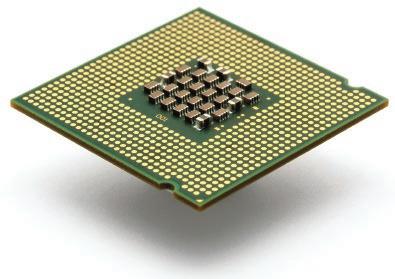
The central processing unit (CPU) consists of the arithmetic-logical unit (ALU), the control unit, and a set of registers to hold data temporarily while being processed. The control unit is the traffic cop of the system; it coordinates all the operations of the system. The ALU
executes instructions such as arithmetic calculations and comparisons among data. Figure 1.2 shows the general idea behind a central processing unit.
Primary Memory
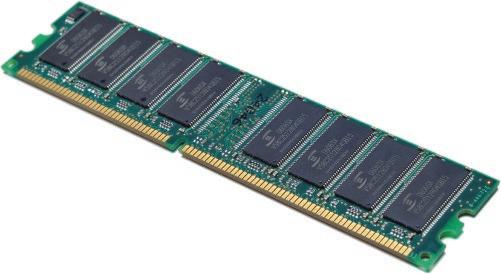
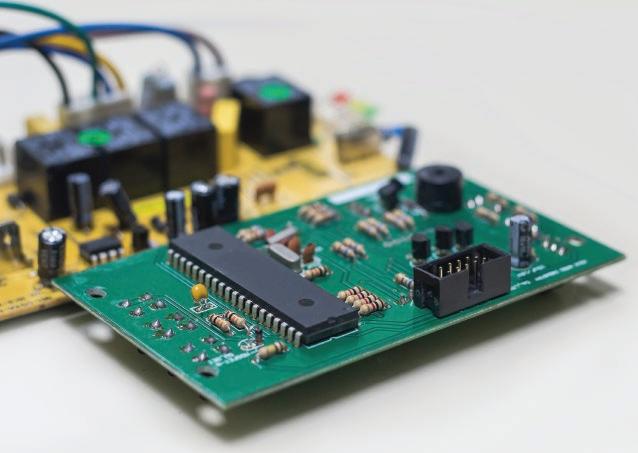
Primary memory is where programs and data are stored temporarily during processing. The contents of primary memory are lost when we turn off the computer. Figure 1.3 shows primary memory in more detail. Each storage location in memory has an address, much like a street address, that is used to reference the memory’s contents. The addresses in Figure 1.3(a) are shown on the left as numbers ranging from zero to (n – 1), where n is the size of memory. In Figure 1.3(b) the address is shown symbolically as x
1.3
Figure 1.1 Basic hardware components
Central processing unit (CPU)
Registers
Figure 1.2 Central processing unit (photo) ©leungchopan/Getty Images
Figure
Primary memory (photo) ©Simon Belcher/Alamy
Generally, each address refers to a fixed amount of memory. In personal computers, the amount of storage accessed is usually one, two, or four bytes. In large computers, it can be many bytes. When more than one byte is accessed at a time, word rather than byte is usually used for the memory size.
In general, primary memory is used for three purposes: to store the operating system, to store the program, and to store data. The type of data stored is dependent on the application. In Figure 1.3, we demonstrate three different types of data: an integer (256), a real number (15.34), and a string (Hello).
Secondary Storage
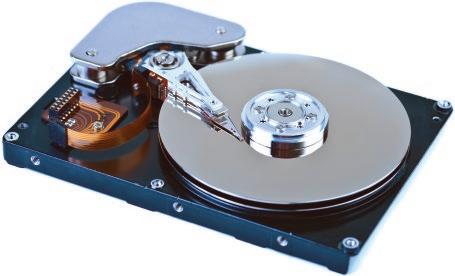
Programs and data are stored permanently in secondary storage. When we turn off the computer, our programs and data remain in the secondary storage ready for the next time we need them. Examples of secondary storage include hard disks, CDs and DVDs, and flash drives (Figure 1.4).
Input System
The input system is usually a keyboard where programs and data are entered into the computer. Examples of other input devices include a mouse, a pen or stylus, a touch screen, or an audio input unit (Figure 1.5).
Output System
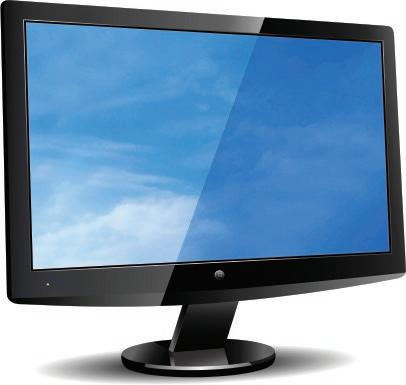
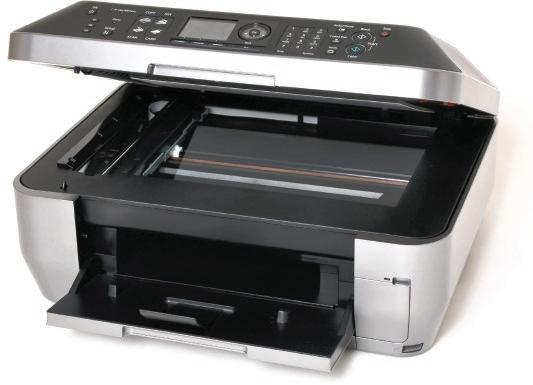
The output system is usually a monitor or a printer where the output is displayed or printed. If the output is displayed on the monitor, we say we have a soft copy. If it is printed on the printer, we say we have a hard copy (Figure 1.6).
Communication System
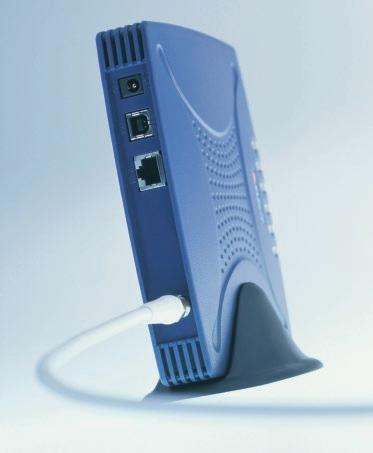
We can create a network of computers by connecting several computers. Communication devices are installed on a computer system for this purpose. Figure 1.7 shows some of these devices.
Figure 1.4 Some secondary storage devices
©Shutterstock/PaulPaladin; ©David Arky/Getty Images; ©McGraw-Hill Education
Figure 1.5 Some input systems
©JG Photography/Alamy; ©Keith Eng 2007
1.1.2 Computer Software
Computer software is divided into two broad categories: system software and application software. This is true regardless of the hardware system architecture. System software manages the computer resources. Application software, on the other hand, is directly responsible for helping users solve their problems.
System Software
System software consists of programs that manage the hardware resources of a computer and perform required information processing. These programs are divided into three groups: the operating system, system support, and system development.
Operating System The operating system provides services such as a user interface, file and database access, and interfaces to communication systems. The primary purpose of this software is to operate the system in an efficient manner while allowing users access to the system.
System Support System support provides system utilities and other operating services. Examples of system utilities are sort programs and disk format programs. Operating services consist of programs that provide performance statistics for the operational staff and security monitors to protect the system and data.
System Development System development software includes the language translators that convert programs into machine language for execution, debugging tools to assure that the programs are error-free, and computer-assisted software engineering (CASE) systems that are beyond the scope of this book.
Figure 1.7 Some communication devices
©Ingram Publishing; ©somnuek saelim/123RF
Figure 1.6 Some output systems
©Roy Wylam/Alamy; ©Stephen VanHorn/Alamy
Application Software
Application software is broken into two categories: general-purpose software and application-specific software.
General-Purpose Software General-purpose software is purchased from a software developer and can be used for more than one application. Examples of general-purpose software include word processors, database management systems, and computer-aided design systems. These programs are called general purpose because they can solve a variety of user computing problems.
Application-Specific Software Application-specific software can be used only for its intended purpose. A general ledger system used by accountants and a material requirements planning system used by engineers are examples of application-specific software. They can be used only for the task they were designed for; they cannot be used for other generalized tasks.
1.2 COMPUTER LANGUAGES
To write a program for a computer, we must use a computer language. Over the years, computer languages have evolved from machine to symbolic to high-level languages and beyond. A time line for computer languages is seen in Figure 1.8.
1.2.1 Machine Languages
In the earliest days of computers, the only programming languages available were machine languages. While each computer still has its own machine language, which is made of streams of 0s and 1s, we no longer program in machine language.
The only language understood by a computer is its machine language.
1.2.2 Symbolic Languages
It became obvious that not many programs would be written if programmers continued to work in machine language. In the early 1950s, Grace Hopper, a mathematician and a member of the United States Navy, developed the concept of a special computer program for converting programs into machine language (see Figure 1.9).
Her work led to the use of programming languages, which simply mirrored the machine languages using symbols, or mnemonics, to represent the various machine language instructions. Because they used symbols, these languages were known as symbolic languages. A special program called an assembler is used to translate symbolic code into machine language. Because symbolic languages have to be assembled into machine language, they soon became known as assembly languages. This name is still used today for symbolic languages that closely represent the machine language of their computer.
Symbolic language uses mnemonic symbols to represent machine language instructions.
1.2.3 High-Level Languages
Although symbolic languages greatly improved programming efficiency, they still required programmers to concentrate on the hardware they were using. Working with symbolic languages was also very tedious because each machine instruction had to be individually coded. The desire to improve programmer efficiency and to change the focus from the computer to the problem being solved led to the development of high-level languages.
High-level languages are portable to many different computers, which allows the programmer to concentrate on the application problem at hand rather than the intricacies of the computer. High-level languages are designed to relieve the programmer from the details of the assembly language. However, high-level languages share one thing with symbolic languages: They must be converted to machine language. This process is called compilation. The first widely used high-level language, FORTRAN (Formula Translation), was created by John Backus and an IBM team in 1957. Following soon after FORTRAN was COBOL (Common Business-Oriented Language). Admiral Grace Hopper was again a key figure, this time in the development of the COBOL business language.
Figure 1.9 Grace Hopper
©Cynthia Johnson/Getty Images
Over the years, several other languages—most notably BASIC, Pascal, Ada, C, C++, and Java—were developed. Today, one of the popular high-level languages for system software and new application code is C++, which we discuss in this book.
1.3 LANGUAGE PARADIGMS
Computer languages can be categorized according to the approach they use in solving a problem. A paradigm is a model or a framework for describing how a program handles data. Although there are several taxonomies for dividing current languages into a set of paradigms, we discuss only four: procedural, object-oriented, functional, and logic, as shown in Figure 1.10. The figure also shows which language belongs to which paradigm according to our taxonomy. Note that the C++ language can be used both as a procedural and an object-oriented paradigm, as we will see in future chapters.
1.3.1 Procedural Paradigm
In a procedural (also called imperative) paradigm, a program is a set of commands. The execution of each command changes the state of the memory related to that problem. For example, assume we want to find the sum of any two values. We reserve three memory locations and call them a, b, and sum. The combination of these three memory locations comprises a state in this case. Figure 1.11 shows how a procedural paradigm uses four commands to change the state of memory four times. Note that the memory locations in gray show the original state, wherein the locations are reserved for the program.
To get the value of the first number, a, into memory, we use an input command (input a). After execution of this command, the computer waits for us to enter a number on the keyboard. We entered 6. When we press the enter key on the keyboard, the number 6 is stored in the first memory location and the state of memory is changed. After the second command, again the state of the memory is changed and now both 6 and 8 are stored in memory. The third command changes the memory state by adding the values of a and b and storing the result in sum. Although the last command (output sum) does not look like it is changing the memory state, it is considered a change because the value of sum is output.
The way we have written the code in Figure 1.11 is very inefficient for two reasons. First, it contains some commands that can be repeated in the same program or other programs. Second, if the set of data to be handled is large, we need to handle them one by one. To remove these two inefficiencies, the procedural paradigm allows packaging commands and data items.
Figure 1.10 Language paradigms
a. If we are writing code for different programs, we can package the code and create what is called a procedure (or function). A procedure can be written once and then copied in different programs. The standard procedures can be stored in the language library and be used instead of rewritten.
b. If we are handling a large set of data items (for example, hundred or thousands of numbers), we need to store them in a package (called different names such as array or record) and input them all together, process them all together, and output them all at the same time. The operation at the background is still done one data item at a time, but the program can see the data items as packages.
The following shows how a procedural paradigm uses three lines of code to sort a list of numbers of any size. Of course, we must have already written the procedures and already packaged data items into a list.
input (list); sort (list); output (list);
1.3.2 Object-Oriented Paradigm
In the procedural paradigm, the often-used procedures can be created and saved. We then apply a subset of these procedures to the corresponding data packages to solve our particular problem. One thing that is obvious in this paradigm is that there is no explicit relationship between the set of procedures and the set of data packages. When we want to solve a problem, we need to choose our data package and then go and find the appropriate procedure(s) to be applied to it.
The object-oriented paradigm goes further and defines that the set of procedures that can be applied to a particular type of data package needs to be packaged with the data. The whole is referred to as an object. In other words, an object is a package containing all possible operations that can be applied to a particular type of data structure.
This is the same concept we find in some physical objects in our daily life. For example, let us think about a dish-washing machine as an object. The minimum operations we expect from a dishwasher are washing, rinsing, and drying. All of these operations are included
Figure 1.11 An example of a procedural paradigm
1.12 An example of an object-oriented paradigm
in any typical dish-washing machine. However, each time we load the machine with a different set of dishes (same as a different set of data). We need to be careful, however, not to load the machine with a load it is not designed for (not to wash clothes, for example, in the dish-washing machine).
In the real world, all the hardware necessary for an operation is included in an object; in the object-oriented programming world, each object holds only data, but the code that defines the procedures is shared. Figure 1.12 shows the relationship between the procedures and data in the object-oriented paradigm.
1.3.3 Functional Paradigm
In the functional paradigm, a program is a mathematical function. In this context, a function is a black box that maps a list of inputs to a list of outputs. For example, adding numbers can be considered as a function in which the input is a list of numbers to be added and the output is a list with only one item, the sum. In other words, the functional paradigm is concerned with the result of a mathematical function. In this paradigm, we are not using commands and we are not following the memory state. The idea is that we have some primitive functions, such as add, subtract, multiply, divide. We also have some primitive functions that create a list or extract the first element or the rest of the elements from a list. We can write a program or a new function by combining these primitive functions. Figure 1.13 shows how we add two numbers using the functional paradigm. The code is symbolic, but each language in this paradigm has its own definition for a function. Note also that in our code, we distinguish between a number and a list. We have a number as 8, but a list with one
Figure 1.13 An example of a functional paradigm
Figure
Parent (Fay, Tara)
Parent (Tara, Willie)
Parent (Tara, Benji)
Facts
Grandparent (X, Y)
Parent (X, Z) AND Parent (Z, Y)
Rule
1. Parent (Willie, Tara)? No
2. Parent (Fay, Benji)? No
3. Parent (Tara, Benji)? Yes
4. Grandparent (Tara,Willi)? No
5. Grandparent (Fay, Benji)? Yes
6. Grandparent (Fay, Willi)? Yes
Queries
Figure 1.14 An example of a logic paradigm
element is (8). The function first gets a number, but the function rest gets a list. To get the second number in the list, we first use the function rest to get the list (8) and then use the function first to get 8.
1.3.4
Logic Paradigm
The logic paradigm uses a set of facts and a set of rules to answer queries. It is based on formal logic as defined by Greek mathematicians. We first give the program the facts and rules before asking queries. Figure 1.14 shows a simplified and symbolic version of a logic paradigm. A fact such as Parent (Fay, Tara) is read as “Fay is the parent of Tara.”
1.3.5
Paradigms in C++ Language
Our discussion of four paradigms might lead you to wonder where the C++ language stands. C++ is an extension to the C language and is based on the procedural paradigm. However, the existence of classes and objects allows the language to be used as an object-oriented language. In this book we use C++ mostly as a procedural paradigm in early chapters (except for input/output that are done using objects). However, we use the language as an objectoriented paradigm after the introductory chapters.
1.4 PROGRAM DESIGN
Program design is a two-step process that requires understanding the problem and then developing a solution. When we are given the assignment to develop a program, we are given a program requirements statement and the design of any program interfaces. In other words, we are told what the program needs to do. Our job is to determine how to take the inputs we are given and convert them to the outputs that have been specified. To understand how this process works, let’s look at a simple problem.
Find the largest number in a list of numbers.
How do we go about doing this?
1.4.1
Understand the Problem
The first step in program design is to understand the problem. We begin by reading the requirements statement carefully. When we fully understand it, we review our understanding with the user. Often this involves asking questions to confirm our understanding. For example, after reading our simple requirements statement, we should ask several clarifying questions.
What type of numbers are we dealing with (with fractions or without fractions)?
Are the numbers arranged in any special sequence, such as lowest to highest?
How many numbers can we expect?
If we don’t clarify the problem—that is, if we make assumptions about the input or the output—we may supply the wrong answer. To answer our questions, we need to process integers arranged in any sequence. There is no limit as to the number of integers.
As this example shows, even the simplest problem statements may require clarification. Imagine how many questions must be asked for a program that contains hundreds or thousands of detailed statements.
1.4.2 Develop the Solution
Once we fully understand the problem and have clarified any questions we may have, we develop a solution in the form of an algorithm. An algorithm is a set of logical steps necessary to solve a problem. Algorithms have two important characteristics: first, they are independent of the computer system. This means that they can be used to implement a manual system in an office as well as a program in a computer. Second, an algorithm accepts data as input and processes the data into an output.
To write the algorithm for our problem, we use an intuitive approach, calling not only on the problem statement but also our knowledge and experience. We start with a small set of five numbers: Once we have developed a solution for five numbers, we extend it to any number of integers.
13 7 19 29 23
We begin with a simple assumption: The algorithm processes the numbers one at a time. We name the algorithm FindLargest. Every algorithm has a name to identify it. FindLargest looks at each number in turn without knowing the values of the others. As it processes each number, it compares it to the largest number known to that point and determines if the new number is larger. It then looks at the next number to see if it is larger, and then the next number and the next number until all of the numbers have been processed. Figure 1.15 shows the steps in determining the largest among five integers.
The algorithm requires that we keep track of two values, the current number and the largest number found. We determine the largest number using the following steps.
∙ Step 1: We input the first number, 13. Since largest has no value, we set it to the value of the first number.
∙ Step 2: We input the second number, 7. Since 7 is less than 13, the value of largest does not need to be changed.
∙ Step 3: We input the third number 19. When we compare 19 to the value of largest, 13, we see that 19 is larger. We therefore set largest to 19.
∙ Step 4: We input the fourth number, 29. When we compare 29 to the value of largest, 19, we see that 29 is larger. We set largest to 29.
∙ Step 5: We input the fifth number, 23. Because it is smaller than 29, largest does not need to be changed. Because there is no more input, we are done and we have determined that the largest value is 29.
∙ Step 6: We output the value of largest, which is 29.
Algorithm Generalization
The algorithm shown in Figure 1.15 does not quite solve our original problem definition because it only handles five numbers. To make it work for all number series, we need to replace steps 2 through 5 to process an undetermined number of values. This requires that we generalize the statements so that they are the same. We can do this with a minor rephrasing of the statements as shown below.
If the current number is greater than largest, set largest to the current number.
We then include the rephrased statement in a repeat statement that executes the steps until all numbers are processed. The resulting algorithm is shown in Figure 1.16.
It is important to realize that the design is done before we write the program. In this respect, it is like the architect’s blueprint. No one would start to build a house without a detailed set of plans, yet one of the most common errors of both experienced and new
Figure 1.15 Find the largest among five integers
programmers alike is to start coding a program before the design is complete and fully documented.
This rush to start is partially because programmers think they fully understand the problem and partially because they are excited about getting on with a new problem to solve. In the first case, they find that they did not fully understand the problem. By taking the time to design the program, they raise more questions that must be answered and therefore gain a better understanding of the problem.
The second reason programmers code before completing the design is just human nature. Programming is a tremendously exciting task. To see your design begin to take shape, to see your program creation working for the first time, brings a form of personal satisfaction that is a natural high.
Unified Modeling Language (UML)
The Unified Modeling Language (UML) is a standard tool for designing, specifying, and documenting many aspects of a computing system. For example, it can be used to design large complex systems, programs, and objects within a program. It can also be used to show the relationship between objects in an object-oriented language such as C++. We discuss UML in future chapters when we learn to design programs.
1.5 PROGRAM DEVELOPMENT
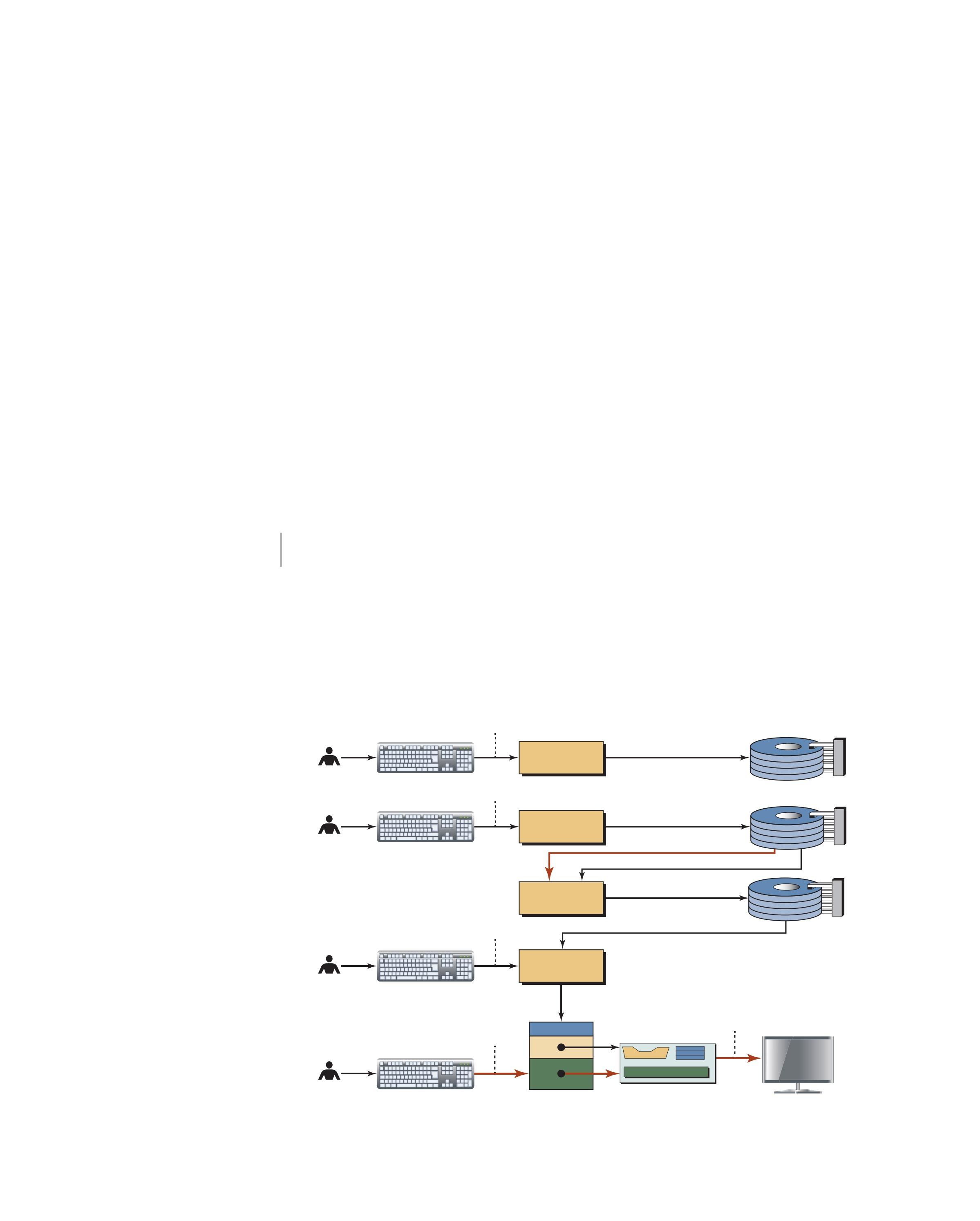
Figure 1.17 shows the general procedure for turning a program written in any language into machine language. The procedure for a C++ program is a little bit more involved. The process is presented in a straightforward, linear fashion, but we need to recognize that these steps are repeated many times during the development process to correct errors and make improvements to the code.
Figure 1.17 Writing, editing, and executing
It is the job of the programmer to write the program and then to turn it into an executable file. There are four steps in this process:
a. Write and edit the program.
b. Compile the program.
c. Link the program with the required library modules (normally done automatically).
d. Execute the program. From our point of view, executing the program is one step. From the computer point of view, however, it is two substeps: load the program and run the program.
1.5.1
Write and Edit Programs
The software used to write programs is known as a text editor. A text editor helps us enter, change, and store character data. Depending on the editor on our system, we could use it for writing letters, creating reports, or writing programs. The big difference between the other forms of text processing and writing programs is that programs are oriented around lines of code, while most text processing is oriented around characters and paragraphs.
The text editor could be a generalized word processor, but it is more often a special editor provided by the company that supplies the compiler. Some of the features we look for in an editor are search commands that are used to locate and replace statements, copy-andpaste commands that can be used to copy or move statements from one part of a program to another, formatting commands that use colors to display key parts of the program, and automatic formatting that aligns and indents parts of the program.
After we complete a program, we save our file to disk. This file then becomes the input to the compiler; it is known as a source file.
1.5.2
Compile Programs
The information in a source file stored on disk must be translated into machine language so the computer can understand it. This is the job of the compiler.
1.5.3 Link Programs
As we will see later in the text, a program is made up of many functions. Some of these functions are written by us and are part of our source program. However, there are other functions, such as input/output processes and mathematical library functions, that exist elsewhere and must be attached to our program. The linker assembles the system functions and ours into the executable file.
1.5.4
Execute Program
Once the program has been linked, it is ready for execution. To execute a program we use an operating system command, such as run, to load the program into main memory and execute it. Getting the program into memory is the function of an operating system program known as the loader. It locates the executable program and reads it into memory. When everything is ready, control is given to the program and it begins execution.
In a typical program execution, the program reads data for processing, either from the user or from a file. After the program processes the data, it prepares the output. Data output can be written to the user’s monitor or to a file. When the program is finished, it tells the operating system, which removes the program from memory.
1.6 TESTING
After we write the program, we must test it. Program testing can be a very tedious and time-consuming part of program development. As the programmer, we are responsible for completely testing it. We must make sure that every instruction and every possible situation have been tested.
1.6.1 Designing Test Data
Test data should be developed throughout the design and development of a program. As we design the program, we create test cases to verify the design. These test cases then become part of the test data after we write the program.
In addition, as we design the program, we ask ourself what situations, especially unusual situations, we need to test, and then we make a note of them. For example, in FindLargest, what if only one number is input? Similarly, what if the data were in sequence or all the same? When we design the program, we review it with an eye toward test cases and make additional notes of the cases needed. Finally, while we code the program, we make more notes of test cases.
When it comes time to construct the test cases, we review our notes and organize them into logical sets. Except for very simple student programs, one set of test data never completely validates a program. For large-scale development projects, 20, 30, or even more test cases may need to be run to validate a program. All of these test cases become what is known as a test plan.
One set of test data never completely validates a program.
Finally, as we test the program, we discover more test cases. Again, we write them down and incorporate them into the test plan. When the program is finished and in production, we still need the test plan for modifications to the program. Testing of modifications is known as regression testing and should start with the test plan developed when we wrote the program. How do we know when our program is completely tested? In reality, there is no way to know for sure, but there are a few things we can do to help the odds. While some of these concepts will not be clear until we get to later chapters, we include them here for completeness.
a. Verify that every line of code has been executed at least once. Fortunately, there are programming tools on the market today that help us do this.
b. Verify that every conditional statement in the program has executed both the true and false branches, even if one of them is null.
c. For every condition that has a range, make sure the tests include the first and last items in the range, as well as items before the first and after the last. The most common mistakes in range tests occur at the extremes of the range.
d. If error conditions are being checked, make sure all error logic is tested. This may require a temporary modification to the program to force the errors; for instance, an input/output error usually cannot be created—it must be simulated.
1.6.2
Program Errors
There are three general classifications of errors: specification errors, code errors, and logic errors.
Specification Errors
Specification errors occur when the problem definition is either incorrectly stated or misinterpreted. Specification errors should be caught when we review our design with analysts and users.
Code Errors
Code errors usually generate a compiler error message. These errors are the easiest to correct. Some code errors generate what is known as a warning message, which usually means that the compiler has made an assumption about the code and needs to have it verified. It may be right, or it may be wrong. Even though the program may run with a warning message, the code should be changed so that all warning messages are eliminated.
Logic Errors
The most difficult errors to find and correct are logic errors. Examples of logic errors are division by zero or forgetting to store the first number in largest in FindLargest. They can be corrected only by thorough testing. And remember, before we run a test case, we should know what the correct answer is. Don’t assume that the computer’s answer is correct; if there’s a logic error, the answer will be wrong.
Key Terms
algorithm
application software
application-specific software
arithmetic-logical unit (ALU)
assembler
assembly language
central processing unit (CPU)
code errors
compiler
computer hardware
computer language
computer software
computer system
data item
executable file
executable program function
functional paradigm
general-purpose software
hardware
high-level language
imperative paradigm
linker
input system
loader logic errors
logic paradigm machine language object-oriented paradigm operating system output system
primary memory procedural paradigm procedure
program design
program errors
program testing regression testing secondary storage software
source file
specification errors symbolic language system development software system software system support software text editor
Unified Modeling Language (UML)
Summary
Computer systems are made up of two major components: hardware (CPU, memory, secondary storage, output system, and communication system) and software (system software and application software).
Computer languages are used to develop software. The computers themselves run in machine language. Over the years programming languages have progressed through symbolic languages to the many high-level languages used today.
Language paradigms (procedural, object-oriented, functional, logic) describe the approach used to solve problems on the computer. C++ is based on the procedural and objectoriented paradigms.
Program design is a two-step process that requires understanding the problem and then developing a solution.
Algorithms have two important characteristics; they are independent of the computer system and they accept data as input and process data into an output.
Program development turns the program design into a computer system in four steps: write the program, compile it, link it, and execute it.
Testing a program requires that every instruction and every possible situation is validated.
Problems
PR-1. Show the state of the memory for the following example of a procedural paradigm (see Figure 1.11).
input a input b input c sum = a + b + c output sum
PR-2. Show the state of the memory for the following example of a procedural paradigm (see Figure 1.11). Assume that values of length and width are 12 and 8, respectively, and represent the sides of a rectangle.
input length input width area = length × width parameter = 2 × (length + width)
PR-3. Imagine we need to create a bank account object using an object-oriented paradigm. Show the data and list of procedures you think need to be encapsulated with the data (see Figure 1.12).
PR-4. In a functional paradigm, show the result of the following function (see Figure 1.13). first (rest (rest (a, b, c)))
PR-5. In a functional paradigm, show the result of the following function, assuming that the list (...) makes a list of given elements (see Figure 1.13).
list (first (rest (a, b)), first (a, b))
PR-6. Based on Figure 1.14, what is the result of the following queries?
Parent (Benji, Tara)?
GrandParent (Fay, Willi)?
PR-7. Based on Figure 1.14, what is the result of the following queries?
Parent (Fay, Tara)?
GrandParent (Tara, Willi)?
PR-8. Show the value of sum after the following algorithm is executed.
sum = 0
sum = sum + 10
sum = sum × 10
sum = sum − 10
PR-9. Show the value of x after the following algorithm is executed.
x = 5
x = x + 1
x = x − 10
PR-10. Show the value of x, y, and z after the following algorithm is executed.
x = 2
y = 5
x = x + 1
y = y − 10
z = 8
z = x + y
x = y + z
y = x + y + z
PR-11. Design an algorithm that converts a value in centimeters to a value in inches using the following formula:
1 inch = 2.54 centimeters
PR-12. Design an algorithm that converts a value in inches to a value in centimeters using the following formula:
1 centimeter = 0.3937 inch
PR-13. Design an algorithm that converts a temperature value in Fahrenheit (F) to a value in Celsius (C) using the following formula:
C = (F 32) × (100/180)
PR-14. Design an algorithm to find the sales tax and the total sale value of a transaction made of two soft drinks (1 dollar each), three bottles of milk (2 dollars each), and one can of coffee (3 dollars). The tax is 9 percent.
PR-15. Design an algorithm that finds the smallest among a list of numbers.
PR-16. Design an algorithm that finds the sum of a list of numbers.
PR-17. Design an algorithm that finds the product of a list of numbers.
PR-18. Design an algorithm that adds numbers from 1 to 100.