
How to send a Live S end document from Seismic

1. Log into Seismic and search for the content you wish to share from the search bar

2. Once you have selected the content , you should see the following options
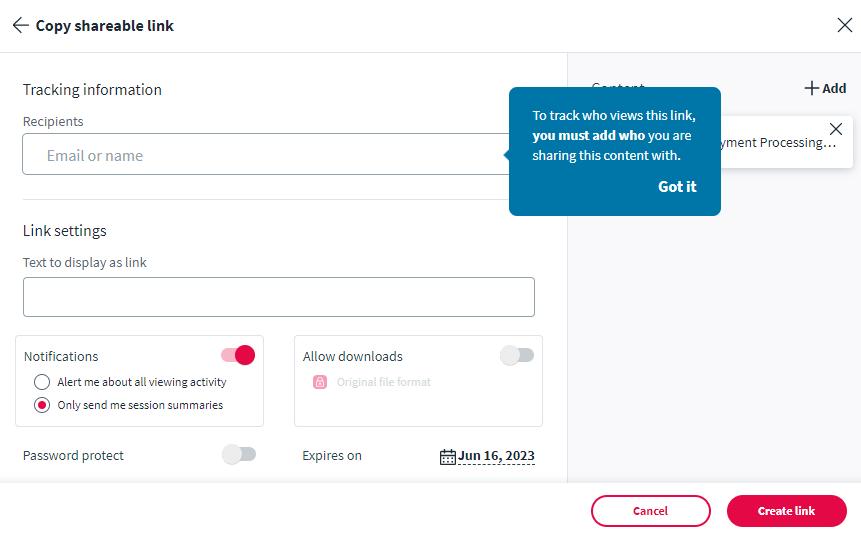

3. Select Share , and the following screen will pop up
4. Select the Link option.
• Recipients: Add the name and /or email address of the individual you are sending this to , but it is not required.
• Link Settings: Write a message to display with the link. See the example b elow.

• Notifications: Use the toggle to notify you when someone is viewing the presentation or a session summary.

• Allow Downloads: Use the toggle to allow downloads of the original file.
• Password Protect: Use the toggle to turn on password protection. If turned on , a set password option will display.
• Expires on: Use this field to determine when the link should expire.
5. Once complete, select Create link
The following will display
6. Copy the link and send it to the potential client(s) in your email .
• The client will see the following layout.


Example of the first page:
Example of the last page: