

Overview of what happens in a set of sessions Dont panic!
“Break it down”
I’ll say again that it is really not all that complicated - Lots of musicians are doing this and thriving and loving the work, we ask people what they want to make, help them do it, have fun doing it, capture the best bits and share them with the people who they think are important. Here’s all the steps to a set of sessions set out. We’ll include this and all the following pdfs at different stages of your training in the training section in your digital community so you’ll always have it to reference.
A reminder: You are also going to shadow someone else for the first couple of sessions; you’ll have a Noise Solution ‘buddy’ too ask questions of and we’ll be on hand to answer questions as well. You are not alone! but we thought a complete quick overview of the ten weeks might be a useful as well. If you want to revisit your training the full 5 parts are available here.
Musician training Part 1
Musician training Part 2
Musician training Part 3
Musician training Part 4
Musician training Part 5
It’s a given that each session is going to be about you trying to enable the participant to have as much fun as possible making whatever music that they want, getting quick wins for them, but to get the results we want and to do it safely there are a bunch of other things that also have to happen.
The list of things to cover below can look a bit daunting but remember we’ve got loads of musicians brilliantly doing this and they felt as daunted as you when they started! We’re also drawing on 15 years experience of delivering this work.
Even Jimi Hendrix was rubbish at guitar the first time he picked one up - this takes practice and we are here to help.
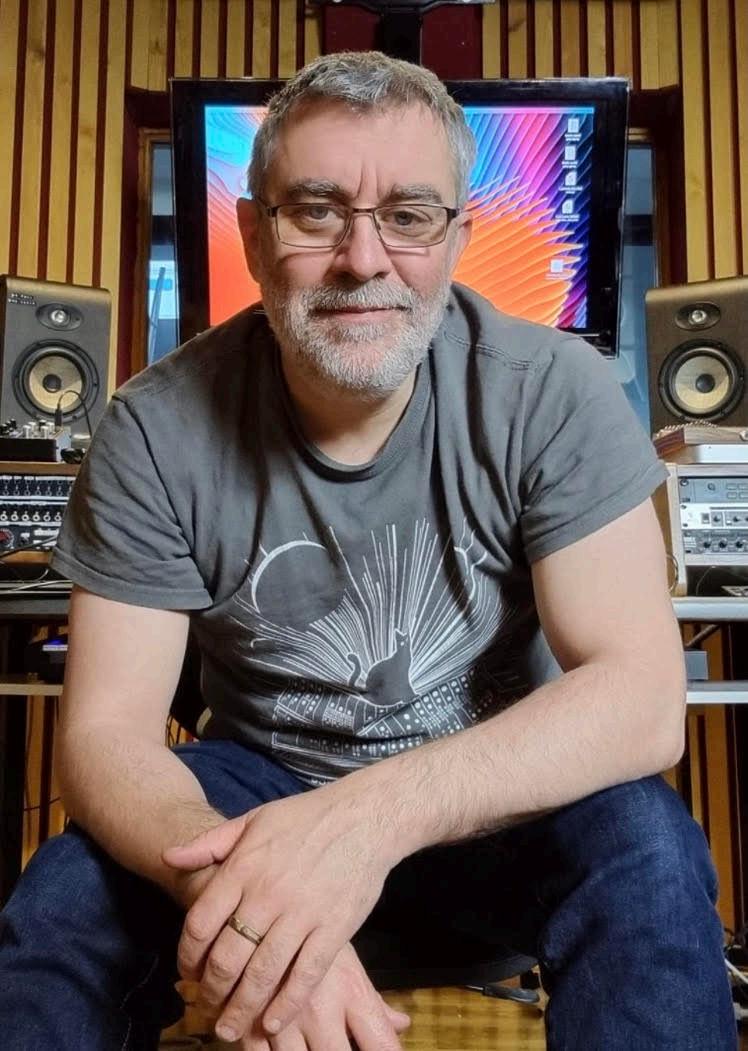
Simon Glenister CEO
What does a set of sessions look like for you when we break it down week by week?
1. Pre Session
1) Ok let’s imagine we’ve given you a participant to work with: What are the things over the 10 weeks (apart from having fun and making music) that you need to do 2) Your first job is to contact school/family/carer (whoever is on the referral form) to arrange time and place for the sessions as soon as possible. Who to contact will depend on whether sessions are happening at school, home, care home or studio. [there is a “first conversation” video here. You can also see it in Musician training Pt II ]
3) Check all the dates with the person you are arranging them with try to make them consistent.
4) Book those sessions in the system, but take into consideration school holidays etc. [there is a “Booking sessions” video here. You can also see it in Musician training Pt II ]
5) Booking sessions in is vital for the platform to work properly (it triggers automatic communication with participants, family and professionals, tells us how we’re doing as an organisation and incidentally….tracks how much you get paid for you)
6) Record and upload an introduction video to the participant’s ‘Digital Story’ using our platform [there is a “recording introduction video” here. You can also see it in Musician Training Pt II ]
7) Post the video to their feed [there is a “posting video to a feed” video here. You can also see it in Musician Training Pt II ]
8) What studio will you be using? If all sessions are at the studio, is the studio booked? [there is a “Booking studios” video here. You can also see it in Musician Training PtIV]
9) Always have photo ID (as schools and care homes will ask for it)
10) Have your DBS certificate if you have one with you before your first session (if you are on the update service (preferred) we will have provided
school with the relevant info, hint, being on the update service is much much easier)
3. Free software to help deliver sessions:
Here is a list of software that we need to set up for you - ask us about them.
1) Loopcloud - access to millions of samples that you can drag and drop into your DAW in ways that are automatically tempo and pitch shifted into the right key - incredibly quick and effective in engaging - you need to set up an account and let us know so we can get them to add you to our account
2) Rotor - A platform that lets you upload a track you’ve made and easily create professional videos instantly - brilliant for having a real wow factor impact in early sessions - again let us know you want to have access.
3) Ableton - We have a deal with Ableton - we can get licences for the mid version (16 tracks limit) let us know if you want one.
2.
First Session:
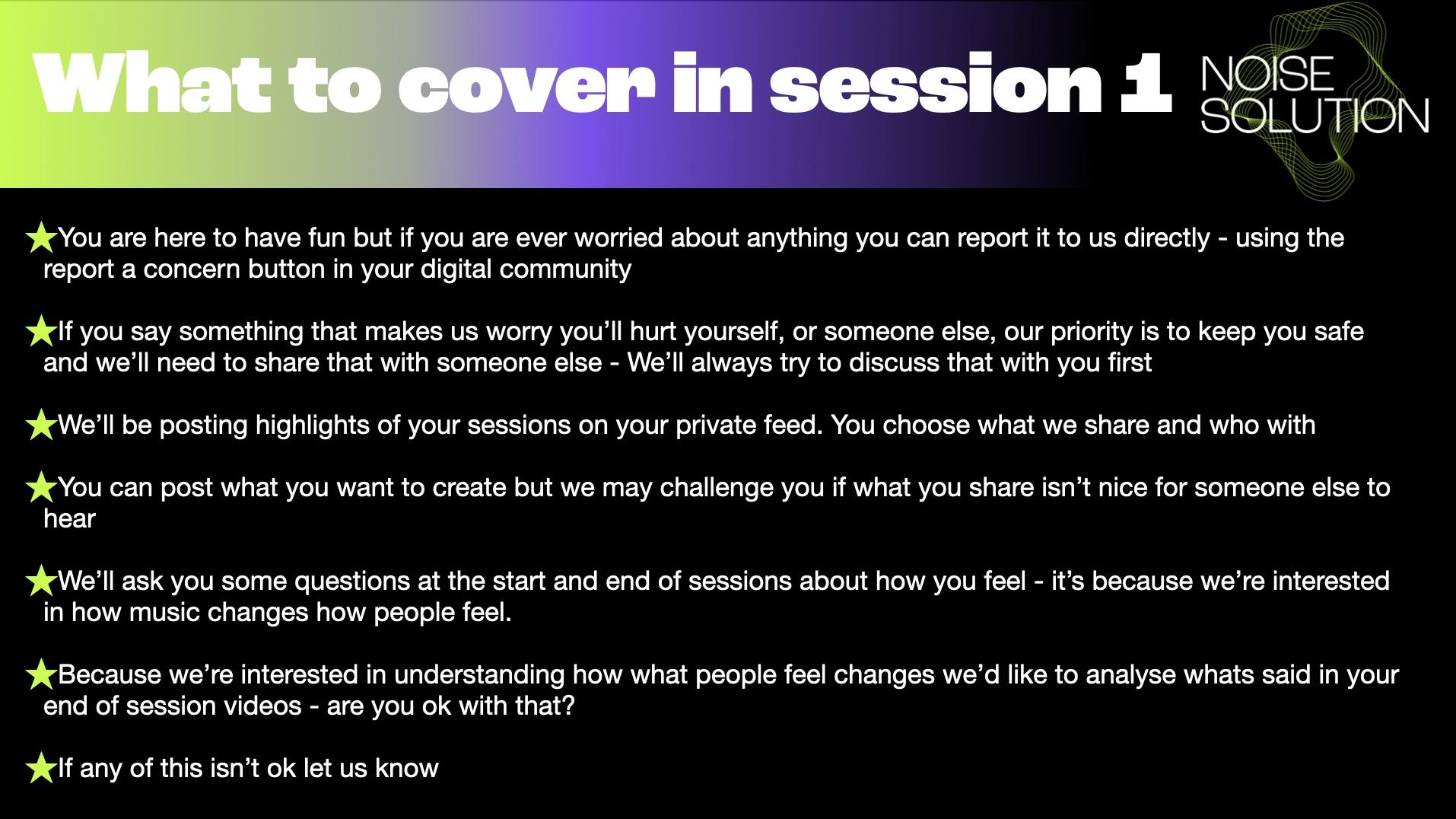
Here it is session one, where all the culture, relationships and expectations are set. The following is a guide not an instruction - we always trust you to gauge if something is going to work with a participant or not in a session.
1) It’s important to be aware of avoiding barriers to the session starting smoothly (such as a school reception not expecting you, not being able to find parking). Arrive a little early for the first session to avoid any disruption.
2) We take safeguarding seriously. You’ll explain your safeguarding responsibilities to the young person, Trust us this helps to avoid things breaking down later if there are concerns that need to be reported. There is a video covering four important things around trust and safeguarding that need covering before sessions start here. You can also see it in Musician Training Pt III
3) You’ll explain to the participant who is in their ‘Digital Story’ group. Checking they are happy with everyone to be there and asking would they like to add (or remove) anyone else to their ‘Digital Story’ feed?
4) You’ll facilitate the participant filling out their Start well-being questionnaire. We’re always positive about this, it’s incredibly useful to the organisation. There is a training video on why we use it and why it’s important [there is a “Start questionnaire” training video here. You can also see it in Musician Training Pt III]
5) You’ll check if the participant/family has ‘Digital Story’ access? Have they been able to log in? If not we need to support this happening. Do they have their own email address/phone number or are they using a family member’s or a carer’s We can easily change the details so they can log in - they just need an email address/phone number they can check.
6) Is the Arts Award qualification an option? Have you had the training? We’re always led by the participant if they want to great, if they don’t also absolutely
fine, we give them the choice. If you want to learn about Arts Awards please ask us!
7) Each session you will do an end of session reflection video. Have a recorded discussion with the participant using open questions that you post on their feed. Can you respond to what they say and create a conversation that highlights positives and captures how they feel? Can you encourage them to reflect on their own competence, autonomy, and relatedness (without using those words) [there is a “reflection videos” training video here. You can also see it in Musician Training Pt IV] Where there are a number of sections and videos about this vital part of our work. You should also have access to ‘the reflectionizer’ in the community where participants can flip through reflective prompt questions to choose to answer (autonomy innit).
8) You’ll complete a session report AND ATTENDANCE at latest within 24 hours of any and every session (whether they turned up or not). An attendance video is here. The report is what we tell referring professionals they will get when they purchase a programme. Sending reports and keeping sessions up to date also automatically tracks the organisation’s finances so is vital for accurate budgeting and forecasting. [there is a “writing reports” training video here. You can also see it in Musician Training Pt IV] This goes hand in hand with attendance - also covered in Musician Training Pt IV.
A quick overview of what the participant should have understood after session one.
3. Session three to four:
You’re starting to get going and into a routine
1) You’ll need to confirm and organise the studio being booked for session 6-10? Checking who is handling travel and that they have that covered (we do not do travel).
2) You’ll think about what can you do to get more engagement with the Digital Story? Are people commenting and liking? [there is a “being the storyteller” training video here. You can also see it in Musician Training Pt V] for encouraging this. We track this throughout, if you’re struggling ask us for advice on increasing engagement.
3) What does promoting competence, autonomy and relatedness for this participant look like? How do you do it? [there is a “psychological needs strategies” training video here. You can also see it in Musician Training Pt III]
3) What can you do to encourage continuing engagement with music making? What barriers can you remove? Would they like an Ableton licence? Are they set up for browser DAW’s like YuMu or BandLab? Do they need help installing software on their own laptop or tablet?
4) Can you encourage the participant to add anyone to the group? You just need an email - you can see how to do it in the Admin section in their digital story.
4. Session five:
1) Are there any progression routes identified? What might “next steps” look like for the participant? Discuss with participant and professionals. This is where reporting can be very useful, discuss how the professionals can help organise progression.
2) What else is the participant interested in and how can you help them look at those things?
3) Take a moment to look over the ‘Digital Story’ with the participant and remind them how far they’ve come already from where they started - get them to reflect on it and put those quotes on the ‘Digital Story’ and in the Session report (that can happen every session really)
5) Studio sessions, can they get there next week (We don’t do travel!)
5. Session six to eight:
1) Continue conversation around progression and actively work on anything that has been identified.
2) Would the participant like a family member or professional to come to a session to see what they’re up to? If not the next couple of sessions then float the idea of someone coming to last half hour of the last session to review what you’ve done together.
3) Think about how you will do the final session and reflections with participant and whoever is joining them (Especially if you still have Arts Award Evidence to collect) The person coming can often be a great opportunity to collect great evidence for the participant teaching someone else arts award section and more generally about the sessions impact.
4) Start thinking about collecting the final questionnaire between sessions 8 and 10 [There is a “End questionnaire” training video here. You can also see it in Musician Training Pt V]
5) Start flagging that the sessions are nearing completion.
Session 9:
1) Who is coming along to the final session next week? [There is a “End celebration” training video]
2) Done the End questionnaire yet? Even if an extension is happening. [There is a “End questionnaire” training video]
Session 10:
1) Celebration session (ideally with someone joining for around the last half hour)
2) Use some of the session to reflect on the whole programme and include whoever else has come in that discussion. How has it been for the participant? How has it been for their parent/carer/professional?
3) Discuss next steps that have been identified
Extensions:
By extension we mean, that around 35% of participants will be given funding to continue to do another 20 hours, However:
1) Be aware that we always ask referring professionals if they would like an extension, but this may or may not happen so avoid raising expectations with participants about continuing: “I can ask but can’t promise anything”
2) Are you happy and able to continue with the participant? If not, discuss with the Project Manager
3) Start and end questionnaires only need to happen for the first block of sessions so no need to do them in an extension.
4) Is the Arts Award an option? Have you had the training?
General points:
On reflections:
1) Paraphrase and post the positive things that participant has said during the session direct on their feed with them, checking that they are ok with the wording. You are trying to ‘pump prime’ or encourage positive comments back to read out to the participant next week.
On reporting:
2) A good session report focusses on positives and a factual description of the session. Were there any moments that highlight engagement and/or improvements in well-being? The report is also an opportunity to communicate with professionals and engage them in the process. Review the reflection video and quote positive things participants have said. [There is a “writing your report” training video]
3) Maybe use a positive quote as a title for the report? What can you do to pull people into reading/watching and commenting.
4) Log a safeguarding concern if necessary [there is a “logging a safeguarding concern” training video, but at any point if you are at all unsure call us, always
5 If a participant doesn’t turn up to a session: How can you get to where the young person is before deciding to treat it as a “completed absent session”? [there is a “strategies for no-shows” training video]
6) Have you phoned home to see if you can go there?
7) Can you do the session online instead?
8) Even if you only end up having a half-hour session, the continuity is important and proves to the participant that you care.
9) If none of the above work, is there something else you can be using the time for? Do you have any other sessions to book, professionals to chase or blogging to do? There are some guideline about what’s expected in the no show strategies video here
1. In detail training
Again more detailed training is available here and if you have any questions ask your buddy and or us. No question too small or silly.
Musician training Part 1
Musician training Part 2
Musician training Part 3
Musician training Part 4
Musician training Part 5
Notes: