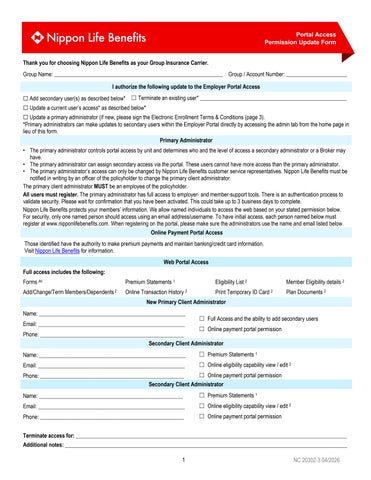
Portal Access Permission Update Form Thank you for choosing Nippon Life Benefits as your Group Insurance Carrier. Group Name: _____________________________________________________________ Group / Account Number: ______________________ I authorize the following update to the Employer Portal Access ☐ Add secondary user(s) as described below* ☐ Terminate an existing user* _____________________________________________________ ☐ Update a current user’s access* as described below*
☐ Update a primary administrator (if new, please sign the Electronic Enrollment Terms & Conditions (page 3). *Primary administrators can make updates to secondary users within the Employer Portal directly by accessing the admin tab from the home page in lieu of this form. Primary Administrator • The primary administrator controls portal access by unit and determines who and the level of access a secondary administrator or a Broker may have. • The primary administrator can assign secondary access via the portal. These users cannot have more access than the primary administrator. • The primary administrator’s access can only be changed by Nippon Life Benefits customer service representatives. Nippon Life Benefits must be notified in writing by an officer of the policyholder to change the primary client administrator. The primary client administrator MUST be an employee of the policyholder. All users must register. The primary administrator has full access to employer- and member-support tools. There is an authentication process to validate security. Please wait for confirmation that you have been activated. This could take up to 3 business days to complete. Nippon Life Benefits protects your members’ information. We allow named individuals to access the web based on your stated permission below. For security, only one named person should access using an email address/username. To have initial access, each person named below must register at www.nipponlifebenefits.com. When registering on the portal, please make sure the administrators use the name and email listed below. Online Payment Portal Access Those identified have the authority to make premium payments and maintain banking/credit card information. Visit Nippon Life Benefits for information. Web Portal Access Full access includes the following: Forms All
Premium Statements 1
Eligibility List 2
Member Eligibility details 2
Add/Change/Term Members/Dependents 2
Online Transaction History 2
Print Temporary ID Card 2
Plan Documents 2
New Primary Client Administrator Name: _____________________________________________________ Email: _____________________________________________________
☐ Full Access and the ability to add secondary users
☐ Online payment portal permission Phone: ____________________________________________________ Secondary Client Administrator Name: _____________________________________________________
☐ Premium Statements 1
Email: _____________________________________________________
☐ Online eligibility capability view / edit 2
☐ Online payment portal permission Phone: ____________________________________________________ Secondary Client Administrator Name: ____________________________________________________
☐ Premium Statements 1
Email: _____________________________________________________
☐ Online eligibility capability view / edit 2
Phone: ____________________________________________________
☐ Online payment portal permission
Terminate access for: __________________________________________________________________________________________________ Additional notes: ______________________________________________________________________________________________________ 1
NC 20302-3 04/2026