Employer Portal Registration Guide
Online Payment Guide on Page 2

Benefits of online registration
• Convenience and speed
• Secure online payment
• Ease of management and use
• 24/7 access to resources and information
• Assign or update broker portal access to manage accounts
Employer Account Registration Instructions
• Visit http://www.nipponlifebenefits.com
• Select Login/Register at the top of the page, then choose Employer
• Click Create My Account, complete all required fields, and select Next
On the Client Registration page, enter the unit number(s) in the Unit IDs field
For multiple units, separate each with a comma (e.g., L55500, L55501, L55502)
• A confirmation will be sent within two business days; processing times may vary
• Additional authentication is required at login: select Send Code to receive a verification code via email
• Enter the code and choose either Private Browser or Public Browser to complete the login
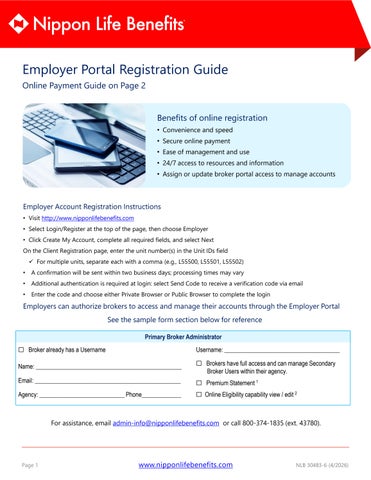
Employers can authorize brokers to access and manage their accounts through the Employer Portal
See the sample form section below for reference
Primary Broker Administrator
☐ Broker already has a Username
Name: ________________________________________________
Email: ________________________________________________
Agency: ____________________________ Phone_____________
Username: ______________________________________
☐ Brokers have full access and can manage Secondary Broker Users within their agency.
☐ Premium Statement 1
☐ Online Eligibility capability view / edit 2
For assistance, email admin-info@nipponlifebenefits.com or call 800-374-1835 (ext. 43780).

Online Portal Payment Guide
Monthly Premium Statements
Monthly premium statements are available in the Nippon Life Benefits Employer Portal. To set up online payments, follow the steps below. This feature is available only to employers.


1 2 3 4 5 6 7
Complete the Form
• Fill out the Online Web Access and Online Payment Portal Form.
• Have the Primary Administrator sign the form
Submit the Form
• Email the completed form to Admin-info@nipponlifesenefits.com, OR
• Attach the form to Messages in the Employer Portal
Authentication
• Once the form is authenticated, access to the Online Payment Portal will be granted
• Additional authentication is required at login: select Send Code to receive a verification code via email or text message
• Enter the code and choose either Private Browser or Public Browser to complete the login
Accessing the Portal
• After login:
The Online Payment Portal link will appear in the My Client Links tile (above the Premium Payment History link)
Click the Online Payment Portal link to go to the home page
Payment Options
• On the portal home page, make payments by selecting:
Auto-Pay
Pay My Statements
Allows one-time payments and recurring scheduled payments
Recurring Scheduled Payments
• Complete payment method details:
Credit card, debit card, or banking information
• Click Recurring Schedule under My Profile to:
Pick payment date
Set other options
Important Notes
• Check with your bank to ensure there is no Debit Block on the account
If a Debit Block exists, the account cannot be accessed
Nippon Life Benefits ACH ID is #0000063576
For assistance, email admin-info@nipponlifebenefits.com or call 800-374-1835 (ext. 43780).