Improving Customer Communication Quality
Best Prac�ce: Using Google Docs to Reduce Grammar & Spelling Errors
Op�on: Using Google Docs
Step-by-Step Guide
Step 1: Open Google Docs
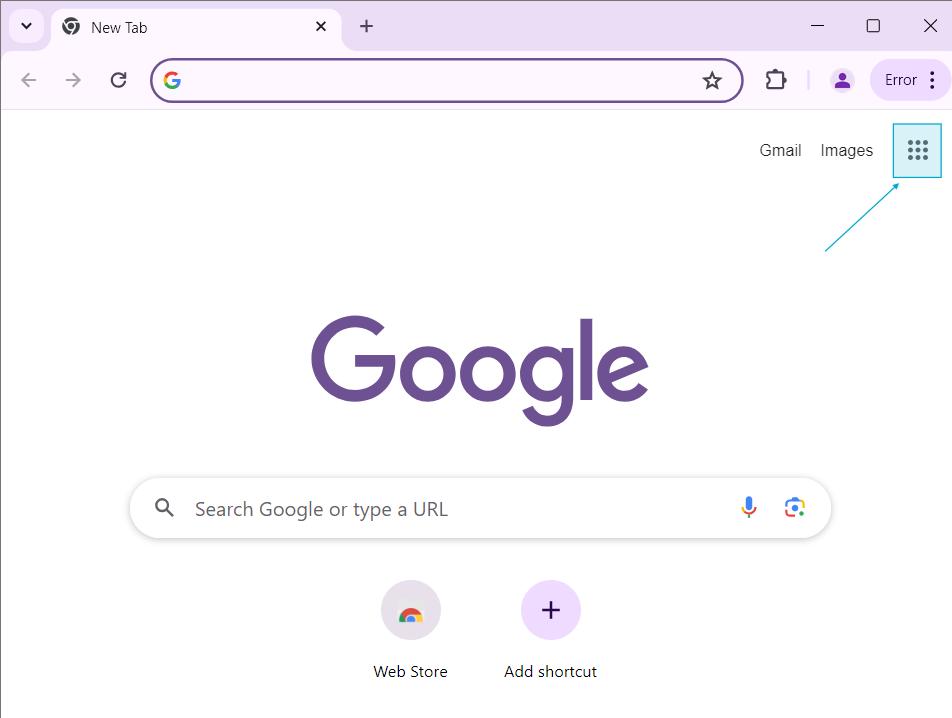
1. Open Google Chrome
2. On the top right corner, click the 9-dot Google Apps icon.

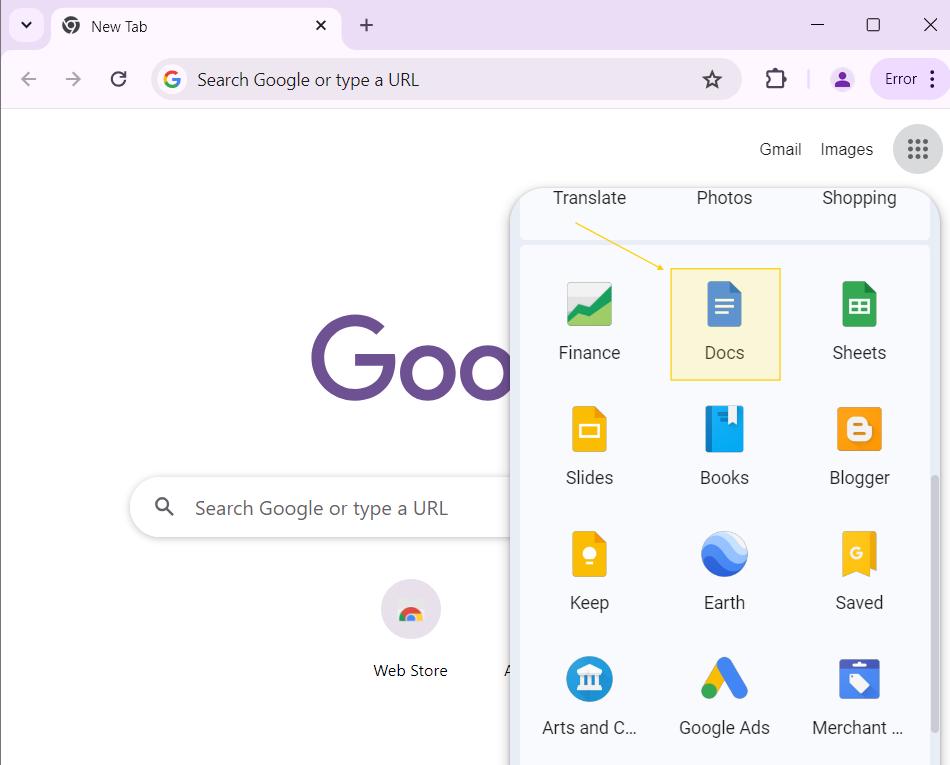
3. Click on Google Docs (blue icon).

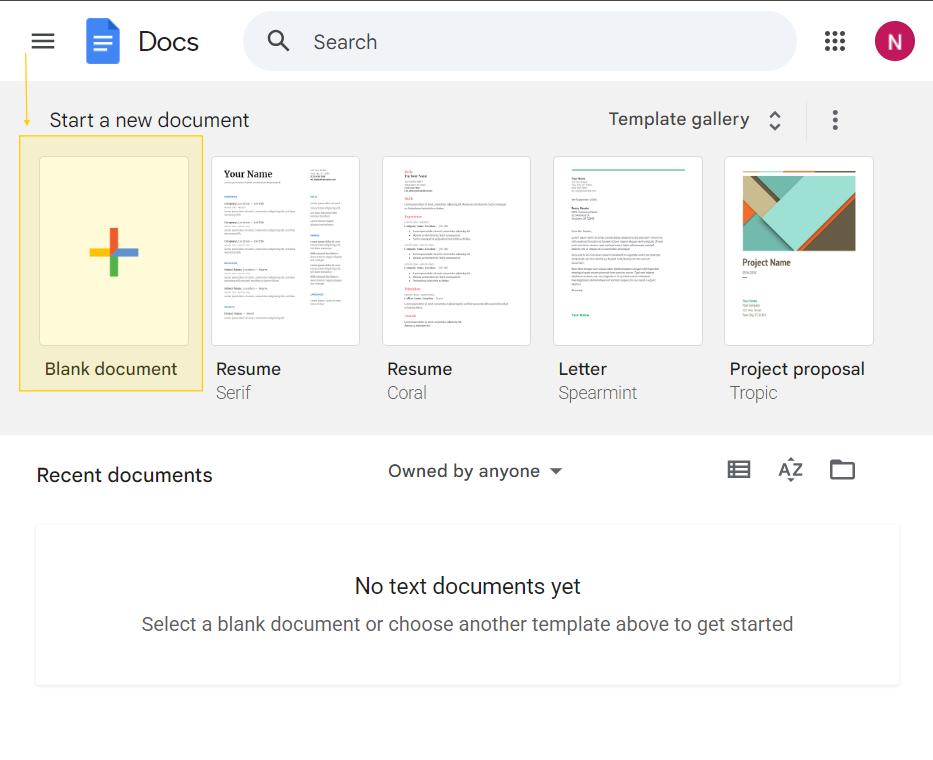
4. Click “Blank” to open a new document.

Step 2: Paste Your Message
1. Copy the message you plan to send to the customer.
2. Paste the message into the blank Google Docs page.

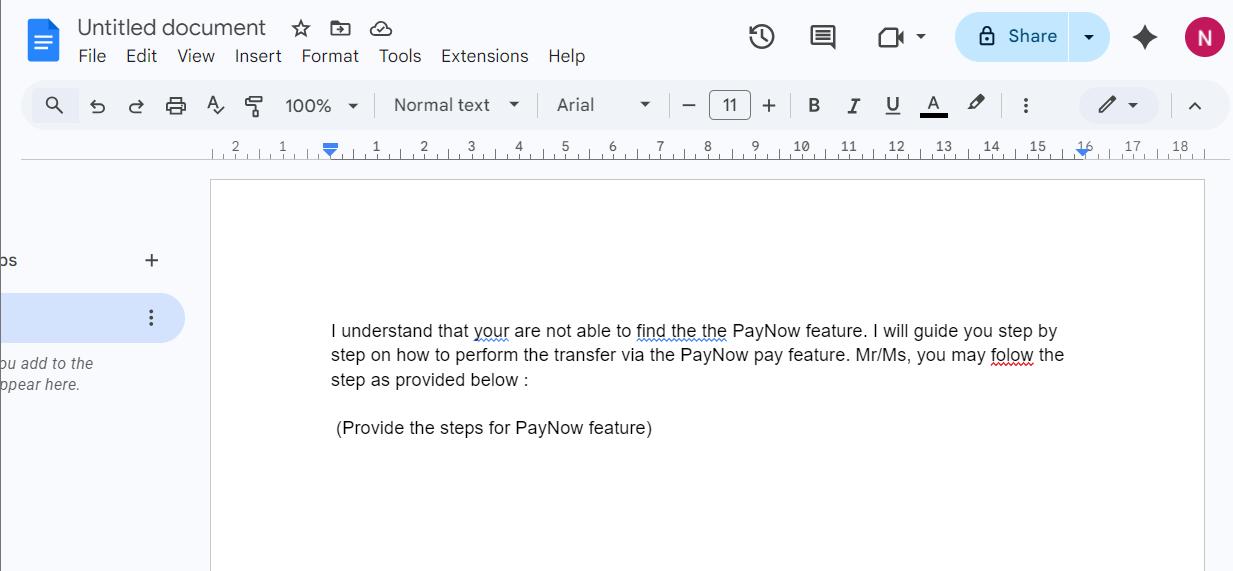
Step 3: Check for Grammar & Spelling Errors
1. Google Docs will automa�cally underline:
o Red line → Spelling mistake
o Blue line → Grammar or sentence structure issue
2. Move your cursor and right-click on the underlined word or sentence.

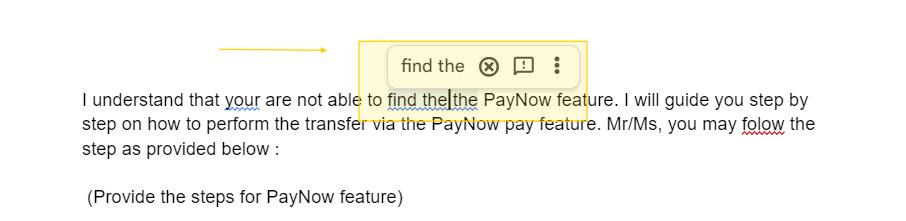
3. Review the suggested correc�on.
4. Click the correct sugges�on to apply the change.

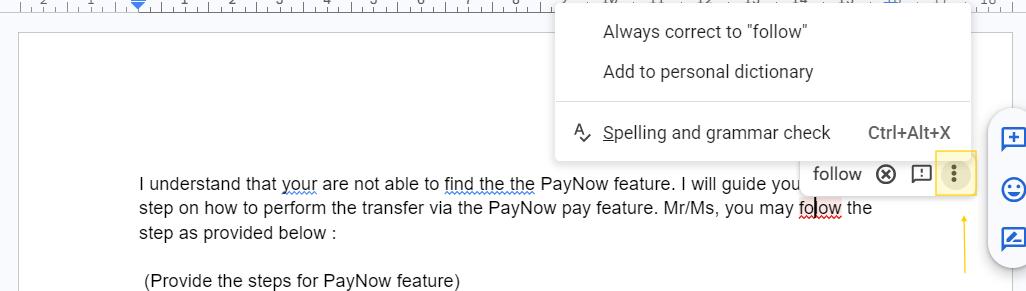

Step 4: Use Built-in Grammar & Spelling Tool (If No Automa�c Sugges�on Appears)
1. Click on Tools at the top menu.
2. Select “Spelling and grammar”
3. Click “Spelling and grammar check”
4. Review each sugges�on carefully before accep�ng it.
Step 5: Copy Back the Corrected Message
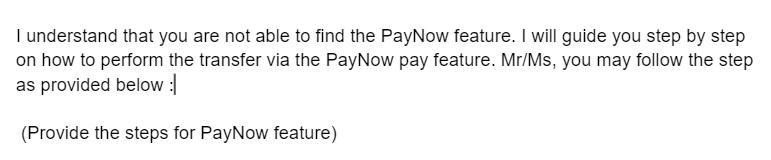
1. A�er correc�ng all errors, copy the final version.
2. Paste the corrected message into the chat/email system.
3. Re-read once before sending to customer.
Addi�onal Features in Google Docs
1. Smart Compose (Sentence Sugges�on)
• When typing, Google Docs may show a grey sugges�on text
• Press Tab to accept the sugges�on.
• This helps improve sentence flow and professionalism.
2. Rephrasing for Professional Tone
If you want to make your message more professional:
1. Highlight the sentence.
2. Right-click and check if sugges�on appears.
3. You may also slightly rewrite the sentence and review the new sugges�on.
Best Prac�ce Reminder for Agents
Even when using grammar tools:
• Always read the full sentence again before sending.
• Ensure the tone is:
o Polite
o Clear
o Professional
o Easy to understand
• Do not rely 100% on the tool human review is s�ll important.

THANK YOU !