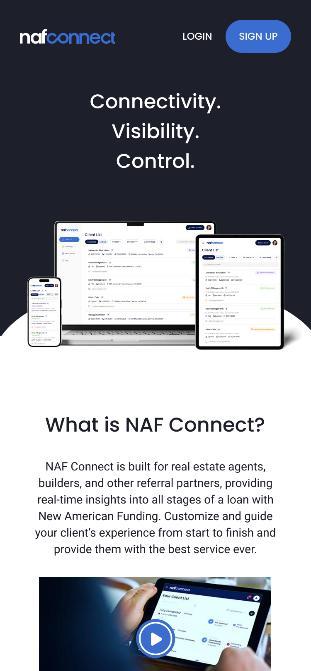
NAF Connect is a free, easy to use, awardwinning Real Estate Agent (REA) platform focused on:
▪ Building trust and enhancing the relationship between the REA and LO
▪ Extending and upleveling LO communication giving REAs transparency and visibility into the loan process, including real-time loan updates
▪ Improving customer service by allowing REAs to easily refer clients as well as view, edit, and print pre-approval letters
▪ Enabling LOs to provide value to partner REAs through information, tools, and co-branded marketing materials to win and retain mutual clients
NAF Connect is a 2024 Housing Wire Tech100 Mortgage award winner, recognized for using innovative technology that significantly impacts the housing industry
Easy
Signing up and logging in with NAF Connect is quick and simple.
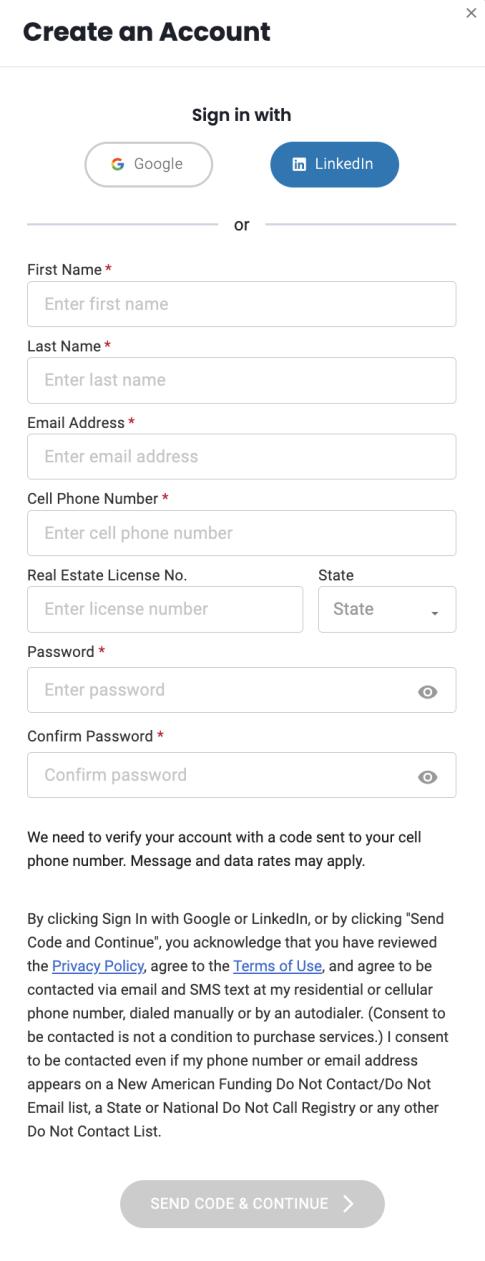
Account registration
▪ Skip the sign-up form and easily create a NAF Connect account using Google or LinkedIn credentials
▪ Or take the traditional path and enter requested information in the required fields
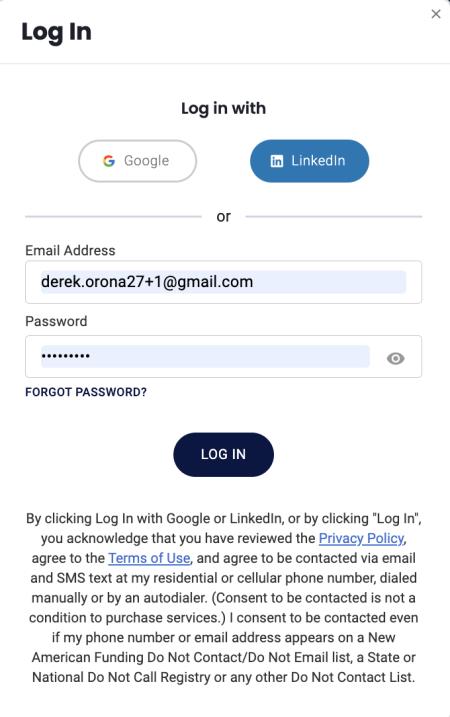
3. Login
▪ Log in quickly into NAF Connect using your Google or LinkedIn credentials
▪ Or type email and password
Intuitive Interface
NAF Connect is easy to use, with clear navigation and an intuitive interface.
Navigation Menu includes:
▪ Refer a Client: quickly and easily refer a client to NAF
▪ Client List: at-a-glance view of all clients and their loan status
▪ Marketing: marketing flyers co-branded with the REA and NAF LO
▪ Resources: valuable NAF products and programs to elevate business
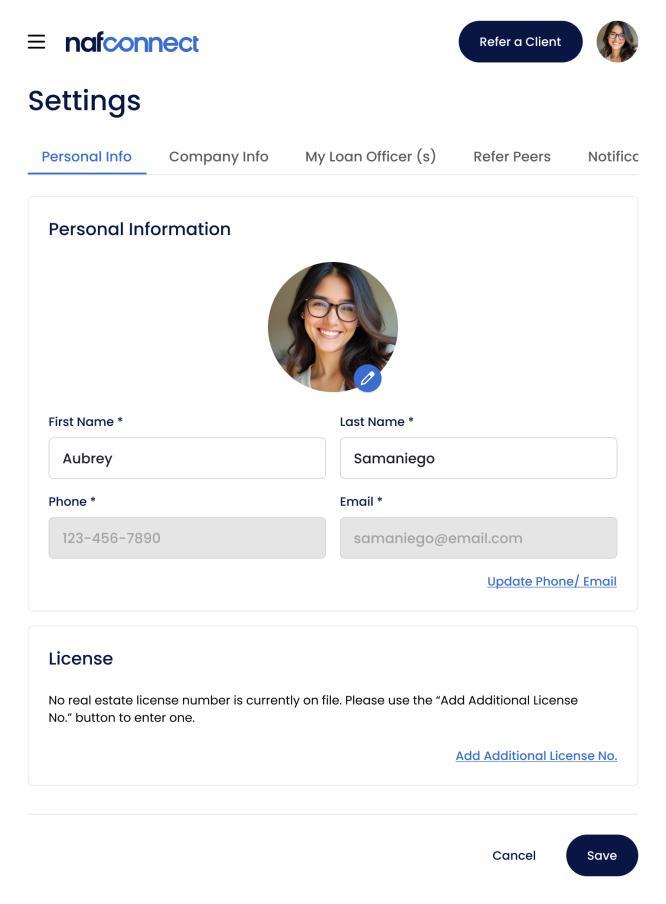
▪ Settings: view and edit profile info, set preferred LOs, and configure communication preferences
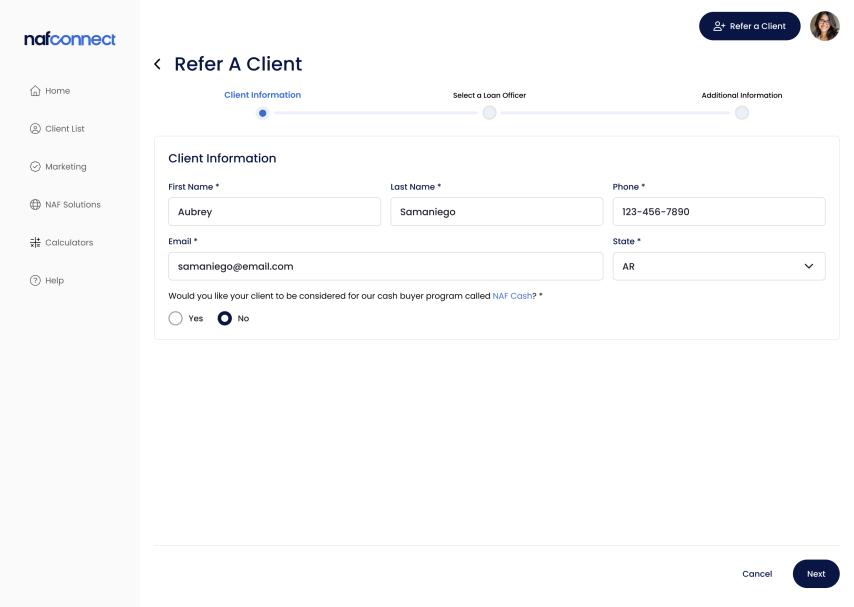
Quick Client Referral Process
NAF Connect has a quick and easy process for the REA to refer a client.
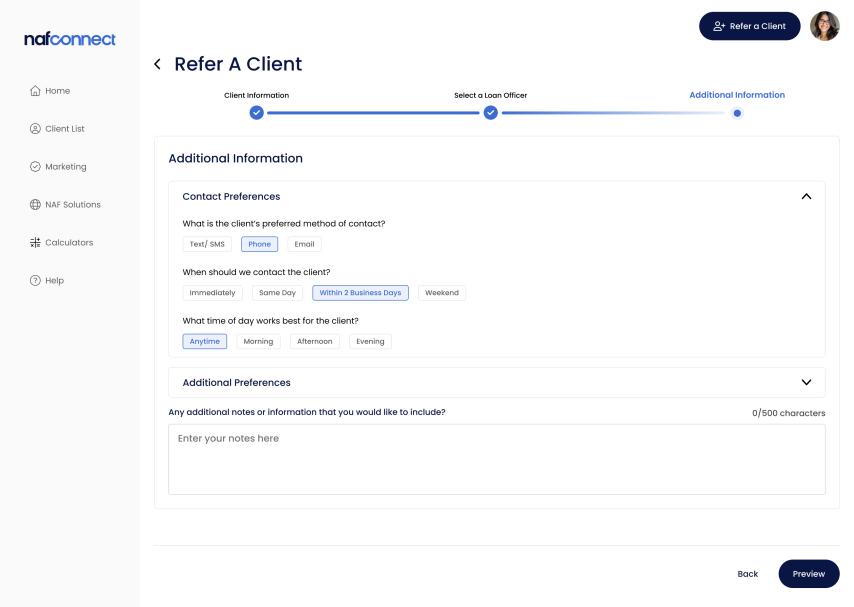
Click the “Refer a Client” button or menu link
1. Enter Client Info - Indicate if interested in NAF’s cash buying program*
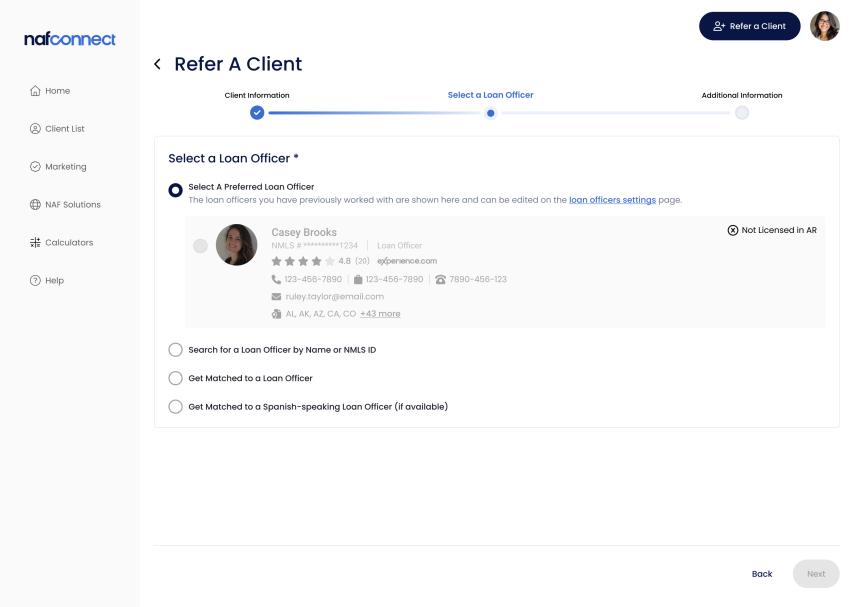
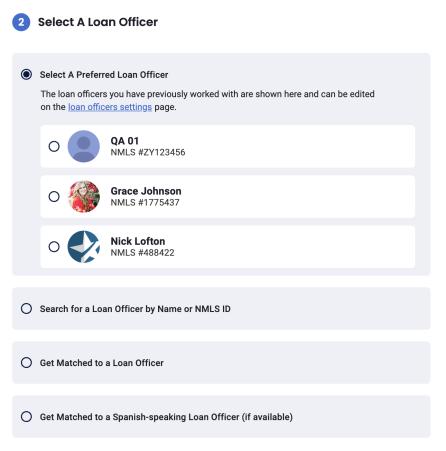
2. Select a Loan Officer - Preferred LOs display first
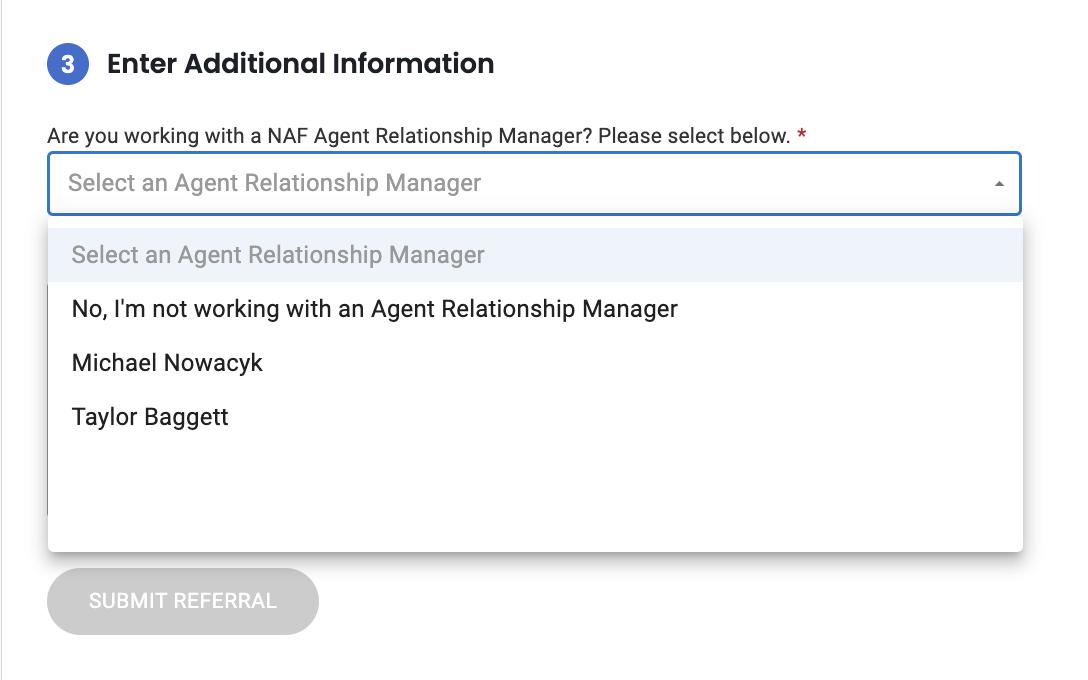
3. Enter Additional Info - Add notes and indicate if working with a NAF Agent Relationship Manager*
4. Click ”Submit Referral”
NAF Cash Program and ARMs
NAF Cash and Agent Relationship Managers
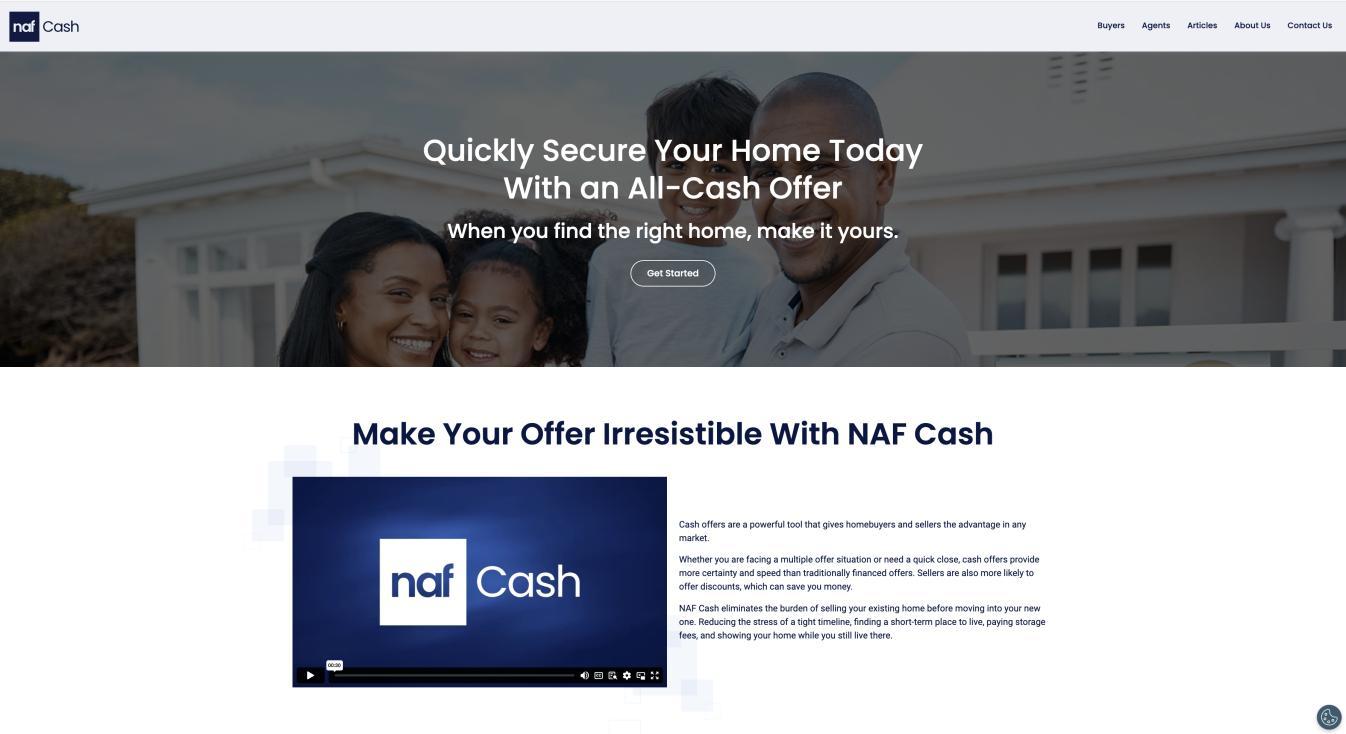
▪ In today's market, timing and cash are everything. With NAF Cash, clients get the allcash advantage to get the home of their dreams.
▪ Buyers can save money, win the bid, and close quickly. NAF buys the house with cash then sells it back to the borrower via a NAF mortgage.
AGENT RELATIONSHIP MANAGERS (ARMS)*
▪ ARMs provide assistance to some NAF LOs and offer NAF’s technology and services
Loan Application Link to Borrower
What happens after the REA submits a referral?
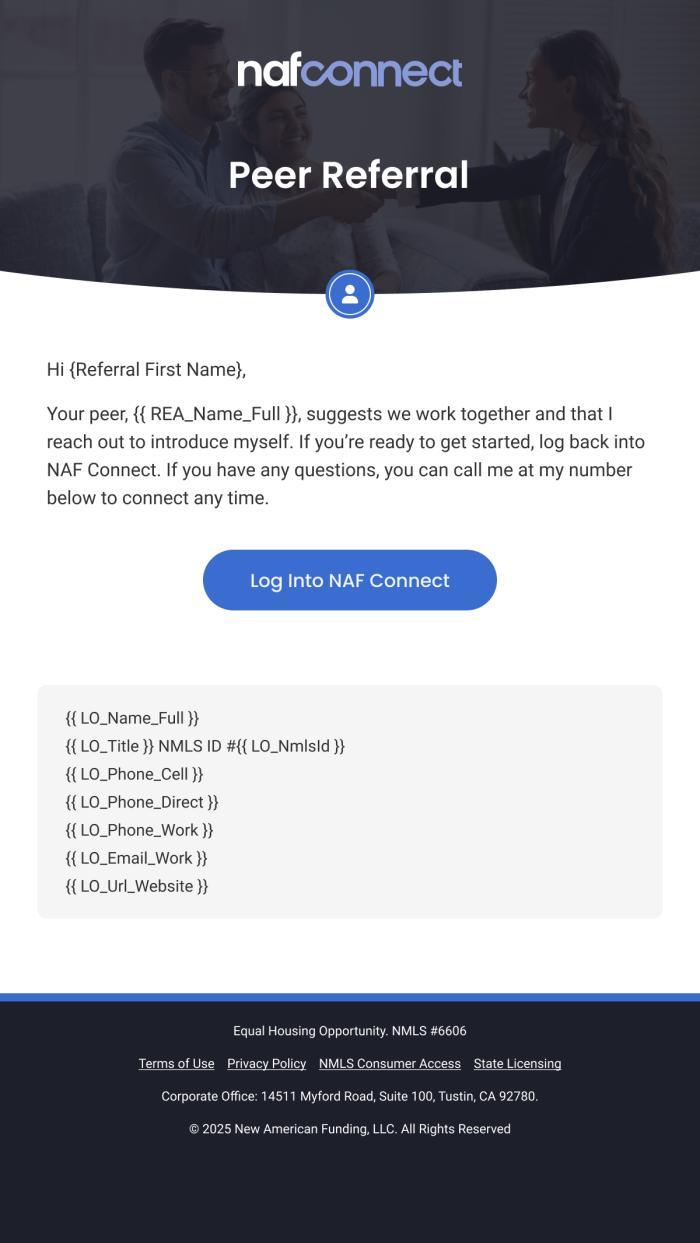
Once the REA clicks Submit Referral, three things occur:
1. The Borrower receives an email with a link to the loan application as well as the LO’s contact information
2. The Loan Officer receives an email notifying them of the new lead. The email is comprised of the Borrower's name, phone number, and email.
3. The REA receives an email confirming the information was sent correctly. The client will also appear on the Client List page in NAF Connect.
At-a-Glance Client List
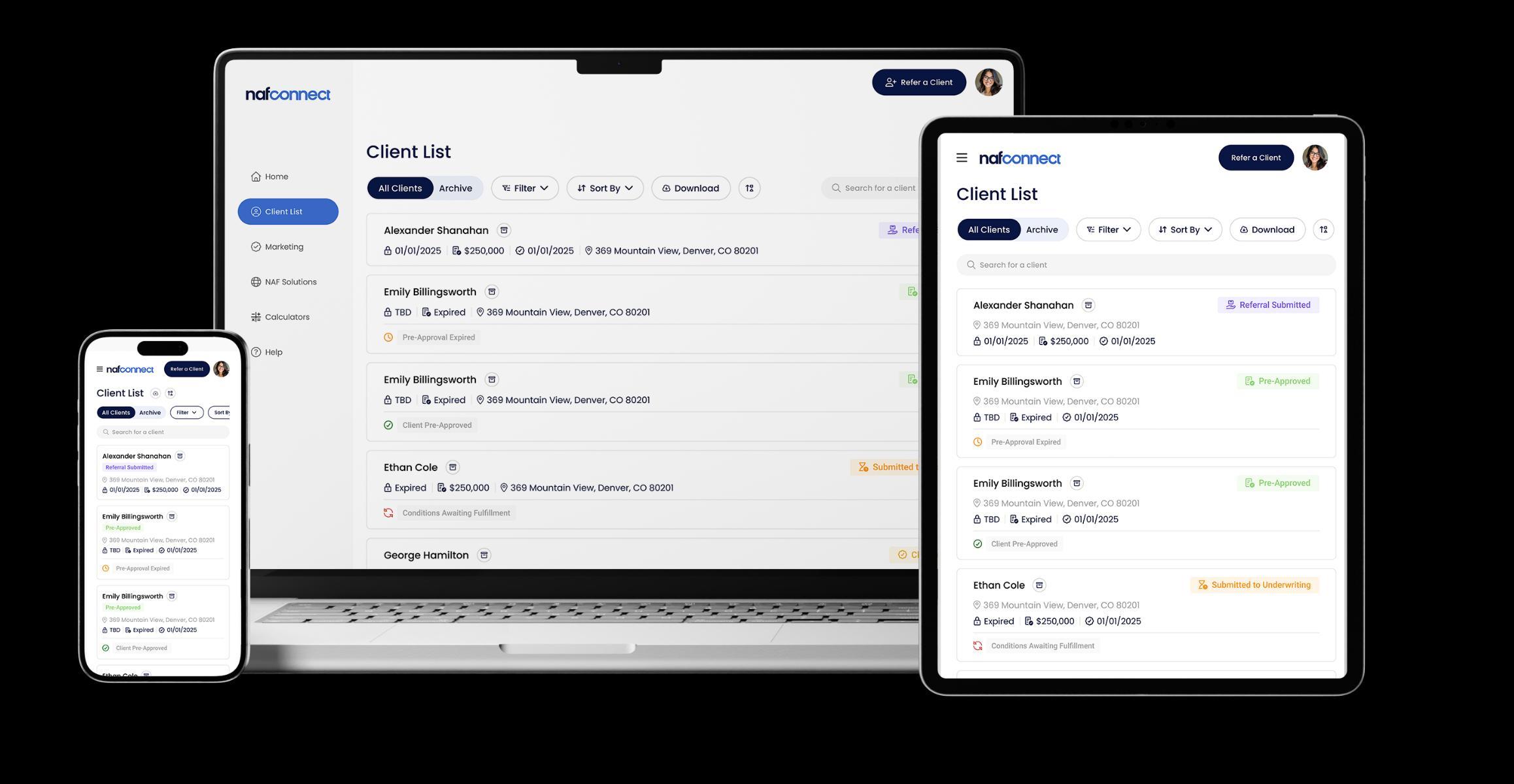
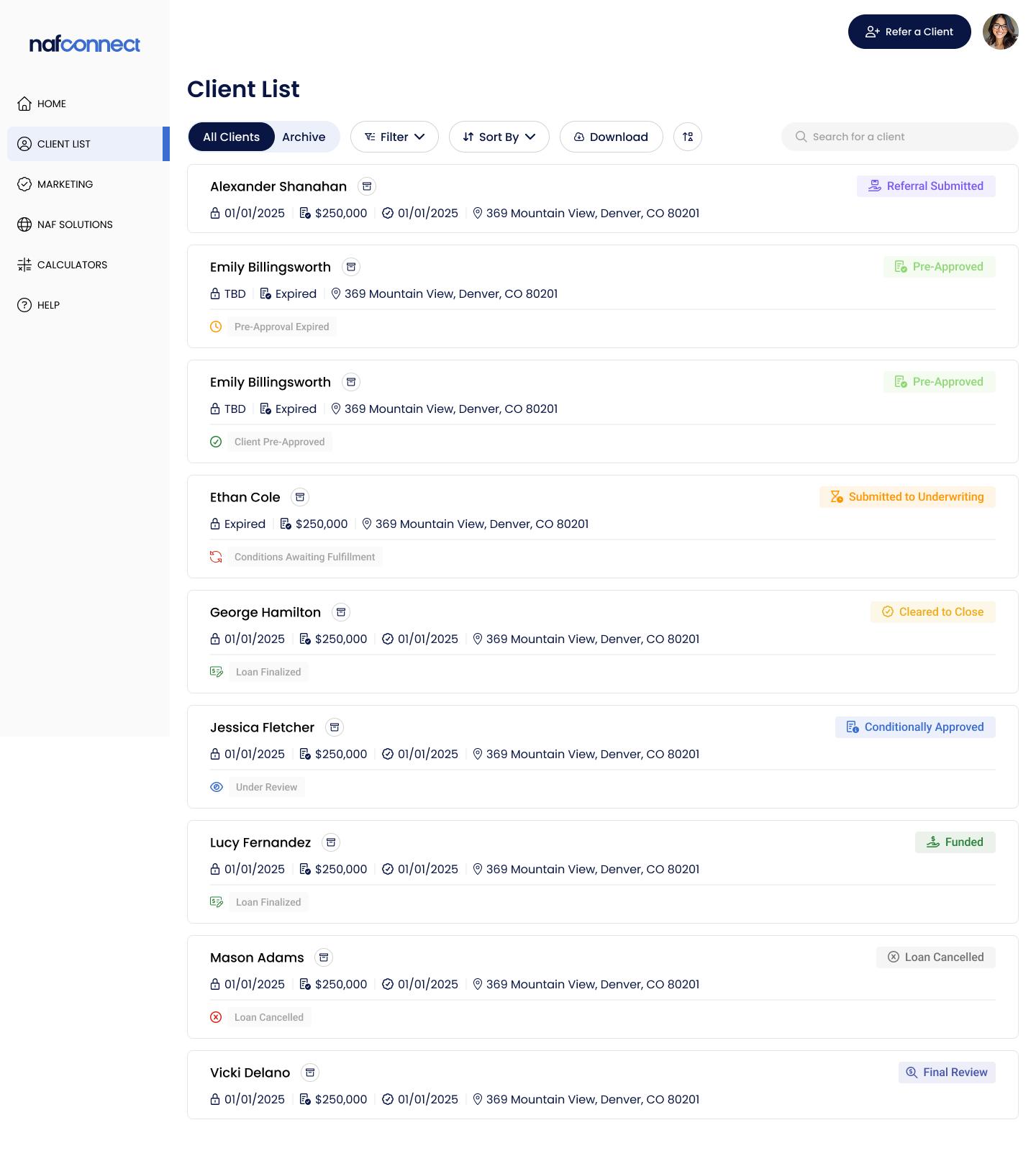
The Client List page provides at-a-glance status of all the REA’s clients.
▪ See all clients in an easy-to-scan dashboard, with Referred Date, Loan Closing Date, and Subject Property, if applicable
▪ Quickly see loan milestones and number of outstanding conditions, if applicable, for each client
▪ Easily find a client using the Client Search Bar
▪ Customize views using various sort and filter options
▪ Click on a client name to view the detailed Client Profile
Detailed Client Profile
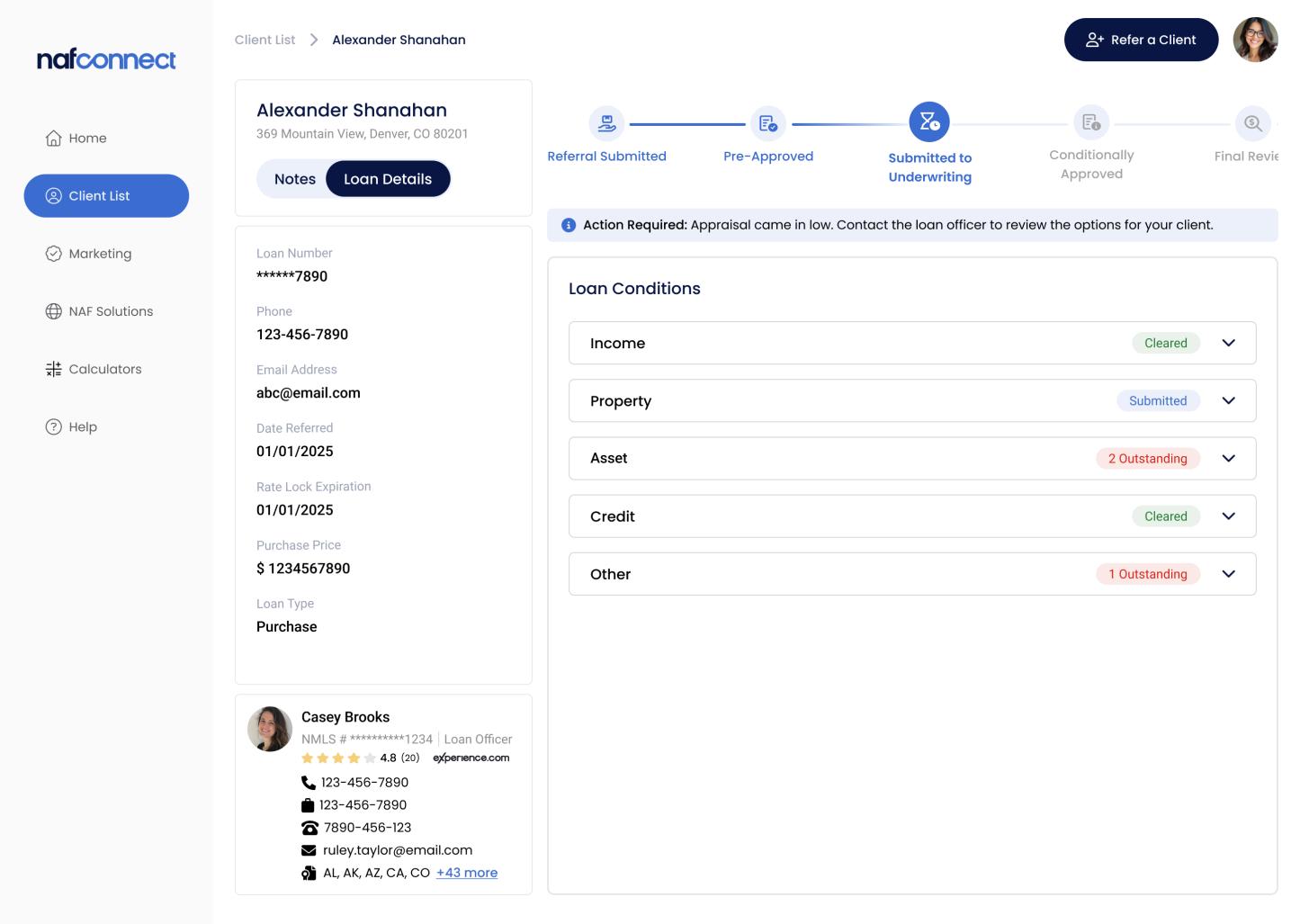
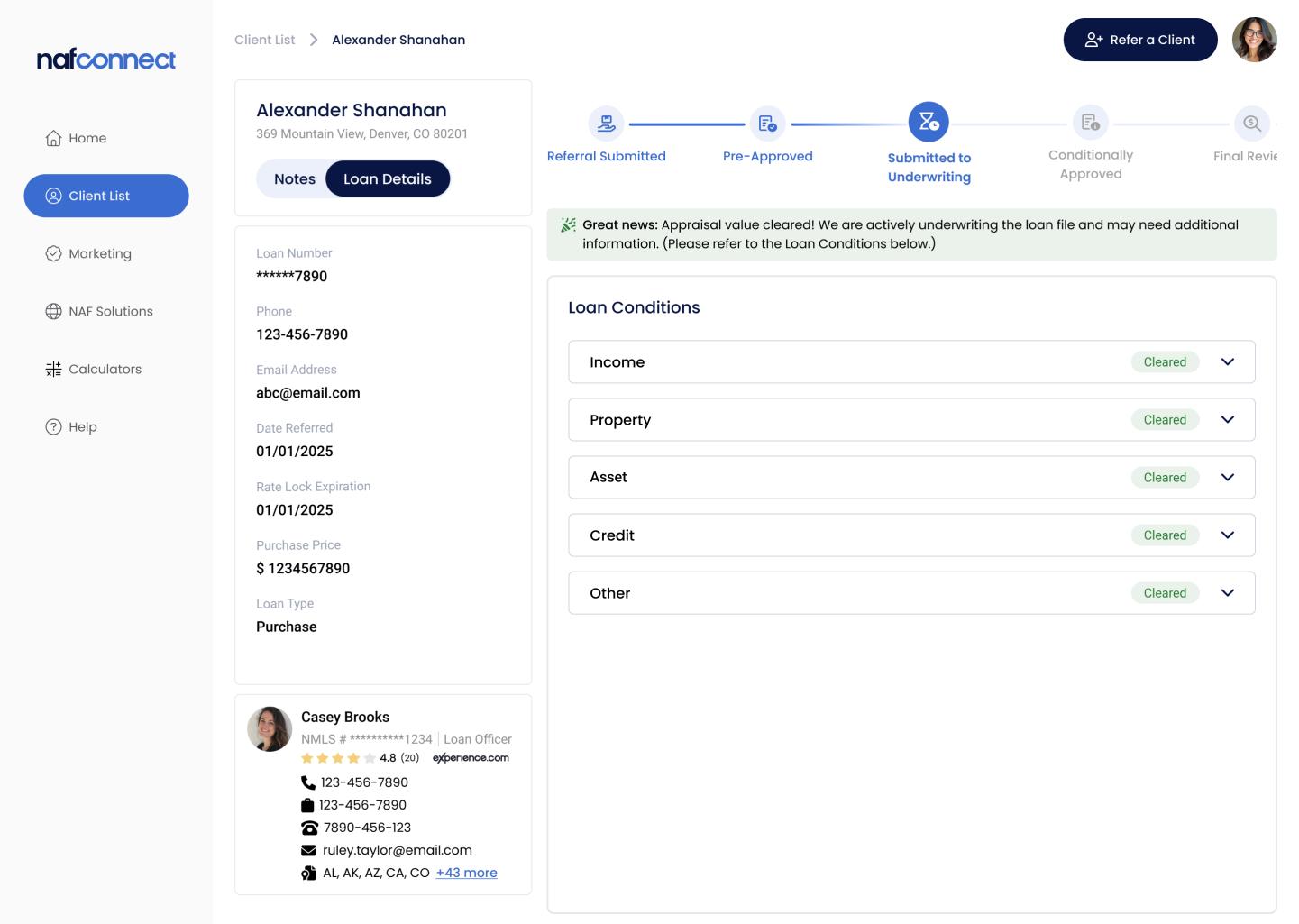
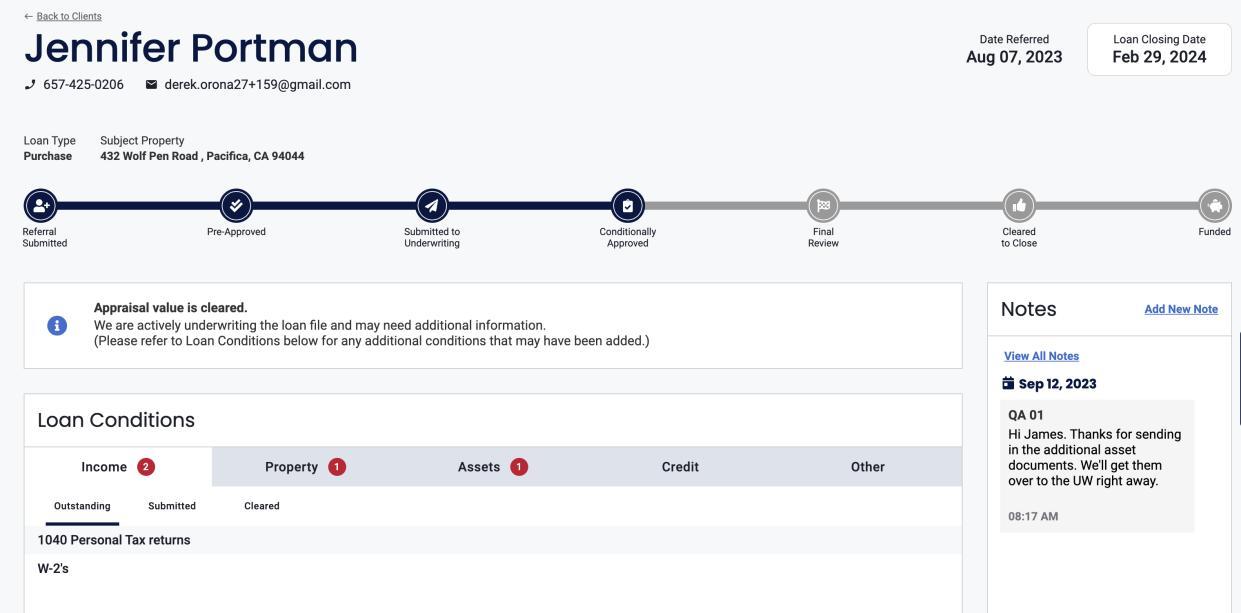
The Client Profile gives the REA a detailed view of the client’s loan status, providing transparency and visibility into the loan process.
▪ Loan progress is indicated by a loan tracker
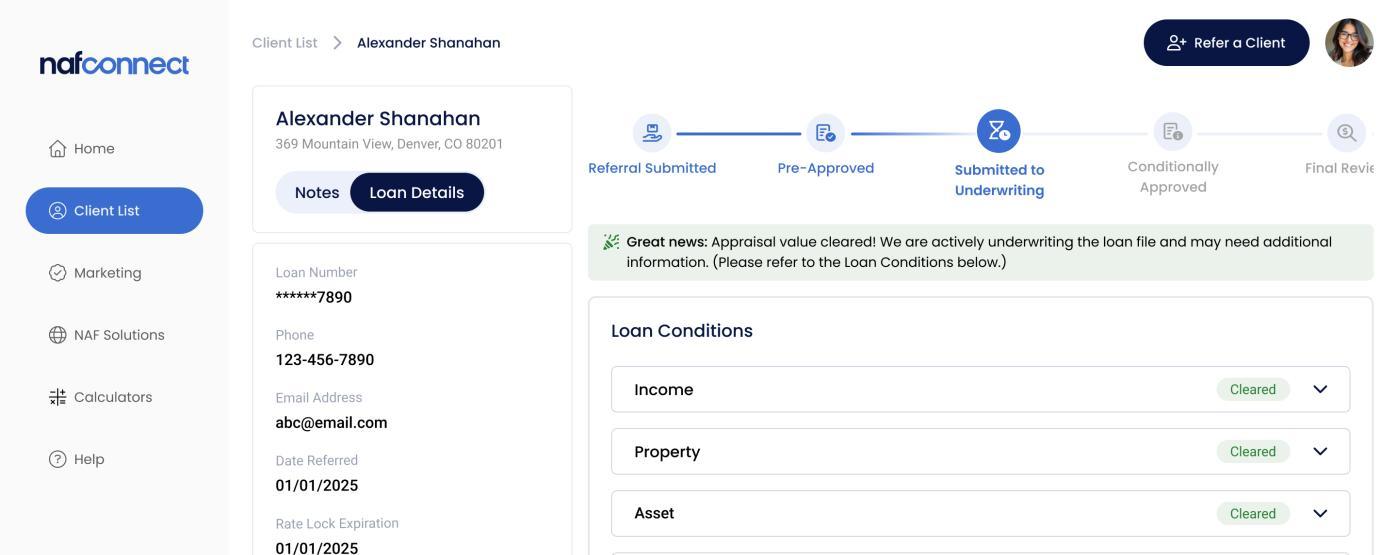
▪ Important alerts display below the tracker (e.g., appraisal was cleared)
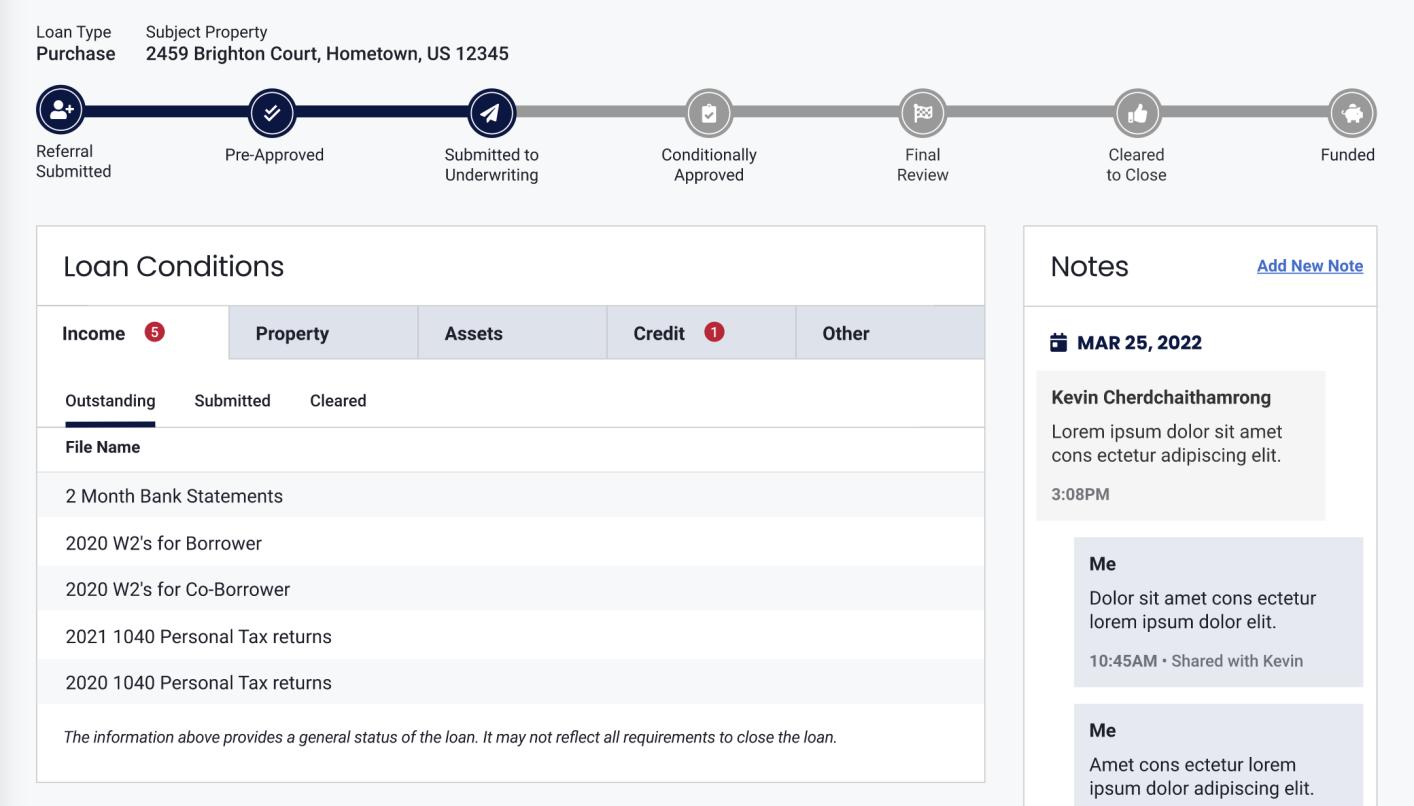
▪ Outstanding, submitted, and cleared loan conditions are shown real-time
▪ An HOA section collects information on whether property is part of an HOA
▪ Notes to and from the LO can be seen on the right section of the page
Real-Time Loan Updates
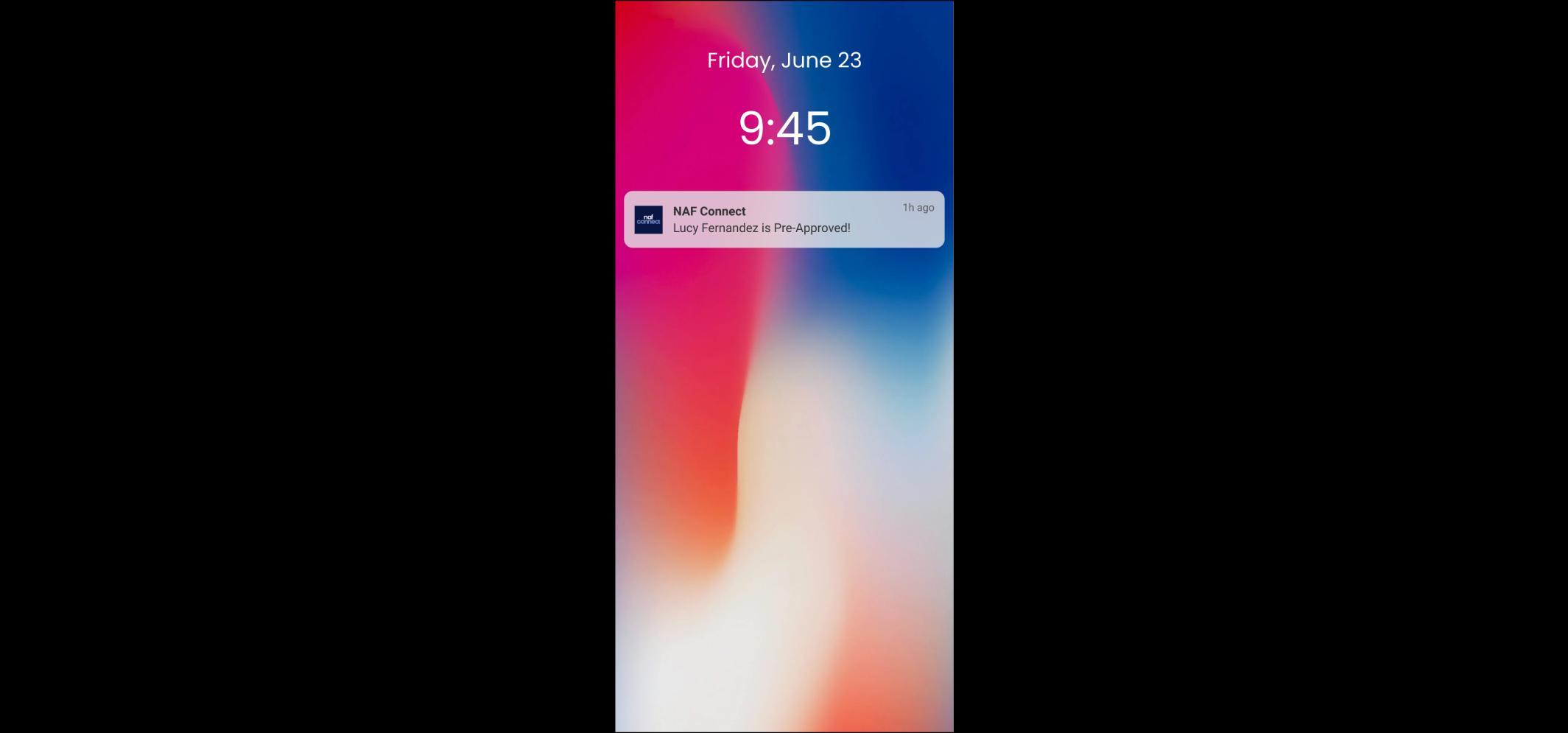
NAF Connect enhances the LO’s communication and keeps the REA in the know! REA receives real-time notifications on general loan status for their clients, on Loan Milestones, and can even see Loan Conditions.
▪ REA can view real-time loan status for any client any time in NAF Connect
» See what loan milestone a client is in and what loan conditions exist
▪ REA receives loan milestone alerts via email, text, or push notifications
▪ REA also receives a helpful weekly summary email of the loan status of all in-process clients
Progressive Web App Notifications
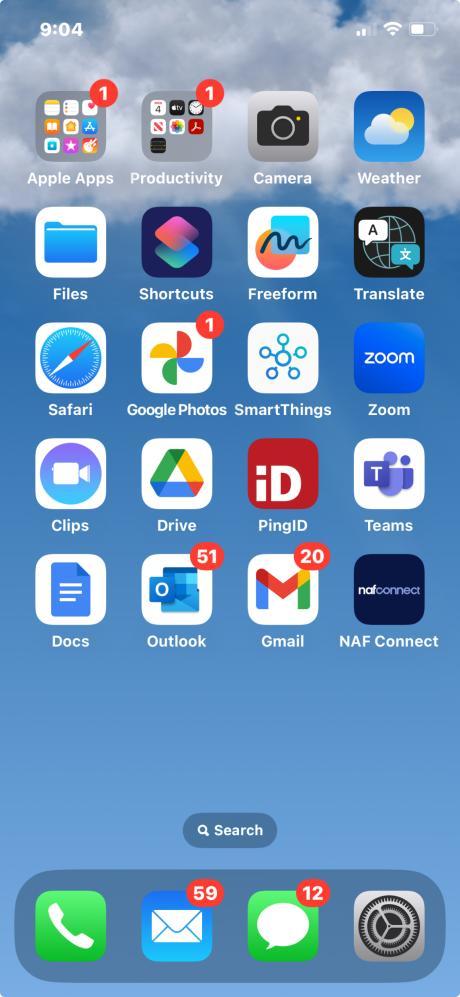
NAF Connect offers a progressive web app that can be easily installed so REAs can receive loan status notifications on their phone!
▪ Go to: naf-connect.com
▪ At the bottom of the phone screen.
» For Android: click on the Install message, tap the Share icon, then click on Add to Homescreen
» For iPhone: just tap the Share icon, scroll up, then click on Add to Home Screen
▪ The NAF Connect app icon will appear on the phone .
▪ The REA will start receiving NAF Connect loan milestone notifications on the phone.
Loan Milestone Alerts
NAF Connect notifies the REA real-time on behalf of the LO on the loan’s progress. The REA receives an alert notification for each of the following loan milestones:
▪ Referral Submitted
▪ Pre-Approved
▪ Submitted to Underwriting
▪ Under Review/Conditionally Approved
▪ Final Review
▪ Cleared to Close
▪ Funded
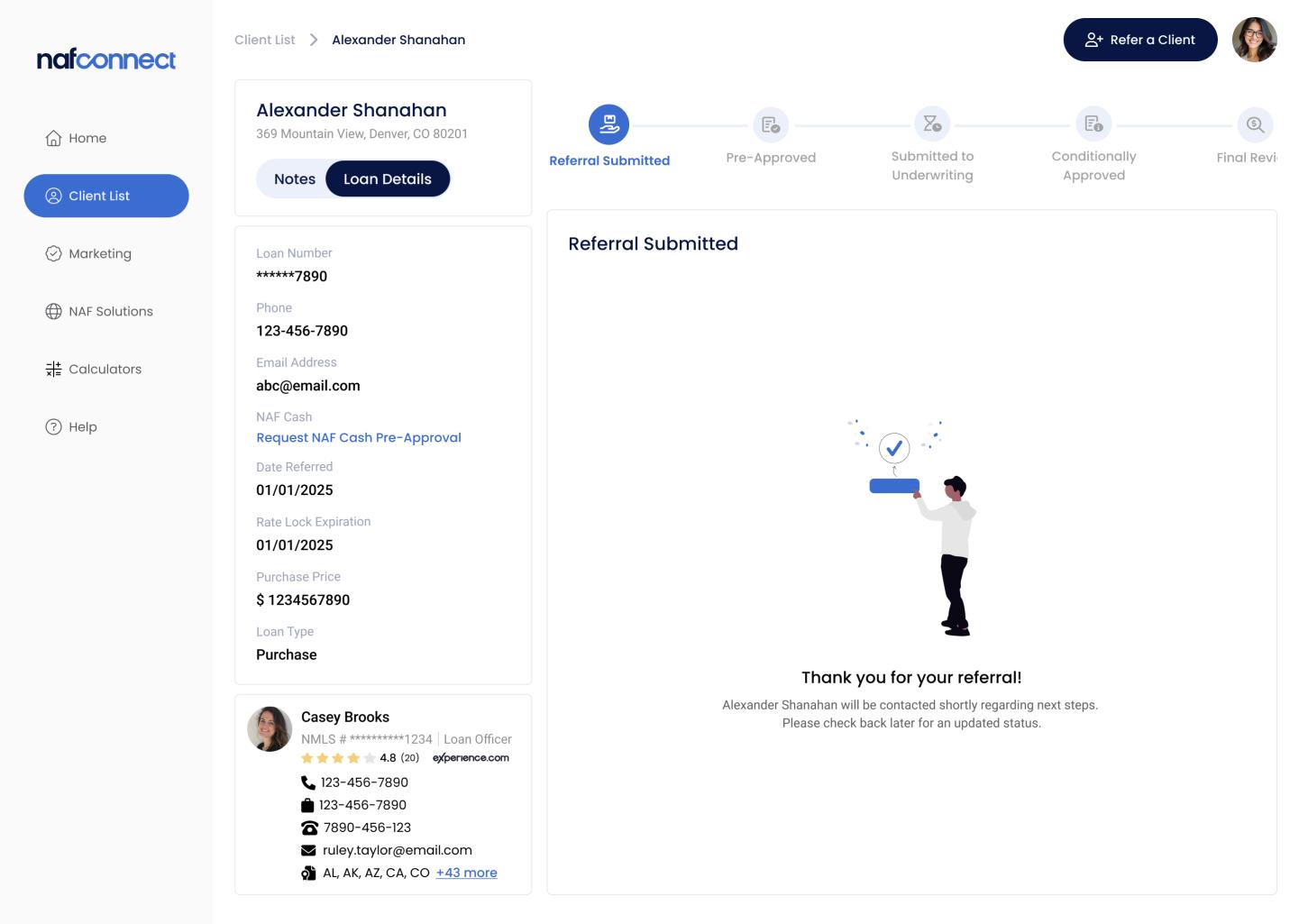
Loan Milestones – Referral Submitted
The Referral Submitted status is the first milestone in the client’s loan journey in NAF Connect.
▪ NAF Connect provides confirmation to the REA that the referral was received.
▪ Communication is immediately sent to the LO.
▪ The borrower is also notified and automatically sent a link to NAF’s digital loan application.
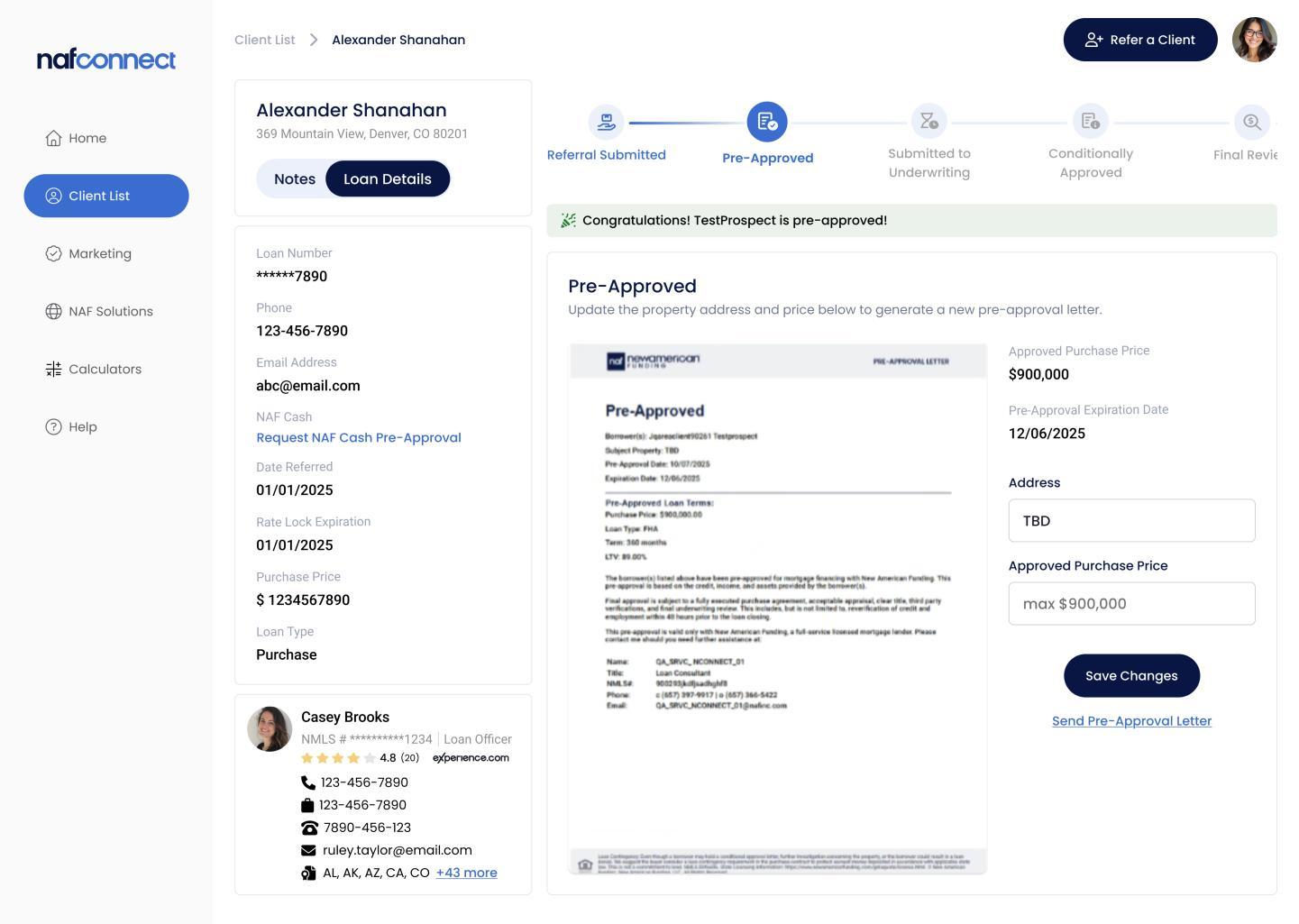
Loan Milestones – Pre-Approved
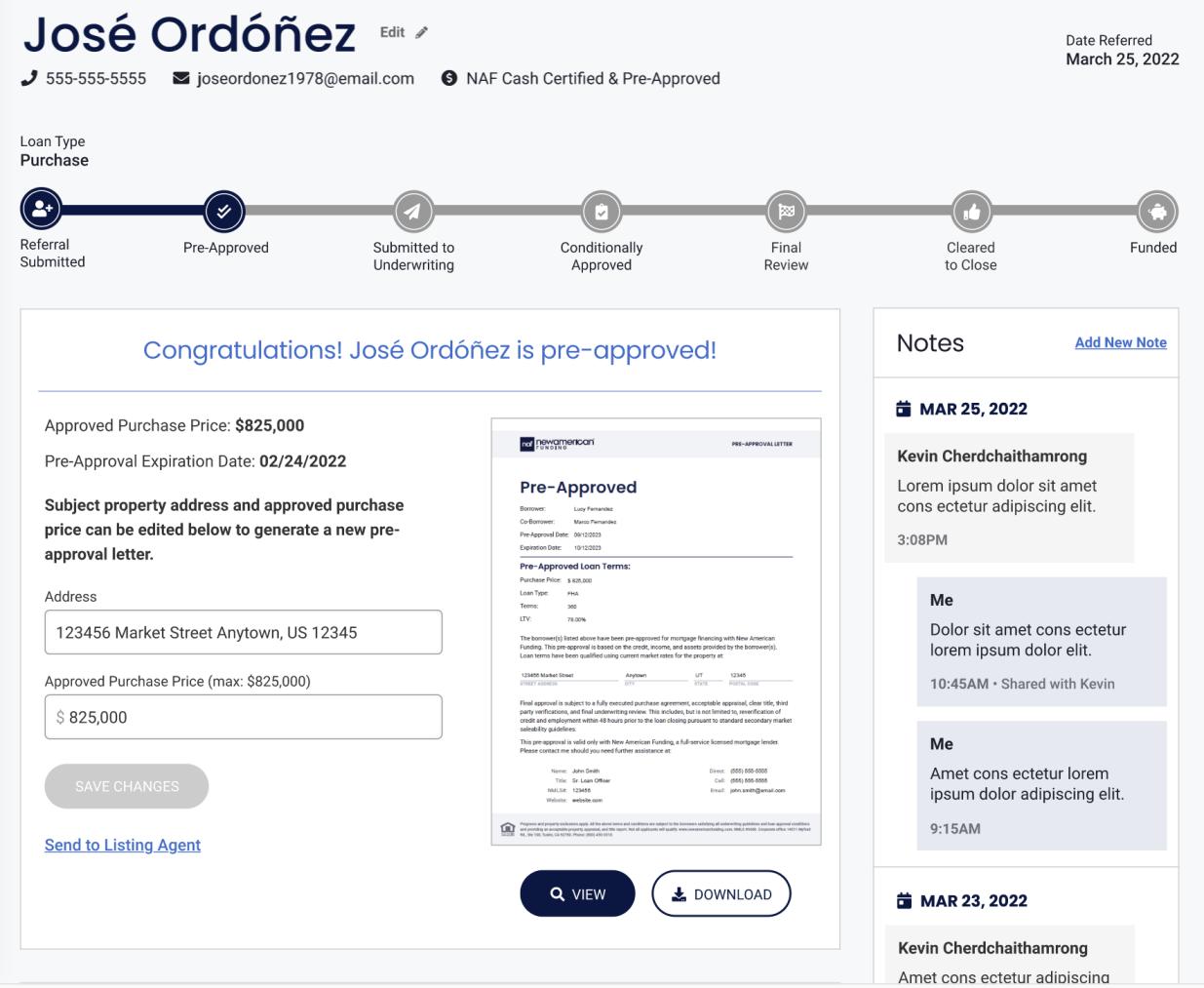
Pre-Approval status is shown here and the Pre-Approval letter, once available, can be accessed at the REA’s convenience.
▪ Access the PAL any time and view, edit, print, download, and share as needed.
▪ NAF Connect ensures the correct PAL template is used and dynamically provides the required, statespecific versions (e.g., AZ, TX) as appropriate.
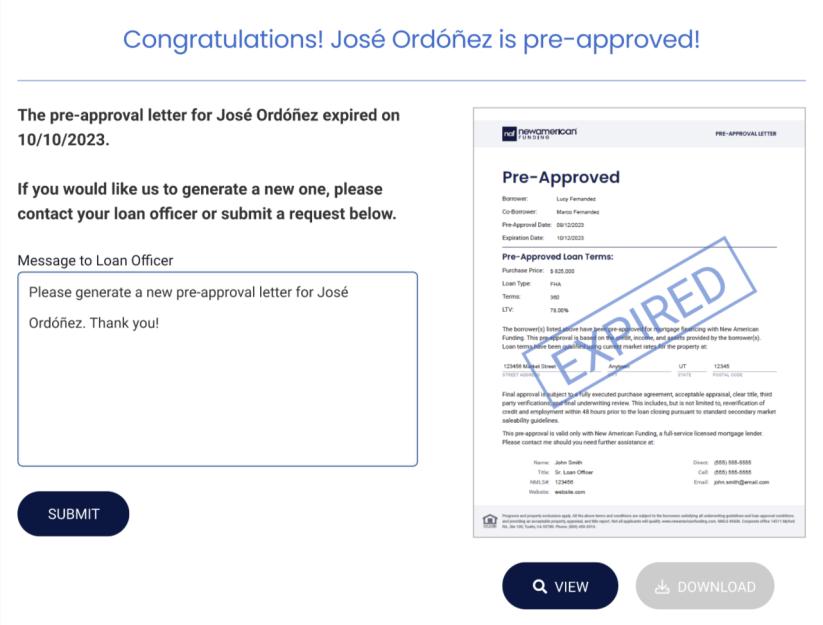
▪ When the PAL is expired, the REA can easily request a new one from the NAF LO within NAF Connect.
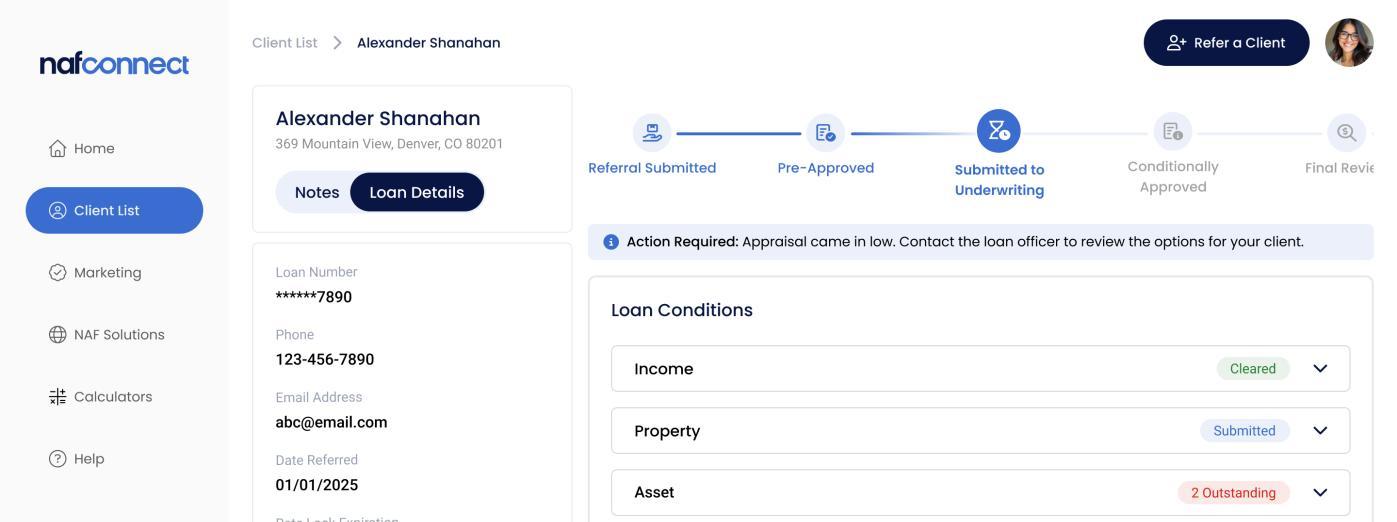
Loan Milestones – Submitted to Underwriting
At Submitted to Underwriting, the loan is progressed to the underwriting stage, and loan conditions begin to be viewable.
▪ Only titles of the loan conditions are viewable to the REA. Specific details and actual documentation are not shared.
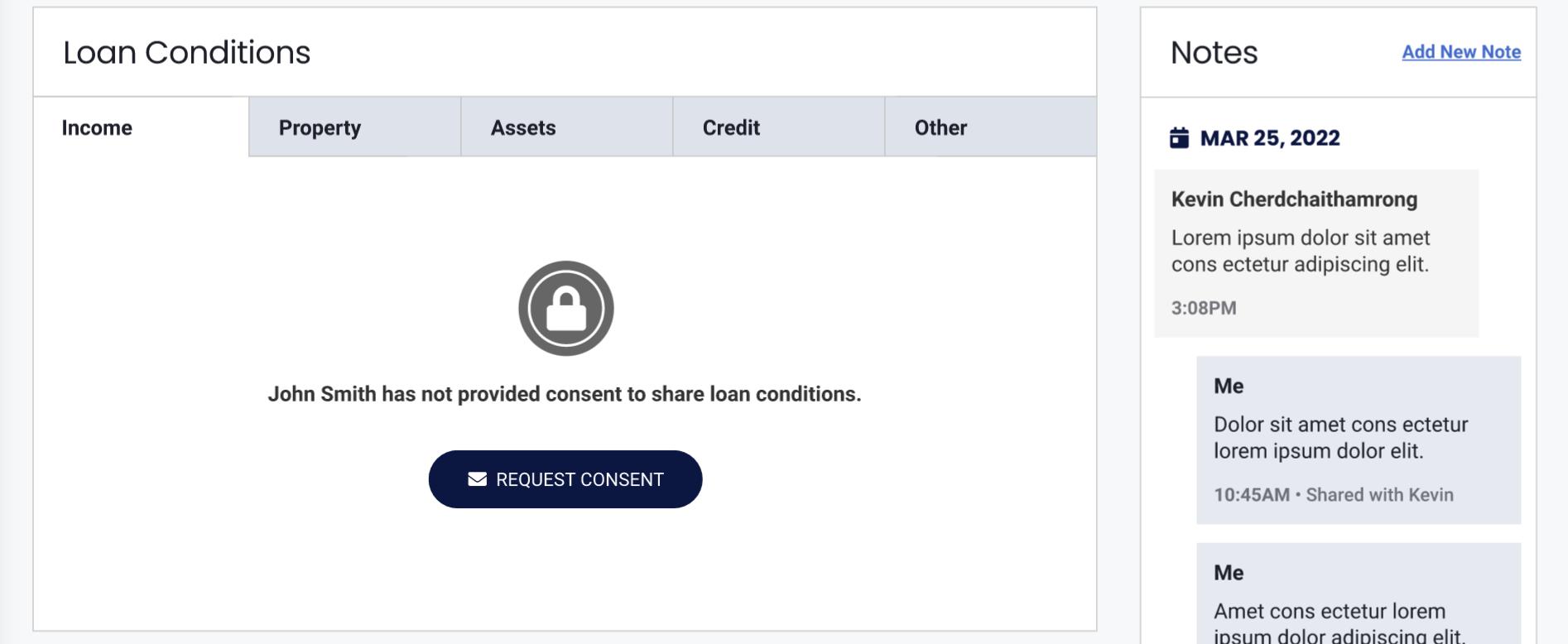
▪ If a lock icon displays, the client has not yet consented to share loan information with the REA.
» Click Request Consent to send an email to the client
» Once client provides consent, loan conditions will display
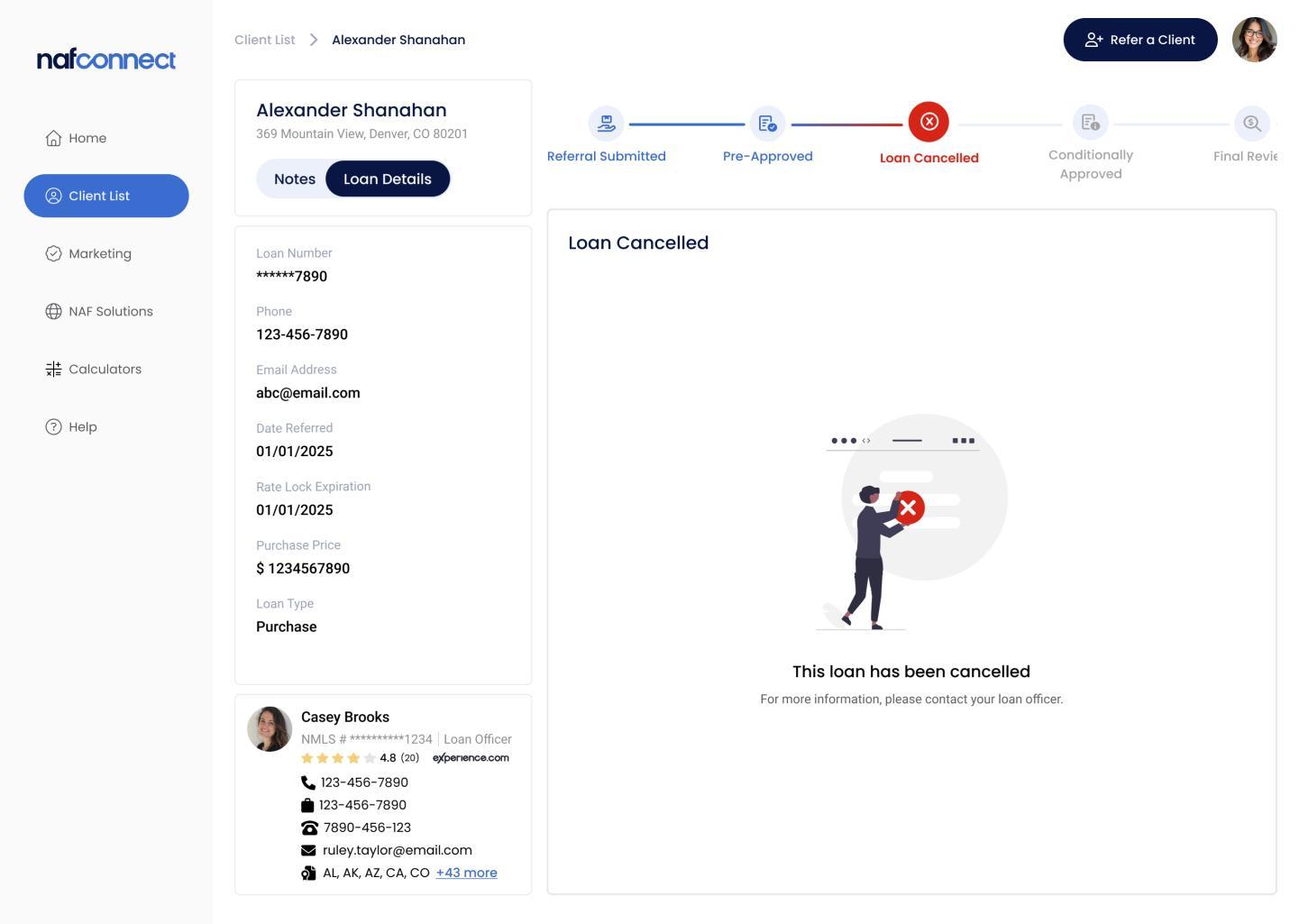
Loan Milestones – Loan Canceled
At any point in the loan journey, a loan may be canceled for any number of reasons.
▪ When a loan has been canceled, NAF Connect will display a Loan Canceled milestone in the loan tracker.
▪ The REA may contact the LO for additional information.
A loan may be Conditionally Approved or require further review.
▪ A loan that is Conditionally Approved may still have open loan conditions.
▪ A loan is marked Under Review with a yellow icon if the loan requires additional review .
» The REA or the borrower may contact the LO for more information
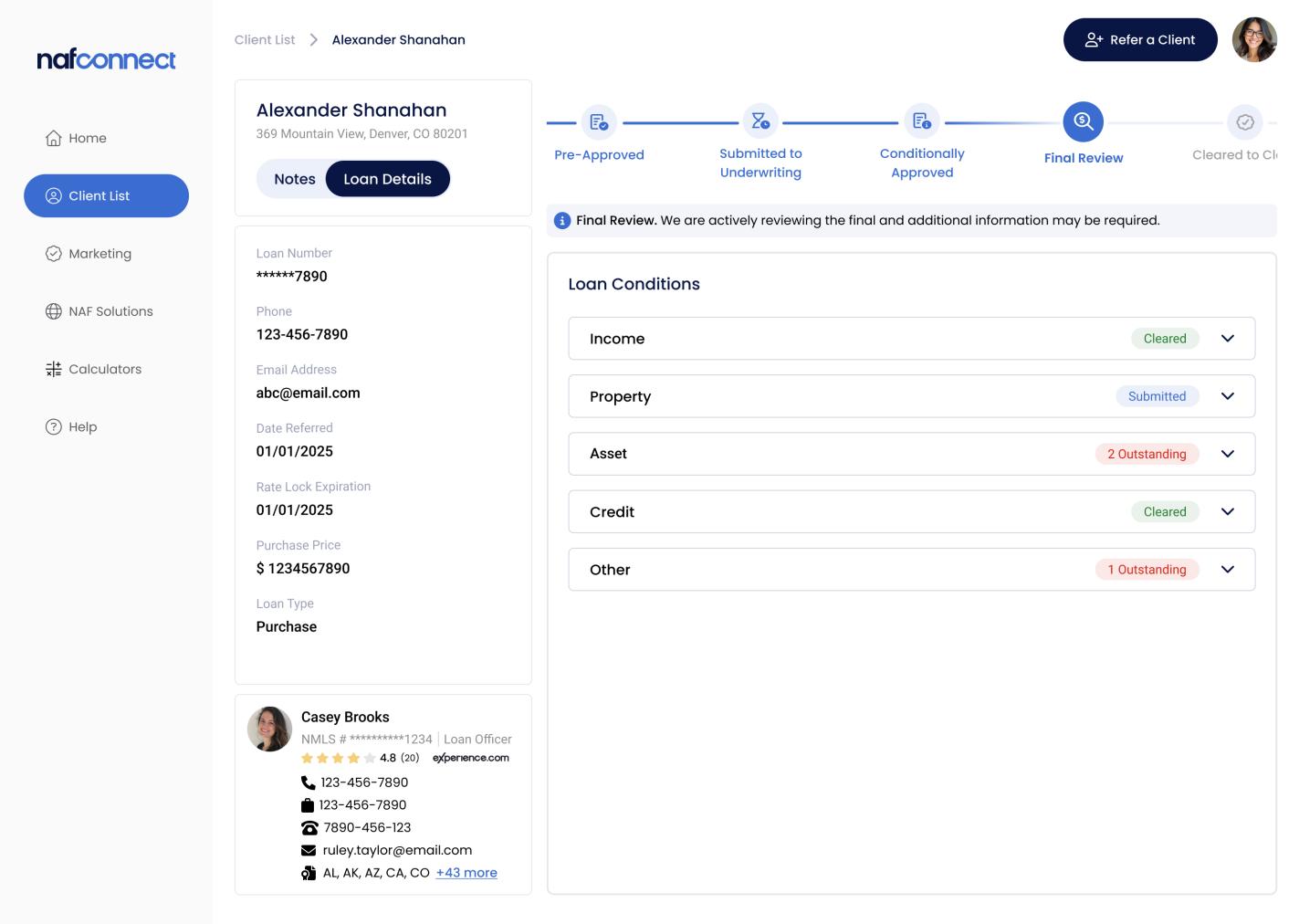
Loan Milestones – Final Review
A loan advances to the Final Review milestone when all loan conditions have been met.
▪ Additional information may still be requested.
▪ If further information is required, NAF will reach out to the borrower.
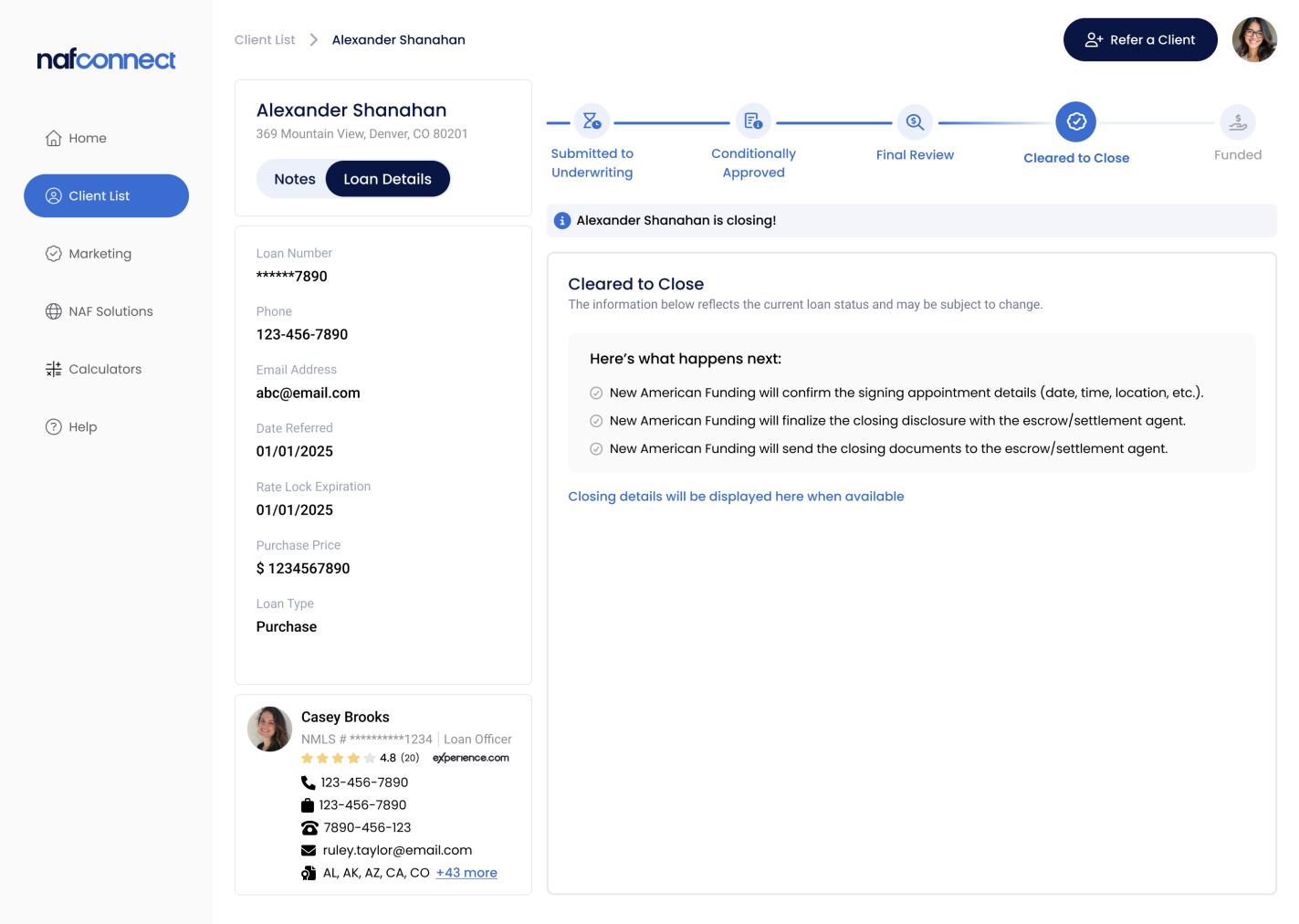
Loan Milestones – Cleared to Close
At the Cleared to Close milestone, helpful closing information is displayed when available for the REA’s reference.
▪ REA can view the Closing Location, Date, and Time and get directions via Google Maps.
▪ REA also receives an Escrow/Settlement Services contact.
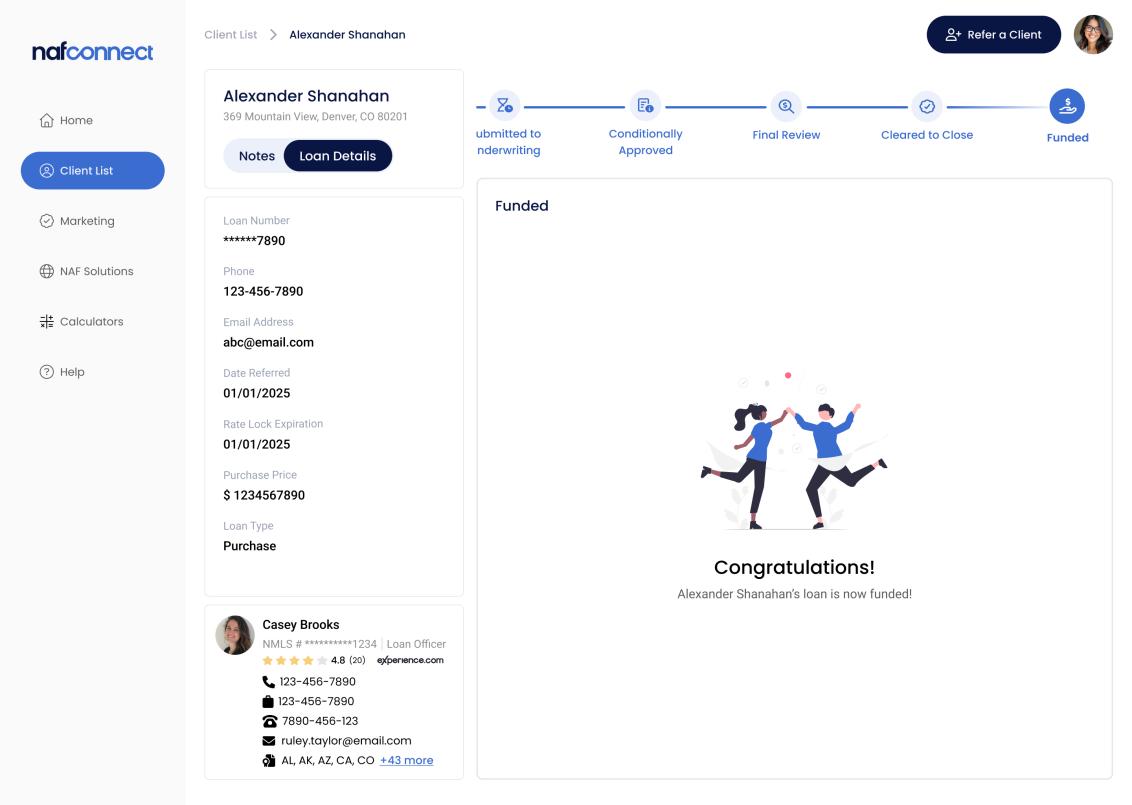
Loan Milestones – Funded
At the Funded milestone, NAF Connect celebrates the loan’s closing and shows how it continues to provide value to the REA posttransaction.
▪ A congratulations message displays in NAF Connect to celebrate the loan’s funding.
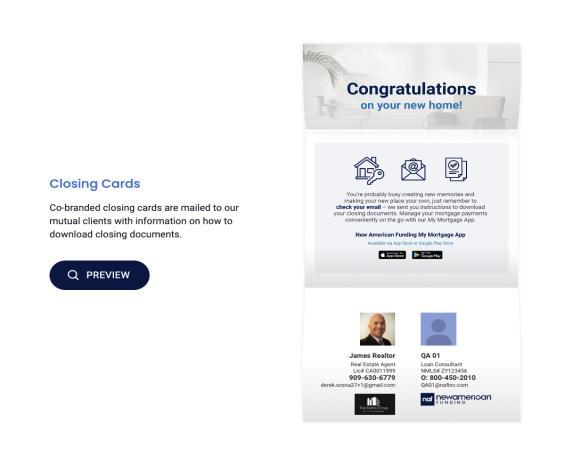
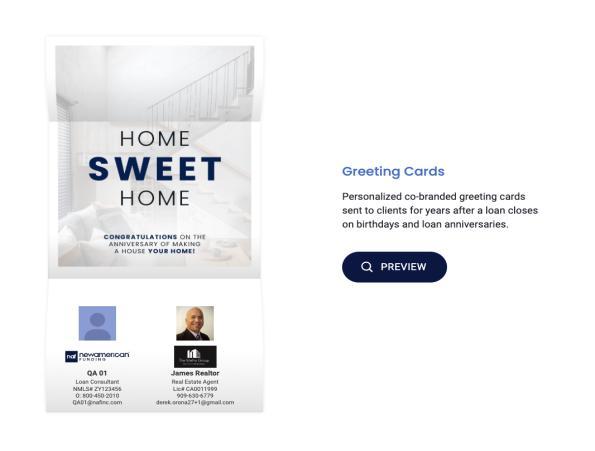
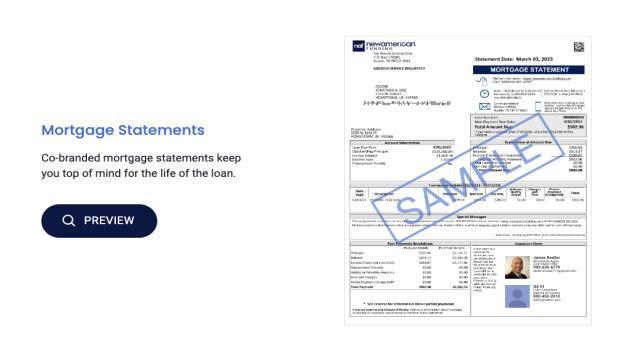
▪ The following co-branded marketing materials display beneath to highlight what NAF sends to mutual clients on behalf of the REA at closing, at loan anniversaries, and every month for the life of the loan.
» Closing cards
» Greeting cards
» Mortgage statements
Visibility to Loan Conditions
Loan Conditions give REAs visibility and transparency to the loans like never before, letting them know what’s needed to keep the loan moving.
▪ Only titles of the loan conditions are viewable to the REA.
» Titles have been translated to be user friendly
» Specific details and actual document contents are not shared
▪ In some cases, the REA may see a lock icon, which means the client has not yet agreed to share loan information with the REA.
» From NAF Connect, the REA can send a request to the client to grant consent
» After consent is obtained, the REA can view loan conditions in NAF Connect
Convenient Access to Editable Pre-Approval Letters
Once pre-approved, the borrower’s Pre-Approval Letter (PAL) is shared with the REA. The REA can view, edit, download, print, or share the PAL.
▪ REAs can access the PAL any time of the day or night, on a weekday or a weekend – convenience at REA’s fingertips and unparalleled customer service by the LO.
▪ REAs can edit purchase price or change subject property as needed – giving the REA control and the LO nice, uninterrupted time.
▪ REAs can download, print, or share the PAL with others – they can send the letter quickly to the client, listing agent, and/or team member.
Ability to Request a New Pre-Approval Letter
The REA is alerted when a client’s PAL has expired, and the REA can request a new PAL.
▪ When a PAL is expired, a note informing the REA displays in NAF Connect.
▪ The REA can easily request a new PAL from the LO from within NAF Connect by customizing the message to the LO, if desired, and clicking Submit.
▪ The new PAL will be made available in NAF Connect once the LO issues a new letter.
Helpful Notes
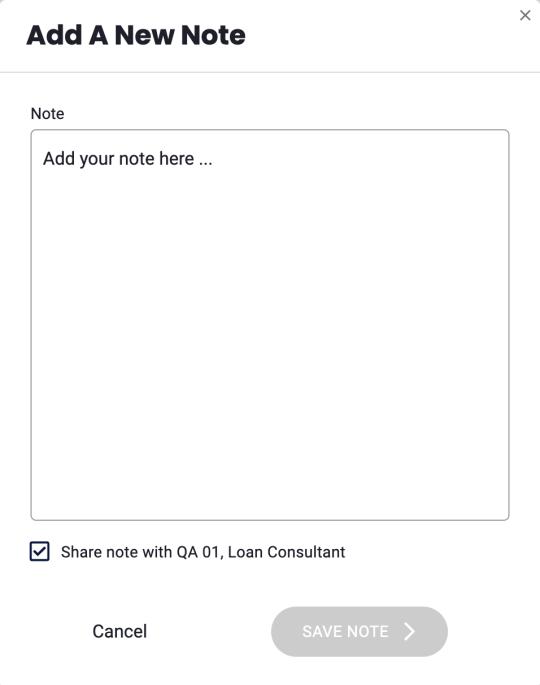
REAs can use Notes to record helpful information about the client and/or communicate directly with the LO.
▪ Within a Client Profile page, REA can use the Notes feature to jot down key information about the client or the transaction.
▪ REA may add a new note that can be kept private or shared with the NAF LO.
» Notes appear in BV in the client’s profile
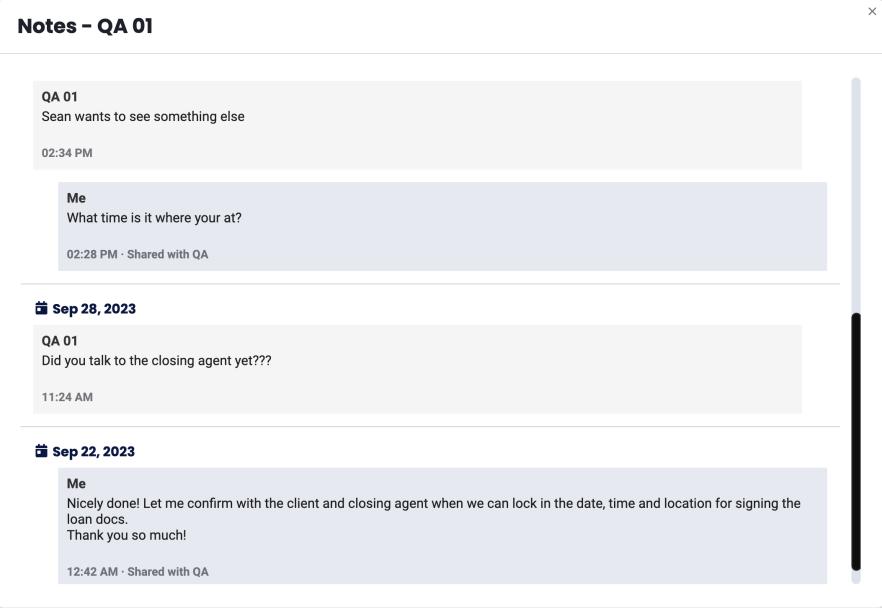
▪ LO may send a note to the REA which can be viewed in NAF Connect.
» LO can send Notes through BV
▪ REA can view all notes to see the full communication thread.
Co-Branded Marketing
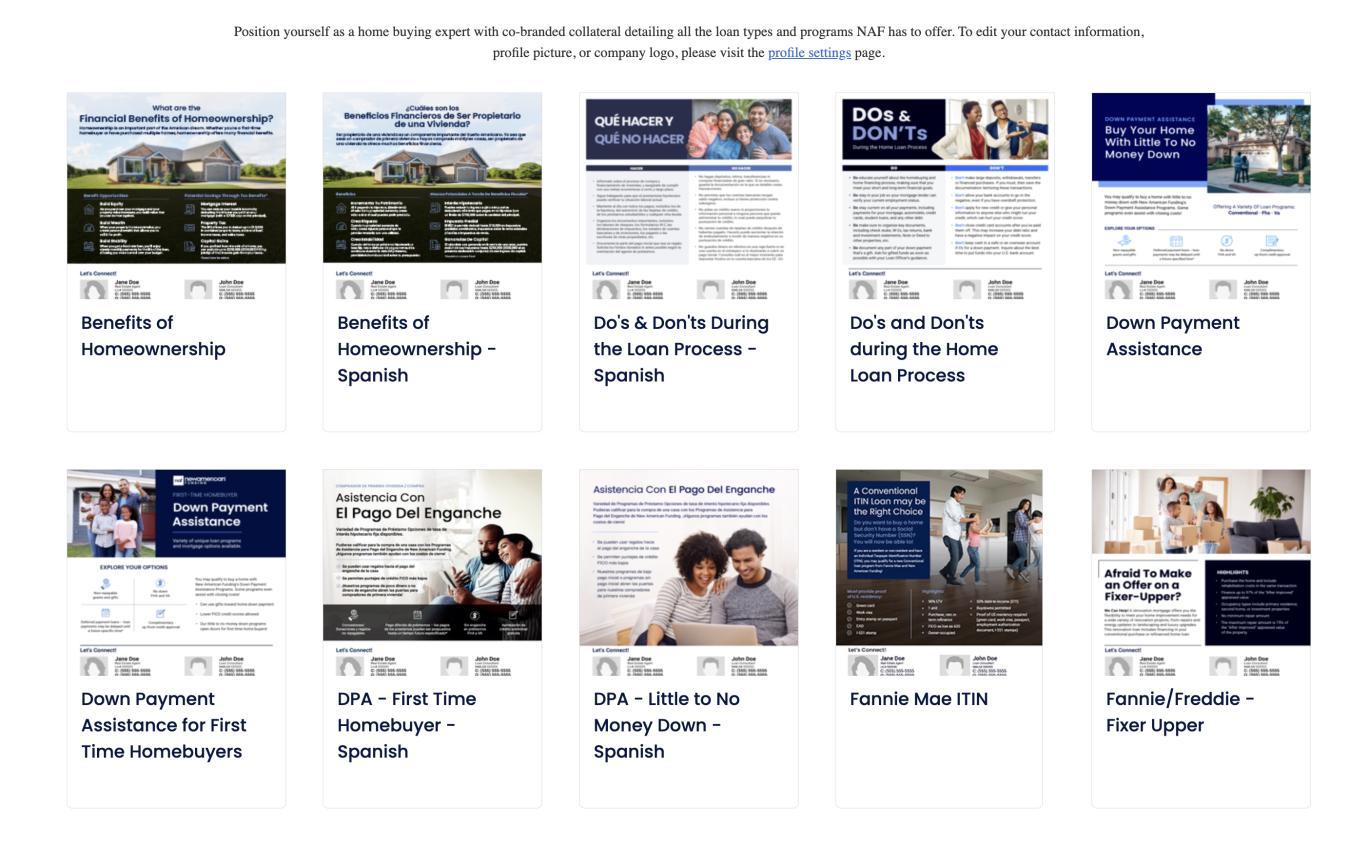
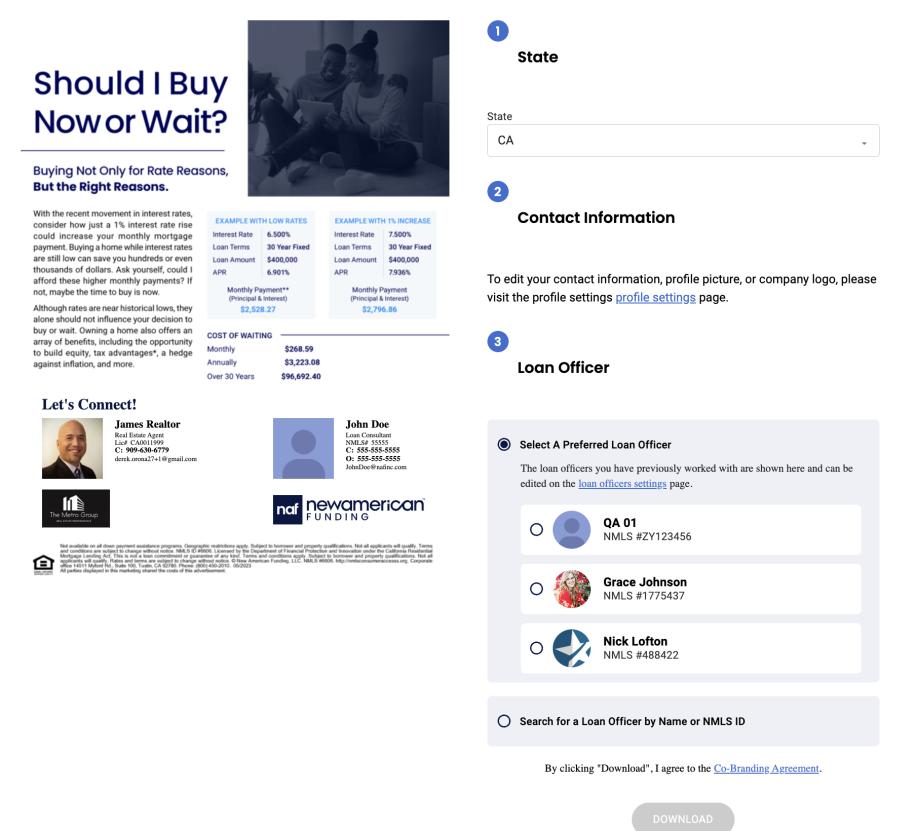
The Marketing section provides the REA a number of flyers and communications cobranded with the LO that can be edited and sent out to grow their business.
▪ Available marketing collateral includes educational content for homebuyers and various NAF loan products and programs.
▪ Spanish versions for most flyers are also made available.
▪ REA simply selects which marketing material to use and confirms the following information: State, Contact Info, Loan Officer.
▪ REA selects Download, and then prints or sends out communication as needed.
Valuable Resources
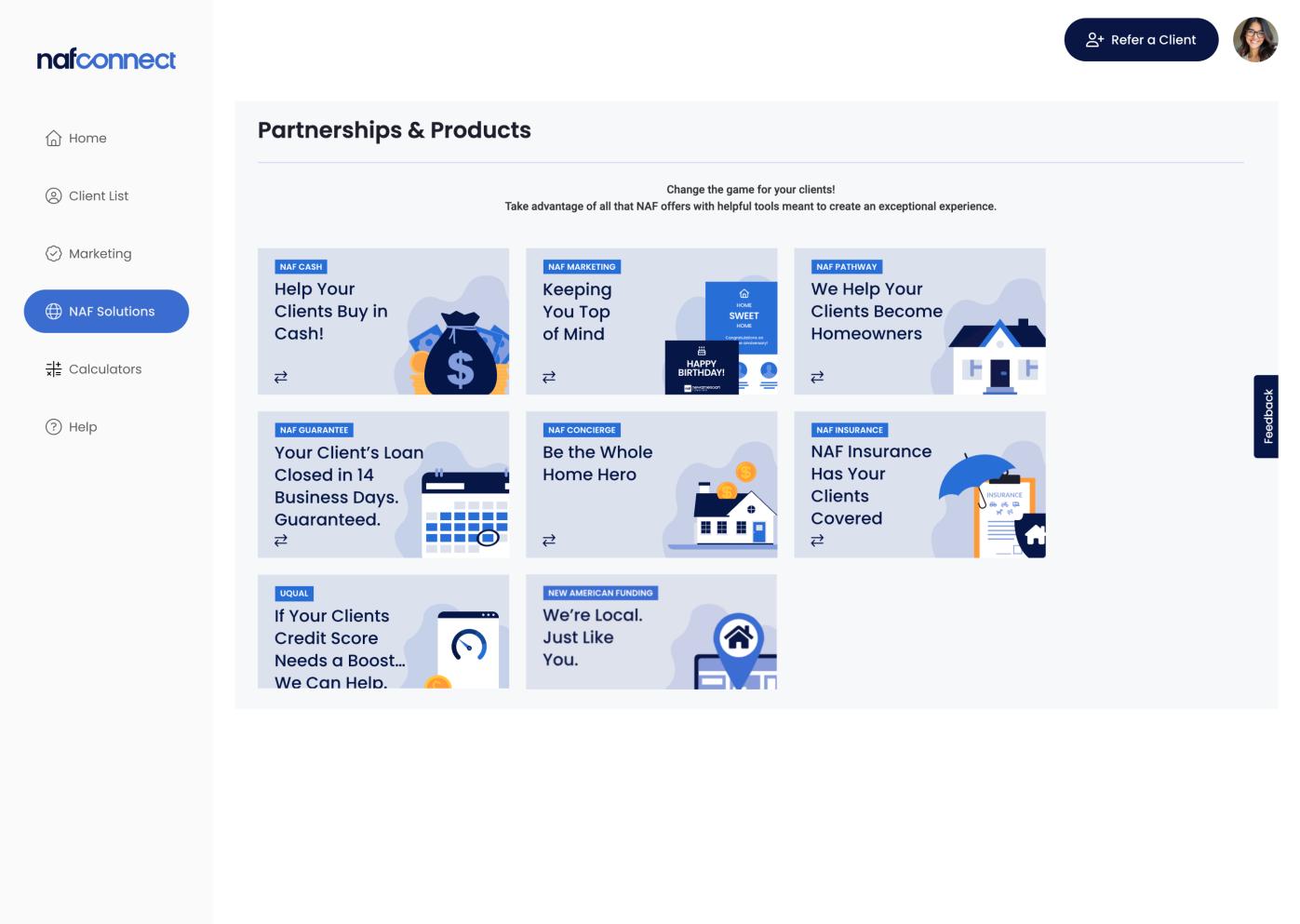
The Resources page offers the REA helpful and valuable information about various NAF products and programs.
▪ Explore various Resource cards on loan products as well as NAF partnerships available for the REA to leverage, including:
▪ NAF Pathway Loans
▪ NAF Cash
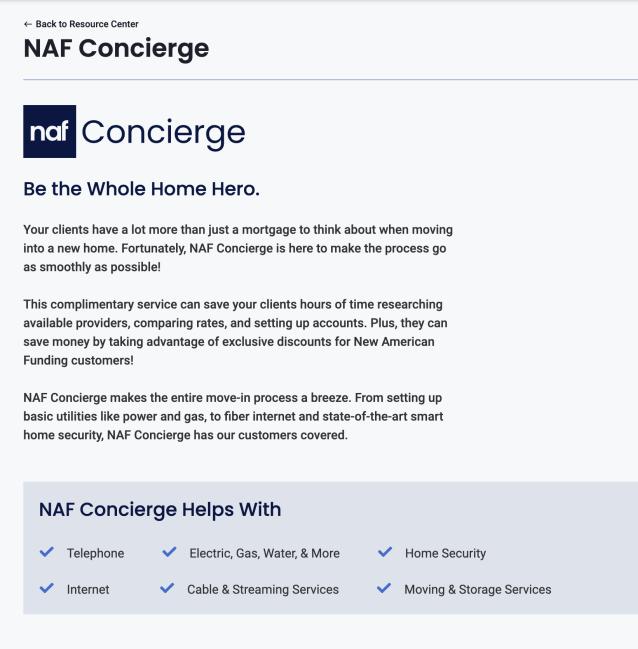
▪ NAF Concierge
▪ NAF Insurance
▪ Clicking on a Resource card allows the REA to see additional details and obtain key contact information.
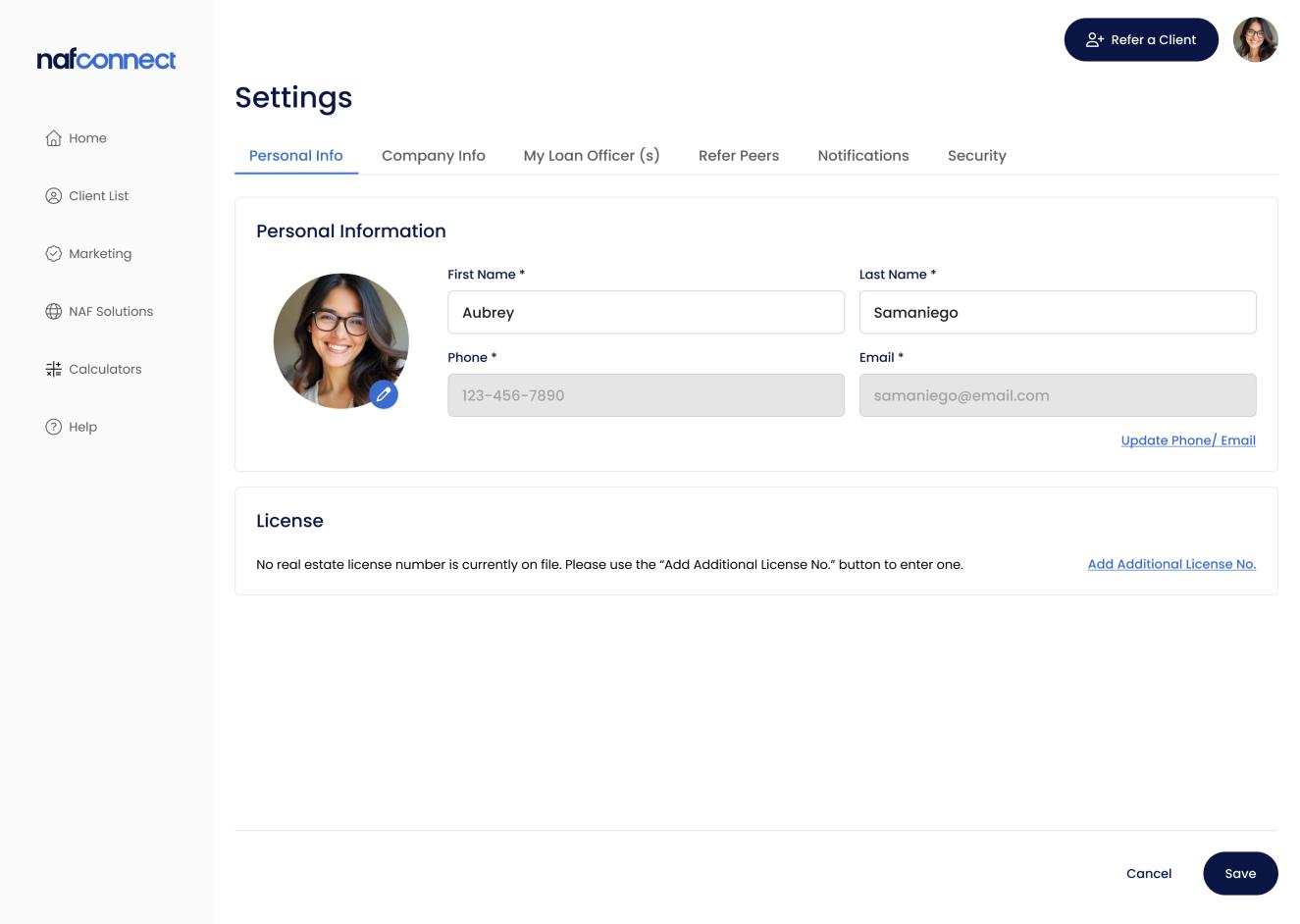
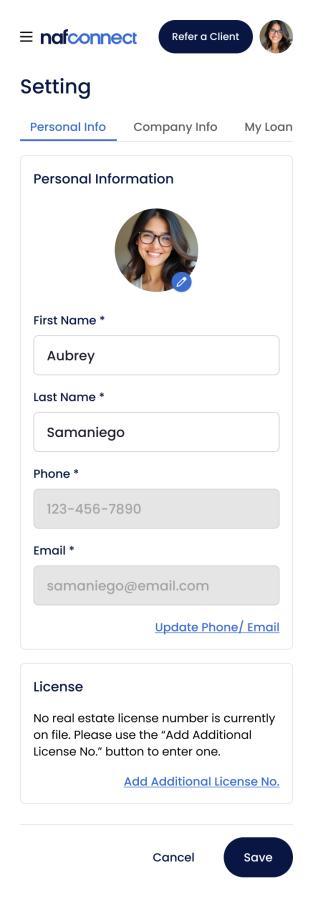
Profile, LO, and Communication Settings
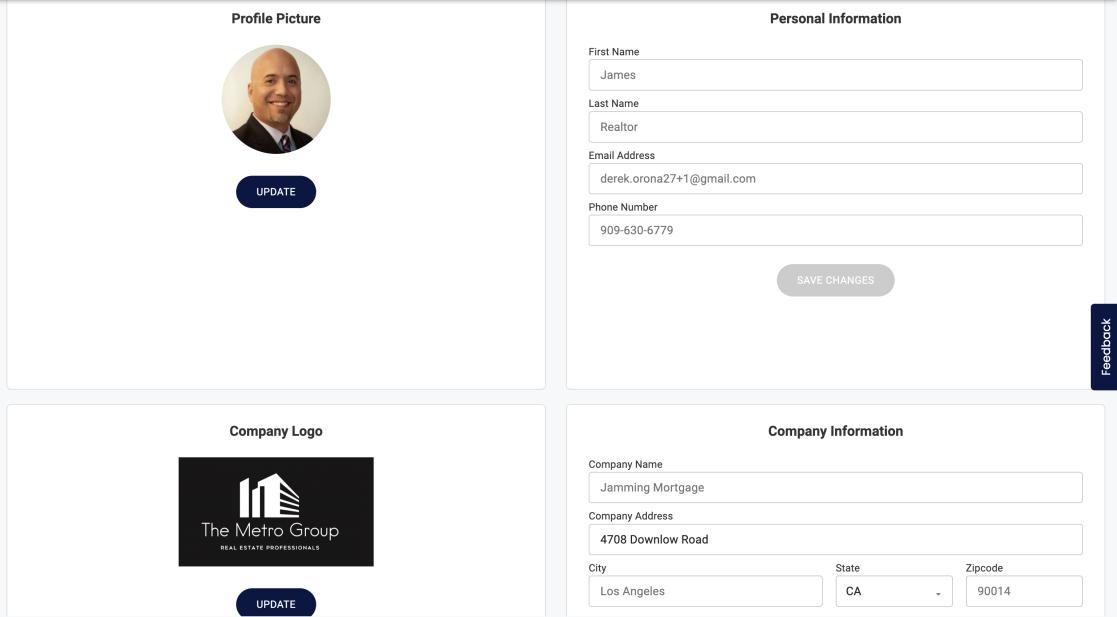
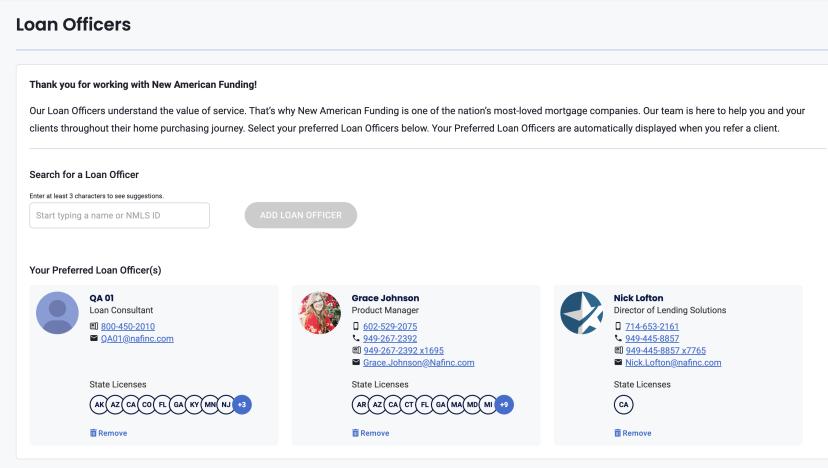
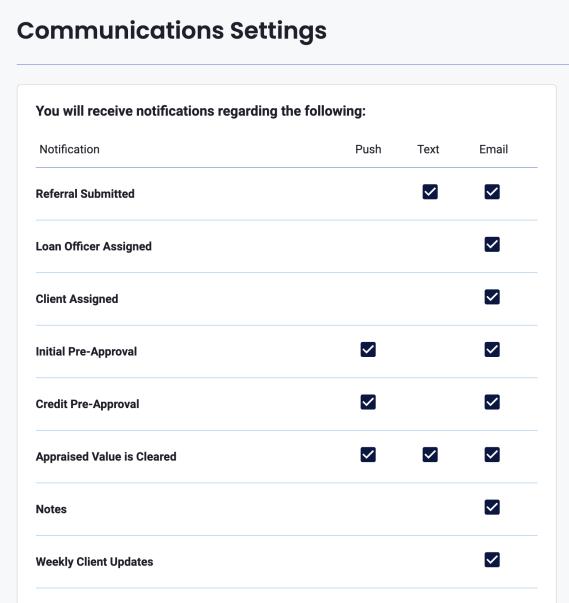
Settings allow REAs to view and edit profile information, set preferred LOs, and configure communication preferences.
▪ Completing the REA profile is encouraged, as it is required for use of any NAF Connect marketing material
» Ensures the most complete and up-to-date information displays on co-branded marketing materials
▪ Setting preferred LOs makes client referrals quicker, as LOs are displayed at the top for easy selection every time the REA refers a client
▪ Configuring how to receive notifications gives the REA control
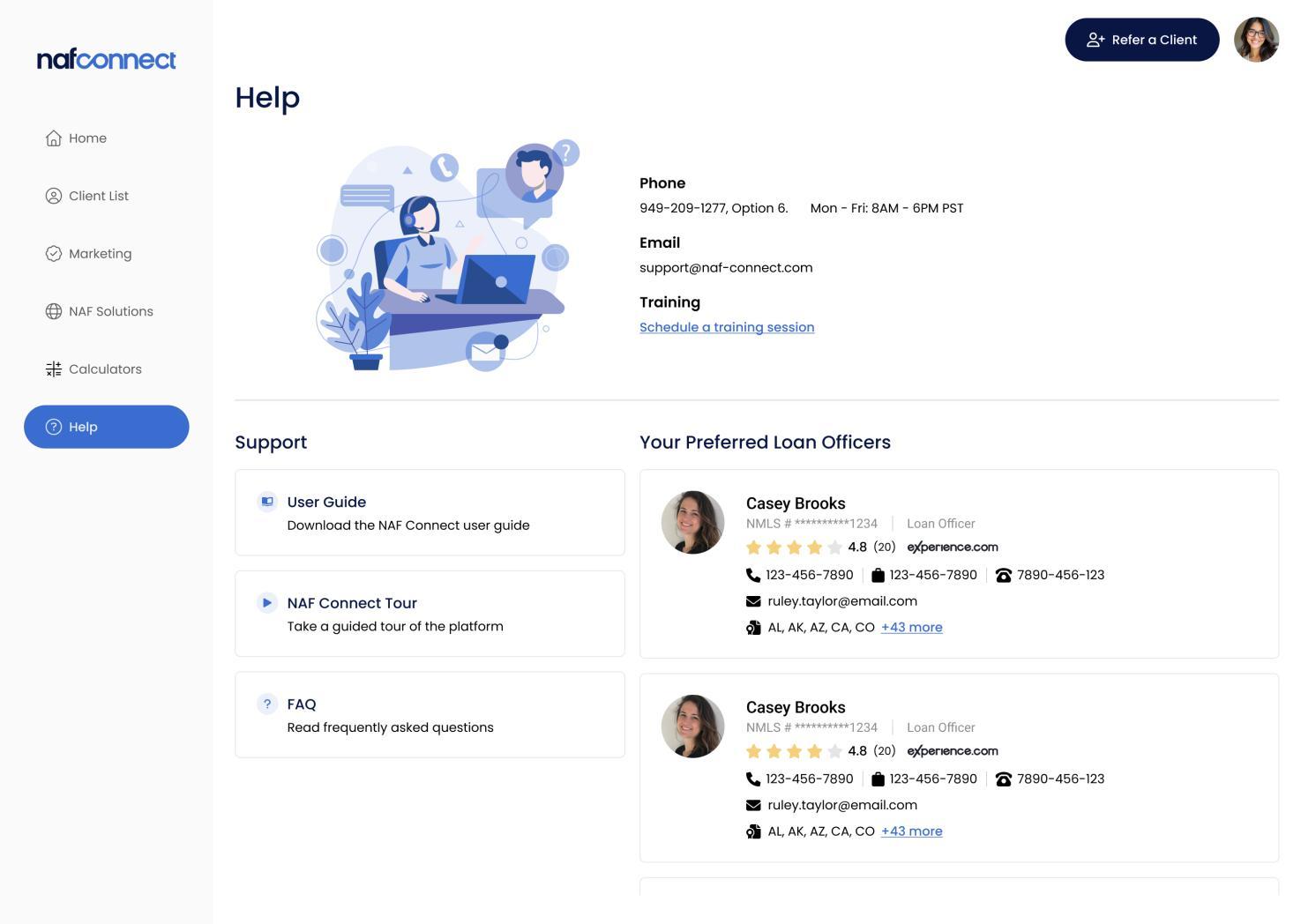
Help Page
The Help section is comprised of the NAF Connect User Guide and as well as contact information for Support and Training.
▪ Phone and Email contact information for the General Support and Loan Support teams
▪ Link to schedule a training session with the NAF Tech Training Team