// 10.11.2025//


// 10.11.2025//
1. Check the deadlines for the planogram start of category on Pages 4
2. Fill in the new offer, sample, and product card template
3. Find corresponding category manager contact (https://www.maxima.ee/en/contacts-suppliers) and send offer by the deadline
4. Feedback to suppliers will be provided for all offers together with valid assortment list
5. Assortment changes will be published by the planogram start date
6. Implementation in stores will take place during 7 days after the planogram is published
Deadlines and categories are available on Page 4.
E-MAIL WITH OFFER TO CATEGORY MANAGER
MUST CONTAIN:
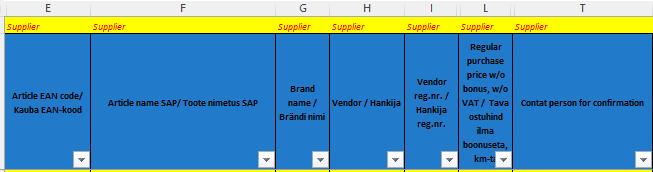
• Supplier offer template
• Sample template
• New product card template
• Product photo for leaflet and planogram

PRODUCT PHOTO REQUIREMENTS
• Leaflet photo must have
• Minimum of 1000px on the shorter side
• Be at least 1MB in size
• Positioned straight, without any tilts
• Planogram photo must have
• Be at least 100KB in size
• Positioned straight, without any tilts
FEEDBACK FROM CATEGORY MANAGER TO SUPPLIER CONTAINS:
Full valid assortment including confirmed NEW/OUT products.
Assortment offers are accepted on Maxima template submitted on timeonly by assortment changes Schedule (Page 4)
One-to-one changes outside assortment window can be done by category manager throughout the year.