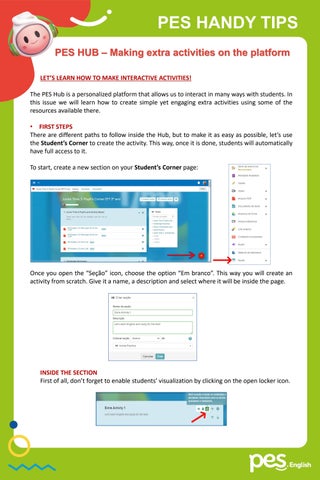
PES HANDY TIPS PES HUB – Making extra activities on the platform LET’S LEARN HOW TO MAKE INTERACTIVE ACTIVITIES! The PES Hub is a personalized platform that allows us to interact in many ways with students. In this issue we will learn how to create simple yet engaging extra activities using some of the resources available there. • FIRST STEPS There are different paths to follow inside the Hub, but to make it as easy as possible, let’s use the Student’s Corner to create the activity. This way, once it is done, students will automatically have full access to it. To start, create a new section on your Student’s Corner page:
Once you open the “Seção” icon, choose the option “Em branco”. This way you will create an activity from scratch. Give it a name, a description and select where it will be inside the page.
INSIDE THE SECTION First of all, don’t forget to enable students’ visualization by clicking on the open locker icon.
PES HANDY TIPS INSIDE THE SECTION Click on the ‘plus’ icon on the right. There you will find different icons for file formats. You can use as many as you wish of every type per section. Explore the resources as much as possible.
PROMOTING INTERACTIVITY As mentioned before, the PES Hub offers a great variety of possibilities to prepare an interactive class. Shall we look into some of the most interesting ones? • VIDEO: Click the icon and the options available will pop out. An easy option is to embed a link: First, select “Da internet”. Find the video you want to use on a streaming platform, copy its link and then paste it on the box that has opened on PES Hub. Click to upload.
You can edit information on “Descrição” and “Configurações”. Then, click on “Publicar” and it will be available to students.
✓ Use videos not only to give instructional information, but also to promote discussion about a topic you know students are interested in. For example, if you are teaching about food, show a video about ‘weird but tasty’ cuisine around the world. It can be a truly engaging tool when you explore it thoroughly.
PES HANDY TIPS • VIDEOCONFERÊNCIA Use this format to embed a link to a videoconference room. It can be a fun way to use technology to learning, using different formats from the conventional classroom.
Some ideas for using video conference rooms: ✓ Invite students to participate in group discussions about a chapter they read in a text or the textbook in class, or even the Reader assigned for the semester. Provide the discussion questions ahead of time so that students can think about them before the conversation. ✓ Conference online with students about their goals, progress, questions, and concerns. You can create a schedule of timeslots to allow students to sign up for 5-minute conferencing sessions. ✓ Explore role-play activities. Students can pretend to work on a company, to be school employees or any other scenario that promotes dialoguing or group discussions. It is a great opportunity to teach them about online communication, language formality, expressions, etc. • TAREFAS It allows you to create a specific task. There you can type and edit a text, paste pictures, embed videos and attach files. Also, in the settings window, you can allow students to comment and attach their own files, by enabling the option “ Visíveis pelo professor”.
If you choose “visíveis por todos”, students can see each other’s comments, which provides interesting opportunities for interaction.
✓ This tool is great for creating challenges, projects and games in which students post a picture or answer questions to earn points. You can develop activities with several steps to be accomplished, make group challenges, an online mural with students’ productions... The sky is the limit!