
https://www.mailsdaddy.com/

https://www.mailsdaddy.com/
Step 1 :
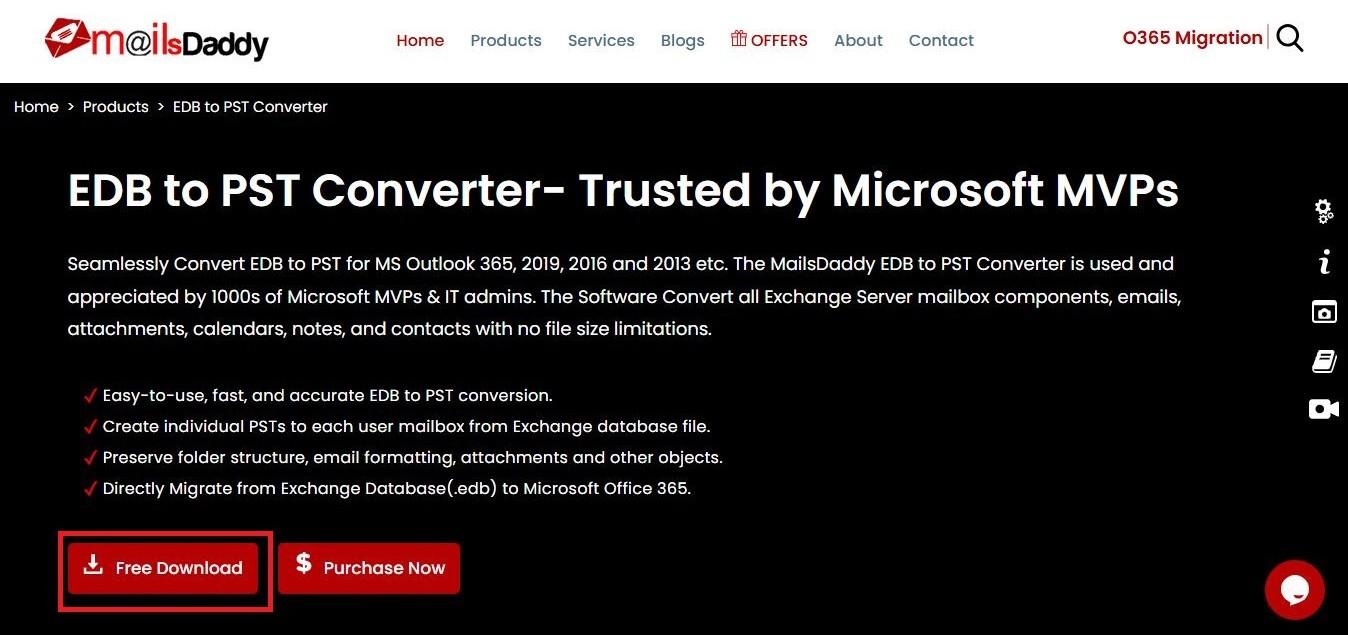
Start by downloading MailsDaddy EDB to PST Converter tool from our website. Install and activate the software.
Step 2 :
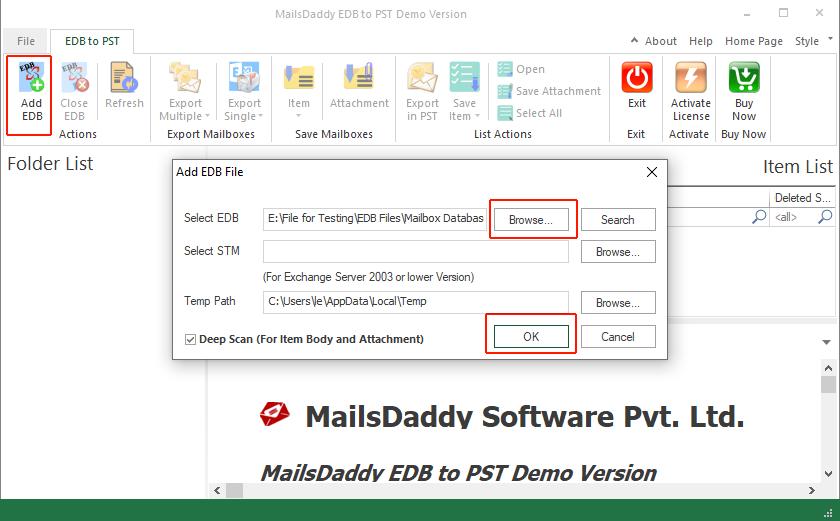
In this window add EDB file.
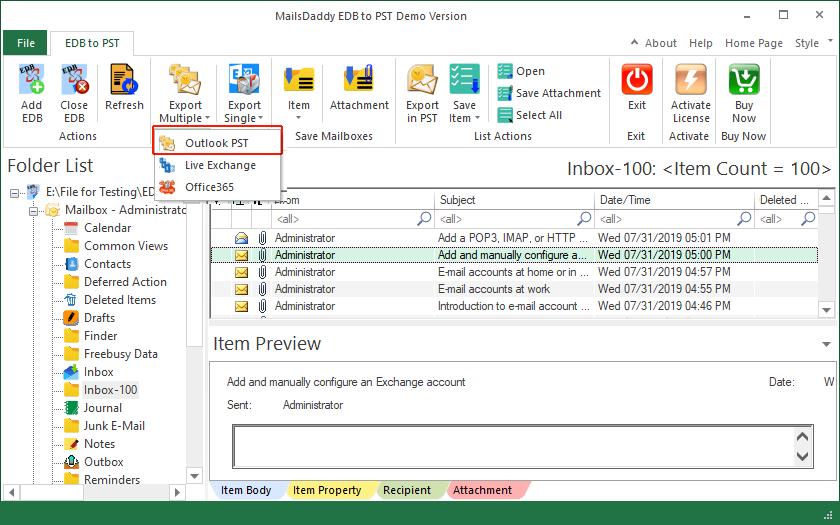
Step 4 :
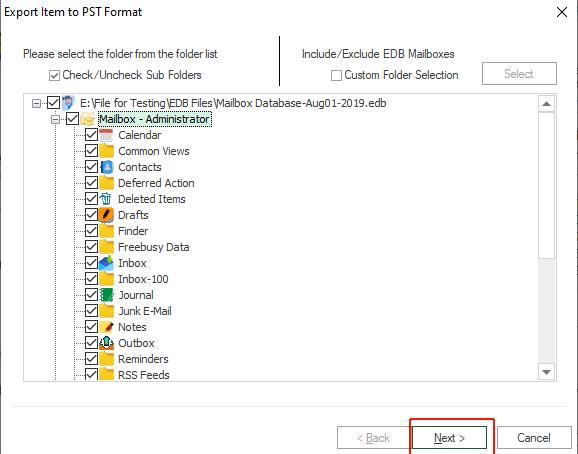
In pop-up window, select all mailbox/folders to export EDB to PST format in bulk mode and click Next button.
Step 5 :
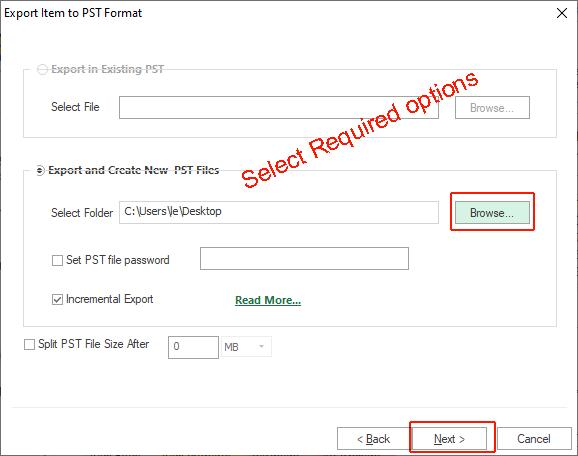
Here available 2 options for user to recover EDB file
1.Select new PST file or 2.Existing Outlook PST file
Browse location and then click Next button.
Step 5 :
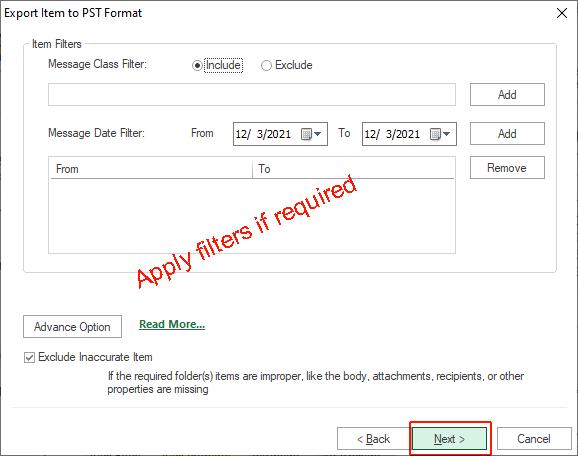
In new pop-up window, all filters are optional for the users, so user can click on Next button directly.
Step 6 :
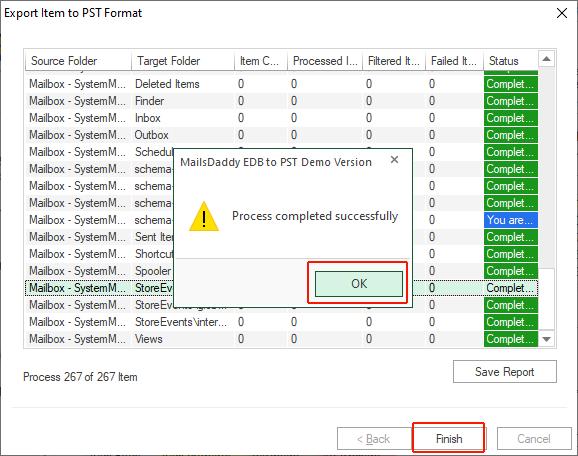
Finally Export in processing. If you chose the demo version of the software then it will export 50 items from each folder/mailbox.