Social Media
BUILD CONNECTIONS
ENGAGE YOUR AUDIENCE AND GENERATE EXCITEMENT


BUILD CONNECTIONS
ENGAGE YOUR AUDIENCE AND GENERATE EXCITEMENT

Connect with
anywhere, any place, any time — on any device.
Social media hums with activity — 24 hours a day, seven days a week, 365 days a year. As you teach your students the valuable real-world business skills of marketing and selling their product (a yearbook), you cannot overlook the importance of social media.
This guide is designed to help you set up a social media presence for your yearbook that will help generate awareness, build your brand, expand your coverage and ultimately increase sales.
• Create awareness with students/faculty/parents.
• Bring the yearbook into students’ daily lives.
• Build connections within your school community.
• Increase yearbook loyalty and engagement.
• Increase inclusivity by sharing photos/videos.
• Create understanding of why yearbooks are important.
• Promote the yearbook sale.

These days, you’d be hard-pressed to find a teen that isn’t savvy about social media. With a mobile device or a computer, teens are constantly engaging with their peers, sharing stories, images and videos.
Social media is an essential part of how we communicate in today’s world. For many teens, posting and sharing on Facebook, tweeting/retweeting on Twitter and posting photos on Instagram and Snapchat is the way they stay in touch with friends and family members. That’s good news for yearbook advisers and staffs.
Take advantage of this unique opportunity to connect with your school community of students, parents, teachers and administrators — gather meaningful content, expand your yearbook coverage, promote your yearbook and increase book sales.
Before you jump headfirst into the world of social media, it’s best to have a plan. While the number of social media sites grows every day, some platforms are especially well-suited to helping yearbook advisers and staffs generate interest in their product, broaden their content and promote their yearbook. Facebook, Instagram, Twitter and Snapchat are some of the most popular sites used by yearbook staffs.








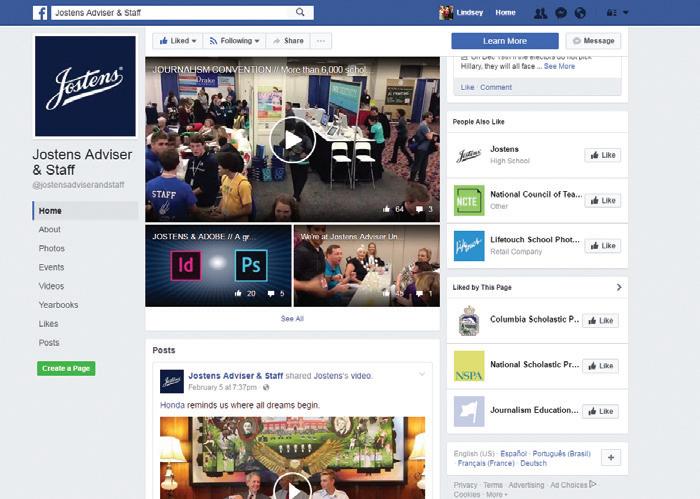
@jostensadviserandstaff

Facebook is the all-in-one platform that encompasses various features of the different social networks. Post or create a story about upcoming events, pictures of the yearbook creation process, school cancellations, and student achievements. Create Facebook events for upcoming school events and encourage students and parents to attend. Post a fun poll to gather information for content in your yearbook.
facebook.com
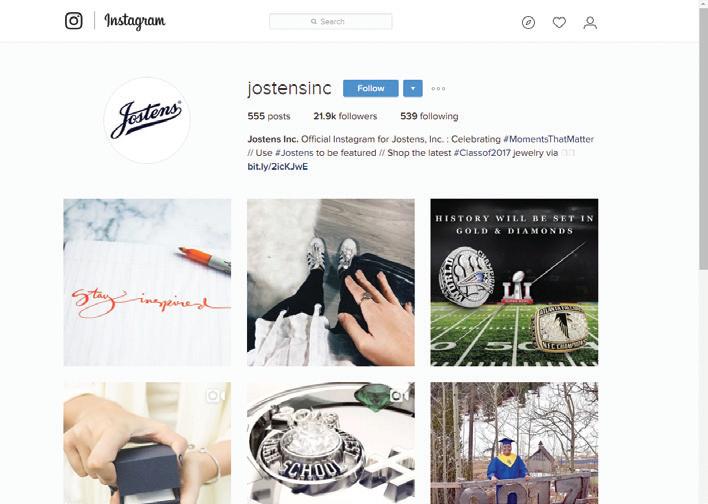
@jostensinc

Instagram is very visually focused and a great platform for sharing yearbook photos, photos of school rallies, events, or even interviews with students or faculty. You can search hashtags, check in @ locations, create polls and more. There are two ways to post on Instagram posts and stories. Posts are the main part of Instagram where you should publish pictures that will stay up forever, similar to Facebook posts. Instagram stories are fun images or videos that only stay on your account for 24 hours and are then deleted from the platform. Publish a story by tapping the camera icon or swiping right while in your Instagram feed.
instagram.com
These social media sites offer yearbook advisers and staffs a free, easy and convenient way to generate interest in the yearbook, share information, gather content, broaden coverage and market the book.
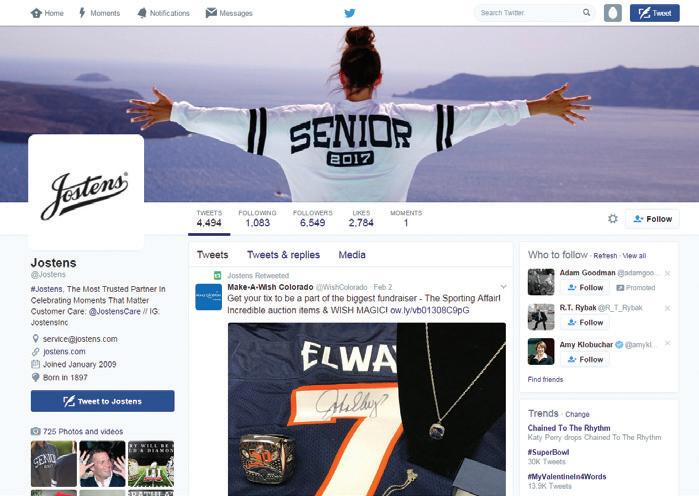
@jostens

Twitter is designed to send out quick bits of information that students, parents and faculty need to know, like school closures or upcoming events. You can also send polls to gather information for content in your book.
twitter.com

Snapchat is very similar to Instagram stories. It’s a platform for real-time, less polished pictures and videos that disappear after 24 hours. This is a great platform for a behind-the-scenes look at the yearbook creation process or broadcasting events on your Snapchat story.
Jostens has created social media images to use for promoting your yearbook. Use them as-is or create your own images with your school logo mascot, etc. To find these images, search social media in the Digital Classroom on Yearbook Avenue.

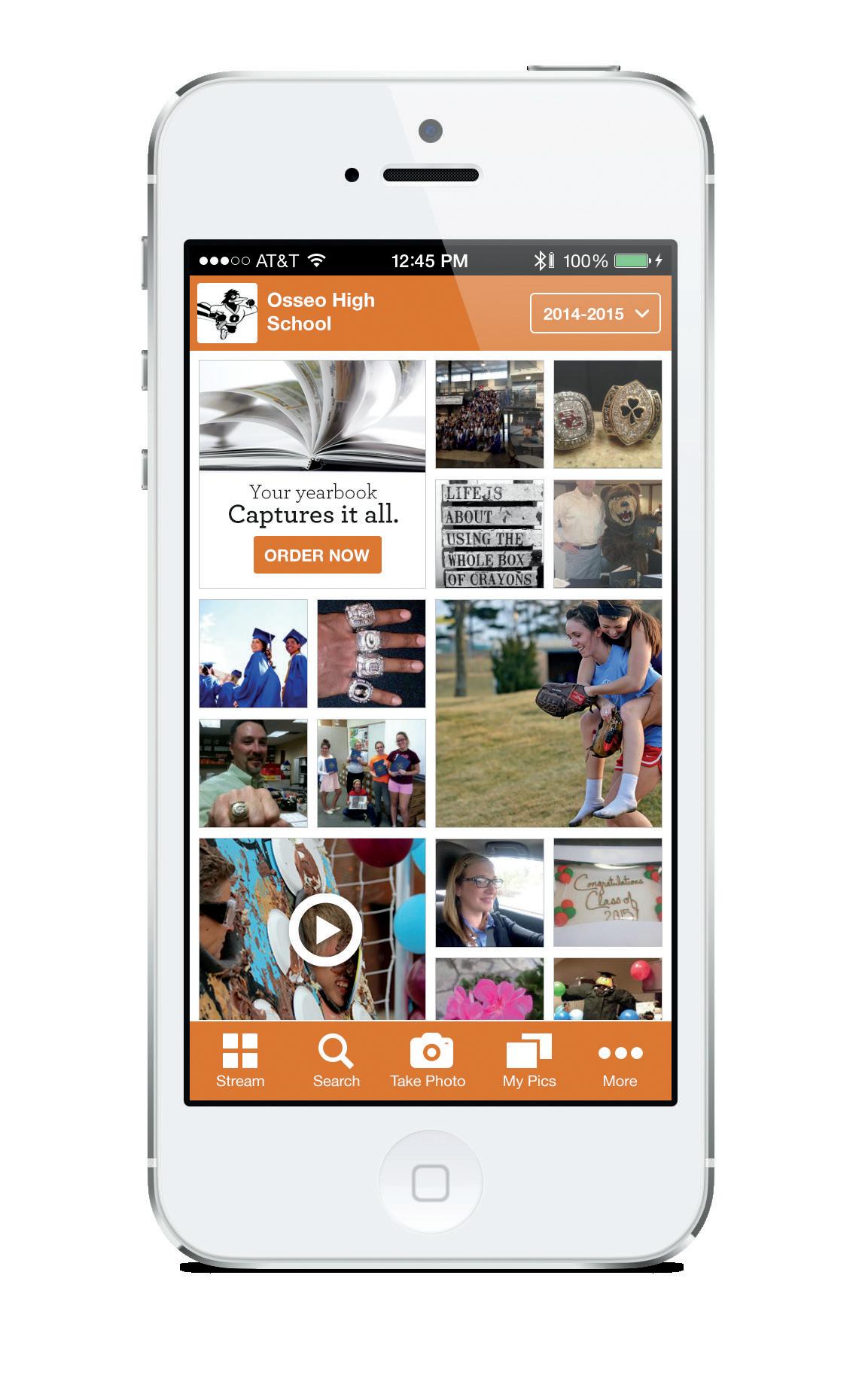
Jostens ReplayIt is a yearbook-specific social media site that yearbook programs can use to enhance social media outreach. Content uploaded to ReplayIt can be used to complete the yearbook!
Yearbook staffs can use this digital companion to create a fun and interactive photography experience for everyone in their school community. Students age 13 and older can easily upload and share their photos to ReplayIt and view photos from other students.
Users can access ReplayIt from a computer (ReplayIt.com) or from their mobile devices using a free app. The uploaded photos are displayed on the site all year long so visitors can return over and over again to view favorite images. Photos are moderated to ensure a fun, safe experience for all users.
During the 2017–2018 school year schools that used ReplayIt met their coverage goals 2x more than schools without ReplayIt and had higher yearbook buy rates.
ReplayIt also offers many opportunities for the staff:
• Use as a great source of photos for the yearbook.
• Share all those great photos that didn’t make it into the book.
• Post videos of school events (adviser-only feature).
• Allow students and parents to buy a book.
• Send push notifications to mobile users letting them know about photo contests, when photos are needed, when the deadline to buy is approaching, details about distribution, special offers and more.
To maximize the effectiveness of your social media presence, it’s important to allocate your resources. Here are some helpful suggestions:
Determine who will be responsible for setting up and managing your yearbook’s social media accounts. Social media management is an important role in corporate America, and it should be on your staff as well. You might want to add a social media editor position to your yearbook staff. He or she is responsible for posting yearbook-related information on all social media sites and monitoring the posts and comments that others make to the yearbook social media pages. He or she can also post polls and surveys and then follow up by contacting people for interviews and quotes. The social media editor should also adhere to the yearbook’s social media policy and follow best practices.
Creating and scheduling your social media posts on an editorial calendar helps you manage your yearbook’s social media activity. Use this tool to determine the type of content you’ll post to your social media sites (photos, videos, spreads, cover design teasers and yearbook sale day reminders) and how often you’ll post it.
Once you have your action plan in place, you can tap into other online tools that let you automatically disseminate your content. ReplayIt® has a push notification feature that lets advisers set up automatic yearbook-related announcements and reminders (e.g., “Don’t forget to upload your homecoming photos.”) in advance by simply selecting a date and time. An editorial calendar will also help you keep track of your Facebook and Instagram posts and Twitter tweets.
Create a social media policy for your yearbook staff. This will help you establish social media guidelines and best practices for your social media editor and yearbook staff so they will know how to use social media in a responsible and ethical way.
Understanding what you want to accomplish by using social media will help you spend your time and resources wisely. Focus on the ways your school community could benefit from the yearbook having a social media presence. Identify the ways in which your yearbook program could benefit from creating and maintaining a social media community. Set realistic social media goals (qualitative and quantitative) that are focused and measurable. See three examples of measurable goals below.
Goal 1: Use social media to gather more content from students and the school community in order to increase the inclusivity in your yearbook.
Measurement: More photos to choose from and more students represented in the yearbook.
Goal 2: Sell more yearbooks by bringing marketing campaigns online where many of the students and parents interact.
Measurement: Number of yearbooks sold.
Goal 3:
Build awareness of the importance of the yearbook through regular status updates and “behind the scenes” footage of the staff creating the yearbook.
Measurement: Number of followers on your social media accounts.
P HOLD A SOCIAL MEDIA CONTEST where students and parents who like your Facebook page are entered for a chance to win a FREE yearbook.
P SET A GOAL for the number of likes to hit and offer a FREE book to the person who hits the magic number.
P POST PHOTOS, QUOTES, SPREADS AND STORIES and encourage your Facebook, Twitter and Instagram followers to do so.
P UPLOAD SNEAK PEEKS of yearbook spreads to the yearbook’s Facebook page (hint: use the Sneak Peek button in the Yearbook Avenue® Page Designer).
P UPLOAD SNIPPETS OF THE YEARBOOK COVER DESIGN, slowly building excitement as your Facebook followers try to piece the image together to figure out what the cover will look like.
P SEND TWEETS asking questions, like: Do you have an after-school job? What celebrity would you like to take to prom?
P INVITE STUDENTS TO SHARE PHOTOS ON REPLAYIT.® Use the images in your yearbook to broaden coverage and increase inclusivity. Generate interest by promoting a “Best Selfie” contest or a “Most Liked Photo of the Week.”
P REMIND STUDENTS that all the photos posted on ReplayIt are archived in a digital online Time Capsule.
P SEND PUSH NOTIFICATIONS USING REPLAYIT. Set up notifications on the ReplayIt Plan page in YBA. Send messages like, “Buy your yearbook before this Friday and save $5” or “Submit your selfies for our selfie yearbook spread.”
P USE VIDEO TO PROMOTE THE YEARBOOK by sharing the Jostens yearbook commercial (available in the Digital Classroom on Yearbook Avenue) on social sites.
P LET PEOPLE KNOW THEIR PHOTOS ARE INCLUDED IN THE YEARBOOK. ReplayIt makes it easy by automatically sending email notifications letting students know when their ReplayIt submitted photos have been used in a finalized yearbook spread.

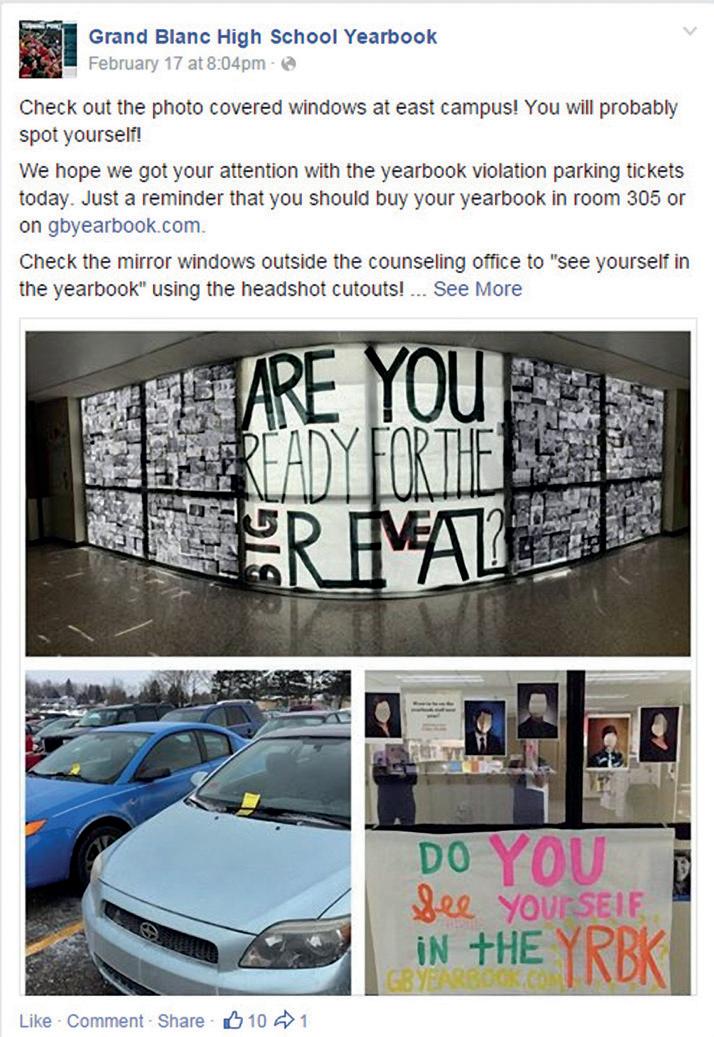



To establish your social media presence and build a fan base, create a Facebook page for your yearbook and sign up for Twitter, Instagram and ReplayIt® accounts. Have all the yearbook staff members like the yearbook’s Facebook page and follow the yearbook’s Twitter feed and Instagram account. Ask them to upload photos onto ReplayIt, then ask them to encourage all their friends and family members to do the same. Find out if the clubs, organization and sports teams at your school have social media accounts. If they do, like and follow them — and ask them to do the same for the yearbook accounts.
The success of yearbook social media sales promotions relies, in part, on what viral marketers call a “pass-along” rate, which translates into a “if you post it/report it, tweet it/retweet it, they will come” philosophy. This is what’s known as “social velocity.” In the virtual school campus beyond the classroom, social media marketing is always “on” and always has the potential to translate into book sales.
Place an article in your school’s newsletter to tell parents about ReplayIt®, the yearbook’s Facebook page, Twitter feed and Instagram account. Let them know they can download the ReplayIt app for free on iOS and Android devices and then upload photos in the app. Ask the school newspaper to cover this important student and school-related news story. If your school permits you to do so, obtain a list of email addresses for all students, parents, faculty and staff and send an email promoting ReplayIt, your new Facebook page, Twitter feed and Instagram account.
Yearbook Avenue also offers email templates you can use to promote a variety of yearbook-related messages, including “Give the yearbook as a holiday gift” and “Buy your book at the best price of the year.”
While Twitter posts are limited to only 280 characters, don’t be fooled by the brevity. Those short postings can go a long way toward building a social media community. To generate interest and create engagement, send a tweet letting followers know about yearbook-related topics like group photo day or senior ad requirements and costs. Or, post tweets to congratulate a team on a win or to announce an upcoming book sale or deadline. If each staff member reposts or retweets an original tweet, the announcements can go viral.
ReplayIt is great for community-building. Users can upload photos straight from their mobile device. Stay in touch anytime, anywhere by sending a push notification reminder to encourage students to share their photos on ReplayIt (e.g., during large school events like the big football game) or use it to remind students that the price of the yearbook is going up, so they’d better buy soon.
ReplayIt’s interactive features, such as tagging, also make it easy for students to engage with the images, which generates yearbook buzz. At the end of the year, all the yearbook content — including videos — is sealed into the ReplayIt Time Capsule™ and is available for years to come, making it even easier to remember special moments after the year is done.
Add ReplayIt, Facebook, Twitter and Instagram links to your school’s yearbook website. ReplayIt web banner ads can be downloaded from Yearbook Avenue.® Add a message on the school TVs letting people know about ReplayIt and the yearbook’s other social media accounts.
To maximize your social media impact, promote your social media sites through offline marketing efforts.
• Launch an offline “Find us on Facebook/Twitter/Instagram/ ReplayIt” campaign using strategies like locker stuffers, school news announcements, school newsletter ads, report card inserts and dry-erase messages.
• Create T-shirts for your yearbook staff that say, “Like us on Facebook” or “Follow us on Twitter” or “Download the ReplayIt app.”
• Add “Find us on Facebook” or your Twitter account name (for example: @Yearbook Name) to all yearbook-related printed advertising and marketing materials — including staff business cards.
• Spotlight the ReplayIt app in your promotional materials.
ReplayIt offers a marketing kit that includes ReplayIt promotional posters and flyers to help you build awareness of ReplayIt and drive students to the app.



ReplayIt Printable Flyer available in the Digital Classroom on Yearbook Avenue.
“Get your staff to friend/ follow your social media accounts and have them get their friends to do the same. Advertise. Hold a contest. Make it known. Make it fun. Put photos and videos up. Share your yearbook pages. Give them a reason to come and continue to give them a reason to come back. Once they do, your social media yearbook community will grow.”
Jim Roller, yearbook adviser, Fort Dorchester High School, North Charleston [SC]