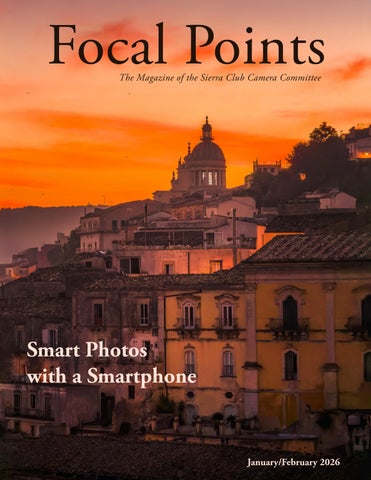
Focal Points January/February 2026

Page 1


Focal Points

Chair

Programs

Treasurer

Membership

Editor

Communications

Instagram Outings Outings

SCCC Leadership

Joe Doherty

Susan Manley

Ed Ogawa

Joan Schipper

Joe Doherty

Velda Ruddock

Joan Schipper

Joan Schipper

Alison Boyle

joedohertyphotography@gmail.com

SSNManley@yahoo.com

Ed5ogawa@angeles.sierraclub.org

JoanSchipper@ix.netcom.com

joedohertyphotography@gmail.com

vruddock.sccc@gmail.com

JoanSchipper@ix.netcom.com

JoanSchipper@ix.netcom.com

AlisoniBoyle@icloud.com

Focal Points Magazine is a publication of the Sierra Club Camera Committee, Angeles Chapter. The Camera Committee is an activity group within the Angeles Chapter, which we support through the medium of photography. Our membership is not just from Southern California but is increasingly international.

Our goal is to show the natural beauty of our world, as well as areas of conservation concerns and social justice. We do this through sharing and promoting our photography and by helping and inspiring our members through presentations, demonstration, discussion, and outings.

We have members across the United States and overseas. For information about membership and/or to contribute to the magazine, please contact the editors or the membership chair listed above. Membership dues are $15 per year, and checks (payable to SCCC) can be mailed to: SCCC-Joan Schipper, 6100 Cashio Street, Los Angeles, CA 90035, or Venmo @CashioStreet, and be sure to include your name and contact info so Joan can reach you.

The magazine is published every other month. A call for submissions will be made one-month in advance via email, although submissions and proposals are welcome at any time. Member photographs should be resized to 3300 pixels, at a high export quality. They should also be jpg, in the sRGB color space.

Cover articles and features should be between 1000-2500 words, with 4-10 accompanying photographs. Reviews of shows, workshops, books, etc., should be between 500-1500 words.

Copyright: All photographs and writings in this magazine are owned by the photographers and writers who created them. They hold the copyrights and control all rights of reproduction and use. If you desire to license one, or to have a print made, contact the editor at joedohertyphotography@gmail.com, who will pass on your request, or see the author’s contact information in the Contributors section at the back of this issue.

https://angeles.sierraclub.org/camera_committee

https://www.instagram.com/sccameracommittee/

COLUMNS

One winter morning in 2012 I was photographing the rising tide and rocks in La Jolla. There were a lot of sea lions and pelicans on adjacent outcroppings, but only one sea lion occupied this shelf. It was laying quite still on a high platform, and remained motionless as the waves churned around it. Then it sat up. A large wave rose from the sea and crashed over the sea lion and the rocks, with all of the ineffable violence of the ocean. The sea lion remained upright as the water drained back into the sea, and then lay down, resting, observing, and ready to rise against the tide when the time came again. And it came, many times that morning, but the sea lion never left its post.

I have thought about that sea lion lately when trying to conceive what our photography means in the context of the authoritarian violence visited upon us by the current administration. Standing up is important, but

the laying down in between waves is even more so. That is where we do our art, that is where we share our art with others, to sustain ourselves and others to be strong enough when the tide comes at us. In an airline context it is the “secure your oxygen mask before helping others” principle. It’s not selfish to restore your own peace of mind before expending it to help others.

“At such moments I don't think about all the misery, but about the beauty that still remains. This is where Mother and I differ greatly. Her advice in the face of melancholy is: ‘Think about all the suffering in the world and be thankful you're not part of it.’ My advice is: ‘Go outside, to the country, enjoy the sun and all nature has to offer. Go outside and try to recapture the happiness within yourself; think of all the beauty in yourself and in everything around you and be happy.’” Anne Frank, 7 March 1944.

Greg Metro

“Socotra: Photographing an Alien

World”

February 12th at 7pm

Greg Metro is a landscape, astro, wildlife and cityscape photographer based in Dubai. He has always been fascinated by the outdoors and nature, and finds that photography continues to change the way he sees the world.

He has worked for over 20 years in the finance industry living and working in the Philippines, Australia, Hong Kong, Indonesia, Ethiopia and Dubai. He considers himself lucky to be able to pursue his passion for photography in his free time.

Registration link: https://us02web.zoom.us/meeting/register/e-nKAYGvSgqAP83AfP-MKw

Photography Outing

February 7 at 6:00 am

Only 3 spots left. Register here

Malibu Creek State Park

Smart Photos with Smartphones

Leave your Big Camera at home: Using your mobile device as your primary travel camera

Text and Photographs by Will Carlton

Colorful Fishing boats, Aspra, Sicily. This is a handheld RAW shot edited in Lightroom to give it a soft dreamy look. The light was very harsh.

Introduction

Modern smartphone cameras have undergone significant advancements. They are capable of so much more than selfies and snapshots. Recently, I upgraded my iPhone to the latest model, the iPhone 17 Pro Max, just before leaving on a trip to Washington DC, Sicily, and Istanbul. This extended trip involved a lot of movement and required me to travel light, utilizing only a travel backpack.

During my travels, I often engage in long days of exploration. Consequently, I made the

decision to leave my “Big Camera” at home and exclusively use my smartphone. While I was aware that this decision would introduce certain limitations, I was confident that I could achieve high-quality photographs by employing the same discipline and techniques I use when shooting with my professional camera.

The advantages of traveling solely with a smartphone are both obvious and subtle. On the obvious side, the device’s compact size and lightweight design are significant advantages. It features a respectable megapixel

Early morning light at the Lincoln Memorial. This was a preplanned shot, so we were on the metro early. Shot handheld in RAW, iPhone 17 pro max.

sensor and a versatile range of lenses, from ultra-wide to medium telephoto, all housed within a pocket or sling bag. I can carry my whole kit in a small sling on run, walk, or bike ride. Additionally, if I am merely going out to dine, I would likely leave my professional camera in the room. However, if I encounter an exceptional photograph, I would have my smartphone camera.

One of the less apparent benefits is that using a smartphone camera is rarely met with objections in museums and churches, unlike professional cameras. In some cases, even a small tripod can be used without causing any

reactions from security. Additionally, you are less a target from theft and less likely to leave your gear in the car.

However, there are some drawbacks to consider. These include reduced dynamic range, increased noise at high ISO settings, and occasionally over-processed images. While there are methods to mitigate these issues, they are essentially the same techniques employed with any camera. Ultimately, the most crucial aspect is to treat the smartphone camera as a traditional camera rather than a mere phone camera.

Intentionality

The most crucial aspect of utilizing your smartphone for capturing fine art travel photographs is to alter your perception of your phone camera. Consider it a highquality camera equipped with a wide range of lenses and advanced computational photography features. I strongly recommend shooting with it in the same manner as you would with your professional camera.

We all acknowledge that the most significant elements of fine art photography are composition and lighting, and demand time,

focus, preparation, and execution. While the equipment plays a role, it typically becomes most important in extreme and challenging situations. I believe that many individuals tend to use their phone camera solely for capturing “snapshots” rather than thoughtfully composed images.

Imagine waking up before dawn, taking the metro to reach an amazing location within the city, setting up your smartphone at the location you had scouted prior to leaving on your trip, and capturing images through the sweet morning light. If you were equipped with a professional camera, you would

Sunrise at the capitol building, Washington, DC. Shot in raw, iPhone 17 pro max. This is a single frame with noise reduction to clean up the shadows.

Interior shot of the Sofia Mosque in Istanbul. This is a RAW capture using a small tripod. This is a good example of the benefit of going small. A full sized tripod would have been frowned upon.

experiment with various compositions, employ exposure bracketing, and utilize different focal lengths. Therefore, you should replicate these techniques with your smartphone.

I typically capture both RAW images and JPEG/HEIC images that allow the phone software to handle the processing. Features like HDR, Portrait mode, and Panoramas can often be worth losing the flexibility of RAW. Upon returning home or to the hotel, I start post-processing, importing the images into my preferred editing software, making all the adjustments I would do with any image. If needed, I do HDR blending for exposure correction, run noise reduction, and remove distractions. Essentially, I follow the same procedures I would with my professional camera. I must admit that I tend to be more

‘creative’ in my editing of travel photographs compared to wildlife or landscape photography.

Setting Up Your Phone:

Similar to camera bodies, the debate surrounding brands can be distracting. Some photographers even purchase a second smartphone solely for its camera capabilities. Personally, as an Apple user, I rely on my iPhone. To ensure this article remains deviceagnostic, I will endeavor to minimize brandspecific references.

Rather than providing a step-by-step setup guide for a specific phone model, I encourage you to locate the settings within your current software. I can assure you that the settings are likely found under “Setting:camera” on your system.

Beach sunrise, Cefalu, Sicily. Long exposure jpg image shot on tripod, edited in Lightroom and Topaz Photo. This image is probably pushing the phone’s capabilities and is lacking some fine detail, but I was happy to capture the beautiful light.

Istanbul,Türkiye, shot form the back of a ferry. This is probably one of my favorite images from the trip. This is a raw image edited in Lightroom and ran throughTopaz Photo to remove some motion blur from theboat.

I recommend enabling HDR, Macro, RAW to its maximum megapixels, and turn on leveling and the grid. Additionally, if your phone supports long exposure settings, ensure they are activated. If you have image stabilization, turn it on. Most other settings I would turn off as they may reduce image quality. For example, turning on ‘Prioritize faster shooting’ on the iPhone allows the software to scale image quality to get a faster response. If you are not familiar with the settings in your smartphone, there are a multitude of excellent YouTube tutorials specific to either Android or iPhone.

Shooting

Similar to using your Big Camera, it is essential to gain control over your smartphone camera. For most situations, the

built-in camera app of your smartphone will suffice. However, there are a few key aspects you should be mindful of and learn to control.

Firstly, locate the exposure compensation control. For my phone, I can adjust it from -2 to +2. Once that control is on, you should be able to click on the screen and slide up and down to modify the exposure.

Secondly, find the lens adjustment mechanism. It is crucial to avoid pinching to zoom, as it effectively crops the image. Instead, utilize the native lenses, which are categorized by magnification factors. Pinching is simply cropping, and it is best managed in post-processing.

Lastly, identify the flash control and ensure it is turned off.

Furthermore, familiarize yourself with the various photo modes available, such as Panorama, Portrait, etc. There is a toggle on the camera screen that allows you to switch between RAW and JPEG modes. If you are using an Android phone, you should be in pro camera mode and have the option to shoot in RAW, RAW + JPEG, or just JPEG.

For long exposure photography in daylight, several techniques can be employed. Dedicated apps specifically designed for this purpose, such as ReXpose and Even Longer, can be utilized. One technique on Apple devices involves shooting with “live” photo enabled.

When accessing the image in the Photos app, there is a pull-down menu labeled “Live.” By clicking on it and selecting “Long Exposure,” the photo will be transformed into a long

exposure image composed of multiple exposures, resulting in reduced noise. This option is available in the Photos app, after you take the image in Live mode. Any images taken in Live mode will have this option in upper left in the Photos app. This technique can be performed handheld if the photographer is steady and achieves satisfactory results. Use a tripod if you can. It is advisable to leave some space in the composition when using this technique. The resulting image is a 12mpx JPEG or HEIC image.

Workflow

Here is my basic workflow, which remains largely consistent regardless of the camera used, with some specific considerations when using a smartphone.

If

had

again, I would manually

Sunrise Regusa, Sicily. This is a RAW capture shot on tripod from the balcony of our hotel. Single shot.
I
it to do over
bracket the shot.

Before leaving on a trip, I conduct extensive research on potential locations and times to capture iconic and potentially less iconic but interesting shots. As is true for most of us, my trips include more than photography, and I integrate my photography into and around other activities. Upon reaching each photo destination, I arrive early to avoid any rush. I then shoot as I would with any camera, experimenting with various compositions and focal lengths. The smartphone’s advantage lies in the absence of the need to physically switch lenses; a simple button press suffices.

Upon returning home, my images are stored in the photo app on the phone and either backed up locally or uploaded to the cloud. This is where my workflow diverges slightly. I treat the smartphone photo app as a memory

card, importing the images into Lightroom on my phone and allowing them to upload to the Adobe cloud. Before proceeding with this, I make any final adjustments that are Apple’s computational capabilities, such as the aforementioned Live Photo hack.

Once transferred or exported, the original image in the photo app remains nondestructive but the changes made to JPGs in the Photos app are baked in when transferred to Lightroom or exported. Much later, upon returning home, I delete the images in the Photos app, keeping the images in Lightroom instead, as I would with photos off a memory card. I then transfer the final edited and best shots back to the photo app on the phone for sharing. This keeps my Photos Library clean and free of clutter.

The workflow in Lightroom is comparable to any other photo editing software. However, there are some editing tips to consider. For instance, due to the small sensor size, images may appear slightly “crunchy.” Applying a slight negative clarity adjustment can enhance the overall quality of the photo.

For RAW files, you can utilize either Apple’s ProRAW profile or any other profile you prefer. Adobe’s new adaptive profiles can also yield good results. However, often, simply using Adobe Color profile and making personalized adjustments can provide a more natural photo-like quality. Experimentation is encouraged.

I employ the same masking and local adjustment techniques as I would for any

other image. If you captured the image in JPEG format, exercise caution when sharpening, as the phone app may have included significant sharpening. Conversely, if you captured the image in RAW format, it will be in DNG format and can be processed using Adobe Noise Reduction, which can effectively address the “crunchy’ issue.

The fundamental principle here is that your workflow should remain consistent regardless of whether you used a Big Camera or a smartphone. You should treat your smartphone images like any other images from other cameras.

It is important to note that your smartphone possesses remarkable computational capabilities for on-the-fly image processing.

Surise in Cefalu Sicily. Long exposure shot. I did replace the sky on this photograph, something I rarely do. Shot on a tripod, iPhone 17 pro max.

However, the resulting file format is typically JPEG or HEIC. These formats have limited tolerance for post-processing and may be over-processed by the device. While this is generally not a significant issue, when shooting in challenging lighting conditions or high dynamic range scenes, I prefer to shoot RAW or bracket both exposures. I liken shooting JPEG to shooting slides, while RAW is akin to shooting negatives. This philosophy remains consistent regardless of the camera used.

Smartphone Kit and accessories

There is a substantial market for accessories to enhance your smartphone’s functionality. Our

objective is to maintain a lightweight and simple design. Therefore, I am not particularly fond of additional lenses for this reason. If your smartphone serves as your sole camera and you wish to explore various options, certainly do so.

One piece of equipment that I highly value is a grip. My preferred grip is a magnetic one that adheres to the back of my phone. It connects to the phone via Bluetooth and provides a camera-like grip, a battery, and, most importantly, a shutter button. While this may seem insignificant, there is something about having a grip with a shutter that makes me feel like I am using a camera.

Suleymaniye Mosque, Istanbul,Türkiye. Wide angle jpg image shot handheld deliberately not corrected for perspective. I used the people removal tool inLightroom to ‘clear’ the courtyard.

This ties back to the intentionality issue. It feels like a camera, so I use it like one.

Additionally, I always carry a tripod. There are numerous lightweight and compact tripods available on the market. One of my favorite items is a foldable credit card-sized tripod that fits comfortably in a wallet.

Furthermore, it is advisable to have some form of battery backup. Recently, I added a clip-on filter holder to my kit. It holds a 67mm filter, which is the same size as my camera filters. I primarily use this for a polarizing filter to eliminate reflections and glare, as it is the only filter that cannot be effectively emulated in post-processing.

Lastly, a microfiber cloth is essential for regularly cleaning your phone lenses. You DO clean your phone lenses regularly, right?

Conclusion

Hopefully this article will inspire you to use your smartphone more, even if as a backup body. I do not always travel solely with my smartphone. If I do travel with my Big Camera, it’s good to know that I can still get the shot with my smartphone if I want to go light. The central takeaway is to think of it as camera, shoot with it like a camera, and let your creativity shine.

Numerous resources on smartphone photography are readily accessible on YouTube and the internet. One book I can recommend is Scott Kelby’s iPhone Photography book. Furthermore, if you are a member of KelbyOne, they offer a variety of excellent classes on this subject. They are highly committed to the concept of utilizing a smartphone as a serious camera.

Wild Horses of the Great Salt Lake Desert

Several weeks ago, I and three other SCCC members, John Fisanotti, Michael Caley, and Basil Katsaros went on a wonderful ten-day Yellowstone Winter Safari with master wildlife photographer, Brent Paull, of American West Photography. Brent conducts two such winter trips per year and two summer trips per year. As a bonus, he always includes a complimentary last day of shooting in the Salt Lake City area. This year on our last day we were treated to a wonderful photographic encounter with the wild horses of the desert one hour east of SLC near the boundaries of the infamous Dugway Proving Grounds.

Here we found a heard of well over 100 horses of many colors including Blacks, Bays, Paints, Palominos, Grays, and a group of Stallions and Mares exhibiting beautiful, reddish-brown coats. We also witnessed a beautiful little foul which we were told was only a week old. As one wag in the group put it: “The only horse that isn’t represented here is a Budweiser Draft Horse!”

What impressed me was the condition of these beautiful animals. They were all strong and healthy and obviously thriving in their harsh environment which covers literally thousands of acres of sand and sagebrush running almost to the Nevada border.

Photo Stories: Phone It In, or The

Phone

You Have With You

Text and Photographs

I‘m grateful for the vast improvements in phone cameras. Over the last few years, I’ve made some lovely prints from iPhone shots, and I enjoy photo walkabouts encumbered with only the phone.

In this issue you’ll also find a practical essay about getting the most out of your phone camera by Will Carlton. Will is the ideal photographer to address this topic. I’ll just share some anecdotes. Some of these images have stories and some of the stories are mine.

Neighborhood walks. This is just one recent shot of a large series, because we walk twice a day with Gypsy the Wonder Dog hoping she’ll get worn out and leave us alone for a bit. There are lots of subjects in our little town, from tarantulas to giant live oak trees and lichen to mule deer. I love what our neighbor does here - it delights me.

Americana

Graphic

Colleen Minuik hosts a New Mexico photo workshop she calls “In the Footsteps of Georgia O’Keeffe.” We photographed in her favorite landscapes, toured her home in Abiquiu, and absorbed the ambiance in the Georgia O’Keeffe Museum in Santa Fe. Our home base was Ghost Ranch. I made this image with my phone, scooting by to get dinner before the dining room closed. This scene is a great example of the five second rule, which Colleen may not have coined, but I associate it with her. If a sight grabs you for 5 seconds, it’s worth making an image.

Sunset S-Curve

I was camping with the family next to one of the many tributaries of the Black River in eastern Arizona, finishing a zoom meeting, when I looked up and saw this light. It was changing fast and I knew I’d miss it if I took the time to dig out the mirrorless. I survived a run down the hill in my crocs (don’t judge) to this spot on the creek which I’d scouted earlier. I might have been yelling some colorful things as I hobbled.

Summer

Fall Storm

Well, I finally made it to Yosemite. I’m not sure why it took me so long to get to the historical epicenter of landscape photography in the American West. It rained, lots. I woke up to a sound which reminded me of dumpsters falling from the top of Yosemite falls. I scooted up the trail and braced myself against the wind and spray. This isn’t a great image technically, but it brings me back to that feeling of being gloriously at the mercy of nature.

Paddling Away

On the last morning of a trip to the Cypress Swamps of Caddo Lake, two of us had to run to the airport and miss this lovely fog. All our things were packed so I pulled out the phone and did my best to be selfless and encouraging for my friend’s opportunity to paddle off into the fog one more time.

This one belongs to a large group of images made during mid-day walks, when I don’t think I’ll like the light enough to shoot with the big girl camera. I have quite a few of those, which means I may never learn. Afton Canyon carries the remarkably inflated moniker of The Grand Canyon of the Mojave. After depositing three dollars in the campground pay station, My husband, dog, and I set out upriver (for this is the course of the mighty Mojave River) and were all fascinated by the train. Live mode on the iPhone is handy.

I’ve just returned from a lovely trip to Argentina. Schlepping the camera gear in airports and on boats has reminded me of the simplicity of phone photography. I’m considering a phone-only trip when we’re in Portugal this autumn. We’ll see whether I have the courage.

Riding That Train
Thomas Cloutier

Thomas Cloutier

John Clement

Wild skies over Badger Canyon
John Clement
Golden Willow & Ice
John Clement
Roll Cloud Iridescence

John Clement

Sunrise at Goose Ridge Vineyards
Roll Cloud
Opposite Page: Mammatus & Vines
John Fisanotti

John Fisanotti

Larry Miller

These three photos feature some uncommon patterns and textures in tree trunks

Decaying fallen oak at Solstice Canyon, Santa Monica Mountains
Opposite Page: Oak log at Paramount Ranch, Santa Monica Mountains
Peeling bark of myrtle gum tree at UCLA Botanical Garden
Larry Miller
Joe Doherty
Two views of Sepulveda Basin Wildlife Reserve after a winter storm
Joe Doherty
Malibu Creek in the early morning
Rotated reflections in the Rock Pool at Malibu Creek State Park
Joe Doherty
Winter sunrise in the Central Valley

Velda Ruddock

I hope to do my provisional outing in a month or so at the Descanso Botanical Garden to become a Sierra Club leader (you will be invited). So I’ve started scouting the park. Even in January this is a most splendid place!

Velda Ruddock
Velda Ruddock
Velda Ruddock

Will Carlton

Will grew up in a photography family. His family owned a small camera store in Davis, California, during the 1970s and 1980s. During his college years, Will took three semesters of photography, primarily using his Nikormat and 50mm lens. After starting his career and family, he distanced himself from photography until his daughter was born. At that time, he purchased his first digital camera. Digital photography reignited his passion for photography, and he has been actively shooting ever since. Will recently retired after 33 years teaching middle school science. His wife is also a retired educator. Will’s focus in photography is primarily landscapes, wildlife, and travel.https://wcarlton. myportfolio.com/

John Clement

John Clement began his career in photography in the early 70’s after graduating from Central Washington University with a double major in Geology and Geography. Since then he has earned a Masters of Photography from the Professional Photographers of America. He has received over 65 regional, national and international awards for his pictorial and commercial work. His photographs grace the walls of many businesses in the Northwest and has been published in numerous calendars and coffee table books.

Clement has provided photographs for Country Music Magazine and Northwest Travel Magazine. He has supplied murals for the Seattle Seahawks Stadium and images for The Carousel of Dreams in Kennewick, WA.

Current projects include 17 – 4x8 foot glass panels featuring his landscapes in Eastern Washington for the Pasco Airport Remodel. Last year he finished a major project for the Othello Medical Clinic where almost 200 images were used to decorate the facilities. www.johnclementgallery.com

John Clement Photography (Face Book)Allied Arts Gallery in Richland, WA.

Thomas Cloutier

Thomas Cloutier has been with SCCC since 2001, and he has been contributing to Focal Points Magazine since that time.

Cloutier’s interest in photography coincides with his interest in travel and giving representation to nature landscapes. His formal education in photography comes from CSU Long Beach. At present Cloutier is a volunteer at CSU, Long Beach where he taught Water Colors and Drawing at the Osher Lifelong Learning Institute (OLLI),

designed for Seniors over 45. He also is a docent at Kleefield Contemporary Museum CSU Long Beach. He is Liaison for the Art And Design Departments for a scholarship program for students at CSU Long Beach, Fine Arts Affiliates, FineArtsAffiliates.org.

Cloutier at cde45@verizon.net

Joe Doherty

Joe grew up in Los Angeles and developed his first roll of film in 1972. He has been a visual communicator ever since.

He spent his teens and twenties working in photography, most of it behind a camera as a freelance editorial shooter.

Joe switched careers when his son was born, earning a PhD in Political Science from UCLA. This led to an opportunity to run a research center at UCLA Law.

After retiring from UCLA in 2016, Joe did some consulting, but now he and his wife, Velda Ruddock, spend much of their time in the field, across the West, capturing the landscape. www. joedohertyphotography.com

John Fisanotti

John was a photography major in his first three years of college. He has used 35mm, 2-1/4 medium format and 4x5 view cameras. He worked briefly in a commercial photo laboratory.

In 1980, John pivoted from photography and began his 32-year career in public service. He worked for Redevelopment Agencies at four different Southern California cities.

After retiring from public service in 2012, John continued his photographic interests. He concentrates on outdoors, landscape, travel and astronomical images. Since 2018, he expanded his repertoire to include architectural and real estate photography.

John lives in La Crescenta and can be contacted at either: jfisanotti@sbcglobal.net or fisanottifotos@gmail.com

http://www.johnfisanottiphotography.com http://www.architecturalphotosbyfisanotti.com

Larry Miller

Larry used his first SLR camera in 1985 to document hikes in the local mountains. In fact, his first Sierra Club Camera Committee outing was a wildflower photo shoot in the Santa Monica Mountains led by Steve Cohen in 1991. Since then the SCCC has introduced him to many other scenic

destinations, including the Antelope Valley California Poppy Reserve, the Gorman Hills, and Saddleback Butte State Park.

Larry’s own photography trips gradually expanded in scope over the years to include most of the western National Parks and National Monuments, with the Colorado Plateau becoming a personal favorite.

Photography took a backseat to Miller’s career during the 32+ years that he worked as a radar systems engineer at Hughes Aircraft/Raytheon Company. Since retiring in 2013, he has been able to devote more time to developing his photographic skills. Experiencing and sharing the beauty of nature continues to be Larry’s primary motivation. lemiller49@gmail.com

John Nilsson

John has a fond memory of his father dragging him to the Denver Museum of Natural History on a winter Sunday afternoon. His father had just purchased a Bosely 35mm camera and he had decided he desperately wanted to photograph one of the dioramas of several Seal Lions in a beautiful blue half-light of the Arctic winter. The photo required a tricky long exposure and the transparency his father showed him several weeks later was spectacular and mysterious to John’s young eyes. Although the demands of Medical School made this photo one of the first and last John’s Dad shot, at five years old the son was hooked.

The arrival of the digital age brought photography back to John as a conscious endeavor - first as a pastime enjoyed with friends who were also afflicted, and then as a practitioner of real estate and architectural photography during his 40 years as a real estate broker.

Since retiring and moving to Los Angeles, John continued his hobby as a nature and landscape photographer through active membership in the Sierra Club Angeles Chapter Camera Committee, as well as his vocation as a real estate photographer through his company Oz Images LA. The camera is now a tool for adventure!

www.OzImagesLA.com

Velda Ruddock

Creativity has always been important to Velda. She received her first Brownie camera for her twelfth birthday and can’t remember a time she’s been without a camera close at hand.

Velda studied social sciences and art, and later earned a Masters degree in Information and Library

Sciences from San Jose State University. All of her jobs allowed her to be creative, entrepreneurial, and innovative. For the last 24 years of her research career she was Director of Intelligence for a global advertising and marketing agency.

TBWA\Chiat\Day helped clients such as Apple, Nissan, Pepsi, Gatorade, Energizer, and many more, and she was considered a leader in her field.

During their time off, she and her husband, Joe Doherty, would travel, photographing family, events and locations. However, in 2011 they traveled to the Eastern Sierra for the fall colors, and although they didn’t realize it at the time, when the sun came up over Lake Sabrina, it was the start of them changing their careers.

By 2016 Velda and Joe had both left their “day jobs,” and started traveling and shooting nature –big and small – extensively. Their four-wheel-drive popup camper allows them to go to areas a regular car can’t go and they were – and are – always looking for their next adventure.

www.veldaruddock.com

VeldaRuddockPhotography@gmail.com

Rebecca Wilks

Photography has always been some kind of magic for Rebecca, from the alchemy of the darkroom in her teens… to the revelation of her first digital camera (a Sony Mavica, whose maximum file size was about 70KB)… to the new possibilities that come from her “tall tripod” (drone.)

Many years later, the camera still leads Rebecca to unique viewpoints and a meditative way to interact with nature, people, color, and emotion. The magic remains.

The natural world is Rebecca’s favorite subject, but she loves to experiment and to do cultural and portrait photography when she travels. Rebecca volunteers with Through Each Other’s Eyes, a nonprofit which creates cultural exchanges through photography, and enjoys working with other favorite nonprofits, including her local Meals on Wheels program and Cooperative for Education, supporting literacy in Guatemala.

Rebecca’s work has been published in Arizona Highways Magazine, calendars, and books, as well as Budget Travel, Cowboys and Indians, Rotarian Magazines, and even Popular Woodworking.

She’s an MD, retired from the practice of Obstetrics and Gynecology and Medical Acupuncture. She lives in the mountains of central Arizona with my husband and Gypsy, the Wonder Dog.

The Parting Shot

Turn static files into dynamic content formats.

Create a flipbook