
THEINSIDER
CAREER SERVICES SUCCESS
By Fany Duron
During my professional experience, I have supported many clients on their path to employment stability; however, one story in particular highlights the impact of actively listening and taking swift action.
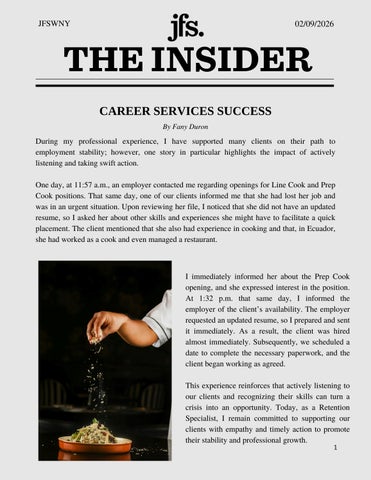
One day, at 11:57 a.m., an employer contacted me regarding openings for Line Cook and Prep Cook positions. That same day, one of our clients informed me that she had lost her job and was in an urgent situation. Upon reviewing her file, I noticed that she did not have an updated resume, so I asked her about other skills and experiences she might have to facilitate a quick placement. The client mentioned that she also had experience in cooking and that, in Ecuador, she had worked as a cook and even managed a restaurant.

I immediately informed her about the Prep Cook opening, and she expressed interest in the position. At 1:32 p m that same day, I informed the employer of the client’s availability. The employer requested an updated resume, so I prepared and sent it immediately. As a result, the client was hired almost immediately Subsequently, we scheduled a date to complete the necessary paperwork, and the client began working as agreed.
This experience reinforces that actively listening to our clients and recognizing their skills can turn a crisis into an opportunity. Today, as a Retention Specialist, I remain committed to supporting our clients with empathy and timely action to promote their stability and professional growth.
MENSCH OF THE MONTH

We want to hear about the amazing work you’re doing every day! Click the icon below to share your story. HAVE A STORY TO SHARE?
By Edie Falk
Click HERE to nominate someone for ‘Mensch of the Month!’


Kvelling Corkboard! KvellingCorkboard!

To kvel is Yiddish slang for the feeling of pride/joy you get when someone else has a nice moment. This is a space for us to kvel over our friends’ accomplishments and personal updates! Submit yours to the Insider to be on the next Kvelling C




It's cold out, and Jen and her dog are getting cozy!
Edie has been able to find lots of time to skate recently.



OPERATIONS UPDATES
By Patty Hoyt
Cell Phone Messages: We have worked out the issues with the passcode when setting up the outgoing message. When someone calls our main line (883-1914) and enters your extension, the call will automatically go to Hover voicemail. When the voicemail is created, it will automatically go to to your email (from: admin@hovernetworks.com). The email will contain an attachment you can download and listen to. I understand some people were having issues creating an outgoing voicemail in Hover (see below) We have resolved the issue Please to try to login again
Voicemail Setup
1) Call 716-318-5065
2) When doing this, the system greeting will ask for your “Mailbox”: enter your extension/mailbox number
3) The system greeting will ask for your “PIN”: enter 1297
a *If the PIN you are entering is not working, please notify Patty directly, or contact MVP’s help desk by emailing: support@mvpworks.com – and request that your mailbox PIN be reset to 1297.
4) At this point, you have successfully connected to the mailbox. You can then listen along or follow the steps to “Recording your Voicemail Greeting” below.
Recording your Voicemail Greeting
After you dial into the Voicemail System Press 0 for Mailbox Options then:
Press 1 – To record your unavailable message (message callers will hear if you are unable to pick up the phone after allotted number of rings)
Press 2 – To record your busy message (message callers will hear if you have Do Not Disturb set, or ignore/reject a call by pressing the corresponding soft key while on the phone)
Press 3 – To record your name (used for company directory)
Press 4 – To record your temporary greeting Overrides all other greetings Used for days out of the office or
Vacation To erase temporary greeting access the VM system and press 0 (Voicemail Options) and 4 (temporary greeting) and press 2 to remove
Press 5 – To change your password (must be 4 digits)
* - Help – replays mailbox options
# - exit
Other VM options (system will walk you through the steps)
Press 1 for new messages
If you have a new message the system will prompt you to press 1 for new messages or 2 to change folders, 3 for advanced options, or 0 for mailbox options. While listening to a new message you may press:
4
OPERATIONS UPDATES COTD
Safety: When entering or leaving any JFS building, please be sure to make sure the door closes behind you. Do not let anyone in the building . Please let our receptionists (or the host) invite visitors into the building. IF you notice a that a door is not closing properly, email facilities@jfswny.org immediately.
Barker reception: If anyone on your team has a visitor arriving, please remind them to inform the front desk. When an employee meets a visitor at the front desk, please confirm that the visitor has signed in. Occasionally visitors get confused by the sign in process.
Conference Rooms: When hosting a meeting in any JFS conference room, it is up to the individual or team that reserves the room to clean up afterwards. Make sure all food, utensils, paperwork, etc. is picked up and chairs and table are put back in place. We want every conference room ready for the next employee or team to use. If you need assistance with special set up for a meeting, please reach out to the operations team.
Demolition: The week of 2/9 demolition will be happening in the TBZ sanctuary lobby. The demolition will get quite loud, so plan your week accordingly.
Barker lot: Each time we get snow accumulation, TBZ will plow the lot by 7:30 am. On those snowy days, make a mental note not to arrive before 7:30 am so the plows and clear every available space.
Eden: If you attempt to make a recurring room reservation, if that room is reservation overlaps with someone else's reservation, your reservation is not confirmed. For example, if you attempt to reserve a room every on Tuesday for month, but someone else reserved the room on one of these Tuesdays, your reservation is not confirmed and none of the days are reserved. 5
USEFUL LINKS & FORMS
By Edie Falk
Business Card Request Form: https://forms.office.com/Pages/ResponsePage.aspx?
id=Pmigb49z5kG1tr3ic8L0vDOO5Qe7LltLkBPMhOYgC71UOUhJQ05ORDg5Vjd UUDdGQVhKOVJXRFY3Qi4u
Insider Submission Form: https://forms.office.com/Pages/ResponsePage.aspx?
id=Pmigb49z5kG1tr3ic8L0vDOO5Qe7LltLkBPMhOYgC71UMTkxNUxRTDcyRkc xSUxISjk1UTAxN0wyMy4u
Mensch of the Month Nomination: https://forms.office.com/Pages/ResponsePage.aspx?
id=Pmigb49z5kG1tr3ic8L0vDOO5Qe7LltLkBPMhOYgC71UOFdNRTNNV0lBT1J YNVRYS0dCUE5NQlRZUS4u
Program Referral Forms: T:\JFS Program Referral Forms
Submit to our Story Library: https://forms.office.com/Pages/ResponsePage.aspx?
id=Pmigb49z5kG1tr3ic8L0vDOO5Qe7LltLkBPMhOYgC71UQ0RBU0pTUFdZOU NJRThKOFpaUUgxMElSVi4u
If you have any operations or facilities needs, email facilities@jfswny,org.


Ensuf Mohammad, 02/10
Rebecca Detlef, 02/22
Armen Vazquez, 02/23
Contributors
Patty Hoyt
Fany Duron
Carolyn Drumsta
Edie Falk
Jen Wiedl