
BLACK HISTORY MONTH WEBINAR
By Carolyn Drumsta
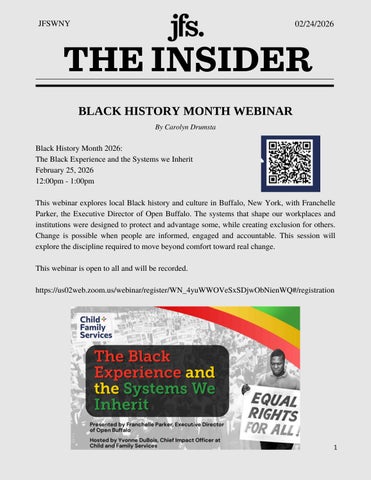
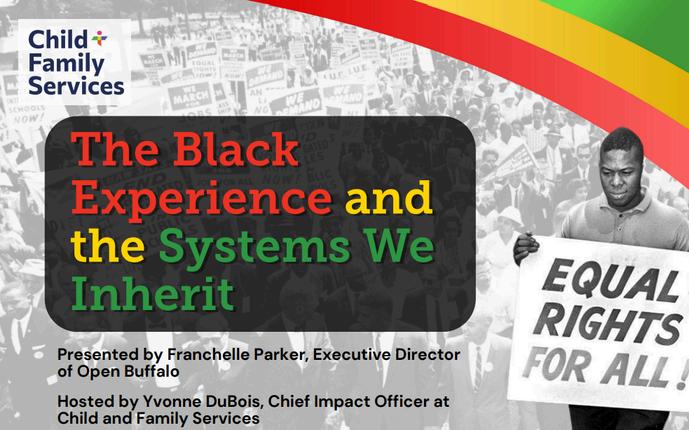
Black History Month 2026: The Black Experience and the Systems we Inherit
February 25, 2026
12:00pm - 1:00pm
This webinar explores local Black history and culture in Buffalo, New York, with Franchelle Parker, the Executive Director of Open Buffalo. The systems that shape our workplaces and institutions were designed to protect and advantage some, while creating exclusion for others. Change is possible when people are informed, engaged and accountable. This session will explore the discipline required to move beyond comfort toward real change
This webinar is open to all and will be recorded.
https://us02web zoom us/webinar/register/WN 4yuWWOVeSxSDjwObNienWQ#/registration
GET YOUR MATZAH BALL TICKETS
This year’s Matzah Ball, JFS annual gala, is sure to be a blast! Use code STAFF26 to get your ticket for only $50! We hope to see you there.

HAVE
A
STORY TO SHARE?
By Edie Falk
We want to hear about the amazing work you’re doing every day! Click the icon below to share your story.
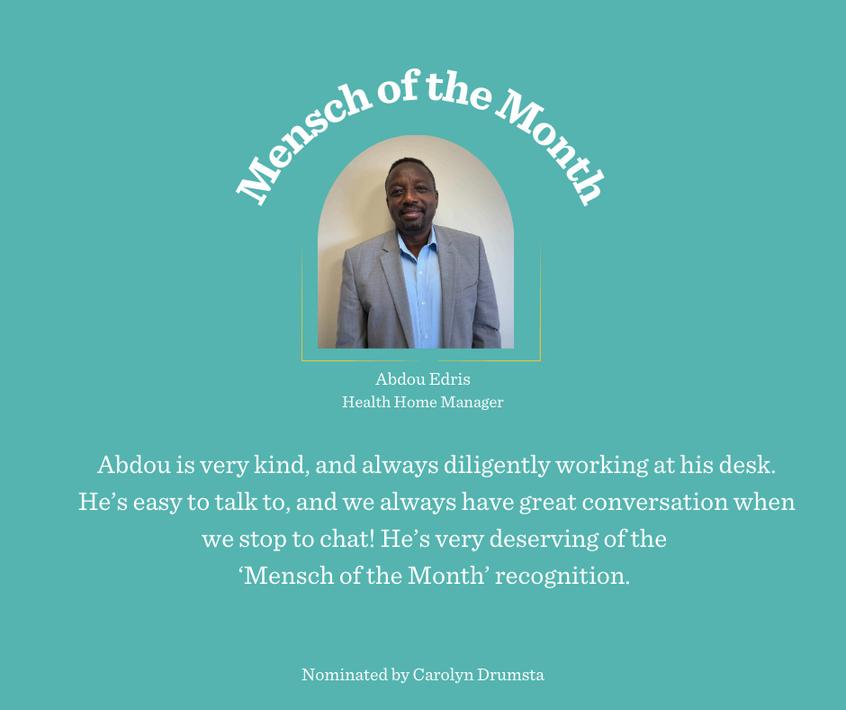
MENSCH OF THE MONTH
Kvelling Corkboard! KvellingCorkboard!


To kvel is Yiddish slang for the feeling of pride/joy you get when someone else has a nice moment. This is a space for us to kvel over our friends’ accomplishments and personal updates! Submit yours to the Insider to be on the next Kvelling C


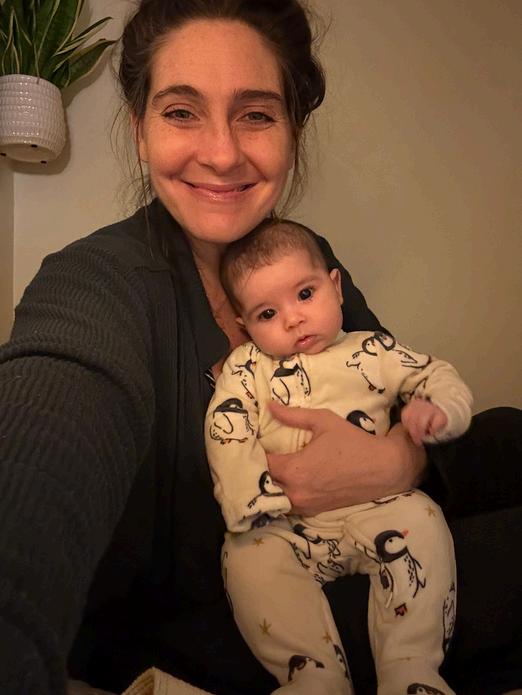


We have new Maya Moon and Jill pictures! Thanks, Jill!!!



OPERATIONS UPDATES
By Patty Hoyt
1. Submitting Requests for Tech Supplies and Non‑Standard Office Supplies
When an employee needs technology accessories or office supplies that are not routinely stocked, they must first notify their supervisor Supervisors are responsible for submitting these requests directly to the Operations/Facilities team via: facilities@jfswny org
This process ensures accountability, appropriate approvals, and accurate tracking of supply needs across departments.
2. Discontinuation of Worxhub
Worxhub is no longer used for any Operations or Facilities needs. This includes: Interior and exterior office repairs, Office furniture repair, Van repair requests, Requests for janitorial supplies All such requests must now be emailed to: facilities@jfswny.org
3. All Operations & Facilities Requests Must Go Through the Facilities Email
To streamline workflow and ensure requests are handled fairly, all Operations/Facilities inquiries must be submitted through:facilities@jfswny.org
Requests will be handled in the order they are received.
4. Laptop Issues Must Be Submitted to MVP
Employees experiencing laptop problems must submit a ticket to MVP. The Operations team will not issue a replacement laptop unless MVP determines the device must be taken in for repair. This ensures proper troubleshooting and prevents unnecessary equipment replacements.
5. Encourage Your Team to Use a Password Manager
We strongly encourage all staff to begin using a password manager for work accounts. Password managers play a vital role in security because they:
Generate strong, unique passwords for every account
Prevent unsafe password reuse
Lower the risk of phishing or credential based cyberattacks
Safely store and auto fill passwords across devices
Reduce lockouts and password reset requests
A password manager is one of the simplest ways to protect both personal and agency data. Browser managers are not secure. 5
OPERATIONS UPDATES COTD
6. Breakroom Cleanliness: A Shared Responsibility
Our breakroom is a shared community space, and maintaining cleanliness is essential for everyone’s comfort and health. Each staff member is responsible for cleaning up after themselves, including:
Washing dishes or placing them in the dishwasher immediately after use
Wiping out the microwave after spills
Disposing of trash properly
Never dumping coffee grounds or tea leaves in the sink
Removing expired or unused items from the refrigerator
Leaving messes behind creates unnecessary work for others and quickly leads to unsanitary conditions. A few extra moments of care keep the space welcoming for everyone.
7. Proper Use of Eden Workplace for Room & Desk Reservations
Please ensure that Eden Workplace is used properly when reserving rooms or desks.
Important Guidelines:
Eden does not support recurring reservations. Recurring Outlook meetings will not appear in Eden and can result in double bookings. Users must create individual reservations for each date directly in Eden.
If your plans change, cancel your reservation in Eden.This ensures others have access to available spaces.
Notification settings can be customized through the Eden web dashboard under: Settings → Notifications
Staff can choose to receive alerts via Teams, email, or mobile push.
Users can always view or confirm reservations on the Eden desktop dashboard.
It is not the responsibility of the Operations team to reserve spaces or confirm reservation status.
We appreciate everyone’s cooperation and attention to these important reminders. 6
USEFUL LINKS & FORMS
By Edie Falk
Business Card Request Form: https://forms.office.com/Pages/ResponsePage.aspx?
id=Pmigb49z5kG1tr3ic8L0vDOO5Qe7LltLkBPMhOYgC71UOUhJQ05ORDg5Vjd UUDdGQVhKOVJXRFY3Qi4u
Insider Submission Form: https://forms.office.com/Pages/ResponsePage.aspx?
id=Pmigb49z5kG1tr3ic8L0vDOO5Qe7LltLkBPMhOYgC71UMTkxNUxRTDcyRkc xSUxISjk1UTAxN0wyMy4u
Mensch of the Month Nomination: https://forms.office.com/Pages/ResponsePage.aspx?
id=Pmigb49z5kG1tr3ic8L0vDOO5Qe7LltLkBPMhOYgC71UOFdNRTNNV0lBT1J YNVRYS0dCUE5NQlRZUS4u
Program Referral Forms: T:\JFS Program Referral Forms
Submit to our Story Library: https://forms.office.com/Pages/ResponsePage.aspx?
id=Pmigb49z5kG1tr3ic8L0vDOO5Qe7LltLkBPMhOYgC71UQ0RBU0pTUFdZOU NJRThKOFpaUUgxMElSVi4u
If you have any operations or facilities needs, email facilities@jfswny,org.


Ensuf Mohammad, 02/10
Rebecca Detlef, 02/22
Contributors
Patty Hoyt
Carolyn Drumsta
Edie Falk
Wasa Murphy
Armen Vazquez, 02/23 JFS DOES NOT HAVE ANY