JB WEB DESIGN · BRISBANE
How to Check Core Web Vitals: Brisbane Business Guide By Alex Morgan | Website Development | jbwebdesign.com.au
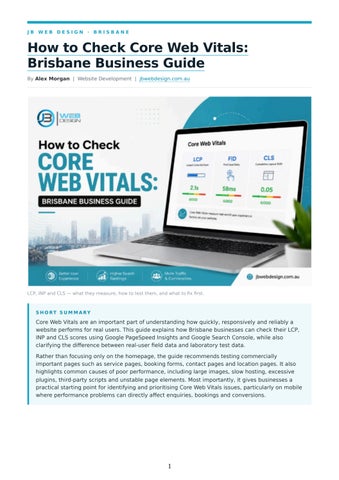
LCP, INP and CLS — what they measure, how to test them, and what to fix first.
S H O RT S U M M A RY
Core Web Vitals are an important part of understanding how quickly, responsively and reliably a website performs for real users. This guide explains how Brisbane businesses can check their LCP, INP and CLS scores using Google PageSpeed Insights and Google Search Console, while also clarifying the difference between real-user field data and laboratory test data. Rather than focusing only on the homepage, the guide recommends testing commercially important pages such as service pages, booking forms, contact pages and location pages. It also highlights common causes of poor performance, including large images, slow hosting, excessive plugins, third-party scripts and unstable page elements. Most importantly, it gives businesses a practical starting point for identifying and prioritising Core Web Vitals issues, particularly on mobile where performance problems can directly affect enquiries, bookings and conversions.
1
W H AT ' S C O V E R E D
1. What Are Core Web Vitals?
8. Does Hosting Location Matter?
2. How to Check in PageSpeed Insights
9. Which Pages Should You Test?
3. How to Check in Google Search Console
10. How to Fix Poor Core Web Vitals
4. How to Check Core Web Vitals on Mobile
11. What Should You Fix First?
5. What "Assessment Failed" Means
12. Does It Affect SEO Rankings?
6. Field Data vs Lab Data
13. Frequently Asked Questions
7. Why Is My Brisbane Website Slow?
14. Bringing It All Together
The easiest way to check Core Web Vitals is with Google's free PageSpeed Insights tool: enter your URL, then review the LCP, INP and CLS results for both mobile and desktop. For a Brisbane business, don't stop at the homepage — your service pages, contact form and booking page usually matter more to your bottom line, and they're often where the real problems hide. QUICK ANSWER
Go to PageSpeed Insights, enter your URL and check the field data (real visitor results from the Chrome User Experience Report, or CrUX) alongside the LCP, INP and CLS scores. For a site-wide view across many pages at once, use the Core Web Vitals report in Google Search Console.
That's the short version. Below is the full picture: what these metrics actually mean, how to test them properly, why your results might look different depending on where you check, and what to fix first — with examples relevant to Brisbane trades, clinics, hospitality venues and service businesses.
What Are Core Web Vitals? Core Web Vitals are three Google-defined metrics that measure specific aspects of real-world page experience: loading performance, responsiveness and visual stability. They're not a measure of your whole website — just these three things. METRIC
PLAIN-ENGLISH MEANING
G O O D R E S U LT
LCP (Largest Contentful Paint)
How quickly the main content on the page appears
2.5 seconds or less
INP (Interaction to
How quickly the page responds to a click, tap or
200 milliseconds or
Next Paint)
keypress
less
CLS (Cumulative Layout Shift)
How much the page unexpectedly moves around while loading
0.1 or less
C O R E W E B V I TA L S AT A G L A N C E
LCP — loading performance, good at 2.5 seconds or less
Real-user data source — Chrome User Experience Report (CrUX)
INP — responsiveness, good at 200 milliseconds or less
Site-wide monitoring — Google Search Console
CLS — visual stability, good at 0.1 or less Primary testing tool — PageSpeed Insights
2
Lab diagnostics — Lighthouse or Chrome DevTools
LCP — Largest Contentful Paint Say a visitor opens a Brisbane plumber's homepage. The headline and hero image are usually the biggest, most visible piece of content on the page. LCP measures how long it takes for that content to actually appear. If a visitor stares at a blank or half-loaded page for several seconds, LCP is probably the culprit. Common causes: large, uncompressed images, slow server response, render-blocking CSS or JavaScript, content that isn't prioritised for early loading, and unnecessary redirects.
INP — Interaction to Next Paint INP is about responsiveness. A customer clicks "Book Now," opens a mobile menu, or submits a contact form. If there's a noticeable lag before the page reacts, the site feels broken, even if it looked fine while loading. Common causes: heavy JavaScript, long-running background tasks, too many third-party scripts, chat widgets, tracking pixels, and interactive elements that weren't built with performance in mind.
CLS — Cumulative Layout Shift CLS measures unexpected movement. A visitor goes to tap a button, and at that exact moment an image finishes loading, a banner appears, or a pop-up slides in — and suddenly they've tapped the wrong thing. Common causes: images or videos without set dimensions, ads, banners, pop-ups, content inserted dynamically above what's already on the page, and web fonts that cause text to reflow as they load.
How to Check Core Web Vitals in PageSpeed Insights 1. Open Google's PageSpeed Insights tool. 2. Enter the URL of the page you want to test. 3. Run the test. 4. Review the Mobile results first, then switch to Desktop. 5. Look for the Core Web Vitals assessment near the top of the report. 6. Check your LCP, INP and CLS results. 7. Scroll down to the diagnostics section for more detail on what's slowing things down. If you're looking for a Core Web Vitals checker, PageSpeed Insights is a good starting point, because it combines lab testing with real-user field data when CrUX data is available for the page. PageSpeed Insights combines two types of information: field data, sourced from real visitors through CrUX, and lab data, generated by a tool called Lighthouse in a controlled test environment. An important clarification: the overall PageSpeed performance score is a Lighthouse lab metric. The Core Web Vitals assessment shown on the same page uses field data instead, when enough real-user data is available for that URL. You don't need a perfect 100 performance score to have good Core Web Vitals — they're related but separate measurements. W H AT T O LO O K F O R W H E N T H E R E P O RT LO A D S
1. Core Web Vitals assessment — tells you whether the page currently passes on field data. 2. LCP — check whether it's rated Good, Needs Improvement or Poor. 3. INP — look for responsiveness problems. 4. CLS — look for layout movement.
3
5. Diagnostics — scroll down to investigate likely causes behind any poor result. R E S U LT
W H AT I T M E A N S
W H AT T O D O
Good
Meets Google's Good threshold
Monitor and retest periodically
Needs improvement
Performance isn't ideal but isn't failing badly
Investigate the likely cause
Poor
Doesn't meet the recommended threshold
Prioritise fixing this metric
How to Check Core Web Vitals in Google Search Console PageSpeed Insights tests one page at a time. Search Console is more useful when you want to understand performance across your whole site. Its Core Web Vitals report groups similar URLs together and shows real-user field data for both mobile and desktop. This matters because your homepage might pass comfortably while your service pages, blog posts or landing pages are quietly struggling — a very common pattern that a single homepage test would never reveal. For a broader check, work through more than just your homepage: main service pages, location or service-area pages, contact page, booking or quote-request page, product or category pages, paidsearch landing pages, and any important blog or resource pages.
How to Check Core Web Vitals on Mobile 1. Open PageSpeed Insights. 2. Enter the page URL. 3. Select the Mobile tab (it's usually shown first). 4. Review LCP, INP and CLS for that view. 5. Switch to Desktop and compare the results. 6. Scroll through the diagnostics for mobile-specific causes. 7. Check Search Console's Core Web Vitals report and filter by device to see real-user mobile data over time. Mobile devices and mobile networks can introduce constraints — smaller processors, variable connection quality — that aren't present on a typical desktop connection. That's part of why a page can pass comfortably on desktop while showing "Needs Improvement" or "Poor" on mobile, and why it's worth testing both rather than assuming one result applies to the other.
What Does "Core Web Vitals Assessment Failed" Mean? A "failed" assessment sounds worse than it usually is. It doesn't mean your whole website is broken. A Core Web Vitals assessment passes when the 75th-percentile results for LCP, INP and CLS all meet Google's Good thresholds. If one or more metrics fall outside the Good range at that percentile, the assessment does not pass. In other words, this isn't about individual visitors passing or failing — it's a statistical measure across all the real-user data collected for that group of pages. This distinction matters: one poor result in a single lab test isn't the same as a genuine failed assessment based on real-user data. A single test can be thrown off by your internet connection, your
4
device, or bad timing. A failed assessment in Search Console reflects a pattern across real visitors over time — that's the one worth acting on.
Field Data vs Lab Data: Why Are My Results Different? This is the distinction behind most of the "why does my result look different" questions, so it's worth understanding properly. F I E L D D ATA
L A B D ATA
Source
Real visitors, via CrUX
A single controlled test run
Best for
Understanding what visitors actually experience
Investigating why a page is slow
Limitation
May be unavailable for low-traffic pages
Doesn't represent every visitor; can shift between runs
Key takeaway: use field data to understand what your visitors are actually experiencing. Use lab data to investigate why.
Why Is My Brisbane Website Slow? It's rarely just one thing. A few usual suspects: PROBLEM AREA
W H AT I T T Y P I C A L LY AFFECTS
W H AT T O C H E C K F I R S T
Hosting and server
LCP
Server response time (TTFB)
Images and media
LCP
Hero image size and format
WordPress and plugins
LCP, INP
Plugins loading scripts on every page
Third-party scripts
INP
Chat widgets, tracking tools, heatmaps
Website design
CLS
Pop-ups, dynamic banners, unstable page builders
A site with thirty plugins isn't automatically slow — but one poorly coded plugin that loads scripts on every page, even when it's only needed on one, can cause real problems. The same goes for thirdparty scripts generally: chat widgets, tracking tools, heatmaps, booking software and advertising scripts all add extra JavaScript work, so removing anything you're no longer using is often the fastest win before attempting anything more technical.
Does Website Hosting Location Matter for Brisbane Businesses? Not automatically. There's no rule that says an Australian business needs Australian-based hosting. What matters more is: Server response time (TTFB) — how quickly your server answers a request CDN configuration — whether a content delivery network serves assets from a location closer to your visitors Where your customers actually are — mostly local, mostly interstate, or a mix
5
Mobile network conditions — mobile connections can be slower and less consistent than fixed broadband, which affects how a page performs even if the server itself is fast Real-user data — what your own CrUX and Search Console figures actually show, rather than assumptions
Which Pages Should a Brisbane Business Test? Core Web Vitals aren't a "Brisbane score" — Search Console's standard report combines data from visitors in different locations, so it isn't a Brisbane-only dataset. What makes testing genuinely local is focusing on the pages your actual customers rely on: Tradies — service-area pages, emergency call buttons, quote forms, and mobile performance generally, since a tradie's customer is usually searching from a phone in an urgent moment. Medical and health businesses — booking pages, appointment forms, and location pages, where a slow or unresponsive interaction can directly stop someone from making an appointment. Hospitality — menus, booking widgets, and embedded Google Maps, which are often the heaviest, slowest elements on the page. Professional services — enquiry forms, service pages, and lead-generation landing pages, particularly any page receiving paid traffic. A Brisbane electrician, for example, probably cares more about how fast their emergency-service page loads on a phone at 11pm than how quickly an old blog post loads on desktop.
How to Fix Poor Core Web Vitals LCP → check the hero image and server response first. INP → check JavaScript and third-party scripts first. CLS → check image dimensions and dynamic content first.
If LCP is poor Identify the specific element counted as your LCP (often a hero image or headline)
Remove unnecessary redirects
Compress and correctly size that image
Improve caching
Reduce server response time
Use a CDN where it makes sense for your traffic
Cut back on render-blocking CSS and JavaScript
If INP is poor Test real interactions: menus, forms, filters, booking systems, search bars, add-to-cart buttons
Remove tracking or widget code you no longer need
Look for long-running JavaScript tasks
Improve how interactive components are built
Cut down on unused JavaScript
Reduce unnecessary third-party scripts
If CLS is poor Set width and height on all images and videos
Stabilise promotional bars and cookie notices so they don't push content around
Reserve space for banners, ads and embedded content
Check whether web fonts are causing visible text reflow
Avoid inserting new content above things a visitor is already looking at
Test the page while scrolling and interacting, not just while it's sitting still
6
What Should You Fix First? Start with the metric that's actually poor, then work through the likely cause in order: LCP poor? → Check the hero image → check server response time → check render-blocking resources INP poor? → Check JavaScript load → check third-party scripts → check interaction handlers CLS poor? → Check image and video dimensions → check dynamically inserted content → check fonts → check banners and pop-ups Beyond the metric itself, prioritise by impact: PRIORITY
W H AT T O F I X
WHY
1
Poor results on your most important pages
Highest impact on users and business outcomes
2
Issues affecting many URLs at once
A single fix can improve dozens of pages together
3
Mobile performance problems
Most visitors are likely browsing on a phone
4
Minor PageSpeed recommendations
Lower priority if the impact on real visitors is small
If you have no field data yet, rely on lab testing to spot likely problems and let real-user data build up in Search Console over time. If only one page is poor, investigate that page specifically. If many similar pages are poor, look for a shared cause — a theme, plugin or template used across all of them. Don't fix everything just because PageSpeed Insights lists it. A diagnostic marked as an "opportunity" isn't automatically your highest-priority task — some carry only a marginal saving. Start with problems affecting important pages and real users, then work down the list. If recurring plugin updates, security fixes and performance issues are becoming difficult to manage on your own, ongoing website maintenance can help keep these problems from accumulating in the first place.
Does Core Web Vitals Affect SEO Rankings? Yes, page experience can contribute to Google's ranking systems, but page speed alone does not guarantee higher rankings. Core Web Vitals are used by Google's ranking systems, but they're one signal among many, not a separate, standalone ranking factor. Core Web Vitals are only one part of Google's broader search systems. Strong performance cannot compensate for content that is irrelevant, unhelpful or poorly matched to the searcher's needs — and good results in the Core Web Vitals report don't guarantee good rankings on their own.
Frequently Asked Questions What are Core Web Vitals? Three metrics Google uses to measure real-world page experience: LCP (loading speed), INP (responsiveness) and CLS (visual stability).
7
What is a good LCP score? 2.5 seconds or less, measured from when a visitor requests the page to when the largest piece of visible content renders. Does page speed affect Google rankings? Yes, page experience can contribute to Google's ranking systems, but page speed alone does not guarantee higher rankings. How do I test my website speed for free? PageSpeed Insights is the best free starting point. Enter your URL, check mobile and desktop, and review the assessment and diagnostics. What is a Core Web Vitals checker? A Core Web Vitals checker is any tool that reports your LCP, INP and CLS results. How do I check Core Web Vitals on mobile? Open PageSpeed Insights, enter your URL, and select the Mobile tab before reviewing the LCP, INP and CLS results. Why is my WordPress site slow? Common causes include poorly coded plugins, a heavy theme or page builder, unoptimised images, excessive third-party scripts, and inadequate hosting. Why does PageSpeed Insights say my site is slow when it feels fast to me? You're testing on your own device and connection, which is often faster and more consistent than a typical visitor's experience. Why does my homepage pass Core Web Vitals but my service pages fail? Different pages often use different templates, images and scripts. A homepage might be lightly built while service pages carry heavier components. Can a WordPress plugin cause poor Core Web Vitals? Yes. A single poorly coded plugin — particularly one that loads scripts on every page — can noticeably affect performance. Does changing web hosting improve Core Web Vitals? It can help if slow server response time (TTFB) is the underlying cause, but hosting is only one factor among several. How long does it take for Core Web Vitals changes to appear in Search Console? Search Console's field data is based on a rolling 28-day window of real-user data, so changes typically take several weeks. Should I optimise desktop or mobile first? Mobile, in most cases. Mobile devices and networks introduce performance constraints not present on desktop connections. What should I do if my site has no Core Web Vitals data? Use lab testing (PageSpeed Insights or Lighthouse) to spot likely problems, and keep monitoring Search Console as field data accumulates. Is a 100 PageSpeed score necessary? No. A 100 reflects the Lighthouse lab test, not your real-world Core Web Vitals result.
8
Not sure what to fix first? If your PageSpeed Insights report shows poor LCP, INP or CLS, JB Web Design can assess the underlying causes and prioritise the fixes that are most relevant to your website. As a Brisbane-based web design and development agency, we work with small businesses on website development, SEO and ongoing website maintenance.
Bringing It All Together Checking Core Web Vitals isn't about chasing a perfect score — it's about finding the specific problems that make your website harder or slower for real people to use.
About the author Alex Morgan brings over 8 years of experience in website development and digital marketing, specialising in SEO-optimised content strategy, conversion-focused copywriting, and local business growth for clients across Brisbane and Australia. Based in Brisbane, Alex holds a certification in Google Analytics and has led campaigns that increased organic traffic by an average of 45% for small-to-medium enterprises.
MORE FROM JB WEB DESIGN
Website Maintenance Brisbane · SEO Services in Brisbane · Contact JB Web Design Tools referenced: PageSpeed Insights · Chrome User Experience Report · Google Search Console
Adapted from "How to Check Core Web Vitals: Brisbane Business Guide" by Alex Morgan — https://jbwebdesign.com.au/how-tocheck-core-web-vitals-brisbane-business-guide/
9