Issuu Voluntary Product Accessibility Template

Page 1


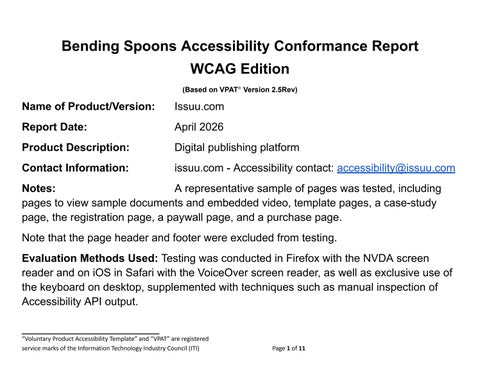
Bending Spoons Accessibility Conformance Report

WCAG Edition

(Based on VPAT® Version 2.5Rev)

Name of Product/Version: Issuu.com

Report Date: April 2026

Product Description: Digital publishing platform

Contact Information: issuu.com - Accessibility contact: accessibility@issuu.com

Notes: A representative sample of pages was tested, including pages to view sample documents and embedded video, template pages, a case-study page, the registration page, a paywall page, and a purchase page.

Note that the page header and footer were excluded from testing.

Evaluation Methods Used: Testing was conducted in Firefox with the NVDA screen reader and on iOS in Safari with the VoiceOver screen reader, as well as exclusive use of the keyboard on desktop, supplemented with techniques such as manual inspection of Accessibility API output.

Applicable Standards/Guidelines

This report covers the degree of conformance for the following accessibility standard/guidelines:

Standard/Guideline

Web Content Accessibility Guidelines 2.0

Web Content Accessibility Guidelines 2.1

Web Content Accessibility Guidelines 2.2

Terms

The terms used in the Conformance Level information are defined as follows:

Level A – Yes

Level AA – Yes

Level AAA – No

Level A – Yes

Level AA – Yes

Level AAA – No

Level A – No

Level AA – No

Level AAA – No

● Supports: The functionality of the product has at least one method that meets the criterion without known defects or meets with equivalent facilitation.

● Partially Supports: Some functionality of the product does not meet the criterion.

● Does Not Support: The majority of product functionality does not meet the criterion.

● Not Applicable: The criterion is not relevant to the product.

● Not Evaluated: The product has not been evaluated against the criterion. This can only be used in WCAG Level AAA criteria.

Note: When reporting on conformance with the WCAG 2.x Success Criteria, they are scoped for full pages, complete processes, and accessibility-supported ways of using technology as documented in the WCAG 2.0 Conformance Requirements.

Page 3 of 11

Table 1: Success Criteria, Level A

Notes:

Criteria

Conformance Level Remarks and Explanations

1.1.1 Non-text Content (Level A) Partially Supports Most of the decorative, informative and functional images on the pages tested have text alternatives.

There is content derived from user-generated data that has inappropriate, incomplete, or missing, text alternatives.

There is an article page that is soon to be retired that has images with missing, redundant or inappropriate text alternatives.

1.2.1 Audio-only and Video-only (Prerecorded) (Level A) Supports

The pages tested do not contain prerecorded audio-only or video-only media.

1.2.2 Captions (Prerecorded) (Level A) Supports The prerecorded video, embedded from a third-party site into a document on the page tested has accurate and appropriate auto-generated captions.

Note that users can include third party content which may fail this criterion.

1.2.3 Audio Description or Media Alternative (Prerecorded) (Level A) Supports

The prerecorded video, embedded from a third-party site into a document on the page tested does not require separate audio description – the main audio adequately describes the video.

Note that users can include third party content which may fail this criterion.

1.3.1 Info and Relationships (Level A) Partially Supports Core site content contains information, structure, and relationships conveyed through visual presentation that are not programmatically determined, including:

Page 4 of 11

Criteria

Conformance Level Remarks and Explanations

● Interrelated list of items (the social media links within an article heading. Note this occurs on a page that is planned to be retired)

● Content inappropriately marked up as headings. Note this occurs on a page that is planned to be retired.

Content derived from user generated data contains information, structure, and relationships conveyed through visual presentation that are not programmatically determined, including:

● Interrelated lists of items

● Blockquotes

● Headings (this includes both visual headings that lack semantics, and non-heading content inappropriately given heading semantics)

1.3.2 Meaningful Sequence (Level A)

1.3.3 Sensory Characteristics (Level A)

1.4.1 Use of Color (Level A)

Partially supports Core site functionality includes visually hidden links, and content, which remain exposed to assistive technology whilst in their visually hidden state.

Content derived from user generated data exhibits reading order issues, including:

● Inappropriate programmatic reading order, which differs from the logical, visual, reading order.

● Screen reader cursor not being restricted to modal dialogs.

Supports Instructions provided for understanding and operating content do not rely solely on sensory characteristics of components.

Partially supports

5 of 11

The card details screen within the payment process uses colour to indicate an error state, which is not explained in text. Note that this screen will be replaced

Criteria

1.4.2 Audio Control (Level A)

2.1.1 Keyboard (Level A)

2.1.2 No Keyboard Trap (Level A)

2.1.4 Character Key Shortcuts (Level A 2.1 and 2.2)

2.2.1 Timing Adjustable (Level A)

2.2.2 Pause, Stop, Hide (Level A)

2.3.1 Three Flashes or Below Threshold (Level A)

Conformance Level Remarks and Explanations

as an alternative payment process is being implemented.

Supports There is no audio content that plays automatically.

Supports All functionality is available through the keyboard.

Supports No keyboard traps present.

Supports Character keys are not used to trigger functionality.

Supports There is no time limit set by the content or functionality.

Supports There is no moving, blinking, scrolling, auto-updating or auto-playing content, animation or video.

Supports The product does not contain flashing content.

Note that users can include third party content which may fail this criterion.

2.4.1 Bypass Blocks (Level A)

2.4.2 Page Titled (Level A)

2.4.3 Focus Order (Level A)

Supports The product includes a “Skip to main content” link before the page navigation, which moves focus to the main page content.

Supports There are page titles that appropriately identify each page.

Partially supports

Core site content includes instances of an illogical focus order, including:

● When a modal dialog is closed, the focus is not returned to the triggering button. This occurs on a payments process page which is being replaced.

● Focus not remaining on the active element. This occurs on a page which is due to be retired.

Third party content of an advert, which inappropriately receives the focus multiple times.

6 of 11

Criteria

2.4.4 Link Purpose (In Context) (Level A)

2.5.1 Pointer Gestures (Level A 2.1 and 2.2)

Conformance Level Remarks and Explanations

Supports The purpose of links in the product can be determined from the link text alone or from the programmatic context of the link.

Supports

2.5.2 Pointer Cancellation (Level A 2.1 and 2.2)

2.5.3 Label in Name (Level A 2.1 and 2.2)

2.5.4 Motion Actuation (Level A 2.1 and 2.2)

3.1.1 Language of Page (Level A)

3.2.1 On Focus (Level A)

3.2.2 On Input (Level A)

3.3.1 Error Identification (Level A)

Any actions that require a gesture such as a finger or mouse swipe can be achieved using a single-point action such as button activation.

Supports All functionality available within the product is either triggered on an up-event or is reversible.

Supports Accessible names of interactive components contain their visible text.

Supports Functionality is not activated with motion.

Supports The product programmatically identifies the language of the content (English).

Supports

The product provides components that do not initiate a change of context when focused.

Supports Changes of context do not occur automatically on user input.

Partially supports

3.3.2 Labels or Instructions (Level A)

4.1.1 Parsing (Level A)

WCAG 2.0 and 2.1 – Always answer ‘Supports’

WCAG 2.2 (obsolete and removed) - Does not apply

4.1.2 Name, Role, Value (Level A)

Partially Supports

The card details screen within the payment process uses an icon to indicate an error state, that is not explained in text. Note that this screen will be replaced as an alternative payment process is being implemented.

There are input fields that rely on placeholder text, which is only visible whilst the field is empty. Note that this occurs on a screen that is planned for replacement.

Supports For WCAG 2.0 and 2.1, the September 2023 errata update indicates this criterion is always supported. See the WCAG 2.0 Editorial Errata and the WCAG 2.1 Editorial Errata.

Supports All interactive elements have appropriate names, roles, values and states. Page 7 of 11

Table 2: Success Criteria, Level AA

Notes:

1.2.4 Captions (Live) (Level AA)

Supports

1.2.5 Audio Description (Prerecorded) (Level AA)

Supports

1.3.4 Orientation (Level AA 2.1 and 2.2)

1.3.5 Identify Input Purpose (Level AA 2.1 and 2.2)

Supports

Supports

1.4.3 Contrast (Minimum) (Level AA)

Partially Supports

1.4.4 Resize text (Level AA)

1.4.5 Images of Text (Level AA)

Partially Supports

Partially supports

The product does not contain live video content.

The prerecorded video, embedded from a third-party site into a document on the page tested does not require separate audio description – the main audio adequately describes the video.

Note that users can include third party content which may fail this criterion.

The product can be used in both portrait and landscape orientation.

Appropriate autocomplete values are used on form fields that collect data about the user.

Core site content includes regular text that fails contrast on an article page. Note that this article page is soon to be removed.

Content derived from user generated data includes regular and large text that fails to meet minimum contrast requirements. There is an “Accessible view” button that mitigates this issue on those pages.

Core site content is lost when pages are zoomed to 200%. This impacts a single article page, where a single heading is lost when page is zoomed to 200%.

Core site content includes an image of text on a single page.

Content derived from user generated data includes images of text across multiple pages. Page 9 of 11

Criteria

1.4.10 Reflow (Level AA 2.1 and 2.2)

1.4.11 Non-text Contrast (Level AA 2.1 and 2.2)

Conformance Level Remarks and Explanations

In all cases, the information conveyed by the images of text was not made available elsewhere.

Partially Supports

Partially supports

1.4.12 Text Spacing (Level AA 2.1 and 2.2)

Partially Supports

1.4.13 Content on Hover or Focus (Level AA 2.1 and 2.2)

Supports

2.4.5 Multiple Ways (Level AA)

2.4.6 Headings and Labels (Level AA)

2.4.7 Focus Visible (Level AA)

Supports

Supports

Core site content includes instances of content that is lost at a viewport of 320 x 256 pixels and a zoom level of 100%.

The embedded YouTube video player contains focus indicators that do not meet the minimum contrast requirement.

Note that remediation may require action from the third-party vendor.

Text spacing adjustments are supported, however. adjusting the text spacing properties, causes content to be lost on the Issuu profile page.

In the content tested, there were no examples of content displayed on hover or focus, which could not be hovered over or dismissed with the escape key.

A site search is provided. On each article page there are links to related articles pages. A megamenu provides links to top level sections of the site.

Headings and labels appropriately describe their topic or purpose.

Note that users can include third party content which may fail this criterion.

Supports All interactive elements had a visible focus indicator.

Text elements on a sample page that are in Latin have the appropriate language tag. Other content tested in the product was not in languages other than English.

3.1.2 Language of Parts (Level AA)

Supports

Note that users can include third party content which may fail this criterion.

3.2.3 Consistent Navigation (Level AA)

Supports

Page 10 of 11

Navigational mechanisms in the product are consistent across screens.

Criteria

3.2.4 Consistent Identification (Level AA)

3.3.3 Error Suggestion (Level AA)

3.3.4 Error Prevention (Legal, Financial, Data) (Level AA)

4.1.3 Status Messages (Level AA 2.1 and 2.2)

Legal Disclaimer (Company)

Conformance Level Remarks and Explanations

Supports

Supports

Supports

Supports

Components with the same functionality in the product are identified consistently across screens.

When suggestions for corrections are known for form fields, then the suggestions are provided to the user, on the pages tested.

Error checking is included in the purchase / checkout process.

When informative messages are added to the page, they are programmatically determined as live regions for assistive technology.

This document is provided for informational purposes only and does not constitute a legally binding commitment or guarantee of compliance.

11 of 11

Turn static files into dynamic content formats.

Create a flipbook