International Research Journal of Engineering and Technology (IRJET) e-ISSN: 2395-0056

Volume: 09 Issue: 08 | Aug 2022 www.irjet.net p-ISSN: 2395-0072
AN ANDROID APP FOR BUILDING STUDENT PROFILES
Mallepally Bhanusree Reddy1
1Student, Department of CSE, Sreyas Institute of Engineering and Technology, Telangana, India ***
Abstract - This paper aims to demonstrate the creationand evaluation of a mobile application for creating student profiles. Mobile technology is a rapidly expanding industry that is closely related to our daily lives and jobs. The plan is to develop an app for college students that allows them to display their profiles, which include interests, contact information, personal data, skills, and skill sets, to faculty and industry recruiters. Students canexplainthemselves much more quickly this way. With the help of this application, students can discuss other important topics with the faculty members by leaving their introduction information in the app. By entering their introduction details into the app, students can use this application to talk with faculty members about other crucial subjects.
Key Words: AndroidStudio,Multiplescreens,User-friendly Application,PersonalInformation
1. INTRODUCTION
Themajorityofmobileplatformsusedaroundtheworldrun the Android operating system. Android is the operating systemforhundredsofmillionsofmobiledevicesinmore than190differentcountries.Itwillholdroughly75%ofthe global market share by the end of 2020, and this trend is onlyaccelerating. Android,whichwasinitiallydevelopedby the business known as the Open Handset Alliance, was created by modifying the Linux kernel and other opensourcesoftware.Beforebuyingtheentirecompanyin2005, Googleprovidedfundingfortheproject.InSeptember2008, thefirstdevicewiththeAndroidoperatingsystemwasmade availableforpurchase.Becauseoftheextensivefeaturesetit offers,AndroidhasdominatedthemobileOSmarket.userfriendly, has a sizable community, allows for greater customization,andalotofmanufacturersproduceAndroidcompatible smartphones. user-friendly, has strong communitysupport,allowsforgreatercustomization,and manybusinessesproduceAndroid-compatiblesmartphones.
1.1 Classifications
Oneormoreofthefollowingfourtypesofapplicationscan befoundonAndroiddevices:
Activities: An activity is used to implement an applicationwithavisibleuserinterface. Anactivity begins when you choose an application from the homescreenorapplicationlauncher.
Services: Any application that must run continuously for a long period of time, like a networkmonitororanupdate-checkingprogram, canuseaservice.
Content providers: Thinkingofcontentproviders as database servers is the simplest way to conceptualizethem.Controllingaccesstopersistent data,suchasphonecontacts,istheresponsibilityof acontentprovider.Onemightnotneedtocreatea content provider if the application is very straightforward. The recommended method of accessing the data is through a content provider, though,developingalargerapplicationoronethat makesdataavailabletomultipleactivitiesand/or applications.
Receivers of broadcasts: OnecanrunanAndroid application to process a specific piece of data or reacttoanoccasion,likereceivingatextmessage.
2. INSTALLATION PROCESS
TheIDEforbuildingnativeAndroidappsiscalledAndroid Studio.ItalsocontainstheAndroidSDK,whichmustbeset up before being used on the command line. The Android emulator requires the creation of Android virtual devices, whichcanbedoneusingAndroidStudio.Ionicappscanalso belaunchedonadevice.
2.1 Installing the Android Studio
TheAndroidStudiowebsiteoffersadownloadforAndroid Studio.
Download Android Studio and SDK tools | Android Developers
International Research Journal of Engineering and Technology (IRJET) e-ISSN: 2395-0056
Volume: 09 Issue: 08 | Aug 2022 www.irjet.net p-ISSN: 2395-0072
Fig -1:Windowssetup
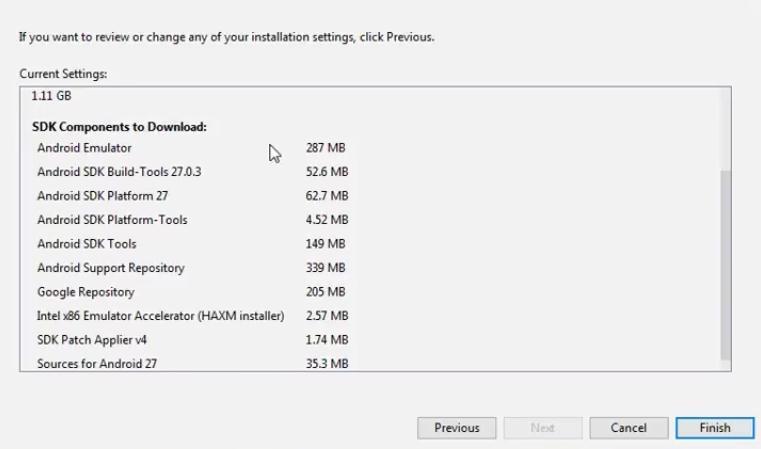
Fig -3:SDKInstallation
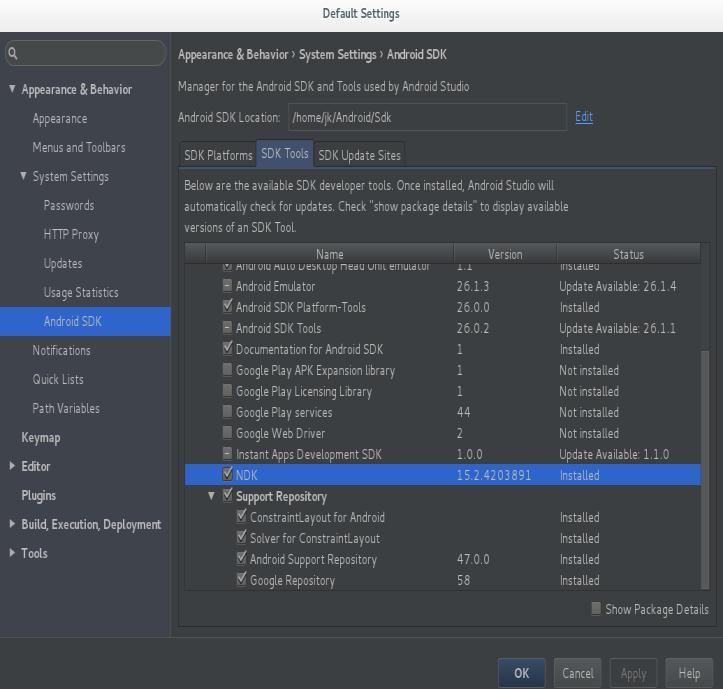
Bydefault,thelateststableSDKPlatformisinstalled,which includes a collection of packages required to target that version of Android. Installing the most recent stable SDK Platform,whichincludesseveralpackagesrequiredtotarget that version of Android, is automatic. The Show Package Details checkbox at the bottom of the SDK Manager may need to be selected in order to install system images and otherminorSDKplatformpackages.
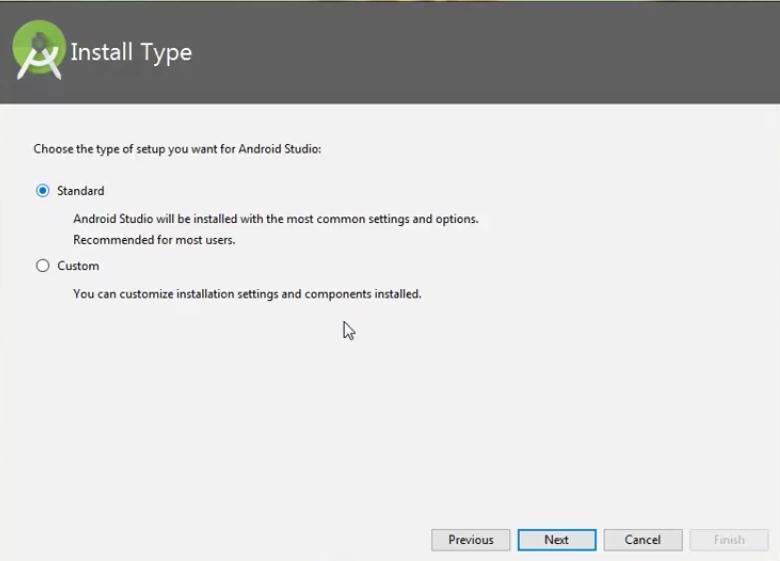
Fig -2:Installationonwindows
2.2 Installing the Android SDK
Onceinstalled,openAndroidStudio.Followinginstallation, launch Android Studio. The Android SDK installation requirement should be detected by the IDE. Completely install the SDK using the SDK Components Setup screen. MakeanoteofwheretheAndroidSDKislocated.
SDK (Software Development Kit or "devkit") istypicallya setofsoftwaredevelopmenttoolsthatallowforthecreation of applications for a certain software package, software framework,orhardwareplatform.Itmaybesomethingas simpleasanapplicationprogramminginterface(API)inthe form of some files to interface with a particular programminglanguageorincludesophisticatedhardware. Debuggingaidsandotherutilitiesarefrequenttoolsthatare frequently displayed in an integrated development environment (IDE). It could be something as simple as an applicationprogramminginterface(API)intheformofafew filestocommunicatewithaparticularembeddedsystemor include complex hardware to interface with a particular programminglanguage.Commontoolsincludeutilitiesand debugging aids, which are frequently displayed in an integrateddevelopmentenvironment(IDE).Assoonasyou unzipandloadtheIDEinthemostrecentversionofADT,the Android SDK is automatically added. The SDK Manager enables us to download Google APIs and use them in our code.GoogleCalendar,GoogleCode.
International Research Journal of Engineering and Technology (IRJET) e-ISSN: 2395-0056
Volume: 09 Issue: 08 | Aug 2022 www.irjet.net p-ISSN: 2395-0072
Fig -4:AndroidSDKmanager
2.3 Android Virtual Device (AVD)
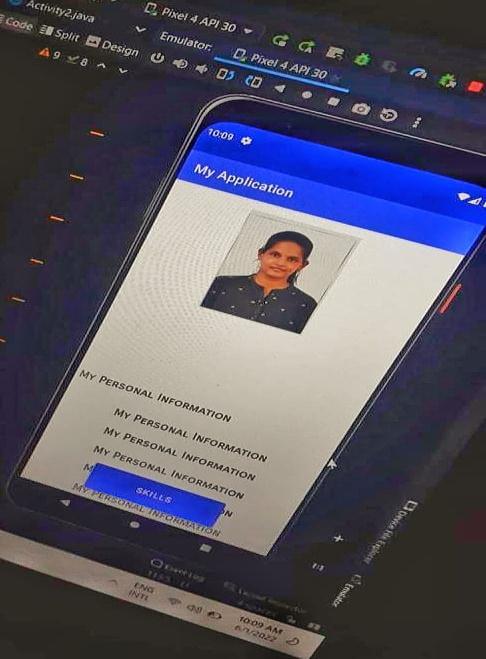
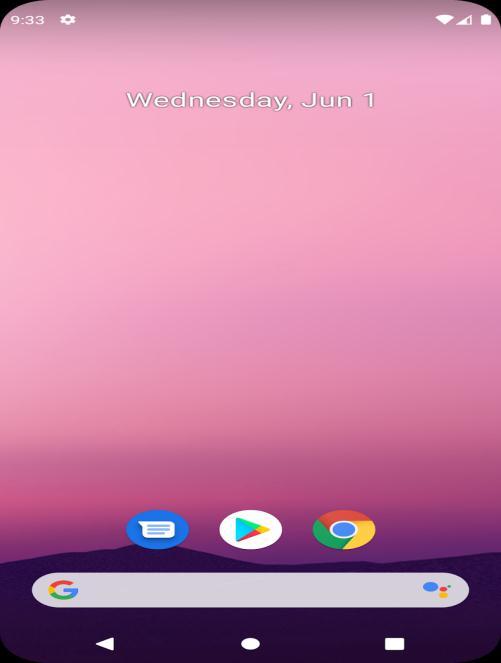
OnecanlaunchvirtualAndroiddevicesoremulatorsonour PC and run the app inside of them with the help of the AndroidVirtualDevice(AVD)manager,whilealsobeingable to monitor and troubleshoot each app's activity from the LogcatinourIDE.
Fig -6:Pixel4API30Emulator
2.4 Android Software Development
Theprocessbywhichnewapplicationsaredevelopedforthe Android operating system is known as Android software development. The Android Software Development Kit is typically used to create applications in the Java programminglanguage.ThesoftwareusedtocreateAndroid appsiscalledADT(AndroidDevelopmentTools).Basically,it houses the Eclipse IDE, a multi-language integrated developmentenvironment(IDE)withabaseworkspaceand anextensibleplug-insystemforenvironmentcustomization. ThelatestversioncomeswiththeADTpluginpreinstalled andbundledwiththeIDE.
3 SEQUENCE
1. Saveeachiconinitsownfolder. 2. Keep"myinformation"asthenameofthefolder. 3. Addthemtothedrawable,copythedesiredportion from the location, and then paste it there in the drawablefile.
4. Createactivity1now,fillintherequirementswith codeinthejavafile,andcreatethelayoutinthexml file. 5. Createactivities2,3,and4.
Fig -5:AVDLaunching
6. Checkforanyerrors.
7. Create a virtual device with the name "Pixel 4 MobileAPI30"byopeningthevirtualdevicetab.
8. Runtheprogramandexaminetheapplicationtosee ifeverythingisinorder.
4 CODE FOR APP DEVELOPMENT
main.java(Activity1)
packagecom.example.myinformation; importandroid.content.Intent; importandroidx.appcompat.app.AppCompatActivity; importandroid.os.Bundle; importandroid.view.View; importandroid.widget.Button;
publicclassMainActivityextendsAppCompatActivity{ privateButtonbutton; @Override protectedvoidonCreate(BundlesavedInstanceState){ super.onCreate(savedInstanceState); setContentView(R.layout.activity_main); button=(Button)findViewById(R.id.button); button.setOnClickListener(newView.OnClickListener(){ @Override publicvoidonClick(Viewv){ openActivity2(); } }); } publicvoidopenActivity2(){ Intentintent=newIntent(this,Activity2.class); startActivity(intent); } }
main.xml (Activity 1)
<?xmlversion="1.0"encoding="utf-8"?>
<RelativeLayout
xmlns:android="http://schemas.android.com/apk/res/andr oid"
xmlns:app="http://schemas.android.com/apk/res-auto" xmlns:tools="http://schemas.android.com/tools" android:layout_width="match_parent"
android:layout_height="match_parent" tools:context="com.example.myapplication.MainActivity">
<TextView
android:id="@+id/textView"
android:layout_width="249dp"
android:layout_height="wrap_content"
android:layout_alignTop="@+id/button"
android:layout_alignParentEnd="true"
android:layout_marginTop="-235dp"
android:layout_marginEnd="78dp"
android:layout_marginBottom="30dp"
android:text="Hello! I'm Bhanu sree. Welcome to my App"
android:textColor="#30A335"
android:textSize="25sp"
android:textStyle="bold|italic"/>
<Button
android:id="@+id/button"
android:layout_width="124dp"
android:layout_height="wrap_content"
android:layout_alignParentEnd="true"
android:layout_alignParentBottom="true"
android:layout_marginEnd="71dp"
android:layout_marginBottom="88dp"
android:text="Enter"
International Research Journal of Engineering and Technology (IRJET) e-ISSN: 2395-0056 Volume: 09 Issue: 08 | Aug 2022 www.irjet.net p-ISSN: 2395-0072 © 2022, IRJET | Impact Factor value: 7.529 | ISO 9001:2008 Certified Journal | Page1337
International Research Journal of Engineering and Technology (IRJET) e-ISSN: 2395-0056
Volume: 09 Issue: 08 | Aug 2022 www.irjet.net p-ISSN: 2395-0072
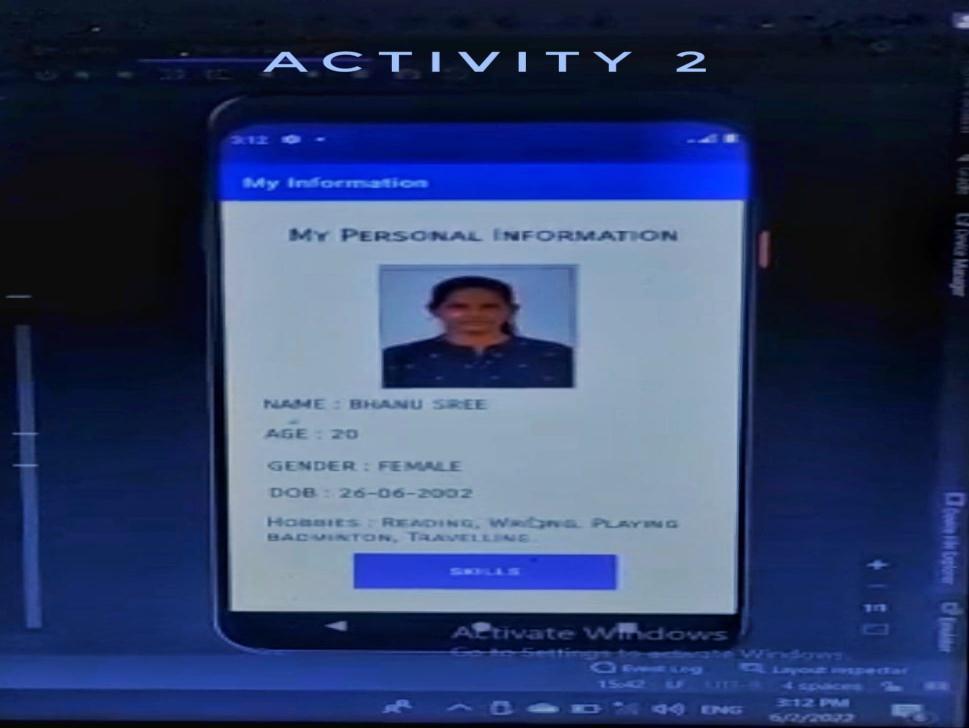
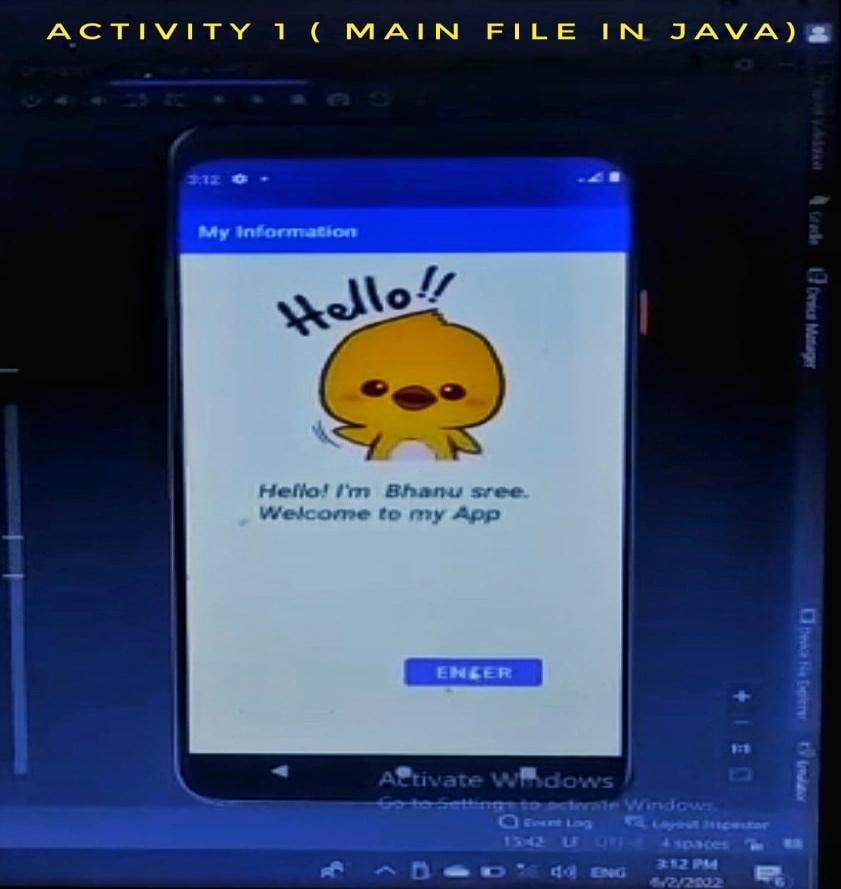
Only1activitycodeiswrittenhereforboththejavaandxml. Javacodeistoperformthelogicandwhilexmlcodeisused todevelopthepagestructure.Whenbuttonispressedin1st screen,itwillactivatethecommandandchangesthescreen toanotheractivity.Itfollowsactivity2,3and4respectively. Thescreensareshownintheresult/output.
5. BENEFITS
Theremustbesomeimportantbenefitsiftherearesomany designers using multiple screens. Everyone operates differently,sothetrickistofindtheconfigurationthatsuits thebestrequirements.
International Research Journal of Engineering and Technology (IRJET) e-ISSN: 2395-0056
the student’s contacts, such as mobile number, LinkedIn profile,Instagramprofile,collegerollnumber,andrankof thestudentalongwiththeirbehavioralrating.
6. CONCLUSION
This is the procedure to create multiple screens, and to accesseachscreen,theremustbealogicwritteninJavafor eachactivitythatleadstothenextactivity.Havingastudent profileapplicationisuseful,whichcansavetimeandallow students to showcase professional and personal details to people.
REFERENCES
[1] HowtoInstallandSetupAndroidStudioonWindows?GeeksforGeeks
[2] IntroductiontoAndroidDevelopment-GeeksforGeeks
[3] Android development – NAAS Solutions Ltd. (naasbd.com)
[4] https://gist.github.com/codinginflow
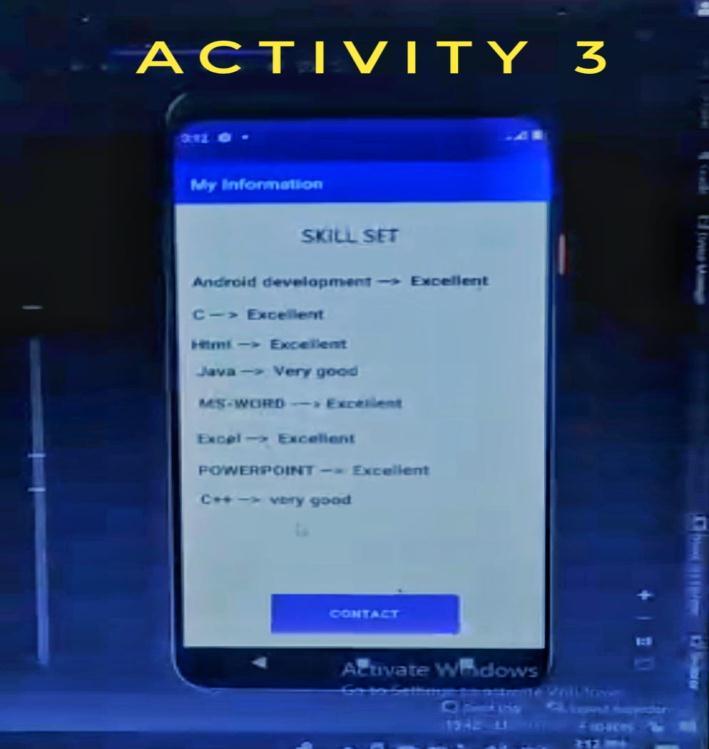
Fig -9:Skillset(Thirdscreen)
Fig -10:Contactinformation(Fourthscreen)
Thebutton“ENTER”onthefirstscreen,whenpressed,opens thescreentwo.The“SKILLS”buttononthesecondscreen, whenpressed,opensscreenthree.The“CONTACT”button onthethirdscreen,whenpressed,opensscreenfour.The screen4isthelastactivityandwillhaveinformationabout
Volume: 09 Issue: 08 | Aug 2022 www.irjet.net p-ISSN: 2395-0072 © 2022, IRJET | Impact Factor value: 7.529 | ISO 9001:2008 Certified Journal | Page1339