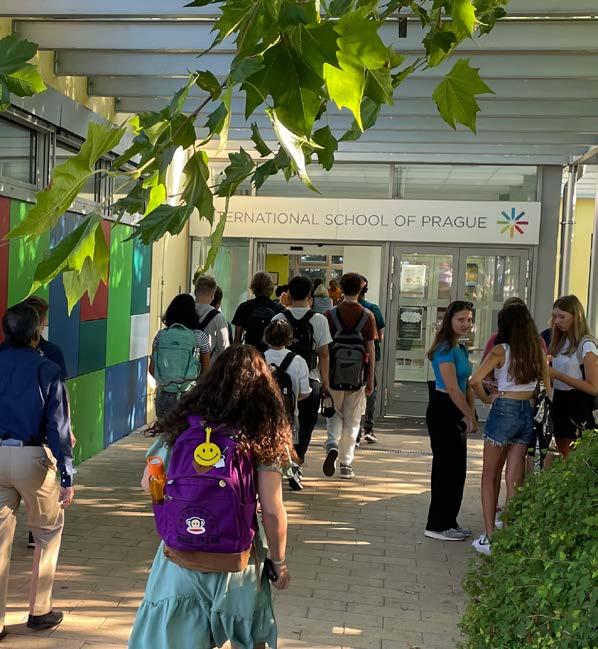
We are delighted to welcome all new families to the ISP community!
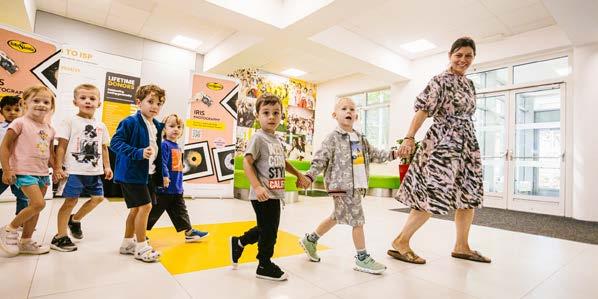
Our New Family Orientation Day will help you and your children feel prepared, informed, and connected before your new educational journey at ISP begins.
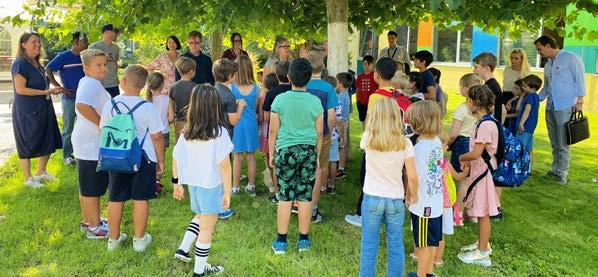
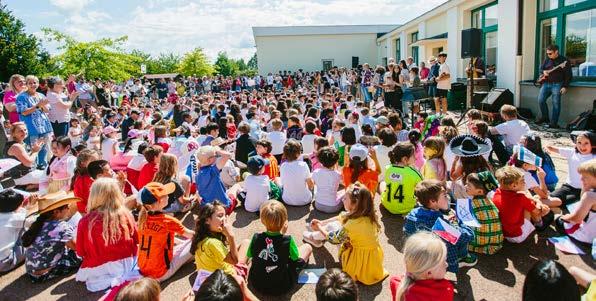
This special day, organized in collaboration with our dedicated parent volunteers from the School Community Association (SCA), includes presentations, student orientation activities, classroom experience, campus tours, cafeteria registration and opportunities to meet teachers, school leaders, and other ISP families.
All family members are cordially welcome to attend!
Families arriving at the beginning of the school year
The orientation will be held on Monday, 17 August one day prior to the official first day of school for all students.
The detailed programme will be shared the week prior to the event.
Families arriving mid-year
In addition to our August orientation organised for families arriving at the beginning of the school year, families arriving mid-year or on individually scheduled start dates will receive a personalised orientation before their child/ren’s first day of school. These tailored sessions - offered individually or in small groups - ensure that every family, regardless of arrival timing, feels supported, informed, and ready for a smooth transition into the ISP community.
First Day of School
Tuesday, 18 August marks the start of an exciting journey in a new environment full of learning, friendships, and growth. Our faculty and staff are here to support you every step of the way - we can’t wait to get to know you and see your children thrive!
Families arriving mid-year or on individually scheduled start dates will have an individually scheduled first day of school.
School Hours & Attendance
School Time
8:30 to 15:30 with Main Reception doors opening for students at 8:15. Classroom doors open at 8:20.
Every Wednesday Late-Start
Early Wednesday mornings (7:30 - 9:00) are dedicated to faculty professional development and collaboration time. School starts at 9:20 with Main Reception doors opening for students at 9:05 and classroom doors open at 9:10.
After-School Activities (ASAs)
Usually run from 15:30 to 16:30 and occasionally till 17:30 (for Middle and Upper School students).
Late Arrivals at School
Students arriving at school late (after 8:30) must report to their respective section secretary before attending class. Parents must inform the school of any attendance issues with your child through the myISP Parent Portal (by clicking on the ‘Attendance Notification’ button).
This includes illness, short or long-term absences, late arrival, or early dismissal (e.g., for a doctor’s appointment).
School Calendar
Please see the School Year Calendar below and keep these dates in mind as you plan your holidays during the course of the school year. You will also receive a printed calendar in your welcome kit during the New Family Orientation Day.
CALENDAR 2026/2027
Transport to ISP
Public transport
To reach ISP by public transportation, take the Green (A) Metro Line to Bořislavka station. After exiting the train, use the escalator, turn left, and follow the corridor to the lift or stairs that lead to street level. Once outside, turn right and cross the street to Horoměřická. After crossing, turn left, where you will easily spot the Bořislavka bus stop. From the Bořislavka bus stop, you can take bus 161 or 312 to the bus stop ‘Průhonický háj’ to reach ISP.
Additionally, during school time, there is an ISP-funded bus, number 263, in the morning from Bořislavka bus stop to ISP. Please see the 263 bus schedule here.
Door-to-Door Transportation
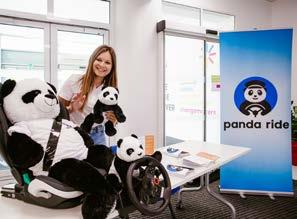
Panda Ride is ISP’s official partner in providing reliable and safe, door-to-door, transportation services directly from your home in Prague to ISP. Interested families can contact Panda Ride company manager, Mr. Tomáš Janout, with questions and requests at ISP@pandaride.cz. More info about Panda Ride and its services can be found at www.pandaride.cz/ISP.
ISP ID Card
In order for parents to visit the ISP campus, all adults must have a valid ISP ID card. Please keep in mind that to attend events that may happen later in the year (library access and borrowing, parent conferences, sporting events, performances, etc.), you will need to have a valid card. Please wear your ID cards while at ISP to help with identification and enhance security.
In order to print your badge, we require a digital passport photo. Please send us a photo of you via email to admissions@isp.cz and security@isp.cz
Please make sure that you label (name) the photo with your first name and your family name before attaching it to the email. Also, in the email please write the following information:
• Your first name
• Your family name
• The full name of ONE of your children
• The grade of the child listed above
This photo must be:
• Square or vertical headshot of at least 400 x 600 pixels in size
• White background
• Only of your head and shoulders
If you do not have a passport photo with a white background, any recent smartphone/iPhone can take an acceptable photo.
Tips:
• Make sure the wall behind you is white.
• Don’t stand close to the wall. One large step away is fine. This eliminates shadows.
Cell Phone Policy
ISP maintains a strict “Bell to Bell – NO CELL” policy as part of our support to students’ mental and emotional wellbeing. This means smartphones and smartwatches are prohibited from use during school hours (8:30–15:30, or 9:20–15:30 on Wednesdays).
Thanks to the partnership of students, staff, and families, the introduction of the Yondr Pouch in the Middle and Upper School is a resounding success. Students adapted quickly, and the results are clear:
• Improved focus and engagement in class
• Stronger peer connections and social interaction
• Reduced stress and anxiety linked to digital distractions
Each morning, students power down their device, lock it in their Yondr Pouch, and carry it with them throughout the day. Devices are only unlocked at stations near school exits. Should a student need temporary access to their phone, they can do so through the Middle or Upper School Office. Families can continue to reach students during the day via the Middle and Upper School Office.
Apple Technology at ISP
Technology is key to learning at ISP. Our iPad and laptop programme reflects our continued commitment to integrating technology into teaching and learning in meaningful and purposeful ways. When used effectively, digital tools support collaboration, creativity, research, and the development of essential skills that students will carry forward into higher education and beyond.
In alignment with our school stance around AI (Artificial Intelligence), please find the link that outlines our AI Roadmap for ISP.
Elementary School Students
Children in Early Childhood Foundations 3, 4, and 5 will use shared iPads provided by the school. Each Elementary School student in Grades 1–5 will receive an individual iPad provided by the school. These devices will be used only during the school day and will remain in the classroom at the end of each day.
Additionally, students have access to a wide array of peripherals, including printers, scanners, cameras, data loggers, and design technology equipment.
Middle School Students
Middle School students in Grades 6-8 will receive an individual Apple MacBook Air laptop provided by the school. The laptop is owned by the International School of Prague for educational use and is loaned to the parents for use by the students. The laptop is not a replacement for the home computer, but a school resource on loan to your child. At certain times of year you may be required to turn in your laptop to the school for necessary maintenance, and all laptops (and chargers) must be returned before the end of the school year. Parents are responsible for supervision of use at home.
Additionally, students have access to a wide array of peripherals, including printers, scanners, cameras, data loggers, and design technology equipment.
Upper School Students
Laptop:
Each Grade 9 student will be provided with an Apple MacBook Neo laptop for educational use during their time at ISP. These devices remain the property of the school and are loaned to families to support student learning both in school and at home.
FOCUS AREAS
Grade 10, Grade 11 and Grade 12 students are expected to use their own laptops for school work. A recent Apple MacBook Pro, MacBook Air, or MacBook is required. If you are coming from outside the Czech Republic, we strongly encourage you to buy and bring a laptop with you as you will need it from the first day of school. Full details about the program, what you need to do, software that is provided, etc. can be found on the ISP Upper School Laptop Program website.
Apple Technology at ISP
Calculator:
For the mathematics course, every student is required to have a calculator. Students are expected to bring this calculator to every math class. Our Math department supports and specifically teaches students on using calculators from the TI-84 Plus Family of calculators. We do not support other calculators. There are several different calculators in the TI-84 family the two most common are: TI-84 Plus, Ti-84 Plus CET. This graphic display calculator is an invaluable tool into the deeper understandings between algebraic solutions and graphical representations. Please ensure your child has the calculator before their first Math class.
ISP Email Address:
When a new student enrolls at ISP, they are assigned an ISP email address. The address consists of six numbers followed by “@isp.cz”. At New Student Orientation, students will be given their ISP email address and asked to activate it immediately. This email address is used by teachers and other offices in the school to send announcements or notices and to contact you individually. Students can use it to contact fellow students, teachers, and others in the ISP community. Using this ISP address keeps our students from having to use their personal email address for school matters.
For more information about the transition to our Upper School, PLEASE PAY ATTENTION TO THE WELCOME LETTER you will receive from the Upper School Office.
Communication Channels for Parents
• MyISP Parent Portal
• Toddle
• Parent Contact Weekly Newsletter
• Letters from your Teachers/Principals/Nurses
• Social Media
MyISP Parent Portal
Mark your calendars! MyISP access opens on 3 August
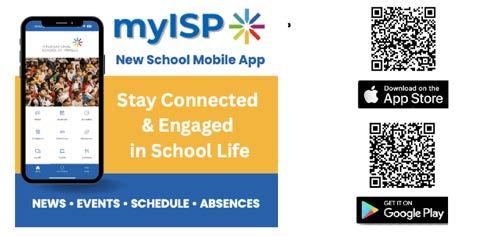
As a parent at ISP, it is essential that you log in to myISP Parent Portal before the first day of school. You can log in to myISP through the main website, this link or download our myISP app This platform is your go-to place for the important information you’ll need throughout the year. This is our parent platform where you can access your child(ren)’s schedule, the school calendar, information from the Cafeteria, the Health Office, and much more. This is the central hub for all ISP information.
If you are a new parent, please log in using the same username or email address you provided during the Admissions process when you were logging into your child(ren)’s application file in the Admission Portal. Your username is always “your first name.last name” - e.g. paul.newman. Be sure to check your inbox for an email from “myISP” containing your login details. If needed, you can use the “Can’t access your account?” link to recover your login information by entering your email address. If you’re still unable to register, please contact helpdesk@isp.cz with your full name and your child(ren)’s name(s) at ISP.
The myISP App is the mobile version of the MyISP Parent Portal. Log in with your ISP registered email address.
After logging in to the myISP portal or app, you will notice a button on the main page labeled “Toddle.” What is Toddle, and why do we use it?
Communication Channels for Parents
Toddle
Toddle access opens on the first day of school, 18 August
As a full IB continuum school, ISP has selected Toddle as our primary learning management system (LMS). Aligned with the rigorous standards of IB, Toddle seamlessly supports our educational journey from Early Childhood Foundations (ECF) to Grade 12.
At ISP, we use two essential platforms: MyISP and Toddle.
• MyISP remains the hub for general school communications, calendars, and student information outside the classroom.
• Toddle is dedicated to classroom-focused communication, academic deadlines, report cards, and all student learning-related data.
As a parent, you will be able to see in Toddle:
• All of your child(ren)’s classes
• Unit plans and curriculum
• Student work
• Assignment calendars
• Progress reports
• Note that this content may vary based on the age of the student and the particular class.
Parent Contact Weekly Newsletter
Please read our parent newsletter sent via email EVERY Thursday. This enables you to find everything you need to know for the coming week(s) at school, such as: important information, events, and upcoming dates, as well as letters from the Director and your school section Principals.
Letters from your Teachers/Principals/Nurses
You may also receive letters directly from your child(ren), teacher(s) and/or the section Principals, Director, Nurses, etc., directly to your email inbox.
Social Media
You can also follow us on social media to see what is happening on a day-to-day basis at ISP.
• Facebook
• Instagram
• LinkedIn
Activities and Clubs
At ISP, we offer a diverse range of activities that enrich the school day, including sports, performing and visual arts, modern languages, and more. The vast majority of programmes run after school. However, some activities will take place before school, during lunch or in the evening depending on the needs of the individual club and facility availability.
In general, Activities and Athletics take place at the following times:
Elementary School: 15:35-16:25 (Grades 1-5)
Middle School: 15:45-16:45 (15:45-17:15 for Athletics)
Upper School: 15:45-16:45 (15:45-17:30 for Athletics)
At ISP we believe in the value of students engaging in a range of activities and athletic opportunities and a multi-season approach facilitates this.
The three seasons are as follows:
Fall: September to mid-November.
Winter: Mid-November to Mid-March.
Spring: Mid-March to early June.
Activities Sign - ups
Please be sure to take a look at our Activities Department website where you can find further information on specific sign up processes and dates for the respective sections: ES, MS & US.
Elementary School - Specific information
ES families will be receiving further info from Mr. Fernando Romero (ES ASA coordinator) with regards to the ES After-School Activities (ASA) sign up process on the first week of school. For more detailed information please visit the Elementary Activities site.
Middle & Upper School - Specific information
Students themselves are in charge of the process to login and sign themselves up for their choices via the Google form. The form allows only the students to complete the process with their ISP email address. The students will receive more information about the sign up process directly from the Middle and Upper School Activities Coordinator during the first week of school.
E-Shop: P.E. Uniforms and more
Our E-Shop is not only a convenient platform for making purchases but also serves as a comprehensive Billing Platform. It allows you to access an overview of all issued invoices that can be paid by card.
In order to participate in Physical Education classes, it is mandatory for all students in Grades 6-8 in the Middle School and Grades 9 and 10 in the Upper School to have an ISP P.E. uniform (P.E. kit), which includes a t-shirt and shorts. This P.E. kit ensures that students are properly equipped for physical activities during their school curriculum.
Please note that our online store (e-shop) is the only, exclusive destination for all your child’s school purchases.
E-Shop Access
All parents of active students are automatically registered. You can access the E-Shop at the following link: https://eshop.isp.cz/. Please log in by using your email address and a password that you will create.
The E-Shop can also be accessed via the ISP website, as well as through the myISP platform or app.
The e-shop activation email will be sent to all new families on August 3.
In case you have not received your registration, please contact us at eshop@isp.cz. As a subject to the email, please write “Registration Request” and specify the following information:
• Your first name
• Your last name
• Your email address
• First and last name/s of your children at ISP
Once you have completed your purchases, we normally aim to have your orders ready for pick up at the Main Reception within 1-3 business days after payment. This way, you or your child can conveniently retrieve your items while visiting the school.
If you encounter any issues or have questions about the E-Shop, please don’t hesitate to contact us at eshop@isp.cz.
School Cafeteria
Our cafeteria, The Falcon’s Nest, is operated by Aramark, a trusted food service partner with over 30 years of experience delivering fresh, wholesome, and nutritious meals. The cafeteria program at ISP is built on the commitment to healthy, balanced, and nutrientrich meals, offered for a fixed lunch price that includes soup, a main meal, fruit, and a selection of fresh vegetable salads.
The following guide will help you navigate the cafeteria system, from creating your account to depositing funds and receiving alerts.
Accessing the Aramark App
To manage your child’s cafeteria account, you will use the Aramark app, which can be conveniently added to your phone or tablet home screen for quick access. You can download the app by scanning the QR code provided below. For a very useful, step-by-step instructional video, click here, and for visual instructions, click here.
Steps to Add the Aramark App
Go to: menu.aramark.cz/isp using Google Chrome or Safari, or scan this QR code.
For Android:
• Tap the three vertical dots (top right of the browser).
• Select Add to Home screen.
• Tap Install.
For Apple (iPhone/iPad):
• Tap the Share icon (bottom or top right of Safari).
• Scroll down and select Add to Home Screen.
• Tap Add (top right).
School Cafeteria
Creating and Activating Your Account
1. Open the app and tap the Profile icon .
2. Select Create Parent Account (Staff should select Create New Account).
3. Choose a username (note: this cannot be your email).
4. Enter your ISP-registered email address (the same email used for the Parent Portal).
5. Create a memorable password.
6. You will receive an email from noreply@aramark.cz with an activation code.
7. Return to the app, tap Profile, enter the code, and activate your account.
Depositing Money into Your Child’s Account
1. Tap Profile > Default Child.
2. Select your child (a confirmation message will appear).
3. Tap Profile > Deposit.
4. Enter the amount you wish to deposit and your card details.
5. You can check your child’s balance anytime by tapping Profile.
6. Activate automatic account top-up at your discretion, based on the financial limit of your choice.
Setting Up Low Balance Alerts
To ensure your child always has funds available:
1. Tap Profile.
2. Find Low Account Balance Notifications.
3. Turn on Send Notifications.
4. Set your preferred minimum balance.
Who to Contact
• Cafeteria Questions (Menu, Allergies, Services): Václav Suchý, Floor Manager for ISP Email: Suchy-Vaclav@aramark.cz
Starting at a new international school is an exciting journey - and we know that every new beginning comes with many questions, emotions, and adjustments. Our families understand what it means to be new, to arrive in a different country, and to build a new sense of home.
Through kindness, openness, and shared experience, our parent community is here to help make your transition as smooth, welcoming, and supportive as possible. We hope you will quickly feel a true sense of belonging at ISP. At our school, “Parents Help Parents” is more than just a phrase, it is part of who we are.
In addition to that, all parents automatically become members of the SCA, our School Community Association.
The SCA is a dynamic, diverse, all-volunteer organisation dedicated to enriching ISP life through engaging community programmes, activities, and events.
Follow us: SCA Instagram
You are warmly invited to connect with our parent community, whose members are happy to arrange a phone conversation or an in-person or virtual meeting with you prior to your arrival. Please do not hesitate to reach out to our parent representatives for support, guidance, or additional information at newcomers@sca.isp.cz and/or chair@sca.isp.cz.